Cracking a skill-specific interview, like one for CAD/CAM Software (Gerber, Optitex), requires understanding the nuances of the role. In this blog, we present the questions you’re most likely to encounter, along with insights into how to answer them effectively. Let’s ensure you’re ready to make a strong impression.
Questions Asked in CAD/CAM Software (Gerber, Optitex) Interview
Q 1. Explain the difference between Gerber and Optitex software.
Gerber and Optitex are both CAD/CAM software solutions for the apparel industry, but they cater to different aspects of the design and manufacturing process. Think of it like this: Gerber is primarily focused on the technical aspects of pattern making and production planning, while Optitex emphasizes 3D design and visualization.
- Gerber: Primarily used for 2D pattern design, grading, marker making, and production planning. It excels in automating tasks related to cutting and nesting fabric efficiently, minimizing material waste. It’s like the blueprint and construction manager of a garment factory.
- Optitex: Offers robust 3D design capabilities, allowing designers to create realistic virtual prototypes before physical sampling. This is excellent for visualizing fit, drape, and design details. It’s the digital design studio, focusing on aesthetics and fit before production.
In short, Gerber is more focused on the technical, manufacturing side, while Optitex leans towards the creative, design side. Many companies use both in a complementary workflow.
Q 2. Describe your experience using Gerber Accumark.
My experience with Gerber Accumark spans over five years, encompassing all aspects of the software from pattern creation and grading to marker making and nesting. I’ve used it extensively to develop patterns for various apparel types, including menswear, womenswear, and children’s clothing. One project that stands out involved optimizing marker layouts for a large-scale production run of denim jackets. By using Accumark’s advanced nesting features, we were able to reduce fabric waste by 12%, resulting in significant cost savings for the client.
I’m proficient in all modules, including the pattern design tools, the grading system (both manual and automated), and the marker-making capabilities. I’m also familiar with its integration with other Gerber software, such as AccuMark 3D, allowing for a seamless transition between 2D and 3D design workflows. I’m comfortable troubleshooting issues and training new users.
Q 3. How proficient are you with Optitex’s 3D design features?
I’m highly proficient with Optitex’s 3D design features. I can confidently create realistic 3D garments, simulate drape and fit, and manipulate various design elements like fabric texture and pattern placement. My experience includes using Optitex to create virtual prototypes for clients, enabling them to review and approve designs before physical sampling, saving time and reducing material waste.
I’ve used Optitex’s advanced features, including its fabric simulation capabilities, to address complex design challenges like creating a realistic drape for flowing fabrics or ensuring proper fit on complex body shapes. I am also adept at utilizing its pattern-making tools to ensure that the 3D designs accurately reflect the 2D patterns and are ready for production. For example, I successfully used Optitex to design and test a new line of activewear, using the 3D simulation to adjust the fit and performance of the garments based on virtual movement patterns.
Q 4. What are the key advantages of using CAD/CAM in the apparel industry?
CAD/CAM software offers numerous advantages in the apparel industry, primarily streamlining processes and improving efficiency. This translates into significant cost savings and improved product quality.
- Reduced Production Time: Automation of tasks like pattern making, grading, and marker making significantly speeds up the production process.
- Minimized Fabric Waste: Optimized marker making reduces material waste, leading to considerable cost savings, especially with expensive fabrics.
- Improved Accuracy and Consistency: CAD/CAM systems ensure consistent sizing and grading across all garment sizes, reducing errors and improving quality control.
- Enhanced Collaboration: Designers, pattern makers, and production teams can collaborate more effectively using shared digital files.
- Better Visualization: 3D design tools enable designers and clients to visualize the final product, allowing for early detection of design flaws and ensuring customer satisfaction.
In essence, CAD/CAM software helps apparel businesses become more efficient, competitive, and profitable.
Q 5. How do you manage design revisions and version control in Gerber or Optitex?
Both Gerber and Optitex offer robust version control systems. Typically, this involves saving different versions of a design file with incremental numbers or dates appended to the filename (e.g., dress_v1.gsm, dress_v2.gsm). Additionally, both platforms allow for commenting within the design file, highlighting specific revisions or changes made. For more comprehensive version control, integrating these platforms with external version control software like Git (though less common in this specific industry) can be very beneficial for larger teams and more complex projects.
In my workflow, I meticulously document all revisions, noting the date, author, and a concise description of the changes made. This detailed history allows for easy tracking and rollback to previous versions if needed. This is especially crucial when working collaboratively on projects with multiple team members.
Q 6. Explain the process of creating a marker in Gerber.
Creating a marker in Gerber involves arranging garment pieces efficiently on a virtual fabric layout to minimize waste. The process generally follows these steps:
- Import Patterns: Import graded patterns into the marker-making module.
- Placement and Rotation: Manually or automatically place and rotate the patterns on the virtual fabric, aiming for efficient use of space and reducing fabric waste.
- Nesting: Use the software’s automatic nesting algorithms to optimize the arrangement of the patterns. This often involves considering grainlines, fabric direction, and minimizing fabric stretch.
- Marker Optimization: Refine the marker layout manually to improve efficiency and reduce waste further. This usually involves fine-tuning the placement of individual pieces.
- Marker Output: Generate the marker information, including cutting instructions, which is then sent to the cutting machine.
The efficiency of marker making directly impacts production costs, so mastering this process is crucial. Advanced techniques, such as using different nesting algorithms and considering factors like fabric shrinkage, further enhance the efficiency of this stage.
Q 7. Describe your experience with grading patterns using CAD software.
Grading patterns using CAD software is the process of scaling a base pattern to create multiple sizes. This involves systematically adjusting pattern dimensions while maintaining the garment’s proportions and design integrity. I have extensive experience using both manual and automated grading methods in Gerber and Optitex. Manual grading offers more control but is time-consuming, while automated grading is faster but requires careful setup and verification to ensure accuracy.
In practice, I’ve found that a combination of both methods works best. I’ll use automated grading as a starting point and then manually refine critical areas, like the armholes or necklines, to ensure a perfect fit across all sizes. For example, when grading a complex jacket pattern, I’d initially use the automated grading feature, then manually adjust the sleeve cap and shoulder slope in each size to maintain the silhouette’s intended aesthetic and fit. Careful consideration of ease and adjustments for different body types are essential aspects of effective pattern grading.
Q 8. How do you ensure accurate measurements and scaling in your designs?
Ensuring accurate measurements and scaling in CAD/CAM software like Gerber and Optitex is paramount for successful garment production. It begins with establishing a precise base unit – usually millimeters or inches – and meticulously adhering to it throughout the design process. Any deviation can lead to significant errors in the final product.
I always start by verifying the software’s unit settings and checking the scale of imported images or sketches. For example, if I’m working with a scanned sketch, I’d carefully calibrate it to match a known measurement on the sketch itself, say the length of a sleeve, ensuring the software interprets the scale correctly.
Further, I use the software’s built-in measurement tools extensively. These tools allow for precise measurement of pattern pieces at various points and angles, facilitating the detection of any scaling discrepancies early in the design process. I regularly compare measurements taken within the software to those recorded in physical mockups to verify the accuracy of my digital representations. This rigorous cross-checking minimizes potential errors and ensures the final pattern is consistently scaled correctly.
For example, when designing a jacket, after creating the initial pattern in Optitex, I would meticulously measure the sleeve length, chest circumference, and other critical measurements using the software’s tools. These measurements are then compared to the physical measurements obtained from a toile (a mockup garment) constructed from inexpensive fabric. Any discrepancy is investigated and corrected, ensuring an accurate and scaled pattern.
Q 9. What are some common challenges you face when using CAD/CAM software?
Working with CAD/CAM software presents a unique set of challenges. One common issue is dealing with complex geometries and intricate pattern details. Manually creating highly detailed patterns can be time-consuming and prone to errors. Furthermore, dealing with variations in fabric properties can be difficult. The same digital pattern might behave differently depending on the fabric’s drape, stretch, and thickness, which is a key consideration when generating the cutting layout.
Another challenge is ensuring the efficient nesting of pattern pieces for cutting. Optimizing material usage to minimize waste is crucial for cost-effectiveness and sustainability. Manually arranging pattern pieces for optimal nesting can be very challenging, particularly when dealing with large numbers of pieces. Fortunately, both Gerber and Optitex offer sophisticated nesting algorithms, but fine-tuning these algorithms to achieve perfect results for diverse fabrics and patterns often demands significant expertise.
Finally, software compatibility issues, data management, and integrating with other systems within a larger production workflow can also pose significant challenges.
Q 10. How do you troubleshoot technical issues in Gerber or Optitex?
Troubleshooting in Gerber and Optitex involves a systematic approach. I begin by identifying the nature of the issue. Is it a software error, a hardware problem, or an issue with the data itself? I meticulously check error messages provided by the software. These messages often offer clues about the root cause.
If the issue is related to software functionality, I would consult the software’s help documentation, online forums, and the vendor’s support channels. Many problems have been documented and solved previously, providing readily accessible solutions.
If the issue stems from data inconsistencies (e.g., incorrect file formats, missing data, or corrupted files), I perform data integrity checks, often using validation tools built into the software. I might also recreate the problematic part of the design from scratch to rule out errors introduced during the initial design phase.
Hardware issues are usually resolved by checking connections, updating drivers, or verifying system resources like RAM and hard drive space. Sometimes, it’s as simple as restarting the computer. A methodical, step-by-step approach, beginning with simple checks and progressing to more advanced diagnostics, is crucial for effective troubleshooting.
Q 11. Describe your experience with different types of pattern pieces.
My experience encompasses a wide range of pattern pieces, from basic shapes like rectangles and circles (used for simple garments) to complex, multi-part patterns for tailored clothing. I’m proficient in creating and manipulating various types of pattern pieces, including:
- Basic Pattern Pieces: These are the foundation of any garment design, such as sleeves, collars, cuffs, and facings.
- Dart Manipulation: I am skilled in creating, moving, and grading darts (shaped folds of fabric) to achieve the desired garment shape and fit.
- Notch Placement: Precise placement of notches – markings on pattern pieces – is essential for accurate garment assembly. I’m experienced in creating and manipulating these markings for perfect alignment.
- Grading: I’m proficient in scaling patterns to different sizes, ensuring consistent proportions and fit across a range of sizes.
- Complex Pattern Pieces: This includes pieces with many curves, points, and intricate details, like those found in jackets, trousers, or dresses with elaborate draping.
Understanding the interplay between different pattern pieces and their effect on the final garment’s shape is vital. For instance, a slight change in the sleeve cap height can significantly impact the fit and drape of a sleeve.
Q 12. How familiar are you with different fabric types and their draping characteristics?
Understanding fabric types and their draping characteristics is fundamental to successful garment design. Different fabrics behave differently when manipulated, affecting the final appearance and fit of the garment. This knowledge directly impacts pattern design, choosing appropriate seam allowances, and predicting how the garment will drape.
For example, a lightweight silk will drape very differently from a heavy wool. Silk will flow and create soft folds, while wool might be stiff and hold its shape. These characteristics need to be accounted for in the pattern. A pattern designed for a stiff fabric might result in unwanted wrinkles if cut in a flowing fabric, and vice-versa. Understanding the fabric’s drape is also crucial when considering the need for additional ease (extra fabric to accommodate drape and body movement).
My familiarity with different fabric types extends to understanding their properties – stretch, weight, shrinkage, and texture – which informs my pattern design choices. This often involves experimenting with different fabrics during the prototyping phase to observe their behavior and fine-tune the pattern accordingly. I actively consult fabric specifications and engage in hands-on experimentation to build this knowledge.
Q 13. Explain your understanding of seam allowances and their importance.
Seam allowances are the extra fabric added to pattern pieces to allow for seam construction. They’re crucial for several reasons: They provide the necessary fabric for stitching seams together, influencing the finished garment’s size and preventing the seams from being too narrow or too bulky. The choice of seam allowance depends on factors such as the fabric type, garment style, and manufacturing method.
In industrial settings, seam allowances are standardized for efficiency and consistency. Using inconsistent seam allowances can lead to significant issues during production. Standard seam allowances are usually specified by the manufacturer or defined within the brand’s style guide. For instance, a 1.5cm seam allowance might be standard for a particular type of dress, ensuring consistency throughout the production line. Incorrect seam allowances directly impact the final garment’s size and fit, leading to costly errors.
My experience includes working with various seam allowances, adapting them based on the fabric and garment style. For instance, stretch fabrics often require smaller seam allowances than non-stretch fabrics. I incorporate seam allowances into my digital patterns using the software’s capabilities, ensuring their precise inclusion in the final cut files.
Q 14. How do you utilize the nesting features in Gerber or Optitex?
Nesting, in the context of Gerber and Optitex, is the process of arranging pattern pieces on a fabric layout to minimize fabric waste. Both software packages provide powerful nesting tools to automate this process and improve efficiency. I leverage these features extensively to optimize material usage and reduce production costs.
Before nesting, I ensure my pattern pieces are accurately created and scaled. I then utilize the software’s features to select the fabric type, considering its width, grain, and direction. I often adjust the nesting parameters, such as piece orientation and tolerance settings, to fine-tune the layout and improve efficiency. For example, I might prioritize minimizing the length of the fabric used over the width, depending on the fabric’s cost or the available supply.
The software provides visual feedback during the nesting process, allowing me to review and optimize the layout manually if needed. I regularly analyze the nesting results, evaluating the fabric waste and adjusting parameters to improve it further. Advanced nesting strategies, such as using marker-making software, can be incorporated to enhance the efficiency even more.
For instance, when working with a large number of pattern pieces for a complex garment, I would utilize the automatic nesting function of the software, setting parameters such as fabric width and desired tolerance. The software would then automatically arrange the pieces, and I would visually inspect the result to fine-tune the placement manually. The goal is always to find a balance between automation and manual optimization to achieve the most efficient fabric usage.
Q 15. What are your preferred methods for optimizing marker layouts?
Optimizing marker layouts is crucial for minimizing fabric waste and maximizing efficiency in garment production. My approach involves a multi-step process, leveraging the features of both Gerber and Optitex. I begin by carefully analyzing the pattern pieces and their grainlines to determine the best orientation for minimizing fabric consumption. This often involves experimenting with different nesting strategies, using the software’s automated nesting features as a starting point, then manually adjusting placements to improve the layout.
- Manual Adjustments: I utilize the software’s tools to fine-tune the marker layout, carefully considering factors such as fabric width, pattern piece orientations, and the presence of any fabric flaws. Think of it like a puzzle, where you strategically place the pieces to avoid unnecessary gaps.
- Spread Optimization: I use the ‘spread’ functionality, adjusting the spacing between nested patterns, accounting for seam allowances and cutting tolerances. The goal is to get the maximum number of pieces per spread while keeping waste to an absolute minimum.
- Software Algorithms: Both Gerber and Optitex offer sophisticated nesting algorithms. I’m proficient in utilizing these, but always double-check the results manually, as the software might miss subtle optimizations that a trained eye can spot. For example, I might identify opportunities to rotate a smaller piece to better fit within a larger space.
- Markup Languages: I utilize the Gerber and Optitex capabilities to generate reports and visual representations of fabric usage and waste, which is incredibly important for cost analysis and production planning.
For instance, on a recent project involving intricate lace, I was able to reduce fabric waste by 15% by manually adjusting the automated nesting suggestion, effectively saving the client significant costs.
Career Expert Tips:
- Ace those interviews! Prepare effectively by reviewing the Top 50 Most Common Interview Questions on ResumeGemini.
- Navigate your job search with confidence! Explore a wide range of Career Tips on ResumeGemini. Learn about common challenges and recommendations to overcome them.
- Craft the perfect resume! Master the Art of Resume Writing with ResumeGemini’s guide. Showcase your unique qualifications and achievements effectively.
- Don’t miss out on holiday savings! Build your dream resume with ResumeGemini’s ATS optimized templates.
Q 16. Describe your workflow when creating a new pattern from scratch.
Creating a pattern from scratch involves a systematic approach combining technical skill and creative vision. My workflow typically follows these steps:
- Concept & Design: I start by sketching the garment design, defining its key features, and making any necessary adjustments based on the client’s requirements and target market. This phase also includes gathering inspiration from existing garments, trend reports, or other sources.
- Draping (Optional): Depending on the garment’s complexity, I may use draping techniques on a dress form to create a 3D representation of the design. This helps refine the design and obtain a more realistic feel for the drape and fit.
- Pattern Block Construction: In Optitex, I construct basic pattern blocks (e.g., bodice, skirt, sleeve) based on standard measurements or a sloper. This provides the foundation for the final pattern. Using the available digital tools, I can work from a sloper and adjust those blocks to achieve the desired silhouette very efficiently.
- Pattern Grading: Once I’ve finalized the base pattern, I use the software’s grading capabilities to create multiple sizes. The software’s precision minimizes errors and saves valuable time.
- Refinement & Adjustments: This is an iterative process, involving multiple fittings and adjustments using the software’s manipulation and simulation tools, to ensure the pattern fits perfectly and meets design specifications.
- Pattern Piece Creation: This step involves separating the master pattern into individual pieces, adding seam allowances and marking notches or other necessary details.
Throughout this process, I constantly refer to the design sketches and specifications to maintain consistency and accuracy. I see the process as a collaborative dialogue between the initial design concept and the technical requirements of garment construction.
Q 17. How do you incorporate client feedback into your designs?
Incorporating client feedback is a crucial part of the design process. I use several methods to ensure their input is effectively integrated:
- Clear Communication: Establishing clear communication channels from the outset is essential. Regular meetings and detailed progress reports allow for continuous feedback loops.
- Visual Aids: I use digital mockups, 3D renderings (where applicable), and sample swatches to present my designs and make it easier for clients to understand and provide feedback visually. A picture is truly worth a thousand words in this context.
- Iterative Design Process: I view the design process as iterative, with the client’s feedback guiding design iterations. I create multiple versions to accommodate different suggestions and preferences. For example, if a client prefers a slightly lower neckline, I adjust the pattern digitally and immediately show the effect.
- Version Control: Maintaining different versions of the design allows me to track changes and revert to previous stages if necessary. This helps to maintain organization and transparency.
I recently worked with a client who wanted a modification to the sleeve design. Using Optitex, I digitally altered the sleeve pattern, created a visual mockup, and showed the client the effect almost instantly, leading to swift approval.
Q 18. How do you handle last-minute design changes or corrections?
Handling last-minute changes requires a calm and organized approach. My strategy involves:
- Assessment of the Change: First, I carefully evaluate the scope and impact of the change on the overall design and production schedule. This informs my response strategy.
- Prioritization: If multiple changes are required, I prioritize them based on urgency and impact. Critical changes that affect critical paths are addressed first.
- Efficient Implementation: With both Gerber and Optitex, I can efficiently implement most design changes directly in the digital environment, making adjustments to the patterns and generating updated files promptly.
- Communication: Maintaining open communication with stakeholders about potential delays or adjustments in cost and timelines due to these late changes is crucial to manage expectations.
For example, I once had a request to change the pocket placement just before production. Using the software’s advanced editing capabilities, I quickly made the necessary adjustments, minimizing downtime and keeping the project on track.
Q 19. What is your experience with outputting files from Gerber to cutting tables?
My experience with outputting Gerber files to cutting tables is extensive. I’m proficient in generating various Gerber file formats (like .GKO, .GBR, etc.) compatible with different cutting machines. The process typically involves:
- File Format Selection: Choosing the appropriate Gerber file format that’s compatible with the specific cutting table’s software. This often involves understanding the capabilities of both the software and the hardware.
- Plotter Settings: Configuring the plotter settings to match the cutting table’s specifications, such as cutting speed, blade pressure, and material type. Incorrect settings could lead to cutting inaccuracies or damage.
- Verification & Testing: Before sending the files to the cutting table, I thoroughly verify the accuracy and completeness of the Gerber data using a test cut on a sample material. This step prevents costly errors on larger batches.
- Troubleshooting: I have experience troubleshooting various issues related to file transfer, machine malfunctions, and unexpected errors during the cutting process. Understanding the intricacies of both the software and hardware is essential for efficient troubleshooting.
I’ve worked with a wide array of cutting tables from various manufacturers, and understanding their specific requirements and nuances is something that’s become second nature to me.
Q 20. How familiar are you with different file formats used in the apparel industry (e.g., AI, PDF, DXF)?
I’m highly familiar with various file formats used in the apparel industry. Each format serves a specific purpose and has its strengths and weaknesses. Here are some examples:
- AI (Adobe Illustrator): Excellent for vector-based illustrations, logos, and intricate pattern details. It’s ideal for creating and manipulating high-quality artwork for print and embroidery.
- PDF (Portable Document Format): A ubiquitous format for sharing design documents, ensuring consistent appearance across different platforms. It’s useful for communicating designs and specifications to clients and manufacturers. However, it’s not ideal for direct pattern manipulation.
- DXF (Drawing Exchange Format): A widely used CAD format for exchanging design data between different CAD/CAM software. I often use this format to transfer data between different design programs.
- Other formats: I am also familiar with other formats such as EPS (Encapsulated PostScript), PSD (Photoshop Document) and various image formats, each with its own purpose in the apparel design workflow.
Choosing the right file format is essential for optimal data transfer and compatibility throughout the design and production process.
Q 21. Describe your experience with color management within your design workflow.
Color management is critical to ensure consistent color reproduction throughout the design, production, and final product. My experience encompasses:
- Color Profiles: I’m proficient in using color profiles (like ICC profiles) to manage color consistency across different devices and software. This ensures that the colors on my screen accurately reflect the final printed product.
- Software Tools: Both Gerber and Optitex incorporate robust color management tools, allowing me to define and apply color profiles throughout the workflow. This is particularly crucial for textiles, where subtle variations in color can have a significant impact on the final result.
- Pantone Matching System (PMS): I regularly use the PMS system for accurate color specification, ensuring consistency between the design and the final printed or dyed fabric.
- Communication: Clear communication with printers and manufacturers regarding color standards and profiles is essential to prevent discrepancies. I provide detailed specifications to ensure accuracy.
By understanding and utilizing these methods, I ensure the client’s color vision is consistently translated across every stage of the production process, ensuring the end product perfectly matches the expectations.
Q 22. How do you maintain data integrity and accuracy within CAD software?
Maintaining data integrity and accuracy in CAD software like Gerber and Optitex is paramount for efficient production and high-quality output. It involves a multi-pronged approach focusing on prevention and detection.
- Regular Data Backups: Implementing a robust backup system prevents data loss due to software crashes or hardware failures. Think of it like saving your work frequently on a word processor, but on a much larger scale.
- Version Control: Utilizing version control systems allows tracking changes, reverting to previous versions if needed, and collaborating efficiently with teams. This is like having a history of all edits made to a document.
- Data Validation: Regularly validating data through automated checks and manual reviews ensures consistency and accuracy. For instance, checking for inconsistencies in stitch lengths or pattern pieces that don’t quite fit together.
- File Management: A well-organized file structure using clear naming conventions avoids confusion and ensures easy retrieval of specific files. This is akin to having a well-organized filing cabinet, rather than a pile of papers.
- Software Updates: Staying current with software updates ensures access to bug fixes and performance enhancements, reducing the risk of errors. This is crucial for maintaining a reliable workflow.
For example, in Gerber, using the AccuMark nesting feature allows for automated checks to ensure optimized material usage and minimize waste, indirectly contributing to data accuracy in the production process.
Q 23. Explain your understanding of digital pattern grading and its importance.
Digital pattern grading is the process of automatically scaling a base pattern to create different sizes. It’s crucial for efficient production, as it automates a previously manual and time-consuming task. Imagine trying to manually resize every piece of a garment pattern for different sizes – it’s incredibly tedious and prone to errors.
In Optitex, for example, the grading tool allows for precise scaling, adjusting the pattern pieces according to specified grade rules, ensuring consistent proportions across sizes. These rules might include adjusting sleeve lengths, body widths, and other parameters based on size charts. The importance lies in:
- Efficiency: Significant time savings compared to manual grading.
- Accuracy: Reduced errors associated with manual scaling.
- Consistency: Ensures consistent sizing across all garments.
- Cost Savings: Less labor is required for the grading process.
Without digital pattern grading, creating multiple sizes of a garment would be significantly more time-consuming and costly, potentially impacting the overall profitability of a clothing line.
Q 24. How do you ensure the manufacturability of your designs?
Ensuring manufacturability involves considering various factors throughout the design process. It’s not just about aesthetics; it’s about creating a garment that can be efficiently and effectively produced.
- Grainlines and Seams: Understanding how fabric grain affects drape and ensuring seam allowances are adequate for various fabrics are crucial. For example, a bias-cut garment might require different seam allowances compared to a straight-grain cut.
- Construction Details: Simple designs may look appealing but might be complex to manufacture. Prioritizing designs that are easy to assemble reduces production time and associated costs.
- Material Selection: Choosing appropriate fabrics based on their properties (drape, stretch, durability) is essential. A design may look beautiful in silk but be impossible to manufacture efficiently in a cheaper alternative.
- Pattern Design: Creating patterns with minimal complex curves or pieces simplifies the cutting and sewing process. Consider the capabilities of the cutting machinery available.
- Sampling and Testing: Making physical samples allows for checking the manufacturability before mass production. This is crucial for identifying potential issues early on.
For instance, in Gerber, creating a marker (the arrangement of pattern pieces on fabric) allows for an assessment of fabric utilization and identification of potential issues with the placement of pattern pieces.
Q 25. Describe your experience with quality control procedures for CAD designs.
Quality control in CAD design involves rigorous checks at every stage, from initial design to final production. This is crucial to prevent errors and ensure consistent quality.
- Pattern Checks: Verifying pattern pieces for accuracy, symmetry, and proper fit.
- Grading Checks: Ensuring graded patterns maintain accurate proportions and consistency across sizes.
- Marker Checks: Reviewing marker layouts for efficient fabric utilization and avoiding placement errors.
- Data Validation: Running automated checks to identify inconsistencies or errors in the data.
- Sample Review: Evaluating physical samples for quality, fit, and manufacturability issues.
These checks can be performed using the software’s built-in tools, manual inspection, or a combination of both. In Gerber, for instance, the ‘auto-check’ function within AccuMark helps to automatically detect errors in the pattern pieces.
My experience includes implementing checklists and standard operating procedures for quality control in the design and production processes. This ensures consistency across all projects, minimizing the risk of errors.
Q 26. Explain your understanding of the relationship between pattern design and garment construction.
The relationship between pattern design and garment construction is symbiotic. The pattern is essentially a blueprint for the garment. Accuracy in pattern design directly translates to the quality of the final garment.
The pattern dictates:
- Garment Shape and Fit: The shape and dimensions of the pattern pieces directly determine the final shape and fit of the garment.
- Seams and Construction Details: The pattern outlines the placement of seams, darts, and other construction details that guide the assembly process.
- Fabric Requirements: The pattern influences the amount and type of fabric needed for production.
Inaccurate patterns lead to ill-fitting garments, difficulties during construction, and potentially wasted fabric. Think of it like building a house – an inaccurate blueprint would result in a poorly built house. Therefore, precision in pattern design is critical for successful garment construction.
Q 27. How do you stay updated with the latest developments in CAD/CAM technology?
Staying updated in CAD/CAM is crucial for maintaining a competitive edge. I actively pursue updates through several methods:
- Industry Publications and Conferences: Attending industry conferences (like Texprocess) and reading trade publications keeps me abreast of the latest advancements and industry trends.
- Software Vendor Websites and Training: Regularly checking software vendor websites (Gerber Technology, Optitex) for updates, webinars, and training materials ensures I’m familiar with new features and best practices.
- Online Courses and Tutorials: Engaging in online courses and tutorials on platforms like LinkedIn Learning helps to develop my skills in new technologies.
- Networking with Industry Professionals: Connecting with other CAD/CAM professionals through online forums and industry events fosters the exchange of knowledge and information.
This ongoing learning helps me identify opportunities to improve efficiency, accuracy, and innovation within my workflow.
Q 28. Describe a time you had to solve a complex technical problem using CAD/CAM software.
I once faced a challenge involving a complex 3D garment simulation in Optitex. The client required a highly detailed and accurate simulation of a draped garment with intricate pleats and folds. The initial simulation wasn’t realistic, with unnatural folds and inconsistent drape.
To solve this, I systematically tackled the problem:
- Reviewed the Pattern: I carefully examined the pattern for any potential errors that might have contributed to the inaccurate simulation.
- Adjusted Simulation Parameters: I experimented with various simulation parameters, such as gravity, fabric properties (weight, drape, stretch), and the simulation algorithm to achieve a more realistic outcome.
- Utilized Optitex’s Advanced Features: I leveraged Optitex’s advanced features for fabric simulation, including adjusting the fabric model parameters to accurately reflect the drape of the specific material being used.
- Iterative Testing and Refinement: Through iterative testing and refinement, I gradually improved the accuracy of the simulation. This involved comparing the simulation results to physical samples and making necessary adjustments.
Ultimately, through a methodical approach and detailed understanding of Optitex’s simulation capabilities, I achieved a highly realistic simulation that met the client’s expectations. This experience highlighted the importance of problem-solving skills and a deep understanding of the software’s capabilities.
Key Topics to Learn for CAD/CAM Software (Gerber, Optitex) Interview
- Gerber/Optitex Interface & Navigation: Mastering the software’s layout, toolbars, and menus is fundamental. Practice efficient workflow techniques.
- Pattern Making & Grading: Understand the principles of pattern construction, manipulation, and grading using both systems. Be prepared to discuss different grading methods and their applications.
- Marker Making & Nesting: Learn optimal marker making strategies for minimizing fabric waste and maximizing efficiency in both Gerber and Optitex. Discuss different nesting algorithms and their impact.
- Data Import/Export: Become proficient in importing and exporting files in various formats (e.g., DXF, AI). Understand the implications of file compatibility.
- Production Planning & Management: Demonstrate understanding of how these tools integrate into a larger production workflow. Discuss considerations for manufacturing processes.
- Problem-Solving & Troubleshooting: Be ready to discuss how you approach technical challenges within the software. Highlight your ability to find solutions and adapt to unexpected issues.
- Specific Gerber Features (e.g., AccuMark): Explore advanced features specific to the Gerber software you’ll be using, showcasing your in-depth knowledge.
- Specific Optitex Features (e.g., 3D design): Highlight your proficiency with features unique to Optitex, particularly if the role involves 3D design or virtual prototyping.
- Industry Best Practices: Familiarize yourself with industry standards and best practices related to CAD/CAM software usage in the apparel or related industry.
Next Steps
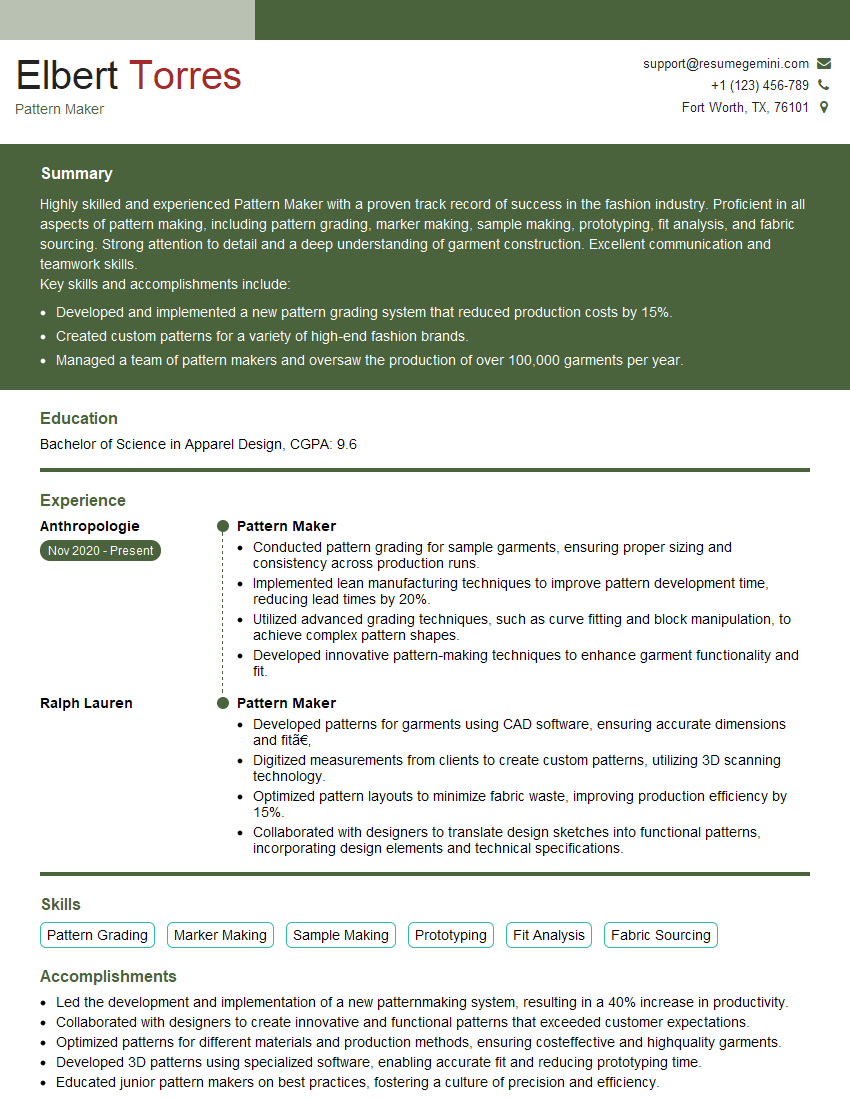
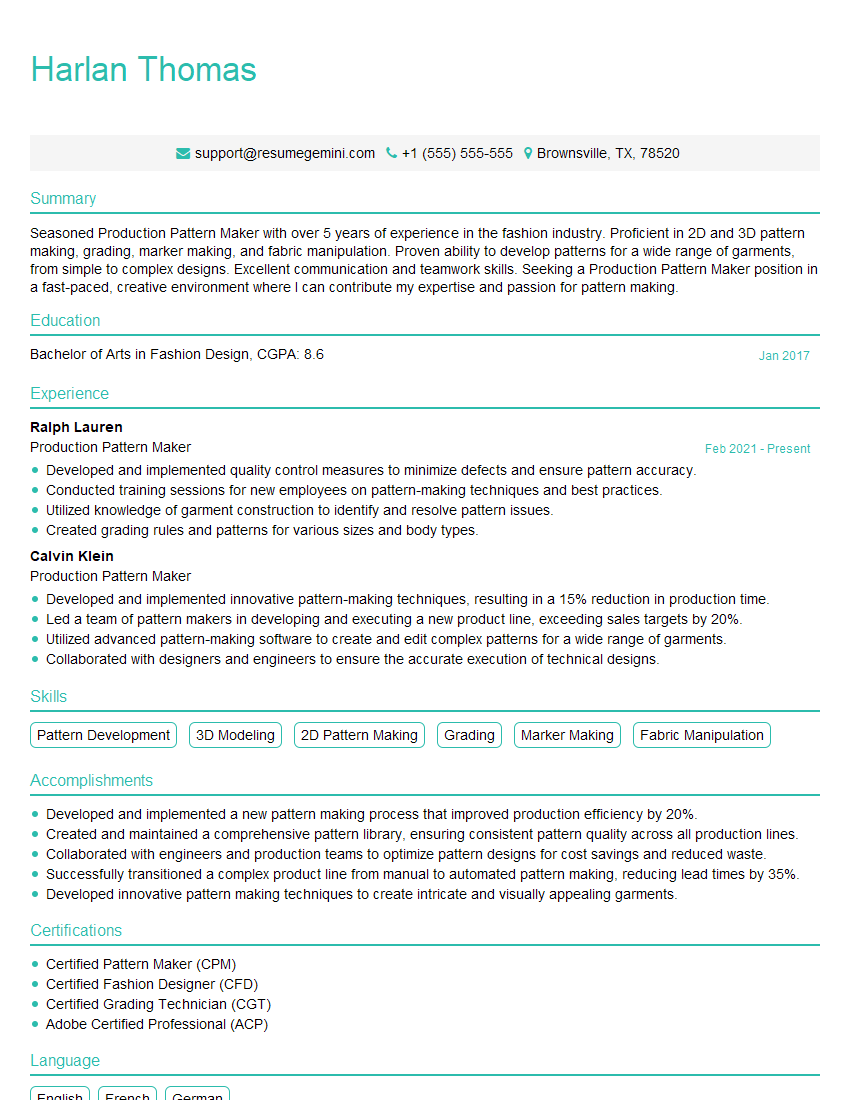
Mastering CAD/CAM software like Gerber and Optitex is crucial for career advancement in the fashion and apparel industries, opening doors to more challenging and rewarding roles. A strong resume is your key to unlocking these opportunities. Creating an ATS-friendly resume is essential for getting your application noticed by recruiters. We highly recommend using ResumeGemini to craft a compelling and effective resume that highlights your skills and experience. ResumeGemini provides examples of resumes tailored to CAD/CAM Software (Gerber, Optitex) professionals, helping you showcase your expertise to potential employers.

Explore more articles
Users Rating of Our Blogs
Share Your Experience
We value your feedback! Please rate our content and share your thoughts (optional).
What Readers Say About Our Blog
I Redesigned Spongebob Squarepants and his main characters of my artwork.
https://www.deviantart.com/reimaginesponge/art/Redesigned-Spongebob-characters-1223583608
IT gave me an insight and words to use and be able to think of examples
Hi, I’m Jay, we have a few potential clients that are interested in your services, thought you might be a good fit. I’d love to talk about the details, when do you have time to talk?
Best,
Jay
Founder | CEO