Feeling uncertain about what to expect in your upcoming interview? We’ve got you covered! This blog highlights the most important Tool Setting and Offset Management interview questions and provides actionable advice to help you stand out as the ideal candidate. Let’s pave the way for your success.
Questions Asked in Tool Setting and Offset Management Interview
Q 1. Explain the process of setting a tool on a CNC machine.
Setting a tool on a CNC machine involves precisely positioning the cutting tool relative to the machine’s coordinate system. Think of it like setting up a perfectly calibrated paintbrush before starting a detailed painting. The process ensures the tool cuts in the correct location and depth. It’s a crucial step, as any inaccuracy here will directly translate to errors in the finished workpiece.
The steps typically involve:
- Selecting the Correct Tool: Choosing the appropriate tool based on the material and operation (e.g., a roughing end mill for material removal, a finishing end mill for smooth surfaces).
- Clamping the Tool: Securely mounting the tool into the CNC machine’s spindle, ensuring a tight and stable grip.
- Tool Length Measurement (If using On-Machine Probing): Often the first step in on-machine probing involves measuring the tool length to set a reference point.
- Tool Geometry Input: Entering the tool’s geometric data (diameter, length, radius) into the CNC control, which uses this information for calculations. The exact method depends on the machine and CAM software.
- Offset Setting (Tool Length Offset): This is where you adjust the tool’s virtual position in the machine’s coordinate system to compensate for its length. We’ll discuss offset calculation in more detail later.
- Verification: Always verify the tool’s position through a test cut or probe cycle to check for any errors before starting full production.
Q 2. Describe different tool setting methods (e.g., pre-setter, on-machine probing).
Several methods exist for setting tools on CNC machines, each with its strengths and weaknesses:
- Pre-setter: A dedicated tool pre-setter is a standalone machine that measures tool dimensions (length and diameter) with high accuracy before mounting on the CNC. This method reduces machine downtime and increases efficiency, allowing for pre-planning of tool changes. Think of it as preparing your ingredients before you start cooking.
- On-Machine Probing: This involves using a touch probe on the CNC machine itself to measure the tool’s length and/or position. It’s a very accurate method and is often preferred for its integration within the machining process; however it consumes machine time. There are two main types: Automatic Tool Length Measurement (ATLM) and Touch Probe Measurement. ATLM is more common and automated. Touch probing requires some manual interaction.
- Edge Finder: A less precise method where you physically use an edge finder to find the tool’s position relative to a reference point on the workpiece. This is generally used only for rough adjustments.
The choice of method depends on factors such as accuracy requirements, budget, and machine capabilities.
Q 3. How do you calculate tool offsets?
Tool offset calculation compensates for the physical tool length and geometry. Imagine drawing a circle with a crayon that has some length to its point; you don’t start from the exact tip. We need to adjust for that distance.
The most common offset is the Tool Length Offset (TLO), which adjusts for the tool’s length. The calculation typically involves measuring the distance from a reference point (e.g., the machine’s spindle face) to the tool tip. This measurement is then entered into the CNC control system as the TLO value. The control then automatically adjusts the Z-axis movements to compensate for this length.
Example: If the measurement from the spindle face to the tool tip is 100mm, then a TLO of 100mm is entered. When the program calls for a cut at Z=0, the machine actually moves to Z=-100mm to reach the correct cutting depth.
Other offsets exist, such as:
- Tool Radius Compensation (TRC): This compensates for the radius of the tool, ensuring accurate cuts even on curves. The software calculates the path to compensate for the tool radius to ensure the actual cut matches the desired path.
- Tool Geometry Offsets: These account for other aspects of the tool’s geometry such as taper angles.
The specific calculation methods depend on the CNC control and CAM software used, but the underlying principle remains consistent: compensating for the physical characteristics of the tool to achieve accurate machining.
Q 4. What are the common causes of tool offset errors?
Tool offset errors can severely impact the quality of the machined parts. They can stem from several sources:
- Incorrect Tool Measurement: Inaccurate measurement during tool setting (pre-setter malfunction, probe calibration issues, human error).
- Improper Tool Clamping: Loose clamping can cause tool deflection or vibration, leading to inaccurate cuts.
- Tool Wear: As the tool wears, its dimensions change, which leads to tool length inaccuracies. Regular tool inspection is important to identify significant wear.
- Thermal Growth: Temperature changes can affect the length of the tool and other machine components, introducing errors. Modern CNC machines often have temperature compensation mechanisms, but these can have limitations.
- Machine Calibration Issues: The CNC machine itself might need recalibration, affecting the accuracy of the tool’s position.
- Incorrect Offset Input: Human error in entering the calculated offsets into the control system. Double-checking inputs and using verification methods are essential.
- Program Errors: Errors in the CNC program can also lead to offset related problems.
Identifying the root cause of the offset error is crucial for corrective action. A systematic approach, involving checking measurements, clamping, and program code is essential for diagnosis.
Q 5. How do you troubleshoot tool breakage or wear during machining?
Detecting and troubleshooting tool breakage or wear requires a combination of proactive monitoring and immediate reaction.
Signs of Tool Breakage or Wear:
- Unusual Sounds: Changes in the machining sound (e.g., increased noise, chatter) might indicate problems.
- Surface Finish Degradation: A worsening surface finish on the workpiece compared to previous cuts.
- Dimensional Inaccuracies: Parts produced outside the specified tolerances.
- Tool Marks: Chips or abnormal marks on the machined surfaces.
- Visual Inspection: Regular visual inspection of the tool can reveal significant wear.
Troubleshooting Steps:
- Immediate Stop: If tool breakage is suspected, stop the machine immediately to prevent further damage to the machine or workpiece.
- Inspect the Tool: Carefully inspect the tool for cracks, chips, or excessive wear.
- Check Workpiece: Examine the workpiece for any signs of damage or unusual machining patterns.
- Review CNC Program: Ensure that the CNC program is correct, as programming errors can lead to tool failure.
- Adjust or Replace Tool: Replace the worn or broken tool, and adjust offsets as needed.
- Monitor the New Tool: Monitor the performance of the replacement tool to confirm that the issue is resolved.
Proactive measures such as regular tool inspection and proper cutting parameters can help minimize tool breakage and wear.
Q 6. Explain the importance of tool pre-setting.
Tool pre-setting offers significant advantages in CNC machining:
- Reduced Machine Downtime: Pre-setting tools outside the CNC machine eliminates the need to measure tools on the machine itself, saving valuable machine time.
- Increased Efficiency: Pre-setting allows for better planning and more efficient tool changes. Think of it like a chef preparing mise en place before cooking—everything is ready to go.
- Improved Accuracy: Pre-setters typically offer higher accuracy than on-machine probing, leading to more precise machining. Dedicated equipment tends to be more accurate and consistent.
- Better Tool Management: It simplifies tool management, enabling better tracking and organization of tools.
- Reduced Risk of Collisions: By pre-setting, the risk of tool collisions is greatly reduced, safeguarding the machine and workpiece.
While on-machine probing remains important, pre-setting is often the preferred method, especially in high-volume production environments where maximizing machine uptime is paramount.
Q 7. What safety precautions are essential during tool setting?
Safety is paramount during tool setting. Always follow these precautions:
- Lockout/Tagout: Ensure the CNC machine is completely powered down and locked out before any manual intervention.
- Appropriate PPE: Wear appropriate personal protective equipment (PPE), including safety glasses, hearing protection, and cut-resistant gloves.
- Careful Handling of Tools: Handle tools with care, avoiding sharp edges and potential injuries.
- Proper Tool Clamping: Use correct procedures for clamping tools into the spindle to prevent accidents.
- Machine Guards: Ensure that all machine guards are in place before operation. Never remove guards unnecessarily.
- Clear Workspace: Maintain a clean and organized workspace to reduce the risk of tripping or falling.
- Follow Safety Procedures: Adhere to all company safety procedures and regulations.
- Emergency Stop: Know the location and function of the emergency stop button and be ready to use it in case of an emergency.
Safety must always come first. A thorough understanding and adherence to safety procedures is essential for preventing accidents during tool setting and machining operations.
Q 8. Describe your experience with various types of cutting tools.
My experience encompasses a wide range of cutting tools, from simple high-speed steel (HSS) drills and end mills to sophisticated carbide inserts and diamond tools. I’m familiar with various geometries, including ball nose, flat end, and corner radius end mills; different coatings like TiN, TiAlN, and DLC; and various insert styles for turning and milling operations. For example, I’ve extensively used indexable inserts for roughing and finishing operations on CNC lathes, optimizing the choice of insert based on material properties and desired surface finish. My experience also includes selecting tools based on specific machining operations—a roughing operation would require a robust tool with a large rake angle, while a finishing operation would demand a tool with a sharp edge and a smaller rake angle. I understand the importance of choosing the right tool for the right job to ensure efficiency and prevent damage to the workpiece.
Understanding tool materials is critical. High-speed steel (HSS) is versatile and cost-effective but has limitations in speed and feed. Carbide tools offer much higher wear resistance and allow for significantly faster machining speeds, making them ideal for high-volume production. Ceramic and CBN (Cubic Boron Nitride) tools excel in machining extremely hard materials, extending their lifespan significantly. Selecting the appropriate tool based on the material being machined is paramount.
Q 9. How do you manage tool life and replacement?
Tool life management is crucial for both productivity and cost-effectiveness. I monitor tool wear using a combination of methods. Visual inspection is the first step, checking for chipping, cracks, and excessive wear. In addition to visual checks, I frequently utilize sensors on the machine to monitor vibrations or cutting forces. These signals provide insights into changes in tool geometry, wear rates and may even predict imminent tool failure. I use this data to establish optimal tool life within a given machining operation and to optimize the cutting parameters. Establishing a preventative maintenance schedule based on historical data is key to maximizing tool life.
Tool replacement is scheduled proactively to prevent unexpected downtime. I maintain a comprehensive inventory of cutting tools, including spares to minimize production delays. I use a First In, First Out (FIFO) system to manage inventory and avoid unnecessary tool replacement.
For example, in a previous role, I implemented a system that tracked the number of parts machined per tool, allowing us to identify the optimal cutting parameters and predict tool failure with remarkable accuracy. This reduced unexpected downtime by 40% and significantly improved our overall efficiency.
Q 10. Explain the concept of Work Coordinate System (WCS).
The Work Coordinate System (WCS) is a user-defined reference point on the workpiece itself. It provides a consistent and reliable framework for programming and executing CNC machining operations. Imagine it as a personalized grid system overlaid on the part. Instead of relying solely on the machine’s coordinate system, which remains fixed, the WCS allows programmers to define the origin (0,0,0) at a convenient and logical point on the part.
The benefits of using a WCS are substantial. It simplifies programming, especially for complex parts with multiple features. By establishing a WCS, programmers can write their CNC programs relative to the part, regardless of the part’s location on the machine’s table. This makes it easier to re-program for similar parts or repeat jobs. For example, if we’re machining several identical parts, we can define the WCS once, and the same program will work for each part, avoiding unnecessary calculations and reducing the risk of errors.
Q 11. How do you handle multiple tool changes during a machining cycle?
Handling multiple tool changes during a machining cycle involves careful planning and programming. The CNC program needs to be structured to include tool change commands (e.g., T-code) at specific points in the operation. Each tool needs its own offset values assigned, ensuring accurate positioning in the WCS. The tool changer is typically automated, and the machine controller will automatically move the tool magazine to select and position the correct tool before resuming the machining process. Careful attention must be paid to tool clearance and collision avoidance during tool changes, particularly in complex setups.
In the programming stage, I make sure to include sufficient clearance between the tool and the workpiece during tool changes. I’ll also utilize simulation software to verify the toolpath and ensure that there are no collisions before running the program on the machine. This process prevents costly mistakes and ensures smooth operation.
Q 12. Describe your experience with different types of CNC machine controllers.
I’m experienced with a variety of CNC machine controllers, including Fanuc, Siemens, and Heidenhain. Each controller has its own unique programming language (G-code) and user interface. While the core principles of CNC machining are consistent, the specific syntax and features vary. My understanding of these different systems includes familiarity with their diagnostic capabilities, error handling, and parameter settings. This allows me to troubleshoot issues, optimize machine performance and ensure smooth operation across different machines in a manufacturing environment.
For instance, while Fanuc is known for its intuitive programming and robust support, Siemens offers advanced capabilities for complex machining strategies. Understanding the strengths and weaknesses of each system allows me to choose the best controller for a given project.
Q 13. What software do you use for tool path programming and simulation?
I utilize several software packages for tool path programming and simulation, including Mastercam, Fusion 360, and CAMWorks. These programs allow me to create and verify tool paths from 3D CAD models. The software provides the capability to simulate the machining process, identifying potential errors such as collisions, gouges, and overtravel before they occur on the actual machine. This preemptive approach prevents costly mistakes, reduces production time, and enhances overall efficiency. The simulation feature is particularly helpful when dealing with complex parts or intricate toolpaths.
Mastercam, for example, excels in its capabilities for complex surface machining, while Fusion 360 offers a more integrated approach that combines CAD and CAM capabilities. Selecting the appropriate software is crucial and depends on the specific needs of the project.
Q 14. How do you verify the accuracy of tool offsets after setting?
Verifying the accuracy of tool offsets is crucial for ensuring the quality and precision of machined parts. I employ several methods to achieve this. The most common is a tool presetter, a device that precisely measures the length of the cutting tool. The measurement is then input into the CNC controller. After the tool offset is set, a test run is performed. This involves machining a simple feature on a scrap piece of material and then measuring the actual dimensions of the machined feature with a precision measuring instrument (e.g., a caliper or CMM).
Another method involves using a probe that is attached to the machine’s tool holder. This probe is used to measure the tool’s position relative to the workpiece. This data is then used to refine the tool offsets to achieve maximum accuracy. It’s important to repeat this verification process at regular intervals, especially after tool changes, to guarantee consistent accuracy throughout the machining operation.
Any discrepancies between the programmed dimensions and the measured dimensions indicate inaccuracies in the tool offsets. These discrepancies are then used to adjust the offsets to ensure the accuracy of subsequent machining operations. Regular verification helps prevent scrap and rework, resulting in cost savings and improved product quality.
Q 15. Explain your approach to documenting tool setting procedures.
My approach to documenting tool setting procedures prioritizes clarity, accuracy, and ease of access for all operators. I use a combination of methods to ensure comprehensive documentation. This includes detailed written procedures, incorporating step-by-step instructions with accompanying visuals like photos or diagrams. For complex setups, I create video tutorials demonstrating the process. All documents are stored in a centralized, easily searchable location, ideally a controlled digital system with version control to track revisions and ensure everyone is using the most up-to-date version. This system also includes a section for troubleshooting common issues and their solutions. For instance, a document for setting a specific end mill might include images showing proper tool length offset measurement, a detailed description of the zeroing process on the machine, and potential issues such as chatter and how to adjust settings to mitigate them.
Career Expert Tips:
- Ace those interviews! Prepare effectively by reviewing the Top 50 Most Common Interview Questions on ResumeGemini.
- Navigate your job search with confidence! Explore a wide range of Career Tips on ResumeGemini. Learn about common challenges and recommendations to overcome them.
- Craft the perfect resume! Master the Art of Resume Writing with ResumeGemini’s guide. Showcase your unique qualifications and achievements effectively.
- Don’t miss out on holiday savings! Build your dream resume with ResumeGemini’s ATS optimized templates.
Q 16. How do you handle unexpected issues during tool setting?
Unexpected issues during tool setting are inevitable. My approach involves a structured troubleshooting process. First, I carefully review the setup process, checking for any procedural errors. Second, I verify the machine’s parameters – are the correct speeds and feeds programmed? Is the tool holder properly secured? Third, I check the tool itself for damage or wear. If the problem persists, I escalate the issue to a more senior engineer or maintenance team member, documenting all steps taken in detail. A recent example involved a seemingly faulty tool setting, but upon closer examination, we discovered a slight misalignment in the machine’s spindle. This highlights the importance of thorough investigation, involving systematic checks before jumping to conclusions about tool settings themselves.
Q 17. How do you ensure consistency in tool setting across multiple operators?
Consistency in tool setting across multiple operators is crucial for maintaining part quality and minimizing scrap. To ensure this, I implement standardized procedures, using the detailed documentation mentioned previously. Regular training sessions, both theoretical and hands-on, are vital. These sessions reinforce correct techniques, address common errors, and provide opportunities for operators to practice under supervision. Furthermore, regular audits of the process are conducted, with feedback provided to operators. I also encourage a culture of continuous improvement, where operators are empowered to report any inconsistencies or difficulties encountered during the process. We leverage visual aids, such as checklists, to guide operators through each step, eliminating ambiguity and promoting uniformity.
Q 18. Describe your experience with different materials and their impact on tool selection.
Experience with various materials significantly influences tool selection. For example, machining aluminum requires tools with sharp cutting edges to minimize chip buildup, while steel often demands tougher, more wear-resistant tools. The hardness of the material is paramount; harder materials necessitate harder tools like carbide, whereas softer materials like wood may allow for high-speed steel (HSS) tools. Furthermore, the material’s tendency to work harden or generate high heat necessitates specific tool coatings and geometries. I’ve found that understanding a material’s machinability rating – a number indicating its ease of cutting – greatly simplifies tool selection. Recently, we were machining a titanium alloy, known for its high strength and abrasiveness. Proper tool selection, involving coated carbide inserts with optimized geometry, was critical in avoiding premature tool failure and ensuring the desired surface finish.
Q 19. What are the advantages and disadvantages of different tool setting methods?
Several methods exist for tool setting, each with advantages and disadvantages. Pre-setting involves setting tools offline, using dedicated equipment for precise measurements. This increases efficiency as it minimizes machine downtime, but requires specialized equipment. On-machine probing, where the machine itself measures the tool’s position, is convenient but can be slower. Edge finding, a simpler method, relies on the machine to locate the tool edge by contact. While straightforward, it’s less precise and prone to errors. The choice depends on the context: For high-volume production, pre-setting is favored, while on-machine probing may be preferable for smaller batches or when dealing with complex tool geometries. Edge finding suits quick setups in low-precision tasks.
Q 20. How do you optimize toolpaths to minimize machining time and wear?
Optimizing toolpaths is crucial for minimizing machining time and wear. This involves several strategies. First, selecting optimal cutting parameters, such as feed rate and depth of cut, based on the material being machined and the tool’s capabilities. Second, employing efficient cutting strategies like helical entry and exits to reduce abrupt changes in cutting forces. Third, employing techniques like trochoidal milling which utilizes a constant cutting radius resulting in a smoother cut and reduced tool wear. Fourth, careful toolpath planning, avoiding unnecessary movements. For instance, I recently optimized a toolpath for a complex part, reducing machining time by 15% by employing trochoidal milling and carefully planning the tool’s approach and exit strategy. This involved analyzing the CAD model and adjusting the toolpath to minimize air cuts and unnecessary tool retractions.
Q 21. Explain how to compensate for tool deflection during machining.
Tool deflection, the bending of a tool under cutting forces, is a significant factor affecting machining accuracy. Compensation is vital to ensure precision. This can be achieved through several methods. Geometric compensation involves adjusting the toolpath based on a calculated deflection, taking into account factors like tool material, length, and cutting forces. Software-based compensation utilizes CAM software that integrates deflection models, automatically adjusting the toolpath. Rigid tooling, using stiffer tools and shorter overhangs, minimizes deflection. A recent project required machining deep pockets in a hard material. Significant tool deflection was expected. To compensate, we used a combination of rigid tooling and software-based deflection compensation, resulting in improved accuracy and surface finish compared to a non-compensated approach.
Q 22. How do you maintain and calibrate tool setting equipment?
Maintaining and calibrating tool setting equipment is crucial for accurate machining. It involves a multi-step process focusing on both the physical equipment and the associated software. Think of it like regularly servicing your car – neglecting it leads to inaccuracies and potential breakdowns.
Regular Cleaning: Dust, chips, and coolant can accumulate, affecting sensor accuracy. Regular cleaning with appropriate solvents and compressed air is essential. For example, I always clean the probe and its stylus before and after each use on my Renishaw OMP400.
Calibration Checks: Most tool setting equipment requires periodic calibration using certified standards. This involves referencing known dimensions to ensure the system’s measurements are accurate. This might involve using gauge blocks for length calibration or a laser interferometer for high precision.
Software Updates: Keep the software controlling the tool setter updated. Manufacturers frequently release updates that address bugs and improve performance. Think of this like updating the operating system on your phone – it’s vital for optimal operation.
Preventive Maintenance: Follow the manufacturer’s recommended maintenance schedule, which may include lubrication, replacing worn parts, and checking for loose connections. Ignoring this can lead to unexpected downtime and inaccurate measurements.
Documentation: Maintain meticulous records of all calibration procedures, maintenance activities, and any issues encountered. This helps track the equipment’s history and performance over time, simplifying troubleshooting.
Q 23. Describe your experience with G-code programming related to tool setting.
My G-code programming experience related to tool setting is extensive. I’m proficient in creating and modifying G-code programs to include tool change commands (M6), tool length compensation (T...L...), and tool offset commands (G43). These are fundamental for ensuring the tool is in the correct position relative to the workpiece.
For instance, consider a program machining a complex part requiring multiple tools. I would write G-code to:
Define Tool Geometry: Specify the tool’s diameter and other relevant dimensions in a tool table within the program. This data is often stored in the machine’s control system or in a separate file.
Perform Tool Length Measurement: Use G-code commands to automatically measure the tool length using a tool presetter or touch probe. This measurement is then stored as a tool offset.
Implement Tool Length Compensation: Incorporate
G43 H...(or similar commands depending on the CNC controller) to automatically compensate for the measured tool length, ensuring accurate machining.Manage Tool Changes: Utilize
M6 T...commands to instruct the machine to change to the correct tool based on the machining sequence. A well-written program seamlessly transitions between tools minimizing idle time.
I have experience with various CNC control systems (Fanuc, Siemens, Haas) and can adapt my G-code programming to match the specific requirements of each machine and its control software.
Q 24. How do you manage and organize tools in a shop environment?
Efficient tool management is vital for productivity and safety. In my experience, I’ve found a combination of physical and digital organization works best. Think of it like a well-stocked and organized library – easy to find what you need when you need it.
Tool Cribs/Storage: Tools are stored in designated areas, categorized by type (e.g., drills, mills, taps) and size, often using a well-defined labeling system (e.g., color-coding, numerical system). This allows for easy identification and retrieval.
Tool Tracking Software/Databases: Software helps track tool usage, maintenance schedules, and location. This is essential for managing a large inventory and minimizing downtime due to missing or worn tools. This kind of system provides a comprehensive overview, similar to an inventory management system used in a warehouse.
Visual Management: Implementing visual aids like shadow boards or labeled containers improves efficiency and minimizes search time. A picture is worth a thousand words; visual cues accelerate the process of finding the right tool.
Regular Inventory: Regular inventory checks ensure tools are accounted for and that worn or damaged tools are replaced or repaired promptly. This prevents unexpected disruptions in production.
Tool Presetting: Presetting tools off-machine minimizes setup time on the CNC machine and improves accuracy by ensuring each tool’s length is accurately measured and stored as an offset value.
Q 25. Explain your understanding of tool wear compensation techniques.
Tool wear compensation is crucial for maintaining part quality and dimensional accuracy throughout the machining process. As tools wear, their geometry changes, leading to inaccurate cuts. Compensation techniques aim to counteract this wear.
Fixed Compensation: This involves setting a predetermined amount of compensation based on the expected wear rate. It’s simpler but less accurate than dynamic compensation.
Dynamic Compensation: This technique uses sensors or software algorithms to continuously monitor tool wear and automatically adjust the tool path accordingly. Sensors might measure cutting forces or tool deflection to estimate wear. This is more accurate and often implemented with modern CNC machines.
Tool Life Monitoring: Tracking the number of parts machined or the machine time used by a tool helps predict its remaining life. This allows for timely tool changes, reducing the risk of significant wear impacting accuracy.
Tool Wear Sensors: Some modern CNC machines incorporate sensors directly into the cutting tool that measure tool wear in real-time, allowing for immediate compensation.
Choosing the right compensation method depends on factors like the material being machined, the cutting conditions, and the required accuracy. For high-precision applications, dynamic compensation is preferred, while fixed compensation might suffice for less demanding tasks.
Q 26. Describe your process for identifying and resolving tool related quality issues.
Identifying and resolving tool-related quality issues requires a systematic approach. It’s like detective work, piecing together clues to find the root cause.
Analyze the Part: Begin by carefully examining the defective part. Identify the specific areas where the problem occurred. This might involve measurements, microscopic analysis, or other inspection techniques.
Review the Process: Trace the machining process, paying close attention to the specific tools used, the cutting parameters (speed, feed, depth of cut), and the machine settings.
Inspect the Tool: Examine the tool for signs of wear, chipping, or damage. This might involve visual inspection or using a microscope to detect minute flaws.
Check Tool Setup: Verify that the tool was properly set and its offsets were accurately programmed and measured. Errors here are a common source of problems.
Investigate Machine Performance: Rule out any machine-related issues such as vibrations, spindle inaccuracies, or coolant problems, which could indirectly affect tool performance and part quality.
Once the root cause is identified, the appropriate corrective action can be taken. This might involve replacing a worn tool, adjusting cutting parameters, recalibrating the tool setter, or addressing a machine issue.
Q 27. What are your strategies for continuous improvement in tool setting processes?
Continuous improvement in tool setting processes is essential for maintaining a competitive edge. My strategies focus on data-driven decision making and proactive measures.
Data Collection and Analysis: Collecting data on tool life, downtime, and production costs provides valuable insights into areas for improvement. Analyzing this data helps identify trends and bottlenecks.
Process Optimization: Employing Lean Manufacturing principles, such as Kaizen (continuous improvement), to streamline the tool setting process, reducing setup times and waste. This includes optimizing tool storage, improving workflow, and minimizing unnecessary steps.
Tool Selection Optimization: Continuously evaluate new tools and cutting techniques to improve efficiency and reduce costs. Exploring advanced tooling materials and geometries can significantly impact productivity.
Training and Development: Providing regular training to machinists on best practices for tool handling, setup, and maintenance ensures consistent quality and minimizes errors.
Automation: Exploring opportunities to automate aspects of the tool setting process, such as automatic tool length measurement and tool change systems, can significantly increase productivity and reduce human error.
Regularly reviewing and refining these strategies, combined with open communication and feedback from the machining team, keeps the tool setting process efficient and effective.
Q 28. How familiar are you with different types of tool holders and their applications?
I have extensive experience with various tool holders and their applications. The choice of tool holder is crucial for ensuring proper tool clamping, rigidity, and optimal machining performance. It’s like choosing the right socket for a specific bolt – using the wrong one can lead to damage or inefficiency.
ER Collets: Highly versatile and accurate for smaller tools, offering quick and easy tool changes. Ideal for applications demanding high precision and repeatability.
Hydraulic Chucks: Provide strong clamping forces, suitable for larger and heavier tools, frequently used in heavy-duty machining operations.
Shrink Fit Chucks: Used for extremely high-precision applications, offering exceptional concentricity and rigidity, commonly employed for specialized tools or high-speed machining.
Machine-Specific Holders: Some machines use specific holders, designed to integrate seamlessly with their tooling systems. For example, Haas machines use their own proprietary holders.
Modular Tooling Systems: These systems allow for flexible combinations of holders, adaptors, and extensions, providing adaptability and cost savings. The ability to combine components increases overall versatility.
Selecting the appropriate tool holder depends on factors such as the tool size, the machining operation, the required accuracy, the machine’s capabilities, and the material being processed. A thorough understanding of these factors allows for optimal tool selection and performance.
Key Topics to Learn for Tool Setting and Offset Management Interview
- Understanding Tool Geometry: Learn the intricacies of tool geometry, including rake angle, clearance angle, and nose radius. Understand how these parameters affect machining performance and surface finish.
- Workholding and Fixturing: Explore different workholding methods and their impact on accuracy during tool setting and offset programming. Understand the importance of rigidity and stability in the setup.
- CNC Machine Operation Fundamentals: Develop a strong grasp of CNC machine operation, including G-code programming basics and the interaction between the tool, machine, and workpiece.
- Offset Calculation and Programming: Master the calculation and application of tool offsets (cutter radius compensation, length compensation). Practice programming these offsets accurately to achieve precise machining results.
- Tool Presetting and Measurement: Understand various tool presetting methods (e.g., using a tool presetter) and their importance in ensuring accuracy and efficiency. Learn about different measurement techniques.
- Troubleshooting and Problem Solving: Develop your ability to troubleshoot common issues encountered during tool setting and offset management. Learn how to identify and resolve problems related to tool wear, inaccurate offsets, and machine malfunctions.
- Quality Control and Inspection: Understand the importance of quality control in tool setting and offset management. Learn about various inspection methods to ensure parts meet specifications.
- Safety Procedures: Familiarize yourself with all relevant safety procedures and protocols associated with operating CNC machines and handling tools.
Next Steps
Mastering Tool Setting and Offset Management is crucial for advancement in manufacturing and machining careers. It demonstrates a high level of technical skill and problem-solving ability, opening doors to more challenging and rewarding roles. To increase your chances of landing your dream job, focus on creating a strong, ATS-friendly resume that highlights your skills and experience effectively. ResumeGemini is a trusted resource for building professional resumes that stand out. They provide examples of resumes tailored to Tool Setting and Offset Management, helping you craft a compelling document that showcases your qualifications. Invest in your future – build a winning resume today.

Production Manager Resume Sample

Process Engineer Resume Sample

Automation Engineer Resume Sample

Maintenance Technician Resume Sample

Manufacturing Engineer Resume Sample

Production Engineer Resume Sample

Tooling Engineer Resume Sample

Robotics Technician Resume Sample
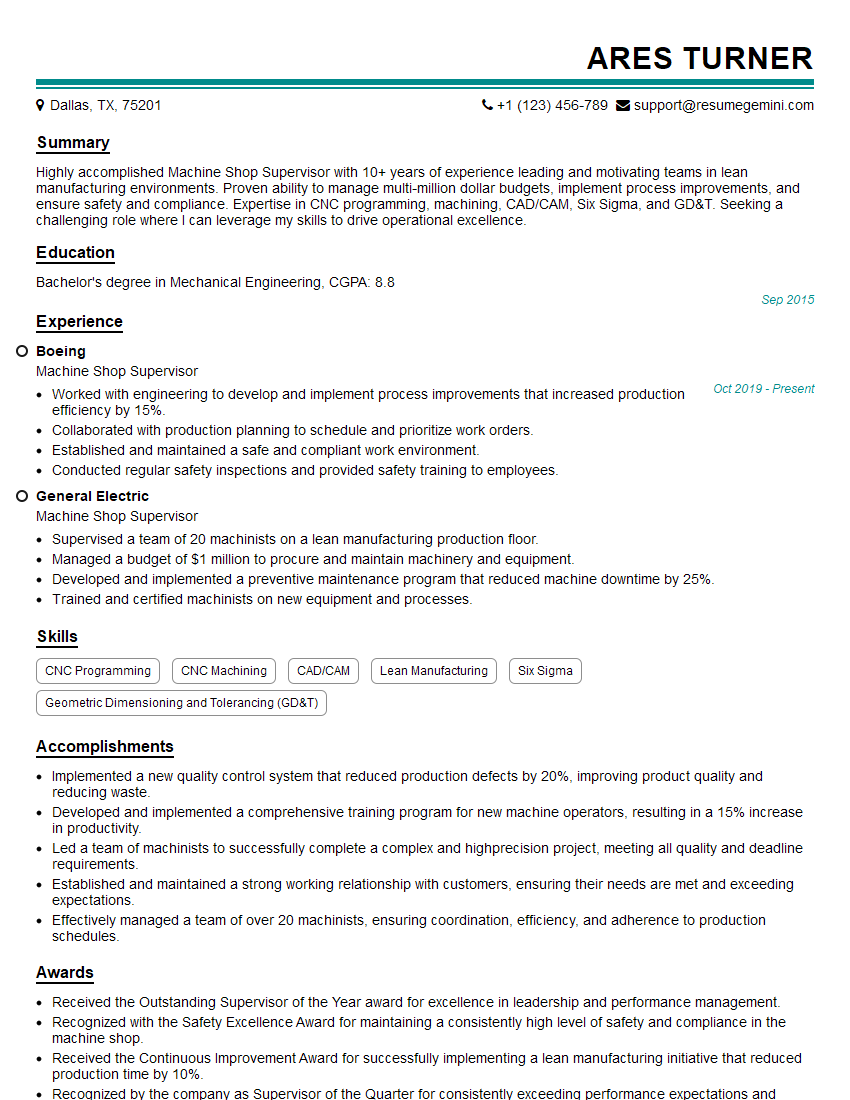
Machine Shop Supervisor Resume Sample

Manufacturing Supervisor Resume Sample
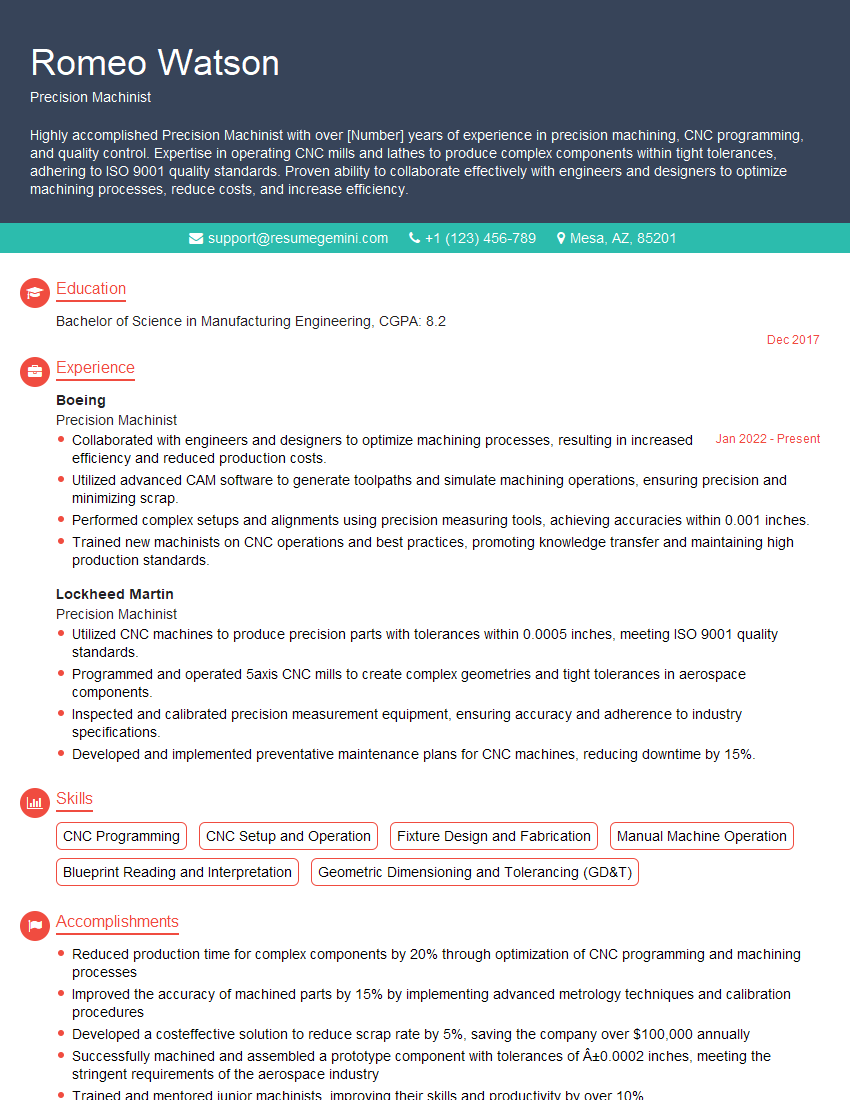
Precision Machinist Resume Sample

Tool and Die Maker Resume Sample

Quality Control Inspector Resume Sample
Explore more articles
Users Rating of Our Blogs
Share Your Experience
We value your feedback! Please rate our content and share your thoughts (optional).
What Readers Say About Our Blog
I Redesigned Spongebob Squarepants and his main characters of my artwork.
https://www.deviantart.com/reimaginesponge/art/Redesigned-Spongebob-characters-1223583608
IT gave me an insight and words to use and be able to think of examples
Hi, I’m Jay, we have a few potential clients that are interested in your services, thought you might be a good fit. I’d love to talk about the details, when do you have time to talk?
Best,
Jay
Founder | CEO