Interviews are opportunities to demonstrate your expertise, and this guide is here to help you shine. Explore the essential Data Recovery Planning interview questions that employers frequently ask, paired with strategies for crafting responses that set you apart from the competition.
Questions Asked in Data Recovery Planning Interview
Q 1. Explain the difference between backup and recovery.
While often used interchangeably, backup and recovery are distinct processes. Backup is the process of creating a copy of your data, storing it securely, and ensuring its integrity. Think of it like making a photocopy of an important document. Recovery, on the other hand, is the process of restoring your data from the backup copy after a data loss event. It’s like using that photocopy to replace the original document if it’s lost or damaged.
A crucial difference lies in their purpose: Backup aims at preventing data loss, while recovery aims at restoring data after loss has already occurred. A well-executed backup strategy is the foundation for a successful recovery.
Q 2. Describe the Recovery Time Objective (RTO) and Recovery Point Objective (RPO).
Recovery Time Objective (RTO) defines the maximum acceptable downtime after a disaster before critical business functions must be restored. For example, an RTO of 4 hours means critical systems must be back online within 4 hours of a failure. The shorter the RTO, the more robust your recovery infrastructure needs to be.
Recovery Point Objective (RPO) defines the maximum acceptable data loss measured in time. This represents the point in time to which you must recover your data. An RPO of 24 hours means you can afford to lose up to 24 hours worth of data. A lower RPO generally requires more frequent backups.
Choosing appropriate RTO and RPO values depends on the criticality of your data and applications. A financial institution will likely have much lower RTO and RPO values than a small blog.
Q 3. What are the key components of a comprehensive Data Recovery Plan?
A comprehensive Data Recovery Plan (DRP) comprises several key components:
- Risk Assessment: Identifying potential data loss scenarios (e.g., natural disasters, cyberattacks, hardware failures).
- RTO and RPO Definition: Establishing acceptable downtime and data loss thresholds.
- Backup Strategy: Defining the methods and frequency of backups (full, incremental, differential).
- Recovery Procedures: Detailed step-by-step instructions for restoring data and systems.
- Testing and Validation: Regularly testing the DRP to ensure its effectiveness.
- Communication Plan: Defining communication protocols during a data loss event.
- Recovery Infrastructure: Identifying and maintaining the necessary hardware and software for recovery.
- Team Roles and Responsibilities: Clearly assigning roles and responsibilities to team members.
- Documentation: Maintaining detailed documentation of the entire DRP.
A well-defined DRP is crucial for business continuity and minimizes the impact of data loss events.
Q 4. Explain different data backup strategies (full, incremental, differential).
Data backup strategies aim to balance efficiency and data protection. Here are three common ones:
- Full Backup: Copies all data each time. It’s simple but time-consuming. Imagine photocopying an entire document every time.
- Incremental Backup: Only copies data that has changed since the last full or incremental backup. It’s efficient but requires a full backup as a base. Think of only copying the pages you edited in a document since your last save.
- Differential Backup: Copies all data that has changed since the last full backup. It’s a compromise between full and incremental, offering faster recovery than incremental but larger backup sizes than incremental. Imagine copying all the pages you edited since your last complete photocopy of the document.
The choice depends on factors like storage capacity, recovery time requirements, and the rate of data change. Many organizations employ a hybrid approach combining these strategies for optimal performance.
Q 5. How do you determine the appropriate RTO and RPO for an organization?
Determining appropriate RTO and RPO involves a thorough business impact analysis. Consider these factors:
- Criticality of systems and data: Essential systems require lower RTO and RPO values than non-critical ones. For example, an e-commerce website needs much lower RTO/RPO than an internal employee wiki.
- Cost of downtime: The financial impact of downtime influences the acceptable RTO. The cost of losing sales revenue impacts the RTO and RPO.
- Regulatory requirements: Certain industries have compliance regulations dictating acceptable RTO and RPO values.
- Technical capabilities: The existing infrastructure and available technologies dictate the achievable RTO and RPO.
The process often involves collaboration between IT, business stakeholders, and legal/compliance teams to reach a balance between risk mitigation and cost efficiency.
Q 6. What are some common causes of data loss?
Data loss can stem from various sources:
- Hardware failures: Hard drive crashes, RAID controller malfunctions, and server failures.
- Software errors: Bugs, corrupted files, and application crashes.
- Natural disasters: Fires, floods, earthquakes, and power outages.
- Human error: Accidental deletion, data corruption, and unauthorized access.
- Cyberattacks: Ransomware, malware, and data breaches.
- Theft or loss of physical media: Laptops, hard drives, and USB drives getting stolen or lost.
A robust DRP should address these various potential causes of data loss.
Q 7. Describe different types of data recovery methods.
Data recovery methods vary depending on the nature of the data loss:
- Backup restoration: Restoring data from backups created using various strategies (full, incremental, differential).
- Data recovery software: Specialized tools can recover deleted or corrupted files from hard drives, SSDs, and other storage media. Examples include Recuva, EaseUS Data Recovery Wizard.
- Professional data recovery services: In cases of severe data loss, professional data recovery specialists use advanced techniques and equipment to recover data from damaged or failing storage devices. This is often necessary for severe physical damage to the storage.
- Database recovery: For relational databases, techniques like transaction logs and point-in-time recovery can restore the database to a consistent state.
The choice of method depends on the extent of data loss, the available resources, and the urgency of recovery. A multi-layered approach, combining backups with data recovery software or professional services, is often best.
Q 8. How do you test and validate a Data Recovery Plan?
Testing and validating a Data Recovery Plan (DRP) is crucial to ensure its effectiveness in a real-world crisis. It’s not enough to simply create a document; you need to prove it works. This involves a multi-stage approach, starting with tabletop exercises and culminating in full-scale disaster simulations.
- Tabletop Exercises: These are collaborative sessions where the recovery team walks through hypothetical scenarios, discussing their roles and responsibilities. This allows for identifying gaps in the plan and refining procedures before a real disaster strikes. For example, we might simulate a ransomware attack and discuss how to restore data from backups while ensuring the malware isn’t reintroduced.
- Partial Data Restoration Tests: Here, we restore a subset of critical data from backups to verify the integrity of the backups and the restoration process. This reduces the risk of a complete system failure during a full-scale recovery.
- Full-Scale Disaster Simulations: These are the most comprehensive tests, involving restoring a complete system to a separate environment (potentially a disaster recovery site). This allows for testing the entire DRP, including network connectivity, application availability, and overall system performance after recovery. A recent project involved simulating a complete data center failure, restoring our systems to a geographically separate cloud-based environment. This test revealed a critical network configuration oversight that was successfully resolved before a real crisis hit.
- Regular Reviews and Updates: A DRP is a living document. It needs to be regularly reviewed and updated to account for changes in infrastructure, applications, and personnel. These reviews should include a discussion of lessons learned from the tests.
By rigorously testing and validating the plan, organizations can build confidence in their ability to recover quickly and minimize data loss and business disruption.
Q 9. What is the role of redundancy in data recovery?
Redundancy is the cornerstone of successful data recovery. It’s about creating multiple copies of critical data and systems, ensuring that if one fails, others are available to take over. Think of it like having a spare tire in your car – you don’t want to use it, but you’re glad you have it if you get a flat.
- Data Redundancy: This involves multiple copies of data stored in different locations, using different storage technologies. Examples include RAID configurations for local storage, geographically distributed cloud storage, and tape backups.
- System Redundancy: This ensures that critical systems have backups or failover mechanisms in place. A common example is having redundant servers or network equipment. If one fails, the other seamlessly takes over, maintaining system availability.
The level of redundancy needed depends on the criticality of the data and the organization’s tolerance for downtime. For instance, a financial institution with stringent regulatory compliance requirements would likely have a much higher level of redundancy than a small business.
Q 10. Explain the importance of data encryption in a recovery plan.
Data encryption plays a vital role in protecting data during and after a recovery event. It adds an extra layer of security, protecting sensitive information from unauthorized access, even if the data is lost or stolen. This is especially important in cases of ransomware attacks or physical theft.
- Data at Rest Encryption: This protects data stored on servers, storage devices, and backups. It means that even if a hard drive is lost or stolen, the data remains inaccessible without the decryption key.
- Data in Transit Encryption: This protects data as it travels across networks. Using protocols like HTTPS and SSH ensures that sensitive information isn’t intercepted during transmission.
Incorporating encryption into a recovery plan ensures that the recovered data remains confidential and compliant with regulations such as GDPR or HIPAA. Failing to encrypt sensitive data could lead to severe legal and financial repercussions.
Q 11. How would you handle a critical data loss incident?
Handling a critical data loss incident requires a calm, methodical approach. The first priority is to contain the damage and prevent further loss. My approach would follow a structured process:
- Assessment: Determine the scope and severity of the data loss. Identify the affected systems and data. This step might involve analyzing system logs, interviewing affected personnel, and evaluating backup systems.
- Containment: Isolate the affected systems to prevent further data loss or spread of malware (if applicable). This could involve disconnecting servers from the network or shutting down affected applications.
- Recovery: Initiate the data recovery process according to the DRP. This could involve restoring data from backups, activating the disaster recovery site, or utilizing alternative data sources.
- Verification: Once data is recovered, verify its integrity and functionality. This step is crucial to ensure that no data corruption has occurred during the recovery process.
- Post-Incident Review: After the recovery is complete, conduct a thorough post-incident review to identify the root cause of the data loss, lessons learned, and areas for improvement in the DRP.
Throughout this process, clear and consistent communication with stakeholders is vital. Transparency and accurate updates help to manage expectations and maintain trust.
Q 12. Describe your experience with different backup technologies (e.g., tape, disk, cloud).
I have extensive experience with various backup technologies, each with its strengths and weaknesses. The choice of technology depends on factors like budget, recovery time objectives (RTOs), and recovery point objectives (RPOs).
- Tape Backup: A cost-effective, offline storage solution ideal for long-term archiving. However, tape backups have longer restore times compared to other technologies. I’ve used tape backups in projects where cost was a primary concern and RTOs were less stringent.
- Disk Backup: Offers faster recovery times compared to tape. Disk-based solutions can be local (directly attached storage) or network-attached storage (NAS). I’ve worked with both SAN and NAS solutions, utilizing RAID configurations to enhance data redundancy and availability.
- Cloud Backup: Provides scalability, accessibility, and often enhanced security features. Cloud solutions can be a good choice for organizations with remote offices or those needing quick disaster recovery. I’ve leveraged several cloud-based backup services, including AWS S3, Azure Blob Storage, and Google Cloud Storage, adapting the chosen platform to suit the organization’s specific needs.
My experience involves designing and implementing backup strategies that combine these technologies for optimal data protection. For example, a client might use disk-based backups for frequent data changes and tape backups for long-term archival.
Q 13. What is a Disaster Recovery Site (hot, warm, cold)?
A Disaster Recovery Site (DRS) is a secondary location equipped to take over operations if the primary site is unavailable due to a disaster. Different types of DRS offer varying levels of readiness:
- Hot Site: A fully equipped and operational site that can immediately take over operations. It mirrors the primary site’s hardware and software, and data is regularly replicated. The cost is high, but recovery time is minimal. Think of it as a ready-to-go clone of your main office.
- Warm Site: Provides basic infrastructure (power, cooling, network connectivity) but requires some setup time to restore data and applications. It’s less expensive than a hot site but offers a longer recovery time.
- Cold Site: A basic location with minimal infrastructure. Requires significant setup time to restore operations and is usually the most cost-effective but also the slowest option. It’s like a shell waiting for you to fill it with equipment and data.
The choice of DRS depends on the organization’s tolerance for downtime, budget, and the criticality of its operations. A hospital, for example, might opt for a hot site to minimize downtime, while a smaller business might find a warm site sufficient.
Q 14. Explain failover and failback procedures.
Failover and failback are critical procedures within a DRP. They describe how systems switch between the primary and secondary sites during and after a disaster.
- Failover: This is the process of switching operations from the primary site to the DRS when the primary site is unavailable. This could be triggered manually or automatically by monitoring systems. Imagine it like switching from your regular power supply to a backup generator during a power outage.
- Failback: After the primary site is restored to operational status, the failback process involves transferring operations back to the primary site from the DRS. This involves carefully migrating data and applications back to the original location. Think of this as switching back from your generator to your regular power supply when the power is back on.
Both failover and failback require careful planning and testing to ensure a smooth transition. A well-defined plan that accounts for network configurations, data synchronization, and application dependencies is crucial to prevent data loss or service disruption during these transitions.
Q 15. How do you ensure data integrity during recovery?
Ensuring data integrity during recovery is paramount. It’s like reconstructing a delicate jigsaw puzzle – each piece must be in its correct place, and nothing can be missing or damaged. We achieve this through a multi-layered approach:
- Verification checksums: Before and after recovery, we calculate checksums (a unique digital fingerprint of the data). A mismatch indicates corruption. Think of it like comparing the product code on a box to the code on the item inside – they must match.
- Data comparison tools: We use specialized tools to compare recovered data against backups to identify any inconsistencies. This is similar to proofreading a document for typos after editing.
- Redundancy and replication: Employing multiple backups in different locations ensures that even if one fails, others are available. This is like having a spare tire for your car – you hope you never need it, but it’s crucial to have.
- Bit-level recovery: In situations involving severe data loss, we might need to recover data at the bit level, requiring specialized tools and deep technical expertise. It’s like meticulously restoring a damaged painting, pixel by pixel.
- Strict access controls: Throughout the recovery process, we maintain rigorous access controls to prevent further data corruption or unauthorized changes. It’s like keeping a construction site secured to prevent vandalism or accidents.
These steps work in concert to ensure the recovered data is accurate, complete, and trustworthy.
Career Expert Tips:
- Ace those interviews! Prepare effectively by reviewing the Top 50 Most Common Interview Questions on ResumeGemini.
- Navigate your job search with confidence! Explore a wide range of Career Tips on ResumeGemini. Learn about common challenges and recommendations to overcome them.
- Craft the perfect resume! Master the Art of Resume Writing with ResumeGemini’s guide. Showcase your unique qualifications and achievements effectively.
- Don’t miss out on holiday savings! Build your dream resume with ResumeGemini’s ATS optimized templates.
Q 16. What are the legal and regulatory compliance considerations in data recovery?
Legal and regulatory compliance are crucial aspects of data recovery planning. Different regulations, such as GDPR, HIPAA, CCPA, etc., dictate how we handle personal identifiable information (PII) and sensitive data. These regulations impact every stage, from backup strategy to recovery procedures. For example:
- Data Minimization: We only recover the necessary data, not everything. Think of it like taking only the necessary files off a shared server and not the whole drive.
- Data Encryption: Data at rest and in transit must be encrypted, both in backups and during recovery. This is like keeping your valuables locked in a safe.
- Notification Procedures: In case of a data breach or significant loss, there are stringent regulations about notifying affected individuals and authorities. Think of this as a detailed accident report.
- Audit Trails: We must maintain detailed audit logs of all data recovery activities to demonstrate compliance. This is like keeping a detailed diary of the recovery process.
Failure to comply can lead to severe penalties, including hefty fines and reputational damage. We always prioritize adhering to all relevant regulations.
Q 17. How do you prioritize data recovery based on business impact?
Prioritizing data recovery is all about assessing the business impact. It’s not just about restoring data; it’s about minimizing disruption and getting the business back online as quickly as possible. We use a framework that considers:
- Criticality: We rank data based on its importance to business operations. Think of it like a hospital ranking patients based on the severity of their injuries.
- Recovery Time Objective (RTO): This defines the maximum acceptable downtime. For mission-critical systems, the RTO might be minutes; for less critical systems, it could be hours or days.
- Recovery Point Objective (RPO): This defines the maximum acceptable data loss. Again, this varies depending on the data’s importance. Some data might require near real-time replication to minimize data loss; other data might tolerate some degree of loss.
Using this information, we create a recovery sequence – tackling the most critical data first. It’s like fighting a fire – you tackle the most immediate threats before attending to smaller problems.
Q 18. Describe your experience with data replication and high availability solutions.
I have extensive experience with various data replication and high-availability solutions. These technologies are crucial for ensuring business continuity and minimizing downtime. I’ve worked with:
- Asynchronous Replication: This offers a cost-effective approach with some latency, suitable for data where near real-time replication isn’t critical. Think of it like sending copies of files overnight.
- Synchronous Replication: Provides near-zero data loss but requires more resources. This is like having a live mirror of your data at a different location.
- Clustering and Load Balancing: To enhance availability and performance. This is like distributing the load of a server to multiple servers to improve performance and resilience.
- Cloud-based Replication Services: Leveraging services like Azure, AWS, or GCP for robust, scalable replication and disaster recovery. This provides a convenient platform for offsite data management.
I understand the trade-offs between different approaches and tailor my recommendations to the specific needs of each client, considering factors like cost, performance, and data sensitivity.
Q 19. What are the key metrics you use to measure the effectiveness of a data recovery plan?
Measuring the effectiveness of a data recovery plan involves monitoring key metrics:
- Recovery Time (RT): How long it took to restore data to an operational state. A shorter RT indicates a more efficient plan.
- Recovery Point (RP): The amount of data lost during the recovery process. A smaller RP showcases the effectiveness of backups and RPO adherence.
- Mean Time To Recovery (MTTR): The average time it takes to recover from failures. A lower MTTR demonstrates improvements in recovery process efficiency.
- Data Integrity Rate: Percentage of data recovered without corruption or errors.
- Recovery Success Rate: Overall success rate of recovery operations.
- Downtime Costs: Measure of financial impact due to system downtime during recovery.
Regularly tracking these metrics helps identify areas for improvement and refine the data recovery strategy. It’s like reviewing your car’s mileage and service records to ensure smooth operation.
Q 20. How do you handle versioning and data retention policies?
Handling versioning and data retention policies is essential for compliance and efficient data management. Versioning allows us to restore data to a specific point in time, while retention policies dictate how long data is kept.
- Versioning Strategies: We employ different strategies based on data criticality, using methods like full backups, incremental backups, or differential backups. This is like creating multiple save points in a game—allowing us to revert to earlier states if needed.
- Retention Policies: These are established based on legal, regulatory, and business requirements. It might be necessary to keep certain data for years (e.g., financial records) while others can be purged sooner. This is like organizing your home—decluttering and keeping only essential items.
- Data Archiving: For long-term data storage, we use archiving solutions that are more cost-effective than keeping active data. Think of it as storing old photos in the attic rather than keeping them in your living room.
A well-defined versioning and retention policy ensures data availability, compliance, and cost optimization.
Q 21. What is your experience with automated data recovery tools?
I have significant experience using automated data recovery tools, which are invaluable for streamlining the process and reducing recovery time. These tools can automate tasks like:
- Disk imaging: Creating exact copies of hard drives for forensic analysis and recovery.
- File carving: Recovering files from damaged or fragmented storage media.
- RAID reconstruction: Restoring data from RAID arrays even if some disks have failed.
- Database recovery: Using specialized tools to recover databases from backups or corrupted data files.
- Cloud-based recovery tools: Utilizing cloud platforms for automated backups and disaster recovery.
While automation is beneficial, I always maintain a balance between automation and manual intervention to address unique situations or complex scenarios. This is like using a smart thermostat—it helps with automation, but you can also make manual adjustments when needed.
Q 22. Explain the importance of user training in data recovery.
User training is paramount in data recovery because it forms the first line of defense against data loss. Well-trained users understand the importance of regular backups, safe data handling practices, and recognizing potential threats. Think of it like this: a fire drill – if everyone knows what to do in case of a fire, the damage is significantly minimized. Similarly, training users to follow data backup protocols, report suspicious activity, and understand the company’s data recovery procedures reduces the impact of data loss incidents.
- Regular Backup Schedules: Training ensures employees understand the importance of adhering to established backup schedules and performing regular checks to confirm backups are successful. This minimizes data loss to the last successful backup rather than extensive periods of work.
- Data Security Awareness: Training should cover phishing scams, malware, and other threats that can compromise data. Knowing how to identify and avoid such threats is crucial in preventing data loss. For example, training can highlight the importance of verifying email addresses and attachments before clicking.
- Incident Reporting: Employees need training to understand the correct process for reporting data loss incidents or potential security breaches. The faster the incident is reported, the faster the recovery process can begin.
For instance, a company I worked with experienced a significant ransomware attack. However, because their employees were well-trained in recognizing phishing attempts, only a small subset of their servers were affected. A prompt response and rapid recovery, thanks to proper backups and user awareness, reduced downtime significantly.
Q 23. How do you incorporate disaster recovery into cloud-based environments?
Incorporating disaster recovery into cloud-based environments requires a multifaceted approach focusing on redundancy, automation, and security. It’s not simply a matter of backing up data; it’s about ensuring business continuity regardless of a disruption. Imagine your entire business running on a single server – risky! Cloud disaster recovery mitigates that risk.
- Redundancy and Replication: Implementing redundant infrastructure in multiple availability zones or regions is crucial. This means having backups of your data and applications geographically dispersed. If one region experiences an outage, your services can seamlessly switch over to another.
- Automated Failover: Automate failover mechanisms to minimize downtime. Cloud platforms offer features that can automatically switch operations to a secondary environment if the primary one fails. This automation significantly reduces manual intervention and recovery time.
- Data Backup and Recovery Strategies: Regular backups, ideally using immutable storage, are essential. Consider various strategies such as full backups, incremental backups, and differential backups to optimize storage and recovery time. The choice depends on your Recovery Time Objective (RTO) and Recovery Point Objective (RPO).
- Security Considerations: Secure your cloud backups by using strong encryption, access control lists, and multi-factor authentication. Ensure compliance with relevant security standards and regulations.
For example, I helped a client migrate to a multi-region cloud deployment. They configured automated failover capabilities and implemented geo-redundant storage for their databases. This ensured that even if a data center was completely destroyed, they would only experience minimal downtime.
Q 24. How do you document and maintain a data recovery plan?
Thorough documentation and maintenance of a data recovery plan are critical for a successful recovery. Imagine trying to rebuild a house without blueprints – chaos! The same applies to data recovery. A well-documented plan ensures everyone knows their roles and responsibilities.
- Plan Structure: The plan should clearly outline the scope, objectives, roles and responsibilities of team members, recovery strategies, communication protocols, testing procedures, and recovery timelines (RTO and RPO).
- Regular Updates: The plan should be regularly reviewed and updated to reflect any changes in the organization’s infrastructure, applications, or data. This includes changes in personnel, technology, and security policies.
- Version Control: Maintain different versions of the plan, clearly marked with dates and change logs. This allows for easy tracking of revisions and rollback if necessary.
- Storage and Accessibility: Store multiple copies of the plan in secure locations, including both physical and cloud-based storage. Ensure easy access for authorized personnel.
- Testing: Regular testing of the plan is vital. Conduct drills and simulations to verify its effectiveness and identify any weaknesses.
I typically use a wiki or a document management system for storing and managing the data recovery plan. Version control features and access controls ensure plan integrity and security. The plan should be easily accessible to all relevant personnel, ideally through mobile devices.
Q 25. What are the security considerations for data backups and recovery?
Security of data backups and recovery is paramount. Compromised backups can lead to data breaches, ransomware infections, and significant financial losses. Think of your backups as the most valuable copy of your data; protect it as such!
- Encryption: Encrypt backups both in transit and at rest. This protects data from unauthorized access even if the backup storage is compromised.
- Access Control: Implement strict access control measures to limit who can access and restore backups. Use role-based access control (RBAC) to grant permissions based on job responsibilities.
- Regular Audits: Conduct regular security audits of your backup systems and processes to identify and address potential vulnerabilities.
- Immutable Backups: Utilize immutable storage where possible. This prevents backups from being modified or deleted, making them resistant to ransomware attacks.
- Offsite Storage: Store backups offsite, preferably in a geographically separate location, to protect against physical disasters such as fire or theft.
For example, a client I assisted implemented a three-tiered security approach: encryption at the application level, encryption at the storage level, and access control through RBAC. This layered approach ensured that even if one layer of security was compromised, others would still protect the backup data.
Q 26. Describe your experience with different recovery strategies (e.g., system restore, bare metal recovery).
I have extensive experience with various recovery strategies, each with its own strengths and weaknesses. The optimal choice depends on factors like RTO, RPO, data size, and the type of system.
- System Restore: This is a relatively quick and simple method for recovering from minor issues, such as accidental file deletion or application crashes. It restores the system to a previous point in time, usually from a restore point created by the operating system.
- Bare Metal Recovery (BMR): BMR is used for more extensive recovery scenarios where the entire system needs to be rebuilt from scratch. It involves restoring the operating system and applications from a backup image to a new or formatted hard drive. This is ideal for recovering from severe hardware failures or complete system crashes.
- Granular Recovery: This technique enables the recovery of specific files or databases, without restoring the entire system. This approach is more efficient for recovering small amounts of data.
- Cloud-Based Recovery: Leveraging cloud platforms for disaster recovery provides scalability, flexibility, and cost-effectiveness. Various cloud services offer backup and recovery solutions that are designed for high availability and business continuity.
For instance, I recently helped a small business recover from a hard drive failure using BMR. They had a complete system image backup, which allowed me to restore their entire system within a few hours, minimizing downtime. For larger enterprises, granular recovery might be more efficient for smaller incidents.
Q 27. How do you manage data recovery in a geographically dispersed organization?
Managing data recovery in a geographically dispersed organization requires a robust, centralized approach. The challenges include managing backups from multiple locations, ensuring consistent security policies, and coordinating recovery efforts across different time zones. This requires careful planning and coordination.
- Centralized Backup Management: Employ a centralized backup and recovery system that manages backups from all locations. This simplifies monitoring, reporting, and recovery processes.
- Replication and Failover: Replicate critical data and applications to multiple locations. Implement automated failover mechanisms to ensure business continuity in case of regional outages or disasters.
- Standardized Procedures: Establish standardized data recovery procedures that apply across all locations. This ensures consistency and minimizes confusion during recovery efforts.
- Communication Plan: Implement a clear communication plan to coordinate recovery efforts across different locations and time zones. This should include designated contact persons and communication channels.
- Regional Disaster Recovery Plans: Develop regional-specific disaster recovery plans to address local challenges and regulatory requirements.
For example, a global financial institution I consulted with used a centralized cloud-based backup system to manage backups from offices across several continents. Their automated failover system ensured that if one region experienced a disruption, the other regions could seamlessly take over operations. They also established a robust communication plan to coordinate recovery efforts during any incidents.
Key Topics to Learn for Data Recovery Planning Interview
- Business Continuity and Disaster Recovery (BC/DR): Understanding the relationship between data recovery and overall organizational resilience. Consider practical scenarios involving different recovery time objectives (RTO) and recovery point objectives (RPO).
- Data Backup and Replication Strategies: Explore various backup methods (full, incremental, differential), replication techniques (synchronous, asynchronous), and their trade-offs in terms of cost, performance, and recovery speed. Consider practical applications like choosing appropriate backup solutions for different data types and volumes.
- Data Recovery Techniques: Familiarize yourself with different data recovery methods, including from backups, from storage arrays, and potentially from damaged media. Understanding the limitations and success rates of each method is crucial.
- Data Loss Prevention (DLP): Discuss strategies to prevent data loss before it occurs. This includes security measures, access control, and employee training. Consider the practical implications of implementing DLP strategies within a company.
- Recovery Testing and Validation: Understand the importance of regularly testing recovery plans and validating their effectiveness. This includes discussing different testing methodologies and the importance of documented results.
- Disaster Recovery Site Selection and Planning: Explore the factors involved in choosing a suitable location for a disaster recovery site (hot, warm, cold). Discuss the logistical and operational considerations involved in activating a secondary site.
- Data Security and Compliance: Understand the regulatory requirements and best practices related to data security and compliance within the context of data recovery planning. Consider industry-specific regulations and compliance standards.
- Cloud-Based Data Recovery: Explore the role of cloud services in data recovery strategies, including cloud backups, cloud replication, and cloud-based disaster recovery solutions. Discuss the advantages and disadvantages of cloud-based approaches.
Next Steps
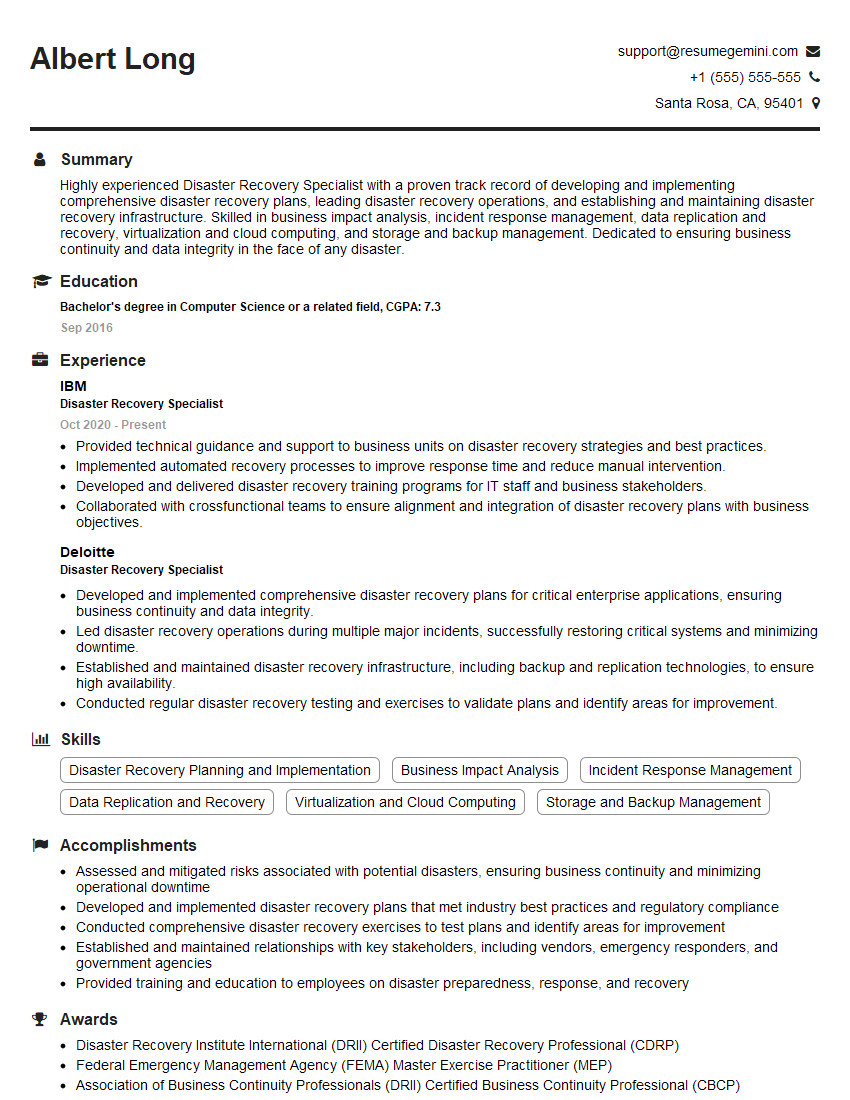
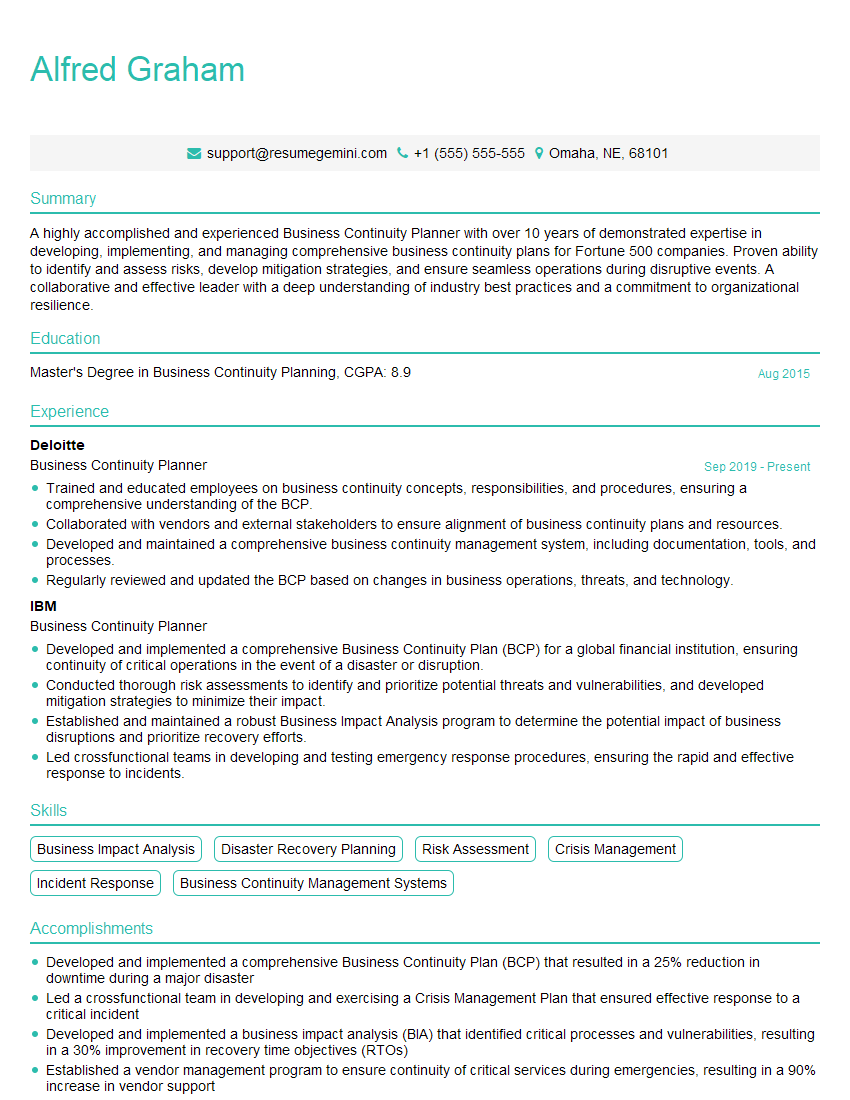
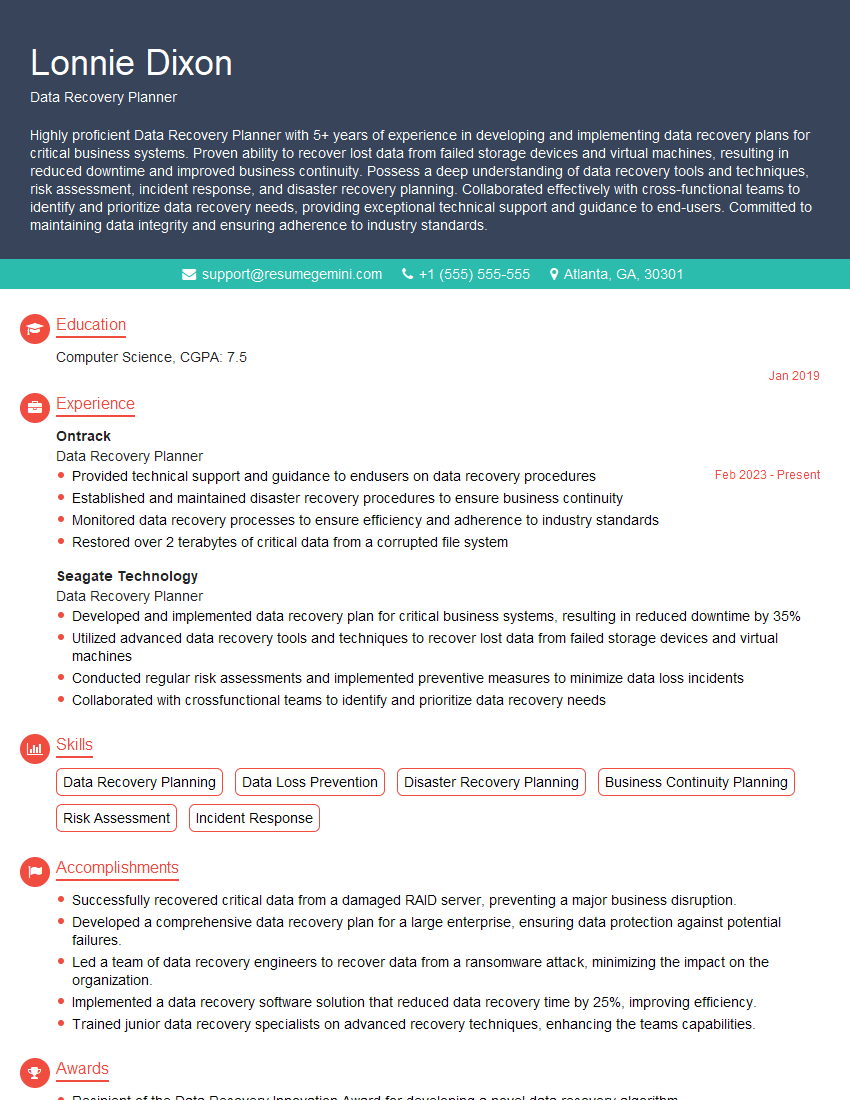
Mastering Data Recovery Planning is crucial for career advancement in IT and related fields. A strong understanding of these concepts demonstrates valuable skills highly sought after by employers. To significantly improve your job prospects, invest time in crafting an ATS-friendly resume that highlights your expertise. ResumeGemini is a trusted resource that can help you build a professional and impactful resume, ensuring your application stands out. Examples of resumes tailored to Data Recovery Planning are available to help guide you.

Explore more articles
Users Rating of Our Blogs
Share Your Experience
We value your feedback! Please rate our content and share your thoughts (optional).
What Readers Say About Our Blog
I Redesigned Spongebob Squarepants and his main characters of my artwork.
https://www.deviantart.com/reimaginesponge/art/Redesigned-Spongebob-characters-1223583608
IT gave me an insight and words to use and be able to think of examples
Hi, I’m Jay, we have a few potential clients that are interested in your services, thought you might be a good fit. I’d love to talk about the details, when do you have time to talk?
Best,
Jay
Founder | CEO