The right preparation can turn an interview into an opportunity to showcase your expertise. This guide to Adapting curriculum and materials for students with visual impairments interview questions is your ultimate resource, providing key insights and tips to help you ace your responses and stand out as a top candidate.
Questions Asked in Adapting curriculum and materials for students with visual impairments Interview
Q 1. Describe your experience adapting general education curriculum for students with visual impairments.
Adapting general education curriculum for visually impaired students involves transforming materials and teaching methods to ensure accessibility and equal learning opportunities. This isn’t just about making things bigger; it’s about changing the way information is presented to match the student’s unique learning style and visual capabilities. For instance, I’ve worked with students who benefit from tactile learning, using raised-line drawings and three-dimensional models to understand geographical concepts. For others, auditory learning is key, so I’ve incorporated audiobooks, podcasts, and descriptive audio into lessons. One specific example involved a student struggling with understanding historical timelines. Instead of relying solely on visual charts, we developed an auditory timeline using a program that allowed me to record narrated events, placed according to their chronological order. The student could then listen and interact with the timeline, creating a much deeper understanding.
Another example was adapting a science experiment involving color identification. Instead of relying on visual cues, we used textured materials to represent different colors, allowing the student to differentiate and categorize them through touch. The key is to focus on the core learning objectives and find alternative ways to reach them, always consulting with the student and their support team to determine the most effective approaches.
Q 2. Explain your knowledge of different assistive technologies for visually impaired students.
My knowledge of assistive technologies for visually impaired students is extensive. I’m proficient in using a variety of software and hardware, including screen readers like JAWS and NVDA, which convert text to speech, allowing students to access digital materials. I’m also experienced with screen magnification software, which enlarges text and images on a computer screen. Braille displays, which translate digital text into refreshable Braille, are another vital tool I utilize. These allow students to read and write Braille directly on a computer. For students with low vision, I use optical character recognition (OCR) software to convert scanned documents into digital text, making them accessible through screen readers or magnification software. Finally, I’m familiar with various types of assistive hardware, such as large-print keyboards, tactile maps, and talking calculators, all designed to cater to different levels and types of visual impairment.
I understand the importance of selecting appropriate technology based on the individual student’s needs and learning style. It’s not a one-size-fits-all approach. Regular assessment and adaptation are crucial to ensure the technology remains effective and supportive of the student’s progress.
Q 3. How do you assess a student’s individual needs in relation to their visual impairment?
Assessing a student’s individual needs requires a multi-faceted approach, combining formal and informal assessments. It starts with a comprehensive understanding of their visual impairment, obtained from their ophthalmologist’s report, which details the type, severity, and limitations of their vision. This is then complemented by observing the student in their learning environment. I assess their reading speed and comprehension, their ability to use different assistive technologies, and their preferred learning styles. Formal assessments can include standardized tests adapted for visual impairments, and informal assessments could involve analyzing their work samples and interacting with them in different learning activities. For instance, I might observe how they navigate a classroom, use their cane, or interact with tactile materials. The goal is to build a clear picture of their strengths, weaknesses, and preferred methods of learning, enabling the design of a personalized education plan.
Crucially, this assessment involves collaborative work with the student, their family, and other professionals such as occupational therapists and vision specialists. Their input is invaluable in creating a holistic understanding of the student’s needs.
Q 4. What methods do you use to ensure accessible learning materials for students with low vision?
Ensuring accessible learning materials for students with low vision involves a range of strategies. First, I always prioritize digital formats, as they allow for easy adjustments to font size, contrast, and background color. Using accessible document formats like PDF/UA ensures compatibility with screen readers and assistive technologies. For printed materials, using large print is often necessary, but it has limitations (discussed later). I also utilize alternative formats like audiobooks, which can improve comprehension and reduce eye strain. Tactile graphics, such as raised-line drawings and maps, can also be created to help students grasp visual concepts. For complex visual information, I often use simplified diagrams or audio descriptions. I also ensure that all digital materials have appropriate alt-text descriptions for images and sufficient color contrast to ensure readability. Finally, I involve the student in the selection and adaptation of materials to ensure they are not only accessible but also engaging.
For example, I might convert a complex chart into a simplified table, or create an audio guide to accompany a museum visit. Adaptability and creativity are essential to create inclusive learning experiences.
Q 5. How proficient are you in braille literacy and its application in the classroom?
I’m proficient in Braille literacy, both in reading and writing. My skills extend beyond simply decoding Braille; I understand its pedagogical applications in the classroom. I can create and edit Braille materials, including textbooks, worksheets, and assessment materials. I’m also able to teach Braille to students and adapt existing materials into Braille using Braille embossers and software. I understand the different Braille codes used (Grade 1, Grade 2, and Nemeth for mathematics) and can adapt my approach depending on the student’s proficiency and the subject matter. Furthermore, I incorporate Braille into various activities to encourage its use beyond just reading and writing – for instance, using Braille labels for classroom objects or incorporating Braille games into lessons.
My proficiency enables me to effectively support students in accessing all aspects of their education, ensuring they are not limited by their visual impairment. I recognize the importance of Braille as a key tool for literacy and independence.
Q 6. Describe your experience with large print materials and their limitations.
Large print materials offer a valuable solution for students with low vision, increasing the size of text and making it easier to read. However, large print has its limitations. While it improves readability for some, it doesn’t solve all accessibility issues. For example, large print materials still require good visual acuity, and if a student has significant visual field loss, they might struggle to read even large print, as the line length can be an issue. Furthermore, simply enlarging text doesn’t address other visual challenges, such as contrast sensitivity or photophobia (light sensitivity). Large print also increases the physical size of materials, making them cumbersome to handle and transport. It’s often less cost-effective than other solutions like digital text, and it does not solve the issue of accessing visual elements like charts or diagrams that can’t easily be enlarged.
Therefore, while large print can be a beneficial tool, it needs to be considered alongside other accessibility strategies. It’s often used as a supplementary tool rather than a standalone solution. A balanced approach, incorporating digital materials and other assistive technologies, is typically more effective.
Q 7. Explain your understanding of different types of visual impairments and their impact on learning.
My understanding of different types of visual impairments and their impact on learning is crucial to my work. Visual impairments range from low vision (where vision can be corrected to some extent with glasses or other aids) to blindness (where vision cannot be corrected). Within these categories, there are various conditions such as cataracts, glaucoma, macular degeneration, and retinitis pigmentosa, each affecting vision differently. For instance, macular degeneration affects central vision, impacting reading and detail perception, while peripheral vision loss affects navigation and awareness of surroundings. Understanding these differences helps me tailor my approach to each student’s specific needs. A student with macular degeneration might need large print with high contrast, while a student with peripheral vision loss might benefit from materials presented with simplified layouts and clear headings. A student with low vision may benefit from adaptive technology allowing magnification of the text, while a student with total blindness may depend primarily on Braille and tactile learning.
The impact on learning can vary significantly. Some students might require significant adaptations to access educational content, while others might need only minor adjustments. The key is to recognize that each student’s visual impairment is unique, and therefore, their educational needs are also unique. A thorough assessment and individualized education plan are essential to address these diverse needs effectively.
Q 8. How do you incorporate tactile and auditory learning strategies into your curriculum?
Incorporating tactile and auditory learning is crucial for students with visual impairments. It’s about making learning multi-sensory and engaging. We achieve this by using a variety of methods.
Tactile Learning: We use raised-line drawings, textured materials, manipulatives like building blocks or geometric shapes to represent concepts. For example, when teaching geography, we might use a raised-relief map allowing students to trace coastlines and mountain ranges. We also utilize braille materials extensively, from textbooks to worksheets.
Auditory Learning: We leverage audiobooks, podcasts, and descriptive audio to provide access to information. For instance, a science lesson might include audio recordings of animal sounds or descriptions of experiments. We also encourage discussions and group work to foster auditory processing skills. I regularly use assistive technologies like screen readers that can read aloud digital content.
Combining Tactile and Auditory: Often, the most effective approach is to combine both methods. A teacher might describe a picture using descriptive audio while a student simultaneously feels a tactile representation of the scene. This creates a richer and more memorable learning experience.
Q 9. How do you collaborate with parents and other professionals to support students with visual impairments?
Collaboration is key. I regularly communicate with parents and other professionals – including Orientation and Mobility specialists, vision therapists, and other teachers – to build a holistic support system.
Parent Communication: I maintain open communication with parents through regular meetings, phone calls, and email updates. We discuss the student’s progress, challenges, and strategies for success at home and school. Parents often provide valuable insights into their child’s learning preferences and challenges.
Collaboration with Professionals: I work closely with other professionals to ensure consistent support. For example, I coordinate with the Orientation and Mobility specialist to teach students independent travel skills. This collaboration ensures that the student’s needs are met across different settings.
Shared Goals: The most important element is establishing shared goals. By working together, we can create a supportive environment that enables the student to thrive academically and socially.
Q 10. How do you adapt assessments to accommodate students’ visual needs?
Adapting assessments is critical to ensure fair and accurate evaluation. This necessitates modifying the format and presentation of assessment materials.
Alternative Formats: Instead of paper-based tests, I often use oral exams, tactile tests (using raised-line drawings or textured materials), or braille versions. For example, a math test might involve using manipulatives to solve problems.
Extended Time: Students might require extra time to complete assessments to accommodate their unique needs.
Assistive Technology: Screen readers, text-to-speech software, and braille displays can help students access digital assessments.
Adjusted Expectations: Sometimes, it’s necessary to adapt the content of the assessment to focus on core concepts, rather than detailed visual elements. The goal is to accurately assess the student’s understanding.
Q 11. Describe your experience creating accessible digital learning materials.
Creating accessible digital learning materials is a core part of my work. I’m proficient in using various tools and techniques.
Accessible Documents: I use word processors with built-in accessibility features to create documents with proper heading structure, alt text for images, and tables formatted correctly. This allows screen readers to interpret and read the content accurately.
Digital Content Creation: I utilize software that creates accessible PDFs and other formats that can be used with screen readers and other assistive technologies. I always ensure sufficient color contrast and avoid using color alone to convey information.
Multimedia: I use descriptive audio and captions for videos and podcasts to ensure inclusive access to multimedia content.
Example: When creating a PowerPoint presentation, I would include detailed alt text for each image, describing the content in a way that is understandable for a visually impaired student. Each slide would have clear and concise headings, and I’d avoid relying on color-coding alone for conveying information.
Q 12. What strategies do you use to teach orientation and mobility skills?
Orientation and Mobility (O&M) skills are essential for independent living. I work closely with certified O&M specialists, but also incorporate some basic techniques within the classroom.
Classroom Activities: We practice spatial awareness using tactile maps of the classroom or school. We might simulate navigating hallways or crossing streets using tactile models.
Sensory Exploration: Students learn to use their other senses – touch, hearing, and smell – to gather information about their environment.
Cane Skills (with O&M specialist): The O&M specialist teaches the use of canes for safe and independent travel.
Real-world Practice: We plan supervised outings to practice navigating in different environments, such as a local park or store. This builds confidence and independence.
Q 13. How do you differentiate instruction to meet the diverse needs of students with visual impairments?
Differentiated instruction is vital. Students with visual impairments have diverse needs based on their specific vision condition, age, and learning style. I use various approaches to cater to these differences.
Adjusted Materials: I provide materials in various formats – braille, large print, audio, or tactile – depending on the student’s needs and preferences.
Modified Instruction: I adjust the pace of instruction and provide extra support as needed. This might involve breaking down tasks into smaller, more manageable steps or providing more frequent feedback.
Assistive Technology: I introduce and adapt the use of assistive technology to address individual needs. This includes screen readers, magnification software, and other assistive devices.
Individualized Learning Plans: We create individualized learning plans that cater to each student’s specific strengths and weaknesses.
Q 14. How familiar are you with IEP/504 plans and their role in supporting students with visual impairments?
IEPs (Individualized Education Programs) and 504 plans are essential legal documents that outline the specific accommodations and support services a student needs. I’m very familiar with both.
IEPs: IEPs are designed for students with disabilities who require specialized instruction and related services. They are developed through a collaborative process involving parents, teachers, and other professionals. I actively participate in IEP meetings and ensure the plan is implemented effectively.
504 Plans: 504 plans accommodate students with disabilities that do not qualify for special education services but still require reasonable modifications to access their education. I also collaborate in creating and implementing these plans.
Role in Support: Both IEPs and 504 plans guide my instruction, ensuring I provide the appropriate accommodations and support for each student to achieve their academic goals.
Q 15. How do you use assistive technology to support students’ access to the general education curriculum?
Assistive technology is crucial for ensuring students with visual impairments have equitable access to the general education curriculum. It bridges the gap between their learning needs and the learning environment. We use a multi-faceted approach, tailoring technology to the individual student’s specific needs and learning style.
Screen readers: Software like JAWS or NVDA read aloud the text displayed on a computer screen, allowing students to access digital materials such as e-books, online assignments, and educational software. For example, a student could use a screen reader to complete online quizzes or research projects independently.
Screen magnifiers: Tools like ZoomText enlarge text and images on the screen, making them easier to see. This can be incredibly helpful for students with low vision who can still use some visual input, but need it amplified.
Refreshable Braille displays: These devices translate text into Braille, offering a tactile reading experience. They are particularly valuable for students who are blind or have severe low vision and prefer Braille as their primary reading method. This allows them to take notes, read emails, or access educational websites.
Optical Character Recognition (OCR) software: This technology converts scanned documents or images into editable text, which can then be read by a screen reader. This is invaluable for accessing printed materials that aren’t readily available in digital formats.
Integrating these technologies requires careful planning and training, both for the student and the educators. It’s an ongoing process that involves regular adjustments based on the student’s progress and evolving needs.
Career Expert Tips:
- Ace those interviews! Prepare effectively by reviewing the Top 50 Most Common Interview Questions on ResumeGemini.
- Navigate your job search with confidence! Explore a wide range of Career Tips on ResumeGemini. Learn about common challenges and recommendations to overcome them.
- Craft the perfect resume! Master the Art of Resume Writing with ResumeGemini’s guide. Showcase your unique qualifications and achievements effectively.
- Don’t miss out on holiday savings! Build your dream resume with ResumeGemini’s ATS optimized templates.
Q 16. Explain your experience with different types of assistive technology, such as screen readers and screen magnifiers.
My experience with assistive technology spans over a decade, encompassing a wide range of software and hardware. I’ve worked extensively with various screen readers, including JAWS, NVDA, and VoiceOver (on Apple devices). Each has its strengths and weaknesses, and the best choice depends on individual student preferences and the specific software/hardware being used. For example, JAWS is known for its robust features and broad compatibility, while NVDA is a free and open-source alternative that is equally powerful.
With screen magnifiers, I’ve used both system-level magnifiers (built into operating systems) and specialized software like ZoomText. The choice depends on the degree of magnification needed and the level of customization required. I’ve found that training students to efficiently use these tools is as important as choosing the right one. This includes teaching keyboard shortcuts, customizing settings, and troubleshooting common problems.
Beyond screen readers and magnifiers, I’m proficient with refreshable Braille displays, large-print displays, and alternative input devices like switches and eye-gaze systems. I understand the importance of customizing assistive technology setups to each student’s unique needs and learning style. One student might benefit from a combination of screen magnification and text-to-speech, while another might rely primarily on Braille. This requires careful assessment and ongoing collaboration with the student, their family, and other support professionals.
Q 17. Describe your experience with using alternative formats for textbooks and other learning materials.
Working with alternative formats is essential for providing accessible learning materials. I have extensive experience converting textbooks and other materials into formats like Braille, large print, audio, and digital text. This often involves coordinating with publishers, using OCR software, and working with specialized transcription services. For example, I’ve successfully converted complex science textbooks with diagrams and equations into accessible formats using a combination of Braille transcription, audio narration with descriptive audio for the visuals, and digital text with embedded alternative text for images.
The process is not always straightforward. Sometimes it requires creating supplementary materials to explain complex diagrams or concepts in an accessible way. For instance, if a textbook has a complex 3D diagram, we might create a tactile model or an audio description to convey the same information effectively. This demonstrates the importance of creative problem-solving and collaborative efforts to ensure materials are not only accessible but also engaging and effective for learning.
I also emphasize the importance of proactive planning. Ideally, materials should be created in accessible formats from the outset, rather than requiring extensive conversion later. This involves working closely with publishers and educators to advocate for universally designed learning materials.
Q 18. How do you ensure that your curriculum is inclusive and promotes the full participation of students with visual impairments?
Creating an inclusive curriculum that promotes full participation requires a proactive and multifaceted approach. It goes beyond simply providing accessible materials; it involves fundamentally changing how instruction is designed and delivered. Universal Design for Learning (UDL) principles are central to my approach.
Multiple means of representation: Providing information in various formats (e.g., audio, visual, tactile) ensures that all students can access the content.
Multiple means of action and expression: Allowing students to demonstrate their learning through different methods (e.g., oral presentations, written work, tactile models) caters to diverse learning styles and abilities.
Multiple means of engagement: Creating a learning environment that is motivating and relevant to students’ interests and experiences keeps them actively involved.
Furthermore, I ensure that all classroom activities are inclusive, modifying them as needed to accommodate visual impairments. This might involve using tactile manipulatives in math class, providing audio descriptions of videos, or utilizing assistive technology during assessments. Collaboration with the student, their family, and other educators is essential throughout this process.
Regular assessment and monitoring of student progress are crucial to ensure the curriculum’s effectiveness and make any necessary adjustments.
Q 19. How do you address the unique social and emotional needs of students with visual impairments?
Addressing the social and emotional needs of students with visual impairments is paramount. Many of these students face unique challenges related to independence, social interaction, and self-esteem. A key aspect is fostering a sense of belonging and self-confidence.
Social skills training: Explicit instruction in social skills, such as navigating social situations and interacting with peers, is crucial. Role-playing and peer mentoring can be particularly effective.
Orientation and mobility training: This helps students develop independence and confidence in navigating their environment, reducing anxiety and promoting self-reliance.
Self-advocacy skills: Equipping students with the skills to communicate their needs and advocate for themselves is essential for their success in school and beyond.
Building positive relationships: Creating a supportive and inclusive classroom climate where students feel accepted and valued is key. Peer support and mentorship programs can significantly contribute to this.
Regular communication with parents and other professionals is vital to monitor the student’s social and emotional well-being and address any emerging concerns. It’s important to be mindful of potential self-esteem issues and proactive in promoting positive self-image and independence.
Q 20. How do you advocate for the needs of students with visual impairments within the school setting?
Advocating for students with visual impairments involves proactive communication and collaboration with various stakeholders. This encompasses building strong relationships with teachers, administrators, and support staff.
Collaboration with the IEP team: Actively participating in Individualized Education Program (IEP) meetings and ensuring the student’s needs are adequately addressed in their plan.
Communication with parents and families: Maintaining open lines of communication to share progress, address concerns, and involve families in decision-making.
Professional development: Providing professional development opportunities for teachers on inclusive practices and assistive technology, thereby building capacity within the school to support students with visual impairments effectively.
Data collection and analysis: Tracking student progress and using data to demonstrate the effectiveness of interventions and advocate for additional resources as needed.
Advocacy also involves staying informed about current legislation, policies, and best practices related to students with disabilities. It’s important to be persistent in pursuing resources and support for students, and to celebrate their accomplishments to showcase the positive impact of inclusion.
Q 21. What are your strategies for teaching students with multiple disabilities including visual impairments?
Teaching students with multiple disabilities, including visual impairments, requires a highly individualized approach. The key is to understand the interplay of their various disabilities and how they impact their learning. A thorough assessment of their strengths, weaknesses, and learning styles is crucial.
Strategies often involve:
Teamwork: Close collaboration with other specialists such as occupational therapists, physical therapists, and speech-language pathologists is vital.
Adaptive techniques: Adapting teaching methods, materials, and assessments to suit the student’s specific needs. This might involve using alternative communication systems, assistive technology, and adaptive learning materials.
Functional skills focus: Prioritizing the teaching of functional skills relevant to the student’s life and daily living.
Positive reinforcement: Using positive reinforcement and celebrating successes to build confidence and motivation.
Assistive technology integration: Utilizing a combination of assistive technologies to maximize the student’s access to learning and communication.
The ultimate goal is to create a supportive and stimulating learning environment that empowers the student to reach their full potential, regardless of the challenges they face. Flexibility, creativity, and patience are essential qualities for success in this context.
Q 22. Describe your experience adapting science labs or other hands-on activities for visually impaired students.
Adapting science labs for visually impaired students requires a multifaceted approach focusing on tactile learning and accessible materials. I begin by analyzing the lab’s objectives and identifying key concepts. Then, I replace visual cues with tactile ones. For example, instead of observing a plant’s growth visually, students might use a ruler to measure stem length or feel the texture of leaves at different growth stages.
For experiments involving chemicals, I replace color-based indicators with other sensory cues. We might use temperature changes or the presence of precipitates to determine reaction progress, relying on tactile tools like thermometers and textured surfaces to distinguish different substances. For instance, in a titration experiment, instead of observing color change, we might use a pH meter with an audible readout or tactile indicator.
Another crucial element is the use of 3D models and raised-line diagrams. I’ve created tactile models of molecules and cells using molding clay or readily available materials like pipe cleaners and beads. These help students visualize complex structures and spatial relationships. Finally, detailed verbal descriptions, clear audio instructions, and pre-lab tactile explorations are essential in building students’ understanding before hands-on work.
Q 23. How do you ensure that students with visual impairments have equal access to extracurricular activities?
Ensuring equal access to extracurricular activities for visually impaired students necessitates proactive planning and collaboration. I believe in a philosophy of inclusion, not segregation. This means adapting activities rather than excluding students. For example, in a sports team, we might modify the rules to accommodate the student’s visual needs. In a drama club, alternative methods like braille scripts or audio descriptions can be employed. Music activities often provide inherent accessibility, leveraging auditory strengths.
I collaborate closely with activity leaders, providing them with necessary modifications and assistive technology. This may involve providing large-print materials, audio recordings, or tactile aids depending on the specific activity and the student’s needs. Crucially, open communication with the student themselves is paramount. Their input ensures the adaptations are truly effective and inclusive. I have found that by creatively adapting existing activities, we often discover new ways to enrich the experience for all students involved.
Q 24. What professional development activities have you undertaken to enhance your knowledge of visual impairments?
My professional development has been a continuous journey. I’ve completed several specialized workshops and courses focusing on teaching students with visual impairments. These have included training on assistive technology such as screen readers, braille displays, and optical devices. I’ve also participated in workshops on inclusive pedagogy and curriculum adaptation strategies specifically designed for students with visual impairments. Additionally, I actively seek out mentoring opportunities from experienced educators in the field, attending conferences and professional development events.
One particularly impactful workshop covered the use of virtual reality (VR) technology for teaching spatial reasoning and environmental orientation. Learning how to integrate this technology opened up exciting new possibilities for creating engaging and immersive learning experiences for my students.
Q 25. How do you stay up-to-date on the latest research and best practices in the field of visual impairment?
Staying current in this field requires ongoing engagement with relevant research and best practices. I subscribe to professional journals like the Journal of Visual Impairment & Blindness and regularly attend national and international conferences on visual impairment and blindness. I am also an active member of professional organizations dedicated to inclusive education. These organizations often provide access to the latest research findings, best-practice guidelines, and networking opportunities with fellow educators.
Beyond formal channels, I actively follow relevant online resources and educational blogs that focus on innovative teaching strategies and assistive technology. The dynamic nature of technology requires constant learning and updating. Keeping abreast of these advancements helps me create more efficient and accessible learning opportunities for my students.
Q 26. Describe a time you had to adapt a lesson plan quickly due to unforeseen circumstances related to a student’s visual impairment.
I once had to quickly adapt a history lesson involving map analysis when a student experienced a sudden decrease in visual acuity. The original lesson relied heavily on visual interpretation of historical maps. I immediately switched to using raised-relief maps and tactile models of geographical features. We also incorporated audio descriptions of the maps, using geographical coordinates and descriptive language to help the student ‘see’ the historical context.
I collaborated with the student to create a simplified version of the map’s key features, focusing only on essential landmarks. By leveraging their remaining vision and adapting the medium, we ensured they could participate fully in the lesson. The experience underscored the importance of flexibility and quick thinking when dealing with the unpredictable aspects of visual impairment.
Q 27. How do you evaluate the effectiveness of your curriculum adaptations?
Evaluating the effectiveness of my curriculum adaptations is an ongoing process. I use a variety of assessment methods to track student progress and ensure the adaptations are meeting their needs. This includes formative assessment techniques such as observing student engagement during activities, providing regular feedback, and analyzing student work. Summative assessments, such as tests and projects, are adapted to be accessible and measure learning outcomes appropriately.
I employ qualitative data gathering methods such as interviews and questionnaires to get feedback from students, parents, and other stakeholders on the effectiveness of the adapted materials and strategies. This input provides valuable insights and helps refine my approach. Data analysis helps me determine whether changes are necessary to improve accessibility and student learning outcomes.
Key Topics to Learn for Adapting curriculum and materials for students with visual impairments Interview
- Understanding Visual Impairments: Different types of visual impairments (low vision, blindness), their impact on learning, and assistive technologies used.
- Curriculum Adaptation Strategies: Modifying existing curricula to be accessible, including adapting learning objectives, assessment methods, and instructional strategies.
- Accessible Materials Creation: Developing and adapting learning materials into alternative formats like Braille, large print, audio, and digital text with appropriate screen reader compatibility.
- Assistive Technology Proficiency: Familiarity with screen readers (JAWS, NVDA), Braille displays, text-to-speech software, and other assistive technologies relevant to the classroom.
- Universal Design for Learning (UDL) Principles: Applying UDL principles to create inclusive learning environments that cater to diverse learners, including those with visual impairments.
- Collaboration and Communication: Effective communication with students, parents, teachers, and specialists involved in supporting students with visual impairments.
- Inclusive Assessment Strategies: Designing and implementing assessments that accurately measure student learning while accommodating their visual needs.
- Legal and Ethical Considerations: Understanding relevant laws (e.g., IDEA) and ethical considerations related to supporting students with disabilities.
- Practical Application: Developing case studies demonstrating your ability to adapt specific curriculum materials (e.g., science experiments, math problems, literature texts) for students with visual impairments.
- Problem-Solving Approaches: Discussing your approach to identifying and addressing challenges related to adapting curriculum and materials for visually impaired students.
Next Steps
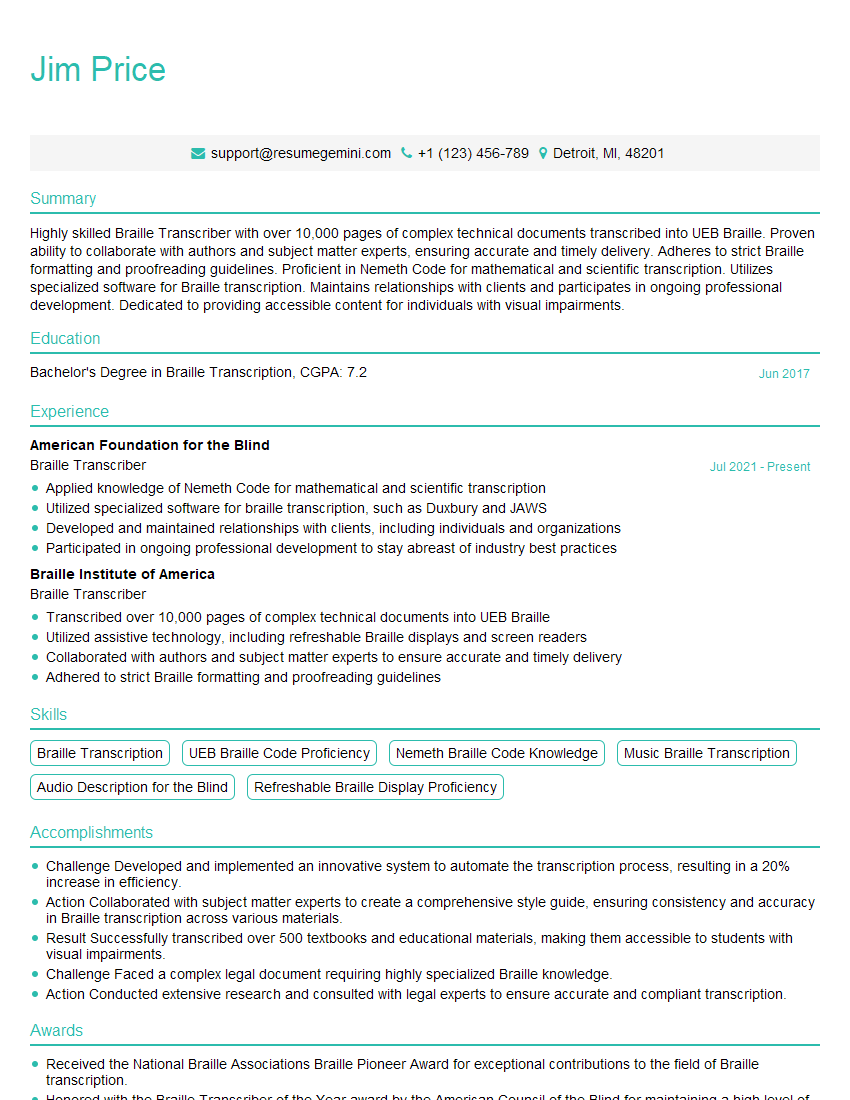
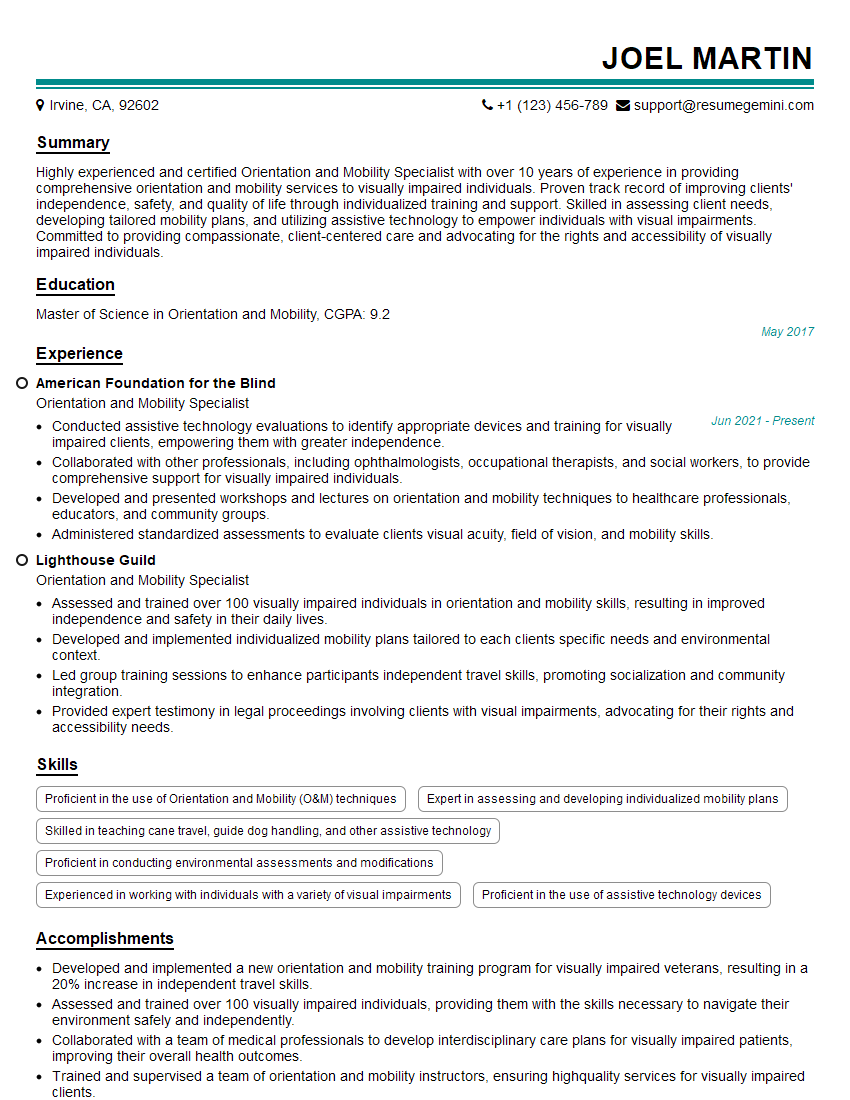
Mastering the art of adapting curriculum and materials for students with visual impairments significantly enhances your value as an educator, opening doors to rewarding career opportunities in inclusive education. To maximize your job prospects, creating a strong, ATS-friendly resume is crucial. ResumeGemini is a trusted resource that can help you build a professional resume that showcases your skills and experience effectively. Examples of resumes tailored to this specific area of expertise are available within ResumeGemini to guide you. Invest time in crafting a compelling resume – it’s your first impression on potential employers.
Explore more articles
Users Rating of Our Blogs
Share Your Experience
We value your feedback! Please rate our content and share your thoughts (optional).
What Readers Say About Our Blog
I Redesigned Spongebob Squarepants and his main characters of my artwork.
https://www.deviantart.com/reimaginesponge/art/Redesigned-Spongebob-characters-1223583608
IT gave me an insight and words to use and be able to think of examples
Hi, I’m Jay, we have a few potential clients that are interested in your services, thought you might be a good fit. I’d love to talk about the details, when do you have time to talk?
Best,
Jay
Founder | CEO