Are you ready to stand out in your next interview? Understanding and preparing for Software Configuration interview questions is a game-changer. In this blog, we’ve compiled key questions and expert advice to help you showcase your skills with confidence and precision. Let’s get started on your journey to acing the interview.
Questions Asked in Software Configuration Interview
Q 1. Explain the difference between configuration management and change management.
Configuration management and change management are closely related but distinct disciplines in software development. Think of configuration management as the what and change management as the how and why.
Configuration Management (CM) focuses on identifying, controlling, and auditing the configuration items (CIs) throughout the software lifecycle. These CIs can include code, documentation, hardware, and other assets. CM aims to establish a baseline configuration and track all changes made to it, ensuring consistency and traceability.
Change Management, on the other hand, deals with the process of proposing, reviewing, approving, implementing, and verifying changes to the configuration. It emphasizes risk assessment, impact analysis, and the establishment of clear procedures to minimize disruption and ensure quality. Change management ensures that only authorized and well-understood changes are implemented.
Analogy: Imagine building a house. CM is like creating a detailed blueprint that outlines all the components (CIs). Change management is the process of getting approvals for alterations to the blueprint, ensuring the changes are feasible and aligned with the overall building plan, and then implementing them while carefully documenting everything.
Q 2. Describe your experience with version control systems (e.g., Git, SVN).
I have extensive experience with both Git and SVN, having used them in various projects, from small-scale applications to large-enterprise systems. Git, with its distributed nature, is my preferred choice for most projects due to its flexibility and collaboration capabilities.
Git: I’m proficient in branching strategies like Gitflow, using feature branches, and managing pull requests. I understand the importance of clear commit messages, and I regularly use commands like git add, git commit, git push, git pull, git merge, and git rebase. I’ve also used Git for collaborative development, resolving merge conflicts, and managing remote repositories on platforms like GitHub and GitLab.
SVN: While less prevalent now, I have experience with SVN, especially in maintaining legacy systems. I understand its centralized nature and have worked with its branching and merging capabilities, though I find Git to be far superior for large, collaborative projects.
In both systems, I emphasize a well-defined workflow and clear communication within the team to prevent conflicts and ensure code quality.
Q 3. How do you handle conflicting changes in a version control system?
Handling conflicting changes in a version control system is a common occurrence during collaborative development. My approach is multifaceted and depends on the complexity of the conflict.
- Understanding the Conflict: I start by carefully reviewing the conflicting changes, examining the code modifications made by different developers to identify the root cause of the conflict.
- Manual Resolution: For straightforward conflicts, I directly edit the conflicting code sections, incorporating the necessary changes from both branches while ensuring that the code remains functional and consistent.
- Using Version Control System Tools: Most VCSs offer tools to visualize and manage conflicts. Git, for instance, provides excellent tools for merging and resolving conflicts within its interface. I leverage these tools to make the resolution process more efficient.
- Communication and Collaboration: When conflicts are complex, I communicate directly with the other developers involved to understand the rationale behind their changes and collaboratively resolve the conflict. This reduces the risk of introducing bugs or unintended consequences.
- Testing: After resolving the conflict, I thoroughly test the affected code to ensure that the resolution didn’t introduce new bugs or regressions.
In essence, conflict resolution requires both technical skills and effective communication, ensuring a smooth collaborative process.
Q 4. What are the benefits of using a configuration management database?
A Configuration Management Database (CMDB) provides a centralized repository for all configuration items (CIs) within an organization’s IT infrastructure. Using a CMDB offers several key benefits:
- Improved Visibility and Tracking: A CMDB gives a comprehensive view of all CIs, their relationships, and their configurations, making it easier to track changes, dependencies, and potential issues.
- Enhanced Automation: The CMDB can be integrated with automation tools, enabling automated provisioning, deployment, and monitoring of IT resources.
- Reduced Risk and Downtime: By providing a clear understanding of the infrastructure, the CMDB helps reduce the risk of unplanned downtime and service disruptions.
- Simplified Change Management: The CMDB helps streamline the change management process by providing a central repository for managing changes to CIs.
- Improved Compliance and Auditing: The CMDB can help organizations comply with regulatory requirements by providing a complete and auditable record of their IT infrastructure.
For example, a CMDB can track software licenses, hardware configurations, network devices, and their interrelationships, enabling easier troubleshooting and faster response times to incidents.
Q 5. Explain your understanding of Infrastructure as Code (IaC).
Infrastructure as Code (IaC) is the management of and provisioning of computer data centers through machine-readable definition files, rather than physical hardware configuration or interactive configuration tools. IaC allows you to define and manage your infrastructure (servers, networks, databases, etc.) in code, just like you would with your application code.
Benefits:
- Repeatability and Consistency: IaC allows you to automatically recreate your infrastructure in a consistent manner, eliminating manual configuration errors.
- Version Control: You can use version control systems (like Git) to track changes to your infrastructure code, making it easy to rollback to previous versions if needed.
- Automation: IaC allows you to automate the provisioning and management of your infrastructure, saving time and reducing human error.
- Collaboration: Infrastructure code can be reviewed and shared among team members, improving collaboration and reducing inconsistencies.
Examples: Popular IaC tools include Terraform, Ansible, Chef, and Puppet. They allow you to describe your infrastructure using declarative or imperative approaches, defining the desired state and automating the process of achieving it.
Q 6. What tools and technologies have you used for automated software deployments?
I have experience with several tools and technologies for automating software deployments. My choices often depend on the specific project requirements and infrastructure.
- Ansible: I’ve used Ansible extensively for automating configuration management and deployment across various environments. Its agentless architecture and simple YAML syntax make it highly efficient.
- Jenkins: I’ve leveraged Jenkins to create CI/CD pipelines for automated builds, testing, and deployments. I’m familiar with configuring Jenkins jobs, managing plugins, and integrating it with other tools.
- Docker and Kubernetes: For containerized deployments, I’ve used Docker for creating and managing containers and Kubernetes for orchestrating container deployments across clusters. This ensures scalability and portability.
- Cloud Platforms (AWS, Azure, GCP): I have experience using the deployment services offered by major cloud providers, automating deployment processes using their respective tools and APIs.
For instance, I’ve successfully implemented a CI/CD pipeline using Jenkins, where code changes trigger automated builds, unit tests, integration tests, and finally deployment to a staging environment, followed by a production deployment after approval.
Q 7. Describe your experience with Continuous Integration/Continuous Delivery (CI/CD).
Continuous Integration/Continuous Delivery (CI/CD) is a set of practices that automate the process of software development, testing, and deployment. It aims to shorten the software development lifecycle and enable faster, more reliable releases.
My Experience: I’ve played a key role in implementing and managing CI/CD pipelines in several projects, focusing on:
- Continuous Integration: Automating the process of integrating code changes into a shared repository, with automated builds and tests triggered by every commit. This helps identify integration issues early.
- Continuous Delivery: Automating the process of releasing software to various environments (development, testing, staging, production). This ensures that software is always ready for release.
- Automated Testing: Integrating various types of automated tests (unit, integration, system, etc.) into the CI/CD pipeline to ensure code quality.
- Monitoring and Feedback: Implementing monitoring tools to track the performance of deployed software and provide feedback to the development team. This helps identify and resolve issues quickly.
For example, I’ve implemented a CI/CD pipeline for a web application using Jenkins, Docker, and Kubernetes. This pipeline automates the build, testing, and deployment processes, reducing deployment time from days to hours and ensuring consistent deployments across different environments.
Q 8. How do you ensure the integrity and security of software configurations?
Ensuring the integrity and security of software configurations is paramount for stable and secure systems. It involves a multi-layered approach encompassing version control, access control, and robust security practices.
Version Control: Using a system like Git allows us to track changes, revert to previous versions if needed, and collaborate effectively. This provides a clear audit trail and safeguards against accidental or malicious modifications. For example, a misconfigured database connection string can be easily reverted if it’s under version control.
Access Control: Restricting access to configuration files and management tools using role-based access control (RBAC) prevents unauthorized changes. Only authorized personnel should have the ability to modify configurations. This minimizes the risk of accidental or malicious configurations.
Encryption: Sensitive information within configuration files, such as passwords or API keys, should be encrypted using strong encryption algorithms. Tools like Ansible Vault provide a secure way to manage sensitive data. This prevents unauthorized access even if the configuration files are compromised.
Regular Audits: Periodic audits and security scans help identify vulnerabilities and ensure configurations adhere to security best practices. This proactive approach helps prevent potential problems before they impact the system.
Configuration Validation: Implementing validation checks to ensure configuration files are syntactically correct and adhere to predefined standards prevents configuration errors and improves system stability. This might involve using schema validation or custom scripts to check the configuration.
Q 9. Explain your experience with different configuration management tools (e.g., Ansible, Puppet, Chef, SaltStack).
I have extensive experience with several configuration management tools, each with its strengths and weaknesses. My choice depends on the project’s requirements and scale.
Ansible: I’ve used Ansible extensively for its agentless architecture, simplicity, and ease of use, particularly for managing Linux systems. Its YAML-based configuration files are straightforward to write and understand. For instance, I used Ansible to automate the deployment of a web application across multiple servers, ensuring consistency and reducing manual effort.
ansible-playbook deploy.ymlwould be a typical command.Puppet: Puppet’s declarative approach is ideal for managing complex infrastructure, especially in large-scale environments. Its robust module library simplifies common tasks. I’ve used Puppet in projects requiring high levels of automation and infrastructure-as-code (IaC).
Chef: Chef’s focus on cookbooks and recipes allows for modularity and reusability. It’s a powerful tool, particularly useful for managing complex applications and environments. Its focus on infrastructure as code made it a good choice for larger projects requiring a high degree of consistency and automation.
SaltStack: SaltStack’s speed and scalability make it a strong choice for managing a large number of servers. Its event-driven architecture enables real-time responsiveness. I used it effectively in projects where rapid configuration changes and real-time monitoring were critical.
I find that understanding the strengths of each tool allows me to select the best one for the specific project needs.
Q 10. How do you manage dependencies between different software components?
Managing dependencies is crucial for avoiding conflicts and ensuring smooth operation. I typically employ a combination of techniques:
Dependency Management Tools: Using tools like npm (for Node.js), pip (for Python), or Maven (for Java) ensures that software components and their required libraries are correctly installed and versioned. This helps to avoid compatibility issues between different components.
Version Control: Keeping track of dependencies in a version control system (like Git) is key for reproducibility and collaboration. This allows tracing back to the precise set of dependencies used in a particular release.
Dependency Graphs: Visualizing dependencies using tools or techniques like graph databases helps to identify potential conflicts and circular dependencies early on. This provides a clear picture of the relationships between different components.
Containerization: Docker and Kubernetes offer a robust way to isolate dependencies and ensure consistent execution across different environments. This prevents conflicts between different applications or versions of libraries, regardless of the underlying system.
Careful dependency management prevents runtime errors and simplifies troubleshooting.
Q 11. Describe your approach to troubleshooting configuration issues.
My approach to troubleshooting configuration issues is systematic and follows a structured process:
Reproduce the Issue: First, I focus on consistently reproducing the issue. This may involve recreating the environment or using logs to understand the sequence of events leading to the failure.
Gather Logs and Metrics: I collect relevant logs, monitoring data, and system metrics. These provide crucial insights into the state of the system and help pinpoint the root cause.
Isolate the Problem: Once the issue is reproducible, I try to isolate the faulty component or configuration setting. This could involve using debugging tools or systematically disabling or changing parts of the configuration.
Verify the Solution: After implementing a fix, I carefully verify that the problem is resolved and that it hasn’t introduced new issues. This usually includes thorough testing.
Document the Solution: It is crucial to document the issue, root cause, and solution to prevent recurrence and help others who might face similar problems in the future.
A methodical approach coupled with good logging and monitoring are essential for efficient troubleshooting.
Q 12. How do you handle rollbacks in case of deployment failures?
Handling rollbacks is crucial for minimizing downtime and mitigating the impact of deployment failures. I use a combination of strategies:
Version Control: Version control systems (like Git) are central to rollbacks. They allow easily reverting to a previous known good configuration or codebase.
Automated Rollbacks: Ideally, the deployment process should include automated rollback mechanisms. This ensures a quick recovery in case of failures. This might involve scripts that revert configurations or deploy previous versions automatically.
Infrastructure-as-Code: Using IaC (e.g., Terraform) enables rolling back infrastructure changes to a previous state. This helps recover the infrastructure to a working configuration.
Blue/Green Deployments: This strategy involves having two identical environments (blue and green). Deployments occur in the inactive environment (e.g., green), and after successful testing, traffic is switched to the new environment. If there are issues, traffic can easily be switched back to the blue environment with minimal downtime.
Canary Deployments: A subset of users are routed to the new version to test it before rolling it out to the entire user base. This minimizes the risk of widespread failures.
The choice of rollback mechanism depends on the specific application and deployment strategy.
Q 13. What are some common challenges in software configuration management, and how have you overcome them?
Some common challenges in software configuration management include:
Configuration Drift: Configurations can diverge over time due to manual changes or updates. This can lead to inconsistencies and difficulties in maintaining a consistent environment. I address this by using automated configuration management tools and regular audits to detect and correct drift.
Complexity in Large Environments: Managing configurations across many servers and applications can be complex. I overcome this through modularization, automation, and the use of robust configuration management tools.
Security Vulnerabilities: Misconfigured systems are vulnerable to security breaches. I address this by employing robust security practices, regular security audits, and strong access control.
Lack of Version Control: Without version control, tracking changes and reverting to previous configurations is difficult. The solution is to always utilize a robust version control system.
Troubleshooting Difficult Issues: Identifying the root cause of complex configuration issues can be challenging. I solve this by employing a systematic approach, combining detailed logging, monitoring, and meticulous debugging.
Proactive planning, the use of appropriate tools, and a well-defined process are crucial for addressing these challenges.
Q 14. Explain your experience with different configuration management strategies (e.g., centralized, decentralized).
I’ve experience with both centralized and decentralized configuration management strategies. The best approach depends on the size and complexity of the environment.
Centralized Configuration Management: In a centralized approach, a single server or system manages all configurations. This provides a single source of truth and simplifies management, but can be a single point of failure. I’ve used this approach in smaller environments where simplicity is prioritized.
Decentralized Configuration Management: In a decentralized model, configurations are managed locally or in smaller groups. This offers greater flexibility and scalability, but managing consistency can be more challenging. I’ve utilized this in larger, more complex environments where autonomy and scalability are crucial. This might involve using Git repositories for individual components, managed independently but still with a system to track relationships.
Often, a hybrid approach combining elements of both centralized and decentralized strategies is the most effective solution. For example, centralizing core configurations while allowing some decentralized management for specific applications or teams.
Q 15. How do you ensure configuration consistency across different environments?
Ensuring configuration consistency across different environments—development, testing, staging, and production—is paramount for reliable software deployments. Inconsistencies can lead to bugs, security vulnerabilities, and deployment failures. My approach centers around a strategy of Infrastructure as Code (IaC) and Configuration Management tools.
IaC, using tools like Terraform or Ansible, allows me to define infrastructure and configurations in code. This code is version-controlled, ensuring traceability and facilitating easy replication across environments. For example, I would define the server specifications, network configurations, and software installations in a Terraform configuration file. Running this file in each environment creates identical setups.
Configuration management tools, such as Chef, Puppet, or Ansible, further enhance consistency by automating the installation and configuration of software applications. These tools allow you to define desired states for your systems and automatically bring them into that state, regardless of the environment. This eliminates manual configurations, reducing human error and ensuring uniformity.
Furthermore, I utilize environment variables and configuration files to manage environment-specific settings. This allows a single codebase to adapt seamlessly to different environments without needing code changes. For instance, database connection strings or API keys are kept in separate environment-specific files, preventing accidental exposure of sensitive information.
Career Expert Tips:
- Ace those interviews! Prepare effectively by reviewing the Top 50 Most Common Interview Questions on ResumeGemini.
- Navigate your job search with confidence! Explore a wide range of Career Tips on ResumeGemini. Learn about common challenges and recommendations to overcome them.
- Craft the perfect resume! Master the Art of Resume Writing with ResumeGemini’s guide. Showcase your unique qualifications and achievements effectively.
- Don’t miss out on holiday savings! Build your dream resume with ResumeGemini’s ATS optimized templates.
Q 16. What is your experience with monitoring and logging in relation to software configurations?
Monitoring and logging are critical for maintaining software configurations and troubleshooting issues. Effective monitoring allows me to proactively identify and resolve configuration drift—when a system deviates from its intended configuration. I leverage tools such as Prometheus, Grafana, and Datadog to monitor system metrics, application logs, and configuration files in real-time. These tools allow me to set alerts for critical thresholds and immediately identify any discrepancies.
Logging is equally important for retrospective analysis. I ensure that all configuration changes are logged, along with their timestamps and the user who initiated them. This detailed audit trail provides a comprehensive history of configuration modifications, assisting with troubleshooting, security investigations, and compliance audits. Centralized logging systems like Elasticsearch, Logstash, and Kibana (ELK stack) are instrumental in aggregating and analyzing logs from diverse sources.
For example, if a server’s memory usage unexpectedly spikes, monitoring tools will raise an alert, which I can then investigate further using logs to pinpoint the root cause. This might reveal an issue with a newly deployed application’s configuration that consumes excessive resources. The logs will show when the config changed, who made the change, and the precise changes to the config file.
Q 17. Describe your approach to automating repetitive configuration tasks.
Automating repetitive configuration tasks is fundamental for efficiency and reducing human error. My approach emphasizes utilizing scripting languages like Bash, Python, or PowerShell combined with configuration management tools. This allows me to create reusable scripts and modules to automate tasks such as user provisioning, software deployment, database setup, and server patching.
For instance, I might use a Python script coupled with Ansible to automate the deployment of a web application across multiple servers. The script would handle tasks such as code deployment, database migrations, and service restarts, ensuring consistency and minimizing the risk of manual mistakes. These scripts are stored in version control, readily available for repeat use and modification.
Furthermore, I employ continuous integration and continuous delivery (CI/CD) pipelines to further automate configuration tasks. CI/CD pipelines automate the build, test, and deployment processes, ensuring that configuration changes are automatically tested and deployed to various environments. Tools such as Jenkins, GitLab CI, or CircleCI are crucial components of this automation strategy.
Using automation ensures that we consistently apply configurations, minimizing deviations across environments. This leads to improved reliability and reduces the likelihood of errors during deployments.
Q 18. How do you manage configurations in a cloud environment (e.g., AWS, Azure, GCP)?
Managing configurations in a cloud environment requires leveraging the cloud provider’s native tools and services alongside established configuration management practices. Cloud providers like AWS, Azure, and GCP offer various services designed to streamline configuration management. For example, AWS offers tools such as AWS CloudFormation, AWS Config, and Systems Manager. Azure provides Azure Resource Manager (ARM) templates and Azure Automation, while GCP has Deployment Manager and Config.
I often employ Infrastructure as Code (IaC) tools such as Terraform or Pulumi to define and manage cloud infrastructure. These tools allow me to declaratively specify the desired state of my cloud resources, and they handle the actual provisioning and configuration automatically. Changes are tracked in version control, supporting auditability and rollback capabilities.
Cloud-specific configuration management tools also aid in automating tasks within the cloud environment. For instance, AWS Systems Manager can be used to remotely manage and configure EC2 instances. This minimizes the need for manual access to individual servers. Proper use of IAM roles and policies is key to secure these tools, restricting access only to authorized users and preventing unauthorized configuration changes.
Furthermore, the utilization of cloud provider’s native logging and monitoring services is key. This allows for centralised logging and comprehensive visibility into your cloud infrastructure’s configuration and performance.
Q 19. What are the key performance indicators (KPIs) you use to measure the effectiveness of software configuration management?
Key Performance Indicators (KPIs) for measuring the effectiveness of software configuration management include:
- Mean Time To Recovery (MTTR): Measures the time it takes to restore services after a configuration-related incident. A lower MTTR indicates a more robust and efficient configuration management system.
- Deployment Frequency: Tracks how often software deployments occur. Higher frequency indicates smoother and more streamlined processes, suggesting effective automation and configuration management.
- Change Failure Rate: Measures the percentage of deployments that result in failures. A lower failure rate shows improved consistency and reduced risk.
- Configuration Compliance Rate: Indicates the percentage of systems complying with defined configuration standards. High compliance minimizes vulnerabilities and ensures regulatory adherence.
- Mean Time Between Failures (MTBF): Measures the average time between failures, reflecting the overall stability and reliability of the system, influenced heavily by effective configuration management.
By tracking these KPIs, I can identify areas for improvement and demonstrate the value of effective configuration management practices. For example, a consistently high change failure rate would point to issues in the automation process or the rigor of testing, prompting a review and improvement of these areas.
Q 20. Explain your understanding of different configuration management models (e.g., ITIL).
Configuration management models, such as ITIL (Information Technology Infrastructure Library), provide frameworks for managing IT services, including software configurations. ITIL emphasizes a structured approach to managing the entire lifecycle of IT services, aligning closely with configuration management best practices.
ITIL doesn’t directly prescribe specific configuration management tools, but it outlines principles that are crucial for success, such as:
- Configuration Management Database (CMDB): A central repository containing comprehensive information about all IT assets, including their configurations. This is essential for understanding the entire system’s makeup and dependencies.
- Change Management: A rigorous process for managing and approving configuration changes, minimizing disruptions and ensuring stability. This is vital for controlled deployments and minimizing risks.
- Incident Management: Handling disruptions to IT services, often stemming from configuration issues. Effective incident management requires robust logging and monitoring to facilitate quick problem-solving.
- Release Management: The process of deploying new configurations and software releases. ITIL principles such as thorough testing and change control contribute significantly to successful and stable releases.
While not explicitly a configuration management model, DevOps principles are strongly aligned with ITIL’s goals, emphasizing automation, collaboration, and continuous improvement. DevOps methodologies strongly advocate for automation of config management and continuous integration/continuous delivery (CI/CD) pipelines. These practices enhance efficiency and reduce risks associated with manual configuration changes.
Q 21. How do you ensure compliance with industry standards and regulations related to software configuration?
Ensuring compliance with industry standards and regulations, such as ISO 27001, PCI DSS, HIPAA, or SOX, necessitates integrating security and compliance considerations throughout the software configuration management process. This involves:
- Security Hardening: Applying security best practices to servers and applications through configuration management tools. This includes measures such as disabling unnecessary services, regularly updating software, and employing strong authentication mechanisms.
- Access Control: Restricting access to configuration management tools and systems to authorized personnel only. Role-Based Access Control (RBAC) is vital in this context.
- Auditing and Logging: Maintaining detailed logs of all configuration changes, providing an audit trail for compliance purposes. This should be reviewed regularly to check for compliance with the standards.
- Vulnerability Management: Regularly scanning systems for vulnerabilities and patching them promptly. Configuration management tools can automate the patching process.
- Configuration Standardization: Defining and enforcing consistent configuration standards across all environments to reduce risks and ensure regulatory compliance. This standardization should be checked regularly through compliance scans and reporting.
Compliance is not a one-time activity but an ongoing process. Regular audits and assessments are critical to ensure ongoing adherence to relevant standards and regulations. Automated reporting on compliance status is important to aid in quick identification of issues. A proactive approach to compliance reduces risks and ensures regulatory adherence.
Q 22. Describe your experience with configuration audits and reviews.
Configuration audits and reviews are critical for ensuring the integrity and security of a software system. They involve systematically examining the software’s configuration to identify discrepancies, vulnerabilities, and deviations from established standards. My experience includes performing both planned, scheduled audits and reactive audits triggered by incidents or suspected compromises.
In a recent project, I led an audit of our web application’s configuration, focusing on security settings. We used automated tools to scan for known vulnerabilities and manually reviewed server configurations, firewall rules, and database access permissions. This identified a misconfigured SSL certificate that could have led to a man-in-the-middle attack. The review process resulted in immediate remediation, preventing a potential security breach. I also utilize checklists and templates to ensure consistency and thoroughness across different audits.
Another example involved a post-incident review where a database server crash revealed deficiencies in backup and restore procedures. The audit highlighted the need for more robust configuration management practices, including regular backups, automated testing of restore procedures, and improved documentation. This audit led to a significant improvement in our disaster recovery capabilities.
Q 23. Explain your experience with disaster recovery and business continuity planning related to software configurations.
Disaster recovery and business continuity planning for software configurations are crucial for minimizing downtime and data loss in the event of a disaster. My experience encompasses developing and implementing plans that address various scenarios, including natural disasters, cyberattacks, and hardware failures.
In one instance, I worked on developing a disaster recovery plan for a critical e-commerce application. This involved establishing redundant systems in a geographically separate location, implementing automated failover mechanisms, and regular testing of the disaster recovery procedures. We used a combination of physical and cloud-based infrastructure to ensure high availability. We also documented detailed recovery procedures, including steps for restoring databases, applications, and network configurations.
A key aspect of my work involves identifying critical systems and dependencies, and determining the Recovery Time Objective (RTO) and Recovery Point Objective (RPO) for each. This allows us to prioritize resources and efforts in the event of an incident. I’ve also incorporated regular drills and simulations into our processes to ensure that our plans are effective and our team is prepared to execute them.
Q 24. How do you collaborate with developers, operations, and other teams to manage software configurations?
Effective collaboration is fundamental to successful software configuration management. I work closely with developers, operations teams, security engineers, and other stakeholders to ensure that everyone is aligned on configuration standards, processes, and best practices.
I typically use tools like Jira and Confluence to manage tasks, track changes, and document decisions. I hold regular meetings with different teams to discuss configuration-related issues, review changes, and plan future work. For instance, I collaborated with developers to establish a standardized deployment pipeline that automated the configuration of our application servers. This improved deployment speed and consistency, reducing the risk of errors.
Furthermore, clear communication is key to avoiding misunderstandings and conflicts. I employ clear, concise documentation and strive for a collaborative, open communication environment where everyone feels comfortable voicing concerns or suggesting improvements. A well-defined change management process, involving all stakeholders, is also crucial for preventing conflicts and ensuring that changes are implemented correctly.
Q 25. What are some best practices for documenting software configurations?
Thorough and accurate documentation is essential for managing software configurations effectively. Best practices include:
- Version Control: Using a version control system (e.g., Git) to track changes to configuration files and infrastructure as code.
- Centralized Repository: Storing all configuration data in a central repository that is easily accessible to authorized personnel. This could be a configuration management database or a version control system.
- Automated Documentation: Generating configuration documentation automatically using tools that extract information from configuration files and infrastructure.
- Standardized Formatting: Using consistent formatting and naming conventions for configuration files to improve readability and maintainability.
- Clear and Concise Descriptions: Providing detailed descriptions of configuration settings, including their purpose and potential impact.
- Change Logs: Maintaining a comprehensive log of all configuration changes, including the date, time, author, and reason for the change.
For example, we use a combination of Git for code and Ansible for infrastructure as code, with all configuration changes logged and versioned. This enables easy rollback and audit trails, significantly improving traceability and accountability.
Q 26. How do you handle changes to software configurations in a production environment?
Handling changes to software configurations in a production environment requires a careful and controlled approach. This typically involves a change management process that includes:
- Request and Approval: All change requests must be formally submitted, reviewed, and approved by authorized personnel.
- Testing: Changes should be thoroughly tested in a non-production environment before deployment to production.
- Rollback Plan: Having a plan in place to quickly revert the changes if necessary.
- Monitoring: Closely monitoring the system after the changes are deployed to identify any unexpected issues.
- Documentation: Documenting all changes and their impact.
We generally employ a phased rollout approach, starting with a small subset of users or servers, then gradually expanding the deployment after confirming that the changes are stable and functioning correctly. Automated tools and scripts play a significant role in this process to ensure consistency and minimize human error.
Q 27. Describe your experience with implementing and managing a configuration management system.
I have extensive experience implementing and managing various configuration management systems, including Puppet, Chef, Ansible, and SaltStack. My experience spans from small-scale deployments to large, complex enterprise environments.
For instance, in a previous role, we migrated from a manual configuration process to Ansible for managing our server infrastructure. This resulted in significant improvements in efficiency, consistency, and scalability. Ansible’s declarative approach allowed us to define desired states for our servers, and Ansible would automatically apply the necessary changes. The automated deployment process also reduced the risk of human error and improved the overall reliability of our systems. The implementation involved careful planning, thorough testing, and ongoing monitoring to ensure stability. Regular training for team members was also provided to encourage adoption and proficiency with Ansible.
Beyond the technical implementation, a key aspect of managing a configuration management system involves establishing clear processes and workflows for managing changes, ensuring security and compliance, and providing support to users.
Q 28. What are your strengths and weaknesses regarding software configuration management?
Strengths: My strengths lie in my deep understanding of configuration management principles, my ability to adapt to different tools and technologies, and my strong problem-solving skills. I’m proficient in automating configuration tasks, creating robust and scalable solutions, and ensuring consistency across different environments. I’m also adept at collaborating with diverse teams and communicating complex technical information clearly.
Weaknesses: While I am proficient in several configuration management tools, I am always eager to learn new technologies and expand my skillset. For example, I would like to deepen my understanding of cloud-native configuration management techniques and tools. Another area for improvement is further honing my skills in advanced scripting and automation techniques to build even more efficient and robust solutions.
Key Topics to Learn for Software Configuration Interview
- Version Control Systems (VCS): Understanding Git, branching strategies (Gitflow, GitHub Flow), merging, resolving conflicts, and best practices for collaborative development. Practical application: Explain how you’ve used Git to manage code changes in a team environment and resolve merge conflicts.
- Configuration Management Tools: Familiarity with tools like Ansible, Puppet, Chef, or SaltStack. Practical application: Describe your experience automating infrastructure provisioning or configuration tasks using a chosen tool. Highlight problem-solving scenarios where automation prevented errors or improved efficiency.
- Continuous Integration/Continuous Deployment (CI/CD): Grasping the CI/CD pipeline, including build automation, testing, deployment strategies, and monitoring. Practical application: Detail your experience with CI/CD tools like Jenkins, GitLab CI, or Azure DevOps, and describe a successful CI/CD implementation you were involved in.
- Infrastructure as Code (IaC): Understanding the principles of IaC, using tools like Terraform or CloudFormation to manage and provision infrastructure. Practical application: Explain how you’ve used IaC to automate the creation and management of cloud resources, emphasizing reusability and consistency.
- Containerization and Orchestration: Knowledge of Docker, Kubernetes, or similar technologies. Practical application: Describe your experience building, deploying, and managing containerized applications, highlighting scaling and orchestration strategies.
- Configuration Best Practices: Understanding principles like modularity, maintainability, scalability, and security in configuration management. Practical application: Discuss how you’ve implemented these best practices in previous roles, providing specific examples.
- Troubleshooting and Debugging: Ability to diagnose and resolve configuration issues, using logging and monitoring tools effectively. Practical application: Describe a complex configuration problem you solved, outlining your approach and the tools used.
Next Steps
Mastering Software Configuration is crucial for career advancement in today’s tech landscape. It demonstrates your ability to build robust, scalable, and maintainable systems, a highly sought-after skill. To significantly enhance your job prospects, crafting an ATS-friendly resume is essential. ResumeGemini is a trusted resource that can help you build a professional and impactful resume, optimizing your chances of getting noticed by recruiters. Examples of resumes tailored to Software Configuration are available within ResumeGemini to provide further guidance.

Technical Project Manager Resume Sample

Automation Engineer Resume Sample

Infrastructure Engineer Resume Sample

System Administrator Resume Sample

Infrastructure Architect Resume Sample

IT Manager Resume Sample

Release Manager Resume Sample
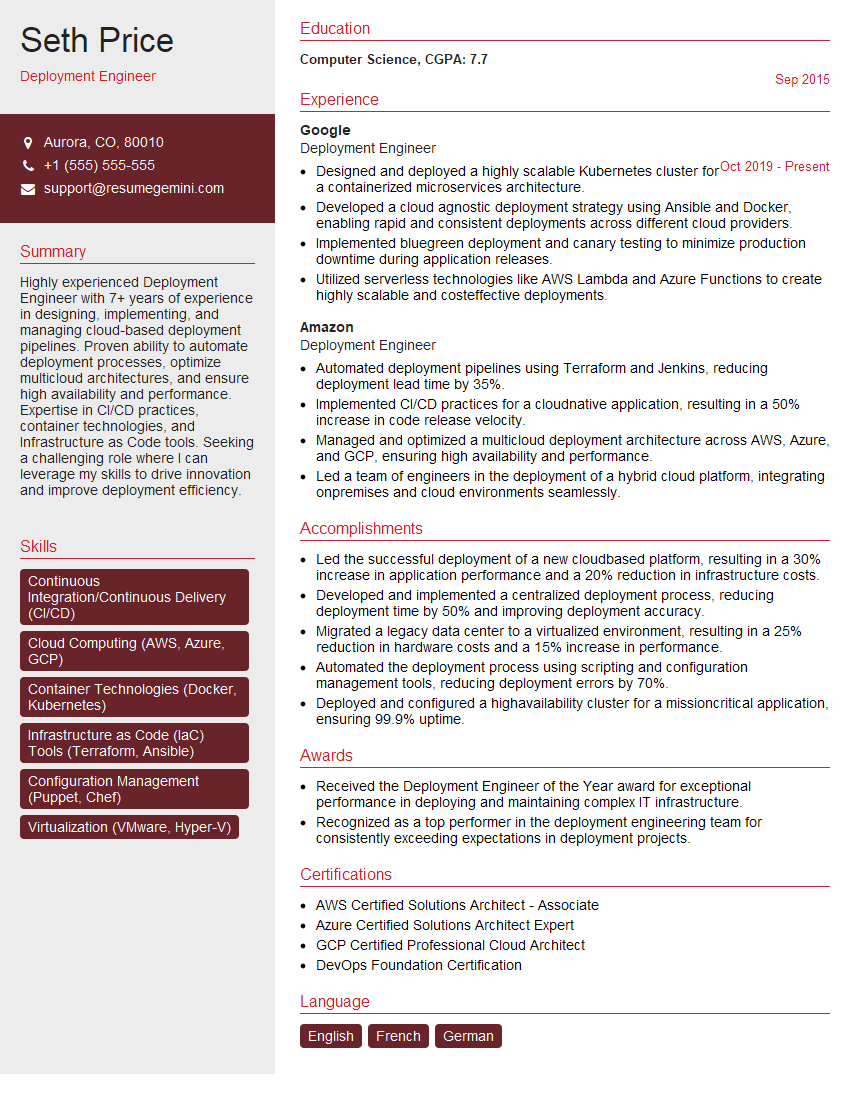
Deployment Engineer Resume Sample
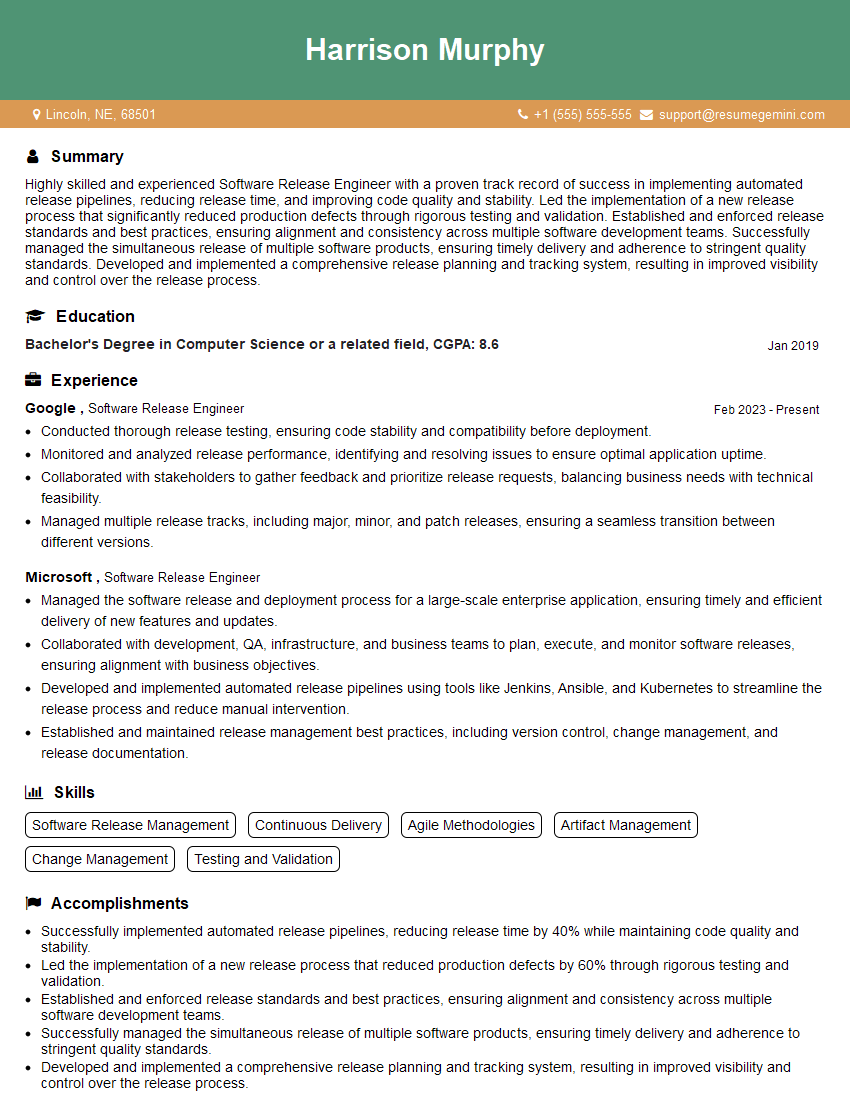
Software Release Engineer Resume Sample

DevOps Engineer Resume Sample
Explore more articles
Users Rating of Our Blogs
Share Your Experience
We value your feedback! Please rate our content and share your thoughts (optional).
What Readers Say About Our Blog
Really detailed insights and content, thank you for writing this detailed article.
IT gave me an insight and words to use and be able to think of examples