Interviews are opportunities to demonstrate your expertise, and this guide is here to help you shine. Explore the essential Software updates interview questions that employers frequently ask, paired with strategies for crafting responses that set you apart from the competition.
Questions Asked in Software updates Interview
Q 1. Explain the software update lifecycle.
The software update lifecycle is a structured process encompassing all stages from initial planning to final deployment and post-release monitoring. Think of it like building a house – you wouldn’t just throw up walls and a roof without a plan. The lifecycle typically involves these key phases:
- Planning & Development: Defining update goals, identifying features/bug fixes, and developing the update package.
- Testing & QA: Rigorous testing on various environments (e.g., staging, UAT) to ensure stability and functionality. This might involve automated testing and manual user acceptance testing.
- Staging & Deployment: Preparing the update for release and deploying it to the target environment. This phase includes choosing the right deployment strategy (discussed later).
- Monitoring & Feedback: Tracking the update’s performance post-deployment, monitoring for issues, collecting user feedback, and addressing any problems.
- Maintenance & Support: Providing ongoing support, releasing patches or hotfixes, and planning for future updates.
For example, in a large enterprise software project, planning might involve several sprints for development, followed by extensive testing across different OS versions and hardware configurations before release. Post-release, analytics dashboards help track update adoption rates and user experiences, guiding future improvements.
Q 2. Describe different software update deployment strategies (e.g., rolling, blue-green).
Software update deployment strategies aim to minimize disruption while maximizing update reach. Here are some common ones:
- Rolling Deployment: This strategy gradually releases the update to a small percentage of users, closely monitoring for issues before expanding to the entire user base. It’s like releasing a movie in select theaters first to gauge audience reaction before nationwide release. This minimizes the impact of a potential failure.
- Blue-Green Deployment: This involves maintaining two identical environments (‘blue’ and ‘green’). The update is deployed to the inactive environment (‘green’). Once tested, traffic is switched to the updated environment (‘green’), and ‘blue’ becomes the backup.
- A/B Testing: Similar to rolling deployments, but used to test multiple versions of an update simultaneously on different user segments. This allows for data-driven decisions about which update performs better.
- Phased Rollout: This involves releasing the update in stages, typically targeting different geographical regions or user groups. It allows for controlled deployment and localized issue resolution.
Consider an e-commerce site; a rolling deployment minimizes the risk of widespread disruption during peak shopping hours. A blue-green strategy ensures zero downtime while the update is rolled out.
Q 3. What are the key challenges in managing software updates in a large-scale environment?
Managing software updates at scale presents several challenges:
- Compatibility Issues: Ensuring compatibility across diverse hardware, software configurations, and operating systems can be complex. Imagine a game update needing to work on different gaming consoles, PCs, and mobile devices.
- Downtime Management: Minimizing disruption to users during updates is crucial. Even a short outage can have significant consequences, especially for online services.
- Rollback Complexity: Having a robust rollback plan in place to revert to previous versions is vital if issues arise.
- Security Vulnerabilities: Updates themselves can become targets for attackers. Strong security measures are needed to prevent compromised updates.
- Update Size and Bandwidth: Large updates can strain network infrastructure and user bandwidth, especially in areas with limited internet access.
- Testing and Validation: Thoroughly testing updates in diverse environments is time-consuming and resource-intensive.
For example, a global banking application needs to manage updates flawlessly to avoid service disruptions and maintain the integrity of financial transactions. Thorough planning and testing are paramount.
Q 4. How do you ensure the integrity and security of software updates?
Ensuring the integrity and security of software updates requires a multi-layered approach:
- Code Signing: Digitally signing updates using certificates verifies the authenticity and integrity of the update package, ensuring it hasn’t been tampered with.
- Secure Transport: Employing secure protocols like HTTPS to transfer updates prevents interception and modification during download.
- Checksum Verification: Comparing checksums (e.g., SHA-256) of the downloaded update with the expected value verifies that the file hasn’t been corrupted during transmission.
- Vulnerability Scanning: Regularly scanning updates for vulnerabilities helps identify and address security weaknesses before release.
- Secure Update Infrastructure: Implementing robust access controls and security monitoring for update servers to prevent unauthorized access and modifications.
Imagine an operating system update – code signing guarantees its authenticity, while HTTPS prevents attackers from injecting malware into the update.
Q 5. Explain your experience with automated software update processes.
I have extensive experience with automated software update processes, utilizing tools and technologies like Jenkins, Ansible, and Chef. These tools allow for efficient, repeatable, and reliable deployment. In a previous role, we implemented a fully automated pipeline for our SaaS application using Jenkins. This pipeline automated the build, testing, and deployment phases, significantly reducing deployment time and human error. The pipeline also integrated with our monitoring system, automatically triggering rollbacks if performance metrics dropped below predefined thresholds. This ensured rapid response to any issues.
Automated updates also significantly reduce manual effort, allowing the team to focus on development and innovation rather than repetitive deployment tasks. We also implemented robust logging and reporting mechanisms within our automation pipeline to facilitate troubleshooting and provide insights into update performance.
Q 6. Describe your experience with different update mechanisms (e.g., OTA, delta updates).
My experience encompasses various update mechanisms:
- Over-the-Air (OTA) Updates: Commonly used for mobile devices and embedded systems, OTA updates allow software to be updated remotely, without the need for physical access. This is highly convenient for users and is essential for maintaining the functionality of mobile apps and IoT devices.
- Delta Updates: These updates only transfer the changes made since the last version, significantly reducing bandwidth requirements. Instead of downloading the entire updated app (which might be hundreds of MBs), only the changes are downloaded, saving both bandwidth and update time. This is particularly efficient for frequent updates.
- Patching: This is often used to address specific security vulnerabilities or bug fixes without requiring a full software update. Think of this as a quick fix for a minor issue, rather than a major overhaul.
In one project, implementing delta updates reduced update download sizes by an average of 70%, resulting in substantial savings in bandwidth costs and user download times. We carefully analyzed the trade-offs, including the complexity of implementing the differential update process, compared to the reduction in bandwidth required.
Q 7. How do you handle update failures and rollbacks?
Handling update failures and rollbacks requires a well-defined plan and robust monitoring. We typically employ these strategies:
- Monitoring & Alerting: Real-time monitoring of update deployment and performance using tools like Nagios or Prometheus, with alerts triggered for critical failures.
- Rollback Mechanisms: Having a clear rollback procedure, which may involve reverting to a previous version of the software, is vital. This often necessitates maintaining backups of previous versions.
- Automated Rollbacks: Integrating automated rollbacks into the deployment pipeline ensures swift action in case of critical failures.
- Post-Mortem Analysis: After a failure, conducting a thorough post-mortem analysis to identify the root cause and prevent future occurrences is crucial. This involves analyzing logs, collecting data, and identifying areas for improvement.
- Canary Releases: This helps identify potential failures early by releasing an update to a small subset of users before wider deployment, allowing for early detection and mitigation of issues.
In a past project, a poorly tested update led to a widespread service outage. Our automated rollback mechanism quickly reverted the system to the stable version, minimizing downtime. The subsequent post-mortem analysis improved our testing procedures and prevented similar issues from recurring.
Q 8. What metrics do you use to measure the success of software updates?
Measuring the success of software updates involves a multi-faceted approach, going beyond simply the number of updates installed. We use a combination of quantitative and qualitative metrics.
Deployment Rate: This measures the percentage of eligible systems that successfully received and installed the update. A low rate indicates potential problems with the update process itself (e.g., compatibility issues, poor communication).
Success Rate: This tracks the percentage of installations that completed without errors or crashes. This helps identify problematic installations or faulty update packages.
User Feedback: We actively solicit feedback through surveys, in-app feedback mechanisms, and user forums. This provides valuable qualitative data on user experience and satisfaction.
Bug Reports and Crash Reports: A decrease in reported bugs or crashes after an update signifies improvement. This is often tracked using dedicated bug tracking systems.
Performance Metrics: We monitor key performance indicators (KPIs) such as application speed, resource usage, and stability after updates. This helps determine if the update improved or degraded performance.
Security Vulnerability Remediation Rate: If the update addressed security vulnerabilities, we measure how effectively these vulnerabilities were patched. This often involves penetration testing post-update.
For example, a successful update might show a 98% deployment rate, a 99% success rate, positive user feedback regarding improved performance, and a significant reduction in security vulnerability reports. Conversely, a low deployment rate alongside numerous crash reports would clearly indicate a failed update and necessitate immediate investigation.
Q 9. How do you manage updates in a multi-platform environment?
Managing updates across multiple platforms (e.g., Windows, macOS, iOS, Android, Linux) requires a highly organized and adaptable strategy. A common approach is to employ a platform-specific build process and packaging system. This ensures each platform receives the optimal update package formatted correctly for its operating system.
We typically use a centralized update management system that allows us to target specific platforms and versions with tailored updates. This system handles versioning, distribution, and monitoring across different platforms. For instance, we might use separate build pipelines for each platform, each integrating appropriate testing and signing processes specific to that platform.
Consideration must be given to different hardware architectures (e.g., x86, ARM) and the specific limitations of each platform. Thorough cross-platform testing is crucial before releasing any update to prevent compatibility issues and ensure a consistent user experience across platforms.
Q 10. How do you prioritize software updates?
Prioritizing software updates is a critical decision that balances risk, impact, and resources. We typically use a risk-based prioritization framework that considers several factors:
Severity of Bugs: Critical bugs that crash the application or expose security vulnerabilities are prioritized higher.
Impact on Users: Updates resolving issues affecting a large number of users or impacting core functionalities are prioritized.
Business Needs: Updates that support new business features or compliance requirements may have higher priority.
Technical Complexity: Simple fixes are prioritized over complex updates that require significant development and testing time.
Dependencies: The update’s dependence on other updates or libraries impacts its scheduling.
We often employ a system to assign severity levels (e.g., critical, high, medium, low) to each bug or enhancement. This system helps us prioritize updates objectively. For example, a security patch that addresses a critical vulnerability would always take precedence over a minor UI improvement. We might use a Kanban board or similar project management tool to visualize and track the update pipeline.
Q 11. Describe your experience with version control systems in relation to updates.
Version control systems (VCS), such as Git, are fundamental to managing software updates. They provide a central repository to track code changes, enabling collaboration among developers and allowing us to easily revert to previous versions if necessary.
Each update is typically associated with a new version or branch in the VCS. This allows us to create independent development branches for updates, ensuring that ongoing development doesn’t conflict with the update process.
Before releasing an update, we thoroughly test the changes on different environments. The VCS helps in managing different versions of the codebase and rolling back to previous versions if problems arise during testing. We utilize branching strategies (like Gitflow) to manage feature development, bug fixes, and release branches. This ensures a streamlined and organized update process.
Example: We might create a 'release/v2.1' branch from the 'main' branch to develop and test the v2.1 update. Once testing is complete, we merge this branch back into 'main', generating a tagged release for distribution.
Q 12. How do you communicate update releases to end-users?
Communicating update releases effectively to end-users is crucial for successful adoption. Our approach involves a multi-channel strategy:
In-App Notifications: We use in-app messages to inform users about available updates, providing details about the changes and encouraging them to update.
Email Notifications: We send email notifications to registered users announcing new updates, outlining key changes and benefits.
Website Announcements: We post announcements on our website’s support pages, including release notes with detailed descriptions of changes, bug fixes, and known issues.
Social Media: We use social media platforms to reach a broader audience and announce major updates.
Blog Posts: For significant updates, we create detailed blog posts that explain the reasons for the update, highlight new features, and address user concerns.
The communication should be clear, concise, and easy to understand. The tone should be professional but approachable, building trust and encouraging users to install the updates. Providing clear instructions on how to install the update is also vital.
Q 13. What are the security implications of delayed software updates?
Delayed software updates pose significant security risks. Unpatched software is vulnerable to known exploits, making systems susceptible to malware, data breaches, and unauthorized access.
Delays allow attackers more time to develop and deploy exploits targeting unpatched systems. The longer vulnerabilities remain unaddressed, the higher the risk of successful attacks. This is particularly critical for security-sensitive applications and systems.
For example, delaying updates for a web server could lead to a successful attack compromising sensitive user data. Similarly, delaying updates on a medical device could expose patients to potentially life-threatening situations. The consequences of delayed updates can range from minor inconveniences to catastrophic failures.
Q 14. How do you ensure compatibility between different versions of software?
Ensuring compatibility between different software versions is essential to maintaining a stable and functional system. This involves careful planning, rigorous testing, and robust backward compatibility strategies.
We typically employ several techniques:
Backward Compatibility: We design new versions to maintain functionality with data and settings from older versions. This minimizes disruption to users upgrading.
API Stability: We strive for API stability, avoiding breaking changes that would render existing applications or integrations incompatible. Any necessary changes are meticulously documented.
Version-Specific Code Paths: When backward compatibility isn’t feasible, we might use version-specific code paths to handle different versions gracefully. This often involves feature flags or conditional logic.
Thorough Testing: We conduct extensive compatibility testing to verify that new versions work seamlessly with older ones and with different hardware and software configurations.
Data Migration Strategies: We develop data migration plans to handle any necessary changes in data structures or formats between versions.
For instance, when developing a new version of an application, we’d test it extensively with previous versions, ensuring that users upgrading from an older version don’t experience any data loss or unexpected behavior. A solid approach to versioning and clear communication about compatibility are also essential parts of this process.
Q 15. What is your experience with A/B testing for software updates?
A/B testing for software updates is a crucial strategy to minimize risk and maximize positive user impact. Instead of rolling out an update to all users simultaneously, we release it to a smaller subset (group A) while the rest (group B) continue using the previous version. This allows us to compare key metrics like app crashes, user engagement, and customer satisfaction between the two groups. For example, we might release a new UI to 10% of our users (A) and observe its performance compared to the remaining 90% (B) using the old UI. If the metrics in group A show significant improvement or no negative impact, we gradually increase the rollout percentage, and if problems arise, we can quickly revert to the previous version for everyone. This minimizes disruption for the majority of our users while allowing data-driven decision making.
In a recent project, we A/B tested a new algorithm for recommendation engine. Group A saw a 15% increase in click-through rates compared to Group B, proving the effectiveness of the update before full deployment.
Career Expert Tips:
- Ace those interviews! Prepare effectively by reviewing the Top 50 Most Common Interview Questions on ResumeGemini.
- Navigate your job search with confidence! Explore a wide range of Career Tips on ResumeGemini. Learn about common challenges and recommendations to overcome them.
- Craft the perfect resume! Master the Art of Resume Writing with ResumeGemini’s guide. Showcase your unique qualifications and achievements effectively.
- Don’t miss out on holiday savings! Build your dream resume with ResumeGemini’s ATS optimized templates.
Q 16. How do you handle user feedback regarding software updates?
Handling user feedback is paramount. We employ a multi-faceted approach. Firstly, we integrate robust in-app feedback mechanisms, allowing users to report bugs, suggest improvements, or simply share their experiences. This could include in-app surveys, feedback forms, and direct email options. Secondly, we actively monitor app stores for reviews and ratings, paying close attention to negative feedback and identifying recurring issues. Thirdly, we utilize social media monitoring tools to capture discussions and sentiments related to our updates. All feedback is meticulously categorized, prioritized, and logged in our bug tracking system. This allows us to identify trends, isolate root causes, and address concerns swiftly. For example, if a large number of users report a specific crash after an update, we prioritize investigating and fixing that bug immediately.
Q 17. Explain your experience with different update scheduling methodologies.
Update scheduling is crucial for minimizing disruption and optimizing user experience. I’ve worked with various methodologies, including:
- Canary releases: Rolling out updates to a small subset of users first, before a wider release. This helps identify unforeseen issues early on. Think of it like sending a ‘canary’ into a coal mine – if it doesn’t fare well, you know there’s a problem.
- Phased rollouts: Gradually increasing the percentage of users receiving the update over a period of time, allowing for controlled monitoring and response to any arising problems.
- Blue/Green deployments: Maintaining two identical environments (‘blue’ and ‘green’). The update is deployed to the ‘green’ environment; once testing is complete, traffic is switched from ‘blue’ to ‘green’. This allows for quick rollbacks if necessary.
- Scheduled maintenance windows: Choosing specific times (e.g., late at night or during off-peak hours) to minimize user impact during the update process.
The best methodology depends on the criticality of the update, the size of the user base, and the risks involved. For a minor update, a phased rollout might suffice. For a major update, a blue/green deployment offers greater safety.
Q 18. How do you ensure the stability of a system after a major update?
Ensuring system stability post-major update is a top priority. This involves a combination of rigorous testing and robust monitoring. Before deployment, we conduct comprehensive testing, including unit tests, integration tests, system tests, and user acceptance testing (UAT). Post-deployment, we continuously monitor key performance indicators (KPIs) such as CPU usage, memory consumption, error rates, and response times. We use monitoring tools that provide real-time alerts for any anomalies. If an issue is detected, we have established rollback procedures to revert to the previous stable version, minimizing disruption. Furthermore, we maintain detailed logs and perform post-mortem analysis after major updates to identify areas for improvement in our testing and deployment processes.
Q 19. How do you identify potential issues with a software update before deployment?
Identifying potential issues before deployment involves a layered approach. First, we have automated testing suites covering unit, integration, and system levels. These tests help catch bugs early in the development cycle. Secondly, we conduct thorough static code analysis to identify potential vulnerabilities and coding errors. Thirdly, we simulate production environments using staging or test servers, mimicking real-world usage patterns. Finally, we perform penetration testing to assess the security of the update. These steps help identify and address potential issues before they reach production, significantly reducing the risk of post-release problems.
Q 20. Describe your experience with using a Configuration Management System (CMS) for updates.
Configuration Management Systems (CMS) are essential for managing software updates effectively. I have extensive experience using tools like Git, Ansible, and Puppet. These systems allow us to track changes, manage different versions of the software, and automate the deployment process. For example, using Git allows us to collaborate on code changes, revert to previous versions if needed, and manage different branches for development and testing. Ansible or Puppet enable us to automate the deployment process across multiple servers, ensuring consistency and reducing human error. This also allows us to easily roll back updates if problems are encountered. Version control, automated deployments, and rollback capabilities are critical for managing the complexity of modern software updates.
Q 21. What is your experience with monitoring software update performance?
Monitoring software update performance involves tracking various metrics to ensure the update is working as intended and not negatively impacting users. We utilize application performance monitoring (APM) tools that track key metrics like application response times, error rates, resource consumption (CPU, memory, network), and user engagement. We set up dashboards to visualize these metrics and receive alerts if any thresholds are exceeded. For example, a sudden spike in error rates or a significant drop in user engagement after an update could indicate a problem. By proactively monitoring these metrics, we can quickly identify and resolve issues, ensuring a positive user experience and maintain system stability.
Q 22. How do you manage updates in a geographically dispersed environment?
Managing updates in a geographically dispersed environment requires a robust and reliable deployment strategy. Think of it like delivering packages across the globe – you need a system that ensures timely and consistent delivery to every location, regardless of distance or network conditions.
Key strategies include:
- Centralized Update Management System: A single platform to manage and distribute updates to all locations. This ensures consistency and allows for easy monitoring and rollback if necessary.
- Content Delivery Network (CDN): CDNs cache updates closer to end-users, drastically reducing latency and improving download speeds, particularly beneficial for large updates.
- Differential Patching: Instead of sending the entire updated software, only the changes are sent. This significantly reduces bandwidth consumption and deployment time across all locations.
- Phased Rollouts: Deploying updates in stages, starting with a small group of users (a canary release) before a wider rollout, allows for early identification and mitigation of potential issues specific to certain regions or networks.
- Robust Monitoring and Logging: Real-time monitoring tools are crucial to track the update’s progress in each location, identify problems, and react quickly.
For example, I once worked on a project with users spread across North America and Europe. Using a CDN and a phased rollout, we successfully updated our software with minimal disruption. The monitoring system alerted us to a minor issue with one server in Europe, which we resolved quickly before it affected a larger number of users.
Q 23. Explain your experience with using a Continuous Integration/Continuous Delivery (CI/CD) pipeline for updates.
CI/CD pipelines are the backbone of efficient and reliable software updates. Imagine an assembly line for software: each stage automates a specific task, leading to a smooth and consistent product.
My experience includes using Jenkins, GitLab CI, and Azure DevOps. These pipelines typically involve:
- Automated Builds: The pipeline automatically compiles and packages the software upon code changes.
- Automated Testing: Various tests (unit, integration, system) are automatically executed to ensure code quality and functionality.
- Automated Deployment: The pipeline automates the deployment process, pushing updates to staging and production environments.
- Rollback Mechanisms: The ability to quickly revert to a previous stable version in case of issues.
- Monitoring and Alerting: Constant monitoring of the system, coupled with alerts for any issues during or after deployment.
Example Jenkins pipeline snippet:
pipeline { agent any stages { stage('Build') { steps { sh 'mvn clean package' } } stage('Test') { steps { sh 'mvn test' } } stage('Deploy') { steps { sh 'kubectl apply -f deployment.yaml' } } } }Using CI/CD, we significantly reduced deployment time from days to hours, while simultaneously enhancing the reliability and consistency of our updates.
Q 24. How do you handle emergency software updates?
Handling emergency software updates requires a well-defined process that prioritizes speed and minimizing disruption, but without sacrificing safety. Think of it like a fire drill – you need a plan in place to react quickly and efficiently.
My approach focuses on:
- Rapid Assessment: Quickly determining the impact and severity of the issue.
- Hotfix Development: Developing and testing a minimal fix to address the critical issue.
- Prioritized Deployment: Deploying the hotfix immediately to affected systems, potentially bypassing some of the standard CI/CD pipeline stages for speed.
- Communication: Keeping stakeholders informed of the situation and the progress of the hotfix deployment.
- Post-Incident Review: Conducting a thorough review of the incident to identify root causes and improve future responses.
A practical example involved a critical security vulnerability discovered in a live system. We immediately followed the emergency update protocol, deployed a hotfix within two hours, and notified all users. The post-incident review led to enhancements in our security monitoring and vulnerability scanning practices.
Q 25. What is your experience with software update testing methodologies?
Software update testing methodologies are crucial to ensure the quality and stability of releases. It’s like test-driving a car before delivery – you want to ensure everything works as expected.
My experience includes employing various testing methodologies:
- Unit Testing: Testing individual components of the software.
- Integration Testing: Testing the interaction between different components.
- System Testing: Testing the entire system as a whole.
- Regression Testing: Ensuring that new updates haven’t introduced new bugs or broken existing functionality.
- Performance Testing: Evaluating the performance of the updated software under various load conditions.
- Security Testing: Assessing the security vulnerabilities of the updated software.
- User Acceptance Testing (UAT): Having end-users test the software to ensure it meets their needs and expectations.
I often advocate for automated testing wherever possible to ensure consistent and thorough testing with each update.
Q 26. How do you manage software updates in a regulated environment (e.g., HIPAA, GDPR)?
Managing software updates in regulated environments like HIPAA and GDPR requires meticulous planning and documentation to ensure compliance. Think of it as following a strict recipe – every step needs to be documented and followed precisely.
Key considerations include:
- Audit Trails: Maintaining complete and auditable records of all update activities, including who made the changes, when they were made, and what changes were implemented.
- Data Security: Implementing measures to protect sensitive data during the update process. This may include encryption, access controls, and data backups.
- Compliance Documentation: Thorough documentation to demonstrate compliance with relevant regulations.
- Risk Assessment: Conducting a risk assessment to identify potential threats and vulnerabilities associated with the update process.
- Impact Assessment: Assessing the impact of updates on data privacy and security.
- Validation and Verification: Rigorous testing and validation to ensure the update does not compromise data security or compliance.
For example, in a HIPAA-compliant environment, all updates affecting protected health information (PHI) must be meticulously documented, tested, and audited to ensure compliance.
Q 27. Explain the difference between a patch and an update.
The difference between a patch and an update lies primarily in scope and impact. Think of a patch as a small fix for a specific problem, while an update is a more comprehensive change that might include new features, performance improvements, or multiple bug fixes.
- Patch: A small, targeted fix for a specific bug or vulnerability. Patches are typically released quickly to address urgent issues. They often focus on security or stability and don’t introduce new features.
- Update: A broader change that might include multiple bug fixes, new features, performance enhancements, and other improvements. Updates often require more extensive testing and are released less frequently than patches.
For instance, a patch might fix a security vulnerability, while an update might introduce a new user interface, improved performance, and several bug fixes all at once.
Q 28. How do you track the success and impact of software updates post-deployment?
Tracking the success and impact of software updates post-deployment is vital to understand their effectiveness and identify areas for improvement. Imagine you’ve launched a new marketing campaign – you need data to see if it worked.
Key metrics and methods include:
- Monitoring System Performance: Tracking key performance indicators (KPIs) such as response times, error rates, and resource utilization.
- User Feedback: Collecting user feedback through surveys, support tickets, and other channels to identify issues and areas for improvement.
- Crash Reports: Analyzing crash reports to pinpoint bugs and stability issues.
- A/B Testing: Comparing the performance of the updated software with the previous version in controlled environments.
- Log Analysis: Analyzing logs to identify trends and patterns in user behavior and system performance.
For example, by analyzing user feedback and crash reports after deploying an update, we identified an unexpected side effect that affected a small group of users. This allowed us to quickly release a subsequent patch to resolve the problem, improving overall user satisfaction and system stability.
Key Topics to Learn for Software Updates Interview
- Software Update Processes: Understand different update methodologies (e.g., in-place updates, staged rollouts, A/B testing), their advantages and disadvantages, and when to apply each.
- Version Control & Branching Strategies: Mastering Git workflows and branching models for managing updates efficiently and collaboratively. Consider how these strategies impact release cycles and stability.
- Testing & Quality Assurance: Explore various testing methodologies (unit, integration, system, regression) within the context of software updates. Understand the importance of automated testing and continuous integration/continuous delivery (CI/CD) pipelines.
- Deployment Strategies: Learn about different deployment strategies (e.g., blue-green deployment, canary releases) and their impact on minimizing downtime and mitigating risks during updates.
- Security Considerations: Understand the importance of secure update processes to prevent vulnerabilities and protect user data. This includes patching, vulnerability management, and secure coding practices.
- Rollback Strategies: Learn how to design and implement effective rollback strategies in case an update fails or introduces unexpected issues. Focus on minimizing disruption and ensuring data integrity.
- Monitoring & Logging: Implement robust monitoring and logging mechanisms to track update progress, identify potential issues, and gain insights into update performance.
- Update Management Tools: Familiarize yourself with popular update management tools and platforms, understanding their capabilities and limitations.
Next Steps
Mastering software updates is crucial for advancing your career in software development and related fields. A strong understanding of update processes, testing, and deployment strategies showcases your ability to deliver reliable and secure software to users. To significantly boost your job prospects, create an ATS-friendly resume that highlights your skills and experience. ResumeGemini is a trusted resource for building professional and effective resumes, and we offer examples of resumes tailored specifically to Software Updates roles to help you get started.

Product Manager Resume Sample

Project Manager Resume Sample

Systems Engineer Resume Sample
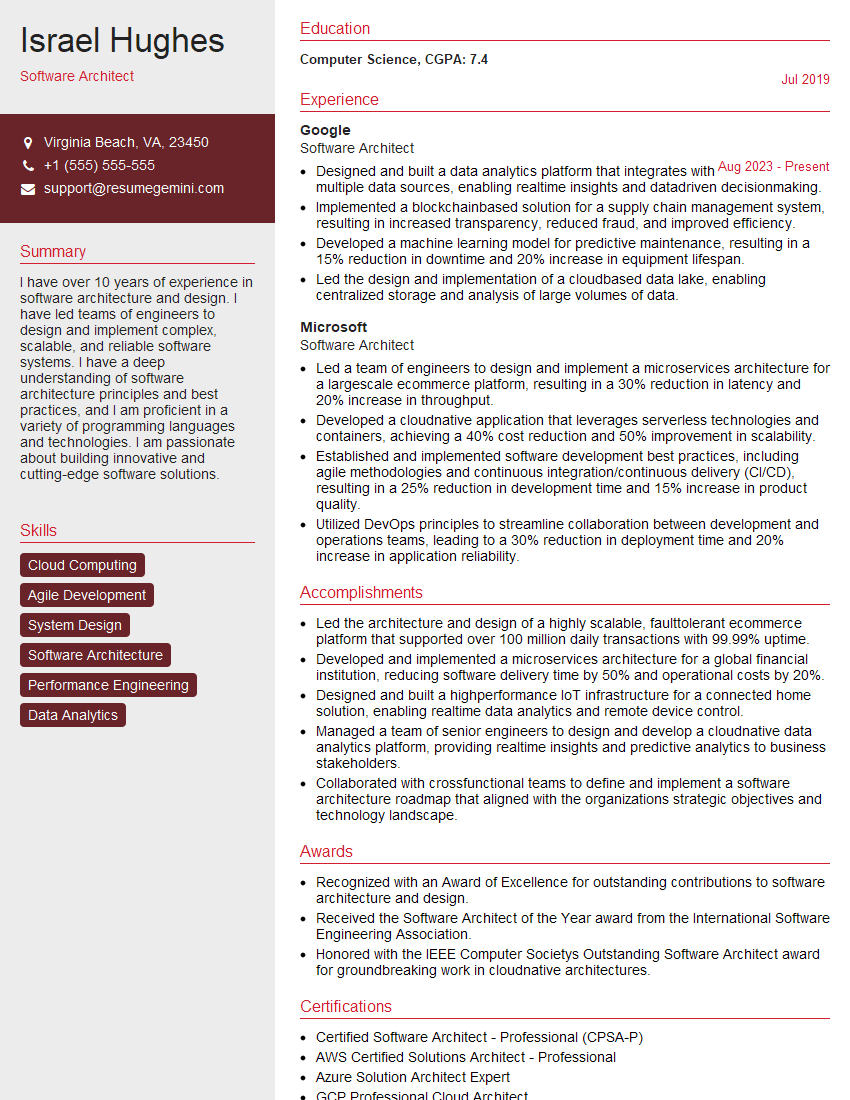
Software Architect Resume Sample

Network Engineer Resume Sample

Infrastructure Engineer Resume Sample

Senior Software Engineer Resume Sample

System Administrator Resume Sample

IT Manager Resume Sample

Release Manager Resume Sample

Database Administrator Resume Sample
Explore more articles
Users Rating of Our Blogs
Share Your Experience
We value your feedback! Please rate our content and share your thoughts (optional).
What Readers Say About Our Blog
I Redesigned Spongebob Squarepants and his main characters of my artwork.
https://www.deviantart.com/reimaginesponge/art/Redesigned-Spongebob-characters-1223583608
IT gave me an insight and words to use and be able to think of examples
Hi, I’m Jay, we have a few potential clients that are interested in your services, thought you might be a good fit. I’d love to talk about the details, when do you have time to talk?
Best,
Jay
Founder | CEO