Preparation is the key to success in any interview. In this post, we’ll explore crucial DevOps Tools (Terraform, Ansible) interview questions and equip you with strategies to craft impactful answers. Whether you’re a beginner or a pro, these tips will elevate your preparation.
Questions Asked in DevOps Tools (Terraform, Ansible) Interview
Q 1. Explain the difference between Terraform’s `apply` and `plan` commands.
Terraform’s plan and apply commands are crucial for infrastructure-as-code (IaC). Think of them as a two-step process for making changes to your infrastructure. plan acts as a preview, showing you exactly what changes Terraform intends to make based on your configuration files. apply, on the other hand, actually executes those changes. It’s like having a blueprint (plan) before starting construction (apply).
The plan command creates an execution plan, displaying the resources that will be created, updated, or destroyed. This allows you to review the changes before committing them, preventing accidental modifications. It outputs a detailed summary, highlighting the resource changes and their status. It’s best practice to always review the plan carefully before applying it.
The apply command takes the execution plan generated by plan and executes it against your infrastructure. This creates, updates, or destroys resources in your cloud provider(s), based on the plan’s instructions. This command requires confirmation, providing a safety net to prevent unintended actions. It’s critical to understand that apply makes real changes to your infrastructure.
Example:terraform plan (Shows you what will happen)terraform apply (Makes the changes happen)
Q 2. Describe Terraform state management and its importance.
Terraform state management is the process of tracking and managing the current state of your infrastructure. The state file, typically named terraform.tfstate, is a crucial element. It’s essentially a JSON file containing a comprehensive record of all the resources Terraform has created, their configurations, and their current status. This is extremely important for managing your infrastructure efficiently and reliably. Imagine it as a detailed inventory and blueprint of your entire infrastructure.
Importance of State Management:
- Consistency: Ensures that Terraform maintains consistency between your configuration and the actual deployed infrastructure. It provides a single source of truth.
- Dependency Management: Understands the relationships between different resources. If one resource depends on another, Terraform knows the correct order for creation and deletion.
- Change Management: Terraform uses state to understand the changes required, allowing for efficient updates and modifications.
- Rollback Capabilities: If something goes wrong, the state file allows for rollbacks to previous configurations.
Remote State Management: Storing the state file remotely (e.g., using AWS S3, Azure Storage, or a Terraform Cloud backend) is crucial for collaboration and safety, preventing accidental overwrites. This approach ensures everyone works from the same state and reduces the risk of data loss.
Q 3. How do you handle Terraform module dependencies?
Managing Terraform module dependencies involves carefully defining the relationships between modules. Modules are reusable components that package infrastructure configurations into self-contained units. Think of them as pre-fabricated building blocks for your infrastructure.
You can manage dependencies through the source argument in the module block within your Terraform configuration. You might specify a Git repository, a local path, or a registry location. Terraform will automatically download and include the necessary modules based on these specifications.
Example:
module "database" {
  source  = "./modules/database"
  instance_type = "db.m5.large"
}

module "webserver" {
  source = "./modules/webserver"
  database_host = module.database.address
}
In this example, the webserver module depends on the database module. Terraform will ensure the database is provisioned before the webserver, as the webserver depends on the database’s address.
Proper dependency management ensures the correct provisioning order and enhances the reusability and maintainability of your Terraform configurations.
Q 4. Explain how to manage sensitive data in Terraform.
Managing sensitive data (like passwords, API keys, and database credentials) in Terraform requires careful attention to security. Hardcoding these directly in your configuration files is highly discouraged, as it can lead to security breaches. Instead, we use several best practices:
- Environment Variables: Store sensitive data in environment variables and reference them within your Terraform configuration using the
var.variable_namesyntax. This keeps the information outside your source code repository. - Terraform Cloud/Enterprise: Utilize the built-in secrets management capabilities offered by Terraform Cloud or Enterprise to securely store and manage sensitive data.
- External Data Sources: Fetch sensitive information from secure external sources such as HashiCorp Vault or AWS Secrets Manager. Terraform provides data sources for easy integration with such services.
- Avoid Check-ins: Never commit sensitive data into version control.
Example (Environment Variables):
variable "db_password" {
  type = string
  sensitive = true
}

resource "aws_db_instance" "default" {
  username = "admin"
  password = var.db_password
}
Here, db_password is treated as sensitive and is typically set as an environment variable before running Terraform.
Q 5. What are Terraform workspaces and how are they used?
Terraform workspaces allow you to manage multiple independent environments (like development, staging, and production) within the same Terraform configuration. Each workspace maintains its own state file, preventing accidental interference between different environments. It’s analogous to having separate blueprints for different versions of a building.
Using Workspaces:
- Creation: Create a workspace using
terraform workspace new. - Selection: Select an existing workspace using
terraform workspace select. - Listing: List all workspaces using
terraform workspace list. - Deletion: Delete a workspace using
terraform workspace delete(use with caution).
Workspaces are vital for managing different infrastructure configurations simultaneously and avoiding conflicts. They’re essential when managing multiple environments or versions of your infrastructure.
Q 6. Describe different Terraform providers and their use cases.
Terraform providers are plugins that allow Terraform to interact with various cloud providers and other services. They act as the interface between Terraform and your infrastructure. Each provider has its own set of resources and data sources specific to the service it supports.
Examples of Providers and Use Cases:
aws: Manages resources within Amazon Web Services (AWS), including EC2 instances, S3 buckets, RDS databases, etc. Essential for deploying and managing AWS infrastructure.azurerm: Manages resources within Microsoft Azure, such as virtual machines, storage accounts, and databases. Used for deploying and managing Azure infrastructure.google: Manages resources within Google Cloud Platform (GCP), including Compute Engine instances, Cloud Storage buckets, and Cloud SQL databases. Used for deploying and managing GCP infrastructure.null: This provider allows you to create custom resources within your configuration for local operations or to perform actions that are not directly tied to cloud providers.local: This provider allows interacting with the local filesystem.
Choosing the right provider depends on your target cloud provider or service. Many specialized providers exist for specific services and platforms, such as databases, DNS providers, and monitoring tools.
Q 7. How do you troubleshoot Terraform errors?
Troubleshooting Terraform errors requires a systematic approach. The detailed error messages provided by Terraform are your first point of contact. Look for the specific error message and resource involved, as this will narrow your investigation. Here are some common troubleshooting steps:
- Read the Error Message Carefully: Terraform provides detailed error messages. Pay close attention to the error code, line number, and resource affected.
- Check Syntax: Ensure your Terraform configuration files are syntactically correct. Use a linter (such as `terraform validate`) to detect syntax errors early.
- Verify State: Examine your
terraform.tfstatefile (or the remote state) to understand the current state of your infrastructure and identify any inconsistencies. State corruption may need to be addressed. - Review Resource Configuration: Double-check the resource configurations for any typos or incorrect settings.
- Consult Documentation: Refer to the official Terraform documentation, the provider documentation, and any relevant community forums for assistance.
- Simplify Configuration: Isolate the problematic part of the configuration by temporarily commenting out sections to identify the root cause.
- Dry Run: Use
terraform planto see what changes Terraform will perform before runningterraform apply. This helps avoid unexpected issues.
Remember to always back up your state before attempting significant changes. If problems persist, sharing the error messages and relevant configuration snippets with the Terraform community or support channels can greatly aid in resolving the issue.
Q 8. Explain the concept of Infrastructure as Code (IaC).
Infrastructure as Code (IaC) is the management of and provisioning of computer data centers through machine-readable definition files, rather than physical hardware configuration or interactive configuration tools.
Think of it like this: instead of manually configuring servers, networks, and other infrastructure components, you write code that describes your desired infrastructure. This code is then used to automatically provision and manage your infrastructure. This approach significantly improves consistency, repeatability, and efficiency.
For example, instead of manually creating a virtual machine in a cloud provider’s console, you’d write a Terraform configuration file that specifies the machine’s type, operating system, network settings, and other details. Terraform would then automatically create the VM based on your specifications. This is far more efficient and reliable than manual processes, especially when managing complex infrastructure with many components.
Q 9. What are the advantages of using Terraform over other IaC tools?
Terraform boasts several advantages over other IaC tools. Its primary strength lies in its declarative approach. You define the *desired* state of your infrastructure, and Terraform figures out how to get there. This contrasts with imperative tools where you specify *how* to achieve the desired state, step-by-step. This declarative nature simplifies complex deployments and improves readability.
- State Management: Terraform’s robust state management tracks the current infrastructure. This allows for efficient updates and rollbacks.
- Provider Ecosystem: Its extensive range of providers supports major cloud platforms (AWS, Azure, GCP), on-premise solutions, and various services. This simplifies multi-cloud deployments.
- Community and Support: Terraform has a massive, active community, leading to ample resources, modules, and readily available support.
- Version Control Integration: Seamless integration with Git and other version control systems facilitates collaboration, audit trails, and easy rollback capabilities.
While other tools like CloudFormation exist, Terraform’s platform-agnostic nature and its user-friendly declarative syntax give it a considerable edge for complex and multi-cloud scenarios.
Q 10. Explain Ansible’s inventory management system.
Ansible’s inventory management system defines the target hosts or devices for your automation tasks. It’s essentially a list of servers or devices that Ansible will manage. This list can be simple or very complex, allowing for great flexibility in managing your infrastructure.
Inventory files are typically written in YAML or INI format. They can contain groups of hosts, variables specific to hosts or groups, and other metadata. Ansible uses this inventory to determine which hosts to target when you run your playbooks.
Example (YAML):
[webservers]
web1 ansible_host=192.168.1.10
web2 ansible_host=192.168.1.11

[databases]
db1 ansible_host=192.168.1.20
This example defines two groups: webservers and databases, each containing the IP address of individual hosts. You can then target these groups in your Ansible playbooks.
Beyond simple flat files, Ansible inventory can be dynamic (from cloud APIs, for example), allowing for large-scale and highly scalable infrastructure management.
Q 11. What are Ansible playbooks and how are they structured?
Ansible playbooks are YAML files that describe the desired state of your infrastructure. They orchestrate a series of tasks (Ansible modules) to be executed on one or more managed hosts. They’re the heart of Ansible automation, enabling you to automate complex configuration and deployment processes.
A playbook is structured into plays, which target groups of hosts defined in your inventory. Each play contains one or more tasks. Tasks use Ansible modules to perform specific actions on the target hosts. Playbooks also support handlers, which execute only when a task’s state changes.
Example:
---
- hosts: webservers
tasks:
  - name: Install Apache
    apt: name=apache2 state=present
  - name: Start Apache
    service: name=apache2 state=started
This playbook installs and starts Apache on all hosts in the webservers group. The apt and service modules are used to perform these actions. The clear, human-readable structure makes playbooks easy to understand and maintain.
Q 12. Describe Ansible roles and their benefits.
Ansible roles are reusable components that encapsulate a specific set of tasks, variables, files, and templates. They promote modularity, reusability, and organization in your Ansible projects.
A role typically resides in a directory with a specific structure, containing files such as tasks/main.yml (containing the tasks), vars/main.yml (defining variables), templates/ (containing Jinja2 templates), and files/ (containing files to be copied to the remote hosts). This structure facilitates code reuse across multiple playbooks and projects.
Benefits of using roles:
- Reusability: Roles can be easily reused across different projects and environments.
- Organization: They structure your Ansible code, making it more manageable and maintainable, especially in large projects.
- Maintainability: Changes are easier to implement and test in one central location.
- Collaboration: Multiple developers can work on different roles simultaneously without conflicts.
Roles significantly improve the efficiency and consistency of your automation efforts.
Q 13. How do you handle Ansible module dependencies?
Ansible module dependencies can be managed using several approaches. The most straightforward is leveraging Ansible’s built-in dependency resolution. By default, Ansible will execute tasks in the order they appear in a playbook. If a task requires another to be complete first, this order naturally handles the dependencies.
For more complex scenarios, you can use the include_role directive within roles to explicitly define dependencies. This allows you to ensure that one role is completely executed before another one begins. You can also utilize Ansible’s when conditional statements to only execute a task if certain preconditions are met – effectively acting as a dependency mechanism.
Finally, for very complex situations you may want to look into Ansible Galaxy. Galaxy allows you to manage and install external roles which often come with their own dependency management.
Q 14. Explain different Ansible modules and their use cases (e.g., `apt`, `yum`, `service`).
Ansible offers a vast library of modules, each designed for a specific task. Here are a few examples:
apt: Manages packages using the APT package manager (Debian/Ubuntu).Example: apt: name=nginx state=present(installs Nginx).yum: Manages packages using the Yum package manager (Red Hat/CentOS/Fedora).Example: yum: name=httpd state=present(installs Apache).service: Controls the state of system services.Example: service: name=nginx state=started(starts Nginx).copy: Copies files to remote hosts.Example: copy: src=/path/to/file dest=/remote/pathtemplate: Copies files and renders Jinja2 templates.Example: template: src=nginx.conf.j2 dest=/etc/nginx/nginx.conffile: Manages files and directories (permissions, ownership, state).Example: file: path=/tmp/myfile state=touch mode=0755
These are just a few examples; Ansible’s module library contains numerous modules for diverse tasks, covering networking, databases, cloud providers, and many other areas. The Ansible documentation is a valuable resource for exploring the full range of available modules.
Q 15. Describe how Ansible handles idempotency.
Ansible’s idempotency is a core feature ensuring that a task, when executed multiple times, produces the same result without causing unintended side effects. Think of it like a perfectly repeatable recipe: no matter how many times you follow it, the outcome is always the same. This is crucial for automation because it allows you to run your Ansible playbooks repeatedly without worrying about accidental changes or errors.
Ansible achieves idempotency by checking the current state of the target system before applying any changes. For example, if a task aims to install a package, Ansible first verifies if the package is already installed. If it is, the task is skipped; if not, the package is installed. This check-before-change mechanism ensures that only necessary modifications are made.
Consider this example: if your playbook instructs Ansible to create a file, Ansible will first check if the file exists and has the specified content. If the file exists and content matches, Ansible will skip the creation task; otherwise, it creates the file. This ensures consistency and prevents accidental overwrites.
Career Expert Tips:
- Ace those interviews! Prepare effectively by reviewing the Top 50 Most Common Interview Questions on ResumeGemini.
- Navigate your job search with confidence! Explore a wide range of Career Tips on ResumeGemini. Learn about common challenges and recommendations to overcome them.
- Craft the perfect resume! Master the Art of Resume Writing with ResumeGemini’s guide. Showcase your unique qualifications and achievements effectively.
- Don’t miss out on holiday savings! Build your dream resume with ResumeGemini’s ATS optimized templates.
Q 16. How do you manage Ansible credentials securely?
Securing Ansible credentials is paramount. We should never hardcode passwords or sensitive information directly into playbooks. Ansible offers several secure methods for credential management:
- Ansible Vault: This is the recommended approach. Ansible Vault encrypts sensitive data within your playbook files, protecting them from unauthorized access. You encrypt the files using a password, and Ansible decrypts them only during execution.
- Environment Variables: Credentials can be stored as environment variables and then referenced within your playbook. This keeps sensitive data out of the playbook itself. However, ensure the environment variables are secured properly.
- Ansible Secrets Management Tools Integration: Integrate with dedicated secrets management systems like HashiCorp Vault or AWS Secrets Manager. These systems handle the secure storage and retrieval of credentials, ensuring robust security.
- Inventory Files with Password Hashing: While not as secure as other methods, storing password hashes in inventory files is slightly better than plain passwords. However, it still requires managing the hashing algorithm securely.
Remember to follow best practices such as using strong passwords, rotating credentials regularly, and applying least privilege principles. Always prioritize security best practices to protect your infrastructure.
Q 17. How would you deploy a web application using Ansible?
Deploying a web application with Ansible involves several stages. Let’s assume a simple scenario using a Python Flask application deployed on an Apache server. The playbook would likely include the following tasks:
- Setting up the server: Installing necessary packages like Python, pip, Apache, and potentially a database server.
- Deploying the application: Copying the application code to the server using the
copymodule. It’s best to manage code via Git and checkout the code from a repository. - Installing dependencies: Using
pipto install the application’s required packages. - Configuring Apache: Setting up virtual hosts to serve the application.
- Starting the application: Initiating the Apache server and ensuring the application is running.
- Testing: Executing basic checks such as verifying application responsiveness via
curlorwget.
Here’s a simplified example:
---
- hosts: webservers
tasks:
  - name: Install Python
    apt: name=python3
  - name: Install pip
    apt: name=python3-pip
  - name: Copy application code
    copy: src=/path/to/app dest=/var/www/myapp
  - name: Install dependencies
    pip: requirements=/var/www/myapp/requirements.txt
  - name: Configure Apache
    template: src=apache.conf.j2 dest=/etc/apache2/sites-available/myapp
  - name: Enable Apache site
    a2ensite: name=myapp
  - name: Restart Apache
    service: name=apache2 state=restarted
Note: This is a simplified example and will require adjustments based on your specific application and infrastructure. Error handling and more robust testing should be included in a production-ready playbook.
Q 18. Explain Ansible’s control flow mechanisms (e.g., loops, conditionals).
Ansible provides powerful control flow mechanisms to manage the order and execution of tasks in your playbooks. These are essential for creating dynamic and flexible automation.
- Loops: Ansible’s
with_itemsandloopconstructs enable iterative execution of tasks over lists or dictionaries. For instance, you might use a loop to configure multiple servers with identical settings. - Conditionals:
whenclauses allow you to conditionally execute tasks based on certain conditions. This enables flexibility in your automation, ensuring that tasks are performed only under specific circumstances.
Example (Loop):
- name: Create users
  user: name={{ item }} state=present
  with_items:
    - user1
    - user2
    - user3
Example (Conditional):
- name: Install package
  apt: name=nginx state=present
  when: ansible_distribution == 'Ubuntu'
These control flow statements allow you to create complex automation workflows that adapt to different scenarios. Imagine a scenario where you deploy different application versions based on an environment variable; conditionals are crucial to manage this effectively.
Q 19. What are Ansible handlers and when are they useful?
Ansible handlers are special tasks that are triggered only when a certain condition occurs, typically after changes are made by other tasks. They provide a mechanism for consolidating actions that should only run after a set of changes have been successfully executed, improving the efficiency and stability of your playbooks.
Imagine you’re configuring a webserver and need to restart the web server after modifying its configuration files. Instead of restarting the server after every configuration change, you can use a handler to trigger the restart only once, after all configuration tasks are successfully completed. This makes your playbooks more elegant and prevents unnecessary restarts.
In Ansible, you define handlers similarly to tasks, but you mark them with the notify keyword in tasks that should trigger them. Only when a task with notify is successful will the corresponding handler be executed.
- name: Change configuration file
  copy: src=config.conf dest=/etc/config.conf
  notify: restart webserver

- name: restart webserver
  service: name=apache2 state=restarted
  handlers:
Handlers are invaluable for streamlining playbook execution, improving performance and reducing the risk of errors by grouping related operations.
Q 20. Explain the difference between Ansible’s ad-hoc commands and playbooks.
Ansible offers two primary ways to interact with remote systems: ad-hoc commands and playbooks.
- Ad-hoc commands: These are single, one-off commands executed directly using the
ansiblecommand. They are ideal for quick, simple tasks like checking the status of a service or executing a single command on a remote machine. They are not persistent and don’t have the structure of playbooks. - Playbooks: Playbooks are YAML files that define a collection of tasks, roles, and handlers to manage complex infrastructure configurations. They’re suitable for automating multi-step processes, ensuring idempotency, and managing complex workflows. They’re highly reusable and contribute to a more organized and maintainable approach to automation.
Think of ad-hoc commands as quick notes, useful for one-time actions, while playbooks are akin to detailed project plans for complex, repeatable operations. For example, you might use an ad-hoc command to check disk space, but you’d use a playbook to deploy a multi-tiered application.
Q 21. How do you debug Ansible playbooks?
Debugging Ansible playbooks is crucial. Here’s a multi-pronged approach:
-vvv(Verbose Output): Run your playbook with the-vvvflag. This provides detailed output, showing each task’s execution and any errors encountered. It’s the most fundamental debugging tool.- Ansible Debugger: The Ansible Debugger (
-iflag) allows you to step through your playbook, inspect variables, and pause execution at specific points. It’s invaluable for troubleshooting complex issues. - Check Playbook Syntax: Use
ansible-lintto check for syntax errors and style inconsistencies before running the playbook. - Examine Task Output: Carefully review the output of failed tasks. Error messages usually pinpoint the cause of the problem.
- Isolate Issues: If a playbook is large and complex, break it down into smaller, more manageable parts to isolate the problem area.
- Logging: Utilize Ansible’s logging features to record details about playbook execution. This provides a permanent record for post-mortem analysis.
- Use
registerto Inspect Variables: Theregisterkeyword allows you to store the output of a task in a variable that can then be inspected. This is extremely useful for troubleshooting.
By systematically using these techniques, you can effectively identify and resolve problems in your Ansible playbooks, improving their reliability and maintainability.
Q 22. How do you manage configuration drift in Ansible?
Configuration drift in Ansible refers to the situation where the actual state of your servers deviates from the desired state defined in your Ansible playbooks. This happens because of manual changes, unintended updates, or even bugs in your playbooks. Managing this requires a proactive approach.
To mitigate configuration drift, we leverage Ansible’s idempotency – the ability to run a playbook multiple times without causing unintended changes. Ansible tasks are designed to be idempotent; they only perform actions when necessary. However, external factors can still lead to drift.
- Regular Audits: Periodically run your Ansible playbooks to check for discrepancies between the desired and actual state. Ansible’s
--checkflag allows a dry run, showing what would change without actually applying it. - Fact Gathering: Use Ansible facts to collect information about the server’s current state. Compare these facts against your expected state in your playbooks to identify any inconsistencies.
- Version Control: Maintain rigorous version control for your Ansible playbooks, allowing rollbacks if necessary and ensuring you have a record of changes.
- Role-Based Access Control (RBAC): Limit who can make direct changes to servers, reducing the chance of accidental modifications.
- Configuration Management Tools: Consider integrating Ansible with other configuration management tools, such as Puppet or Chef, to establish a robust infrastructure.
For example, if a manual change is made to a server’s hostname, a subsequent Ansible run will detect this and correct it to the value defined in your playbook, assuming the playbook includes a task to manage the hostname. This ensures that your servers maintain consistency over time.
Q 23. Compare and contrast Ansible and Chef/Puppet.
Ansible, Chef, and Puppet are all configuration management tools, but they differ significantly in their approach. Ansible uses a simple agentless architecture, whereas Chef and Puppet rely on agents installed on managed nodes.
- Agentless vs. Agent-based: Ansible is agentless, using SSH to connect to remote servers. Chef and Puppet require agents running on each node, adding complexity to setup and maintenance. This simplifies Ansible’s deployment and reduces overhead.
- Language and Syntax: Ansible uses YAML, known for its readability. Chef uses Ruby and Puppet uses its own declarative language, which can have a steeper learning curve.
- Complexity and Scalability: Ansible shines in its simplicity and ease of use for smaller to medium-sized projects. Chef and Puppet are often preferred for larger, more complex infrastructures requiring centralized management and fine-grained control.
- Idempotency: All three aim for idempotency, ensuring that tasks run only when needed, however, Ansible’s implementation is often considered more straightforward.
Think of it like this: Ansible is like sending individual instructions to your team, while Chef and Puppet are more like providing your team with a detailed manual to follow. The best choice depends on the project’s scale and complexity.
Q 24. Describe the benefits of using Ansible for configuration management.
Ansible offers several benefits for configuration management:
- Simplicity and Ease of Use: Ansible’s YAML-based syntax is human-readable and easier to learn than other tools’ languages, reducing the learning curve.
- Agentless Architecture: No agents need to be installed on managed nodes, simplifying setup and reducing overhead.
- Idempotency: Tasks are idempotent; running a playbook multiple times has no additional effect, ensuring consistent state.
- Modularity: Ansible promotes modularity with roles and reusable modules, improving organization and maintainability.
- Automation: Automates repetitive tasks, reducing manual effort and the risk of human error.
- Community Support: A large and active community provides extensive documentation, support, and a vast library of modules.
- Good for both Linux and Windows: Ansible supports both Linux and Windows, streamlining the management of heterogeneous environments.
For instance, imagine configuring hundreds of servers with the same software and settings. Ansible’s automation capabilities allow you to achieve this efficiently and accurately, preventing inconsistencies and saving considerable time.
Q 25. Explain how to use Ansible to manage remote servers.
Ansible manages remote servers using SSH. You need to ensure SSH is enabled on the target servers and that your Ansible control machine can connect to them. You’ll define these servers in an Ansible inventory file (typically hosts).
An Ansible playbook then uses modules to execute commands or tasks on these servers. The playbook defines which hosts are targeted, the tasks to perform, and their order.
Example Inventory (hosts):
[webservers] server1 ansible_host=192.168.1.10 server2 ansible_host=192.168.1.11 Example Playbook (playbook.yml):
--- - hosts: webservers become: true tasks: - name: Install Apache apt: name: apache2 state: present when: ansible_distribution == 'Ubuntu' - name: Start Apache service: name: apache2 state: started This playbook installs and starts Apache on Ubuntu servers listed in the inventory. The become: true allows Ansible to run tasks with elevated privileges (like sudo).
Ansible’s simplicity is a key advantage. This agentless approach eliminates the need for agent software on each server, simplifying deployment and maintenance.
Q 26. How do you implement version control for your Ansible playbooks?
Version control is crucial for Ansible playbooks. It allows for tracking changes, collaboration, rollbacks, and auditability. Git is the most common choice.
The entire Ansible project – playbooks, roles, inventory files, and even custom modules – should be stored in a Git repository. This allows you to track changes over time and revert to previous versions if necessary. Each commit should represent a meaningful change, with a clear description.
Using a branching strategy like Gitflow can facilitate collaborative development and ensures a structured approach to managing changes. Pull requests allow for code review and ensure quality control before merging changes into the main branch.
For instance, if a bug is found in a deployed playbook, the Git history allows you to easily identify the problematic commit and quickly roll back to a known working version. This minimizes downtime and simplifies troubleshooting.
Q 27. What are some best practices for writing Ansible playbooks?
Writing effective and maintainable Ansible playbooks involves following several best practices:
- Idempotency: Ensure tasks are idempotent, meaning they can be run multiple times without causing unintended side effects.
- Modularity: Break down complex tasks into smaller, reusable roles, promoting organization and maintainability.
- Clear Naming Conventions: Use consistent and descriptive names for playbooks, roles, and variables.
- Error Handling: Implement error handling to gracefully handle unexpected situations and prevent failures from cascading.
- Fact Gathering: Use Ansible facts to dynamically adapt tasks to different server environments. This avoids hardcoding and increases flexibility.
- Testing: Thoroughly test your playbooks using Ansible’s
--checkflag to preview changes without actually making them and through other testing methodologies. - Documentation: Document your playbooks clearly and concisely, explaining the purpose, functionality, and any dependencies.
- Variable Management: Use variables to store configuration values, improving maintainability and avoiding hardcoding.
- Role-Based Access Control (RBAC): Implement RBAC to restrict access to Ansible resources and improve security.
Following these best practices makes your Ansible playbooks more robust, maintainable, and easier to collaborate on.
Q 28. Explain how you would use Terraform and Ansible together in a project.
Terraform and Ansible are a powerful combination. Terraform excels at infrastructure as code (IaC), provisioning and managing infrastructure resources (like VMs, networks, and databases), while Ansible handles configuration management – installing software, configuring services, and managing the running state of those resources.
A typical workflow involves using Terraform to provision the infrastructure, then Ansible to configure the provisioned servers. Terraform outputs (like public IP addresses) can be fed into Ansible’s inventory file as variables, creating a seamless workflow.
Example:
Let’s say you want to create a web server infrastructure. Terraform would be used to provision the virtual machines (VMs), load balancers, and networks. Terraform’s output would include the public IP addresses of the new VMs.
Ansible would then take those IP addresses, add them to its inventory, and execute a playbook that installs Apache, configures it, and deploys your web application. This orchestration would result in a completely automated and repeatable process.
This approach separates concerns, making the entire process more manageable, maintainable, and scalable. It increases efficiency, reduces errors, and ensures consistency across your infrastructure.
Key Topics to Learn for DevOps Tools (Terraform & Ansible) Interview
Ace your next DevOps interview by mastering these key concepts. We’ve broken down the essentials of Terraform and Ansible to help you build a strong foundation.
- Terraform: Infrastructure as Code (IaC) Fundamentals: Understand the core principles of IaC, including declarative configuration, state management, and resource provisioning. Practice creating and managing infrastructure using Terraform modules and providers.
- Terraform: Practical Application: Be prepared to discuss real-world scenarios involving Terraform, such as deploying and managing cloud resources (AWS, Azure, GCP), configuring networks, and automating infrastructure deployments. Consider examples involving different resource types and their dependencies.
- Ansible: Configuration Management and Automation: Grasp Ansible’s core concepts, including playbooks, modules, inventory management, and roles. Practice automating tasks like software installation, configuration management, and application deployment.
- Ansible: Advanced Techniques: Explore advanced Ansible features like handlers, templating, and using different connection types. Be ready to discuss strategies for managing complex configurations and troubleshooting Ansible playbooks.
- Version Control (Git): Demonstrate a strong understanding of Git workflows, branching strategies, and collaboration within a DevOps environment. This is crucial for managing infrastructure code and automation scripts.
- DevOps Principles and Best Practices: Showcase your understanding of core DevOps principles, such as CI/CD, infrastructure as code, automation, and monitoring. Be ready to discuss how Terraform and Ansible contribute to these practices.
- Problem-Solving and Troubleshooting: Prepare to discuss your approach to troubleshooting issues related to Terraform and Ansible. Focus on your ability to analyze logs, debug scripts, and implement effective solutions.
Next Steps
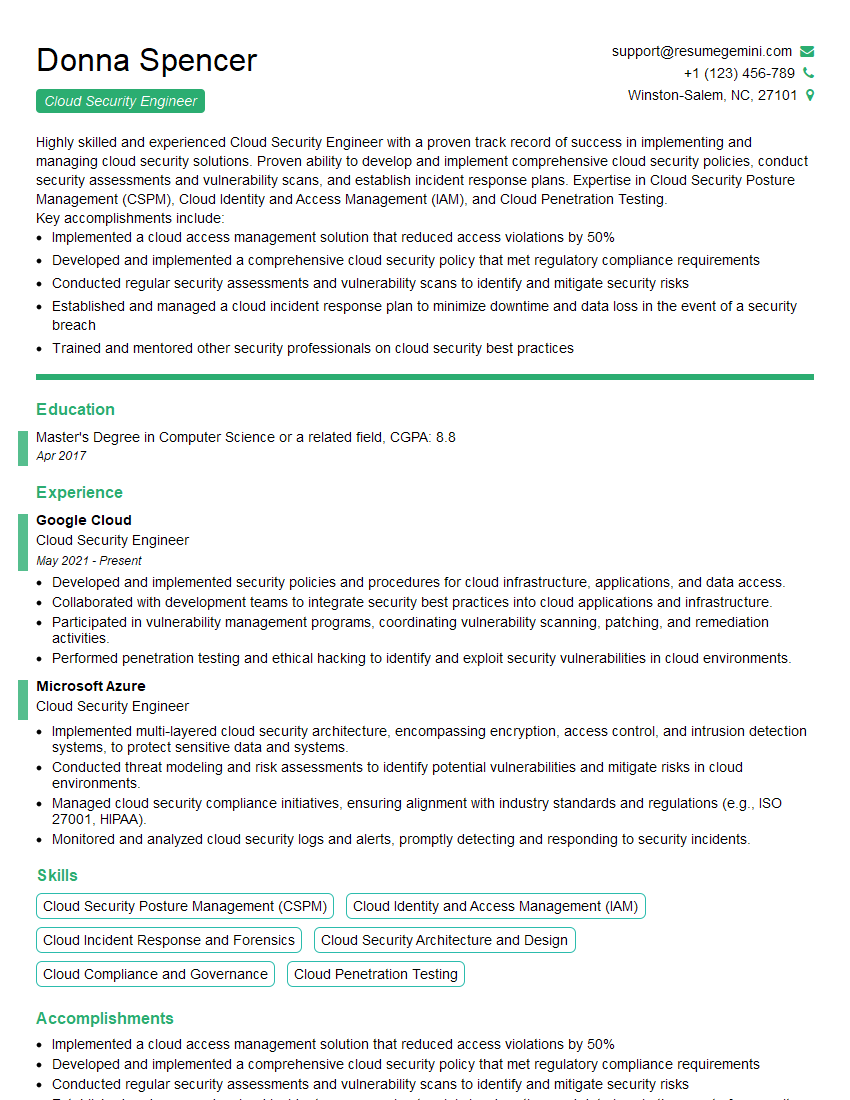
Mastering DevOps tools like Terraform and Ansible is key to unlocking exciting career opportunities in a rapidly growing field. These skills are highly sought after, significantly increasing your marketability and earning potential. To make your application stand out, ensure your resume is optimized for Applicant Tracking Systems (ATS). This means using keywords relevant to the roles you are targeting and presenting your experience in a clear, concise, and scannable manner. We recommend using ResumeGemini to craft a powerful, ATS-friendly resume tailored to your DevOps skills. ResumeGemini provides examples of resumes specifically designed for candidates with expertise in Terraform and Ansible, giving you a head start in the application process.





Explore more articles
Users Rating of Our Blogs
Share Your Experience
We value your feedback! Please rate our content and share your thoughts (optional).
What Readers Say About Our Blog
I Redesigned Spongebob Squarepants and his main characters of my artwork.
https://www.deviantart.com/reimaginesponge/art/Redesigned-Spongebob-characters-1223583608
IT gave me an insight and words to use and be able to think of examples
Hi, I’m Jay, we have a few potential clients that are interested in your services, thought you might be a good fit. I’d love to talk about the details, when do you have time to talk?
Best,
Jay
Founder | CEO