Cracking a skill-specific interview, like one for Collection Management System, requires understanding the nuances of the role. In this blog, we present the questions you’re most likely to encounter, along with insights into how to answer them effectively. Let’s ensure you’re ready to make a strong impression.
Questions Asked in Collection Management System Interview
Q 1. Explain the different types of Collection Management Systems.
Collection Management Systems (CMS) come in various forms, broadly categorized by their functionality and target audience. Think of them like different types of filing cabinets, each designed for a specific kind of organization.
- Library CMS: These are specialized systems designed for libraries, archives, and museums, handling cataloging, circulation, and preservation of physical and digital items. They often include features for managing patrons, generating reports, and integrating with other library systems. Think of a massive, highly organized card catalog system, but digitized and far more powerful.
- Digital Asset Management (DAM) Systems: While often integrated with a broader CMS, DAM systems focus specifically on managing digital assets like images, videos, and audio files. They emphasize version control, metadata management, and access control, crucial for organizations with large digital archives. Imagine a system that keeps track of every version of a photograph, its metadata, and who has access to it.
- Museum Collection Management Systems: Tailored for museums, these systems handle object-based data, provenance tracking, conservation information, and exhibition management. They often integrate with environmental monitoring systems and loan tracking systems. This is like a detailed record for every artifact, including its history, condition, and current location.
- Open Source CMS: Systems like Omeka and Fedora are open-source solutions that offer flexibility and customization but may require more technical expertise to set up and maintain. They are more like building blocks you can assemble to create the exact system you need.
- Commercial CMS: These are proprietary systems offered by companies, often with comprehensive features and support but higher costs. They’re like pre-built, ready-to-use filing cabinets that offer excellent support, but may not be as customizable.
Q 2. What are the key features you look for in a CMS?
When evaluating a CMS, I prioritize several key features that ensure efficiency, data integrity, and scalability. These features are essential for a robust and user-friendly system.
- Robust Metadata Capabilities: The system must support rich metadata schemas (Dublin Core, MODS, etc.) to allow for detailed description and discovery of items. The ability to customize metadata fields is also crucial.
- User-Friendly Interface: Intuitive navigation and clear data entry screens are paramount for efficient workflow. Complex systems with poor interfaces lead to errors and low user adoption.
- Scalability and Performance: The system should handle a large number of records without performance issues. We need to account for future growth in collections.
- Data Integrity and Validation: Built-in mechanisms for data validation and error checking are essential to prevent incorrect data entry and maintain the accuracy of the collection records.
- Security Features: Robust security measures protect the collection data from unauthorized access and modification. This includes user roles, access controls, and data backups.
- Reporting and Analytics: The ability to generate custom reports to track collection use, analyze trends, and inform decision-making is very important.
- Interoperability: The ability to exchange data with other systems is key for seamless integration with existing infrastructure.
Q 3. Describe your experience with metadata schemas (e.g., Dublin Core, MODS).
My experience with metadata schemas like Dublin Core and MODS is extensive. I’ve used both extensively in various projects, understanding their strengths and limitations. Dublin Core is great for basic descriptive metadata, providing a simple yet powerful framework for quick cataloging. Think of it as the ‘quick start’ guide for metadata. MODS, however, provides a more comprehensive and complex structure, ideal for detailed descriptions and enhanced discoverability. This is the ‘advanced’ version, offering far more granular control. I’ve successfully mapped data between these schemas and other custom schemas, ensuring consistency and interoperability between different systems.
For instance, in one project, we migrated a large collection from a legacy system using a proprietary schema to a new system using MODS. This involved careful mapping of fields, data cleaning, and validation to ensure data accuracy throughout the migration.
Q 4. How do you ensure data integrity within a CMS?
Ensuring data integrity is paramount. It’s like carefully preserving a precious artifact. My approach involves a multi-layered strategy:
- Data Validation Rules: Implementing data validation rules at the input level prevents incorrect data from entering the system. For example, enforcing specific date formats or character limits. This is like having a quality control check at the entrance.
- Regular Data Audits: Conducting periodic audits to identify and correct inconsistencies and errors. Think of this as regularly cleaning and inspecting the artifact for damage.
- Data Backup and Recovery: Implementing robust backup and recovery procedures to safeguard against data loss due to hardware failure or other unforeseen events. This is like having a backup copy in a safe place.
- Data Normalization: Implementing database normalization techniques to minimize data redundancy and improve data consistency. This ensures only one ‘true’ copy of each piece of information is stored, preventing discrepancies.
- Access Control and Permissions: Restricting access to data based on user roles and responsibilities. This is like keeping the vault secured with appropriate keys.
Q 5. Explain your experience with data migration to a new CMS.
I’ve managed several data migrations to new CMS, each a unique challenge. It’s akin to moving a massive library to a new building—a complex and meticulous process. My approach involves:
- Assessment and Planning: Thoroughly analyzing the source and target systems to identify data mapping challenges and potential issues.
- Data Cleaning and Transformation: Cleaning and transforming the source data to match the structure of the target system. This often involves scripting and data manipulation techniques.
- Testing and Validation: Rigorous testing to ensure data accuracy and integrity after the migration. We use sample sets to verify the integrity of our process.
- Phased Rollout: Migrating data in phases to minimize disruption and allow for iterative testing and adjustments. A gradual approach reduces risk significantly.
- Post-Migration Monitoring: Continuing to monitor the system after migration to identify and address any lingering issues.
One project involved migrating a collection of over 100,000 records from a legacy system to a new cloud-based CMS. We used a combination of scripting and ETL (Extract, Transform, Load) tools to manage the process, completing the migration without data loss and with minimal disruption to users.
Q 6. How do you handle conflicting metadata records?
Handling conflicting metadata records requires a careful and systematic approach. This is like resolving conflicting historical accounts of an event—careful analysis is required. My strategy involves:
- Identification and Prioritization: Identifying conflicting records using automated tools or manual review. Prioritizing records based on their importance and source reliability.
- Conflict Resolution Process: Establishing a clear process for resolving conflicts, possibly involving subject matter experts to evaluate the accuracy and reliability of conflicting information.
- Documentation: Meticulously documenting the resolution process for each conflict, including the rationale for the chosen solution.
- Version Control: Maintaining a history of changes made to records, including the original conflicting entries and the chosen resolution. This allows for auditability and traceability.
- Automation (where possible): Developing automated rules for resolving certain types of common conflicts, thereby streamlining the workflow.
Q 7. Describe your experience with digital asset management within a CMS.
My experience with digital asset management (DAM) within a CMS is significant. It’s like managing a vast digital library, ensuring efficient storage, retrieval, and access. Key aspects include:
- Ingest and Organization: Efficient workflows for ingesting digital assets, organizing them using metadata, and ensuring proper file formats and quality.
- Metadata Management: Implementing and enforcing consistent metadata schemas to enable effective search and retrieval of digital assets. We use controlled vocabularies to improve consistency.
- Access Control and Permissions: Managing user permissions to control who can access and modify different assets, safeguarding intellectual property and sensitive materials.
- Version Control: Maintaining versions of digital assets to track changes and revert to previous versions if needed.
- Integration with other systems: Seamless integration with other systems (like a CMS) to provide a unified workflow for managing both digital and physical items.
In a recent project, I integrated a DAM system with a museum’s CMS, allowing curators to directly link digital images of artifacts to their corresponding catalog records in the CMS. This greatly improved the user experience and access to the collection.
Q 8. What are the best practices for preserving digital collections?
Preserving digital collections requires a multi-faceted approach focusing on long-term access and integrity. Think of it like preserving a historical archive, but instead of paper and parchment, we’re dealing with bits and bytes. This involves several key strategies:
- Data Migration and Format Preservation: Regularly migrating data to newer storage formats is crucial. Older formats become obsolete, making access difficult. We need to anticipate this obsolescence and proactively migrate data, potentially employing emulation techniques for legacy formats. For example, migrating from a now-rare .avi video format to a more widely supported .mp4 format.
- Storage Management: Employing a tiered storage strategy is vital. Frequently accessed items reside on faster, more expensive storage, while less frequently used items are stored on cheaper, slower archival storage. This is akin to how a library might store frequently borrowed books closer to the front than those rarely checked out.
- Metadata Enrichment: Detailed, consistent metadata – information *about* the data – is paramount. This allows for easier searchability and identification of the items long into the future. Imagine searching for a photograph; accurate metadata such as date, location, and subject matter are essential for retrieval.
- Checksums and Hashing: Regularly checking the integrity of digital objects using checksums or hashing algorithms is vital for early detection of data corruption. This is like verifying the quality of an important document by cross-referencing multiple copies.
- Disaster Recovery Planning: A robust disaster recovery plan, including offsite backups and redundancy mechanisms, ensures business continuity in case of unforeseen events such as hardware failure or natural disasters. This is crucial to prevent irreversible data loss, akin to having a safe for valuable documents.
By implementing these practices, we can ensure that digital collections remain accessible, usable, and reliable for generations to come.
Q 9. How do you manage user access and permissions within a CMS?
Managing user access and permissions in a CMS involves implementing a robust role-based access control (RBAC) system. This is essentially assigning different levels of access depending on a user’s role within the organization. For instance, an administrator might have full control, an editor may only be able to modify certain content, and a viewer might only have read-only access.
Many CMSs provide built-in features for managing roles and permissions through user interfaces. These typically involve defining roles and then assigning specific users to those roles. More complex systems might even permit custom role creation and the assignment of fine-grained permissions to individual files or data sets.
For example, in a museum’s collection CMS, a curator might be granted permission to add and edit metadata for artifacts, whereas a volunteer might only be able to view the catalog. This granular control is crucial for maintaining data integrity and security.
Q 10. Explain your experience with reporting and analytics within a CMS.
Reporting and analytics within a CMS provide crucial insights into collection usage, user behavior, and overall system health. In my experience, this has involved working with various reporting tools and dashboards to monitor key metrics.
Common metrics I’ve tracked include:
- Collection Usage: Number of views, downloads, searches for specific items.
- User Engagement: Time spent on pages, user activity, search terms used.
- System Performance: Website loading times, error rates, resource consumption.
This data helps inform decision-making. For example, if usage data reveals that certain items are highly popular, we might consider promoting them more widely. If a search reveals that users commonly use certain keywords, we might optimize the metadata for better searchability. Conversely, low usage might signify problems with discoverability or accessibility. In essence, this data allows for continual improvement and optimization.
I’ve worked with various reporting tools, from built-in CMS reporting modules to third-party analytics platforms, customizing reports to meet specific needs. This often involved creating custom dashboards and visualizations to present data in a clear and easily understandable manner.
Q 11. How do you address data security concerns in a CMS?
Addressing data security concerns in a CMS is paramount. It’s like protecting a valuable vault containing irreplaceable treasures. This involves a layered approach:
- Access Control: Strict access control measures, as discussed previously, are crucial. Only authorized personnel should have access to sensitive data.
- Data Encryption: Encrypting data both in transit (using HTTPS) and at rest (using disk encryption) protects data from unauthorized access. This is like using a strong lock and key to secure the vault.
- Regular Security Audits: Regular security audits and penetration testing identify vulnerabilities and potential weaknesses before they can be exploited. This is like regularly inspecting the vault for signs of damage or weakness.
- Firewall and Intrusion Detection Systems: Employing firewalls and intrusion detection systems protects the CMS from external attacks. This is like having security guards monitoring the vault and its surroundings.
- Regular Software Updates: Keeping the CMS software and all plugins up-to-date patches security vulnerabilities. This is like regularly maintaining and servicing the vault’s security mechanisms.
- User Training: Educating users about security best practices, such as strong passwords and phishing awareness, is critical. This is like training the vault’s keepers on appropriate security protocols.
By combining these security measures, we build a robust security posture to protect the valuable data within the CMS.
Q 12. Describe your experience with integrating a CMS with other systems.
Integrating a CMS with other systems is a common requirement, enabling seamless workflows and data exchange. In my experience, this has involved using various integration techniques, depending on the systems involved and their capabilities.
Common integration methods include:
- APIs (Application Programming Interfaces): APIs are the most common method, enabling different systems to communicate and exchange data programmatically. For example, integrating the CMS with a digital asset management system to seamlessly manage and retrieve images.
- Database Integration: Direct database connections can be used for seamless data synchronization and access. This might involve creating custom queries and procedures to pull data from or push data to external databases.
- File System Integration: In simpler cases, file system synchronization or shared folders can be used for data exchange. This method is often used for exchanging smaller datasets or static files.
Successful integration requires careful planning and consideration of data formats, security protocols, and error handling. For instance, while integrating with a library catalog system, data standardization and proper mapping of fields are paramount to ensure data consistency.
Q 13. What are your preferred methods for data backup and recovery?
Data backup and recovery are critical for ensuring data longevity and preventing irreversible loss. My preferred method is a 3-2-1 backup strategy:
- 3 Copies: Maintain at least three copies of the data.
- 2 Different Media: Store the copies on two different types of media (e.g., local hard drive, cloud storage).
- 1 Offsite Location: Keep at least one copy offsite to protect against local disasters.
This strategy ensures that data is protected even in catastrophic events. In addition to this strategy, I regularly test the backup and recovery process to ensure it is functioning correctly. This includes restoring test data to verify the process works as expected. Think of this as a regular drill for emergency preparedness – regular practice ensures proficiency in case of a true emergency.
Q 14. How do you troubleshoot common CMS issues?
Troubleshooting common CMS issues involves a systematic approach, much like diagnosing a medical problem. It starts with identifying the symptoms:
- Identify the Problem: Accurately describe the issue. Is it a display problem, a functional error, or a performance bottleneck? Gathering relevant logs and error messages is essential.
- Check Logs and Error Messages: Most CMSs provide detailed logs, which can pinpoint the cause of many issues. These logs can provide valuable clues, often providing specific error messages or stack traces.
- Test in Different Browsers/Devices: Some issues might be browser or device-specific. Testing in different environments can help rule out certain causes.
- Check for Updates: Outdated plugins or core CMS software can cause problems. Keeping everything updated is crucial for stability and security.
- Disable Plugins: If a specific plugin seems to be causing the problem, disabling it can often resolve the issue.
- Check Server Resources: High CPU usage, low memory, or insufficient disk space can affect CMS performance. Monitoring server resources is essential.
- Consult Documentation/Support: If all else fails, refer to the official CMS documentation or contact support. The documentation often provides solutions for common problems.
By systematically investigating each possible cause, most CMS issues can be effectively resolved. Sometimes, it requires a bit of detective work, but with persistence and the right tools, the problem can always be addressed.
Q 15. Explain your experience with various CMS platforms (e.g., TMS, CONTENTdm).
My experience with various Collection Management Systems (CMS) spans several platforms, including widely used systems like CONTENTdm and more specialized museum-focused systems like TMS (The Museum System). Each platform offers unique strengths. CONTENTdm, for example, excels at providing web-accessible digital archives, offering robust metadata capabilities and powerful search functionality. I’ve used it extensively for projects involving digitizing historical photographs and archival documents, focusing on metadata schema design to ensure discoverability and accurate representation. TMS, on the other hand, is a comprehensive system ideal for managing physical collections alongside digital assets, providing excellent tools for cataloging, provenance tracking, and loan management. In one project, I integrated TMS with a digital asset management (DAM) system to create a holistic, integrated record for each artifact – seamlessly linking digital images with their corresponding physical counterparts in the museum’s database.
My proficiency extends to understanding the nuances of each system’s data structures, allowing me to effectively migrate data between platforms when necessary. This includes adapting metadata schemas to ensure data integrity during the transfer process. I also have experience customizing certain aspects of these systems using their APIs (Application Programming Interfaces) to integrate them with other tools and streamline workflows.
Career Expert Tips:
- Ace those interviews! Prepare effectively by reviewing the Top 50 Most Common Interview Questions on ResumeGemini.
- Navigate your job search with confidence! Explore a wide range of Career Tips on ResumeGemini. Learn about common challenges and recommendations to overcome them.
- Craft the perfect resume! Master the Art of Resume Writing with ResumeGemini’s guide. Showcase your unique qualifications and achievements effectively.
- Don’t miss out on holiday savings! Build your dream resume with ResumeGemini’s ATS optimized templates.
Q 16. How do you ensure the long-term preservation of digital collections?
Ensuring the long-term preservation of digital collections requires a multifaceted approach that goes beyond simply storing the files. It’s like building a time capsule, but for data. This involves several key strategies:
- File Format Migration: Regularly assessing the file formats of digital assets and migrating to more stable and widely supported formats as needed. Think of it as upgrading your software – older formats can become obsolete and unreadable, so we need to keep them updated. For instance, converting older JPEG files to a newer, more robust version, or migrating from proprietary formats to open standards.
- Storage and Infrastructure: Utilizing reliable and redundant storage solutions, including cloud storage with disaster recovery mechanisms and on-site backups. This protects against data loss from hardware failure, natural disasters, or cyberattacks. Think of it like having multiple copies of your most precious family photos stored in different locations.
- Metadata Preservation: Ensuring the associated metadata (descriptive information about the collection) is comprehensive, accurate, and consistently maintained. Metadata is the key to making sense of your collection in the future. Regular audits of metadata schemas are important.
- Digital Preservation Policies: Implementing robust digital preservation policies that clearly outline procedures for storage, access, and file format management, ensuring consistency and adherence to best practices.
- Regular Audits and Checks: Periodically auditing the digital collection’s integrity, checking for file corruption, and ensuring the accessibility of all the items. It’s like a routine health checkup for your digital collection.
Q 17. Describe your experience with creating and managing collection policies.
Creating and managing collection policies is fundamental to ensuring the ethical, legal, and practical management of any collection. These policies serve as guidelines that dictate how materials are acquired, processed, stored, described, and accessed. My experience encompasses developing policies that address several key areas:
- Acquisition: Defining criteria for selecting items for inclusion in the collection, including aspects like relevance to the institution’s mission, intellectual property rights, and ethical considerations surrounding acquisition.
- Metadata Standards: Establishing clear guidelines for metadata creation and application, ensuring consistency and discoverability. This often involves selecting and adapting existing metadata schemas like Dublin Core or MODS.
- Access and Use: Defining policies for public access, including copyright restrictions, usage rights, and procedures for requesting access to restricted items. Balancing preservation needs with public access is critical.
- Preservation: Outlining strategies for ensuring the long-term preservation of the collection, including guidelines on file format migration, storage, and disaster recovery.
- Copyright and Intellectual Property: Addressing legal aspects of copyright and intellectual property rights, including procedures for obtaining permissions and managing restricted materials.
I’ve found that well-defined policies are essential for managing collections efficiently, maintaining ethical standards, and ensuring legal compliance. They also help maintain transparency and clarity for all stakeholders.
Q 18. How do you stay up-to-date with the latest advancements in CMS technology?
Staying current in the ever-evolving field of CMS technology requires a proactive approach. I engage in continuous learning through several avenues:
- Professional Organizations: Active membership in organizations like the Association for Information Science and Technology (ASIS&T) and participation in their conferences and webinars provide valuable exposure to the latest advancements and best practices.
- Industry Publications and Journals: Regularly reading publications dedicated to archives, libraries, museums, and digital preservation, such as D-Lib Magazine and The Journal of Electronic Resources in Libraries.
- Webinars and Online Courses: Participating in webinars and online courses offered by leading CMS providers and educational institutions. This allows me to gain practical, hands-on experience with new technologies and techniques.
- Conferences and Workshops: Attending conferences and workshops focused on digital curation, collection management, and related fields, providing opportunities to network with other professionals and learn about cutting-edge research and developments.
- Vendor Partnerships: Maintaining strong relationships with leading CMS vendors to receive updates on new features, releases, and best practices.
This multi-pronged approach ensures I remain well-informed about emerging trends and technologies and can effectively adapt to the changing landscape.
Q 19. What is your experience with authority control?
Authority control is the process of standardizing and managing terms used to describe resources in a collection. Think of it as creating a consistent vocabulary for describing things within your collection, ensuring everything is labeled accurately and uniformly. This improves discoverability and reduces ambiguity. My experience in authority control involves:
- Creating and Maintaining Controlled Vocabularies: Developing and maintaining standardized lists of terms (e.g., subject headings, names, geographic locations) used to describe items within the collection. This ensures consistency and facilitates more effective searching and retrieval.
- Using Authority Files: Working with existing authority files (like Library of Congress Subject Headings) to ensure adherence to established standards and avoid unnecessary duplication of terms.
- Linking Metadata to Authority Records: Linking metadata elements to authority records to ensure that different terms representing the same concept are consistently linked, even if the terms vary in their phrasing.
- Implementing Authority Control Tools: Utilizing CMS features and specialized authority control software to streamline the process of managing and linking authority records.
Effective authority control is critical for improving the discoverability and usability of a collection, leading to improved access for researchers and users.
Q 20. How do you handle large-scale data imports into a CMS?
Handling large-scale data imports into a CMS requires a structured and methodical approach to prevent errors and data loss. It’s similar to moving house – you need a well-organized plan for a smooth transition. Key steps include:
- Data Cleaning and Preprocessing: Thoroughly cleaning and preparing the data before import, checking for inconsistencies, correcting errors, and standardizing formats. This is akin to decluttering and packing your belongings before a move.
- Data Mapping: Mapping the data fields from the source to the corresponding fields in the CMS. This ensures data is imported correctly and aligned with the CMS’s data structure.
- Import Tools and Strategies: Utilizing the CMS’s built-in import tools or employing third-party tools specifically designed for large data migrations. For example, employing command-line utilities or scripting to automate the process. The right tool depends on data size and structure.
- Incremental Imports: Dividing the data into smaller, manageable chunks and importing them incrementally, allowing for easier error correction and monitoring of the import process. This prevents overwhelming the system.
- Data Validation and Verification: Performing data validation after the import to ensure data integrity and identify any errors or inconsistencies. This is like double-checking your boxes after the move to make sure nothing is missing or broken.
A well-planned approach ensures a successful and efficient data import, minimizing risks and ensuring the data’s integrity.
Q 21. Describe a time you had to solve a complex data problem within a CMS.
In one project, we encountered a significant data problem involving corrupted metadata records in a large digital archive managed by CONTENTdm. These corrupted records prevented users from accessing a substantial portion of the collection, impacting researchers’ work. Our approach to solving this problem involved several steps:
- Identifying the Problem: First, we systematically identified the extent of the problem through a detailed analysis of the database logs and a sample review of affected records.
- Data Backup and Recovery: Before making any changes, we created a complete backup of the database to ensure a safe fallback option.
- Troubleshooting and Root Cause Analysis: We investigated the root cause of the corruption, which turned out to be a software bug in a previous version of CONTENTdm that was not fully resolved.
- Data Repair and Recovery: We developed a custom script to identify and repair corrupted records, taking advantage of the database’s backup and recovery options. This script involved carefully cleaning and restructuring affected metadata elements.
- Testing and Validation: Following the data repair, we thoroughly tested the repaired records and verified that the issue was resolved without causing further damage.
- Documentation and Prevention: Finally, we documented the entire process, including the root cause of the problem and the solution implemented, to help prevent similar issues in the future.
Through a systematic approach involving careful planning, data backup, root cause analysis, and thorough testing, we were able to recover the affected portion of the collection and restore full access for users. This experience highlighted the importance of robust data management procedures, regular backups, and the value of having a plan in place for managing unexpected data problems.
Q 22. What is your experience with different data models used in CMS?
My experience encompasses a range of data models used in Collection Management Systems (CMS), each with its strengths and weaknesses depending on the collection’s nature and the desired functionality. I’ve worked extensively with relational databases, primarily using SQL and platforms like PostgreSQL and MySQL. These are excellent for structured data with well-defined relationships between objects, like cataloging museum artifacts where you have distinct fields for artist, title, date, materials, etc. The relational model’s strength lies in its ability to enforce data integrity and facilitate complex queries.
However, I also have significant experience with NoSQL databases, specifically MongoDB and graph databases like Neo4j. NoSQL is advantageous when dealing with semi-structured or unstructured data, such as digital archives containing images, audio, and text documents with varying metadata. The flexibility of NoSQL is crucial for handling evolving data structures and large volumes of diverse content. For instance, a museum might use a NoSQL database to manage digital assets associated with physical artifacts, linking them through relationships defined in the database. Finally, I’ve also worked with hybrid approaches, combining relational and NoSQL databases to leverage the best features of each for specific aspects of the collection.
Q 23. How do you ensure the accuracy and consistency of collection data?
Ensuring data accuracy and consistency is paramount in any CMS. My approach is multifaceted and involves several key strategies. First, I employ rigorous data validation at the input level, using tools and techniques to check for data type errors, format inconsistencies, and potential inaccuracies. This often involves custom scripts or utilizing built-in validation features within the CMS software. For example, a script might check that a date field is formatted correctly or that a numerical field falls within a reasonable range.
Second, I implement data normalization techniques to reduce redundancy and improve data integrity within relational databases. This ensures that data is stored in a consistent and efficient manner, minimizing the risk of inconsistencies arising from multiple entries of the same information. Third, I utilize workflows and approval processes to ensure that data is reviewed and verified by multiple individuals before becoming part of the official collection record. For example, museum curators may need to review information before it is published online. Fourth, I implement regular data audits and quality checks to proactively identify and correct any inconsistencies or errors that may have crept in. Automated checks for inconsistencies, such as comparing data in different fields, are a powerful way to catch issues early on.
Q 24. What is your experience with implementing and maintaining a CMS?
I have extensive experience in implementing and maintaining CMS, ranging from small-scale projects for local archives to large-scale deployments for national museums. My experience spans the entire lifecycle, from initial requirements gathering and system design to deployment, ongoing maintenance, and upgrades. I’m proficient in selecting appropriate hardware and software components based on the specific needs of the collection and the anticipated user base. I understand the importance of scalability, security, and performance, ensuring the CMS can handle growing amounts of data and user traffic.
For instance, in one project, I led the implementation of a new CMS for a historical society, migrating their entire collection from a legacy system. This involved careful data migration, extensive user training, and ongoing support to ensure a smooth transition. My work involved not only the technical aspects of the implementation but also close collaboration with stakeholders to ensure the new system met their needs and expectations. Throughout this process, I leveraged Agile methodologies for iterative development and frequent feedback loops.
Q 25. How do you evaluate the effectiveness of a CMS?
Evaluating the effectiveness of a CMS involves a multi-pronged approach focusing on several key areas. First, I assess the system’s performance metrics, including response times, data processing speed, and system uptime. These metrics provide quantitative evidence of the system’s efficiency. Second, I examine user satisfaction through surveys, feedback forms, and usage statistics. Understanding how users interact with the system and their level of satisfaction is crucial to determine if the CMS is achieving its goals.
Third, I analyze the accuracy and completeness of the collection data managed by the system. Data quality is a critical indicator of the CMS’s effectiveness. Fourth, I assess the system’s security and compliance with relevant regulations, ensuring the integrity and confidentiality of the collection data. Finally, I evaluate the system’s scalability and maintainability, considering its ability to adapt to future growth and changes in requirements. A robust CMS should be adaptable and sustainable in the long term. For example, a high user satisfaction rate alongside excellent data accuracy would be positive indicators, while frequent system failures or security breaches would point to serious issues that need to be addressed.
Q 26. What strategies do you use to improve the usability of a CMS?
Improving the usability of a CMS requires a user-centered design approach. I focus on simplifying workflows, reducing the number of steps needed to complete common tasks, and providing intuitive interfaces. This often involves using clear and consistent terminology, employing visual cues, and providing helpful contextual guidance. For example, using visual metaphors to represent different types of data can significantly improve user understanding.
Another crucial strategy is implementing robust search and filtering capabilities to enable users to quickly locate specific items within the collection. I also utilize responsive design principles to ensure the CMS works seamlessly across various devices (desktops, tablets, and mobile phones). Finally, I conduct user testing and gather feedback throughout the development process to identify usability issues early and make necessary adjustments. This iterative approach helps to refine the user interface and create a more user-friendly experience. For instance, A/B testing different interface designs allows us to identify the optimal layout for specific tasks and features.
Q 27. Describe your experience with training users on a CMS.
Training users on a CMS is crucial for its successful adoption. My training approach is tailored to the users’ technical skills and their roles within the organization. I utilize a combination of methods including online tutorials, hands-on workshops, and personalized support. I start with introductory sessions covering the basic functionalities of the system, followed by more advanced training sessions for power users.
Furthermore, I create comprehensive documentation and online help resources to support ongoing learning and knowledge retention. I incorporate real-world examples and case studies to make the training more engaging and relevant. Regular refresher courses and updates are important for users to stay up-to-date with system improvements and new features. For instance, I developed a series of short video tutorials that were more effective than lengthy manuals, especially for visual learners.
Q 28. How do you prioritize tasks and manage your time effectively when working with a CMS?
Effective task prioritization and time management are crucial when working with a CMS. I employ various techniques including Agile project management methodologies such as Scrum or Kanban. These frameworks help to break down large tasks into smaller, manageable units, enabling better progress tracking and prioritization. I utilize project management tools to track tasks, deadlines, and resource allocation.
Furthermore, I use time-blocking techniques to allocate specific time slots for different tasks. This helps me to stay focused and avoid distractions. I regularly review my priorities and adjust my schedule as needed, based on changing demands and unforeseen issues. Prioritizing tasks often involves considering factors like urgency, impact, and dependencies. For example, resolving a critical security vulnerability would take precedence over adding a minor feature enhancement.
Key Topics to Learn for Collection Management System Interview
- Database Design and Management: Understanding relational databases, schema design, and data normalization within the context of a CMS. Consider practical examples of how you’d structure data for efficient retrieval and reporting.
- Metadata and Cataloging: Learn the principles of metadata schemas (e.g., Dublin Core, MODS), cataloging rules, and their impact on search and retrieval within a CMS. Explore different metadata standards and their applications.
- Digital Asset Management (DAM) Integration: Understand how a CMS interacts with a DAM system. This includes workflows for ingestion, storage, retrieval, and version control of digital assets.
- Workflows and Automation: Explore the automation capabilities of different CMS platforms. Focus on how automation improves efficiency and reduces manual processes in managing collections.
- User Access and Permissions: Examine different user roles and permission levels within a CMS. Understand how to manage access control to ensure data security and integrity.
- Search and Discovery: Learn about different search functionalities and strategies within a CMS, including facets, filtering, and advanced search operators. Consider user experience and search optimization.
- Reporting and Analytics: Understand the importance of generating reports to track collection usage, assess performance, and inform decision-making. Explore different reporting features and data visualization techniques.
- System Administration and Maintenance: Familiarize yourself with the tasks involved in maintaining a CMS, including backups, updates, troubleshooting, and performance optimization. Consider the importance of security patching and updates.
- API Integrations and Extensibility: Explore how a CMS can be extended through APIs to integrate with other systems, enhancing functionality and data flow.
- Problem-Solving and Troubleshooting: Develop your ability to identify and resolve common issues within a CMS environment. Practice diagnosing and resolving technical problems effectively.
Next Steps
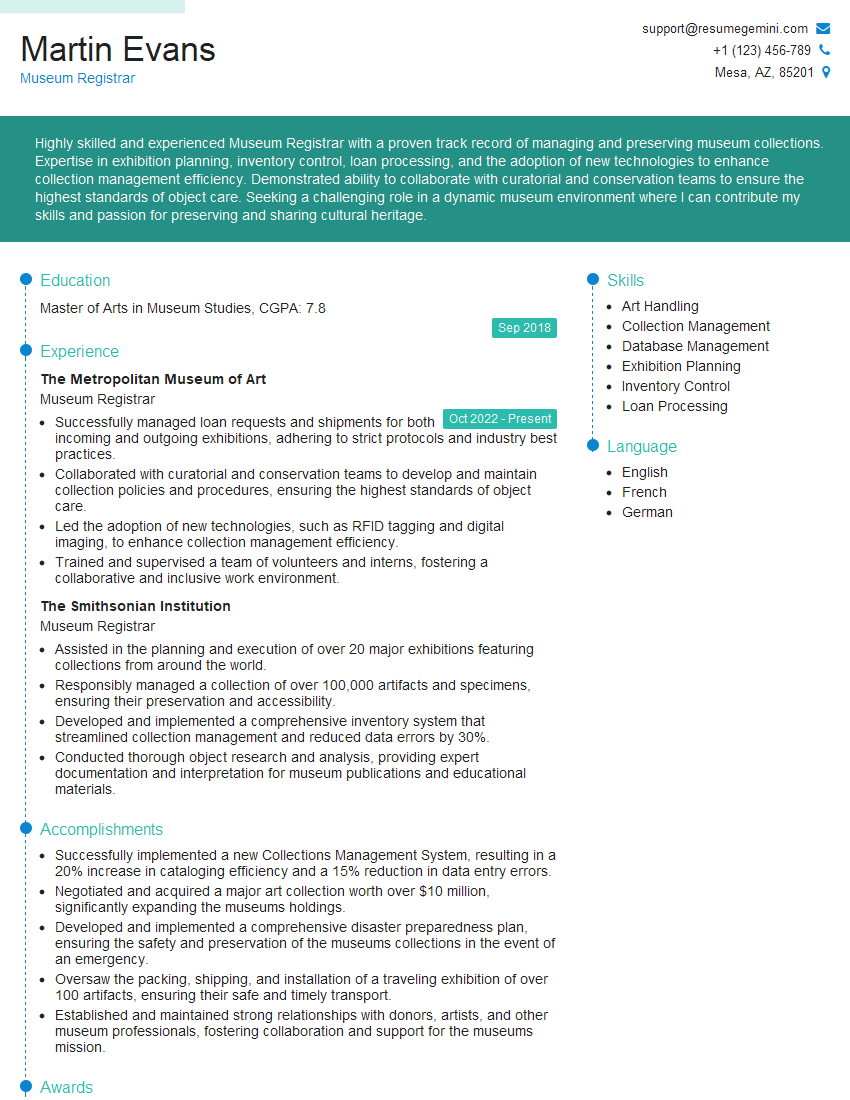
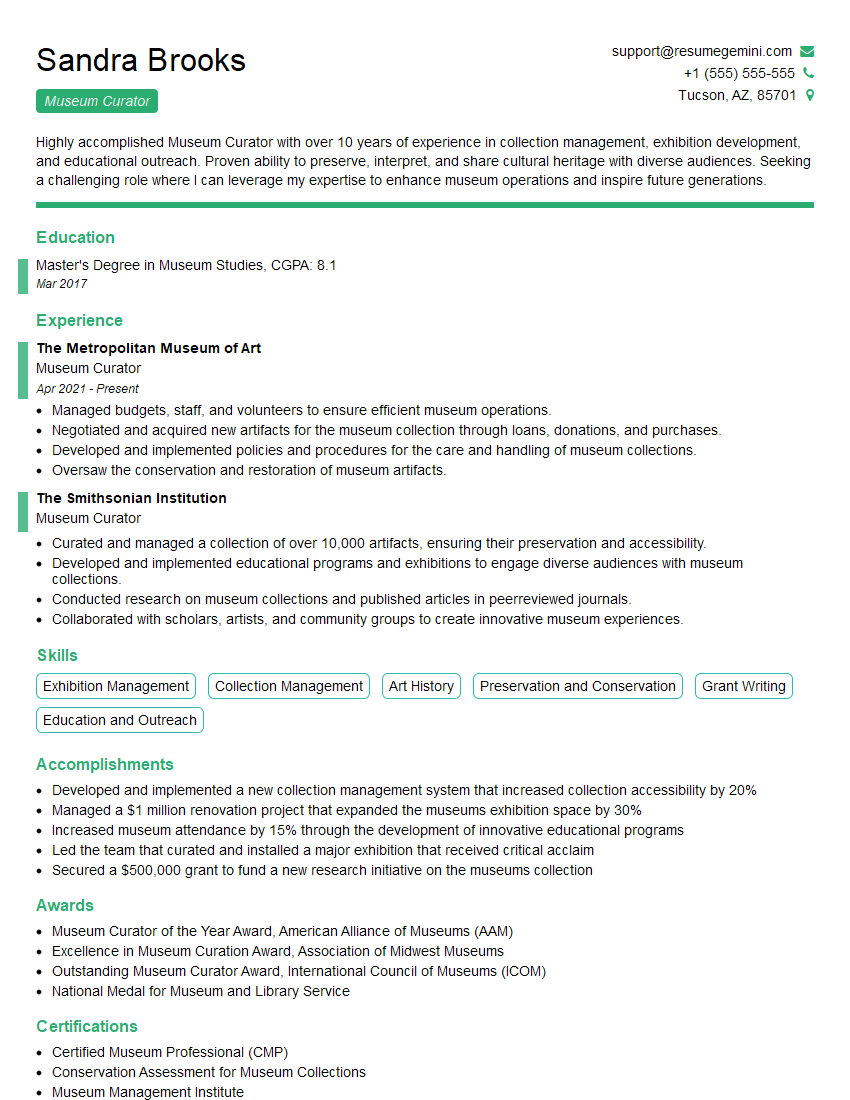
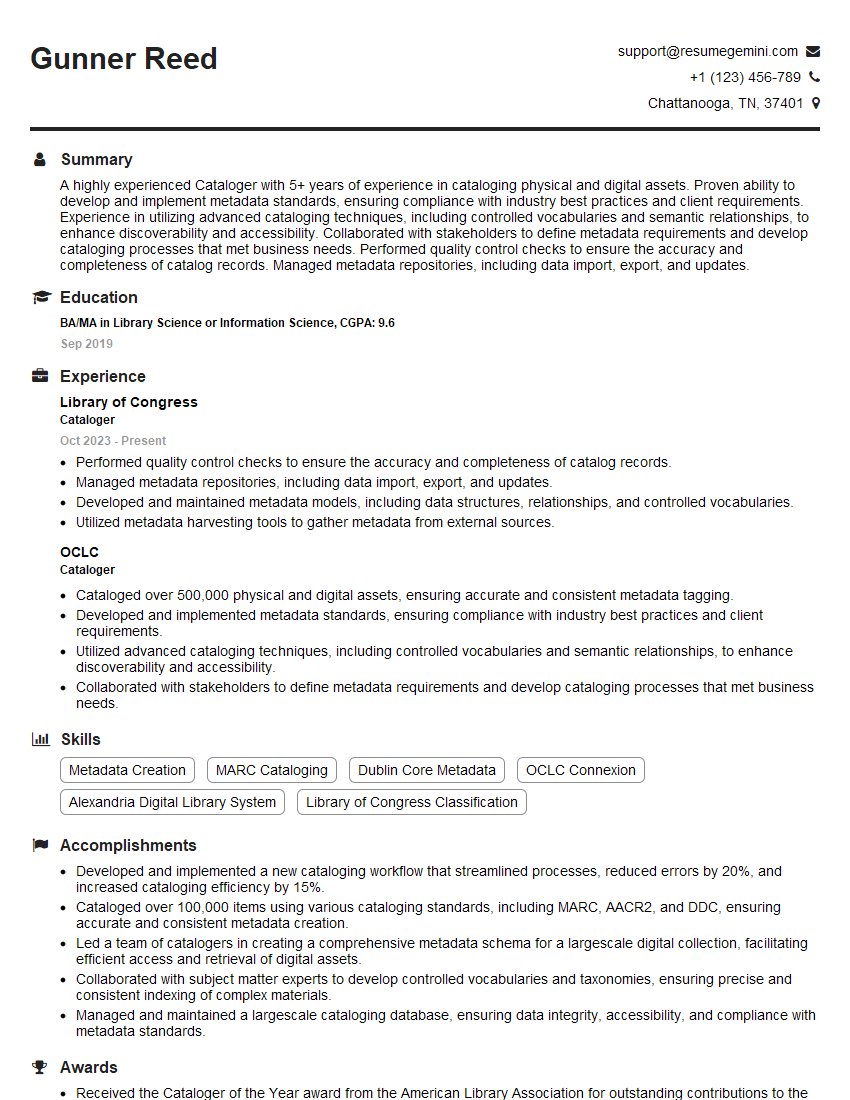
Mastering Collection Management Systems opens doors to exciting career opportunities in archives, libraries, museums, and digital asset management. A strong understanding of these systems significantly boosts your employability. To maximize your job prospects, creating an Applicant Tracking System (ATS)-friendly resume is crucial. ResumeGemini is a trusted resource to help you build a professional and impactful resume that stands out. Examples of resumes tailored to Collection Management System roles are available to guide you. Invest time in crafting a compelling resume – it’s your first impression with potential employers.

Explore more articles
Users Rating of Our Blogs
Share Your Experience
We value your feedback! Please rate our content and share your thoughts (optional).
What Readers Say About Our Blog
I Redesigned Spongebob Squarepants and his main characters of my artwork.
https://www.deviantart.com/reimaginesponge/art/Redesigned-Spongebob-characters-1223583608
IT gave me an insight and words to use and be able to think of examples
Hi, I’m Jay, we have a few potential clients that are interested in your services, thought you might be a good fit. I’d love to talk about the details, when do you have time to talk?
Best,
Jay
Founder | CEO