Are you ready to stand out in your next interview? Understanding and preparing for Interactive Simulations and Games interview questions is a game-changer. In this blog, we’ve compiled key questions and expert advice to help you showcase your skills with confidence and precision. Let’s get started on your journey to acing the interview.
Questions Asked in Interactive Simulations and Games Interview
Q 1. Explain the difference between procedural and scripted content generation in simulations.
Procedural and scripted content generation represent two fundamentally different approaches to creating content within simulations and games. Scripted content is explicitly defined by the developer, line by line. Think of it like writing a detailed play script: every action, every character’s dialogue, every scene change is predetermined. Procedural content, on the other hand, is generated algorithmically. The developer defines the rules and constraints, and the computer uses those rules to create content on the fly. It’s like providing the actors with a set of guidelines and letting them improvise within those boundaries.
Example: Imagine creating a city in a game. A scripted approach might involve manually placing every building, tree, and car. A procedural approach would involve defining rules like building density, road layouts, and types of buildings, and then letting an algorithm generate a city based on these rules. This could lead to vastly different city layouts each time the game runs, offering greater replayability.
- Scripted: Offers precise control and predictability. Ideal for crucial story moments or specific gameplay sequences.
- Procedural: Enables vast content generation with less manual effort. Great for creating large-scale environments, random encounters, or variable gameplay experiences.
In practice, many games use a hybrid approach, combining both scripted and procedural techniques to achieve the best of both worlds. Important narrative events might be scripted, while the surrounding world could be procedurally generated.
Q 2. Describe your experience with different game engines (Unity, Unreal, etc.).
I have extensive experience with both Unity and Unreal Engine, each boasting strengths in different areas. I’ve successfully shipped several projects using Unity, leveraging its ease of use and large community support. Unity’s strong scripting capabilities (C#) have proved invaluable for creating complex gameplay systems and integrating various assets. I particularly appreciate its robust asset store, which significantly accelerates development.
My work with Unreal Engine, on the other hand, has focused on projects demanding high-fidelity visuals and advanced physics simulations. Unreal’s Blueprint visual scripting system is powerful for prototyping and quick iteration, especially for visually-driven interactions. However, its steeper learning curve requires more upfront investment in learning its intricacies, especially its material editor which allows for creating photorealistic graphics.
Example: In one project, Unity’s ease of use and cross-platform capabilities made it the ideal choice for developing a mobile game with a relatively short development cycle. In another, Unreal Engine’s superior rendering capabilities were essential for creating a realistic and immersive VR experience.
Q 3. How would you design a feedback system for a simulation to improve user engagement?
A well-designed feedback system is crucial for user engagement in simulations. It should provide clear, timely, and relevant information about the user’s actions and their consequences. This can be achieved through several mechanisms:
- Visual cues: Animations, particle effects, and color changes to highlight successes and failures.
- Auditory cues: Sounds to signal progress, errors, or important events.
- Numerical indicators: Scores, progress bars, and statistics to quantify performance.
- Contextual hints and tutorials: Guidance to help users understand the simulation and achieve their goals.
- Leaderboards and competitive elements: To foster social engagement and drive motivation.
Example: In a flight simulator, immediate visual feedback (e.g., the plane tilting, smoke appearing) upon making a mistake would be far more effective than a delayed text message. Combining this with a gradual increase in difficulty, adjusting the challenge to a user’s skill level, increases engagement.
The key is to tailor feedback to the specific simulation and the target audience. Overly complex or infrequent feedback can be detrimental, while too much feedback can be overwhelming. Finding the right balance is key.
Q 4. What are some common challenges in balancing gameplay mechanics?
Balancing gameplay mechanics is a complex process, requiring careful consideration of many factors. Some common challenges include:
- Power creep: The tendency for new items, abilities, or characters to be significantly more powerful than older ones, disrupting the balance.
- Rock-paper-scissors imbalances: When one mechanic consistently counters another, creating a predictable and less engaging experience.
- Skill ceiling vs. skill floor: Ensuring the game is both accessible to new players (low skill floor) and challenging for experienced players (high skill ceiling) is a constant balancing act.
- Progression curves: The rate at which players gain power and unlock new content needs careful consideration to maintain engagement. Too fast and the game feels easy; too slow and it feels frustrating.
Example: In a fighting game, characters with overwhelmingly strong attacks might dominate, requiring adjustments to their damage output, attack speed, or defense stats. Similarly, a game with excessively harsh early-game challenges might lead to player frustration and churn. Constant testing and iterative adjustments are crucial for addressing these imbalances.
Q 5. Explain your understanding of AI in game development.
AI in game development plays a crucial role in creating believable and challenging opponents, dynamic environments, and responsive non-player characters (NPCs). It encompasses a range of techniques, from simple finite state machines (FSMs) to sophisticated machine learning algorithms.
- Finite State Machines (FSMs): These are simple, state-based systems that define different behaviors for an NPC based on its current state (e.g., idle, patrolling, attacking). While relatively easy to implement, they can feel predictable.
- Behavior Trees: These offer a more hierarchical and flexible approach, allowing for complex decision-making based on various conditions and priorities.
- Machine Learning (ML): Techniques like reinforcement learning can train AI agents to learn optimal strategies through trial and error, leading to more unpredictable and challenging opponents.
Example: In a strategy game, FSMs might control simple enemy units, while behavior trees could manage more complex units with diverse actions. ML could be used to train an AI opponent that adapts to the player’s strategies over time.
The choice of AI technique depends heavily on the game’s complexity, the desired level of realism, and the available resources.
Q 6. How do you ensure the performance optimization of a game or simulation?
Performance optimization is crucial for creating a smooth and enjoyable gaming experience. It involves identifying and addressing bottlenecks that impact frame rate, loading times, and overall responsiveness.
- Profiling: Identifying performance bottlenecks using profiling tools to pinpoint areas that need optimization.
- Level design optimization: Optimizing level geometry, reducing draw calls, and using level of detail (LOD) techniques to reduce rendering costs.
- Asset optimization: Optimizing textures, models, and animations to reduce their memory footprint and rendering times.
- Code optimization: Writing efficient code, avoiding unnecessary calculations, and using appropriate data structures to improve performance.
- Memory management: Carefully managing memory allocation and deallocation to prevent memory leaks and improve performance.
Example: Reducing the polygon count of 3D models, using texture compression, and optimizing shaders can significantly improve rendering performance. Implementing efficient algorithms for pathfinding and physics calculations can reduce CPU load.
A proactive approach to optimization throughout the development cycle is essential. Regular performance testing and profiling help identify and address performance issues early on, preventing costly rework later in the development process.
Q 7. What are some best practices for user interface (UI) design in games?
User interface (UI) design is critical for a game’s usability and overall player experience. Effective UI design should be intuitive, visually appealing, and unobtrusive.
- Clarity and consistency: UI elements should be clearly labeled and consistently styled throughout the game. Using a consistent visual language for buttons, menus, and other interactive elements creates familiarity and ease of use.
- Accessibility: Consider players with different needs and abilities. Provide options for adjusting font sizes, color schemes, and control schemes.
- Visual hierarchy: Use visual cues like size, color, and position to guide the player’s attention and highlight important information.
- Feedback: Provide immediate and clear feedback to the player’s actions. This might involve visual or auditory cues, as well as changes in the game state.
- Minimizing clutter: Avoid overwhelming the player with too much information on the screen at once. Prioritize important information and keep the UI clean and uncluttered.
Example: A well-designed inventory system allows players to quickly access and manage their items without interrupting the flow of gameplay. A clear and concise HUD provides essential information without obstructing the player’s view.
Iterative testing and user feedback are crucial for refining the UI and ensuring it meets the needs of the target audience.
Q 8. Describe your experience with version control systems (e.g., Git).
Version control is essential for any collaborative project, and in game development, where multiple programmers, artists, and designers work concurrently, it’s absolutely crucial. My primary experience is with Git, which I’ve used extensively throughout my career. I’m proficient in branching strategies like Gitflow, enabling me to manage features, bug fixes, and releases efficiently. I understand the importance of committing frequently with descriptive messages, using pull requests for code review, and resolving merge conflicts effectively. For example, in one project, using Git’s branching capabilities allowed us to develop and test new game mechanics concurrently without impacting the main game build. This prevented major integration issues later and significantly shortened our development time.
Beyond the technical aspects, I understand the importance of a clean and well-organized Git history. This makes collaboration smoother and significantly simplifies debugging and maintenance down the line. I regularly use tools like GitHub or GitLab for collaborative workflows, utilizing features such as issue tracking and project management tools integrated with Git repositories.
Q 9. How would you approach debugging a complex simulation issue?
Debugging in complex simulations is a systematic process. I usually start by reproducing the bug consistently. This often involves isolating the affected part of the simulation using logging statements or a debugger. Once I can consistently reproduce the bug, I begin systematically ruling out possibilities. I’ll examine the input data, trace the execution flow, and check for unexpected values in variables. If the problem is within a specific algorithm, I use unit testing to isolate the problematic component. For example, if a character’s AI is malfunctioning, I might isolate the AI code from the game engine to test it with various inputs independently. Visual debugging tools, where applicable, are incredibly helpful to visualize the simulation’s internal state. The process is often iterative, involving hypotheses, experimentation, and code modification. Documentation of the bug and the debugging process is essential for future reference and for team collaboration.
In more challenging cases, I rely on tools like profilers to analyze performance bottlenecks and identify areas consuming excessive resources. This is especially critical in optimizing simulations for various hardware capabilities. Ultimately, effective debugging in simulation necessitates a blend of systematic investigation, programming skills, and a deep understanding of the simulation’s underlying logic.
Q 10. Explain your experience with different programming languages relevant to game development.
My experience spans several languages commonly used in game development. I’m highly proficient in C++, the workhorse of many game engines, leveraging its performance and control for complex simulations and rendering. I have extensive experience using C# within the Unity game engine, appreciating its ease of use and the large community support. I’ve also worked with scripting languages like Lua and Python for prototyping, scripting game logic, and creating tools. For example, I used Lua to implement dynamic dialogue systems in one project and Python to automate testing and build processes in another. The choice of language often depends on the project’s specific needs and the game engine being used. However, a strong foundation in multiple languages ensures flexibility and efficient problem-solving across diverse development environments.
Q 11. How do you handle conflicting design requirements in a game development project?
Conflicting design requirements are inevitable in game development. My approach involves open communication, compromise, and prioritization. I start by clearly documenting all requirements, identifying conflicts, and understanding the rationale behind each one. Then, I facilitate discussions among the design team, stakeholders, and programmers to find areas of overlap and potential solutions. This may involve trade-offs, where less critical features are scaled back or removed to accommodate more important ones. Prioritization matrices can be helpful in this process, weighing the importance and feasibility of each requirement. For example, if a compelling narrative conflicts with a technically challenging feature, we might need to simplify the narrative to meet the technical constraints, or vice-versa.
Ultimately, the goal is to reach a consensus that satisfies as many requirements as possible while maintaining the overall quality and vision of the game. This collaborative approach fosters a sense of shared ownership and improves the team’s morale and reduces the likelihood of conflicts later in development.
Q 12. Describe your process for creating compelling game narratives.
Creating compelling game narratives is a multi-step process. It begins with a strong central idea, a core conflict or mystery that drives the player’s engagement. Then, I develop the characters, crafting their personalities, motivations, and relationships to create relatable and believable interactions. I outline the story’s major plot points, including key moments of tension, revelation, and resolution. But equally important is the narrative’s structure. Is it a linear story, a branching narrative, or something more experimental? This impacts how the story unfolds within the game mechanics.
Next comes the challenge of weaving the narrative into the gameplay itself. The story shouldn’t be simply told to the player; it should be experienced. Gameplay should act as a medium for story progression. This might involve puzzles, challenges, or social interactions that advance the plot. Throughout the process, iterative testing and feedback are vital to ensure that the story is engaging, understandable, and well-integrated with the gameplay experience. This allows us to revise or refine as needed, ensuring a strong and unforgettable player journey.
Q 13. What are some common design patterns in interactive simulations?
Interactive simulations employ several common design patterns. The State Pattern is frequently used to represent the different states of a system (e.g., a character’s health states: healthy, injured, dead). The Observer Pattern allows for efficient updates when data changes, such as notifying other objects when a character’s position changes. Finite State Machines (FSMs) are invaluable for managing complex AI behaviors, defining transitions between various states based on events or conditions. The Singleton Pattern can be useful for managing unique resources or game managers within the simulation.
Other patterns like Model-View-Controller (MVC) or Model-View-ViewModel (MVVM) help to organize code, separating concerns and improving maintainability. Choosing the right pattern depends on the simulation’s complexity and the specific needs of each component. For example, using an FSM to manage character AI improves readability, maintainability, and debugging compared to handling the AI logic directly within a procedural approach.
Q 14. How do you test for and address accessibility considerations in game design?
Accessibility is a critical aspect of game design that shouldn’t be an afterthought. My approach involves considering accessibility from the very beginning of the design process. This includes ensuring that color palettes have sufficient contrast for colorblind players, using clear and concise text with adjustable font sizes, and providing alternative text for all images and visual elements. I carefully consider keyboard navigation and controller support to ensure that all players, regardless of their physical abilities, can navigate and interact with the game smoothly.
Throughout development, we utilize accessibility testing tools and actively seek feedback from players with diverse abilities. This helps us to identify and address any potential barriers to gameplay. Subtitles and closed captions are essential for players with hearing impairments, and audio cues should provide information for visually impaired players. Careful consideration of these aspects ensures that the game is inclusive and enjoyable for a wider audience.
Q 15. Explain your experience with different game art pipelines.
My experience encompasses a variety of game art pipelines, from traditional 2D sprite-based approaches to modern real-time 3D rendering using engines like Unity and Unreal Engine. I’ve worked with both outsourced and in-house art teams, understanding the importance of clear communication and iterative feedback loops. In 2D, I’m comfortable with pixel art, vector graphics, and animation techniques. For 3D, I understand the process from concept art and modeling (using software like Blender or Maya), to texturing, rigging, and animation (with programs like Substance Painter and 3ds Max). I also have experience with optimizing assets for different platforms to maintain performance without sacrificing visual quality. For instance, on a project involving a low-poly art style for mobile devices, we significantly reduced polygon counts and texture resolutions, resulting in a smooth 60 FPS experience, even on lower-end hardware. In contrast, a high-fidelity AAA project demanded very detailed models and textures, requiring careful consideration of optimization techniques to manage memory and processing loads effectively.
Career Expert Tips:
- Ace those interviews! Prepare effectively by reviewing the Top 50 Most Common Interview Questions on ResumeGemini.
- Navigate your job search with confidence! Explore a wide range of Career Tips on ResumeGemini. Learn about common challenges and recommendations to overcome them.
- Craft the perfect resume! Master the Art of Resume Writing with ResumeGemini’s guide. Showcase your unique qualifications and achievements effectively.
- Don’t miss out on holiday savings! Build your dream resume with ResumeGemini’s ATS optimized templates.
Q 16. Discuss your approach to level design and its impact on gameplay.
My approach to level design prioritizes player agency and a compelling narrative. I start by defining the core gameplay loop and identifying key mechanics. Then, I sketch out the level layout, focusing on pacing and player progression. I use a combination of linear and non-linear elements, ensuring there’s a balance between guided experiences and player exploration. For example, in a puzzle game, I might use a combination of open areas to encourage exploration and more constrained corridors to guide the player towards crucial puzzle elements. The impact on gameplay is multifaceted. A well-designed level should seamlessly integrate the game mechanics, enhancing player engagement and creating memorable experiences. Poor level design, conversely, can lead to frustration, confusion, and ultimately, player abandonment. I always iterate on my level design based on playtesting feedback, tweaking elements such as enemy placement, environmental storytelling, and obstacle complexity to improve the overall player experience. I often utilize level design software such as Unity’s built-in tools or specialized software like World Machine to create and manage complex level geometry and terrains effectively.
Q 17. How would you design a multiplayer system for a simulation?
Designing a multiplayer system for a simulation requires careful consideration of several factors, including scalability, latency, and security. I’d use a client-server architecture, where clients handle rendering and user input, and the server manages game logic and state. For efficient communication, I’d employ a reliable messaging system, such as UDP or WebSockets, and implement techniques like prediction and interpolation to mitigate latency issues. A robust system for handling player synchronization is vital. This could involve techniques like lockstep synchronization for turn-based games, or client-side prediction with server reconciliation for real-time games. Data integrity and security are paramount, so I’d incorporate measures like encryption and robust authentication protocols. Additionally, I would consider the type of multiplayer experience desired—cooperative, competitive, or a blend—and design the simulation accordingly. For instance, a cooperative simulation might focus on shared goals and collaborative tasks, whereas a competitive simulation would emphasize player conflict and resource management. The choice of architecture also significantly impacts the scalability of the system. A well-designed system can seamlessly handle a large number of concurrent players without sacrificing performance or stability.
Q 18. What are some considerations for designing simulations for different platforms?
Designing simulations for different platforms requires careful optimization and adaptation. Key considerations include:
- Hardware limitations: Mobile devices have significantly less processing power and memory than PCs or consoles. This necessitates optimized graphics, reduced polygon counts, and simplified physics calculations.
- Input methods: Touchscreens require different input paradigms compared to keyboards and mice. This means adapting controls and user interfaces to the specific platform’s input mechanisms.
- Screen resolution and aspect ratios: Simulations must render correctly across various screen sizes and aspect ratios. This often involves using scalable UI elements and dynamic resolution scaling techniques.
- Operating systems and APIs: Each platform has its own unique operating system and APIs, requiring platform-specific code and optimizations. Cross-platform game engines, such as Unity and Unreal Engine, greatly simplify this process.
- Distribution and monetization: The platforms differ in their app stores and monetization strategies, requiring the developer to adapt their pricing models and marketing efforts accordingly.
Q 19. Describe your experience with data visualization in simulations.
Data visualization is crucial for making simulation results understandable and insightful. My experience involves using a variety of techniques, from simple charts and graphs to interactive 3D visualizations. The choice of technique depends on the nature of the data and the target audience. For example, in a city planning simulation, I might use heatmaps to represent population density or traffic flow, while for a financial simulation, line graphs might better visualize trends over time. I leverage libraries and tools like D3.js, Three.js, or specialized game engine features for efficient and engaging visualization. In a recent project involving a climate change simulation, we used interactive 3D maps to visualize the impact of rising sea levels on coastal areas. The user could adjust parameters and view the results in real-time, leading to a much greater understanding of the issue than static data would have allowed. Effective data visualization translates complex data into readily digestible insights, improving decision-making and increasing user understanding of the simulation’s results.
Q 20. How do you handle user input and feedback within an interactive system?
Handling user input and feedback is crucial in creating a responsive and engaging interactive system. This involves designing intuitive controls, providing clear feedback mechanisms, and integrating user input into the simulation’s logic. I use a variety of techniques, including event listeners, state machines, and input mappings. For example, in a driving simulation, I would map keyboard inputs to steering, acceleration, and braking actions, providing visual and auditory feedback when the player interacts with the game world. User feedback, both explicit (through surveys or feedback forms) and implicit (through player actions and in-game events), is vital for iterative design and improvement. I frequently employ analytics tools to track player behavior and identify areas for improvement in the system’s responsiveness and usability. Consideration of accessibility is also key; input should be easily configurable, and visual and auditory feedback should be adaptable for users with diverse needs.
Q 21. Explain the importance of playtesting in the game development process.
Playtesting is an indispensable part of the game development process. It allows developers to identify bugs, balance gameplay, and assess the overall user experience. I typically conduct playtesting sessions throughout the development lifecycle, starting with early prototypes and continuing through to the final stages. This involves observing players, collecting feedback, and analyzing data to identify areas for improvement. I employ a variety of playtesting methods, including usability testing, A/B testing, and focus groups. Playtesting helps to identify critical issues such as unintuitive controls, unbalanced gameplay mechanics, or confusing game flow. Feedback from playtesters informs design decisions and helps to ensure that the final product is engaging, fun, and easy to understand. A well-structured playtesting process, with clear goals and metrics, is vital for maximizing the value of the feedback received. For example, in one project, playtesting revealed that a particular boss fight was too difficult, leading to design changes that improved the balance and made the fight more enjoyable. Without playtesting, such crucial improvements might never have been identified.
Q 22. What are some methods for measuring player engagement and satisfaction?
Measuring player engagement and satisfaction is crucial for iterative game development. We use a multi-pronged approach, combining quantitative and qualitative data.
Quantitative Data: This involves tracking hard numbers through analytics platforms. Key metrics include:
- Daily/Monthly Active Users (DAU/MAU): Shows player retention.
- Session Length: Indicates how engaging the gameplay is.
- Conversion Rates: Tracks success in in-app purchases or achieving specific goals.
- Retention Rate: Measures how many players return after a certain period.
- Progression Metrics: Tracks player advancement through levels or stages.
Qualitative Data: This provides context and understanding behind the numbers. Methods include:
- Surveys and Questionnaires: Directly ask players about their experience.
- Focus Groups: Facilitate discussions to gather in-depth feedback.
- Playtesting Sessions: Observe players in action and collect immediate feedback.
- Social Media Monitoring: Track discussions and sentiment related to the game.
For example, low session lengths coupled with negative feedback in surveys might indicate a problem with gameplay pacing or difficulty. Conversely, high DAU/MAU and positive social media sentiment confirm a successful and engaging product.
Q 23. How do you manage time constraints and deadlines in game development?
Managing time constraints in game development requires meticulous planning and a robust development process. We use Agile methodologies, breaking down the project into manageable sprints with clear deliverables. This allows for flexibility and adaptation as unforeseen challenges arise.
Prioritization: Features are prioritized based on their impact on the core gameplay loop and player experience. The ‘must-have’ features are tackled first, followed by ‘should-have’ and ‘could-have’ features.
Task Management Tools: We utilize project management software like Jira or Trello to track tasks, deadlines, and team progress. This provides a clear overview of the project’s status and helps identify potential bottlenecks.
Regular Meetings and Communication: Daily stand-up meetings and weekly sprint reviews ensure everyone is on the same page and potential issues are addressed proactively.
Contingency Planning: We always allocate buffer time to account for unexpected delays or technical challenges. This helps prevent crunch time and maintains team morale.
For instance, if a crucial asset isn’t ready on time, we might temporarily replace it with a placeholder asset to keep the development process moving forward.
Q 24. Describe your experience with using analytics in game design or simulation development.
Analytics are indispensable in game design and simulation development. They provide invaluable insights into player behavior and allow for data-driven decisions to improve the overall player experience.
A/B Testing: We use this method to compare different design choices, such as UI elements or gameplay mechanics. By tracking key metrics, we determine which version performs better.
Heatmaps: These visualizations show where players focus their attention on the screen. This information can guide UI improvements and level design.
Player Progression Analysis: Tracking player advancement reveals bottlenecks or areas where players are struggling. This helps identify points needing adjustments to difficulty or tutorial design.
Event Tracking: We monitor specific in-game events to understand player actions and identify potential issues or opportunities for improvement.
In a recent project, analyzing heatmaps revealed players were consistently missing a crucial interactive element in the UI. By redesigning the UI element’s placement and size, we saw a significant improvement in player engagement.
Q 25. What is your preferred method for prototyping game mechanics?
My preferred method for prototyping game mechanics is a rapid, iterative approach using a combination of tools depending on the complexity of the mechanic.
Simple mechanics: I often begin with pen and paper sketches, quickly outlining the core concepts and interactions. This is followed by using a visual scripting tool like Unity’s Bolt or Unreal Engine’s Blueprint to create simple interactive prototypes. This allows for quick testing and iteration.
Complex mechanics: For more intricate game mechanics, I might create a basic functional prototype in a scripting language like Python, focusing on core logic and functionality before moving to a game engine.
Playtesting early and often: Prototypes are regularly playtested to gather early feedback and validate design decisions.
For example, when prototyping a new combat system, I would first sketch the basic attack animations and flow, then implement it using a visual scripting system within a game engine. This allows me to test the feel of combat before investing extensive time in detailed artwork and animations.
Q 26. Explain your understanding of game balance and its impact on player retention.
Game balance is the delicate art of creating a fair and enjoyable experience for all players. It involves carefully adjusting various game elements to ensure that neither players nor AI opponents gain an unfair advantage. A poorly balanced game can quickly lead to player frustration and churn.
Impact on Player Retention: A well-balanced game keeps players engaged and invested. If the game is too easy, players might become bored; if it is too difficult, they might become frustrated and quit.
Elements of Game Balance: This includes things such as:
- Character balancing: Ensuring all characters have a viable place in the game.
- Weapon/item balancing: Preventing any single weapon from dominating others.
- Difficulty scaling: Progressively increasing the challenge as players get better.
- Resource management: Creating a strategic challenge of managing limited resources.
Iterative Balancing: Game balance is an iterative process. It’s constantly monitored using analytics and player feedback and adjusted accordingly throughout development and even after release.
For example, a game with an overpowered weapon might see a significant drop in player retention as players feel frustrated with the lack of challenge and strategic depth.
Q 27. How do you incorporate player feedback into iterative game development?
Incorporating player feedback into iterative game development is essential for creating a successful and engaging product. We use a multi-step process to ensure feedback is effectively collected, analyzed, and implemented.
Gathering Feedback: This is done through various channels, including surveys, in-game feedback forms, community forums, social media monitoring, and playtesting sessions.
Analyzing Feedback: We categorize the feedback, identifying recurring themes and patterns. This helps identify major issues versus minor suggestions.
Prioritizing Feedback: We prioritize feedback based on its impact on the overall player experience and its feasibility to implement.
Implementing Changes: Based on the prioritized feedback, we make the necessary changes to the game. This might involve adjusting game mechanics, tweaking the UI, or adding new content.
Testing and Iteration: After implementing changes, we retest the game to ensure the improvements have the desired effect and haven’t introduced new problems. This iterative process continues throughout the development lifecycle.
For example, if consistent feedback points to difficulty in a specific level, we might adjust enemy placement, reduce enemy health, or provide better clues/hints. This ensures a more enjoyable experience for the target players.
Q 28. Describe your understanding of different game genres and their unique design considerations.
Understanding different game genres and their unique design considerations is crucial for creating successful games. Each genre has its own set of conventions, player expectations, and design challenges.
Action Games: Focus on fast-paced gameplay, responsive controls, and satisfying combat mechanics. Considerations include balancing combat difficulty, creating visually stimulating environments, and implementing intuitive controls.
RPGs: Emphasize character progression, storytelling, and player choice. Considerations include creating compelling narratives, designing balanced character classes, and implementing rewarding progression systems.
Strategy Games: Involve strategic planning, resource management, and tactical combat. Considerations include balancing unit strengths and weaknesses, creating engaging campaigns, and designing intuitive interfaces.
Puzzle Games: Challenge players to solve puzzles using logic and problem-solving skills. Considerations include creating innovative puzzles, providing clear instructions, and ensuring a satisfying sense of accomplishment.
Simulation Games: Mimic real-world systems, offering players the chance to manage and interact with these systems. Considerations include creating realistic simulations, providing informative feedback, and balancing complexity with accessibility.
For example, an action game requires tight controls and responsive feedback, while a simulation game needs a high level of fidelity and detailed information for the player to interact meaningfully with the simulated world.
Key Topics to Learn for Interactive Simulations and Games Interview
- Game Design Principles: Understanding core game mechanics, player experience (UX/UI), game loops, and level design. Consider different genres and their unique design challenges.
- Game Engines (e.g., Unity, Unreal Engine): Practical experience with at least one game engine, including scene management, scripting, asset integration, and optimization techniques. Be prepared to discuss projects you’ve built.
- Programming Paradigms for Games: Solid grasp of object-oriented programming (OOP), data structures, and algorithms relevant to game development. Discuss your proficiency in languages like C#, C++, or others applicable to game engines.
- 3D Modeling and Animation (Optional, depending on role): Familiarity with 3D modeling software (e.g., Blender, Maya) and animation principles. Showcase your portfolio if relevant to the position.
- Simulation Technologies: Understanding of physics engines, AI systems (e.g., pathfinding, behavior trees), and how simulations are integrated into games. Discuss your experience with specific AI techniques.
- Multiplayer Game Development (Optional, depending on role): Experience with networking technologies and architectures used in online games. Prepare to discuss concepts like client-server models and real-time communication.
- Problem-Solving and Debugging: Demonstrate your ability to identify, analyze, and resolve complex technical issues. Be ready to discuss your approach to debugging and troubleshooting in a game development context.
- Version Control (e.g., Git): Proficiency in using Git for collaborative development, including branching, merging, and conflict resolution. This is crucial in team-based game development.
Next Steps
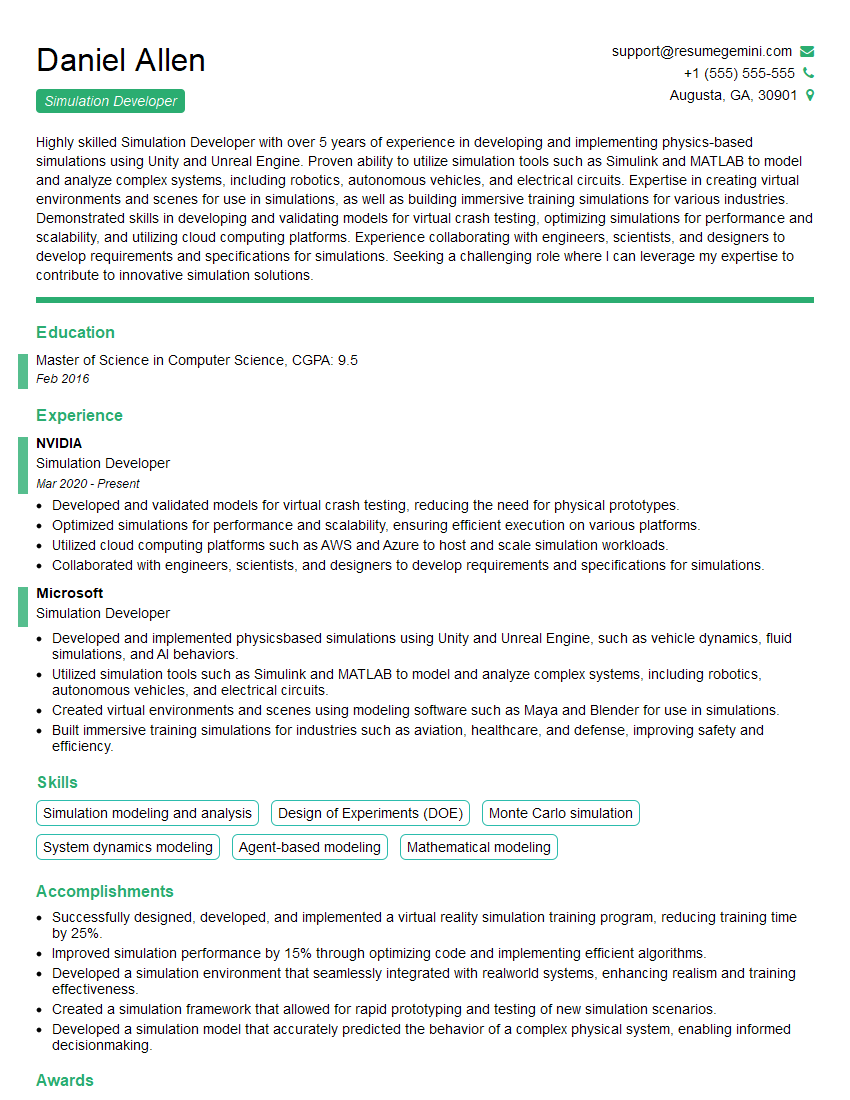
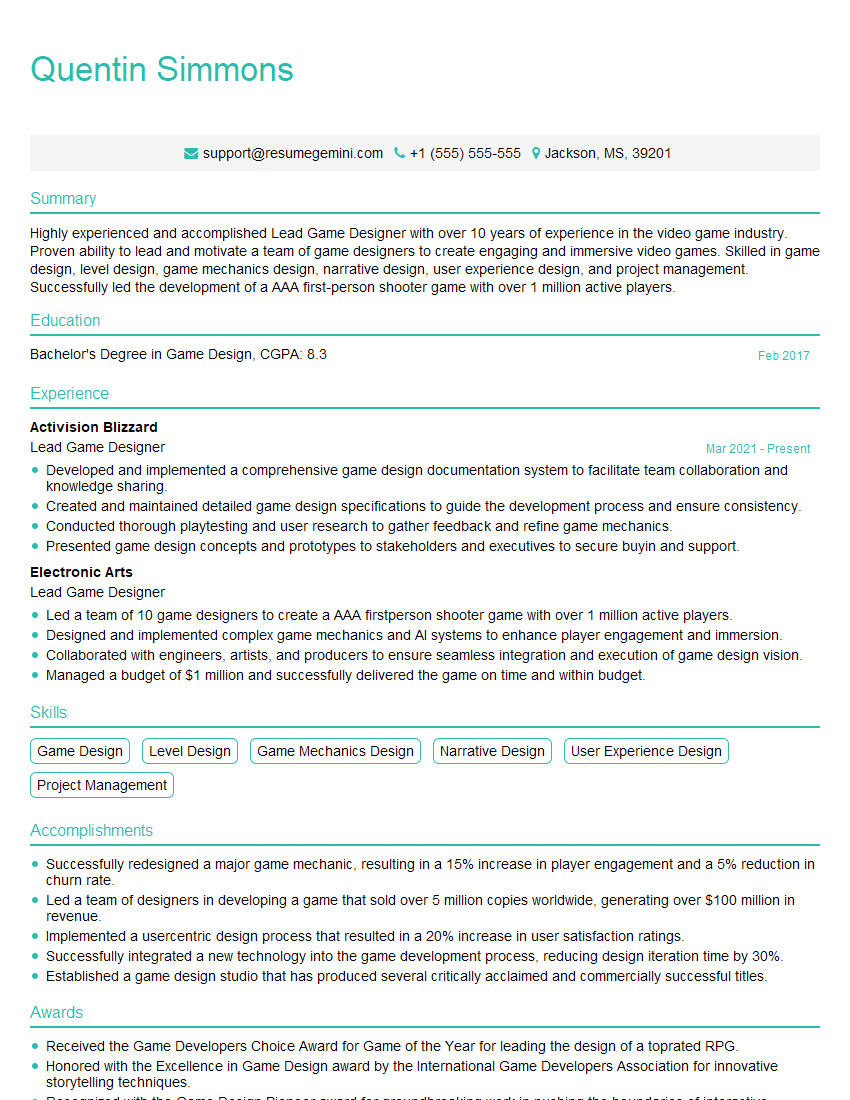
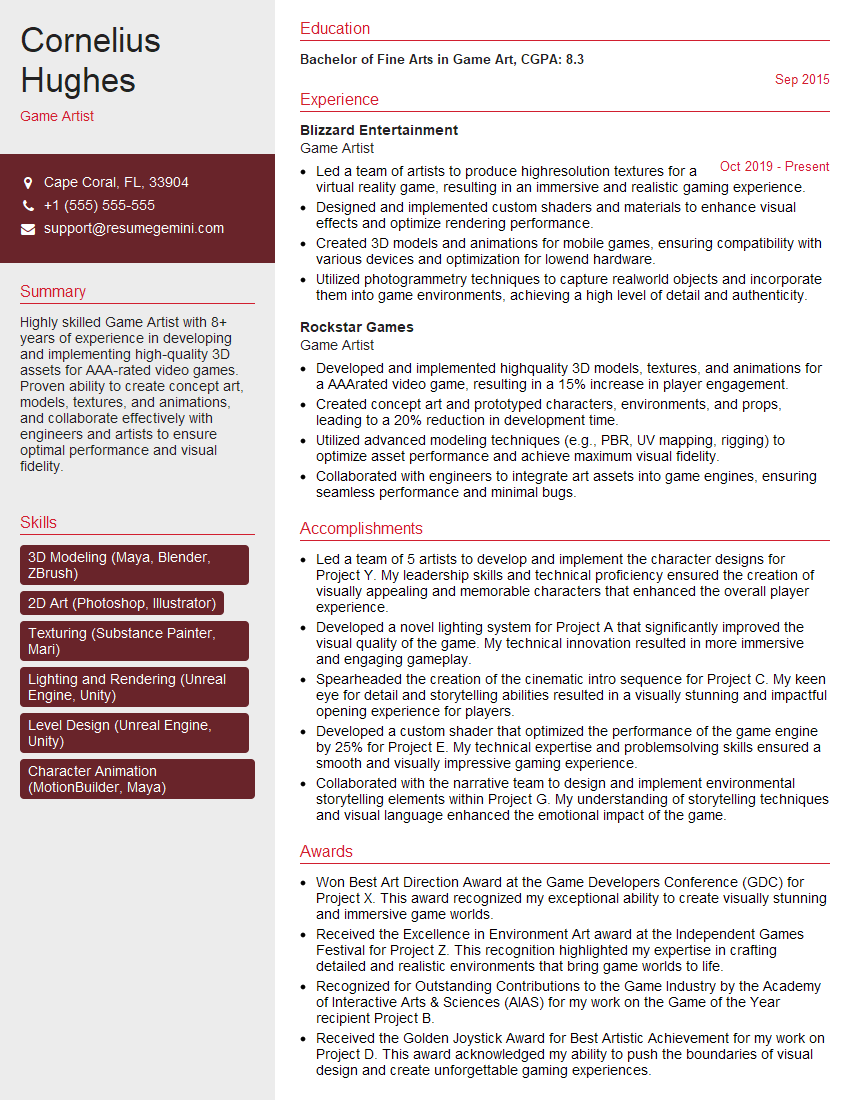
Mastering Interactive Simulations and Games opens doors to a dynamic and creative career path, offering diverse roles and continuous learning opportunities. A strong resume is your key to unlocking these possibilities. An ATS-friendly resume, optimized for Applicant Tracking Systems, ensures your qualifications are effectively presented to potential employers. To create a compelling and effective resume, we highly recommend using ResumeGemini. ResumeGemini provides a user-friendly platform to build professional resumes, and we offer examples of resumes tailored to the Interactive Simulations and Games industry to guide you.

Explore more articles
Users Rating of Our Blogs
Share Your Experience
We value your feedback! Please rate our content and share your thoughts (optional).
What Readers Say About Our Blog
I Redesigned Spongebob Squarepants and his main characters of my artwork.
https://www.deviantart.com/reimaginesponge/art/Redesigned-Spongebob-characters-1223583608
IT gave me an insight and words to use and be able to think of examples
Hi, I’m Jay, we have a few potential clients that are interested in your services, thought you might be a good fit. I’d love to talk about the details, when do you have time to talk?
Best,
Jay
Founder | CEO