Interviews are opportunities to demonstrate your expertise, and this guide is here to help you shine. Explore the essential Human-Computer Interaction in Education interview questions that employers frequently ask, paired with strategies for crafting responses that set you apart from the competition.
Questions Asked in Human-Computer Interaction in Education Interview
Q 1. Explain the principles of user-centered design in the context of educational software.
User-centered design (UCD) in educational software prioritizes the needs, wants, and limitations of the learners and educators who will use the application. It’s not about designing a technologically impressive tool, but rather a tool that effectively supports learning and teaching. This involves iterative processes of research, design, testing, and refinement, ensuring the final product is intuitive, engaging, and effective.
- Understanding the users: Through user research (interviews, surveys, observations), we deeply understand learners’ existing knowledge, learning styles, and technological proficiency. We also investigate teachers’ pedagogical approaches and technological comfort levels. This informs design choices like interface complexity, interaction modalities, and content presentation.
- Iterative development: UCD is not a linear process. We build prototypes, test them with users, analyze the feedback, and iterate on the design based on what we learn. This cyclical approach is crucial to identifying and addressing usability issues early on.
- Accessibility considerations: From the outset, we integrate accessibility guidelines (WCAG) to ensure the software caters to learners with diverse needs. This includes features such as screen reader compatibility, keyboard navigation, and adjustable text sizes.
- Measuring effectiveness: We don’t just build a visually appealing app; we use metrics such as task completion rates, learning outcomes, and user satisfaction to measure the effectiveness of our designs in achieving educational goals.
For example, when designing a math app, we wouldn’t just assume students understand certain mathematical notations. We would conduct research to confirm this and adjust the interface accordingly. If students struggle with a specific task, we would redesign that element after testing.
Q 2. Describe your experience with usability testing in an educational setting.
My experience with usability testing in educational settings has involved a range of methodologies. I’ve conducted think-aloud protocols where students verbalize their thoughts while interacting with the software, helping us identify areas of confusion or frustration. I’ve also used A/B testing to compare different design options and heuristic evaluations where experts assess the software’s usability against established guidelines. I remember one project where we were developing a history learning game. During testing, we noticed many students struggled to understand the game’s objective. We added a more explicit tutorial and simplified the game mechanics, significantly improving the results in subsequent testing rounds.
The data gathered from usability testing is crucial. It provides concrete evidence to inform design decisions and demonstrates the effectiveness of any changes made. It allows us to move from assumptions about what users will find intuitive to concrete insights into their actual behavior. For example, heatmaps showing where users click on the screen and video recordings of their interactions provide valuable insights.
Q 3. How would you apply accessibility guidelines (WCAG) to an educational app?
Applying WCAG (Web Content Accessibility Guidelines) to an educational app is essential for inclusive design. It ensures that all learners, regardless of their abilities, can access and use the app. This involves multiple considerations, from basic functionalities to more complex features.
- Alternative text for images: Every image should have descriptive alt text for screen readers.
- Keyboard navigation: All interactive elements must be accessible via the keyboard.
- Sufficient color contrast: Text and background colors should have enough contrast to ensure readability, especially for users with low vision.
- Captioning and transcripts for videos and audio: This allows learners who are deaf or hard of hearing to access the content.
- Adjustable text size: Learners should be able to increase or decrease text size to suit their needs.
- Support for assistive technologies: The app should be compatible with screen readers and other assistive technologies.
For instance, imagine an app teaching geography. Images of maps must have detailed alt text describing the geographical features. Videos explaining concepts should have accurate captions. This level of detail goes beyond simple compliance; it ensures that the learning experience is genuinely inclusive.
Q 4. What are some common usability issues in educational technology, and how can they be addressed?
Common usability issues in educational technology often stem from a disconnect between the designer’s intentions and the learners’ actual experiences. Here are a few examples and their solutions:
- Overly complex interfaces: Educational apps can become cluttered with unnecessary features, overwhelming learners. Solution: Prioritize core functionality and adopt a minimalist design approach, focusing on clear navigation and intuitive interactions.
- Poor feedback mechanisms: Learners need clear feedback to understand their progress. Solution: Implement immediate and informative feedback mechanisms, indicating correct/incorrect answers and explaining why. Gamification elements like points or badges can also enhance motivation.
- Lack of accessibility: As mentioned earlier, neglecting WCAG guidelines can exclude learners with disabilities. Solution: Adhere strictly to WCAG principles throughout the design process.
- Inconsistent navigation: Users should be able to easily navigate the app and find information. Solution: Maintain a consistent design language across all pages, using recognizable icons and clear labeling.
- Inadequate error handling: Poor error messages can confuse and frustrate learners. Solution: Provide helpful and actionable error messages, guiding the learner on how to resolve the issue.
For example, an app might overload the screen with complex diagrams or instructions, making it difficult for learners to focus on the key concepts. A simpler layout with clear visual cues would significantly improve usability.
Q 5. Compare and contrast different interaction design paradigms for educational applications.
Several interaction design paradigms can be applied to educational applications, each with its strengths and weaknesses:
- Direct Manipulation: Learners directly interact with objects or representations on the screen, like dragging and dropping elements in a virtual lab. This is effective for hands-on learning but might not be suitable for all content.
- Menu-driven interfaces: Users navigate through menus to select options and access information. This is simple and straightforward but can become tedious for complex applications.
- Command-line interfaces: While less common in educational apps, these allow users to interact by typing commands. They are efficient for experienced users but can be challenging for beginners.
- Natural language interfaces: Learners can interact using natural language, like asking questions or giving instructions. This is intuitive but requires sophisticated natural language processing capabilities.
- Gamification: Integrating game mechanics like points, badges, and leaderboards into the educational app can enhance engagement. However, it’s crucial that the game elements support learning goals, rather than overshadowing them.
For example, a science app could use direct manipulation to allow students to virtually dissect a frog, a language learning app could use natural language interfaces to facilitate conversations, and a history app could utilize gamification to reward progress and encourage exploration.
Q 6. How do you incorporate learning theories (e.g., constructivism, cognitivism) into your design process?
Incorporating learning theories into the design process is crucial for creating effective educational software. I regularly leverage constructivism and cognitivism to guide my design decisions:
- Constructivism: This theory emphasizes active learning and knowledge construction. I apply this by designing apps that encourage learners to actively participate in the learning process, such as through collaborative activities, problem-solving exercises, and creating their own projects. For example, in a history app, learners might not simply read about historical events but create timelines or presentations to demonstrate their understanding.
- Cognitivism: This focuses on mental processes such as memory, attention, and problem-solving. I apply this by designing interfaces that support information processing and knowledge retention. This includes using clear visual hierarchies, providing effective feedback, and structuring content in a logical and easy-to-follow manner. For example, I would break down complex topics into smaller, manageable chunks and provide regular quizzes to test understanding and reinforce learning.
A balance of both theories is ideal. For example, a language learning app might use gamified activities (constructivist) while providing regular feedback and spaced repetition (cognitivist) to promote long-term retention.
Q 7. Describe your experience with user research methodologies in an educational context.
My user research methodologies in education have included a variety of qualitative and quantitative approaches. Qualitative methods, such as:
- Interviews: I conduct semi-structured interviews with both learners and teachers to gather in-depth insights into their learning experiences and needs.
- Focus groups: These allow for group discussions and collaborative feedback, identifying common themes and perspectives.
- Contextual inquiries: Observing learners in their natural learning environments (e.g., classrooms) provides rich context for understanding how they interact with educational materials.
Quantitative methods, such as:
- Surveys: These gather broad feedback from a larger population, measuring attitudes, preferences, and satisfaction levels.
- Usability testing: As previously mentioned, this method focuses on measuring efficiency and effectiveness of the user interface.
- A/B testing: Comparing different design options allows for data-driven decisions on interface elements.
Combining qualitative and quantitative research provides a comprehensive understanding of user needs, allowing for the creation of effective and engaging educational software. For instance, in one project, we used interviews to understand learners’ misconceptions about a particular scientific concept, then used A/B testing to evaluate the effectiveness of different explanations in addressing these misconceptions.
Q 8. Explain the importance of iterative design in educational technology development.
Iterative design is crucial in educational technology because it acknowledges that we rarely get it right the first time. Instead of building a complete product upfront, iterative design involves creating a prototype, testing it with users (students and teachers), gathering feedback, revising the design based on that feedback, and repeating the process. Think of it like sculpting – you start with a rough form and gradually refine it until you achieve the desired shape.
Importance:
- Reduced risk: Early and frequent testing minimizes the chance of developing a tool nobody wants or uses.
- Improved user experience: Direct user input ensures the final product is intuitive and meets their needs.
- Cost-effectiveness: Addressing design flaws early is far cheaper than fixing them after launch.
- Enhanced learning outcomes: A well-designed tool, honed through iteration, leads to better engagement and learning.
Example: Imagine designing a math game. The first iteration might just have basic addition problems. After testing, you might discover students find it too easy. Iteration two could introduce multiplication and different levels of difficulty based on user feedback.
Q 9. How would you evaluate the effectiveness of an educational technology tool?
Evaluating the effectiveness of an educational technology tool requires a multifaceted approach that goes beyond simple user satisfaction. We need to assess its impact on learning outcomes, engagement, and usability.
Methods:
- Pre- and post-tests: Measure student learning gains before and after using the tool.
- Qualitative data collection: Interviews, focus groups, and observations can provide rich insights into user experiences and identify areas for improvement.
- Quantitative data analysis: Track usage patterns, time on task, and completion rates to understand engagement and effectiveness.
- Learning analytics: Analyze student interaction data within the tool to identify patterns of success and struggle.
- Usability testing: Observe users interacting with the tool to identify usability issues and areas for improvement.
Example: To evaluate a new language learning app, we’d compare the vocabulary acquisition and grammatical understanding of students who use the app with a control group using traditional methods. We’d also conduct interviews to understand their experience using the app.
Q 10. What are your preferred tools and techniques for prototyping educational interfaces?
My preferred tools and techniques for prototyping educational interfaces prioritize speed, ease of use, and fidelity to the final product. I find a combination of low-fidelity and high-fidelity prototypes to be most effective.
Low-fidelity:
- Paper prototypes: Quick and inexpensive, allowing for rapid iteration and testing.
- Whiteboarding and sketching: Ideal for brainstorming and initial concept development.
High-fidelity:
- Figma/Adobe XD: Powerful tools for creating interactive prototypes with high visual fidelity, allowing for a closer representation of the final product.
- HTML, CSS, and JavaScript: For creating more advanced interactive prototypes, particularly when dealing with complex interactions or data visualization.
Techniques: I typically start with low-fidelity prototypes to explore different design concepts quickly. As the design matures, I transition to higher-fidelity prototypes to test specific interactions and gather more detailed feedback.
Q 11. Discuss your experience with A/B testing in an educational setting.
A/B testing, or split testing, involves showing two versions (A and B) of a design element (e.g., a button, a screen layout, or instructional text) to different groups of users and measuring which version performs better. In an educational setting, this is invaluable for optimizing learning experiences.
Example: We might A/B test two different explanations of a complex physics concept. Version A uses an analogy, while Version B uses a more formal definition. By tracking student comprehension scores and engagement metrics for each version, we can determine which approach is more effective.
Considerations: It’s essential to ensure the test is statistically significant, meaning that the observed differences are not due to chance. We need a sufficient number of participants in each group to draw reliable conclusions. Ethical considerations are also vital, as participants should not be disadvantaged by participating in one version over another.
Q 12. How do you ensure the pedagogical soundness of your design decisions?
Pedagogical soundness ensures that design decisions align with effective teaching and learning principles. It’s not just about making something look good, but making it effective at facilitating learning.
Methods:
- Employing learning theories: Grounding design choices in established learning theories (e.g., constructivism, cognitivism, behaviorism) ensures a theoretically sound foundation.
- Consulting with educational experts: Collaborating with teachers, curriculum specialists, and educational psychologists is critical to ensure the design promotes effective learning strategies.
- Incorporating feedback from educators: Feedback loops with teachers are essential to adjust the tools according to practical needs and classroom dynamics.
- Utilizing evidence-based practices: Design decisions should be informed by research on effective instructional methods and technologies.
Example: When designing a history app, I’d consult with history teachers to understand their curriculum and identify ways the app can supplement classroom activities. I would also ensure that the app supports active learning strategies, such as inquiry-based learning and collaborative activities.
Q 13. Explain your understanding of learning analytics and how it can inform design choices.
Learning analytics involves the systematic collection, analysis, and interpretation of data about learners and their interactions with learning environments. It provides valuable insights that can directly inform design choices in educational technology.
Applications:
- Identifying areas of difficulty: Analyzing student performance data can reveal where learners struggle with specific concepts or tasks, allowing designers to improve explanations or provide targeted support.
- Personalizing learning: Learning analytics can help tailor learning experiences to individual student needs and learning styles.
- Optimizing learning pathways: Data analysis can inform the design of more effective learning pathways, sequencing content and activities to maximize learning outcomes.
- Improving engagement: Analyzing student engagement data can help identify factors that contribute to or detract from engagement, leading to improvements in the design and delivery of learning materials.
Example: By tracking how students interact with a virtual lab, we can identify common mistakes or misconceptions, leading us to revise the lab instructions or provide additional support in those areas.
Q 14. How do you handle conflicting requirements from stakeholders (teachers, students, administrators)?
Handling conflicting requirements from stakeholders (teachers, students, administrators) requires careful facilitation and prioritization.
Strategies:
- Open communication: Create a forum for open dialogue and discussion among stakeholders. This helps to understand the perspectives and priorities of each group.
- Prioritization matrix: Use a matrix to prioritize requirements based on feasibility, impact, and alignment with educational goals. This helps resolve conflicts by focusing on the most important features.
- Compromise and negotiation: Facilitate compromises and negotiate solutions that satisfy the most critical needs of all stakeholders while minimizing trade-offs.
- Iteration and feedback loops: Use iterative design to address conflicting requirements. By testing different solutions with users, we can gather feedback and make informed decisions.
- Data-driven decision-making: Use data from usability testing, A/B testing, and learning analytics to support design choices and resolve disputes.
Example: Teachers might prioritize features supporting collaborative learning, while administrators might focus on cost-effectiveness and scalability. By using a prioritization matrix and conducting user testing, we can identify solutions that address both needs.
Q 15. Describe your experience with agile development methodologies in the context of educational technology.
Agile methodologies, like Scrum and Kanban, are invaluable in educational technology development. They allow for iterative design and rapid prototyping, crucial when creating engaging and effective learning experiences. Instead of a long, linear development process, we break down the project into smaller, manageable sprints. Each sprint focuses on a specific feature or module, allowing for frequent feedback and adjustments based on user testing and evolving needs.
For instance, in a recent project developing a gamified history app, we used a Scrum approach. Each two-week sprint focused on a different historical period. We designed, developed, tested, and received feedback on one period before moving on to the next. This iterative process allowed us to fine-tune the game mechanics and user interface based on student feedback, ensuring the final product was both engaging and effective. This approach significantly reduced the risk of building a product that ultimately missed the mark.
- Sprint Planning: Defining the features for each sprint.
- Daily Scrum: Brief daily meetings to track progress and address challenges.
- Sprint Review: Demonstrating the completed work to stakeholders and gathering feedback.
- Sprint Retrospective: Reflecting on the process and identifying areas for improvement.
Career Expert Tips:
- Ace those interviews! Prepare effectively by reviewing the Top 50 Most Common Interview Questions on ResumeGemini.
- Navigate your job search with confidence! Explore a wide range of Career Tips on ResumeGemini. Learn about common challenges and recommendations to overcome them.
- Craft the perfect resume! Master the Art of Resume Writing with ResumeGemini’s guide. Showcase your unique qualifications and achievements effectively.
- Don’t miss out on holiday savings! Build your dream resume with ResumeGemini’s ATS optimized templates.
Q 16. What are the ethical considerations when designing educational technology?
Ethical considerations in educational technology design are paramount. We must prioritize student privacy, data security, and accessibility. This involves careful consideration of data collection practices, ensuring compliance with regulations like FERPA (Family Educational Rights and Privacy Act) and GDPR (General Data Protection Regulation). Transparency is crucial – students and parents should understand how data is collected, used, and protected.
Accessibility is another key ethical concern. We must design inclusive learning experiences that cater to diverse learners, including those with disabilities. This means adhering to WCAG (Web Content Accessibility Guidelines) and incorporating features like alternative text for images, keyboard navigation, and adjustable font sizes. Bias in algorithms and content is also a critical concern; we must actively work to mitigate biases and ensure fairness in assessment and learning materials.
For example, in a project involving AI-powered tutoring systems, we meticulously designed the algorithms to avoid perpetuating existing biases in educational materials. We ensured diverse representation in the training data and incorporated mechanisms to identify and address potential bias in the system’s responses. We also conducted rigorous user testing with diverse groups of students to identify and rectify potential accessibility issues.
Q 17. How do you ensure the scalability and maintainability of your designs?
Scalability and maintainability are ensured through thoughtful design and the use of modular architecture. Instead of creating a monolithic application, we break down the system into independent modules that can be easily scaled up or down to accommodate a growing user base. This modularity also simplifies maintenance and updates; changes to one module don’t necessarily require changes to the entire system.
We also utilize cloud-based infrastructure, which offers scalability and redundancy. This ensures that the system can handle a surge in users without performance degradation. Using version control systems like Git allows us to track changes, revert to previous versions if necessary, and facilitate collaboration among developers. Comprehensive documentation is equally important – it helps new developers understand the system and aids in future maintenance.
For example, in designing a learning management system, we chose a microservices architecture, separating functions like user authentication, course management, and assessment into independent services. This allows us to independently scale each service based on demand and makes it much easier to update or replace individual components without impacting the entire system.
Q 18. Describe your experience with different types of educational software (e.g., simulations, games, learning management systems).
My experience encompasses a wide range of educational software. I’ve worked with simulations, creating interactive environments for students to explore complex concepts in science and engineering; for example, a virtual lab simulating chemical reactions. I’ve also developed educational games, leveraging game mechanics to enhance engagement and learning outcomes, like a history game where students strategize and compete based on historical knowledge. Furthermore, I have significant experience with learning management systems (LMS), focusing on user experience design to streamline the learning process, improve navigation, and foster collaboration among students and instructors.
In one project, we developed a simulation for teaching circuit design. The simulation allowed students to build circuits virtually, test their designs, and receive immediate feedback on their understanding of electrical principles. In another, we created a game to teach about ecological systems. Students could make decisions affecting a virtual ecosystem and observe the consequences, learning about environmental impact in a fun and engaging way.
Q 19. How do you stay current with the latest trends and research in HCI and education?
Staying current requires a multi-faceted approach. I actively participate in professional organizations like ACM SIGCHI and AECT (Association for Educational Communications and Technology), attending conferences and workshops to learn about the latest research and innovations. I regularly read academic journals focusing on HCI and educational technology, like the Journal of Educational Computing Research and International Journal of Human-Computer Studies. I also follow key researchers and influencers in the field on social media platforms and actively participate in online communities and forums.
Furthermore, I stay updated by attending webinars, participating in online courses, and exploring new technologies as they emerge. This continuous learning process keeps me abreast of the ever-evolving landscape of HCI and education, ensuring my designs remain relevant, innovative, and effective.
Q 20. Explain your experience with designing for diverse learners with varying needs and abilities.
Designing for diverse learners is central to my approach. It requires understanding and addressing the varying needs and abilities of students, including those with visual, auditory, cognitive, and motor impairments. This involves incorporating Universal Design for Learning (UDL) principles, which focus on providing multiple means of representation, action and expression, and engagement.
For example, when designing an online course, we would provide materials in multiple formats – text, audio, video – catering to different learning styles and preferences. We would ensure the interface is accessible to users with visual impairments by using sufficient color contrast, providing alternative text for images, and allowing for keyboard navigation. We would also incorporate adjustable font sizes and provide options for different types of assessments to accommodate varying needs.
We also conduct thorough user testing with diverse groups of students to identify potential accessibility barriers and gather feedback on the design. Iterative design, based on this feedback, allows us to create more inclusive and effective learning experiences.
Q 21. How would you measure the impact of your design on student learning outcomes?
Measuring the impact of design on student learning outcomes requires a combination of quantitative and qualitative methods. Quantitative methods involve analyzing data like test scores, completion rates, time on task, and engagement metrics gathered through the learning management system or embedded in the educational software. For example, we might track the improvement in students’ test scores after using a particular educational game compared to traditional methods.
Qualitative methods offer a richer understanding of student experiences. This involves collecting data through interviews, focus groups, and surveys to gain insights into student perceptions, satisfaction, and the impact of the design on their learning process. For example, we might conduct post-intervention interviews with students to explore their experiences using a new simulation and gather qualitative feedback about its impact on their understanding and engagement.
Combining quantitative and qualitative data provides a comprehensive picture of the design’s effectiveness, allowing for a thorough evaluation and iterative improvement.
Q 22. Describe a time you had to make a difficult design decision. How did you approach it?
One challenging design decision involved creating an adaptive learning platform for middle school students learning algebra. We initially designed a highly gamified system with points, badges, and leaderboards, mirroring popular gaming mechanics. However, user testing revealed that while some students engaged enthusiastically, others felt immense pressure and anxiety due to the competitive elements. It was difficult because the initial gamification was a significant investment, both in terms of time and resources.
My approach involved a multi-step process: First, I acknowledged the conflicting user feedback and understood that a one-size-fits-all approach wasn’t working. Then, I led a team discussion analyzing the data collected, categorizing users based on their preferences and learning styles. We created user personas to help empathize with diverse needs. Next, we designed an A/B test to compare the original highly competitive version against a revised version offering more collaborative features and individual progress tracking, focusing on mastery rather than competition. The results clearly favored the collaborative version, especially for students who had previously expressed feelings of anxiety. This experience reinforced the importance of iterative design and user-centered research in HCI for education.
Q 23. What are your thoughts on the role of gamification in education?
Gamification in education is a powerful tool, but it’s crucial to use it judiciously. It shouldn’t be a mere overlay of points and badges onto existing content. Instead, the game mechanics should be intrinsically linked to the learning objectives and support the pedagogical goals. For example, a poorly designed gamified system might reward speed over accuracy, encouraging students to rush through content without proper comprehension. A well-designed system, however, might incorporate elements like challenges that require critical thinking to solve or collaborative puzzles promoting teamwork and knowledge sharing.
Effective gamification fosters engagement by leveraging human psychology – the desire for achievement, recognition, and mastery. It can enhance motivation and make learning more enjoyable, but only if it’s carefully integrated with the educational content. It’s important to consider the age and learning style of the students. What motivates a young child might not be suitable for a teenager. Ultimately, success relies on a deep understanding of both game design principles and educational pedagogy.
Q 24. How do you incorporate feedback from users into your design process?
Incorporating user feedback is fundamental to successful HCI design. I utilize a multi-faceted approach, starting with regular user testing throughout the design process. This isn’t just about asking if the system is ‘easy to use’. We conduct think-aloud protocols, where users verbalize their thought processes as they interact with the interface, identifying pain points and areas for improvement. We also use surveys and questionnaires to gather quantitative data on user satisfaction and usability. Further, we employ usability heuristics, evaluating the design against established principles of good interface design such as clarity, consistency, and error prevention.
Beyond formal testing, we encourage ongoing feedback mechanisms, such as in-app surveys and suggestion boxes. This allows us to capture less structured feedback and gather insights as issues arise organically. All feedback is meticulously documented, analyzed, and used to refine the design. It’s an iterative process, where design decisions are validated and improved based on real user experiences. For instance, one project involved feedback leading to redesigning the navigation to be more intuitive for older learners who were not as familiar with modern interface conventions. This highlighted that assumptions about user familiarity are dangerous without robust data.
Q 25. Describe your experience with different types of user interface design (e.g., desktop, mobile, tablet).
My experience spans various interface designs, including desktop, mobile, and tablet platforms. Each platform presents unique challenges and opportunities. For desktop applications, I often focus on providing a comprehensive and detailed user experience, leveraging the larger screen real estate for complex features and in-depth information. On mobile devices, the focus shifts to simplicity and ease of use; designing for smaller screens, touch input, and limited processing power requires careful attention to minimalism and efficient navigation. Tablet interfaces often fall somewhere in between, requiring a balance of features and usability appropriate for the device’s size and capabilities.
I am proficient in utilizing design tools and frameworks suitable for each platform. For example, I’ve used responsive web design principles to create educational websites that adapt seamlessly to different screen sizes. For mobile apps, I’ve employed agile development methodologies to iterate quickly based on user feedback and ensure a smooth user journey. Understanding user context, such as how they might be using the app on the go, is critical, and informing the design choices accordingly. The key is flexibility and adaptability, tailoring the interface to each platform’s strengths and limitations.
Q 26. What are your strengths and weaknesses as an HCI professional in education?
My greatest strengths lie in my user-centered approach to design, my strong analytical skills, and my ability to translate complex pedagogical concepts into engaging and usable interfaces. I am also adept at collaborating effectively with diverse teams, including educators, developers, and other designers. I believe in a collaborative and iterative design process and welcome constructive criticism. I’m proficient in user research methodologies and data analysis, using this information to inform design decisions and justify design changes.
One area I’m working to improve is my proficiency in advanced data visualization techniques. While I can effectively present user data, I’m seeking opportunities to enhance my skills in using sophisticated data visualization tools to create compelling and insightful representations of user behavior and feedback. Another is further exploration of accessibility design; while I have a solid understanding of the guidelines, I believe continual learning is crucial in this constantly evolving field.
Q 27. What are your salary expectations?
My salary expectations are in line with the industry standard for a senior HCI professional with my experience and skillset in the educational technology sector. I’m open to discussing a specific range after learning more about the compensation and benefits package offered for this position.
Q 28. Why are you interested in this position?
I’m highly interested in this position because of your organization’s commitment to innovative educational technology and its focus on improving learning outcomes through effective user experience design. I’ve been particularly impressed by [mention a specific project or initiative of the organization]. My passion lies in creating user-friendly and engaging educational tools that empower learners and educators. This role offers a unique opportunity to leverage my expertise in HCI to contribute to a meaningful cause, making a tangible difference in the lives of students and educators. The opportunity to work on [mention specific aspect of the role or team] is particularly exciting.
Key Topics to Learn for Human-Computer Interaction in Education Interview
- Learning Theories and HCI: Understanding how learning theories (e.g., constructivism, cognitivism) inform the design of effective educational technologies. Consider how these theories translate into practical design choices.
- Usability and Accessibility in Educational Software: Explore principles of user-centered design, accessibility guidelines (WCAG), and methods for evaluating the usability of educational tools. Think about real-world examples of inclusive design in educational apps or platforms.
- Cognitive Load Theory and Instructional Design: Analyze how to minimize cognitive load on learners through effective interface design and content presentation. Discuss strategies for managing information density and promoting efficient learning.
- Educational Data Mining and Learning Analytics: Understand the ethical implications and practical applications of analyzing student data to personalize learning experiences and improve instructional methods. Consider the privacy concerns and responsible use of such data.
- User Research Methods in Education: Become familiar with various user research techniques (e.g., interviews, usability testing, surveys) relevant to educational contexts. Discuss how to apply these methods to iterate and improve educational technologies.
- Emerging Technologies in Education: Explore the impact of technologies like AI, VR/AR, and gamification on learning and teaching. Consider the potential benefits and challenges of integrating these technologies into educational settings.
- Human Factors and Ergonomics in Educational Technology: Discuss the importance of considering physical and cognitive ergonomics in the design of educational interfaces, ensuring comfort and minimizing user fatigue.
Next Steps
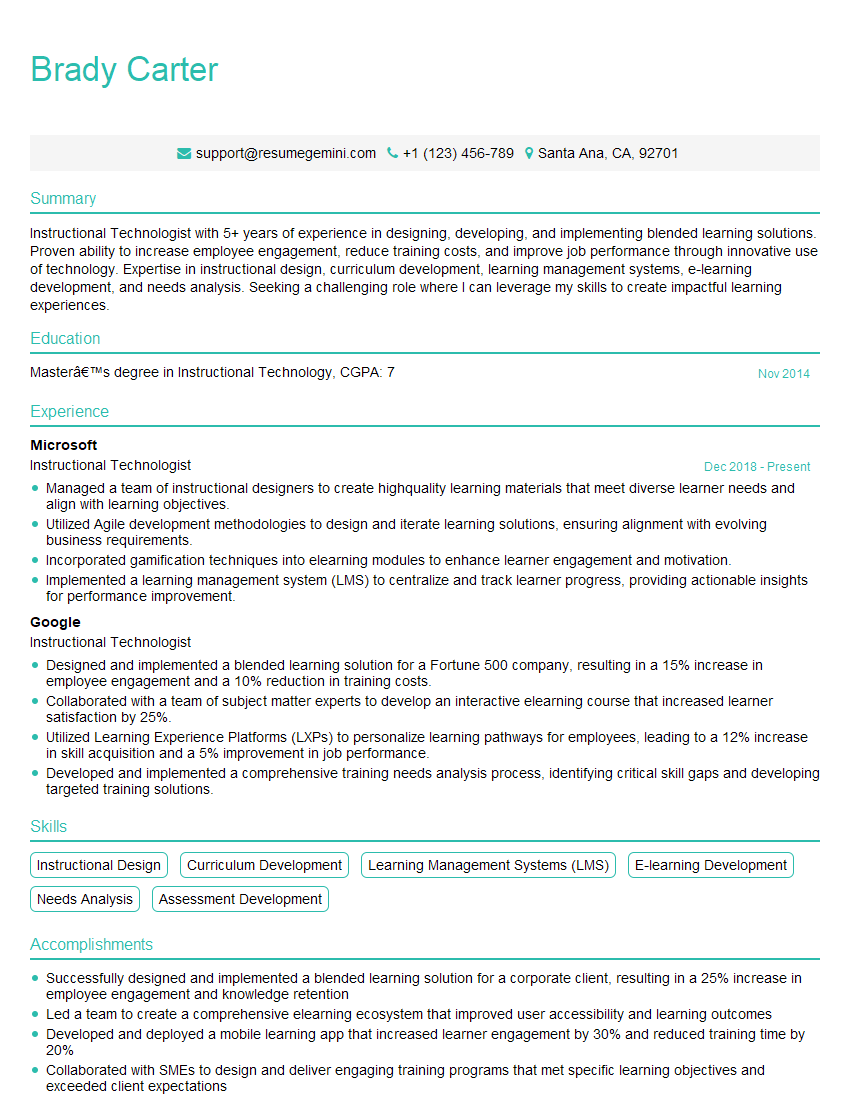
Mastering Human-Computer Interaction in Education opens doors to exciting and impactful careers, allowing you to shape the future of learning. A strong resume is crucial for showcasing your skills and experience to potential employers. Creating an ATS-friendly resume is essential to ensure your application gets noticed. To enhance your resume-building experience and increase your chances of securing your dream role, leverage the power of ResumeGemini. ResumeGemini offers a streamlined approach to resume creation, and we provide examples of resumes tailored specifically to Human-Computer Interaction in Education to help you craft a compelling application.
Explore more articles
Users Rating of Our Blogs
Share Your Experience
We value your feedback! Please rate our content and share your thoughts (optional).
What Readers Say About Our Blog
I Redesigned Spongebob Squarepants and his main characters of my artwork.
https://www.deviantart.com/reimaginesponge/art/Redesigned-Spongebob-characters-1223583608
IT gave me an insight and words to use and be able to think of examples
Hi, I’m Jay, we have a few potential clients that are interested in your services, thought you might be a good fit. I’d love to talk about the details, when do you have time to talk?
Best,
Jay
Founder | CEO