Feeling uncertain about what to expect in your upcoming interview? We’ve got you covered! This blog highlights the most important Educational Software Evaluation and Selection interview questions and provides actionable advice to help you stand out as the ideal candidate. Let’s pave the way for your success.
Questions Asked in Educational Software Evaluation and Selection Interview
Q 1. Describe your experience evaluating educational software for alignment with curriculum standards.
Evaluating educational software for curriculum alignment is crucial for ensuring its effectiveness. It involves a systematic comparison between the software’s learning objectives, content, and activities with the established learning standards. This process ensures that the software genuinely supports the curriculum’s goals and doesn’t introduce gaps or redundancies.
My approach involves several steps: first, I thoroughly review the curriculum standards, identifying key concepts, skills, and assessment criteria. Then, I meticulously examine the software’s learning materials, assessing its content coverage, the depth of knowledge it imparts, and its alignment with the identified standards. I look for evidence of explicit connections between software activities and learning objectives. For instance, if the curriculum mandates understanding photosynthesis, I’d check if the software includes interactive simulations, exercises, and assessments directly related to this topic. Finally, I analyze student activities and assessments within the software to ensure they accurately measure student understanding of the curriculum’s specified concepts.
In a recent project, I evaluated a math software program against state Common Core standards. I created a detailed mapping document, cross-referencing specific software modules with the corresponding standards, highlighting any gaps or misalignments. This detailed analysis enabled informed decisions about the software’s suitability for classroom use.
Q 2. Explain the process you use to identify and assess the usability of educational software.
Usability in educational software is paramount; it determines how easily students and teachers can navigate and interact with the program. My assessment focuses on several key aspects. Intuitive navigation is critical – can users easily find what they need without frustration? Clear instructions and helpful feedback are also vital. I evaluate the software’s interface – is it visually appealing, uncluttered, and accessible to diverse learners? Efficiency is key – does the software allow for seamless transitions between activities and minimize unnecessary steps? I also consider error prevention and recovery mechanisms – how well does the software handle user mistakes, offering support and guidance rather than abrupt termination?
My assessment methodology includes usability testing with target users (students and teachers). I observe their interactions, noting any challenges they face and collecting feedback through surveys and interviews. This direct observation allows for identifying areas for improvement. For example, if students consistently struggle with a specific feature, it signals a design flaw that needs addressing. I then document my findings in a detailed usability report, which provides concrete recommendations for enhancement.
Q 3. How do you evaluate the pedagogical effectiveness of educational software?
Evaluating the pedagogical effectiveness of educational software requires examining its alignment with sound educational principles and its impact on student learning. This involves considering the software’s learning design, its use of effective instructional strategies, and its ability to promote meaningful engagement and knowledge construction. Does the software promote active learning, collaborative activities, and personalized learning experiences? Does it provide opportunities for students to apply their knowledge and receive constructive feedback? Does it cater to different learning styles and preferences?
I employ a mixed-methods approach, analyzing the software’s design features alongside empirical data on student learning outcomes. I might examine the software’s use of evidence-based instructional strategies such as scaffolding, spaced repetition, and formative assessment. I then look at pre- and post-test scores, student performance data within the software itself, and qualitative feedback from students and teachers to ascertain the impact of the software on learning. For example, a game-based learning software might demonstrate its pedagogical effectiveness by showing significant improvements in students’ understanding of the subject matter compared to a control group using traditional methods. If the results suggest limited effectiveness, I delve into the reasons for this, potentially identifying weaknesses in the software’s design or implementation.
Q 4. What are the key factors you consider when assessing the accessibility of educational software for diverse learners?
Accessibility is crucial for ensuring that all students, regardless of their abilities or disabilities, can effectively use educational software. This involves considering various aspects, including visual, auditory, motor, and cognitive accessibility. I look at features such as alternative text for images, closed captions for videos, keyboard navigation for users with motor impairments, and adjustable font sizes and colors. Cognitive accessibility considerations include clear and concise language, customizable difficulty levels, and sufficient time for task completion. Support for assistive technologies like screen readers and speech-to-text software is also essential.
My evaluation includes a thorough check against accessibility guidelines, such as WCAG (Web Content Accessibility Guidelines), and usability testing with students with diverse needs. I also examine the software’s documentation and support materials for guidance on accessibility features. For instance, I’ll check if the software offers customizable text-to-speech options and if the interface is designed to accommodate the use of screen readers. Ultimately, the goal is to create an inclusive environment where all learners have equitable access to learning opportunities.
Q 5. How do you measure the impact of educational software on student learning outcomes?
Measuring the impact of educational software on student learning outcomes requires a robust evaluation design. It involves collecting both quantitative and qualitative data to assess the software’s effectiveness. Quantitative data includes pre- and post-tests, performance scores within the software, and standardized test results. Qualitative data comes from student and teacher feedback, observations of classroom activities, and analysis of student work. A control group, using traditional methods, is often beneficial for comparing outcomes.
The choice of assessment methods depends on the specific learning objectives and the nature of the software. For example, if the software aims to improve problem-solving skills, I might use assessments that require students to apply their knowledge to novel situations. Statistical analysis is used to determine whether the differences in outcomes between groups using the software and control groups are statistically significant. A comprehensive report then presents the findings, highlighting the impact of the software and identifying areas for improvement. Analyzing both quantitative data (e.g., improved test scores) and qualitative feedback (e.g., student comments on engagement) provides a holistic understanding of the software’s overall effectiveness.
Q 6. Describe your experience with different types of educational software (e.g., simulations, games, learning management systems).
My experience encompasses a wide range of educational software types. Learning Management Systems (LMS) like Moodle or Canvas are essential for course administration, content delivery, and communication. I’ve evaluated their features, user interfaces, and integration capabilities extensively. Simulations provide immersive learning experiences, particularly beneficial in science and engineering education. I’ve assessed simulations for their accuracy, engagement levels, and ability to promote deep understanding of complex concepts. Educational games offer a fun and engaging way to learn. My evaluations focus on their alignment with learning objectives, game mechanics, and overall effectiveness in promoting learning. I’ve also worked with specialized software for specific subjects, such as interactive whiteboards or language learning platforms, evaluating their unique features and their impact on teaching and learning.
For example, I evaluated a flight simulator used in aviation training. My assessment focused on its realism, the effectiveness of its feedback mechanisms, and its ability to simulate real-world scenarios. In another project, I evaluated a language learning app, considering its gamification elements, user interface, and its success in fostering vocabulary acquisition and fluency.
Q 7. How do you determine the cost-effectiveness of educational software?
Determining the cost-effectiveness of educational software involves comparing its costs with the benefits it provides. Costs include the initial purchase price, licensing fees, implementation costs (training, technical support), and ongoing maintenance. Benefits include improved student learning outcomes, reduced teacher workload, and enhanced teaching efficiency. A comprehensive cost-benefit analysis is crucial.
I use a variety of methods to assess cost-effectiveness. This could involve calculating the return on investment (ROI) by comparing the cost of the software to the improvements in student achievement. For instance, if the software leads to a significant increase in test scores, this can be translated into a monetary value based on the potential long-term benefits of improved academic performance. I also consider qualitative factors such as teacher satisfaction, improved teaching practices, and enhanced student engagement which may not be directly quantifiable but contribute significantly to the overall value.
It’s important to consider the long-term implications. A seemingly expensive software package might prove more cost-effective in the long run if it significantly improves learning outcomes and reduces the need for other resources. The total cost of ownership, including ongoing maintenance and support, must be factored into the equation.
Q 8. What are your preferred methods for gathering feedback on educational software from teachers and students?
Gathering feedback on educational software requires a multi-faceted approach, ensuring diverse perspectives from both teachers and students. My preferred methods involve a combination of quantitative and qualitative data collection.
Surveys: I utilize online surveys, designed with clear, concise questions, to gather data on software usability, effectiveness, and student engagement. For teachers, these surveys focus on pedagogical aspects, like alignment with curriculum and ease of integration. Student surveys, tailored to their age and understanding, address aspects like enjoyment, learning effectiveness, and technical issues.
Focus Groups: For richer insights, I conduct focus groups with teachers and students separately. These discussions allow for more in-depth exploration of their experiences, uncovering nuanced perspectives not captured in surveys. I use open-ended questions and facilitate a comfortable environment for honest feedback.
Observations: Direct observation of teachers and students using the software in their natural classroom setting provides invaluable context. This helps identify usability issues, understand actual learning processes, and gauge the software’s impact on classroom dynamics.
Interviews: One-on-one interviews are particularly useful for in-depth exploration of specific issues or for follow-up on survey or focus group data. These allow for deeper probing of teacher perspectives on pedagogical impact and student perspectives on learning experiences.
Analyzing this combined data allows for a comprehensive understanding of the software’s strengths and weaknesses from all stakeholders.
Q 9. How do you handle software implementation challenges during the integration process?
Software implementation is rarely seamless. I approach challenges with a structured, proactive strategy. My approach includes:
Thorough Planning: Before implementation, I conduct a detailed needs assessment, outlining goals, timelines, and resource allocation. This includes identifying potential technical challenges and developing contingency plans.
Training and Support: Comprehensive training for teachers and technical support staff is crucial. This includes both initial training and ongoing support, addressing immediate issues and providing ongoing professional development. Effective training fosters confidence and minimizes implementation disruptions.
Phased Rollout: Instead of a full-scale launch, a phased rollout allows for testing and refinement in a smaller group before wider implementation. This approach allows for early identification and resolution of problems, reducing the impact of unexpected issues on a larger scale.
Data Migration: If the software requires data migration from existing systems, a robust plan ensures data accuracy and minimizes disruption to ongoing educational processes. Thorough testing of the data migration process is essential.
Ongoing Monitoring and Evaluation: Regular monitoring of software usage and feedback collection helps identify and address emerging problems promptly. This continuous evaluation enables adjustments and optimizations throughout the implementation process.
By addressing challenges systematically, we can minimize disruption and maximize the effectiveness of software integration.
Q 10. How do you stay current with the latest trends and developments in educational software?
Staying current in the rapidly evolving field of educational technology requires continuous learning and engagement. My strategies include:
Professional Development: Attending conferences, workshops, and webinars focused on educational technology keeps me updated on the latest trends, research findings, and best practices.
Reading and Research: I regularly read educational technology journals, research articles, and industry reports to stay informed about advancements and innovations.
Networking: Engaging with other educational technology professionals through online communities and professional organizations allows for knowledge sharing and collaboration.
Software Trials and Reviews: Actively evaluating and reviewing new software provides hands-on experience with the latest tools and technologies.
Monitoring Industry News: Keeping abreast of news and announcements from major educational technology companies and organizations helps to identify emerging technologies and trends.
This multi-pronged approach helps me maintain a current understanding of best practices and technological advancements in educational software.
Q 11. Explain your experience with evaluating software for different age groups.
Evaluating software for different age groups requires a nuanced approach, recognizing the developmental stages and cognitive abilities of each group.
Early Childhood (Pre-K – Grade 2): Evaluation focuses on age-appropriateness, simplicity of interface, engagement through interactive elements (e.g., games, animations), and alignment with early learning standards. Emphasis is placed on safety features and parental control options.
Elementary School (Grades 3-5): The focus shifts towards more complex tasks, development of literacy and numeracy skills, and engaging learning activities. Assessment features and data visualization for teachers are crucial elements to consider.
Middle School (Grades 6-8): The evaluation process emphasizes the development of critical thinking, problem-solving, and collaborative learning skills. The software should accommodate a wider range of learning styles and provide opportunities for personalization.
High School (Grades 9-12): At this level, software should support preparation for college and career readiness. It should foster independent learning, self-directed projects, and advanced skill development in subject areas. Features to support research and advanced learning are crucial.
In each case, accessibility and inclusivity are paramount, ensuring that software meets the needs of all learners.
Q 12. Describe a time you had to make a difficult decision regarding software selection. What was the outcome?
One challenging decision involved selecting a new learning management system (LMS) for a large school district. Two strong contenders emerged: System A, a well-established, robust platform with a high initial cost and a steeper learning curve, and System B, a newer, more intuitive system with lower initial costs but fewer advanced features.
The decision was difficult because of the significant budget constraints and the diverse needs of our teachers. System A offered greater long-term functionality and better integration with other systems, but the initial cost and training needs were significant. System B was less expensive and easier to implement but lacked some essential advanced features.
Ultimately, we opted for System A, recognizing the long-term benefits outweighed the initial challenges. We implemented a comprehensive teacher training program and phased rollout to mitigate the learning curve, providing ongoing support to address user concerns. The outcome was successful. While the initial implementation had some minor setbacks, the long-term benefits of the robust system, such as better data management and improved teacher collaboration, significantly improved teaching and learning outcomes. The district benefited from a unified platform, and the advanced features justified the higher initial cost.
Q 13. How do you ensure data privacy and security when evaluating and implementing educational software?
Data privacy and security are paramount when evaluating and implementing educational software. My approach emphasizes proactive measures to protect student data:
Compliance with Regulations: I ensure the software complies with relevant data privacy regulations, such as FERPA (Family Educational Rights and Privacy Act) in the US, GDPR (General Data Protection Regulation) in Europe, and similar legislation in other jurisdictions. This includes reviewing privacy policies, data security practices, and data retention policies.
Vendor Due Diligence: Before selecting any software, I conduct thorough due diligence on the vendor, assessing their security infrastructure, data encryption methods, and security certifications (e.g., ISO 27001).
Data Minimization: We collect only the necessary student data, ensuring that data is used only for legitimate educational purposes.
Access Control: Strict access controls are implemented, ensuring that only authorized personnel have access to student data. Roles and permissions are clearly defined and regularly reviewed.
Data Encryption: Data encryption both in transit and at rest is essential to safeguard against unauthorized access.
Security Audits: Regular security audits and penetration testing help identify and address vulnerabilities.
By adhering to these rigorous standards, we aim to protect student data and maintain trust among students, parents, and the school community.
Q 14. What is your experience with different software licensing models?
Experience with various software licensing models is crucial for effective cost management and responsible resource allocation. I have experience with:
Per-user licensing: This model charges a fee for each user account, providing cost predictability based on the number of students and teachers using the software. This is common for many LMS and productivity software.
Site licensing: This model grants a single license for use within a specific institution (e.g., a school or district), often at a lower cost per user than per-user licensing, but with restrictions on the number of concurrent users or devices.
Subscription licensing: This model involves paying a recurring fee for access to the software over a defined period, offering flexibility and access to updates. This is becoming increasingly common in educational software.
Open-source licensing: Open-source software offers free access to the source code, allowing for customization and modification. However, it often requires additional support and maintenance costs.
Freemium licensing: This model offers a basic version of the software for free, with additional features available through a paid subscription.
Understanding the implications of each licensing model allows for informed decision-making, balancing costs, features, and long-term sustainability.
Q 15. How familiar are you with learning analytics dashboards and their use in evaluating software effectiveness?
Learning analytics dashboards are invaluable tools in evaluating educational software effectiveness. They provide a visual representation of student data, such as engagement metrics, performance scores, and time-on-task, allowing for a data-driven assessment of the software’s impact. I’m highly familiar with various dashboard functionalities and their applications. For example, I’ve used dashboards to track student progress in a blended learning environment. By analyzing data on the frequency of software usage, quiz scores, and time spent on specific modules, we could pinpoint areas where the software was particularly effective or where improvements were needed. This allowed us to make informed decisions about instructional strategies and software modifications, ultimately leading to better learning outcomes. Key metrics I look for include completion rates, time spent on tasks, and the correlation between software usage and overall course performance.
Career Expert Tips:
- Ace those interviews! Prepare effectively by reviewing the Top 50 Most Common Interview Questions on ResumeGemini.
- Navigate your job search with confidence! Explore a wide range of Career Tips on ResumeGemini. Learn about common challenges and recommendations to overcome them.
- Craft the perfect resume! Master the Art of Resume Writing with ResumeGemini’s guide. Showcase your unique qualifications and achievements effectively.
- Don’t miss out on holiday savings! Build your dream resume with ResumeGemini’s ATS optimized templates.
Q 16. How do you assess the technical compatibility of educational software with existing infrastructure?
Assessing technical compatibility involves a multi-faceted approach. Firstly, I thoroughly examine the software’s system requirements – operating system compatibility (Windows, macOS, ChromeOS), browser compatibility (Chrome, Firefox, Edge), minimum hardware specifications (RAM, processor speed, storage), and network requirements (bandwidth, internet connectivity). Secondly, I conduct compatibility tests on representative devices and networks within the existing infrastructure. This includes checking for any conflicts with existing software or security protocols. For example, I might test the software on older machines to ensure it functions adequately for all students, or simulate a low-bandwidth environment to see if performance is affected. Finally, I collaborate with the IT department to ensure seamless integration and address any potential technical challenges proactively. This collaborative approach minimizes disruptions and ensures a smooth implementation.
Q 17. Describe your experience with conducting needs assessments to inform software selection.
Needs assessments are crucial for informed software selection. My approach begins with identifying the specific learning objectives and pedagogical goals. Then I collect data through surveys, interviews, focus groups with teachers, students, and administrators, observing current teaching practices and analyzing existing resources. This data helps define the key functionalities needed in the educational software. For instance, in a needs assessment for a science department, we discovered a need for interactive simulations and data analysis tools, highlighting the importance of selecting software with these features. Analyzing the existing curriculum and identifying skill gaps allows us to determine which software would most effectively bridge those gaps. The outcome is a detailed report that outlines the needs and priorities, guiding the selection of software that aligns precisely with the institution’s goals.
Q 18. How do you integrate feedback from stakeholders into your software evaluation process?
Integrating stakeholder feedback is paramount. I employ a multi-stage feedback mechanism. Initially, I gather feedback throughout the evaluation process through surveys and focus groups, targeted at different stakeholders (teachers, students, administrators). I use a structured feedback form to collect consistent data. Following a trial period, I conduct more in-depth interviews or observations to gain insights on the software’s actual usage and effectiveness. This feedback is then analyzed to identify recurring themes and trends. For example, if teachers consistently report difficulty using a particular feature, this would be addressed in the final evaluation report and influence the selection decision. This iterative process ensures that the chosen software addresses the needs and concerns of all stakeholders, leading to higher adoption rates and ultimately, improved learning outcomes.
Q 19. Explain your understanding of the SAMR model and its application to software evaluation.
The SAMR model (Substitution, Augmentation, Modification, Redefinition) is a powerful framework for evaluating the transformative potential of educational software. It analyzes how technology impacts teaching and learning, moving beyond simple substitution of traditional methods. Substitution involves using technology to perform the same tasks as traditional methods (e.g., using a digital whiteboard instead of a chalkboard). Augmentation enhances existing tasks (e.g., using a digital whiteboard with collaborative annotation features). Modification alters tasks to provide new opportunities (e.g., using interactive simulations to explore complex concepts). Redefinition creates entirely new tasks and learning experiences not possible before technology (e.g., using virtual reality to simulate a scientific experiment). When evaluating software, I assess where it falls on the SAMR scale. Software that promotes modification or redefinition is considered more transformative and potentially more effective.
Q 20. How do you evaluate the potential for educational software to promote collaboration and communication?
Evaluating the potential for collaboration and communication requires analyzing several aspects. Firstly, I assess the software’s built-in features for collaboration, such as shared workspaces, group chat functionality, and tools for peer feedback. Secondly, I look at how the software design encourages interaction and communication among students. Does it facilitate discussion forums, allow for real-time collaboration on projects, or offer opportunities for peer-to-peer learning? For example, a software might include features like shared documents, online brainstorming tools, or virtual breakout rooms. Finally, I consider the software’s integration with other communication platforms, allowing for seamless communication between teachers and students or among students themselves. The software’s effectiveness in fostering collaboration and communication is a significant factor in determining its overall value.
Q 21. What are some common pitfalls to avoid when evaluating educational software?
Several common pitfalls to avoid include: Ignoring the needs of the specific context: Don’t select software based solely on marketing materials or reviews without considering your own specific needs and context. Overlooking technical compatibility: Always conduct thorough compatibility testing on your existing infrastructure. Failing to involve stakeholders: Teachers, students, and administrators should be actively involved in the selection process. Focusing solely on features, neglecting pedagogical alignment: Ensure the software aligns with pedagogical goals and teaching strategies. Underestimating the time and resources required for implementation: Plan for professional development and technical support. Ignoring data privacy and security concerns: Choose software that adheres to data privacy regulations and provides robust security features. By avoiding these pitfalls, you can significantly improve the chances of successful software implementation and achieve positive learning outcomes.
Q 22. What strategies do you employ to ensure the sustainability of educational software implementations?
Ensuring the long-term success of educational software hinges on a multifaceted approach that goes beyond the initial implementation. It’s like building a house – you need a strong foundation and ongoing maintenance.
- Comprehensive Training and Support: Initial training is crucial, but ongoing support through webinars, help desks, and mentorship programs is essential to address day-to-day challenges and prevent teachers from abandoning the software. Think of it like providing a user manual and a dedicated helpline for any new appliance.
- Integration with Existing Systems: The software must seamlessly integrate with the school’s existing infrastructure, such as student information systems (SIS) and learning management systems (LMS). Imagine trying to use a new printer that doesn’t work with your computer; it’s frustrating and counterproductive.
- Data-Driven Evaluation and Adjustment: Regularly assess the software’s effectiveness through data analysis, student performance, and teacher feedback. This helps identify areas for improvement and ensures the software remains relevant and valuable. This is like regularly inspecting a house for any necessary repairs or upgrades.
- Budgetary Planning and Resource Allocation: Secure ongoing funding for software licenses, upgrades, technical support, and professional development. Without this, the software will eventually become obsolete or unusable.
- Strong Leadership and Advocacy: Having administrative champions who advocate for the software and its continued use is vital, especially when challenges arise or priorities shift. This acts as the backbone of the implementation.
Q 23. How would you address resistance from teachers to adopting new educational software?
Teacher resistance to new technology is common but understandable. It often stems from concerns about time constraints, lack of training, or perceived irrelevance to their teaching style. Addressing this requires a thoughtful, collaborative approach.
- Active Listening and Empathy: Start by understanding teachers’ concerns and addressing them directly. Schedule meetings, focus groups, or surveys to gather feedback and demonstrate that their input is valued.
- Targeted Professional Development: Provide high-quality, hands-on professional development that addresses teachers’ specific needs and concerns. The training should be engaging and relevant to their teaching contexts, showing them the practical benefits of the software.
- Pilot Programs and Gradual Implementation: Instead of a large-scale rollout, start with a pilot program in a few classrooms to allow teachers to experience the software in a low-stakes environment and provide feedback before widespread adoption.
- Demonstrating Value and Impact: Highlight the software’s benefits through case studies, research findings, and data showing improved student outcomes. Provide concrete examples of how the software can save teachers time and enhance student learning.
- Ongoing Support and Collaboration: Provide ongoing technical support and opportunities for collaboration among teachers using the software. Create a sense of community and shared expertise to build confidence and reduce feelings of isolation.
Q 24. Describe your experience working with different software vendors.
My experience spans working with a variety of software vendors, from large multinational corporations to smaller, specialized companies. This has provided me with a broad understanding of different business models, technological capabilities, and support structures.
I’ve found that larger vendors often offer comprehensive features and extensive support but can be less flexible and responsive to specific needs. Smaller vendors, on the other hand, might be more agile and adaptable but may lack the resources or expertise of their larger counterparts. Each interaction has taught me the importance of carefully evaluating the vendor’s reputation, contractual terms, and long-term commitment to support and updates.
For example, I worked with a large company that offered a powerful learning platform but lacked customization options, which proved challenging for our diverse school environment. Conversely, a smaller company offered a highly adaptable platform, but their customer support was occasionally slow to respond. These experiences underscore the need for a thorough vendor selection process that prioritizes not just the software’s features but also the vendor’s reliability and responsiveness.
Q 25. How do you evaluate the potential for bias in educational software?
Evaluating bias in educational software requires a critical and multifaceted approach. Bias can manifest in various forms, including the representation of diverse groups, the reinforcement of stereotypes, and the unequal provision of opportunities.
- Content Analysis: Scrutinize the software’s content for any potentially biased representation of different genders, races, ethnicities, cultures, or abilities. Look for stereotypical portrayals, underrepresentation, or exclusion of specific groups.
- Algorithm Audits: If the software utilizes algorithms, examine these for potential biases in how data is collected, processed, and used to make decisions about student learning. Algorithmic bias can perpetuate existing inequalities.
- User Experience Assessment: Evaluate the software’s design and user interface to ensure it is inclusive and accessible to all learners, regardless of their background or ability. Consider factors such as language, imagery, and navigation.
- Consult Diverse Stakeholders: Consult with teachers, students, parents, and community members from various backgrounds to get their perspectives on the software’s potential biases and impact.
- Transparency and Accountability: Insist on transparency from vendors regarding their processes for identifying and mitigating bias in their software. Hold vendors accountable for ensuring fairness and equity.
Q 26. What is your experience with open-source educational software?
My experience with open-source educational software has been overwhelmingly positive. It offers several advantages, including cost-effectiveness, flexibility, and community support.
The cost savings are significant, particularly for schools with limited budgets. Open-source software allows for customization and adaptation to specific educational needs, unlike proprietary software which often comes with limitations. The collaborative nature of open-source development fosters innovation and ensures the software constantly evolves, meeting ever-changing needs. For example, I worked on a project where we adapted an open-source LMS to create a personalized learning environment for students with diverse learning needs. The community support provided valuable assistance in troubleshooting and enhancing the software’s features. However, one should also acknowledge potential challenges: support can be less structured, requiring technical expertise to manage and maintain the software. Documentation might also be less comprehensive compared to proprietary options.
Q 27. How do you ensure that selected software meets the needs of diverse learners with IEPs or 504 plans?
Meeting the needs of diverse learners, including those with Individualized Education Programs (IEPs) or 504 plans, is paramount. Software selection must prioritize accessibility and adaptability.
- Accessibility Features: Ensure the software includes features such as text-to-speech, screen readers, adjustable font sizes, and keyboard navigation. These are vital for students with visual, auditory, or motor impairments.
- Differentiated Instruction Support: The software should allow for differentiated instruction, providing multiple pathways to learning and varying levels of difficulty to cater to diverse learning styles and abilities. This could include adjustable pacing, alternative assessment options, and personalized learning paths.
- Universal Design for Learning (UDL) Principles: Design the learning experiences based on UDL principles, which focus on providing multiple means of representation, action and expression, and engagement. This approach ensures the software is usable and effective for all learners.
- Collaboration with Special Education Staff: Collaborate closely with special education teachers and specialists to ensure the software meets the specific needs of students with IEPs or 504 plans. Their expertise is invaluable in identifying potential barriers and finding solutions.
- Data-Driven Assessment: Utilize the software’s assessment features to track student progress and identify areas where students might need additional support. This data can inform individualized interventions and ensure that all learners are making progress towards their goals.
Q 28. Describe your experience with professional development for teachers on using new educational software.
Effective professional development is crucial for successful software implementation. It’s not just about teaching teachers *how* to use the software, but also *why* and *how* it aligns with their teaching philosophy and student needs.
- Needs Assessment: Begin by assessing teachers’ existing technological skills and their specific needs regarding the software. This will inform the content and format of the professional development sessions.
- Blended Learning Approach: A mix of online modules, workshops, and one-on-one support offers flexibility and caters to different learning styles. Online modules can provide foundational knowledge, while workshops allow for hands-on practice and collaborative learning.
- Coaching and Mentoring: Provide ongoing coaching and mentoring support to teachers after the initial training. This ensures they have continued support and guidance as they integrate the software into their classrooms.
- Peer-to-Peer Learning: Encourage peer-to-peer learning by creating opportunities for teachers to share their experiences, best practices, and tips with one another. This can foster a sense of community and reduce feelings of isolation.
- Ongoing Evaluation and Feedback: Regularly evaluate the effectiveness of the professional development program through surveys, feedback sessions, and observations. Use this data to make adjustments and ensure the program meets the ongoing needs of teachers.
Key Topics to Learn for Educational Software Evaluation and Selection Interview
- Needs Assessment: Defining learning objectives and identifying the specific needs of students and educators that the software should address. Consider practical examples from your experience, such as analyzing curriculum gaps or student performance data.
- Software Alignment with Curriculum Standards: Evaluating how well the software aligns with relevant curriculum standards and learning frameworks (e.g., Common Core, Next Generation Science Standards). Discuss strategies for verifying alignment and addressing any discrepancies.
- Pedagogical Approach & Instructional Design: Analyzing the software’s instructional design principles and how they support effective teaching and learning. Consider different pedagogical approaches (e.g., constructivism, cognitivism) and how the software incorporates them.
- Usability and Accessibility: Evaluating the software’s user interface, navigation, and accessibility features to ensure it is user-friendly and inclusive for all learners. Describe your approach to identifying and addressing usability issues.
- Technical Requirements & Compatibility: Assessing the software’s technical requirements (hardware, software, bandwidth) and ensuring compatibility with existing infrastructure. Discuss strategies for managing technical challenges and ensuring smooth implementation.
- Cost-Effectiveness and ROI: Analyzing the software’s cost, including licensing fees, training, and ongoing support, and evaluating its potential return on investment in terms of improved student outcomes and efficiency gains. Develop a framework for assessing the overall value proposition.
- Data Analysis & Reporting: Understanding how the software collects and reports data on student performance and progress. Describe methods for interpreting data and using it to inform instructional decisions.
- Ethical Considerations & Data Privacy: Analyzing the software’s approach to data privacy, security, and ethical considerations. Discuss best practices for protecting student data and ensuring responsible use of technology.
- Implementation & Support: Developing a plan for effective software implementation, including teacher training, technical support, and ongoing evaluation. Highlight your experience with change management and stakeholder communication.
Next Steps
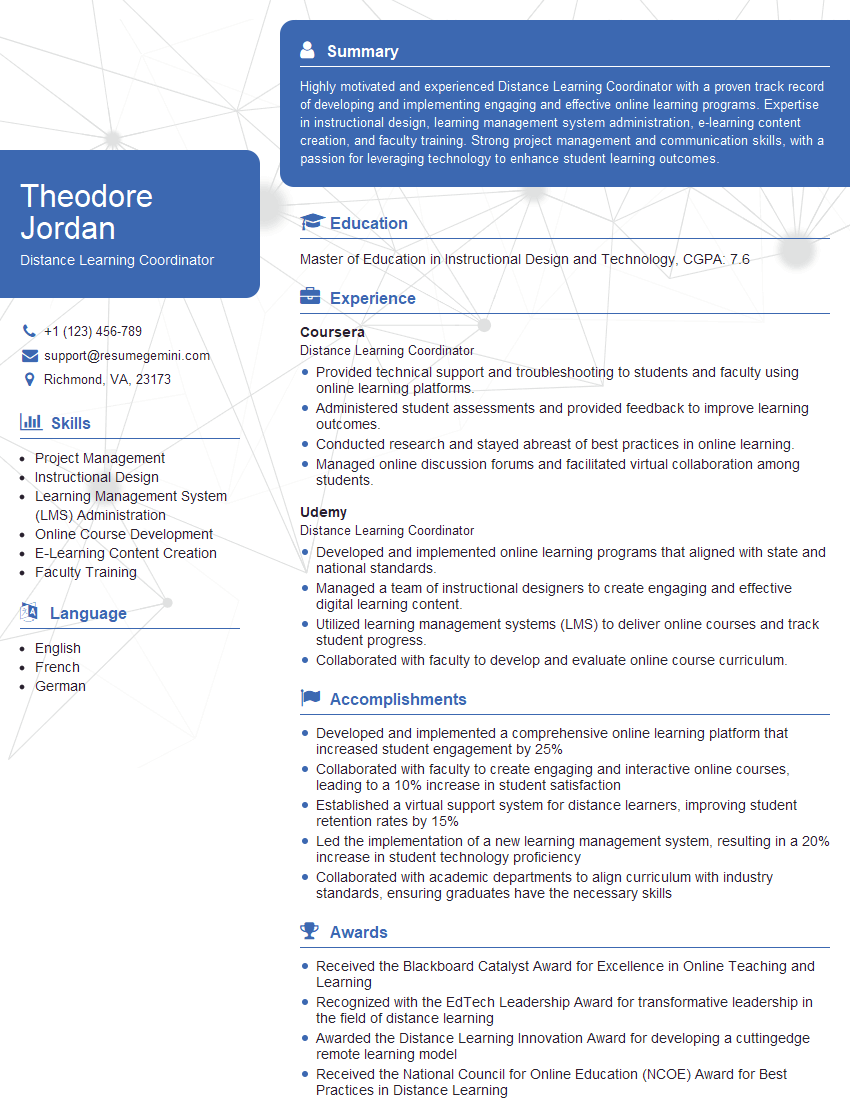
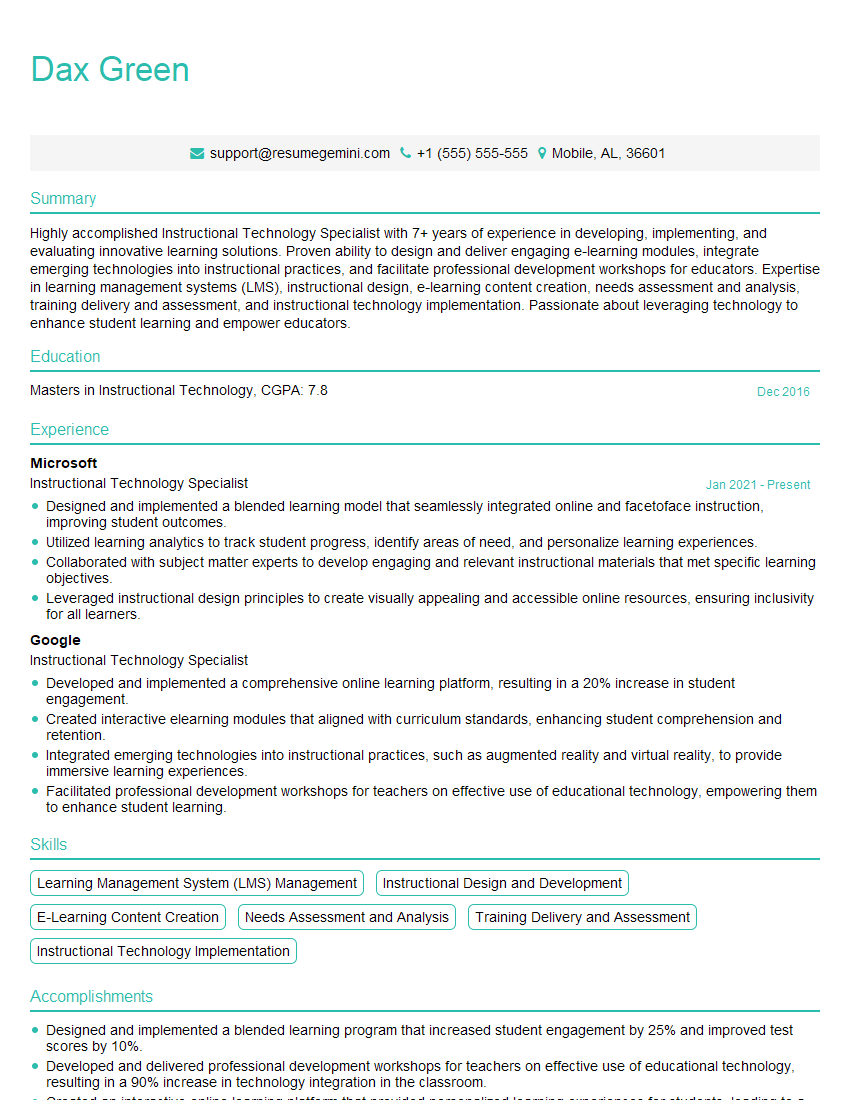
Mastering Educational Software Evaluation and Selection is crucial for career advancement in education technology. It demonstrates your ability to make informed decisions about technology investments, improve student outcomes, and contribute to a more effective learning environment. To maximize your job prospects, crafting an ATS-friendly resume is essential. ResumeGemini is a trusted resource that can help you build a professional resume that highlights your skills and experience effectively. Examples of resumes tailored to Educational Software Evaluation and Selection are provided to further guide your preparation.

Explore more articles
Users Rating of Our Blogs
Share Your Experience
We value your feedback! Please rate our content and share your thoughts (optional).
What Readers Say About Our Blog
I Redesigned Spongebob Squarepants and his main characters of my artwork.
https://www.deviantart.com/reimaginesponge/art/Redesigned-Spongebob-characters-1223583608
IT gave me an insight and words to use and be able to think of examples
Hi, I’m Jay, we have a few potential clients that are interested in your services, thought you might be a good fit. I’d love to talk about the details, when do you have time to talk?
Best,
Jay
Founder | CEO