The thought of an interview can be nerve-wracking, but the right preparation can make all the difference. Explore this comprehensive guide to Terminal Access Control interview questions and gain the confidence you need to showcase your abilities and secure the role.
Questions Asked in Terminal Access Control Interview
Q 1. Explain the difference between mandatory and discretionary access control.
Mandatory Access Control (MAC) and Discretionary Access Control (DAC) are two fundamental approaches to regulating access to system resources. Think of it like this: MAC is like a strict school rulebook – access is determined by pre-defined security labels and rules, regardless of the owner’s wishes. DAC, on the other hand, is more like a family agreement – the owner of a resource decides who can access it and how.
In MAC, the system automatically enforces access based on security labels (e.g., ‘Confidential,’ ‘Secret’). Users can’t grant access beyond what’s allowed by these labels, even if they own the resource. This is prevalent in high-security environments like military or government systems. Examples include the Bell-LaPadula model and the Biba model.
DAC allows the owner of a file or resource to grant or deny access to other users. Think about file permissions in Windows or Linux – you can set permissions to allow read, write, or execute access to specific users or groups. While flexible, DAC is susceptible to errors and can lead to security vulnerabilities if not managed properly. A user accidentally granting excessive access is a common example.
Q 2. Describe the role of access control lists (ACLs) in securing terminal access.
Access Control Lists (ACLs) are crucial for securing terminal access. They act as a gatekeeper, specifying which users or groups are permitted to access a particular terminal or resource and what actions they can perform. Imagine an ACL as a detailed guest list for your terminal; it defines who’s allowed in and what they can do once inside.
For instance, an ACL might grant user ‘Alice’ read and write access to a specific terminal server, while user ‘Bob’ only has read-only access. This granular control prevents unauthorized modifications or data breaches. ACLs are frequently implemented at the operating system level, on network devices, and within applications that manage terminal sessions. They can be managed through command-line tools or graphical interfaces depending on the operating system and application.
Q 3. What are the common vulnerabilities associated with terminal access control?
Terminal access control vulnerabilities can significantly compromise system security. Common vulnerabilities include:
- Weak or default passwords: Many systems ship with default passwords or allow users to create weak passwords, making them easy targets for brute-force attacks.
- Lack of MFA: Relying solely on passwords leaves systems vulnerable to phishing and credential stuffing attacks.
- Unpatched systems: Outdated systems are susceptible to known exploits that attackers can leverage to gain unauthorized access.
- Misconfigured ACLs: Incorrectly configured ACLs can inadvertently grant excessive permissions, opening doors to unauthorized access.
- Lack of logging and monitoring: Without proper logging and monitoring, security breaches might go undetected for extended periods.
- SSH vulnerabilities: If SSH is used for remote access, vulnerabilities in the SSH server itself or its configuration can be exploited.
Addressing these vulnerabilities requires a multi-layered approach including strong password policies, MFA, regular patching, proper ACL configuration, robust logging, and vulnerability scanning.
Q 4. How do you implement multi-factor authentication (MFA) for terminal access?
Implementing MFA for terminal access significantly strengthens security. It involves requiring users to provide multiple forms of authentication before gaining access. A common approach involves combining something you know (password), something you have (security token or mobile app), and something you are (biometric authentication).
For example, a user might need to enter their password, then verify a code from a time-based one-time password (TOTP) application on their smartphone. Many SSH servers support MFA through plugins or integrations with authentication providers like Google Authenticator or Duo Security. Other methods include using smart cards or hardware security keys. The specific implementation depends on the chosen authentication method and the underlying technologies employed by the terminal access system.
Q 5. Explain the concept of least privilege access in the context of terminal access.
The principle of least privilege dictates that users should only have the minimum necessary permissions to perform their tasks. In the context of terminal access, this means granting users only the access rights required for their jobs. For example, a database administrator might need access to the database server, but not to the system’s file sharing or web servers.
Enforcing least privilege access minimizes the potential damage from compromised accounts. If a user account is compromised, the attacker will only have access to a limited set of resources. This significantly reduces the potential impact of a security breach. This is achieved through careful ACL management and user role definitions.
Q 6. What are the best practices for securing remote terminal access?
Securing remote terminal access necessitates a comprehensive approach encompassing several best practices:
- Strong password policies: Enforce complex and regularly changing passwords.
- MFA: Implement MFA to enhance authentication security.
- SSH key authentication: Use SSH keys instead of passwords whenever possible for enhanced security.
- Regular patching and updates: Keep all systems and software updated to address security vulnerabilities.
- Network segmentation: Isolate terminal servers from other sensitive systems on the network.
- Intrusion detection and prevention: Implement security tools to detect and prevent unauthorized access attempts.
- Regular security audits: Conduct periodic reviews of access control configurations and security logs.
- Restrict access by IP address: Allow connections only from trusted IP addresses.
- Use a jump server: Establish a jump server to act as an intermediary for secure access to internal systems.
Q 7. How do you audit terminal access logs to identify security breaches?
Auditing terminal access logs is crucial for identifying security breaches. Logs typically record user logins, logouts, commands executed, and other relevant events. Analyzing these logs helps to detect suspicious activities like unauthorized access attempts, excessive privilege usage, or data exfiltration.
To effectively audit logs, you should:
- Centralize logging: Collect logs from all relevant systems in a central location for easier analysis.
- Use log management tools: Employ tools like SIEM systems to correlate events and identify patterns.
- Establish baselines: Understand normal activity patterns to spot anomalies.
- Develop alerts: Set up alerts for suspicious events, such as failed login attempts from unusual locations or unexpected commands.
- Regularly review logs: Periodically review logs to identify potential security issues.
- Use log analysis tools: Leverage specialized tools to analyze logs for specific security events or patterns.
By proactively monitoring and analyzing terminal access logs, organizations can identify and respond to security breaches in a timely manner.
Q 8. Describe different methods for restricting terminal access based on IP address or location.
Restricting terminal access based on IP address or location is crucial for enhancing security. This is achieved primarily through network-level access controls, often implemented using firewalls or dedicated access control lists (ACLs). Think of it like having a bouncer at a club; only those on the guest list (approved IP addresses) get in.
IP Address Restrictions: Firewalls can be configured to only permit connections from specific IP addresses or ranges. For example, you might only allow access from your company’s internal network or from specific trusted VPN gateways. This prevents external users from accessing your terminals.
Location-Based Restrictions: More sophisticated methods leverage geolocation databases and services to identify the geographic location of a connecting device. This allows you to restrict access to terminals based on country, region, or even city. This is particularly useful for complying with data sovereignty regulations.
Example: A firewall rule could be configured to only allow SSH connections from the IP range 192.168.1.0/24, effectively limiting access to only devices within a specific internal network. A more advanced setup might use a geolocation service to block access attempts originating from countries deemed high-risk.
Q 9. What are some common tools used for managing terminal access control?
Several tools facilitate the management of terminal access control. The choice depends on the scale and complexity of your environment.
Firewalls (e.g., pfSense, Cisco ASA): Fundamental for IP-based access control. They act as gatekeepers, filtering network traffic based on predefined rules.
Intrusion Detection/Prevention Systems (IDS/IPS): Monitor network traffic for suspicious activity, such as brute-force attacks against terminal servers. They can actively block malicious attempts.
Jump Servers: Act as an intermediary, providing secure access to multiple systems. Users connect to the jump server first, then use it to access other terminals, enhancing security and auditability.
Privileged Access Management (PAM) solutions (e.g., CyberArk, ThycoticCentrify): These advanced systems provide centralized management of privileged accounts, including terminal access credentials. They offer features like session recording and multi-factor authentication.
Authentication Servers (e.g., RADIUS, TACACS+): Centralize authentication and authorization processes, ensuring consistent access control across multiple systems. They often work in conjunction with PAM solutions.
Q 10. Explain the importance of regular password changes and complexity requirements.
Regular password changes and strong complexity requirements are paramount for preventing unauthorized access. Think of your password as a key to your digital castle; weak or easily guessed passwords are like leaving the key under the doormat.
Regular Changes: Force users to change passwords frequently (e.g., every 90 days) to limit the window of vulnerability if a password is compromised. This reduces the risk of long-term unauthorized access.
Complexity Requirements: Enforce strong password policies. Passwords should be sufficiently long (at least 12 characters), include uppercase and lowercase letters, numbers, and symbols. Password complexity prevents easy cracking through brute-force or dictionary attacks.
Password Management Systems: Consider implementing password management solutions that generate and securely store complex passwords for users. This helps users adhere to security policies without resorting to easily guessable passwords.
Q 11. How would you respond to a suspected unauthorized terminal access attempt?
Responding to a suspected unauthorized access attempt requires a swift and systematic approach. The primary goal is to contain the breach and prevent further damage.
Immediate Action: Immediately block the offending IP address or user account to prevent further access.
Investigation: Thoroughly investigate the incident to determine the source, method of access, and extent of any data compromise. This may involve reviewing logs, analyzing network traffic, and potentially engaging forensic experts.
Security Enhancement: Strengthen security measures to prevent similar attacks. This might involve implementing stronger authentication mechanisms (e.g., MFA), improving password policies, or upgrading security software.
Incident Reporting: Document the incident and report it to relevant parties, including internal security teams and potentially law enforcement, depending on the severity.
User Education: Educate users about security best practices to reduce the likelihood of future incidents. This may involve training on phishing awareness, safe password management, and other relevant security topics.
Q 12. Describe your experience with implementing and managing privileged access management (PAM) systems.
I have extensive experience implementing and managing PAM systems. In previous roles, I’ve been responsible for deploying and configuring solutions like CyberArk and ThycoticCentrify to manage privileged accounts across our infrastructure.
Implementation: This involves integrating the PAM system with various systems, configuring access policies, and creating user accounts with appropriate privileges. It’s crucial to ensure seamless integration with existing infrastructure and to minimize disruption to users.
Management: Ongoing management includes monitoring system logs for suspicious activity, regularly updating system software, and enforcing security policies. Regular audits and reviews are critical to maintain the effectiveness of the PAM system and ensure compliance with security regulations.
Example: In one project, I implemented a CyberArk PAM solution to manage access to our database servers. This involved integrating CyberArk with our existing authentication system and creating highly restricted accounts for database administrators, ensuring that only authorized personnel could access the sensitive data.
Q 13. How do you balance security with user productivity when implementing terminal access controls?
Balancing security with user productivity is a constant challenge. Overly restrictive access controls can hamper productivity, while overly permissive settings compromise security. A well-defined strategy is key.
Principle of Least Privilege: Grant users only the minimum access privileges required to perform their tasks. This limits the potential damage from compromised accounts.
Role-Based Access Control (RBAC): Define user roles and assign permissions based on those roles. This streamlines access management and ensures consistency.
Self-Service Password Reset: Empower users to reset their own passwords, reducing help desk tickets and improving user experience while still maintaining security through robust authentication mechanisms.
User Training: Educate users about security policies and procedures. Clear and concise guidelines promote compliance and reduce the need for overly restrictive controls.
Regular Reviews: Periodically review access controls to ensure they remain appropriate and effective. As needs change, access rights should be adjusted accordingly.
Q 14. What are some common threats related to terminal access, such as brute-force attacks?
Several threats target terminal access, aiming to exploit vulnerabilities and gain unauthorized access.
Brute-Force Attacks: These attacks involve trying numerous password combinations until the correct one is found. Strong password policies and account lockout mechanisms are essential defenses.
Dictionary Attacks: Similar to brute-force, but instead of random combinations, these attacks use lists of common passwords or words.
Man-in-the-Middle (MITM) Attacks: These attacks intercept communication between the user and the terminal server, allowing attackers to capture credentials or manipulate the session.
SQL Injection: This technique exploits vulnerabilities in database applications to gain unauthorized access to data. Secure coding practices and input validation are vital for prevention.
Phishing Attacks: Users are tricked into revealing their credentials through deceptive emails or websites.
Exploiting Vulnerabilities: Attackers may exploit known vulnerabilities in terminal servers or related software to gain unauthorized access. Regular patching and updates are crucial.
Q 15. Explain the concept of session recording and its importance in security auditing.
Session recording captures all activity within a terminal session, providing a detailed audit trail. Think of it like a DVR for your terminal – it records everything typed, every command executed, and even the timestamps. This is crucial for security auditing because it allows us to reconstruct events, identify potential security breaches, and ensure compliance. For example, if a sensitive file is accessed or modified, the session recording can pinpoint who accessed it, when, and what actions were taken.
Its importance lies in its ability to:
- Investigate security incidents: Quickly determine the root cause of a breach.
- Improve security posture: Identify weaknesses in access control policies and procedures.
- Meet regulatory requirements: Demonstrate compliance with industry standards like HIPAA or PCI DSS.
- Support internal investigations: Resolve internal disputes or disagreements regarding access and activity.
Imagine a scenario where a database is compromised. Session recordings can immediately show the user who made the unauthorized changes, what commands they used, and even the exact data they accessed, significantly speeding up the incident response.
Career Expert Tips:
- Ace those interviews! Prepare effectively by reviewing the Top 50 Most Common Interview Questions on ResumeGemini.
- Navigate your job search with confidence! Explore a wide range of Career Tips on ResumeGemini. Learn about common challenges and recommendations to overcome them.
- Craft the perfect resume! Master the Art of Resume Writing with ResumeGemini’s guide. Showcase your unique qualifications and achievements effectively.
- Don’t miss out on holiday savings! Build your dream resume with ResumeGemini’s ATS optimized templates.
Q 16. How do you handle terminal access requests from third-party vendors?
Handling third-party vendor access requires a rigorous approach. We establish a clear process that starts with a thorough risk assessment. This includes identifying the specific systems the vendor needs access to, the level of access required, and the duration of access. We then utilize a least privilege model, granting only the minimum necessary permissions. This is often done through dedicated jump servers or restricted accounts with carefully defined access control lists (ACLs).
Before access is granted, we require the vendor to sign a comprehensive Non-Disclosure Agreement (NDA) and demonstrate adherence to our security policies. All activity is logged and monitored, often with session recording enabled. After the vendor completes their work, access is immediately revoked. Regular audits of vendor access ensure ongoing compliance and identification of potential vulnerabilities.
For example, if a vendor needs to access our network to perform maintenance on a specific server, they wouldn’t get blanket access to our entire network. Instead, they would receive temporary, limited access to only the specific server via a jump server, allowing us to closely monitor their actions and maintain control.
Q 17. What are the key considerations for securing terminal access in a cloud environment?
Securing terminal access in a cloud environment presents unique challenges due to the distributed nature of the resources. Key considerations include:
- Identity and Access Management (IAM): Leveraging cloud provider’s IAM capabilities, implementing strong password policies, and using multi-factor authentication (MFA) are crucial. Consider integrating with enterprise identity providers for centralized user management.
- Network Security: Implementing virtual private networks (VPNs) and secure gateways to control access to cloud resources. Regular security scans and penetration testing are vital to detect vulnerabilities.
- Data Encryption: Ensuring data at rest and in transit is encrypted. Utilizing tools that provide encryption in transit and at rest on the cloud servers.
- Least Privilege Access: Granting users only the permissions they need to perform their tasks, reducing the impact of a compromised account.
- Regular Security Audits and Monitoring: Continuously monitor access logs and security events to identify suspicious activity and potential breaches.
- Compliance: Adhering to relevant cloud security standards and compliance frameworks.
For instance, instead of directly granting access to a database server in the cloud, we would often use a bastion host – a hardened server with limited access – to act as a jump server, adding an extra layer of security.
Q 18. Describe your experience with different authentication protocols (e.g., RADIUS, TACACS+).
I have extensive experience with RADIUS (Remote Authentication Dial-In User Service) and TACACS+ (Terminal Access Controller Access-Control System Plus). RADIUS is a widely used authentication, authorization, and accounting (AAA) protocol that centralizes authentication management. It’s relatively simple to implement and widely supported. TACACS+, on the other hand, offers more granular control, separating authentication, authorization, and accounting into distinct processes. This enhances security by limiting what information is transmitted in each part of the process.
I’ve used RADIUS in environments where simpler authentication was sufficient, and TACACS+ in scenarios requiring stricter authorization and more granular control over access rights. For example, in a high-security environment, TACACS+ is generally preferred due to its enhanced security features and more detailed audit logging capabilities. Selecting the appropriate protocol often depends on the complexity of the environment and the specific security requirements.
Q 19. How do you ensure compliance with relevant regulations (e.g., HIPAA, PCI DSS) related to terminal access?
Ensuring compliance with regulations like HIPAA and PCI DSS regarding terminal access requires a multi-faceted approach. For HIPAA, this involves implementing strong access controls to protect Protected Health Information (PHI). This includes robust authentication, authorization, and audit logging. We would also implement access controls based on the principle of least privilege. For PCI DSS, we focus on protecting cardholder data, which means stringent access controls to systems that store, process, or transmit this data, as well as detailed logging and monitoring of all access attempts.
We conduct regular audits and vulnerability scans to identify and address any compliance gaps. Our documentation clearly outlines access control policies and procedures, and all personnel undergo regular training to ensure they understand and adhere to these regulations. Regular audits and risk assessments ensure ongoing compliance. For example, access to systems handling PHI would be strictly controlled, with regular reviews of user permissions and activity logs.
Q 20. What is your experience with implementing and managing jump servers?
I have extensive experience in implementing and managing jump servers. These servers act as a secure gateway, allowing administrators to access multiple internal systems without exposing their credentials directly to those systems. This enhances security by reducing the attack surface and promoting the principle of least privilege.
My experience includes the deployment, configuration, and maintenance of jump servers using various technologies, including SSH, RDP, and secure shell tunneling. I’ve implemented robust access controls using solutions such as RADIUS and TACACS+ to manage user authentication and authorization. Regular security patching and monitoring are also vital aspects of jump server management. We typically implement detailed logging to monitor all activities, enabling quick detection of unauthorized access or misuse.
For instance, a typical scenario involves using a jump server to access a database server within our network. Instead of connecting directly from a workstation, the administrator connects to the jump server, and then from the jump server, they connect to the database server. This way, the administrator’s credentials are only exposed to the jump server, protecting the database server from direct access.
Q 21. How do you identify and mitigate risks associated with shared accounts or excessive privileges?
Shared accounts and excessive privileges are major security risks. Shared accounts obscure accountability and make it difficult to track who performed specific actions. Excessive privileges, even for legitimate users, create unnecessary vulnerability. If an account with excessive privileges is compromised, the attacker has significantly more power to cause damage.
To mitigate these risks, we enforce a strict policy of unique accounts for every user. We employ the principle of least privilege, granting only the minimum necessary permissions to each user. Regular audits of user permissions and access logs help identify and revoke unnecessary privileges. We also employ tools to monitor for suspicious activity, such as logins from unusual locations or repeated failed login attempts. Using privileged access management (PAM) solutions can further help manage and control access to sensitive systems.
For example, if a group of administrators share a single account for managing servers, this is immediately flagged as a risk. Each administrator should instead have their own account with specific, narrowly defined permissions only for the servers they need to manage.
Q 22. Explain your understanding of access control models like RBAC (Role-Based Access Control).
Role-Based Access Control (RBAC) is a cornerstone of modern access control. Instead of granting permissions directly to individual users, RBAC assigns permissions to roles. Users are then assigned to these roles, inheriting the associated permissions. This simplifies administration significantly, especially in large organizations. Think of it like organizing a company: instead of telling each employee what they can and cannot do individually, you define job roles (e.g., ‘Sales Manager’, ‘Accountant’) and assign permissions to those roles. Each person in that role automatically gets the appropriate access.
- Centralized Management: Easier to manage permissions for a large group of users by modifying role permissions rather than individual user permissions.
- Improved Security: Reduces the risk of granting excessive permissions because permissions are grouped logically.
- Scalability: Easily adaptable to growing organizations and changing needs.
For example, a ‘Database Administrator’ role might have permissions to create, modify, and delete database objects, while a ‘Data Analyst’ role might only have read-only access. If a user leaves, you simply remove them from the role, instantly revoking their access, rather than painstakingly reviewing and removing individual permissions.
Q 23. Describe your experience with security information and event management (SIEM) systems in relation to terminal access.
SIEM systems play a vital role in monitoring and analyzing terminal access events. They collect logs from various sources, including terminal servers, authentication systems, and network devices, providing a centralized view of all terminal activity. This enables security analysts to detect suspicious behavior, such as unauthorized login attempts, data exfiltration, or unusual command execution. I’ve used SIEM systems like Splunk and QRadar to monitor terminal access, setting alerts for events like failed logins from unusual locations or excessive privilege escalation attempts. These systems help us proactively identify and respond to potential security breaches.
For instance, if a SIEM detects a large number of failed login attempts from a single IP address, it can trigger an alert, allowing us to investigate potential brute-force attacks before they compromise a system. Likewise, detecting unusual command executions from a user account can help uncover malicious activity, such as malware installation or unauthorized data access.
Q 24. How do you implement and manage terminal access controls for different operating systems (e.g., Windows, Linux)?
Implementing and managing terminal access control varies slightly across operating systems, but the fundamental principles remain the same. On Windows, we use tools like Active Directory and Group Policy to manage user accounts, permissions, and access restrictions. This allows us to define which users can access specific terminals, what commands they can execute, and what resources they can access. On Linux, we use tools like sudo, PAM (Pluggable Authentication Modules), and SELinux (Security-Enhanced Linux) to control access. Sudo allows specific users to execute commands as another user, often root, while PAM handles authentication and authorization, and SELinux enforces mandatory access control policies.
In both cases, regular auditing and reviewing of access logs are critical. This ensures that permissions remain appropriate and that any unauthorized access attempts are promptly identified. For example, regularly reviewing the sudo logs on Linux allows identification of any potentially suspicious commands executed by users. A comprehensive security strategy involves a combination of technical and administrative controls.
Q 25. What are your experience with different terminal emulators and their security implications?
Different terminal emulators offer varying levels of security. While most modern emulators are secure, vulnerabilities can arise from outdated versions or insecure configurations. For example, some emulators might not properly handle SSH connections or might have vulnerabilities that could be exploited by attackers. I have experience with PuTTY, SecureCRT, and various Linux-based terminal applications. When choosing an emulator, it’s crucial to select a reputable, well-maintained one and keep it updated with the latest security patches. Insecure configurations, like disabling strong encryption, significantly weaken security. In addition, I always emphasize the importance of using strong passwords and multi-factor authentication wherever possible.
Q 26. How would you design a secure terminal access solution for a remote workforce?
Designing a secure terminal access solution for a remote workforce requires a multi-layered approach. First, we’d implement a robust VPN (Virtual Private Network) to encrypt all communication between remote users and company resources. This protects data in transit from eavesdropping. Second, we’d leverage strong authentication methods such as multi-factor authentication (MFA) to ensure only authorized users can access the network and systems. This adds a layer of security beyond just passwords. Third, we’d use a centralized access management system like RBAC to control permissions, ensuring users only have access to the resources they need. Regular security awareness training for employees is also critical in reminding them about best practices and common threats.
For example, we might deploy a solution combining a VPN, MFA using time-based one-time passwords (TOTP), and an RBAC system enforced through Active Directory. This ensures a secure access model for the remote workforce, reducing vulnerabilities associated with remote work.
Q 27. Describe your experience with integrating terminal access control with other security systems (e.g., firewalls, intrusion detection systems).
Integrating terminal access control with other security systems is vital for a comprehensive security posture. We integrate terminal access control with firewalls to restrict access based on IP addresses or other network criteria. For instance, we might configure the firewall to only allow access to terminal servers from specific IP address ranges or VPN gateways. Integration with intrusion detection systems (IDS) allows for real-time monitoring of terminal activity, triggering alerts on suspicious behavior. This can include unusual login attempts, failed logins from specific locations, and commands potentially indicative of malicious activity. These integrations create a more robust security system and provide multiple layers of defense against potential threats.
Q 28. What are your strategies for keeping up-to-date with the latest security threats and best practices in terminal access control?
Staying current with the latest threats and best practices in terminal access control is an ongoing process. I actively subscribe to security advisories from vendors, participate in industry conferences and online forums, and follow security researchers’ work. I also regularly review security blogs and publications focused on cybersecurity. Certifications such as CISSP and others help keep my knowledge current and ensure I’m well-versed in best practices. Furthermore, regular penetration testing and vulnerability assessments are essential for proactively identifying and addressing potential weaknesses in our terminal access infrastructure. This proactive approach helps us ensure our security measures are effective and up to date.
Key Topics to Learn for Terminal Access Control Interview
- Authentication Methods: Understand various authentication protocols (e.g., password-based, multi-factor authentication, Kerberos) and their strengths and weaknesses. Consider the security implications of each.
- Authorization and Access Control Models: Gain a firm grasp of different access control models like RBAC (Role-Based Access Control), ABAC (Attribute-Based Access Control), and DAC (Discretionary Access Control). Be prepared to discuss their practical applications and compare their effectiveness.
- Security Hardening Techniques: Explore methods for securing terminal access, including password policies, account lockout thresholds, and auditing mechanisms. Be ready to discuss best practices for preventing unauthorized access.
- Network Security Considerations: Understand the role of firewalls, VPNs, and other network security elements in protecting terminal access. Discuss how these technologies interact with access control mechanisms.
- Troubleshooting and Problem Solving: Prepare to discuss common issues related to terminal access, such as failed login attempts, permission errors, and account lockouts. Practice diagnosing and resolving these problems.
- Log Management and Auditing: Familiarize yourself with the importance of logging and auditing terminal access events for security monitoring and compliance. Be prepared to discuss different logging methods and their benefits.
- SSH and other Secure Shell Protocols: Understand the intricacies of SSH and its secure functionalities. Be prepared to discuss key configuration parameters and security best practices related to SSH.
Next Steps
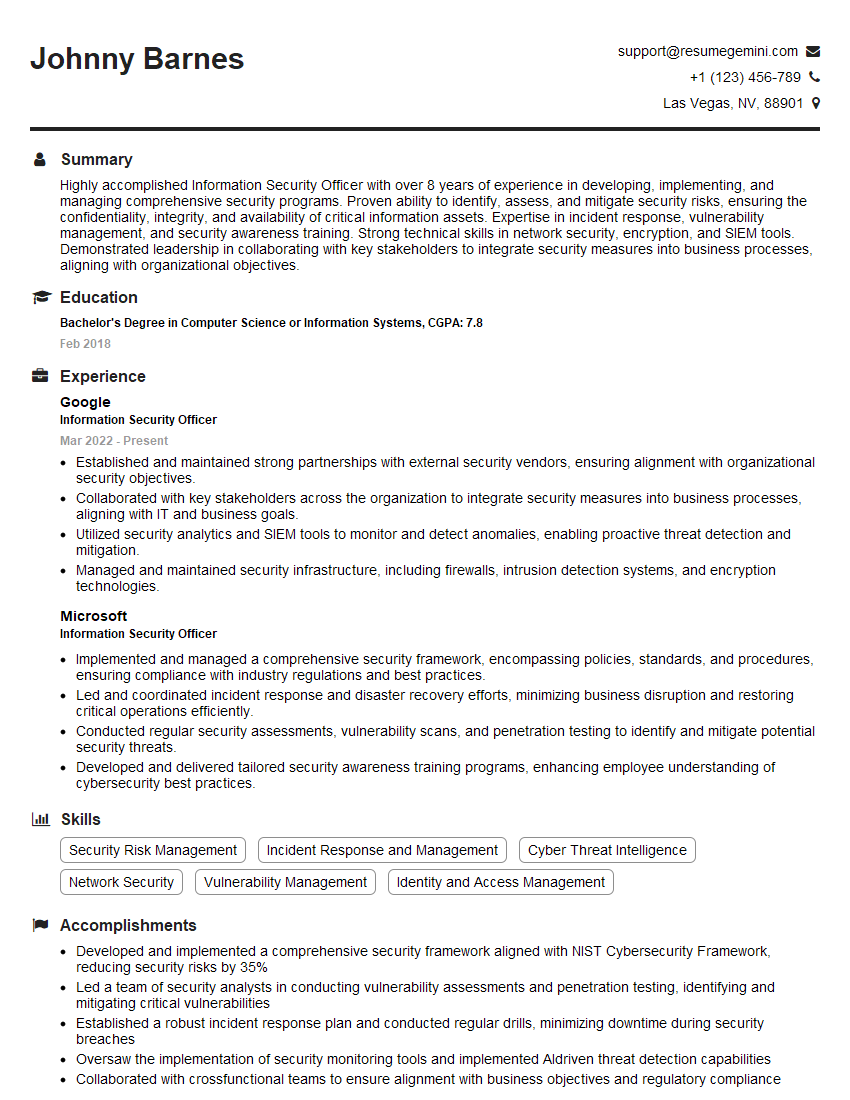
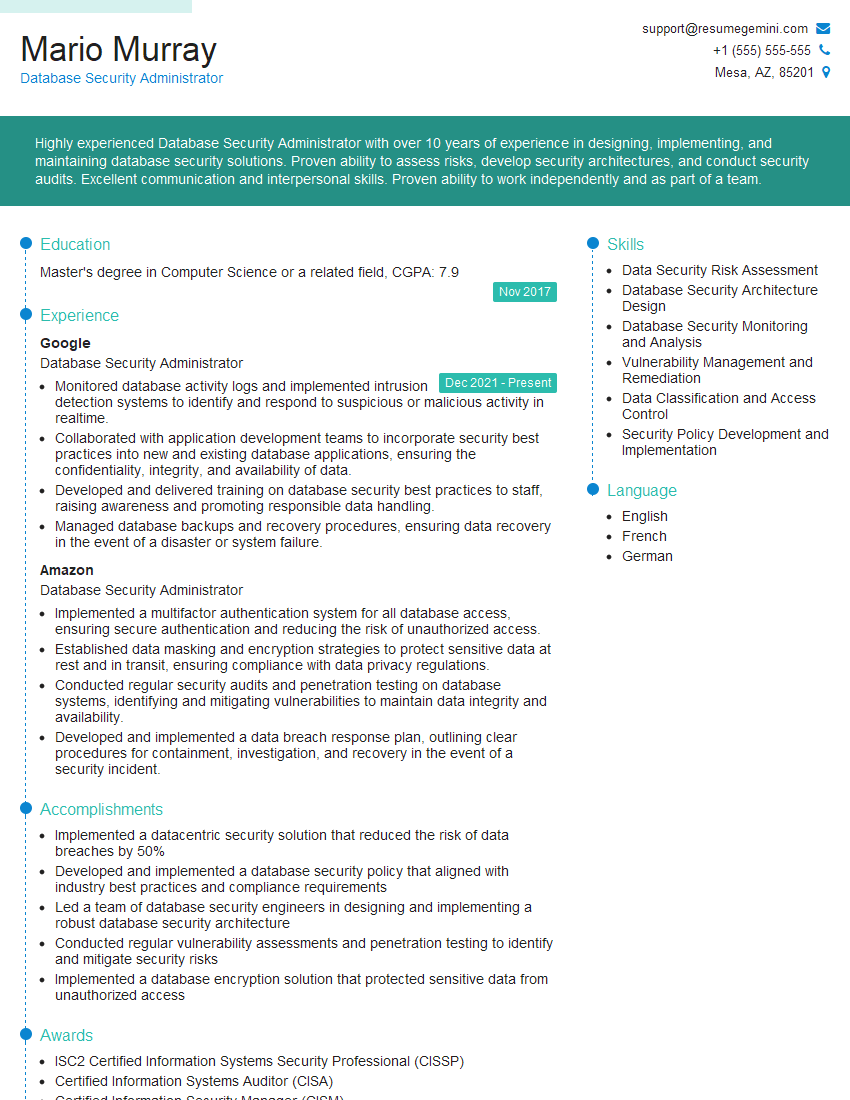
Mastering Terminal Access Control is crucial for advancing your career in IT security and systems administration. A strong understanding of these concepts demonstrates your commitment to securing sensitive data and systems, opening doors to exciting opportunities. To maximize your job prospects, craft a compelling and ATS-friendly resume that highlights your skills and experience. ResumeGemini is a trusted resource that can help you build a professional resume that makes you stand out. They provide examples of resumes tailored to Terminal Access Control roles to guide you in the process, allowing you to present your qualifications effectively to potential employers.


Explore more articles
Users Rating of Our Blogs
Share Your Experience
We value your feedback! Please rate our content and share your thoughts (optional).
What Readers Say About Our Blog
I Redesigned Spongebob Squarepants and his main characters of my artwork.
https://www.deviantart.com/reimaginesponge/art/Redesigned-Spongebob-characters-1223583608
IT gave me an insight and words to use and be able to think of examples
Hi, I’m Jay, we have a few potential clients that are interested in your services, thought you might be a good fit. I’d love to talk about the details, when do you have time to talk?
Best,
Jay
Founder | CEO