Interviews are more than just a Q&A session—they’re a chance to prove your worth. This blog dives into essential Map Production Workflow interview questions and expert tips to help you align your answers with what hiring managers are looking for. Start preparing to shine!
Questions Asked in Map Production Workflow Interview
Q 1. Explain the difference between vector and raster data in map production.
Vector and raster data are two fundamental data models used in map production, each with its strengths and weaknesses. Think of it like this: raster data is like a photograph – a grid of pixels representing a continuous surface. Vector data, on the other hand, is like a drawing – composed of points, lines, and polygons representing discrete features.
- Raster Data: Represents spatial data as a grid of cells (pixels), each with a value representing a characteristic such as elevation, land cover, or temperature. Examples include satellite imagery, aerial photography, and scanned maps. Raster data excels in representing continuous phenomena but can be large in file size and less precise for point features.
- Vector Data: Represents spatial data as points, lines, and polygons, each with its own attributes. Examples include roads, buildings, and rivers. Vector data is precise for discrete features, is smaller in file size, and allows for easy editing and scaling without loss of quality. However, it’s less effective for representing continuous phenomena like elevation.
The choice between raster and vector data depends on the project’s needs. For instance, a land cover map might be best represented using raster data from satellite imagery, while a street map would be best represented using vector data.
Q 2. Describe your experience with different map projections and their applications.
Map projections are essential for representing the three-dimensional Earth on a two-dimensional map. No projection can perfectly represent the Earth without distortion; the challenge is to minimize distortion for the specific application. My experience encompasses a range of projections, including:
- Equirectangular Projection: Simple, with minimal distortion near the equator, but significant distortion at higher latitudes. Useful for world maps where area preservation isn’t crucial.
- Mercator Projection: Preserves direction and shape locally, making it suitable for navigation. However, it significantly distorts areas, especially near the poles, making it unsuitable for thematic mapping that requires accurate area representation.
- Albers Equal-Area Conic Projection: Preserves area accurately, making it ideal for thematic maps showing population density or resource distribution. It is typically used for mid-latitude regions.
- UTM (Universal Transverse Mercator): A cylindrical projection divided into 60 zones, minimizing distortion within each zone. Commonly used for large-scale mapping and GIS applications.
In practice, I select the projection based on the map’s purpose and geographic extent. For instance, creating a map of a small city would utilize a UTM zone covering that area, whereas a world map illustrating population would necessitate an equal-area projection like Albers.
Q 3. How do you handle data inconsistencies during map production?
Data inconsistencies are common in map production and require careful attention. My approach involves a multi-step process:
- Data Discovery and Validation: I start by thoroughly examining the data for errors, inconsistencies, and inaccuracies. This may involve checking attribute values, coordinate systems, and topological relationships.
- Data Cleaning: Using GIS software tools, I clean the data by removing duplicates, correcting errors, and resolving inconsistencies. This might include resolving conflicting attribute data or fixing geometry errors in vector data.
- Data Transformation: I may need to transform data to a consistent coordinate system or projection, ensuring compatibility between different datasets. This often involves georeferencing or reprojection.
- Data Integration and Reconciliation: When combining multiple datasets, I carefully reconcile conflicting information. This could involve using spatial analysis techniques like overlay or intersection to identify and resolve discrepancies.
- Quality Control: After cleaning and integrating the data, a final quality control check ensures the data is accurate and consistent before further processing.
For example, if I find conflicting data on road names between two datasets, I’d investigate the discrepancy, possibly using higher-resolution data or contacting relevant authorities for clarification before resolving the conflict.
Q 4. What are the key steps involved in creating a thematic map?
Creating a thematic map involves visualizing geographical data to highlight a specific theme or phenomenon. The key steps are:
- Define the Theme: Clearly state the subject matter, such as population density, rainfall patterns, or soil types.
- Data Acquisition: Gather relevant data from various sources like census data, satellite imagery, or field surveys.
- Data Processing and Analysis: Clean, transform, and analyze the data to prepare it for mapping. This may involve classifying data into categories or creating summary statistics.
- Map Design: Choose an appropriate map projection, scale, and symbolization to effectively communicate the chosen theme. This includes selecting colors, patterns, and labels.
- Map Production: Use GIS software to create the map, including adding a title, legend, and scale bar.
- Map Review and Revision: Review the map for clarity, accuracy, and visual appeal. Make necessary revisions before finalizing the product.
For example, a thematic map showcasing population density would involve classifying population data into ranges, then using graduated color symbology to represent these ranges on the map.
Q 5. Explain your workflow for creating a topographic map from LiDAR data.
My workflow for creating a topographic map from LiDAR data involves several steps:
- Data Preprocessing: This involves cleaning the LiDAR data by removing noise, outliers, and artifacts. This might include classifying points as ground, vegetation, or buildings.
- Ground Point Classification: Identify and classify ground points from the LiDAR point cloud. Algorithms like progressive TIN densification or cloth simulation filtering are commonly used for this.
- Digital Elevation Model (DEM) Creation: Generate a DEM from the classified ground points using interpolation techniques such as kriging or inverse distance weighting. The DEM represents the terrain’s elevation.
- Contour Line Generation: Extract contour lines from the DEM, representing lines of equal elevation. The spacing between contour lines depends on the map’s scale and purpose.
- Hillshade Creation: Generate a hillshade to represent the three-dimensional form of the terrain, enhancing the visual representation of topography.
- Map Composition and Layout: Combine the contour lines, hillshade, and other relevant data (e.g., hydrography, roads) to create a finished topographic map. Add a title, legend, scale bar, and north arrow.
- Quality Control: Verify the accuracy and completeness of the map before finalizing it.
Software like ArcGIS Pro or QGIS offers tools to perform these steps efficiently. The specific algorithms and parameters used depend on the quality of the LiDAR data and the desired level of detail in the topographic map.
Q 6. What software packages are you proficient in for map production (e.g., ArcGIS, QGIS)?
My experience spans several leading GIS software packages. I’m highly proficient in:
- Esri ArcGIS Pro: I utilize ArcGIS Pro for its extensive geoprocessing tools, 3D visualization capabilities, and advanced spatial analysis functions. I’m comfortable with its various extensions, including the Spatial Analyst and 3D Analyst.
- QGIS: I use QGIS for its open-source nature, flexibility, and extensive plugin library. It’s a valuable tool for tasks requiring specific functionalities not readily available in ArcGIS.
- Global Mapper: I use Global Mapper for its powerful LiDAR processing capabilities and its ability to handle large datasets efficiently.
Beyond these, I have working experience with other software such as AutoCAD Map 3D for CAD integration and various remote sensing software for image processing and analysis.
Q 7. Describe your experience with georeferencing and its importance.
Georeferencing is the process of assigning geographic coordinates (latitude and longitude) to map features, images, or other spatial data. It’s crucial for integrating diverse datasets and aligning them within a common geographic framework. Without georeferencing, spatial data would be meaningless as it wouldn’t be linked to real-world locations.
My experience with georeferencing includes various methods:
- Using Control Points: Identifying known points on the unreferenced data and matching them with their corresponding coordinates on a reference map. This is commonly done for scanned maps or aerial photographs.
- Using Metadata: If available, using embedded metadata within the image or data file to automatically determine its geographic location.
- GPS Data: Using GPS coordinates to georeference data collected using GPS devices.
The accuracy of georeferencing is critical. The more control points used, the higher the accuracy. In practice, I evaluate the accuracy after georeferencing using Root Mean Square Error (RMSE). Low RMSE values indicate high accuracy.
Imagine trying to overlay a historical map of a city onto a modern satellite image. Without georeferencing, the two wouldn’t align, hindering analysis. Georeferencing makes it possible to integrate these datasets, allowing for historical change analysis or urban planning.
Q 8. How do you ensure map accuracy and precision?
Ensuring map accuracy and precision is paramount in map production. It involves a multi-step process beginning with data acquisition. We use highly accurate geospatial data sources like LiDAR, high-resolution satellite imagery, and GPS surveys, depending on the project’s requirements. The choice of data source directly impacts accuracy. For instance, LiDAR provides superior elevation data compared to traditional topographic maps.
Next, rigorous data processing and quality control are essential. This involves steps like georeferencing (aligning data to a known coordinate system), geometric correction (removing distortions), and error detection/correction. Software tools like ArcGIS Pro and QGIS provide functionalities to detect and correct positional inaccuracies. We also employ rigorous quality assurance checks throughout the process – this may involve comparing our data to existing reliable datasets or performing ground truthing (verifying data in the field). Finally, the map’s projection and datum must be clearly defined and appropriate for the area being mapped to avoid distortions.
Imagine creating a map of a city for emergency services. Inaccuracies could have severe consequences. By employing these rigorous procedures, we ensure that our maps provide the reliable spatial information needed for critical decisions.
Q 9. Explain the concept of spatial analysis and its relevance to map production.
Spatial analysis is the process of examining the locations, spatial relationships, and patterns of geographic features. It’s absolutely crucial in map production because it allows us to go beyond simply displaying data and gain valuable insights. It enables us to understand how features interact with each other and their surroundings.
For example, we might use spatial analysis to identify areas at high risk of flooding by overlaying elevation data with historical flood data. Or, we might analyze crime patterns to inform policing strategies. Specific techniques include overlay analysis (combining different datasets, e.g., using buffers to understand proximity of features), spatial interpolation (estimating values at unmeasured locations), and network analysis (analyzing connectivity, e.g., optimizing delivery routes). These techniques are frequently implemented within GIS software packages using tools such as the spatial analyst extension in ArcGIS.
In essence, spatial analysis transforms raw data into actionable intelligence, enriching the narrative and utility of our maps.
Q 10. How do you manage large datasets during map creation?
Managing large datasets efficiently is crucial. We use several strategies to handle this challenge. First, we leverage database management systems (DBMS) like PostGIS (for spatial data) or other relational databases to organize and structure our data effectively. These systems allow for efficient storage and querying of large amounts of information.
Second, we use data compression techniques to reduce file sizes without significant loss of information. Third, we utilize geoprocessing tools to perform operations on the data in a way that reduces processing time and memory requirements. For example, we might clip datasets to only include the area of interest or employ techniques like tiling to divide the dataset into smaller, manageable chunks. Cloud-based GIS platforms like ArcGIS Online or Google Earth Engine can further help in managing exceptionally large datasets. This strategy also improves accessibility and collaborative workflows.
Imagine working with a global dataset of land cover. Proper management techniques are essential to prevent performance bottlenecks and maintain a smooth workflow.
Q 11. What are the different types of map symbology and when would you use each?
Map symbology involves the visual representation of geographic features. The choice of symbology is critical to effective communication. Different types serve different purposes.
- Points: Represent locations. Examples include using circles for cities, stars for capitals, or different colored dots for various land use types.
- Lines: Represent linear features like roads, rivers, or pipelines. Line thickness, style (dashed, solid), and color can convey information such as road type or river flow.
- Polygons: Represent areas like forests, lakes, or countries. These are usually filled with color or patterns to differentiate categories.
- Proportional symbols: Use symbol size to reflect a quantitative attribute (e.g., larger circles for cities with higher populations).
- Choropleth maps: Use color shading to represent variations in a quantitative attribute across different areas (e.g., population density).
Choosing the correct symbology depends on the map’s purpose and the data being visualized. A thematic map focusing on population density would benefit from choropleth maps or proportional symbols, while a location map would utilize points and line symbology.
Q 12. How do you incorporate metadata into your map production process?
Metadata is crucial – it’s descriptive information about the map and its data. We incorporate metadata throughout the map production process. It’s not an afterthought; it’s integral to ensuring the map’s long-term usability and discoverability.
We begin by documenting data sources, including their accuracy, resolution, and date of acquisition. We also document the processing steps taken, the software used, and any assumptions or limitations. This information is often recorded in a metadata record using standards like FGDC (Federal Geographic Data Committee) or ISO 19115. This record is then linked to the map data and the final map product. The metadata should also provide information about the map’s projection, coordinate system, and scale.
This ensures that anyone using the map understands its creation, limitations, and potential biases, ultimately building trust and promoting responsible use of geospatial information.
Q 13. Describe your experience with map design principles (e.g., visual hierarchy, color theory).
Effective map design is essential for clear communication. I apply established principles to create visually appealing and informative maps.
- Visual Hierarchy: I utilize size, color, and placement to guide the viewer’s eye to the most important information. This might involve using larger fonts for titles, bolder lines for major roads, or strategically placing key features in prominent locations.
- Color Theory: I carefully select colors to enhance readability and avoid clashing hues. I consider colorblindness and aim for sufficient contrast between features and the background. A color ramp that gradually changes hue can effectively represent spatial data ranges.
- Typography: I choose legible fonts and appropriate font sizes for various text elements. Consistency in font style contributes to overall map clarity.
- Layout and Composition: I carefully arrange map elements (legend, title, scale bar, north arrow) for optimal visual balance and ease of understanding. White space is strategically used to avoid visual clutter.
For example, in a map showing earthquake intensity, I might use a visually striking color ramp to represent the magnitude, placing the legend strategically to ensure easy interpretation.
Q 14. How do you address issues with data scale and resolution in map production?
Data scale and resolution often pose challenges. Scale refers to the ratio between the map distance and the real-world distance, while resolution refers to the level of detail. Addressing discrepancies requires careful planning and execution.
If source data has a coarser resolution than the map’s required detail, we cannot magically create higher resolution. We may need to acquire higher-resolution data or accept limitations in detail. Techniques like interpolation can fill gaps, but it comes with potential for inaccuracies. We are transparent about these limitations in the map metadata.
If the source data is at a larger scale than the map’s intended scale (e.g., we have very detailed data but need a smaller-scale map), we employ generalization techniques. This process simplifies features, removing unnecessary detail while retaining essential information. Road networks, for example, might have minor roads aggregated or simplified to ensure readability at smaller scales.
Choosing the right projection is also critical. Different projections preserve different aspects of the Earth’s geometry, and an inappropriate choice can lead to distortions, especially when dealing with large areas. For example, using a Mercator projection for a world map inevitably results in distortions towards the poles.
Q 15. What is your experience with different map outputs (e.g., print, web, mobile)?
My experience spans a wide range of map outputs, encompassing print, web, and mobile platforms. For print maps, I’m proficient in preparing maps for different scales and formats, considering factors like paper size, resolution, and color profiles to ensure optimal visual quality. I have experience with various print workflows, including pre-press preparation and color management. For web maps, I’m skilled in producing interactive maps using technologies like JavaScript libraries such as Leaflet and OpenLayers, incorporating features such as dynamic layers, pop-ups, and user interaction. This includes optimizing map tiles for fast loading and seamless rendering. For mobile applications, I understand the limitations of mobile devices, such as screen size and processing power, and optimize maps accordingly. I’ve worked on projects where the map data was delivered across multiple platforms, requiring careful management of data formats and projections to maintain consistency and performance across all outputs. For example, on a recent project for a city’s public transportation system, we created print maps for distribution in stations, interactive web maps for their website, and mobile-optimized maps for a custom app. This required generating different tile sets optimized for each platform and careful design to ensure readability across vastly different screen sizes.
Career Expert Tips:
- Ace those interviews! Prepare effectively by reviewing the Top 50 Most Common Interview Questions on ResumeGemini.
- Navigate your job search with confidence! Explore a wide range of Career Tips on ResumeGemini. Learn about common challenges and recommendations to overcome them.
- Craft the perfect resume! Master the Art of Resume Writing with ResumeGemini’s guide. Showcase your unique qualifications and achievements effectively.
- Don’t miss out on holiday savings! Build your dream resume with ResumeGemini’s ATS optimized templates.
Q 16. Explain the importance of data quality control in map production.
Data quality control is paramount in map production. Inaccurate or incomplete data directly translates to misleading or useless maps. My approach involves a multi-step process. First, I meticulously check the source data for completeness and accuracy, looking for inconsistencies, duplicates, and outliers. This often involves comparing data from multiple sources to identify discrepancies. Next, I implement automated checks using GIS software tools to identify spatial errors, such as overlapping polygons or gaps in lines. This step can be enhanced using spatial analysis techniques. Finally, I conduct visual inspections to identify any remaining errors that might not be detectable through automated processes. For example, I might spot a mislabeled feature or an unexpected topological error. This iterative process ensures a high degree of confidence in the accuracy and reliability of the final map product. A real-world example involves working with elevation data where inconsistencies could affect the accuracy of hydrological modeling in the resulting map.
Q 17. How do you manage map production projects within deadlines and budgets?
Managing map production projects within deadlines and budgets requires meticulous planning and efficient execution. I utilize project management methodologies, such as Agile, to break down large projects into smaller, manageable tasks with clear milestones and deadlines. I create detailed project schedules using tools like Gantt charts to track progress and identify potential bottlenecks. Budget management involves creating a detailed budget breakdown that considers all project costs, including personnel, software licenses, and data acquisition. Regular monitoring of expenses and progress reports enable me to identify and address any deviations from the budget or schedule proactively. For instance, I might need to adjust the scope of work or explore alternative data sources if the project begins to exceed its allocated budget. A successful project often involves regular communication with stakeholders to manage expectations and address any unforeseen challenges.
Q 18. Describe your experience with version control systems for map data.
I have extensive experience using version control systems, primarily Git, for managing map data. Git allows for tracking changes, collaboration among team members, and easy rollback to previous versions if needed. I typically store map data in a suitable format (e.g., geopackages, shapefiles) within the Git repository, tracking changes to the data structure and attributes. This ensures that any modifications or updates to the data are documented and recoverable. Branching and merging features in Git are particularly useful for managing parallel development efforts or testing different versions of the map. For example, in a large-scale mapping project, one branch could be used for developing the basemap while another focuses on adding thematic layers. This method prevents conflicts and keeps the development process streamlined.
Q 19. How do you collaborate with other professionals during map production projects?
Collaboration is crucial in map production. I work effectively with a diverse team, including cartographers, GIS analysts, data scientists, and clients. I utilize various communication channels, including regular meetings, email, and project management software, to ensure transparent and efficient collaboration. I leverage collaborative platforms for editing and reviewing map data and documentation, such as online GIS platforms or cloud-based storage. Open communication and clear documentation are vital to minimize misunderstandings and ensure consistent workflow. A recent project involved collaboration with a team of remote surveyors who collected field data. Using cloud-based storage and a standardized data exchange protocol allowed seamless data integration and minimized delays. This approach fostered a positive collaborative environment and ensured the success of the project.
Q 20. Explain your experience working with different coordinate systems.
I’m proficient in working with various coordinate systems, including geographic (latitude/longitude) and projected coordinate systems (UTM, State Plane). Understanding the differences between these systems is crucial for accurate map creation and analysis. I’m experienced in using GIS software to transform data between different coordinate systems, ensuring that data from multiple sources can be integrated seamlessly. Knowing when to choose an appropriate coordinate system based on the project’s geographical extent and application is critical. For example, using a projected coordinate system minimizes distortion for large-scale mapping projects, while a geographic coordinate system is often preferred for global applications. My experience includes handling datum transformations, understanding the impact of different projections on data accuracy, and selecting appropriate coordinate systems that minimize distortion for specific analyses.
Q 21. What is your experience with map generalization and simplification techniques?
Map generalization and simplification are essential for producing clear and legible maps, particularly at smaller scales. I have experience using various techniques to reduce the complexity of map data while maintaining its essential information. This includes techniques like line simplification (Douglas-Peucker algorithm), polygon aggregation, and feature selection. The choice of technique depends on the scale and the purpose of the map. For example, at smaller scales, I might use generalization techniques to combine smaller roads into larger lines to avoid cluttering the map. I also consider the visual hierarchy and design principles of cartography when simplifying map features, aiming to create a map that is visually appealing and conveys information effectively. My experience extends to using GIS software tools and algorithms to automate parts of the generalization process, enhancing efficiency and consistency.
Q 22. Describe your experience with creating interactive web maps.
Creating interactive web maps involves a multifaceted process, blending geographical data with dynamic web technologies. My experience spans the entire pipeline, from data acquisition and processing to deployment and maintenance. I’m proficient in using various JavaScript libraries like Leaflet and OpenLayers, which allow for the creation of highly customizable and responsive map interfaces.
For example, in a recent project involving visualizing real-time traffic flow in a major metropolitan area, I leveraged Leaflet’s capabilities to ingest data from a streaming API, dynamically update map markers representing traffic congestion, and provide users with interactive tools like zoom and pan, as well as the ability to filter data based on time and road type. This involved choosing appropriate basemaps, designing intuitive user interfaces, and optimizing the performance to ensure a smooth user experience even with a large volume of data. Another project involved developing a web map application that allowed users to explore historical census data, using OpenLayers to create a visually appealing and informative map, with different layers for various demographic variables and the ability to perform spatial analysis directly within the map interface.
Q 23. How do you ensure accessibility of your maps to users with disabilities?
Accessibility is paramount in map design. I ensure my maps meet WCAG (Web Content Accessibility Guidelines) standards by employing several strategies. This includes using sufficient color contrast between map elements and the background to ensure readability for users with visual impairments. I also provide alternative text for all map images and interactive elements.
Furthermore, keyboard navigation is crucial. My maps are designed to be fully navigable using only a keyboard, allowing users with motor disabilities to interact effectively. I use ARIA attributes (Accessible Rich Internet Applications) to add semantic meaning to interactive elements, making them understandable to assistive technologies such as screen readers. For example, I might add an ARIA label to a button describing its function clearly, such as ‘Zoom In’ or ‘Show Legend’. Finally, I use clear and concise labels for all map features and consistently employ a logical and intuitive map structure to minimize cognitive burden for all users.
Q 24. How do you choose an appropriate map scale for a given project?
Choosing the right map scale is critical for effective communication. The ideal scale depends on the project’s purpose, the area’s size, and the level of detail needed. A large-scale map (e.g., 1:1000) shows a small area in great detail, perfect for city planning or site surveys. A small-scale map (e.g., 1:1,000,000) shows a large area with less detail, ideal for showing regional patterns or national-level phenomena.
For instance, mapping individual buildings in a small town requires a large scale, whereas showing the distribution of population density across a state necessitates a smaller scale. I usually start by defining the project’s objectives and the essential details that need to be conveyed. Based on this, I select a scale that provides the right balance between detail and overview. I also consider the map’s intended audience and their likely needs for information. Experimentation and iterative refinement often play a role in finding the optimal scale for a project.
Q 25. What is your experience with spatial indexing and optimization techniques?
Spatial indexing and optimization techniques are vital for handling large datasets and ensuring efficient map rendering. I have extensive experience with spatial databases like PostGIS, which uses spatial indexes (like GiST or R-tree) to significantly speed up queries involving spatial data. These indexes organize spatial data to facilitate efficient searching and retrieval, dramatically improving performance, particularly in web map applications where response time is crucial.
For example, when working with a point dataset of millions of locations, a spatial index allows for quick retrieval of points within a specific area or buffer zone, eliminating the need to search through the entire dataset. Similarly, I often employ techniques like tiling and caching to reduce the load on the server and improve map loading speed. Tiling divides the map into smaller, manageable tiles that are pre-rendered and cached, while caching stores frequently accessed map data in memory for faster access. Furthermore, I leverage techniques such as simplification and generalization to reduce the complexity of map data without compromising essential visual information. This involves removing unnecessary detail or aggregating smaller features for a smoother and faster experience. I also optimize data structures and algorithms to reduce memory usage and enhance overall application performance.
Q 26. How do you handle data security and privacy concerns in your workflow?
Data security and privacy are of utmost importance. My workflow incorporates rigorous measures to protect sensitive information. This starts with securing data sources and access points. I use encryption to protect data both at rest and in transit. Access control mechanisms are implemented to restrict access to sensitive data only to authorized personnel.
When dealing with personally identifiable information (PII), I adhere to all relevant data privacy regulations (e.g., GDPR, CCPA). This includes anonymizing or aggregating data whenever possible to reduce the risk of identification. For web map applications, I implement secure coding practices to prevent vulnerabilities, regularly update software components, and conduct security audits to identify and address potential weaknesses. I always ensure user consent before collecting and using personal data. Data minimization principles are applied, only storing the necessary data and deleting data when it is no longer required. Transparency is key; users are informed about how their data is collected, used, and protected.
Q 27. Describe your experience with automated map production processes.
Automated map production is essential for efficiency and consistency, especially in large-scale mapping projects. I have experience with various automation tools and scripting languages like Python with libraries such as GDAL and OGR to streamline map production tasks. This automation includes automated data processing, map generation, and quality control checks.
For instance, I’ve developed scripts to automate the conversion of raw data from various sources into a consistent format, perform geoprocessing tasks such as creating buffers or intersecting layers, generate map layouts using automated labeling and symbology, and produce maps in various formats (PDF, PNG, etc.) in a repeatable fashion. This automation minimizes manual intervention, reduces errors, and significantly accelerates the map production process. Quality control is incorporated into the automated workflow, performing checks for data integrity and ensuring maps meet predefined specifications. For example, scripts can automatically identify inconsistencies in data or check for map elements that don’t meet style guidelines.
Key Topics to Learn for Map Production Workflow Interview
- Data Acquisition and Preprocessing: Understanding various data sources (satellite imagery, LiDAR, GPS, etc.), data formats, and preprocessing techniques like georeferencing, orthorectification, and mosaicking.
- Data Management and Organization: Implementing effective strategies for organizing and managing large geospatial datasets, including metadata management and database integration (e.g., PostGIS).
- Cartographic Design Principles: Applying principles of visual communication to create clear, accurate, and aesthetically pleasing maps, considering map scale, projection, symbolization, and labeling.
- Map Production Software and Tools: Proficiency in GIS software (ArcGIS, QGIS, etc.) and related tools for map creation, editing, and analysis. Demonstrate understanding of their capabilities and limitations.
- Workflow Automation and Scripting: Experience with automating repetitive tasks using scripting languages (Python, etc.) to improve efficiency and reproducibility in map production.
- Quality Control and Assurance: Implementing rigorous quality control procedures to ensure accuracy, consistency, and reliability of map products throughout the workflow.
- Project Management and Collaboration: Understanding project timelines, resource allocation, and effective collaboration with team members in a map production environment.
- Coordinate Systems and Projections: A solid grasp of different coordinate systems, map projections, and their implications for map accuracy and analysis.
- Spatial Analysis Techniques: Familiarity with various spatial analysis techniques relevant to map production, such as buffer analysis, overlay analysis, and network analysis.
- Data Visualization and Communication: Effectively communicating map information and insights to both technical and non-technical audiences through clear and concise visualizations.
Next Steps
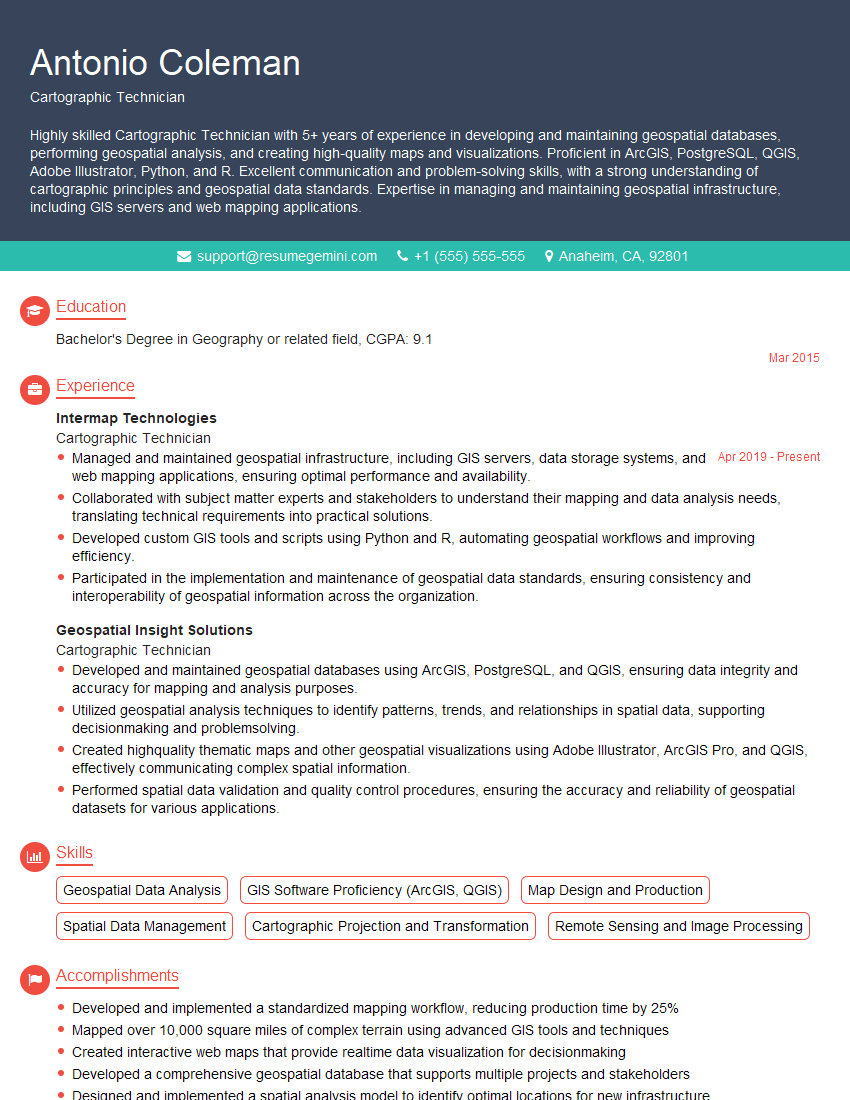
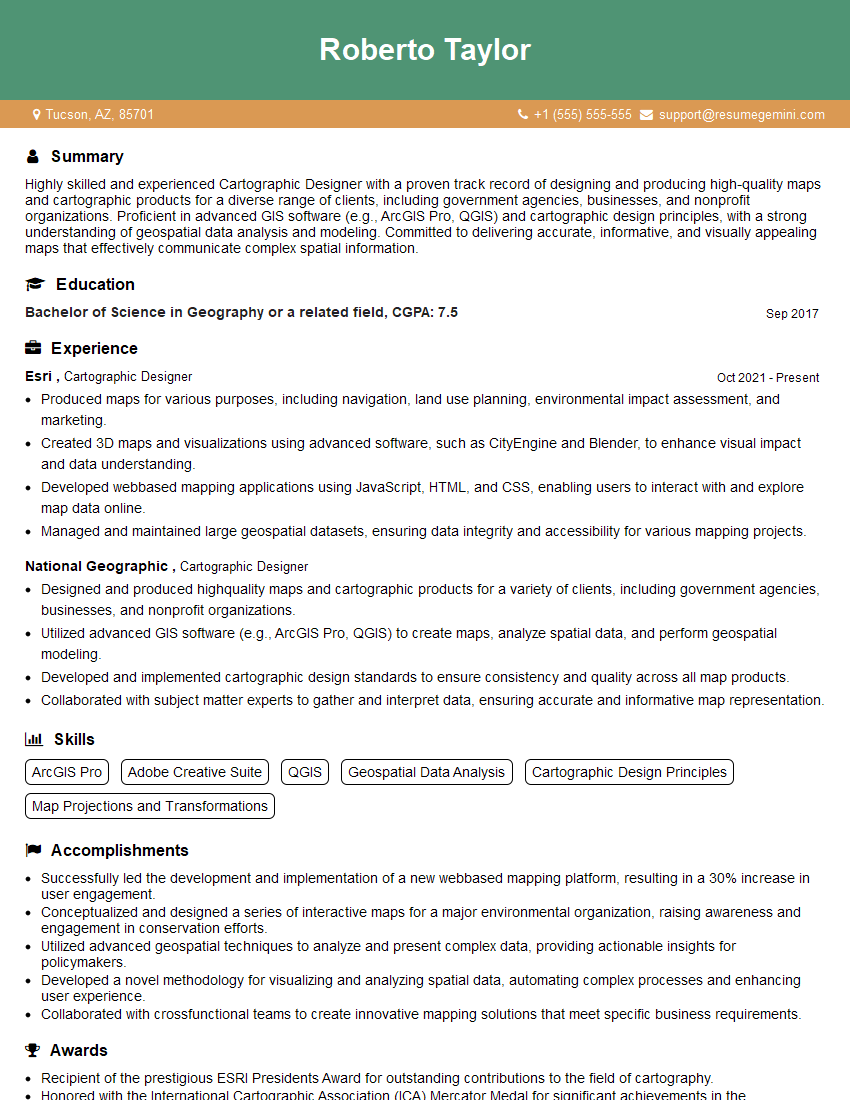
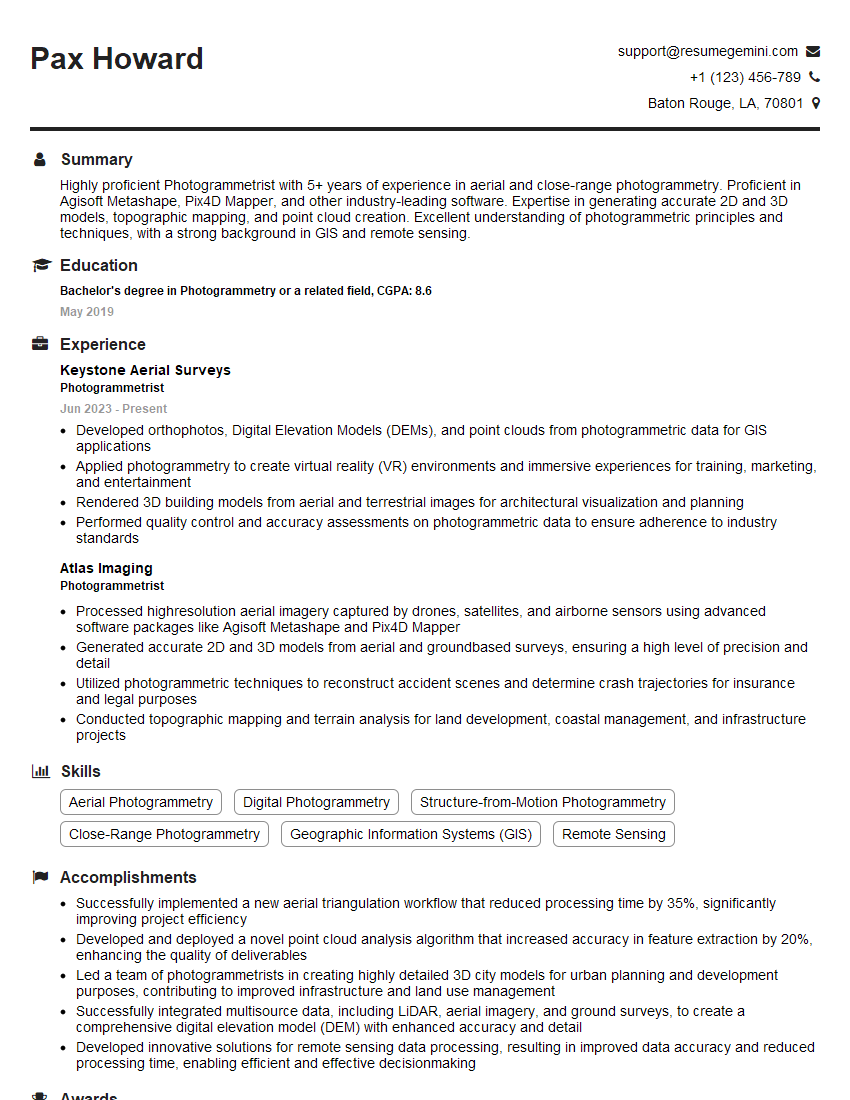
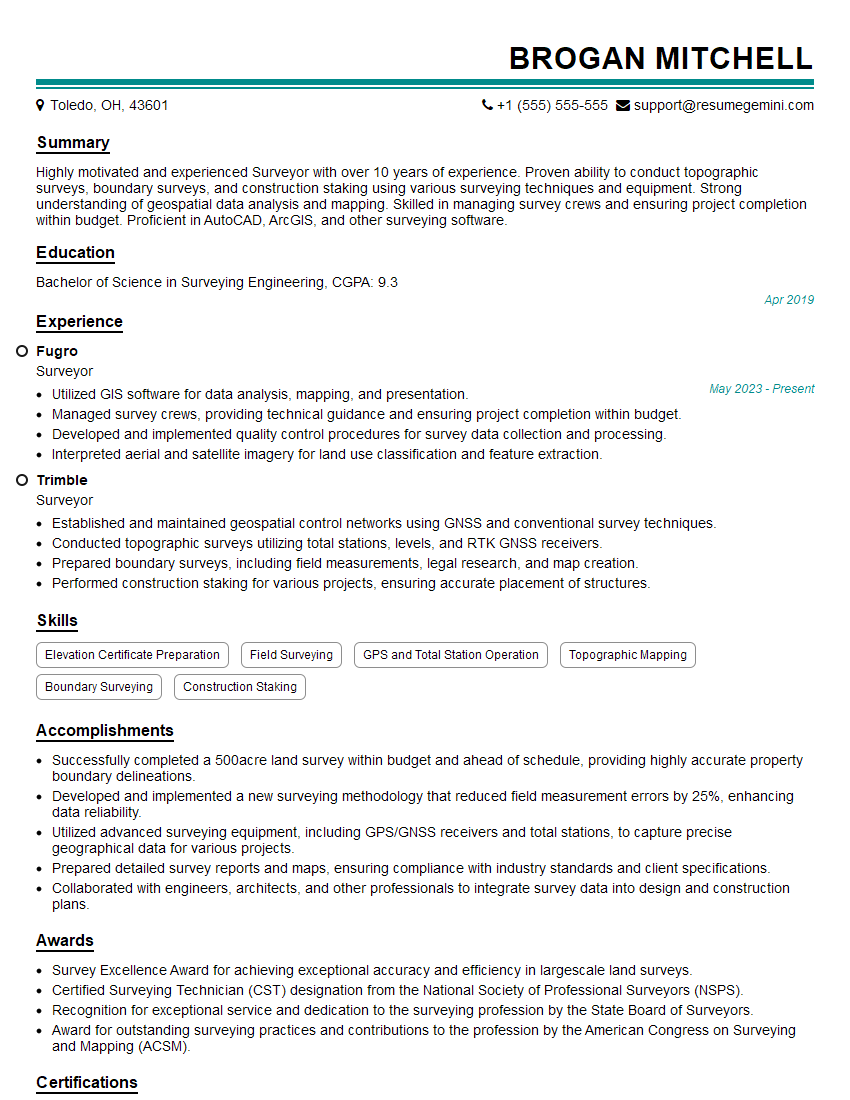
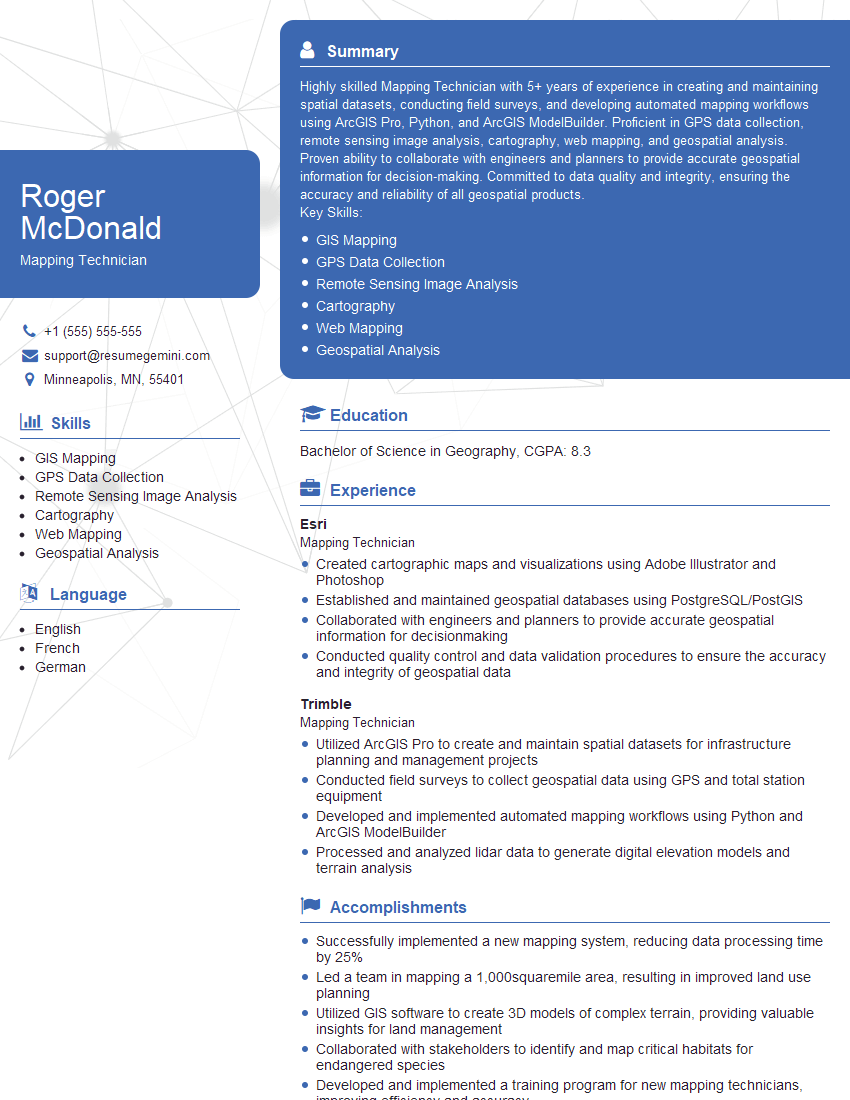
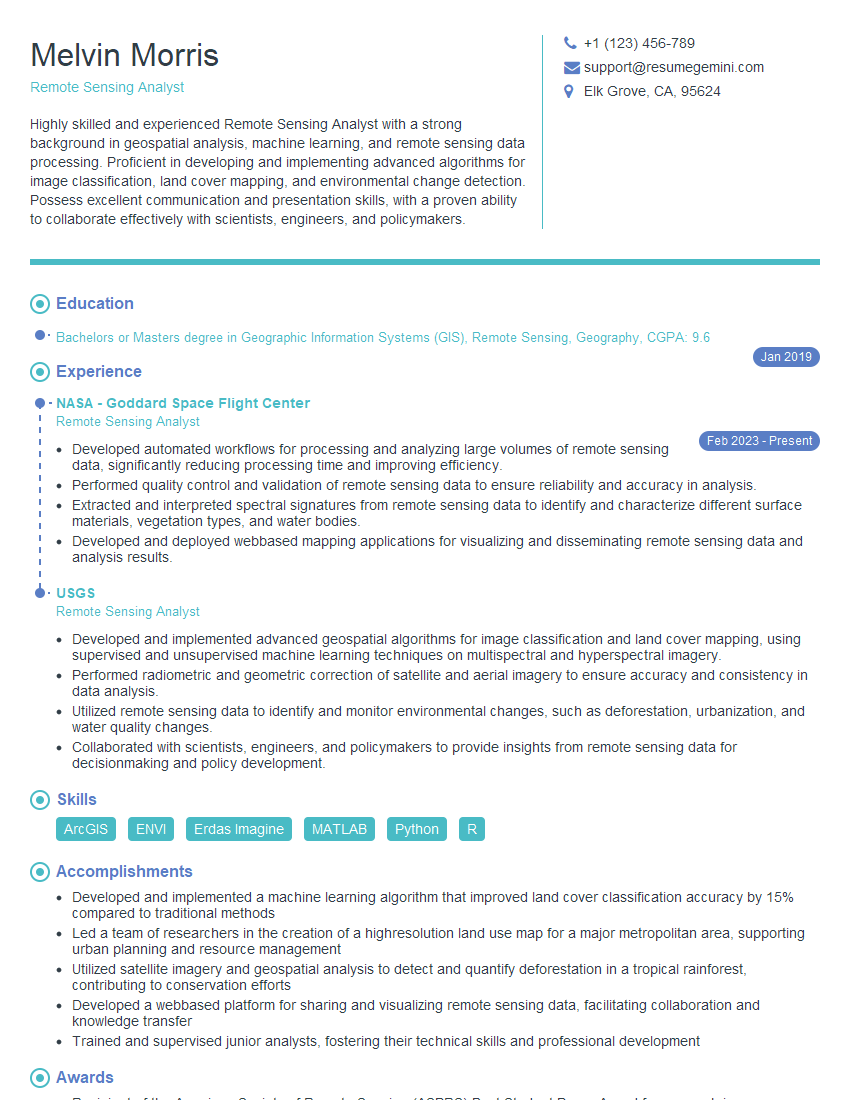
Mastering map production workflow is crucial for career advancement in the geospatial industry, opening doors to exciting opportunities and higher earning potential. To maximize your job prospects, create an ATS-friendly resume that highlights your skills and experience effectively. ResumeGemini is a trusted resource to help you build a professional and impactful resume that gets noticed. Examples of resumes tailored to Map Production Workflow are available to guide you. Take the next step towards your dream career today!


Explore more articles
Users Rating of Our Blogs
Share Your Experience
We value your feedback! Please rate our content and share your thoughts (optional).
What Readers Say About Our Blog
I Redesigned Spongebob Squarepants and his main characters of my artwork.
https://www.deviantart.com/reimaginesponge/art/Redesigned-Spongebob-characters-1223583608
IT gave me an insight and words to use and be able to think of examples
Hi, I’m Jay, we have a few potential clients that are interested in your services, thought you might be a good fit. I’d love to talk about the details, when do you have time to talk?
Best,
Jay
Founder | CEO