Preparation is the key to success in any interview. In this post, we’ll explore crucial Layout and Template Creation interview questions and equip you with strategies to craft impactful answers. Whether you’re a beginner or a pro, these tips will elevate your preparation.
Questions Asked in Layout and Template Creation Interview
Q 1. Explain the difference between UI and UX design in the context of template creation.
In template creation, UI (User Interface) and UX (User Experience) design are closely related but distinct. UI design focuses on the look and feel of the template – the visual elements like colors, fonts, imagery, and layout. It’s about making the template aesthetically pleasing and easy to navigate. UX design, on the other hand, is concerned with the overall user experience. It considers the user’s journey, ensuring the template is intuitive, efficient, and enjoyable to use. Think of it this way: UI is the makeup, while UX is the personality. A beautifully designed template (great UI) might still be frustrating to use (poor UX) if the information architecture is confusing or the functionality is clunky.
For example, a beautifully designed e-commerce template (great UI) might fail if the checkout process is overly complicated or slow (poor UX). A well-designed template balances both aspects to create a positive and efficient user experience.
Q 2. Describe your process for creating a responsive website template.
My process for creating a responsive website template involves several key steps:
- Understanding the brief: I begin by thoroughly understanding the client’s needs, target audience, and brand identity. This includes reviewing existing branding guidelines, competitor analysis, and desired functionality.
- Wireframing and Information Architecture: I create low-fidelity wireframes to map out the structure and layout of the template. This stage focuses on functionality and user flow before diving into visual design. I use this stage to ensure intuitive navigation and logical information hierarchy.
- Visual Design and Mockups: Once the structure is finalized, I create high-fidelity mockups that reflect the visual design – colors, fonts, imagery, and overall aesthetic. This phase involves creating visually appealing and brand-consistent designs. I usually create multiple versions to compare and choose the best option.
- Responsive Design Implementation: This crucial step involves developing the template using responsive design principles. I utilize media queries and flexible layouts (e.g., using percentages and relative units instead of fixed pixels) to ensure the template adapts seamlessly across different screen sizes and devices (desktops, tablets, and smartphones). I will test thoroughly across various browsers and screen sizes at this stage.
- Testing and Refinement: Finally, I conduct rigorous testing across different browsers and devices to identify and address any bugs or usability issues. Feedback from user testing sessions is crucial to further refine the template before launch.
Q 3. What are some best practices for designing accessible templates?
Designing accessible templates is crucial to ensure inclusivity and usability for everyone. Here are some best practices:
- Semantic HTML: Using appropriate HTML5 semantic elements (e.g.,
<header>,<nav>,<main>,<article>,<aside>,<footer>) provides context and structure for assistive technologies like screen readers. - Alternative Text for Images: Every image should have descriptive alternative text (
altattribute) that conveys the image’s meaning for visually impaired users. For example:<img src="image.jpg" alt="A happy customer using our product"> - Keyboard Navigation: Ensure all interactive elements (buttons, links, forms) are easily accessible via keyboard navigation. Screen reader users rely on keyboard navigation.
- Sufficient Color Contrast: Maintain sufficient color contrast between text and background colors to ensure readability for users with low vision. Tools are available to check color contrast ratios.
- ARIA Attributes: When necessary, use ARIA (Accessible Rich Internet Applications) attributes to provide additional information to assistive technologies about the content and functionality of the template.
- Captions and Transcripts: For videos and audio content, provide accurate captions and transcripts. This improves accessibility for deaf or hard-of-hearing users.
Q 4. How do you ensure cross-browser compatibility in your templates?
Ensuring cross-browser compatibility is vital for reaching a wider audience. My approach involves:
- CSS Reset or Normalize: Starting with a CSS reset (e.g., Eric Meyer’s Reset CSS) or normalize.css helps to standardize default browser styles and reduce inconsistencies.
- Thorough Testing: Testing the template across various browsers (Chrome, Firefox, Safari, Edge) and versions is essential. Browser developer tools provide valuable insights into rendering differences.
- CSS Frameworks (with Caution): While frameworks like Bootstrap or Tailwind CSS can help, relying solely on them can sometimes introduce unexpected issues, so careful consideration and testing are vital.
- Flexible Layouts and Units: Using relative units (percentages, ems, rems) instead of fixed pixels helps ensure consistent layout across different screen sizes and browsers.
- Progressive Enhancement: Design the core functionality using plain HTML and CSS, then enhance it with JavaScript for added features. This ensures basic functionality works across all browsers.
- Feature Detection: Using JavaScript feature detection techniques ensures compatibility with various browser features, instead of assuming their presence.
Q 5. What design software are you proficient in (e.g., Adobe Creative Suite, Figma, Sketch)?
I’m proficient in Adobe Creative Suite (Photoshop, Illustrator, InDesign), Figma, and Sketch. My choice of software depends on the project’s specific requirements. For example, I often use Figma for collaborative design projects due to its real-time collaboration features, while Adobe Photoshop is indispensable for advanced image editing tasks. Sketch remains a strong contender for rapid prototyping and UI design, depending on the project needs and team preferences.
Q 6. How do you handle design feedback and revisions?
I approach design feedback and revisions systematically. I actively encourage feedback throughout the design process. I use a structured process for managing feedback, typically involving:
- Clear Communication: Establishing clear communication channels and expectations upfront is crucial. I ensure clients understand the design process and timelines.
- Organized Feedback Collection: I prefer using collaborative platforms that enable clients to provide direct feedback within the design itself (e.g., Figma’s commenting feature). I maintain thorough documentation of all changes and revisions.
- Iterative Refinement: I treat revisions as an iterative process, incorporating feedback incrementally. Multiple rounds of review and revisions are common.
- Prioritization: If time or resources are limited, I prioritize feedback based on its impact on usability and overall design quality.
- Documentation: I always document revisions with version numbers or similar to track progress and revert if necessary.
Q 7. Describe your experience with version control systems (e.g., Git).
I have extensive experience with Git, which is essential for managing template versions and collaborating with teams. I’m proficient in using Git for branching, merging, committing, and pushing changes. I regularly use Git for managing both individual and collaborative projects, enhancing version control and enabling easy rollback to previous versions if required. It’s invaluable for tracking design changes and collaborating effectively on larger projects.
Q 8. Explain your approach to creating a consistent brand experience across multiple templates.
Creating a consistent brand experience across multiple templates involves establishing a style guide and adhering to it rigorously. Think of it like building with LEGOs – you have a set of standardized blocks (brand colors, fonts, imagery, spacing) that you use to construct different structures (templates). This ensures a unified look and feel.
- Style Guide: This document acts as the blueprint, outlining all aspects of the brand’s visual identity. It includes color palettes (e.g., primary, secondary, accent colors), typography (font families, sizes, weights), logo usage guidelines, and image style specifications.
- Component-Based Design: Break down your templates into reusable components like buttons, navigation menus, and headers. This makes it easier to maintain consistency across templates and simplifies updates. If you update a button style in one component, it automatically updates across all templates using that component.
- Template Inheritance (where applicable): In frameworks like CSS preprocessors (Sass, Less), or templating engines (Handlebars, Jinja), inheritance allows you to create a base template with the core brand elements and then extend it for specific page types, reducing redundancy and ensuring consistency.
- Version Control: Utilize a version control system (like Git) to manage your templates and style guide. This enables collaboration, tracking changes, and reverting to previous versions if necessary.
For example, I once worked on a project with multiple landing pages. By creating a base template with consistent header, footer, and button styles defined in a Sass file, I ensured that all landing pages maintained brand consistency while still allowing for unique content within each page.
Q 9. How do you optimize templates for SEO?
Optimizing templates for SEO involves a multi-pronged approach that considers both on-page and off-page factors. The goal is to make it easier for search engines to understand your content and rank it higher in search results.
- Semantic HTML: Use appropriate HTML5 tags (
<header>,<nav>,<main>,<article>,<aside>,<footer>) to structure your content logically. This helps search engines understand the context and hierarchy of information. - Optimized Images: Compress images to reduce file sizes without sacrificing quality. Use descriptive alt text for all images to improve accessibility and provide context to search engines.
- Meta Descriptions and Titles: Craft compelling meta descriptions (
<meta name="description" content="...">) and title tags (<title>...</title>) that accurately reflect the content of each page and include relevant keywords. - Header Tags (H1-H6): Use header tags to structure content, with
<h1>for the main heading, and subsequent headers for subheadings. This helps search engines understand the page’s topic hierarchy. - URL Structure: Use clean, descriptive URLs that include relevant keywords. Avoid long, confusing URLs.
- Mobile-Friendliness: Ensure your templates are responsive and work seamlessly across all devices. Google prioritizes mobile-friendly websites in search results.
For instance, when designing an e-commerce product page, I would ensure the product name is included in the <h1> tag, optimize product images with descriptive alt text, and write a meta description that includes relevant keywords like the product name, brand, and key features.
Q 10. How do you balance aesthetics with functionality in your designs?
Balancing aesthetics with functionality is crucial for creating effective designs. It’s about finding the sweet spot where the design is visually appealing and easy to use. Imagine building a beautiful house – it needs to look stunning but also be comfortable and practical to live in.
- User-Centered Design: Begin by understanding your target audience and their needs. Conduct user research to identify their preferences and pain points. This informs design choices to ensure usability.
- Prioritize Content: The content should be the focal point of the design. Ensure it is easy to read, scan, and understand. Use visual hierarchy (size, color, contrast) to guide the user’s eye to important information.
- Whitespace: Don’t overcrowd the design. Use whitespace effectively to create visual breathing room, improve readability, and guide the user’s attention.
- Accessibility: Ensure the design adheres to accessibility guidelines (WCAG). This includes sufficient color contrast, alternative text for images, keyboard navigation, and proper heading structure.
- Iterative Design: Design isn’t a linear process. Iterate on designs based on user feedback and testing. Make adjustments to improve both aesthetics and functionality.
In a recent project, I designed a website for a non-profit organization. Initially, the design was visually striking but difficult to navigate. After user testing, we simplified the navigation, increased whitespace, and improved color contrast, resulting in a design that was both beautiful and user-friendly.
Q 11. What is your experience with responsive design frameworks (e.g., Bootstrap, Foundation)?
I have extensive experience with responsive design frameworks like Bootstrap and Foundation. They provide pre-built components, grid systems, and utility classes that significantly accelerate the development process while ensuring responsiveness across various devices.
- Bootstrap: I’ve used Bootstrap extensively for its comprehensive component library, intuitive grid system, and large community support. It’s a great choice for quickly prototyping and building responsive websites.
- Foundation: Foundation offers a more customizable and flexible approach than Bootstrap, providing more control over design elements. I’ve used it for projects requiring more unique styling and intricate layouts.
- Mobile-First Approach: Regardless of the framework, I always adopt a mobile-first approach, starting with the design for smaller screens and then scaling up to larger screens. This ensures that the design is optimized for mobile devices first and foremost.
- Customizable Frameworks: I’m comfortable extending and customizing both Bootstrap and Foundation to meet specific design requirements. I might need to override default styles or add custom components to better suit the project’s needs.
For example, I recently used Bootstrap to build a landing page for a client, leveraging its pre-built components for the navigation bar, buttons, and forms. The responsive grid system allowed for easy adaptation to different screen sizes, ensuring a consistent user experience across all devices.
Q 12. How do you stay up-to-date with the latest design trends and technologies?
Staying updated in this rapidly evolving field requires a multifaceted approach.
- Online Resources: I regularly follow design blogs, websites, and publications (e.g., Awwwards, Smashing Magazine, CSS-Tricks) to stay informed about the latest design trends and technologies.
- Design Communities: I actively participate in online design communities (e.g., Dribbble, Behance) to see what other designers are creating, get feedback on my own work, and learn from others’ experiences.
- Conferences and Workshops: I attend design conferences and workshops whenever possible to network with other professionals and learn from industry experts. This offers hands-on experience and allows me to explore new techniques and tools.
- Experimentation: I dedicate time to experiment with new technologies and techniques. This helps me build my skills and understand how different tools and approaches can be used in real-world projects.
- Newsletters and Podcasts: I subscribe to newsletters and listen to podcasts that cover web design, development, and UX trends.
For example, I recently learned about the advancements in generative AI design tools by actively engaging in online communities and attending workshops, which has expanded my creative process.
Q 13. Describe your process for testing and debugging templates.
Testing and debugging templates is an essential step to ensure they function correctly and provide a seamless user experience. My approach is thorough and multi-faceted.
- Browser Compatibility Testing: I test across multiple browsers (Chrome, Firefox, Safari, Edge) and devices (desktops, tablets, smartphones) to identify and fix any browser-specific issues.
- Responsive Testing: I rigorously test responsiveness to ensure the layout adapts correctly to different screen sizes and orientations.
- Cross-Browser Testing Tools: I utilize cross-browser testing tools (e.g., BrowserStack, LambdaTest) to streamline the testing process and automate checks across various browsers and devices.
- Accessibility Testing: I use accessibility testing tools (e.g., WAVE, aXe) to identify and fix any accessibility issues that may hinder users with disabilities.
- Code Validation: I use validators (e.g., W3C Markup Validation Service) to ensure that my HTML and CSS code are valid and conform to web standards.
- Performance Testing: I use tools like Google PageSpeed Insights to analyze the performance of the templates and identify areas for improvement.
- User Testing: I involve real users in the testing process to gather feedback and identify any usability issues that may not be apparent through automated testing.
For example, during a recent project, cross-browser testing revealed an issue where a specific CSS rule caused a layout break in Internet Explorer. By identifying and fixing this issue, I ensured a consistent experience across all supported browsers.
Q 14. How do you handle complex layout requirements?
Handling complex layout requirements demands a structured and organized approach. It’s like designing a complex building – you need blueprints and careful planning.
- Modular Design: Break down complex layouts into smaller, manageable modules. This simplifies the design and development process and makes it easier to maintain and update.
- Grid Systems: Utilize grid systems (e.g., Bootstrap grid, CSS Grid) to create consistent and responsive layouts. Grid systems provide a structured framework for organizing content.
- Flexbox and Grid: Leverage the power of Flexbox and CSS Grid for creating flexible and dynamic layouts. These powerful tools offer incredible control over element positioning and sizing.
- Version Control: Use a version control system (like Git) to track changes and collaborate effectively on complex layouts.
- Prototyping: Create prototypes (e.g., using Figma, Adobe XD) to visualize and test complex layouts before implementing them in code. This helps identify potential issues early on.
- Component Libraries: Use or build reusable component libraries to avoid redundancy and ensure consistency.
For example, I recently worked on a project with a highly asymmetrical layout involving many nested columns and complex interactions. By employing a modular approach, using Flexbox and CSS Grid for positioning, and meticulously testing throughout the process, I was able to create a robust and visually appealing design.
Q 15. What are your strategies for creating efficient and maintainable templates?
Creating efficient and maintainable templates hinges on a structured approach prioritizing modularity, semantic HTML, and consistent styling. Think of it like building with LEGOs – you want reusable pieces that can be easily combined and rearranged.
- Modularity: Break down the template into reusable components (header, footer, content sections). This allows for easy updates and avoids repetitive coding. For instance, a header component can be reused across multiple pages.
- Semantic HTML: Use meaningful tags like
<header>,<nav>,<main>, and<footer>to structure your content logically. This improves accessibility and SEO. - CSS Preprocessors (Sass/Less): Use a CSS preprocessor to organize styles using variables, mixins, and functions. This ensures consistency and simplifies maintenance. For example, a Sass variable can define a primary color used throughout the template.
- Version Control (Git): Track changes using Git to manage different template versions and collaborate effectively. This is essential for larger projects and allows for easy rollback if needed.
- Style Guides/Pattern Libraries: Define a comprehensive style guide outlining typography, color palettes, spacing, and component styles. This maintains consistency across all templates.
By following these strategies, you create templates that are easy to update, expand, and maintain, reducing long-term development costs and increasing efficiency.
Career Expert Tips:
- Ace those interviews! Prepare effectively by reviewing the Top 50 Most Common Interview Questions on ResumeGemini.
- Navigate your job search with confidence! Explore a wide range of Career Tips on ResumeGemini. Learn about common challenges and recommendations to overcome them.
- Craft the perfect resume! Master the Art of Resume Writing with ResumeGemini’s guide. Showcase your unique qualifications and achievements effectively.
- Don’t miss out on holiday savings! Build your dream resume with ResumeGemini’s ATS optimized templates.
Q 16. How do you measure the success of a template design?
Measuring template success involves analyzing both quantitative and qualitative data. It’s not just about aesthetics; it’s about effectiveness.
- Conversion Rates (e.g., for landing pages): This directly measures how well the template achieves its goal (e.g., driving sign-ups). A higher conversion rate indicates a more effective design.
- User Engagement Metrics (e.g., time on page, bounce rate): These metrics reflect how users interact with the template. High engagement suggests a user-friendly and visually appealing design.
- Accessibility Scores (e.g., using WAVE): Ensure the template meets accessibility standards for users with disabilities. A high accessibility score indicates inclusivity.
- Developer Feedback: Gathering feedback from developers regarding maintainability and ease of integration is crucial for long-term success.
- User Testing (A/B Testing): Comparing different versions of the template through A/B testing helps identify which design performs better in terms of user experience and conversions.
By tracking these metrics, you gain valuable insights into your template’s performance and can make data-driven improvements.
Q 17. What are your preferred methods for collaborating with developers?
Effective collaboration with developers relies on clear communication and a shared understanding of the project goals. I prefer a collaborative approach leveraging tools and techniques that streamline the process.
- Version Control (Git): Using Git allows developers to contribute to the template’s codebase without conflicts. Pull requests enable code reviews and ensure quality.
- Design Handoff Tools (e.g., Zeplin, Figma): These tools facilitate seamless design handoff by providing developers with accurate specifications (colors, typography, spacing) directly from design files.
- Regular Communication: Frequent meetings and open communication channels (Slack, email) help keep everyone informed about progress, challenges, and changes.
- Component-Based Design: Designing with reusable components simplifies integration for developers and promotes consistency across the project.
- Clear Documentation: Providing clear and comprehensive documentation detailing component specifications and usage instructions ensures that developers can easily implement the design.
By embracing these methods, I’ve found that I can build strong relationships with developers, leading to efficient and effective implementation of my designs.
Q 18. Describe your experience with design systems and component libraries.
I have extensive experience with design systems and component libraries. I understand their crucial role in building scalable and maintainable interfaces. They’re like a well-stocked toolbox for building consistent and efficient interfaces.
- Understanding Design Systems: A design system is a collection of reusable components, guidelines, and patterns that define a consistent design language across a product or brand. It ensures a unified user experience.
- Component Libraries (e.g., React Bootstrap, Material UI): These pre-built collections of components accelerate development and maintain consistency. Choosing the right library depends on the project’s framework and requirements.
- Building Custom Components: In situations where existing libraries don’t meet project-specific needs, I have experience in building custom components, ensuring they adhere to the established design system guidelines.
- Maintaining Consistency: A key part of my role is ensuring that all new components and designs align with the established design system to prevent inconsistency and maintain a cohesive user experience.
Working with design systems allows for greater efficiency, consistency, and scalability in design and development, resulting in better user experiences and reduced development time.
Q 19. How do you approach creating templates for different screen sizes and devices?
Creating responsive templates that adapt to different screen sizes and devices requires a thorough understanding of responsive design principles. It’s all about providing the best user experience regardless of the device.
- Mobile-First Approach: Designing for mobile devices first ensures a good foundation and then scaling up to larger screens.
- Fluid Grids and Flexible Images: Using percentage-based widths and flexible images allows content to reflow seamlessly across different screen sizes.
- CSS Media Queries: These allow you to apply different styles based on screen size, orientation, and device capabilities. For example, you can hide elements on smaller screens or adjust font sizes based on screen width.
- Testing Across Devices: Testing the template on various devices and browsers is critical to ensure responsiveness and proper rendering.
- Responsive Frameworks (e.g., Bootstrap, Tailwind CSS): Utilizing frameworks offers pre-built responsive components and utilities, simplifying the development process.
By employing these techniques, you can ensure your templates are accessible and usable on any device, enhancing the overall user experience.
Q 20. Explain your experience with email template design and best practices.
Email template design requires a unique approach, prioritizing compatibility across different email clients and adhering to best practices for deliverability. It’s a world of its own, demanding attention to detail.
- Plain Text Fallback: Always include a plain text version of the email for clients that don’t support HTML.
- Inline CSS: Email clients often strip external stylesheets, so inline CSS is essential.
- Image Optimization: Use optimized images to avoid slow loading times and improve deliverability. Consider using responsive images.
- Accessibility: Ensure emails are accessible to users with disabilities, using semantic HTML and alt text for images.
- Testing: Thoroughly test the email across various email clients (Gmail, Outlook, Yahoo) to ensure consistent rendering.
- Avoid Spam Triggers: Be mindful of words and phrases that might trigger spam filters, such as excessive exclamation points or all-caps text.
My experience involves designing visually appealing and functional email templates that are optimized for delivery and user experience. I carefully consider the nuances of email design to ensure high deliverability and engagement.
Q 21. What are some common challenges you face in template creation, and how do you overcome them?
Template creation presents several challenges, but with the right approach, they can be overcome.
- Browser Compatibility: Different browsers render HTML and CSS differently, leading to inconsistencies. Solutions include thorough testing across browsers and utilizing CSS resets or normalization to standardize styles.
- Cross-Device Compatibility: Ensuring consistent rendering across different devices (desktops, tablets, mobiles) requires a responsive design approach, as detailed previously.
- Maintaining Consistency: Keeping a consistent style and design across multiple templates can be challenging. Style guides and design systems help address this by providing a single source of truth for design specifications.
- Client Feedback and Revisions: Managing client feedback and incorporating revisions efficiently can be time-consuming. Effective communication and version control help manage this process.
I overcome these challenges through careful planning, thorough testing, utilizing appropriate tools and technologies, and maintaining open communication with stakeholders. Proactive problem-solving and a flexible approach are key.
Q 22. How do you prioritize features when designing a template with limited resources?
Prioritizing features in template design with limited resources requires a strategic approach. Think of it like packing for a trip – you can’t bring everything, so you focus on the essentials. I use a process involving several key steps:
- Define Must-Have Features: First, I identify the core functionalities absolutely necessary for the template to achieve its purpose. These are non-negotiable. For example, in an e-commerce template, a shopping cart and product display would be must-haves.
- Prioritize by User Impact: Next, I assess features based on their impact on the user experience. Features that significantly improve user engagement or conversion rates take precedence. A streamlined checkout process, for instance, would rank higher than a rarely used social media integration.
- Consider Resource Constraints: I meticulously map out the development time and resources required for each feature. This allows me to eliminate or postpone features that are resource-intensive but don’t offer significant value.
- MVP Approach: Often, I favor a Minimum Viable Product (MVP) approach. This involves launching with a core set of features and iteratively adding more based on user feedback and data analysis. This allows for flexibility and adaptation.
- Use a Prioritization Matrix: Tools like a MoSCoW method (Must have, Should have, Could have, Won’t have) can be very helpful in visually representing the prioritization and communicating it clearly to stakeholders.
For example, when designing a template for a small business website, I might prioritize a clean design, easy navigation, and contact form over advanced animations or a complex blog integration, especially if those advanced features are resource-intensive.
Q 23. Explain your understanding of user flows and how they influence template design.
User flows are essentially visual representations of how a user interacts with a product or service. They’re crucial for template design because they map out the user’s journey, highlighting pain points and opportunities for improvement. Understanding user flows allows me to design templates that are intuitive and easy to navigate.
For example, if I’m designing a template for an online application, I’d map out the user flow from initial landing page to application submission. This process helps me identify areas where the user might get lost or frustrated. I would then design the template to guide them smoothly through each stage, ensuring clear calls to action and a logical progression.
By examining user flows, I can also anticipate user needs and preferences. This insight guides the placement of elements within the template, ensuring that important information is easily accessible. For example, a prominent ‘Add to Cart’ button in an e-commerce template, strategically placed based on established user flow patterns, can drastically improve conversion rates.
Q 24. How do you incorporate user research into the template creation process?
User research is the cornerstone of my template creation process. It’s not just about guessing what users want; it’s about understanding their needs, behaviors, and motivations through direct interaction. I employ various techniques:
- Surveys: Gathering quantitative data on user preferences and needs.
- User Interviews: Conducting in-depth conversations to understand user perspectives and pain points.
- Usability Testing: Observing users interacting with prototypes to identify areas for improvement.
- A/B Testing (discussed further in a later question): Comparing different design iterations to see which performs better.
- Competitive Analysis: Studying competitor templates to identify best practices and areas for differentiation.
For example, before creating a template for a healthcare provider’s website, I’d conduct interviews with patients to understand their concerns, information needs, and expectations for online access to healthcare information. This research would significantly inform the design and content of the template.
Q 25. What is your experience with A/B testing for template optimization?
A/B testing is indispensable for template optimization. It allows me to compare different versions of a template to see which performs better based on measurable metrics such as conversion rates, bounce rates, and time on page. I usually use A/B testing platforms that allow for easy setup and result tracking.
For instance, I might test two different versions of an e-commerce template – one with a prominent call-to-action button and another with a more subtle one. By tracking the conversion rates of each version, I can determine which design is more effective at driving sales. A/B testing is an iterative process; the results inform further refinements and optimizations. The key is to test only one variable at a time to isolate the impact of each change.
Furthermore, A/B testing helps me understand user preferences and tailor the template to better meet their needs. The data collected isn’t just about which version performs better; it reveals insights into user behavior and design preferences that can influence future template iterations and designs.
Q 26. Describe your approach to designing for different target audiences.
Designing for different target audiences requires a deep understanding of their unique needs, preferences, and behaviors. This means adapting the template’s design, content, and functionality to resonate with each group. I focus on several key aspects:
- Visual Style: The visual language of the template—color palettes, typography, imagery—should align with the audience’s expectations and preferences.
- Content and Tone: The tone of voice and the content presented should be tailored to the audience’s level of understanding and their interests.
- Functionality: The features and functionalities offered should address the specific needs and tasks of the target audience.
- Accessibility: Templates should always be designed with accessibility in mind, catering to users with disabilities.
For example, a template for a children’s website would use bright colors, playful fonts, and simple navigation, whereas a template for a financial institution might employ a more sophisticated and professional design with a focus on clarity and trustworthiness.
Understanding the demographics, psychographics, and online behavior of the target audience is paramount to successful template design. This helps to create templates that are not just visually appealing, but also effective in engaging and converting the intended audience.
Q 27. How do you ensure the templates you create are scalable and maintainable?
Creating scalable and maintainable templates requires a structured approach. This ensures the template can easily adapt to future changes and updates without requiring significant redevelopment. My strategies include:
- Modular Design: Breaking down the template into reusable components or modules. This makes it easier to update individual sections without affecting the entire template.
- Version Control: Using a version control system (like Git) to track changes and collaborate effectively. This allows for easy rollback to previous versions if necessary.
- Consistent Naming Conventions: Employing a clear and consistent naming convention for files, classes, and IDs to improve code readability and maintainability.
- Well-documented Code: Writing clean, well-commented code makes it easier for others (and my future self) to understand and modify the template.
- CSS Preprocessors: Using CSS preprocessors (such as Sass or Less) to organize styles efficiently and improve maintainability.
- Component-based Frameworks: Leveraging component-based frameworks (like React, Vue, or Angular) to create reusable and maintainable components.
For instance, if a section of the template needs an update, it’s much easier to isolate and modify the relevant module in a modular design instead of sifting through a large, monolithic codebase.
Q 28. What is your experience with creating templates for print media?
I have extensive experience in creating templates for print media, from brochures and flyers to business cards and magazines. This involves a different set of considerations compared to web design. Key aspects include:
- Print Resolution: Understanding and working with high-resolution images and graphics suitable for print. Web resolutions won’t work for print.
- Bleed and Margins: Accurately setting up bleed areas (the extra space extending beyond the trim) and margins to avoid important elements being cut off during printing.
- Color Profiles: Using the correct color profiles (such as CMYK) to ensure accurate color reproduction in print.
- File Formats: Exporting files in appropriate formats (like PDF/X-1a) for commercial printing.
- Print Production Workflow: Familiarity with the entire print production process, from designing the template to preparing files for the printer.
I use professional design software like Adobe InDesign, Illustrator, and Photoshop to create print templates. For example, when designing a tri-fold brochure, I carefully plan the layout to ensure a clear visual hierarchy and seamless flow of information across panels, keeping in mind the physical dimensions and print limitations.
Key Topics to Learn for Layout and Template Creation Interview
- Responsive Design Principles: Understanding fluid grids, media queries, and adapting layouts for various screen sizes (desktops, tablets, mobiles).
- Layout Techniques: Mastering techniques like flexbox and grid for creating efficient and flexible layouts. Practical application: Building a responsive portfolio website showcasing your design skills.
- Template Engines & Frameworks: Familiarity with popular template engines (e.g., Handlebars, Jinja2) or frameworks (e.g., React, Vue, Angular) used in professional settings. Practical application: Creating reusable components for faster development.
- Version Control (Git): Understanding Git for collaborative projects and managing template versions effectively. Practical application: Contributing to open-source template projects or managing a personal template library.
- Accessibility Best Practices: Implementing accessibility features to ensure templates are usable for everyone. Practical application: Adhering to WCAG guidelines when creating templates.
- Cross-Browser Compatibility: Ensuring your templates render correctly across different browsers and devices. Problem-solving approach: Using browser developer tools to debug inconsistencies.
- Performance Optimization: Techniques for optimizing template performance, including image optimization and minimizing HTTP requests. Problem-solving approach: Using performance testing tools to identify bottlenecks.
- SEO Best Practices: Integrating SEO considerations into template creation for improved search engine visibility. Practical application: Optimizing template meta descriptions and heading tags.
Next Steps
Mastering layout and template creation is crucial for career advancement in web development and design, opening doors to diverse and exciting opportunities. A strong understanding of these skills allows you to create elegant, efficient, and user-friendly interfaces. To maximize your job prospects, crafting an ATS-friendly resume is paramount. ResumeGemini is a trusted resource to help you build a professional and impactful resume that highlights your skills effectively. Examples of resumes tailored to Layout and Template Creation are available to help you get started.

Art Director Resume Sample

Creative Director Resume Sample

Web Designer Resume Sample

Web Developer Resume Sample
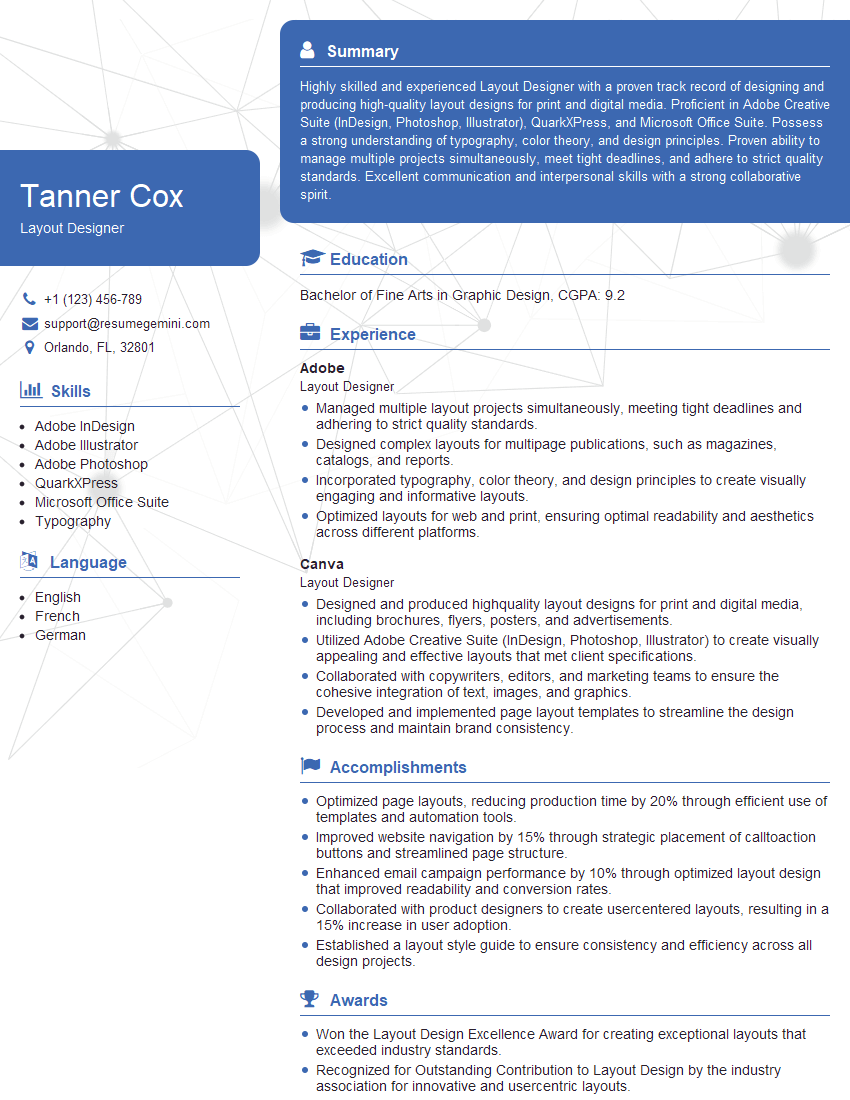
Layout Designer Resume Sample

Graphic Designer Resume Sample
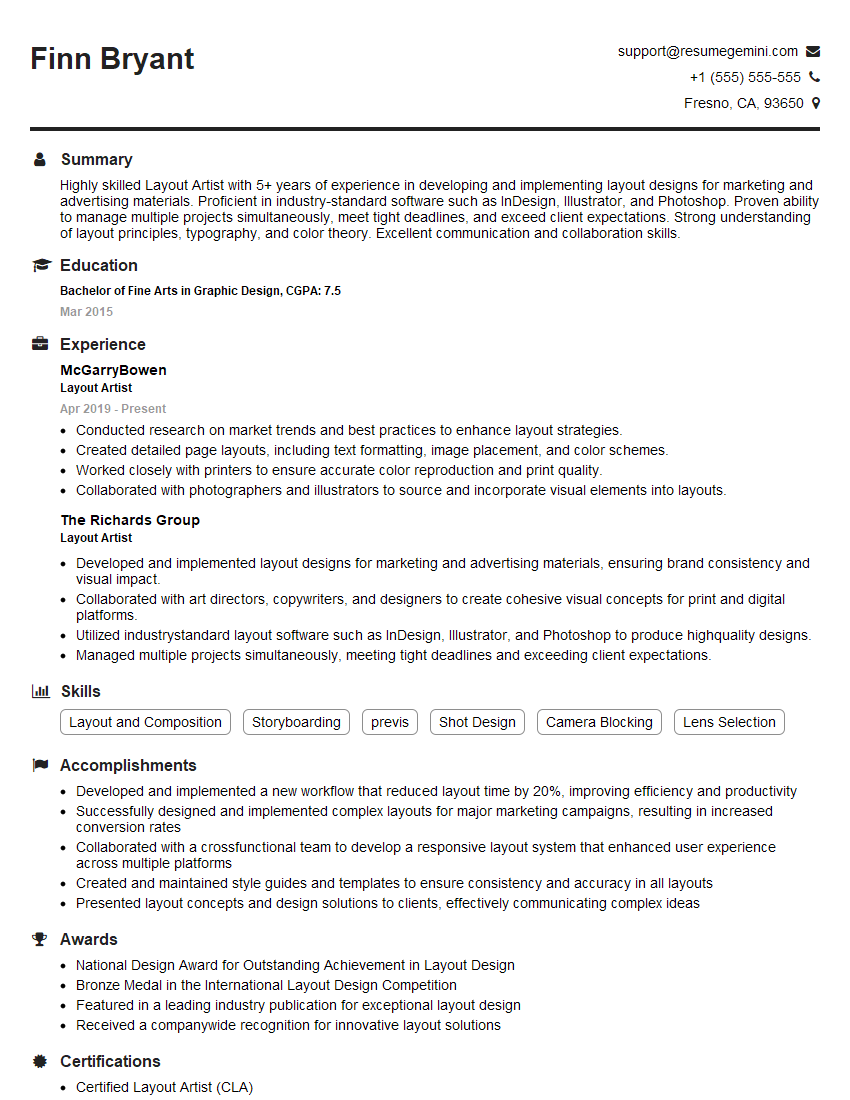
Layout Artist Resume Sample

Front-End Developer Resume Sample

UX Designer Resume Sample
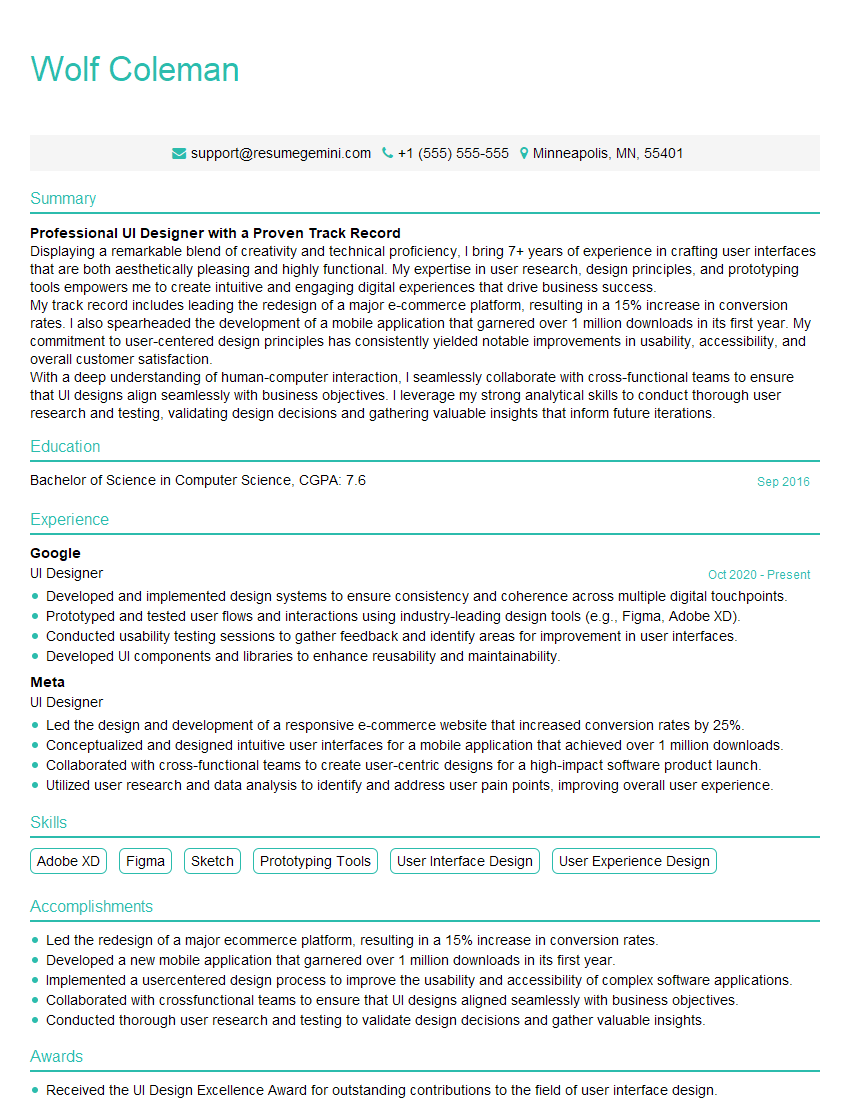
UI Designer Resume Sample
Explore more articles
Users Rating of Our Blogs
Share Your Experience
We value your feedback! Please rate our content and share your thoughts (optional).
What Readers Say About Our Blog
I Redesigned Spongebob Squarepants and his main characters of my artwork.
https://www.deviantart.com/reimaginesponge/art/Redesigned-Spongebob-characters-1223583608
IT gave me an insight and words to use and be able to think of examples
Hi, I’m Jay, we have a few potential clients that are interested in your services, thought you might be a good fit. I’d love to talk about the details, when do you have time to talk?
Best,
Jay
Founder | CEO