Unlock your full potential by mastering the most common Video Editing and Motion Graphics interview questions. This blog offers a deep dive into the critical topics, ensuring you’re not only prepared to answer but to excel. With these insights, you’ll approach your interview with clarity and confidence.
Questions Asked in Video Editing and Motion Graphics Interview
Q 1. Explain your experience with different video editing software (e.g., Adobe Premiere Pro, Final Cut Pro, DaVinci Resolve).
My video editing experience spans several industry-standard software packages. I’m highly proficient in Adobe Premiere Pro, leveraging its robust features for complex projects, including multi-camera editing and advanced color correction. I’ve also extensively used Final Cut Pro, appreciating its intuitive interface and streamlined workflow, particularly effective for fast-turnaround projects. Furthermore, my expertise extends to DaVinci Resolve, where I utilize its powerful color grading capabilities and advanced compositing tools for high-end productions. Each platform offers unique strengths; for instance, Premiere Pro excels in its collaborative features, Final Cut Pro in its speed, and DaVinci Resolve in its color science. Choosing the right software depends entirely on the project’s specific demands and my client’s preferences. I’m adaptable and comfortable switching between them seamlessly.
Q 2. Describe your workflow for a typical video editing project.
My video editing workflow is highly structured yet adaptable. It typically begins with a thorough review of the client brief and source material. This involves logging footage, identifying usable shots and discarding unusable ones. Next, I create a rough cut, assembling the sequence according to the project’s narrative. This is followed by a fine cut, refining the pacing, transitions, and overall flow. Then comes the crucial stage of color correction and grading, ensuring visual consistency and enhancing the mood. Audio editing and mixing follow, focusing on clarity, balance, and sound design. Finally, I add visual effects and motion graphics as needed, and perform a final quality check before export. This process is iterative; I regularly review and refine the edit based on feedback.
Q 3. How do you handle color correction and grading in your edits?
Color correction and grading are essential for achieving a professional look. Color correction aims to fix inconsistencies in the footage, like white balance issues or color casts. This might involve adjusting exposure, contrast, and white balance. Color grading, on the other hand, is more artistic, influencing the overall mood and feel of the video through selective color adjustments, creating specific looks. I use tools like Lumetri Color in Premiere Pro or the color wheels in DaVinci Resolve to achieve these effects. For example, I might use a teal and orange color grade for a dramatic effect or a warmer tone for a nostalgic feel. I always consider the context and desired effect when making these choices. Careful calibration of monitors is crucial for ensuring accuracy.
Q 4. What are your preferred methods for audio editing and mixing?
My audio editing involves a multi-step process. I begin by cleaning up the audio, removing unwanted noise and hiss using tools like noise reduction and de-clickers in Adobe Audition or similar software within my chosen editing platform. Then, I focus on balancing audio levels, ensuring dialogue is clear and music complements the visuals. For mixing, I pay close attention to the frequency spectrum, ensuring different elements don’t clash. I utilize techniques like EQ (Equalization) to enhance specific frequencies, compression to control dynamics, and reverb to create depth and atmosphere. Accurate audio is critical; it significantly impacts the overall viewer experience.
Q 5. Describe your experience with motion graphics software (e.g., After Effects, Cinema 4D).
I possess extensive experience with both After Effects and Cinema 4D. After Effects is my go-to for 2D motion graphics, including creating lower thirds, animated logos, and kinetic typography. I leverage its keyframe animation capabilities and vast effects library to create engaging visuals. Cinema 4D, on the other hand, is my preferred choice for 3D modeling, animation, and rendering, allowing me to create complex animations, product visualizations, and even short 3D films. The choice between the two depends on the project requirements. For example, a fast-paced logo animation might be ideal for After Effects while a detailed product demonstration calls for Cinema 4D’s capabilities.
Q 6. How do you create and animate 2D and 3D graphics?
Creating and animating 2D graphics usually involves using vector-based software like Illustrator or Photoshop to create the assets. These are then imported into After Effects, where I use keyframes to control their position, scale, rotation, and opacity over time to create movement and effects. 3D graphics creation within Cinema 4D involves modeling the 3D object, texturing its surface, lighting the scene, and then animating it using keyframes and various animation tools. I might use particle systems for effects like smoke or fire and rigging techniques for character animation. Rendering the final output is the final step, where the 3D scene is processed into a 2D video file.
Q 7. Explain your understanding of keyframes and animation principles.
Keyframes are the foundation of animation. They are essentially snapshots of an object’s properties (position, scale, rotation, etc.) at specific points in time. The software interpolates between these keyframes to create smooth, continuous movement. Understanding animation principles, such as anticipation, staging, squash and stretch, slow in and out, arcs, secondary action, and follow through, is crucial for creating believable and engaging animations. These principles, derived from traditional animation, guide how we create movement that is visually appealing and realistic, even if the subject is fantastical.
Q 8. How do you manage large video files and optimize storage?
Managing large video files effectively is crucial for any video editor. It’s all about a combination of smart storage solutions and efficient workflow practices. Think of it like organizing a massive library – you wouldn’t just throw all the books into one pile!
High-capacity storage: RAID systems (Redundant Array of Independent Disks) provide speed and redundancy, protecting against data loss. External SSDs (Solid State Drives) offer portable, fast storage for projects. Cloud storage solutions like Backblaze or Wasabi are excellent for backups and long-term archiving, especially for older projects.
File organization: A well-structured folder system is key. I use a system based on project names, with subfolders for different versions (e.g., ‘ProjectX/final_edit’,’ProjectX/rough_cuts’). This makes finding specific files quick and easy, avoiding precious time searching.
Proxy workflows: For projects with extremely large files, using proxy workflows is a lifesaver. This involves creating smaller, lower-resolution versions of your footage for editing. Once the edit is locked, you can conform the final edit to the high-resolution originals. Think of it as using blueprints during construction – the smaller version allows you to work quickly, and the high-resolution files come in only for the final phase.
Regular backups: This is non-negotiable. I regularly backup my projects to multiple locations – both local and cloud storage – to ensure that no work is ever lost. The peace of mind is invaluable.
Q 9. Describe your experience with video compression and codecs.
Video compression and codecs are fundamental to video editing. A codec (coder-decoder) is essentially a set of algorithms that compress and decompress video data. Choosing the right codec significantly impacts file size, quality, and compatibility.
H.264 (AVC): A widely compatible codec, offering a good balance between file size and quality. It’s a great choice for web distribution, but it can be computationally intensive for editing.
H.265 (HEVC): Offers better compression than H.264, resulting in smaller file sizes at comparable quality. However, it requires more processing power and isn’t as universally compatible as H.264.
ProRes (Apple): A lossless or near-lossless codec specifically designed for post-production. It maintains high image quality, essential for professional editing but results in larger file sizes.
DNxHD (Avid): Another high-quality, lossy codec widely used in professional workflows, offering a good balance between quality and manageable file sizes.
Choosing the right codec: The choice depends on the project’s requirements. For web delivery, H.264 or H.265 are suitable. For professional editing and VFX work, ProRes or DNxHD are preferred for their higher quality. Understanding the trade-offs between file size, quality, and compatibility is critical for making informed decisions.
Q 10. How do you collaborate with other team members in a video production workflow?
Collaboration is essential in video production. Efficient workflows are built on clear communication and the right tools. I’ve worked with teams using various strategies:
Version control systems: Using platforms like Frame.io or Dropbox allows multiple editors to work on a project simultaneously without overwriting each other’s work. These platforms provide comments features, making communication and feedback efficient.
Project management tools: Tools like Asana or Trello help keep the entire team on track. This helps to outline deadlines, assign tasks, and monitor progress.
Regular meetings: We maintain consistent communication through daily or weekly meetings, reviewing progress, addressing concerns, and ensuring alignment.
Shared storage solutions: Using a central storage solution, like a networked drive or cloud storage, ensures everyone has access to the latest files and assets.
Clear communication protocols: Establishing clear communication channels and protocols from the outset is crucial for avoiding confusion and misunderstandings.
For example, on a recent documentary project, we used Frame.io for reviewing edits, adding comments, and ensuring everyone was on the same page. This streamlined the review process significantly.
Q 11. Explain your understanding of different video formats and resolutions.
Understanding video formats and resolutions is fundamental. Formats define how video data is stored, while resolution determines the image’s clarity and detail.
Formats: Common formats include MP4 (widely used for web and mobile), MOV (used for professional editing, often with ProRes or other codecs), AVI (older format, less common now), and WMV (Microsoft’s format).
Resolutions: Resolutions are expressed as width x height (e.g., 1920×1080). Common resolutions include:
- SD (Standard Definition): Lower resolution, like 720×480
- HD (High Definition): Higher resolution, like 1280×720 (720p) and 1920×1080 (1080p)
- 4K (Ultra High Definition): Much higher resolution, like 3840×2160
- 8K: The highest resolution currently available, with even greater detail.
Aspect ratios: The ratio of width to height of an image. Common aspect ratios are 4:3, 16:9 (wide-screen).
Choosing the right format and resolution depends on the project’s purpose and intended platform. A YouTube video would use a compressed format like MP4 at 1080p, while a high-end film would use a high-quality, lossless codec in 4K or even 8K.
Q 12. How do you approach editing different styles of videos (e.g., corporate, documentary, advertising)?
Editing styles vary greatly across video types. The approach needs to be tailored to the specific needs and objectives of each project.
Corporate videos: Focus on clear communication, professionalism, and brand consistency. The editing style is typically clean and straightforward, using a lot of text overlays and graphics to emphasize key messages.
Documentaries: Often incorporate a narrative structure, requiring careful pacing and storytelling techniques. Archival footage, interviews, and b-roll are essential elements. The editing style is less stylized than for other formats, aiming for authenticity.
Advertising: Fast-paced, high-energy style with attention-grabbing visuals and music. The goal is to make an immediate impact and create a memorable impression. A range of creative techniques might be used.
For example, when editing a corporate explainer video, I prioritize clarity and conciseness. I would use smooth transitions and clear graphics to make the information easily digestible. Conversely, a music video would use a more dynamic and expressive approach to edit, creating energy and rhythm through cuts and transitions.
Q 13. Describe your experience with visual effects (VFX) and compositing.
My experience with visual effects (VFX) and compositing is extensive. Compositing involves combining multiple video or image elements into a single image, while VFX is the broader term encompassing visual effects generation, whether it is integrating CGI, motion graphics, or compositing elements.
Software proficiency: I’m proficient in software like After Effects, Nuke, and Fusion, all used for creating and compositing visual effects. This allows for a wide range of effects from simple keying to complex 3D compositing.
Techniques: I’m adept at various compositing techniques like keying (removing backgrounds), rotoscoping (tracing moving objects), tracking (matching camera movement), and color correction. These techniques are often used in combination to achieve a seamless composite.
Workflow: My compositing workflow typically involves planning the shot breakdown, preparing assets (like footage and graphics), and then performing the actual compositing in the chosen software. This process often includes iterations and refinement based on feedback.
For example, I recently worked on a project where I needed to add a CGI character into a live-action scene. This involved careful camera tracking, 3D modeling of the character, and then compositing the character into the scene, ensuring that the lighting and shadows matched to maintain realism.
Q 14. How do you ensure the quality and consistency of your video edits?
Maintaining quality and consistency in video edits is paramount. This involves meticulous attention to detail throughout the entire process.
Color grading consistency: Establishing a consistent color palette and using color correction and grading tools (like DaVinci Resolve) to ensure a cohesive look across the entire video.
Audio balancing: Ensuring that audio levels are balanced and consistent throughout; dialogue, music and sound effects should be mixed properly to avoid any jarring shifts.
Regular reviews: I regularly review my work during editing to catch errors or inconsistencies early on; this includes reviewing color, audio, and pacing.
Templates and styles: Using templates and style guides can help maintain consistency, particularly in projects with multiple editors or large-scale productions.
Quality control checks: Performing final quality control checks before delivering the final video to ensure there are no technical issues, such as dropped frames, audio glitches, or other problems.
For instance, when working on a multi-part video series, creating a master color grading style guide from the beginning ensures every episode has a consistent visual feel. Similarly, meticulous audio mixing is crucial to avoid distracting inconsistencies.
Q 15. How do you handle revisions and feedback from clients or directors?
Revisions are a crucial part of the video editing process. I approach them systematically, prioritizing clear communication and a collaborative spirit. First, I carefully review the feedback, ensuring I understand the client’s or director’s concerns. I then organize these notes into actionable steps, categorizing them by urgency and impact. For example, major narrative changes might take precedence over minor color corrections. I make the requested changes, documenting each step. Then, I present a revised version, highlighting the implemented changes. This transparency ensures the client understands the process and allows for further iteration if necessary. One project involved reworking a significant portion of a corporate video’s narrative based on feedback. We iterated through three rounds of revisions until the client was entirely satisfied. This involved not only making the requested changes but also suggesting alternative solutions to enhance the overall narrative and visual impact.
Career Expert Tips:
- Ace those interviews! Prepare effectively by reviewing the Top 50 Most Common Interview Questions on ResumeGemini.
- Navigate your job search with confidence! Explore a wide range of Career Tips on ResumeGemini. Learn about common challenges and recommendations to overcome them.
- Craft the perfect resume! Master the Art of Resume Writing with ResumeGemini’s guide. Showcase your unique qualifications and achievements effectively.
- Don’t miss out on holiday savings! Build your dream resume with ResumeGemini’s ATS optimized templates.
Q 16. What is your experience with storytelling and visual narrative?
Storytelling is the foundation of compelling video. My approach integrates visual elements with narrative structure to create engaging content. I consider the story’s arc, building tension and resolution through carefully selected shots and transitions. For example, in a documentary, I might use slow, deliberate shots during emotionally charged moments, contrasting them with quicker cuts during action sequences. In commercials, I use pacing and music to build anticipation and climax. I’m proficient in crafting visual metaphors and symbolism to enhance the story’s impact, building a world through lighting, set design, and character movement. Recently, I worked on a short film where we used subtle camera angles and color palettes to reflect the protagonist’s emotional state throughout the narrative, creating a deeply immersive viewing experience.
Q 17. How familiar are you with different camera angles and shot compositions?
Understanding camera angles and shot compositions is fundamental to effective visual storytelling. I’m intimately familiar with various shots: wide shots establishing context, medium shots for character interaction, close-ups emphasizing emotion, over-the-shoulder shots for dialogue, and point-of-view shots for audience immersion. I also understand the power of different angles – high angles can portray vulnerability, low angles power, and dutch angles create unease. My experience includes creating shot lists based on storyboards, carefully matching shots to enhance the flow and impact of the narrative. For instance, I recently directed a music video where we meticulously planned the camera movements and angles to mirror the song’s emotional progression, transitioning from wide, ethereal shots to intense close-ups to amplify the impact of certain lyrics.
Q 18. Describe your experience with rotoscoping or keying techniques.
Rotoscoping and keying are essential post-production techniques I utilize regularly. Rotoscoping, the process of hand-tracing footage to create a mask, allows for precise isolation of elements, useful for compositing or creating special effects. For example, I’ve used rotoscoping to seamlessly integrate a character into a different background. Keying, on the other hand, removes a background from a foreground subject using color differences. This is commonly used for green screen work. I’m proficient in using software like After Effects to perform both rotoscoping and keying, employing different techniques based on the complexity of the shot and the desired result. I’ve tackled intricate projects involving complex hair and subtle lighting variations, requiring careful attention to detail to achieve seamless integration.
Q 19. How do you maintain organization and efficiency in your editing process?
Maintaining organization and efficiency is critical in video editing. My workflow begins with creating a clear project folder structure. This involves organizing footage, audio files, graphics, and project files into logical subfolders. I then create detailed project timelines using a project management software to track deadlines and tasks. I also employ color-coding and tagging to identify different shots, sequences, and versions. Furthermore, I regularly back up my project files to prevent data loss. Regularly cleaning up unused assets and consolidating files prevents clutter and ensures smooth processing. This systematic approach allows me to quickly locate assets and navigate large projects efficiently, resulting in reduced stress and increased productivity.
Q 20. What are your methods for troubleshooting technical issues during video editing?
Troubleshooting technical issues is an inevitable part of video editing. My approach involves a systematic investigation. I start by identifying the nature of the problem – is it a software glitch, a codec issue, or a hardware limitation? I then check the obvious – are the files correctly formatted, are the settings appropriate, and is there enough storage space? If the problem persists, I consult online resources, forums, and the software’s documentation. I also systematically test different variables to isolate the cause. If the problem remains unsolved, I reach out to tech support or colleagues for assistance. I keep detailed logs of errors and solutions for future reference. For example, I once spent hours debugging a rendering issue, ultimately tracing it to a corrupted project file. Regularly backing up projects prevented a complete disaster, and the logging allowed for rapid identification of the culprit.
Q 21. How do you ensure accessibility in your video projects (e.g., subtitles, captions)?
Accessibility is paramount. I always consider how to make my videos accessible to a wider audience, particularly those with disabilities. This includes providing accurate and synchronized captions and subtitles. I use professional transcription services and editing software features to ensure accuracy. I also pay attention to color contrast, ensuring sufficient differences between text and background colors for optimal readability. When working with audio, I pay attention to clear audio levels and minimize background noise. Furthermore, I consider alternative means of conveying information, such as using visual cues alongside audio descriptions. I believe accessibility isn’t an add-on, but an essential part of ethical and inclusive content creation.
Q 22. What are your strengths and weaknesses as a video editor and motion graphics designer?
My greatest strength as a video editor and motion graphics designer lies in my ability to blend creative vision with technical proficiency. I excel at understanding a client’s needs and translating them into visually compelling narratives. I’m highly proficient in Adobe Creative Suite (Premiere Pro, After Effects, Photoshop), and I’m adept at using various plugins and techniques to achieve specific effects. I also possess excellent time management skills, allowing me to consistently meet deadlines even under pressure.
However, like everyone, I have areas for improvement. One area I’m actively working on is further developing my 3D animation skills. While I can work with basic 3D elements, I recognize that enhancing my expertise in this area would significantly broaden my creative capabilities and allow me to take on even more challenging projects.
Q 23. Describe a challenging project you worked on and how you overcame the challenges.
One particularly challenging project involved creating a series of animated explainer videos for a complex medical device. The challenge stemmed from the need to simplify intricate technical information while maintaining visual appeal and accuracy. The initial hurdle was translating highly technical jargon into easily understandable visuals. To overcome this, I collaborated extensively with the client’s medical team. I conducted thorough research, creating detailed storyboards and flowcharts to clarify the information before beginning the animation process. I also employed various animation techniques, such as kinetic typography and micro-interactions, to keep the viewers engaged. The final product was a set of well-received videos that effectively communicated complex information in a clear and engaging way. The project taught me the value of thorough pre-production planning and effective client communication.
Q 24. What are your salary expectations?
My salary expectations are commensurate with my experience and skill set, and the specific demands of the role. I am open to discussing a competitive compensation package based on the details of the position. I’m confident that my contributions will significantly benefit your organization.
Q 25. Where do you see yourself in 5 years?
In five years, I envision myself as a senior video editor and motion graphics designer, leading creative teams and mentoring junior staff. I aspire to be involved in larger-scale projects, possibly working on film or high-profile advertising campaigns. I aim to continue expanding my skill set by staying current with industry trends and exploring new software and techniques. My focus will remain on delivering exceptional creative work that meets and exceeds client expectations.
Q 26. What are your favorite resources for keeping up with industry trends?
I stay updated with industry trends through a variety of resources. I regularly follow industry publications like [Name a relevant publication] and attend online and in-person workshops and conferences focused on video editing and motion graphics. I also actively engage with online communities and forums dedicated to these fields, participating in discussions and sharing knowledge with fellow professionals. Additionally, I subscribe to several YouTube channels and podcasts that feature tutorials, interviews, and insights from leading industry experts.
Q 27. How do you ensure your work meets industry standards and best practices?
Ensuring my work meets industry standards and best practices is a priority. I begin by understanding the client’s requirements and target audience. Throughout the project, I follow a structured workflow, starting with detailed planning and storyboarding, followed by meticulous editing and color grading. I continuously review my work for technical accuracy, ensuring consistency in style and adhering to industry-standard file formats and resolutions. I also prioritize quality control by thoroughly testing the final product across different platforms and devices before delivery. My commitment to these practices ensures a professional and high-quality outcome.
Q 28. Explain your understanding of copyright and licensing in video production.
I have a thorough understanding of copyright and licensing in video production. I know that using copyrighted material without proper permission can lead to legal issues and significant financial penalties. Before incorporating any third-party assets (music, sound effects, footage) into my projects, I meticulously check for appropriate licenses (Creative Commons, royalty-free, etc.) or secure necessary permissions from copyright holders. I understand the implications of different license types and ensure all usage complies with the terms. This includes clearly identifying and crediting creators where required and adhering to any restrictions outlined in the license agreement. I also advise clients on the importance of copyright compliance to protect their own intellectual property and avoid potential legal complications.
Key Topics to Learn for Video Editing and Motion Graphics Interview
- Nonlinear Editing Principles: Understanding the fundamentals of NLE software (e.g., Premiere Pro, After Effects, Final Cut Pro) including timelines, tracks, layers, and keyframes. Practical application: Explain how you’d approach assembling a complex scene with multiple camera angles and sound effects.
- Color Correction and Grading: Mastering color theory and applying practical color correction and grading techniques to achieve a consistent look and feel. Practical application: Describe your process for matching color across different shots or creating a specific mood through color.
- Audio Post-Production: Skills in audio mixing, mastering, and sound design to enhance the viewer experience. Practical application: Explain how you’d handle syncing audio with video, removing background noise, and adding sound effects to enhance a scene.
- Motion Graphics Fundamentals: Proficiency in creating animations, lower thirds, and other motion graphics elements using software like After Effects. Practical application: Describe your approach to designing and animating a logo reveal or a short explainer video.
- Workflow and Collaboration: Understanding efficient project management, file organization, and collaborative workflows in a team environment. Practical application: Explain your experience with version control, asset management, and feedback integration.
- Software Proficiency: Demonstrate a strong command of industry-standard software relevant to your experience and the job description. Be ready to discuss your skills and experience with specific software packages.
- Problem-Solving & Creative Thinking: The ability to overcome technical challenges and creatively solve problems to deliver high-quality results under pressure. Be prepared to discuss how you’ve tackled difficult projects or technical hurdles.
Next Steps
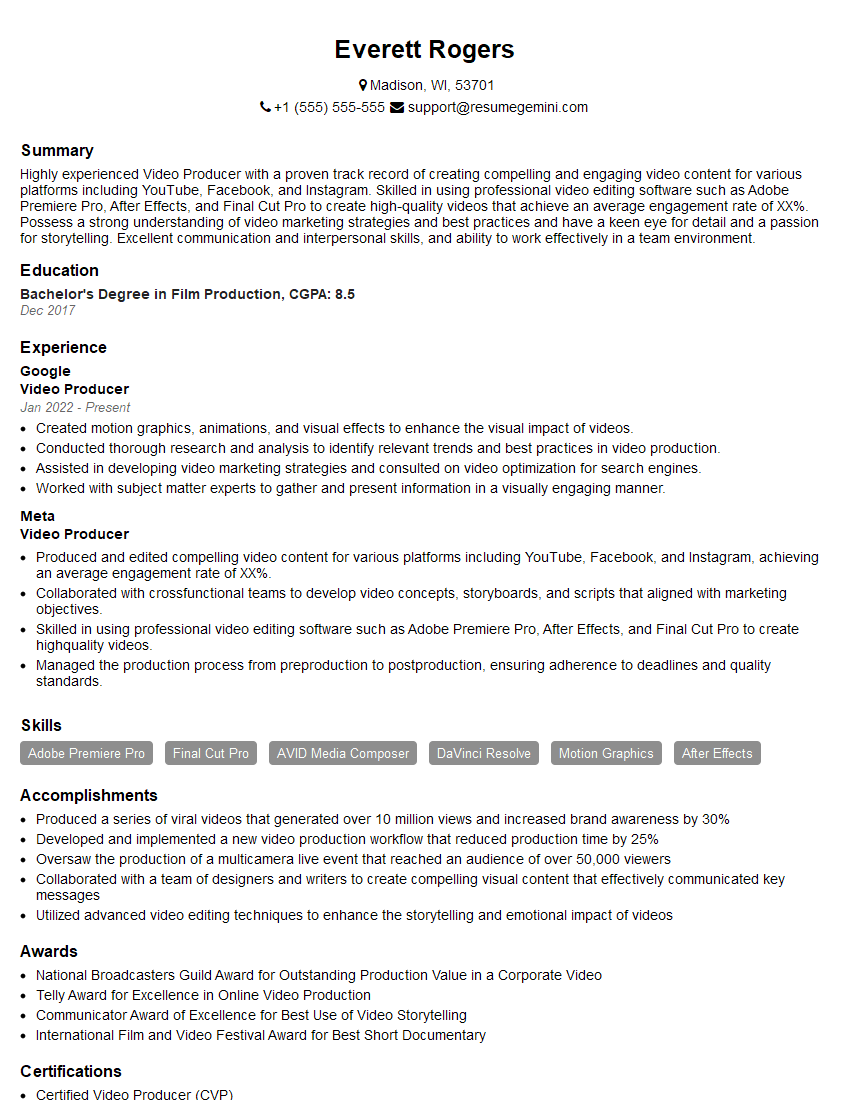
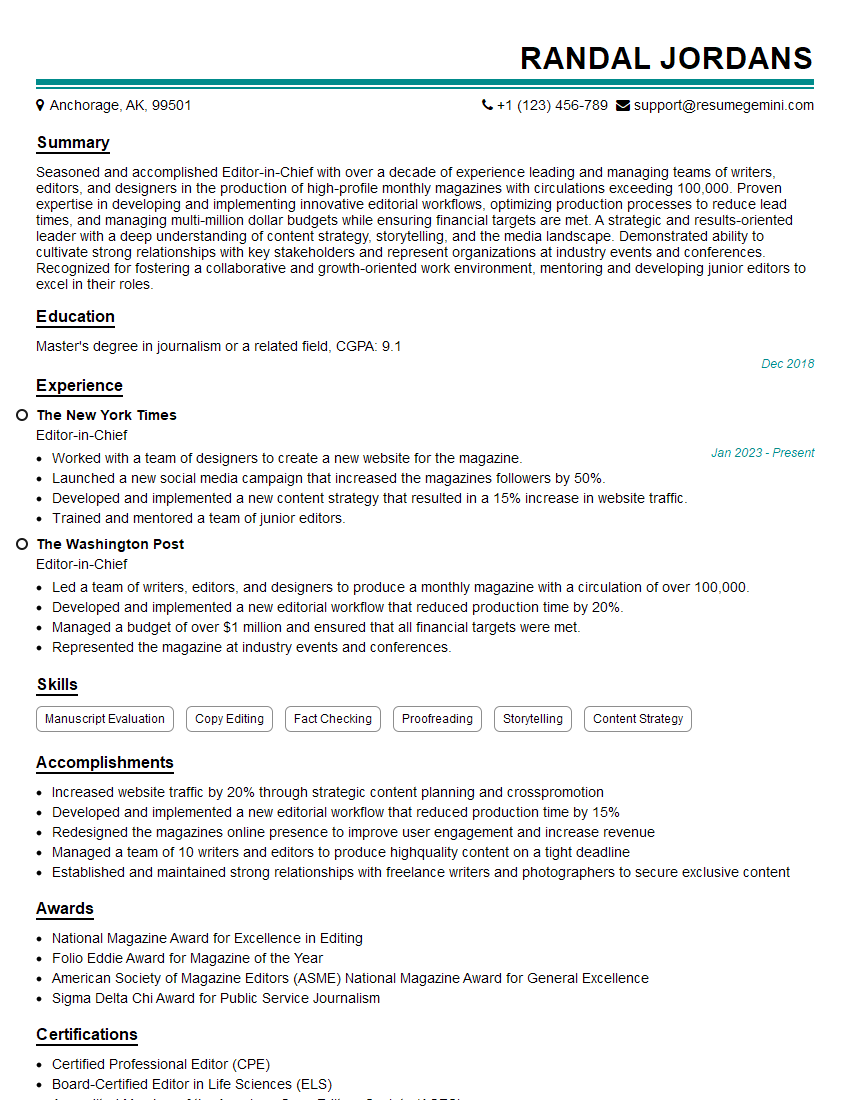
Mastering Video Editing and Motion Graphics opens doors to exciting and diverse career opportunities in film, television, advertising, and digital media. To maximize your chances of landing your dream job, creating a strong, ATS-friendly resume is crucial. ResumeGemini can help you build a professional and impactful resume that highlights your skills and experience effectively. We provide examples of resumes tailored to Video Editing and Motion Graphics professionals to guide you in creating a document that stands out from the competition.





Explore more articles
Users Rating of Our Blogs
Share Your Experience
We value your feedback! Please rate our content and share your thoughts (optional).
What Readers Say About Our Blog
I Redesigned Spongebob Squarepants and his main characters of my artwork.
https://www.deviantart.com/reimaginesponge/art/Redesigned-Spongebob-characters-1223583608
IT gave me an insight and words to use and be able to think of examples
Hi, I’m Jay, we have a few potential clients that are interested in your services, thought you might be a good fit. I’d love to talk about the details, when do you have time to talk?
Best,
Jay
Founder | CEO