Every successful interview starts with knowing what to expect. In this blog, we’ll take you through the top Experience with physical and digital printing processes interview questions, breaking them down with expert tips to help you deliver impactful answers. Step into your next interview fully prepared and ready to succeed.
Questions Asked in Experience with physical and digital printing processes Interview
Q 1. Explain the difference between offset and digital printing.
Offset and digital printing are two fundamentally different printing methods. Offset printing, a lithographic process, uses plates to transfer ink onto a rubber blanket, which then transfers the image onto the paper. This indirect transfer allows for high-volume, high-quality printing at a lower cost per unit. Think of it like making multiple copies using a stencil. Digital printing, on the other hand, prints directly onto the substrate (paper, fabric, etc.) using an electronic process. It’s like using a high-resolution inkjet printer, but on a much larger scale.
The key differences lie in their cost-effectiveness, speed, and setup. Offset is ideal for large print runs due to its lower cost per unit after the initial plate setup, while digital printing excels for shorter runs, personalized prints, and quick turnarounds because it requires no plate-making. For instance, printing 10,000 brochures would be far cheaper using offset, but printing 50 personalized invitations would be much more efficient with digital printing.
Q 2. Describe the prepress process in detail.
Prepress is the crucial stage before actual printing begins. It involves preparing the digital files to ensure they’re print-ready. This multi-step process includes:
- File Preparation: This involves receiving the design files (usually in formats like PDF, AI, or InDesign) and checking their resolution, color mode (CMYK), and bleeds (the extra area extending beyond the trim size). I often use software like Adobe Acrobat Pro to check for issues and preflight the documents.
- Color Management: Transforming the color space from RGB (used for screens) to CMYK (used for printing) is crucial here to maintain color accuracy. Color profiles like ISO Coated v2 (C1) or U.S. Web Coated (SWOP) are applied to achieve consistent color reproduction.
- Imposition: This is arranging the pages in the correct order for printing, considering the type of printing and folding required (e.g., booklet, leaflet). For offset, it might be necessary to account for the printing plates and the press’s sheet size.
- Proofing: Soft proofs are digital representations of the final output, while hard proofs are physical prints. Soft proofing provides initial checks while hard proofs allow for color checks and overall quality assurance before sending the job to press. I typically use soft proofing extensively during the workflow.
- Plate Making (Offset Only): This involves creating printing plates from the prepared files, which are then mounted on the offset press.
A thorough prepress process minimizes errors and ensures the final printed product matches the client’s expectations.
Q 3. What are the common color profiles used in printing (e.g., CMYK, RGB)?
The most common color profiles used in printing are:
- CMYK: Cyan, Magenta, Yellow, and Key (black). This subtractive color model is the standard for print, as it’s how printing inks combine to create colors on paper. The percentages of each color determine the final hue.
- RGB: Red, Green, and Blue. This additive color model is used for digital screens. Files originally in RGB must be converted to CMYK for printing. This conversion process can sometimes lead to slight color shifts and requires careful color management to minimize discrepancies.
- Pantone (PMS): Pantone Matching System is a standardized color reproduction system using specific ink formulas. It’s particularly important when precise color matching is crucial, such as with corporate branding or specific color requirements.
Understanding these color profiles is fundamental to managing color consistency and achieving accurate color reproduction.
Q 4. How do you ensure color consistency across different printing methods?
Maintaining color consistency across different printing methods requires a multi-faceted approach. First, consistent color management throughout the entire workflow is crucial. This involves using standardized color profiles (e.g., ISO Coated v2) and calibrated monitors to ensure that what is viewed on the screen closely matches the final printed output. Secondly, color calibration of the printing presses is essential. Press calibrations account for variations inherent to specific printing devices and inks. Using a color spectrophotometer for color measurement and matching provides objective data and reduces the risk of human error. Finally, hard proofing (a physical proof printed on the press) provides the ultimate verification of color accuracy before mass production. For example, if we’re printing on a large offset press and a small digital press, I would use a spectrophotometer to take measurements on printed samples from both processes, making adjustments to the printing parameters to ensure the two products have a close color match.
Q 5. What is the significance of DPI and PPI in printing?
DPI (dots per inch) and PPI (pixels per inch) are often confused but serve different purposes. DPI refers to the resolution of the printed output—the number of ink dots per inch on the printed page. Higher DPI leads to sharper, more detailed images. PPI, on the other hand, refers to the resolution of the digital image itself—the number of pixels per inch in the digital file. A file with high PPI is generally needed to achieve high DPI in print.
For optimal results, the PPI of the digital file should be at least as high as the desired DPI for printing. For example, if you want a printed resolution of 300 DPI, then you need to use a digital file with at least 300 PPI. Failure to meet this can result in pixelation or a loss of image quality in the printed product.
Q 6. Explain your experience with various paper types and their suitability for different printing techniques.
My experience encompasses a wide range of paper types and their applications. Understanding paper properties such as weight, finish, and fiber content is crucial for selecting the right paper for a specific print job. For example, coated paper provides a smooth surface ideal for high-quality images and sharp text, often used for magazines and brochures, while uncoated papers (like offset) offer a more natural feel and are suitable for books, letterheads, and business cards.
Different printing techniques also influence paper selection. Offset printing generally works well with a variety of paper stocks, while digital printing can have limitations depending on the printer and ink used. I have experience working with textured papers, recycled papers, and specialty papers like linen or metallic papers and understand their suitability across various techniques. For instance, thicker papers might be problematic for inkjet printers but work perfectly with offset printing. Selecting the correct paper for the print process is an essential part of the overall quality of the final product.
Q 7. Describe your experience with different types of printing inks.
I’ve worked with various printing inks, each possessing unique characteristics:
- Offset Inks: These are oil-based inks designed for offset lithographic printing and offer vibrant colors and excellent image quality. They come in different types (heatset, coldset) depending on the drying method used.
- Digital Inks: These are water-based or pigment-based inks used in digital printing technologies like inkjet or toner-based printers. They offer a wide color gamut and are often environmentally friendly. Specific ink choices can depend on the substrate (e.g., different inks for paper vs. fabric).
- UV Inks: These inks cure instantly upon exposure to UV light, offering immediate drying and superior scratch resistance. Commonly used in specialty printing, such as labels and packaging.
- Solvent-based Inks: These inks are usually used for flexographic and screen printing. They have strong adhesion, providing high-quality output on various surfaces like plastics.
Choosing the correct ink is crucial for achieving desired print quality, durability, and color consistency. The interaction between ink and paper is a key factor in the overall success of the printing project.
Q 8. How do you troubleshoot common printing problems, such as banding or color mismatches?
Troubleshooting printing problems like banding (uneven ink distribution) and color mismatches requires a systematic approach. I start by identifying the type of printing process involved – is it offset, digital, or something else? This dictates the potential sources of the issue.
Banding: Often caused by issues with the printing press itself. For offset printing, this could be inconsistent ink supply, worn rollers, or problems with the dampening system. In digital printing, it might indicate a problem with the printhead, toner fusing, or media inconsistencies. My troubleshooting steps would include:
- Visual Inspection: Carefully examining the printed output to determine the pattern and severity of banding.
- Printhead Check (Digital): For digital printers, checking the printhead for clogs or damage is crucial. Cleaning or replacing the printhead might resolve the issue.
- Roller Inspection (Offset): In offset printing, I’d inspect the rollers for wear, damage, or ink buildup. Cleaning or replacing them is a common solution.
- Ink Supply and Viscosity: Checking the ink supply and its viscosity is crucial. Incorrect viscosity can lead to uneven ink distribution.
- Calibration: Ensuring the press or printer is properly calibrated is essential. This often involves adjusting settings related to ink flow, pressure, and speed.
Color Mismatches: These can stem from various sources, including incorrect color profiles, problems with the printing device, or inaccurate color calibration. My troubleshooting process would involve:
- Profile Verification: Double-checking that the correct color profile (e.g., CMYK or RGB) is being used for the chosen printing process and substrate.
- Color Calibration: Ensuring that the printing device is properly calibrated using a colorimeter or spectrophotometer.
- Proofing: Comparing the printed output to a color-accurate proof to pinpoint discrepancies.
- Software Settings: Reviewing the software settings to ensure accurate color representation in the design file.
- Substrate: Checking if the paper or substrate is absorbing or reflecting the ink differently than expected.
For example, I once solved a banding issue in a large-format poster print by identifying a faulty ink supply line causing inconsistent pressure. A simple fix, but critical for maintaining print quality.
Q 9. What is your experience with print finishing techniques (e.g., cutting, binding, lamination)?
Print finishing is a crucial aspect of the printing process, transforming printed sheets into finished products. My experience encompasses a wide range of techniques, including:
- Cutting: Using guillotines, die cutters, and other cutting tools to achieve precise cuts for various shapes and sizes. I’m proficient in handling both simple and complex cuts, ensuring accurate dimensions and clean edges.
- Binding: I have experience with various binding methods, including saddle stitch (for booklets), perfect binding (for books), wire-o binding (for calendars or notebooks), and coil binding. Selecting the right method depends on the project’s requirements, such as the number of pages and desired look and feel.
- Lamination: Applying a protective film to the printed material. I’m familiar with different types of lamination, such as gloss, matte, and UV lamination, each offering different levels of protection and visual appeal. I understand how to optimize lamination settings for specific substrates to avoid issues like bubbling or wrinkles.
- Folding: Efficiently folding printed sheets into various formats, from simple half-folds to complex multi-panel folds. I ensure accurate and consistent folding to maintain a professional finish.
- Punching/Drilling: Creating holes for binding or other purposes using specialized punching machines. Precision is key here to avoid misaligned holes.
For instance, I managed a large-volume project involving thousands of brochures that required saddle-stitch binding and gloss lamination. My knowledge of efficient workflow and process optimization was critical in delivering the job on time and within budget.
Q 10. Explain your understanding of color management software (e.g., Adobe Acrobat, Pantone Color Manager).
Color management software is essential for ensuring color accuracy across the entire printing process. My experience includes working with industry-standard software like Adobe Acrobat and Pantone Color Manager. Understanding color spaces (CMYK, RGB, Pantone) and profiles is critical.
Adobe Acrobat: I use Acrobat primarily for pre-flight checks, ensuring that documents are properly set up for printing, including color profiles, fonts, and bleeds. This prevents unexpected color shifts during printing. For example, I use Acrobat’s preflight tools to identify any missing fonts or images which could cause printing problems.
Pantone Color Manager: Pantone is essential for brand consistency, especially when dealing with spot colors. This software enables me to create, manage, and convert Pantone colors to process colors (CMYK) for accurate reproduction across various printing methods. It also assists in ensuring color consistency between different printers or printing processes.
A key aspect is understanding color conversion. Converting from RGB (used in digital design) to CMYK (used in most printing processes) can lead to color shifts. Color management software helps minimize these shifts by applying appropriate color profiles and adjustments. This prevents costly reprints due to color inaccuracies.
Q 11. How do you handle large-volume print jobs efficiently?
Handling large-volume print jobs efficiently requires careful planning and execution. My approach focuses on several key areas:
- Pre-press Optimization: Thorough file preparation is key. This includes ensuring high-resolution images, correct color profiles, and appropriate file formats. Automation tools can streamline this process.
- Workflow Automation: Implementing automated workflows using print workflow software (discussed further in the next answer) to reduce manual intervention and speed up processing.
- JDF/JMF: Leveraging Job Definition Format (JDF) and Job Messaging Format (JMF) standards for seamless communication between different software and hardware components in the printing process.
- Efficient Scheduling: Creating a detailed production schedule, allocating resources effectively, and monitoring progress closely. This minimizes downtime and ensures timely completion.
- Quality Control Checks: Implementing robust quality control procedures at each stage of the printing process to catch potential issues early and avoid costly rework.
- Communication: Maintaining clear communication with the client and all team members throughout the production process to address any concerns or issues promptly.
For example, I once managed a print job of 50,000 brochures by implementing a fully automated workflow, reducing the overall production time by 20% and minimizing errors.
Q 12. Describe your experience with print workflow software.
My experience with print workflow software is extensive. I’ve worked with several different systems, including those from companies like EFI, Kodak, and Heidelberg. These systems are crucial for automating and optimizing the entire print production process, from job submission and prepress to finishing and delivery.
These software packages allow for:
- Job Submission and Tracking: Efficiently managing and tracking jobs from submission to completion, including monitoring progress, resource allocation, and cost tracking.
- Prepress Automation: Automating tasks such as color management, imposition, and trapping to minimize manual intervention and reduce errors.
- Production Scheduling: Optimizing the production schedule to maximize efficiency and minimize turnaround times.
- Integration with other systems: Seamless integration with MIS (Management Information Systems) and other software used in the prepress and post-press stages.
- Reporting and Analytics: Generating detailed reports on job performance, resource utilization, and cost analysis to identify areas for improvement.
Using these tools has significantly improved our efficiency and accuracy. For example, implementing a new workflow system reduced our turnaround time for a regular client by 30%, allowing for better resource allocation and improved client satisfaction.
Q 13. What is your experience with quality control procedures in printing?
Quality control (QC) in printing is paramount. My experience involves implementing and maintaining a rigorous QC program at every stage of the production process. This includes:
- Pre-press Checks: Careful review of design files, ensuring correct color profiles, fonts, resolution, and bleeds. This often involves using preflight software to catch potential problems before printing begins.
- Proofing: Comparing a printed proof with the design file to ensure accurate color reproduction and image quality. Different types of proofs exist, ranging from soft proofs on screen to hard proofs printed on the same press.
- In-process Checks: Regular checks during the printing process to monitor color consistency, ink density, and register accuracy. This often involves taking regular test prints and making necessary adjustments.
- Post-press Inspection: Inspecting the finished product for defects, such as miscuts, misfolds, or other imperfections. This often involves a visual inspection, but also may include mechanical checks for binding integrity.
- Statistical Process Control: Utilizing statistical methods to monitor print quality and identify trends over time. This allows for proactive adjustments to maintain consistent quality.
For example, by implementing a more robust QC system, we reduced our reprint rate by 15%, resulting in significant cost savings and improved customer satisfaction.
Q 14. How familiar are you with different types of printing presses (e.g., Heidelberg, Komori)?
I have extensive experience with various types of printing presses, including those manufactured by Heidelberg and Komori. My knowledge encompasses their capabilities, limitations, and maintenance requirements. Understanding the differences is crucial for selecting the appropriate press for a given job.
Heidelberg: Known for their robust build quality and precision. I’ve worked with several Heidelberg models, including their Speedmaster series, which are widely used for high-volume commercial printing. I understand the intricacies of their offset technology, including the dampening system, inking units, and perfecting capabilities. Heidelberg presses are often favored for their reliable performance and excellent color consistency.
Komori: Komori presses are also very popular, particularly known for their automation and advanced technology. I have experience with their Lithrone series, which offers a high level of automation and efficiency, enabling high-speed production with excellent quality. The focus on automation and consistent color is crucial for large volume work.
Beyond these manufacturers, my understanding extends to other prominent brands and the general principles of offset and digital printing. This comprehensive understanding allows me to adapt my approach to different equipment, optimize print settings for each press, and troubleshoot effectively.
Q 15. How would you determine the best printing method for a specific project?
Choosing the right printing method hinges on several key factors: budget, turnaround time, desired quality, quantity, and the substrate (material) being printed on. It’s like choosing the right tool for a job – you wouldn’t use a sledgehammer to crack a nut.
- Budget: Offset printing is cost-effective for large volumes, while digital printing is better suited for smaller runs or personalized pieces.
- Turnaround Time: Digital printing offers much faster turnaround times than offset, making it ideal for urgent projects.
- Quality: Offset printing generally produces higher-quality results with sharper details and richer colors, particularly for complex designs.
- Quantity: Offset printing’s high setup costs are amortized over large print runs, making it more economical for mass production. Digital is more efficient for smaller quantities.
- Substrate: Different substrates are compatible with different printing methods. For example, screen printing excels with thicker materials like t-shirts, while inkjet printing is versatile and works well on various surfaces.
For example, a project requiring 10,000 high-quality brochures with a detailed design would likely benefit from offset printing. Conversely, printing 50 personalized invitations with variable data would be better suited to digital printing. I always consult with clients to fully understand their needs before making a recommendation.
Career Expert Tips:
- Ace those interviews! Prepare effectively by reviewing the Top 50 Most Common Interview Questions on ResumeGemini.
- Navigate your job search with confidence! Explore a wide range of Career Tips on ResumeGemini. Learn about common challenges and recommendations to overcome them.
- Craft the perfect resume! Master the Art of Resume Writing with ResumeGemini’s guide. Showcase your unique qualifications and achievements effectively.
- Don’t miss out on holiday savings! Build your dream resume with ResumeGemini’s ATS optimized templates.
Q 16. What is your experience with file preparation for different printing techniques?
File preparation is crucial for successful printing, varying significantly depending on the printing technique. Imagine baking a cake – you wouldn’t use the same recipe for a cupcake!
- Digital Printing: Files need to be high-resolution (at least 300 DPI), in CMYK color mode (for accurate color reproduction), and the correct file format (usually PDF). I often check for bleed (extra space around the design to account for cutting variations) and ensure all fonts are embedded to avoid issues.
- Offset Printing: Similar to digital, high-resolution CMYK PDFs are preferred. However, more pre-press work might be involved, including trapping (overlapping colors to prevent gaps during printing) and imposition (arranging pages for efficient printing on sheets).
- Screen Printing: Files need to be simplified, often into vector format (like AI or EPS), since screen printing uses stencils. Color separation is critical for multi-color designs.
I use software such as Adobe Acrobat, Illustrator, and InDesign regularly to prepare files for various printing methods. I always thoroughly review the prepared files before sending them to the press to ensure optimal quality and avoid costly reprints. I’ve even developed internal checklists to ensure consistency and accuracy in file preparation.
Q 17. How do you manage deadlines and prioritize tasks in a fast-paced print environment?
In a fast-paced print environment, effective time management is essential. I employ a combination of strategies to meet deadlines and prioritize tasks:
- Prioritization: I use project management tools to list tasks, set deadlines, and assign priorities based on urgency and importance (using methods like the Eisenhower Matrix).
- Communication: Maintaining open communication with clients and the print team ensures everyone is on the same page and potential delays are identified early.
- Workflow Optimization: I strive to streamline workflows, identifying bottlenecks and areas for improvement to increase efficiency.
- Contingency Planning: I always build in buffer time for unexpected delays or issues. This is crucial in preventing project slippage.
For instance, during a peak season, I might prioritize rush orders while ensuring that less time-sensitive projects still progress smoothly. I also proactively communicate any potential challenges to clients to manage expectations effectively.
Q 18. What safety measures do you follow while operating printing equipment?
Safety is paramount in any print environment. Operating printing equipment requires strict adherence to safety protocols.
- Personal Protective Equipment (PPE): I always wear appropriate PPE, including safety glasses, gloves, and hearing protection, when operating machinery.
- Machine Maintenance: I regularly inspect equipment for any signs of malfunction and report any issues immediately. Proper maintenance prevents accidents.
- Proper Handling of Materials: I follow correct procedures for handling inks, solvents, and other chemicals, ensuring proper ventilation and storage.
- Emergency Procedures: I am familiar with and regularly practice emergency procedures, including fire safety protocols and the location of safety equipment.
For instance, I always ensure the machine is properly grounded before operation and never attempt to repair equipment without proper training. I take safety seriously; it’s non-negotiable in my work.
Q 19. What is your experience with variable data printing?
Variable data printing (VDP) is a powerful technique allowing for personalized print materials. Think of mass mailings where each piece includes a recipient’s name and address or targeted advertising with customized messaging.
My experience includes working with various VDP software solutions to create personalized documents, mail pieces, and marketing materials. This often involves integrating databases with design templates to generate unique output for each recipient. I’ve worked on projects ranging from personalized birthday cards to targeted marketing campaigns, using data from customer relationship management (CRM) systems.
One memorable project involved creating personalized thank-you letters for a large company’s customer base. Using their CRM data, I generated thousands of unique letters, each addressed to a specific customer and mentioning relevant purchase history, strengthening their brand relationship. This requires precise data handling and thorough quality control to ensure accuracy and avoid errors.
Q 20. Describe your experience with different printing substrates.
My experience encompasses a wide range of printing substrates, each with its own properties and printing challenges. Just as a painter chooses the right canvas for their artwork, selecting the right substrate is critical for optimal results.
- Paper: I’ve worked with various paper types, including coated, uncoated, cardstock, and specialty papers like linen or textured stock, each offering a unique feel and print quality.
- Cardboard and Corrugated Board: Experience with printing on these substrates for packaging and displays, understanding the need for durability and print longevity.
- Textiles: I’m familiar with printing on fabrics using methods like screen printing or direct-to-garment (DTG) printing, considering the material’s absorbency and texture.
- Vinyl and Plastics: I’ve worked with various plastics and vinyl for signage and banners, choosing the appropriate material based on its application and durability needs. UV printing is often used for long-lasting prints on these materials.
Understanding substrate limitations is key. For example, inkjet printing might not be ideal for highly textured surfaces, while screen printing might be better for thicker materials. Substrate knowledge is a crucial part of ensuring a successful print job.
Q 21. Explain your understanding of imposition and its importance in printing.
Imposition is the process of arranging pages of a document on printing sheets in a way that allows for efficient printing and binding. Imagine a newspaper – all the pages are strategically placed on large sheets of paper before being folded and cut.
Its importance lies in minimizing waste, reducing printing time, and improving efficiency. Proper imposition ensures the final product is printed correctly and bound effectively. Incorrect imposition can lead to pages being out of order, missing pages, or errors in the binding process, resulting in costly reprints and delays.
I use specialized software to create imposition plans, considering factors like page size, sheet size, and binding method. For example, for a book, I might use a ‘perfect binding’ imposition strategy, placing pages in a specific sequence to allow for accurate gluing and trimming. For a booklet, a saddle stitch imposition would be more suitable. The choice of imposition depends heavily on the final product’s format and binding type. A well-executed imposition plan significantly contributes to a smooth and efficient printing process.
Q 22. How do you maintain and troubleshoot printing equipment?
Maintaining and troubleshooting printing equipment involves a proactive and reactive approach. Proactive maintenance includes regular cleaning, inspecting for wear and tear (like worn rollers or fuser units), and performing preventative tasks according to the manufacturer’s guidelines. This could involve replacing toner cartridges before they run completely out, lubricating moving parts, and running cleaning cycles. Think of it like regularly servicing your car – it prevents major issues down the line.
Reactive troubleshooting begins with identifying the problem. Is it a paper jam? Poor print quality (faded colors, streaks, or blurry text)? Is the printer offline or displaying an error code? I systematically approach troubleshooting. For example, if I encounter a paper jam, I’ll carefully check the paper path, clear any obstructions, and then ensure the paper tray is correctly aligned. If the print quality is subpar, I’d check toner levels, inspect the drums and rollers for damage, and possibly run a cleaning cycle. Error codes are often explained in the printer’s manual or online documentation, providing guidance on resolving the issue. I’ve had to troubleshoot everything from simple paper jams to complex hardware failures involving the fuser unit or imaging drums, requiring component replacements. I always document the troubleshooting steps and resolution for future reference.
Q 23. Describe your experience with print cost estimation.
Accurate print cost estimation is crucial for client satisfaction and business profitability. My approach involves a multi-faceted analysis. First, I identify the specific print requirements: the type of paper (weight, finish, and size), the printing method (offset, digital, large format), the number of prints, any finishing requirements (binding, folding, lamination), and the urgency of the job. I then factor in the cost of materials (paper, ink, toner), labor, and equipment usage. For instance, a large-format color print on a specialized paper stock will inherently cost more than a simple black and white document printed on standard paper. I also account for potential waste, especially in offset printing, which involves setup time and material consumption even before the actual printing begins. Software helps streamline this process, automatically calculating costs based on specified parameters. I always present clients with a clear and detailed breakdown of the estimated costs, ensuring transparency and avoiding any surprises.
Q 24. How do you communicate effectively with clients regarding their print needs?
Effective communication with clients is paramount. I start by actively listening to understand their needs and vision. This involves asking clarifying questions to ensure I fully grasp their requirements, including the purpose of the printed materials, their target audience, and their desired aesthetic. I use clear and concise language, avoiding technical jargon whenever possible. Visual aids, such as mock-ups or samples, are incredibly effective in conveying design concepts and print quality. I’ll present different options and discuss trade-offs between cost and quality. For example, if a client wants a high-quality, full-color brochure but has a tight budget, I might suggest using a slightly less expensive paper stock or adjusting the printing method. Regular updates throughout the process keep clients informed and build trust. I find that building a strong rapport through open and honest communication is key to client satisfaction.
Q 25. What is your experience with eco-friendly printing practices?
I’m passionate about incorporating eco-friendly practices into my work. This involves using recycled paper whenever possible, choosing inks and toners with low environmental impact, and opting for printing methods that minimize waste. For example, I encourage clients to consider double-sided printing, which reduces paper consumption significantly. I also suggest using vegetable-based inks and soy-based coatings, which are biodegradable and less harmful to the environment. Many printers now offer features to optimize ink usage and reduce energy consumption. I’m familiar with various environmental certifications, such as FSC (Forest Stewardship Council) certification for sustainably sourced paper, and I can help clients make informed choices that align with their sustainability goals. Beyond material choices, efficient workflow and careful planning minimize waste, making the entire printing process greener.
Q 26. How do you ensure the security of confidential print jobs?
Protecting the confidentiality of print jobs is a top priority. I implement several security measures, starting with secure data handling. This means using password-protected files, encrypting sensitive data during transmission, and utilizing secure servers for file storage. I also follow strict protocols for managing physical print materials, ensuring that sensitive documents are not left unattended and are disposed of securely after printing. For highly confidential projects, I might employ additional security measures, such as watermarks or tracking numbers. If the client requires it, I will implement a secure pickup and delivery system. I am always mindful of data privacy regulations and make sure our practices comply with all applicable laws.
Q 27. Describe your problem-solving skills related to printing challenges.
My problem-solving approach to printing challenges is methodical. I begin by thoroughly analyzing the issue, gathering all relevant information, including error messages, print samples, and client feedback. I then brainstorm potential causes, considering factors like hardware malfunctions, software glitches, incorrect settings, or material limitations. I systematically test each potential cause, using a process of elimination. For example, if I’m troubleshooting a color mismatch, I might check the color profile, the calibration of the printer, and the quality of the inks. I leverage online resources, manufacturer documentation, and my experience to identify solutions. If the problem is complex, I consult with colleagues or technical support. I always document the troubleshooting steps and the final solution to improve my efficiency and learn from my experiences. My goal is not only to fix immediate issues but also to prevent similar problems from recurring.
Q 28. What are your career goals in the printing industry?
My career goals in the printing industry involve continuing to expand my expertise in sustainable and innovative printing technologies. I’m particularly interested in exploring advancements in digital printing, 3D printing, and personalized print solutions. I aim to contribute to the industry’s transition towards more environmentally friendly practices, while enhancing the efficiency and cost-effectiveness of printing processes. I also aspire to take on more leadership roles, mentoring junior professionals and sharing my knowledge to foster the growth of the industry. Ultimately, I want to be a valuable asset to a company that values innovation, sustainability, and client satisfaction.
Key Topics to Learn for Experience with Physical and Digital Printing Processes Interview
- Color Management: Understanding color profiles (CMYK, RGB), color space conversion, and troubleshooting color discrepancies in both digital and physical prints.
- File Preparation: Preparing files for different printing methods (offset, digital, large format) including resolution, bleed, and imposition requirements. Practical application: Knowing how to correctly set up a file for a brochure or business card print job.
- Printing Technologies: Familiarity with various printing technologies such as offset lithography, digital printing (inkjet, toner), screen printing, and large format printing. Understanding their strengths, limitations, and applications.
- Pre-press Processes: Knowledge of trapping, proofing (soft and hard), and color calibration procedures to ensure accurate and consistent color reproduction.
- Post-press Finishing: Understanding different finishing techniques like cutting, folding, binding, lamination, and embossing and their impact on the final product’s quality and presentation. Practical application: Knowing when to recommend specific finishing options based on the project requirements.
- Print Quality Control: Identifying and troubleshooting common printing defects (e.g., banding, misregistration, poor ink density) and implementing corrective actions. Problem-solving approach: Methodical analysis of print samples to pinpoint the source of defects.
- Sustainability in Printing: Awareness of eco-friendly printing practices, including responsible ink and paper selection, and waste reduction strategies.
- Digital Asset Management: Understanding the importance of organizing and managing digital printing assets for efficient workflow and preventing errors.
- Cost Estimation and Budgeting: Ability to estimate printing costs based on factors like quantity, materials, and finishing options.
Next Steps
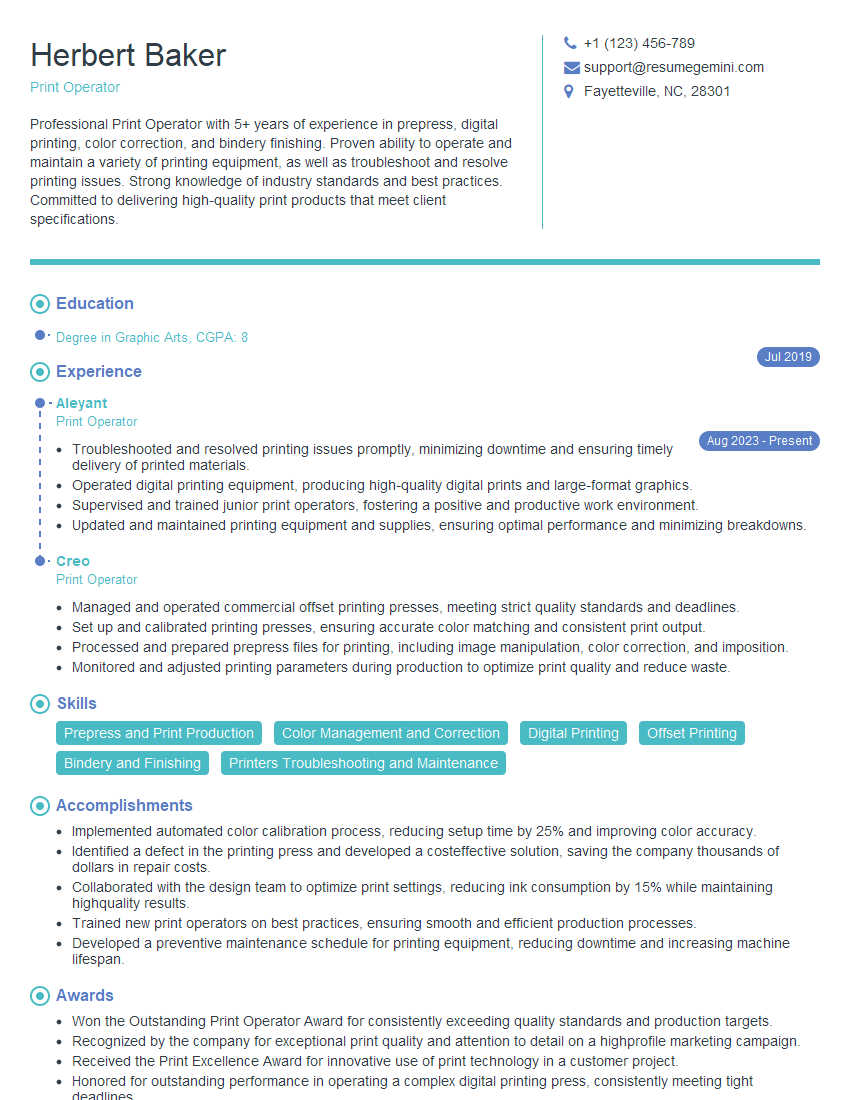
Mastering physical and digital printing processes is crucial for career advancement in graphic design, printing production, marketing, and related fields. A strong understanding of these processes demonstrates valuable technical skills and problem-solving abilities highly sought after by employers. To increase your job prospects, it’s essential to create an ATS-friendly resume that highlights your expertise. ResumeGemini is a trusted resource to help you build a professional and impactful resume that catches the eye of recruiters. Examples of resumes tailored to showcasing experience with physical and digital printing processes are available to guide you.



Explore more articles
Users Rating of Our Blogs
Share Your Experience
We value your feedback! Please rate our content and share your thoughts (optional).
What Readers Say About Our Blog
Really detailed insights and content, thank you for writing this detailed article.
IT gave me an insight and words to use and be able to think of examples