Every successful interview starts with knowing what to expect. In this blog, we’ll take you through the top High-End Photo Retouching interview questions, breaking them down with expert tips to help you deliver impactful answers. Step into your next interview fully prepared and ready to succeed.
Questions Asked in High-End Photo Retouching Interview
Q 1. Explain your experience with frequency separation retouching.
Frequency separation is a powerful retouching technique that allows for independent manipulation of skin texture and color. Imagine separating a photograph into two layers: one representing the skin’s texture (high frequencies) and the other its tones and colors (low frequencies). This allows for precise adjustments – you can smooth out blemishes on the color layer without losing the natural skin texture present on the separate texture layer. It’s like having a separate control over the ‘surface’ and the ‘underlying’ aspects of the skin.
My experience involves utilizing this method extensively. I typically use Photoshop’s channel mixer or a high-pass filter to create the separation, meticulously blending the layers afterward to achieve a natural, flawless result. This is especially crucial when dealing with portraits, where maintaining a realistic texture is vital.
Q 2. Describe your workflow for retouching beauty images.
My beauty retouching workflow is meticulously structured to ensure both efficiency and a high-quality outcome. It generally begins with a thorough assessment of the image—lighting, skin condition, and desired aesthetic. I start with basic adjustments like white balance and exposure corrections. Then, I move onto frequency separation to tackle blemishes and texture.
Next comes color correction, careful attention is paid to skin tones, ensuring consistency and vibrancy. I use selective color adjustments and masking to fine-tune areas needing further enhancement. Subtle dodging and burning enhances the overall lighting and dimension. Finally, I refine the hair and eyes for added details and polish. The entire process is iterative, consistently reviewing the image to maintain a balanced and natural look. For example, I might use a soft brush on the dodging and burning step to add depth to the cheekbones while making sure the transitions are smooth and subtle. The final step always involves a thorough quality check for any missed imperfections.
Q 3. How do you handle color correction in high-end retouching?
Color correction in high-end retouching is about much more than simply adjusting the saturation or vibrancy. It’s about achieving a cohesive and appealing color palette that enhances the mood and subject of the photograph. I typically use a combination of tools and techniques such as:
- White Balance: Correcting any color casts using tools like the White Balance tool or by adjusting individual color channels.
- Selective Color Adjustments: Targeting specific color ranges (like reds or yellows) to fine-tune their saturation, hue, and lightness.
- Color Grading: Utilizing curves or color balance adjustments to create a desired overall mood or tone, for example, by making the colors warmer or cooler.
- Masking: Isolate specific areas to apply color corrections selectively, preventing the alteration of other parts of the image.
For instance, I recently worked on a fashion shoot where the lighting created a slight green cast on the model’s skin. I used targeted color correction, selectively adjusting the green channel to bring back natural skin tones while preserving the vibrant colors of the clothing.
Q 4. What are your preferred software and tools for high-end retouching?
My preferred software is Adobe Photoshop, its versatility and powerful tools are indispensable in high-end retouching. I extensively utilize:
- Healing Brush Tool: For seamless blemish removal.
- Clone Stamp Tool: For more complex texture replacement.
- Patch Tool: For removing larger imperfections.
- Frequency Separation Technique: For detailed skin refinement.
- Adjustment Layers: For non-destructive editing and precise control over color and tone.
- Masking Techniques: Essential for refined edits and targeted adjustments.
While Photoshop forms the core of my workflow, I also use Capture One for initial image processing and color grading, leveraging its powerful raw processing capabilities.
Q 5. Explain your approach to skin retouching, focusing on maintaining natural texture.
Maintaining natural skin texture is paramount in high-end retouching. Over-smoothing can lead to an artificial and undesirable look. My approach focuses on subtle refinement rather than drastic alteration. I achieve this by:
- Frequency Separation: This allows for smoothing out imperfections in the color layer without affecting the texture layer.
- Selective Healing and Cloning: Targeting only specific blemishes, rather than broadly smoothing entire areas.
- Dodge and Burn: Enhancing natural shadows and highlights to add depth and dimension, avoiding flatness.
- Careful Use of Filters: Employing filters like the surface blur, very sparingly and selectively, ensuring they don’t obliterate the natural skin texture.
Imagine sculpting rather than painting; I aim for subtle shaping and enhancement, preserving the beauty of the individual’s unique skin characteristics.
Q 6. How do you address challenging retouching situations, such as removing complex objects?
Removing complex objects requires a multi-faceted approach. Simply using the clone stamp won’t always work. The key is to carefully reconstruct the missing details. I begin by carefully selecting the object to be removed using the lasso tool or pen tool, then utilize various tools depending on the context:
- Content-Aware Fill: For simpler removals where the surrounding area is relatively uniform.
- Patch Tool: For replacing with a similar textured area from elsewhere in the image.
- Clone Stamp and Healing Brush: Carefully reconstructing the missing details by sampling from adjacent areas.
- Frequency Separation: If a texture is involved, applying frequency separation for accurate blending.
Finally, careful attention to matching lighting, color, and texture is crucial to ensure seamless integration. I often spend considerable time meticulously blending edges and refining details to avoid any visible artifacts.
Q 7. Describe your experience with dodging and burning techniques.
Dodging and burning are fundamental techniques that subtly adjust the brightness and darkness of specific areas within an image, adding depth, dimension, and shaping to the subject. Imagine using light and shadow to sculpt a three-dimensional form. Dodging lightens, while burning darkens.
I use these techniques extensively in retouching, often in conjunction with frequency separation, to add shape to facial features. For example, subtly dodging the cheekbones and under-eye areas will enhance their prominence, while burning the sides of the nose can make it appear more slender. The key is subtlety and precision; using soft brushes and low opacity for gradual, natural-looking results. It’s about enhancing the existing features rather than creating artificial ones.
Q 8. How do you manage large batches of images for retouching?
Managing large batches of images efficiently is crucial for high-end retouching. My approach involves a multi-stage workflow focusing on organization and automation. First, I meticulously organize images into clearly labeled folders, often using a naming convention that reflects the project and image number (e.g., ProjectX_001.jpg). This prevents confusion and allows for easy retrieval. Then, I utilize Photoshop actions and batch processing capabilities to automate repetitive tasks such as resizing, color correction presets, or initial blemish removal. For more complex tasks, I leverage tools like Adobe Lightroom’s cataloging system to manage metadata and keywords for quick filtering and selection. This ensures that even with hundreds of images, the process remains manageable and allows me to focus on the intricate details of each retouch.
For example, I might create a Photoshop action to apply a consistent sharpening profile to all images before individual retouching commences. This saves a significant amount of time and ensures uniformity. I also use tools like Capture One, which offers advanced batch processing and customizable color profiles to refine consistency further.
Q 9. Explain your understanding of color spaces (RGB, CMYK) and their importance in retouching.
Color spaces are crucial in retouching, as they define the range and gamut of colors that can be represented. RGB (Red, Green, Blue) is an additive color model primarily used for screen displays. CMYK (Cyan, Magenta, Yellow, Key [Black]) is a subtractive color model used for print. Understanding their differences is vital to prevent color shifts between screen preview and final print output. A color that looks vibrant on screen in RGB might appear dull in CMYK because of the limitations of the ink-based printing process. This is why I always consider the final output medium when retouching.
For instance, when retouching images destined for print, I work in a CMYK color space from the beginning to avoid unexpected color changes during the conversion process. This involves carefully managing color profiles and adjusting colors to ensure they’ll reproduce accurately in print. I also utilize soft proofing techniques within Photoshop to simulate the printed output and make necessary corrections before finalizing the image.
Q 10. How do you ensure consistent results across multiple images?
Consistency across multiple images is paramount, especially in commercial projects. To achieve this, I rely on a combination of techniques. Firstly, I establish a clear style guide or set of retouching guidelines at the project’s outset. This might include specifications on skin tone, color grading, and overall image style. I then create custom Photoshop actions and presets that apply these consistent edits across all images. Secondly, I use reference images to maintain a visual benchmark throughout the process. I might select a few ‘master’ images that exemplify the desired style and use them as guides for other images.
For example, I might create a custom action for skin smoothing, ensuring it applies with the same intensity and naturalness across all portraits. Regularly checking and comparing images helps to catch any inconsistencies early in the workflow.
Q 11. What is your experience with layer masking and blending modes?
Layer masking and blending modes are fundamental tools in my retouching arsenal. Layer masking allows me to target specific areas of an image for editing without affecting others. Imagine retouching a portrait – I might use a layer mask to selectively smooth skin on the face while leaving the texture of the hair untouched. Blending modes, on the other hand, control how the pixels of one layer interact with the pixels of the layer below. This allows for sophisticated compositing, color correction, and special effects.
For example, I might use the ‘Soft Light’ blending mode to subtly enhance the overall contrast of an image or use ‘Overlay’ to blend in a texture or light effect seamlessly. Mastering these tools is essential for achieving natural-looking results and precise control over retouching effects.
Q 12. Describe your approach to retouching product images for e-commerce.
Retouching product images for e-commerce demands a different approach, prioritizing accuracy and clean presentation. The goal is to showcase the product in its best light without misleading the customer. I focus on removing distracting elements from the background, correcting lighting inconsistencies, and enhancing product details without altering the product’s inherent characteristics. I often use techniques like color correction to ensure consistent product color across various images. For example, I remove blemishes, dust spots, and unwanted shadows to present a clean and polished image.
A common challenge is ensuring consistent lighting across multiple product shots. I employ methods like color matching and careful shadow manipulation to achieve this uniformity. I also utilize techniques like clipping paths to isolate the product from its background for easier placement on different websites or marketing materials.
Q 13. How do you handle client feedback and revisions?
Handling client feedback and revisions is a collaborative process requiring clear communication. I always start by establishing a clear briefing document outlining the project scope, deliverables, and revision policy. Throughout the retouching process, I maintain open communication with the client, providing regular updates and progress reports. Once the initial retouched images are delivered, I carefully review all feedback, prioritizing constructive criticism and seeking clarification when necessary. I then make the requested revisions, documenting changes made along the way.
I use version control to save different versions of the images, keeping track of all revisions. This allows for easy reference and helps in quickly addressing additional feedback. This methodical approach ensures the client’s vision is fulfilled while providing them with transparency in the retouching process.
Q 14. How familiar are you with Adobe Photoshop’s advanced features?
I’m highly proficient with Adobe Photoshop’s advanced features, including its scripting capabilities, camera raw adjustments, advanced layer blending, and masking techniques. My experience extends to using plugins and extensions to enhance workflows and achieve specialized effects. I’m adept at using content-aware fill, advanced healing tools, and frequency separation techniques for high-end skin retouching. Beyond the technical aspects, I possess a comprehensive understanding of color theory, composition, and lighting, enabling me to deliver images that not only look technically perfect but also possess aesthetic appeal.
For example, I frequently leverage Photoshop’s scripting capabilities to automate repetitive tasks and create custom tools tailored to specific retouching needs. My experience with 3D modeling software and compositing allows me to approach retouching projects with a multi-faceted skillset, opening possibilities for complex and highly creative results. I also utilize advanced features like Smart Objects to ensure non-destructive editing and maintain image quality.
Q 15. Explain your experience with retouching architectural images.
Retouching architectural images requires a meticulous approach, focusing on precision and maintaining the integrity of the original structure. My experience involves extensive work with high-resolution images, often involving complex perspectives and intricate details. I’ve worked on projects ranging from single-shot images of modern skyscrapers to intricate panoramas of historical buildings. This includes correcting lens distortions, removing unwanted elements (like scaffolding or power lines), enhancing textures, and ensuring consistent lighting across the entire image. For instance, I once worked on a project where I had to seamlessly blend multiple exposures to create a final image with perfect dynamic range, highlighting both the exterior and interior lighting of a grand mansion.
My process often involves:
- Careful assessment of the image: Identifying areas needing correction and prioritizing tasks based on impact and difficulty.
- Precise masking and layering: To isolate elements for specific adjustments without affecting adjacent areas.
- Color correction and grading: Ensuring consistent and pleasing tones throughout the image, respecting the original architecture’s color palette.
- Final sharpening and export: Optimizing the image for its intended use (print or web).
Career Expert Tips:
- Ace those interviews! Prepare effectively by reviewing the Top 50 Most Common Interview Questions on ResumeGemini.
- Navigate your job search with confidence! Explore a wide range of Career Tips on ResumeGemini. Learn about common challenges and recommendations to overcome them.
- Craft the perfect resume! Master the Art of Resume Writing with ResumeGemini’s guide. Showcase your unique qualifications and achievements effectively.
- Don’t miss out on holiday savings! Build your dream resume with ResumeGemini’s ATS optimized templates.
Q 16. How do you maintain image sharpness while retouching?
Maintaining image sharpness during retouching is paramount. Over-retouching can easily lead to a blurry or softened image. My strategy focuses on non-destructive techniques and smart sharpening tools. I avoid overly aggressive sharpening filters that create halos or noise. Instead, I utilize techniques like using the Unsharp Mask filter judiciously, focusing on subtle adjustments to enhance detail. The key is to identify areas needing sharpening without compromising the overall image quality.
Here’s how I approach it:
- Smart Objects: Working with Smart Objects allows me to apply non-destructive sharpening, meaning I can adjust the intensity later without affecting the original image.
- High-Pass Filtering: This technique allows for selective sharpening, adding detail only where needed, leaving smooth areas unaffected.
- Local Adjustments: Using tools like the brush and mask to sharpen specific areas selectively prevents over-sharpening and preserves natural textures.
- Layer Masks: Protecting areas with delicate detail or soft focus while sharpening other areas helps preserve the overall quality.
Think of it like sculpting; you need to carefully remove material in some areas while adding details in others, always preserving the essence of the form.
Q 17. Describe your understanding of non-destructive editing techniques.
Non-destructive editing is the cornerstone of my workflow. It means making changes to an image without permanently altering the original pixel data. This ensures flexibility, allowing revisions and adjustments throughout the editing process without losing the original image integrity. It’s like working with layers in a painting; you can always adjust individual layers without affecting the entire canvas.
Key techniques I employ include:
- Working with adjustment layers: Instead of directly adjusting the image, I use adjustment layers to control brightness, contrast, saturation, and color balance. This lets me modify the effects non-destructively.
- Using layer masks: I selectively apply adjustments to specific areas, using masks to protect other parts of the image from being altered.
- Smart Objects: These allow for non-destructive transformations and filter applications, preserving image quality even after repeated edits.
- Using history states: I regularly save my work, allowing me to revert to earlier versions if needed.
Q 18. What is your approach to retouching images for print vs. web?
Retouching for print and web differ significantly due to the distinct resolution requirements. Print requires a much higher resolution to maintain clarity at larger sizes, and needs greater attention to fine detail. Web images need to be optimized for speed and display across various devices, prioritizing file size over extreme detail.
For print, my approach involves:
- High resolution: Working at a much higher resolution to ensure sharpness and detail at large print sizes.
- Extensive color correction: Ensuring accurate color reproduction on various printing methods.
- Sharpness: Applying subtle sharpening at the end to improve detail.
- Larger file size: Higher resolution results in a larger file size, appropriate for printing.
For web, I prioritize:
- Optimized resolution: Lower resolution to reduce file size and improve loading times.
- Web-safe color profile: Conversion to sRGB for proper display across different devices.
- Compression: Using appropriate compression techniques (like JPEG) to reduce file size without significant quality loss.
- Smaller file size: Smaller file sizes are crucial for quick web loading.
Q 19. How do you manage your time effectively when working on multiple projects?
Managing multiple projects effectively requires a structured approach. My strategy involves a combination of project management tools and personal discipline.
My workflow includes:
- Prioritization: I prioritize projects based on deadlines and importance.
- Detailed planning: Breaking each project into smaller, manageable tasks.
- Time tracking: Using project management software to track time spent on each task.
- Task management: Utilizing to-do lists and scheduling tools to maintain focus and manage deadlines effectively.
- Regular breaks: Incorporating short breaks throughout the workday to prevent burnout and maintain productivity.
I find it helpful to visualize my workload using Kanban boards or similar systems. This helps me stay organized and identify potential bottlenecks before they affect my deadlines.
Q 20. Describe your experience with healing tools in Photoshop.
Photoshop’s healing tools are invaluable for retouching. I have extensive experience using the Spot Healing Brush, Healing Brush, and Patch tools for removing blemishes, dust spots, and other imperfections. The key to effective use lies in understanding how each tool works and selecting the appropriate one based on the specific task.
Here’s a breakdown:
- Spot Healing Brush: Ideal for small imperfections, automatically sampling surrounding pixels to blend seamlessly.
- Healing Brush: Offers more control, requiring you to manually select a source area to sample and repair the damaged area. This provides more precision for complex situations.
- Patch Tool: Useful for larger imperfections, allowing you to select a damaged area and replace it with a sample from another region of the image.
Mastering these tools involves understanding sample size, blending modes, and opacity settings to achieve natural-looking results. I always work non-destructively using layer masks to allow for adjustments and refinements without affecting the base image.
Q 21. What are your strategies for optimizing image file sizes?
Optimizing image file sizes without sacrificing quality is crucial, particularly for web delivery. My strategies focus on using appropriate compression techniques, choosing the right file format, and adjusting resolution according to the image’s intended use.
My process includes:
- Choosing the right format: JPEG is generally suitable for photographs, while PNG is better for images with sharp lines and text, offering better lossless compression.
- Adjusting resolution: Reducing resolution to a size appropriate for its intended use (web, print, etc.) significantly reduces file size.
- Compression level: Finding a balance between compression level and image quality is crucial. Using a lower compression level for print images and a higher level for web images is usually adequate.
- Lossy vs. Lossless: Understanding the trade-off between file size and quality is key. Lossy compression (like JPEG) reduces file size with potential quality loss, while lossless compression (like PNG) maintains quality but results in larger file sizes.
- Progressive JPEGs: These are especially useful for web images, allowing for a gradual reveal as the image loads, providing a better user experience.
I always test different compression levels to find the best balance between quality and file size. Using online tools or plugins can also assist in optimizing image files before uploading to the web.
Q 22. Explain your experience working with RAW files.
Working with RAW files is fundamental to high-end retouching. RAW files contain significantly more image data than JPEGs or TIFFs, offering greater flexibility and control during post-processing. Think of it like having a much larger toolbox – you have far more options for adjusting exposure, white balance, contrast, and sharpening without losing detail or introducing artifacts. I routinely use Adobe Camera Raw (ACR) and Capture One, leveraging their non-destructive editing capabilities. For example, I might recover highlight detail in an overexposed sky using ACR’s recovery slider, something impossible to do effectively with a JPEG. The non-destructive nature of RAW editing allows for experimentation; I can try different settings and revert easily if needed. Furthermore, RAW files preserve color information more accurately, essential for achieving natural-looking skin tones and accurate color grading.
In a recent fashion shoot, a key image was slightly underexposed. By working with the RAW file in ACR, I was able to recover significant detail in the shadows, enhance the vibrancy of the model’s clothing, and adjust the overall white balance to match the intended mood, all without compromising image quality.
Q 23. How do you approach retouching images with motion blur?
Retouching images with motion blur requires a delicate approach. Simply sharpening the blurred areas will often result in an unnatural, artificial look. Instead, I focus on understanding the nature of the blur. Is it camera shake, subject movement, or intentional creative blur? My strategy adapts to the type of motion blur present.
For camera shake, I might use intelligent sharpening tools that selectively target only the blurred areas, avoiding over-sharpening of the in-focus parts. I might also employ techniques like noise reduction if the blur is combined with increased graininess. For subject movement blur, I may use cloning and healing tools to subtly replace the blurred areas with similar elements from the rest of the image, blending seamlessly to maintain realism. If the blur is intentional, I may focus on adjusting the contrast and color grading to emphasize the artistic effect. Sometimes, I’ll blend various techniques. For instance, I might use the healing brush to remove some of the blur and then apply a selective, subtle blur to other areas to ensure visual consistency. It’s crucial to maintain a balance between restoration and retaining the essence of the original motion.
Q 24. How familiar are you with different file formats (TIFF, JPEG, PSD)?
I’m highly proficient with TIFF, JPEG, and PSD file formats. Each serves a distinct purpose in the workflow. JPEGs are excellent for web use due to their small file sizes, but their lossy compression limits their suitability for high-end retouching. TIFFs are lossless, preserving image quality and details. They’re commonly used for archival purposes and are a good intermediate format in the retouching process. PSD (Photoshop Document) is my primary format, allowing me to save layered files containing all my edits and adjustments, enabling non-destructive editing and easy revisions. Understanding these differences is crucial for maintaining image quality and managing file sizes throughout the entire process. I often start with RAW, then move to TIFF for intermediate stages, before finishing and delivering in a format suitable for client needs (often JPEG for web or TIFF/PSD for print).
Q 25. Describe your experience with color grading techniques.
Color grading is an art form; it’s about transforming the mood and feel of an image beyond simple color correction. My approach involves understanding the client’s vision and aligning the color palette with the overall aesthetic. I use tools like curves, color balance, and selective color adjustments to fine-tune the image. This may involve subtle adjustments to warmth, saturation, and hue to achieve a specific stylistic effect. For example, I might use a cool color palette to create a serene atmosphere, or a warm palette to convey a sense of energy and excitement. In high-end retouching, the goal is to create a cohesive color story that enhances the narrative of the photograph.
Recently, I worked on a project requiring a vintage, film-like look. I employed specific color grading techniques—adjusting the curves to mimic film grain and applying a subtle vignette—to achieve the desired aesthetic. The result was a photograph with a distinctly nostalgic feel, perfectly matched to the client’s brief.
Q 26. Explain your process for delivering final retouched images to clients.
Delivering final retouched images involves careful consideration of client needs and file formats. First, I ensure the images are thoroughly checked for any inconsistencies or imperfections. Then, I provide the images in the agreed-upon format (JPEG for web, TIFF or PSD for print, depending on the application) at the specified resolution and dimensions. I always provide both high-resolution versions suitable for printing and lower-resolution versions for online use. I often use a version control system to track the progress and ensure that I am delivering the correct final versions. I compress the files appropriately to ensure optimal quality without unnecessarily large file sizes. For high-value clients, I also supply a preview of the retouched images through a digital asset management system where all relevant image data are available.
Finally, clear communication is key. I provide detailed delivery notes explaining file formats, resolutions, and any important considerations. This professional approach ensures the client has a seamless and positive experience.
Q 27. How do you stay up-to-date with the latest trends and techniques in high-end photo retouching?
Staying current in this fast-paced field requires proactive effort. I regularly attend online and in-person workshops and conferences to learn from leading retouchers. I subscribe to industry-leading publications and blogs. More importantly, I actively participate in online communities and forums, engaging with fellow professionals and sharing knowledge. I constantly experiment with new software features and plugins, testing different workflows to refine my skills and stay ahead of the curve. It’s not enough to simply use software; true mastery demands continuous learning and adaptation.
For example, the recent advances in AI-powered retouching tools have drastically changed the landscape. I’ve devoted significant time to understanding these tools, carefully evaluating their capabilities and limitations to integrate them effectively into my workflow, focusing on using AI as a supplementary tool, enhancing my efficiency without sacrificing my artistic control.
Key Topics to Learn for High-End Photo Retouching Interview
- Color Correction and Grading: Understanding color theory, color spaces (RGB, CMYK, LAB), and mastering tools for accurate and stylistic color adjustments. Practical application: Correcting skin tones, balancing lighting across an image, creating specific moods through color grading.
- Frequency Separation: Knowing how to separate the image into high and low frequencies for precise retouching, avoiding muddy results. Practical application: Removing blemishes while preserving skin texture, smoothing skin without losing detail, retouching fabrics.
- Advanced Masking and Selection Techniques: Mastering selection tools like the pen tool, lasso, and quick selection for precise masking and layer management. Practical application: Isolating complex subjects, refining selections for intricate details, creating realistic composites.
- High-Resolution Workflow and File Management: Understanding file formats (TIFF, PSD, JPEG), bit depth, and optimizing workflows for large files to maintain image quality and efficiency. Practical application: Preparing files for print, managing large projects effectively, optimizing file sizes for web.
- Dodging and Burning: Precisely controlling light and shadow to enhance depth and realism. Practical application: Adding highlights to eyes, subtly sculpting facial features, creating dramatic lighting effects.
- Advanced Techniques: Exploring techniques such as blemish removal, skin smoothing, hair retouching, and creating realistic composites. Practical application: Removing unwanted elements, enhancing overall image appeal, creating artistic photo manipulations.
- Software Proficiency: Demonstrating expert-level knowledge of industry-standard software such as Photoshop, including familiarity with shortcuts and advanced features. Practical application: Efficiently executing tasks, showcasing innovative approaches to problem-solving, demonstrating adaptability to new tools.
- Understanding Client Needs and Feedback: Communicating effectively with clients, interpreting their vision, and delivering high-quality results that meet their expectations. Practical application: Asking clarifying questions, providing progress updates, addressing client concerns professionally.
Next Steps
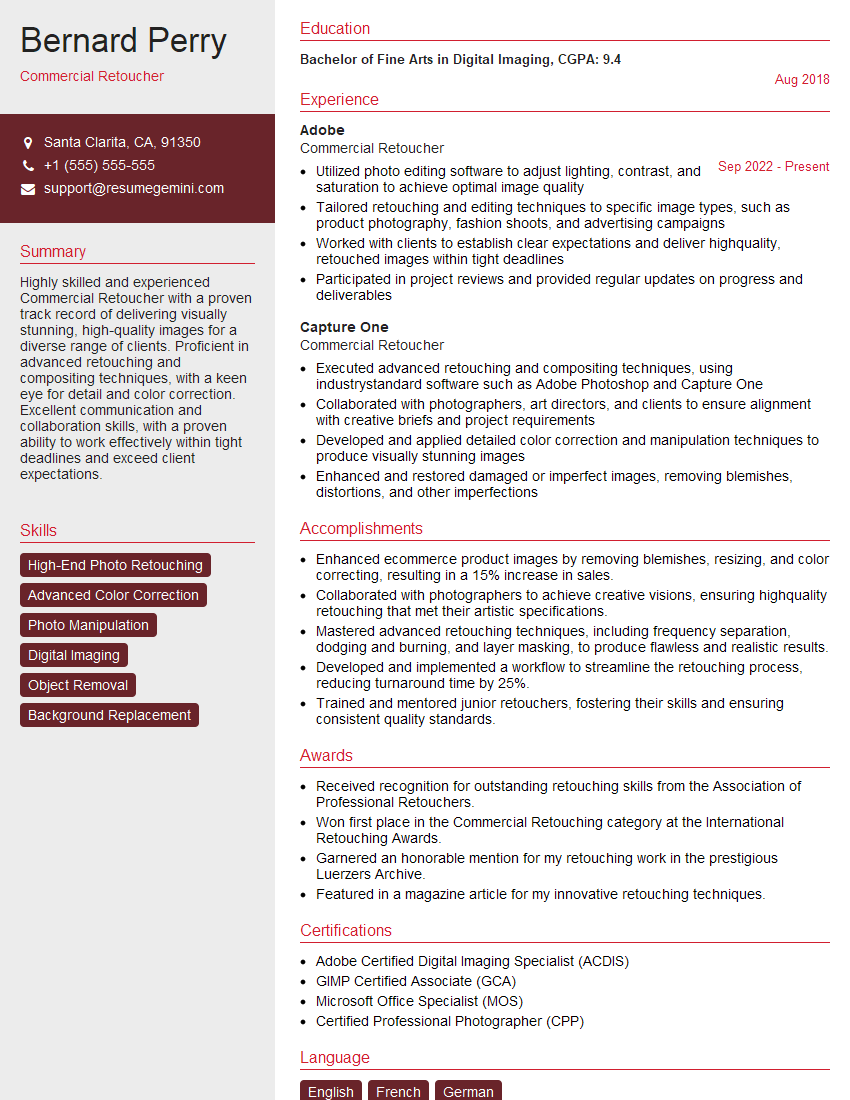
Mastering high-end photo retouching opens doors to exciting career opportunities in advertising, fashion, editorial, and commercial photography. A strong portfolio is essential, but a well-crafted resume is your first impression. Creating an ATS-friendly resume significantly increases your chances of getting your application noticed. ResumeGemini is a trusted resource to help you build a professional and impactful resume. Examples of resumes tailored to High-End Photo Retouching professionals are available to guide you.
Explore more articles
Users Rating of Our Blogs
Share Your Experience
We value your feedback! Please rate our content and share your thoughts (optional).
What Readers Say About Our Blog
Really detailed insights and content, thank you for writing this detailed article.
IT gave me an insight and words to use and be able to think of examples