Interviews are more than just a Q&A session—they’re a chance to prove your worth. This blog dives into essential Laser Job Setup interview questions and expert tips to help you align your answers with what hiring managers are looking for. Start preparing to shine!
Questions Asked in Laser Job Setup Interview
Q 1. Explain the process of setting up a laser job from receiving the design file to the start of cutting/engraving.
Setting up a laser job is a precise process involving several steps, from design import to the final cut or engraving. Think of it like baking a cake – you need the right ingredients (design, material, settings) and the right recipe (laser parameters) to get a perfect result.
- Design Import: The process begins with receiving the design file, usually in a vector format like .DXF, .AI, or .SVG for cutting, and .PNG, .JPG or .BMP for engraving. I carefully inspect the file for any errors or inconsistencies, ensuring all lines are closed for cutting operations and the resolution is sufficient for engraving.
- Material Selection and Preparation: Next, I select the appropriate material based on the design and desired outcome. This requires understanding the material’s properties – thickness, composition, and compatibility with the laser type. For instance, acrylic requires different settings than wood. Preparation might involve cleaning the material to ensure a clean cut or engraving.
- Software Setup: I then import the design file into the laser cutter’s control software. This software allows me to adjust the parameters of the laser job. This includes scaling the design, positioning it accurately on the material, and selecting the appropriate cutting or engraving settings.
- Parameter Optimization: This is the crucial step. I choose the correct laser type (CO2 for non-metals, fiber for metals), power, speed, passes (multiple passes for deeper engravings or cuts), and frequency. These settings are material-dependent and need careful optimization (more details in answer 3).
- Test Cut/Engrave (Optional): Before proceeding with the full job, a test run on a scrap piece of the same material is often beneficial to fine-tune the settings and ensure the desired result is achieved.
- Job Execution: Once the parameters are finalized, I initiate the laser cutting or engraving process, ensuring the safety procedures are followed (detailed in answer 7).
Q 2. Describe your experience with different types of laser systems (e.g., CO2, fiber).
My experience encompasses both CO2 and fiber laser systems. CO2 lasers excel at cutting and engraving non-metallic materials like wood, acrylic, and fabric, using a gas mixture to generate a laser beam. The advantages include relatively low cost, and versatility in material handling. Conversely, Fiber lasers, utilizing a fiber optic cable to generate the beam, are best suited for marking and cutting metals and some plastics. They offer higher precision, faster speeds, and a longer lifespan. I’ve worked extensively with both, adapting my job setup procedures to the specific capabilities of each system. For example, the focal length adjustment (discussed in answer 4) is critical for both but requires different approaches because of the beam characteristics. I am experienced in calibrating and maintaining both laser types, including lens cleaning and alignment procedures.
Q 3. How do you determine the optimal laser power and speed settings for a given material and design?
Determining optimal laser power and speed involves a combination of experience, software simulation, and careful experimentation. It’s an iterative process. Think of it like finding the perfect temperature for cooking – too high and you burn it; too low and it’s undercooked.
I start by consulting material databases and manufacturer specifications for a starting point. Then, I use the laser control software to simulate the process with different power and speed combinations. The software often provides visual previews and helps in estimating time. Once I have initial parameters, I perform test runs on scrap material, gradually adjusting the power and speed until I achieve the desired cut quality (clean edges, no burning or charring) or engraving depth and detail. Factors like material thickness, design complexity, and desired finish significantly influence the settings. For instance, a thicker piece of wood will require higher power and potentially more passes than a thin piece. A delicate engraving requires lower power and slower speed than a deep cut. The entire optimization process involves precise adjustments and meticulous attention to detail.
Q 4. Explain the importance of focal length adjustment in laser job setup.
Focal length adjustment is paramount because it dictates the laser beam’s focus point. An improper focal length leads to inconsistent results, such as uneven cuts, burned edges, or shallow engravings. Imagine trying to cut paper with a pair of scissors that are not sharp. The cut will be ragged and inaccurate.
The focal length is the distance between the laser lens and the material surface. This distance must be precise for optimal beam concentration. For CO2 lasers, this typically involves adjusting the lens position using a manual adjustment knob or a motorized system in more advanced machines. Fiber lasers often have fixed focal lengths but may still involve slight adjustments via z-axis control. Inaccurate focal length will produce a larger or smaller spot size than optimal, leading to poor quality cuts or engravings. Regular checks and calibration are vital to maintain consistent results.
Q 5. How do you ensure accurate alignment of the laser beam with the material?
Accurate beam alignment with the material is essential to prevent miscuts or misaligned engravings. The procedure varies slightly depending on the laser system, but generally involves using the machine’s built-in alignment tools. This may include using a red dot pointer, a camera system, or a visual alignment target.
I typically begin by using the red dot pointer to roughly position the material. Then, I use the more precise alignment tools to fine-tune the position to ensure the beam is correctly centered on the intended cutting or engraving area. The process often requires adjusting the material’s position (X and Y axes), and sometimes the machine’s focusing mechanism (z-axis) for the optimal focus distance. An out-of-alignment beam not only affects the quality of the output but can also damage the laser system itself. Regular alignment checks are essential, particularly after maintenance or system adjustments.
Q 6. Describe your experience with different types of laser cutting/engraving heads.
My experience includes working with various laser heads, each offering unique capabilities. For instance, I’ve used cutting heads optimized for high-speed through-cutting, while others are designed for precise detailing or engraving. Some heads incorporate different lenses to adjust the focal length or modify the beam profile, and some integrate air assist systems to improve cut quality and remove debris. The choice of head depends on the application. A cutting head designed for thick materials will likely produce poor quality engravings on thin materials. Understanding the capabilities and limitations of each head is critical for efficient and high-quality job setup.
Q 7. What safety precautions do you take when setting up and operating laser equipment?
Safety is paramount when working with laser equipment. My safety protocols are strict and consistent, and I always prioritize safety over speed. I treat every operation as if it’s my first.
- Eye Protection: I always wear appropriate laser safety eyewear, rated for the specific laser wavelength and power level. This protects my eyes from potentially damaging laser radiation.
- Proper Ventilation: Adequate ventilation is essential, especially when cutting or engraving materials that produce fumes or smoke. I ensure that the laser enclosure’s exhaust system is functioning correctly and that the work area is well-ventilated.
- Fire Safety: Flammable materials are handled with extreme caution, and appropriate fire suppression equipment is readily available. I never leave the machine unattended during operation.
- Material Handling: I always use proper material handling techniques to prevent accidental injuries or damage to the material.
- Laser Enclosure: I always ensure that the laser is operated within its enclosed environment to prevent unintended laser exposure. Regular maintenance, checks, and certifications are also part of my safety protocols.
These precautions are non-negotiable, ensuring a safe working environment for myself and others.
Q 8. How do you troubleshoot common laser processing issues (e.g., burn marks, inconsistent cutting)?
Troubleshooting laser processing issues requires a systematic approach. Think of it like detective work – you need to gather clues to pinpoint the problem. Common issues like burn marks and inconsistent cutting often stem from several interconnected factors.
- Burn Marks: These usually indicate the laser power is too high, the speed is too slow, or the focal point is improperly adjusted. For example, if the burn mark is significantly wider than the intended cut, you might need to reduce the laser power or increase the speed. A smaller, more concentrated burn mark might point to a poorly focused lens, necessitating recalibration.
- Inconsistent Cutting: This can be caused by variations in material thickness, inconsistencies in the laser beam itself, or improper material preparation. Imagine a piece of wood with knots – the laser will encounter resistance in those areas, leading to inconsistent cutting. Addressing this might involve adjusting the laser settings based on material thickness variations or pre-treating the material (e.g., sanding for wood).
My troubleshooting process starts with a visual inspection of the workpiece and the laser system. I check the lens for cleanliness and damage, verify the material’s consistency, and then examine the laser settings. I systematically adjust parameters like power, speed, and pulse frequency, documenting each change and the results. If the problem persists, I’ll consult the machine’s diagnostics and service manuals.
Q 9. What software packages are you proficient in for laser job preparation (e.g., AutoCAD, CorelDRAW)?
I’m proficient in several software packages used for laser job preparation. My experience includes:
- AutoCAD: I use AutoCAD extensively for creating precise vector-based designs, especially for intricate parts requiring high accuracy. This includes creating detailed drawings from scratch or importing existing blueprints.
- CorelDRAW: CorelDRAW is excellent for tasks requiring image manipulation and complex graphic designs. I frequently use it for creating intricate vector art for laser cutting and engraving applications.
- Adobe Illustrator: Similar to CorelDRAW, Adobe Illustrator allows for fine control over vector designs and works seamlessly with many other Adobe creative suite applications for comprehensive design workflows.
I also have experience with other vector graphics editors like Inkscape, which offers a more open-source and cost-effective alternative while still providing the necessary tools for precise laser job preparation.
Q 10. Describe your experience with nesting optimization software and techniques.
Nesting optimization is crucial for maximizing material utilization and minimizing waste. Think of it as a puzzle – fitting as many pieces (parts) as possible onto a sheet of material (puzzle board). My experience involves using both software and manual techniques.
I use dedicated nesting software like Radan and SigmaNest. These programs analyze the parts’ dimensions and automatically arrange them on the material sheet, minimizing material waste and optimizing cutting paths. However, manual nesting is sometimes necessary for particularly complex shapes or when dealing with specific material constraints. My experience includes proficiency in both automatic and manual nesting techniques, allowing me to choose the optimal approach for each specific project.
Advanced nesting techniques, such as considering kerf width (the width of the cut made by the laser) and rotation optimization, are essential for maximizing efficiency. I understand how to leverage the capabilities of nesting software to adjust settings to achieve the best possible material utilization for any given job.
Q 11. How do you manage material handling and waste disposal during laser processing?
Material handling and waste disposal are critical aspects of laser processing, particularly regarding safety and efficiency. I follow established procedures to ensure a safe and organized workflow. My process involves:
- Safe Material Handling: Using appropriate personal protective equipment (PPE), including safety glasses and gloves. Materials are handled carefully to prevent damage or injury. Proper storage of materials to prevent warping, damage, or contamination.
- Organized Waste Disposal: Laser-cut waste, depending on the material, may require specialized disposal methods. For example, certain plastics or metals might need to be recycled according to local regulations. We clearly segregate different types of waste, ensuring compliance with all relevant environmental guidelines and safety protocols.
For instance, in a recent project involving acrylic cutting, I implemented a system for collecting and sorting the acrylic scraps to be recycled, while the laser dust was collected by an integrated vacuum system and disposed of appropriately. This streamlined the process, reduced waste, and ensured workplace safety.
Q 12. Explain the process of calibrating a laser system.
Calibrating a laser system is vital for ensuring accuracy and consistency. It involves a precise adjustment of various components to achieve optimal performance. This is often a multi-step process specific to each machine.
Generally, calibration involves adjusting the lens focus, ensuring proper beam alignment, and verifying the power output. I use a range of tools for this: a focusing card to find the precise focal point, beam alignment tools to ensure the beam travels correctly through the optical path, and power meters to verify laser output as per the manufacturer’s specifications.
The process needs to be repeated periodically and after any major adjustments or maintenance. A well-calibrated system produces consistent, accurate cuts and engravings, directly impacting product quality. Following the manufacturer’s instructions and using the correct calibration tools is essential for accurate results.
Q 13. How do you ensure the quality and consistency of laser-processed parts?
Ensuring quality and consistency in laser-processed parts requires a holistic approach that begins with the design phase and continues through production. Key aspects include:
- Precise Design and Software Setup: Using vector-based design software with high precision, ensuring designs are properly scaled and aligned, and employing kerf compensation (adjusting the design to account for the laser cut width).
- Consistent Material Selection and Preparation: Using consistently high-quality material free from defects, and ensuring proper cleaning and preparation of the material before processing (e.g., removing surface contaminants).
- Regular System Maintenance and Calibration: Regular checks and calibrations of the laser system to ensure optimal performance. This includes cleaning the optics, checking alignment, and verifying laser power output.
- In-Process Quality Control: Regular monitoring of the cutting/engraving process, including spot checks during production to catch any issues early and maintaining detailed records of the settings for traceability and repeatability.
- Post-Processing Inspection: A final inspection of the finished parts to ensure they meet the specified dimensions and quality standards, including the use of appropriate measuring tools such as calipers and micrometers.
For instance, regular cleaning of the laser lens is vital; otherwise, buildup on the lens can degrade beam quality, leading to inconsistent results.
Q 14. What are your methods for verifying the accuracy of laser job setups before production?
Verifying the accuracy of laser job setups before full-scale production is a crucial step to prevent costly mistakes. My methods incorporate several stages of verification:
- Test Cuts on Scrap Material: I always perform test cuts on scrap material of the same type I will use for the production run. This allows me to fine-tune parameters (power, speed, etc.) before using the production material. It’s like a trial run before the main event!
- Dimensional Verification: Using precise measuring tools such as calipers and micrometers, I verify the dimensions of the test cuts to ensure they match the design specifications. Any discrepancies indicate adjustments are needed.
- Visual Inspection: A thorough visual inspection of the test cuts helps identify issues such as burn marks, inconsistent cuts, or other defects before proceeding with full-scale production.
- Software Simulation (where applicable): Some advanced software packages offer simulation capabilities allowing a virtual preview of the laser cutting process. This helps catch potential errors in the design or nesting before physical processing.
These steps, while seemingly simple, are instrumental in preventing costly errors and ensuring consistent high quality in the final products.
Q 15. Describe your experience with different laser cutting/engraving materials (e.g., wood, acrylic, metal).
My experience encompasses a wide range of laser cutting and engraving materials. Understanding material properties is crucial for successful job setup. For instance, wood requires careful consideration of grain direction to avoid burning or uneven cuts. Different wood types (e.g., softwoods like pine vs. hardwoods like oak) necessitate adjustments to power and speed settings. Acrylic, known for its clean cuts and ability to engrave intricate details, needs precise settings to prevent melting or cracking. Metal, particularly stainless steel, requires significantly higher power and often multiple passes to achieve the desired cut depth. I’ve worked extensively with various metals, adapting my settings based on factors like thickness and alloy. For example, aluminum requires different settings compared to steel due to its varying reflectivity and heat conductivity. Each material presents unique challenges, and my approach involves meticulous testing and parameter adjustments to achieve optimal results.
- Wood: Pine, Oak, Birch – adjusting power and speed to account for density and grain.
- Acrylic: Different thicknesses and colors require adjustments to prevent melting or cracking.
- Metal: Stainless steel, aluminum, brass – higher power and often multiple passes are necessary.
Career Expert Tips:
- Ace those interviews! Prepare effectively by reviewing the Top 50 Most Common Interview Questions on ResumeGemini.
- Navigate your job search with confidence! Explore a wide range of Career Tips on ResumeGemini. Learn about common challenges and recommendations to overcome them.
- Craft the perfect resume! Master the Art of Resume Writing with ResumeGemini’s guide. Showcase your unique qualifications and achievements effectively.
- Don’t miss out on holiday savings! Build your dream resume with ResumeGemini’s ATS optimized templates.
Q 16. How do you handle complex or intricate designs during laser job setup?
Handling complex designs involves a multi-step process that prioritizes accuracy and efficiency. First, I carefully analyze the design in the chosen software, identifying areas of high detail and intricate geometries. Vector designs are preferred for laser cutting, ensuring sharp, clean cuts. Then, I optimize the design for laser processing, potentially simplifying certain areas to maintain cut quality or using raster engraving for detailed areas where vector cutting may not be suitable. Next, I adjust the laser parameters based on the material being used and the design’s complexity. For instance, intricate designs often require slower speeds and lower power to prevent burning or unintended cuts. I frequently employ features like ‘kerf compensation’ – adjusting the design dimensions slightly to account for the width of the laser beam – to ensure precision. Finally, I perform test cuts on scrap material to refine settings and confirm that the final product will meet expectations. This iterative process ensures a high-quality finished product.
For instance, a design with many small, closely spaced details might benefit from reducing the speed and power settings to avoid bridging between cuts or burning. A detailed, step-by-step approach to testing is crucial for success.
Q 17. Describe your experience working with different file formats (e.g., DXF, AI, SVG).
I’m proficient in handling various file formats commonly used in laser processing, including DXF, AI, SVG, and PDF. Each format presents its own nuances. DXF (Drawing Exchange Format) is a widely used CAD format, generally preferred for its vector-based nature which is ideal for laser cutting. AI (Adobe Illustrator) files often contain both vector and raster data, and require careful attention to ensure that only the vector data is used for cutting. SVG (Scalable Vector Graphics) files are also excellent for laser cutting due to their vector-based nature. PDFs can sometimes be used, but they often need to be converted to a vector format first to ensure accurate cutting. My experience includes troubleshooting issues arising from file import, such as missing data or incorrect scaling, and converting files between formats when necessary to ensure compatibility with the laser cutting software.
In practical terms, I might need to clean up an AI file by removing raster images or unwanted elements before importing it into the laser cutter software. Similarly, I’d convert a PDF drawing to DXF to achieve the highest precision and avoid any inaccuracies.
Q 18. How do you interpret technical drawings and specifications to set up laser jobs?
Interpreting technical drawings and specifications is paramount in laser job setup. I begin by thoroughly reviewing all dimensions, tolerances, material specifications, and any notes or annotations. My focus is on extracting all relevant information to translate the design into laser-cutting parameters. This includes carefully identifying cut lines, engraving areas, and any special instructions. I meticulously check for inconsistencies or potential issues, such as overlapping lines or too-small features. My experience includes working with various drawing standards and notations, ensuring accurate interpretation of the design intent. A key aspect is understanding the manufacturing tolerances and translating them into acceptable variations in the laser settings to ensure that the final product meets specifications.
For example, a technical drawing might specify a tolerance of ±0.1mm. I would use this information to adjust my laser settings, making sure the cut lines are within this range to achieve an acceptable final product. Misinterpreting these specifications could lead to unacceptable deviations from the design.
Q 19. What is your experience with preventative maintenance of laser equipment?
Preventative maintenance is critical for ensuring the longevity and accuracy of laser equipment. My experience includes regular cleaning of lenses, mirrors, and the cutting bed, which are essential for maintaining beam quality and preventing damage to materials. I also perform regular checks of the cooling system, ensuring adequate airflow and preventing overheating. I’m familiar with safety procedures, including laser alignment checks and regular gas flow verifications, to prevent any accidents or equipment malfunction. Furthermore, I meticulously record all maintenance procedures and observations, contributing to a detailed history of equipment performance. This approach minimizes downtime and maximizes equipment lifespan. For example, a clogged air assist nozzle can lead to poor quality cuts and even damage the laser optics. Regular cleaning of this component is crucial for consistent performance.
Q 20. How do you document laser job setup procedures and parameters?
Comprehensive documentation is essential for reproducibility and quality control. For each laser job, I meticulously record all relevant parameters, including material type, thickness, power settings, speed, frequency, passes, focal length, and any other relevant job-specific settings. I also include detailed notes about the file used, any modifications made, and the results obtained. This information is stored in a digital database, often including screenshots of the laser software settings and images of the finished product. This standardized approach allows for easy retrieval of information for future jobs, facilitating efficient process optimization and quality control. If adjustments need to be made for a subsequent job, these records enable efficient replication of the optimal settings, saving considerable time and resources.
Q 21. Describe your experience with using laser marking systems.
My experience with laser marking systems extends to various applications, including marking serial numbers, logos, and other identification information on a wide range of materials. This requires a different approach than cutting or engraving, focusing on the creation of high-contrast marks that are durable and readable. I’m familiar with different marking technologies, including fiber and CO2 lasers, each with its own advantages and limitations depending on the material being marked and the desired level of detail. The parameters for laser marking—power, speed, and pulse frequency—are carefully tuned to optimize the mark’s quality, depth, and contrast, ensuring readability and longevity. Safety protocols are paramount in handling laser marking equipment due to the potential for eye damage.
Q 22. Explain the difference between raster and vector engraving.
Raster and vector engraving are two fundamentally different approaches to laser processing. Think of it like drawing with a crayon versus using stencils. Raster engraving is like using a crayon: the laser scans across the material in a series of closely spaced lines, much like a printer creates an image. This is ideal for photos, detailed artwork, and complex designs where shading is important. The laser’s intensity determines the depth of engraving. Vector engraving, on the other hand, is like using a stencil: the laser follows precise vector paths, cutting or etching lines directly. This is perfect for clean, crisp lines, text, or simple geometric shapes. It’s faster and more efficient for these applications because it only engages the laser along the defined path.
For example, if you’re engraving a company logo that is primarily lines and text, vector engraving is the preferred method. But if you’re personalizing a photo onto a keychain, raster engraving is more appropriate.
Q 23. How do you account for material variations in your laser job setups?
Material variations significantly impact laser processing. Different materials absorb and reflect laser energy differently, leading to variations in the outcome. To account for this, I meticulously test materials before production. This involves creating small test pieces and experimenting with power, speed, and frequency settings. For example, a darker wood will absorb more laser energy than a lighter wood, requiring a lower power setting to avoid burning. I document these test results, creating a database of optimal settings for each material type and thickness. This allows for consistent results even with slight material variations. In cases where significant variation exists within a batch of materials, I might consider using a vision system for real-time adjustments.
Q 24. What are your troubleshooting steps if the laser output is inconsistent?
Inconsistent laser output is a serious issue requiring methodical troubleshooting. My approach follows a structured process:
- Check the laser tube: The most common cause is a failing laser tube. I verify tube power, alignment, and check for any visible damage. A gradual power decrease is typical of an aging tube.
- Inspect mirrors and lenses: Dust, debris, or misalignment can significantly affect beam quality. Careful cleaning and precise alignment are critical steps. I use a lens cleaning kit specifically designed for laser optics.
- Verify power supply: Ensure the power supply is functioning correctly and delivering the correct voltage and current to the laser. I would consult the power supply’s specifications and manuals.
- Examine airflow: Insufficient cooling can lead to erratic power output. Verify cooling fans are functioning properly and air filters are clean.
- Software Settings: Review and double-check the software settings. Incorrect power, speed, or pulse parameters can lead to inconsistent results. I might create a test job with incremental changes to parameters to isolate the issue.
If the issue persists after these checks, I contact the laser manufacturer’s technical support for further assistance.
Q 25. Explain the concept of kerf and its relevance in laser cutting.
Kerf refers to the width of the cut created by the laser. It’s crucial for accurate laser cutting because the cut is not perfectly clean; the laser leaves a small amount of material affected by the heat. The kerf depends on the material’s thickness and type, the laser’s power, and the speed of the cutting process. Think of it as the laser’s ‘line thickness.’ Understanding kerf is vital for precise part design. In CAD software, we need to account for the kerf when designing parts; otherwise, the final cut might be smaller than intended. For example, if your design calls for a 10cm square, and your kerf is 0.2mm, your design should be slightly larger than 10cm to compensate for the kerf.
To measure kerf, I cut sample pieces and then precisely measure the distance between the cut edges. This allows me to compensate for the kerf during design.
Q 26. How do you optimize laser job settings to minimize material waste?
Minimizing material waste requires a multifaceted approach focusing on optimization at multiple stages:
- Nesting optimization: Using software that efficiently nests multiple parts within a sheet of material minimizes the waste between pieces.
- Precise design: Carefully designed parts leave minimal space. This requires a keen understanding of kerf and part tolerances.
- Test Cuts: Perform test cuts before mass production to fine-tune settings, further reducing material waste from adjustments.
- Material Selection: Choose materials that match the project’s dimensions, reducing the need to cut larger pieces.
- Waste Material Recycling: Some materials can be reused or recycled, adding another layer to waste reduction.
A simple example is using software to arrange multiple pieces of the same part on a sheet, minimizing unused space. By systematically optimizing each step, overall material waste can be substantially reduced.
Q 27. How do you ensure operator safety during the operation of laser equipment?
Operator safety is paramount. Laser safety requires a multi-layered approach:
- Protective eyewear: This is the most critical aspect. Operators must wear appropriate laser safety eyewear rated for the laser’s wavelength and power output.
- Enclosure: Laser systems should ideally be operated within an enclosure that prevents exposure to the laser beam.
- Emergency stop: Easy access to an emergency stop button is essential.
- Proper ventilation: Laser cutting generates fumes, so adequate ventilation is necessary to remove them.
- Fire safety precautions: Flammable materials should be kept away from the laser cutting area, and a fire extinguisher should be readily available.
- Training: Thorough training is crucial. All operators must receive comprehensive training on safe operation procedures and emergency protocols.
I regularly review safety procedures with our team and ensure compliance with all relevant safety regulations. Safety is not just a checklist; it’s an ingrained part of our laser operation procedures.
Q 28. Describe your experience in using vision systems for laser job automation.
I have extensive experience integrating vision systems into automated laser job setups. This has significantly enhanced efficiency and precision. Vision systems enable automated part detection, recognition, and positioning, eliminating the need for manual setup and alignment, particularly helpful in high-volume production. This reduces errors stemming from manual handling and speeds up production considerably.
For example, we used a vision system in a project where we were laser cutting custom-shaped parts from sheets of metal. The vision system would identify the parts on the sheet, determine their position and orientation, and then transmit that information to the laser cutter. The laser then automatically positioned itself to cut each part precisely, significantly increasing efficiency. The improved precision reduced scrap material and led to a considerable cost-saving in material waste.
Key Topics to Learn for Laser Job Setup Interview
- Laser Safety and Operation: Understanding laser classifications, safety protocols, and proper machine operation procedures. This includes emergency shutdown procedures and preventative maintenance knowledge.
- Material Handling and Processing: Knowledge of different materials used in laser processing (metals, plastics, etc.), their properties, and appropriate laser parameters for optimal results. This also includes understanding material preparation and post-processing techniques.
- Software and Parameter Settings: Familiarity with the software used to control the laser system, including setting parameters like power, speed, focal length, and assist gas flow. Understanding the impact of these settings on the final product is crucial.
- Job File Creation and Management: Proficiency in creating and managing job files, including importing designs, nesting parts efficiently, and optimizing cutting or engraving processes. This also involves troubleshooting file errors.
- Quality Control and Troubleshooting: Identifying and resolving common issues during the laser job setup process, including understanding the causes of defects like burn marks, inconsistencies, and material damage. This involves utilizing diagnostic tools and documenting solutions.
- Maintenance and Calibration: Basic understanding of routine maintenance tasks and the importance of regular system calibration to ensure accuracy and optimal performance. Knowing how to identify potential maintenance needs is key.
Next Steps
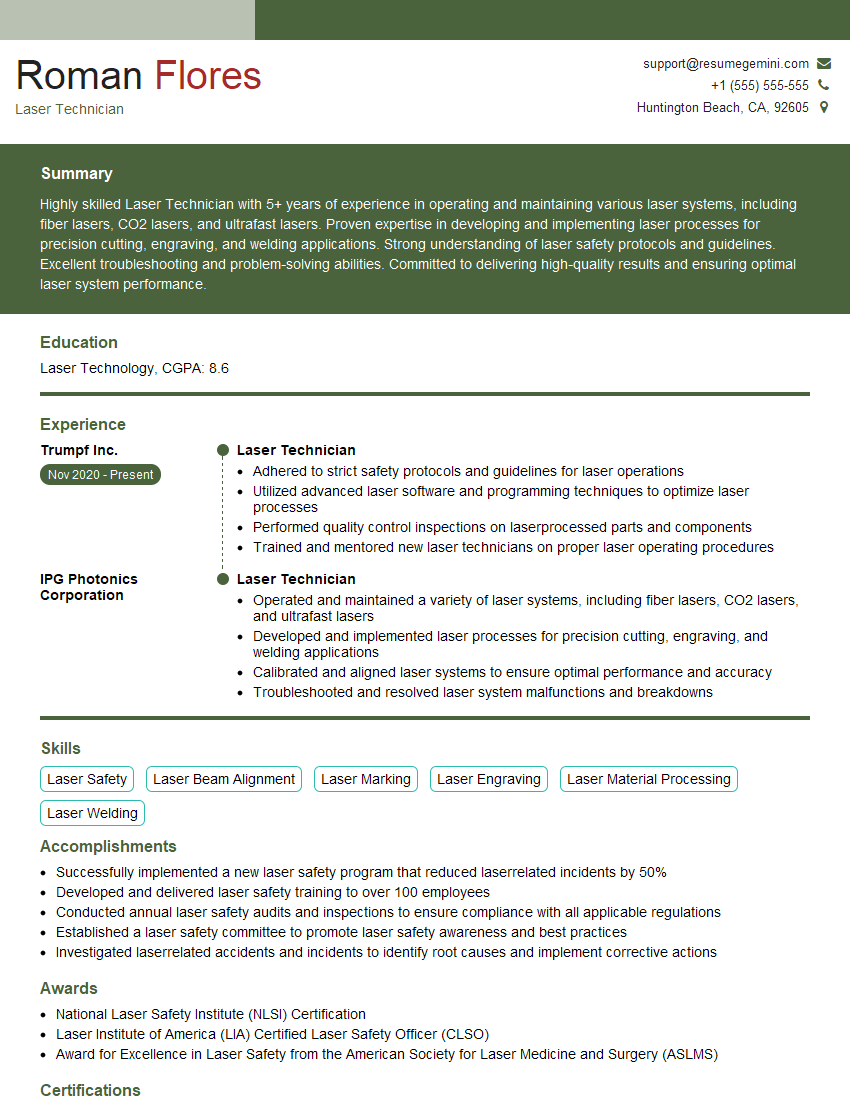
Mastering Laser Job Setup opens doors to exciting opportunities in advanced manufacturing and technology. A strong understanding of these processes significantly enhances your marketability and positions you for career advancement. To maximize your chances, create an ATS-friendly resume that highlights your skills and experience effectively. ResumeGemini is a trusted resource that can help you build a professional and impactful resume. Examples of resumes tailored to Laser Job Setup are available to guide you.
Explore more articles
Users Rating of Our Blogs
Share Your Experience
We value your feedback! Please rate our content and share your thoughts (optional).
What Readers Say About Our Blog
Really detailed insights and content, thank you for writing this detailed article.
IT gave me an insight and words to use and be able to think of examples