Interviews are opportunities to demonstrate your expertise, and this guide is here to help you shine. Explore the essential Anti-Phishing and Social Engineering Countermeasures interview questions that employers frequently ask, paired with strategies for crafting responses that set you apart from the competition.
Questions Asked in Anti-Phishing and Social Engineering Countermeasures Interview
Q 1. Explain the difference between phishing and spear phishing.
Phishing is the broad term for attempts to trick individuals into revealing sensitive information like usernames, passwords, and credit card details. Think of it as casting a wide net. Spear phishing, however, is a much more targeted approach. Instead of a generic email blast, spear phishing attacks focus on specific individuals or organizations, often using meticulously researched details to increase their chances of success. Imagine a fisherman using a net versus a skilled angler using a single, perfectly baited hook.
For example, a phishing email might say ‘Your account has been compromised,’ while a spear phishing email might address you by name, mention your specific company, and refer to a recent project you worked on, making it seem far more legitimate and believable.
Q 2. Describe common social engineering tactics.
Social engineering tactics manipulate human psychology to gain access to sensitive information or systems. They exploit our natural tendencies to trust, be helpful, and avoid conflict. Common tactics include:
- Pretexting: Creating a believable scenario to justify their request. Example: An attacker pretending to be from IT support needing your password to fix a problem.
- Baiting: Offering something desirable to entice a victim. Example: Promising a gift card in exchange for personal information.
- Quid Pro Quo: Offering a service or favor in exchange for information. Example: Offering help with a computer problem in exchange for remote access.
- Tailgating: Physically following an authorized person into a restricted area. Example: An attacker following an employee into an office building without showing their ID.
- Phishing (as discussed above): Using deceptive emails or websites to trick users into divulging sensitive information.
- Watering Hole Attacks: Compromising a website frequented by the target group to install malware.
Q 3. What are the key indicators of a phishing email?
Recognizing a phishing email requires a keen eye for detail. Key indicators include:
- Suspicious Sender Address: The email address might not match the organization it claims to represent.
- Generic Greetings: Emails often lack a personalized salutation and use generic greetings like ‘Dear Customer.’
- Urgent or Threatening Language: Creating a sense of urgency or fear to pressure the recipient into acting quickly without thinking.
- Grammar and Spelling Errors: Phishing emails often contain grammatical errors or misspellings.
- Suspicious Links or Attachments: Hover over links to see the actual URL before clicking. Avoid opening attachments from unknown senders.
- Requests for Personal Information: Legitimate organizations rarely request sensitive information via email.
- Unusual Tone or Formatting: The email might look unprofessional or inconsistent with the organization’s branding.
Always be cautious and verify the legitimacy of any email requesting sensitive information before acting on it. If something feels off, don’t hesitate to contact the organization directly using a known phone number or official website.
Q 4. How do you identify and mitigate social engineering risks?
Identifying and mitigating social engineering risks requires a multi-layered approach:
- Employee Training: Regular security awareness training is crucial to educate employees about social engineering tactics and how to identify them.
- Technical Controls: Implementing strong email filtering, anti-malware software, and multi-factor authentication can significantly reduce the risk of successful attacks.
- Security Awareness Campaigns: Running regular campaigns to reinforce best practices and raise awareness about emerging threats.
- Incident Response Plan: Having a clear plan in place to handle incidents and minimize damage in case of a successful attack.
- Verification Procedures: Establish clear procedures for verifying the authenticity of requests for information or access.
- Regular Security Audits: Conducting regular audits to identify vulnerabilities and strengthen security posture.
Remember, a strong security culture is your best defense. Promoting skepticism and encouraging employees to report suspicious activity is essential.
Q 5. What security awareness training techniques are most effective?
Effective security awareness training should be engaging, interactive, and relevant to employees’ roles. Techniques that have proven highly effective include:
- Simulated Phishing Campaigns: Sending controlled phishing emails to test employees’ ability to identify threats.
- Interactive Training Modules: Using scenarios and games to make learning engaging and memorable.
- Real-World Examples: Sharing real-life examples of successful social engineering attacks to highlight the potential consequences.
- Gamification: Incorporating game mechanics like points, badges, and leaderboards to motivate participation.
- Regular Refreshers: Providing ongoing refreshers to reinforce key concepts and address new threats.
- Role-Playing Exercises: Simulating real-life social engineering scenarios to help employees practice their response.
The key is to make training relevant and memorable. Avoid lengthy lectures and focus on practical application.
Q 6. What are some common phishing email subject lines?
Phishing email subject lines aim to pique curiosity or create a sense of urgency. Common examples include:
- Urgent Security Alert
- Your Password Has Been Reset
- Account Update Required
- Delivery Notification
- Invoice Attached
- You Have a New Message
- Suspicious Login Attempt
- Limited-Time Offer
These subject lines are designed to be enticing and to bypass spam filters. Be wary of any email with an unusually urgent or enticing subject line, especially if it’s from an unexpected sender.
Q 7. Describe different types of malware used in phishing attacks.
Phishing attacks often leverage various types of malware to further their malicious goals. Common examples include:
- Spyware: Secretly monitors user activity and steals sensitive information.
- Keyloggers: Record keystrokes to capture passwords and other sensitive data.
- Ransomware: Encrypts files and demands a ransom for their release.
- Trojans: Disguise themselves as legitimate software to gain access to a system.
- Rootkits: Hide their presence on a system and provide attackers with backdoor access.
The specific malware used will depend on the attacker’s goals. For instance, a financial phishing attack might use spyware or keyloggers, while a data breach might involve ransomware or Trojans.
Q 8. Explain how DNS-based anti-phishing techniques work.
DNS-based anti-phishing relies on the Domain Name System (DNS) to identify and block malicious websites attempting to impersonate legitimate ones. Instead of directly resolving a suspicious domain name to its IP address, a DNS security solution intercepts the request. This solution then checks the domain against a database of known phishing sites or employs techniques like DNSSEC (DNS Security Extensions) to verify the authenticity of the DNS response.
Imagine a detective checking a suspect’s ID against a criminal database. If the ID is flagged, the detective knows to apprehend the suspect. Similarly, a DNS-based anti-phishing solution compares the requested domain against its database. If a match is found (meaning the domain is known to be used for phishing), the request is blocked, preventing the user from reaching the malicious website.
Several methods are employed. One common technique is using a DNS sinkhole. When a suspicious domain is identified, the DNS server redirects the request to a harmless server controlled by the security provider, instead of the actual malicious site. This prevents the user from encountering the phishing attempt.
Another sophisticated approach involves leveraging DNSSEC. This adds a digital signature to DNS records, assuring the user that the information received is authentic and hasn’t been tampered with. This prevents attackers from forging DNS records to redirect users to fake sites.
Q 9. How do you verify the authenticity of an email or website?
Verifying the authenticity of an email or website involves a multi-layered approach. For emails, look for clues like the sender’s email address (does it match the expected organization?), inconsistencies in the email’s content (unusual greetings, grammatical errors, urgent requests), and suspicious links (hover over links to see the actual URL before clicking). Avoid clicking links directly; type the website address into your browser instead.
For websites, check the URL carefully. Look for misspellings (e.g., googl.com instead of google.com) or unusual subdomains. Verify the presence of a valid SSL/TLS certificate, indicated by a padlock icon in the browser’s address bar. This certificate confirms the website’s identity and encrypts the communication between your browser and the server. Further, investigate the website’s ‘About Us’ section and look for contact details. Try to independently verify these details. A legitimate business will have easily verifiable contact information.
Consider using website reputation services that provide independent assessments of a website’s trustworthiness. These services use various criteria such as user reviews, security certifications, and blacklisting information to provide a risk score for a given website.
Q 10. What are the best practices for creating strong passwords?
Creating strong passwords is crucial for online security. Avoid easily guessable passwords like names, birthdays, or common words. Instead, use a password manager to generate strong, unique passwords for each of your online accounts. A strong password should be at least 12 characters long, combining uppercase and lowercase letters, numbers, and symbols. Think of it like building a strong vault – the more complex and varied the components, the harder it is to break into.
For example, instead of ‘password123’, a strong password might look like this: !MyStr0ngP@sswOrd. Notice the combination of uppercase and lowercase letters, numbers, and symbols. Using a passphrase – a memorable phrase made more secure with substitutions and capitalization – can also help create a strong password that is easier to remember.
Regularly update your passwords to minimize the impact of a potential breach. Enable multi-factor authentication (MFA) wherever possible. This adds an extra layer of security, requiring more than just a password to access your accounts.
Q 11. What are the legal and ethical considerations when responding to a phishing incident?
Responding to a phishing incident requires careful consideration of legal and ethical implications. Legally, organizations must comply with data breach notification laws, informing affected individuals and authorities if sensitive data has been compromised. Ethically, prioritizing user safety and transparency is paramount. This means acting swiftly to contain the incident, prevent further damage, and support affected users.
Organizations must also protect their own reputation by effectively managing the incident response. This includes conducting thorough investigations to understand the extent of the breach and implementing measures to prevent future attacks. It is important to cooperate with law enforcement if required and maintain accurate records of the incident and the response steps taken. Transparency and honest communication with affected parties are critical for rebuilding trust and mitigating potential reputational harm.
Q 12. How do you handle a suspected phishing email in your organization?
Handling a suspected phishing email involves a clear protocol. Firstly, do not click any links or open any attachments. Forward the email to your organization’s security team or designated phishing reporting address. This allows your security team to investigate the email and take appropriate action, such as blocking the sender’s address or warning other users.
Secondly, educate the sender of the email about the nature of the phishing attempt. Clearly explain why the email is suspicious, highlighting any red flags observed. Finally, update your organization’s security awareness training materials with the details of the phishing attempt. This helps improve the effectiveness of future anti-phishing efforts by making employees more aware of potential threats.
Consider implementing a system to track and analyze phishing attempts. This enables ongoing security improvement and assists in building a comprehensive database of phishing threats relevant to your organization.
Q 13. What are the different layers of security to protect against phishing attacks?
Protecting against phishing attacks requires a multi-layered approach. This involves a combination of technical, procedural, and human elements.
- Technical Controls: This includes email filters and anti-spam measures, DNS-based protection, web filtering to block malicious websites, and intrusion detection/prevention systems to monitor network traffic for suspicious activity.
- Procedural Controls: These encompass security policies, incident response plans, regular security awareness training for employees, and a clear reporting mechanism for suspicious emails or websites.
- Human Controls: This involves educating employees to identify phishing attempts, promoting a culture of security awareness, and encouraging users to report suspicious activity immediately. Regular security awareness training is crucial for effective human controls.
Think of it as a castle with multiple layers of defense – a strong outer wall (technical controls), vigilant guards patrolling the perimeter (procedural controls), and well-trained soldiers within the castle (human controls). Each layer works together to provide robust protection against phishing attacks.
Q 14. Explain the concept of a honeypot and its role in anti-phishing strategies.
A honeypot is a decoy system designed to attract and trap attackers. It mimics a vulnerable system, luring attackers to interact with it while monitoring their actions. In the context of anti-phishing, a honeypot might be a fake website or email address designed to look authentic. When attackers target the honeypot, security personnel can observe their techniques, analyze their tools, and gather valuable intelligence about their methods.
Imagine setting a trap for a thief. The trap itself is harmless but reveals the thief’s intentions and methods. Similarly, a honeypot doesn’t contain sensitive data; instead, it records the actions of the attacker, providing insights into their tactics, helping security professionals develop better defenses and potentially identifying the individuals behind the attacks.
Information gathered from honeypots can be invaluable in improving anti-phishing strategies, such as enhancing email filters or developing more effective detection mechanisms. The data helps in refining security tools and preventing future attacks by leveraging insights into attacker behaviour and tools.
Q 15. Describe how to perform a security awareness training needs assessment.
A security awareness training needs assessment is crucial for tailoring effective training programs. It involves identifying the specific vulnerabilities within your organization and understanding the knowledge gaps among employees. Think of it like diagnosing a patient before prescribing medicine – you need to know the problem areas before offering solutions.
The process typically includes:
- Surveys and Questionnaires: Gauge employee understanding of phishing tactics, social engineering techniques, and security policies. These can be anonymous to encourage honest responses.
- Vulnerability Assessments: Simulate phishing attacks or conduct mock social engineering exercises (e.g., spear phishing campaigns) to directly measure susceptibility. The results highlight specific weaknesses.
- Interviews with Key Personnel: Speak with IT staff, security managers, and department heads to understand past incidents and identify recurring problems. They can offer valuable insights.
- Data Analysis: Analyze incident reports, security logs, and previous training results to pinpoint trends and identify areas needing improvement. This provides a historical context.
- Review of Existing Policies and Procedures: Examine current security awareness materials and training programs to identify gaps and redundancies.
By combining these methods, you obtain a comprehensive picture of your organization’s vulnerabilities and tailor training to address those specific needs, resulting in a more effective and impactful program.
Career Expert Tips:
- Ace those interviews! Prepare effectively by reviewing the Top 50 Most Common Interview Questions on ResumeGemini.
- Navigate your job search with confidence! Explore a wide range of Career Tips on ResumeGemini. Learn about common challenges and recommendations to overcome them.
- Craft the perfect resume! Master the Art of Resume Writing with ResumeGemini’s guide. Showcase your unique qualifications and achievements effectively.
- Don’t miss out on holiday savings! Build your dream resume with ResumeGemini’s ATS optimized templates.
Q 16. What are some metrics you would use to measure the effectiveness of a phishing awareness program?
Measuring the effectiveness of a phishing awareness program requires a multi-faceted approach, going beyond just completion rates. We need concrete data showing behavior change.
- Phishing Simulation Click Rates: Track the percentage of employees who click on phishing links in simulated attacks. A decrease over time indicates improved awareness.
- Reported Phishing Attempts: Measure the number of phishing emails reported by employees. An increase suggests greater vigilance and trust in reporting mechanisms.
- Security Incident Reduction: Track a reduction in actual security incidents linked to phishing or social engineering. This is the ultimate measure of success.
- Knowledge Retention Tests: Administer regular quizzes or assessments to gauge knowledge retention from training. This helps identify knowledge gaps that need addressing.
- Employee Feedback Surveys: Gather employee feedback on training effectiveness, identifying areas for improvement in content, delivery methods, or engagement levels.
Ideally, you’d combine these metrics to paint a complete picture. For example, a drop in click rates alongside an increase in reported phishing emails shows a positive trend: Employees are better at spotting phishing attempts and are confident in reporting them.
Q 17. Explain the role of email authentication protocols (SPF, DKIM, DMARC).
Email authentication protocols like SPF, DKIM, and DMARC work together to verify the sender’s identity and prevent email spoofing, a common technique in phishing attacks. Imagine them as a three-layered security system for your email.
- SPF (Sender Policy Framework): This DNS record specifies which mail servers are authorized to send email on behalf of a domain. It’s like a whitelist for email senders. If an email claims to be from example.com but is sent from a server not listed in example.com’s SPF record, it’s flagged as suspicious.
- DKIM (DomainKeys Identified Mail): This uses digital signatures to verify that an email hasn’t been tampered with during transit. It’s like a tamper-evident seal on a package. The receiving server verifies the signature, ensuring the email’s content is authentic.
- DMARC (Domain-based Message Authentication, Reporting & Conformance): This builds upon SPF and DKIM by providing instructions for receiving mail servers on how to handle emails that fail authentication checks. DMARC specifies whether to quarantine or reject these emails. It’s the control center, directing how to deal with suspicious emails.
Implementing all three provides the strongest protection. For example, if an email fails SPF and DKIM checks, DMARC can instruct the recipient’s email server to reject or quarantine it, preventing it from even reaching the inbox.
Q 18. How do you handle a social engineering attempt targeting your organization?
Handling a social engineering attempt requires a swift and measured response. The key is to verify information, avoid immediate action, and report the incident. Imagine a fire drill – you don’t panic; you follow procedure.
- Verify the Request: Do not respond immediately. Verify the legitimacy of the request through independent channels. If someone calls claiming to be from IT requesting your password, call the IT department directly using a known number to confirm the request.
- Don’t Provide Sensitive Information: Never provide passwords, credit card details, or other sensitive information via email, phone, or text unless you have independently verified the requestor’s identity.
- Report the Incident: Immediately report the suspicious activity to your organization’s security team or incident response team. Provide as much detail as possible, including communication channels, the content of the interaction, and any suspicious links or attachments.
- Document Everything: Keep records of all communication, including emails, phone calls, and any actions taken. This documentation is essential for investigations and future prevention.
- Educate Colleagues: If appropriate, discreetly inform colleagues about the attempt to raise awareness and prevent similar incidents.
By following these steps, you can effectively mitigate the risk posed by social engineering attempts and protect your organization’s valuable assets.
Q 19. What are the latest trends in phishing and social engineering attacks?
The landscape of phishing and social engineering attacks is constantly evolving. Attackers are becoming more sophisticated, leveraging advanced techniques to bypass security measures.
- AI-powered Phishing: Attackers use AI to personalize phishing emails, making them harder to detect. These emails might use information gleaned from your social media profiles or other online sources to build credibility.
- BEC (Business Email Compromise): This targets organizations through fraudulent emails that appear to be from legitimate sources within the organization. The attackers often impersonate executives or other high-ranking individuals to request wire transfers or other sensitive actions.
- Use of Voice Cloning and Deepfakes: Attackers are increasingly using voice cloning and deepfakes to create highly convincing audio and video messages, making it difficult to differentiate between genuine communication and fraudulent impersonation.
- Exploiting Current Events: Phishing emails often leverage current events or news stories to create urgency and increase the likelihood of a successful attack. An email about a recent data breach might include a link to a fake recovery site.
Staying informed about the latest trends is crucial for implementing effective countermeasures. Regular security awareness training that includes these emerging threats is essential for maintaining robust protection.
Q 20. Describe a time you identified and prevented a phishing attack.
During a recent security audit, I noticed an unusual pattern in our email logs. A large number of emails were being sent to a specific external domain, often using generic subject lines.
Upon further investigation, I discovered that many of these emails contained attachments with suspicious filenames. They purported to be invoices or payment confirmations, common targets in phishing attacks. I examined the email headers and found that they lacked proper authentication (SPF, DKIM, DMARC) indicating likely spoofing.
I immediately alerted the IT team, and we took several actions: We blocked the external domain, warned employees about the ongoing phishing campaign via a company-wide email, and implemented additional email filtering rules to detect and block similar attacks in the future. By proactively investigating the email logs and using email header analysis, we were able to successfully identify and prevent a significant phishing campaign before any employee was compromised.
Q 21. What tools and technologies are used for phishing detection and prevention?
Many tools and technologies are used for phishing detection and prevention, creating a layered security approach.
- Email Security Gateways: These filter incoming and outgoing emails, scanning for malicious content, links, and attachments. They often use advanced techniques like sandboxing (running suspicious attachments in a safe, isolated environment) and machine learning to identify threats.
- Security Information and Event Management (SIEM) systems: These collect and analyze security logs from various sources, including email servers, to detect anomalous activity, such as unusual login attempts or large volumes of emails sent to external domains.
- Endpoint Detection and Response (EDR) solutions: These monitor endpoints (computers, laptops, mobile devices) for malicious activity and can prevent phishing attacks by blocking malicious links or attachments before they can execute.
- User and Entity Behavior Analytics (UEBA): These solutions analyze user and device behavior to detect anomalies that may indicate a phishing attack or other security breach.
- Phishing Simulation and Training Platforms: These tools provide simulated phishing attacks to assess employee awareness and provide training to improve their ability to identify and report phishing attempts.
The best approach utilizes a combination of these tools, creating a multi-layered defense that protects against a wide range of phishing attacks. Remember that no single solution is foolproof; a layered strategy is crucial.
Q 22. Explain the importance of incident response planning for phishing attacks.
Incident response planning for phishing attacks is crucial because it dictates how effectively an organization can mitigate damage and recover after a successful attack. A well-defined plan minimizes downtime, reduces financial losses, and protects the organization’s reputation. Think of it as a fire drill for your digital security; you hope you never need it, but being prepared is vital.
- Pre-Incident Activities: This involves establishing clear roles and responsibilities (who does what?), defining communication protocols (how do we alert everyone?), and creating a documented incident response process. It also includes regular security awareness training for employees, simulating phishing attacks to prepare for real-world scenarios.
- Incident Detection & Analysis: This stage focuses on quickly identifying a phishing attack (e.g., through security information and event management (SIEM) systems, email gateways, and user reports), analyzing the attack’s scope (how many users were affected?), and determining the impact (what data was compromised?).
- Containment & Eradication: Here, the focus shifts to isolating compromised systems, preventing further damage, removing malicious software (malware), and resetting compromised accounts. This may involve shutting down affected systems temporarily to contain the spread.
- Recovery & Remediation: Once the immediate threat is neutralized, the focus is on restoring systems to their pre-attack state, implementing necessary security patches, and ensuring business continuity. This may involve data restoration from backups.
- Post-Incident Activity: A critical phase involves conducting a thorough post-mortem analysis to learn from the incident, identify weaknesses in the security posture, and implement preventative measures to avoid similar attacks in the future. This often includes updating security policies and procedures.
A well-defined plan ensures a coordinated and effective response, minimizing the negative consequences of a phishing attack. Failing to plan effectively can lead to widespread data breaches, reputational damage, and significant financial losses.
Q 23. How do you stay up-to-date on the latest phishing and social engineering techniques?
Staying current in the ever-evolving landscape of phishing and social engineering requires a multi-faceted approach. It’s a continuous learning process, not a one-time task.
- Subscription to Security Newsletters and Blogs: Many reputable security organizations (e.g., SANS Institute, KrebsOnSecurity) offer regular updates on emerging threats and techniques. These provide valuable insights into the latest attack vectors.
- Participation in Security Communities and Forums: Engaging with other security professionals on platforms like LinkedIn or specialized forums allows for the exchange of information and real-world experiences. You learn from others’ successes and failures.
- Following Security Researchers on Social Media: Many researchers actively share their findings on platforms like Twitter. This offers a quick way to stay informed about breaking news and emerging trends.
- Attending Security Conferences and Webinars: Industry events offer invaluable opportunities to learn from leading experts, network with peers, and deepen understanding of advanced techniques.
- Hands-on Experience with Phishing Simulations: Participating in (or running) simulated phishing attacks helps you understand how attacks are crafted and executed, providing valuable insight into attacker tactics.
- Threat Intelligence Platforms: Many organizations utilize threat intelligence platforms that aggregate and analyze threat data from various sources, providing comprehensive insights into current threats and trends.
By combining these approaches, you build a robust knowledge base and remain ahead of evolving threats, ensuring effective protection against sophisticated social engineering tactics. It’s important to actively seek new information, not just passively consume it.
Q 24. What are some effective ways to educate users about phishing and social engineering?
Educating users is the most effective first line of defense against phishing and social engineering attacks. It’s about changing behaviors and building awareness, not just delivering information.
- Interactive Security Awareness Training: Instead of lengthy lectures, opt for interactive modules, simulations, and gamified training. This keeps users engaged and promotes knowledge retention.
- Regular Phishing Simulations: Conducting periodic simulated phishing attacks helps users recognize suspicious emails and links. Analyze results to identify areas needing improvement in training.
- Real-World Examples and Case Studies: Sharing real-world examples of successful phishing attacks illustrates the consequences and motivates users to be more vigilant. Stories resonate more than abstract concepts.
- Clear and Concise Guidelines: Provide easy-to-understand guidelines on identifying suspicious emails, URLs, and attachments. Use simple language and visuals to enhance comprehension.
- Promote a Culture of Reporting: Encourage users to report suspicious emails or activities without fear of reprisal. This helps identify and address potential threats quickly.
- Tailored Training: Customize training based on user roles and responsibilities. Executives might need different training than entry-level staff.
Effective user education fosters a security-conscious culture, transforming employees from potential vulnerabilities into active defenders against social engineering attempts. Remember, a well-informed employee is your best security asset.
Q 25. Discuss the concept of a kill chain in relation to phishing attacks.
The kill chain, initially developed for military operations, describes the stages of a cyberattack. In the context of phishing, it helps understand the attack lifecycle and identify points for intervention.
- Reconnaissance: The attacker gathers information about the target (e.g., employees’ names, job titles, company structure) to craft a believable phishing campaign.
- Weaponization: The attacker creates the malicious payload (e.g., malware, malicious link) to be delivered in the phishing email.
- Delivery: The attacker sends the phishing email, often using spoofed email addresses or seemingly legitimate websites.
- Exploitation: The target clicks the malicious link or opens the infected attachment, triggering the malware or allowing the attacker to gain access.
- Installation: The malware is installed on the target’s system, giving the attacker control.
- Command and Control: The attacker communicates with the compromised system, potentially stealing data or using it for further attacks.
- Actions on Objectives: The attacker achieves their goal (e.g., data theft, financial gain, system compromise).
Understanding the kill chain allows security professionals to focus on specific stages where preventative measures or detection mechanisms can be most effective. For instance, implementing robust email security solutions can disrupt the delivery phase, while security awareness training helps prevent exploitation.
Q 26. What are the differences between reactive and proactive security measures against phishing?
Reactive and proactive security measures represent different approaches to combating phishing attacks. Reactive measures address attacks after they occur, while proactive measures prevent attacks before they happen.
- Reactive Measures: These focus on responding to and recovering from attacks. Examples include incident response plans (as discussed earlier), malware removal, forensic analysis of compromised systems, and damage control.
- Proactive Measures: These aim to prevent attacks before they occur. Examples include:
- Email Security Gateways: Filter and block suspicious emails based on various criteria (e.g., sender reputation, malicious links, attachment analysis).
- Security Awareness Training: Educating users about phishing techniques empowers them to identify and avoid malicious emails.
- Multi-Factor Authentication (MFA): Adding an extra layer of security (e.g., one-time password, biometric authentication) makes it harder for attackers to access accounts even if they obtain credentials.
- Regular Security Audits and Penetration Testing: Identify vulnerabilities in systems and processes to reduce the attack surface.
- Phishing Simulation Programs: Regularly testing users’ susceptibility to phishing attacks allows for continuous improvement in security awareness.
While reactive measures are necessary to handle inevitable incidents, proactive measures are significantly more cost-effective in the long run by preventing attacks altogether. A balanced approach that combines both is ideal for robust security.
Q 27. How would you assess the risk of a potential social engineering attack?
Assessing the risk of a potential social engineering attack involves a thorough evaluation of various factors. Think of it like a risk assessment for a physical security threat; the more factors pointing towards vulnerability, the higher the risk.
- Target Profile: Identify high-value targets within the organization (e.g., executives, employees with access to sensitive data). These individuals are more likely to be targeted.
- Attack Surface: Analyze the organization’s overall security posture. Weaknesses in security controls (e.g., lack of MFA, outdated software) increase the likelihood of a successful attack.
- Threat Landscape: Consider the current threat landscape, including prevalent social engineering techniques and industry-specific threats. Are there known threats targeting similar organizations?
- Internal Vulnerabilities: Assess internal factors such as employee awareness and training. A lack of training can increase susceptibility to social engineering.
- External Factors: Consider external factors such as geopolitical events or industry-specific crises. These events can increase the likelihood of attacks.
- Vulnerability Scoring Systems: Use established frameworks (e.g., Common Vulnerability Scoring System – CVSS) to assign numerical scores to identified vulnerabilities, allowing for prioritization.
A risk assessment helps prioritize security measures, allocate resources effectively, and develop mitigation strategies to reduce the impact of potential social engineering attacks. By systematically analyzing these factors, you build a clearer picture of your organization’s vulnerability and can develop a targeted defense.
Key Topics to Learn for Anti-Phishing and Social Engineering Countermeasures Interview
- Phishing Techniques and Identification: Understand various phishing methods (spear phishing, whaling, clone phishing), analyze email headers and URLs for suspicious activity, and recognize common phishing indicators.
- Social Engineering Principles: Explore psychological manipulation tactics used in social engineering attacks, such as pretexting, baiting, and quid pro quo. Learn how to identify and mitigate these techniques.
- Security Awareness Training and Best Practices: Discuss the role of security awareness training in building a resilient workforce. Understand how to educate users about phishing and social engineering threats and implement best practices to prevent attacks.
- Technical Countermeasures: Explore technical solutions like email filtering, DNS filtering, and multi-factor authentication (MFA) for preventing phishing and social engineering attacks. Understand their limitations and effectiveness.
- Incident Response and Forensics: Learn about the process of investigating and responding to successful phishing and social engineering attacks. Understand how to collect evidence and contain the damage.
- Legislation and Compliance: Familiarize yourself with relevant regulations and compliance frameworks (e.g., GDPR, CCPA) related to data breaches caused by social engineering and phishing.
- Vulnerability Assessment and Penetration Testing: Understand how to conduct vulnerability assessments and penetration testing to identify weaknesses in security systems that could be exploited by social engineering attacks.
- Threat Modeling and Risk Assessment: Learn how to identify potential threats, assess their impact, and develop mitigation strategies to prevent social engineering and phishing attacks.
Next Steps
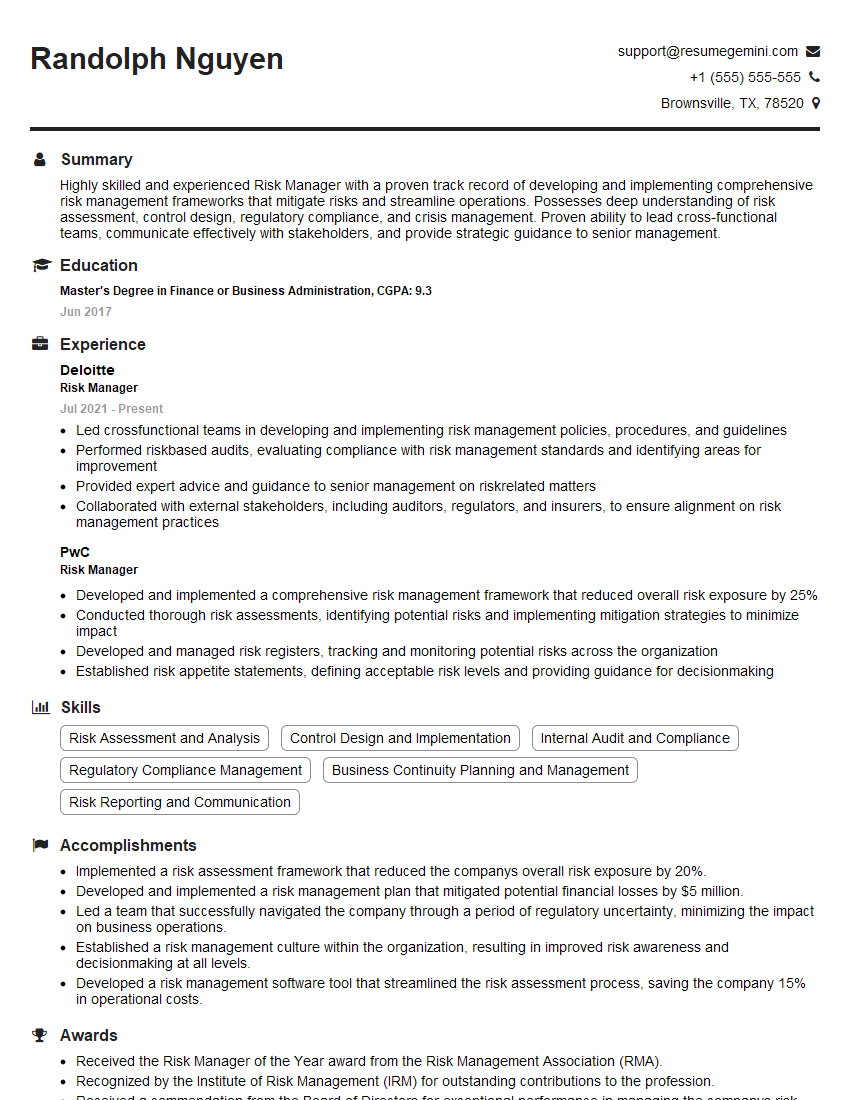
Mastering Anti-Phishing and Social Engineering Countermeasures is crucial for a successful career in cybersecurity. These skills are highly sought after, demonstrating your ability to protect organizations from significant financial and reputational damage. To maximize your job prospects, create an ATS-friendly resume that effectively showcases your expertise. ResumeGemini is a trusted resource that can help you build a professional and impactful resume, tailored to highlight your skills in this critical area. Examples of resumes specifically tailored to Anti-Phishing and Social Engineering Countermeasures are available to help you craft a compelling application.





Explore more articles
Users Rating of Our Blogs
Share Your Experience
We value your feedback! Please rate our content and share your thoughts (optional).
What Readers Say About Our Blog
I Redesigned Spongebob Squarepants and his main characters of my artwork.
https://www.deviantart.com/reimaginesponge/art/Redesigned-Spongebob-characters-1223583608
IT gave me an insight and words to use and be able to think of examples
Hi, I’m Jay, we have a few potential clients that are interested in your services, thought you might be a good fit. I’d love to talk about the details, when do you have time to talk?
Best,
Jay
Founder | CEO