Preparation is the key to success in any interview. In this post, we’ll explore crucial ARM Cortex-M interview questions and equip you with strategies to craft impactful answers. Whether you’re a beginner or a pro, these tips will elevate your preparation.
Questions Asked in ARM Cortex-M Interview
Q 1. Explain the differences between ARM Cortex-M0, M3, M4, and M7 processors.
The ARM Cortex-M family offers a range of processors optimized for different applications, varying in performance and features. Think of it like choosing a car – you wouldn’t use a Formula 1 car for grocery shopping.
- Cortex-M0/M0+: These are the entry-level processors, ideal for simple, low-power applications. They lack a floating-point unit (FPU), making them unsuitable for computationally intensive tasks. Imagine these as fuel-efficient, compact city cars.
- Cortex-M3: A step up, the M3 includes a DSP (Digital Signal Processing) instruction set and is suitable for applications needing more processing power, but still prioritizing energy efficiency. This is your reliable, everyday sedan.
- Cortex-M4F: This processor boasts a floating-point unit (FPU) along with the DSP instructions, making it capable of handling complex mathematical computations. It’s a great choice for applications like motor control or advanced sensor processing – a powerful and versatile SUV.
- Cortex-M7: The top-of-the-line, offering high performance and advanced features. It has a more powerful FPU, improved cache, and a larger instruction set, making it suitable for demanding real-time applications such as high-resolution graphics processing or complex signal processing – your high-performance sports car.
The key differences lie in processing power, FPU availability, DSP capabilities, memory management, and power consumption. The choice depends on the specific application requirements.
Q 2. Describe the memory map of an ARM Cortex-M microcontroller.
The memory map of an ARM Cortex-M microcontroller is a crucial aspect to understand. It defines how memory addresses are allocated to various peripherals and memory regions. Think of it as a detailed city map that tells you where everything is located.
A typical map includes:
- Flash Memory: Stores the program code. Usually located at the highest addresses.
- SRAM (Static RAM): Used for fast data storage during program execution. It’s quicker but smaller than Flash.
- Peripheral Registers: Dedicated memory locations used to control and configure various peripherals (timers, UART, ADC etc.). Each peripheral has its own specific address range.
- System Control Registers: Registers for managing the microcontroller itself (clocks, interrupts etc.).
The exact arrangement and sizes vary based on the specific microcontroller, but the general structure remains consistent. Manufacturers provide detailed memory maps in the microcontroller’s datasheet. Understanding this map is fundamental for writing efficient and bug-free code, as incorrect address access can lead to crashes or unpredictable behavior.
Q 3. What are the different interrupt priority levels in ARM Cortex-M?
ARM Cortex-M microcontrollers typically use a prioritized interrupt system. This ensures that more critical interrupts are handled before less urgent ones. Imagine a fire alarm interrupting a phone call – the fire alarm takes precedence.
The number of priority levels varies based on the specific device, but it’s often configurable. A common arrangement might have 16 or even more priority levels, numbered from 0 (highest priority) to 15 (lowest priority). Higher numbers represent lower priority. Assigning the correct priority levels is crucial for real-time application performance.
Interrupt priority levels are often configured within the NVIC (Nested Vectored Interrupt Controller), which we’ll discuss later.
Q 4. Explain the concept of Nested Vectored Interrupt Controller (NVIC).
The Nested Vectored Interrupt Controller (NVIC) is the heart of the interrupt system in ARM Cortex-M microcontrollers. It manages all interrupts, assigning priorities, enabling/disabling interrupts, and controlling interrupt nesting (handling an interrupt while another is already being processed).
Think of it as an air traffic controller for interrupts, ensuring they’re handled efficiently and in the correct order. Key features of the NVIC include:
- Interrupt Priority Levels: Assigns priority levels to each interrupt source.
- Interrupt Pending Register: Keeps track of which interrupts are waiting to be handled.
- Interrupt Enable Register: Allows enabling or disabling individual interrupts.
- Nested Interrupt Handling: Enables handling interrupts while another interrupt is being processed (nesting), provided the new interrupt has a higher priority.
Proper configuration of the NVIC is crucial for designing responsive and reliable embedded systems. Incorrect configuration can lead to missed interrupts or unpredictable system behavior.
Q 5. How do you handle interrupts in an ARM Cortex-M based system?
Handling interrupts in an ARM Cortex-M system involves several steps. It’s a critical aspect of real-time programming.
- Enable the Interrupt: First, you must enable the specific interrupt source in the NVIC. This allows the interrupt to be processed.
- Write an Interrupt Service Routine (ISR): This is a function that’s automatically executed when the corresponding interrupt occurs. The ISR performs the necessary actions in response to the interrupt.
- Configure the Peripheral: The peripheral generating the interrupt needs to be configured correctly to generate the interrupt at the appropriate time.
- Handle the Interrupt in the ISR: Inside the ISR, handle the interrupt by reading data from the peripheral and performing any necessary actions. Remember to keep the ISR short and efficient to avoid delaying other processes.
- Clear the Interrupt Pending Flag: After handling the interrupt, clear the pending flag in the NVIC. This prevents the ISR from being called repeatedly unnecessarily.
Example (C):
void EXTI0_IRQHandler(void) { // ISR for EXTI line 0
  // Read data from the peripheral
  // Perform actions
  EXTI->PR |= EXTI_PR_PR0; // Clear pending bit
}
Note: The specific registers and functions used depend on the microcontroller and the type of interrupt being handled.
Q 6. What are the different memory access modes in ARM Cortex-M?
ARM Cortex-M processors offer different memory access modes for controlling access to various memory regions. This is like having different keys for accessing different areas of a building.
- Privileged Mode: This is the highest privilege level. It has access to all memory regions and system peripherals. It’s akin to having a master key.
- User Mode: Has restricted access, preventing accidental modification of critical system components. This is like only having a key for your office.
Switching between these modes is controlled through the processor’s exception model. This ensures that applications running in user mode cannot unintentionally corrupt the system.
Q 7. Explain the role of the Memory Protection Unit (MPU).
The Memory Protection Unit (MPU) is a powerful feature found in some ARM Cortex-M processors that allows fine-grained control over memory access. It’s like a security guard at the entrance to each area of your building.
The MPU allows you to define regions of memory and assign different access permissions to each region. This protection is vital for:
- Preventing memory corruption: Prevents applications from overwriting critical system code or data.
- Enhancing system stability: Increases system robustness and resilience to software errors.
- Supporting real-time capabilities: Ensures timely responses to events by protecting crucial system components.
The MPU configuration involves defining memory regions, setting access permissions (read, write, execute), and assigning those regions to specific processes or tasks. Proper MPU configuration is a key aspect of developing robust and secure embedded systems. Without it, even a minor software bug could corrupt crucial system memory causing catastrophic failure.
Q 8. How do you implement a real-time operating system (RTOS) on an ARM Cortex-M?
Implementing a Real-Time Operating System (RTOS) on an ARM Cortex-M involves several key steps. First, you’ll need to select an appropriate RTOS – popular choices include FreeRTOS, Zephyr, and CMSIS-RTOS. The choice depends on factors like the project’s complexity, memory constraints, and real-time requirements. Next, you’ll need to port the chosen RTOS to your specific Cortex-M microcontroller. This usually involves configuring the RTOS to work with the microcontroller’s hardware peripherals (like timers and interrupts) and memory map. Then, you design your application tasks, defining their priorities and functionalities. Each task represents a separate thread of execution. These tasks communicate and synchronize using RTOS primitives like semaphores, mutexes, and message queues. Finally, you integrate your tasks with the RTOS scheduler, which manages the execution of these tasks according to their assigned priorities and the chosen scheduling algorithm. It’s crucial to carefully consider memory management as RTOS adds its own memory footprint.
For example, let’s say you’re building a system that controls a motor, reads sensor data, and communicates over a network. Each of these functions can be implemented as a separate task within the RTOS. The motor control task might have a higher priority to ensure responsiveness, while the network communication task can have a lower priority. The RTOS ensures the tasks run concurrently and efficiently, preventing blocking and data corruption.
Q 9. What are the advantages and disadvantages of using an RTOS?
Using an RTOS offers several advantages but also introduces certain drawbacks. Advantages include:
- Modularity and Reusability: RTOS facilitates breaking down complex applications into smaller, manageable tasks that are easier to develop, test, and reuse in other projects. Think of it like assembling a Lego castle – each brick is a task, and the RTOS connects them.
- Real-time Capabilities: Guarantees predictable timing behavior and responsiveness crucial for applications with strict deadlines, such as motor control or data acquisition systems.
- Resource Management: Provides mechanisms for efficient management of system resources, including memory, peripherals, and processing time, preventing resource conflicts and deadlocks.
- Concurrency and Parallelism: Allows multiple tasks to run seemingly simultaneously, improving system throughput and responsiveness. Imagine a multi-lane highway where tasks are cars and the RTOS manages traffic flow.
However, there are disadvantages:
- Increased Complexity: RTOS introduces added complexity in design and implementation, requiring a deeper understanding of multitasking and inter-task communication.
- Memory Overhead: The RTOS itself consumes memory, thus reducing the amount available to the application. The more sophisticated the RTOS, the larger the footprint.
- Real-time Determinism Challenges: While designed for real-time operations, achieving absolute predictability can be challenging due to the nature of multitasking and interrupt handling.
- Debugging Complexity: Debugging multithreaded applications is more complex than single-threaded ones, demanding special debugging tools and techniques.
Q 10. Describe different RTOS scheduling algorithms.
RTOS scheduling algorithms determine the order in which tasks are executed. Several common algorithms exist:
- Round-Robin: Each task gets a fixed time slice (quantum) to execute. Once finished, the scheduler moves to the next task in a circular fashion. Simple but can lead to unequal task responsiveness.
- Rate Monotonic Scheduling (RMS): Prioritizes tasks based on their execution frequency. The higher the frequency, the higher the priority. Suitable for periodic tasks with known periods.
- Earliest Deadline First (EDF): Prioritizes tasks based on their deadlines. The task with the nearest deadline is executed first. Optimal in minimizing task misses but requires knowing task deadlines accurately.
- Priority-based Preemptive Scheduling: Tasks are assigned priorities, and higher-priority tasks preempt lower-priority tasks. Common in many RTOS implementations. It gives responsive behavior to high priority tasks but requires careful priority assignment to prevent starvation of lower priority tasks.
Choosing the right algorithm depends on the application’s requirements. For instance, RMS is suitable for applications with periodic tasks, whereas EDF is effective for handling tasks with varying deadlines.
Q 11. Explain the concept of context switching.
Context switching is the process of saving the state of the currently running task and loading the state of another task to allow it to execute. Imagine it like changing drivers on a race track – one driver (task) stops their car (saves context), and another driver takes over.
When a task is preempted or voluntarily yields control, the RTOS performs the following steps:
- Save Context: The RTOS saves the task’s registers (CPU registers, program counter, status register), stack pointer, and other relevant information.
- Task Selection: The RTOS scheduler selects the next task to run based on the chosen scheduling algorithm.
- Load Context: The RTOS loads the registers and other information of the selected task from its saved context.
- Resume Execution: The selected task resumes execution from where it left off.
Efficient context switching is crucial for performance. Cortex-M processors have features that optimize this process, minimizing the time it takes to switch between tasks. Improper context switching can lead to system instability or data corruption.
Q 12. How do you handle memory allocation and deallocation in an embedded system?
Memory allocation and deallocation are critical in embedded systems due to their limited resources. Several strategies are used:
- Static Allocation: Memory is allocated at compile time. Simple to implement but inflexible and can lead to memory waste if not used carefully. Suitable for applications with fixed memory requirements.
- Dynamic Allocation: Memory is allocated during runtime using functions like
malloc()andfree(). Flexible but can be slower and prone to fragmentation if not managed properly. A memory management unit (MMU) is not generally present in Cortex-M based microcontrollers therefore using a heap allocator like dlmalloc can be challenging. - Memory Pools: Pre-allocate blocks of memory to create pools from which tasks can request and return memory. Reduces fragmentation and improves allocation speed.
- Custom Allocators: Implementing a custom allocator tailored to the specific application needs provides optimization in terms of speed and memory efficiency. This requires a deep understanding of the memory architecture of the target system.
It’s crucial to avoid memory leaks (failure to deallocate memory), which can eventually lead to system crashes. Techniques such as using RAII (Resource Acquisition Is Initialization) principles, employing static analyzers, and using debugging tools are vital for detecting and preventing memory leaks.
Q 13. What are the different debugging techniques for ARM Cortex-M microcontrollers?
Debugging ARM Cortex-M microcontrollers involves a variety of techniques, ranging from simple print statements to sophisticated tools. Here are some common approaches:
- Print Statements (printf debugging): Sending diagnostic information to a serial port or other output medium. Simple but inefficient for complex issues. Helpful for basic checks.
- Logic Analyzers: Capture and analyze digital signals on the microcontroller’s pins. Useful for observing timing and signal integrity issues.
- Oscilloscope: Used to visualize analog signals and waveforms. Helpful in debugging issues related to timing, signal integrity and other issues related to peripherals.
- In-circuit Emulators (ICEs): Provide a high-level debugging experience, allowing real-time code execution control, variable inspection, and breakpoints.
- JTAG/SWD Debuggers: Connect to the microcontroller through JTAG or SWD interfaces, providing low-level debugging capabilities such as single-stepping through code, setting breakpoints, and inspecting memory.
- Real-time Trace (RTT): A powerful technique which allows to visualize variables and control flow without the need of a debugger.
- Static Analysis Tools: Used before runtime to check code for potential errors, such as memory leaks or undefined behavior. Very helpful to reduce debugging time.
The best choice depends on the complexity of the problem and the available tools. A simple issue might be resolved with printf debugging, while complex concurrency issues may require an ICE or advanced debug probes.
Q 14. Explain the use of JTAG and SWD interfaces.
JTAG (Joint Test Action Group) and SWD (Serial Wire Debug) are industry-standard interfaces used to debug and program ARM Cortex-M microcontrollers. They provide a communication channel between a debugger and the microcontroller’s core.
JTAG: A more established standard that uses a four-wire or five-wire interface for communication. It offers a more robust communication and allows for boundary-scan testing, but it tends to be slower than SWD.
SWD: A more modern and efficient alternative that utilizes a two-wire interface, making it more space-efficient and generally faster for debugging. It lacks the boundary-scan capabilities of JTAG but is sufficient for most debugging tasks.
Both interfaces allow access to the microcontroller’s internal registers, memory, and control units. They are essential for setting breakpoints, single-stepping through code, and inspecting variables during debugging. Choosing between JTAG and SWD depends on factors like the availability of pins, desired debugging speed, and the need for boundary scan capabilities.
Q 15. How do you use a debugger to trace program execution?
Debuggers are indispensable tools for tracing program execution in ARM Cortex-M microcontrollers. They allow you to step through your code line by line, inspect variables, and understand the flow of your program. Think of it like having a magnifying glass for your code, allowing you to see exactly what’s happening at every step.
Common debugging techniques involve setting breakpoints – points in the code where execution pauses. This lets you examine the program’s state at that specific point. You can then use the debugger’s stepping functions (step-over, step-into, step-out) to move through the code, one instruction at a time, or across function calls. Many debuggers also provide watch windows, where you can monitor the values of specific variables throughout execution. This is particularly helpful for identifying subtle bugs or unexpected behavior.
For example, if you’re working with a sensor reading, setting a breakpoint just before the reading is processed allows you to check if the raw sensor data is correct. If not, you can trace back to understand where the error originated. Visualizing the call stack, showing the sequence of function calls, helps to pinpoint the location of a segmentation fault or infinite loop. Most Integrated Development Environments (IDEs) like Keil MDK, IAR Embedded Workbench, or Segger Embedded Studio provide powerful debugging capabilities for ARM Cortex-M devices.
Career Expert Tips:
- Ace those interviews! Prepare effectively by reviewing the Top 50 Most Common Interview Questions on ResumeGemini.
- Navigate your job search with confidence! Explore a wide range of Career Tips on ResumeGemini. Learn about common challenges and recommendations to overcome them.
- Craft the perfect resume! Master the Art of Resume Writing with ResumeGemini’s guide. Showcase your unique qualifications and achievements effectively.
- Don’t miss out on holiday savings! Build your dream resume with ResumeGemini’s ATS optimized templates.
Q 16. Describe different methods for power management in ARM Cortex-M devices.
Power management in ARM Cortex-M devices is crucial for extending battery life in portable applications. Several techniques are employed, often in combination, to achieve optimal power consumption:
- Low-power modes: ARM Cortex-M processors offer various low-power modes, such as Sleep, Stop, and Standby, which reduce power consumption by shutting down parts of the processor while retaining some functionality (explained in more detail in the next question).
- Clock gating: This technique disables the clock to peripherals that are not actively used, significantly reducing their power consumption. Imagine turning off the lights in a room you’re not using. You can control clock gating through configuration registers in each peripheral.
- Peripheral power control: Many peripherals have individual power-down modes, further minimizing power consumption. For instance, you might only enable the ADC (Analog-to-Digital Converter) when you need to take a measurement.
- Optimized code: Writing efficient code that minimizes unnecessary operations is essential for reducing power consumption. Simple code changes can lead to significant power savings. For example, avoid unnecessary loops or calculations.
- Voltage scaling: Some Cortex-M devices support dynamically adjusting the core voltage. Lower voltages reduce power consumption but also decrease the clock speed.
Choosing the appropriate power management strategy depends heavily on the application’s requirements. A real-time system might require a less aggressive power saving mode than a sensor node that transmits data only periodically.
Q 17. Explain the concept of low-power modes in ARM Cortex-M.
Low-power modes in ARM Cortex-M devices allow for significant power savings by selectively powering down parts of the microcontroller. These modes are hierarchical, with each offering a different level of power saving and capability for wake-up.
- Sleep mode: The processor core is paused, but peripherals can still operate. Wake-up can be triggered by interrupts from timers, external pins, or other peripherals. Think of it as a light doze.
- Stop mode: The processor core and most peripherals are powered down, except for the real-time clock (RTC). Wake-up usually requires an external interrupt. This mode offers more power savings than sleep mode.
- Standby mode: The microcontroller is essentially completely off, except for possibly the RTC. It requires a power-on reset to restart. This provides the most power savings but involves a longer wake-up time.
The choice of low-power mode depends on application needs. A system requiring frequent sensor readings might use Sleep mode, while a system that only needs to transmit data infrequently could benefit from Stop or even Standby mode. The trade-off is between power consumption and the latency of waking up from the low-power mode.
Q 18. How do you design a low-power embedded system?
Designing a low-power embedded system requires a holistic approach, starting from the hardware selection and extending to the software implementation.
- Hardware Selection: Choose a microcontroller with low-power features, such as the ARM Cortex-M family’s various low-power modes and efficient peripherals. Consider the power consumption of peripherals and choose those with low power modes.
- Power Supply Design: Use efficient power converters and ensure proper capacitor selection for smooth operation and minimal voltage drops.
- Software Optimization: Write energy-efficient code. Minimize CPU usage, use low-power peripherals when possible, and leverage low-power modes effectively. Avoid unnecessary computations and loops. Employ techniques like clock gating and peripheral power control (as described earlier).
- Power Measurement and Profiling: Use power measurement tools to identify power consumption hotspots in your system. This iterative process of measurement, optimization, and re-measurement is crucial for achieving significant improvements.
- System Design: Consider the overall system architecture. For instance, using a wireless communication protocol with low power consumption is crucial for battery-powered systems.
For example, in a wearable sensor device, using a low-power microcontroller, efficient communication protocol (like Bluetooth Low Energy), and carefully chosen low-power modes will significantly extend the battery life. Regular power profiling throughout the design process will help to identify and address areas for improvement.
Q 19. What are the different types of timers available in ARM Cortex-M?
ARM Cortex-M microcontrollers typically offer several types of timers, each suited for different tasks:
- General-purpose timers (GPT): These are highly flexible timers that can be configured for various modes like timer, counter, PWM (Pulse Width Modulation), and capture mode. They’re versatile and useful for a wide range of applications. Think of them as the Swiss Army knives of timers.
- Basic timers: Simpler timers with fewer features compared to GPTs. They might lack some advanced functionalities, but they are usually more energy-efficient.
- System tick timer: A dedicated timer often used for the system tick interrupt, providing a regular timing basis for the operating system’s scheduler. This is the heartbeat of the system.
- Watchdog timer (WDT): Used to prevent system crashes by resetting the microcontroller if a certain time interval elapses without a reset signal being sent. It’s the safety net of the system.
The specific types and features of timers vary depending on the particular Cortex-M device. Refer to the device’s datasheet to understand the capabilities of the timers available.
Q 20. How do you use timers for timing critical events?
Timers are essential for managing time-critical events in embedded systems. They provide a mechanism for accurate and reliable timing of actions. For example, imagine a control system for a motor. The timer can be used to precisely control the on/off times of the motor.
To use timers for timing critical events:
- Configure the timer: Set the desired timer mode (e.g., timer or counter), prescaler value (to adjust the timer’s frequency), and interrupt settings. The prescaler determines the effective frequency of the timer.
- Set the timer’s period: Determine the desired time interval for the event and configure the timer accordingly. The timer will trigger an interrupt after this period.
- Enable the timer interrupt: Enable the interrupt in the timer’s control register and in the NVIC (Nested Vectored Interrupt Controller) to ensure that an interrupt is generated when the timer reaches its period.
- Implement the interrupt service routine (ISR): Write a function that will execute when the timer interrupt occurs. This function should perform the time-critical action. Remember to keep the ISR short and efficient to minimize latency.
// Example code snippet (Illustrative - Actual code depends on the microcontroller and IDE) void Timer_ISR(void) { // Perform time-critical action here toggle_LED(); //Example }
This approach ensures that the critical action is performed at precisely the desired time interval, making timers fundamental for real-time applications.
Q 21. Explain the use of DMA controllers.
DMA (Direct Memory Access) controllers are powerful peripherals that allow data transfer between memory locations and peripherals without CPU intervention. Imagine a data transfer as a big box of files; normally you’d have to manually move each file one by one. The DMA controller is like having a robot that does the whole transfer for you.
This is highly beneficial because it frees the CPU from handling the data transfer, allowing it to perform other tasks concurrently. This significantly improves efficiency, especially in applications involving large data transfers, such as those with sensors, displays, or data logging.
DMA controllers are configured to transfer data from a source address to a destination address, specifying the number of bytes or words to transfer and the transfer mode (e.g., memory-to-memory, peripheral-to-memory, etc.). Once configured, the DMA controller handles the transfer autonomously, generating an interrupt when the transfer is complete. This interrupt can then trigger further processing by the CPU.
For example, in an application involving reading data from an ADC, using DMA allows the ADC to directly transfer the samples into memory, while the CPU remains free to perform other operations. Once the DMA transfer is complete, the CPU can process the collected data.
Using DMA is a critical optimization technique for high-throughput systems. It significantly improves performance and reduces the load on the CPU, allowing for efficient operation in real-time applications.
Q 22. How do you use DMA to transfer data efficiently?
DMA, or Direct Memory Access, is a crucial technique for efficient data transfer in embedded systems, especially on ARM Cortex-M microcontrollers. Instead of the CPU constantly moving data, DMA allows peripherals to directly access and transfer data to or from memory without CPU intervention. This frees up the CPU for other tasks, significantly improving performance and responsiveness.
To use DMA effectively, you typically need to:
- Configure the DMA controller: This involves specifying the source and destination addresses, the amount of data to transfer, the transfer mode (e.g., memory-to-memory, peripheral-to-memory), and the priority. Different ARM Cortex-M families have variations in their DMA controller registers, so consulting the device’s datasheet is vital.
- Enable the DMA channel: After configuring the parameters, you enable the selected DMA channel to initiate the transfer.
- Handle DMA interrupts (optional): For larger transfers, DMA often generates an interrupt upon completion. This allows the CPU to react to the transfer’s end, process the data, or initiate another transfer.
Example (Conceptual): Imagine transferring a large image from an SD card to RAM. Without DMA, the CPU would read each byte from the SD card and write it to RAM, a very slow process. With DMA, the DMA controller takes over, transferring the entire image directly, freeing the CPU to handle user interface updates or other tasks. The CPU is only involved in initiating the transfer and handling the completion interrupt.
Code snippet (pseudo-code):
// Configure DMA: source address, destination address, length, transfer mode, etc.configureDMA(sourceAddress, destinationAddress, length, DMA_MODE_MEMORY_TO_MEMORY); // Enable DMA channel enableDMAChannel(channelNumber); // Optional: wait for DMA completion or handle interruptQ 23. What are the different peripheral interfaces available in ARM Cortex-M?
ARM Cortex-M microcontrollers boast a rich set of peripheral interfaces, crucial for interacting with various sensors, actuators, and other components. The specific peripherals vary slightly depending on the exact Cortex-M variant (e.g., Cortex-M0+, Cortex-M4, Cortex-M33), but common ones include:
- SPI (Serial Peripheral Interface): A synchronous, full-duplex communication protocol, excellent for high-speed communication with devices like flash memory, sensors, and displays.
- I2C (Inter-Integrated Circuit): A multi-master, synchronous, half-duplex communication bus used for short-range communication with multiple devices on the same bus, often used for sensors and other low-speed peripherals.
- UART (Universal Asynchronous Receiver/Transmitter): An asynchronous, full-duplex communication protocol for sending and receiving data one byte at a time, often used for communication with computers or other serial devices.
- USB (Universal Serial Bus): Allows communication with host computers or other USB devices, enabling features like high-speed data transfer and power delivery.
- CAN (Controller Area Network): Used in automotive and industrial applications for robust, real-time communication in noisy environments.
- ADC (Analog-to-Digital Converter): Converts analog signals (e.g., from sensors) into digital values that the microcontroller can process.
- DAC (Digital-to-Analog Converter): Converts digital values into analog signals for controlling actuators or generating waveforms.
- Timers/Counters: Provide precise timing control for various tasks, including PWM signal generation, real-time clock functionality, and interrupt generation.
Many Cortex-M devices also include specialized interfaces for specific applications, such as Ethernet, SD card interfaces, and more. Always consult the microcontroller’s datasheet for a complete list of available peripherals.
Q 24. Explain how to configure and use SPI, I2C, and UART.
Configuring and using SPI, I2C, and UART involves several steps:
SPI:
- Clock Configuration: Set the SPI clock speed (SCLK) to a value compatible with all connected devices. Too high a speed may lead to communication errors.
- Data Order (MSB/LSB): Specify if the most significant or least significant bit is transmitted first.
- Clock Polarity (CPOL) and Phase (CPHA): These define the clock’s active state and sampling point. Match these settings with the connected device’s specifications.
- Data Transfer: Write data to the SPI data register (usually called TXDR or similar) and read from the receive data register (RXD or similar).
I2C:
- Address Configuration: Each I2C device has a unique 7-bit address. You need to set the device’s address in your I2C communication code.
- Start/Stop Conditions: Use start and stop conditions to initiate and terminate communication.
- Acknowledge Bits: Monitor and respond to acknowledge bits to ensure successful data transmission.
- Data Transfer: Write data to the I2C data register and read from the I2C receive register.
UART:
- Baud Rate: Set the baud rate (data transmission speed) to match the communication partner’s baud rate.
- Parity and Stop Bits: Configure parity and stop bits according to the communication protocol used (e.g., 8N1: 8 data bits, no parity, 1 stop bit).
- Data Transfer: Write data to the UART transmit register and read data from the UART receive register.
Note: The specific registers and configuration steps will vary depending on the microcontroller. You should always refer to the microcontroller’s datasheet and the peripheral’s register map.
Q 25. How do you handle device drivers in an embedded system?
Device drivers are software modules that manage the interaction between the microcontroller’s CPU and hardware peripherals. They abstract the low-level details of hardware interaction, providing a higher-level interface for applications. Good device drivers are crucial for modularity, maintainability, and portability of embedded systems.
Handling device drivers effectively involves:
- Abstraction: The driver hides the complex hardware-specific registers and operations, providing a simplified API (Application Programming Interface) for application software.
- Initialization: The driver initializes the peripheral’s hardware registers and configurations upon system startup.
- Interrupt Handling: Many peripherals generate interrupts when they complete operations or require attention. The driver handles these interrupts efficiently to avoid data loss or system instability.
- Error Handling: The driver should implement robust error handling to gracefully manage unexpected situations (e.g., communication errors, hardware failures).
- Modularity: Well-structured drivers are modular and easy to maintain, allowing for independent development and testing.
Example: A simple SPI driver might provide functions like spi_init(), spi_write(), spi_read(), and spi_close(). The application code would use these functions, without needing to directly manipulate the SPI hardware registers.
Q 26. What are the common design patterns used in embedded systems?
Several design patterns are commonly used in embedded systems to improve code structure, reusability, and maintainability. These include:
- State Machine: Used to model systems with distinct states and transitions between them, such as a traffic light controller or a communication protocol state machine. This promotes clarity and simplifies complex logic.
- Producer-Consumer: Organizes tasks into producers (generating data) and consumers (processing data), often using queues or buffers as a communication mechanism. This improves concurrency and responsiveness.
- Singleton: Ensures that only one instance of a particular class exists, useful for managing shared resources like a hardware peripheral or a global configuration.
- Observer (Publish-Subscribe): Allows multiple modules to subscribe to events generated by a central module, promoting loose coupling and reducing dependencies.
- Finite State Machine (FSM): A more formal version of the state machine pattern, ideal for complex systems needing rigorous design and verification.
Choosing the right pattern depends on the specific requirements of the embedded system. Often, a combination of patterns is employed to achieve optimal design.
Q 27. Explain the process of writing and debugging firmware for an ARM Cortex-M device.
Writing and debugging firmware for an ARM Cortex-M device involves several stages:
- Development Environment Setup: Choose a suitable integrated development environment (IDE), such as Keil MDK, IAR Embedded Workbench, or Eclipse with GNU Arm Embedded Toolchain. You’ll need the appropriate toolchain, including compiler, linker, and debugger.
- Code Development: Write the firmware in C or C++, using the microcontroller’s datasheet and peripheral libraries. Consider using version control systems like Git.
- Compilation and Linking: Compile and link the code to generate a binary file (.hex, .bin, etc.) that can be loaded onto the microcontroller.
- Debugging: Use a debugger (e.g., JTAG, SWD) to connect to the microcontroller and step through the code, examine variables, set breakpoints, and analyze program behavior. Real-time tracing can be incredibly valuable for complex debugging.
- Firmware Flashing: Upload the compiled binary file to the microcontroller’s flash memory using a programmer or via a debugging interface.
- Testing and Verification: Thoroughly test the firmware in various scenarios to ensure its correctness and stability.
Debugging techniques can involve using print statements (though they can significantly impact performance), using a debugger’s breakpoint and watchpoint capabilities, and utilizing real-time tracing to observe execution flow and variable values. Logic analyzers and oscilloscopes can also be useful for analyzing the hardware interaction.
Q 28. How do you ensure the safety and security of an embedded system?
Ensuring safety and security in embedded systems is paramount, especially in critical applications. Several strategies are employed:
- Secure Boot: Verify the firmware’s authenticity and integrity during startup to prevent malicious code execution.
- Memory Protection: Implement memory protection units (MPUs) to isolate critical code and data from unauthorized access.
- Secure Communication: Use encryption and authentication protocols (e.g., TLS/SSL) to protect data transmitted over networks or wireless connections.
- Input Validation: Thoroughly validate all inputs to prevent buffer overflows and other vulnerabilities.
- Regular Updates: Develop a mechanism for updating the firmware remotely to address security patches and vulnerabilities.
- Static and Dynamic Code Analysis: Employ static and dynamic code analysis tools to detect potential vulnerabilities in the codebase before deployment.
- Secure Coding Practices: Adhere to secure coding guidelines and best practices to minimize vulnerabilities in the design and implementation phases.
The approach to safety and security will vary greatly depending on the application’s criticality and the potential risks involved. Standards like MISRA C are commonly used to guide secure coding practices in embedded systems.
Key Topics to Learn for ARM Cortex-M Interview
- Architecture: Understand the core architecture of ARM Cortex-M processors, including the register set, memory map, and bus structure. Consider the differences between various Cortex-M families (e.g., M0+, M3, M4, M7).
- Peripherals: Familiarize yourself with common peripherals like timers, UART, SPI, I2C, ADC, and DMA. Practice configuring and using these in practical applications, such as sensor interfacing or communication protocols.
- Interrupt Handling: Master interrupt handling mechanisms, including nested interrupts, interrupt priorities, and interrupt vector tables. Be prepared to discuss efficient interrupt management strategies.
- Real-Time Operating Systems (RTOS): Explore the role of RTOS in embedded systems and understand concepts like task scheduling, synchronization, and inter-process communication. Experience with FreeRTOS or similar RTOS is beneficial.
- Low-Power Techniques: Understand various low-power modes of operation and techniques for optimizing power consumption in embedded systems. This is crucial for battery-powered applications.
- Memory Management: Grasp memory allocation strategies, stack management, and the use of different memory regions (RAM, ROM, Flash). Be prepared to discuss potential memory-related issues and debugging techniques.
- Debugging and Troubleshooting: Develop strong debugging skills using tools like JTAG debuggers and logic analyzers. Be ready to discuss approaches to identifying and resolving common issues in embedded systems.
- C/C++ Programming: Demonstrate proficiency in C/C++ programming, particularly within the context of embedded systems. This includes understanding pointers, memory management, and efficient coding practices.
Next Steps
Mastering ARM Cortex-M opens doors to exciting career opportunities in embedded systems, IoT, and other high-demand fields. To maximize your job prospects, it’s crucial to present your skills effectively. Building an ATS-friendly resume is key to getting your application noticed by recruiters. ResumeGemini is a trusted resource that can help you craft a professional and impactful resume tailored to your experience. Examples of resumes tailored to ARM Cortex-M expertise are available to guide you.

Automation Engineer Resume Sample

Firmware Engineer Resume Sample

Test Engineer Resume Sample

Systems Integration Engineer Resume Sample

System Architect Resume Sample

Hardware Engineer Resume Sample
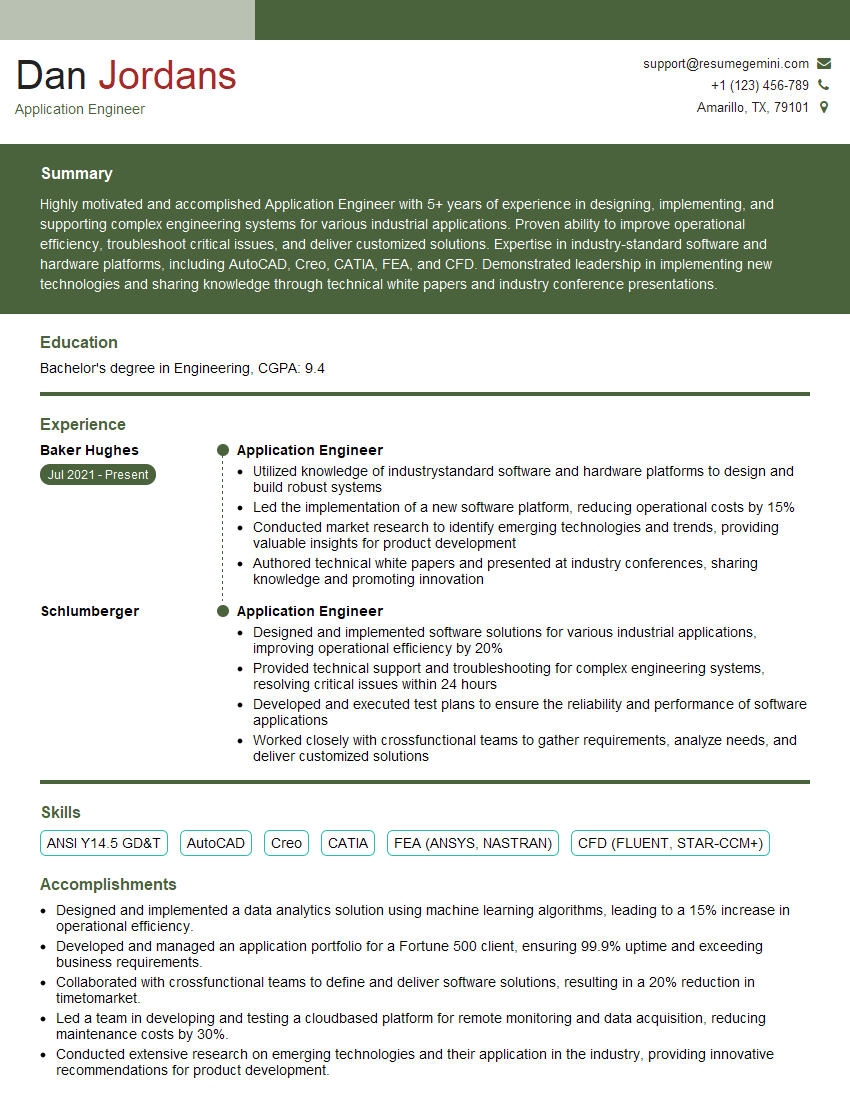
Application Engineer Resume Sample

Validation Engineer Resume Sample

Control Systems Engineer Resume Sample

Robotics Engineer Resume Sample
Explore more articles
Users Rating of Our Blogs
Share Your Experience
We value your feedback! Please rate our content and share your thoughts (optional).
What Readers Say About Our Blog
I Redesigned Spongebob Squarepants and his main characters of my artwork.
https://www.deviantart.com/reimaginesponge/art/Redesigned-Spongebob-characters-1223583608
IT gave me an insight and words to use and be able to think of examples
Hi, I’m Jay, we have a few potential clients that are interested in your services, thought you might be a good fit. I’d love to talk about the details, when do you have time to talk?
Best,
Jay
Founder | CEO