Interviews are opportunities to demonstrate your expertise, and this guide is here to help you shine. Explore the essential Circuit Board Repair interview questions that employers frequently ask, paired with strategies for crafting responses that set you apart from the competition.
Questions Asked in Circuit Board Repair Interview
Q 1. Explain the process of identifying a faulty component on a circuit board.
Identifying a faulty component on a circuit board is a systematic process that combines visual inspection with testing. It’s like detective work, tracing clues to find the culprit.
Visual Inspection: I start with a careful visual examination, looking for obvious signs of damage like burn marks, bulging capacitors, cracked solder joints, or discolored components. A magnifying glass is often indispensable for spotting tiny cracks or cold solder joints.
Continuity Testing: Next, I use a multimeter to check the continuity of circuits. This verifies if there’s an uninterrupted electrical path between two points. A break in continuity indicates a potential problem in the circuit. For example, if a resistor is open, it will show infinite resistance.
Voltage Measurement: Measuring voltage at various points on the board helps pinpoint components that aren’t receiving the correct power or are producing unexpected voltages. This is crucial for identifying faulty regulators or transistors.
Component Testing: Individual components, such as resistors, capacitors, and transistors, can be tested using a multimeter or specialized component testers to confirm their functionality. I carefully follow the datasheet to perform these tests correctly.
Signal Tracing: In complex boards, I might need to trace signals using an oscilloscope to see if the signals are reaching their intended destinations and if they have the correct amplitude, frequency, and waveform.
For example, I once worked on a motherboard where a seemingly insignificant crack in a small surface-mount capacitor was causing intermittent system freezes. The crack wasn’t easily visible without magnification, highlighting the importance of thorough visual inspection.
Q 2. Describe your experience with different soldering techniques (e.g., surface mount, through-hole).
My experience encompasses both through-hole and surface mount soldering techniques. Through-hole soldering, the more traditional method, involves soldering components with leads that pass through the board. Surface mount technology (SMT), prevalent in modern electronics, requires soldering components directly onto the surface of the board. Each has its own nuances.
Through-hole Soldering: I am proficient in using a soldering iron and solder to create strong, reliable connections. Techniques like pre-tinning leads and using the right amount of solder are essential to prevent cold joints or solder bridges.
Surface Mount Soldering: SMT soldering requires more precision, often utilizing specialized equipment like hot air stations or reflow ovens. I am skilled in using these tools to achieve consistent and reliable solder joints. Proper temperature control and flux application are critical for preventing damage to sensitive components.
I’ve worked on everything from replacing a simple through-hole resistor in a power supply to delicately repairing a complex micro-BGA chip on a laptop motherboard using a hot air rework station and microsoldering techniques. Each repair requires meticulous attention to detail and the appropriate tools.
Q 3. How do you troubleshoot intermittent circuit board failures?
Troubleshooting intermittent failures is challenging as the problem isn’t consistently present. It’s like chasing a ghost. A systematic approach is essential.
Controlled Environment: I start by ensuring the circuit board is in a controlled environment to minimize external factors. Loose connections and temperature changes are prime suspects in intermittent issues.
Reproduce the Failure: I try to reproduce the failure by simulating the conditions under which it occurs. This might involve specific movements, temperature variations, or power cycling.
Thermal Cycling: If temperature seems to be a factor, I use thermal cycling—repeatedly heating and cooling the board—to stress the connections and potentially reveal the intermittent fault. A failing solder joint might only appear when the board is heated.
Dynamic Testing: I use oscilloscopes and logic analyzers to monitor signals in real-time as the board operates, looking for inconsistent behavior or glitches that appear only intermittently.
Visual Inspection Under Load: Closely observing the board while it’s under load can sometimes reveal flexing or movement in components or connections causing the intermittent behavior.
One memorable case involved a faulty connector causing an intermittent problem in a medical device. Through rigorous testing and observation, I was able to identify the minute movement of the connector pins which was responsible for the inconsistent functionality.
Q 4. What are common causes of circuit board failures?
Circuit board failures stem from a variety of causes, ranging from manufacturing defects to environmental factors and component wear. Here are some of the most common ones.
Component Failure: Capacitors, resistors, and integrated circuits (ICs) can fail due to age, overheating, voltage surges, or manufacturing defects. Capacitors are particularly prone to failure over time.
Solder Joint Failures: Poor soldering techniques, corrosion, or vibration can lead to cracked or cold solder joints, resulting in intermittent or complete circuit failures. Cold solder joints are weak connections with insufficient solder.
Environmental Factors: Exposure to moisture, extreme temperatures, or corrosive chemicals can degrade components and connections. This is a major concern for boards operating in harsh environments.
Overcurrent or Overvoltage: Power surges or short circuits can easily damage sensitive components. Protective circuits, such as fuses and surge suppressors, are critical to prevent this.
Physical Damage: Drops, impacts, or bending of the board can cause cracks, broken traces, or damaged components.
It’s essential to understand the root cause of a failure to prevent recurrence. For instance, if overheating is the issue, improved heat dissipation methods should be implemented.
Q 5. Explain your experience with different types of circuit board testing equipment.
My experience includes using a wide range of circuit board testing equipment. The choice of equipment depends on the complexity of the board and the nature of the problem.
Multimeter: The indispensable tool for basic voltage, current, and resistance measurements.
Oscilloscope: Used to analyze waveforms and signal integrity, crucial for identifying signal timing issues or noise.
Logic Analyzer: Captures and displays digital signals, very useful for debugging digital circuits and microcontrollers.
Function Generator: Generates various waveforms for testing circuit response and functionality.
In-Circuit Emulator (ICE): Allows for real-time debugging of embedded systems by providing access to internal registers and memory.
Component Testers: Specialized devices for testing individual components like diodes, transistors, and integrated circuits.
Automated Test Equipment (ATE): Used for high-volume testing of circuit boards in manufacturing settings.
For example, recently I used a logic analyzer to troubleshoot a timing issue in a microcontroller-based system. The logic analyzer allowed me to pinpoint the exact point in the code where the timing problem was occurring, which led to a quick resolution.
Q 6. Describe your experience with schematic diagrams and datasheets.
Schematic diagrams and datasheets are essential for circuit board repair. They provide the blueprints and specifications for understanding the board’s functionality and component characteristics.
Schematic Diagrams: Show the interconnection of components and the flow of signals. It’s like a roadmap for the circuit, allowing me to trace signals and identify paths. I use schematics to understand the function of each part of the circuit, and to trace signals for troubleshooting.
Datasheets: Provide detailed specifications for each component, including pinouts, voltage and current ratings, and operating parameters. This information is essential for component selection, testing, and replacement. It contains important information such as pin functions, voltage ranges, and operating conditions for every component. Without them, testing and replacement would be highly inefficient.
I recently repaired a vintage amplifier using the schematic and component datasheets to identify and replace a faulty transistor. The schematic allowed me to trace the signal path, and the datasheet helped me choose a suitable replacement component.
Q 7. How do you handle static electricity when working with circuit boards?
Static electricity is a serious threat to sensitive electronic components. Even a small discharge can damage or destroy them. I take several precautions to handle static electricity.
Anti-static Wrist Strap: I always wear an anti-static wrist strap connected to a grounded surface, providing a path to earth for static charges.
Anti-static Mat: I work on an anti-static mat, which helps dissipate static charges and provides a grounding point for the work surface.
Ionizing Air Gun: In some situations, I use an ionizing air gun to neutralize static charges in the air around the circuit board.
Proper Handling: I avoid touching the components directly and use anti-static tweezers when handling sensitive components.
ESD-Safe Tools: I use ESD-safe tools to avoid accidental discharge.
It’s essential to follow ESD procedures to prevent unexpected damage or failure. Neglecting these precautions can lead to costly mistakes and wasted time.
Q 8. What safety precautions do you take when repairing circuit boards?
Safety is paramount when repairing circuit boards. My approach is always layered, starting with the basics and escalating as needed. First, I always ensure I’m working in a well-lit, clean, and organized workspace to minimize the risk of accidental damage or injury. This includes having a designated ESD (Electrostatic Discharge) workstation, complete with an ESD mat, wrist strap, and properly grounded tools. ESD is a major threat; even a small static discharge can destroy sensitive components.
Next, I always power down the board completely before beginning any work. This seems obvious, but it’s crucial to prevent electric shock. I also visually inspect the board for any obvious hazards, like bulging capacitors or exposed wires, before touching anything. Finally, I utilize appropriate personal protective equipment (PPE), including safety glasses to protect my eyes from flying debris and sometimes even a respirator when dealing with older boards that may contain hazardous materials.
For example, recently I was repairing a server motherboard. Before even touching it, I meticulously grounded myself and the board, ensuring all connections were secure. I then carefully used a magnifier to inspect the board for any potential issues before beginning the repair process.
Q 9. Describe your experience with component replacement techniques.
Component replacement is a core skill. My experience spans various soldering techniques, from manual soldering with an iron to using advanced rework stations for surface mount devices (SMDs). Manual soldering is good for larger through-hole components; I use high-quality rosin-core solder and a temperature-controlled iron to avoid damaging nearby components. For SMDs, the precision of a rework station with a hot air gun is essential. I’m proficient in using these tools to desolder components without damaging the surrounding PCB traces. Knowing how to identify the correct replacement component is equally important—I always verify the part number and specifications before installation.
I’ve had experience replacing everything from simple resistors and capacitors to complex integrated circuits (ICs) and memory chips. For instance, I recently replaced a faulty power MOSFET on a laptop’s motherboard using a rework station. The precision of the hot air gun was key to avoid lifting surrounding smaller components, and I used flux to aid the soldering process.
Q 10. How do you document your repair process?
Thorough documentation is crucial for traceability and efficient troubleshooting. My documentation process involves a combination of photographic evidence, schematic diagrams, and detailed notes. I always start by taking clear photographs of the board before, during, and after the repair process. These images document the initial problem, the repair steps, and the final result. I then cross-reference these photos with detailed notes that include the identified fault, the components replaced, and any troubleshooting steps taken. If applicable, I incorporate schematic diagrams to visually illustrate the affected circuitry.
For example, when dealing with a complex repair involving multiple faulty components, I’ll create a sequential image log alongside a step-by-step text description of my actions. This allows me, or anyone else, to easily retrace the repair process if necessary, making future debugging or maintenance significantly easier.
Q 11. What is your experience with different types of circuit board materials?
Circuit board materials impact their durability and performance. I’ve worked with a range of materials, including FR-4 (fiberglass-reinforced epoxy resin), which is the most common substrate; CEM-1 (cellulose-filled epoxy), a cheaper but less durable alternative; and high-frequency materials like Rogers or Taconic, used in high-speed applications. Each material has different thermal and electrical properties, influencing the board’s behavior under different conditions and impacting repair strategies. FR-4 is relatively easy to work with, while high-frequency materials demand greater precision due to their sensitivity.
Understanding these material properties is crucial for effective repairs. For example, using excessive heat when soldering a component on a high-frequency material could cause delamination or damage the substrate’s dielectric properties. I always adjust my soldering techniques accordingly.
Q 12. How do you identify different types of components on a circuit board?
Component identification is fundamental. I employ several methods. First, I always start with visual inspection, looking at the component’s physical characteristics, including size, shape, markings, and the number of pins or leads. The markings often contain crucial information like the manufacturer’s code, part number, and values (e.g., for resistors and capacitors). For SMDs, a magnifying glass and even a microscope might be necessary to decipher tiny markings. If visual inspection is inconclusive, I refer to the board’s schematic diagram or use a multimeter to measure resistance, capacitance, or voltage to determine the component’s value and function.
Let’s say I encounter a small, unmarked surface mount component. I’d use a multimeter to check its characteristics and then cross-reference the results with component databases or datasheets, potentially even using a specialized component identification tool if necessary. This allows me to identify the component accurately before attempting any replacement.
Q 13. Describe your experience with rework stations and hot air guns.
Rework stations and hot air guns are essential tools for SMD repair. My experience includes working with various models, from basic units to advanced systems with automated features. A rework station allows precise control over temperature and airflow, crucial for removing and installing SMDs without damaging the PCB. The hot air gun is used to carefully heat the component and solder joints, while vacuum nozzles help lift the component once the solder is melted. I’m proficient in adjusting settings according to the component’s size, type, and the PCB material to avoid thermal stress.
I’ve found that mastering the precise control of airflow and temperature is critical. Overheating can cause damage to the PCB or nearby components, whereas insufficient heat can lead to incomplete desoldering. For instance, when replacing a delicate BGA (Ball Grid Array) chip, I’d use a very low airflow and gradually increase the temperature to ensure even heat distribution and prevent damage to the solder balls and the surrounding components.
Q 14. Explain your understanding of circuit board design principles.
Understanding circuit board design principles is essential for effective repair. My knowledge encompasses areas such as signal integrity, power distribution, grounding, and thermal management. I’m familiar with different PCB layout styles and trace routing techniques. Knowing how signals travel across the board and the importance of proper grounding is crucial in diagnosing and fixing problems. For instance, understanding signal integrity allows me to identify potential noise issues that might be causing malfunctions.
When I encounter a recurring fault on a board, my understanding of design principles guides my troubleshooting strategy. I might trace the signal paths, check for impedance matching, or look for potential grounding issues to pinpoint the root cause of the problem. This approach is far more efficient than simply replacing components randomly.
Q 15. How do you diagnose short circuits and open circuits?
Diagnosing short and open circuits is fundamental to circuit board repair. A short circuit occurs when two conductive points unintentionally touch, creating an unintended path for current, often leading to overheating and component failure. An open circuit is a break in the conductive path, preventing current flow. I use a multi-pronged approach:
Visual Inspection: I carefully examine the board under magnification, looking for obvious physical damage like broken traces, solder bridges (unintentional solder connections), or damaged components. For instance, I once found a tiny solder bridge between two adjacent pins causing a short that was only visible under a microscope.
Multimeter Testing: Using a multimeter in continuity mode (often beeps to signal a connection), I systematically check for continuity along the expected paths. A short will show continuity where there shouldn’t be, while an open circuit will show no continuity where it should be. For example, checking if a resistor is intact or a trace is broken.
In-Circuit Testing: I’ll often use an in-circuit tester or other diagnostic tools to pinpoint the faulty component or area within the circuit without removing components. This speeds up the process and prevents accidental damage.
Career Expert Tips:
- Ace those interviews! Prepare effectively by reviewing the Top 50 Most Common Interview Questions on ResumeGemini.
- Navigate your job search with confidence! Explore a wide range of Career Tips on ResumeGemini. Learn about common challenges and recommendations to overcome them.
- Craft the perfect resume! Master the Art of Resume Writing with ResumeGemini’s guide. Showcase your unique qualifications and achievements effectively.
- Don’t miss out on holiday savings! Build your dream resume with ResumeGemini’s ATS optimized templates.
Q 16. Describe your experience with using a multimeter.
The multimeter is my most trusted tool. My experience spans over 15 years, using it for everything from basic continuity checks to measuring voltage, current, and resistance. I’m proficient in using both analog and digital multimeters, understanding their limitations and nuances.
For instance, I recently used a multimeter to track down an intermittent power issue on a motherboard. By carefully measuring voltage at different points on the board under various operating conditions, I identified a faulty capacitor causing fluctuating power supply.
Beyond basic measurements, I’m skilled in using advanced multimeter techniques like measuring diode forward voltage drop to check diode health and using the capacitance function to check capacitors for degradation.
Q 17. Explain your experience with using an oscilloscope.
The oscilloscope is crucial for analyzing dynamic signals. My experience includes using oscilloscopes to analyze waveforms, measure signal frequencies, amplitudes, and timing relationships, which is vital for diagnosing issues in digital and analog circuits. For example, I used an oscilloscope to identify a timing issue in a microcontroller circuit. The oscilloscope clearly showed that a signal was arriving too late, pinpointing a problem with a specific clock circuit.
I’m comfortable using different oscilloscope probes, such as voltage probes and current probes, and understand the impact of probe loading on signal fidelity. I also have experience using advanced features like triggering and signal analysis to isolate specific events within complex waveforms.
Q 18. How do you determine the root cause of a circuit board failure?
Determining the root cause of a circuit board failure involves a systematic approach:
Gather Information: Begin by understanding the symptoms of the failure. What isn’t working? When did the problem start? Were there any preceding events?
Visual Inspection: Examine the board for any obvious damage (physical trauma, corrosion, burnt components).
Systematic Testing: Employ diagnostic tools like multimeters and oscilloscopes to test components and signals, following a logical path through the circuit. I often start with the power supply and work my way outwards.
Component-Level Testing: If necessary, remove and test suspect components outside the circuit to confirm functionality.
Schematic Analysis: Refer to the circuit schematic diagram to understand the relationships between components. This helps trace signals and identify possible points of failure.
Troubleshooting: Use a combination of the above methods to isolate and fix the problem.
For example, I once diagnosed a seemingly random system crash on a server. Through methodical testing, I discovered that a failing capacitor on the motherboard’s power supply rail was causing intermittent voltage drops, triggering system instability.
Q 19. Describe your experience with repairing surface mount devices (SMDs).
Repairing surface mount devices (SMDs) requires precision and specialized tools. I have extensive experience in SMD rework, including removing and replacing components using hot air stations, soldering irons with fine tips, and specialized tweezers. I understand the importance of proper thermal management to avoid damaging surrounding components during the rework process.
One specific example was repairing a damaged smartphone motherboard where several tiny SMD capacitors had been damaged. I successfully removed the damaged components using a hot air station and precisely placed new components using fine-tipped tweezers and a magnifying glass, restoring the phone’s functionality.
I also employ specialized techniques like using flux to aid in solder flow and using solder wick to remove excess solder, ensuring clean and reliable connections. The use of anti-static measures are crucial here to prevent ESD damage.
Q 20. Explain your experience with BGA (Ball Grid Array) rework.
Ball Grid Array (BGA) rework is a challenging aspect of circuit board repair due to the high density of solder balls under the component. I possess extensive experience in BGA rework, using advanced equipment like infrared (IR) rework stations. I’m skilled in preparing the board for rework, including cleaning the existing solder balls, applying new solder paste (if necessary) and accurately aligning the BGA component during the reflow process.
My experience includes working with different BGA sizes and pitches, understanding the importance of controlling the temperature profile during the reflow process to avoid damaging the component and the surrounding circuitry. One complex case involved a BGA chip on a graphics card that required complete rework with advanced IR temperature profile and precise alignment.
Prior to rework, x-ray inspection is often used to assess the internal solder joints and identify any potential hidden issues, ensuring the repair’s longevity.
Q 21. How do you handle complex circuit board repairs?
Complex circuit board repairs demand a structured approach:
Thorough Documentation: Detailed notes, photos, and schematics are essential to track progress and avoid errors. For example, I used a detailed diagram of a complex medical device motherboard with multiple layers to identify traces.
Modular Approach: Breaking down the circuit into smaller, manageable sections simplifies troubleshooting. This helps pinpoint the issue more quickly.
Collaboration: When faced with extremely difficult repairs, I’m not afraid to consult with other experts or utilize online resources and forums to solve the most challenging issues.
Testing at Each Stage: Regular testing helps to isolate problems early and prevent cascading failures.
Use of Advanced Tools: Utilizing advanced diagnostic equipment like logic analyzers and protocol analyzers provides more granular insights into system functionality and signal behavior.
A recent challenge involved a high-end server motherboard that displayed erratic behavior after a power surge. Through a combination of careful probing, schematic analysis and advanced diagnostic tools, I managed to locate a damaged voltage regulator that caused sporadic power supply issues.
Q 22. What is your experience with different types of connectors and their repair?
My experience with connectors spans a wide range, from simple through-hole components to complex surface-mount connectors like those found in high-density PCBs. I’m proficient in repairing various types, including:
- Edge connectors: These are crucial for connecting PCBs to other devices. Repairs often involve cleaning contacts, replacing damaged pins, or addressing bent connectors using specialized tools. For instance, I once repaired a server’s edge connector where several pins were bent, causing intermittent connection issues. Careful straightening and cleaning restored full functionality.
- Pin headers and sockets: These are common for inter-board connections and require meticulous handling. Repair might entail replacing broken pins or sockets, ensuring proper alignment and soldering. I’ve had success in replacing damaged pin headers on a microcontroller board by using a hot air rework station and carefully removing and replacing the faulty component without causing damage to nearby components.
- IDC (Insulation Displacement Connectors): These connectors rely on precise insertion and are prone to damage if improperly handled. Troubleshooting often involves inspecting the insulation displacement to ensure proper contact and replacing damaged parts or the entire connector.
- Surface mount connectors: These miniature connectors require specialized equipment and techniques for repair, often involving microsoldering or the use of a hot air rework station. I regularly work with these on delicate consumer electronics, successfully repairing micro-USB and other charging ports.
My approach always prioritizes proper diagnosis, ensuring the root cause of the connector failure is identified, rather than simply replacing the component. This prevents future issues and saves time in the long run.
Q 23. Describe your experience with repairing multilayer PCBs.
Repairing multilayer PCBs requires advanced skills and specialized equipment due to their complex construction. I’m experienced in diagnosing and repairing faults across multiple layers, which often involves:
- Careful examination: Using microscopes and other diagnostic tools to pinpoint the fault, including visual inspection for shorts, open circuits, or damaged traces.
- Trace repair: Repairing broken traces can involve techniques such as adding jumpers, using conductive epoxy, or laser-based trace repair for fine-pitch components.
- Layer identification: Knowing how to effectively isolate each layer is critical. Sometimes, x-ray inspection may be needed to identify issues within the internal layers.
- Component-level repair: Replacing faulty surface-mount components on multilayer PCBs often requires skills in using a hot air rework station, and sometimes a microscope, for pinpoint accuracy. Incorrect soldering techniques can create shorts or open circuits within the board’s complex layers.
- Desoldering and soldering techniques: Proficiency in using specialized tools like solder wick, desoldering braid, hot air rework stations, and microscopes is essential. I regularly use these tools to repair complex multi-layer PCBs in consumer electronics and industrial equipment.
For example, I recently repaired a six-layer PCB where a trace break between layers had caused intermittent functionality. Using x-ray imaging, I identified the break’s precise location and used a fine-tip soldering iron and conductive epoxy to bridge the gap, restoring the board’s function.
Q 24. How do you prioritize repairs when faced with multiple urgent tasks?
Prioritizing repairs involves a structured approach. I use a system that combines urgency, impact, and available resources. I usually follow these steps:
- Assessment: I evaluate each task’s urgency (deadline, criticality of the equipment) and its potential impact (financial loss, operational downtime).
- Prioritization matrix: I categorize tasks using a matrix where the vertical axis represents urgency, and the horizontal axis represents impact. High-impact, high-urgency tasks take precedence.
- Resource allocation: I consider available tools, equipment, and personnel when assigning tasks. Sometimes, a less urgent but complex repair may be deferred until specific equipment is available.
- Communication: Clear communication with clients or supervisors is crucial. I ensure expectations are managed and potential delays are addressed proactively.
This approach allows me to systematically handle multiple urgent tasks, ensuring the most critical repairs are addressed first while maintaining effective time management.
Q 25. What are your strategies for time management and efficient troubleshooting?
Efficient troubleshooting and time management rely heavily on a systematic approach. My strategies include:
- Structured troubleshooting: I follow a methodical process, starting with visual inspection, then moving to tests with multimeters, oscilloscopes, and other diagnostic tools. I maintain detailed records of my findings.
- Divide and conquer: When dealing with complex boards, I isolate sections or circuits to narrow down the fault, making the process faster and more efficient.
- Schematic diagrams: I refer to schematics and datasheets frequently to understand component functions and trace signal paths.
- Test equipment proficiency: My expertise with various testing tools (multimeters, oscilloscopes, logic analyzers) is essential for quick diagnosis.
- Time blocking and task lists: I use time-blocking techniques to allocate specific periods for various repairs, and I maintain detailed task lists to keep track of progress. This helps maintain focus and prevents time wastage.
Analogy: Imagine searching for a lost item in a large house; a systematic approach (checking room by room) is far more efficient than randomly searching. Similarly, a methodical approach to circuit board repair saves time and avoids unnecessary rework.
Q 26. How do you stay up-to-date with the latest technologies and techniques in circuit board repair?
Staying current in this rapidly evolving field requires continuous learning. My methods include:
- Industry publications and journals: I regularly read journals and trade magazines to learn about new techniques and component advancements.
- Online courses and webinars: Online platforms offer excellent resources for specialized training in circuit board repair and associated technologies.
- Manufacturer datasheets and application notes: Accessing official information from manufacturers is crucial to understanding the intricacies of new components and technologies.
- Conferences and workshops: Attending industry events provides opportunities to network with other experts and learn about the latest trends.
- Hands-on experience: Continuous hands-on experience on a wide variety of circuit boards allows for practical understanding and enhances problem-solving capabilities.
The field is constantly changing, with new components, techniques, and technologies appearing frequently. Staying current is essential to maintaining a high level of expertise and providing efficient and reliable service.
Q 27. Explain your experience working with different types of electronic components (e.g., capacitors, resistors, ICs).
My experience encompasses a wide array of electronic components:
- Capacitors: I’m experienced in identifying and testing various capacitor types (ceramic, electrolytic, tantalum), recognizing their failure modes (short, open, leakage), and effectively replacing them using appropriate soldering techniques.
- Resistors: I can identify different resistor types (carbon film, metal film, surface mount), test for open circuits or changes in resistance using multimeters, and replace them precisely.
- Integrated Circuits (ICs): Working with ICs requires careful handling to prevent damage to the fragile leads. I have experience in replacing ICs using hot air rework stations or specialized tools, ensuring proper alignment and preventing heat damage to surrounding components.
- Transistors: I can diagnose faulty transistors (BJT, FET) using multimeters and oscilloscopes, confirming their functionality and replacing them effectively.
- Diodes: Identifying and replacing different diodes, testing for forward and reverse bias behavior, are routine procedures.
Each component requires a specific approach; for instance, replacing a surface-mount capacitor is significantly different from replacing a large electrolytic capacitor. Understanding these differences is essential for accurate and efficient repair.
Q 28. Describe your troubleshooting process for a circuit board that is not powering on.
Troubleshooting a circuit board that won’t power on is a systematic process. I typically follow these steps:
- Visual inspection: I begin by carefully inspecting the board for any obvious signs of damage, such as burn marks, loose components, or physical obstructions.
- Power supply check: I verify the power supply is functioning correctly, including the voltage and amperage. A multimeter is essential for this step.
- Fuse check: If a fuse is present, I check for a blown fuse, replacing it if necessary with a correct replacement.
- Input voltage check: I measure the input voltage at the board’s input connector to ensure it’s reaching the board. A voltage drop here indicates a power supply issue or fault in the connection to the board.
- Power supply filtering: I inspect filter capacitors for bulging or leakage; these are commonly found near the power input on most boards. Faulty capacitors often prevent the board from powering on.
- Main power switch check: If the board has a switch, I make sure it’s correctly set to the ON position.
- Component testing: If no obvious issues are found, I move to component-level testing, checking key components (such as regulators, power transistors) using a multimeter. I often use a schematic to guide my testing and isolate sections.
- Advanced diagnostic tools: If necessary, I use more advanced tools such as oscilloscopes, logic analyzers, or specialized equipment to further investigate power rails and signal paths.
This step-by-step approach ensures a thorough investigation, minimizing wasted time and maximizing efficiency in identifying the root cause of the power-on failure.
Key Topics to Learn for Your Circuit Board Repair Interview
- Soldering and Desoldering Techniques: Mastering various soldering techniques (e.g., surface mount, through-hole) and understanding the importance of proper heat control and flux application. Practical application: Demonstrate your ability to repair a damaged trace on a PCB.
- Component Identification and Testing: Familiarize yourself with identifying various electronic components (resistors, capacitors, integrated circuits) and using multimeters, oscilloscopes, and other diagnostic tools to test their functionality. Practical application: Describe a scenario where you successfully identified and replaced a faulty component.
- Circuit Analysis and Troubleshooting: Develop strong skills in reading schematics, understanding circuit operation, and systematically troubleshooting faulty boards using logic analysis and diagnostic techniques. Practical application: Explain your approach to isolating the root cause of a malfunctioning circuit.
- PCB Repair Techniques: Understand different repair methods like trace repair (using jumpers, conductive epoxy), component replacement, and board cleaning. Practical application: Discuss your experience with specific repair techniques and the challenges you’ve overcome.
- Health and Safety Regulations: Demonstrate knowledge of safety precautions related to working with electronics, including ESD protection and proper handling of hazardous materials. Practical application: Describe your experience maintaining a safe working environment while repairing circuit boards.
- Understanding Common PCB Failures: Familiarize yourself with typical causes of circuit board failure (e.g., component failure, manufacturing defects, environmental factors) and strategies for prevention. Practical application: Explain your process for determining the cause of a board failure.
Next Steps
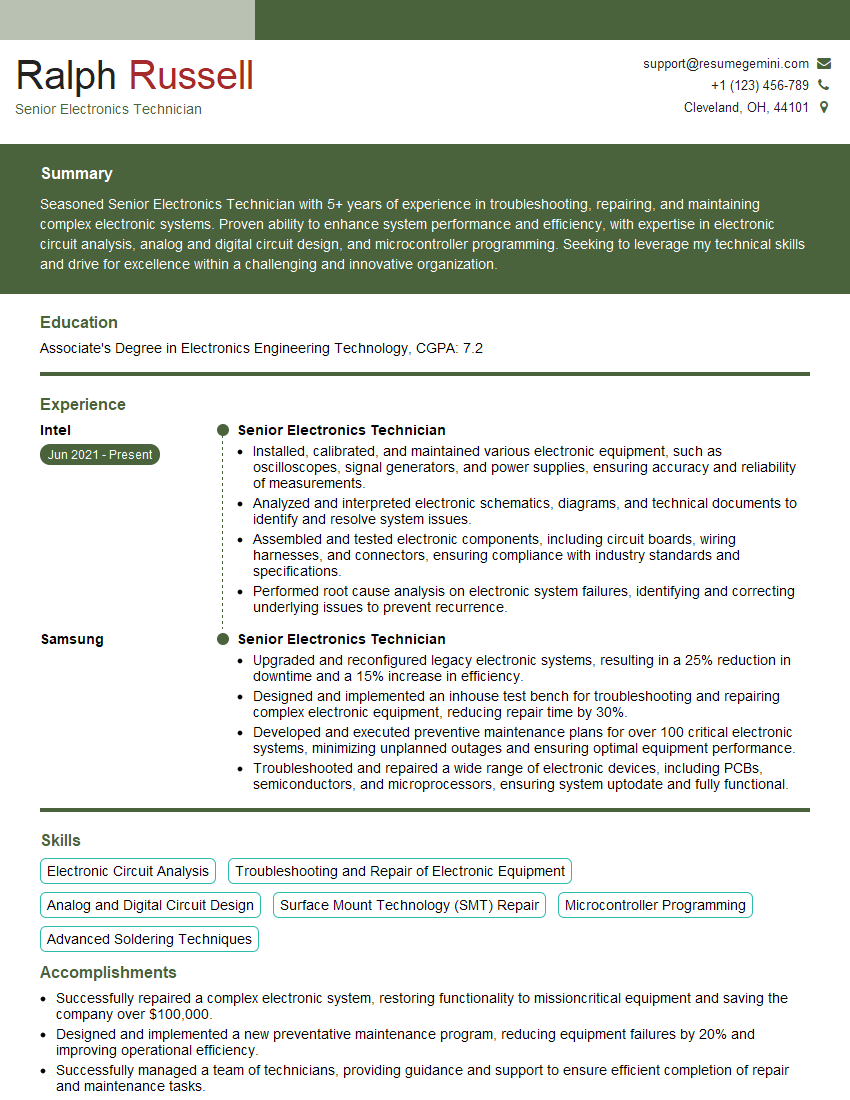
Mastering circuit board repair opens doors to a rewarding and in-demand career with excellent growth potential. To significantly increase your chances of landing your dream job, crafting a strong, ATS-friendly resume is crucial. ResumeGemini is a trusted resource that can help you build a professional and impactful resume tailored to highlight your unique skills and experience. We provide examples of resumes specifically designed for Circuit Board Repair professionals to guide you through the process. Invest time in building a resume that showcases your expertise—it’s your first impression and a key step towards your successful career in this exciting field.
Explore more articles
Users Rating of Our Blogs
Share Your Experience
We value your feedback! Please rate our content and share your thoughts (optional).
What Readers Say About Our Blog
I Redesigned Spongebob Squarepants and his main characters of my artwork.
https://www.deviantart.com/reimaginesponge/art/Redesigned-Spongebob-characters-1223583608
IT gave me an insight and words to use and be able to think of examples
Hi, I’m Jay, we have a few potential clients that are interested in your services, thought you might be a good fit. I’d love to talk about the details, when do you have time to talk?
Best,
Jay
Founder | CEO