Are you ready to stand out in your next interview? Understanding and preparing for Cloud Security (AWS IAM, Azure AD) interview questions is a game-changer. In this blog, we’ve compiled key questions and expert advice to help you showcase your skills with confidence and precision. Let’s get started on your journey to acing the interview.
Questions Asked in Cloud Security (AWS IAM, Azure AD) Interview
Q 1. Explain the difference between IAM roles and users in AWS.
In AWS, both IAM users and roles grant access to resources, but they differ fundamentally in how they are used and authenticated. Think of an IAM user as a person – it represents an individual who needs access to AWS. A user has long-term credentials (access keys) that they manage. Conversely, an IAM role is a temporary security credential that you can assume. It’s like a costume; you put it on to get specific permissions for a task, and then you take it off. Roles are often used by EC2 instances or other AWS services to access resources without needing explicit long-term credentials.
- IAM User: Represents an individual. Has long-term access keys (which should be managed extremely carefully!). Requires explicit login with username and password (or MFA).
- IAM Role: Represents a non-human entity (like an EC2 instance). No long-term credentials. Access is granted temporarily when assumed (e.g., an EC2 instance assumes a role to access S3). This promotes better security by eliminating the need for long-term credentials that could be compromised.
Example: A developer (IAM User) uses their credentials to build and deploy a web application. The application itself (running on an EC2 instance) assumes an IAM Role to access an S3 bucket for storing files, without the developer needing to embed their credentials directly into the application code.
Q 2. Describe the different types of AWS IAM policies.
AWS IAM policies define what actions a user or role can perform on AWS resources. They control access using a combination of actions, resources, and conditions. There are three main types:
- Inline Policies: Embedded directly into an IAM user or role. These policies are specific to that user or role and only apply to it. Think of this as a custom tailor-made suit for a specific individual.
- Managed Policies: Centralized policies that can be attached to multiple users or roles. They are managed in the IAM console and are reusable across different users and roles, which saves time and ensures consistency. Imagine having a ready-made suit that can be used by multiple people with minor adjustments.
- Resource-based Policies: Attached directly to AWS resources (like S3 buckets or KMS keys). These policies define who (users, roles, or accounts) can access a specific resource and what actions they are allowed to perform. It is like a lock and key for your house; this defines who can access this specific item, and how.
Example: A managed policy might grant read-only access to all S3 buckets within a specific region. An inline policy could then add permission for a specific user within that role to write to a particular bucket. A resource-based policy on an S3 bucket would define which accounts or users have permission to upload or download objects.
Q 3. How do you manage access keys securely in AWS IAM?
Managing access keys securely is paramount. These keys are like your house keys; never share them!
- Rotate Keys Regularly: Set up automated rotation using AWS services like IAM Access Keys Rotation. Aim for frequent rotation, ideally every 90 days, or even shorter if you’re working with high-risk operations.
- Least Privilege: Grant only the necessary permissions to access keys. Avoid using root accounts whenever possible. Instead, use users and roles with restricted permissions.
- Don’t Embed Keys in Code: Use environment variables, AWS Secrets Manager, or other secure methods to store and retrieve keys in your applications.
- Use MFA (Multi-Factor Authentication): Enforce MFA for all users, especially those who have access to important access keys.
- Monitor Key Usage: Regularly audit the activity associated with access keys using AWS CloudTrail and other monitoring services. This allows you to detect unauthorized access attempts and prevent breaches.
- Consider Key Deletion/Deactivation: Deactivate and delete old access keys that are no longer in use to prevent future attacks.
Example: If an access key is compromised, immediately rotate it, deactivate it, and investigate any unauthorized activity. A robust key management policy is an essential part of a strong security posture.
Q 4. What are the best practices for securing an AWS S3 bucket?
Securing an S3 bucket requires a multi-layered approach:
- Block Public Access: This setting prevents accidental public exposure of your data. Configure it to block public access from the bucket level and also at the account level to ensure no buckets are ever publicly accessible.
- Resource-Based Policies: Use granular policies to control access. Restrict access only to authorized users, roles, or other AWS accounts. Define precise actions (
s3:GetObject,s3:PutObject, etc.) to avoid overly permissive configurations. - Bucket Versioning: Enable versioning to retain previous versions of objects, allowing you to recover from accidental deletions or modifications. Think of it like having regular backups of your data.
- Server-Side Encryption (SSE): Encrypt data at rest using various methods (SSE-S3, SSE-KMS, SSE-C) to ensure that even if unauthorized access occurs, the data is unreadable. This protects your data even if a hacker accesses the bucket itself.
- Encryption in Transit: Use HTTPS to encrypt data during transmission between your applications and the S3 bucket.
- Regular Audits and Monitoring: Continuously monitor your S3 bucket for suspicious activity. Tools like CloudTrail and AWS Config can help you track access attempts and changes to your bucket configuration.
- IAM Roles for Access: Avoid granting direct access with IAM users; instead, leverage IAM roles for services like EC2 to interact with S3.
Example: A policy might grant only s3:GetObject permission to a specific IAM role for downloading files, but not the permission to upload or delete files.
Q 5. Explain the concept of least privilege in the context of AWS IAM.
The principle of least privilege in AWS IAM means granting users and roles only the minimum necessary permissions to perform their tasks. It’s like giving a house key to a guest only for the period of their stay, not giving them a key to the entire building.
Why is this important? By limiting permissions, you significantly reduce the potential impact of a security breach. If an account is compromised, the attacker will have limited access, preventing widespread damage.
Implementation: Carefully review required permissions and grant only those that are strictly necessary. Avoid using wildcard characters (*) in policies, and instead, specify resource ARNs (Amazon Resource Names) for better control. Regularly review and refine IAM permissions to ensure they remain appropriate and relevant.
Example: Instead of granting full administrator access, an EC2 instance might only be granted the permission to read data from a specific S3 bucket, and nothing else. This confines the damage if that instance is compromised.
Q 6. How do you implement multi-factor authentication (MFA) with AWS IAM?
Multi-factor authentication (MFA) adds an extra layer of security by requiring two or more methods of authentication. With AWS IAM, you can implement MFA using virtual MFA devices or hardware security keys (like YubiKeys).
Implementation Steps:
- Enable MFA for users: Go to the IAM console, select the user, and enable MFA. You’ll be guided to set up either a virtual MFA device (receiving codes via an authenticator app) or a hardware MFA device.
- Configure MFA settings: Choose the preferred MFA method. If using a virtual MFA device, you’ll be provided with QR codes to scan with an authenticator app (like Google Authenticator or Authy).
- Test MFA: After setup, test the MFA process to ensure it works correctly.
Benefits: MFA significantly reduces the risk of unauthorized access, even if usernames and passwords are compromised. It’s a crucial component of a robust security strategy.
Example: Even if a hacker obtains a user’s password, they still need the time-based one-time password (TOTP) code from the MFA device to successfully log in.
Q 7. What are AWS Identity Federation and its benefits?
AWS Identity Federation allows you to use existing identity providers (IdPs) – like Active Directory, Okta, or Google Workspace – to manage user identities and provide access to AWS resources. Instead of creating and managing users directly in AWS, you rely on your existing identity system.
Benefits:
- Centralized Identity Management: Manage users and their access from a single location, simplifying administration.
- Single Sign-On (SSO): Users can access both your on-premises applications and AWS resources using their existing credentials, improving efficiency and user experience.
- Improved Security: Leverage the security features of your existing IdP, reducing the burden on your AWS security posture.
- Compliance: This often aligns better with regulatory compliance requirements for identity and access management.
How it works: When a user attempts to access AWS, they are redirected to your IdP for authentication. Upon successful authentication, the IdP sends a SAML (Security Assertion Markup Language) or OIDC (OpenID Connect) assertion to AWS, which grants the user access based on pre-configured IAM roles and policies.
Example: A company uses Active Directory for its on-premises systems. Using AWS Identity Federation, they can allow employees to use their Active Directory credentials to access the AWS resources they need, without creating and managing duplicate user accounts in AWS IAM.
Q 8. Explain the concept of AWS Organizations and its role in centralized IAM management.
AWS Organizations is a service that allows you to consolidate multiple AWS accounts under a single management structure. Think of it as a parent company managing various subsidiary companies, each with its own AWS account. This centralized management is crucial for improved governance, billing, and, most importantly, IAM management.
Centralized IAM management within AWS Organizations means you can define policies and roles at the organizational level, which then cascade down to member accounts. This eliminates the need to manage IAM permissions individually across numerous accounts, significantly reducing administrative overhead and improving security posture. For example, you could create a central IAM policy that dictates that all S3 buckets must be encrypted, and this policy automatically applies to all accounts within the organization. This reduces the risk of inconsistencies and human error.
Another key advantage is the ability to use organizational units (OUs) to further segment and manage your accounts. You can group accounts based on their function (like development, production, testing) and apply granular policies to each OU. This allows for fine-grained access control without sacrificing ease of management.
In essence, AWS Organizations simplifies the management of multiple AWS accounts by providing a hierarchical structure and centralized control, making IAM administration more efficient and secure.
Q 9. Describe the different authentication methods in Azure AD.
Azure AD offers a variety of authentication methods to verify user identities, ensuring secure access to resources. These methods can be broadly categorized into password-based and passwordless options.
- Password-based authentication: This traditional method relies on usernames and passwords. Azure AD handles password management and complexity enforcement, but it’s susceptible to phishing attacks and password breaches.
- Multi-Factor Authentication (MFA): This enhances security by requiring users to provide multiple forms of verification, such as a password and a one-time code from their phone or authenticator app. MFA is highly recommended for all users.
- Security keys (FIDO2): These physical devices (like USB keys or NFC tags) provide a strong, passwordless authentication method. They’re significantly more secure than passwords because they’re resistant to phishing and credential stuffing.
- Windows Hello: For Windows 10 and 11 devices, Windows Hello uses biometrics (fingerprint or facial recognition) or a PIN to authenticate users. This is highly user-friendly and secure.
- Certificate-based authentication: Organizations can use digital certificates for authentication, which provides strong security and is often used for machine-to-machine authentication.
The choice of authentication method depends on the organization’s security requirements and user experience preferences. A balanced approach often involves mandatory MFA for all users and offering passwordless options like security keys to enhance security and user convenience.
Q 10. What are Azure AD roles and how are they managed?
Azure AD roles define the permissions users or groups have within the directory. These roles are crucial for granular access control, limiting what users can do. Think of them like job titles – a ‘Help Desk Administrator’ has different permissions than a ‘Global Administrator’.
Azure AD roles are managed through the Azure portal or PowerShell. You can assign pre-built roles (like Global Administrator, User Administrator, Security Reader) or create custom roles with specific permissions. These custom roles allow very fine-grained control, ensuring the principle of least privilege. For example, a custom role might only allow a user to manage users within a specific department but not across the entire organization.
Managing roles involves assigning them to users or groups and regularly reviewing those assignments. Regularly auditing who has what access is essential for maintaining a secure environment. Regular audits and role-based access control (RBAC) practices are paramount in preventing security breaches.
Q 11. How do you implement conditional access policies in Azure AD?
Conditional Access policies in Azure AD allow you to control access to resources based on various conditions. This allows you to implement ‘if-then’ rules for access, dramatically enhancing security.
For example, you could create a policy that only allows access to corporate resources from company-managed devices and requires MFA. This prevents unauthorized access from personal devices or untrusted networks. Another policy might require users to update their passwords every 90 days.
Implementing these policies involves specifying the following elements within the Azure portal:
- Users and groups: Define which users or groups the policy applies to.
- Cloud apps or actions: Specify the Azure resources or apps that the policy will govern.
- Conditions: Define conditions like location, device platform, and risk level.
- Access controls: Determine the access granted (allow or block) under specific conditions.
The process typically involves navigating to the Azure portal’s Conditional Access section, creating a new policy, configuring the users, applications, conditions, and access controls. This lets you fine-tune security based on numerous risk factors.
Q 12. Explain the concept of Azure AD Privileged Identity Management (PIM).
Azure AD Privileged Identity Management (PIM) is a crucial service for managing privileged accounts. It helps control who can perform sensitive administrative tasks within Azure AD, reducing the risks associated with permanent elevated access. Think of it as a temporary promotion, granting privileges only when needed.
With PIM, you can assign privileged roles (like Global Administrator) to users or groups, but the access is temporary. Users must activate the role when required and will automatically lose access after a predefined duration. This ‘just-in-time’ access significantly minimizes the risk of compromised privileged accounts.
PIM offers comprehensive auditing and monitoring, allowing you to track who accessed elevated privileges and when. This strengthens accountability and helps detect and respond to potential security issues proactively. The ability to assign eligibility for elevated privileges, allowing users to activate them on demand, rather than having permanent access, is a significant security improvement. PIM promotes security by minimizing the time sensitive accounts are accessible.
Q 13. Describe how Azure AD connects to on-premises Active Directory.
Connecting Azure AD to on-premises Active Directory allows for a hybrid identity model, unifying user management across cloud and on-premises environments. This is often implemented using Azure AD Connect.
Azure AD Connect is a synchronization tool that synchronizes user accounts, groups, and other directory objects from your on-premises Active Directory to Azure AD. This enables single sign-on (SSO), allowing users to access both on-premises and cloud resources with the same credentials.
The process generally involves installing Azure AD Connect on a server in your on-premises network. This server acts as a bridge, securely synchronizing directory information between the two environments. Various synchronization options are available, depending on your needs (password hash synchronization, pass-through authentication, federated authentication). Each option provides varying security and management complexities.
This hybrid identity approach offers a smoother transition to the cloud while maintaining access to existing on-premises resources. It enables a single identity management approach, improving user experience and administrative efficiency.
Q 14. What are Azure AD groups and how are they used for access control?
Azure AD groups are collections of users, devices, or other groups. They simplify access management by allowing you to assign permissions to the group as a whole, rather than individually to each user. This is far more efficient than managing permissions for each user.
Think of groups as departments or teams. For instance, you might create a ‘Marketing Team’ group and grant that group access to specific marketing applications and data. Then, adding or removing users from the ‘Marketing Team’ automatically updates their access rights, improving efficiency and minimizing the chances of human error.
Azure AD supports various group types (Security, Distribution, Microsoft 365, and Dynamic). Security groups are primarily used for access control. They are the primary way to assign permissions and manage who can access resources in Azure AD. Distribution groups manage email distribution. Microsoft 365 groups manage team collaboration in Microsoft 365 apps. Dynamic groups automatically add and remove users based on predefined rules, further simplifying management. These groups are fundamental to implementing effective role-based access control (RBAC) in Azure AD.
Q 15. How do you secure Azure resources using Azure AD?
Azure Active Directory (Azure AD) is the foundation for securing Azure resources. It’s essentially a cloud-based identity and access management (IAM) service that allows you to control who has access to your resources and what they can do. You secure Azure resources using Azure AD by leveraging its various features like Role-Based Access Control (RBAC), group management, and conditional access policies.
Role-Based Access Control (RBAC): This is crucial. Instead of granting individual permissions to each resource, you assign users or groups to predefined roles with specific permissions. For example, you might create a ‘Storage Contributor’ role that allows users to upload and manage data in Azure Blob Storage, without granting them access to virtual machines or other services. This principle of least privilege minimizes risk.
Group Management: Organizing users into groups simplifies management. Instead of assigning permissions to each individual, you assign them to a group, and then assign permissions to the group. If a user’s role changes, you only need to update their group membership, not their individual permissions.
Conditional Access Policies: These policies add layers of security based on various conditions. For instance, you could require multi-factor authentication (MFA) for all users accessing resources from untrusted networks. You can also restrict access based on location, device compliance, or even the application being accessed.
Example: Imagine you have an Azure SQL Database. Instead of granting direct access to every database user, you create an ‘SQL Database Reader’ role and assign users who only need read access to that role. Users with write access would be part of a separate ‘SQL Database Contributor’ role. This ensures granular control and minimizes the impact of compromised accounts.
Career Expert Tips:
- Ace those interviews! Prepare effectively by reviewing the Top 50 Most Common Interview Questions on ResumeGemini.
- Navigate your job search with confidence! Explore a wide range of Career Tips on ResumeGemini. Learn about common challenges and recommendations to overcome them.
- Craft the perfect resume! Master the Art of Resume Writing with ResumeGemini’s guide. Showcase your unique qualifications and achievements effectively.
- Don’t miss out on holiday savings! Build your dream resume with ResumeGemini’s ATS optimized templates.
Q 16. Explain the differences between Azure AD B2C and B2B.
Azure AD B2C (Business-to-Consumer) and B2B (Business-to-Business) are both identity management solutions offered by Azure AD, but they cater to different scenarios:
- Azure AD B2C: This is designed for customer-facing applications. It allows you to build a custom identity experience for your customers. Think of it as your own customized login system. Customers can register, log in, and manage their profiles using various methods (social logins like Facebook, Google, email, etc.). It’s ideal for scenarios where you need to manage user accounts for your customers, such as an e-commerce website or a mobile game.
- Azure AD B2B: This enables you to grant external users (like partners, vendors, or consultants) secure access to your Azure resources without creating and managing accounts for them within your organization. The external users use their existing organizational accounts (like their Google Workspace or other Azure AD account) to access your resources. This significantly simplifies guest access management and improves security.
Key Differences Summarized:
- Target Audience: B2C targets customers; B2B targets external business partners.
- Account Management: B2C manages customer accounts; B2B leverages existing accounts of external users.
- User Experience: B2C often provides a more customized user experience; B2B typically integrates seamlessly with existing organizational identity systems.
Q 17. How do you monitor and audit Azure AD activity?
Monitoring and auditing Azure AD activity is critical for maintaining security and compliance. Azure AD offers several tools for this purpose:
- Azure AD Audit Logs: These logs record all significant activities within your Azure AD tenant, including user logins, password changes, role assignments, and group modifications. You can filter and search these logs based on specific events and timeframes. This allows you to detect suspicious activities or track down the source of security incidents.
- Azure Monitor: Integrating Azure AD with Azure Monitor allows you to collect and analyze audit logs at scale. You can use Azure Monitor’s dashboards and alerts to visualize trends, identify anomalies, and proactively respond to security threats.
- Azure Sentinel: This is a cloud-native Security Information and Event Management (SIEM) solution. Integrating Azure AD audit logs with Azure Sentinel enables advanced threat detection and incident response capabilities. It can correlate events from different sources to identify sophisticated attacks and automate incident handling.
- Conditional Access Reports: These reports provide insights into the effectiveness of your conditional access policies. You can see which policies are blocking or granting access, and adjust them accordingly.
Example: By analyzing Azure AD audit logs, you can detect a user logging in from an unusual location and trigger an alert. This could indicate a compromised account.
Q 18. What are the different types of Azure AD licenses?
Azure AD licensing is quite complex, with different licenses offering varying levels of access and functionality. The licenses are generally categorized into:
- Free: This provides basic features, suitable only for small organizations with limited requirements. It typically includes limited features for basic user management.
- Azure AD Premium P1: This license offers enhanced security features like self-service password reset, multi-factor authentication, risk-based conditional access policies, and access reviews. It’s a great choice for organizations that need stronger security and identity governance.
- Azure AD Premium P2: This builds upon P1 and adds more advanced features such as identity protection, privileged identity management (PIM), and access governance features for even more control and protection. This is for organizations with more complex security needs and higher regulatory compliance requirements.
- Other Licenses: Microsoft offers various other licenses that are often bundled with other Microsoft services like Microsoft 365 or Enterprise Mobility + Security (EMS).
Choosing the right license depends on your organization’s specific needs and security posture. It’s vital to thoroughly evaluate your requirements before selecting a license.
Q 19. Explain the concept of Azure AD Application Proxy.
Azure AD Application Proxy provides secure remote access to on-premises web applications without the need for VPNs or complex network configurations. It acts as a reverse proxy, sitting between your external users and your on-premises applications. When a user accesses an application through the Application Proxy, it authenticates the user using Azure AD and then forwards the request to the on-premises application.
How it Works:
- Authentication: Users authenticate using their Azure AD credentials.
- Authorization: Azure AD verifies the user’s access rights to the application.
- Forwarding the Request: The Application Proxy securely forwards the authenticated request to the on-premises application.
- Response: The response from the on-premises application is routed back to the user through the Application Proxy.
Benefits:
- Enhanced Security: Leverages Azure AD’s security features, such as MFA, and simplifies management of access controls.
- Simplified Access: Provides secure access to on-premises applications without VPNs.
- Centralized Management: Manages access to on-premises and cloud applications from a single point.
Example: You have an internal web application running on your company’s intranet. Using Application Proxy, you can make this application accessible to your employees who are working remotely, without having to configure complex VPN connections.
Q 20. Describe the security best practices for Azure AD.
Securing Azure AD requires a multi-layered approach. Key best practices include:
- Enable Multi-Factor Authentication (MFA): MFA adds an extra layer of security by requiring users to provide a second form of verification (like a code from their phone) in addition to their password. This significantly reduces the risk of unauthorized access, even if passwords are compromised.
- Implement Strong Password Policies: Enforce strong password policies that require passwords to be long, complex, and regularly changed. Consider using passwordless authentication options for enhanced security.
- Regularly Review User Permissions and Roles: Periodically review user access rights and remove unnecessary permissions. The principle of least privilege is crucial. Use tools like access reviews to automate this process.
- Utilize Conditional Access Policies: Configure conditional access policies to control access based on various conditions like location, device, and user risk level. This ensures that access is granted only when appropriate.
- Monitor Azure AD Audit Logs: Regularly monitor Azure AD audit logs for suspicious activities. Set up alerts to notify you of potential threats.
- Enable Identity Protection: Azure AD Identity Protection provides risk detection capabilities, helping you to identify and respond to compromised accounts or suspicious activities.
- Protect against Phishing Attacks: Educate users about phishing attacks and provide training on how to identify and avoid them. Use tools to monitor for suspicious login attempts.
- Regularly Update and Patch Systems: Keep Azure AD and related systems up-to-date with the latest security patches to protect against known vulnerabilities.
Remember, security is an ongoing process. Regularly assess your security posture and adapt your strategies to address evolving threats.
Q 21. Compare and contrast AWS IAM and Azure AD.
AWS IAM and Azure AD are both cloud-based identity and access management services, but they have key differences:
- Scope: AWS IAM is focused solely on managing access to AWS resources, while Azure AD is a broader identity platform that also manages access to Azure resources, as well as other Microsoft services and applications.
- Approach: IAM uses identities (users, groups, roles) to control access to resources through permissions. Azure AD also uses identities but heavily relies on Role-Based Access Control (RBAC) and group membership to manage permissions in a more structured way.
- Integration: IAM is tightly integrated with AWS services. Azure AD can integrate with a wider range of applications and services, both within and outside the Microsoft ecosystem.
- User Management: IAM can manage users within AWS, but it’s not as comprehensive as Azure AD, which offers advanced user management, authentication, and identity governance features.
- External Identity Management: Azure AD excels in handling external identities, through B2B collaboration and other features. AWS IAM has features to support this, but it is not as robust.
In short: AWS IAM is a powerful, but primarily AWS-centric, identity management service. Azure AD is a more versatile identity platform that offers a broader range of capabilities and integrations, extending beyond Azure.
Q 22. How would you troubleshoot an IAM access issue in AWS?
Troubleshooting IAM access issues in AWS often involves a systematic approach. Think of it like detective work – you need to follow the trail of evidence to pinpoint the problem.
- Check the IAM Policy: The first step is to verify the user’s or role’s IAM policy. Is the necessary permission explicitly granted? Remember, AWS uses a principle of least privilege; overly permissive policies can mask underlying issues. For example, if a user can’t access an S3 bucket, examine their policy to ensure it includes the
s3:GetObjectaction (or more broadly,s3:*if needed). Look for typos or missing elements. - Access Keys and Secret Access Keys: Ensure the access keys are correctly configured and haven’t been rotated (expired). Expired keys lead to access denials. If using programmatic access, verify the code correctly utilizes these credentials.
- IAM Groups and Roles: Users are often assigned to groups. Check the policies attached to the groups the user belongs to. Similarly, if the user is assuming a role, validate the role’s policy and the trust relationship (who can assume this role).
- AWS CloudTrail Logs: CloudTrail logs provide a history of API calls made to AWS. Examining these logs helps identify who attempted access, when, and the outcome. This provides crucial context for understanding access failures.
- AWS Config: Config helps track the configuration of your AWS resources. It can provide alerts and reports about changes to IAM policies, helping you detect unintended modifications that may restrict access.
- Resource Policies: Remember, permissions are not just in the IAM policy, but also on the resource itself (like an S3 bucket policy). Make sure resource policies aren’t inadvertently blocking access.
Example: A developer can’t access a specific Lambda function. Start by checking their IAM policy. Does it include lambda:InvokeFunction permission for the specific function ARN? If not, add it. If the policy is correct, check CloudTrail logs to see if any attempts were made and if they failed due to policy denials or other reasons.
Q 23. How would you troubleshoot an authentication issue in Azure AD?
Troubleshooting authentication issues in Azure AD involves a similar methodical approach to AWS IAM, but with a focus on user accounts and directory settings. Think of it like verifying someone’s identity at the door before they enter.
- Verify User Credentials: The most basic check is to verify that the user is entering their correct username and password. Password resets may be required. Azure AD provides password reset mechanisms that are self-service for many users.
- Check User Status: Ensure the user account is enabled in Azure AD and that their account isn’t locked out due to multiple failed login attempts.
- Review User Attributes: Confirm that the user has the correct roles and group memberships assigned to them. This ensures they have the necessary permissions to access the resources they need.
- Examine Conditional Access Policies: Conditional Access Policies define rules that govern access to Azure resources based on factors like location, device, and application. An overly restrictive Conditional Access Policy can block legitimate logins.
- Azure AD Connect Health: This service monitors your on-premises directory sync and helps diagnose connectivity issues that might be preventing users from authenticating.
- Azure AD Sign-in Logs: Examine these logs for details on failed login attempts. These logs provide valuable insights into the cause of authentication problems, revealing information such as the IP addresses of failed login attempts, time of attempts, and error codes.
Example: A user reports they can’t log into a SaaS application integrated with Azure AD. First, check their credentials. If correct, verify their account isn’t disabled or locked. Then, inspect the sign-in logs for error messages. If a Conditional Access Policy is restricting access, review and adjust the policy to allow logins from the user’s location and device.
Q 24. What are the key differences between AWS KMS and Azure Key Vault?
Both AWS KMS and Azure Key Vault are cloud-based services for managing encryption keys, but they have key differences. Think of them as secure vaults, but with different organizational structures and features.
- Architecture: AWS KMS is tightly integrated with other AWS services. Azure Key Vault is more of a standalone service, though it integrates with Azure services.
- Key Types: Both support symmetric and asymmetric keys. However, their specific key types and management features differ slightly. AWS KMS emphasizes customer-managed keys, while Azure Key Vault offers additional key types and integrations.
- Key Rotation: Both allow for automated key rotation, crucial for security, but the implementation details and options vary.
- Integration: AWS KMS has tighter integration within the AWS ecosystem, making key management easier for AWS users. Azure Key Vault integrates with many Azure services but requires more explicit configuration.
- Hierarchical Key Management: Azure Key Vault has a more developed system for hierarchical key management, allowing for better organization and control of large numbers of keys.
- HSM (Hardware Security Module) Backing: Both offer HSM-backed keys, enhancing security, but the specific HSM offerings and management differ.
In short: AWS KMS is a powerful, deeply integrated service within the AWS ecosystem. Azure Key Vault offers broader features and a potentially more flexible model for complex key management scenarios.
Q 25. Explain how to use AWS CloudTrail for security monitoring.
AWS CloudTrail is a service that provides a record of API calls made to AWS. It’s like a detailed audit log of everything happening in your account. Think of it as a security camera system, recording all activity.
- Enabling CloudTrail: First, enable CloudTrail in your AWS account. This begins logging API calls.
- Defining Trails: Configure trails to specify which regions should be logged and to which S3 bucket the logs are delivered. You can have multiple trails for different purposes (e.g., separate trails for development and production).
- Data Events vs. Management Events: CloudTrail logs management events (changes to your AWS resources) and data events (access to your data). Configure appropriately. Data events, while providing a lot of information, can generate very large log volumes.
- CloudTrail Lake: This is a data lake for CloudTrail events that allows for long-term storage and analysis of your logs.
- Monitoring and Alerting: Analyze the logs using tools like Amazon Athena, Amazon CloudWatch, or third-party SIEM systems. This allows for the setup of automated alerts for suspicious activity.
- Compliance and Audit: CloudTrail logs help fulfill various compliance requirements and provide evidence for security audits.
Example: You suspect an unauthorized user accessed your S3 bucket. By analyzing CloudTrail logs, you can identify the user’s IP address, the time of access, the actions performed, and other relevant details. This helps determine the nature and scope of the security breach and allows you to take appropriate remedial actions.
Q 26. Explain how to use Azure Monitor for security monitoring.
Azure Monitor is a comprehensive monitoring and logging service in Azure. It provides centralized logging and analysis of various Azure services, including security-related information. Think of it as a central dashboard giving you real-time visibility into your security posture.
- Log Analytics: This workspace collects logs from various Azure services, including Azure AD, Azure Security Center, and other security-related components.
- Azure Security Center: This service provides a centralized view of the security state of your Azure resources, leveraging data from Azure Monitor and other sources. It offers recommendations and alerts about potential security vulnerabilities and threats.
- Azure Monitor Alerts: Set up alerts based on specific criteria within your logs. This allows proactive detection of suspicious activities. For example, you can set an alert triggered by a large number of failed login attempts or access attempts from unusual locations.
- Data Retention Policies: Define retention policies to manage the volume and duration of log data. Balancing detailed logging against storage costs is crucial.
Example: You want to detect suspicious login attempts to your Azure resources. You configure Azure Monitor to collect Azure AD sign-in logs and set up an alert that triggers when a large number of failed logins occur from a single IP address within a short period. This helps proactively identify and respond to potential brute-force attacks.
Q 27. Describe a scenario where you had to implement a complex IAM or Azure AD solution. What challenges did you face, and how did you overcome them?
In a previous role, we needed to implement a complex IAM solution for a large-scale application with strict segregation of duties. This application was divided into many microservices, each with different access control requirements. We needed to ensure that developers only had access to the resources they needed for their specific microservices, preventing accidental or malicious access to other parts of the system.
Challenges:
- Complexity of managing permissions: The number of users and resources made manually managing permissions extremely cumbersome and error-prone.
- Maintaining least privilege: Ensuring every user only had the absolute minimum permissions required was challenging, as the needs of developers varied widely.
- Auditing: Keeping track of who had access to what, and when those permissions changed, was a logistical nightmare without a comprehensive system.
Solutions:
- Infrastructure as Code (IaC): We used Terraform to manage our IAM infrastructure, creating and managing roles and policies programmatically, reducing errors and improving consistency.
- Fine-grained IAM Roles: Instead of using broad roles, we implemented fine-grained roles tailored to each microservice and developer’s responsibilities. This improved control and reduced risk.
- Automated Auditing: We integrated CloudTrail (AWS) with our SIEM system, providing a centralized and searchable audit log of all access requests. This enabled rapid incident response and compliance reporting.
- Regular Reviews and Audits: We established a regular review process to revisit and refine the IAM structure and ensure it aligned with the evolving needs of the project.
This approach reduced errors, simplified administration, improved security, and provided a centralized approach to compliance. The initial setup was complex, but it ultimately paid off in enhanced security and manageability.
Q 28. How do you stay up-to-date with the latest security best practices for AWS IAM and Azure AD?
Staying updated on AWS IAM and Azure AD security best practices requires a multi-pronged approach. Think of it as continuous learning, essential for maintaining a strong security posture.
- Official Documentation: Regularly review the official documentation from AWS and Microsoft. These documents are regularly updated with security best practices and new features.
- AWS/Azure Blogs and Announcements: Subscribe to AWS and Microsoft blogs and newsletters to stay informed about new security features, vulnerabilities, and best practices.
- Security Conferences and Webinars: Attending industry conferences and webinars provides valuable insights into the latest trends and threats. They often feature expert speakers sharing their real-world experience.
- Industry Publications and Research: Follow industry publications and research papers on cloud security. This helps stay informed about new threats and vulnerabilities.
- Community Forums: Participate in online forums and communities related to AWS and Azure. These forums are valuable resources for asking questions, sharing knowledge, and learning from the experiences of others.
- Certifications: Pursuing relevant certifications (like AWS Certified Security – Specialty or Azure Security Engineer Associate) demonstrates commitment to security and provides structured learning paths.
Example: Following the AWS Security blog keeps me updated on newly discovered vulnerabilities and newly released AWS security features. I also follow security-focused publications for wider industry trends. This combination allows me to proactively address vulnerabilities and implement the latest security enhancements.
Key Topics to Learn for Cloud Security (AWS IAM, Azure AD) Interview
- Identity and Access Management (IAM) Fundamentals: Understand the core principles of IAM, including users, groups, roles, and policies. Practice defining least privilege access and the implications of various permission levels.
- AWS IAM Hands-on: Gain practical experience managing IAM users, groups, and roles within an AWS environment. Learn how to create and manage policies, including using JSON for fine-grained control. Practice troubleshooting common IAM-related issues.
- Azure Active Directory (Azure AD) Concepts: Master the core components of Azure AD, including users, groups, applications, and conditional access policies. Explore the differences between Azure AD and Azure AD B2C.
- Azure AD Practical Application: Develop skills in managing user identities, assigning roles, and implementing multi-factor authentication (MFA) within Azure AD. Learn how to integrate Azure AD with other Microsoft services and third-party applications.
- Security Best Practices: Understand and be prepared to discuss best practices for securing cloud environments, including password management, multi-factor authentication, least privilege access, and the principle of least privilege. This includes understanding the implications of different access levels.
- Compliance and Regulations: Familiarize yourself with relevant compliance frameworks like SOC 2, ISO 27001, and HIPAA, and how IAM and Azure AD contribute to meeting these standards.
- Troubleshooting and Problem Solving: Develop your ability to diagnose and solve common security issues related to IAM and Azure AD, such as unauthorized access, account lockouts, and permission conflicts. Practice explaining your problem-solving methodology.
- Cloud Security Posture Management (CSPM): Understand the role of CSPM tools in identifying and mitigating security risks in cloud environments. Be ready to discuss how IAM and Azure AD integrate with CSPM solutions.
Next Steps
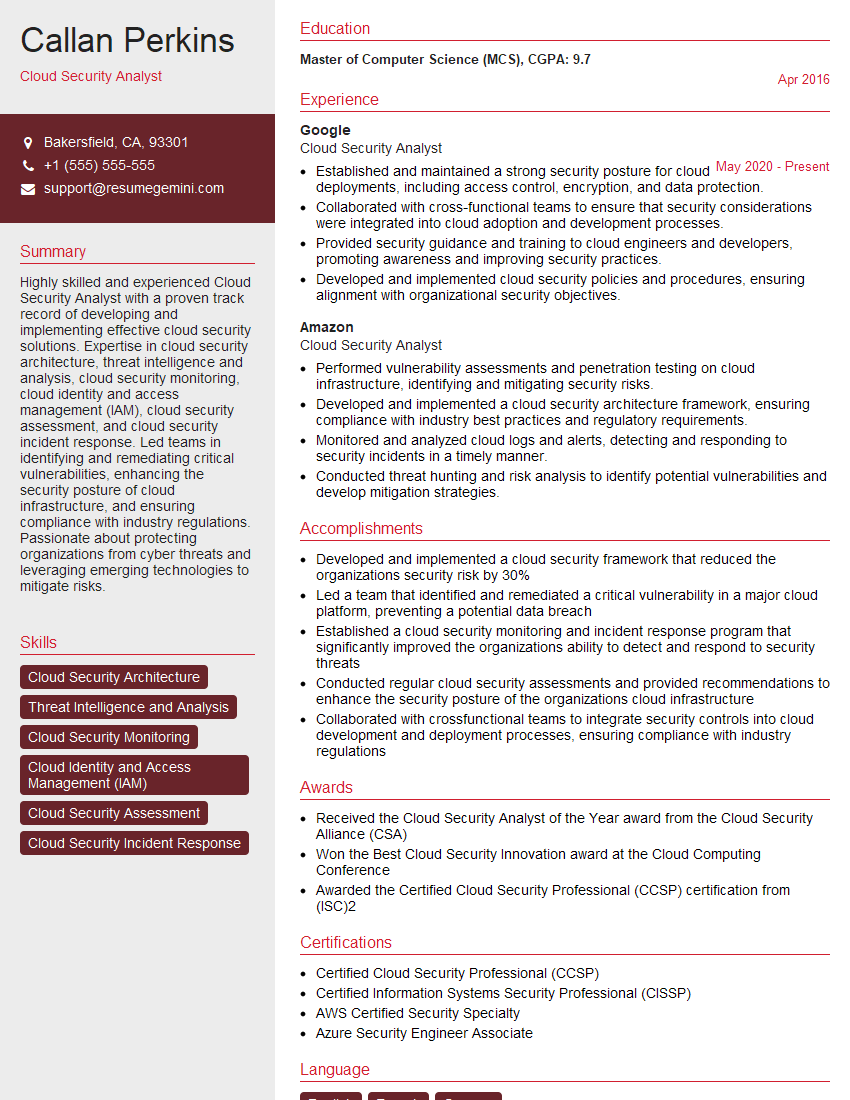
Mastering Cloud Security, specifically AWS IAM and Azure AD, is crucial for a thriving career in the rapidly expanding field of cloud computing. These skills are highly sought after, opening doors to exciting opportunities and higher earning potential. To maximize your job prospects, creating a strong, ATS-friendly resume is essential. ResumeGemini is a trusted resource that can help you build a professional and impactful resume, tailored to highlight your Cloud Security expertise. Examples of resumes tailored to Cloud Security (AWS IAM, Azure AD) are available to guide you.

Explore more articles
Users Rating of Our Blogs
Share Your Experience
We value your feedback! Please rate our content and share your thoughts (optional).
What Readers Say About Our Blog
I Redesigned Spongebob Squarepants and his main characters of my artwork.
https://www.deviantart.com/reimaginesponge/art/Redesigned-Spongebob-characters-1223583608
IT gave me an insight and words to use and be able to think of examples
Hi, I’m Jay, we have a few potential clients that are interested in your services, thought you might be a good fit. I’d love to talk about the details, when do you have time to talk?
Best,
Jay
Founder | CEO