Interviews are opportunities to demonstrate your expertise, and this guide is here to help you shine. Explore the essential Computer Literacy (Microsoft Office Suite, Herd Management Software) interview questions that employers frequently ask, paired with strategies for crafting responses that set you apart from the competition.
Questions Asked in Computer Literacy (Microsoft Office Suite, Herd Management Software) Interview
Q 1. Describe your experience with Microsoft Word’s mail merge feature.
Mail merge in Microsoft Word is a powerful tool that allows you to create personalized letters, labels, or other documents from a single template. Imagine you need to send thank-you notes to 100 clients. Instead of typing each note individually, mail merge lets you create one template with placeholders for personalized information, then import a data source (like an Excel spreadsheet) containing client names and addresses. Word automatically populates the template with the data, generating unique documents for each client.
My experience with mail merge includes creating personalized marketing materials, generating customized invoices, and producing personalized certificates for events. I’m comfortable working with various data sources, including Excel spreadsheets, Access databases, and even manually created text files. I understand how to handle data fields, merge fields, and troubleshoot common issues such as mismatched data types or formatting inconsistencies. For example, I once used mail merge to send personalized holiday greetings to over 500 clients, ensuring each message included their name and company name, pulled directly from our CRM database.
Q 2. How proficient are you in creating and managing spreadsheets in Microsoft Excel?
I’m highly proficient in Microsoft Excel, possessing advanced skills in data manipulation, analysis, and visualization. My expertise extends beyond basic spreadsheet creation to include complex formulas, pivot tables, macros, and data validation. I can efficiently organize and analyze large datasets, identify trends, and create insightful reports. I’m familiar with various chart types and know how to best represent data visually for clear communication.
For instance, I regularly use Excel to track project budgets, analyze sales data, and create financial forecasts. I’ve used VBA (Visual Basic for Applications) to automate repetitive tasks, saving significant time and improving accuracy. My understanding of conditional formatting allows me to highlight important data points and quickly identify exceptions. I can also confidently import and export data from various sources, ensuring data integrity throughout the process.
Q 3. Explain your experience using Microsoft PowerPoint for presentations.
My experience with PowerPoint encompasses creating engaging and informative presentations for diverse audiences. I’m skilled in designing visually appealing slides, incorporating multimedia elements (like images, videos, and animations), and using transition effects effectively. I understand the importance of clear messaging, concise text, and impactful visuals. I’m also proficient in using PowerPoint’s presentation tools, such as presenter view and rehearsal timing.
In my previous role, I frequently developed presentations for board meetings, client pitches, and internal training sessions. I’ve used PowerPoint to effectively communicate complex technical information, market research findings, and strategic plans. I always strive to create presentations that are not only visually appealing but also easy to understand and remember. For example, I once created an interactive presentation that used embedded hyperlinks to guide viewers to supplemental information, making the presentation far more engaging.
Q 4. How familiar are you with Microsoft Access databases?
I have a solid understanding of Microsoft Access databases. I’m capable of designing and managing databases, creating tables with appropriate data types, defining relationships between tables, and developing queries to retrieve specific information. I can build forms for efficient data entry and reports for data analysis and visualization. While I haven’t built enterprise-level databases, I’m confident in my ability to design and manage databases for various applications.
For example, I once built a database to track inventory for a small business, including features for adding new items, updating stock levels, and generating reports on low-stock items. This allowed for efficient stock management and reduced the chance of stockouts. I understand database normalization and the importance of data integrity and consistency.
Q 5. Can you describe your experience using Outlook for email management and scheduling?
I utilize Microsoft Outlook extensively for email management and scheduling. I’m proficient in managing multiple inboxes, organizing emails using folders and rules, scheduling appointments and meetings, and managing contacts. I’m also familiar with Outlook’s calendar features, including setting reminders, creating recurring events, and sharing calendars with colleagues.
My experience includes using Outlook to manage a large volume of emails, prioritize tasks based on importance and deadlines, and effectively collaborate with team members. I use features such as flags and categories to organize emails, ensuring nothing is overlooked. I routinely use the scheduling functionality to coordinate meetings across different time zones and manage my time efficiently. I also utilize the contact management features to keep track of client and colleague details.
Q 6. What herd management software are you familiar with?
I’m familiar with several herd management software packages, including [Insert Specific Software Names Here, e.g., DairyComp 305, Herd Management Software, etc.]. My experience varies in depth depending on the specific software, but generally, I’m comfortable navigating the user interface, inputting and retrieving data, generating reports, and understanding the underlying principles of herd management.
My experience isn’t limited to just one program because the specific software a farm or ranch uses often depends on factors like the type of livestock, farm size, and available resources. However, my understanding of the core functionalities – animal identification, health records, breeding management, milk production tracking – allows me to quickly adapt to new systems.
Q 7. How would you use herd management software to track animal health records?
Herd management software is invaluable for tracking animal health records. The specific features vary by software, but the general approach involves accurately recording individual animal information, including breed, age, date of birth, and unique identification number. Then, health events – vaccinations, treatments, illnesses, and even deaths – are recorded with details like dates, medications administered, and outcomes. This creates a detailed history for each animal, facilitating disease tracking, preventative care, and informed decision-making.
For example, I might use the software to track the vaccination schedule for all animals, setting reminders for upcoming vaccinations to ensure herd immunity. If an animal falls ill, I can enter the details of the illness, treatments provided, and recovery status. This data can then be used to identify potential disease outbreaks, analyze the effectiveness of preventative measures, and assess the overall health of the herd. The software often allows for the generation of reports that summarize health trends, simplifying reporting to veterinarians or regulatory agencies.
Q 8. Describe your experience with data entry and validation in herd management software.
Data entry and validation in herd management software are crucial for maintaining accurate records and ensuring the reliability of analyses. My experience involves meticulous data input, ranging from animal identification numbers, breed information, birth dates, and weight measurements to vaccination records, health treatments, and reproductive cycles. Validation is equally important; I utilize the software’s built-in checks to prevent errors like duplicate entries or illogical data (e.g., a negative weight). For example, if I enter a date that precedes the animal’s birthdate, the system would flag it as an error. I also conduct manual checks, comparing entries against physical records or other data sources to ensure accuracy. This dual approach, combining software validation and manual verification, guarantees data integrity and minimizes the risk of inaccuracies affecting subsequent analyses and management decisions.
Q 9. How would you generate reports on animal performance using herd management software?
Generating reports on animal performance involves leveraging the reporting tools within the herd management software. Most systems offer customizable report templates that allow you to select specific data points and metrics. For example, I can generate reports on average daily gain (ADG) for a specific group of animals, milk production per cow over a defined period, or the overall reproductive performance of the herd. These reports usually include summary statistics like averages, totals, and percentiles. The software might also allow for the generation of graphical representations, such as charts and graphs, to visually represent animal performance trends. To illustrate, I might generate a report showing the ADG of calves over time, visually represented as a line graph to quickly identify periods of strong and weak growth. This facilitates informed decision-making regarding feeding strategies or health interventions.
Q 10. How familiar are you with data analysis features within your chosen herd management software?
I’m highly familiar with the data analysis features in the herd management software I’ve used. These features often extend beyond simple report generation. Many systems allow for the creation of custom queries to filter and sort data based on specific criteria. For instance, I can easily isolate records for animals exhibiting certain health issues or filter the data to analyze the performance of animals based on their breed or age group. Some software even provides basic statistical analysis capabilities, such as calculating correlations between different variables or performing simple regression analyses. This allows for a deeper understanding of the factors affecting animal performance and helps pinpoint areas for improvement in management practices. I’m proficient in using these features to identify trends, outliers, and potential problems within the herd.
Q 11. How would you troubleshoot common software issues in a herd management system?
Troubleshooting software issues in a herd management system requires a systematic approach. My first step is to identify the nature of the problem. Is it a data entry issue, a software glitch, a hardware problem, or a network connectivity issue? I’d start by checking for obvious errors like typos in data entry or incorrect file paths. If the problem persists, I’d check the software’s help documentation or support resources for known issues and solutions. Next, I’d try simple troubleshooting steps such as restarting the software or computer, checking internet connectivity, and ensuring sufficient disk space. If the problem remains, I’d escalate it to the software vendor’s technical support team, providing detailed information about the error message, the steps I’ve taken, and screenshots where applicable. For instance, a common issue might be a database corruption error; I’d know to carefully back up data before attempting any repair solutions suggested by the support team.
Q 12. Explain your experience with importing and exporting data in herd management software.
Importing and exporting data is critical for data exchange between different systems or for archiving purposes. My experience includes importing data from external sources, such as spreadsheets or other databases, into the herd management software. I’m skilled in ensuring data compatibility by formatting the data according to the software’s requirements. This often involves adjusting column headers, data types, and cleaning up inconsistencies in the source data. For exporting data, I use the software’s export function to generate files in various formats such as CSV, XML, or custom database formats. This enables sharing of herd information with veterinarians, consultants, or other stakeholders. I’m meticulous in verifying that the exported data is accurate and complete before sharing it. For instance, I might export data on animal weights for a specific period to share with a nutritionist for feed optimization analysis.
Q 13. Describe your experience using pivot tables in Excel for analyzing herd data.
Pivot tables in Excel are an invaluable tool for analyzing large datasets, including herd data. I’ve extensively used them to summarize and analyze herd performance data. For example, I might create a pivot table to summarize milk yield by cow, breed, or lactation number. This allows me to quickly identify high-performing and low-performing animals and pinpoint potential areas for improvement. I can also use pivot tables to analyze the relationship between different variables, such as the correlation between feed intake and milk production. Pivot tables provide a dynamic and interactive way to explore the data, allowing me to easily drill down into specific subsets of data and quickly generate summary statistics. The ability to easily filter, sort, and aggregate the data helps gain valuable insights into herd performance and optimize management strategies. Imagine analyzing the impact of a new feeding regimen – a pivot table would easily show the differences in milk production before and after implementation.
Q 14. How would you use Excel to create charts and graphs visualizing herd performance?
Excel offers powerful charting and graphing capabilities, enabling clear visualization of herd performance. I routinely use Excel to create various charts and graphs to represent trends and patterns in the herd data. For instance, I might create a line chart to track the weight gain of calves over time, a bar chart to compare the average milk production of different breeds, or a scatter plot to analyze the relationship between days to first calving and subsequent milk yield. The choice of chart type depends on the nature of the data and the message I want to convey. These visual representations make it much easier to identify trends, outliers, and areas needing attention. For example, a line graph showing a sudden drop in milk production for a particular cow could highlight a potential health issue requiring immediate investigation.
Q 15. Can you explain how you would use formulas and functions in Excel for herd management calculations?
Excel is invaluable for herd management calculations. Its formulas and functions allow for automated analysis and reporting, saving significant time and reducing errors compared to manual calculations. For example, you can easily track feed costs, calculate average daily gains, or project future milk production.
Calculating Total Feed Cost: Let’s say you have the quantity of feed (in kg) in column A and the price per kg in column B. You can use the
SUMPRODUCTfunction to calculate the total cost:=SUMPRODUCT(A1:A10, B1:B10). This multiplies each quantity by its price and sums the results.Calculating Average Daily Gain (ADG): If you have initial weight in column C, final weight in column D, and the number of days in column E, you can calculate ADG using the formula:
=(D1-C1)/E1. You can then use theAVERAGEfunction to find the average ADG for your entire herd:=AVERAGE(F1:F10)(assuming ADG is calculated in column F).Conditional Formatting: Highlighting cells based on certain criteria (e.g., animals below a certain weight) using Excel’s conditional formatting can instantly identify animals needing attention. This visual cue improves decision-making and proactive animal care.
By using these and other Excel functions, you can create dynamic spreadsheets that automatically update as you input new data, providing valuable insights into your herd’s performance and health.
Career Expert Tips:
- Ace those interviews! Prepare effectively by reviewing the Top 50 Most Common Interview Questions on ResumeGemini.
- Navigate your job search with confidence! Explore a wide range of Career Tips on ResumeGemini. Learn about common challenges and recommendations to overcome them.
- Craft the perfect resume! Master the Art of Resume Writing with ResumeGemini’s guide. Showcase your unique qualifications and achievements effectively.
- Don’t miss out on holiday savings! Build your dream resume with ResumeGemini’s ATS optimized templates.
Q 16. How familiar are you with data security and privacy within herd management software?
Data security and privacy are paramount in herd management software. This involves protecting sensitive information like animal IDs, health records, breeding data, and owner details from unauthorized access, modification, or disclosure. My experience encompasses understanding and implementing security measures such as:
Password protection and access controls: Restricting access to data based on user roles and responsibilities ensures only authorized personnel can view and modify sensitive information.
Data encryption: Encrypting data both in transit (during transmission) and at rest (when stored) safeguards it from unauthorized access even if a breach occurs.
Regular backups and disaster recovery planning: Implementing robust backup procedures and a disaster recovery plan mitigates the risk of data loss due to hardware failure, cyberattacks, or natural disasters. This includes offsite backups to ensure data redundancy.
Compliance with data privacy regulations: Familiarity with relevant regulations (e.g., GDPR, CCPA) is crucial to ensure responsible data handling and adherence to legal requirements.
I’m also familiar with the importance of regular security audits and updates to maintain a high level of data protection.
Q 17. How would you handle inconsistencies or errors discovered in herd management data?
Handling inconsistencies or errors in herd management data requires a systematic approach. The first step is to identify the nature and extent of the error. Then, I would investigate the source of the error to prevent recurrence. This might involve reviewing data entry procedures, validating data sources, or checking for equipment malfunctions.
Data Validation: Using data validation features in the software or Excel spreadsheets ensures that only valid data is entered. For example, setting data validation rules to only accept numerical values for weight or specific date formats for birthdates prevents entry errors.
Data Reconciliation: Comparing data from multiple sources (e.g., manual records, electronic tags, weighing scales) to identify discrepancies and inconsistencies. This might involve cross-referencing data entries and using statistical methods to identify outliers.
Error Logging and Tracking: Maintaining a record of identified errors, their causes, and corrective actions helps in identifying patterns and improving data quality over time. This might involve setting up a dedicated error log in the herd management software or in a separate spreadsheet.
Data Cleaning: Using tools and techniques to cleanse and correct identified errors in the data. This could involve data transformation using scripting languages (like Python) or using built-in data cleaning features within the herd management software.
Addressing data inconsistencies promptly ensures accurate analysis and informed decision-making in herd management.
Q 18. Describe your experience with software updates and maintenance within herd management software.
Software updates are crucial for maintaining security, performance, and access to new features. My experience includes understanding the update process, scheduling downtime, and ensuring a smooth transition. This includes:
Regularly checking for updates: Keeping the software updated to its latest version is essential for patching security vulnerabilities and accessing bug fixes.
Data backup before updates: Backing up all data before applying any major update is a critical precaution to prevent data loss. This is a fundamental best practice.
Testing updates in a non-production environment: Testing software updates in a sandbox or test environment before deploying them to the live system minimizes the risk of disruption. This allows for identification and resolution of potential issues before affecting real-time data.
Following update instructions carefully: Meticulously following the software vendor’s instructions is crucial to prevent unexpected issues during the update process.
Moreover, I am proficient at troubleshooting any issues that may arise during or after an update.
Q 19. How would you use herd management software to track breeding records?
Herd management software simplifies tracking breeding records by providing a centralized database for managing animal reproductive information. Key features include:
Recording breeding dates: Precisely recording the dates of natural mating or artificial insemination (AI).
Tracking gestation periods: Calculating expected calving dates based on breeding dates and species-specific gestation lengths.
Managing sire and dam information: Maintaining detailed pedigrees and linking offspring to their parents.
Monitoring heat cycles: Recording the onset and duration of estrus cycles for improved breeding management.
Recording calving details: Documenting calving dates, sex of offspring, birth weight, and any complications.
This comprehensive record-keeping facilitates better breeding decisions, helps to identify breeding inefficiencies, and enhances genetic selection strategies. For example, by analyzing breeding data over time, we can assess the success rate of AI, identify animals with fertility issues, and optimize breeding schedules.
Q 20. How would you use herd management software to manage feed inventory?
Herd management software facilitates efficient feed inventory management. Features include:
Tracking feed purchases and deliveries: Recording the type, quantity, and cost of feed purchased and the date of delivery.
Monitoring feed usage: Recording the amount of feed consumed by different animal groups over time.
Calculating feed costs: Determining the cost per animal or per unit of production (e.g., per liter of milk).
Setting alerts for low inventory: The software can automatically alert you when feed stocks reach a pre-defined low level, enabling timely reordering.
Generating reports on feed consumption: Producing detailed reports that show feed costs, usage patterns, and waste to optimize feed management strategies.
This allows for better planning and minimizes the risk of feed shortages. For example, the software might identify that a particular type of feed is being consumed more quickly than anticipated, triggering a timely order to avoid disruptions to animal nutrition.
Q 21. Describe your experience with generating customized reports from herd management software.
Most herd management software allows for the generation of customized reports tailored to specific needs. This feature is crucial for data analysis and informed decision-making. The ability to customize reports allows you to focus on key performance indicators (KPIs) relevant to your operation.
Selecting data fields: Choosing the specific data points to include in the report (e.g., animal IDs, weight, milk yield, health records).
Defining report parameters: Specifying the time frame for the report (e.g., daily, weekly, monthly, yearly) and any filters or sorting criteria.
Choosing report formats: Selecting the desired output format (e.g., tabular, graphical, PDF).
Creating custom reports: Building completely new reports from scratch that combine data from multiple sources or perform complex calculations.
For instance, I might generate a report showing the average daily milk yield for each cow over the past three months, highlighting cows with consistently low production for targeted intervention. Or I might create a report that compares the cost of different feed rations to optimize feed purchasing decisions. The ability to generate customized reports is critical for data-driven herd management.
Q 22. How comfortable are you training others on using Microsoft Office Suite and herd management software?
I’m highly comfortable training others on both the Microsoft Office Suite and various herd management software packages. My approach involves a combination of hands-on demonstrations, clear explanations tailored to the user’s experience level, and plenty of opportunities for practice and Q&A. For the Microsoft Office Suite, I start with the basics – navigating the interface, creating documents, spreadsheets, and presentations – before moving to more advanced features like macros, formulas, and data analysis tools. With herd management software, I focus on the specific needs of the user, whether it’s data entry, report generation, or integrating the software with other farm management systems. I believe in a patient, supportive learning environment where users feel empowered to ask questions and explore the software at their own pace.
For example, when training dairy farmers on a specific herd management program, I begin by demonstrating how to input daily milk yields and health records. Then, I show them how to generate reports for milk production trends and identify potential health issues within their herd. Following this, I conduct a hands-on session allowing them to practice these tasks, offering personalized assistance and answering their queries. This blended approach ensures users gain confidence and competence in using the software effectively.
Q 23. Can you explain the process of backing up and restoring data in herd management software?
Backing up and restoring data in herd management software is crucial for data security and business continuity. The process typically involves creating a copy of your entire database, including animal records, financial data, and other important information. This backup should be stored securely, ideally in a separate location from the primary database, to protect against data loss from hardware failure, software corruption, or accidental deletion. Restoration involves copying the backup data back into the main system, effectively recovering the data to a previous point in time.
Many herd management software packages offer built-in backup and restore functionalities. This often involves scheduling regular automated backups to a local drive or network location. Some systems also allow for cloud backups, providing an added layer of security and accessibility. It’s crucial to regularly test the backup and restore processes to ensure they function correctly and that your data can be recovered in a timely manner. Think of it like having a spare tire for your car – you hope you never need it, but it’s invaluable if you do!
Q 24. How would you integrate data from different sources into a herd management system?
Integrating data from different sources into a herd management system is essential for creating a comprehensive view of your herd’s health and productivity. This might involve combining data from weighing scales, GPS trackers, health records, and financial accounting systems. The process often involves using data import tools within the herd management software or employing intermediate solutions like spreadsheets or databases to consolidate and format data before importing.
For example, imagine integrating data from a weighing scale directly into the herd management system. This involves configuring the weighing scale to output data in a compatible format (e.g., CSV, XML), then using the software’s import function to upload this data. The software might then automatically match this weight data to individual animal records based on identification tags. Similarly, data from GPS trackers can provide location information, which can be useful for tracking animals in pasture-based systems. Proper data cleansing and validation are crucial to ensure data accuracy and prevent inconsistencies.
Q 25. What are the advantages and disadvantages of different herd management software packages?
Different herd management software packages vary in features, cost, and ease of use. Some advantages of using specialized herd management software include improved data organization, enhanced reporting capabilities, and better decision-making tools. Features like automated alerts for animal health issues or predictive modeling for milk production can significantly improve farm efficiency. However, the cost of the software, along with the time and effort required for training and implementation, can be significant disadvantages. Some software may lack specific features tailored to a particular type of farm or livestock.
For example, some packages might excel in reproductive management, offering detailed tracking of breeding cycles and pregnancy status, while others might focus on milk production analysis. Open-source options might be cheaper but may require more technical expertise to set up and maintain. Cloud-based systems offer accessibility from multiple devices, but concerns about data security and internet reliance should be considered. Choosing the right software often involves carefully weighing these factors against your specific needs and resources.
Q 26. Describe a time you had to solve a problem related to computer software in a farm setting.
During a particularly busy lambing season, the farm’s central server experienced a sudden crash, rendering the herd management software inaccessible. This threatened to disrupt critical record-keeping, potentially leading to inaccurate tracking of lamb births and maternal health issues. I quickly identified the problem as a hard drive failure, leveraging my troubleshooting skills to diagnose the issue.
My solution involved restoring the system from a recent backup stored on an external hard drive. This involved carefully following the data recovery procedure outlined in the system’s documentation, ensuring no data loss. By prioritizing the immediate recovery of critical lambing data, we minimized disruption and maintained the integrity of our records. The experience underscored the importance of regular backups and a well-defined disaster recovery plan in farm settings.
Q 27. How would you improve the efficiency of data entry within a herd management software program?
Improving data entry efficiency in a herd management software program can be achieved through various strategies. One method is to use barcode or RFID scanners to input animal identification numbers, reducing manual typing errors and saving time. Another strategy involves designing custom input forms tailored to the specific needs of the farm, minimizing unnecessary fields and optimizing the layout for quick and efficient data entry.
For instance, implementing automated data import features from other farm equipment or systems can greatly streamline the process. Training staff on keyboard shortcuts and efficient data entry techniques can also boost productivity. Moreover, using data validation tools to ensure data accuracy during input can reduce the need for correction and improve overall data quality. Regularly reviewing and updating the data entry process based on user feedback can ensure optimal efficiency over time. Think of it as streamlining a production line – optimizing each step results in faster, more accurate outputs.
Q 28. What are your preferred methods for troubleshooting technical issues with software?
My preferred methods for troubleshooting technical issues with software involve a systematic approach combining several strategies. I always begin by clearly defining the problem and gathering all relevant information. This includes noting error messages, checking system logs, and interviewing users to understand the context of the issue. Then, I proceed to troubleshoot using a combination of approaches.
These include checking for simple solutions, like verifying internet connectivity or restarting the software or computer. If the issue persists, I delve into more advanced troubleshooting techniques, such as reviewing software documentation, consulting online forums or support communities, and checking system settings. If needed, I leverage my understanding of the software’s architecture to identify potential sources of failure. For particularly complex problems, I might use debugging tools to identify and isolate the root cause. Documenting the troubleshooting process helps in resolving future similar issues and also ensures efficient knowledge transfer among team members. The key is a methodical and well-documented approach that ensures efficient and effective problem-solving.
Key Topics to Learn for Computer Literacy (Microsoft Office Suite, Herd Management Software) Interview
- Microsoft Word Proficiency: Mastering document creation, formatting, table manipulation, mail merge, and advanced features like track changes and collaboration tools.
- Microsoft Excel Proficiency: Demonstrate expertise in data entry, formula creation (including VLOOKUP, IF statements, and SUMIF), data analysis, chart creation, and pivot tables. Practice applying these skills to analyze sample datasets related to herd management.
- Microsoft PowerPoint Proficiency: Showcase your ability to create compelling presentations, incorporating charts, graphs, and multimedia elements. Practice creating presentations summarizing herd health data or management strategies.
- Herd Management Software Navigation: Become familiar with the specific software used by the company (if known). Understand its core functionalities, including data entry, report generation, and data analysis features. Practice navigating the software and performing common tasks.
- Data Integrity and Accuracy: Emphasize your understanding of maintaining accurate and reliable data within both Microsoft Office Suite and herd management software. Be prepared to discuss strategies for error prevention and correction.
- Problem-Solving with Data: Highlight your ability to identify and solve problems using data from both software types. Be ready to discuss how you would analyze trends, identify outliers, and use data to inform decisions related to herd management.
- Data Visualization and Interpretation: Demonstrate your ability to transform raw data into meaningful visualizations using charts, graphs, and reports. Discuss how you would use these visualizations to present findings to stakeholders.
Next Steps
Mastering computer literacy, specifically the Microsoft Office Suite and relevant herd management software, is crucial for success in many agricultural and animal science roles. These skills allow for efficient data management, analysis, and communication, significantly impacting productivity and decision-making. To boost your job prospects, create an ATS-friendly resume that highlights your proficiency in these areas. We recommend using ResumeGemini, a trusted resource for building professional resumes. Examples of resumes tailored to showcasing Computer Literacy (Microsoft Office Suite and Herd Management Software) skills are available to help you get started.

Office Manager Resume Sample
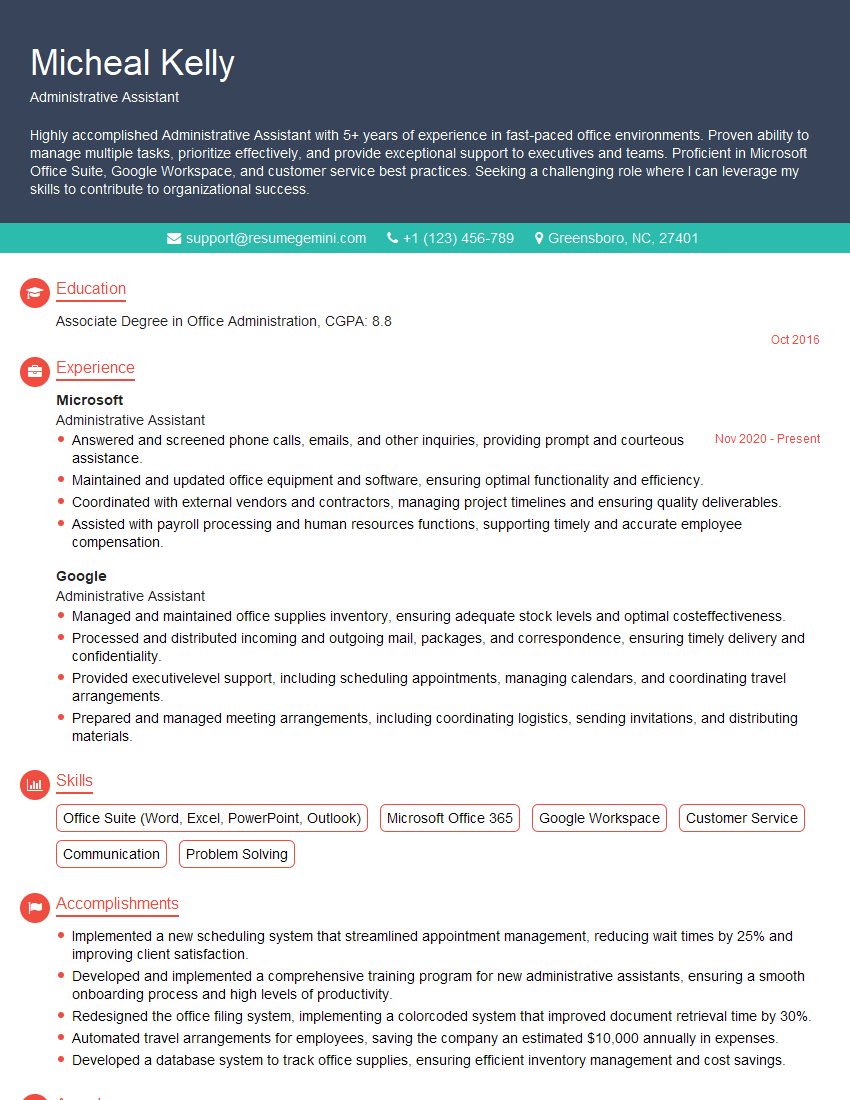
Administrative Assistant Resume Sample
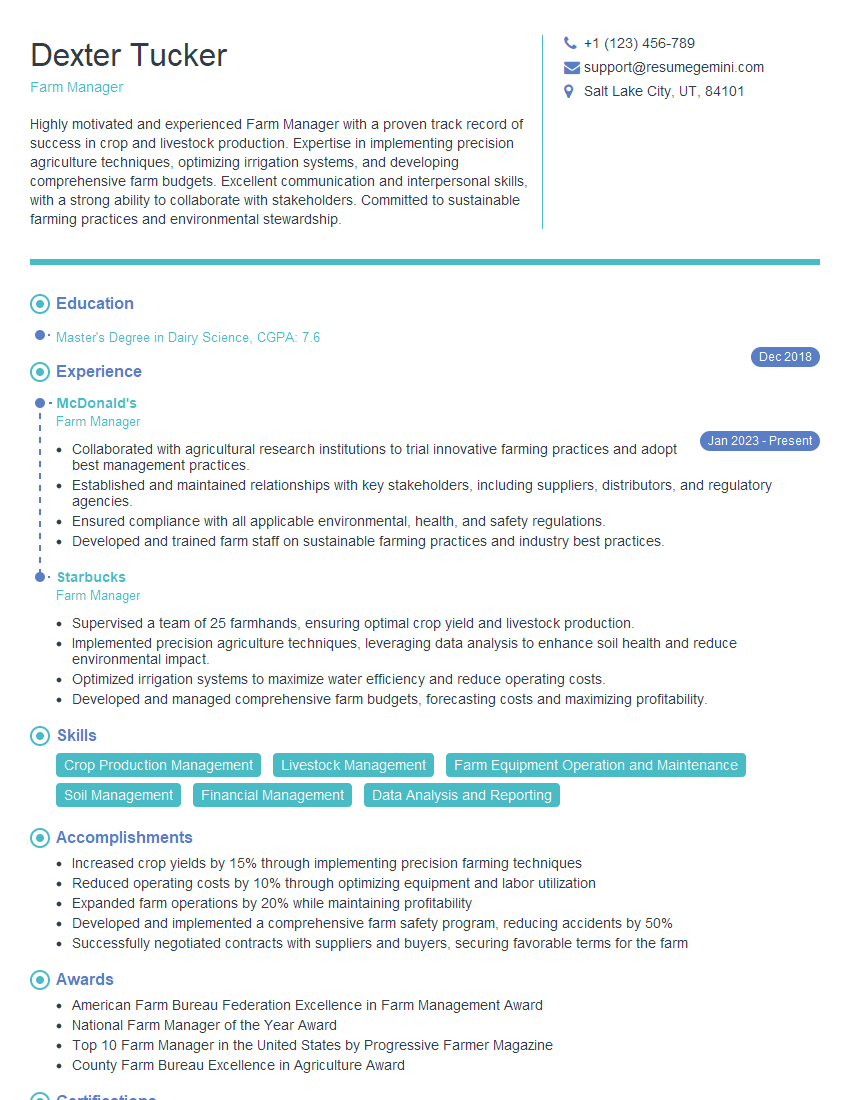
Farm Manager Resume Sample
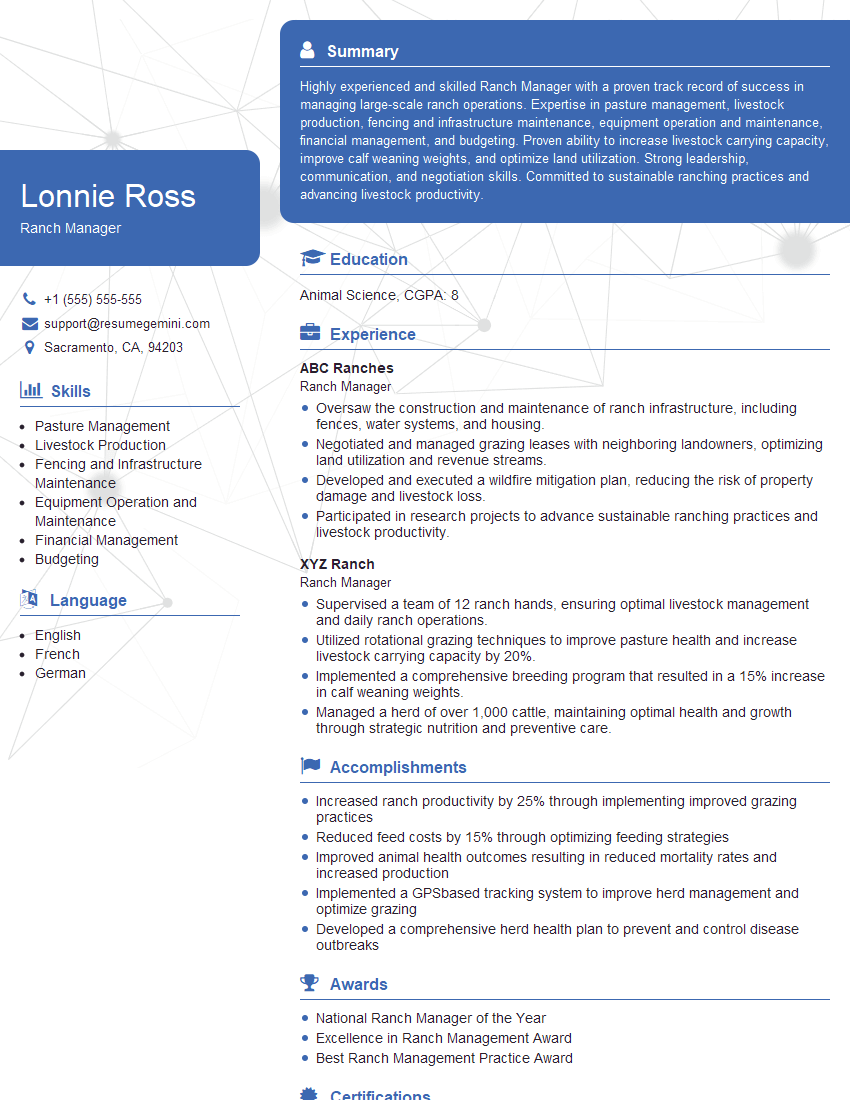
Ranch Manager Resume Sample

Project Coordinator Resume Sample
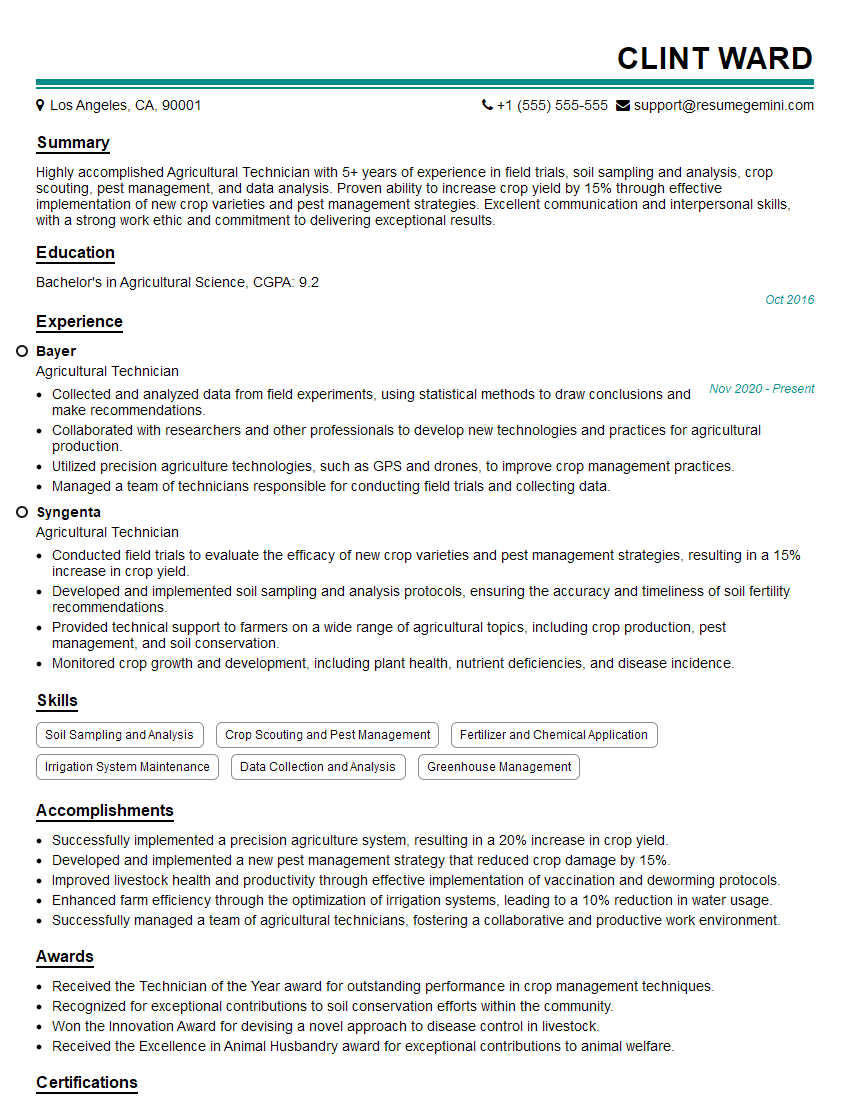
Agricultural Technician Resume Sample
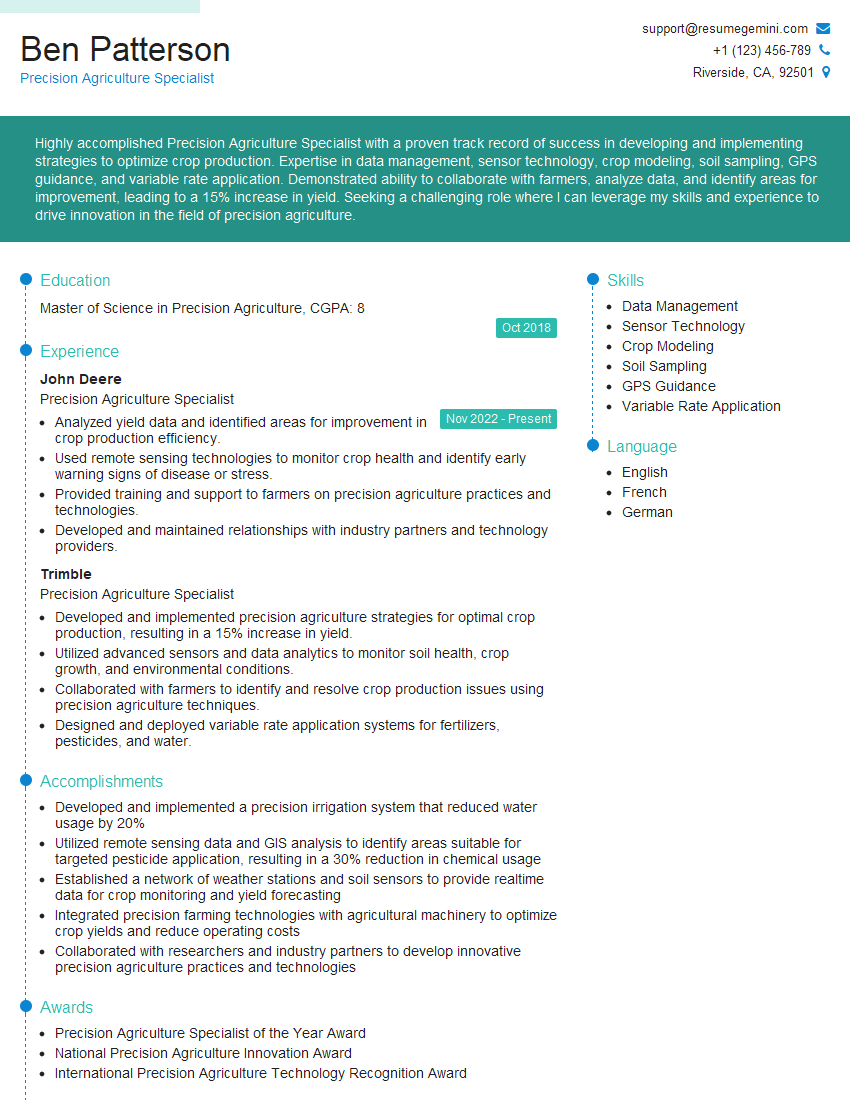
Precision Agriculture Specialist Resume Sample
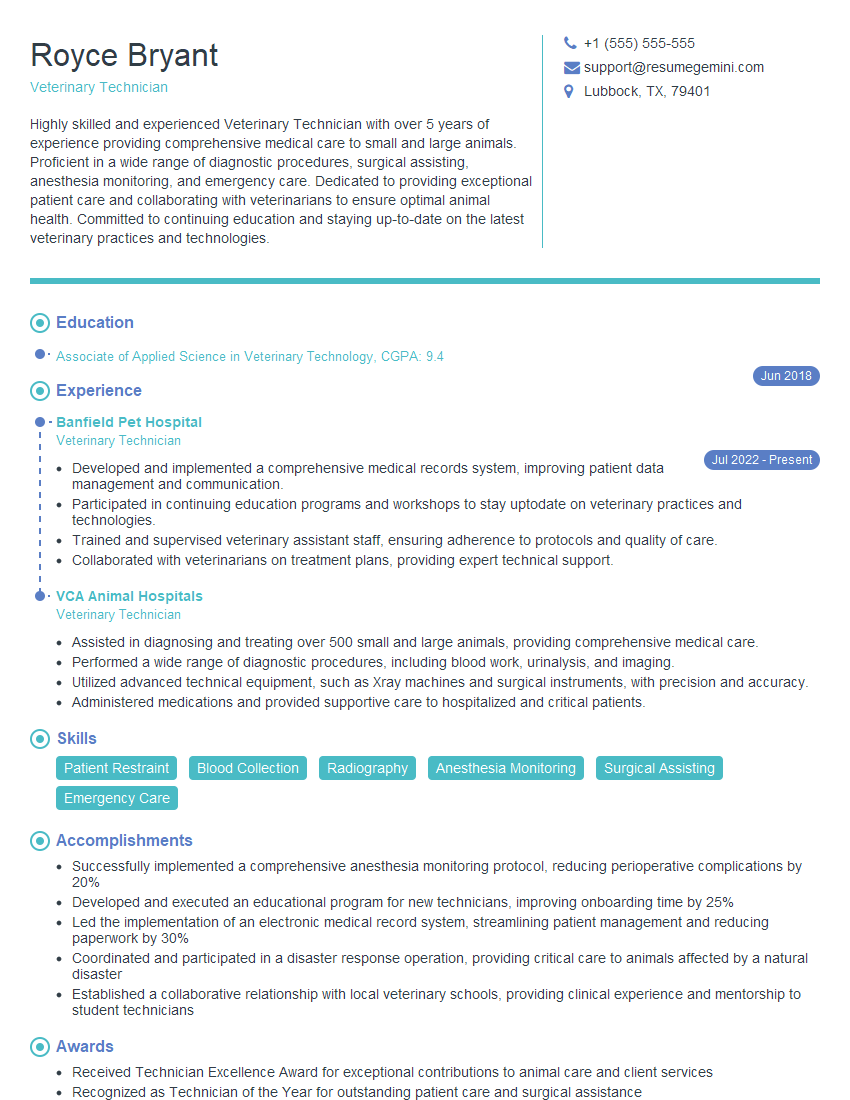
Veterinary Technician Resume Sample

Executive Assistant Resume Sample

Data Entry Clerk Resume Sample

Animal Husbandry Technician Resume Sample
Explore more articles
Users Rating of Our Blogs
Share Your Experience
We value your feedback! Please rate our content and share your thoughts (optional).
What Readers Say About Our Blog
I Redesigned Spongebob Squarepants and his main characters of my artwork.
https://www.deviantart.com/reimaginesponge/art/Redesigned-Spongebob-characters-1223583608
IT gave me an insight and words to use and be able to think of examples
Hi, I’m Jay, we have a few potential clients that are interested in your services, thought you might be a good fit. I’d love to talk about the details, when do you have time to talk?
Best,
Jay
Founder | CEO