Every successful interview starts with knowing what to expect. In this blog, we’ll take you through the top Database Management and Document Storage interview questions, breaking them down with expert tips to help you deliver impactful answers. Step into your next interview fully prepared and ready to succeed.
Questions Asked in Database Management and Document Storage Interview
Q 1. Explain the difference between OLTP and OLAP databases.
OLTP (Online Transaction Processing) and OLAP (Online Analytical Processing) databases serve fundamentally different purposes. Think of OLTP as your daily banking app – handling individual transactions quickly and efficiently. OLAP, on the other hand, is like a business intelligence dashboard providing summaries and insights from historical data.
- OLTP: Designed for high-volume, short, simple transactions. Data is highly normalized, emphasizing data integrity and consistency. Examples include point-of-sale systems, banking systems, and airline reservation systems. Queries are typically focused on single records and updated frequently.
- OLAP: Designed for complex analytical queries across large datasets. Data is often denormalized for faster query performance, potentially sacrificing some data integrity. Examples include data warehousing for business intelligence, sales analysis, and market research. Queries often aggregate data across multiple dimensions.
In short: OLTP is for transactional speed, while OLAP is for analytical insights.
Q 2. What are ACID properties in database transactions?
ACID properties are the cornerstone of reliable database transactions, ensuring data integrity even in the face of failures. They stand for Atomicity, Consistency, Isolation, and Durability.
- Atomicity: A transaction is treated as a single, indivisible unit of work. Either all changes within the transaction are committed successfully, or none are. Think of it like an all-or-nothing principle. If part of a transaction fails, the entire transaction is rolled back.
- Consistency: A transaction must maintain the database’s integrity constraints. It starts in a valid state, and after successful completion, leaves the database in a valid state. For example, a transfer between two accounts must maintain the total balance.
- Isolation: Concurrent transactions are isolated from each other, preventing interference. Each transaction appears to operate in its own private workspace. This ensures that one transaction’s incomplete operations do not affect another.
- Durability: Once a transaction is committed, the changes are permanently stored, even in case of system failures. This usually involves writing data to disk and potentially to backups.
These properties work together to ensure reliable and consistent data management.
Q 3. Describe different types of database joins (inner, left, right, full).
Database joins combine rows from two or more tables based on a related column. Think of it as stitching together information from different tables.
- INNER JOIN: Returns only the rows where the join condition is met in both tables. It’s like finding the common ground between two sets of data.
- LEFT (OUTER) JOIN: Returns all rows from the left table (the table specified before
LEFT JOIN), even if there is no match in the right table. For rows without a match, the columns from the right table will haveNULLvalues. - RIGHT (OUTER) JOIN: Similar to a left join, but it returns all rows from the right table, even if there is no match in the left table.
- FULL (OUTER) JOIN: Returns all rows from both tables. If a row has a match in the other table, the corresponding columns are populated; otherwise,
NULLvalues are used.
Imagine you have a table of customers and a table of orders. An inner join would show only customers who have placed orders. A left join would show all customers, with orders listed if they exist. A full join would show all customers and all orders, regardless of whether there’s a match.
Q 4. What is normalization and why is it important?
Normalization is the process of organizing data to reduce redundancy and improve data integrity. Imagine a spreadsheet with repeated information – that’s inefficient and prone to errors. Normalization is like tidying up that spreadsheet.
It involves breaking down a table into smaller tables and defining relationships between them. This reduces data redundancy, improves data consistency, and simplifies data modification. Higher normal forms (like 3NF and BCNF) offer increasingly stricter rules about data dependencies, but might lead to more joins which can affect performance. The choice of normalization level depends on a balance between data integrity and performance requirements.
For example, a table with customer information (name, address, phone numbers) and order information (order ID, customer ID, order date) could be normalized into separate tables for customers and orders. This prevents issues like multiple address entries for the same customer.
Q 5. Explain indexing and its impact on database performance.
Indexing is like creating a table of contents for your database. It speeds up data retrieval by creating a separate data structure that points to the location of data in the main table. It’s a performance enhancement technique, crucial for handling large datasets.
Without an index, the database has to perform a full table scan to find specific data, which can be slow for large tables. An index allows it to quickly locate the desired rows based on indexed columns, dramatically improving query performance.
There are different types of indexes, including B-tree indexes (most common), hash indexes, and full-text indexes. Choosing the right index type depends on the type of queries frequently executed.
However, indexes also have overhead. Creating and maintaining indexes consumes resources, and updates to indexed columns require additional steps. Therefore, thoughtful index design is crucial. You shouldn’t index every column!
Q 6. How do you handle database concurrency issues?
Database concurrency issues arise when multiple users or processes access and modify the same data simultaneously. This can lead to inconsistencies, data corruption, and lost updates. Managing these issues is vital for data integrity.
Several mechanisms handle concurrency issues:
- Locking: Prevents concurrent access to data. Different lock types (discussed in the next question) control access granularity.
- Transactions: Ensuring atomicity, consistency, isolation, and durability (ACID properties) prevent inconsistencies.
- Optimistic Locking: Assumes no conflicts will occur. It checks for conflicts before committing updates. If a conflict is found, the transaction is rolled back.
- Pessimistic Locking: Assumes conflicts are likely and acquires locks before accessing data. This can lead to blocking, but guarantees data integrity.
Choosing the right approach depends on the application’s needs and the frequency of concurrent access. A good strategy involves a mix of techniques tailored to the specific data and workload.
Q 7. What are the different types of database locks?
Database locks control access to data, preventing concurrency issues. Several types exist:
- Shared Locks (S-locks): Allow multiple transactions to read the same data concurrently, but not to modify it. Think of it like multiple people reading a book simultaneously.
- Exclusive Locks (X-locks): Allow only one transaction to access the data, both for reading and writing. No other transaction can access the data while an X-lock is held. This is like someone having the only copy of a document and working on it.
- Update Locks (U-locks): A transition lock allowing a transaction to upgrade from a shared lock to an exclusive lock. This handles situations where a read needs to later become a write.
- Intent Locks: Indicate a transaction’s intention to acquire a lock on a resource. They help prevent deadlocks, a situation where two or more transactions are blocked indefinitely waiting for each other to release locks.
The choice of lock type depends on the desired level of concurrency and the types of operations being performed. Proper lock management is critical for maximizing concurrency while ensuring data integrity.
Q 8. What is a stored procedure? Give an example.
A stored procedure is a pre-compiled SQL code block that can be stored and reused within a database. Think of it like a function or subroutine in programming, but specifically designed for database operations. Instead of writing the same SQL query repeatedly, you create a stored procedure once, and then call it whenever needed, improving efficiency and maintainability.
For example, imagine you need to update customer information frequently. Instead of writing a complex UPDATE statement every time, you can create a stored procedure:
CREATE PROCEDURE UpdateCustomerInfo (@CustomerID INT, @NewName VARCHAR(255), @NewAddress VARCHAR(255))ASBEGIN UPDATE Customers SET CustomerName = @NewName, CustomerAddress = @NewAddress WHERE CustomerID = @CustomerIDEND;This procedure takes customer ID, new name, and new address as input parameters and updates the corresponding record. Calling it is simpler: EXEC UpdateCustomerInfo 1, 'John Doe', '123 Main St'; This approach makes your code cleaner, easier to manage, and less prone to errors, especially when dealing with multiple related database operations.
Q 9. Describe your experience with SQL query optimization.
SQL query optimization is a crucial aspect of database management. My experience involves using a variety of techniques to enhance query performance. I start by analyzing the query execution plan using tools like SQL Server Profiler or explain plans provided by different database systems. This reveals bottlenecks such as missing indexes, inefficient joins, or poorly written queries.
I focus on several key strategies: creating appropriate indexes (both clustered and non-clustered) to speed up data retrieval; optimizing joins by choosing the most efficient join type (e.g., using INNER JOIN instead of LEFT JOIN when possible and appropriate); rewriting queries to avoid full table scans; using set-based operations over row-by-row processing; and minimizing the amount of data retrieved (using SELECT only the necessary columns). I also consider query caching and database statistics updates. For example, if a query consistently performs poorly, I might investigate creating a covering index to avoid accessing the table’s base data pages.
In one project, I improved a slow reporting query by 80% by adding a composite index on frequently filtered columns, thereby reducing the time it took to generate reports from over an hour to under 15 minutes. This significantly improved the user experience.
Q 10. How do you troubleshoot database performance issues?
Troubleshooting database performance issues involves a systematic approach. I begin by monitoring key metrics such as CPU usage, memory consumption, disk I/O, and network activity. Tools like database monitoring systems (e.g., SolarWinds, Datadog) are invaluable here. Slow query analysis, examining wait statistics, and reviewing the execution plans of queries are critical steps. Identifying slow queries is typically the first step, followed by analyzing their execution plans to determine the cause of the slowdown.
If I find excessive locking contention, I might look for poorly designed transactions or poorly managed concurrent access patterns. Excessive disk I/O might indicate inadequate indexing or inefficient query design. High CPU usage often points to resource-intensive queries or inefficient algorithms. My approach involves a combination of profiling tools, performance monitoring, query tuning, and potentially hardware upgrades if necessary. In a recent project, a seemingly simple query was causing significant delays. Analyzing the wait statistics, I discovered that a missing index was causing repeated page reads, after creating this index the query performance significantly improved.
Q 11. Explain the concept of database replication.
Database replication is the process of creating copies of a database on multiple servers. This improves availability, scalability, and disaster recovery capabilities. There are several types of replication: synchronous replication ensures that data changes are immediately applied to all copies; asynchronous replication allows for a slight delay. Replication can be either transactional (replicating changes as transactions occur) or snapshot-based (periodically copying the entire database).
For example, imagine an e-commerce website. Replication allows you to distribute the database across multiple servers. If one server fails, the others can continue to serve requests, minimizing downtime and ensuring business continuity. The choice of replication method (synchronous vs. asynchronous) depends on the application’s tolerance for data inconsistency. Synchronous replication provides high data consistency but can impact performance slightly. Asynchronous replication provides high availability at the cost of potential data inconsistency during failure. Choosing the appropriate replication strategy is crucial for maintaining high availability, data integrity, and application performance.
Q 12. What are the advantages and disadvantages of NoSQL databases?
NoSQL databases offer several advantages and disadvantages compared to relational databases.
- Advantages:
- Scalability: NoSQL databases are often designed for horizontal scaling, making it easier to handle massive amounts of data and high traffic.
- Flexibility: They accommodate various data models (document, key-value, graph, etc.), making them suitable for diverse applications.
- Performance: For specific workloads, like high-volume read/write operations, NoSQL databases can outperform relational databases.
- Disadvantages:
- Data Consistency: Ensuring data consistency can be more complex in NoSQL databases, depending on the chosen data model and consistency level.
- ACID Properties: NoSQL databases may not fully support ACID properties (Atomicity, Consistency, Isolation, Durability), which are crucial for certain transactional applications.
- Query Capabilities: Querying capabilities are often less powerful than in relational databases, lacking the richness of SQL.
For instance, a social media platform might use NoSQL for storing user profiles and posts due to its scalability and flexibility in handling unstructured data. However, an online banking system might prefer a relational database to ensure strict data consistency and transactional integrity.
Q 13. Compare and contrast relational and NoSQL databases.
Relational (SQL) and NoSQL databases differ significantly in their data models, query mechanisms, and scalability approaches.
- Data Model: Relational databases use a structured, tabular data model with rows and columns, enforcing relationships between tables. NoSQL databases offer various models like document, key-value, graph, or wide-column stores, providing more flexibility for unstructured or semi-structured data.
- Query Language: Relational databases use SQL (Structured Query Language) for querying data. NoSQL databases typically use their own query languages, often less powerful than SQL but often optimized for the specific data model.
- Scalability: Relational databases traditionally scale vertically (adding resources to a single server), while NoSQL databases often scale horizontally (adding more servers to a cluster).
- ACID Properties: Relational databases strictly adhere to ACID properties, ensuring data integrity. NoSQL databases may offer varying degrees of ACID compliance, often prioritizing availability and partition tolerance over strong consistency.
In essence, relational databases are better suited for applications requiring strict data integrity and complex relationships, whereas NoSQL databases excel in handling large volumes of unstructured data and high-throughput workloads that need horizontal scalability. The best choice depends on the application’s specific needs.
Q 14. Describe your experience with cloud-based database services (e.g., AWS RDS, Azure SQL Database).
I have extensive experience with cloud-based database services, primarily AWS RDS (Relational Database Service) and Azure SQL Database. I’ve worked with both services to deploy, manage, and optimize databases for various applications. My experience includes configuring database instances, managing backups and restores, setting up read replicas for high availability, and implementing security measures.
With AWS RDS, I’ve used features like automated backups, Multi-AZ deployments for high availability, and performance insights for optimizing database performance. In Azure SQL Database, I’ve leveraged features like elastic pools for cost-effective scaling, database mirroring for disaster recovery, and intelligent performance recommendations. Cloud-based services offer several advantages: scalability, automated management, cost-effectiveness, and built-in security features. In one project, migrating a client’s on-premises SQL Server database to AWS RDS resulted in a significant reduction in operational overhead and improved database performance. The automated backups and high availability features provided peace of mind regarding data loss and downtime.
Q 15. What are different data backup and recovery strategies?
Data backup and recovery strategies are crucial for protecting your valuable data from loss or corruption. A robust strategy involves multiple layers of protection and a well-defined recovery plan. These strategies generally fall into these categories:
- Full Backup: This creates a complete copy of your entire database at a specific point in time. Think of it like taking a snapshot of your entire system. It’s resource-intensive but provides a complete restore point.
- Incremental Backup: This backs up only the data that has changed since the last full or incremental backup. It’s much faster than a full backup and uses less storage space. Imagine only saving the changes you made to a document since the last save.
- Differential Backup: This backs up only the data that has changed since the last full backup. It’s a compromise between full and incremental backups; faster than full, but larger than incremental backups.
- Mirror Backup: This creates a real-time, synchronized copy of your database on a separate system. This offers immediate recovery in case of a primary system failure. It’s like having an exact duplicate of your hard drive always ready.
The best strategy often involves a combination of these techniques, such as a full backup weekly, followed by daily incremental backups. The recovery plan should detail procedures for restoring the database from backups, testing the recovery process regularly, and defining roles and responsibilities during a recovery event.
For example, a large e-commerce site might use a full backup weekly, differential backups daily, and real-time mirroring for critical data, ensuring business continuity in case of disaster.
Career Expert Tips:
- Ace those interviews! Prepare effectively by reviewing the Top 50 Most Common Interview Questions on ResumeGemini.
- Navigate your job search with confidence! Explore a wide range of Career Tips on ResumeGemini. Learn about common challenges and recommendations to overcome them.
- Craft the perfect resume! Master the Art of Resume Writing with ResumeGemini’s guide. Showcase your unique qualifications and achievements effectively.
- Don’t miss out on holiday savings! Build your dream resume with ResumeGemini’s ATS optimized templates.
Q 16. Explain the concept of data warehousing and ETL processes.
Data warehousing is the process of collecting and storing data from various sources to provide a centralized, consistent view of the business. Think of it as a large, organized library of your company’s data, ready for analysis and reporting. ETL (Extract, Transform, Load) processes are the engine that drives this.
- Extract: Data is extracted from various sources such as databases, flat files, and web applications. This might involve using SQL queries to pull data from databases, or APIs to get data from web services.
- Transform: Data is cleaned, transformed, and standardized. This crucial step involves handling missing values, correcting inconsistencies, and converting data formats to be compatible with the data warehouse. For instance, converting date formats from MM/DD/YYYY to YYYY-MM-DD.
- Load: Cleaned and transformed data is loaded into the data warehouse. This step might involve using bulk loading techniques to efficiently transfer large datasets.
A common example is an online retailer collecting data from sales transactions, customer databases, and website analytics. The ETL process extracts this data, transforms it to a consistent format (e.g., unifying customer IDs across different systems), and loads it into the data warehouse for analysis. This allows analysts to identify trends, understand customer behavior, and improve business decisions.
Q 17. What are some common data security challenges in database management?
Data security in database management faces numerous challenges. These include:
- SQL Injection: Malicious SQL code is inserted into database inputs to manipulate or steal data. This is often prevented by using parameterized queries or stored procedures.
- Unauthorized Access: Gaining access to the database without proper authorization. Strong passwords, access controls (role-based access control, or RBAC), and network security are crucial defenses.
- Data Breaches: Data leaks due to vulnerabilities in the database system or application. Regular security audits, vulnerability scanning, and penetration testing can significantly reduce the risk.
- Insider Threats: Malicious or negligent actions by employees with database access. Background checks, strong access controls, and monitoring of user activity are important mitigating factors.
- Data Loss: Accidental or intentional deletion or corruption of data. Regular backups, disaster recovery plans, and data replication are crucial safeguards.
Consider a healthcare database. Unauthorized access could expose sensitive patient information (a HIPAA violation), while a SQL injection attack could alter patient records or grant an attacker access to the entire database. Robust security measures are absolutely essential.
Q 18. How do you ensure data integrity in a database?
Data integrity ensures data accuracy, consistency, and reliability. Several techniques maintain data integrity:
- Constraints: Database constraints (
UNIQUE,NOT NULL,CHECK,FOREIGN KEY) enforce rules on data, preventing invalid data entry. For example, aNOT NULLconstraint ensures that a required field is always populated. - Data Validation: Checking data validity before inserting it into the database. This could involve client-side validation (using Javascript) and server-side validation (using database triggers or stored procedures).
- Triggers: Database triggers automatically execute code in response to certain events (e.g., inserting a new row). They can be used to enforce business rules or maintain data consistency. For example, a trigger could prevent inserting a negative value into a quantity field.
- Stored Procedures: Pre-compiled SQL code blocks that enforce data integrity by encapsulating complex data modification logic. They provide a layer of abstraction and improve security.
- Regular Audits and Monitoring: Regularly checking the data for inconsistencies and errors. Automated scripts can identify anomalies and potentially help prevent issues.
Imagine an inventory management system. Data integrity ensures that product quantities are always accurate, preventing errors in stock management. Constraints prevent negative quantities from being entered, and triggers can ensure that inventory levels are automatically updated after each transaction.
Q 19. What is data modeling? Describe different data models.
Data modeling is the process of creating a visual representation of data structures and their relationships. It helps in designing databases effectively and efficiently. Several common data models include:
- Relational Model: Data is organized into tables with rows (records) and columns (attributes). Relationships between tables are defined using foreign keys. This is the most common data model used in relational database management systems (RDBMS) like MySQL, PostgreSQL, and Oracle.
- Entity-Relationship Model (ERM): A visual representation of data using entities (objects), attributes (properties), and relationships. ER diagrams (ERD) are used to design relational databases.
- Object-Oriented Model: Data is represented as objects with properties and methods. This model is used in object-oriented databases.
- NoSQL Models: These models cater to different data structures like key-value stores, document databases, graph databases, and column-family databases. They are suitable for large-scale, high-velocity data.
For instance, designing a database for an e-commerce website might involve creating entities like ‘Customers’, ‘Products’, and ‘Orders’, with relationships like ‘Customers place Orders’ and ‘Orders contain Products’. The ERM helps to define these entities and relationships visually before translating them into a relational database schema.
Q 20. Explain your experience with data visualization tools.
I have extensive experience with various data visualization tools, including Tableau, Power BI, and Qlik Sense. These tools allow me to transform raw data into insightful and engaging visuals like charts, graphs, and dashboards. My experience encompasses:
- Data cleaning and preparation: Preparing data for visualization by handling missing values, outliers, and inconsistencies. This is a crucial step to ensure accurate visualizations.
- Choosing appropriate chart types: Selecting the most effective chart type to communicate data insights clearly. For example, bar charts for comparisons, line charts for trends, and pie charts for proportions.
- Dashboard design: Creating interactive dashboards that allow users to explore data and uncover patterns. This involves selecting relevant metrics and creating an intuitive user interface.
- Data storytelling: Presenting data visualizations in a narrative way to highlight key findings and support decision-making.
In a previous project, I used Tableau to visualize sales data for a retail client. I created interactive dashboards that allowed the client to explore sales trends by region, product category, and time period. This helped the client identify areas for improvement and optimize their sales strategies. This experience honed my ability to effectively communicate complex data through compelling visualizations.
Q 21. What is the difference between a clustered and non-clustered index?
Both clustered and non-clustered indexes are data structures used to speed up data retrieval in databases. The key difference lies in how the index data is organized relative to the data itself.
- Clustered Index: This index determines the physical order of rows in a table. There can only be one clustered index per table. Imagine a phone book sorted alphabetically – the physical order of pages matches the alphabetical order of names. This is efficient for retrieving data based on the clustered index column(s).
- Non-Clustered Index: This index stores a pointer to the actual data row location instead of the data itself. Multiple non-clustered indexes can exist on a single table. It’s like having a separate index card for each entry in a phone book, directing you to the relevant page. This is useful for speeding up queries on columns not used for the clustered index.
Consider a table of customer information with columns like CustomerID, Name, and City. If a clustered index is created on CustomerID, the rows will be physically sorted by CustomerID. A non-clustered index on City would allow for faster retrieval of customers from a specific city without the need to scan the entire table. The choice between clustered and non-clustered indexes depends on the most frequent query patterns.
Q 22. Describe your experience with different document storage systems (e.g., MongoDB, Couchbase).
My experience with document storage systems like MongoDB and Couchbase spans several years and diverse projects. Both are NoSQL databases, meaning they don’t adhere to the rigid table-row structure of relational databases like MySQL or PostgreSQL. This makes them ideal for handling semi-structured or unstructured data, common in modern applications.
MongoDB, a document database, excels at storing JSON-like documents. I’ve used it extensively in projects requiring flexible schemas and rapid prototyping. For instance, in an e-commerce project, we used MongoDB to store product catalogs with varying attributes (some products had sizes and colors, others didn’t). Its aggregation framework proved invaluable for generating complex reports on sales and inventory.
Couchbase, a NoSQL document database with a focus on key-value and JSON document storage, is especially strong in situations demanding high performance and scalability. In a real-time analytics dashboard project, Couchbase’s ability to handle concurrent read/write operations and its distributed nature were crucial for displaying near real-time data updates to many users.
The choice between MongoDB and Couchbase depends heavily on project specifics. Factors like query patterns, scalability needs, and data volume all influence the optimal choice. I’m proficient in assessing these factors and selecting the most appropriate system.
Q 23. How do you handle large datasets efficiently?
Handling large datasets efficiently requires a multi-pronged approach focusing on data modeling, database design, and query optimization. It’s not just about throwing more hardware at the problem; strategic planning is key.
- Data Modeling: Choosing the right data model (relational, NoSQL, or a hybrid approach) is paramount. For example, if data is highly interconnected, a relational model might be more efficient. If the schema is flexible and evolving, a NoSQL approach like MongoDB is often preferred.
- Database Design: Proper indexing is vital. Carefully selected indexes dramatically reduce query times. Consider partitioning or sharding the database to distribute the data across multiple servers, improving scalability and reducing read/write latency. Normalization techniques in relational databases minimize data redundancy and improve efficiency.
- Query Optimization: Analyze slow queries using profiling tools. Rewrite inefficient queries, add indexes, or optimize data access patterns. Techniques like query caching and materialized views can significantly improve performance.
- Data Warehousing/Data Lakes: For analytical processing of massive datasets, a data warehouse or data lake might be necessary. These systems are designed for querying large datasets, often using specialized tools like Apache Spark or Presto.
For example, in a project involving millions of user interactions, we implemented sharding in MongoDB, creating separate collections for different user segments. This drastically reduced the time taken for complex aggregations.
Q 24. What are the benefits and drawbacks of using a distributed database?
Distributed databases offer significant advantages but also present challenges. The core idea is to spread data and processing across multiple machines, improving scalability, fault tolerance, and availability.
Benefits:
- Scalability: Easily handle massive datasets and high traffic loads by adding more nodes to the cluster.
- High Availability: If one node fails, others continue to operate, minimizing downtime.
- Fault Tolerance: Data replication across nodes ensures resilience against hardware failures.
- Geographic Distribution: Deploy nodes in different locations for lower latency for users in various regions.
Drawbacks:
- Complexity: Designing, implementing, and managing a distributed database is far more complex than a single-server database. Data consistency and transaction management become critical considerations.
- Cost: Requires more hardware and infrastructure than centralized databases.
- Network Dependency: Performance is heavily reliant on network speed and stability.
- Data Consistency Challenges: Maintaining data consistency across multiple nodes requires careful design and implementation of appropriate consistency models.
For example, a global banking application benefits immensely from a distributed database, ensuring high availability and low latency for transactions across different continents. However, the complexity of maintaining data consistency during global transactions needs careful planning and robust solutions.
Q 25. Explain your experience with database migration.
Database migration is a critical and often complex process involving moving data and schema from one database system to another. Successful migrations require meticulous planning and execution.
My experience includes migrations between different relational databases (e.g., MySQL to PostgreSQL), migrations to NoSQL databases (e.g., from relational to MongoDB), and cloud migrations (e.g., on-premise to AWS RDS).
Key Steps in a Database Migration:
- Assessment: Thoroughly analyze the source and target database systems, including data volume, schema complexity, and application dependencies.
- Planning: Develop a detailed migration plan, including downtime strategy, data validation, and rollback procedures. This often involves staging environments for testing.
- Data Extraction and Transformation: Extract data from the source database, often using ETL (Extract, Transform, Load) tools. Transform the data to match the target database schema.
- Data Loading: Load the transformed data into the target database. This might involve bulk loading or incremental loading.
- Testing and Validation: Rigorously test the migrated data and application functionality in a staging environment.
- Cutover: Switch over from the source database to the target database. This is typically done with minimal downtime.
- Post-Migration Monitoring: Continuously monitor the performance and health of the new database system.
In one project, we migrated a large e-commerce database from MySQL to PostgreSQL to leverage PostgreSQL’s advanced features and better performance. The migration involved a phased rollout to minimize downtime and ensure a smooth transition.
Q 26. Describe your experience with version control systems for database code.
Version control is essential for managing changes to database schema and code, ensuring traceability and allowing for easy rollbacks. I’ve used various tools for this, including Git alongside database migration tools.
Strategies for Version Control:
- Schema Versioning: Use tools like Liquibase or Flyway to track changes to database schemas. These tools manage migrations as scripts, allowing for reproducible and controlled updates.
- Stored Procedure Versioning: Store stored procedures and other database code in a version control system like Git. This allows tracking changes and reverting to previous versions if needed.
- Branching and Merging: Use Git branching to develop and test schema changes independently before merging them into the main branch.
- Rollback Strategies: Maintain rollback scripts to easily revert to previous database states if a migration fails.
For example, using Liquibase, we created a set of migration scripts to update our database schema over several releases, ensuring that each change was properly documented and auditable. If a migration failed in production, we could easily use a rollback script to return to the previous state.
Q 27. What are your strategies for maintaining database documentation?
Maintaining up-to-date database documentation is crucial for successful database management. It ensures that developers, administrators, and other stakeholders understand the database structure, data definitions, and processes. My approach to documentation emphasizes clarity, accessibility, and maintainability.
Strategies for Database Documentation:
- ERD (Entity-Relationship Diagram): Create clear ERDs to visually represent the database schema, relationships between tables, and data attributes.
- Data Dictionaries: Maintain a comprehensive data dictionary, providing definitions, data types, constraints, and business rules for each table and column.
- Stored Procedure Documentation: Document stored procedures clearly, specifying parameters, return values, and the purpose of each procedure.
- Version History: Track changes to the database schema and documentation using version control.
- Wiki or Knowledge Base: Use a collaborative platform like a wiki or knowledge base to centralize documentation and make it easily accessible.
For improved clarity and maintainability, I often use tools that allow linking documentation directly to database objects. This ensures that the documentation remains synchronized with the database schema and changes are automatically reflected.
Q 28. How do you stay up-to-date with the latest database technologies?
Staying current in the rapidly evolving field of database technologies is crucial. I employ a multi-faceted approach to continuous learning.
- Industry Conferences and Events: Attending conferences like SQLBits, Oracle OpenWorld, or MongoDB World provides insights into the latest trends and technologies.
- Online Courses and Tutorials: Platforms like Coursera, Udemy, and Pluralsight offer comprehensive courses on various database systems and technologies.
- Technical Blogs and Publications: Following blogs and publications from leading database vendors and experts keeps me informed about new features and best practices.
- Open Source Contributions: Contributing to open-source database projects provides hands-on experience and allows me to learn from others.
- Community Engagement: Participating in online forums and communities enables interaction with other database professionals and learning from their experiences.
For example, I recently completed a course on cloud-based database solutions, expanding my expertise in managing databases on platforms like AWS and Azure. This has enabled me to contribute significantly to our cloud migration strategy.
Key Topics to Learn for Database Management and Document Storage Interview
- Relational Database Management Systems (RDBMS): Understanding concepts like normalization, ACID properties, and SQL query optimization is crucial. Consider practical applications like designing a database schema for an e-commerce platform.
- NoSQL Databases: Explore different NoSQL database types (document, key-value, graph, etc.) and their respective use cases. Think about how you’d choose the right NoSQL database for a specific application needing high scalability.
- Data Modeling and Design: Mastering entity-relationship diagrams (ERDs) and data modeling techniques is vital for designing efficient and scalable databases. Practice designing models for various real-world scenarios.
- Data Warehousing and Business Intelligence: Understand the concepts of data warehousing, ETL processes, and data visualization. Prepare to discuss how you’d build a data warehouse to support business decision-making.
- Document Storage Systems: Learn about various document storage solutions (e.g., cloud-based storage, file systems) and their strengths and weaknesses. Consider how you’d implement a secure and efficient document management system for a large organization.
- Data Security and Privacy: Discuss different data security measures (encryption, access control, etc.) and how to ensure data privacy compliance (e.g., GDPR). Prepare to discuss strategies for protecting sensitive data within your database and storage systems.
- Performance Tuning and Optimization: Understand techniques for optimizing database performance, including query optimization, indexing, and caching. Be ready to discuss real-world scenarios where you’ve improved database performance.
- Disaster Recovery and Backup Strategies: Discuss various backup and recovery strategies for databases and document storage systems, and how to ensure business continuity in case of failures.
Next Steps
Mastering Database Management and Document Storage opens doors to exciting and high-demand roles in various industries. To significantly increase your chances of landing your dream job, invest time in crafting a compelling, ATS-friendly resume that highlights your skills and experience effectively. ResumeGemini is a trusted resource that can help you build a professional and impactful resume tailored to the specific requirements of Database Management and Document Storage roles. Examples of resumes tailored to this field are available to further assist you in showcasing your expertise. Take the next step towards your successful career journey today!

Data Analyst Resume Sample

Data Scientist Resume Sample

Systems Analyst Resume Sample
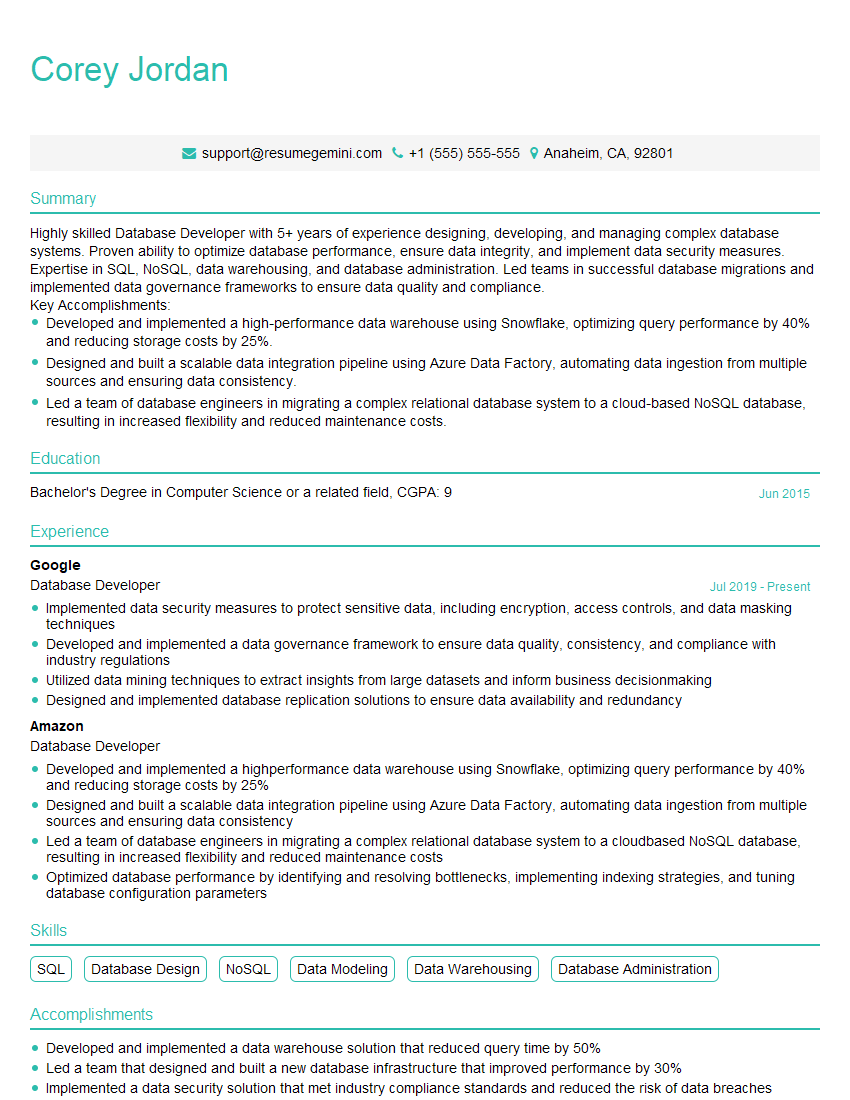
Database Developer Resume Sample

Information Architect Resume Sample
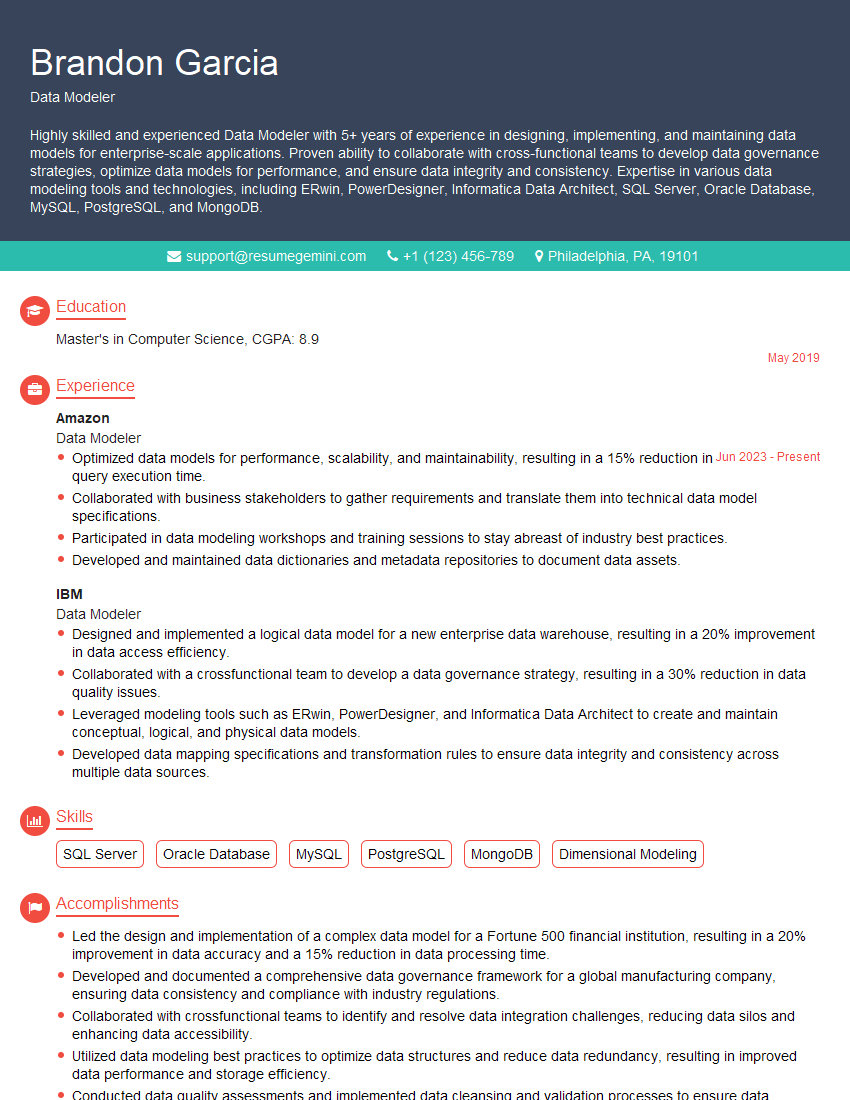
Data Modeler Resume Sample

Data Architect Resume Sample
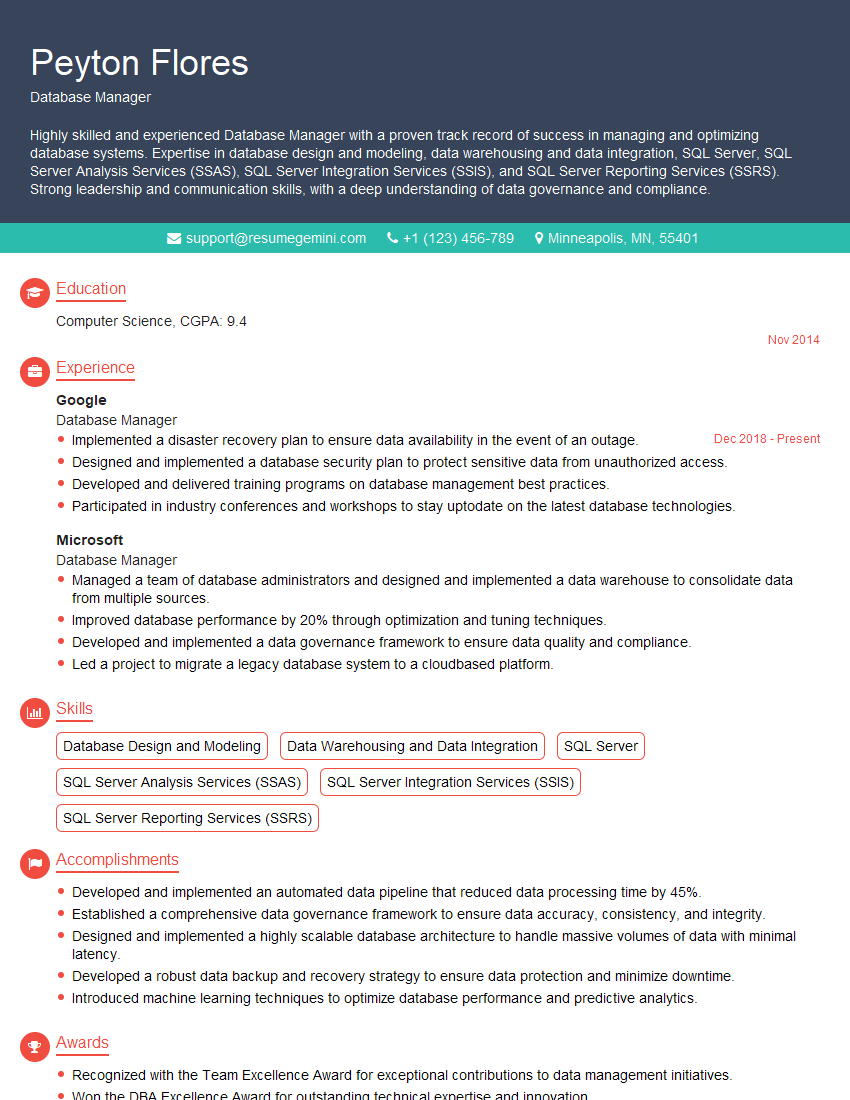
Database Manager Resume Sample

ETL Developer Resume Sample
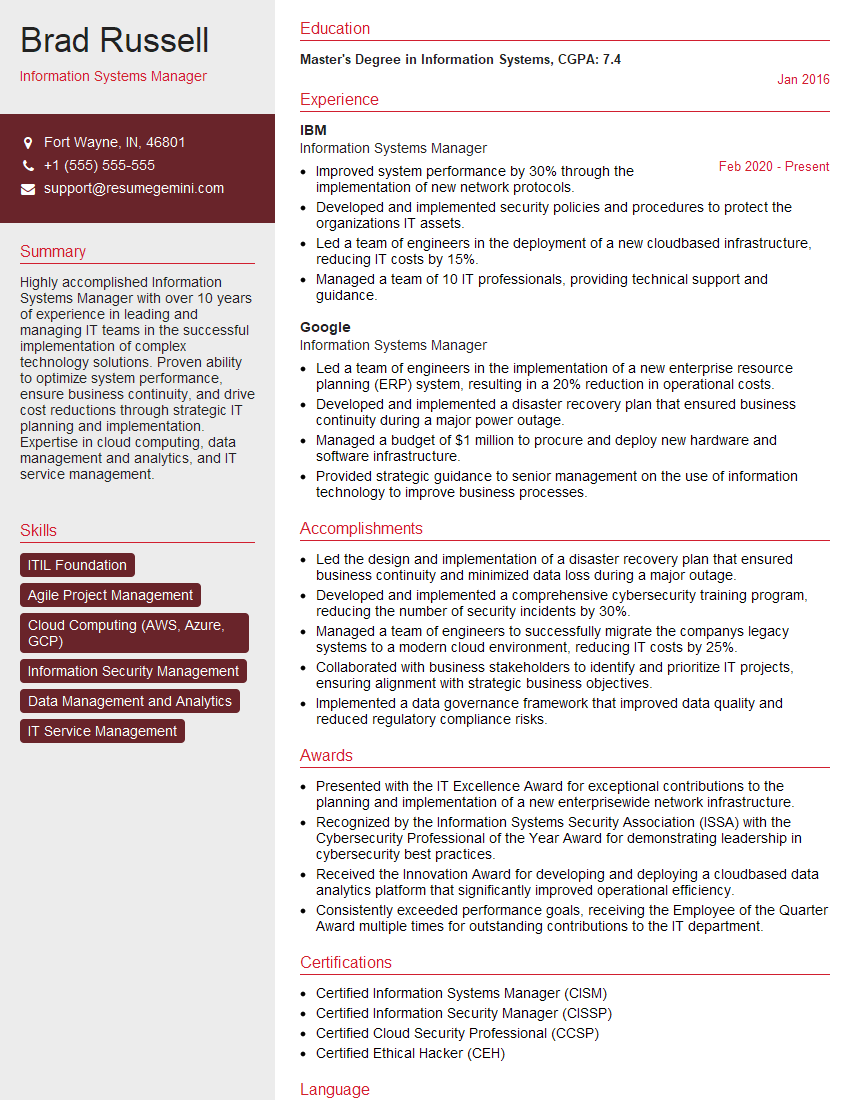
Information Systems Manager Resume Sample
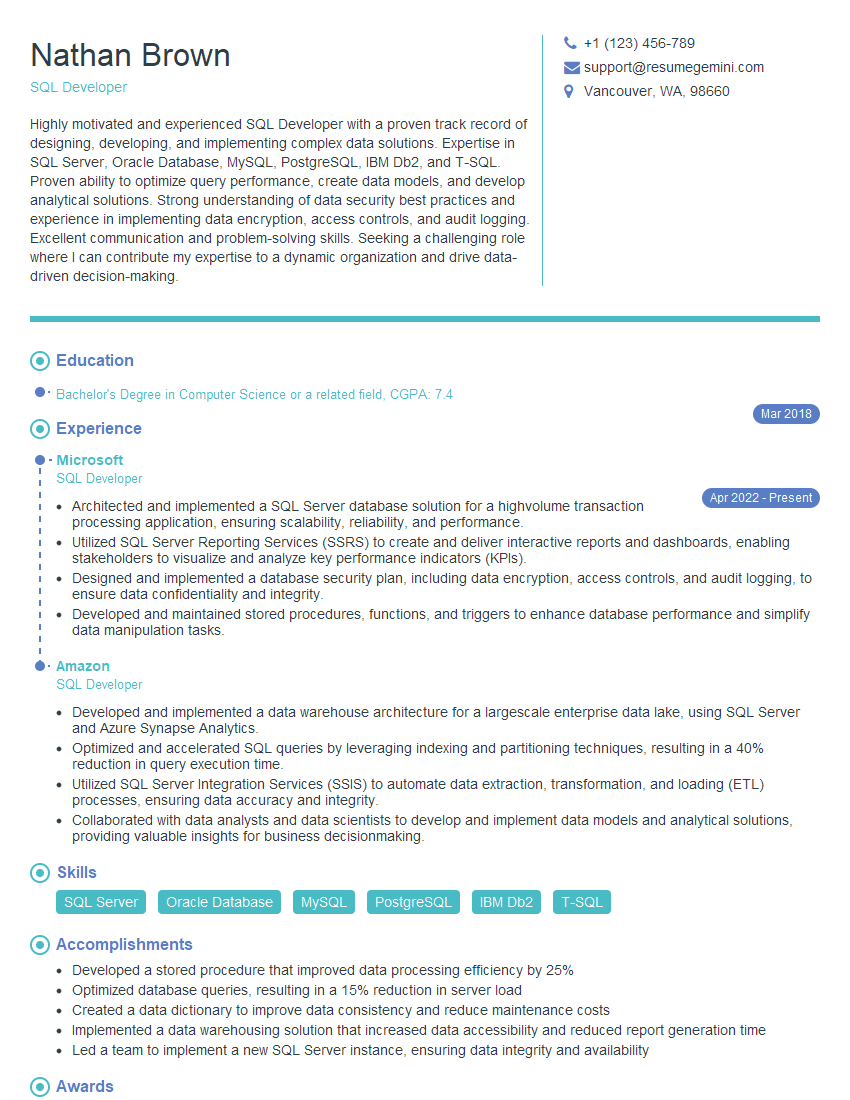
SQL Developer Resume Sample
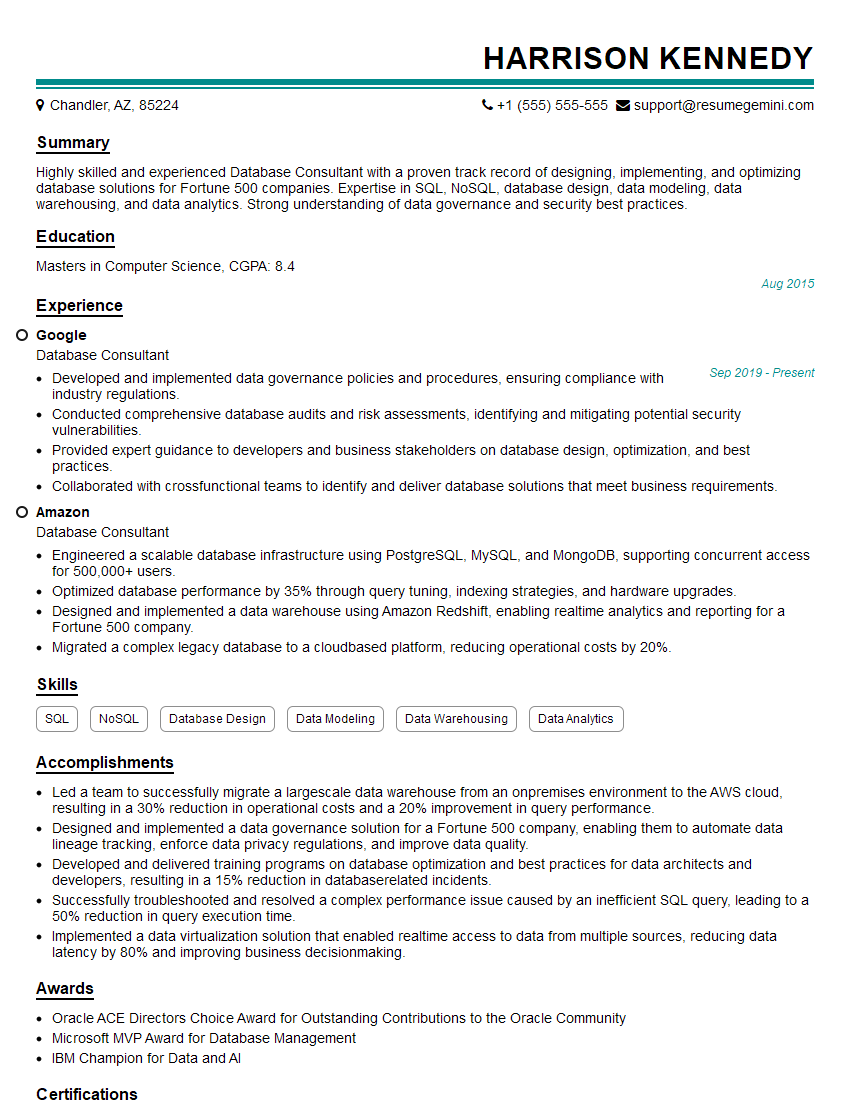
Database Consultant Resume Sample

Business Intelligence Analyst Resume Sample
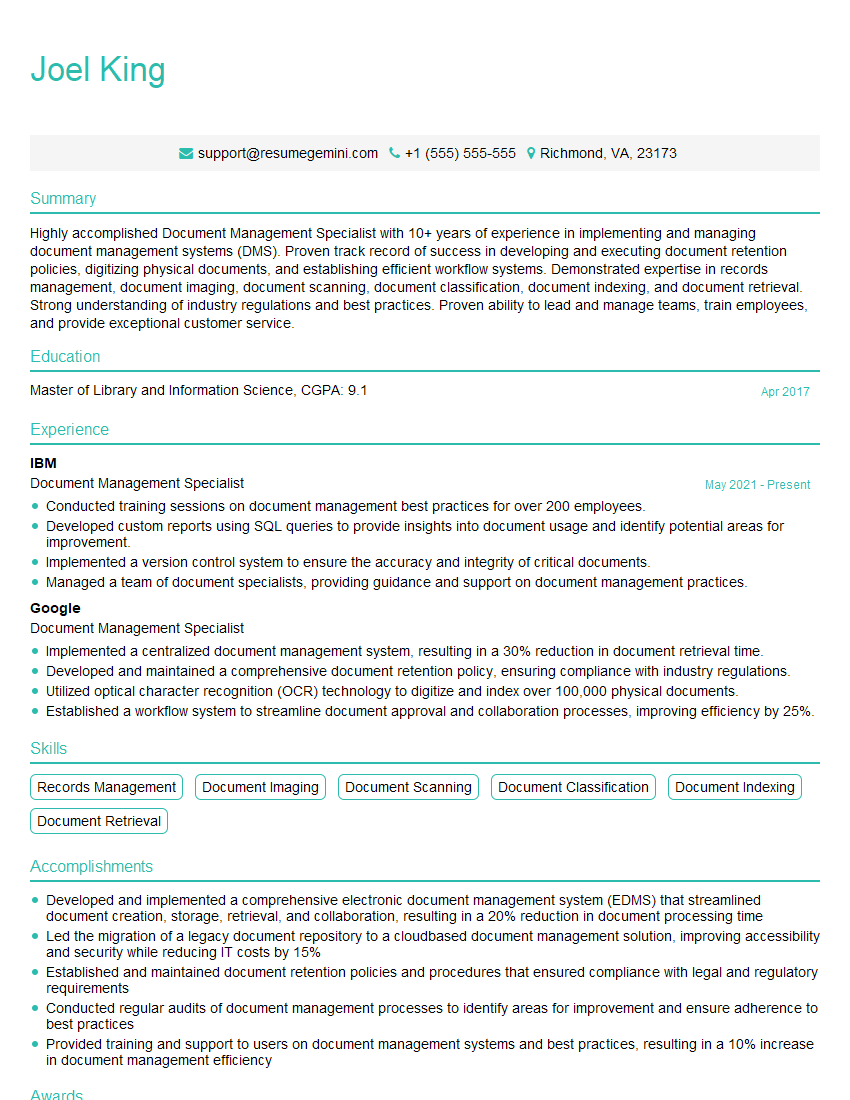
Document Management Specialist Resume Sample

Database Administrator Resume Sample
Explore more articles
Users Rating of Our Blogs
Share Your Experience
We value your feedback! Please rate our content and share your thoughts (optional).
What Readers Say About Our Blog
I Redesigned Spongebob Squarepants and his main characters of my artwork.
https://www.deviantart.com/reimaginesponge/art/Redesigned-Spongebob-characters-1223583608
IT gave me an insight and words to use and be able to think of examples
Hi, I’m Jay, we have a few potential clients that are interested in your services, thought you might be a good fit. I’d love to talk about the details, when do you have time to talk?
Best,
Jay
Founder | CEO