Every successful interview starts with knowing what to expect. In this blog, we’ll take you through the top Design Guidelines and Standards interview questions, breaking them down with expert tips to help you deliver impactful answers. Step into your next interview fully prepared and ready to succeed.
Questions Asked in Design Guidelines and Standards Interview
Q 1. Explain the importance of design guidelines and standards in a software development project.
Design guidelines and standards are the bedrock of any successful software development project. Think of them as the architectural blueprints for your digital product. They ensure consistency, maintainability, and scalability across all aspects of the design and development process. Without them, you risk a chaotic, fragmented product that’s difficult to update and maintain.
Specifically, they provide a clear definition of:
- Visual elements: Color palettes, typography, spacing, and imagery guidelines establish a cohesive visual identity.
- UI components: Standardized buttons, forms, navigation elements, and other interactive components ensure a consistent user experience across different screens and features.
- Interaction patterns: These define how users interact with the application, ensuring predictable and intuitive behavior.
- Code style: Coding standards ensure code readability, maintainability and consistency across different developers’ code.
In essence, design guidelines and standards save time, reduce errors, improve collaboration, and ultimately lead to a better user experience and a more successful product.
Q 2. Describe your experience working with a design system. What were the benefits and challenges?
I’ve had extensive experience working with design systems, most notably on a large-scale e-commerce platform. The design system we used encompassed a comprehensive library of reusable UI components, style guides, and detailed documentation.
Benefits:
- Increased efficiency: Developers could readily access and implement pre-built components, significantly reducing development time and effort.
- Improved consistency: The consistent use of pre-defined components and styles resulted in a unified and professional user interface across the entire platform.
- Enhanced collaboration: The shared design system fostered better communication and collaboration between designers and developers.
- Scalability: The system easily adapted to accommodate new features and functionalities, enabling faster growth and expansion.
Challenges:
- Initial setup: Creating a comprehensive design system requires significant upfront investment in time and resources.
- Maintenance: Keeping the system up-to-date and relevant as the platform evolves requires ongoing effort and maintenance.
- Adoption: Encouraging consistent use of the design system across all teams requires effective communication and training.
We overcame these challenges by establishing a dedicated design system team, fostering a culture of collaboration, and providing ongoing training and support to all stakeholders.
Q 3. How do you ensure consistency and scalability when creating design guidelines?
Ensuring consistency and scalability in design guidelines requires a structured and well-defined approach. I typically use a combination of the following strategies:
- Modular Design: Break down the design system into reusable components (e.g., buttons, forms, icons) to avoid redundancy and foster consistency.
- Version Control: Utilize a version control system (like Git) to track changes to the guidelines, allowing for easy collaboration and rollback capabilities.
- Component Libraries: Employ component libraries (like React Storybook, Angular Material) to provide readily available and testable components, thereby maintaining visual consistency and simplifying the development process.
- Style Guides and Documentation: Create well-documented style guides and specification documents detailing component usage and specifications. This facilitates easy access to information for both designers and developers.
- Centralized Repository: Store the design guidelines in a central, easily accessible location (e.g., a design system wiki or a dedicated project management tool).
- Regular Reviews and Updates: Conduct periodic reviews to ensure the design system remains relevant, addresses user needs, and reflects the latest design and development trends.
By following these strategies, you ensure that the guidelines remain consistent and easily scalable as the project grows and evolves.
Q 4. How would you handle conflicting requirements between design guidelines and user needs?
Conflicts between design guidelines and user needs are inevitable. The key is to find a balance that prioritizes the user experience while maintaining consistency. I usually follow a process involving:
- User Research: Thoroughly investigate the user’s needs and pain points through user testing, surveys, and usability studies.
- Prioritization: Assess the impact of the conflicting requirements. Is the deviation from the guidelines justified by significant improvement in user experience?
- Compromise and Iteration: Explore ways to reconcile the conflicting requirements, potentially creating exceptions to the guidelines or iterating on the guidelines themselves.
- Documentation: Document any exceptions or modifications to the guidelines, explaining the reasoning behind the changes.
- Testing and Validation: Test the modified design with users to ensure it meets their needs and doesn’t negatively impact the overall user experience.
For example, if a specific user group requires a larger font size due to accessibility concerns, this might justify a deviation from the established typography guidelines. The important part is to document this exception and assess whether it should be integrated into future guideline updates.
Q 5. What strategies do you use to communicate design guidelines effectively to developers and stakeholders?
Effective communication is crucial for successful adoption of design guidelines. I utilize a multi-faceted approach:
- Interactive Workshops: Conduct hands-on workshops to train developers and stakeholders on how to use the design system and implement the guidelines.
- Clear and Concise Documentation: Create well-structured, easily understandable documentation with real-world examples and code snippets.
- Design System Platform: Leverage dedicated design system platforms that provide easily accessible and searchable resources.
- Regular Communication: Maintain regular communication through newsletters, updates, and meetings to keep stakeholders informed of changes and improvements to the guidelines.
- Feedback Mechanisms: Implement feedback channels (e.g., surveys, feedback forms) to collect input and make improvements based on user experience.
Essentially, the goal is to make the guidelines as accessible and user-friendly as possible. The more easily accessible and understandable they are, the more likely they are to be adopted and utilized correctly.
Q 6. How do you measure the success of a design system or set of design guidelines?
Measuring the success of a design system or guidelines requires a multifaceted approach. Key metrics include:
- Adoption Rate: Track the percentage of projects using the design system and adhering to the guidelines.
- Development Efficiency: Measure the reduction in development time and effort due to the use of reusable components.
- Consistency Scores: Analyze the consistency of the user interface across different parts of the product.
- User Feedback: Gather user feedback on the overall user experience to identify areas for improvement.
- Bug Reduction: Monitor the reduction in bugs related to UI inconsistencies or component malfunctions.
- Maintenance Effort: Assess the effort required to maintain and update the design system.
By tracking these metrics over time, you can assess the effectiveness of the design system and identify areas for improvement.
Q 7. Describe your process for creating and maintaining a style guide.
My process for creating and maintaining a style guide involves the following steps:
- Research and Planning: Begin with research to understand the brand identity, target audience, and project requirements. This phase includes defining the scope and objectives of the style guide.
- Content Creation: Develop the content for the style guide, including typography, color palettes, imagery guidelines, component specifications, and writing style guidelines. This often involves collaboration with designers and developers.
- Design and Structure: Design the layout and structure of the style guide, ensuring it’s clear, concise, and easy to navigate. Consider using visual aids to improve understanding. This should be easily searchable and accessible.
- Implementation and Testing: Implement the style guide within the project and conduct testing to identify and rectify any discrepancies or inconsistencies.
- Review and Iteration: Regularly review and update the style guide based on feedback, evolving project requirements, and industry best practices.
- Version Control: Utilize version control to manage changes to the style guide and maintain a record of updates.
This iterative process ensures the style guide remains current, relevant and useful throughout the project lifecycle.
Q 8. How do you incorporate accessibility considerations into your design guidelines?
Accessibility is paramount in design. It’s not just about compliance; it’s about ensuring everyone can use and enjoy a product or service. We incorporate accessibility considerations from the very beginning, using a ‘design for all’ approach. This involves:
- Following WCAG (Web Content Accessibility Guidelines): WCAG provides a comprehensive set of guidelines for making web content accessible to people with disabilities. We ensure our designs meet these standards, considering things like sufficient color contrast, keyboard navigation, alternative text for images, and clear and concise language.
- Using accessibility testing tools: Tools like WAVE and Lighthouse help identify potential accessibility issues early in the design process. Regular testing ensures we address any problems promptly.
- Involving users with disabilities in the design process: Getting direct feedback from people with disabilities is crucial. We conduct user research and testing with diverse participants to ensure the design is truly inclusive. For example, during a recent project, we conducted usability testing with screen reader users to identify navigation issues and optimize the user experience.
- Designing for cognitive accessibility: This considers users with cognitive impairments and focuses on clear information architecture, simple language, and predictable interactions. For example, using consistent icons and labels, and avoiding confusing or cluttered layouts.
Integrating accessibility isn’t an afterthought; it’s a fundamental design principle woven into our guidelines from concept to launch.
Q 9. Explain your understanding of atomic design principles and how they relate to design systems.
Atomic design is a methodology that breaks down user interfaces into fundamental components, similar to how atoms make up molecules. It’s incredibly helpful in creating and maintaining design systems.
- Atoms: The basic building blocks—buttons, form fields, icons.
- Molecules: Combinations of atoms—a search bar (input field + button), a navigation menu.
- Organisms: Larger, more complex components composed of molecules—a header, a carousel, a side navigation panel.
- Templates: Predefined layouts combining organisms to structure pages—a blog post page layout, a product page layout.
- Pages: Concrete, fully realized examples of templates—an actual blog post, a specific product page.
This approach helps in creating a design system because:
- Reusability: Atoms and molecules are reusable across the entire design, leading to consistency and efficiency.
- Maintainability: Changes to an atom automatically update every instance of its use. Imagine updating a button style—it updates everywhere!
- Scalability: The system is easily scalable. As your project grows, you can easily add new components without disrupting existing ones.
Think of it like building with LEGOs. Atoms are your individual bricks, and you combine them to create complex structures (pages) according to pre-defined templates. This makes the process organized, efficient, and highly maintainable.
Q 10. How do you balance consistency and flexibility when implementing design guidelines?
Balancing consistency and flexibility is a crucial aspect of effective design guidelines. Too much rigidity stifles creativity, while too much freedom leads to inconsistency. We strike this balance by:
- Defining a core style guide: This establishes fundamental elements like typography, color palettes, spacing, and overall visual tone. This ensures a consistent brand identity.
- Creating component libraries: Using atomic design principles allows for pre-built components that are both consistent and flexible, enabling designers to build variations while staying within the established system.
- Providing pattern libraries: These libraries showcase different ways to use components to create effective layouts and interactions. This helps promote consistency while offering diverse solutions.
- Allowing for variations and exceptions: Our guidelines aren’t rigid rules; they are guidelines. We clearly define when deviations are permitted, allowing for contextual flexibility. We might offer different styles for specific sections or platforms (desktop vs mobile). Clear documentation is essential here.
- Regularly reviewing and updating guidelines: The needs of a project evolve, so regular reviews ensure the guidelines are still relevant and effective, while facilitating necessary adaptations.
Imagine it like building with a structured framework. The framework provides the foundation and consistency, but it allows for creativity and customization within defined boundaries.
Q 11. Describe your experience with version control systems for design assets and documentation.
Version control is essential for managing design assets and documentation. We primarily use Git, often integrated with platforms like Abstract or Figma. This allows us to:
- Track changes: Every alteration to a design file or guideline is recorded, allowing us to revert to previous versions if necessary. This is invaluable for collaboration and debugging.
- Collaborate effectively: Multiple designers can work simultaneously on the same assets without overwriting each other’s work. Branching and merging features enable efficient parallel development.
- Maintain a history: We can easily see who made which changes and when, ensuring accountability and facilitating communication.
- Manage different versions: This is crucial when dealing with multiple projects or iterations of a design. Having a clear version history prevents confusion and ensures everyone is working with the correct assets.
For example, if a design component needs an update, we create a new branch in Git, make the changes, and then merge it back into the main branch after review. This prevents disrupting the work of other designers.
Q 12. How do you handle updates and revisions to existing design guidelines?
Updating and revising design guidelines is an ongoing process. We use a structured approach involving:
- Regular reviews: We conduct periodic reviews (e.g., quarterly) to assess the effectiveness of the guidelines and identify areas for improvement.
- Feedback mechanisms: We actively solicit feedback from designers, developers, and other stakeholders (see Question 7 for detail).
- Version control: All updates are managed through our version control system (Git), ensuring a clear history of changes and enabling easy rollback if needed.
- Communication and training: We communicate updates clearly to all stakeholders through documentation updates, team meetings, or dedicated training sessions. This ensures everyone is aware of changes and understands how to implement them.
- A well-defined update process: This process might involve a proposal, review, testing, and approval stage, ensuring quality control and avoiding disruptive changes.
This iterative process ensures that our design guidelines remain up-to-date, relevant, and effective, reflecting our current design practices and evolving needs.
Q 13. What are some common pitfalls to avoid when creating design guidelines?
Several pitfalls can hinder the effectiveness of design guidelines. Here are some common ones to avoid:
- Being overly prescriptive: Rigid rules stifle creativity and can lead to frustration. Guidelines should be flexible enough to adapt to specific contexts.
- Lack of clarity and consistency: Ambiguous or inconsistent guidelines confuse users and lead to inconsistent designs. Clarity is key.
- Ignoring feedback: Design guidelines should evolve, reflecting the needs and feedback of users and stakeholders.
- Poor documentation: If guidelines are difficult to understand or access, they are useless. Good documentation is crucial.
- Ignoring accessibility: Failing to account for accessibility requirements results in an exclusionary design. Accessibility must be at the forefront.
- Lack of version control: This can lead to chaos and inconsistency in managing assets and updates.
- Not involving stakeholders: The design system should serve everyone. Getting input from everyone involved improves buy-in and effectiveness.
By proactively avoiding these pitfalls, you can create design guidelines that are truly effective, useful, and beneficial to your entire team and your users.
Q 14. Explain your process for gathering feedback on design guidelines and incorporating it into updates.
Gathering feedback is vital for improving design guidelines. Our process includes:
- Surveys: We use surveys to gather feedback from designers, developers, and other stakeholders on their experience using the guidelines.
- Usability testing: We conduct usability testing with users to assess the effectiveness of the designs created using the guidelines.
- Regular team meetings: We have dedicated meetings to discuss issues, suggest improvements, and address concerns about the guidelines.
- Feedback forms: We provide easy-to-use feedback forms embedded within the design guidelines themselves.
- Dedicated communication channels: We use tools like Slack or Microsoft Teams to facilitate quick feedback and address issues in real-time.
- Analysis and prioritization: We analyze all feedback, prioritizing improvements based on impact and feasibility.
- Iterative updates: Based on the gathered feedback, we iteratively update the guidelines and communicate these changes to all stakeholders.
By actively soliciting and incorporating feedback, we ensure that our design guidelines remain relevant, user-friendly, and effective over time.
Q 15. How do you ensure that design guidelines are actively used and followed by the team?
Ensuring design guidelines are actively used requires a multi-pronged approach that goes beyond simply creating a document. It’s about fostering a culture of consistency and collaboration.
Accessibility and Visibility: The guidelines need to be easily accessible to everyone on the team. A centralized, easily searchable online repository (like a wiki or dedicated design system platform) is crucial. Avoid burying them deep within an intranet or on a forgotten shared drive.
Ongoing Training and Communication: Regular workshops, presentations, or quick tips can reinforce understanding and highlight best practices. Integrate guideline updates into team meetings. A design champion or a dedicated role can be key to this ongoing communication.
Integration into Design Tools: If possible, embed guidelines directly into design tools like Figma or Sketch, utilizing features like design systems and style guides. This provides real-time feedback and prevents deviations from the outset.
Feedback Loops and Iteration: The guidelines shouldn’t be static; they should evolve. Gather regular feedback from designers and developers, and update the guidelines as needed. This shows that the guidelines are a living document and fosters a sense of ownership within the team.
Enforcement (with empathy): While strict enforcement can be demotivating, consistent review of designs against the guidelines helps to maintain consistency. Focus on collaboration and education rather than blame when inconsistencies occur. Consider a peer review process to improve the quality of designs adhering to guidelines.
Career Expert Tips:
- Ace those interviews! Prepare effectively by reviewing the Top 50 Most Common Interview Questions on ResumeGemini.
- Navigate your job search with confidence! Explore a wide range of Career Tips on ResumeGemini. Learn about common challenges and recommendations to overcome them.
- Craft the perfect resume! Master the Art of Resume Writing with ResumeGemini’s guide. Showcase your unique qualifications and achievements effectively.
- Don’t miss out on holiday savings! Build your dream resume with ResumeGemini’s ATS optimized templates.
Q 16. Describe a time you had to justify a design decision that deviated from existing guidelines.
In a previous project, we were designing a mobile app with a focus on accessibility. The existing guidelines specified a minimum font size that, while adhering to WCAG standards, resulted in cramped text on smaller screens for some users. Our design decision to use slightly smaller fonts on smaller screens and larger fonts on larger ones, while technically deviating from the guideline, provided a significantly better user experience.
To justify this, we presented extensive user testing data showing improved readability and usability with our adjusted font sizes. We also highlighted how our approach still met WCAG accessibility standards, albeit in a more context-aware way. We documented our rationale meticulously, including the user research, and proposed updating the guidelines to include more adaptive approaches to font size based on screen size. The team accepted the change, acknowledging the improvement in user experience, and the guidelines were subsequently updated to reflect this contextual approach.
Q 17. How familiar are you with design tokens and their implementation in a design system?
Design tokens are fundamental to a well-functioning design system. They are essentially named variables that represent design attributes such as colors, typography, spacing, and shadows. They are implemented by storing these tokens in a central location (e.g., a JSON file or a dedicated design system platform) and referencing them in the design tools and codebase.
For example, instead of hardcoding the color #3498db for a button, a design token like $primary-blue would be used. This ensures consistency across the product, and if the $primary-blue needs to change, you only need to modify it in one place, resulting in an update throughout the entire system. This reduces maintenance efforts and prevents inconsistencies caused by manual updates.
I’m familiar with using tools like Storybook, Zeroheight, and Figma’s design system features to effectively manage and implement design tokens.
Q 18. How do you prioritize different design elements when creating guidelines for a complex project?
Prioritizing design elements within complex guidelines requires a structured approach. Consider these factors:
User Impact: Start by focusing on elements that have the greatest impact on the user experience. These might include core navigation, key interactions, and error handling.
Consistency: Elements crucial for maintaining a consistent brand identity should receive high priority. This includes color palettes, typography, and iconography.
Technical Feasibility: Prioritize elements that are relatively straightforward to implement and maintain from a technical perspective. This could reduce development time and effort.
Criticality: Elements that are essential for the overall functionality of the product (like input forms or data displays) should get priority over less critical aspects.
A prioritization matrix, combining user impact, consistency, technical feasibility, and criticality, can help visualize and communicate the prioritization to the team.
Q 19. How would you approach creating design guidelines for a new product with limited resources?
With limited resources, a lean, agile approach is key. Start with a minimum viable set of guidelines (MVSG) that addresses the most crucial design aspects.
Focus on Core Components: Identify the most frequently used UI components and define clear guidelines for their design and usage (buttons, forms, typography).
Iterative Development: Begin with a concise, core set of guidelines and gradually expand as resources and understanding of the product’s needs evolve. Regularly collect user feedback to identify areas for improvement and focus guideline updates accordingly.
Leverage Existing Resources: Explore free or open-source design systems or style guides as a starting point, customizing them to your product’s needs.
Prioritize Collaboration: Leverage the expertise of designers and developers to create guidelines that reflect practicality and maintainability. A participatory approach keeps the guidelines relevant and improves the team’s ownership of the project.
Q 20. What tools and technologies are you familiar with for managing and sharing design guidelines?
Several tools facilitate the management and sharing of design guidelines:
Zeroheight: A dedicated platform for creating, maintaining, and sharing living style guides and design systems. It integrates with various design and development tools.
Storybook: Primarily a component explorer for React, Vue, and other frameworks, Storybook can also serve as a repository for documenting component usage and design guidelines.
Figma and Sketch: These design tools offer built-in features for creating and sharing style guides and design systems, including the ability to create and manage design tokens.
Wikis (e.g., Confluence, Notion): Wikis can be effective for creating and sharing documents, but maintaining consistency and version control can be challenging.
GitHub/GitLab: Version control systems are vital for tracking changes and collaborating on design guideline documents, especially when using code-based design systems.
The choice of tool depends on the complexity of the design system, team size, and budget.
Q 21. How do you integrate design guidelines with the overall product development lifecycle?
Integrating design guidelines with the product development lifecycle (PDLC) ensures consistency and efficiency.
Early Involvement: Design guidelines should be established early in the PDLC, ideally during the initial planning stages. This ensures that everyone involved understands the design vision and consistency goals.
Design Phase Integration: Designers should use the guidelines during the design phase, ensuring designs are consistent and meet the established standards.
Development Phase Integration: Developers should use the guidelines to build the product, which often involves using style guides or design tokens.
Testing Phase Integration: Guidelines should be incorporated into the testing phase to ensure that usability and consistency are maintained. Accessibility testing should specifically check for adherence to accessibility guidelines within the broader design system.
Continuous Feedback Loops: Throughout the entire PDLC, feedback from designers, developers, and users should be collected to continuously improve the guidelines and ensure they remain relevant.
Q 22. Describe your experience with creating design guidelines for different platforms (e.g., web, mobile, desktop).
Creating design guidelines across different platforms—web, mobile, and desktop—requires a nuanced understanding of each platform’s unique constraints and opportunities. My approach starts with thorough user research to understand how users interact with each platform. For example, on a mobile device, prioritization and tappable elements are critical, while desktop allows for more complex interactions and screen real estate.
- Web: I’ve worked on projects focusing on responsive design, ensuring consistent branding and functionality across various screen sizes and browsers. This involved defining grid systems, typography styles, color palettes, and component libraries tailored for web development using technologies like HTML, CSS, and JavaScript.
- Mobile: My experience includes developing guidelines for iOS and Android apps. This involved focusing on usability with touch interfaces, considering screen sizes and resolutions, and optimizing for performance. We used platform-specific design patterns and followed accessibility guidelines (WCAG).
- Desktop: Here, I’ve been involved in creating guidelines for applications with more complex interactions, often involving detailed specifications for animations, transitions, and window management. This often involved working with design tools like Figma or Sketch and ensuring consistency with the overall brand guidelines.
The key is to maintain a consistent brand identity across all platforms while adapting the design language for the specific needs and capabilities of each.
Q 23. How would you handle situations where design guidelines are not followed by the development team?
Inconsistency with design guidelines is a common challenge. My approach involves a proactive, collaborative, and iterative strategy. I believe in prevention rather than cure.
- Proactive Communication: Regular communication with the development team is crucial. This includes workshops, presentations, and readily available documentation explaining the rationale behind each design decision. I frequently incorporate design reviews into the development process.
- Collaboration and Training: I’d collaborate closely with developers, providing training and support to help them understand and implement the guidelines. This might involve creating practical examples, code snippets, and readily available documentation.
- Feedback and Iteration: I use design reviews and feedback mechanisms to identify and address inconsistencies early on. Rather than criticizing deviations, I aim to understand the reasons behind them, often leading to improved guidelines.
- Tools and Automation: I advocate for the use of tools like design systems and component libraries, that can help enforce consistency and automate the implementation process. This reduces the chance of errors and inconsistencies.
- Addressing Issues: When deviations occur despite these efforts, I’d work with the development team to understand the constraints and find suitable solutions. This might involve updating the guidelines or adjusting the implementation strategy.
The goal is not to punish non-compliance but to foster a culture of shared understanding and commitment to high-quality design.
Q 24. How do you address the needs of both novice and expert users when creating design guidelines?
Creating design guidelines that cater to both novice and expert users requires a layered approach. It’s about providing the necessary information without overwhelming either group.
- Modular Design: I structure guidelines in a modular format, starting with a high-level overview for novices and then offering progressively more detailed information for experts. This allows users to dive into specific sections as needed.
- Clear and Concise Language: I use clear, concise language, avoiding jargon and technical terms whenever possible. Complex concepts are explained with simple analogies and illustrations.
- Visual Hierarchy: The visual structure of the guidelines themselves is important. I use visual cues, such as headings, subheadings, and clear visual separation, to guide users through the content.
- Different Formats: Offering guidelines in different formats (e.g., interactive tutorials, videos, quick-start guides) ensures that different learning styles are catered to.
- Examples and Use Cases: Including plenty of visual examples and real-world use cases helps to illustrate the guidelines and make them more understandable. This is especially important for novices.
By combining clear communication with a flexible structure, I ensure that both novice and expert users can easily access the information they need.
Q 25. What is your experience with user testing and how does it inform the creation of design guidelines?
User testing plays a vital role in shaping effective design guidelines. It provides invaluable insights into the usability and effectiveness of design decisions.
- Usability Testing: I conduct usability testing with representative users to evaluate the ease of use and intuitiveness of the designs. This includes observing user behavior, identifying pain points, and gathering feedback on design elements.
- A/B Testing: To compare different design approaches, A/B testing is often incorporated. This method allows us to objectively measure the impact of various design choices on user behavior.
- Heuristic Evaluation: Experts independently evaluate the design based on established usability principles (heuristics) to identify potential problems and areas for improvement.
- Iterative Refinement: Findings from user testing are used to refine the design guidelines. This is an iterative process, with testing and refinement repeated until the guidelines are optimized for usability.
By incorporating user feedback directly into the design guideline creation process, I ensure that the guidelines reflect real-world user needs and behavior.
Q 26. How do you stay up-to-date with the latest trends and best practices in design guidelines and standards?
Staying current in the ever-evolving field of design guidelines and standards requires a multi-pronged approach.
- Following Industry Publications: I regularly read industry publications, blogs, and articles from reputable sources such as AIGA, Nielsen Norman Group, and Smashing Magazine to stay updated on the latest trends and best practices.
- Attending Conferences and Workshops: Participation in industry conferences and workshops provides opportunities for networking, learning from experts, and discovering new tools and technologies.
- Online Courses and Tutorials: Online courses and tutorials on platforms like Coursera, Udemy, and LinkedIn Learning provide valuable insights into advanced design concepts and techniques.
- Following Design Leaders: I follow prominent designers and design leaders on social media and other online platforms to stay informed about their work and insights.
- Experimentation and Prototyping: Experimenting with new design techniques and prototyping solutions helps to stay at the cutting edge of design thinking.
Continuous learning is critical to staying relevant and providing high-quality design guidelines.
Q 27. Describe your experience with contributing to or maintaining an open-source design system.
My experience with open-source design systems has been invaluable. Contributing to and maintaining these systems fosters collaboration, improves design consistency, and promotes best practices across a wider community.
- Contribution: I’ve contributed to open-source design systems by submitting code, documentation, and design improvements. This involved creating components, designing templates, and developing responsive design patterns that adhered to the project’s established design language.
- Maintenance: Maintaining an open-source design system involves monitoring issues, responding to community feedback, and regularly updating the system to reflect new trends and best practices. This requires effective communication, collaboration, and problem-solving skills within a distributed team.
- Collaboration: Working within open-source communities enhances collaboration skills, exposes me to different perspectives, and expands my professional network. It also encourages better documentation and code quality.
Open-source design systems provide a collaborative framework for building high-quality design tools and resources, accessible to a broader audience.
Q 28. How would you approach creating a design system for a global audience with diverse cultural considerations?
Creating a design system for a global audience demands sensitivity to cultural diversity. It’s about creating a design that is both inclusive and respectful of various cultural norms.
- Research and Understanding: Thorough research is crucial to understanding the cultural nuances of different target audiences. This involves analyzing cultural values, preferences, and behavioral patterns related to design and user interaction.
- Localized Design: This may involve adapting the design elements, such as color palettes, imagery, typography, and layout, to be culturally appropriate for each region. This doesn’t mean creating entirely separate designs, but rather making culturally sensitive adjustments.
- Multilingual Support: The design system should fully support multiple languages and writing systems, including right-to-left languages.
- Accessibility: Consideration must be given to accessibility guidelines, ensuring that the design system is usable by individuals with disabilities worldwide.
- Testing and Feedback: Testing the design system with users from diverse cultural backgrounds is essential to identify and address potential issues and ensure cultural appropriateness.
By incorporating cultural considerations throughout the design process, I aim to create a design system that is inclusive, respectful, and resonates with users from all cultural backgrounds.
Key Topics to Learn for Design Guidelines and Standards Interview
- Understanding Design Systems: Grasp the core principles behind building and maintaining consistent design systems. Explore the benefits of using established design systems versus creating new ones from scratch.
- Branding and Style Guides: Learn how to apply brand guidelines consistently across different platforms and mediums. Understand the importance of maintaining brand voice and visual identity.
- Accessibility and Inclusivity: Master the principles of accessible design, including WCAG guidelines and best practices for inclusive design that caters to diverse users.
- User Interface (UI) and User Experience (UX) Principles: Demonstrate your knowledge of how design guidelines contribute to a positive user experience. Be prepared to discuss user flows, information architecture, and usability testing.
- Design Collaboration and Communication: Discuss effective methods for collaborating with developers, product managers, and other stakeholders to ensure consistent implementation of design guidelines.
- Practical Application: Prepare examples from your portfolio showcasing how you’ve implemented design guidelines in past projects. Be ready to discuss challenges you faced and how you overcame them.
- Problem-Solving in Design: Practice identifying and resolving design conflicts that arise from inconsistencies or deviations from established guidelines. Show your ability to find creative solutions within constraints.
Next Steps
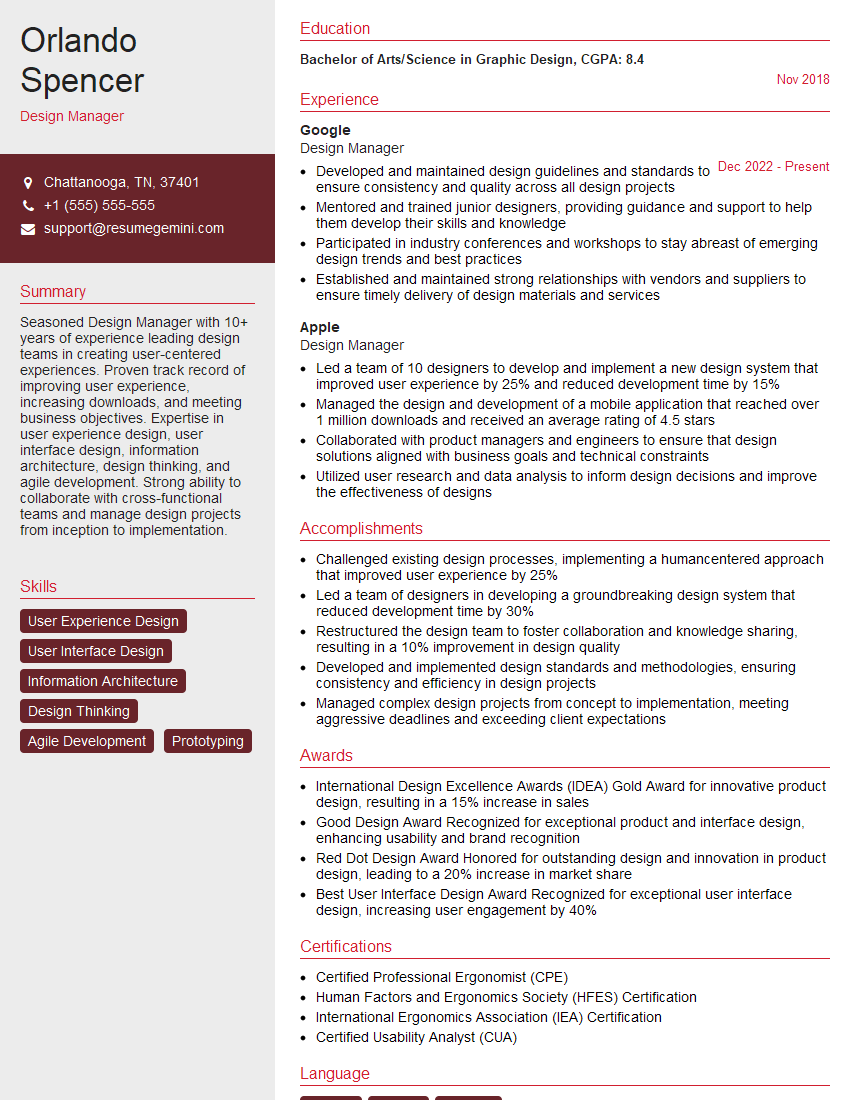
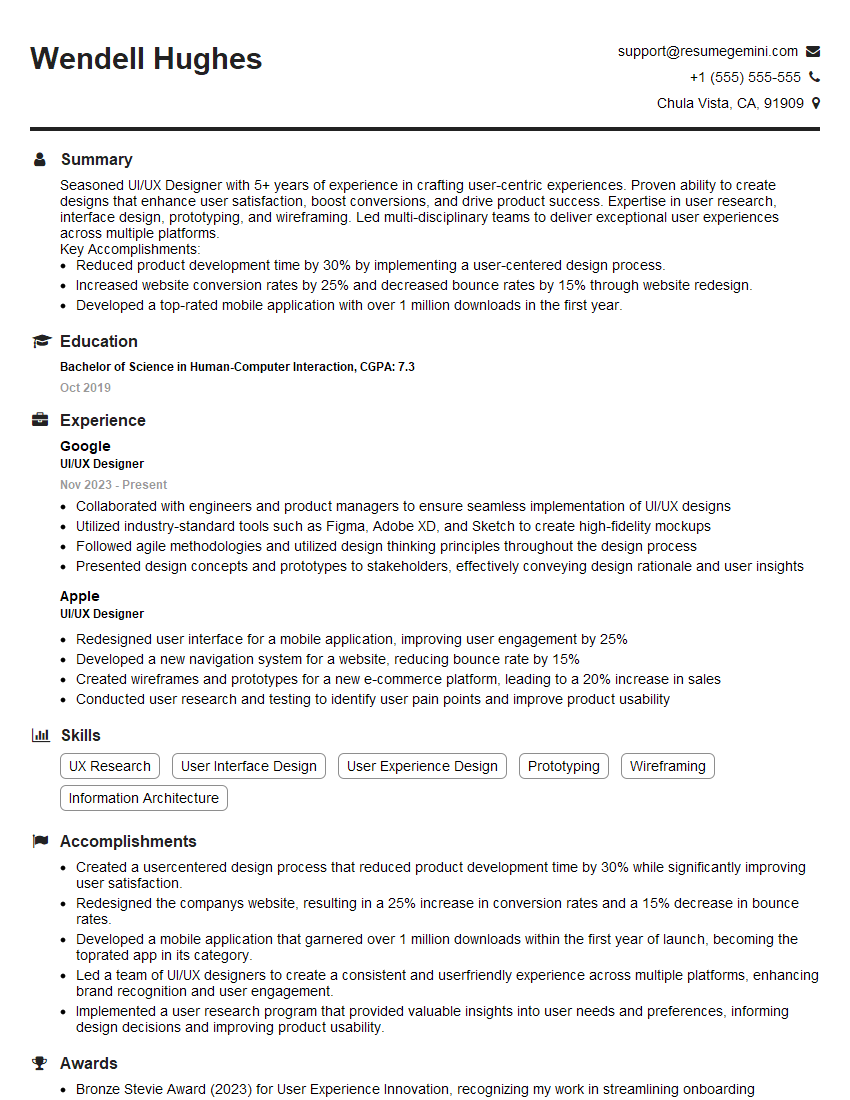
Mastering Design Guidelines and Standards is crucial for career advancement in the design field. It showcases your professionalism, attention to detail, and ability to work collaboratively within established frameworks. To significantly boost your job prospects, create an ATS-friendly resume that highlights your relevant skills and experience. ResumeGemini is a trusted resource to help you build a professional and impactful resume. We provide examples of resumes tailored to Design Guidelines and Standards to guide you in creating your own. Take the next step towards your dream design role – build a compelling resume today!




Explore more articles
Users Rating of Our Blogs
Share Your Experience
We value your feedback! Please rate our content and share your thoughts (optional).
What Readers Say About Our Blog
I Redesigned Spongebob Squarepants and his main characters of my artwork.
https://www.deviantart.com/reimaginesponge/art/Redesigned-Spongebob-characters-1223583608
IT gave me an insight and words to use and be able to think of examples
Hi, I’m Jay, we have a few potential clients that are interested in your services, thought you might be a good fit. I’d love to talk about the details, when do you have time to talk?
Best,
Jay
Founder | CEO