Feeling uncertain about what to expect in your upcoming interview? We’ve got you covered! This blog highlights the most important Digital Elevation Model (DEM) Analysis interview questions and provides actionable advice to help you stand out as the ideal candidate. Let’s pave the way for your success.
Questions Asked in Digital Elevation Model (DEM) Analysis Interview
Q 1. Explain the difference between raster and vector DEMs.
Raster and vector DEMs represent elevation data fundamentally differently. Think of it like comparing a photograph to a hand-drawn map.
A raster DEM is like a photograph; it’s a grid of cells, each representing a ground elevation value. Each cell has a specific elevation assigned to it, and the entire dataset forms a continuous surface (more or less). This is analogous to a digital image, where each pixel has a color value. Raster DEMs are simple to process and widely used for many analyses.
A vector DEM, on the other hand, is like a hand-drawn map. It represents the terrain as a collection of points, lines, and polygons. The points are elevations, lines can represent contour lines or breaklines, and polygons can represent elevation zones. It’s more complex to handle computationally but allows for a more accurate representation of specific features like cliffs or sharp ridges.
In essence: Raster DEMs offer simplicity and speed, while vector DEMs provide greater precision for complex terrain.
Q 2. Describe various sources for acquiring DEM data.
Acquiring DEM data involves a variety of methods, each with its own strengths and weaknesses. The most common sources are:
- Photogrammetry: This technique uses overlapping aerial or satellite images to create a 3D model of the terrain. It’s a powerful method that produces high-resolution DEMs, especially with modern techniques like Structure from Motion (SfM).
- LiDAR (Light Detection and Ranging): This active remote sensing technology uses laser pulses to measure the distance to the ground. LiDAR is known for its high accuracy and ability to penetrate vegetation, producing highly detailed DEMs even in heavily forested areas.
- Radar (Radio Detection and Ranging): Similar to LiDAR, but uses radio waves instead of laser pulses. It can penetrate cloud cover and is useful for large-scale mapping projects or regions with persistent cloud cover.
- Interferometric Synthetic Aperture Radar (InSAR): This technique uses radar images from multiple passes to measure ground deformation. It’s highly useful for monitoring changes in elevation over time, such as land subsidence or volcanic activity.
- Surveys: Traditional ground surveys involving GPS measurements and levelling are often used for highly accurate, localized DEMs, for example in engineering projects.
The choice of data source will depend on factors such as the required accuracy, spatial resolution, area coverage, budget and time constraints.
Q 3. How do you handle inconsistencies and errors in DEM data?
DEM data is often imperfect. Inconsistent or erroneous data can significantly affect analysis results. Handling these issues requires a multifaceted approach:
- Visual Inspection: The first step is always visual inspection using GIS software. This helps to identify obvious errors like spikes, pits, or unrealistic elevation values.
- Spatial Filtering: Techniques like median filtering or smoothing filters can help to reduce noise and remove small-scale inconsistencies. However, be cautious as aggressive filtering might lose crucial details.
- Data Interpolation: Missing data points can be filled in using interpolation methods (discussed in detail later). However, carefully choose the method based on the nature of the data and the expected spatial pattern.
- Error Propagation Analysis: For critical applications, understand how uncertainties in input data propagate through the analysis. This might involve quantitative error assessment and uncertainty propagation methods.
- Data Validation: Whenever possible, ground truth data or comparison with other high-quality datasets should be used to validate the corrected DEM.
The best strategy depends on the nature and extent of the errors. Sometimes, only small corrections are needed; other times, extensive cleaning or even sourcing alternative data might be necessary.
Q 4. What are the common file formats for DEMs?
DEMs are stored in various file formats, each with its own advantages and disadvantages. Some of the most common include:
- GeoTIFF (.tif, .tiff): A widely used and versatile format that supports georeferencing and compression. It is highly flexible and a good all-around choice.
- ERDAS Imagine (.img): Proprietary format from Hexagon Geospatial, offering good support for various data types and compression methods.
- ArcInfo ASCII Grid (.asc): A simple text-based format that’s easy to read and edit, but lacks many advanced features.
- DEM/Digital Terrain Model (.dtm): A format often associated with specific software systems.
- HDF (Hierarchical Data Format): A flexible format for storing large datasets, often used with satellite data.
Choosing the appropriate file format involves considering factors such as software compatibility, data size, and required metadata.
Q 5. Explain the concept of spatial resolution in DEMs.
Spatial resolution in a DEM refers to the size of the grid cells or the distance between data points. It dictates the level of detail captured in the elevation data. A high-resolution DEM has small cells (e.g., 1m x 1m), representing fine details in the terrain. A low-resolution DEM has large cells (e.g., 30m x 30m), showing only broader topographic features.
Imagine trying to build a miniature landscape model. High resolution is like using tiny grains of sand to create detailed features, while low resolution is like using large pebbles – you lose a lot of the fine detail.
Q 6. How does DEM resolution affect analysis results?
DEM resolution significantly impacts analysis results. High-resolution DEMs provide more accurate representations of terrain features, leading to more precise results in various analyses such as:
- Slope and aspect calculations: High-resolution DEMs reveal subtle changes in slope and aspect that are smoothed over in low-resolution DEMs.
- Hydrological modeling: Fine-scale details are crucial for accurate simulation of water flow, especially in areas with complex drainage patterns.
- Visibility analysis: High resolution allows for more accurate identification of visible areas from specific viewpoints.
- Volume calculations: High-resolution DEMs are crucial for accurate calculation of earthworks.
Conversely, using a low-resolution DEM for analyses requiring fine detail can lead to significant errors and inaccurate interpretations. Therefore, the choice of DEM resolution should align with the requirements and scale of the analysis.
Q 7. Describe different interpolation methods used in DEM creation.
Interpolation methods are essential for creating DEMs from discrete elevation points. These methods estimate elevation values for locations where data is not directly available. Several common methods exist:
- Nearest Neighbor: The simplest method, assigning the elevation of the nearest data point to the unknown location. It’s fast but can result in a blocky, discontinuous surface.
- Bilinear Interpolation: Averages the elevations of the four nearest data points, producing a smoother surface than nearest neighbor. However, it can still suffer from artifacts in areas with rapid elevation changes.
- Inverse Distance Weighting (IDW): Weights the elevation of nearby points inversely proportional to their distance from the unknown location. Closer points have more influence. It’s simple to implement and often produces reasonable results.
- Kriging: A more sophisticated geostatistical method that considers the spatial autocorrelation of the data to produce optimal interpolation. It’s computationally more demanding but can produce highly accurate results, particularly when the underlying spatial structure is well understood.
- Spline Interpolation: This method fits a smooth curve or surface to the data points. There are different types of splines such as cubic splines, offering varying degrees of smoothness.
The choice of interpolation method depends on the characteristics of the data, the desired level of smoothing and the computational resources available. Experimentation and comparison are often necessary to find the best approach for a specific DEM creation task.
Q 8. What are the advantages and disadvantages of different interpolation methods?
Interpolation methods are crucial in DEM analysis because they estimate elevation values at unsampled points based on known elevations. Different methods have strengths and weaknesses depending on the data and desired outcome.
- Inverse Distance Weighting (IDW): This is a simple and widely used method. It assumes that the closer a point is to the sample points, the more it influences the interpolated value. Advantages include ease of implementation and computational efficiency. However, it can produce artifacts like ‘bulls-eye’ effects around sample points and struggles with highly variable terrain.
- Spline Interpolation: Splines fit smooth curves through the known data points, creating a visually appealing surface. They are good for representing smooth surfaces but can over-smooth sharp features like cliffs. Different types of splines (e.g., cubic, thin-plate) have different properties.
- Kriging: A geostatistical method that considers spatial autocorrelation in the data. It provides an estimate of the interpolation error, making it powerful for understanding the uncertainty in the interpolated surface. However, it’s more complex to implement and requires understanding of geostatistical concepts.
- Triangulated Irregular Networks (TIN): This method connects known points to form triangles, creating a surface composed of planar facets. It’s good for representing complex terrain but can lead to jagged surfaces unless a high density of data points is available.
Choosing the right method depends on the specifics of your project. For a quick overview of a relatively smooth area, IDW might suffice. For a high-precision analysis with detailed representation of complex topography, Kriging might be preferred, albeit more computationally intensive. A TIN approach might be appropriate for representing abrupt changes in elevation.
Q 9. How do you perform DEM pre-processing for analysis?
DEM pre-processing is crucial for ensuring the accuracy and reliability of subsequent analyses. It involves several key steps:
- Data Cleaning: This involves identifying and correcting errors in the DEM, such as spurious spikes, pits, and sinks (closed depressions). Tools and algorithms are available to automatically fill these using techniques like filling sinks by breaching.
- Data Filtering: Smoothing the DEM can reduce noise and improve the accuracy of derived products like slope and aspect. Different filters (e.g., low-pass filters) are available depending on the level of smoothing desired. Careful consideration is needed to prevent loss of important topographic detail.
- Georeferencing and Projection: Ensuring the DEM is correctly georeferenced (correctly located on the Earth) and projected (using a suitable coordinate system) is paramount for accurate analysis and integration with other datasets.
- Resolution Adjustment: Depending on your analytical needs, you might need to resample (upscale or downscale) the DEM’s resolution. Upscaling involves creating a lower-resolution DEM from a higher-resolution one using interpolation techniques, and downscaling uses aggregation methods. Choosing the appropriate method and scale is crucial.
For example, imagine analyzing flood risk in an urban area. A DEM with sinks might falsely identify these as areas of water accumulation. Pre-processing by filling sinks and applying a suitable filter is necessary to obtain a reliable flood inundation map.
Q 10. Explain the process of creating a hillshade from a DEM.
A hillshade is a 2D representation of a 3D surface that simulates the illumination of the terrain by a light source. It enhances the visual interpretation of topography by emphasizing elevation changes.
Creating a hillshade involves:
- Defining the light source: Specify the azimuth (direction) and altitude (angle) of the light source. A common setting is a sun angle of 45 degrees altitude and 315 degrees azimuth (northwest).
- Calculating the slope and aspect: These are derived from the DEM (explained in the next answer). The slope represents the steepness of the terrain, and the aspect represents the direction it faces.
- Applying a shading algorithm: The algorithm calculates the shading based on the slope, aspect, and light source parameters. Areas facing the light source will be brighter, while areas facing away will be darker. The algorithm uses trigonometry to calculate the angle between the surface normal vector (perpendicular to the surface) and the light source vector.
Think of it like taking a picture of a mountain range: the hillshade mimics how shadows fall based on the sun’s position, enhancing the perception of depth and relief.
Q 11. How do you calculate slope and aspect from a DEM?
Slope and aspect are crucial topographic attributes derived from a DEM. Slope represents the steepness of the terrain, and aspect represents the direction it faces.
Calculation typically involves:
- Using a 3×3 neighborhood: A small window (e.g., 3×3 pixels) moves across the DEM. For each cell, the elevations of its neighbors are used to compute slope and aspect.
- Finite difference methods: These approximate the derivatives (rates of change) of the elevation surface. Common methods include the Horn algorithm which calculates slope using the rise over run concept (based on the z-values in the neighborhood).
- Units and representation: Slope is typically expressed as degrees or percent slope. Aspect is usually represented in degrees, where 0 degrees is north, 90 degrees is east, and so on.
For example, a steep slope with an aspect of 180 degrees means the slope is facing south. These parameters are essential for many applications like hydrological modeling, habitat suitability analysis, and erosion modeling.
Example (Conceptual using a 3x3 neighborhood): A calculation might involve finding the differences in elevation between the central cell and its neighbors, applying trigonometry to find the slope angle and the aspect angle.
Q 12. Explain how to derive drainage networks from a DEM.
Drainage networks represent the pathways of water flow across a landscape. They are crucial for understanding hydrological processes.
Deriving drainage networks from a DEM typically involves:
- Flow Direction: This step identifies the direction of steepest descent for each cell in the DEM. Algorithms like the D8 algorithm (which determines flow direction to the steepest of the eight neighboring cells) are commonly used. More sophisticated algorithms (e.g., multiple flow direction algorithms) allow for flow to multiple neighbors based on relative steepness.
- Flow Accumulation: This step accumulates the number of upstream cells contributing flow to each cell. Cells with high flow accumulation indicate channels or streams.
- Thresholding: A threshold value is applied to the flow accumulation to identify the channels. Cells with flow accumulation exceeding the threshold are designated as part of the drainage network. The threshold can be adjusted based on local hydrological characteristics.
Think of it like looking at a contour map and visualizing how water would flow downhill. The algorithm performs a similar process by calculating downhill flow paths at the cell-level.
Q 13. Describe methods for calculating catchment areas using DEMs.
Catchment areas (also known as watersheds or drainage basins) are areas that drain to a common outlet point. Calculating catchment areas from DEMs typically involves:
- Flow Direction and Accumulation: As described earlier, these steps identify the direction and magnitude of water flow across the landscape.
- Watershed Delineation: This is performed by tracing upstream cells from an outlet point. Algorithms recursively identify the upstream cells contributing flow to the outlet, thus defining the boundary of the catchment area.
- Catchment Area Calculation: The area encompassed by the delineated watershed is then calculated using GIS software.
Imagine a river system: a catchment area is all the land where rainfall flows downhill to contribute to the main river channel. These are critical for water resource management, flood prediction, and environmental impact assessment.
Q 14. How can DEMs be used for hydrological modeling?
DEMs are fundamental in hydrological modeling, providing the necessary topographic data for simulating various hydrological processes.
- Rainfall-Runoff Modeling: DEMs are used to define the spatial distribution of rainfall and to route the runoff through the landscape. This enables simulation of flood events.
- Water Flow Routing: The DEM provides the foundation for simulating water flow paths, including the generation and routing of streamflow using models like the kinematic wave model or the diffusion wave model.
- Groundwater Modeling: While not directly, DEMs can inform groundwater models by providing the topography for defining the groundwater table elevation and the flow direction through the subsurface.
- Evapotranspiration Modeling: DEM-derived slope and aspect can be used to estimate solar radiation input and thus influence evapotranspiration rates in models.
- Sediment Transport Modeling: DEM-derived slope and flow accumulation data help simulate sediment transport along the drainage network in erosion modeling.
For instance, predicting flood extent in a river basin requires a DEM to accurately represent the terrain, allowing for simulation of water flow and inundation areas.
Q 15. Explain the use of DEMs in volume calculations.
Digital Elevation Models (DEMs) are invaluable for calculating volumes. Imagine needing to determine the amount of earth to remove for a construction project or the volume of a reservoir. DEMs provide the necessary elevation data to accurately compute these volumes.
The process typically involves:
- Defining the boundaries: First, you define the area of interest on the DEM.
- Creating a surface: The DEM’s elevation data is used to create a 3D surface representation of the terrain.
- Volume calculation: Software packages or algorithms then calculate the volume between this surface and a reference plane (e.g., a planned excavation level or the bottom of a reservoir). This often involves integrating the elevation differences across the defined area.
For example, in a mining operation, a DEM can accurately estimate the amount of ore to be extracted, optimizing resource management and reducing waste. Similarly, in civil engineering, DEMs help calculate the amount of fill material needed for road construction, ensuring project cost-effectiveness.
Career Expert Tips:
- Ace those interviews! Prepare effectively by reviewing the Top 50 Most Common Interview Questions on ResumeGemini.
- Navigate your job search with confidence! Explore a wide range of Career Tips on ResumeGemini. Learn about common challenges and recommendations to overcome them.
- Craft the perfect resume! Master the Art of Resume Writing with ResumeGemini’s guide. Showcase your unique qualifications and achievements effectively.
- Don’t miss out on holiday savings! Build your dream resume with ResumeGemini’s ATS optimized templates.
Q 16. How can DEMs be used for landslide susceptibility mapping?
Landslide susceptibility mapping uses DEMs to identify areas prone to landslides. Slope angle, aspect, and elevation are crucial factors in determining landslide risk. DEMs provide this foundational elevation data.
Here’s how it works:
- Slope analysis: DEMs allow the calculation of slope angles. Steeper slopes are more susceptible to landslides.
- Aspect analysis: Aspect, the direction a slope faces, influences sunlight exposure and erosion patterns, impacting stability. DEMs provide this directional information.
- Elevation analysis: Higher elevations often correlate with steeper slopes and increased risk. DEMs provide elevation values for each point.
- Curvature analysis: DEMs can be used to calculate surface curvature, identifying concave and convex areas that affect water flow and contribute to instability.
This information, combined with other factors like rainfall, soil type, and land use, is integrated into a spatial model to create a landslide susceptibility map. This map helps planners and decision-makers identify high-risk areas for mitigation strategies.
For instance, a region known for frequent landslides can utilize a DEM-derived susceptibility map to identify crucial areas for building regulations or early warning systems.
Q 17. Describe applications of DEMs in urban planning.
DEMs are vital tools in urban planning, offering insights into topography that influence decisions on infrastructure, building placement, and urban development.
Key applications include:
- Drainage analysis: DEMs model water flow to predict flooding and optimize drainage systems.
- Visibility analysis: Determining sightlines from proposed buildings or vantage points can be crucial for aesthetics and safety – DEMs enable this.
- 3D city modeling: Creating realistic 3D models of cities helps visualize development plans and assess their impact on the environment.
- Slope stability assessment: Crucial for building in hilly areas, ensuring safe construction and preventing slope failures.
- Site selection: Identifying optimal locations for infrastructure (roads, utilities) based on elevation, slope, and proximity to other features.
For example, before building a new highway through a city, planners would use a DEM to analyze potential drainage problems and ensure the road’s stability across varied terrains. This prevents costly and potentially dangerous construction mistakes.
Q 18. How do you perform DEM differencing and what is it used for?
DEM differencing involves subtracting one DEM from another to highlight changes in elevation over time. This is powerful for monitoring changes caused by natural events or human activities.
The process typically involves:
- Acquiring two DEMs: Obtaining DEMs acquired at different times, covering the same geographic area.
- Co-registration: Aligning the two DEMs precisely to account for positional discrepancies.
- Subtraction: Subtracting the older DEM from the newer one, resulting in a difference DEM.
- Analysis: Interpreting the difference DEM, where positive values indicate elevation gain, and negative values indicate elevation loss.
This is used extensively in monitoring:
- Erosion and deposition: Tracking changes in riverbeds or coastlines.
- Glacial dynamics: Observing changes in glacier volume and flow.
- Landslides: Detecting areas of significant ground movement.
- Subsidence: Identifying areas experiencing ground sinking due to various factors.
For example, a difference DEM could show the extent of land subsidence in a coastal region after a hurricane, assisting with disaster response and planning.
Q 19. Explain the concept of vertical accuracy in DEMs.
Vertical accuracy in DEMs refers to how closely the elevation values in the DEM match the actual ground elevations. It’s crucial for applications requiring precise elevation data.
Vertical accuracy is typically expressed as a Root Mean Square Error (RMSE) or a specified confidence interval. A lower RMSE indicates higher accuracy. Several factors influence vertical accuracy:
- Data source: LiDAR (Light Detection and Ranging) data generally offers higher accuracy than photogrammetry (using photos to create 3D models).
- Data processing: Errors can be introduced during data processing, such as interpolation or filtering.
- Terrain characteristics: Dense vegetation or steep slopes can reduce accuracy.
Understanding vertical accuracy is vital because it dictates the reliability of analyses performed using the DEM. For example, a DEM with poor vertical accuracy might lead to inaccurate volume calculations in a mining operation, resulting in significant financial losses.
Q 20. How do you assess the quality of a DEM?
Assessing DEM quality involves evaluating various aspects, including spatial resolution, vertical accuracy, completeness, and consistency. This is crucial for selecting the appropriate DEM for a specific application.
Key aspects to consider:
- Spatial resolution: The size of the grid cells (e.g., 1m, 5m, 30m). Finer resolution generally means more detail but larger file sizes.
- Vertical accuracy: As discussed earlier, this indicates the reliability of the elevation values.
- Completeness: The presence of data gaps or missing values.
- Consistency: The absence of abrupt elevation changes or artifacts in the data.
- Metadata: Accompanying information describing the DEM’s characteristics (data source, acquisition date, accuracy).
Visual inspection is a first step; however, quantitative assessment often involves statistical analysis of the data, including comparing the DEM against ground truth data or other higher accuracy data sets. Tools and software are available to automate aspects of this quality assessment.
Q 21. What are the challenges in using DEMs in mountainous terrain?
Using DEMs in mountainous terrain presents unique challenges due to the complex and varied topography.
Key challenges include:
- Data acquisition: Obtaining accurate DEMs in mountainous areas can be difficult due to shadowing effects (obscured areas in satellite or aerial imagery), steep slopes, and difficult accessibility.
- Data resolution: High-resolution DEMs are needed to capture the detail of the rugged terrain, leading to substantial file sizes and processing time.
- Accuracy issues: Errors in elevation data can be amplified in steep slopes, impacting analysis results significantly.
- Interpolation challenges: Accurate interpolation of elevation values between data points is crucial, and existing methods can struggle in complex terrain.
- Processing complexities: Analyzing and processing high-resolution DEMs requires considerable computational resources.
Techniques like LiDAR, with its ability to penetrate vegetation, are often preferred for acquiring accurate DEMs in mountainous areas. However, even with advanced techniques, careful consideration and handling of potential errors are necessary for reliable analysis.
Q 22. How do you handle missing data in a DEM?
Missing data in a DEM, often represented as ‘NoData’ values, is a common issue stemming from data acquisition limitations or sensor failures. Handling this requires careful consideration to avoid introducing bias or artifacts into the analysis. My approach involves a multi-step strategy:
Identify and quantify the missing data: First, I visually inspect the DEM using GIS software to understand the extent and spatial distribution of the gaps. This helps determine the most appropriate interpolation method.
Select an appropriate interpolation technique: The choice depends on the nature and extent of the missing data. For small, scattered gaps, simple methods like nearest neighbor interpolation might suffice. However, for larger areas, more sophisticated methods are needed. Inverse Distance Weighting (IDW) is a popular choice, considering the influence of surrounding known elevations. Kriging, a geostatistical method, offers improved accuracy by considering spatial autocorrelation in the data. For complex terrain, I often use spline interpolation.
Evaluate the interpolated data: After interpolation, I rigorously assess the quality of the results by comparing them to known ground truth data, if available. Visual inspection and quantitative measures, such as root mean square error (RMSE), help determine the success of the interpolation. If the results are unsatisfactory, I may need to explore alternative methods or acquire additional data.
Consider masking or exclusion: In cases where interpolation introduces significant uncertainties, I might opt to mask or exclude the areas with missing data from specific analyses, clearly documenting this limitation in the report.
For example, during a project analyzing landslide susceptibility, I encountered significant missing data in a mountainous region due to cloud cover during data acquisition. Instead of interpolating across vast areas, which could have introduced considerable uncertainty, I carefully masked these regions, focusing my analysis on the reliably measured areas. This ensured the accuracy of the final susceptibility map by avoiding introducing artificial data which might create false positives.
Q 23. What is the role of DEMs in LiDAR data processing?
DEMs play a crucial role in LiDAR data processing, primarily in providing a reference surface for georeferencing and orthorectification. LiDAR data, while highly accurate in terms of point cloud elevation, often requires referencing to a known elevation surface to be useful for many applications.
Georeferencing: A high-resolution DEM serves as a control surface for accurately positioning LiDAR points within a geographic coordinate system. This ensures that all the points are correctly located geographically.
Orthorectification: This process removes the effects of terrain relief from LiDAR imagery. The DEM provides the elevation information necessary to correct for the distortions caused by the varying terrain, resulting in a georeferenced image that is directly comparable to other orthorectified data.
Ground point classification: DEMs can aid in the classification of LiDAR points. Points located near the DEM surface can be classified as ground points, distinguishing them from vegetation or buildings.
Feature extraction: DEMs are used to derive various terrain parameters such as slope, aspect, and curvature, crucial for many geospatial analysis like hydrological modeling or slope stability analysis. LiDAR data provides the high-precision elevations, but the DEM provides the context for interpretation.
In a recent project involving bridge inspection, we used LiDAR data to create a highly detailed point cloud. However, without orthorectification guided by a high-resolution DEM, the resulting imagery would have suffered from geometric distortions due to the uneven terrain surrounding the bridge. Orthorectification was critical to ensure accurate measurements for structural assessment.
Q 24. Explain the concept of DEM orthorectification.
DEM orthorectification is a process that corrects geometric distortions in aerial or satellite imagery caused by variations in terrain elevation. Think of it like flattening a wrinkled map to make measurements accurate. The process requires a high-resolution DEM.
The process involves:
Determining the elevation of each pixel: The DEM provides the elevation corresponding to each pixel location in the image.
Calculating the geometric distortions: Based on the elevation differences, the software calculates the displacement of each pixel due to the terrain.
Correcting the pixel positions: Using the calculated displacements, the software adjusts the positions of each pixel, effectively removing the terrain-induced distortions.
Resampling the image: After the geometric corrections, the image is resampled to ensure consistent pixel spacing, completing the orthorectification.
The result is a geometrically correct image where distances and areas are accurate, regardless of the terrain. This is vital for accurate measurements, mapping, and quantitative analysis of the landscape.
Q 25. How can you visualize DEM data effectively?
Effective visualization of DEM data is crucial for understanding and communicating terrain features. I utilize a variety of techniques depending on the specific goals of the analysis:
Hillshading: This classic method simulates the effect of light illuminating the terrain, creating a three-dimensional effect that effectively highlights slopes and depressions. I often use a combination of light sources for optimal visualization.
Contour lines: These lines connect points of equal elevation, providing a clear representation of terrain contours and elevation changes. The spacing and thickness of contour lines can be adjusted for better visualization.
3D surface rendering: Software packages allow for creation of realistic 3D models of the terrain, which is particularly effective for communicating complex topography to non-experts. This can be further enhanced with color palettes representing elevation or other relevant data.
Perspective views: Combining 3D rendering with controlled camera angles allows for compelling visual communication of specific features or areas of interest.
Color-coded elevation maps: Assigning different colors to different elevation ranges creates a visually intuitive map of the elevation distribution. Careful selection of color schemes is vital to avoid misinterpretations.
For example, in a project assessing the impact of a proposed highway on a watershed, I used a combination of hillshading, contour lines, and 3D rendering to illustrate the terrain changes and the potential effect on water flow to stakeholders.
Q 26. Describe your experience with specific DEM processing software.
My experience encompasses several leading DEM processing software packages. I’m proficient in ArcGIS Pro, where I leverage tools like Spatial Analyst for interpolation, surface analysis, and terrain modeling. I’m also skilled in QGIS, a powerful open-source alternative that offers a versatile range of functionalities, particularly beneficial for cost-effective projects. For specific tasks involving LiDAR data processing, I have extensively used LAStools, known for its efficiency in handling massive point cloud datasets. I have also worked with specialized hydrological modeling software that incorporates DEM data for water flow simulations.
For instance, in a recent project involving flood modeling, I used ArcGIS Pro to process and analyze a DEM to create accurate flood inundation maps. The software’s ability to integrate seamlessly with other geospatial data sources proved invaluable for this complex analysis.
Q 27. How do you ensure the accuracy and reliability of your DEM analysis?
Ensuring accuracy and reliability in DEM analysis is paramount. My approach incorporates several key steps:
Data source validation: I thoroughly investigate the source of the DEM, considering its resolution, accuracy specifications, and potential limitations. Understanding the acquisition method (LiDAR, photogrammetry, etc.) is critical to evaluating its inherent accuracy and potential biases.
Quality control checks: I perform visual inspection of the DEM for obvious artifacts or errors, such as unrealistic elevation values or discontinuities. Statistical analyses, like examining the histogram of elevation values, can also reveal data inconsistencies.
Ground truthing: Whenever possible, I compare the DEM to independently acquired ground truth data, such as GPS measurements or field surveys. This provides a quantitative assessment of the DEM’s accuracy.
Error propagation analysis: I’m mindful of error propagation during DEM processing. Interpolation methods, for instance, can introduce errors, which I carefully evaluate. Uncertainty maps can be generated to represent the variability associated with the DEM’s values.
Documentation and transparency: I meticulously document all processing steps, including the software used, parameters employed, and any limitations or assumptions made. This ensures reproducibility and promotes transparency in the analysis.
In a project involving slope stability analysis, I compared the derived slope angles from the DEM with field measurements taken at several critical points. This ground truthing helped to refine the DEM processing workflow and ensured a higher degree of confidence in the final slope stability map.
Q 28. What are some advanced techniques in DEM analysis that you’re familiar with?
Beyond basic DEM processing, I’m familiar with several advanced techniques:
Multi-resolution DEM analysis: I can work with DEMs of varying resolutions, integrating data from multiple sources to gain a more comprehensive understanding of the terrain. This is particularly useful when high-resolution data is unavailable for the entire area of interest.
Terrain attribute extraction: I’m proficient in deriving a wide range of terrain attributes, including slope, aspect, curvature, and hydrological parameters. These attributes are crucial for various applications, from hydrological modeling to habitat suitability analysis.
DEM differencing: This technique involves subtracting two DEMs to detect changes in elevation over time, useful for applications such as landslide monitoring or erosion assessment.
Object-based image analysis (OBIA) with DEM integration: I can integrate DEM data into OBIA workflows for more accurate land cover classification and feature extraction. DEM-derived attributes such as elevation and slope can significantly improve classification accuracy.
3D TIN modeling: I utilize triangulated irregular networks (TINs) to represent terrain surfaces, offering advantages for complex terrains with significant elevation variations. TINs are useful when more accurate representation of the surface is needed than what a raster DEM can achieve.
For example, in a landslide monitoring project, I employed DEM differencing to identify areas experiencing significant elevation changes over time, providing early warning signals of potential instability. This analysis was vital in identifying areas which needed immediate attention.
Key Topics to Learn for Digital Elevation Model (DEM) Analysis Interview
- Data Sources and Formats: Understanding various DEM sources (LiDAR, photogrammetry, SRTM), their characteristics, resolutions, and common file formats (e.g., GeoTIFF, ASCII). Be prepared to discuss the strengths and weaknesses of each.
- Pre-processing and Data Cleaning: Familiarize yourself with techniques for handling artifacts, noise reduction, and filling gaps in DEM data. Understanding the impact of these steps on downstream analysis is crucial.
- Terrain Analysis Techniques: Master calculations of slope, aspect, curvature, and other terrain attributes. Know how to interpret these outputs and their applications in different fields.
- Hydrological Analysis: Be prepared to discuss the application of DEMs in hydrological modeling, including watershed delineation, flow accumulation, and stream network extraction. Understanding algorithms like D8 flow direction is beneficial.
- Spatial Analysis and GIS Integration: Demonstrate your ability to integrate DEMs with other geospatial data layers (e.g., land cover, soil type) within a GIS environment to perform complex spatial analyses.
- Visualization and Presentation: Practice creating clear and informative visualizations of DEM data using various software packages. Be ready to discuss effective methods for communicating your findings.
- Error Analysis and Uncertainty: Understand the sources of error in DEM data and how to quantify and mitigate their impact on analytical results. This demonstrates a critical understanding of data reliability.
- Advanced Techniques (Optional): Depending on the seniority of the role, be prepared to discuss more advanced topics such as DEM differencing, change detection, or applications of DEMs in specific industries (e.g., forestry, urban planning).
Next Steps
Mastering Digital Elevation Model (DEM) analysis opens doors to exciting careers in geospatial science, environmental management, and many other fields. To significantly boost your job prospects, create an ATS-friendly resume that highlights your skills and experience effectively. ResumeGemini is a trusted resource to help you build a professional and impactful resume that gets noticed. Examples of resumes tailored to Digital Elevation Model (DEM) Analysis are available to help guide you. Take the next step towards your dream career – build a standout resume today!
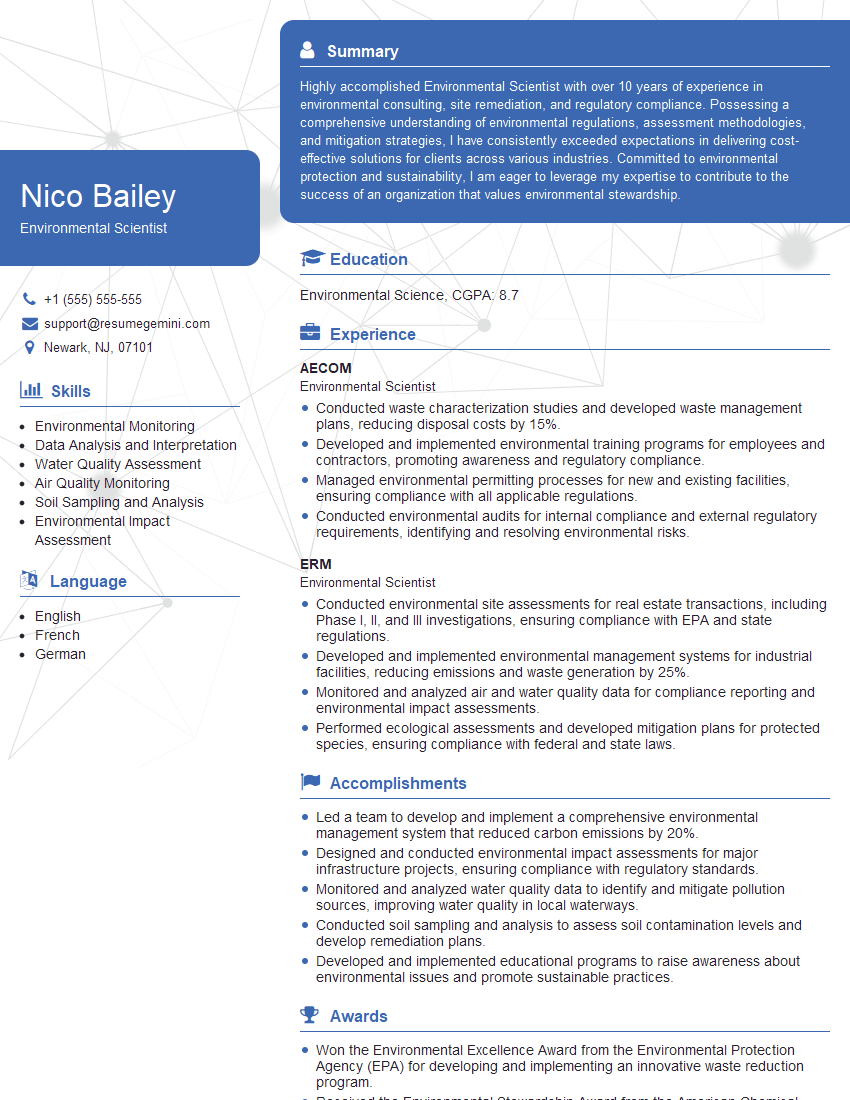
Environmental Scientist Resume Sample

Geospatial Analyst Resume Sample

Cartographer Resume Sample

LiDAR Specialist Resume Sample

Photogrammetrist Resume Sample

Civil Engineer Resume Sample

Geomorphologist Resume Sample

Hydrologist Resume Sample

Remote Sensing Scientist Resume Sample

Remote Sensing Specialist Resume Sample
Explore more articles
Users Rating of Our Blogs
Share Your Experience
We value your feedback! Please rate our content and share your thoughts (optional).
What Readers Say About Our Blog
I Redesigned Spongebob Squarepants and his main characters of my artwork.
https://www.deviantart.com/reimaginesponge/art/Redesigned-Spongebob-characters-1223583608
IT gave me an insight and words to use and be able to think of examples
Hi, I’m Jay, we have a few potential clients that are interested in your services, thought you might be a good fit. I’d love to talk about the details, when do you have time to talk?
Best,
Jay
Founder | CEO