Interviews are more than just a Q&A session—they’re a chance to prove your worth. This blog dives into essential Educational Technology Implementation interview questions and expert tips to help you align your answers with what hiring managers are looking for. Start preparing to shine!
Questions Asked in Educational Technology Implementation Interview
Q 1. Describe your experience implementing a Learning Management System (LMS).
Implementing a Learning Management System (LMS) involves more than just choosing software; it’s about strategically integrating it into the educational ecosystem. My experience includes a full lifecycle implementation of Moodle for a large K-12 school district. This involved several key phases:
- Needs Assessment: We began by identifying the district’s specific needs – from teacher training requirements to student accessibility needs. This involved surveys, focus groups with teachers and administrators, and careful analysis of existing teaching practices.
- LMS Selection: We evaluated several LMS platforms based on our needs assessment, considering factors like cost, scalability, user-friendliness, integration with existing systems (like SIS), and available technical support. Moodle’s open-source nature and extensive customization options were key factors in our decision.
- Customization and Configuration: Once Moodle was chosen, we customized it to align with the district’s branding and specific pedagogical approaches. This included creating custom course templates, integrating assessment tools, and configuring user roles and permissions.
- Teacher Training: We developed and delivered comprehensive training programs for teachers, covering everything from basic navigation to advanced features like creating quizzes, managing assignments, and utilizing communication tools within the platform. We used a blended approach, combining online modules with hands-on workshops.
- Pilot Program and Iteration: Before full rollout, we conducted a pilot program with a select group of teachers and students to identify and address potential issues. This iterative approach allowed for continuous improvement based on real-world feedback.
- Ongoing Support and Maintenance: Post-implementation, we provided ongoing technical support, addressing user queries and proactively identifying and resolving any technical glitches. Regular updates and security patches were also crucial.
The success of this implementation was largely due to the collaborative approach, involving teachers, administrators, and IT staff throughout the entire process. The result was a significantly improved learning experience, enhanced communication, and streamlined administrative tasks.
Q 2. What strategies do you use to ensure effective technology integration in the classroom?
Effective technology integration isn’t about simply adding gadgets to the classroom; it’s about thoughtfully incorporating technology to enhance teaching and learning. My strategies focus on:
- Alignment with Learning Objectives: Technology should directly support the achievement of specific learning objectives. For instance, instead of using a simulation just for the sake of it, I would ensure it directly reinforces concepts taught in the lesson.
- Teacher Professional Development: Teachers need adequate training and ongoing support to effectively utilize new technologies. I advocate for a blended model, combining online resources with hands-on workshops and mentoring.
- Student-Centered Learning: Technology should foster student agency and engagement. This might involve using collaborative tools, allowing students to create and share their work, or leveraging gamification to enhance motivation.
- Blended Learning Approach: Combining online and offline activities offers flexibility and caters to diverse learning styles. For example, using online resources for pre-reading, followed by in-class discussions and activities, provides a more comprehensive learning experience.
- Assessment and Feedback: Technology enables efficient assessment and personalized feedback. This could involve using automated grading tools for objective assessments, or using online platforms for providing targeted feedback on student assignments.
- Data-Driven Decision Making: Analyzing data from LMS and other educational tools helps understand student learning patterns, identify areas needing improvement, and tailor instruction accordingly.
For example, in a science class, I’d use interactive simulations to explore complex concepts like the water cycle, followed by a hands-on lab activity to solidify understanding. Then, students could use online tools to create presentations summarizing their findings, fostering collaboration and communication skills.
Q 3. Explain your understanding of different learning theories and how they inform your technology choices.
My technology choices are deeply informed by various learning theories. Understanding these theories allows me to select and implement tools that best suit different learning styles and contexts.
- Constructivism: This theory emphasizes learning as an active process of constructing knowledge. I leverage tools that promote active learning, such as collaborative platforms, simulations, and project-based learning activities. For instance, using a wiki for collaborative research projects allows students to actively construct their understanding through shared knowledge creation.
- Cognitivism: This theory focuses on mental processes involved in learning. I select tools that support information processing and memory, like interactive flashcards, mind-mapping software, and spaced repetition systems. These tools help students organize and retain information more effectively.
- Behaviorism: This theory emphasizes the role of reinforcement in learning. Gamification tools, incorporating rewards and feedback mechanisms, are informed by behaviorist principles. Points, badges, and leaderboards can motivate students and reinforce desired behaviors.
- Connectivism: This theory emphasizes learning in networks and the importance of connecting ideas and resources. I utilize social learning platforms and collaborative tools to foster connection and knowledge sharing among students and educators.
The selection of technology is never arbitrary. It’s a conscious decision based on the learning objective, the targeted learning style, and the relevant learning theory. For example, if the goal is to enhance critical thinking, I might choose a debate simulation rather than a simple rote-learning app.
Q 4. How do you assess the effectiveness of educational technology tools?
Assessing the effectiveness of educational technology tools is crucial to ensure they are achieving their intended goals. My assessment strategies are multifaceted:
- Quantitative Data: I analyze data from the LMS, learning platforms, and assessment tools. This includes metrics like student engagement (time spent on tasks, completion rates), performance on assessments, and feedback provided by students and teachers.
- Qualitative Data: Gathering qualitative data is equally important. This includes conducting student surveys, teacher interviews, focus groups, and observing classroom activities to understand the impact of technology on learning experiences and teaching practices.
- Pre- and Post-Tests: Comparing student performance on pre- and post-tests helps gauge the effectiveness of the technology in improving learning outcomes. This allows for a quantitative measure of learning gains.
- Student Work Samples: Reviewing student work samples, such as projects, essays, or presentations, provides insights into the quality of learning and the application of knowledge.
- Teacher Feedback: Regularly collecting feedback from teachers on the usability and effectiveness of the tools allows for iterative improvements and adjustments to teaching strategies.
By combining quantitative and qualitative data, I can gain a comprehensive understanding of the impact of the technology on student learning and teaching effectiveness. This data informs future technology choices and instructional strategies.
Q 5. What are some common challenges in implementing educational technology and how have you overcome them?
Implementing educational technology comes with challenges. Some common ones I’ve encountered include:
- Lack of Teacher Training: Teachers often lack the necessary training and support to effectively integrate new technologies into their teaching. My solution involves designing comprehensive training programs that are tailored to the specific needs of teachers and provide ongoing support and mentoring.
- Technical Issues: Technical difficulties, such as internet connectivity problems, software glitches, or hardware malfunctions, can disrupt the learning process. My approach involves proactive troubleshooting, providing technical support, and choosing reliable and user-friendly tools.
- Resistance to Change: Some teachers may be resistant to adopting new technologies due to lack of familiarity or perceived difficulty. I address this by showcasing the benefits of the technology, providing ample training, and fostering a collaborative environment where teachers feel comfortable sharing their concerns and seeking help.
- Digital Divide: Unequal access to technology and internet connectivity among students can create inequities in learning opportunities. I address this by advocating for equitable access, exploring cost-effective solutions, and ensuring that learning materials are accessible offline where needed.
- Cost and Budget Constraints: The cost of acquiring and maintaining educational technology can be a significant barrier. I address this by researching cost-effective solutions, exploring open-source alternatives, and justifying technology investments based on their potential impact on learning outcomes.
Overcoming these challenges often involves a collaborative effort, involving teachers, administrators, IT staff, and even parents, to build a supportive and sustainable ecosystem for technology integration.
Q 6. What experience do you have with accessibility features in educational technology?
Accessibility is paramount in educational technology. My experience includes selecting and implementing tools with built-in accessibility features and ensuring that digital content is accessible to all learners, regardless of their abilities. This involves:
- Compliance with Accessibility Standards: I ensure that all chosen tools and digital content comply with accessibility standards like WCAG (Web Content Accessibility Guidelines). This includes features like screen reader compatibility, keyboard navigation, alternative text for images, and captioning for videos.
- Diverse Formats: Providing materials in multiple formats, such as text, audio, and video, caters to diverse learning styles and abilities. For example, offering transcripts for videos and providing text-based versions of interactive activities.
- Assistive Technology Integration: I’m familiar with various assistive technologies, such as screen readers, text-to-speech software, and alternative input devices, and ensure the chosen tools are compatible with them.
- Universal Design Principles: I apply universal design principles to create inclusive learning environments. This means designing materials and activities that are usable by as many people as possible, without the need for adaptation or specialized design.
- User Testing with Students with Disabilities: Involving students with disabilities in the selection and testing of educational technology tools ensures their needs are addressed and that the tools are truly accessible.
For example, when selecting an LMS, I would prioritize platforms that offer built-in accessibility features and support various assistive technologies. I would also ensure that course materials are created with accessibility in mind, using appropriate alt text for images and providing captions for videos.
Q 7. Describe your experience with different types of educational software (e.g., simulations, gamification tools).
I have extensive experience working with a range of educational software, including simulations, gamification tools, and other interactive learning resources. Here are some examples:
- Simulations: I’ve used simulations in science and social studies to allow students to engage in interactive, hands-on experiences that might be impractical or unsafe in a real-world setting. For instance, using virtual labs to conduct experiments or simulating historical events to foster critical thinking.
- Gamification Tools: I’ve integrated gamification elements, such as points, badges, leaderboards, and challenges, into various learning activities to increase student engagement and motivation. This can be as simple as using a quiz platform with a game-like interface or building more complex learning games using platforms like Kahoot! or Quizizz.
- Interactive Whiteboards: I’ve effectively utilized interactive whiteboards to create engaging collaborative learning experiences, allowing students to participate actively in lessons and contribute to class discussions.
- Virtual Reality (VR) and Augmented Reality (AR): While still emerging, I’ve explored the potential of VR and AR in creating immersive learning experiences, particularly in subjects like history, geography, and science, providing opportunities for virtual field trips and interactive exploration of complex concepts.
- Adaptive Learning Platforms: I have experience with adaptive learning platforms that adjust the difficulty and content based on individual student performance, providing personalized learning experiences and catering to diverse learning styles and paces.
The selection of specific software depends heavily on the learning objectives and the specific needs of the students and the learning environment. The key is always to ensure that the software enhances the learning experience and aligns with pedagogical goals.
Q 8. How do you stay current with the latest trends and developments in educational technology?
Staying current in the rapidly evolving field of educational technology requires a multifaceted approach. It’s not enough to simply read a few articles; proactive engagement is key.
- Professional Development: I regularly attend EdTech conferences like ISTE (International Society for Technology in Education) and BETT (British Educational Technology & Training), participating in workshops and networking with other professionals. These events offer insights into the latest tools and pedagogical approaches.
- Online Communities and Publications: I actively engage with online communities such as EdSurge and Educause, following thought leaders and participating in discussions. I also subscribe to relevant journals and newsletters, such as those published by leading educational technology companies and research institutions.
- Hands-on Exploration: I dedicate time to exploring new tools and platforms firsthand. This includes experimenting with free trials, reviewing user feedback, and analyzing case studies to see how these tools are implemented in different educational contexts. I find this crucial to understand their actual impact and limitations.
- Research: I regularly review research articles published in peer-reviewed journals on topics relevant to EdTech integration, focusing on the impact of technology on student learning outcomes and teacher effectiveness. This keeps me grounded in evidence-based practices.
This combined strategy ensures I stay informed not only about the newest gadgets, but also about the evolving pedagogy and research surrounding effective technology integration in education.
Q 9. Explain your approach to training teachers on new educational technologies.
My approach to teacher training emphasizes a blended learning model, balancing theoretical understanding with practical application. I believe in a gradual, supportive introduction to new technologies, focusing on building teacher confidence and competence.
- Needs Assessment: Before initiating any training, I conduct a thorough needs assessment to understand teachers’ existing technological skills and their specific needs in relation to the new technology being introduced. This ensures the training is targeted and relevant.
- Phased Approach: Training is delivered in phases, starting with introductory sessions focusing on the basic functionalities and pedagogical applications of the technology. Subsequent sessions delve into more advanced features and strategies for integrating the technology into lesson plans.
- Hands-on Activities and Collaborative Learning: I incorporate plenty of hands-on activities and collaborative learning opportunities, encouraging teachers to experiment and share their experiences with one another. This peer-to-peer learning is invaluable.
- Ongoing Support and Mentoring: Training doesn’t end with the initial sessions. I provide ongoing support through mentoring, coaching, and access to online resources. This addresses the inevitable challenges that teachers encounter during the implementation phase.
- Feedback and Iteration: Regular feedback sessions allow me to refine the training based on teacher needs and challenges. This iterative approach ensures the training remains effective and relevant.
For example, when introducing a new Learning Management System (LMS), I would start with a session focusing on navigation and basic course creation, followed by workshops on assessment tools, communication features, and integrating other digital resources. Ongoing support would involve drop-in sessions, online forums, and individual consultations.
Q 10. How do you handle resistance to technology adoption among teachers or students?
Resistance to technology adoption is a common challenge, and addressing it requires empathy, understanding, and a tailored approach.
- Understanding the Resistance: The first step is to identify the source of resistance. This might stem from lack of confidence with technology, concerns about workload, or a lack of perceived relevance to teaching practices. Open communication is crucial here.
- Addressing Concerns: Once the reasons for resistance are identified, I address them directly. This might involve providing additional training, demonstrating the practical benefits of the technology, or offering support to alleviate workload concerns. Showcasing success stories from other teachers can also be effective.
- Building Confidence: Many teachers are hesitant due to a lack of confidence with technology. Providing opportunities for hands-on practice in a supportive environment, coupled with personalized guidance, can build their skills and confidence.
- Highlighting Benefits: Emphasizing how the technology can enhance teaching and student learning is key. This might involve showcasing how it can differentiate instruction, provide personalized learning experiences, or improve student engagement.
- Gradual Implementation: Instead of a complete overhaul, a gradual implementation approach minimizes disruption and allows teachers to adapt at their own pace. Piloting the technology in a small group before wider adoption can also be beneficial.
For example, if a teacher expresses concern about the time required to learn a new LMS, I might offer one-on-one support to help them set up their courses and provide them with time-saving templates and resources.
Q 11. Describe your experience with data analysis related to educational technology.
Data analysis plays a vital role in evaluating the effectiveness of educational technology implementation. I have extensive experience using data to inform decision-making and improve outcomes.
- Data Sources: I work with various data sources, including learning management systems (LMS), student response systems (SRS), and learning analytics platforms. These provide rich data on student engagement, performance, and learning pathways.
- Data Analysis Techniques: My analytical skills encompass descriptive statistics (e.g., calculating average scores, identifying trends), inferential statistics (e.g., conducting t-tests to compare group performance), and data visualization techniques to effectively communicate findings. I am proficient in using software such as SPSS and R.
- Actionable Insights: The goal of data analysis isn’t just to generate numbers, but to derive actionable insights. I use data to identify areas where technology is having a positive impact, as well as areas needing improvement. This informs decisions about curriculum design, technology selection, and teacher professional development.
- Reporting and Communication: I’m adept at communicating complex data findings to diverse audiences, including teachers, administrators, and stakeholders. This often involves creating clear and concise reports with visualizations that effectively convey key messages.
For instance, analyzing LMS data on student engagement with online resources helped identify a specific module where students were struggling. This informed the development of additional support materials and modifications to the teaching approach for that module.
Q 12. How do you select appropriate educational technology tools for specific learning objectives?
Selecting appropriate educational technology tools requires a careful consideration of learning objectives, student needs, and available resources. It’s not about adopting the latest technology, but choosing the right tool for the job.
- Alignment with Learning Objectives: The first step is to clearly define the learning objectives. The technology chosen should directly support the achievement of these objectives. For example, if the objective is to develop collaborative problem-solving skills, a collaborative online platform would be a suitable choice.
- Student Needs and Context: Consider the needs and characteristics of the students. Factors such as age, learning styles, and accessibility needs should inform the selection process. A tool that is engaging for one group of students might not be effective for another.
- Teacher Expertise and Support: The technology chosen should be something teachers can effectively use and integrate into their teaching. Adequate training and ongoing support should be provided.
- Cost and Accessibility: The cost of the technology, including licensing fees and technical support, should be considered. Accessibility for all students, including those with disabilities, is paramount.
- Evaluation and Iteration: Regular evaluation of the effectiveness of the chosen technology is essential. Data analysis can help identify areas for improvement and inform future technology selections.
For instance, if the objective is to enhance vocabulary acquisition, a digital vocabulary-building game might be a suitable choice, but if the goal is to develop critical thinking skills, a simulation or interactive case study might be more appropriate.
Q 13. What is your experience with blended learning environments?
Blended learning, the integration of online and face-to-face learning experiences, offers a powerful way to personalize learning and cater to diverse student needs. I have significant experience designing and implementing blended learning environments.
- Curriculum Design: A key aspect of successful blended learning is careful curriculum design. Deciding which components of the curriculum are best delivered online and which are best delivered face-to-face is crucial. This needs to consider the pedagogical advantages of each modality. For example, online modules might be suitable for delivering content, while face-to-face sessions could be used for collaborative projects and discussions.
- Technology Selection: Choosing appropriate online tools and platforms is crucial. The LMS plays a central role, but other tools, such as video conferencing software, interactive simulations, and digital assessment platforms, may also be used.
- Teacher Training: Teachers need appropriate training to effectively manage a blended learning environment. This includes training on using the chosen technology, designing online learning activities, and managing student interactions in both online and face-to-face settings.
- Student Support: Providing adequate support to students is essential. This might involve offering technical assistance, providing clear instructions and guidelines for online activities, and establishing clear communication channels.
- Assessment and Feedback: A robust assessment strategy is essential to monitor student learning and provide timely feedback. This might involve using a variety of assessment methods, including online quizzes, assignments, and face-to-face projects.
In a recent project, we implemented a blended learning approach for a science course. Online modules delivered the theoretical content, while lab work and group projects were conducted in the classroom, allowing for hands-on learning and collaborative interaction.
Q 14. Describe your experience with project management in an educational technology context.
Project management in an educational technology context requires a structured approach to ensure successful implementation. My experience encompasses all phases of a project lifecycle.
- Project Initiation: This stage involves defining project goals, outlining scope, and identifying key stakeholders. A detailed project plan, including timelines and resource allocation, is developed. This often involves collaboration with teachers, administrators, and technology specialists.
- Project Planning: This involves creating a detailed work breakdown structure, assigning tasks, establishing communication protocols, and developing a risk management plan. Agile methodologies are often employed to ensure flexibility and responsiveness to changing needs.
- Project Execution: This stage focuses on carrying out the planned activities, monitoring progress, and addressing any challenges that arise. Regular meetings and progress reports are crucial for keeping stakeholders informed and ensuring the project stays on track.
- Project Monitoring and Control: This involves tracking progress against the project plan, identifying deviations, and taking corrective action. This might involve adjusting timelines, reallocating resources, or modifying the project plan as needed.
- Project Closure: This involves finalizing all project deliverables, evaluating the project’s success, and documenting lessons learned. This information is valuable for future projects and helps improve the process.
For example, in a recent project involving the implementation of a new LMS, I utilized project management software to track tasks, manage timelines, and facilitate communication among team members. Regular progress reports were shared with stakeholders, and any challenges were addressed proactively to ensure a smooth and successful implementation.
Q 15. How do you ensure the security and privacy of student data in a digital learning environment?
Ensuring student data security and privacy in a digital learning environment is paramount. It requires a multi-layered approach encompassing technical, administrative, and policy-based safeguards. Think of it like protecting a valuable asset – you need multiple locks and security systems.
Technical Safeguards: This includes employing robust firewalls, intrusion detection systems, data encryption (both in transit and at rest), and regular security audits. We must use platforms that comply with relevant data privacy regulations like FERPA (Family Educational Rights and Privacy Act) in the US or GDPR (General Data Protection Regulation) in Europe. For example, choosing a Learning Management System (LMS) that offers strong encryption and multi-factor authentication is crucial.
Administrative Safeguards: This involves establishing clear data governance policies, defining roles and responsibilities for data access and management, conducting regular employee training on data security best practices, and implementing robust access control mechanisms. This means only authorized personnel have access to sensitive student information.
Policy-Based Safeguards: This includes developing and implementing comprehensive privacy policies that clearly outline how student data is collected, used, shared, and protected. These policies should be transparent and easily accessible to parents and students. Regular reviews and updates to these policies are essential to adapt to evolving threats and regulations.
For instance, in a project I managed, we implemented a comprehensive data encryption strategy across our LMS and integrated it with a third-party identity provider for enhanced multi-factor authentication. This significantly reduced the risk of unauthorized access to sensitive student data.
Career Expert Tips:
- Ace those interviews! Prepare effectively by reviewing the Top 50 Most Common Interview Questions on ResumeGemini.
- Navigate your job search with confidence! Explore a wide range of Career Tips on ResumeGemini. Learn about common challenges and recommendations to overcome them.
- Craft the perfect resume! Master the Art of Resume Writing with ResumeGemini’s guide. Showcase your unique qualifications and achievements effectively.
- Don’t miss out on holiday savings! Build your dream resume with ResumeGemini’s ATS optimized templates.
Q 16. Explain your understanding of Universal Design for Learning (UDL).
Universal Design for Learning (UDL) is a framework for creating flexible learning environments that cater to the diverse needs of all learners. It’s not about accommodating disabilities; it’s about creating a learning experience that is inherently accessible and engaging for everyone. Think of it as designing a playground that’s fun and accessible for children of all abilities.
UDL rests on three core principles:
Multiple Means of Representation (What): Providing information in various formats – text, audio, video, images – to cater to different learning styles and cognitive abilities. For example, offering transcripts for videos, providing visual aids alongside text explanations.
Multiple Means of Action and Expression (How): Allowing learners to demonstrate their understanding in diverse ways – written assignments, oral presentations, projects, digital creations. This could include allowing students to choose the format for their assignments – a presentation, a written report, or a video.
Multiple Means of Engagement (Why): Motivating learners by tapping into their individual interests and providing choices and autonomy in their learning journey. This could involve incorporating gamification elements, providing choices in assignments, or offering project-based learning options.
Implementing UDL principles ensures that all students have equitable access to learning opportunities, regardless of their learning styles or abilities.
Q 17. What is your experience with creating or evaluating online courses?
I have extensive experience in both creating and evaluating online courses. My work has involved developing engaging and effective courses using various authoring tools and platforms, followed by rigorous evaluation to ensure their effectiveness and alignment with learning objectives.
In one project, I led the design and development of a fully online introductory programming course. This involved creating interactive modules, video lectures, and assessments aligned with the course learning outcomes. We used A/B testing to compare different instructional approaches and continually refine the course based on student feedback and performance data. The result was a significant improvement in student engagement and learning outcomes. Later, I conducted a comprehensive evaluation of an existing online course, using metrics like completion rates, student feedback surveys, and assessment scores to identify areas for improvement and make recommendations for enhancement. This involved employing qualitative and quantitative methods and analysing learning analytics.
I’m proficient in evaluating courses based on factors such as instructional design principles, learner engagement, accessibility, and alignment with curriculum goals. My experience includes using various tools and technologies for course creation and evaluation, including Articulate Storyline, Adobe Captivate, and various LMS analytics dashboards.
Q 18. How do you address technical difficulties during technology implementation?
Addressing technical difficulties during technology implementation is a critical aspect of the process. A proactive approach is key, combining robust planning with reactive problem-solving skills. Think of it like pre-flight checks on an airplane – you want to identify and address potential issues before they become major problems.
Proactive Measures: This includes thorough planning and testing of the technology infrastructure, conducting pilot programs to identify and resolve potential issues before full-scale implementation, and providing comprehensive training for both teachers and students on using the new technology. This could involve creating comprehensive troubleshooting guides and FAQs.
Reactive Measures: Having a well-defined troubleshooting process, access to a dedicated technical support team, and establishing communication channels to keep users informed of any issues and their resolution is crucial. This includes having readily available backup plans in case of system failures.
In a recent implementation, we encountered unforeseen network bandwidth limitations. Our proactive testing hadn’t fully accounted for the increased load. We quickly implemented a tiered access system, prioritizing critical applications, and simultaneously worked with our network provider to upgrade bandwidth. Transparent communication with teachers and students kept them informed and minimized disruption.
Q 19. Describe your experience with different assessment methods in online learning.
My experience encompasses a wide range of assessment methods in online learning, going beyond simple multiple-choice quizzes. Effective online assessment needs to be diverse and aligned with the learning objectives, mirroring the richness of face-to-face assessments.
Formative Assessments: I regularly use formative assessments, such as quizzes, polls, and discussions, to gauge student understanding and provide timely feedback throughout the course. These help students track their learning progress and identify areas needing improvement.
Summative Assessments: For summative assessments, I incorporate a mix of methods, including essays, projects, presentations, and simulations, depending on the learning objectives. This allows for a holistic evaluation of student learning.
Authentic Assessments: I value authentic assessments that reflect real-world application of skills and knowledge. This can involve case studies, problem-solving exercises, and portfolio submissions.
Peer and Self-Assessment: To foster metacognitive skills, I often incorporate peer and self-assessment activities, allowing students to reflect on their learning and provide feedback to their peers. This enhances the learning experience and promotes a collaborative environment.
For example, in one course I developed, I used a combination of automated quizzes for quick feedback, a peer-reviewed research project, and a final portfolio to assess students’ comprehensive understanding and application of the course material.
Q 20. What is your familiarity with various authoring tools for creating eLearning content?
My familiarity with authoring tools for creating eLearning content is extensive. Choosing the right tool depends on the complexity of the content, budget, and technical expertise. Think of it like choosing the right tool for a construction project – a hammer is not suitable for all tasks.
Articulate Storyline 360: Excellent for creating interactive and engaging courses with branching scenarios, simulations, and assessments. It’s versatile and allows for a high degree of customisation.
Adobe Captivate: Powerful for creating screen recordings, simulations, and software demos, ideal for integrating software training into online courses.
Lectora: A robust authoring tool with extensive features for creating complex learning experiences.
H5P: A free and open-source platform offering a range of interactive content types, such as quizzes, interactive videos, and timelines.
My experience spans across these and other tools, enabling me to select the most appropriate one for a given project. I am also familiar with integrating content developed in various tools into different Learning Management Systems (LMS).
Q 21. How do you ensure alignment between educational technology and curriculum goals?
Ensuring alignment between educational technology and curriculum goals is critical for effective learning. It’s not enough to simply adopt the latest technology; it must serve a pedagogical purpose. Imagine trying to build a house without a blueprint – the result would be chaotic.
Alignment requires a systematic approach:
Needs Assessment: Begin by clearly defining the curriculum goals and learning objectives. Identify the specific learning needs of the students and the challenges teachers face in delivering the curriculum. This informs the selection and implementation of appropriate educational technology.
Technology Selection: Choose technology that directly supports the achievement of curriculum goals. Evaluate various tools based on their functionality, ease of use, accessibility, and alignment with pedagogical approaches.
Integration and Implementation: Develop a plan for integrating the technology seamlessly into the curriculum, ensuring that it enhances, rather than disrupts, the teaching and learning process. This includes providing sufficient professional development for teachers.
Evaluation and Refinement: Continuously monitor and evaluate the effectiveness of the technology in supporting curriculum goals. Use data-driven insights to refine the implementation and make adjustments as needed. This might involve reviewing student performance data, gathering teacher feedback, and conducting surveys to assess student satisfaction and learning outcomes.
For instance, in one project, we used interactive simulations to teach complex scientific concepts. These simulations were carefully designed to align with specific learning objectives, and student performance data showed a significant improvement in understanding compared to traditional teaching methods.
Q 22. What is your experience with virtual reality or augmented reality in education?
My experience with virtual reality (VR) and augmented reality (AR) in education centers on leveraging their immersive capabilities to enhance learning outcomes. I’ve worked on projects integrating VR simulations for science labs, allowing students to dissect a virtual frog without the need for physical specimens, reducing costs and ethical concerns. Similarly, I’ve implemented AR apps that overlay interactive 3D models onto textbooks, transforming static images into engaging learning experiences. For example, a history lesson on the Roman Colosseum could involve students using an AR app to view a 3D model of the structure, exploring its interior virtually and even witnessing a simulated gladiatorial combat. This approach caters to different learning styles, making abstract concepts more tangible and memorable. Beyond implementation, I’ve also focused on evaluating the effectiveness of these technologies, using metrics like student engagement, knowledge retention, and overall satisfaction to inform future deployments. A key aspect is ensuring that VR/AR experiences are thoughtfully designed and integrated into the curriculum, not merely a novelty.
Q 23. Describe your approach to troubleshooting technical issues in a classroom setting.
My approach to troubleshooting technical issues in the classroom is multifaceted and prioritizes a proactive and collaborative approach. First, I always begin with a systematic diagnostic process. This involves asking the students and teachers specific questions to isolate the problem: Is it a software issue, a hardware problem, network connectivity, or something else? I then consult a checklist that covers common issues, such as checking power cords, Wi-Fi signal strength, software updates, and browser compatibility. For example, if a student can’t access a learning platform, I’ll check their login credentials, verify the platform’s server status, and confirm network connectivity. If the issue is more complex, I use remote desktop tools to diagnose the problem more effectively. Critically, I believe in empowering teachers and students to solve issues themselves. I provide training sessions on basic troubleshooting techniques, creating a self-help resource library, and offering regular support. Communication is key; I ensure all stakeholders are informed during the troubleshooting process.
Q 24. How do you evaluate the return on investment (ROI) of educational technology initiatives?
Evaluating the ROI of educational technology initiatives requires a holistic approach that goes beyond simply looking at financial gains. I use a multi-faceted framework that assesses several key areas. First, we quantify the direct costs, such as software licensing, hardware purchases, and professional development. Then, we identify and measure the benefits, which can include improved student outcomes (higher test scores, increased engagement), reduced operational costs (fewer printed materials), and enhanced teacher efficiency. We use various methods like pre- and post-tests to measure learning gains. Qualitative data, such as teacher and student feedback, is also vital for a complete picture. A key aspect is to establish clear, measurable goals before implementing any technology, enabling us to directly assess if those goals were met. For example, if we implement a new learning management system (LMS), we’d track improvements in student assignment completion rates, teacher communication efficiency, and student satisfaction. Ultimately, a successful ROI analysis demonstrates that the investment in technology has demonstrably improved learning outcomes or overall efficiency, justifying the initial expenditure.
Q 25. What is your experience with integrating technology into different teaching methodologies?
Integrating technology into various teaching methodologies is about enhancing, not replacing, effective pedagogy. I’ve worked with project-based learning (PBL), where technology facilitates collaboration and research. Students might use collaborative online tools to design and present their projects. In flipped classrooms, online videos and interactive simulations prepare students for in-class discussions and hands-on activities. Differentiated instruction benefits greatly from technology; I’ve used adaptive learning platforms that cater to individual student needs and learning styles. For example, students struggling with a specific concept can receive targeted support through personalized learning paths. In inquiry-based learning, technology aids research, data collection, and analysis. Students can use online resources to investigate topics, gather data using sensors and data loggers, and analyze findings using spreadsheets and data visualization tools. The key is aligning the technology with the teaching goals, choosing the right tools for the specific pedagogical approach. Technology is a tool to augment, not dictate, the teaching style.
Q 26. How do you incorporate feedback from teachers and students to improve technology implementation?
Incorporating feedback is essential for successful technology implementation. I use various methods to gather input from teachers and students. Regular surveys are conducted, using both quantitative and qualitative questions to gauge satisfaction and identify areas for improvement. Focus groups provide in-depth insights into specific issues and challenges. Informal feedback mechanisms, such as suggestion boxes and open forums, encourage continuous communication. This feedback loop is integrated into the iterative improvement process. We regularly review data to identify trends and patterns, and use this information to adjust our implementation strategy. For example, if feedback indicates that a particular software is difficult to navigate, we’ll provide additional training or explore alternative options. The goal is to create a collaborative environment where teachers and students feel empowered to contribute to the refinement of the technology integration process.
Q 27. Describe your experience with creating and managing an online learning community.
My experience includes creating and managing online learning communities using various platforms, including Moodle and Canvas. The key to success is fostering a sense of belonging and providing structured opportunities for interaction. I start by establishing clear communication guidelines and expectations for online participation. I use discussion forums to encourage collaborative learning and peer-to-peer support. Regular announcements keep members informed about important updates and events. I also facilitate online group projects to promote teamwork and collaboration. To encourage engagement, I incorporate diverse communication channels, including video conferencing for live sessions and social media for informal discussions. A crucial aspect is active moderation; I monitor online interactions to ensure a positive and respectful environment. Regular feedback is also essential, gauging member satisfaction and identifying areas for improvement in community structure and activities. Data analytics can inform improvements; tracking participation rates, forum activity, and overall engagement levels helps in refining community management strategies.
Q 28. How do you ensure equitable access to technology for all students?
Ensuring equitable access to technology for all students is paramount. This involves a multi-pronged approach that addresses both hardware and software accessibility. Firstly, we must provide sufficient devices, ensuring that all students have reliable access to computers and internet connectivity, potentially through partnerships with local community organizations or through school-provided devices. Secondly, we need to consider software accessibility. This includes using assistive technologies for students with disabilities and providing appropriate training for both teachers and students to use these technologies effectively. We also focus on digital literacy training to ensure that students from all backgrounds develop the skills they need to navigate the digital landscape effectively. This includes addressing the digital divide by providing access to internet connectivity and devices at home for those students who need it. The goal is to create a learning environment where all students have equal opportunities to benefit from the use of technology in education, regardless of their socio-economic background or individual needs.
Key Topics to Learn for Educational Technology Implementation Interview
- Technology Integration Strategies: Understanding different models for integrating technology (e.g., SAMR, TPACK) and their practical application in diverse learning environments. Consider the pedagogical implications of each approach.
- Curriculum Design & Technology: Explore how technology can enhance curriculum design, focusing on alignment with learning objectives and effective assessment strategies. Examples include using digital tools for project-based learning or personalized learning pathways.
- Digital Equity & Accessibility: Discuss strategies for ensuring equitable access to technology and digital resources for all learners, considering diverse learning needs and addressing potential barriers to participation. This includes understanding assistive technologies and inclusive design principles.
- Data-Driven Decision Making: Analyze how data from educational technology can inform instructional practices and improve student outcomes. Understand different data visualization techniques and their interpretation in the context of educational improvement.
- Professional Development & Teacher Training: Explore effective strategies for supporting teachers in the effective use of educational technology. This includes understanding different models of professional learning and the importance of ongoing support and mentorship.
- Troubleshooting & Technical Support: Discuss your experience with identifying and resolving technical issues related to educational technology. Demonstrate problem-solving skills and your ability to provide effective support to teachers and students.
- Security & Privacy in Education: Understand the importance of data security and privacy in educational settings. Be prepared to discuss relevant regulations (e.g., FERPA) and best practices for protecting student data.
- Emerging Technologies in Education: Familiarize yourself with current trends in educational technology, such as AI, VR/AR, and personalized learning platforms. Be ready to discuss their potential impact on teaching and learning.
Next Steps
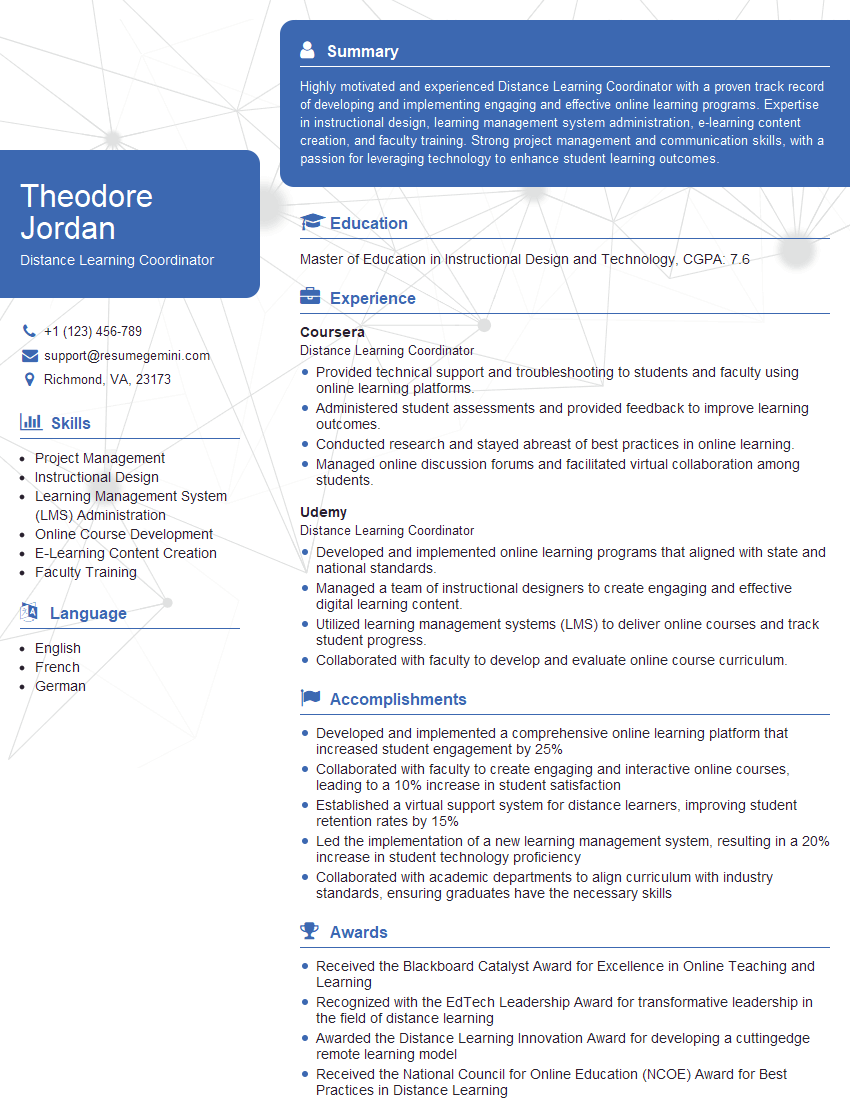
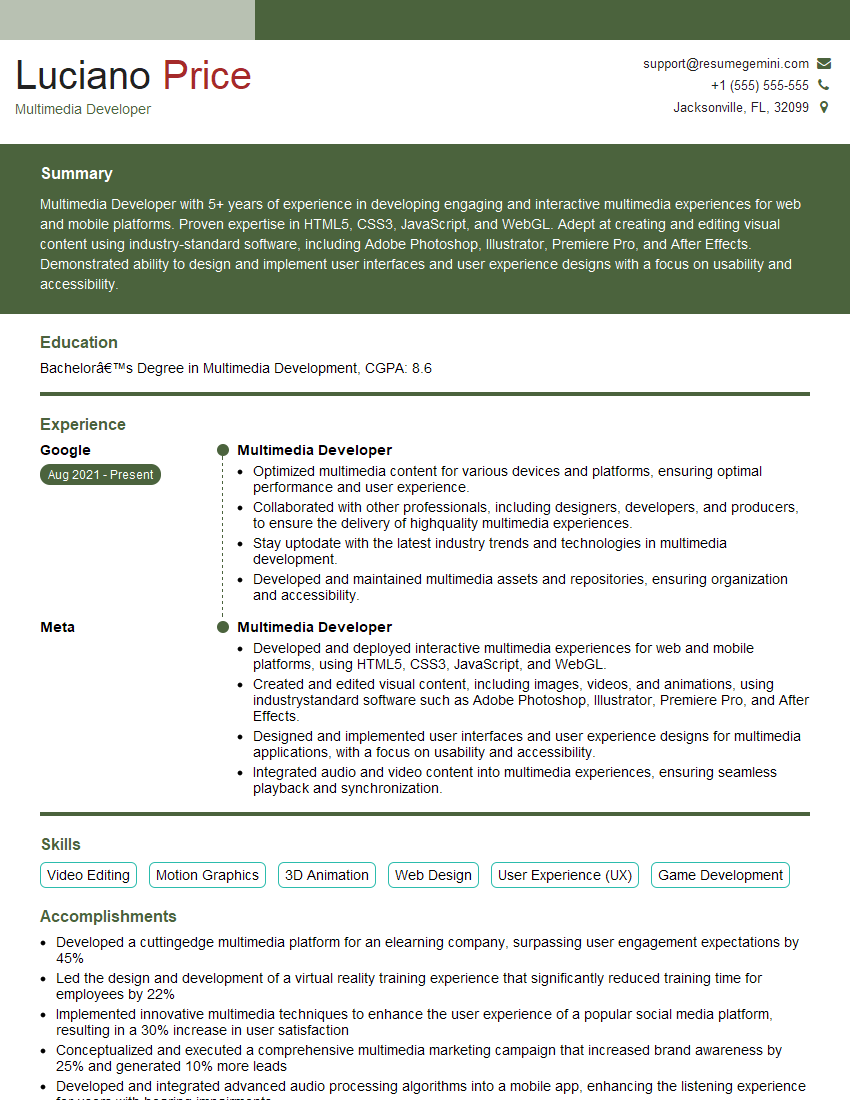
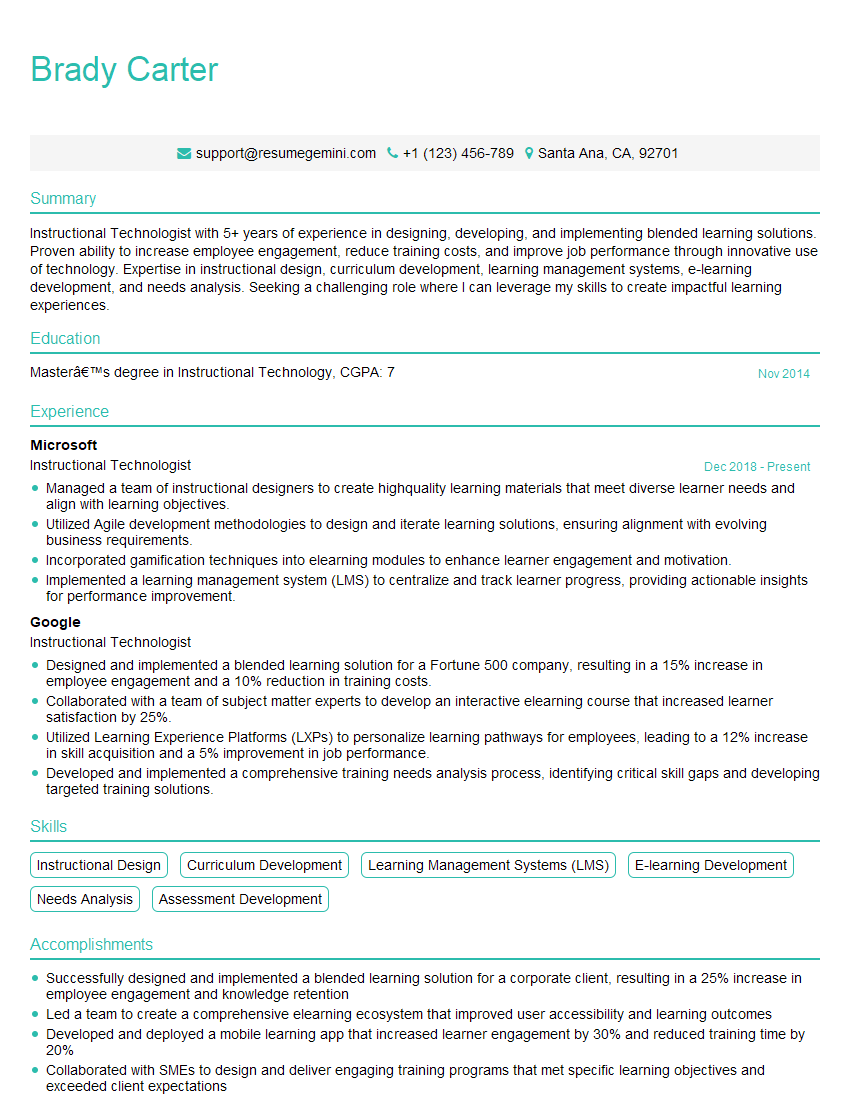
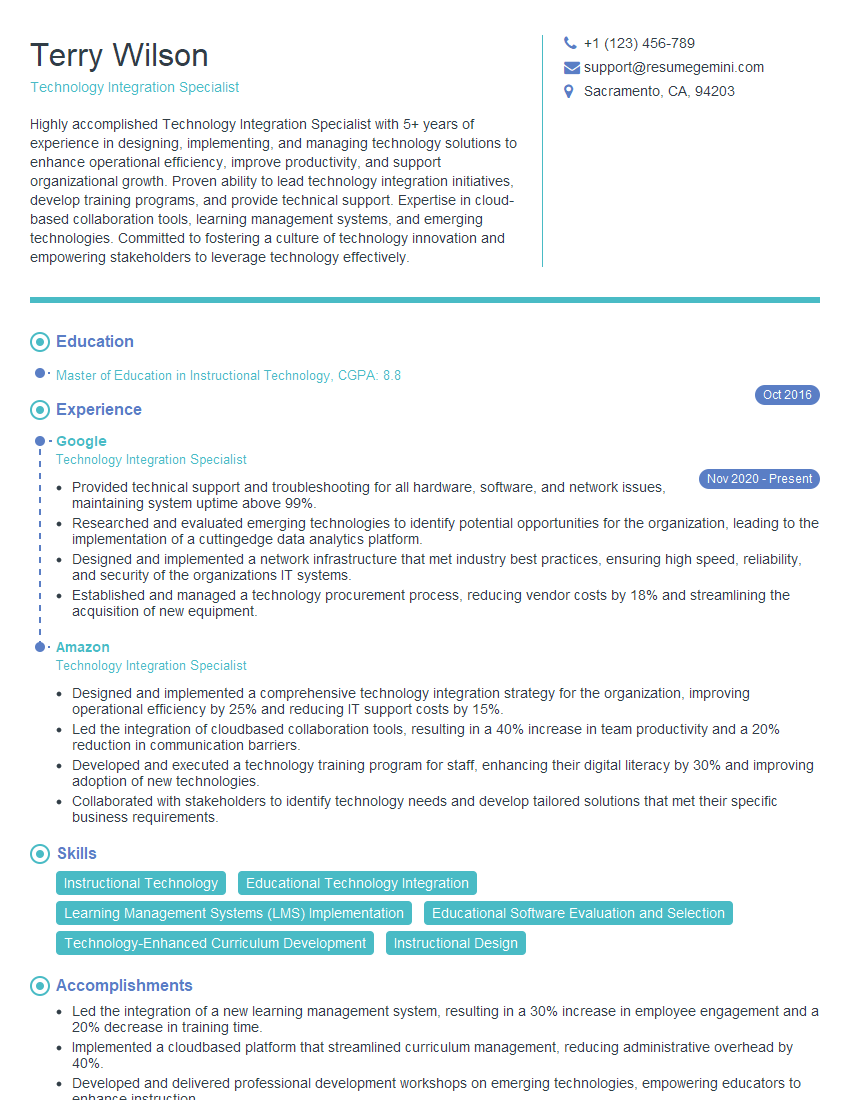
Mastering Educational Technology Implementation is crucial for career advancement in the rapidly evolving field of education. Demonstrating expertise in this area significantly enhances your value to schools and organizations. To maximize your job prospects, create a compelling and ATS-friendly resume that highlights your skills and experience effectively. ResumeGemini is a trusted resource that can help you build a professional resume tailored to your specific needs. Examples of resumes tailored to Educational Technology Implementation are available, showcasing the best practices for presenting your qualifications.


Explore more articles
Users Rating of Our Blogs
Share Your Experience
We value your feedback! Please rate our content and share your thoughts (optional).
What Readers Say About Our Blog
I Redesigned Spongebob Squarepants and his main characters of my artwork.
https://www.deviantart.com/reimaginesponge/art/Redesigned-Spongebob-characters-1223583608
IT gave me an insight and words to use and be able to think of examples
Hi, I’m Jay, we have a few potential clients that are interested in your services, thought you might be a good fit. I’d love to talk about the details, when do you have time to talk?
Best,
Jay
Founder | CEO