Are you ready to stand out in your next interview? Understanding and preparing for Esri ArcGIS and QGIS Proficient interview questions is a game-changer. In this blog, we’ve compiled key questions and expert advice to help you showcase your skills with confidence and precision. Let’s get started on your journey to acing the interview.
Questions Asked in Esri ArcGIS and QGIS Proficient Interview
Q 1. Explain the difference between vector and raster data.
Vector and raster data are the two fundamental ways to represent geographic information in GIS. Think of it like this: vector data is like a detailed drawing, while raster data is like a photograph.
Vector data stores geographic features as points, lines, and polygons, each defined by its coordinates. This means each feature has precise geometry. For example, a road would be represented as a series of connected line segments, a building as a polygon, and a fire hydrant as a point. Vector data is excellent for storing discrete features and allows for accurate measurements and analysis of individual features.
Raster data, on the other hand, represents geographic information as a grid of cells or pixels, each with an assigned value. This value can represent elevation, temperature, land cover, or any other continuous phenomenon. A satellite image is a classic example of raster data. Raster data is good for representing continuous phenomena, but it can be less precise in representing individual features.
- Vector Strengths: Precise geometry, good for discrete features, scalable, smaller file sizes for the same level of detail
- Vector Weaknesses: Can become computationally expensive with very large datasets, not ideal for continuous phenomena
- Raster Strengths: Good for representing continuous phenomena, readily available from remote sensing, relatively simple data structure
- Raster Weaknesses: Lower resolution than vector data, larger file sizes than vector data for similar coverage
Choosing between vector and raster depends entirely on the nature of the data and the type of analysis you intend to perform.
Q 2. Describe your experience with georeferencing.
Georeferencing is the process of assigning geographic coordinates (latitude and longitude) to an image or map that doesn’t have them. Think of it as giving a map a location on Earth. I’ve extensive experience using both ArcGIS and QGIS Pro for this. My approach typically involves identifying control points—points with known coordinates—on the image and corresponding points on a reference map. These points could be landmarks, intersections, or any identifiable feature present in both datasets.
In ArcGIS, I commonly use the Georeferencing toolbar, carefully selecting control points and applying various transformation methods (polynomial, affine, etc.) depending on the image’s distortion. I assess the accuracy using the Root Mean Square Error (RMSE), aiming for a value as low as possible to ensure a high-quality georeferencing process. In QGIS, the Georeferencing tool offers a similar workflow, with options to select transformation methods and adjust control point weights.
For example, I once georeferenced a historical aerial photograph of a city to create a historical map layer. I used landmarks such as major road intersections and recognizable buildings as control points, achieving an RMSE of less than 0.5 meters, indicating high accuracy.
Q 3. How do you handle spatial data projections in ArcGIS/QGIS?
Spatial data projections define how 3D spherical earth data is represented on a 2D map. Handling projections correctly is crucial for accurate spatial analysis. Both ArcGIS and QGIS provide robust tools for managing projections.
In ArcGIS, the ‘Project’ tool allows for easy conversion between different coordinate systems. I often use the Project tool to reproject layers into a common projection before performing any spatial analysis, ensuring that the spatial relationships are correctly maintained. For example, if I’m working with a dataset using UTM Zone 10 and another dataset using NAD83, I would reproject one of them to match the other before overlaying them.
Similarly, QGIS has a ‘Reproject layer’ tool with a user-friendly interface to define the target coordinate system. I often use QGIS to dynamically reproject layers ‘on the fly’, meaning the data itself isn’t changed, but it is displayed in the chosen projection. This is advantageous for viewing data in different projections without altering the original datasets.
Understanding the implications of projection choices, particularly the distortions introduced by different map projections, is essential for making informed decisions about data handling.
Q 4. What are the common file formats used in GIS, and their strengths and weaknesses?
Numerous file formats are used in GIS, each with its strengths and weaknesses:
- Shapefile (.shp): A widely used vector format. Strengths: Simple, widely supported. Weaknesses: Not a single file; requires multiple files (.shx, .dbf, .prj) to function; limited attribute data types.
- GeoJSON (.geojson): A text-based vector format. Strengths: Open standard, lightweight, human-readable, easy to integrate with web applications. Weaknesses: Can become large with complex features.
- GeoDatabase (.gdb): ArcGIS’s native geospatial database format. Strengths: Powerful data management capabilities, supports various data types and complex relationships. Weaknesses: Proprietary to ArcGIS.
- GeoPackage (.gpkg): An open, self-contained format supporting both vector and raster data. Strengths: Open standard, single-file format, well-suited for mobile and web applications. Weaknesses: Relatively newer, adoption is still growing.
- TIFF (.tif): A common raster format. Strengths: Widely supported, supports various compression methods. Weaknesses: Large file sizes, can be complex to handle many different metadata.
- Erdas Imagine (.img): Proprietary raster format from Hexagon Geospatial. Strengths: Supports high-resolution imagery. Weaknesses: Proprietary.
The choice of file format often depends on the software used, the data type, and the intended use. Interoperability is a critical factor, and selecting widely supported formats whenever possible reduces compatibility issues.
Q 5. Explain your understanding of spatial analysis techniques (e.g., buffering, overlay, proximity analysis).
Spatial analysis techniques unlock valuable insights from geographic data. I have extensive experience using buffering, overlay, and proximity analysis in both ArcGIS and QGIS.
- Buffering: Creates zones around features. For example, creating a buffer around a river to identify the flood-prone area or a buffer around schools to evaluate proximity to hazardous waste sites.
- Overlay: Combines multiple layers to derive new information. An example is overlaying land-use maps and soil maps to identify areas suitable for specific land uses. Overlay techniques include intersect, union, and erase. I often use these for suitability modeling or identifying areas of overlap.
- Proximity Analysis: Determines the distance between spatial features. This could be used to find the nearest hospital from a given location or determining the service area of a cell tower. This commonly includes tools like near analysis, distance matrix, and spatial join.
These techniques are frequently used in various applications such as urban planning, environmental modeling, and public health analysis. The specific approach and tools used are tailored to the problem and data.
Q 6. How do you perform data cleaning and pre-processing in ArcGIS/QGIS?
Data cleaning and pre-processing is essential for accurate and reliable GIS analysis. It involves identifying and correcting errors, inconsistencies, and inaccuracies in the data. My workflow typically includes:
- Error detection: Identifying spatial errors like topology errors (e.g., overlapping polygons, dangling lines), attribute errors (e.g., inconsistent data types, missing values), and coordinate errors.
- Data cleaning: Techniques such as deleting duplicates, smoothing lines, correcting geometry errors using tools like ‘repair geometry’, and filling missing attributes. In ArcGIS and QGIS Pro, I use the built-in editing and geoprocessing tools for this.
- Data transformation: This may involve changing data types, standardizing units, or transforming coordinates. This might include reprojecting data to a common coordinate system.
- Data validation: Verification of data integrity to ensure it’s accurate, reliable, and consistent with project specifications.
For example, in a recent project, I cleaned a dataset of street centerlines by identifying and fixing topology errors, removing duplicate lines, and standardizing the attribute fields. This ensured the accuracy of subsequent network analysis.
Q 7. Describe your experience with spatial databases (e.g., PostGIS, Oracle Spatial).
I have experience working with spatial databases, notably PostGIS and Oracle Spatial. These databases extend relational database management systems (RDBMS) to handle geographic data. They are powerful tools for storing, managing, and querying large spatial datasets.
PostGIS, an open-source extension to PostgreSQL, is my preferred choice for many projects due to its flexibility and cost-effectiveness. I use SQL queries to perform spatial analysis directly within the database, a highly efficient approach for large datasets. For example, I’ve used PostGIS to conduct spatial joins, buffer operations, and proximity analysis on millions of points stored in the database. The efficiency is a huge advantage over processing the data in a desktop GIS environment.
Oracle Spatial, a commercial spatial database extension, provides similar functionalities but with enterprise-level scalability and management tools. I have experience working with Oracle Spatial in projects requiring high availability and robust data management. It’s often used when dealing with massive datasets and high-performance requirements.
Working with spatial databases allows for efficient data management, streamlined analysis, and better integration with other enterprise systems.
Q 8. How do you create and manage geodatabases in ArcGIS?
Creating and managing geodatabases in ArcGIS is fundamental to any GIS project. A geodatabase is a container for spatially referenced data, offering superior data management capabilities compared to shapefiles. There are several types: file geodatabases (stored as a single file), personal geodatabases (for single-user access), and enterprise geodatabases (for multi-user, server-based environments).
To create a file geodatabase, you can use the ArcCatalog (or Catalog window in ArcGIS Pro). Simply right-click in the desired location, select ‘New’, then ‘File Geodatabase’. You’ll then name your geodatabase. For enterprise geodatabases, you’ll need to connect to the appropriate database server (e.g., SQL Server, Oracle) and create the geodatabase through the server’s administration tools.
Managing geodatabases involves tasks like adding datasets (feature classes, tables, rasters), defining relationships between them (e.g., one-to-many), applying schema changes (altering field types, adding indexes), and implementing data versioning for collaborative editing. Regular backups are essential to prevent data loss. For instance, I once worked on a project mapping infrastructure where maintaining a well-organized enterprise geodatabase with versioning was crucial for multiple teams concurrently updating the data. This ensured data consistency and minimized conflicts.
Data integrity is paramount. We employed strict data validation rules within the geodatabase to ensure accuracy and consistency, such as domain constraints for attribute fields (e.g., only allowing specific values for land-use types). This helped prevent errors and improved the overall reliability of the data.
Q 9. Explain your experience with different map projections and coordinate systems.
Map projections and coordinate systems are essential for accurately representing the Earth’s curved surface on a flat map. Choosing the right projection is crucial for the accuracy and integrity of spatial analysis. I’ve extensive experience with a variety of projections, including projected coordinate systems (like UTM, State Plane) and geographic coordinate systems (like latitude/longitude).
Geographic Coordinate Systems (GCS) use latitude and longitude to define locations on a sphere or ellipsoid. They are suitable for global datasets but can lead to distortion in area or shape when displayed on a map. Projected Coordinate Systems (PCS) transform the spherical coordinates into a flat plane, minimizing distortion within a specific area. UTM (Universal Transverse Mercator) and State Plane coordinate systems are common examples, ideal for regional or national mapping projects.
For instance, in a project involving analyzing forest cover change across a large region, I used UTM zones because they minimized distortion within each zone, enabling accurate area calculations and precise analysis of forest cover changes. Understanding the limitations of different projections is crucial. Choosing the wrong projection can result in inaccurate measurements of distances, areas, or directions and affect your analysis considerably. ArcGIS and QGIS provide a wide range of projections and the tools to reproject data to different systems.
Q 10. How do you symbolize and classify data for effective map visualization?
Effective data symbolization and classification are key to creating clear and informative maps. The goal is to visually represent data in a way that highlights patterns and trends, facilitating easy understanding of spatial relationships.
Symbolization involves choosing appropriate symbols (points, lines, polygons) and colors, sizes, and patterns to represent different features or attribute values. Classification schemes group attribute data into meaningful categories, enhancing visual clarity. Common methods include quantile, equal interval, natural breaks (Jenks), and manual classification.
For example, in a map showing population density, I might use a graduated color scheme (e.g., a color ramp from light to dark) to represent population density ranges, providing a quick visual comparison across different areas. The choice of classification method depends on the data distribution and the message you’re trying to convey. Natural breaks classification, for instance, would be ideal if the data shows distinct clusters. ArcGIS and QGIS provide many tools for applying these techniques and adjusting symbols for effective map communication. Poor symbolization can lead to misinterpretations, therefore, careful selection is crucial.
Q 11. Describe your experience using spatial queries in ArcGIS/QGIS.
Spatial queries are fundamental to GIS analysis, allowing us to select and retrieve data based on spatial relationships. In ArcGIS and QGIS, these queries use SQL-like syntax or graphical tools. Common spatial queries include selecting features based on their location (e.g., within a certain distance, intersecting a polygon), proximity analysis (finding nearest neighbors), overlay analysis (combining layers based on intersection or union), and spatial joins (linking attributes based on spatial relationships).
For example, using ArcGIS’s ‘Select By Location’ tool, I can select all buildings within 500 meters of a river. Or, I could use a spatial join to combine point data representing pollution monitoring stations with polygon data representing census tracts, adding pollution readings as attributes to each census tract. QGIS provides similar capabilities through its graphical query builder or by using the Processing Toolbox. I’ve used both extensively to address spatial questions, from finding sites suitable for new infrastructure to identifying areas affected by natural hazards.
These queries are not simply about finding data; they are tools for problem-solving. For instance, identifying areas at risk from flooding by querying land-use data to find areas within a certain distance of a river, coupled with elevation data, allows for a comprehensive flood risk assessment.
Q 12. How do you automate GIS tasks using scripting (Python, etc.)?
Automating GIS tasks using scripting (primarily Python) dramatically increases efficiency and reproducibility. ArcGIS and QGIS both support Python scripting through their APIs (Application Programming Interfaces). Scripting allows me to automate repetitive tasks, such as data processing, map creation, and geoprocessing operations.
For example, I wrote a Python script using the ArcPy library in ArcGIS to automate the process of converting a large number of shapefiles to geodatabase feature classes, applying a consistent projection and adding metadata. In QGIS, I used PyQGIS to create scripts for performing batch geoprocessing on raster datasets, such as applying atmospheric corrections and calculating vegetation indices. Using loops and conditional statements within the scripts allows to perform these operations across many datasets without manual intervention.
#Example Python script (ArcPy): import arcpy arcpy.env.workspace = r'C:/path/to/shapefiles' for fc in arcpy.ListFeatureClasses(): arcpy.Project_management(fc, r'C:/path/to/gdb/' + fc, r'C:/path/to/projection')
This basic example shows how automation can simplify complex workflows and is especially helpful when dealing with large volumes of data. This significantly saves time and minimizes potential human errors.
Q 13. Explain your experience with image processing and remote sensing techniques.
Image processing and remote sensing are crucial for extracting information from aerial and satellite imagery. My experience encompasses various techniques, including image classification, orthorectification, and change detection.
Image classification involves assigning pixels to different land cover categories based on their spectral signatures. Supervised classification uses training samples to train a classifier (e.g., maximum likelihood, support vector machines), while unsupervised classification groups pixels based on inherent statistical similarities. Orthorectification corrects geometric distortions in imagery, ensuring accurate spatial alignment. Change detection compares images over time to identify changes in land cover or other features.
I have used ENVI and ERDAS IMAGINE in addition to ArcGIS and QGIS for image processing, performing tasks such as classifying satellite imagery of deforestation to monitor changes in forest cover over time. I have also used these tools to orthorectify aerial imagery for mapping infrastructure, creating highly accurate base maps. These techniques are essential for many environmental monitoring projects, providing a powerful way to analyze and understand changes over time.
Q 14. Describe your experience with 3D GIS applications.
3D GIS applications offer powerful capabilities for visualizing and analyzing spatial data in three dimensions. My experience includes working with ArcGIS Pro’s 3D Analyst extension and QGIS’s 3D capabilities. This involves creating 3D models from various data sources (LiDAR, point clouds, DEMs), visualizing terrain and features in 3D space, and performing 3D analysis (e.g., viewshed analysis, terrain modeling, 3D network analysis).
For example, I created 3D models of urban areas using LiDAR data in ArcGIS Pro to analyze building heights and assess urban planning options. I have also worked with QGIS’s 3D capabilities to visualize underground infrastructure networks, adding value for projects involving utilities management. 3D GIS provides a more immersive and intuitive way to explore and understand spatial relationships, especially when working with complex datasets or trying to communicate spatial information to a non-technical audience. This technology is increasingly important across various disciplines from urban planning and environmental management to infrastructure planning and disaster response.
Q 15. How do you perform spatial interpolation?
Spatial interpolation is the process of estimating values at unsampled locations based on known values at sampled locations. Think of it like connecting the dots, but instead of just drawing a line, we’re creating a surface that smoothly estimates values in between.
In ArcGIS and QGIS, several methods are available, each with strengths and weaknesses. For example:
- Inverse Distance Weighting (IDW): This is a simple and widely used method. It assigns weights inversely proportional to the distance from known points. Closer points have a greater influence on the interpolated value. It’s easy to understand and implement, but can be sensitive to outliers and produce artifacts near data points.
- Kriging: A more sophisticated geostatistical method that considers both the distance and spatial autocorrelation between points. It provides estimations of uncertainty, making it suitable for applications requiring quantitative assessments of prediction error. There are several types of Kriging, including Ordinary Kriging and Universal Kriging, each with its own assumptions and applications.
- Spline interpolation: Creates a smooth surface that passes through or near the known points. Various spline methods exist offering different degrees of smoothness. It’s good for creating visually appealing surfaces, but can overfit the data in areas with sparse sampling.
The choice of method depends on the data characteristics and the desired level of accuracy. For instance, if I’m interpolating rainfall data, Kriging might be preferred due to its ability to model spatial autocorrelation. If I need a quick and easy interpolation for a visualization, IDW could suffice.
In practice, I usually start with IDW for a quick assessment then explore Kriging or splines depending on the results and specific requirements of the project. I always carefully examine the interpolated surface for artifacts and evaluate its reasonableness in the context of the known data.
Career Expert Tips:
- Ace those interviews! Prepare effectively by reviewing the Top 50 Most Common Interview Questions on ResumeGemini.
- Navigate your job search with confidence! Explore a wide range of Career Tips on ResumeGemini. Learn about common challenges and recommendations to overcome them.
- Craft the perfect resume! Master the Art of Resume Writing with ResumeGemini’s guide. Showcase your unique qualifications and achievements effectively.
- Don’t miss out on holiday savings! Build your dream resume with ResumeGemini’s ATS optimized templates.
Q 16. What is your experience with network analysis in ArcGIS/QGIS?
Network analysis is crucial for solving problems involving movement or flow along networks, such as roads, pipelines, or rivers. In both ArcGIS and QGIS, I’ve extensively used network analysis tools for tasks like:
- Routing: Finding the shortest or fastest path between two or more points on a network. For example, finding the optimal route for a delivery truck, considering factors like road speed limits and traffic.
- Service area analysis: Determining the area reachable within a specified time or distance from a given point. This is useful for assessing the coverage area of emergency services or analyzing market accessibility.
- Closest facility analysis: Identifying the closest facility to a set of incidents or locations. This could be used to determine the optimal location for a new fire station or to assign customers to their nearest service center.
- Location-allocation: Determining the optimal locations for facilities to serve a demand while minimizing the total travel distance or time. This is a complex problem, but both ArcGIS and QGIS offer tools that simplify the process significantly.
In ArcGIS, I use the Network Analyst extension, which provides a user-friendly interface and advanced capabilities. In QGIS, the Processing Toolbox offers plugins that perform similar analyses, often using the pgRouting extension for PostGIS databases.
For instance, in one project involving emergency response, I used network analysis in ArcGIS to model response times based on different scenarios, such as road closures due to natural disasters. This allowed us to make informed decisions about resource allocation and emergency preparedness.
Q 17. Explain your experience with terrain analysis.
Terrain analysis involves extracting information about elevation, slope, aspect, and other topographic characteristics from digital elevation models (DEMs). My experience spans various techniques, including:
- Slope and Aspect calculation: Determining the steepness and direction of the slope. These are fundamental parameters for many applications, including hydrology, land use planning, and erosion modeling.
- Hillshade generation: Creating a shaded relief map to enhance the visual representation of topography. This is a crucial step in map visualization, making it easier to interpret elevation changes.
- Viewshed analysis: Determining the areas visible from a particular point or line. This is essential for site selection, military planning, and communication network design.
- Hydrological analysis: Using DEMs to derive drainage networks, flow accumulation, and watershed boundaries. This is crucial for water resource management, flood prediction, and environmental impact assessment.
I’m proficient in using both ArcGIS’s Spatial Analyst and QGIS’s Processing Toolbox for terrain analysis. The specific tools and methods employed depend on the research question and the available data. For example, in a recent project involving erosion modeling, I used QGIS to calculate slope and aspect, and then integrated those outputs into a hydrological model.
Q 18. How do you assess data accuracy and quality?
Data accuracy and quality are paramount in GIS. My approach involves a multi-step process:
- Source Assessment: Evaluating the reliability and accuracy of the data source. This includes checking the metadata, considering the data collection methods, and assessing potential sources of error. Knowing the limitations of the data is essential for proper interpretation.
- Data Validation: Checking the data for inconsistencies, errors, and outliers. This often involves visual inspection using maps and tables, as well as statistical analysis. I use ArcGIS and QGIS’s tools for attribute checking, spatial queries, and topological analysis to detect errors.
- Data Cleaning: Correcting or removing erroneous data points. This might involve editing attributes, adjusting geometries, or using interpolation techniques to fill in gaps.
- Accuracy Assessment: Quantifying the accuracy of the data using metrics such as positional accuracy, completeness, and thematic accuracy. This often involves comparing the GIS data to a reference dataset of higher accuracy.
For instance, when working with cadastral data, I would compare the polygon boundaries against high-resolution imagery or ground surveys to assess positional accuracy. Any discrepancies would be documented and addressed. The process is iterative; I might identify new issues during cleaning that require additional validation.
Q 19. How do you use map algebra?
Map algebra is a powerful technique for performing spatial analysis by combining raster datasets using mathematical operators. It allows for the creation of new raster datasets based on existing ones. Think of it as performing calculations on a pixel-by-pixel basis.
In ArcGIS and QGIS, map algebra is implemented using raster calculators. These tools allow you to write expressions that combine different rasters using operators like +, -, *, /, and various spatial functions.
Example (ArcGIS/QGIS Raster Calculator):
OutputRaster = (Raster1 * 2) + Raster2
This expression multiplies the values in Raster1 by 2 and then adds the corresponding values in Raster2 to create a new raster, OutputRaster.
I’ve used map algebra extensively for tasks such as:
- Suitability analysis: Combining multiple raster datasets representing different criteria (e.g., slope, proximity to roads, soil type) to create a suitability map for a particular purpose (e.g., site selection for a wind farm).
- Change detection: Subtracting a historical raster dataset from a current dataset to identify areas of change over time.
- Surface analysis: Performing calculations on elevation data to derive parameters such as slope and aspect.
Map algebra’s flexibility allows for complex analysis and modeling. The results are visually interpretable and can be easily integrated into other GIS workflows.
Q 20. Describe your experience with versioning and geodatabase administration.
Versioning and geodatabase administration are critical for managing complex GIS projects, especially those involving multiple users and collaborative editing. In ArcGIS, I have extensive experience administering enterprise geodatabases using versioning to track changes, manage conflicts, and ensure data integrity. QGIS, while not possessing the same robust geodatabase management features as ArcGIS, allows for collaborative editing through version control systems integrated with external repositories like Git.
In ArcGIS, I’ve utilized:
- Versioning: Creating and managing different versions of a geodatabase to allow concurrent editing by multiple users without data corruption. I’m comfortable with both traditional and branch versioning.
- Geodatabase replication: Creating and synchronizing copies of a geodatabase across multiple locations. This is beneficial for distributed projects where data needs to be accessed remotely.
- Data archiving and backup: Implementing strategies for archiving and backing up geodatabases to ensure data safety and recovery.
- User and permission management: Setting appropriate access rights and permissions to control who can edit and view specific data.
I understand the importance of metadata management and geodatabase design for efficient data management and usability. My experience allows me to efficiently manage and troubleshoot complex geodatabase environments, ensuring data integrity and accessibility for all stakeholders.
Q 21. What is your experience with creating and publishing web maps and services?
Creating and publishing web maps and services is crucial for sharing GIS data and analysis results online. I have extensive experience in publishing web maps and services using both ArcGIS Online and ArcGIS Server, and QGIS Server.
In ArcGIS, I leverage ArcGIS Pro and ArcGIS Online/Server to create various map services, including:
- Feature Services: Allowing users to interact with and edit vector data online.
- Tile Services: Providing pre-rendered map tiles for fast and efficient map display.
- Image Services: Delivering raster data such as imagery and elevation models.
- Geocoding Services: Converting addresses to geographic coordinates and vice versa.
In QGIS, I’ve utilized QGIS Server to publish map services, often configuring it for various web map clients. The process involves defining appropriate server settings, setting up web map interfaces, and managing user permissions.
I am familiar with different web map standards like OGC standards (WMS, WFS, WCS) and understand how to configure the necessary parameters to make them interoperable. For example, I’ve published map services that were consumed by other applications and web portals through these standards. A key aspect of my workflow is designing user-friendly web maps with clear symbology and intuitive navigation, ensuring accessibility for diverse audiences.
Beyond publishing, I’m also experienced in customizing the web map presentation, including adding interactive elements, pop-ups, and other features to enhance user engagement.
Q 22. How would you handle conflicting data from different sources?
Handling conflicting data from different sources is a critical aspect of any GIS project. It often involves inconsistencies in attribute data, differing geometries, or discrepancies in spatial referencing. My approach is systematic and involves several steps:
- Data Assessment: I begin by thoroughly examining each dataset, identifying its source, accuracy, and potential limitations. This includes checking projection systems, coordinate systems, and data formats. For instance, I might find one dataset using WGS84 and another using UTM Zone 10.
- Data Reconciliation: Next, I focus on resolving conflicts. This might involve:
- Attribute discrepancies: For conflicting attribute values (e.g., different spellings of street names), I use data cleaning techniques and may create a standardized lookup table to harmonize the data. I might utilize ArcGIS’s field calculator or QGIS’s processing tools for batch updates.
- Geometric inconsistencies: If there are overlapping or slightly offset polygons, I might use spatial analysis tools like intersect or erase in ArcGIS or QGIS to identify and resolve these conflicts. I would carefully assess the precision of the data and apply appropriate spatial adjustments. For example, I might buffer polygons slightly to account for minor discrepancies, especially in data sourced from different years or mapping agencies.
- Projection differences: I ensure all data is projected into a consistent coordinate system using ArcGIS’s Project tool or QGIS’s Reproject Layer function. It’s crucial to choose a suitable projection appropriate for the area of interest.
- Data Integration: Once inconsistencies are minimized, I integrate the datasets using tools such as ArcGIS’s Join or Relate tools, or QGIS’s join functionalities. The choice of integration method depends on the nature of the data and the desired outcome.
- Quality Control: Finally, I perform rigorous quality control checks using visual inspection, spatial analysis, and statistical summaries to verify data accuracy and consistency after integration. This helps to flag any residual issues that may require further attention.
For example, in a project involving land-use data from different agencies, I’ve successfully integrated conflicting data by creating a common attribute field for land-use classification, harmonizing inconsistent values, and using spatial analysis to identify and resolve geometric discrepancies.
Q 23. Describe your experience with GIS software integration.
I have extensive experience integrating various GIS software, primarily ArcGIS Pro and QGIS. My experience extends beyond simple data transfers and involves sophisticated workflows that leverage the strengths of each platform. I’ve successfully integrated data from sources such as:
- Raster datasets: Working with high-resolution satellite imagery in ERDAS Imagine and then seamlessly integrating the processed data into ArcGIS Pro for further analysis and cartography.
- Vector data: Importing and exporting data between ArcGIS and QGIS using various formats (shapefiles, geodatabases, GeoPackage). I’ve also utilized FME Desktop for more complex data transformations between different GIS platforms and non-GIS software.
- Databases: Connecting to spatial databases (PostgreSQL/PostGIS, Oracle Spatial) from both ArcGIS and QGIS to perform queries and spatial analyses. This is especially useful when working with large-scale datasets.
- Cloud platforms: I’m familiar with working with cloud-based GIS services like ArcGIS Online and integrating data from cloud storage services (e.g., Amazon S3, Google Cloud Storage). This has been especially critical for large-scale collaborative projects.
A recent project involved integrating a CAD drawing of a utility network from AutoCAD with spatial data in a municipal geodatabase using FME. This allowed for efficient data transformation and ensured that the data was consistent with other datasets.
Q 24. What are your troubleshooting skills when working with large datasets?
Troubleshooting large datasets requires a systematic approach and a deep understanding of both hardware and software limitations. My troubleshooting strategy involves:
- Data Diagnostics: I begin by thoroughly examining the dataset’s structure, size, and attribute information. This includes checking for data errors, null values, and inconsistencies.
- Performance Analysis: If performance issues arise, I identify bottlenecks by analyzing system resource usage (CPU, memory, disk I/O). Tools like ArcGIS Pro’s performance analysis tools or QGIS’s processing logs can pinpoint the root cause.
- Data Subsetting: For computationally intensive tasks, I create subsets of the data to streamline processing and debugging. This allows for quicker identification of problems without the overhead of processing the full dataset.
- Data Optimization: I employ techniques to optimize the dataset for faster processing. This includes creating indexes, using appropriate data types, and employing spatial indexing. I’m well-versed in techniques like spatial partitioning in PostGIS to optimize database queries.
- Hardware Considerations: I assess hardware limitations. For extremely large datasets, increasing RAM, using SSDs, or utilizing a more powerful machine or a cloud-based computing environment may be necessary.
- Software Configuration: I verify software configuration, ensuring sufficient memory allocation, adequate processing cores, and the absence of conflicts with other running applications. I’m experienced in working with both desktop and server versions of GIS software.
For example, in a project with a massive point cloud dataset, I successfully resolved performance issues by optimizing data storage using a tile-based approach, reducing the load on system resources. Also, I’ve dealt with memory errors by carefully configuring ArcGIS’s environment and reducing the number of layers open simultaneously.
Q 25. How familiar are you with the concept of metadata?
Metadata is crucial for data discoverability, understandability, and reusability. It provides comprehensive information about a dataset, including its origin, creation date, content, accuracy, limitations, and associated contacts. I’m very familiar with various metadata standards, including FGDC and ISO 19139. My experience involves:
- Creating metadata: I routinely create detailed metadata records for all my datasets, ensuring they adhere to relevant standards. I leverage the metadata capabilities within ArcGIS Pro and QGIS to streamline this process.
- Managing metadata: I understand the importance of maintaining consistent and accurate metadata throughout a project’s lifecycle. I employ best practices for metadata updates and version control.
- Using metadata for data discovery: I use metadata catalogs and search engines to discover and evaluate datasets for GIS projects. This is critical for efficient data selection and integration.
- Metadata quality control: I understand that metadata quality is crucial and routinely review metadata records for completeness and accuracy.
A recent project required me to search for suitable land cover datasets. Thorough metadata review helped me identify and select datasets meeting the required quality standards and spatial resolution. Properly documented metadata facilitated a smooth integration into the project workflow.
Q 26. Describe your experience with open-source GIS software (e.g., QGIS).
I have extensive experience with QGIS, utilizing it for a wide range of tasks, including data management, spatial analysis, and cartography. My proficiency includes:
- Data processing: I routinely use QGIS for tasks such as data cleaning, transformation, and projection changes. I’m comfortable utilizing the processing toolbox for batch processing and automation.
- Spatial analysis: I employ QGIS for various spatial analyses including overlay analysis, network analysis, and geoprocessing functions. The flexibility of plugins enhances its capabilities significantly. For instance, the ‘Processing Toolbox’ with its numerous algorithms provides a comprehensive suite of analysis tools.
- Cartography and visualization: I create high-quality maps using QGIS’s cartographic tools. I’m proficient in designing map layouts, selecting appropriate symbology, and generating maps for various purposes. I’m comfortable with utilizing different map projections for improved accuracy and presentation.
- Plugin utilization: I’m familiar with various QGIS plugins that expand the software’s functionality. For instance, I’ve used plugins for raster processing, remote sensing analysis, and specialized geospatial operations that aren’t available in the core application.
In one project, I used QGIS to analyze spatial patterns of disease outbreaks, leveraging its powerful spatial analysis tools and customization options to tailor the analysis to specific needs. The open-source nature of QGIS allowed me to easily share my work and methods with collaborators.
Q 27. How would you explain a complex spatial analysis project to a non-technical audience?
Explaining a complex spatial analysis project to a non-technical audience requires a clear and concise approach focusing on the problem and its solution rather than technical details. I would use a storytelling approach:
- Start with the problem: Explain the real-world issue that the project addresses in simple terms. For example, if the project involves analyzing traffic congestion, I’d explain the problem of traffic jams and their negative impact.
- Describe the data: Explain the different data sources used, such as maps, GPS data, census data, etc., in a relatable way. Analogy: Just like a detective uses clues to solve a mystery, we use data to understand the situation.
- Illustrate the analysis: Show visuals, such as maps and charts, to illustrate the findings of the analysis and focus on interpreting the results – avoid complex equations or jargon. Use simple language. For instance, instead of ‘spatial autocorrelation,’ describe the clustering of traffic congestion.
- Highlight the results: Explain the key findings in a clear and concise manner and how these findings relate to the initial problem. For example, ‘The analysis shows that traffic congestion is worse in areas with limited public transport.’
- Discuss the implications: Explain the implications of the findings in terms of potential solutions or actions. For example, ‘These results suggest investing in public transport infrastructure could alleviate traffic congestion.’
Using clear analogies, avoiding technical terms, and focusing on the practical implications of the analysis makes the project easily understandable for a non-technical audience.
Q 28. What are your experience with different map layouts and design principles?
I have extensive experience with different map layouts and design principles, aiming to create clear, informative, and visually appealing maps. My approach involves:
- Understanding the audience: I consider the target audience and tailor the map’s complexity and design accordingly. A map for a scientific audience will differ from a map for the general public.
- Selecting appropriate map projections: I choose the most appropriate map projection based on the spatial extent and the purpose of the map, ensuring minimal distortion. For example, Albers Equal Area projection for large areas and UTM for smaller regions.
- Employing effective symbology: I use clear and consistent symbology, employing color schemes and patterns to communicate information effectively. I use colorblind-friendly palettes and follow established cartographic conventions.
- Balancing elements: I balance text, graphics, and map features to create a visually appealing and easily understandable layout. I incorporate appropriate labels, legends, scale bars, and north arrows.
- Adhering to cartographic principles: I follow established principles of cartographic design, including principles of visual hierarchy, Gestalt principles, and map generalization.
- Utilizing GIS software effectively: I leverage the map layout capabilities in both ArcGIS Pro and QGIS to create and edit map layouts efficiently. I’m proficient in using templates, styles, and annotations to maintain consistency and efficiency.
For example, in a project mapping flood risk zones, I used a visually distinct color scheme to highlight areas with different levels of risk, ensuring easy interpretation of flood vulnerability. The map layout also included detailed legends, a scale bar, and a north arrow for easy navigation.
Key Topics to Learn for Esri ArcGIS and QGIS Proficient Interview
- Data Management: Understanding data formats (shapefiles, geodatabases, GeoPackage), data import/export, and geoprocessing techniques in both ArcGIS and QGIS. Consider practical applications like data cleaning, projection transformations, and attribute manipulation.
- Spatial Analysis: Mastering spatial analysis tools such as overlay analysis (intersect, union, clip), proximity analysis (buffering, nearest neighbor), and network analysis. Practice applying these techniques to solve real-world problems, like identifying optimal locations or analyzing spatial relationships.
- Cartography and Visualization: Developing effective map layouts, choosing appropriate symbology, and creating visually appealing and informative maps. Explore different cartographic principles and techniques in both platforms to showcase your ability to communicate spatial information clearly.
- Geoprocessing and Automation: Familiarize yourself with scripting or model building capabilities (Python in ArcGIS, Processing Toolbox in QGIS) to automate repetitive tasks and improve workflow efficiency. Think about how you would automate a common GIS task.
- Raster Data Handling: Working with raster datasets (satellite imagery, DEMs), including image processing techniques like classification, raster calculations, and image enhancement. Prepare examples of your experience using raster data in projects.
- Coordinate Systems and Projections: A strong understanding of different coordinate systems and map projections and their implications for spatial analysis. Be ready to discuss projection transformations and their impact on data accuracy.
- Database Integration: Connecting GIS software to databases (PostgreSQL/PostGIS, SQL Server) for data management and analysis. Consider examples of how you’ve integrated spatial and attribute data.
- GIS Software Comparison: Understand the strengths and weaknesses of both ArcGIS and QGIS, and be prepared to discuss scenarios where one platform might be more suitable than the other.
Next Steps
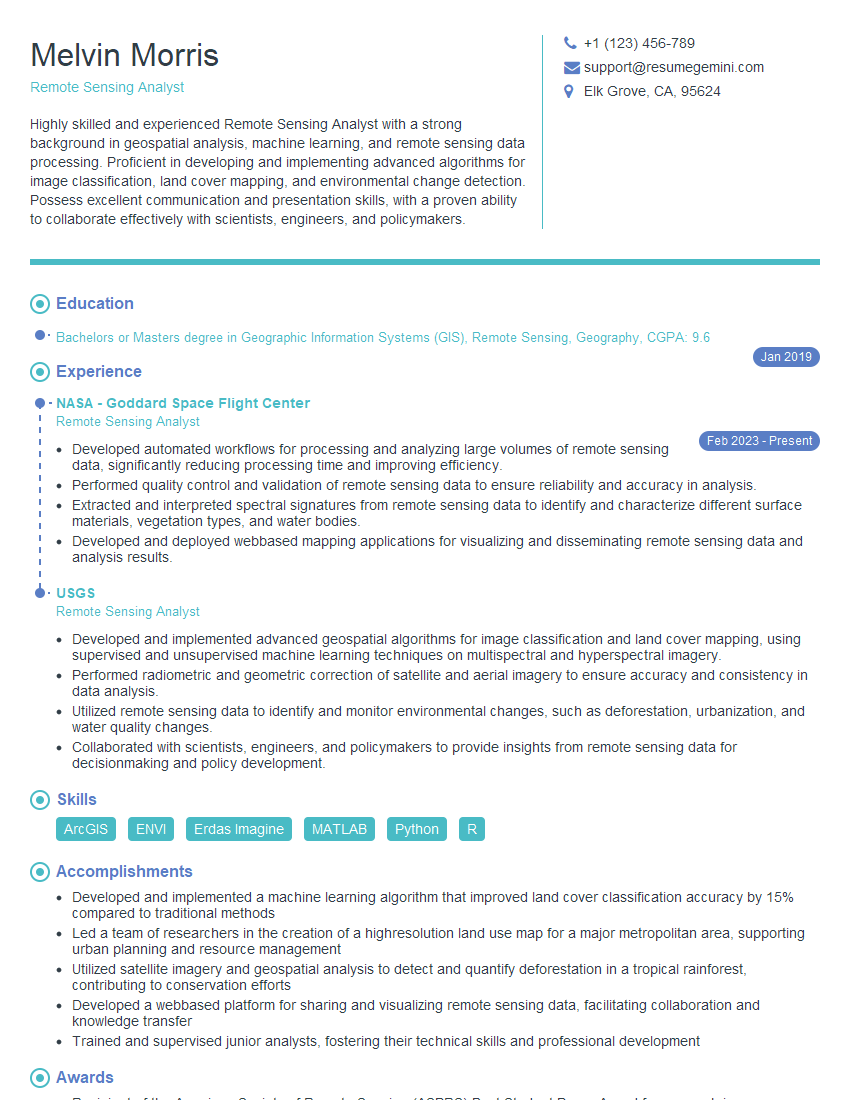
Mastering Esri ArcGIS and QGIS Proficient significantly enhances your career prospects in the geospatial industry, opening doors to diverse and exciting roles. To maximize your job search success, focus on creating an ATS-friendly resume that effectively highlights your skills and experience. ResumeGemini is a trusted resource that can help you build a professional and impactful resume. They provide examples of resumes tailored to Esri ArcGIS and QGIS Proficient expertise, allowing you to craft a document that catches the eye of recruiters and hiring managers.


Explore more articles
Users Rating of Our Blogs
Share Your Experience
We value your feedback! Please rate our content and share your thoughts (optional).
What Readers Say About Our Blog
I Redesigned Spongebob Squarepants and his main characters of my artwork.
https://www.deviantart.com/reimaginesponge/art/Redesigned-Spongebob-characters-1223583608
IT gave me an insight and words to use and be able to think of examples
Hi, I’m Jay, we have a few potential clients that are interested in your services, thought you might be a good fit. I’d love to talk about the details, when do you have time to talk?
Best,
Jay
Founder | CEO