Interviews are more than just a Q&A session—they’re a chance to prove your worth. This blog dives into essential Film and Digital Asset Management interview questions and expert tips to help you align your answers with what hiring managers are looking for. Start preparing to shine!
Questions Asked in Film and Digital Asset Management Interview
Q 1. Explain your experience with different Digital Asset Management (DAM) systems.
My experience spans several DAM systems, each with its strengths and weaknesses. I’ve worked extensively with industry-standard solutions like Adobe Experience Manager (AEM), Bynder, and Canto. I’ve also used smaller, more specialized systems tailored to specific workflows. AEM, for instance, is powerful for large enterprises managing vast quantities of assets and requiring tight integration with other Adobe Creative Cloud applications. Its robust metadata capabilities and workflow automation features are unmatched. Bynder, on the other hand, excels in its user-friendly interface, making it ideal for teams requiring a simpler, more intuitive experience. My experience with these various systems allows me to quickly adapt to new platforms and leverage the best features for each project’s unique needs. I understand the importance of choosing the right DAM system based on factors like budget, team size, asset volume, and integration requirements.
Q 2. Describe your workflow for ingesting and organizing digital assets.
My ingestion and organization workflow begins with a clearly defined naming convention. This ensures consistency and searchability from the start. Think of it like a well-organized library – you wouldn’t want to randomly shelve books! Next, I use a robust metadata schema; I tag assets with detailed information including keywords, descriptions, project names, clients, and copyright details. This metadata is crucial for efficient retrieval later. For high-volume ingestion, I leverage automated tools and scripts to streamline the process. The assets are then categorized within the DAM system using a hierarchical folder structure that mirrors the project or client organization. Regular audits ensure consistent application of the naming conventions and metadata schema, maintaining the system’s integrity and preventing future issues.
Q 3. How do you ensure the metadata for your assets is accurate and consistent?
Accuracy and consistency in metadata are paramount. I employ a combination of strategies to ensure this. First, I create and enforce detailed metadata templates within the DAM system, providing clear guidelines and instructions for asset tagging. These templates guide users towards consistently entering crucial information. Second, I implement regular quality control checks – reviewing tagged assets to catch inconsistencies and errors early on. For larger projects, we might even incorporate a peer review process. Finally, I leverage controlled vocabularies and taxonomies to prevent variations in keyword usage. Imagine using a thesaurus for your DAM; it promotes consistent labeling and better search results. This systematic approach dramatically reduces errors and improves the long-term usability of the asset library.
Q 4. What strategies do you use for managing large volumes of high-resolution media?
Managing large volumes of high-resolution media requires a multi-pronged approach. First, we employ lossless compression techniques (like TIFF or PNG for images) where appropriate to reduce file sizes without sacrificing quality. For video, we optimize codecs and resolutions for different delivery platforms. Next, a well-structured DAM system with robust storage and delivery capabilities is crucial. Cloud-based solutions are often the best choice, offering scalable storage and faster access. Finally, employing a proxy-based system, generating low-resolution previews for quicker browsing and review, significantly improves workflow efficiency. Only the high-resolution masters are accessed when needed, optimizing performance and reducing bandwidth consumption. This combination of smart compression and a scalable storage strategy ensures smooth handling of even the largest media libraries.
Q 5. How do you handle version control and asset revisions?
Version control is managed directly within the DAM system. Each new version of an asset is clearly labelled and stored, maintaining a complete history of revisions. We use clear version naming conventions (e.g., ‘filename_v1.jpg’, ‘filename_v2.jpg’) and comprehensive version notes detailing the changes made. This ensures transparency and enables easy tracking of modifications. Furthermore, the DAM system allows for the setting of approval workflows, ensuring only authorized versions are accessible or published. This systematic approach minimizes confusion and errors related to utilizing outdated or incorrect versions of assets.
Q 6. Explain your experience with different file formats and codecs.
My experience encompasses a wide range of file formats and codecs. For images, I work regularly with JPEG, TIFF, PNG, and GIF, selecting the optimal format based on the asset’s intended use and quality requirements. For video, I’m proficient with codecs such as H.264, H.265 (HEVC), and ProRes, understanding their compression characteristics and suitability for various delivery platforms and workflows. I’m also familiar with various audio formats, including WAV, MP3, and AAC. The choice of format and codec heavily influences file size, quality, and compatibility, hence understanding their nuances is critical for efficient asset management and delivery.
Q 7. How do you prioritize asset delivery requests under tight deadlines?
Prioritizing asset delivery requests under tight deadlines requires a clear and organized approach. First, I utilize the DAM system’s search and filtering capabilities to quickly locate the needed assets. Then, I prioritize requests based on urgency and importance, often employing a ticketing system or project management software to track requests and their status. Communication is key; I keep stakeholders informed about the delivery timeline and any potential issues. In situations requiring extremely rapid delivery, we might leverage automated delivery workflows, streamlining the process and reducing manual intervention. Careful planning and effective communication are crucial for successfully managing and meeting tight deadlines.
Q 8. Describe your experience with cloud-based storage solutions for media assets.
Cloud-based storage for media assets is crucial for scalability, accessibility, and collaboration. I’ve extensive experience with platforms like Amazon S3, Azure Blob Storage, and Google Cloud Storage. These services offer robust solutions for managing massive amounts of video, audio, and image files.
My workflow typically involves setting up a well-defined folder structure within the cloud storage, often mirroring our internal project organization. This allows for easy navigation and retrieval. We also employ version control, keeping track of every iteration of an asset, which is critical for post-production work. For example, a project might have a folder for ‘raw footage,’ ‘edited footage,’ ‘final renders,’ and so on. Further, we leverage cloud-based services for transcoding and delivery of files, often integrating them with our Digital Asset Management (DAM) system for automated workflows.
A key advantage is the scalability – we can easily adapt storage capacity to meet the demands of projects of any size. For instance, a small documentary might require only a few terabytes, whereas a large feature film could necessitate petabytes of storage, and cloud services gracefully handle this growth.
Q 9. How do you ensure the security and integrity of your digital assets?
Security and integrity are paramount. My approach is multi-layered. First, we employ strong access controls, using role-based permissions within the cloud storage and DAM system. This means only authorized personnel can access specific assets and perform specific actions. For instance, editors might have read and write access to project folders, while producers might only have read-only access.
Second, we utilize encryption both in transit and at rest. This ensures that data is protected even if it’s intercepted or the storage system is compromised. We often combine client-side encryption with server-side encryption for an extra layer of security. Third, regular data backups and disaster recovery plans are essential. We utilize automated backups to a separate geographic location to protect against data loss due to hardware failure or natural disasters. This is a crucial part of our Business Continuity Plan. Finally, regular security audits and penetration testing identify vulnerabilities and ensure our systems are up-to-date with the latest security patches.
Q 10. What are your preferred methods for searching and retrieving assets within a DAM system?
Efficient search and retrieval are essential. My preferred methods leverage a combination of metadata tagging and robust search functionality within our DAM system. We use a combination of automated and manual metadata tagging. Automated methods extract basic metadata (like file type and size), while manual tagging adds rich metadata (keywords, descriptions, scene information, etc.). This allows us to find assets through a variety of search parameters.
For example, I might search for "sunset shot, wide angle, location: California" to quickly find a specific shot. The DAM system’s faceted search capability also allows us to refine the search further by narrowing down the results by date, camera, or other relevant metadata. Furthermore, many DAM systems offer full-text search capabilities that allow for searching within file names, descriptions, and other textual metadata. This combined approach drastically reduces search time and increases team efficiency.
Q 11. Explain your understanding of different metadata schemas (e.g., Dublin Core, IPTC).
Metadata schemas provide a standardized way of describing assets. I’m familiar with several, including Dublin Core and IPTC. Dublin Core is a simple, widely adopted schema that includes elements like title, creator, subject, description, and date. It’s great for basic descriptive metadata. IPTC (International Press Telecommunications Council) is more extensive, particularly useful for journalistic and photographic workflows. It includes more detailed information like copyright details, keywords, and location data.
Choosing the right schema depends on the context. For a simple personal archive, Dublin Core might suffice. However, for a professional production environment, a more comprehensive schema like IPTC, or even a custom schema tailored to our specific needs, could be much more efficient. Consistent use of a well-defined schema is crucial for interoperability and long-term asset manageability. Using a consistent schema makes it easier to integrate metadata across different systems and workflows, thereby improving efficiency and reducing errors.
Q 12. How do you collaborate effectively with editors, producers, and other stakeholders?
Effective collaboration is crucial. We utilize the DAM system as a central hub for communication and asset sharing. Editors and producers can access approved assets directly through the system. The system’s version control features prevent confusion caused by multiple revisions. We regularly hold project meetings and leverage project management software integrated with the DAM system to keep track of tasks and deadlines.
Communication tools like internal messaging systems and video conferencing software are used to facilitate quick clarification and feedback. For example, an editor can directly message the producer through the DAM system to get approval for a particular version of a scene or to ask for clarification on usage rights. Clear communication protocols, role-based permissions, and a central repository of assets are key to maintaining a streamlined collaborative environment. The DAM system becomes the ‘single source of truth’ for all assets related to a project.
Q 13. Describe your experience with asset transcoding and conversion processes.
Asset transcoding and conversion are essential for delivering assets in various formats. We use automated transcoding workflows, often integrated with our cloud storage and DAM system. This allows for creating different versions of the same asset for different platforms or purposes. For example, a high-resolution master file is stored for archival purposes, while lower-resolution proxies are created for editing and web distribution.
We typically use cloud-based transcoding services that offer scalability and efficiency. These services allow us to convert files to a wide range of formats, including H.264, H.265, ProRes, and more, tailoring the codec and resolution to the specific needs of the target platform. The automated nature of these systems reduces manual work and accelerates our overall workflow.
Q 14. How do you handle copyright and licensing issues related to digital assets?
Copyright and licensing are critical considerations. We maintain a robust system for tracking the copyright status of each asset, including licenses and usage rights. This information is meticulously documented within the metadata associated with each asset in our DAM system. Before incorporating an asset into a project, we carefully review its licensing agreement to ensure we have the necessary permissions for its intended use.
For assets where we don’t own the copyright, we ensure that we obtain written permission and maintain copies of those agreements within the DAM system for auditing purposes. We also train our team on copyright best practices and guidelines to minimize the risk of infringement. This rigorous approach ensures compliance with copyright laws and prevents any potential legal issues.
Q 15. How do you troubleshoot technical issues related to media storage and access?
Troubleshooting technical issues in media storage and access requires a systematic approach. I begin by identifying the specific problem – is it a network connectivity issue, a storage device failure, a permissions problem, or something else entirely?
My troubleshooting process typically involves these steps:
- Initial Assessment: Gathering information about the error message, the affected users or systems, and the timing of the issue.
- Connectivity Checks: Verifying network connectivity using tools like
pingandtraceroute. I’ll also check server logs for any network-related errors. - Storage Device Diagnostics: If the issue points to a storage device (SAN, NAS, or local drive), I’ll use built-in diagnostic tools and system monitoring software to assess disk health, I/O performance, and capacity usage.
- Permission Analysis: I’ll examine user and group permissions to ensure appropriate access rights are granted to all relevant users and applications.
- Log Analysis: Reviewing application and system logs to pinpoint the root cause. This often involves correlating events across multiple logs.
- System Resource Monitoring: Checking CPU, memory, and disk I/O utilization to identify resource bottlenecks.
- Database Integrity Checks (if applicable): For systems using databases to manage metadata, I’ll run database integrity checks to rule out corruption.
- Testing and Validation: After implementing a fix, thorough testing is crucial to ensure the problem is resolved and doesn’t reoccur.
For instance, I once resolved a slow access issue by identifying a faulty network switch causing latency; replacing the switch immediately restored performance.
Career Expert Tips:
- Ace those interviews! Prepare effectively by reviewing the Top 50 Most Common Interview Questions on ResumeGemini.
- Navigate your job search with confidence! Explore a wide range of Career Tips on ResumeGemini. Learn about common challenges and recommendations to overcome them.
- Craft the perfect resume! Master the Art of Resume Writing with ResumeGemini’s guide. Showcase your unique qualifications and achievements effectively.
- Don’t miss out on holiday savings! Build your dream resume with ResumeGemini’s ATS optimized templates.
Q 16. Explain your experience with asset archival and long-term storage strategies.
Asset archival and long-term storage are critical for maintaining access to valuable media over time. My experience encompasses various strategies, selecting the optimal approach based on factors like budget, storage requirements, and access frequency.
Strategies include:
- Cloud-Based Archival: Services like Amazon S3 Glacier or Azure Archive Storage offer cost-effective, scalable solutions for infrequently accessed assets. These utilize object storage, offering durability and redundancy.
- LTO Tape Libraries: For very large archives, Linear Tape-Open (LTO) technology provides a robust and cost-effective offline storage solution. This involves a careful backup and restoration strategy.
- Nearline Storage: This strategy combines cloud or disk-based storage that’s quickly accessible with a lower cost, slower access archive. Assets are moved between tiers based on their frequency of access.
- Metadata Management: Regardless of the storage method, robust metadata management is critical. Accurate and comprehensive metadata ensures easy retrieval of assets even after years of storage. This includes detailed descriptions, keywords, and unique identifiers.
In a recent project, we migrated a large archive of legacy film footage to LTO tape, implementing a detailed inventory management system with barcodes and a robust retrieval procedure. This ensured long-term preservation while minimizing costs.
Q 17. What are the key performance indicators (KPIs) you use to measure the effectiveness of your DAM system?
Key Performance Indicators (KPIs) for a DAM system focus on efficiency, usability, and cost-effectiveness. Some critical KPIs I utilize are:
- Asset Ingestion Time: Measures the time it takes to ingest and process new assets. A shorter time indicates efficient workflows.
- Search Time/Accuracy: Measures the average time it takes to find a specific asset and the accuracy of search results. Improved search functionality is key to user productivity.
- User Engagement: Tracks user activity within the DAM, such as login frequency, asset downloads, and metadata updates. High engagement suggests the system is user-friendly and valuable.
- Storage Costs per Asset: This metric monitors the overall cost of storage, helping to optimize storage usage and minimize expenditure.
- Asset Turnover Rate: Indicates how frequently assets are accessed and used. This helps optimize storage strategies and identify assets that might be suitable for archiving.
- Metadata Completeness: Measures the percentage of assets with complete and accurate metadata. High completeness enables better searchability and discoverability.
Regular monitoring of these KPIs allows for proactive identification of bottlenecks and opportunities for improvement. For example, if search time is consistently high, it might signal a need to refine metadata tagging practices or optimize search indexing.
Q 18. Describe a time you had to solve a complex asset management problem. What was your approach?
In a previous role, we faced a significant challenge integrating a new DAM system with a legacy asset management system. The legacy system used a proprietary database with inconsistent metadata tagging, creating significant compatibility issues. My approach involved a phased migration strategy:
- Data Analysis: First, we thoroughly analyzed the legacy system’s data structure, metadata schema, and asset types. This involved creating detailed documentation and data mappings.
- Data Cleansing and Standardization: We implemented a data cleansing process to address inconsistencies in metadata. This involved creating standardized metadata templates and using scripting to automate the process.
- Phased Migration: Instead of a complete, disruptive migration, we adopted a phased approach. We prioritized migrating assets based on their usage frequency and importance. This minimized disruption to ongoing projects.
- Testing and Validation: At each phase, thorough testing was conducted to ensure data integrity and system functionality. We addressed issues proactively, minimizing risks associated with the migration.
- User Training: Finally, comprehensive user training was provided to ensure smooth adoption of the new DAM system. This involved interactive workshops and ongoing support.
This phased approach ensured a smooth transition, minimizing downtime and preventing potential data loss during the integration.
Q 19. How familiar are you with different media workflows, from production to post-production?
I have extensive experience with media workflows, from production to post-production. I understand the nuances of each stage and how different software and hardware interact.
My understanding spans these areas:
- Production: This involves on-set workflow management including media capture, ingestion, and initial organization. I’m familiar with various camera formats, recording methods, and on-set data management practices.
- Post-Production: This includes offline editing, color correction, visual effects, audio post-production, and final delivery. I’m familiar with various Non-Linear Editing (NLE) systems like Adobe Premiere Pro, Avid Media Composer, and DaVinci Resolve.
- Archiving and Distribution: Understanding how assets are archived, managed, and distributed to various stakeholders is crucial. I’m experienced with various delivery formats and platforms.
- Software and Hardware: I’m familiar with various hardware like storage arrays, servers, and editing workstations, and software used throughout the workflow like metadata management systems, and asset management platforms.
For example, I’ve helped streamline production workflows by implementing a cloud-based system for ingesting and sharing dailies, allowing real-time access for editors and producers, regardless of location.
Q 20. What are your experience with implementing and maintaining DAM systems?
My experience with implementing and maintaining DAM systems includes project planning, system selection, configuration, user training, and ongoing maintenance.
My process typically involves:
- Needs Assessment: Understanding the organization’s specific needs, budget, and existing infrastructure before selecting a DAM system. This includes analyzing asset types, volume, and usage patterns.
- System Selection: Evaluating different DAM systems, considering factors like scalability, integration capabilities, and user-friendliness. This requires researching available solutions and comparing features.
- Implementation: Setting up the chosen DAM system, configuring user roles, permissions, and workflows. This often involves integrating with existing systems and customizing the system to match specific requirements.
- User Training: Providing comprehensive training to ensure users can effectively utilize the system. This could include online tutorials, workshops, and ongoing support.
- Maintenance: Ongoing system monitoring, updates, and troubleshooting to ensure the DAM system operates efficiently and reliably. This includes regular backups and disaster recovery planning.
For instance, I successfully implemented a new DAM system for a large production company, resulting in a 30% reduction in asset search time and a 20% increase in overall team productivity.
Q 21. How do you balance efficiency and organization in a fast-paced media environment?
Balancing efficiency and organization in a fast-paced media environment requires a structured approach that prioritizes automation, standardization, and proactive planning.
Strategies I use include:
- Automated Workflows: Implementing automated processes for tasks such as asset ingestion, metadata tagging, and transcoding reduces manual effort and ensures consistency.
- Standardized Naming Conventions: Establishing clear and consistent file naming conventions and folder structures simplifies organization and improves searchability.
- Metadata Best Practices: Adopting robust metadata strategies ensures assets are easily discoverable and searchable. This includes using standardized metadata schemas and controlled vocabularies.
- Regular System Maintenance: Regular system maintenance, including backups, updates, and performance monitoring, prevents potential issues and downtime.
- Prioritization and Planning: Clearly defining project priorities and creating detailed work plans ensures tasks are completed efficiently and on time.
Using these strategies, I’ve helped teams successfully manage large volumes of media assets while ensuring efficient workflows and streamlined processes, even under significant time pressure. It’s about building a well-oiled machine, not just throwing more people at the problem.
Q 22. Describe your experience working with different media file formats and codecs.
My experience spans a wide range of media file formats and codecs, crucial for efficient Film and Digital Asset Management (DAM). Understanding these formats is fundamental to ensuring compatibility, optimizing storage, and maintaining quality throughout the production lifecycle.
- Image Formats: I’m proficient with various image formats, including JPEG, TIFF, PNG, and RAW (e.g., ARW, CR2, NEF). RAW files, for instance, contain uncompressed image data, offering maximum flexibility for post-production adjustments, but require significantly more storage space. JPEGs, on the other hand, are lossy compressed, smaller in size, and ideal for web use but sacrificing some image quality.
- Video Formats and Codecs: My experience includes working with widely used video formats like MOV, MP4, AVI, and ProRes. Codecs, like H.264, H.265 (HEVC), and ProRes, determine how video data is compressed and decompressed. Choosing the right codec involves balancing file size, quality, and processing power. ProRes, for example, is favored for its high quality and ease of editing, whereas H.264 is better for distribution due to its smaller file size.
- Audio Formats: I’m familiar with audio formats such as WAV, AIFF, and MP3. WAV and AIFF are uncompressed, preserving audio fidelity, while MP3 is lossy compressed, reducing file size but potentially sacrificing some audio quality. Understanding these differences helps me optimize workflows and storage requirements.
In practice, I often need to transcode files—converting them from one format or codec to another—to meet specific needs. For example, I might transcode high-resolution RAW images to smaller JPEGs for web use, or convert ProRes video to H.264 for online distribution.
Q 23. What is your familiarity with industry standards like XMP and MXF?
XMP (Extensible Metadata Platform) and MXF (Material eXchange Format) are critical industry standards I use extensively. They are essential for metadata management and interchange of media files, respectively.
- XMP: XMP is a powerful metadata standard that allows for embedding rich descriptive information within digital assets. This includes details like keywords, copyright information, location data, and custom metadata fields. This structured metadata is crucial for searchability, organization, and efficient asset retrieval within a DAM system. I regularly work with XMP metadata to ensure that assets are accurately tagged and easily discoverable. For example, a properly XMP-tagged image might include location data, camera settings, and copyright information.
- MXF: MXF is a file wrapper designed for professional video and audio. It ensures that metadata is embedded in a structured way, avoiding issues arising from incompatibility with different editing and post-production softwares. MXF’s robustness safeguards the integrity of valuable assets, especially during long-term archiving and collaboration. It’s a key format I use when working with broadcast-quality productions.
By leveraging XMP and MXF, I help ensure that our digital assets are readily accessible, properly described, and readily managed, supporting efficient and organized workflows across various platforms and post-production softwares.
Q 24. How do you handle asset migration and updating when moving to a new system?
Migrating assets to a new DAM system requires a carefully planned approach to ensure data integrity and minimize disruption. I typically follow these steps:
- Assessment: Begin by thoroughly evaluating the current and new systems, considering compatibility, storage capacity, and metadata structures. This helps in identifying potential challenges early.
- Data Mapping: Create a detailed mapping between the metadata fields in the old and new systems. This ensures that information is correctly transferred and remains consistent.
- Migration Plan: Develop a comprehensive migration plan detailing the migration process, including timelines, resources, and contingency plans to manage unforeseen issues.
- Testing: Conduct thorough testing on a subset of assets to identify and resolve any problems before migrating the entire collection.
- Phased Migration: Instead of a complete system shutdown, I often opt for a phased approach, gradually migrating data in segments to minimize downtime and risk.
- Post-Migration Validation: After the migration, conduct rigorous validation to ensure data integrity and that all assets are accessible and accurately described. This often includes data auditing and quality checks.
For example, in one project, we used a phased migration strategy, moving data in batches based on project folders. This allowed ongoing access to data for active projects while steadily migrating to the new system. This minimized production disruption and allowed thorough testing throughout the process.
Q 25. Explain your experience with automation tools in the context of DAM.
Automation plays a crucial role in optimizing DAM workflows. I’ve leveraged various tools to streamline tasks, improving efficiency and reducing human error.
- Metadata Ingestion and Enrichment: Automation tools can automate metadata extraction from files (e.g., using AI for image recognition) and enriching metadata based on defined rules or external databases. This drastically reduces manual tagging efforts.
- File Transcoding and Conversion: Automated processes can handle batch conversion of files from one format to another, optimizing them for different platforms and devices. This ensures that assets are readily available in the necessary formats.
- Workflow Automation: Tools can automate processes like asset approval workflows, notifying relevant personnel when assets reach specific approval stages. This streamlines the collaboration process.
- File Organization and Archiving: Automation tools can organize assets based on pre-defined rules (e.g., date, project, keyword), facilitating efficient retrieval. They can also automate archiving to long-term storage, complying with retention policies.
For instance, I’ve used scripting languages like Python to automate metadata extraction and enrichment tasks, significantly speeding up the process and ensuring consistency. This allowed our team to focus on more creative tasks instead of tedious manual metadata tagging.
Q 26. What are the biggest challenges you’ve faced in managing digital assets?
Managing digital assets presents unique challenges. Among the biggest are:
- Data Silos: Assets often reside in disparate locations, making them difficult to find and manage. Implementing a central DAM system addresses this, but integrating existing systems can be complex.
- Metadata Consistency: Maintaining consistent and accurate metadata across a large asset library is crucial for efficient retrieval but requires careful planning and implementation. Inconsistent tagging can render assets nearly impossible to locate.
- Version Control: Managing different versions of assets, while ensuring only approved versions are used, can be a logistical challenge. Implementing a robust version control system within the DAM is essential.
- Storage Capacity and Costs: Managing ever-growing digital assets requires substantial storage capacity, posing both technical and financial challenges. Employing efficient storage strategies and considering cloud-based solutions are often necessary.
- Security and Access Control: Protecting valuable assets from unauthorized access or loss is crucial. Implementing strict access controls and security measures is paramount. This includes careful management of user permissions and encryption of sensitive data.
Overcoming these challenges often involves a combination of technological solutions and well-defined processes and workflows. For example, we used a combination of a cloud-based storage solution and a robust DAM to address storage capacity issues and maintain data integrity. Implementing a strict metadata tagging protocol addressed metadata inconsistencies.
Q 27. How do you stay updated with the latest advancements in DAM technology and best practices?
Staying updated in the rapidly evolving DAM landscape requires a proactive approach. I employ several strategies:
- Industry Publications and Blogs: I regularly read industry publications, blogs, and online resources to stay informed about new technologies, best practices, and emerging trends.
- Conferences and Webinars: Attending industry conferences and webinars provides opportunities to learn from experts and network with peers. This allows me to gain firsthand knowledge of new developments.
- Vendor Updates: I closely follow updates and announcements from DAM vendors, keeping abreast of new features, functionalities, and improvements. This ensures I am aware of how my existing DAM systems are evolving and can fully utilize their potential.
- Professional Networks: Participating in professional organizations and online communities allows for exchange of knowledge and sharing of experiences with colleagues. This facilitates collective problem-solving and best practice sharing.
- Hands-on Experience: Exploring and experimenting with new DAM tools and techniques allows me to experience their practical applications and determine their relevance for my workflow.
This continuous learning helps me remain adaptable and ensures I utilize the most effective strategies and tools in my work.
Q 28. What is your experience with integrating a DAM system into other production tools?
Integrating a DAM system into other production tools is key to a streamlined workflow. The process requires careful planning and consideration of system compatibility.
- API Integrations: Many DAM systems offer APIs (Application Programming Interfaces), enabling seamless data exchange with other applications. For example, integrating the DAM with an editing system allows for direct asset import and export, streamlining the workflow. This minimizes the need for manual file transfers.
- Metadata Exchange: Implementing standardized metadata schemas ensures consistent data across different systems, simplifying searches and information retrieval. Consistent metadata is key to searching across various applications.
- Workflow Automation: Automating workflows between the DAM and other tools reduces manual tasks and ensures consistent processes. Automating the process from ingestion to final output reduces the chance of errors.
- User Training: Providing adequate user training is essential for successful integration. Users need to understand how to leverage the integrated systems effectively. This training needs to cover both the DAM and other integrated softwares.
In a recent project, we integrated our DAM with Adobe Creative Cloud applications through their APIs. This allowed editors and designers to directly access and manage assets from within their familiar creative applications, significantly improving efficiency and collaboration.
Key Topics to Learn for Film and Digital Asset Management Interview
- Metadata and Organization: Understanding different metadata schemas (e.g., XMP, IPTC) and their practical application in organizing large media libraries. Consider how you’d structure a project’s metadata for optimal searchability and retrieval.
- Digital Asset Storage and Archiving: Explore various storage solutions (cloud, on-premise), their pros and cons, and best practices for long-term archiving of film and digital assets. Be ready to discuss strategies for data redundancy and disaster recovery.
- Workflow and Pipeline Management: Discuss your experience with different asset management workflows, including ingest, processing, review, and delivery. Illustrate your understanding of how to streamline processes and improve efficiency.
- Software and Tools: Familiarize yourself with industry-standard DAM software (e.g., Adobe Premiere Pro, Final Cut Pro, relevant cloud-based platforms). Be prepared to discuss your experience with specific tools and their functionalities. Highlight your proficiency in using these tools to manage assets effectively.
- Digital Rights Management (DRM): Understand the importance of DRM in protecting intellectual property and how to implement effective DRM strategies within a workflow. Discuss practical scenarios where you’ve had to manage rights and permissions.
- Collaboration and Communication: Explain how you foster collaboration within a team using DAM systems. Discuss strategies for communicating asset information clearly and efficiently to stakeholders.
- Quality Control and Assurance: Discuss your approach to ensuring the quality and integrity of digital assets throughout their lifecycle. How do you identify and address potential issues?
- Problem-Solving and Troubleshooting: Prepare examples of how you’ve solved problems related to asset management, such as corrupted files, missing metadata, or workflow bottlenecks. Focus on your analytical and problem-solving skills.
Next Steps
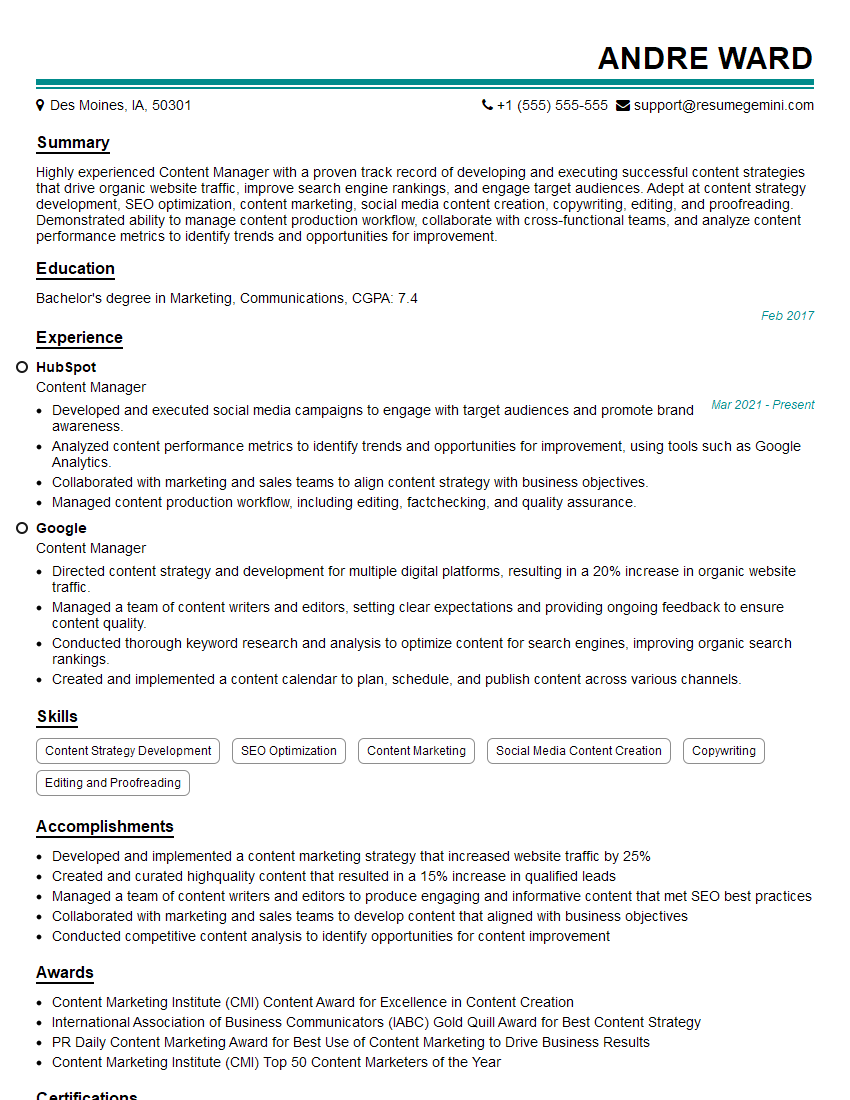
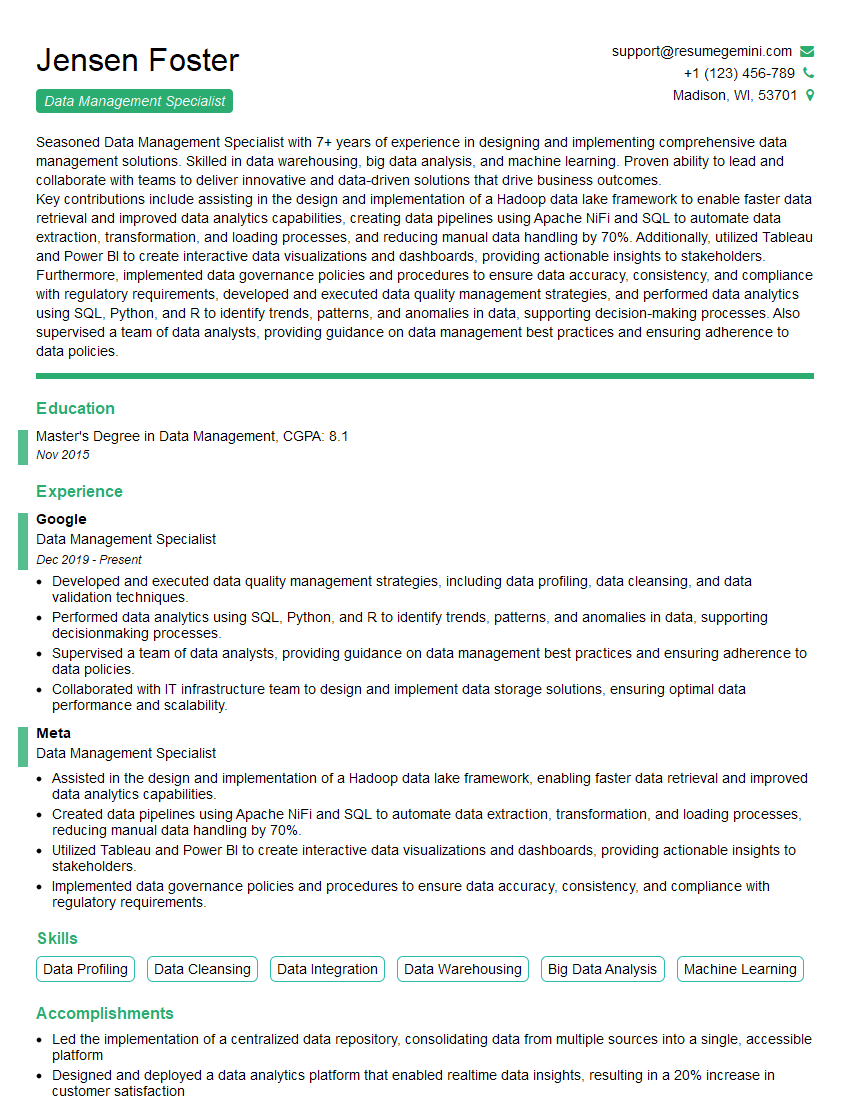
Mastering Film and Digital Asset Management is crucial for career advancement in the media and entertainment industries. A strong understanding of these principles will open doors to exciting opportunities and higher responsibilities. To maximize your job prospects, creating an ATS-friendly resume is vital. ResumeGemini is a trusted resource that can help you build a professional and impactful resume, ensuring your skills and experience are effectively communicated to potential employers. Examples of resumes tailored to Film and Digital Asset Management are available to guide you.

Explore more articles
Users Rating of Our Blogs
Share Your Experience
We value your feedback! Please rate our content and share your thoughts (optional).
What Readers Say About Our Blog
I Redesigned Spongebob Squarepants and his main characters of my artwork.
https://www.deviantart.com/reimaginesponge/art/Redesigned-Spongebob-characters-1223583608
IT gave me an insight and words to use and be able to think of examples
Hi, I’m Jay, we have a few potential clients that are interested in your services, thought you might be a good fit. I’d love to talk about the details, when do you have time to talk?
Best,
Jay
Founder | CEO