Are you ready to stand out in your next interview? Understanding and preparing for FTTx Deployment and Maintenance interview questions is a game-changer. In this blog, we’ve compiled key questions and expert advice to help you showcase your skills with confidence and precision. Let’s get started on your journey to acing the interview.
Questions Asked in FTTx Deployment and Maintenance Interview
Q 1. Explain the difference between FTTH, FTTC, and FTTB.
FTTx stands for Fiber to the x, where ‘x’ represents the point of fiber optic cable termination. FTTH, FTTC, and FTTB represent different variations of this technology, differing primarily in how far the fiber optic cable runs to the subscriber’s premises.
- FTTH (Fiber to the Home): The fiber optic cable runs directly to the subscriber’s home or building. This offers the highest bandwidth and lowest latency, providing the best possible performance. Think of it as a dedicated, high-speed express lane to the internet directly to your home.
- FTTC (Fiber to the Cabinet): The fiber optic cable runs to a street cabinet, where it’s then connected to the subscriber’s premises using traditional copper wiring. This offers a good compromise between cost and performance, although speeds are lower than FTTH. Imagine this as a highway that merges onto a smaller, local road near your home.
- FTTB (Fiber to the Building): The fiber optic cable runs to a building, where it’s then distributed to individual apartments or offices using either fiber or copper. This is common in multi-dwelling units (MDUs) and office buildings. It’s like a fiber optic highway that distributes multiple lanes to various buildings or apartments.
In summary, the key difference lies in the distance the fiber optic cable travels before switching to another medium (like copper). FTTH is the most advanced, offering the best performance, while FTTC and FTTB represent cost-effective alternatives, offering varying levels of performance based on their approach.
Q 2. Describe the process of splicing fiber optic cables.
Splicing fiber optic cables involves precisely joining two fiber ends to maintain the signal’s integrity. It’s a delicate process requiring specialized tools and expertise. Here’s a step-by-step process:
- Fiber Preparation: The fiber optic cable ends are carefully cleaned and prepared using a cleaver to ensure a perfectly perpendicular and smooth cut. A poorly cleaved end significantly impacts signal transmission.
- Splice Alignment: The prepared fiber ends are precisely aligned within a splice tray or fusion splicer. The alignment must be exceptionally accurate to minimize signal loss. The fusion splicer utilizes precise microscopic alignment mechanisms.
- Fusion Splicing (Most Common Method): A fusion splicer uses an electric arc to melt and fuse the fiber ends together. This creates a permanent, strong, and low-loss connection. The splicer monitors the fusion process and provides a visual representation and signal quality assessment.
- Mechanical Splicing (Alternative Method): For quicker field repairs, a mechanical splice may be used. It uses a precisely engineered sleeve to hold the fibers in place. While quicker, it generally results in slightly higher signal loss compared to fusion splicing.
- Testing: After splicing, an optical power meter and/or optical time-domain reflectometer (OTDR) are used to measure the loss in the connection. This ensures the splice is of acceptable quality and meets industry standards.
Proper splicing is crucial for maintaining the integrity and performance of the entire FTTx network. A bad splice can cause significant signal attenuation and disruptions to service.
Q 3. What are the common causes of fiber optic cable failures?
Fiber optic cable failures can stem from various causes, broadly categorized as environmental, installation, or accidental damage.
- Environmental Factors: Rodents chewing through cables, harsh weather conditions (extreme temperatures, flooding), ground movement, and soil erosion all contribute to cable damage. Think of a tree root slowly growing into a cable, creating pressure and eventual breakage.
- Installation Issues: Incorrect cable handling during installation, excessive bending or tension, poor cable routing, and improper termination can all lead to micro-bends or fractures in the fiber, reducing signal quality. Insufficient protection during trenching operations could easily damage a cable.
- Accidental Damage: Excavation work, vehicle accidents, and vandalism can cause significant damage to fiber optic cables. This is especially true in areas with high foot or vehicle traffic.
- Internal Cable Defects: Although less common, manufacturing defects can also create weaknesses in the fiber itself, leading to failure over time.
Understanding these causes is critical for implementing preventative measures, such as proper cable routing, adequate protection during installation, and regular cable inspections.
Q 4. How do you troubleshoot connectivity issues in an FTTx network?
Troubleshooting connectivity issues in an FTTx network requires a systematic approach. Here’s a typical process:
- Identify the Affected Area: Pinpoint which users or areas are experiencing connectivity problems. Is it a widespread outage or localized?
- Check the Optical Signals: Use an optical power meter and/or OTDR to measure signal strength at different points in the network, identifying potential points of failure. Low power levels indicate signal loss, possibly due to a bad splice, connector, or cable damage.
- Inspect Physical Infrastructure: Visually inspect the fiber optic cables, connectors, and terminations for physical damage. Check for any signs of rodent damage, bending, or loose connections.
- Test the Optical Equipment: Test the functionality of the ONTs (Optical Network Terminals), OLTs (Optical Line Terminals), and any other optical equipment in the network using appropriate testing tools. This might reveal hardware faults or misconfigurations.
- Check for Network Configuration Issues: Verify the network configuration parameters on the OLT and ONTs. Incorrect settings can lead to connectivity problems.
- Use Network Management System (NMS): Consult the NMS for fault alarms and performance metrics. Many network faults are automatically logged, allowing for quick diagnosis.
This methodical approach helps isolate the root cause of the problem, enabling effective and timely resolution. Proper documentation and clear communication are also essential during the troubleshooting process.
Q 5. What safety precautions are necessary when working with fiber optic cables?
Working with fiber optic cables requires strict adherence to safety procedures to prevent injury. Fiber optic cables themselves don’t carry electrical current, but the process of handling and installing them has inherent risks.
- Eye Protection: Always wear appropriate eye protection, as even small fiber fragments can cause serious eye injury. Laser safety glasses are crucial when working with laser-based testing equipment.
- Proper Handling: Use care to avoid bending or kinking the cables excessively, which can weaken the fibers and impact signal quality.
- Sharp Tools: Exercise caution when using sharp tools like cleavers and strippers to avoid cuts and injuries. Use the appropriate tools and follow instructions carefully.
- Grounding: For certain installation processes, proper grounding is critical to prevent electrostatic discharge (ESD) from damaging the fibers.
- Working at Heights: When working at heights, ensure proper safety measures like harnesses and fall protection are used.
- Training & Certification: Proper training and certification are important to be proficient in handling fiber optic cable and associated tools and equipment.
Ignoring these precautions can lead to serious injuries or damage to the fiber optic infrastructure. Safety should always be the top priority.
Q 6. Explain the different types of fiber optic connectors.
Several types of fiber optic connectors are used, each with its advantages and disadvantages. The choice depends on factors like application, cost, and performance requirements.
- SC (Subscriber Connector): A common connector characterized by its push-pull design and robust construction. It’s widely used in various applications.
- LC (Lucent Connector): A smaller connector gaining popularity due to its compact size and high density capabilities, often preferred in high-density applications.
- FC (Ferrule Connector): A more robust connector with a threaded coupling mechanism, offering better performance in harsh environments.
- ST (Straight Tip): An older connector type with a bayonet coupling mechanism. It’s less common now but still found in older installations.
- MT-RJ (Multi-fiber RJ): A connector designed to accommodate multiple fibers in a single connector, increasing density and reducing space requirements.
The connectors are essential for ensuring reliable connections between fiber optic cables and equipment. Proper connector selection and maintenance are crucial for the overall performance of the network.
Q 7. What are the benefits of using FTTx technology?
FTTx technology offers numerous advantages over traditional copper-based networks:
- High Bandwidth: FTTx provides significantly higher bandwidth than traditional copper networks, allowing for faster data transmission speeds. This is particularly important for supporting bandwidth-intensive applications like video streaming and online gaming.
- Low Latency: The signal transmission speed of fiber optics results in lower latency compared to copper, which enhances user experience for real-time applications.
- Scalability: FTTx networks are highly scalable and can easily accommodate future bandwidth demands. It’s relatively easy to increase the capacity of an FTTx network by simply adding more fiber capacity.
- Reliability: Fiber optic cables are less susceptible to electromagnetic interference and environmental factors compared to copper, leading to higher reliability and less downtime. Fiber is much less likely to be affected by weather or corrosion.
- Security: Fiber optic signals are inherently more secure than copper signals as they are difficult to tap or eavesdrop on.
- Future-Proofing: FTTx networks provide a robust and future-proof infrastructure that can support evolving bandwidth needs and technological advancements for decades to come.
These advantages make FTTx the preferred technology for next-generation broadband networks, enhancing both residential and commercial connectivity.
Q 8. Describe your experience with OTDR testing.
OTDR, or Optical Time-Domain Reflectometer, testing is crucial for characterizing and troubleshooting fiber optic cables. It works by sending a light pulse down the fiber and analyzing the reflections that return. These reflections reveal information about the fiber’s condition, including things like attenuation (signal loss), splices, connectors, and, importantly, breaks.
My experience includes using various OTDRs from different manufacturers, interpreting their results, and using this data to pinpoint faults within complex FTTx networks. For example, I once used an OTDR to identify a microbend in a fiber cable buried underground, which was causing intermittent service disruptions. The OTDR trace clearly showed a gradual attenuation increase at a specific location, pinpointing the problem area for quick repair.
I’m proficient in interpreting OTDR traces, understanding the implications of different parameters like backscatter, Fresnel reflection, and attenuation coefficient. This allows for accurate fault location and efficient troubleshooting.
Q 9. How do you identify and resolve a fiber optic break?
Identifying a fiber optic break involves a multi-step process. Firstly, we use an OTDR to pinpoint the approximate location of the break by identifying a significant loss of signal or a sharp change in the trace. Once we have an approximate location, visual inspection of the cable is performed to identify the area of concern. This may involve tracing the cable path, digging, or using specialized cameras for accessing difficult areas.
Once the break is located, the repair process will involve splicing the fiber using fusion splicing equipment. This involves precisely aligning and fusing the broken ends of the fiber, creating a seamless connection. After splicing, we always perform an OTDR test to verify the quality of the repair and ensure that attenuation levels are within acceptable limits.
In cases where the cable is severely damaged, replacement may be necessary. This involves careful excavation, laying new cable, and then thoroughly testing the new connection before reconnecting the services.
Q 10. What are the key performance indicators (KPIs) for an FTTx network?
Key Performance Indicators (KPIs) for an FTTx network focus on availability, performance, and customer experience. Some crucial KPIs include:
- Average Downtime: Measures the average time the network is unavailable to subscribers. A lower value indicates better network reliability.
- Customer Satisfaction (CSAT): Reflects the overall happiness of customers with the service quality. Regular surveys and feedback mechanisms are key here.
- Bit Error Rate (BER): Indicates the frequency of errors in data transmission. A lower BER means a higher quality connection.
- Mean Time To Repair (MTTR): Measures the average time it takes to resolve a network outage. A shorter MTTR reflects efficient troubleshooting and maintenance practices.
- Signal-to-Noise Ratio (SNR): A higher SNR indicates less noise in the signal, leading to improved quality of service.
- Power Budget: This measures the available optical power along the fiber optic network. It is critical in PON networks to ensure sufficient signal strength at end-users.
Monitoring these KPIs regularly allows proactive identification of potential problems and ensures optimal network performance and customer satisfaction.
Q 11. Explain your experience with PON technology (Passive Optical Network).
Passive Optical Networks (PON) are a cornerstone of FTTx deployments, offering cost-effective and efficient ways to deliver high-bandwidth services to multiple subscribers. My experience spans working with various PON technologies, including GPON (Gigabit PON), XGS-PON (10G PON), and NG-PON2 (Next Generation PON).
I’m familiar with the architecture of PON networks, including the Optical Line Terminal (OLT) at the central office and the Optical Network Units (ONUs) at the subscriber premises. I understand the principles of wavelength-division multiplexing (WDM), which allows multiple users to share the same fiber.
In one project, I was instrumental in upgrading a GPON network to XGS-PON to meet increasing bandwidth demands from subscribers. This required careful planning, ensuring backward compatibility with existing ONUs, and managing the upgrade process to minimize disruption to services. Understanding PON technologies, including their splitting ratios, power budgets, and management protocols (like OMCI), is critical for successful deployment and maintenance.
Q 12. What are the challenges associated with FTTx deployments in challenging geographical areas?
Deploying FTTx networks in challenging geographical areas presents unique obstacles. These areas often involve:
- Difficult Terrain: Mountainous regions, dense forests, and swampy areas can make cable laying incredibly challenging and expensive. Aerial deployment may not be feasible, requiring extensive trenching and underground cable installation.
- Extreme Weather Conditions: Exposure to harsh weather like blizzards, heavy rains, and extreme temperatures can damage equipment and cables, leading to increased maintenance costs.
- Accessibility Issues: Remote locations may lack road access, requiring helicopters or other specialized equipment to transport materials and personnel.
- Regulatory hurdles: Obtaining permits for cable installation in environmentally sensitive areas can be time-consuming and complex.
- Higher Costs: All these factors contribute to significantly higher deployment costs compared to urban environments.
Successfully overcoming these challenges often requires innovative solutions, careful planning, and robust infrastructure to ensure network reliability and cost-effectiveness. For example, utilizing aerial deployment strategies in areas with suitable infrastructure can reduce cost and disruption to ground-level activities.
Q 13. Describe your experience with different types of fiber optic cable.
My experience encompasses various fiber optic cable types, including single-mode and multi-mode fibers. Single-mode fibers are commonly used in long-haul and FTTx networks because of their superior ability to transmit data over long distances with minimal signal degradation. Multi-mode fibers are suitable for shorter distances and are often used in LAN environments.
Beyond the core fiber type, I’m also familiar with different cable constructions, including:
- Loose Tube: Offers excellent protection against microbends and environmental factors.
- Tight Buffer: More compact but potentially less robust against bending stresses.
- Armored Cable: Provides enhanced protection against physical damage, often used in underground or harsh environments.
The choice of fiber and cable type depends on several factors, including the distance to be covered, the bandwidth requirements, and the environmental conditions. For example, in a dense urban environment, a tightly-buffered cable might be preferred for ease of installation, whereas in a rural setting, an armored cable may be necessary to protect against rodent damage and other potential threats.
Q 14. How do you test the integrity of a fiber optic cable?
Testing the integrity of a fiber optic cable involves multiple steps to ensure its physical and optical performance meets standards. The most important test is the OTDR test, as described earlier. In addition, we also conduct:
- Visual Inspection: A thorough visual inspection of the cable’s exterior for any signs of damage, cuts, or bends is the first step.
- Continuity Testing: This checks the physical continuity of the fiber to ensure there are no breaks within the cable. Simple continuity testers can be used for this purpose.
- Power Meter and Light Source: This combination measures the optical power transmitted through the fiber. It helps detect attenuation and significant signal loss, which can indicate problems like bending or connector issues.
- Return Loss Testing: Measures the amount of light reflected back towards the source. High return loss indicates problems with connectors or splices, causing signal degradation.
By combining these methods, we get a complete picture of the fiber’s condition, allowing us to identify and resolve any potential problems before they affect network performance. All tests are crucial for ensuring quality of service for subscribers.
Q 15. What are the different types of fiber optic terminations?
Fiber optic terminations are the crucial points where the optical fiber cable is prepared for connection to equipment. Think of it like the end of an electrical wire needing a plug to connect to an outlet. Several types exist, each suited for different applications and connector standards.
- Mechanical Splices: These physically join two fiber optic strands using precision alignment and a protective sleeve. They’re quick and reliable for field deployments, especially in areas with limited space.
- Fusion Splices: These use heat and pressure to permanently fuse the ends of two fibers, creating a highly efficient and low-loss connection. They’re preferred for high-performance networks requiring minimal signal degradation, but require specialized equipment.
- Connectors: These are standardized interfaces (like SC, FC, LC, ST) that allow for quick disconnections and reconnections. They utilize various mechanical and optical designs to ensure proper alignment and minimize signal loss. This is the standard for connecting to OLTs, ONTs, and other equipment.
- Pigtails: Short lengths of fiber optic cable, typically pre-terminated with a connector, used to connect equipment to a main cable. They add flexibility for patching and ease of maintenance.
Choosing the right termination method depends on factors like cost, performance requirements, accessibility, and the overall network design. In a high-density central office, fusion splicing might be preferred, while mechanical splicing is often sufficient for connecting individual customer premises.
Career Expert Tips:
- Ace those interviews! Prepare effectively by reviewing the Top 50 Most Common Interview Questions on ResumeGemini.
- Navigate your job search with confidence! Explore a wide range of Career Tips on ResumeGemini. Learn about common challenges and recommendations to overcome them.
- Craft the perfect resume! Master the Art of Resume Writing with ResumeGemini’s guide. Showcase your unique qualifications and achievements effectively.
- Don’t miss out on holiday savings! Build your dream resume with ResumeGemini’s ATS optimized templates.
Q 16. What is the role of an Optical Line Terminal (OLT)?
The Optical Line Terminal (OLT) is the central brain of an FTTx network, residing at the service provider’s central office or head-end. It’s the crucial component that manages the entire optical network. Imagine it as the central hub in a wheel-and-spoke system, connecting to many Optical Network Terminals (ONTs).
The OLT’s key responsibilities include:
- Optical Signal Transmission and Reception: The OLT transmits data signals to the ONTs via the fiber optic cables and receives data back from the ONTs.
- Traffic Management: It manages the flow of data between the users and the wider internet network, utilizing technologies like wavelength division multiplexing (WDM) to efficiently use available bandwidth. It prioritizes traffic based on service levels and application requirements.
- Power Budget Management: The OLT provides power for the ONTs and manages the power budget for the entire optical network to ensure optimal performance.
- Network Monitoring and Control: The OLT continuously monitors the health and performance of the entire network, provides diagnostics, and allows remote management of the ONTs.
- Security: Provides network security features such as authentication, authorization, and encryption to secure data transmission.
In essence, the OLT ensures efficient, reliable, and secure delivery of broadband services to subscribers connected to it.
Q 17. What is the role of an Optical Network Terminal (ONT)?
The Optical Network Terminal (ONT) is the device installed on the customer’s premises, acting as the interface between the fiber optic network and the customer’s internal network. It’s the end point of the fiber optic line, similar to a modem in traditional DSL or cable internet connections.
The ONT’s primary functions are:
- Optical-Electrical Conversion: It receives optical signals from the OLT via the fiber and converts them into electrical signals that are understandable by customer equipment (routers, computers, etc.).
- Data Termination and Distribution: The ONT receives data from the OLT and distributes it to various devices within the customer’s premises via Ethernet, Wi-Fi, or other interfaces.
- Optical Power Management: It manages the optical power budget for the customer’s side of the connection, ensuring that sufficient power reaches the ONT.
- Network Management: Provides basic diagnostics and management capabilities accessible to the service provider.
For example, when you stream a video on Netflix, the ONT receives this data from the OLT and passes it to your streaming device. It’s an essential bridge between the high-speed fiber network and your home network.
Q 18. How do you manage fiber optic cable slack in a deployment?
Managing fiber optic cable slack is crucial for ensuring the longevity and reliability of the FTTx network. Excess slack can lead to micro-bending, causing signal attenuation, whereas insufficient slack can put strain on the fiber and connectors, leading to breakage during thermal expansion and contraction or ground movement.
Here’s how we manage fiber optic cable slack during deployment:
- Careful Planning and Design: Accurate measurement and route planning is essential to estimate the required cable length, accounting for variations in terrain and building structures. This minimizes excessive slack while avoiding strain.
- Slack Loops: Creating slack loops at strategic points, like within splice closures or at cable entry points, prevents excessive tension on the fibers. These loops should be carefully secured to prevent movement or damage.
- Cable Management Accessories: Using appropriate cable ties, clamps, and trays keeps cables organized and prevents them from becoming tangled or damaged. This is particularly important in crowded areas like cable vaults or manholes.
- Proper Termination: Precise termination methods minimize stress on the fiber at connection points. This includes proper connector insertion and strain relief mechanisms.
- Regular Inspection and Maintenance: Periodic inspection to detect any excessive slack or strain is critical for maintaining optimal performance and preventing future issues.
A good analogy is ensuring you don’t over-tighten or leave too much slack in a garden hose. Too much slack can create kinks, while too little can cause bursting under pressure. Similar principles apply to fiber optic cables.
Q 19. Describe your experience with documenting FTTx network infrastructure.
Documenting FTTx network infrastructure is paramount for efficient maintenance, troubleshooting, and future expansion. My experience involves utilizing a combination of physical and digital documentation methods to ensure a complete and accurate record.
I typically employ:
- As-Built Drawings: Creating detailed drawings showing the exact layout of the fiber optic network, including cable routes, splice locations, equipment placement, and connection details. I utilize CAD software for this, ensuring accuracy and easy modification.
- Database Management Systems: Using databases (e.g., relational databases) to store information about each fiber optic cable, splice point, and piece of equipment, including its location, type, serial number, and associated testing data. This aids in rapid search and identification.
- Fiber Optic Mapping Software: Utilizing dedicated software for creating and managing fiber optic maps. This simplifies visual representation and simplifies tracing fiber routes.
- Physical Labeling: Clear and consistent labeling of all cables, splice closures, and equipment using color-coded labels and markers. This facilitates on-site identification and maintenance. This has been crucial in quickly resolving problems in densely populated areas.
- Test Results Documentation: Maintaining detailed records of all testing conducted during the deployment and maintenance phases, including OTDR traces, power measurements, and fault location data. This data is crucial for troubleshooting and performance analysis.
This comprehensive documentation strategy, coupled with clear communication between teams, ensures that the network is well-documented, facilitating efficient management and quick problem resolution throughout its lifecycle.
Q 20. What are the common types of FTTx network architectures?
Several FTTx network architectures exist, each offering different trade-offs in terms of cost, performance, and scalability. The choice depends on factors such as subscriber density, geographical conditions, and budget.
- FTTH (Fiber to the Home): This architecture provides a dedicated fiber optic connection directly to each home or building. This offers the highest bandwidth and is ideal for areas with high subscriber density and demand for high-speed services. It often involves Point-to-Point architecture.
- FTTB (Fiber to the Building): A fiber optic cable runs to a central point in a building (e.g., a basement or telecommunication room). From there, traditional copper cabling or other technologies (like PON) distribute the signal within the building to individual units. It’s a cost-effective solution for multi-dwelling units.
- FTTC (Fiber to the Curb): The fiber optic cable is run to a nearby cabinet or distribution point located near subscribers’ premises. From there, traditional copper cabling connects the subscribers. This is a relatively cost-effective solution but offers lower bandwidth capabilities compared to FTTH.
- FTTP (Fiber to the Premises): This is a broader term encompassing both FTTH and FTTB, emphasizing that the fiber optic cable reaches the actual premises. This is often the architecture of choice.
- Passive Optical Network (PON): A prevalent technology within FTTx architectures, PON uses a passive optical splitter to share the fiber optic cable among multiple subscribers. This lowers cost by reducing the need for multiple active network elements.
Understanding the strengths and weaknesses of each architecture is essential for making informed decisions regarding network design and deployment.
Q 21. How do you ensure the security of an FTTx network?
Security is paramount in FTTx networks, as they carry sensitive user data and potentially critical infrastructure. A multi-layered security approach is necessary.
Key security measures include:
- Physical Security: Protecting fiber optic cables from physical tampering and unauthorized access. This includes securing cable vaults, manholes, and splice closures, using tamper-evident seals, and employing regular patrols.
- Network Security: Implementing robust network security protocols, such as firewalls, intrusion detection/prevention systems, and access control lists, to prevent unauthorized access to the network and its resources. Regular security audits are critical.
- Data Encryption: Encrypting data transmitted over the fiber optic network to protect against eavesdropping and unauthorized access. End-to-end encryption is desirable for high-security applications.
- Authentication and Authorization: Implementing strong authentication mechanisms (e.g., passwords, multi-factor authentication) to verify the identity of users and devices attempting to access the network. Authorization restricts user access based on roles and privileges.
- Regular Security Updates and Patches: Staying current with security patches and updates for all network devices, including OLTs, ONTs, and other equipment, is crucial for addressing known vulnerabilities. Regular software updates are essential.
- Intrusion Detection Systems (IDS): Monitoring the network for suspicious activity and responding accordingly. IDS systems can identify potential security threats and alert network administrators.
A well-secured FTTx network employs a layered security strategy combining physical protection with robust network security protocols to safeguard against various threats.
Q 22. Describe your experience with different types of fiber optic testing equipment.
My experience with fiber optic testing equipment is extensive, encompassing a wide range of tools crucial for ensuring the integrity and performance of FTTx networks. This includes OTDRs (Optical Time Domain Reflectometers), which are indispensable for identifying faults, locating breaks, and measuring attenuation along fiber optic cables. I’m proficient in using OTDRs from various manufacturers, interpreting their results, and identifying issues like macrobends or connector problems. I’ve also worked extensively with optical power meters, which precisely measure the optical power levels at different points in the network. These help to verify signal strength and identify potential losses. Furthermore, my experience includes using optical light sources, which provide the light signal for OTDR measurements and power meter testing. Finally, I’m comfortable using visual fault locators (VFLs) to visually inspect fiber optic cables for physical damage. For instance, during a recent deployment, an OTDR reading showed a significant attenuation in a specific cable segment. By using the VFL, we quickly identified a microbend caused by improper cable management. This allowed for a swift resolution, preventing a wider service outage.
Q 23. What are your experiences with different types of network documentation?
Network documentation is the backbone of efficient FTTx network management, and my experience covers various methods. I’m proficient in using Computer Aided Design (CAD) software to create accurate ‘as-built’ drawings showing the physical layout of the network, including cable routes, splice locations, and equipment placement. I also utilize Geographic Information Systems (GIS) mapping tools to visually represent the network’s geographical extent and connections. Furthermore, I am skilled in creating and maintaining comprehensive network databases, including information such as fiber counts, equipment details, and customer connections. These databases are crucial for troubleshooting and maintenance. Finally, I have experience with generating and using spreadsheets to document network performance data, which assists in identifying trends and potential issues before they escalate. For example, a well-maintained GIS map helped us quickly locate the source of a service disruption during a severe storm. By quickly visualizing the impacted area, we could prioritize repairs and restore services more efficiently.
Q 24. Explain your experience with troubleshooting issues related to splitters.
Troubleshooting issues related to splitters is a common task in FTTx networks, and I have significant experience in this area. Problems with splitters often manifest as reduced signal strength or uneven signal distribution among subscribers. My troubleshooting process typically begins with visual inspection of the splitter itself, checking for any physical damage or loose connections. I then use an optical power meter to measure the optical power levels at the input and output ports of the splitter. Significant discrepancies between measured power and expected power based on the splitter’s specifications indicate a problem. I also utilize OTDR to investigate the fiber links connecting to the splitter for any attenuation or breaks. If a problem is identified with the splitter itself, I typically replace the faulty unit. A recent example involved a reported outage affecting multiple customers. My initial inspection revealed no obvious physical damage to the splitter. However, the power meter readings showed a significant attenuation at one output port. This led us to conclude that the splitter itself was faulty and required replacement, which swiftly resolved the issue for the affected customers.
Q 25. How do you handle escalations and urgent issues in an FTTx network?
Handling escalations and urgent issues in an FTTx network requires a systematic approach. My initial response involves quickly assessing the impact of the issue – how many customers are affected, the severity of the disruption, and the potential risks. I then prioritize the issue based on its urgency and impact. For critical issues, I immediately involve the appropriate team members and escalate to management as needed. Clear communication is paramount, keeping affected customers and management informed of the situation and the steps taken to resolve it. A well-defined escalation protocol and documented troubleshooting steps are essential. In one instance, a major fiber cut impacted a large number of customers. By quickly implementing our emergency response plan, contacting the appropriate repair crews, and keeping customers informed through regular updates, we minimized the disruption and restored service within a few hours.
Q 26. Describe your experience working with different vendors and their equipment.
I’ve worked with a variety of vendors and their equipment, including major players like [Vendor A], [Vendor B], and [Vendor C]. This experience has given me a good understanding of the diverse technologies and approaches employed in FTTx networks. I’m comfortable working with different types of equipment, including optical line terminals (OLTs), optical network units (ONUs), and various types of fiber optic cables and connectors. I’m also familiar with their respective management systems and troubleshooting procedures. My ability to adapt to different vendor technologies is a significant asset, allowing me to efficiently address problems regardless of the equipment used. For example, I’ve successfully integrated equipment from different vendors within a single FTTx network, ensuring seamless interoperability.
Q 27. What are your strengths and weaknesses related to FTTx deployment and maintenance?
My strengths lie in my systematic troubleshooting approach, my ability to quickly identify and resolve complex network issues, and my excellent communication skills. I am highly proficient in using various fiber optic testing equipment and network documentation methods. My ability to work effectively under pressure and manage urgent situations is a key asset. As for weaknesses, I would say that I am always striving to improve my knowledge of the latest emerging technologies within the FTTx space. I actively participate in industry training and workshops to stay abreast of advancements and best practices. I also am working on delegating tasks more effectively to better utilize team members’ skills.
Q 28. What are your salary expectations for this role?
My salary expectations for this role are in the range of $[Lower Bound] to $[Upper Bound] per year. This range is based on my experience, skills, and the responsibilities of the position. I am open to discussing this further and aligning it with the specifics of the role and the company’s compensation structure.
Key Topics to Learn for FTTx Deployment and Maintenance Interview
- Fiber Optic Cable Technologies: Understanding different types of fiber (single-mode, multi-mode), splicing techniques, and testing methodologies (OTDR, power meters).
- FTTx Architectures: Familiarize yourself with various FTTx architectures (FTTH, FTTB, FTTC) and their respective advantages and disadvantages. Be prepared to discuss the practical implications of each.
- Network Design and Planning: Understand the principles of network design, including considerations for bandwidth, latency, and signal loss in an FTTx environment. Practice calculating required fiber lengths and component specifications.
- Deployment Procedures: Learn about the steps involved in deploying FTTx networks, including aerial, underground, and indoor cabling techniques. Be prepared to discuss safety protocols and best practices.
- Troubleshooting and Maintenance: Gain proficiency in identifying and resolving common issues in FTTx networks, such as fiber cuts, connector problems, and power fluctuations. Practice using diagnostic tools and techniques.
- Optical Network Terminal (ONT) and Optical Line Terminal (OLT) Configuration: Understand the functionality and configuration of ONTs and OLTs, including their role in managing network traffic and providing services to subscribers.
- Network Management Systems (NMS): Gain familiarity with different NMS platforms used for monitoring and managing FTTx networks. Understand their capabilities for fault detection, performance monitoring, and proactive maintenance.
- Practical Problem Solving: Prepare examples showcasing your ability to diagnose and resolve complex technical challenges encountered during FTTx deployment and maintenance. Focus on your systematic approach and problem-solving skills.
Next Steps
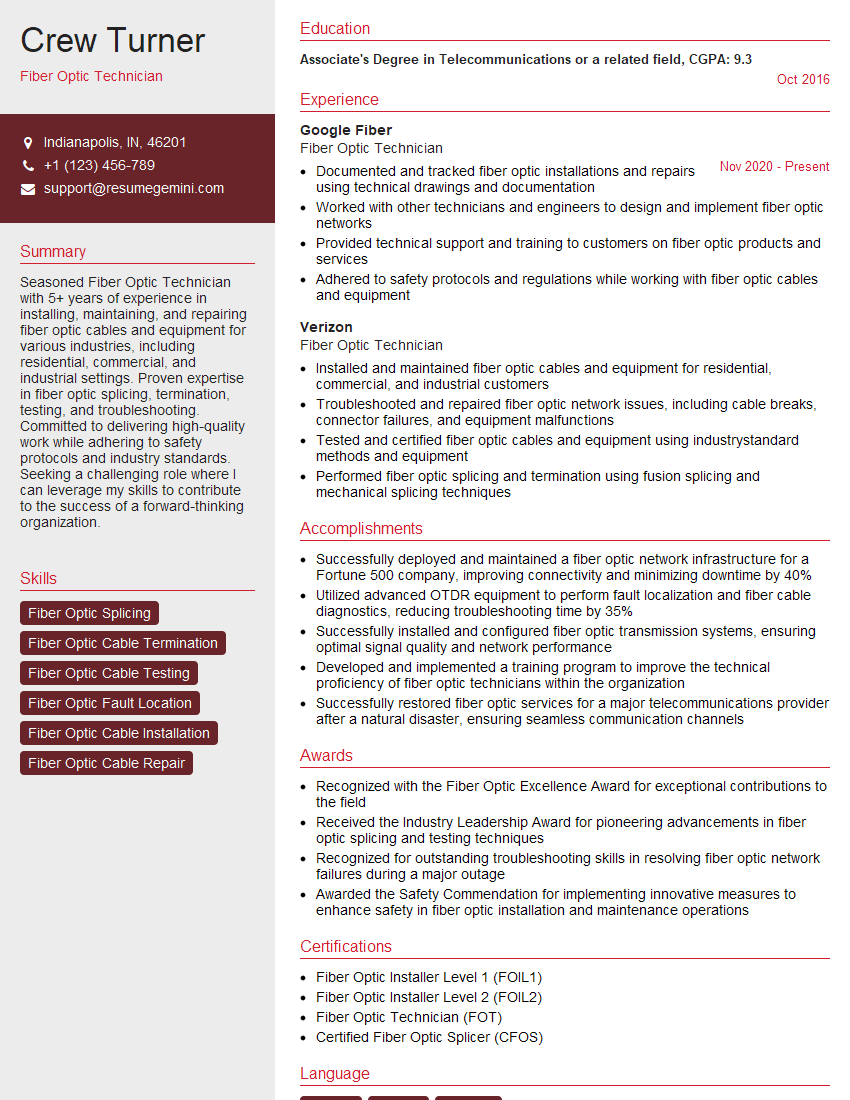
Mastering FTTx Deployment and Maintenance opens doors to exciting career opportunities in a rapidly growing field. Demonstrating a strong understanding of these technologies is crucial for securing your dream role. To maximize your chances, create an ATS-friendly resume that effectively showcases your skills and experience. ResumeGemini is a trusted resource that can help you build a professional and impactful resume, ensuring your application stands out. Examples of resumes tailored to FTTx Deployment and Maintenance are available to guide you.


Explore more articles
Users Rating of Our Blogs
Share Your Experience
We value your feedback! Please rate our content and share your thoughts (optional).
What Readers Say About Our Blog
I Redesigned Spongebob Squarepants and his main characters of my artwork.
https://www.deviantart.com/reimaginesponge/art/Redesigned-Spongebob-characters-1223583608
IT gave me an insight and words to use and be able to think of examples
Hi, I’m Jay, we have a few potential clients that are interested in your services, thought you might be a good fit. I’d love to talk about the details, when do you have time to talk?
Best,
Jay
Founder | CEO