Are you ready to stand out in your next interview? Understanding and preparing for Geographic Information Systems (GIS) Software Proficiency interview questions is a game-changer. In this blog, we’ve compiled key questions and expert advice to help you showcase your skills with confidence and precision. Let’s get started on your journey to acing the interview.
Questions Asked in Geographic Information Systems (GIS) Software Proficiency Interview
Q 1. Explain the difference between vector and raster data.
Vector and raster data are two fundamental ways to represent geographic features in GIS. Think of it like drawing a map: vector data is like using precise lines and points to draw individual features, while raster data is like using a grid of tiny colored squares to create the image.
- Vector Data: Stores spatial data as points, lines, and polygons. Each feature has precise coordinates. Imagine drawing a street on a map—a vector line precisely defines its location and shape. This is ideal for representing discrete features like buildings, roads, and political boundaries. Vector data is scalable without loss of quality – zoom in as much as you want, and the lines remain sharp. Examples include shapefiles, GeoJSON, and geodatabases.
- Raster Data: Stores spatial data as a grid of cells or pixels, each with a value representing a characteristic like elevation, land cover, or temperature. Imagine a satellite image—a grid of pixels represents the colors and shades on the earth’s surface. Raster data is excellent for representing continuous phenomena. However, zooming in too much will reveal the pixelated nature, resulting in a loss of detail. Common examples include satellite imagery, aerial photographs, and DEMs (Digital Elevation Models).
In practice, the choice between vector and raster depends on the application. If you need precise geometries, vector is preferred. If you need information about continuous surfaces or phenomena, raster is more appropriate. Many GIS analyses involve converting between vector and raster formats.
Q 2. Describe your experience with different GIS software packages (e.g., ArcGIS, QGIS).
I have extensive experience with both ArcGIS and QGIS, two leading GIS software packages. My work with ArcGIS spans several years and encompasses various extensions, including Spatial Analyst for raster processing and Geostatistical Analyst for advanced spatial statistics. I’ve used it extensively for tasks like creating thematic maps, performing spatial analysis, and managing geospatial databases. For example, I used ArcGIS to develop a model predicting landslide susceptibility based on factors such as slope, rainfall, and soil type.
QGIS, a free and open-source alternative, is equally familiar to me. Its versatility and flexibility have proved invaluable for several projects, particularly those demanding custom scripting or processing of large datasets. I’ve utilized QGIS for tasks such as processing large-scale satellite imagery, developing custom plugins for specialized tasks, and working with open-source spatial data. For example, I developed a QGIS plugin to automate the process of extracting building footprints from high-resolution aerial imagery.
My proficiency in both packages allows me to choose the most appropriate tool based on project requirements, budget constraints, and the specific functionalities needed.
Q 3. How do you perform spatial analysis using GIS software?
Spatial analysis within GIS involves using spatial relationships and patterns to analyze geographic data. This allows us to extract insights from the data that wouldn’t be apparent from just looking at the map. I use a variety of techniques depending on the research question and the data available. Some common methods include:
- Overlay Analysis: Combining multiple layers to create new layers that show relationships between them (e.g., identifying areas where wetlands overlap with floodplains).
- Buffering: Creating zones around features (e.g., creating a 500-meter buffer around schools to assess areas affected by proximity).
- Network Analysis: Modeling movement across networks (e.g., finding the shortest route between two points or determining optimal delivery routes).
- Proximity Analysis: Measuring distances or determining nearest neighbors (e.g., determining the closest hospital to each house in a city).
- Spatial Statistics: Using statistical techniques to identify patterns and relationships in spatial data (e.g., identifying spatial autocorrelation or clustering).
For example, in a recent project, I performed overlay analysis to identify suitable locations for new wind farms by considering land use, proximity to transmission lines, and wind speed data. The results were visualized on a map to show areas with the highest potential.
Q 4. Explain the concept of georeferencing.
Georeferencing is the process of assigning geographic coordinates (latitude and longitude) to points on a map or image that doesn’t already have them. Think of it as giving an address to a picture. It’s crucial for integrating different data sources into a GIS. This is done by referencing the image to known control points – points with known geographic coordinates. These control points can be landmarks visible in the image, such as intersections or building corners, whose coordinates are obtained from a reliable source like a map or survey data.
The process typically involves selecting control points in the image and entering their corresponding geographic coordinates. The GIS software then uses these points to create a transformation model – a mathematical function to align the image with the coordinate system. Different transformation methods exist, chosen depending on the type of distortion present in the image. The accuracy of georeferencing depends on the number and quality of the control points. The more control points, and the better distributed they are across the image, the more accurate the georeferencing will be.
A poorly georeferenced image can lead to significant errors in analysis, making it essential to perform quality checks after georeferencing.
Q 5. What are the different types of map projections and when would you use each?
Map projections are mathematical transformations that convert the three-dimensional surface of the Earth into a two-dimensional plane for display on a map. Because the earth is a sphere and maps are flat, some distortion is always introduced. Different projections minimize different types of distortion, making each suitable for specific purposes:
- Mercator Projection: Preserves direction and shape locally, making it useful for navigation, but severely distorts area towards the poles.
- Lambert Conformal Conic Projection: Minimizes distortion in areas with an east-west orientation, often used for mapping mid-latitude regions.
- Albers Equal-Area Conic Projection: Preserves area, making it suitable for thematic mapping where area is crucial, but distorts shape and direction.
- Equidistant Projection: Preserves distance from a central point, but distorts area and shape.
The choice of projection is critical. For instance, if you’re measuring areas of land cover, an equal-area projection is preferred; for navigation, a Mercator projection would be more suitable. Always consider the purpose of your map and the type of distortion that is least impactful on your analysis.
Q 6. How do you handle spatial data errors and inconsistencies?
Handling spatial data errors and inconsistencies is a crucial aspect of GIS work. These errors can stem from various sources: data acquisition methods, digitization errors, inconsistencies in data sources, or projection issues. My approach involves a multi-step process:
- Data Validation: Checking for inconsistencies such as overlapping polygons, gaps in lines, and attribute errors using GIS software tools. This often includes visual inspection and using automated checks.
- Data Cleaning: Correcting identified errors through editing tools within the GIS software. This might involve fixing topology errors, smoothing lines, or correcting attribute values.
- Data Transformation: Converting data from one projection or coordinate system to another to ensure consistency across datasets. This step is vital for integrating data from multiple sources.
- Error Propagation Analysis: Evaluating how errors in the input data propagate through spatial analysis procedures and assess their impact on the results.
- Quality Control: Implementing rigorous quality control checks at every stage of data processing to minimize errors.
For instance, I’ve encountered situations where polygons representing land parcels overlapped. I used spatial analysis tools to identify these overlaps and manually edited the boundaries to ensure a clean, consistent dataset.
Q 7. Describe your experience with spatial databases (e.g., PostgreSQL/PostGIS).
I have significant experience working with spatial databases, particularly PostgreSQL/PostGIS. PostGIS extends PostgreSQL to support geographic objects, allowing for efficient storage, retrieval, and analysis of spatial data. I’ve used it to manage large geospatial datasets, implement spatial queries, and perform complex spatial analyses directly within the database. This approach is far more efficient than managing data solely within GIS software, especially when dealing with massive datasets.
My experience includes designing and implementing spatial database schemas, optimizing spatial queries using spatial indexes (e.g., GiST indexes), and utilizing PostGIS functions for tasks such as geometric calculations, spatial joins, and buffer creation. For example, I created a spatial database to store and manage point data for all the trees in a large urban park, enabling efficient querying of tree locations, species, and health metrics. The database structure and query optimization improved retrieval time significantly compared to managing the same data in a file-based GIS.
The use of spatial databases is essential for scalability, data integrity and managing large geospatial projects effectively.
Q 8. How do you create and manage layers in a GIS project?
Creating and managing layers is fundamental to any GIS project. Think of layers like stacked transparent sheets on a drawing board, each representing a different type of geographic information. For instance, one layer might show roads, another shows buildings, and a third shows population density. In GIS software (like ArcGIS, QGIS, or MapInfo Pro), you add layers by importing data files or connecting to databases. This data can be in various formats (shapefiles, GeoDatabases, raster images etc., which we’ll discuss later).
Once added, layers can be managed through various tools: You can change their visibility (turning them on or off), adjust their order (which layer appears on top), symbology (how features are visually represented – color, size, etc.), and labeling. You also have control over the layer’s properties, such as defining its coordinate system or applying spatial queries (filtering features based on location). For example, if I’m working on a project analyzing traffic flow, I might create separate layers for roads, traffic cameras, and accident locations. I can then adjust the symbology to highlight areas with frequent accidents, enabling a better understanding of traffic patterns. Efficient layer management is crucial for both clarity and efficient analysis.
Q 9. Explain the concept of topology in GIS.
Topology in GIS defines the spatial relationships between geographic features. Instead of just seeing points, lines, and polygons as isolated objects, topology establishes rules about how they connect and interact. Imagine a map of city blocks; topology ensures that adjacent blocks share a common boundary, preventing gaps or overlaps. This is crucial for data integrity and accuracy.
Types of topological relationships include adjacency (which features are next to each other), connectivity (how lines connect to form networks), and containment (which features are inside others, like points within a polygon). Establishing topology allows for powerful spatial analysis. For example, you could use topological relationships to identify road networks, calculate distances along connected lines, or analyze contiguous areas of similar land cover. A common application is in utility network management, where ensuring correct connectivity of pipes or power lines is paramount. Without a properly defined topology, data inaccuracies could lead to costly mistakes during maintenance or repairs.
Q 10. What are some common data formats used in GIS?
GIS uses a variety of data formats, each with its strengths and weaknesses. Some common ones include:
- Shapefiles: A popular vector format storing geographic features (points, lines, polygons) with their attributes in separate files. Easy to use but can be cumbersome for very large datasets.
- GeoDatabases (Geodatabases): A more advanced format used by Esri ArcGIS, offering better data management, versioning, and relationships between features.
- GeoJSON: A lightweight, human-readable format often used for web mapping applications and data exchange.
- KML/KMZ: Formats used by Google Earth, commonly used for displaying 3D models and imagery.
- Raster data: Represents data as a grid of cells, each with a value. Common formats include TIFF, GeoTIFF, and JPEG. Examples include satellite imagery and elevation models.
The choice of format depends on the specific needs of the project. For instance, shapefiles are suitable for smaller datasets and simple analyses, while geodatabases are better suited for large, complex projects requiring data management and versioning. Raster formats are ideal for representing continuous phenomena such as elevation or temperature.
Q 11. How do you perform spatial joins in GIS?
A spatial join is a GIS operation that combines attributes from one layer (the ‘target’) with attributes from another layer (the ‘join’) based on their spatial relationship. Imagine you have two layers: one with census data for each city block and another with crime statistics. A spatial join can combine this data, allowing you to see crime rates associated with specific census blocks.
The type of spatial relationship determines the kind of join: it could be based on intersection (features overlap), containment (one feature is inside another), proximity (features are within a certain distance), etc. The output of a spatial join is a new layer with attributes from both input layers. The process involves defining the join type, the spatial relationship, and the search distance (if applicable). This is a powerful tool for enriching data and performing complex spatial analyses. For example, in environmental science, we might join pollution data with land use information to understand how land use patterns correlate with pollution levels.
Q 12. Describe your experience with GPS data and its integration into GIS.
I have extensive experience integrating GPS data into GIS projects. GPS data, typically collected using GPS receivers, provides location information (latitude and longitude) in the form of points or tracks. This data needs to be processed and converted into a GIS-compatible format, usually shapefiles or geodatabases, before it can be used effectively. I often use data post-processing software to clean and improve the accuracy of the GPS data, addressing issues like multipath errors and satellite blockage.
Once in a suitable format, GPS data is added to a GIS project as a layer. This data can then be combined with other geographic layers to perform spatial analysis such as calculating distances traveled, creating route maps, tracking moving objects, and geo-referencing other datasets. For example, in a wildlife tracking project, we integrated GPS data from collars on animals with habitat information and environmental variables to understand their movement patterns and habitat preferences. This required careful data processing and cleaning to ensure accurate location tracking and analysis.
Q 13. How do you use GIS for spatial interpolation?
Spatial interpolation is a GIS technique used to estimate values at unsampled locations based on known values at sampled locations. Think of it like connecting the dots, but in a sophisticated way that considers spatial relationships. If you have temperature readings from a few weather stations, interpolation can estimate temperatures at locations between those stations.
Several methods exist, including: Inverse Distance Weighting (IDW), Kriging, and spline interpolation. IDW, for instance, assumes that values closer to the sampled points are more similar. Kriging is a more advanced geostatistical method that accounts for spatial autocorrelation, the statistical relationship between values at nearby locations. The choice of interpolation method depends on the nature of the data and the desired accuracy. The output of spatial interpolation is typically a raster surface representing the estimated values across the study area. For example, in environmental monitoring, we might use interpolation to create a continuous surface of pollution levels based on measurements at a limited number of sampling locations.
Q 14. Explain your understanding of geostatistics.
Geostatistics is a branch of statistics specifically designed to analyze spatial data. It deals with the spatial dependence of data, meaning the value at one location is likely related to the values at nearby locations. This spatial autocorrelation is a key concept in geostatistics and is crucial for accurate analysis.
Geostatistical methods are used to model spatial variability, make predictions at unsampled locations (as with spatial interpolation), and assess the uncertainty associated with these predictions. Common geostatistical techniques include Kriging (already mentioned), variogram analysis (used to quantify spatial autocorrelation), and indicator Kriging (used for categorical data). Geostatistics finds wide application in various fields such as environmental monitoring, resource management, and public health. For example, in mining, geostatistics is used to estimate ore reserves based on limited sampling data, allowing for better resource planning and management.
Q 15. What are some common GIS-related ethical considerations?
Ethical considerations in GIS are crucial because the data we handle often represents real-world places and people. Misuse can have significant consequences. Key concerns include:
- Data Privacy and Security: Protecting sensitive location information is paramount. For example, anonymizing individual locations in crime mapping is vital to prevent identifying victims or compromising investigations. This involves techniques like generalization or aggregation of data.
- Data Accuracy and Bias: Ensuring data accuracy and acknowledging potential biases is essential. For instance, using outdated road maps in a navigation system or relying on census data that underrepresents certain communities can lead to unfair or inaccurate results. Regular data updates and critical evaluation of data sources are necessary.
- Data Accessibility and Equity: GIS data should be accessible to all stakeholders, promoting equitable access to information. This involves addressing issues like digital divides and ensuring data is available in appropriate formats and languages. Open-data initiatives are crucial here.
- Representation and Cartographic Communication: The way data is visualized on maps can influence perceptions. Avoid misrepresenting data through map projections or misleading symbols. For example, choosing a map projection that minimizes distortion in the region of interest is crucial for accurate representation.
- Professional Responsibility: GIS professionals have a responsibility to maintain high ethical standards, ensuring the responsible use of GIS technologies and respecting the privacy and rights of individuals and communities impacted by our work.
Career Expert Tips:
- Ace those interviews! Prepare effectively by reviewing the Top 50 Most Common Interview Questions on ResumeGemini.
- Navigate your job search with confidence! Explore a wide range of Career Tips on ResumeGemini. Learn about common challenges and recommendations to overcome them.
- Craft the perfect resume! Master the Art of Resume Writing with ResumeGemini’s guide. Showcase your unique qualifications and achievements effectively.
- Don’t miss out on holiday savings! Build your dream resume with ResumeGemini’s ATS optimized templates.
Q 16. How do you create thematic maps and choose appropriate symbology?
Creating thematic maps involves visualizing spatial patterns of a particular attribute. This process begins with selecting appropriate data, defining the map’s purpose, and then choosing the right symbology.
For example, imagine mapping population density across a city.
- Data Preparation: I would first ensure my data is correctly georeferenced and contains the necessary attributes (population counts, polygon boundaries). Data cleaning and any necessary transformations should be done prior.
- Classification: To visualize population density, I might classify the data into ranges (e.g., low, medium, high) using methods like equal interval, quantile, or natural breaks classification. The choice depends on the data distribution and the story I want to tell. Natural breaks is often good for visually distinct clusters.
- Symbology: I would then select appropriate symbology to represent these classes. Color ramps are commonly used, but I’d consider the colorblind-friendly aspect (e.g., using distinct hues rather than relying solely on saturation). I might also use graduated symbols (e.g., circles of varying sizes) to represent population density values directly.
- Map Layout: Finally, I’d create a clear and informative map layout including a title, legend, scale bar, and north arrow. I’d also ensure the map is visually appealing and easy to understand.
The choice of symbology is crucial. Color, size, and shape all communicate information. For example, using a diverging color scheme could highlight differences around a central value (e.g., positive and negative deviations from an average temperature).
Q 17. Explain the concept of spatial autocorrelation.
Spatial autocorrelation describes the degree to which nearby spatial features are similar or dissimilar to each other. It’s essentially the spatial equivalent of correlation in statistics. Imagine a map of house prices: if nearby houses tend to have similar prices, that’s positive spatial autocorrelation; if they have very different prices, that’s negative spatial autocorrelation.
Positive spatial autocorrelation indicates clustering. For example, areas with high crime rates might cluster together. This can be useful for identifying hotspots or for building predictive models.
Negative spatial autocorrelation suggests dispersion. For example, individual houses might be spaced evenly apart. This could indicate that competition for land and planning regulations is resulting in uniform distribution of houses.
Measuring spatial autocorrelation: Several statistical measures can quantify spatial autocorrelation, including Moran’s I and Geary’s C. These tools assess whether values at nearby locations are significantly similar or dissimilar, using concepts like spatial weights matrices to define the spatial relationships.
Understanding spatial autocorrelation is vital in spatial analysis because it helps us interpret data patterns and makes spatial models more accurate by accounting for spatial dependencies. Ignoring spatial autocorrelation can lead to flawed inferences and inaccurate predictions.
Q 18. Describe your experience with 3D GIS.
My experience with 3D GIS spans several projects, utilizing software such as ArcGIS Pro and CityEngine. I’ve worked on:
- 3D City Modeling: I’ve used CityEngine to generate realistic 3D city models from various data sources, including LiDAR point clouds, building footprints, and aerial imagery. This involved creating building models, adding vegetation, and developing realistic textured surfaces.
- 3D Visualization of Environmental Data: I’ve visualized environmental data like elevation models, pollution plumes, and terrain features in 3D. This is particularly useful for communicating complex environmental issues to stakeholders and policymakers.
- 3D Analysis and Simulation: I’ve utilized 3D GIS for analyzing visibility, shadows, and viewsheds. This has been valuable in urban planning, environmental impact assessments, and architectural design. For example, analyzing the impact of a new building on sunlight access to neighboring properties.
- Integration with other data sources: This is crucial to create a complete and accurate 3D model, for example integrating points of interest, traffic data, and building characteristics.
3D GIS provides a more intuitive and comprehensive understanding of spatial relationships than 2D GIS, enhancing communication and decision-making in a wide range of applications.
Q 19. How do you perform buffer analysis in GIS?
Buffer analysis creates zones around a feature (point, line, or polygon) within a specified distance. Think of it as creating a ring around a feature.
How it’s performed:
- Input Data: You need a layer representing the feature(s) around which you want to create a buffer (e.g., points representing schools, lines representing rivers, polygons representing parks).
- Buffer Distance: Specify the distance you want the buffer zone to extend. This might represent a walking distance, driving distance, or a specific radius.
- Execution: The GIS software (like ArcGIS or QGIS) uses the input features and buffer distance to create a new layer containing buffer zones around the original features.
- Output: The output is a new layer containing buffer polygons. You can then use these buffers to perform spatial queries (e.g., identify features that intersect with the buffer zones).
Example: A common application is identifying areas within a certain distance of a proposed new store. The buffer would reveal the population or households within reach, helping assess market potential.
The process is highly customizable, allowing for multiple buffers and various shape settings, such as creating circular buffers or buffers along lines. The creation of buffers is usually done through a simple tool and can be applied to both vector and raster data.
Q 20. How do you handle large datasets in GIS?
Handling large datasets in GIS requires strategies to maintain efficiency and performance. Common approaches include:
- Data Subsetting: Instead of working with the entire dataset, focus on a smaller area or subset relevant to your analysis. This can greatly reduce processing time.
- Data Compression: Employ techniques like shapefile compression or geodatabase compression to reduce file sizes.
- Spatial Indexing: Use spatial indexes (such as R-trees or quadtrees) to speed up spatial queries. Think of it as creating a map to the data, enabling quicker search times.
- Database Management Systems (DBMS): Store and manage large datasets within a relational database (like PostgreSQL/PostGIS or Oracle Spatial) to leverage their efficient querying capabilities.
- Data Partitioning: Divide the large dataset into smaller, manageable parts for parallel processing. This is particularly useful when dealing with massive rasters or point clouds.
- Cloud Computing: Utilize cloud platforms (like Amazon Web Services or Google Cloud Platform) to provide the computational resources necessary for processing large datasets.
- Specialized Software: Explore GIS software designed for handling big data, which often incorporates optimized algorithms and parallel processing.
The best approach depends on factors like dataset size, data type, and the type of analysis being performed. It often involves a combination of these techniques.
Q 21. Explain your experience with remote sensing data.
My experience with remote sensing data involves processing and analyzing data from various sources, including:
- Satellite Imagery: I’ve worked extensively with Landsat, Sentinel, and Planet imagery to perform tasks such as land cover classification, change detection, and vegetation monitoring. This includes preprocessing steps such as atmospheric correction and geometric correction.
- Aerial Photography: I have experience with orthorectification and mosaicking of aerial photographs. I have worked on creating high-resolution base maps using photogrammetry.
- LiDAR Data: I’ve processed LiDAR point clouds to generate digital elevation models (DEMs), digital terrain models (DTMs), and identify objects like trees and buildings. This involves filtering noisy data and creating accurate ground models.
My workflow typically includes data preprocessing (e.g., atmospheric correction, geometric correction), image classification (e.g., supervised, unsupervised), and spatial analysis (e.g., change detection). Software like ENVI, ERDAS Imagine, and ArcGIS are commonly used to accomplish these tasks.
For example, I used Landsat imagery to monitor deforestation rates in the Amazon rainforest over a decade, providing valuable data for conservation efforts. In another project, I utilized LiDAR data to create highly accurate 3D models for urban planning purposes. The careful selection of appropriate sensors and bands is crucial depending on the application and the desired output.
Q 22. What are the different types of coordinate systems?
Coordinate systems are fundamental in GIS, defining how we represent locations on the Earth’s surface. They essentially translate real-world positions into numbers that a computer can understand. There are two primary categories: geographic coordinate systems and projected coordinate systems.
- Geographic Coordinate Systems (GCS): These use latitude and longitude, based on a spherical model of the Earth. Latitude measures north-south position, while longitude measures east-west position. Examples include WGS 84 (used by GPS) and NAD83 (North American Datum 1983).
- Projected Coordinate Systems (PCS): Because the Earth is a sphere, representing it on a flat map inevitably introduces distortion. Projected coordinate systems transform the spherical coordinates into a planar (flat) coordinate system, minimizing distortion in a specific area. Different projections are designed to minimize different types of distortion (area, shape, distance, direction). Common projections include UTM (Universal Transverse Mercator) and Albers Equal-Area Conic.
Choosing the right coordinate system is crucial for accuracy and consistency. For example, using a local projected coordinate system will be more accurate for local-scale analysis than using a global geographic coordinate system, which would suffer from greater distortion.
Q 23. Describe your experience with creating and publishing web maps.
I have extensive experience creating and publishing web maps using ArcGIS Online and QGIS Server. My workflow typically involves several key steps:
- Data Preparation: This includes cleaning, projecting, and symbolizing data to ensure it’s ready for online consumption. For instance, I’ve worked with large datasets of census data, requiring significant processing before making it web-ready.
- Map Design: This step involves strategically choosing basemaps, creating layers with appropriate symbology, and adding labels and legends for clarity. User experience is paramount; I always strive for visually appealing and intuitive maps.
- Web Map Publishing: I’m proficient in publishing maps using various platforms, ensuring accessibility for different devices. This includes configuring map services, setting permissions, and optimizing for performance. For example, I’ve used ArcGIS Online to publish interactive maps that allow users to explore environmental data, and QGIS Server for more specialized geospatial applications requiring specific functionalities.
- Testing and Deployment: Rigorous testing across different browsers and devices is essential to ensure a smooth user experience. I also handle deployment and maintenance of the published web maps.
A recent project involved creating a web map showcasing real-time traffic data for a major city. This required integration with external data feeds and careful optimization to ensure responsive map performance.
Q 24. How do you ensure data quality and accuracy in a GIS project?
Data quality is paramount in any GIS project. My approach involves a multi-step process:
- Data Source Evaluation: I begin by carefully evaluating the reliability and accuracy of data sources. This involves considering the data’s metadata, source authority, and potential biases.
- Data Cleaning and Validation: This critical step involves identifying and correcting errors, inconsistencies, and outliers in the data. Techniques include checking for spatial inconsistencies (e.g., overlapping polygons), attribute errors (e.g., invalid data types), and data gaps. I often utilize tools like ArcGIS Pro’s data checker and QGIS’s processing toolbox to streamline this.
- Data Transformation and Projection: Ensuring all data is in the same coordinate system and appropriate projection is crucial for accurate analysis. I perform necessary transformations and projections with appropriate attention to potential distortion.
- Metadata Management: Detailed metadata is crucial for transparency and reproducibility. I maintain comprehensive metadata documentation for all data used in a project, documenting its source, processing steps, and limitations.
- Quality Control Checks: Regular quality control checks throughout the project lifecycle are crucial. This might involve visual inspections of the data, statistical analysis, and comparison with other datasets to identify anomalies.
For instance, in a land-use classification project, I employed a rigorous quality control procedure involving independent review and validation using high-resolution imagery to minimize inaccuracies in land-use mapping.
Q 25. Describe your experience with GIS scripting or automation.
I am proficient in several GIS scripting languages, including Python with its extensive geospatial libraries (ArcPy, GeoPandas, Shapely). Scripting allows for automation of repetitive tasks, increasing efficiency and minimizing errors.
For example, I’ve used Python to automate the process of:
- Batch geoprocessing: Automating the conversion of large numbers of data files to a specific format or coordinate system.
- Data extraction and analysis: Extracting specific attributes from a database based on spatial criteria and performing statistical analysis.
- Map creation and publication: Generating maps automatically based on user-defined parameters and publishing them to a web map server.
# Example Python script using GeoPandas to calculate the area of polygons: import geopandas as gpd gdf = gpd.read_file('polygons.shp') gdf['area'] = gdf.geometry.area print(gdf)
My scripting skills have significantly improved my workflow efficiency and allowed me to tackle complex GIS tasks that would be impractical to do manually.
Q 26. How do you perform overlay analysis in GIS?
Overlay analysis combines multiple spatial datasets to create new information. It’s a powerful technique used to answer questions like ‘What land uses are within a specific flood zone?’
Common overlay operations include:
- Intersect: Creates a new dataset containing only the features that overlap in both input layers.
- Union: Combines all features from both input layers, even if they don’t overlap. Overlapping areas are represented as a single feature with attributes from both inputs.
- Erase: Removes the areas of one layer that overlap with another layer.
- Clip: Extracts the portions of one layer that fall within the boundaries of another layer.
The choice of operation depends on the specific question being answered. For instance, to determine areas of overlap between protected habitats and planned infrastructure projects, an intersect operation would be ideal. To identify the total area covered by multiple land-use categories, a union might be more appropriate.
Software like ArcGIS and QGIS provide robust tools for performing these operations efficiently, often with graphical user interfaces and command-line options.
Q 27. What are your experience with data visualization techniques?
Effective data visualization is key to communicating spatial information clearly and concisely. My experience encompasses a range of techniques:
- Cartographic principles: I apply fundamental cartographic principles to create maps that are aesthetically pleasing, easy to understand, and convey information accurately. This includes considerations of map scale, projection, symbolization, and labeling.
- Choropleth maps: These use color shading to represent data values across geographical areas. I use them frequently to display population density, income levels, or disease prevalence.
- Isoline maps: These show lines connecting points of equal value (e.g., elevation contours or temperature isotherms).
- Dot density maps: Represent data by placing dots proportional to the magnitude of a variable at a given location. Useful for visualizing population distribution or the occurrence of events.
- Interactive maps: I leverage web mapping technologies to create interactive maps that allow users to explore data dynamically, query features, and generate custom reports. I’m experienced in using technologies like Leaflet and ArcGIS JavaScript API to create such maps.
Choosing the right visualization method depends on the data and the message I want to convey. For example, a choropleth map might be ideal for displaying spatially aggregated data, while a dot density map might be better for showing individual data points.
Q 28. Describe a GIS project you are particularly proud of.
I’m particularly proud of a project I completed for a non-profit organization focused on wildlife conservation. We were tasked with creating a comprehensive GIS-based system to monitor and protect a critically endangered species in a remote region. This involved several challenges:
- Data Acquisition: Obtaining high-resolution satellite imagery and field data in a challenging environment was logistically difficult. We utilized a combination of drones and ground surveys to gather the necessary data.
- Habitat Modeling: We created a habitat suitability model based on various environmental factors, identifying areas where the species is most likely to thrive. This model was crucial for prioritizing conservation efforts.
- Spatial Analysis: We conducted several spatial analyses to identify potential threats to the species, including habitat fragmentation and human encroachment. This analysis informed the development of targeted conservation strategies.
- Data Visualization: We created a web application that allowed stakeholders to easily visualize the data, track the species’ population, and monitor the success of conservation interventions.
This project successfully combined advanced GIS techniques with on-the-ground conservation efforts, resulting in a comprehensive system for monitoring and protecting a vulnerable species. The project’s success demonstrated the power of GIS in addressing real-world environmental challenges.
Key Topics to Learn for Geographic Information Systems (GIS) Software Proficiency Interview
- Data Acquisition and Management: Understanding various data sources (raster, vector, LiDAR), data formats (shapefiles, GeoTIFF, GeoJSON), and methods for data import, cleaning, and pre-processing. Practical application: Describe your experience with handling large datasets and ensuring data accuracy.
- Spatial Analysis Techniques: Mastering techniques like buffer analysis, overlay analysis (union, intersect, clip), proximity analysis, and network analysis. Practical application: Explain how you’ve used spatial analysis to solve a real-world problem, quantifying the results and their impact.
- Geoprocessing and Automation: Familiarity with scripting and automation tools (Python with ArcGIS/QGIS libraries, ModelBuilder) to streamline workflows and improve efficiency. Practical application: Showcase examples of automated geoprocessing tasks you’ve developed and implemented.
- Cartography and Visualization: Creating effective and informative maps, selecting appropriate projections, symbolization, and labeling techniques for clear communication of spatial data. Practical application: Describe your experience creating visually compelling maps that effectively communicate complex spatial information.
- GIS Software Proficiency (Specific Software): Deep understanding of at least one major GIS software package (ArcGIS, QGIS, MapInfo Pro). Demonstrate proficiency in its core functionalities and advanced tools. Practical application: Be prepared to discuss specific tools and functionalities you’ve used extensively, and showcase your ability to solve problems using them.
- Database Management Systems (DBMS): Understanding spatial databases (PostgreSQL/PostGIS, Oracle Spatial) and their integration with GIS software. Practical application: Describe your experience working with spatial databases, including query design and data manipulation.
- Remote Sensing and Image Processing: Fundamental knowledge of remote sensing principles and image processing techniques (image classification, change detection). Practical application: Explain your experience working with satellite or aerial imagery and the techniques you employed for analysis.
- GPS and GNSS Technologies: Understanding GPS/GNSS data acquisition, processing, and applications in GIS. Practical application: Discuss your experience using GPS data in field work or data integration.
Next Steps
Mastering Geographic Information Systems (GIS) Software Proficiency is crucial for a successful career in many exciting fields. It opens doors to diverse roles demanding strong analytical and problem-solving skills. To maximize your job prospects, focus on creating an ATS-friendly resume that highlights your key skills and accomplishments. ResumeGemini is a trusted resource that can help you build a professional and impactful resume, tailored to the specific demands of GIS positions. Examples of resumes tailored to Geographic Information Systems (GIS) Software Proficiency are available to guide you.
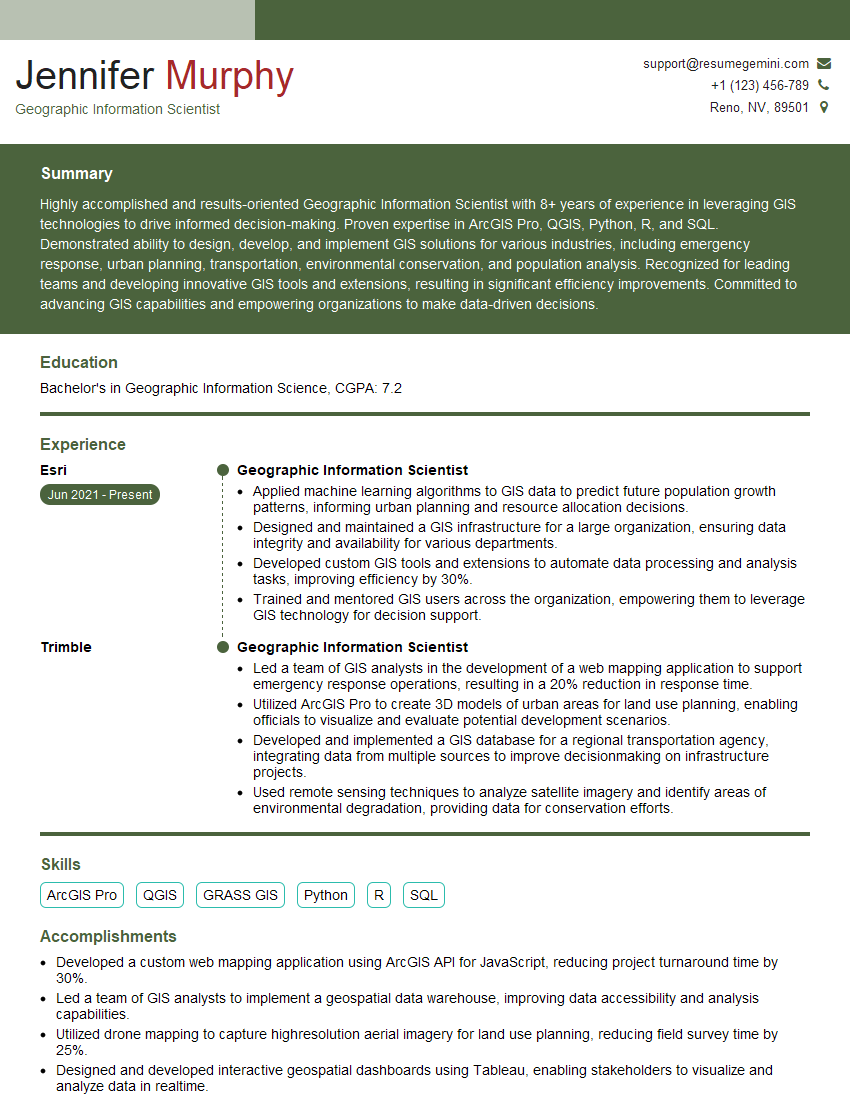

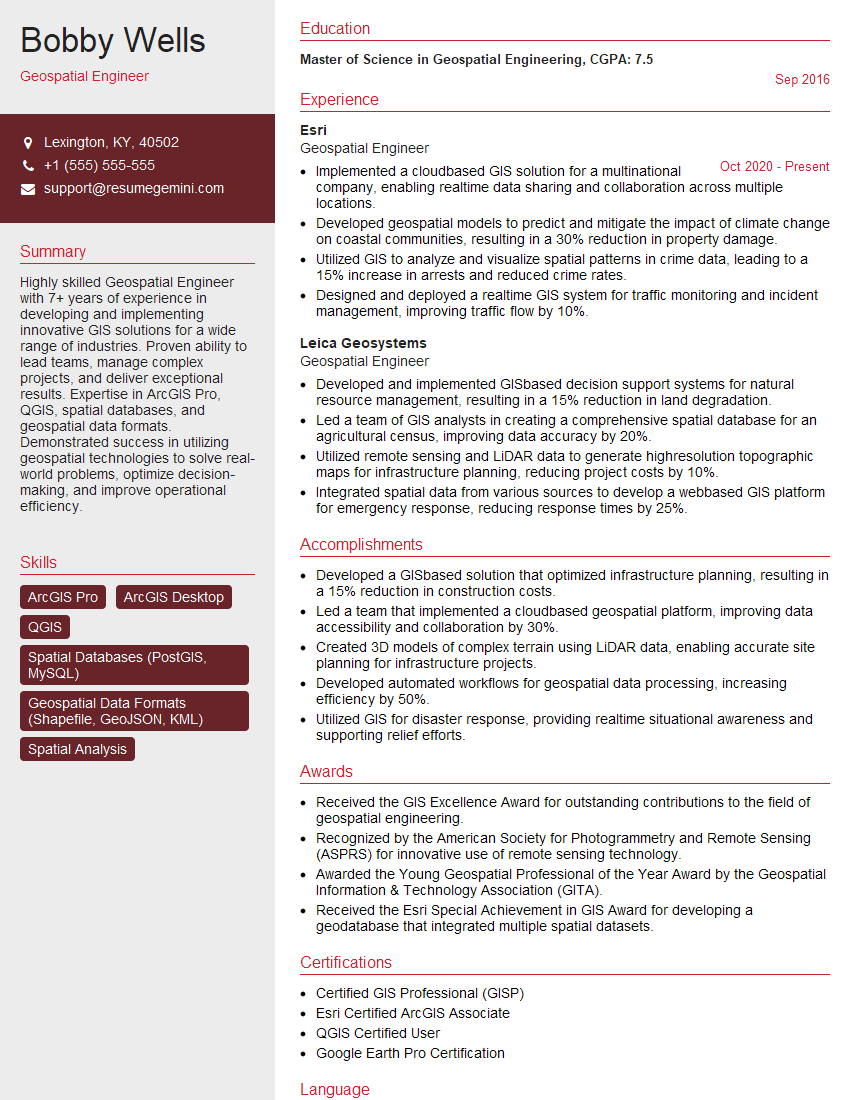

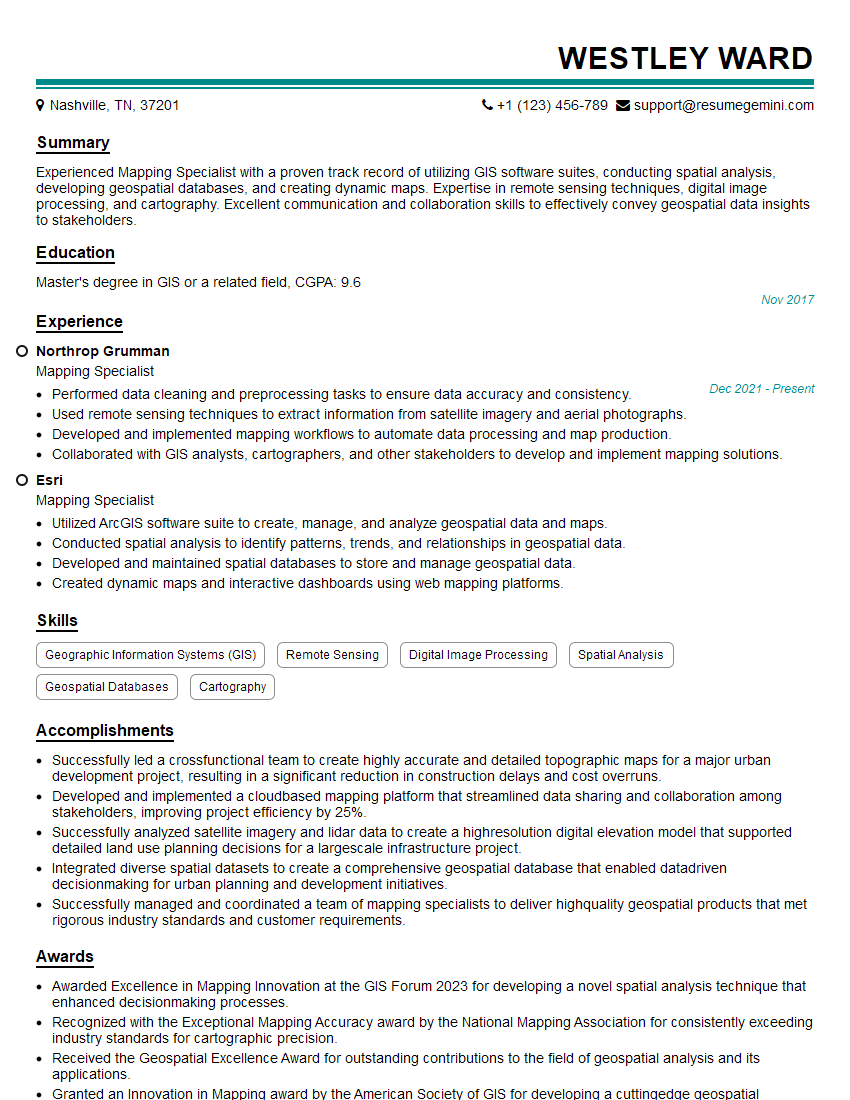
Explore more articles
Users Rating of Our Blogs
Share Your Experience
We value your feedback! Please rate our content and share your thoughts (optional).
What Readers Say About Our Blog
I Redesigned Spongebob Squarepants and his main characters of my artwork.
https://www.deviantart.com/reimaginesponge/art/Redesigned-Spongebob-characters-1223583608
IT gave me an insight and words to use and be able to think of examples
Hi, I’m Jay, we have a few potential clients that are interested in your services, thought you might be a good fit. I’d love to talk about the details, when do you have time to talk?
Best,
Jay
Founder | CEO