Interviews are opportunities to demonstrate your expertise, and this guide is here to help you shine. Explore the essential GIS Visualization interview questions that employers frequently ask, paired with strategies for crafting responses that set you apart from the competition.
Questions Asked in GIS Visualization Interview
Q 1. Explain the difference between thematic and reference maps.
Thematic and reference maps serve distinct purposes in GIS visualization. Think of it like this: a reference map is like a roadmap showing the location of features, while a thematic map tells a story about those features.
- Reference maps primarily focus on location and spatial relationships. They show the geographic distribution of features without emphasizing specific attributes. Examples include topographic maps, road maps, and atlases. Their goal is simply to show *where* things are.
- Thematic maps, on the other hand, highlight a specific attribute or theme. They use visual elements like color, size, or pattern to represent data values associated with geographic locations. Choropleth maps (showing data by area), dot density maps (showing density by dots), and proportional symbol maps (using symbol size to represent values) are all thematic map types. Their goal is to show *what* is happening *where*.
For example, a reference map might show the boundaries of different countries in a region. A thematic map could then use that same base map to show population density within each country, using color shading to represent population density levels.
Q 2. Describe your experience with various GIS visualization software (e.g., ArcGIS Pro, QGIS, Tableau).
I have extensive experience with several leading GIS visualization software packages. My proficiency spans the entire workflow, from data acquisition and processing to map design and publication.
- ArcGIS Pro: I’ve used ArcGIS Pro for complex spatial analysis, creating sophisticated cartographic products with high levels of customization. I’m familiar with its geoprocessing tools, 3D visualization capabilities, and its robust layout features. A recent project involved utilizing ArcGIS Pro to create a series of interactive maps displaying air quality data across a metropolitan area, allowing users to filter data by pollutant type and time period.
- QGIS: QGIS has been invaluable for open-source projects and data exploration. Its flexibility and extensibility through plugins make it a powerful tool for quick visualizations and analysis. I’ve used it extensively for tasks such as raster analysis and the creation of custom map styles.
- Tableau: While not strictly a GIS package, Tableau’s strength lies in its data visualization and interactive dashboard capabilities. I’ve integrated it with GIS data to create compelling dashboards showcasing spatial data trends, leveraging its excellent charting and interactive functionality. For instance, I used Tableau to create an interactive dashboard showing the correlation between crime rates and socioeconomic factors across a city, using geocoded crime data layered on a map.
My expertise extends to understanding the strengths and limitations of each platform, allowing me to choose the most appropriate software for specific project needs.
Q 3. What are the key considerations for choosing the appropriate map projection for a given project?
Selecting the right map projection is crucial for accurate representation and avoiding distortion. The choice depends on the project’s geographic extent, the type of data being mapped, and the intended use of the map. Key considerations include:
- Geographic Extent: Mapping a small area requires less concern about distortion compared to mapping the entire globe. For a small area, a simple projection like UTM (Universal Transverse Mercator) is often suitable, minimizing distortion within that zone. For larger areas or the entire globe, projections like Robinson or Winkel Tripel are preferred to minimize overall distortion, though some distortion is unavoidable.
- Data Type: The type of data influences the projection choice. For example, equal-area projections (like Albers Equal-Area Conic) are important when the analysis involves area calculations (e.g., population density), as they preserve area accurately. Conformal projections (like Mercator) preserve shape but distort area, suitable for navigation where accurate shapes are crucial.
- Intended Use: The map’s purpose will guide the projection selection. A map intended for navigation would benefit from a conformal projection, while a map showing resource distribution would prioritize an equal-area projection.
For instance, a map showing land ownership in a small region would benefit from a UTM projection for minimal distortion. In contrast, a world map showing global climate patterns would use a compromise projection like the Robinson projection, aiming to balance area and shape distortion across the globe.
Q 4. How do you handle large datasets for visualization purposes?
Handling large datasets for visualization requires strategic approaches to avoid performance bottlenecks. Techniques include:
- Data Subsetting: Instead of loading the entire dataset, work with subsets relevant to the current visualization or analysis. This reduces processing load and improves responsiveness.
- Data Aggregation: Aggregate data to a coarser resolution. For example, instead of displaying individual points, aggregate data into polygons representing averages or sums over specific areas. This drastically reduces the number of features to render.
- Data Generalization: Simplify feature geometries, reducing the number of vertices in polygons or lines. This is particularly useful for datasets with very detailed features.
- Tile Caching: For web maps, use tile caching to pre-render map tiles at different zoom levels. This drastically improves load times and response when panning and zooming.
- Database Connections: Use direct connections to spatial databases (such as PostGIS or Oracle Spatial) to access and query data directly without loading everything into memory. This is particularly useful for interactive maps and analysis.
- Cloud Computing: Utilize cloud services like Amazon Web Services (AWS) or Google Cloud Platform (GCP) to handle large data processing and storage.
For example, when visualizing global temperature data, you might first aggregate data to a coarser resolution like a 10km grid instead of using individual weather station readings. Then, use tiling to create cached map tiles to allow seamless interactions on web maps.
Q 5. Explain the concept of symbolization and its importance in GIS visualization.
Symbolization is the process of visually representing geographic features and their attributes on a map. It’s the foundation of effective GIS visualization, as it directly impacts the map’s ability to communicate information clearly and effectively.
Consider the different ways you can represent a feature like a city on a map: a simple point, a labeled point, a proportional symbol representing population, or even a polygon to show city limits. Each choice conveys a different level of detail and meaning.
- Visual Variables: Key aspects of symbolization include visual variables like color, size, shape, orientation, and pattern. The choice of visual variables depends on the data type and the story you want to tell.
- Data Classification: For quantitative data, classification schemes (e.g., equal interval, quantile, natural breaks) are used to group data values into distinct classes that are then represented by different symbols.
- Color Schemes: Color choice is crucial. Use perceptually distinct colors, avoiding color blindness issues and considering color associations.
- Labels and Legends: Clear labels and legends are essential for understanding the map’s symbology.
Effective symbolization is paramount for conveying a clear and accurate message. A poorly symbolized map can lead to misinterpretations or obscure important patterns. The careful selection and application of visual variables are key to ensuring maps are effective communication tools.
Q 6. Discuss your experience with creating interactive web maps.
Creating interactive web maps is a core part of my skillset. I’ve worked extensively with various frameworks and technologies to build user-friendly and informative web maps.
- JavaScript Frameworks: My experience encompasses using JavaScript frameworks like Leaflet and OpenLayers for creating highly interactive maps, allowing users to zoom, pan, query data, and view information dynamically.
- Web Map Services (WMS/WMTS/WFS): I’m skilled in integrating data from various sources via WMS (Web Map Service), WMTS (Web Map Tile Service), and WFS (Web Feature Service) to create composite maps. This allows for flexible access to different data layers.
- Backend Integration: I understand the importance of connecting to databases to provide dynamic content. I have experience creating web map applications where data is queried from databases in real time, resulting in constantly updated information.
- User Interface Design: I prioritize intuitive user interfaces. Clear navigation, interactive elements, and user-friendly interactions are essential for an engaging experience. This includes implementing search capabilities and filter options to allow users to easily explore the data.
For example, I recently developed a web map application that allows users to explore real-time traffic data overlaid on a basemap, providing information about traffic congestion and estimated travel times. The application uses Leaflet for the map display and integrates with a real-time traffic data API.
Q 7. How do you ensure accessibility in your GIS visualizations?
Accessibility is a crucial aspect of responsible GIS visualization. My approach involves ensuring that the maps and related materials are usable by people with disabilities. Key considerations include:
- Color Contrast: Maintaining sufficient color contrast between symbols and the background is critical for those with visual impairments. Tools and guidelines such as the Web Content Accessibility Guidelines (WCAG) provide standards for color contrast ratios.
- Alternative Text: Providing descriptive alternative text for images and map elements is necessary for screen readers used by visually impaired individuals.
- Keyboard Navigation: All interactive map elements must be accessible via keyboard navigation for users who cannot use a mouse.
- Clear and Concise Labels: Using clear and concise labels and legends avoids potential confusion for all users.
- Data Tables: Offering downloadable data tables allows users to analyze the information independently and through assistive technologies.
- Screen Reader Compatibility: Testing with screen readers is crucial to ensure that the map’s content and structure are correctly interpreted.
In practice, I carefully choose color palettes considering color blindness, use descriptive labels and legends, and ensure keyboard navigation is fully functional. I also regularly test my work with accessibility tools and seek feedback from users with disabilities to ensure inclusive design.
Q 8. What are some best practices for designing effective map legends?
A well-designed map legend is crucial for effective communication. It acts as a translator, bridging the gap between the map’s visual elements and the data they represent. Best practices center around clarity, simplicity, and consistency.
- Clarity: Use clear and concise labels. Avoid jargon. For example, instead of “impervious surface,” use “roads and buildings.” Ensure symbols are easily distinguishable and representative of the data. A symbol for ‘parks’ should look like a park, not a square.
- Simplicity: Keep it brief and avoid overwhelming the viewer with too much information. Organize the legend logically, perhaps by category or data range. Prioritize essential information and leave less important details for a supplemental document if needed.
- Consistency: Maintain a consistent visual style throughout the legend and the map itself. Use the same colors, symbols, and fonts. The legend should seamlessly integrate with the map’s design.
- Accessibility: Consider colorblindness by employing color palettes designed for accessibility. Add text labels to every symbol to ensure clarity for those with visual impairments.
- Scale and Units: Clearly state the units of measurement (e.g., meters, kilometers, acres) and any relevant scales.
For instance, in a map depicting population density, I’d use a graduated color scale, with a clear key showing the population range represented by each color. The legend would also include a title like “Population Density (People per Square Kilometer)” and clearly defined class breaks.
Q 9. Describe your experience with 3D GIS visualization techniques.
My experience with 3D GIS visualization is extensive. I’ve utilized various software packages, including ArcGIS Pro and QGIS, to create engaging 3D models for diverse applications. I’m proficient in incorporating terrain data (DEMs), building models, and point cloud data to generate realistic 3D environments.
I’ve worked on projects ranging from visualizing urban planning proposals, demonstrating the impact of proposed infrastructure projects on the surrounding environment, to creating interactive 3D fly-throughs for public presentations. For example, I created a 3D model of a proposed wind farm, integrating data on wind speed, turbine placement, and terrain to help stakeholders assess potential visual impacts and optimize turbine placement for maximum efficiency. This involved careful data preparation, selection of appropriate textures and materials, and optimization for smooth rendering performance.
Beyond static models, I’m experienced with integrating interactive elements, such as tooltips providing detailed data on specific features and animations to show changes over time, thus enhancing user engagement and data interpretation.
Q 10. How do you incorporate data from different sources into a single visualization?
Incorporating data from diverse sources into a single visualization requires a structured approach. It begins with data preparation and standardization.
- Data Acquisition: First, I identify and acquire the necessary datasets. Sources could include shapefiles, GeoTIFFs, databases, spreadsheets, and APIs.
- Data Cleaning and Transformation: Each dataset undergoes thorough cleaning to address inconsistencies, missing values, and errors. This might involve data transformation, using tools like Python’s
pandaslibrary to clean, reformat, and integrate data sets. - Data Projection and Coordinate System: All data must be projected into a consistent coordinate reference system (CRS) to ensure accurate spatial alignment.
- Data Integration: Depending on the data types, integration techniques range from simple joins and overlays in GIS software to more complex spatial analyses. For instance, I might overlay a population density raster with a shapefile of neighborhoods to generate visualizations of population distribution within each neighborhood.
- Visualization: Finally, I select appropriate visualization methods. For instance, a layered map with transparent overlays, a thematic map or a 3D model could be ideal depending on the data and the message.
A real-world example was a project integrating census data, crime statistics, and real estate information to create a visualization of socio-economic disparities within a city. By combining these datasets, the visualization provided powerful insights for urban planners.
Q 11. Explain your process for creating effective data visualizations for non-technical audiences.
Creating effective data visualizations for non-technical audiences demands a focus on simplicity and intuitive communication. I follow a process emphasizing clear storytelling and minimal technical jargon.
- Understand the Audience: The first step is to deeply understand the audience’s knowledge and interests. What are their key questions? What information is most relevant to them?
- Choose the Right Visualization: Selecting the appropriate chart or map type is vital. Simple bar charts, clear maps, and well-labeled pie charts are generally more effective than complex graphs. Avoid unnecessary details that might confuse them.
- Develop a Narrative: Frame the visualization within a story. What’s the main point you want to convey? How does the data support your message? A strong narrative guides the viewer’s interpretation.
- Simplify the Design: Use clear, concise labels and a visually appealing color scheme. Avoid clutter, and limit the number of data points shown. Less is often more.
- Testing and Feedback: Show the visualization to members of the target audience to gather feedback before finalizing it.
In a project explaining climate change impacts to a community, I created simple maps showing changes in average temperature over time and used straightforward bar graphs to represent sea-level rise projections. This approach avoided technical details and focused on easily understandable visual representations.
Q 12. What are some common challenges in GIS visualization and how have you overcome them?
GIS visualization comes with its own set of challenges.
- Data Volume and Complexity: Handling massive datasets can be computationally intensive and require optimization strategies. I address this using techniques like data aggregation, spatial indexing, and leveraging cloud computing resources.
- Data Inconsistency: Data from diverse sources might have inconsistent formats, projections, or missing values. Rigorous data cleaning and preprocessing, utilizing tools like scripting languages (Python), are crucial to ensure data quality.
- Visualization Choice: Choosing the most effective visualization for a specific dataset and audience can be challenging. Experimentation and iterative design are crucial here.
- Performance Issues: Complex visualizations, particularly in 3D, can lead to performance bottlenecks. Strategies include data simplification, optimization of rendering settings, and employing appropriate hardware.
For example, when working with a large point cloud dataset, I used techniques like point cloud simplification and octree indexing to speed up rendering times. In another case, I used appropriate data aggregation to avoid visualization overload when displaying a vast dataset of individual transactions.
Q 13. How familiar are you with different color palettes and their effectiveness in conveying information?
My familiarity with color palettes is significant. The choice of color significantly impacts the effectiveness of a visualization. I understand the importance of color theory, accessibility, and the perceptual impact of different color schemes.
- Sequential Palettes: Ideal for representing data with a gradual progression (e.g., elevation, temperature). I often use perceptually uniform palettes like those provided by the ColorBrewer website, which ensures that the visual differences between colors accurately reflect the underlying data differences.
- Diverging Palettes: Suitable for highlighting deviations from a central value (e.g., positive and negative change). These palettes typically use contrasting colors to show the range.
- Qualitative Palettes: Used to distinguish distinct categories (e.g., land use types). I choose colors that are easily distinguishable and visually appealing, while considering colorblindness.
- Accessibility: I always design palettes with colorblind viewers in mind, using tools and resources that ensure visual accessibility for all audiences.
In a project mapping soil types, I utilized a qualitative palette from ColorBrewer, ensuring clear distinction between soil categories while remaining visually pleasing and accessible to people with color vision deficiencies.
Q 14. Describe your experience with creating animated maps.
I have considerable experience creating animated maps. Animation is a powerful tool for conveying change over time or illustrating processes. I utilize various techniques depending on the data and desired outcome.
- Temporal Data: For datasets with a time component (e.g., population change, weather patterns), I use animation to show the progression of data over time. Software like ArcGIS Pro and QGIS allow for creating time-enabled maps where changes are shown sequentially.
- Process Animation: To illustrate spatial processes, such as the spread of a disease or the movement of traffic, I often employ animation techniques. This often involves creating multiple map frames at different time steps and combining them into a movie.
- Data Visualization Libraries: I leverage libraries like
LeafletandD3.jsto create interactive animated maps that provide viewers more control over the animation’s speed and display.
For example, I animated the spread of a wildfire using real-time data, visualizing the fire’s progression over several days to show the fire’s impact and allow for better response strategy planning. This involved generating a sequence of maps from the data and then using a video editing tool to create the final animated map.
Q 15. What is your experience with using spatial analysis tools to enhance visualizations?
Spatial analysis tools are fundamental to creating effective GIS visualizations. They allow us to move beyond simply displaying data and to reveal underlying patterns, relationships, and trends. My experience encompasses a wide range of techniques, from basic overlay analysis (e.g., identifying areas where land use intersects with floodplains) to more advanced methods like proximity analysis (calculating distances to services like hospitals or schools) and spatial interpolation (estimating values at unsampled locations). For instance, in a project analyzing urban sprawl, I used spatial autocorrelation analysis to identify clusters of new development and then visualized these clusters using graduated color symbology to highlight areas of rapid expansion. This provided far more insight than simply mapping the raw development data alone.
I’m also proficient in using tools like ArcGIS Spatial Analyst and QGIS Processing Toolbox for raster-based analysis, as well as the geoprocessing capabilities within ArcGIS Pro and other desktop GIS software. The selection of appropriate spatial analysis techniques heavily depends on the research question and the nature of the data. Understanding these nuances and applying the most suitable tools is crucial for delivering impactful visualizations.
Career Expert Tips:
- Ace those interviews! Prepare effectively by reviewing the Top 50 Most Common Interview Questions on ResumeGemini.
- Navigate your job search with confidence! Explore a wide range of Career Tips on ResumeGemini. Learn about common challenges and recommendations to overcome them.
- Craft the perfect resume! Master the Art of Resume Writing with ResumeGemini’s guide. Showcase your unique qualifications and achievements effectively.
- Don’t miss out on holiday savings! Build your dream resume with ResumeGemini’s ATS optimized templates.
Q 16. How do you evaluate the effectiveness of your GIS visualizations?
Evaluating the effectiveness of GIS visualizations isn’t just about aesthetics; it’s about communicating information clearly and achieving the visualization’s intended purpose. My evaluation process is multi-faceted and includes:
- Clarity and Accuracy: Does the visualization accurately reflect the data? Is the message easily understandable, avoiding ambiguity and misinterpretations? I frequently conduct peer reviews and user testing at this stage.
- Accessibility: Is the visualization accessible to the intended audience, considering their technical expertise and any visual impairments? Colorblind-friendly palettes and appropriate labeling are key.
- Effectiveness: Does the visualization achieve its objective? Did it successfully communicate the key findings or support the decision-making process? I use metrics like the completion rate of an interactive map or the number of times key data points are accessed to track this.
- Impact: Did the visualization lead to any insights, actions, or changes? Tracking the visualization’s influence on decisions or further analysis is an important, though often harder to quantify aspect.
Ultimately, effectiveness is judged by whether the visualization successfully communicates its message and influences understanding or decision-making. A beautiful but unclear map is not an effective visualization.
Q 17. What are some common data quality issues that can impact GIS visualizations?
Data quality is paramount in GIS visualizations. Poor data quality can lead to misleading or inaccurate visualizations, undermining their credibility. Common issues include:
- Inaccurate attribute data: Errors in the data values themselves (e.g., incorrect population counts, faulty measurements). Data validation and cleaning are critical here.
- Spatial inaccuracies: Inconsistent or imprecise geographic locations (e.g., points slightly offset from their true locations, poorly defined polygon boundaries). This requires careful data checking and possibly use of more robust georeferencing techniques.
- Incomplete data: Missing values or gaps in the dataset can create bias and distort patterns. This might require imputation or careful consideration of the implications for the visualization.
- Inconsistent data formats or projections: Using data from different sources with inconsistent projections or coordinate systems can result in misalignment and errors. Proper projection management and data transformation are vital.
- Temporal inconsistencies: Combining data collected at different times without addressing temporal differences can lead to flawed analysis and visualization. Careful consideration of temporal aspects and data aggregation are necessary.
Addressing these issues requires a thorough data quality assessment, data cleaning, and the application of appropriate spatial analysis methods to identify and mitigate the impact of these problems.
Q 18. How do you incorporate user feedback into the design process of GIS visualizations?
User feedback is invaluable in refining GIS visualizations. I actively incorporate feedback throughout the design process using several methods:
- Iterative design: I present visualizations at various stages of development, gathering feedback at each iteration. This allows me to incorporate suggestions early, minimizing rework.
- User testing: I conduct formal or informal user testing sessions, observing how users interact with the visualization and asking for their impressions. This is particularly useful in identifying areas of confusion or unclear presentation.
- Surveys and questionnaires: These provide a more structured approach to collecting feedback, enabling the identification of broader patterns and areas for improvement.
- Usability testing tools: Tools like eye-tracking software can provide insights into how users scan and interpret visualizations, revealing areas that need attention.
For example, in a recent project, user feedback revealed that the map’s legend was too complex. Based on this feedback, we simplified the legend, resulting in a much more user-friendly visualization.
Q 19. Describe your experience with geospatial data formats (e.g., Shapefiles, GeoJSON, GeoTIFF).
My experience with geospatial data formats is extensive, covering a wide range of commonly used formats. I’m proficient in working with:
- Shapefiles: A widely used vector format, ideal for representing points, lines, and polygons. I’ve used shapefiles extensively in various projects, understanding their limitations (multiple files per feature class) and strengths (wide software support).
- GeoJSON: A lightweight, human-readable, and widely supported JSON-based format for encoding geographic data. Its flexibility and ease of use makes it preferable for web applications and data sharing.
- GeoTIFF: A widely used georeferenced raster format, excellent for storing remotely sensed imagery and elevation data. I often handle large GeoTIFFs, optimizing processes for efficient processing and visualization.
- Other formats: My experience also includes working with formats such as KML/KMZ, GPKG (GeoPackage), and various database formats used for storing spatial data (e.g., PostGIS, Oracle Spatial).
Selecting the appropriate format depends heavily on the application, data volume, and the need for interoperability with different software and platforms.
Q 20. Explain the difference between raster and vector data and how it affects visualization.
Raster and vector data are the two fundamental ways to represent geographic information in a GIS. The difference affects visualization significantly:
- Raster Data: Represents data as a grid of cells (pixels), each with an assigned value. Think of it like a digital image. Raster data is excellent for representing continuous phenomena like elevation, temperature, or satellite imagery. Visualizations often involve color ramps, where pixel values are mapped to colors to represent different ranges.
- Vector Data: Represents data as points, lines, and polygons defined by coordinates. This is ideal for discrete features like roads, buildings, or political boundaries. Visualizations often use symbols, lines, and filled polygons, with attributes determining styling (e.g., color, size).
For example, a satellite image of a city (raster) can be visualized using a color composite, while a map of city streets (vector) might use different line styles for different road types. Choosing the right data type significantly influences the type of visualization and the level of detail that can be effectively shown. Often, combining raster and vector data in a single visualization is the most effective approach, showing a contextual background image (raster) and highlighting key vector features (points of interest, borders etc.).
Q 21. What are your experiences with version control systems in GIS projects?
Version control is essential for managing the complexities of GIS projects, especially collaborative ones. I’ve used Git extensively, incorporating it into my workflow to track changes in data, code, and visualization designs. This allows for collaboration, rollback to previous versions if needed, and efficient management of project history. Using a platform like GitHub or GitLab helps manage code and data version control efficiently and supports collaboration among team members.
In practice, I typically create a separate repository for each project, committing changes regularly with informative commit messages. This allows easy tracking and auditing of modifications. I am experienced in managing both data files and scripts within version control systems, employing techniques like large file storage (LFS) for managing large raster datasets effectively. Having a well-structured version control system is crucial for project organization, accountability, and facilitating efficient team collaboration.
Q 22. How do you ensure the accuracy and reliability of your visualizations?
Ensuring accuracy and reliability in GIS visualizations is paramount. It’s not just about making pretty pictures; it’s about communicating truthful and dependable information. My approach is multifaceted and begins with rigorous data validation. This involves checking for inconsistencies, errors, and outliers in the source data before even starting the visualization process. I use various techniques, including data profiling and consistency checks, to identify and address data quality issues.
Next, I meticulously choose the appropriate visualization techniques for the data. For example, using a choropleth map to represent population density is appropriate, but using it to show the locations of individual trees would be misleading. The selection of the right projection is equally crucial, as distortions can significantly affect the accuracy of spatial relationships. I always clearly label my maps and charts, including data sources and any necessary caveats. Finally, I employ peer review, where other GIS professionals independently assess my work for accuracy and clarity before dissemination.
For instance, in a project mapping flood risk, I ensured accuracy by cross-referencing elevation data from multiple sources (LiDAR, DEMs), validating against hydrological models and incorporating real-world observations of past flood events. This multi-layered approach minimized errors and delivered a reliable visualization of the flood risk zones.
Q 23. Discuss your experience with using different map scales and their impact on visualization.
Map scale is fundamental to GIS visualization, influencing the level of detail visible and the interpretation of spatial relationships. A large-scale map (e.g., 1:1000) shows fine detail, perfect for urban planning or site analysis where individual buildings are important. Conversely, a small-scale map (e.g., 1:1,000,000) provides a broad overview, suitable for national-level analyses of environmental patterns or population distribution. The choice depends entirely on the project’s objectives.
I have extensive experience working with various scales and understand their impact. For example, when visualizing changes in forest cover over time, a small scale was ideal to show regional deforestation patterns. However, to assess the effectiveness of reforestation efforts in a specific area, I switched to a much larger scale to show detailed changes at the local level. Changing scale requires adjusting the level of generalization (more on that later). The visualization’s purpose dictates the most effective scale – it’s a balance between clarity and context.
Q 24. What strategies do you employ to improve the performance of your visualizations?
Improving the performance of GIS visualizations is crucial, especially when dealing with large datasets. My strategies focus on optimizing data processing and leveraging efficient visualization techniques. Data simplification, such as generalizing vector data or using raster datasets at appropriate resolutions, significantly reduces processing time. For example, simplifying a highly detailed road network when visualizing regional transportation patterns maintains visual clarity without sacrificing performance.
I also employ techniques like spatial indexing and caching to speed up spatial queries and data retrieval. Additionally, I make smart use of visualization libraries and software, choosing those designed for performance and optimized for large datasets. For web-based visualizations, careful optimization of the web map service (WMS) is crucial to ensure fast loading times. Using tiled layers, appropriate data compression, and efficient rendering techniques is essential in this area.
For instance, when visualizing real-time traffic data for a city, I used a combination of spatial indexing, data aggregation, and efficient rendering techniques in a JavaScript library to provide a smooth and responsive visualization, even with millions of data points.
Q 25. Describe your experience with creating visualizations for specific applications (e.g., urban planning, environmental monitoring).
My experience spans various applications, and each demands a unique visualization approach. In urban planning, I’ve used 3D visualizations to model proposed developments and show their impact on the cityscape, incorporating factors like sunlight exposure and shadowing. Interactive dashboards were created to allow stakeholders to explore various scenarios and make informed decisions. I’ve also developed visualizations to show population density, transportation networks, and land-use patterns to support planning strategies.
For environmental monitoring, I’ve worked on projects involving visualizing pollution levels, deforestation rates, and changes in biodiversity. Here, time-series animations and interactive maps were used to effectively communicate trends and patterns over time. Color ramps and symbolization were carefully selected to highlight critical environmental concerns. For example, I used heatmaps to show pollution concentrations, and temporal animations to show the spread of invasive species across a region.
Q 26. Explain the concept of cartographic generalization and its relevance to GIS visualization.
Cartographic generalization is the process of simplifying and selectively omitting map features while maintaining the overall accuracy and readability of the map. It’s crucial in GIS visualization, especially when dealing with large-scale datasets or small map scales. Imagine trying to display every single house on a map of an entire city – it would be cluttered and illegible. Generalization helps to manage this.
Techniques include line simplification (smoothing jagged lines), area aggregation (combining smaller polygons into larger ones), feature displacement (slightly moving features to avoid overlaps), and symbolization changes (using simpler symbols at smaller scales). The level of generalization is determined by the map scale and the purpose of the visualization. I use appropriate generalization techniques based on the spatial resolution and map scale; for instance, when displaying street networks on a small-scale map, individual streets might be simplified or even omitted to focus on major roads. Over generalization can lead to inaccuracies, so finding the right balance is essential.
Q 27. How do you stay up-to-date with the latest advancements in GIS visualization technology?
Staying current in the rapidly evolving field of GIS visualization is a continuous process. I regularly attend conferences and workshops like the ESRI User Conference to learn about new software, techniques, and best practices. I actively participate in online communities and forums where GIS professionals share knowledge and experiences. Following leading journals and publications, such as the Cartography and Geographic Information Science journal, keeps me updated on research and advancements.
Furthermore, I regularly experiment with new software and visualization tools, testing their capabilities and suitability for different projects. Exploring open-source libraries and frameworks like Leaflet and OpenLayers expands my knowledge of web-based GIS visualization. This continuous learning ensures I’m equipped with the latest technology and approaches, allowing me to create high-quality, impactful visualizations.
Key Topics to Learn for GIS Visualization Interview
- Data Representation & Selection: Understanding various data formats (shapefiles, GeoJSON, GeoTIFF), appropriate data selection techniques for visualization purposes, and the implications of data projections on visual accuracy.
- Cartographic Principles: Applying map design principles (e.g., color palettes, symbology, labeling) to create effective and informative visualizations. This includes understanding the impact of design choices on audience interpretation.
- Visualization Techniques: Mastering different visualization methods like choropleth maps, dot density maps, isopleth maps, 3D visualizations, and cartograms. Knowing when each technique is most appropriate is crucial.
- Interactive Mapping & Web GIS: Familiarity with web mapping frameworks (e.g., Leaflet, OpenLayers) and the creation of interactive web maps. This includes understanding user interface design for effective data exploration.
- Data Analysis & Interpretation: Knowing how to analyze spatial data to identify patterns and trends, and effectively communicate those findings through visualizations. This includes understanding statistical methods relevant to GIS analysis.
- GIS Software Proficiency: Demonstrating practical experience with relevant GIS software (e.g., ArcGIS Pro, QGIS) and their visualization capabilities. Be ready to discuss specific workflows and projects.
- Accessibility & Inclusivity: Understanding the importance of creating accessible and inclusive visualizations for diverse audiences, considering factors such as color blindness and cognitive accessibility.
Next Steps
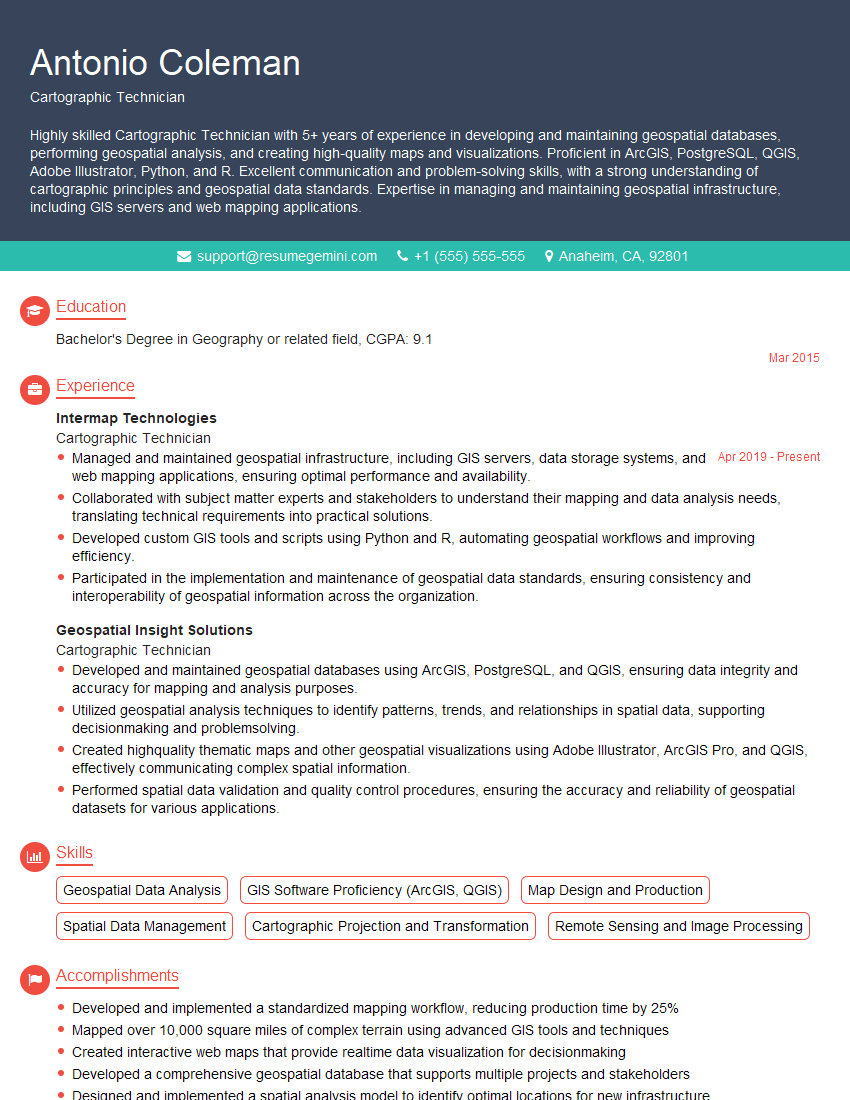
Mastering GIS visualization is key to unlocking exciting career opportunities in fields like urban planning, environmental science, public health, and market analysis. A strong portfolio showcasing your visualization skills is invaluable. To significantly boost your job prospects, invest time in crafting an ATS-friendly resume that highlights your accomplishments and technical expertise. ResumeGemini is a trusted resource that can help you build a professional and impactful resume, ensuring your skills shine through to potential employers. Examples of resumes tailored to GIS Visualization professionals are available to guide you.

Explore more articles
Users Rating of Our Blogs
Share Your Experience
We value your feedback! Please rate our content and share your thoughts (optional).
What Readers Say About Our Blog
I Redesigned Spongebob Squarepants and his main characters of my artwork.
https://www.deviantart.com/reimaginesponge/art/Redesigned-Spongebob-characters-1223583608
IT gave me an insight and words to use and be able to think of examples
Hi, I’m Jay, we have a few potential clients that are interested in your services, thought you might be a good fit. I’d love to talk about the details, when do you have time to talk?
Best,
Jay
Founder | CEO