The thought of an interview can be nerve-wracking, but the right preparation can make all the difference. Explore this comprehensive guide to Google Search Ads interview questions and gain the confidence you need to showcase your abilities and secure the role.
Questions Asked in Google Search Ads Interview
Q 1. Explain the difference between broad match, phrase match, and exact match keywords.
Keyword match types in Google Ads determine how closely a user’s search query needs to match your keyword for your ad to show. Think of it like a spectrum of precision.
- Exact Match: This is the most precise. Your ad will only show if the user’s search query exactly matches your keyword, or is a very close variant. For example, if your keyword is
"blue running shoes", searches like"blue running shoes"or"blue running shoes for men"might trigger your ad (depending on close variant settings), but"red running shoes"or"blue running sneakers"would not. This is ideal for targeting highly specific searches. - Phrase Match: This is a middle ground. Your ad will show if the user’s search query includes your keyword in the exact order, but with additional words before or after. Using the same example,
"best blue running shoes"or"cheap blue running shoes"would trigger your ad, because"blue running shoes"is present in the exact order. This allows for some flexibility while still maintaining relevance. - Broad Match: This is the broadest match type. Your ad may show for searches containing your keyword, misspellings, synonyms, related searches, and even words with a similar meaning. Using the same example,
"buy blue running shoes","blue running trainers"or even"shoes for running"could trigger your ad. While this reaches a wider audience, it also increases the chance of irrelevant clicks and wasted budget.
Choosing the right match type depends on your campaign goals and budget. Exact match is great for high-value conversions, while broad match is suitable for broader brand awareness.
Q 2. What are the different Google Ads bidding strategies and when would you use each?
Google Ads offers various bidding strategies, each designed for different goals. The choice depends heavily on your objectives and level of control you desire.
- Manual CPC: You set your bids directly. Offers maximum control but requires more time and expertise. Ideal when you have a good understanding of your keywords and their value.
- Automated CPC: Google automatically sets your bids to get the most conversions within your budget. This is less hands-on but can be effective for optimizing for conversions.
- Maximize Conversions: Google automatically sets bids to get the most conversions possible. Ideal for campaigns focused on driving conversions. This strategy needs sufficient conversion data to perform effectively.
- Maximize Conversion Value: Google automatically sets bids to get the most conversion value within your budget. Best if your conversions have varying values (e.g., different products with different prices).
- Target CPA (Cost-Per-Acquisition): You set a target CPA, and Google optimizes bids to achieve it. Good for when you have a clear target CPA in mind and have enough historical data.
- Target ROAS (Return on Ad Spend): You set a target ROAS, and Google optimizes bids to achieve that return on your ad spend. Requires substantial conversion data and tracking to be effective.
- Enhanced CPC: Google automatically adjusts your bids based on the likelihood of a conversion. A good middle ground between manual and fully automated bidding.
For a new campaign with limited data, I’d typically start with Maximize Conversions and gradually transition to more controlled strategies as data accumulates. For established campaigns with clear conversion goals, Target CPA or Target ROAS could be excellent choices.
Q 3. How do you optimize Quality Score and what are its components?
Quality Score is a metric that Google uses to determine the relevance and quality of your ads and landing pages. A higher Quality Score leads to lower costs and better ad positions. It’s composed of three main components:
- Expected CTR (Click-Through Rate): How likely people are to click your ad when it shows. Improve this by creating compelling ad copy, targeting relevant keywords, and ensuring your ads are visually appealing.
- Ad Relevance: How relevant your ad is to the user’s search query and your landing page. Achieve this by using precise keyword targeting and matching your ad copy to the content of your landing page.
- Landing Page Experience: How good the user experience is on your landing page. Factors such as page speed, mobile-friendliness, ease of navigation, and relevance to the ad contribute to this. A well-designed landing page with clear call-to-actions is crucial.
Optimizing Quality Score involves constantly reviewing and improving these three areas. Regularly analyze your keywords, ad copy, and landing pages to identify areas needing improvement. A/B testing of ad copy and landing page elements is also incredibly beneficial.
Q 4. Describe your experience with Google Ads campaign structures (e.g., campaigns, ad groups, keywords).
My experience with Google Ads campaign structures involves a hierarchical approach, following best practices for organization and efficiency. I always start by defining clear campaign goals and target audiences.
I typically structure campaigns by:
- Campaigns: Each campaign focuses on a specific goal or product line (e.g., a campaign for brand awareness, another for product sales). This allows for separate budgeting and targeting.
- Ad Groups: Within each campaign, ad groups are created around tightly themed keywords. For instance, within a “running shoes” campaign, you might have ad groups for “men’s running shoes”, “women’s running shoes”, and “kids’ running shoes”. This ensures relevant ads are shown for specific searches.
- Keywords: Each ad group contains a set of relevant keywords. Using a variety of match types helps optimize reach and control.
This structured approach helps ensure ads are highly targeted and relevant, leading to improved performance and a lower cost per conversion. It also allows for easier analysis and optimization.
I’ve worked with both small and large campaigns, adapting the structure to fit the scale and complexity of the business. For larger campaigns, I often employ more granular structuring, perhaps with additional layers to optimize for different geographical locations or demographics.
Q 5. How do you measure the success of a Google Ads campaign?
Measuring Google Ads campaign success depends on your defined goals. However, key metrics typically include:
- Conversion Rate: The percentage of clicks that lead to a desired action (e.g., purchase, sign-up). This is arguably the most important metric.
- Cost Per Acquisition (CPA): The cost of each conversion. A lower CPA is desirable.
- Return on Ad Spend (ROAS): The revenue generated for every dollar spent on ads. A higher ROAS indicates a more profitable campaign.
- Click-Through Rate (CTR): The percentage of impressions that result in clicks. A higher CTR suggests your ads are appealing and relevant.
- Conversion Value: The total value of all conversions. This considers the value of different conversions.
Beyond these core metrics, I also analyze things like search query reports to identify new keyword opportunities, and user location data to refine targeting. Regular monitoring and analysis allow for continuous optimization and improvement.
Q 6. What are conversion tracking and remarketing, and how do you implement them?
Conversion Tracking allows you to measure the effectiveness of your ads by tracking specific actions users take after clicking your ads. This could be anything from making a purchase to filling out a form or downloading a resource.
Implementation: You install conversion tracking code (a snippet of code provided by Google Ads) on your website’s thank-you page or other relevant pages. This code sends data to Google Ads when a conversion happens, allowing you to track performance.
Remarketing allows you to show ads to people who have previously interacted with your website or app. This is a powerful way to re-engage users who showed initial interest but didn’t convert.
Implementation: Google Ads provides remarketing tags (snippets of code) that you place on your website. These tags record user activity, and Google Ads uses this data to target those users with ads later on. You can create different remarketing lists based on specific user behaviors (e.g., users who viewed a specific product, abandoned a shopping cart).
Combining conversion tracking and remarketing allows for a comprehensive understanding of customer journeys and optimization of ad strategies based on user behavior.
Q 7. Explain the importance of A/B testing in Google Ads.
A/B testing in Google Ads is essential for continuously improving campaign performance. It involves testing different versions of your ads or landing pages to see which performs better.
For instance, you might A/B test different ad headlines, descriptions, or call-to-actions to determine which resonates most with your audience. Similarly, you could test variations in your landing page design, layout, or content to improve conversion rates.
By systematically testing different elements, you can identify what works best, leading to higher CTRs, lower CPAs, and improved overall campaign efficiency. Google Ads provides tools and features to facilitate A/B testing, making it a straightforward yet powerful optimization technique.
I always incorporate A/B testing into my Google Ads strategies. It’s not a one-time thing – it’s an ongoing process of continuous improvement that allows for data-driven decision-making, maximizing return on investment.
Q 8. How do you handle negative keywords and why are they important?
Negative keywords are terms you actively exclude from your Google Ads campaigns. Think of them as a filter – they prevent your ads from showing up when someone searches for irrelevant terms. This is crucial because it saves your budget by avoiding clicks from people unlikely to convert. For example, if you sell high-end leather jackets, you’d likely add negative keywords like “cheap,” “discount,” or “fake leather.” This ensures your ads only appear for searches indicating a genuine interest in your premium product.
Without negative keywords, your campaigns become less efficient. You’d waste money on clicks from people searching for things you don’t offer, lowering your return on ad spend (ROAS). Implementing them requires ongoing analysis; regularly review search terms reports to identify new terms to add to your negative keyword lists. I use a combination of broad match, phrase match, and exact match negative keywords to control the scope of my targeting effectively.
Q 9. What are some common Google Ads reporting metrics you use to analyze performance?
Analyzing Google Ads performance requires looking at a range of metrics. Key metrics I focus on include:
- Click-Through Rate (CTR): This shows how often people click on your ads after seeing them. A higher CTR suggests engaging ad copy and relevant targeting.
- Conversion Rate: This is the percentage of clicks that result in desired actions (purchases, sign-ups, etc.). It’s the ultimate measure of campaign effectiveness.
- Cost Per Click (CPC): This is how much you pay each time someone clicks your ad. Keeping CPCs under control is crucial for budget management.
- Cost Per Acquisition (CPA): This shows the cost of each conversion, providing a direct link between spending and results. Optimizing for a low CPA is paramount.
- Return on Ad Spend (ROAS): This vital metric calculates the revenue generated for every dollar spent on advertising. A higher ROAS indicates successful campaign profitability.
- Quality Score: Google’s assessment of your keywords, ads, and landing pages; a higher quality score often leads to lower CPCs and better ad positions.
I regularly segment my data by campaign, ad group, and keyword to pinpoint areas of strength and weakness. This granular approach allows me to make data-driven decisions for optimization.
Q 10. How do you identify and address low-performing keywords or ad groups?
Identifying low-performing keywords or ad groups is a continuous process. I typically start by analyzing the search terms report to understand actual search queries triggering my ads. Low-performing keywords often show high CPCs, low CTRs, and a lack of conversions. For example, a keyword that receives many impressions but few clicks could indicate poor ad relevance.
My strategy involves a multi-pronged approach:
- Pause underperforming keywords: Immediately pause keywords that consistently show poor results to free up budget for better-performing ones.
- Refine keyword targeting: If a keyword performs poorly, review its match type. If using broad match, consider switching to phrase or exact match to improve relevance.
- Improve ad copy: A/B test different ad copy variations to see if changes can increase CTR and conversion rates.
- Optimize landing pages: Ensure that the landing page relevant to the keywords is engaging, user-friendly, and directly addresses the search intent.
- Re-evaluate ad group structure: Sometimes, keywords within an ad group are too broad or unrelated. Consider creating new, more tightly themed ad groups to improve relevance.
Through consistent monitoring and adjustment, I continually optimize campaign performance to ensure my budget is spent effectively on high-converting keywords.
Q 11. Explain your experience with Google Ads extensions (e.g., sitelinks, callouts).
Google Ads extensions significantly enhance the visibility and clickability of your ads. I’ve extensively used several types:
- Sitelinks: These display additional links below your main ad, directing users to specific sections of your website (e.g., “Products,” “About Us,” “Contact”). This increases the chances of users finding what they need quickly, leading to a higher CTR.
- Callouts: These highlight key selling points or features in short, compelling phrases (e.g., “Free Shipping,” “24/7 Support,” “Best Price Guarantee”). They add extra value propositions that can increase conversions.
- Location Extensions: Crucial for local businesses, these show your address, phone number, and map location on your ads. It directly aids in driving foot traffic or local calls.
- Call Extensions: These display a phone number directly on your ads, allowing users to call your business immediately. Very useful for businesses that handle transactions over the phone.
- Structured Snippets: These showcase specific attributes of your product or service, such as amenities (e.g., types of rooms in a hotel, colors of products), which often enhance relevance.
My experience shows that strategically used extensions contribute significantly to improved CTRs, conversion rates, and overall campaign performance. I carefully tailor the extensions to the specific ad group and campaign goals.
Q 12. Describe your experience using Google Ads Editor.
Google Ads Editor is an invaluable offline tool for managing large-scale Google Ads accounts. I find it particularly efficient for making bulk edits, such as updating keywords, ad copy, or bids across multiple campaigns simultaneously. This significantly reduces manual workload and improves efficiency compared to managing campaigns through the web interface. It’s my go-to for tasks like:
- Bulk uploading keywords: Easily add hundreds or thousands of keywords to different campaigns at once, saving hours of manual work.
- Campaign organization: I use it to create a well-structured account hierarchy, ensuring effective organization and easy monitoring of performance.
- A/B testing: Testing multiple ad variations across multiple campaigns is highly streamlined, which facilitates quicker and more effective testing and optimization.
- Performance tracking: The editor provides offline access to campaign data, allowing for analysis without needing an active internet connection.
The offline capabilities and bulk editing options in Google Ads Editor make it a must-have for managing large and complex Google Ads campaigns effectively.
Q 13. How do you manage your Google Ads budget effectively?
Effective budget management in Google Ads requires a data-driven approach. I usually start by setting a daily or monthly budget based on available resources and projected ROAS targets. Then, I distribute the budget across campaigns and ad groups based on their performance and potential. High-performing campaigns generally receive a larger share, while underperforming ones might see budget reductions.
Here’s how I optimize my budget:
- Campaign prioritization: I focus on campaigns with proven high ROAS and assign more budget to those that deliver the best results.
- Automated bidding strategies: Tools like Maximize Conversions or Target CPA allow Google’s algorithms to optimize bidding for best results, often outperforming manual bidding.
- Regular budget reviews: I track performance daily and adjust budgets as needed. If a campaign consistently underperforms, I reallocate its budget to more promising campaigns.
- Keyword-level bidding: Adjusting bids at the keyword level allows to maximize ROI on high-converting terms.
- A/B Testing: Testing different budgets and strategies in parallel to determine which perform best.
The key is continuous monitoring and adjustment, ensuring that budget is always allocated to the most profitable areas of the campaign.
Q 14. What are your strategies for optimizing ad copy for better click-through rates (CTR)?
Optimizing ad copy for better CTR requires understanding your target audience and their search intent. I use a few key strategies:
- Compelling headlines: Use strong verbs and highlight unique selling points to grab attention and spark curiosity.
- Clear value proposition: State clearly what makes your product or service different and beneficial to the user.
- Strong call to action (CTA): Use action-oriented verbs like “Shop Now,” “Learn More,” or “Get a Quote” to encourage clicks.
- Keyword integration: Naturally incorporate relevant keywords into your headlines and descriptions, but avoid keyword stuffing.
- A/B testing: Constantly test different versions of your ad copy to see what resonates best with your audience.
- Ad extensions: Utilize extensions like callouts and sitelinks to provide additional information and improve click-through rates.
- Ad copy relevance: Make sure the ad copy directly reflects the landing page content to reduce bounce rate and improve user experience.
For example, instead of a generic ad, I might use more specific and engaging language that appeals to the specific needs of the user. Continuous testing and analysis are essential to identify optimal ad copy variations.
Q 15. How do you use audience targeting in Google Ads (e.g., demographics, interests, remarketing)?
Audience targeting in Google Ads allows you to show your ads to specific groups of people most likely to be interested in your products or services. This improves your ad relevance and ROI by reducing wasted ad spend on irrelevant audiences. I utilize several key targeting methods:
- Demographics: Targeting by age, gender, parental status, income, and education. For example, if I’m selling high-end luxury watches, I might target users aged 35-65 with higher income levels.
- Interests: Targeting users based on their demonstrated interests, such as hobbies, professions, or purchase history. If I’m selling hiking gear, I might target users interested in outdoor activities, camping, or mountaineering. Google gathers this data from user searches, website visits, and app usage.
- Remarketing: This is crucial for re-engaging users who have previously interacted with my website or ads. I create remarketing lists based on website visits (e.g., users who viewed specific products but didn’t purchase), engagement (e.g., users who added items to their cart), or custom combinations. These lists enable me to show targeted ads reminding them of their interest, offering discounts or promotions to incentivize conversion.
I often combine these targeting methods for more refined campaigns. For example, I might target women aged 25-45 with interests in beauty and fashion who have previously visited my online store’s skincare section. This layered approach maximizes ad relevance and effectiveness.
Career Expert Tips:
- Ace those interviews! Prepare effectively by reviewing the Top 50 Most Common Interview Questions on ResumeGemini.
- Navigate your job search with confidence! Explore a wide range of Career Tips on ResumeGemini. Learn about common challenges and recommendations to overcome them.
- Craft the perfect resume! Master the Art of Resume Writing with ResumeGemini’s guide. Showcase your unique qualifications and achievements effectively.
- Don’t miss out on holiday savings! Build your dream resume with ResumeGemini’s ATS optimized templates.
Q 16. Explain the concept of search term reports and how you utilize them.
Search term reports are invaluable for understanding exactly what users are typing into Google Search to see your ads. This provides crucial insights into how people are searching for your products or services. I utilize them to:
- Identify relevant keywords: I analyze the search terms that trigger my ads to discover new keywords for my campaigns. This helps me expand my keyword lists with high-performing, relevant terms.
- Improve keyword matching: By reviewing search terms, I can refine my keyword matching options (broad, phrase, exact) to minimize wasted spending on irrelevant searches. For example, if I see many irrelevant searches triggered by a broad match keyword, I might shift to phrase or exact match to improve targeting.
- Discover negative keywords: I identify search terms that are irrelevant to my business and add them as negative keywords. This prevents my ads from showing for those searches, saving budget and improving ROI. For example, if I’m selling new cars but my ads show for searches about used car parts, ‘used’ and ‘parts’ become negative keywords.
Regularly reviewing search term reports is essential for campaign optimization. It’s like eavesdropping on your potential customers to understand their needs and improve your targeting.
Q 17. How do you deal with a sudden drop in campaign performance?
A sudden drop in campaign performance is a serious issue, requiring immediate investigation and strategic action. My approach involves a systematic process:
- Identify the scope: Is the drop across all campaigns, or specific to one? What metrics are affected (clicks, conversions, cost, etc.)?
- Check for external factors: Rule out any external issues such as seasonality, competitor actions, Google algorithm updates, or platform issues. Google’s official announcements can be helpful here.
- Analyze campaign settings: Examine changes made to bidding strategies, keywords, ad copy, landing pages, or targeting options. Even small adjustments can have a significant impact.
- Review search term reports: Look for changes in search query patterns or the appearance of new irrelevant searches.
- Analyze landing page performance: A poor-performing landing page can lead to low conversion rates. Check for usability issues, slow loading times, or lack of clear call-to-action.
- Experiment with solutions: Based on the findings, I would try several solutions, like A/B testing new ad copy, adjusting bids, refining keyword targeting, improving landing pages, or temporarily pausing underperforming campaigns.
- Monitor and iterate: I meticulously monitor campaign performance post-implementation to ensure the changes yield positive results. Iterative adjustments based on data are crucial to long-term success.
Addressing a performance drop quickly minimizes negative impact and allows for a rapid recovery.
Q 18. Describe your experience with different Google Ads ad formats.
I have extensive experience working with various Google Ads ad formats, each catering to specific goals and audience engagement:
- Search Ads: These text-based ads appear on Google’s search results page and are fundamental for driving traffic to websites. I focus on compelling headlines, relevant descriptions, and strong calls-to-action.
- Display Ads: Visually appealing image and video ads that appear across Google’s Display Network (websites and apps). I use these for branding, retargeting, and broader reach. Different image sizes and ad formats (responsive display ads) are used for optimal placement.
- Shopping Ads: Showcase product images, prices, and other details directly within search results. Essential for e-commerce businesses, these ads drive high-intent traffic. I optimize product feeds and utilize various bidding strategies.
- Video Ads: Run on YouTube and other video platforms, useful for building brand awareness, driving engagement, and telling compelling stories. Different video formats (skippable, non-skippable, bumper ads) are employed to suit various objectives.
- Performance Max: This automated campaign type uses Google’s AI to optimize across various channels (search, display, YouTube, Discover) to maximize conversions. It is very useful for businesses with strong conversion tracking set up.
Selecting the right format depends on the campaign goals, target audience, and budget. I tailor my approach to optimize each format for maximum impact.
Q 19. How do you stay updated on the latest changes and best practices in Google Ads?
Staying updated on Google Ads changes and best practices is critical for maintaining a competitive edge. My approach includes:
- Google Ads Blog: I regularly follow the Google Ads blog for announcements regarding new features, algorithm updates, and best practices.
- Google Ads Help Center: This resource provides comprehensive documentation, tutorials, and troubleshooting guides.
- Google Partners Program: As a Google Partner, I receive access to exclusive training materials, beta features, and support from Google experts.
- Industry Events and Webinars: I attend conferences and webinars hosted by Google and industry professionals to stay informed about emerging trends.
- Industry Publications and Blogs: I follow relevant industry publications, blogs, and newsletters to stay informed about best practices and case studies.
Continuous learning is essential in the ever-evolving world of digital advertising. Staying updated prevents campaigns from becoming outdated and ensures best practices are always employed.
Q 20. What are your strategies for maximizing ROI in Google Ads campaigns?
Maximizing ROI in Google Ads requires a multi-faceted approach focusing on efficiency and performance:
- Keyword Research and Targeting: Precise targeting ensures ads reach the right audience, reducing wasted spend on irrelevant searches.
- Compelling Ad Copy: Clear, concise, and persuasive ad copy increases click-through rates.
- High-Quality Landing Pages: Optimized landing pages relevant to ad copy improve conversion rates.
- Conversion Tracking: Accurate conversion tracking provides essential data for measuring performance and making informed decisions.
- A/B Testing: Experimenting with different ad variations, keywords, landing pages, and bidding strategies helps to identify the most effective approaches.
- Regular Monitoring and Optimization: Continuous monitoring allows for quick identification and resolution of performance issues.
- Bidding Strategies: Using appropriate bidding strategies (manual CPC, automated bidding strategies like Maximize Conversions or Target CPA) to effectively manage budget and achieve campaign goals.
By focusing on these areas, I strive to achieve the highest possible return on ad spend, effectively using the budget to drive conversions and meet business objectives.
Q 21. Explain your understanding of Google Ads attribution models.
Google Ads attribution models determine how credit for conversions is assigned to different touchpoints in a user’s journey. Choosing the right model is crucial for accurate performance measurement and optimization.
- Last Click: Assigns all credit to the last ad or interaction before a conversion. Simple, but can undervalue earlier touchpoints.
- First Click: Assigns all credit to the first ad or interaction in the conversion path. Useful for brand awareness campaigns, but may overvalue initial touchpoints.
- Linear: Distributes credit equally across all touchpoints in the conversion path. Provides a balanced view, but may not reflect the true impact of each touchpoint.
- Time Decay: Assigns more credit to touchpoints closer to the conversion. Weights recent interactions more heavily.
- Position Based: Assigns most credit to the first and last touchpoints, with less credit to intermediate touchpoints.
- Data-Driven Attribution: Google’s machine learning algorithm analyzes data to determine the optimal allocation of credit across touchpoints. Provides the most accurate attribution, but requires sufficient conversion data.
Selecting the right model depends on the business goals and available data. I often start with data-driven attribution when enough data is available for the most accurate assessment and then test other models to identify any inconsistencies or biases. A deep understanding of attribution models allows for more accurate performance evaluations and smarter optimization strategies.
Q 22. How do you handle disapproved ads in Google Ads?
Disapproved ads in Google Ads can be frustrating, but a systematic approach is key to resolving them quickly. The first step is understanding why the ad was disapproved. Google provides detailed reasons in the interface, often relating to ad text, destination URLs, or policy violations.
- Policy Violations: This is the most common reason. Google Ads has strict policies against misleading content, prohibited products (like weapons or illegal drugs), and inappropriate language. Carefully review Google’s advertising policies and revise your ad copy accordingly. For example, if your ad claims a product cures a disease without scientific backing, it will be disapproved.
- Destination URL Issues: Ensure your landing page (destination URL) is relevant to your ad copy, loads quickly, and is easily accessible. A broken link, irrelevant content, or a slow loading page will result in disapproval. For example, if your ad promotes a sale on winter coats but the landing page sells summer clothes, your ad will likely be disapproved.
- Ad Text Issues: Your ad copy must be clear, concise, and accurately represent your product or service. Misleading claims, excessive capitalization, or the use of prohibited keywords can lead to disapproval.
Troubleshooting Steps:
- Carefully review the disapproval reason provided by Google.
- Address each issue identified in the disapproval notice. This might involve revising ad copy, fixing a broken link, or improving your landing page.
- Resubmit your ad for review. Google typically reviews ads within a few hours.
- If you disagree with the disapproval, you can appeal the decision via the Google Ads interface.
Proactive measures, such as using a pre-submission checklist to ensure your ads adhere to policy before submitting them, can prevent disapprovals altogether.
Q 23. How do you manage multiple Google Ads campaigns simultaneously?
Managing multiple Google Ads campaigns effectively requires a structured approach and the right tools. Think of it like managing multiple projects – you need organization and delegation. Here’s how I approach it:
- Campaign Structure: I organize campaigns by product, service, or target audience. This allows for more focused targeting and easier performance tracking. For example, a separate campaign for each product line within a company, or campaigns segmented by geographic location.
- Shared Resources: Leverage shared assets like ad creatives, keywords, and audiences across relevant campaigns. This saves time and ensures consistency in branding. This is beneficial for managing things like branding and seasonal ads, reducing workload and duplication of efforts.
- Automation: Google Ads offers automated bidding strategies (like Target CPA or Maximize Conversions) and scripts to handle repetitive tasks. Automation frees up time for strategic decision-making, allowing for more focus on optimization and analysis.
- Reporting and Analysis: Regularly review performance data across campaigns using Google Ads reporting features or external analytics tools. This helps identify high-performing campaigns, areas for improvement, and opportunities to allocate budget more effectively. Using custom dashboards and reports aids in this step.
- Third-party Tools: Utilizing tools like SEMrush or similar platforms can provide additional insights and improve campaign management efficiency. These tools offer better overview and insights that help manage multiple campaigns at once.
Essentially, efficient multi-campaign management relies on a combination of strategic planning, effective use of Google Ads features, and leveraging automation and reporting.
Q 24. Describe your experience with Google Ads scripts or third-party tools.
I have extensive experience using Google Ads scripts and third-party tools to automate tasks and enhance campaign performance. Google Ads scripts allow for custom automation, enabling personalized solutions beyond the standard features. I’ve utilized scripts for:
- Automated Bidding: Creating scripts to dynamically adjust bids based on real-time performance data or external factors.
// Example snippet: (Illustrative, not a fully functional script) var currentBid = AdWordsApp.campaigns().getBiddingStrategy().getBid(); if (currentBid < 1) {AdWordsApp.campaigns().getBiddingStrategy().setBid(2);} - Reporting and Data Extraction: Building custom reports and extracting data for deeper analysis than the built-in reports provide. This is useful for extracting custom insights into various campaign data points.
- Campaign Management: Automating tasks like pausing underperforming campaigns, creating new campaigns based on specific triggers, or managing keyword lists.
In addition to scripts, I've used third-party tools like SEMrush for keyword research, competitive analysis, and rank tracking. These tools provide valuable data to inform campaign strategies. Other tools such as Data Studio allow for extensive visualization and reporting, making campaign data easily consumable.
Using scripts and third-party tools isn't just about automation; it's about gaining deeper insights and optimizing campaigns more effectively. They empower granular control and personalized solutions that standard Google Ads features often lack.
Q 25. How do you optimize for mobile devices in Google Ads?
Optimizing for mobile devices in Google Ads is crucial given the prevalence of mobile searches. A multi-faceted approach is necessary:
- Mobile-Specific Keywords: Use keywords that reflect mobile search intent. For instance, 'restaurants near me' is a common mobile search, while 'best Italian restaurants in Chicago' might be more common on desktop. Google Ads supports location targeting to further refine this.
- Mobile-Friendly Landing Pages: Ensure your landing pages are responsive and optimized for mobile devices. A slow-loading, difficult-to-navigate landing page on mobile will dramatically reduce conversion rates. It is important to have quick loading speed and smooth user experience.
- Mobile-Specific Ad Copy: Create ad copy tailored to the mobile experience. Highlight features relevant to mobile users, such as location, call-to-action buttons, and easily accessible information. Consider mobile specific call to actions, like 'Call Now' or 'Get Directions'.
- Mobile Bidding Adjustments: Use mobile bid adjustments to increase or decrease your bids for mobile devices based on performance data. If your mobile conversion rate is higher than desktop, increase your bids to capture more traffic. If not, decrease them.
- Location Targeting: If your business has a physical location, utilize location targeting to reach users in your vicinity. This is particularly effective for mobile users searching for nearby businesses.
- App Promotion (if applicable): If you have a mobile app, promote it using Google Ads campaigns designed specifically for app installs.
Regularly monitoring mobile performance metrics and making adjustments based on data is essential for continuous improvement.
Q 26. Explain the difference between Google Ads and Google Shopping campaigns.
Google Ads and Google Shopping campaigns are both parts of the Google Ads platform, but they serve different purposes and have distinct features:
- Google Ads (Search & Display): This encompasses text ads, display ads, and video ads that appear across the Google Search Network, Search Partners, and Display Network. These ads focus on keywords, targeting, and ad copy to reach users actively searching for products or services, or browsing websites on the Display Network. These ads rely on the creative text and visuals to capture user attention.
- Google Shopping campaigns: These campaigns specifically feature product listings with images, prices, and other details directly in Google search results, Shopping tab, and other Google properties. They primarily focus on product visibility and sales, using product feeds to showcase inventory. These ads focus on quick visibility of the product itself.
Key Differences Summarized:
| Feature | Google Ads (Search & Display) | Google Shopping |
|---|---|---|
| Ad Format | Text, Display, Video | Product listings with images and prices |
| Targeting | Keywords, demographics, interests, etc. | Product attributes, shopping categories |
| Focus | Brand awareness, lead generation, website traffic | Product sales, conversions |
| Data Required | Website, ad copy | Product feed, pricing data |
In essence, Google Ads (Search & Display) is broader, aiming for various marketing goals, while Google Shopping is sales-focused, spotlighting products directly within search results.
Q 27. Describe your experience with local search campaigns.
Local search campaigns are crucial for businesses with physical locations. My experience involves creating and managing these campaigns to attract customers searching for local services or products. I've focused on:
- Google My Business Optimization: Ensuring accurate and complete Google My Business (GMB) profiles, including consistent NAP (Name, Address, Phone number) information across all online listings. This is the foundation for local SEO.
- Location Targeting: Precisely targeting specific geographic areas, including cities, zip codes, or even radius targeting around a business location. This helps to reduce unnecessary spend and improves ROI.
- Keyword Optimization: Using location-based keywords (e.g., 'best pizza near me', 'plumber in [city name]') to attract customers searching for local businesses. Focusing on long-tail keywords is a smart approach here.
- Call Extensions and Location Extensions: Implementing call extensions to make it easy for mobile users to call directly from the ad, and location extensions to show business address and map directions. These are crucial for mobile users.
- Local Inventory Ads: If applicable, using local inventory ads to showcase products available in local stores, connecting online searches with in-store purchases. This helps to integrate online and offline marketing efforts.
- Performance Monitoring: Closely tracking key metrics like calls, website visits, and directions from Google My Business to optimize campaign performance and measure ROI.
Successfully running local search campaigns requires a strong understanding of local SEO, consistent GMB management, and accurate targeting to reach potential customers effectively.
Key Topics to Learn for Google Search Ads Interview
- Keyword Research & Targeting: Understanding match types (broad, phrase, exact, negative), keyword research tools and strategies, and how to optimize for relevant search queries. Practical application: Develop a keyword strategy for a hypothetical client, considering their business goals and target audience.
- Campaign Structure & Organization: Designing effective campaign structures using various campaign types (Search, Display, etc.), organizing campaigns for scalability and reporting efficiency. Practical application: Explain the advantages and disadvantages of different campaign structures and when to use each.
- Bidding Strategies & Optimization: Mastering different bidding strategies (manual CPC, automated bidding), understanding quality score and its impact on ad rank, and applying optimization techniques to improve ROI. Practical application: Describe how to troubleshoot a campaign with low conversion rates.
- Ad Copy & Landing Page Optimization: Crafting compelling ad copy that aligns with user intent and drives conversions, understanding the importance of A/B testing and landing page relevance. Practical application: Analyze a sample ad and suggest improvements to increase click-through rates and conversions.
- Measurement & Reporting: Using Google Ads reporting tools to track key metrics (impressions, clicks, conversions, ROI), analyzing data to identify areas for improvement, and communicating insights effectively. Practical application: Interpret a sample Google Ads performance report and identify key trends.
- Google Ads Account Structure and Management: Understanding best practices for managing multiple accounts, setting up conversion tracking, and implementing remarketing strategies. Practical application: Outline a process for efficiently managing a large Google Ads account.
- Advanced Topics (for Technical Interviews): Consider exploring topics like scripting, automation using Google Ads API, and advanced bidding strategies such as Target CPA and Maximize Conversions.
Next Steps
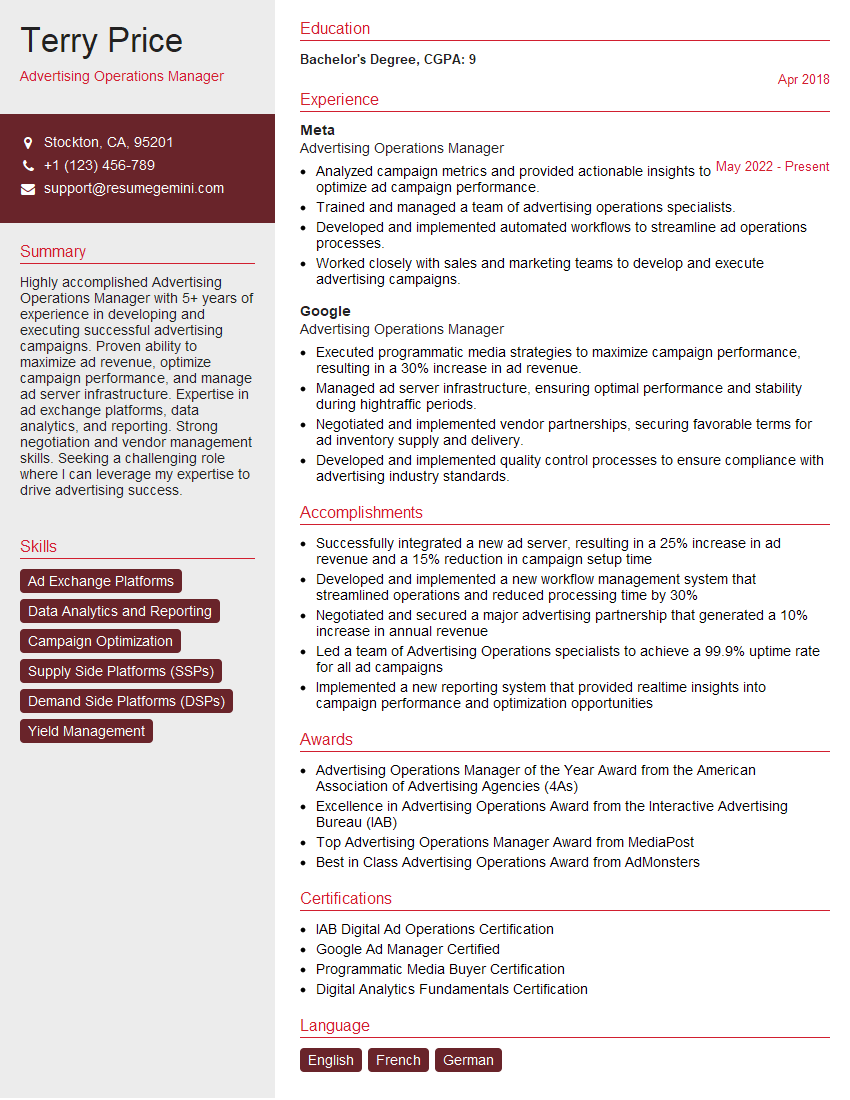
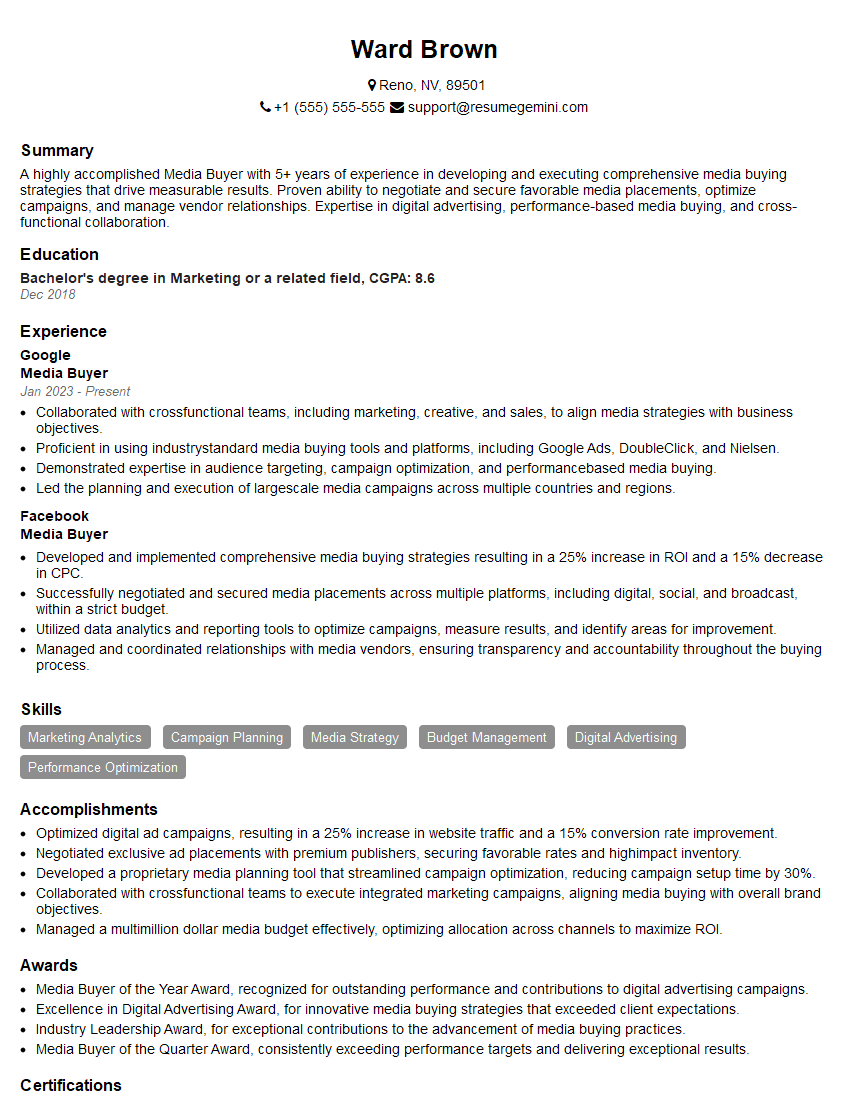
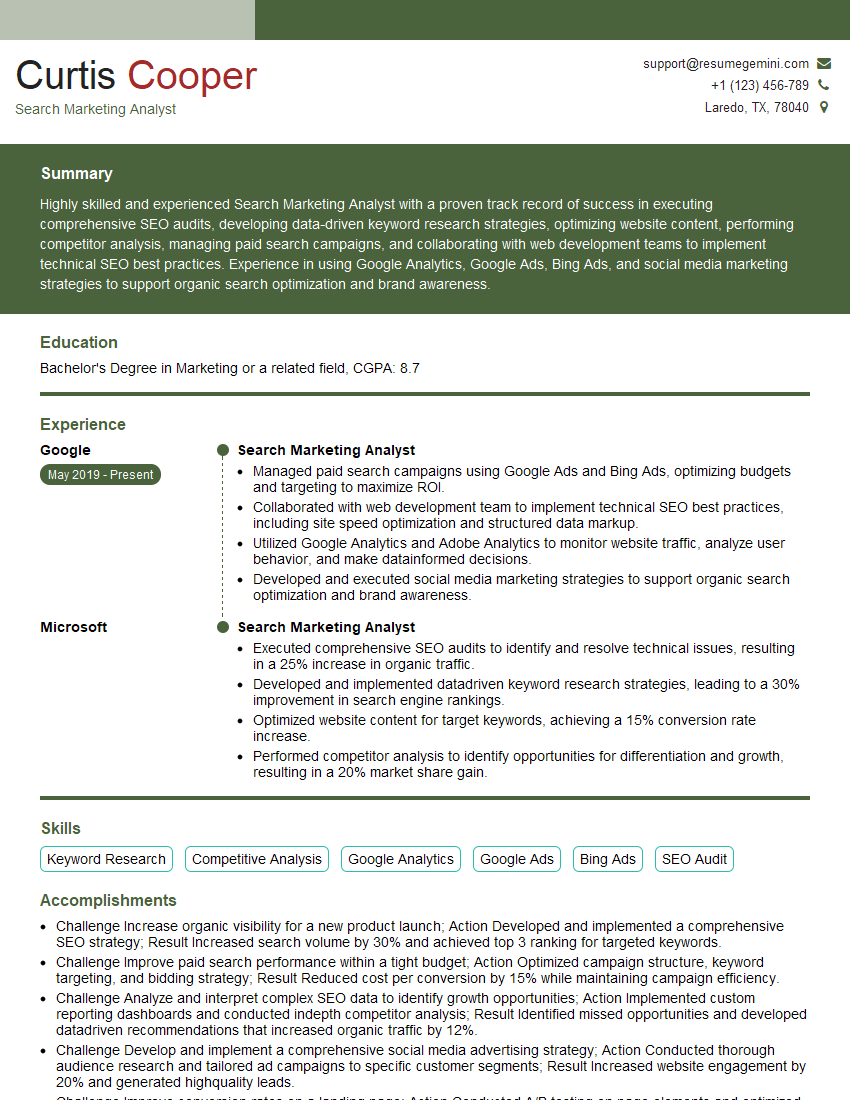
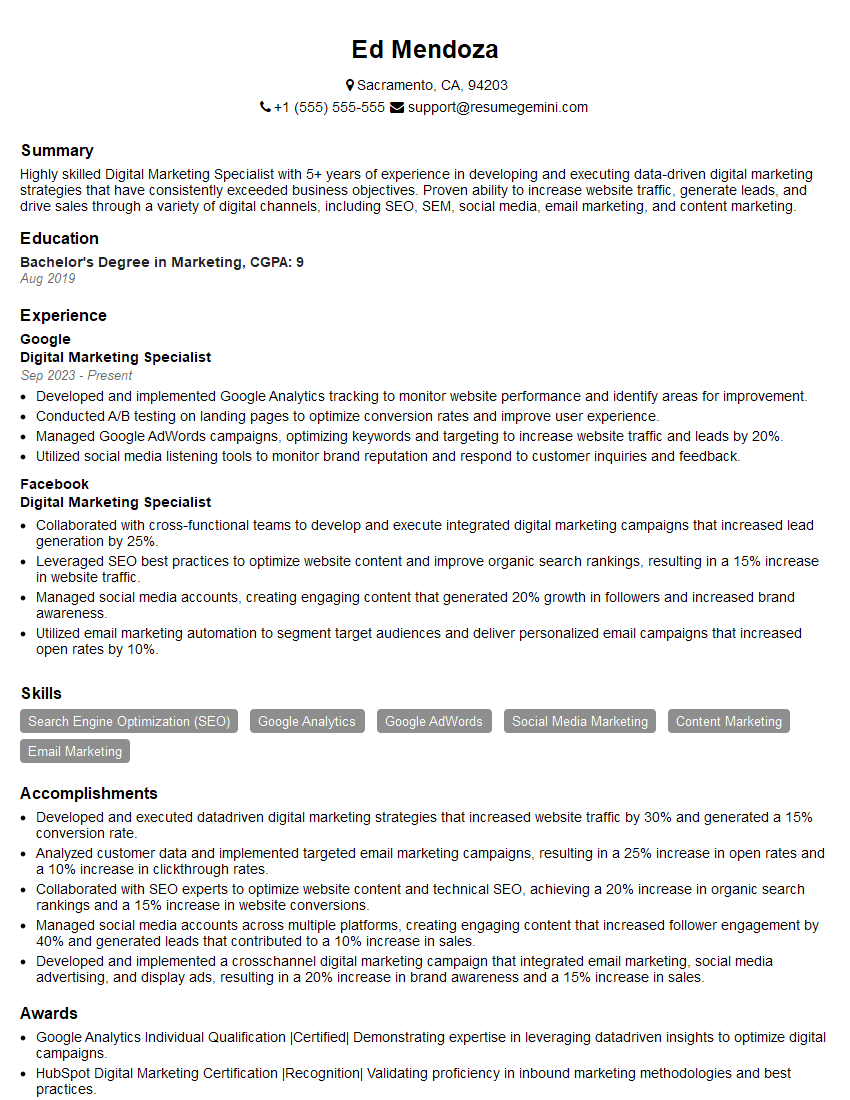
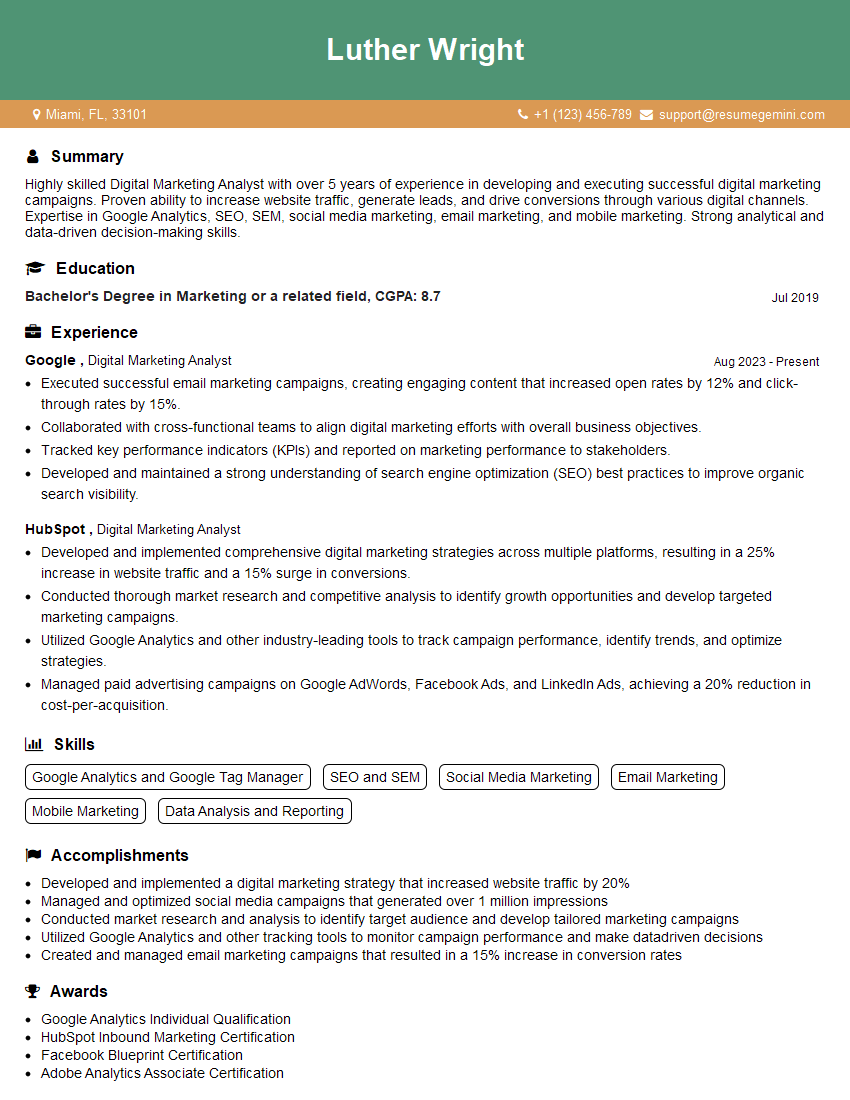
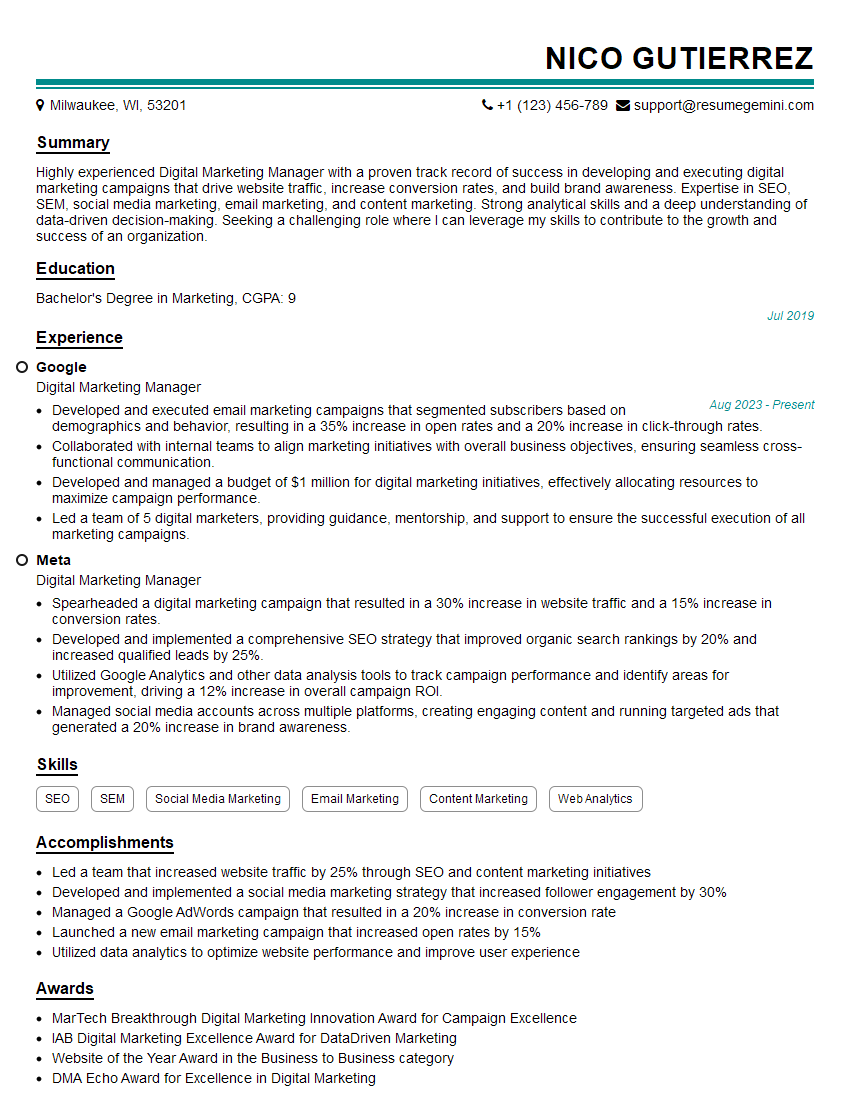
Mastering Google Search Ads is crucial for a successful career in digital marketing, offering diverse opportunities and high earning potential. To significantly boost your job prospects, crafting an ATS-friendly resume is essential. ResumeGemini is a trusted resource to help you build a professional and impactful resume that highlights your Google Search Ads skills. Examples of resumes tailored specifically to Google Search Ads roles are available to further assist your preparation. Invest the time to craft a compelling resume – it's your first impression and a key to unlocking your career aspirations.
Explore more articles
Users Rating of Our Blogs
Share Your Experience
We value your feedback! Please rate our content and share your thoughts (optional).
What Readers Say About Our Blog
I Redesigned Spongebob Squarepants and his main characters of my artwork.
https://www.deviantart.com/reimaginesponge/art/Redesigned-Spongebob-characters-1223583608
IT gave me an insight and words to use and be able to think of examples
Hi, I’m Jay, we have a few potential clients that are interested in your services, thought you might be a good fit. I’d love to talk about the details, when do you have time to talk?
Best,
Jay
Founder | CEO