Cracking a skill-specific interview, like one for Knowledge of industry-specific software (e.g., legal or medical software), requires understanding the nuances of the role. In this blog, we present the questions you’re most likely to encounter, along with insights into how to answer them effectively. Let’s ensure you’re ready to make a strong impression.
Questions Asked in Knowledge of industry-specific software (e.g., legal or medical software) Interview
Q 1. Explain your experience with [Specific Software Name] and its functionalities.
My experience with Westlaw, a leading legal research software, spans over five years. I’ve utilized its core functionalities extensively, including case law research, statutory research, and regulatory analysis. I’m proficient in using its advanced search operators, such as Boolean logic (AND, OR, NOT) and proximity operators (NEAR, WITHIN), to refine search results and efficiently locate relevant legal precedents. I regularly employ its citator function to verify the current status of cases and identify subsequent developments. Beyond basic research, I’ve utilized Westlaw’s features for document drafting, creating briefs and memos with built-in legal citation formatting tools, significantly improving workflow efficiency. Furthermore, I am familiar with its analytics dashboards, allowing me to track research trends and identify key legal developments in specific areas.
Q 2. Describe a time you resolved a technical issue within [Specific Software].
During a critical trial preparation phase, we encountered a persistent issue with Westlaw’s citation verification feature. The system intermittently failed to properly update case citations, leading to potential inaccuracies in our legal brief. After initial troubleshooting steps like restarting the software and checking my internet connection proved unsuccessful, I systematically investigated the problem. I discovered a conflict between Westlaw’s software and a recently installed browser extension. By temporarily disabling the extension, the citation verification function restored its proper operation. I then reported the issue to Westlaw support, providing detailed steps to reproduce the error and suggested a potential solution, helping to improve the software’s reliability for other users. This experience highlighted the importance of systematic troubleshooting and effective communication with software support providers.
Q 3. How do you ensure data integrity and accuracy within [Specific Software]?
Maintaining data integrity and accuracy in Westlaw involves several key strategies. Firstly, I always cross-reference information found within Westlaw with primary sources, such as official court opinions or statutes, whenever critical. Secondly, I carefully review every search result and meticulously check citations to ensure accuracy and avoid outdated or superseded information. Thirdly, I leverage Westlaw’s features, like its built-in citator, to check the validity and status of cited cases and legislation. Finally, I always maintain a detailed record of my research process, including search queries and the sources used, allowing for easy verification and traceability of all information gathered.
Q 4. What are the key differences between [Software A] and [Software B]?
Westlaw and LexisNexis are the two dominant legal research platforms. While both offer comprehensive legal databases, they differ significantly in their search interfaces and functionalities. Westlaw generally uses a more intuitive search interface that many find easier to learn, although both have powerful search capabilities. LexisNexis offers a broader range of specialized databases and analytical tools, particularly in areas such as corporate law and intellectual property. The depth and breadth of coverage also differ slightly by jurisdiction and practice area; neither platform is universally superior in all areas. Ultimately, the choice often depends on individual preferences and the specific legal research needs.
Q 5. Explain your understanding of data security protocols within [Specific Software].
Westlaw employs robust data security protocols to safeguard sensitive legal information. These include encryption during transmission and storage, secure authentication mechanisms requiring unique passwords and multi-factor authentication, access controls that limit user permissions based on their roles, regular security audits and penetration testing to identify and address vulnerabilities, and compliance with relevant data privacy regulations like GDPR and CCPA. Understanding these protocols allows me to utilize the system responsibly and confidently, knowing my work and client data are handled securely.
Q 6. How do you troubleshoot common errors in [Specific Software]?
Troubleshooting common errors in Westlaw often begins with checking for basic issues such as internet connectivity, browser compatibility, and software updates. If these don’t resolve the problem, I systematically investigate potential causes, such as corrupted cache files (which I can clear), incorrect search syntax, or conflicts with other software. I consult Westlaw’s help documentation, search their online forums, or contact their technical support for assistance if I cannot independently resolve the problem. A methodical approach to troubleshooting, starting with the simplest solutions and working towards more complex ones, is key to efficiently resolving issues.
Q 7. Describe your experience with reporting and analytics within [Specific Software].
Westlaw’s reporting and analytics capabilities are crucial for effective legal research and strategic planning. I use its tools to generate custom reports summarizing research findings, track case outcomes over time, and analyze trends in legal precedents. For example, I can generate a report showing the number of cases involving a specific legal issue decided in a particular jurisdiction over the past five years. This capability allows me to identify patterns, anticipate future legal developments, and support strategic decision-making for clients. The data visualization tools help communicate complex information concisely and effectively.
Q 8. How do you stay updated with the latest features and updates in [Specific Software]?
Staying current with updates in legal software like Westlaw or LexisNexis is crucial for maintaining professional competence. I employ a multi-pronged approach.
- Official Channels: I regularly check the software vendor’s website for release notes, newsletters, and knowledge base articles. Many vendors offer webinars or online training modules highlighting new features. LexisNexis, for example, provides excellent online tutorials and practice exercises.
- Professional Networks: I actively participate in online forums and professional groups dedicated to legal technology. This allows me to learn from others’ experiences and uncover hidden features or workarounds. Discussions on platforms like LinkedIn often highlight updates and best practices.
- Industry Publications: Legal tech magazines and blogs provide insightful articles and reviews of software updates, often focusing on practical applications. This offers a broader perspective on how new features impact legal workflow.
- Continuing Legal Education (CLE): Many CLE courses incorporate relevant software updates, demonstrating how new features improve legal research and document management. This approach keeps my knowledge aligned with industry best practices and relevant legal standards.
This combination ensures I remain at the forefront of the software’s capabilities and best utilization practices.
Q 9. Explain your knowledge of data migration processes related to [Specific Software].
Data migration in legal software is a complex process requiring meticulous planning and execution. It involves transferring data from an old system to a new one, minimizing data loss and ensuring data integrity. The process depends heavily on the specific software and data involved but generally follows these steps:
- Assessment & Planning: This crucial initial phase involves defining the scope, identifying data sources and targets, and establishing a detailed migration plan. This includes risk assessment and contingency planning.
- Data Cleaning & Transformation: Raw data often needs cleaning and transformation to match the new system’s structure. This may involve data validation, standardization, and mapping.
- Data Extraction: Data is extracted from the source system using various methods, including SQL queries or application programming interfaces (APIs). Careful consideration needs to be given to data security during this stage.
- Data Loading: The extracted and transformed data is loaded into the new system, often through batch processing or an ETL (Extract, Transform, Load) tool.
- Data Validation & Verification: The migrated data is rigorously validated to ensure accuracy and completeness. This involves cross-checking with the source data and running data quality checks.
- Post-Migration Support: This includes monitoring the new system, addressing any issues, and providing user support during the transition period.
For example, migrating client data from a legacy case management system to a cloud-based solution like Clio requires careful mapping of client information, case details, and associated documents to ensure consistency and prevent data loss. Understanding data structures and using appropriate ETL tools is key to a successful migration.
Q 10. Describe your experience with user training and support for [Specific Software].
User training and support are paramount for successful software adoption. My experience involves developing and delivering training materials, providing technical assistance, and creating supportive documentation.
- Training Materials: I’ve created comprehensive training manuals, video tutorials, and interactive online courses tailored to different user skill levels. I focus on practical, hands-on exercises to ensure understanding and retention.
- Technical Support: I’ve provided remote and on-site technical support, troubleshooting software issues and guiding users through complex procedures. This includes creating detailed troubleshooting guides for common problems.
- Documentation: I’ve developed user guides, FAQs, and knowledge base articles to empower users to solve problems independently. Clear and concise documentation is essential for efficient user self-service.
- Feedback & Iteration: I continuously solicit user feedback to improve training materials and support resources. This iterative process ensures the materials remain relevant and effective.
For instance, when training paralegals on Westlaw, I’ve focused on practical examples relevant to their daily tasks – showing how to effectively locate case law, statutes, and secondary sources.
Q 11. How familiar are you with the regulatory compliance aspects of [Specific Software]?
Regulatory compliance is critical in legal software. I’m familiar with data privacy regulations like HIPAA (if the software handles medical records) and GDPR, and security standards such as SOC 2. My understanding includes:
- Data Security: Understanding data encryption, access controls, and audit trails is crucial. This includes knowledge of best practices for securing sensitive legal data.
- Data Privacy: Compliance with regulations like GDPR and CCPA requires understanding data subject rights, data minimization, and lawful basis for processing.
- Security Audits: Knowledge of security audit processes and reporting is important for maintaining compliance.
- Compliance Frameworks: Familiarity with relevant compliance frameworks like ISO 27001 helps ensure adherence to industry best practices.
For example, when working with client data in a legal practice management system, I ensure compliance with applicable data privacy laws by implementing appropriate access controls and data encryption techniques. Regular security audits and updates are essential to maintaining compliance.
Q 12. What are the advantages and disadvantages of using [Specific Software]?
Legal software, like any technology, has advantages and disadvantages. Let’s consider a case management system:
- Advantages:
- Improved Efficiency: Automating tasks like calendaring, billing, and document management saves time and increases productivity.
- Better Organization: Centralized case files enhance organization and accessibility, reducing the risk of misplacing documents.
- Enhanced Collaboration: Secure file sharing and communication tools improve teamwork and client communication.
- Data Security: Robust security features protect sensitive client data.
- Disadvantages:
- Cost: Software licenses and maintenance can be expensive.
- Learning Curve: New software often requires a learning curve for users accustomed to traditional methods.
- Technical Issues: Software glitches and downtime can disrupt workflows.
- Vendor Lock-in: Switching software can be time-consuming and costly.
The optimal choice depends on the specific needs and resources of the law firm. A thorough cost-benefit analysis is crucial to determine the right fit.
Q 13. How would you handle a situation where [Specific Software] malfunctions during critical operations?
Software malfunctions during critical operations require a calm and systematic response. My approach would be:
- Identify the Problem: Determine the nature and extent of the malfunction – is it a system-wide issue or affecting a specific function? Are there any error messages?
- Contain the Damage: Immediately take steps to prevent further problems. This might involve restricting access to affected areas of the system or switching to backup systems.
- Escalate the Issue: Depending on the severity and my ability to resolve the issue, I would escalate it to the software vendor’s support team or internal IT department. This often requires clear and concise communication of the problem.
- Implement Workarounds: While waiting for a solution, I would explore temporary workarounds to maintain essential operations. This might involve manual processes or using alternative tools.
- Document Everything: Meticulously document the incident, including the timeline, the steps taken, and the eventual resolution. This is crucial for future troubleshooting and to improve disaster recovery planning.
- Post-Incident Review: After resolving the issue, I would conduct a post-incident review to identify the root cause and implement preventive measures to avoid similar situations in the future. This may include reviewing data backups, updating the system, and improving disaster recovery plans.
A recent incident involving a brief internet outage highlighted the importance of having a robust backup plan and clear communication protocols to minimize disruption.
Q 14. Describe your experience with integrating [Specific Software] with other systems.
Integrating legal software with other systems often involves using APIs or other data exchange methods. My experience encompasses various integration techniques and considerations:
- API Integration: This is a common approach, utilizing APIs provided by the software vendor to connect with other systems, such as CRM or accounting software. Understanding API documentation and programming languages like Python or JavaScript is necessary.
- Data Import/Export: This involves transferring data via CSV files or other structured formats. Data mapping and transformation are crucial for data consistency.
- Third-Party Integrations: Many legal software vendors offer pre-built integrations with other commonly used applications. Evaluating and implementing these integrations can streamline workflows.
- Custom Integrations: For unique requirements, custom integrations may be necessary, often requiring specialized programming skills. This approach might involve developing custom connectors or scripts.
For example, integrating a case management system with a document management system might involve using the case management system’s API to automatically file documents into the correct case folders in the document management system. This automation eliminates manual data entry and reduces the risk of error.
Q 15. How would you approach the implementation of a new [Specific Software] within an organization?
Implementing new legal software, like a practice management system, requires a phased approach. Think of it like building a house – you wouldn’t start painting before the foundation is laid.
- Planning & Assessment: First, we conduct a thorough needs assessment, interviewing stakeholders from various departments (e.g., attorneys, paralegals, administrative staff) to understand their current workflows and desired functionalities. This helps define project scope and identify potential challenges early on.
- Selection & Configuration: Based on the assessment, we select the appropriate software and configure its settings to align with the firm’s specific needs. This might involve choosing modules, customizing fields, and integrating with existing systems like accounting software.
- Data Migration: We develop a robust data migration plan, carefully transferring client data, case details, and other crucial information to the new system. This step requires meticulous planning to minimize data loss and ensure data integrity.
- Training & Support: A comprehensive training program is essential. We provide hands-on training sessions, user manuals, and ongoing support to ensure users are comfortable with the new system. Think of it as providing a roadmap and a helping hand throughout the journey.
- Go-Live & Monitoring: A phased rollout minimizes disruption. We start with a pilot group, then gradually expand to the entire organization. Post-implementation monitoring involves tracking user adoption, identifying areas for improvement, and addressing any issues.
For example, in one firm, we migrated over 10,000 client files to a new system with zero data loss by using a phased approach and rigorous testing.
Career Expert Tips:
- Ace those interviews! Prepare effectively by reviewing the Top 50 Most Common Interview Questions on ResumeGemini.
- Navigate your job search with confidence! Explore a wide range of Career Tips on ResumeGemini. Learn about common challenges and recommendations to overcome them.
- Craft the perfect resume! Master the Art of Resume Writing with ResumeGemini’s guide. Showcase your unique qualifications and achievements effectively.
- Don’t miss out on holiday savings! Build your dream resume with ResumeGemini’s ATS optimized templates.
Q 16. What are some best practices for optimizing [Specific Software] performance?
Optimizing legal software performance involves a multifaceted approach. It’s like tuning a high-performance car – you need to address several factors to achieve optimal results.
- Regular Maintenance: This includes software updates, database optimization, and regular backups. Outdated software is like driving a car with flat tires – it’s inefficient and prone to problems.
- Hardware Upgrades: Sufficient RAM, processing power, and storage are crucial. Think of this as giving your car a more powerful engine – it allows for smoother operation and faster processing.
- Network Optimization: A fast and reliable network connection is essential for efficient data transfer. Imagine trying to drive a car on a bumpy road – it will be slow and frustrating.
- User Training: Inefficient workflows can significantly impact performance. Proper training empowers users to utilize the software effectively.
- Data Cleansing: Regular cleanup of unnecessary data reduces database size and improves query performance. It’s like decluttering your car – it makes it run smoother and more efficiently.
For instance, by optimizing database queries and upgrading server hardware, we reduced a firm’s report generation time from 30 minutes to under 5 minutes.
Q 17. How would you handle conflicts between different users’ needs in the use of [Specific Software]?
Handling conflicting user needs requires a collaborative and diplomatic approach. Think of it like being a mediator – you need to listen to all parties and find a solution that works for everyone.
- Gather Requirements: First, we thoroughly document the needs of all user groups. This involves conducting interviews, surveys, and focus groups to understand their perspectives and priorities.
- Prioritization & Negotiation: We prioritize user needs based on their impact on the overall organization’s goals. Sometimes, compromises are necessary. It’s about finding the optimal balance between different requirements.
- Configuration & Customization: We leverage the software’s configuration options and customization capabilities to address as many needs as possible. This could involve creating custom views, reports, or workflows.
- Training & Communication: Clear communication is essential. We train users on the implemented solutions and emphasize the rationale behind decisions made. Transparency builds trust and buy-in.
- Feedback Loop: We establish a feedback loop to gather ongoing input and adapt the system as needed. This ensures continuous improvement and responsiveness to user needs.
In one case, we resolved conflicts between attorneys wanting detailed case tracking and administrative staff seeking simplified data entry by creating different user roles with tailored views and access rights.
Q 18. Explain your understanding of the workflows within [Specific Software].
Legal software workflows vary greatly depending on the specific system and firm size, but common workflows include:
- Case Management: From initial intake to final disposition, the system tracks all aspects of a case, including client information, documents, deadlines, and communications.
- Document Management: Secure storage, version control, and easy retrieval of legal documents are crucial. Think of it as a digital filing cabinet but far more efficient.
- Billing & Time Tracking: The software automates time recording, invoice generation, and payment processing, streamlining the financial aspects of legal practice.
- Communication & Collaboration: Secure communication tools facilitate collaboration among team members and with clients. Think of this as a central hub for all case-related communication.
- Reporting & Analytics: The system generates reports on various metrics, providing insights into caseload, productivity, and financial performance.
Understanding these workflows is crucial for optimizing efficiency and ensuring that the software aligns with the firm’s operational strategies. For example, a poorly designed case management workflow can lead to missed deadlines and reduced productivity.
Q 19. Describe your experience with customizing [Specific Software] to meet specific needs.
Customizing legal software is often essential to meet specific needs. It’s like tailoring a suit – a standard size won’t fit everyone perfectly.
My experience includes customizing various aspects of legal software, such as:
- Developing custom reports: To provide specific data points tailored to the firm’s needs, I’ve used scripting and reporting tools to pull data and generate custom visualizations.
- Creating custom fields and forms: Adding specific fields to track information relevant to the firm’s practice areas, like regulatory compliance information or specialized case details.
- Integrating with other systems: Connecting the legal software to accounting systems, document automation tools, or client portals to improve workflows and data exchange.
- Workflow automation: Configuring automated processes to streamline repetitive tasks, such as document generation or email notifications.
- User role and permission customization: Setting granular access rights to ensure data security and appropriate access to information for different user roles.
For instance, I once customized a practice management system to automate the generation of demand letters, saving the firm significant time and improving efficiency.
Q 20. How would you identify and address potential security risks associated with [Specific Software]?
Addressing security risks in legal software is paramount, given the sensitive nature of client data. Think of it as building a fortress – you need multiple layers of security.
- Access Control: Implement robust user authentication, authorization, and role-based access control to restrict access to sensitive data based on user roles and responsibilities.
- Data Encryption: Encrypt data both in transit and at rest to protect against unauthorized access. This is like using a strong lock and key to secure your most valuable assets.
- Regular Security Audits: Conduct periodic security audits and penetration testing to identify and address vulnerabilities. This is like inspecting your fortress for weaknesses.
- Software Updates: Keep the software up-to-date with the latest security patches to mitigate known vulnerabilities. This is like adding new security features to your fortress.
- Employee Training: Educate employees about security best practices, including phishing awareness and password management. This is like training your guards.
- Data Backup and Recovery: Establish a robust backup and disaster recovery plan to protect against data loss due to hardware failure, cyberattacks, or natural disasters. This is your emergency plan.
For example, I helped a firm implement multi-factor authentication and data encryption, significantly reducing their risk of data breaches.
Q 21. What are the key metrics you would use to evaluate the effectiveness of [Specific Software]?
Evaluating the effectiveness of legal software requires a combination of qualitative and quantitative metrics. Think of it as using a balanced scorecard to track performance across different dimensions.
- Productivity Gains: Measure improvements in task completion time, document turnaround, and overall case processing efficiency. This reflects the time savings the software provides.
- Cost Savings: Track reductions in administrative overhead, staffing costs, and other expenses associated with manual processes. This shows the financial benefits of the software.
- User Satisfaction: Gather feedback from users through surveys and interviews to assess their satisfaction with the software’s usability, functionality, and support. This measures the software’s overall acceptance.
- Error Reduction: Monitor the number of errors and omissions in various tasks. This showcases the reduction in mistakes due to automation and improved workflows.
- Improved Compliance: Assess the effectiveness of the software in ensuring compliance with legal and regulatory requirements. This is vital for mitigating risks and maintaining professionalism.
- Data Security and Integrity: Track incidents related to data breaches or data loss to evaluate the effectiveness of security measures.
By tracking these metrics, we can gain a comprehensive understanding of the software’s impact on the firm’s efficiency, profitability, and risk management.
Q 22. How would you train new users on [Specific Software]?
Training new users on specialized software like Westlaw (for legal professionals) or Epic (for healthcare) requires a multifaceted approach. I begin with a needs assessment, understanding the users’ roles and prior experience with similar systems. Then, I develop a training plan incorporating various methods.
- Onboarding Sessions: Interactive sessions covering the software’s core functionalities. For Westlaw, this would include database searching techniques, advanced Boolean operators, and citation verification. For Epic, this would focus on patient charting, medication ordering, and accessing lab results.
- Hands-on Workshops: Practical exercises using real-world scenarios or simulated case studies. For example, Westlaw training might involve researching a hypothetical legal case, while Epic training could focus on managing a simulated patient’s medical record.
- Modular Training: Breaking down the training into smaller, digestible modules focusing on specific tasks or features. This allows users to learn at their own pace and focus on areas most relevant to their daily work.
- Online Resources: Providing access to online tutorials, documentation, and FAQs for continued learning and reference after initial training. Many software providers offer excellent online resources.
- Mentorship and Support: Pairing new users with experienced colleagues for ongoing guidance and troubleshooting.
Throughout the process, I emphasize a practical, hands-on approach. Instead of just lecturing, I focus on active learning, encouraging questions and providing immediate feedback. Regular assessments ensure users grasp the key concepts and can apply them effectively in their daily work.
Q 23. Explain your experience with data validation and cleansing in [Specific Software].
Data validation and cleansing are critical in legal and medical software. In Westlaw, for example, ensuring the accuracy of case citations and legal precedents is paramount. In Epic, maintaining the integrity of patient data is essential for providing safe and effective care.
My approach involves a multi-step process:
- Data Profiling: I begin by analyzing the data to understand its structure, identify potential inconsistencies, and assess data quality. This might involve using built-in tools within the software or external data profiling tools.
- Data Cleaning: This step focuses on addressing identified issues. This could include correcting typos, standardizing formats (e.g., dates), and handling missing values. For instance, in Westlaw, I might use automated tools to standardize citation formats. In Epic, I might use data cleansing tools to ensure consistency in patient demographics.
- Data Validation: After cleaning, I validate the data to confirm accuracy and completeness. This could involve cross-referencing data with other sources or using data validation rules within the software. For example, in Epic, I’d verify that medication orders align with the patient’s allergies and medical history.
- Documentation: Maintaining detailed documentation of the entire process, including the identified issues, the steps taken to resolve them, and the results achieved. This is vital for audit trails and future reference.
My experience includes working with large datasets, and I’m proficient in using both manual and automated techniques to ensure data quality. I prioritize accuracy and efficiency, always understanding the legal and ethical implications of handling sensitive data.
Q 24. Describe your problem-solving approach when encountering unexpected issues in [Specific Software].
When unexpected issues arise in legal or medical software, a systematic approach is vital. I typically follow these steps:
- Identify and Define the Problem: Clearly articulate the issue, gathering all relevant information (error messages, timestamps, user actions).
- Reproduce the Issue: Attempt to recreate the problem consistently. This helps isolate the cause and rules out intermittent errors.
- Consult Available Resources: Check the software’s help documentation, online forums, or the vendor’s support resources.
- Isolate the Root Cause: Through systematic testing and analysis, pin down the source of the problem. This could involve reviewing log files, checking data integrity, or testing different workflows.
- Implement a Solution: Once the cause is identified, develop and implement a solution. This might involve adjusting software settings, updating data, or contacting technical support.
- Document and Prevent Future Occurrences: Document the problem, the solution, and any preventive measures taken to avoid similar issues in the future. This could involve creating knowledge base articles or updating training materials.
For example, if I encountered an unexpected error in Westlaw preventing a search, I might start by checking my internet connection and then try a different search term. If the issue persists, I’d review Westlaw’s support documentation and potentially contact their helpdesk.
Q 25. How do you prioritize tasks when working with multiple [Specific Software] applications?
Prioritizing tasks when working with multiple software applications (e.g., Westlaw, LexisNexis, and practice management software) requires a structured approach. I use a combination of techniques:
- Urgency and Importance Matrix: Categorizing tasks based on urgency and importance (high urgency/high importance, high urgency/low importance, etc.). This helps focus on the most critical tasks first.
- Time Blocking: Allocating specific time blocks for working with each application. This helps avoid context switching and improves focus.
- Project Management Tools: Using tools like Trello or Asana to track tasks, deadlines, and progress across all applications. This helps maintain a clear overview of all work and manage dependencies.
- Delegation: If possible, delegating tasks to others to free up time for high-priority items.
- Communication: Maintaining clear communication with colleagues and clients to manage expectations and avoid conflicts.
For instance, if I had a deadline for filing a brief, I would prioritize tasks related to legal research in Westlaw and LexisNexis over other lower-priority tasks, even if using multiple applications is required to complete a step.
Q 26. Explain your experience with creating and maintaining documentation for [Specific Software].
Creating and maintaining clear, accurate documentation is crucial for any software. My approach involves:
- User Manuals: Developing comprehensive user manuals with step-by-step instructions, screenshots, and FAQs. These should be tailored to different user roles and experience levels.
- Knowledge Base Articles: Creating easily searchable knowledge base articles addressing common issues, troubleshooting tips, and best practices. I ensure these are regularly updated.
- Training Materials: Developing training materials, such as presentations, handouts, and online tutorials, to support user training and ongoing learning.
- Version Control: Using version control systems to track changes and revisions to ensure consistency and clarity across all documentation.
- Regular Reviews: Regularly reviewing and updating documentation to reflect software updates, user feedback, and best practices.
For instance, if a new feature is added to Westlaw, I would update the user manual, add a new knowledge base article, and revise the training materials accordingly. This ensures that users have access to the most up-to-date and accurate information.
Q 27. How would you contribute to improving the overall efficiency and effectiveness of [Specific Software]?
Improving the overall efficiency and effectiveness of specialized software involves a combination of technical and user-focused strategies. My contributions would focus on:
- Process Optimization: Identifying and streamlining inefficient workflows within the software. This might involve automating repetitive tasks, improving data entry processes, or developing custom scripts to enhance functionality. For example, in a legal setting, I could automate the process of generating legal documents using templates and macros within the software.
- User Feedback Integration: Regularly collecting user feedback to understand their needs and challenges. This feedback can inform improvements to the software’s design, functionality, and usability. For instance, I might conduct user surveys or interviews to assess users’ experience with specific features.
- Technical Enhancements: Suggesting and implementing technical enhancements to the software. This could involve integrating new technologies, optimizing database performance, or improving data security. For example, I could propose enhancements to search algorithms in legal software to improve search accuracy.
- Training and Support Improvements: Improving training materials, documentation, and support resources to enhance user adoption and proficiency.
My goal is to create a system that is both powerful and user-friendly, enabling users to achieve their objectives efficiently and effectively.
Q 28. What are your plans for continuous learning and development related to [Specific Software]?
Continuous learning is paramount in this rapidly evolving field. My plan includes:
- Vendor-provided Training: Participating in vendor-provided training sessions and webinars to stay updated on the latest features and updates of the software.
- Industry Conferences: Attending industry conferences and workshops to learn about best practices and new technologies relevant to the software.
- Online Courses and Certifications: Completing online courses and pursuing relevant certifications to expand my knowledge and expertise in the software and related fields.
- Professional Networking: Networking with other professionals to share best practices and learn from their experiences.
- Self-Directed Learning: Continuously exploring new features and functionalities of the software on my own, using resources such as online tutorials and documentation.
By consistently engaging in these activities, I ensure that my skills and knowledge remain current and relevant, allowing me to effectively utilize the software and contribute to its improvement.
Key Topics to Learn for Knowledge of Industry-Specific Software Interviews
Ace your interview by mastering these crucial areas. Remember, practical application is key!
- Software Functionality: Understand the core features and functions of the specific software (e.g., case management in legal software, electronic health records in medical software). Practice navigating the interface efficiently.
- Data Management & Security: Learn how data is organized, accessed, and secured within the software. This includes understanding data privacy regulations and best practices.
- Reporting & Analytics: Familiarize yourself with generating reports and analyzing data within the software. Practice interpreting key metrics and drawing relevant conclusions.
- Workflow & Process Optimization: Understand how the software streamlines workflows within the industry. Be prepared to discuss how you would improve efficiency or solve common workflow bottlenecks.
- Troubleshooting & Problem-Solving: Practice identifying and resolving common software issues. Think through scenarios where the software malfunctions and how you would approach a solution.
- Integration with other systems: If applicable, understand how the software integrates with other systems used in the workplace (e.g., accounting software, communication platforms).
- Industry-Specific Regulations & Compliance: Demonstrate awareness of relevant regulations and compliance requirements related to data privacy, security, and the use of the software within your industry.
Next Steps
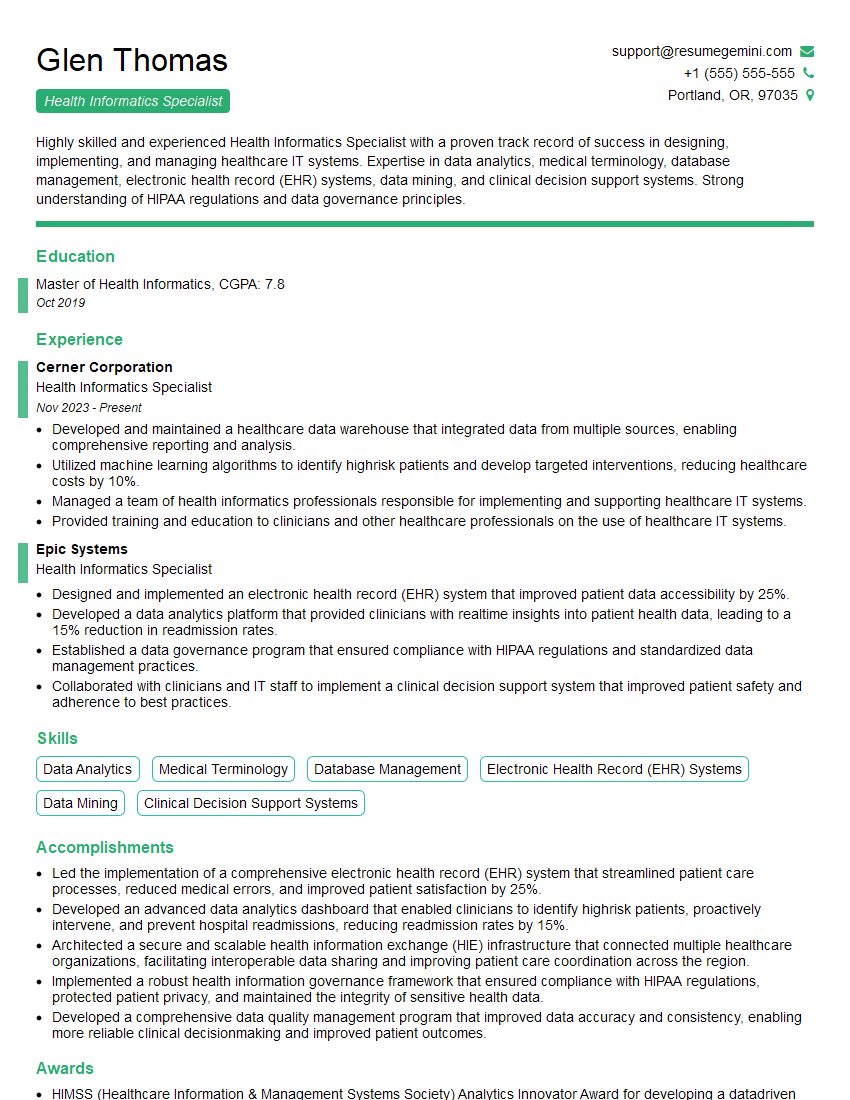
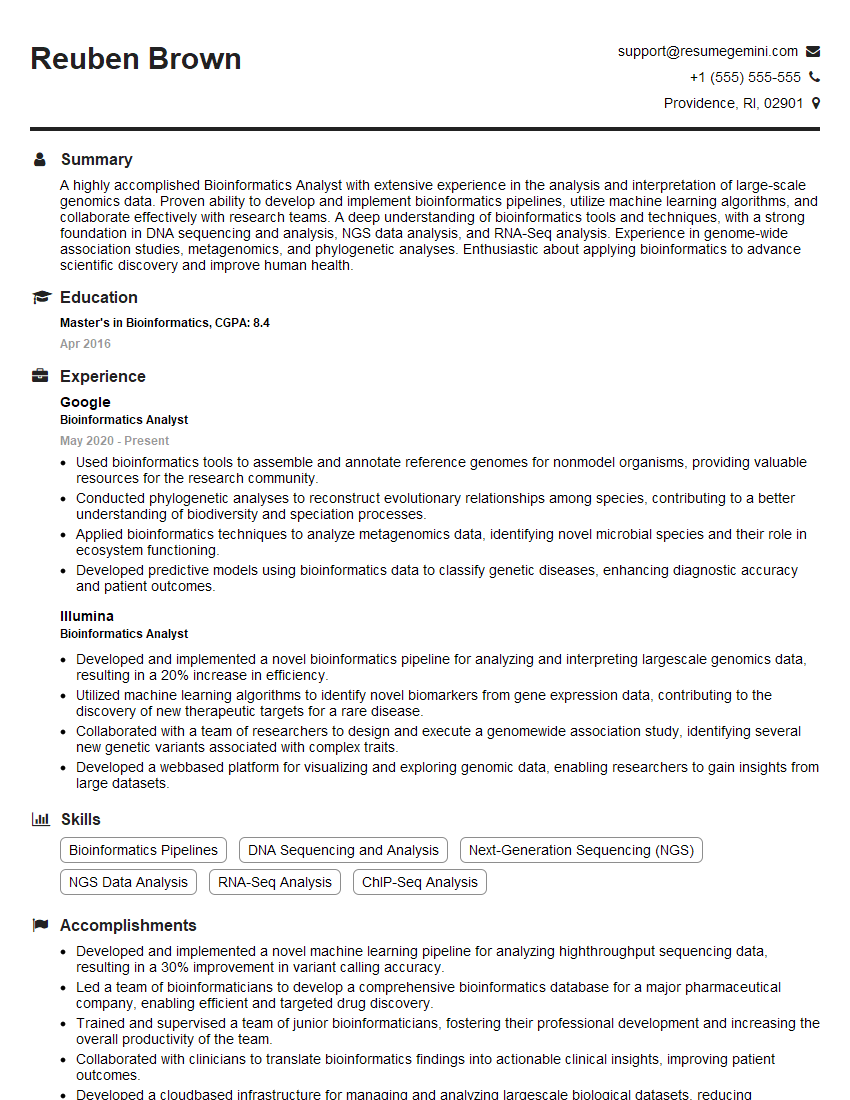
Mastering industry-specific software is crucial for career advancement. It showcases your practical skills and commitment to excellence, making you a highly desirable candidate. To maximize your job prospects, create an ATS-friendly resume that highlights your expertise. ResumeGemini is a trusted resource to help you build a professional and impactful resume that gets noticed. We provide examples of resumes tailored to showcasing expertise in industry-specific software – check them out to see how you can best present your skills!
Explore more articles
Users Rating of Our Blogs
Share Your Experience
We value your feedback! Please rate our content and share your thoughts (optional).
What Readers Say About Our Blog
I Redesigned Spongebob Squarepants and his main characters of my artwork.
https://www.deviantart.com/reimaginesponge/art/Redesigned-Spongebob-characters-1223583608
IT gave me an insight and words to use and be able to think of examples
Hi, I’m Jay, we have a few potential clients that are interested in your services, thought you might be a good fit. I’d love to talk about the details, when do you have time to talk?
Best,
Jay
Founder | CEO