Every successful interview starts with knowing what to expect. In this blog, we’ll take you through the top Map Design and Layout interview questions, breaking them down with expert tips to help you deliver impactful answers. Step into your next interview fully prepared and ready to succeed.
Questions Asked in Map Design and Layout Interview
Q 1. Explain the difference between vector and raster data in map design.
Vector and raster data represent spatial information in fundamentally different ways. Think of it like this: raster data is like a photograph, a grid of pixels each with a specific color or value, while vector data is like a drawing, composed of points, lines, and polygons defined by coordinates.
Raster data stores information as a grid of cells (pixels). Each cell holds a value representing a characteristic such as land cover, elevation, or temperature. Examples include satellite imagery, aerial photographs, and scanned maps. The resolution, or pixel size, dictates the level of detail. Higher resolution means smaller pixels and more detail, but larger file sizes.
Vector data uses points, lines, and polygons to represent geographic features. Each feature has specific coordinates and attributes. For example, a road is represented as a line with attributes like name and road type, a building as a polygon with attributes like address and building height. Vector data is generally more scalable and easier to edit than raster data because it doesn’t depend on resolution.
In map design, the choice between vector and raster depends on the application. High-resolution imagery might be used as a backdrop, while vector data is ideal for representing discrete features like buildings or roads that need to be labeled and manipulated.
Q 2. What are the key principles of cartographic design?
Cartographic design principles aim to create clear, accurate, and effective maps that communicate spatial information efficiently. Key principles include:
- Clarity: The map should be easy to understand and interpret, avoiding clutter and ambiguity. This involves careful selection of symbols, colors, and labels.
- Accuracy: The map should accurately represent the geographic features and their relationships. This requires careful data selection and projection choices.
- Visual Hierarchy: Important features should stand out, while less important features are de-emphasized. This can be achieved through size, color, and placement.
- Balance: The map elements should be arranged harmoniously, avoiding an uneven distribution of features. This enhances visual appeal and readability.
- Legibility: Fonts, labels, and symbols should be easily read and understood, considering the map scale and intended audience.
- Simplicity: Avoid unnecessary details or complexity. Focus on communicating essential information effectively.
- Map Aesthetics: While functionality is primary, a pleasing visual appearance enhances user engagement. This requires careful consideration of color palettes, font styles, and overall layout.
For example, a map showing earthquake epicenters should prioritize location accuracy and visual clarity of magnitude, while a map showing tourist attractions might emphasize aesthetics and ease of navigation.
Q 3. Describe your experience with various map projections and their applications.
My experience encompasses a wide range of map projections, each with its strengths and weaknesses. I’m proficient in using software like ArcGIS Pro and QGIS to implement these projections.
- Mercator Projection: Excellent for navigation because it preserves direction but distorts area dramatically at higher latitudes. I’ve used this for nautical charts and world maps emphasizing direction.
- Albers Equal-Area Conic Projection: Preserves area, making it suitable for thematic maps displaying quantities or proportions across a region. I used this for a project mapping population density in the United States.
- Lambert Conformal Conic Projection: Preserves shape and angles, useful for aeronautical and topographic maps. I applied this in a project analyzing flight paths.
- Robinson Projection: A compromise projection that attempts to balance area, shape, distance, and direction. It’s a common choice for world maps, balancing visual appeal and distortion.
Choosing the right projection is critical; a poorly chosen projection can mislead viewers. For example, using a Mercator projection to compare the sizes of continents can be highly inaccurate due to the extreme area distortion at higher latitudes. Therefore, I always carefully consider the map’s purpose and the characteristics of the projection before making a selection.
Q 4. How do you choose the appropriate scale for a map?
Scale selection is a crucial decision in map design, determining the level of detail and the area covered. It’s a balance between showing enough detail and maintaining readability. I typically consider these factors:
- Map Purpose: A detailed city map requires a larger scale than a map of a country.
- Data Availability: The scale should match the resolution of the data. High-resolution data allows for larger scales.
- Intended Audience: A map for expert users might tolerate a smaller scale and more detail than a map for the general public.
- Map Size and Format: The physical dimensions of the map constrain the level of detail possible at a given scale.
For example, a 1:10,000 scale map is ideal for showing details within a small city area, while a 1:1,000,000 scale is more suitable for showing a large region like a state. The choice involves a careful evaluation of the trade-off between detail and extent.
Q 5. What are the common methods for symbolizing data on a map?
Symbolization is vital for conveying data effectively on a map. Methods include:
- Point Symbols: Used to represent features located at a single point, such as cities or wells. These can be simple shapes (circles, squares) or more complex icons.
- Line Symbols: Represent linear features such as roads, rivers, or pipelines. Different line weights and styles (dashed, solid) can indicate characteristics.
- Polygon Symbols: Represent areas such as countries, land use types, or lakes. Fill colors, patterns, or textures can convey information about attributes.
- Choropleth Mapping: Uses color shades or patterns to represent quantitative data across different areas. For instance, darker shades could represent higher population density.
- Isopleth Mapping: Uses lines connecting points of equal value (isopleths), such as contour lines on a topographic map showing elevation.
- Proportional Symbols: Use symbols whose size varies to reflect the magnitude of a quantity. For example, larger circles could indicate larger city populations.
The choice of symbol depends heavily on the type of data and the intended message. For example, using different colors to represent different land-use types is effective, while using symbol size to represent population helps highlight areas with high population density.
Q 6. Explain your understanding of map generalization techniques.
Map generalization is the process of simplifying map features while retaining essential information. This is necessary because the level of detail in source data often exceeds what’s practical to display on a map at a given scale. Techniques include:
- Smoothing: Simplifying complex lines by removing minor irregularities. This can apply to coastlines or river courses.
- Simplification: Reducing the number of points used to define a line or polygon. This is a basic form of reducing data complexity.
- Aggregation: Grouping smaller features into larger units. For example, clustering small buildings into a single building block.
- Displacement: Slightly moving features to avoid overlaps or improve readability. This is particularly useful for dense feature sets.
- Omission: Removing less important features. This requires careful judgment to avoid losing key information.
- Classification: Grouping features based on similar characteristics. This can help streamline large datasets for display.
Effective generalization is a balance between simplification and accuracy. The goal is to preserve the essential character of the map while improving its clarity and readability. I often use GIS software with built-in generalization tools, but manual adjustment might be necessary to achieve the best results.
Q 7. How do you ensure map accuracy and consistency?
Ensuring map accuracy and consistency is paramount. My approach involves several steps:
- Data Validation: Thoroughly checking the source data for errors and inconsistencies before incorporating it into the map. This includes examining coordinate accuracy and attribute values.
- Projection Consistency: Using the same projection throughout the map creation process. Inconsistencies can lead to spatial errors.
- Metadata Management: Carefully documenting all data sources, projection information, and map-making procedures. This ensures transparency and reproducibility.
- Quality Control Checks: Regularly reviewing the map at different stages of production to identify and correct errors. This may involve visual inspection and comparison with other data sources.
- Peer Review: Seeking feedback from other cartographers or experts to identify potential issues or improvements. This provides an independent perspective.
- Use of Standards: Adherence to cartographic standards and best practices ensures consistency and quality. This might include following specific guidelines for symbology or labeling.
A systematic approach to quality control is essential to prevent errors and ensure that the final map accurately and reliably represents the geographic information it displays. This is vital for the credibility of the map and its use in decision-making.
Q 8. Describe your experience with GIS software (e.g., ArcGIS, QGIS).
My GIS experience spans over eight years, encompassing extensive work with both ArcGIS Pro and QGIS. I’m proficient in all aspects, from data input and manipulation to advanced spatial analysis and cartographic design. In ArcGIS Pro, I’ve leveraged tools like geoprocessing, spatial statistics, and 3D Analyst extensions for complex projects involving land-use change modeling and infrastructure planning. With QGIS, I’ve particularly valued its open-source nature and extensibility, using plugins for tasks like raster processing and network analysis, often for projects with limited budgets or requiring highly customized solutions. For example, I used QGIS to develop a cost-effective solution for mapping deforestation patterns in a remote region, leveraging freely available satellite imagery and open-source plugins.
I’m adept at creating custom toolboxes and scripts in both platforms to automate repetitive tasks, improving efficiency and consistency in my workflow. This automation allows me to focus on the critical aspects of map design and interpretation.
Q 9. What is your experience with georeferencing and coordinate systems?
Georeferencing is the process of assigning geographic coordinates (latitude and longitude) to points on a map or image. This is crucial for aligning images, scans, or drawings with a known coordinate system, allowing them to be integrated with other geospatial data. I have extensive experience georeferencing various data types, including scanned maps, aerial photographs, and satellite imagery, using both manual and automated methods. I understand the importance of choosing appropriate coordinate systems (like UTM, WGS84) based on the project area and data type, ensuring consistency and accuracy in spatial analysis.
For instance, in a project involving historical maps, I painstakingly georeferenced several old maps using ground control points – identifiable landmarks whose real-world coordinates were known – to create a georeferenced basemap for historical analysis. Understanding different datums (like NAD83, NAD27) and their implications is also a key part of my expertise. A mismatched datum can easily lead to significant errors in spatial analysis and map overlay.
Q 10. How do you create effective map legends and annotations?
Effective map legends and annotations are critical for clear communication. Legends should be concise, visually appealing, and logically organized, using consistent symbology and labeling. I prioritize using clear and unambiguous language, avoiding jargon where possible. Annotations should be placed strategically to avoid cluttering the map and ensure readability. I often use graduated symbols or color ramps to represent quantitative data, making it easy to understand at a glance. For qualitative data, I utilize distinct symbols and colors, each clearly defined in the legend.
For example, in a population density map, I wouldn’t just use a single color but rather a graduated color ramp, with darker shades representing higher population densities, accompanied by a clear legend indicating population ranges for each color. Furthermore, I would annotate major cities and towns, ensuring that the text is legible and doesn’t obscure important spatial features.
Q 11. Explain your process for designing a thematic map.
Designing a thematic map involves a structured process. It begins with clearly defining the map’s purpose and target audience. This is followed by data collection and preparation, ensuring data accuracy and completeness. The choice of map projection is crucial, influenced by the area’s extent and intended use. Next, I select appropriate cartographic techniques, like choropleth maps (for showing data using color), dot density maps, or proportional symbol maps, based on the data type and the message to be conveyed. Visual hierarchy is essential; I use color, size, and pattern strategically to emphasize key features. Finally, the map undergoes rigorous review and testing for clarity and accuracy.
For instance, while creating a map showcasing poverty levels across a country, I would start by choosing a suitable choropleth map, using a color ramp to represent poverty levels. I would then ensure that the legend is clearly labelled, and the map’s design helps viewers understand the spatial distribution of poverty. The final step would include reviewing the map to ensure clarity and accuracy before its finalization.
Q 12. How do you handle large datasets in map design?
Handling large datasets requires strategic approaches to prevent performance issues and maintain map clarity. Techniques include data generalization (simplifying features to reduce detail while retaining essential information), spatial subsetting (focusing on a specific area of interest), and data aggregation (combining data into larger units). I leverage the capabilities of GIS software to perform these operations efficiently. For example, in ArcGIS Pro, I can utilize tools like the “generalize” tool for line simplification or the “dissolve” tool to combine polygons. For very large raster datasets, I would use tools for data reduction or create tiled datasets for improved performance. Properly indexing spatial databases and leveraging spatial queries are crucial for optimizing performance.
In one project involving census data for a large metropolitan area, I used data aggregation to represent population density at the census tract level instead of individual addresses, significantly reducing the dataset size without sacrificing essential information. This enabled faster rendering and a cleaner map presentation.
Q 13. Describe your experience with map production workflows.
My experience encompasses the entire map production workflow, from data acquisition and preprocessing to design, layout, and final output. This involves a thorough understanding of data formats (shapefiles, GeoTIFFs, geodatabases), projection systems, and quality control procedures. I’m familiar with various production methods, including print and digital map production using software like Adobe Illustrator for final layout and graphic design. I understand the importance of metadata creation and management, ensuring that all maps are fully documented and easily understood by users. Version control systems are crucial in collaborative projects to manage changes and maintain data integrity. For example, during the production of a series of maps for a regional planning agency, I utilized a collaborative platform, meticulously documenting all changes made throughout the process. This ensures that all parties involved remain informed on the current status of the project and can track any modifications.
Q 14. How do you ensure the accessibility of your maps?
Accessible maps are crucial for inclusivity. I prioritize using clear and concise labeling, sufficient contrast between symbols and background, and avoiding unnecessary visual clutter. I utilize alternative text descriptions for images in digital maps, making them understandable by screen readers. Colorblind-friendly color palettes are essential, and I often test designs using color blindness simulators. For visually impaired users, I might incorporate tactile maps or provide alternative data formats. Large-print options and accessible file formats (like PDF/UA) are also considerations. For example, when creating maps for a public health campaign, I made sure to use a colorblind-safe color palette and provided alternative text for the map elements, so the map could be accessed and interpreted by everyone in the community, irrespective of their visual ability.
Q 15. What are the ethical considerations in map design?
Ethical map design centers on ensuring accuracy, avoiding bias, and promoting responsible data representation. A poorly designed map can mislead or misinform its users, leading to inaccurate decisions or even harm. For instance, using a distorted projection that exaggerates the size of certain countries while minimizing others can perpetuate geopolitical biases. Similarly, choosing a color scheme that inadvertently associates a particular group with negative connotations is unethical. Transparency in data sources and methodologies is paramount; users need to understand how the map was created and what assumptions were made.
- Accuracy of data: Ensuring the data used is accurate and up-to-date, properly citing sources.
- Avoiding bias: Carefully selecting cartographic elements (colors, symbols, projections) to avoid perpetuating stereotypes or misleading interpretations.
- Transparency: Clearly communicating the map’s purpose, limitations, and data sources.
- Accessibility: Designing maps that are usable by people with disabilities, incorporating alternative text for images and appropriate color contrast.
Ethical considerations are not just about avoiding wrongdoing; they are about building trust and fostering responsible communication.
Career Expert Tips:
- Ace those interviews! Prepare effectively by reviewing the Top 50 Most Common Interview Questions on ResumeGemini.
- Navigate your job search with confidence! Explore a wide range of Career Tips on ResumeGemini. Learn about common challenges and recommendations to overcome them.
- Craft the perfect resume! Master the Art of Resume Writing with ResumeGemini’s guide. Showcase your unique qualifications and achievements effectively.
- Don’t miss out on holiday savings! Build your dream resume with ResumeGemini’s ATS optimized templates.
Q 16. Explain your experience with data visualization best practices.
My experience with data visualization best practices emphasizes clarity, accuracy, and effective communication. I always start by defining the key message or insight I want to convey. Then, I carefully select the appropriate visualization type – a choropleth map for spatial distribution, a cartogram for comparative area analysis, or a line graph for trends over time. The choice depends entirely on the data and the story it tells. Color palettes are chosen strategically, considering both aesthetics and accessibility; avoiding colorblindness issues is a priority. Labels and legends are concise and clear, and the overall design is clean and uncluttered, minimizing visual noise.
For example, in a project mapping air pollution levels across a city, I would use a choropleth map with a clearly defined legend, choosing a color scheme that intuitively represents pollution levels (e.g., green for low, red for high) and considering potential colorblindness issues. The map would also include a clear title, data sources, and potentially a scale bar for accurate interpretation.
Furthermore, I leverage interactive map features when appropriate, allowing users to drill down into details, filter data, and explore the information in a dynamic way. Interactive elements enhance understanding and engagement.
Q 17. How do you incorporate user feedback into the map design process?
User feedback is crucial for iterative map design. I employ various methods to gather feedback, including:
- Usability testing: Observing users interacting with the map to identify pain points and areas for improvement.
- Surveys: Gathering quantitative and qualitative feedback on map clarity, usefulness, and overall design.
- Focus groups: Facilitating discussions with target users to understand their perspectives and needs.
- A/B testing: Comparing different design iterations to determine which performs better.
I use this feedback to refine the map’s design, making adjustments to improve clarity, accessibility, and overall effectiveness. For instance, if users consistently misinterpret a particular legend element, I would redesign the legend for better understanding. If users struggle to find specific information, I might reorganize the map layout or enhance the search functionality.
Q 18. Describe a time you had to overcome a challenge in map design.
In a project mapping historical migration patterns, I encountered a challenge with limited and inconsistent data. Some regions had detailed historical records, while others had scant information, creating significant gaps in the data. To overcome this, I adopted a multi-pronged approach. First, I carefully documented the data limitations within the map’s metadata. Second, I explored alternative data sources to fill some of the gaps, such as census records or historical documents. Where data was completely unavailable, I used visual cues to highlight those areas, acknowledging the uncertainty. Finally, I used a cartographic method to visually represent the level of data confidence in each region, showing where the data was reliable and where it was more speculative. The end result was a map that accurately communicated both the information available and the limitations of the data.
Q 19. What are some common map design errors to avoid?
Common map design errors include:
- Poorly chosen projections: Using a projection that distorts shapes or areas inappropriately, misleading the viewer.
- Overly cluttered design: Including too much information, making the map difficult to read and understand.
- Ineffective use of color: Using too many colors or a color scheme that is not visually appealing or accessible to everyone.
- Unclear legends and labels: Failing to provide clear explanations of map symbols and data.
- Lack of context: Not providing sufficient background information or geographic context.
- Ignoring accessibility guidelines: Not considering the needs of users with disabilities.
Avoiding these errors requires careful planning, thoughtful design choices, and rigorous testing.
Q 20. How do you stay updated on new technologies and trends in map design?
Staying current in map design requires a multifaceted approach. I regularly attend conferences and workshops, participate in online communities and forums dedicated to GIS and cartography, and subscribe to relevant journals and newsletters. I also actively follow influential individuals and organizations in the field on social media platforms like Twitter and LinkedIn. Furthermore, I actively experiment with new software and tools, evaluating their capabilities for potential application in my projects. Keeping abreast of advancements in web mapping technologies, such as interactive map APIs, and new visualization techniques is crucial to maintaining a cutting-edge skillset.
Q 21. Explain your experience with different map types (e.g., topographic, thematic).
My experience encompasses a range of map types, each suited to different purposes. Topographic maps, for example, focus on representing the physical features of the Earth’s surface—elevation, terrain, and hydrological features—using contour lines and other symbolic representations. Thematic maps, on the other hand, communicate specific data sets, such as population density, rainfall patterns, or disease prevalence. I’ve worked with choropleth maps (showing data using color shading), dot density maps (using dots to represent data density), and isopleth maps (connecting points of equal value). Beyond these, I’ve also designed and implemented cartograms, which distort the geographical shape of areas to represent a given variable (population, economic output), and flow maps, which show movement or transfer of something between areas.
The choice of map type is critical, and it’s guided by the data and the story I intend to tell. For example, while a topographic map would be suitable for planning hiking routes, a thematic map showing income levels might be more appropriate for illustrating socio-economic disparities across a region. I have extensive experience designing and implementing these different map types using various GIS software packages.
Q 22. How do you select appropriate colors and symbology for a map?
Choosing the right colors and symbology is crucial for effective map communication. It’s about creating a visual hierarchy that guides the user’s eye and clearly conveys information. We need to consider both the map’s purpose and the audience.
- Color Choice: I begin by considering color theory. For example, using a sequential color scheme (e.g., light to dark blue) for continuous data like elevation or population density is effective. For categorical data (e.g., land use), I’d opt for distinct, easily distinguishable colors. Furthermore, I always keep in mind color blindness; using colorblind-friendly palettes is essential for accessibility. Tools like ColorBrewer are invaluable for this.
- Symbology: The choice of symbols must be intuitive and consistent. Points can be represented using different shapes or sizes, lines by thickness and style (dashed, solid, dotted), and polygons by color fill patterns. The key is to create a legend that is clear and easily understood, using simple labels and avoiding overly complex symbology.
- Example: For a map showing air quality, I might use a sequential color ramp from green (good) to red (poor), with clear breakpoints and a legend clearly labeling each level. The symbols used could be consistent across the map, perhaps using a simple dot for each measurement station.
Ultimately, the goal is to create a map that is both visually appealing and easily interpretable, allowing the user to quickly understand the spatial patterns and relationships being depicted.
Q 23. What is your experience with creating interactive maps?
I have extensive experience in creating interactive maps, primarily using JavaScript libraries like Leaflet and OpenLayers. My work includes developing maps for web applications that allow users to zoom, pan, query data, and interact with various map layers.
For instance, I developed an interactive map for a city planning department showing real-time traffic flow, overlaid with proposed infrastructure projects. Users could select different layers, filter data by time, and even perform spatial analysis like calculating travel times between points. This required not only proficiency in mapping libraries but also back-end integration to fetch and manage data efficiently.
Beyond these technical aspects, the user experience is paramount. I prioritize intuitive navigation, clear labeling, and a responsive design that works seamlessly across different devices and screen sizes. Each interactive element must serve a clear purpose, enhancing understanding and user engagement without cluttering the interface.
Q 24. How do you manage spatial data quality?
Spatial data quality management is critical. It involves a multi-step process to ensure accuracy, completeness, consistency, and timeliness of data used in map creation.
- Data Source Evaluation: I carefully assess the reliability and accuracy of data sources. This includes considering the data’s origin, methodology used for data collection, and potential biases.
- Data Cleaning and Preprocessing: Raw spatial data often requires cleaning to remove errors, inconsistencies, and outliers. This might involve techniques like spatial interpolation, error correction, and data standardization.
- Data Validation: I implement checks to verify data accuracy and consistency. This could involve comparing data against other reliable sources or using spatial analysis techniques to identify inconsistencies.
- Metadata Management: Maintaining comprehensive metadata is vital. This includes documenting data sources, projection systems, attributes, and any limitations or known errors.
For example, when working with census data, I would check for missing values, inconsistencies in geographic boundaries, and any known limitations or errors documented by the data provider. Robust data quality management ensures that the resulting maps are reliable and trustworthy.
Q 25. Describe your experience with map design for web applications.
My experience in map design for web applications is significant. I’ve worked on several projects requiring responsive design, optimized for various screen sizes and devices. Understanding user interface (UI) and user experience (UX) principles is paramount.
I’ve used various technologies including JavaScript mapping libraries (Leaflet, OpenLayers), tile servers (such as Mapbox or Google Maps), and various back-end technologies (like Python with Flask or Django) to fetch and manage data dynamically. The key is to ensure seamless integration of the map into the broader web application. This often involves custom styling, interaction design, and optimization for performance and scalability.
For instance, I designed a web application displaying real estate listings on a map. Users could filter results, zoom into specific areas, and view detailed information about each property directly on the map, providing an interactive and user-friendly experience.
Q 26. How do you ensure your maps are visually appealing and informative?
Creating visually appealing and informative maps requires a balanced approach. It’s about clarity, aesthetics, and effective communication.
- Visual Hierarchy: I use visual cues to guide the reader’s eye, highlighting key features and data points while de-emphasizing less important information. This involves strategic use of color, size, and symbol selection.
- Simplicity and Clarity: Avoiding clutter is crucial. Maps should be clean and uncluttered, focusing on essential information. The legend should be concise and easily understandable.
- Data Visualization Techniques: I use appropriate cartographic techniques to represent data effectively. This includes considering map projections, scale, and the choice of data visualization methods (choropleth maps, isopleth maps, point maps etc.).
- Accessibility: I strive to design maps that are accessible to everyone, considering color blindness and other accessibility needs.
Essentially, it’s about finding the sweet spot where the map is visually engaging but not distracting. The information is readily accessible, and the aesthetic design enhances understanding without overshadowing the data.
Q 27. What is your experience with 3D map design?
My experience with 3D map design is growing, focusing mainly on utilizing software like ArcGIS Pro and QGIS. I understand the complexities involved in representing three-dimensional spatial data effectively. The choice of 3D visualization techniques is crucial, depending on the nature of the data and the intended message.
For example, creating a 3D model of a terrain requires selecting an appropriate digital elevation model (DEM) and employing techniques like draped imagery or shaded relief to enhance visual clarity. Adding layers of 3D features (buildings, trees, etc.) can create a realistic representation. However, it is critical to ensure performance and maintain usability, as complex 3D models can be computationally intensive.
I also consider the appropriate use of 3D. Sometimes a 2D map is more efficient and effective for communicating certain information. Overusing 3D can be distracting and potentially hinder understanding.
Q 28. How would you approach designing a map for a specific audience?
Designing a map for a specific audience requires careful consideration of their knowledge level, needs, and expectations. It’s about tailoring the map’s design and content to effectively communicate the intended message.
- Audience Analysis: I begin by understanding the target audience. Who are they? What is their level of geographic knowledge? What are their information needs? What is their technological proficiency?
- Content Selection: I select appropriate data and visualization techniques based on the audience’s needs. The level of detail, the choice of symbols, and the complexity of the map should be tailored accordingly.
- Communication Strategy: I determine how best to communicate the message. This includes choosing the appropriate map type, creating a clear and concise legend, and providing supplementary information (text, charts, etc.) if necessary.
- Accessibility Considerations: I ensure that the map is accessible to the audience, considering potential visual impairments or other accessibility needs.
For example, a map designed for children would differ significantly from a map designed for professional geographers. Children’s maps might use bright colors, simple symbols, and less technical language, whereas professional maps can incorporate more detailed information and complex data visualizations. The key is to optimize the map’s design and content to effectively meet the specific needs and understanding of the target audience.
Key Topics to Learn for Map Design and Layout Interview
- Cartographic Principles: Understand fundamental map design principles like visual hierarchy, symbolization, and color theory, and how they impact readability and communication.
- Data Visualization Techniques: Explore various methods for representing geographic data effectively, including choropleth maps, dot density maps, and isopleth maps. Consider the strengths and weaknesses of each method for different datasets.
- Map Projection Systems: Learn about different map projections and their implications for area, shape, and distance distortion. Be prepared to discuss the selection of appropriate projections based on the map’s purpose and geographic extent.
- Geographic Information Systems (GIS) Software Proficiency: Demonstrate practical experience with GIS software like ArcGIS, QGIS, or Mapbox Studio. Highlight your skills in data manipulation, map creation, and layout design within these platforms.
- Map Composition and Layout: Discuss your understanding of creating visually appealing and informative maps, including the effective use of legends, titles, scale bars, and north arrows. Be ready to explain your design choices.
- Accessibility and Inclusivity in Map Design: Understand the importance of designing maps that are accessible to all users, including those with visual impairments. This includes considerations like color contrast, alternative text, and clear labeling.
- Problem-Solving and Critical Thinking: Showcase your ability to analyze map design challenges, identify potential issues, and propose effective solutions. Be ready to discuss projects where you had to overcome design limitations or adapt to changing requirements.
- Map Production and Workflow: Discuss your experience with the entire map production process, from data acquisition and processing to final output and dissemination. Consider showcasing your knowledge of different file formats and print considerations.
Next Steps
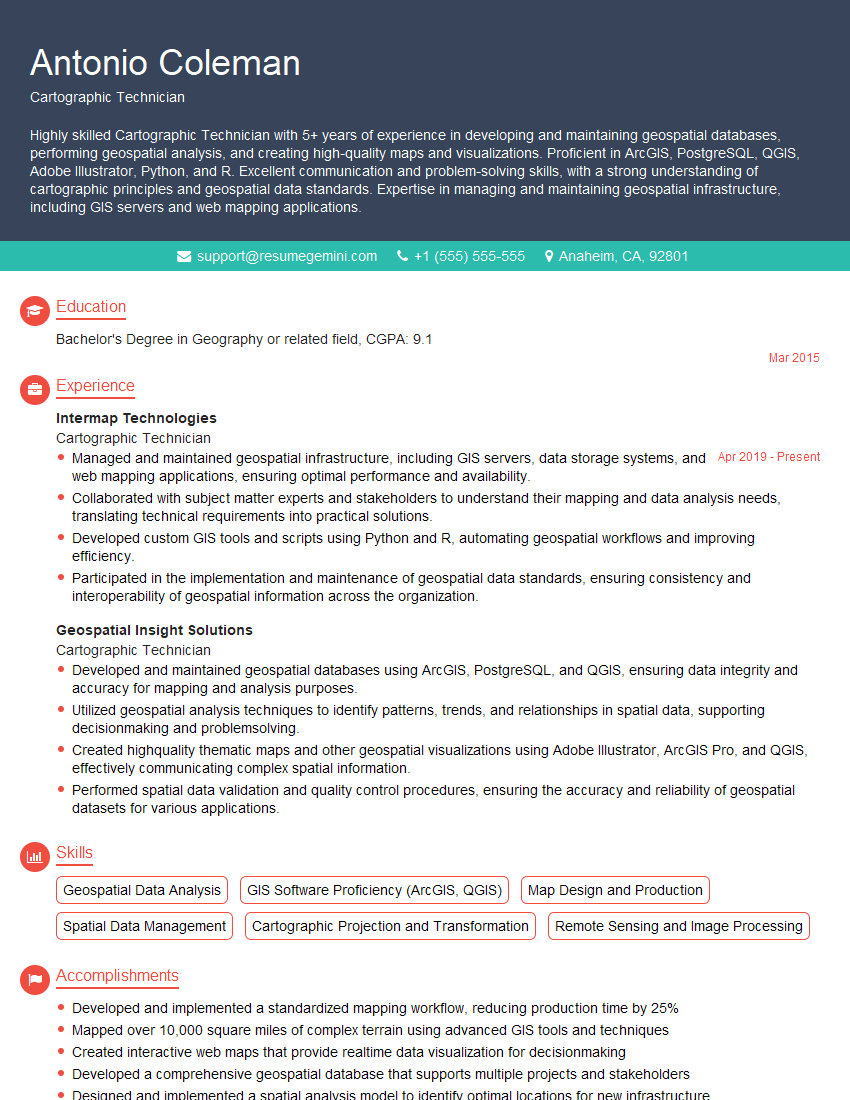
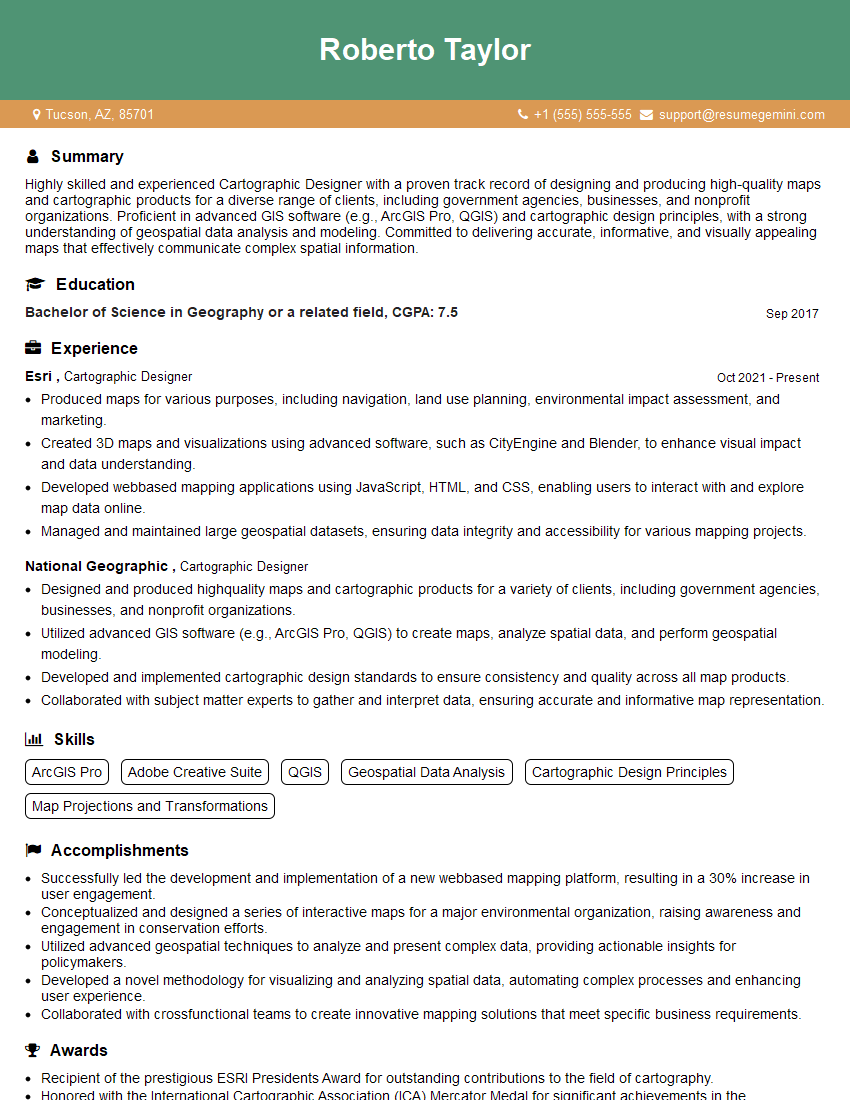
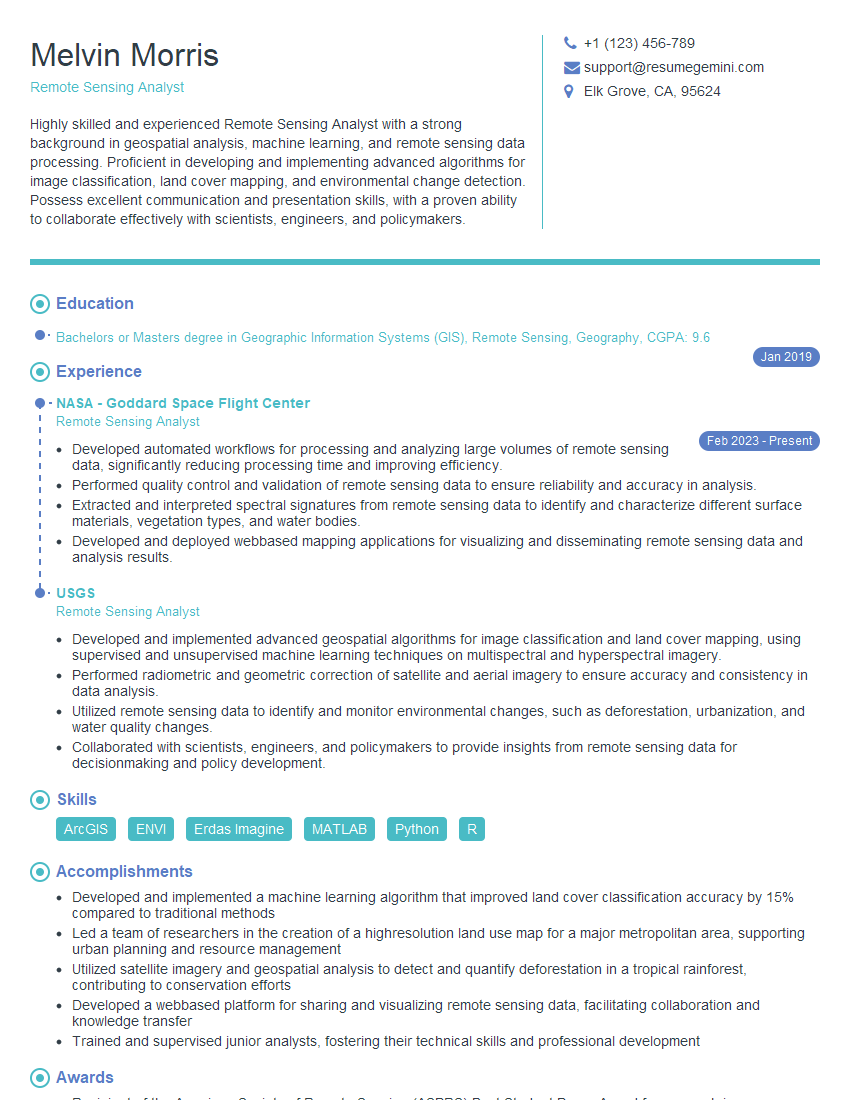
Mastering Map Design and Layout is crucial for career advancement in fields like GIS, cartography, and urban planning. A strong understanding of these principles will significantly improve your job prospects and allow you to contribute meaningfully to impactful projects. To enhance your job search, create a compelling and ATS-friendly resume that showcases your skills and experience effectively. ResumeGemini is a trusted resource that can help you build a professional resume tailored to the Map Design and Layout field. Examples of resumes optimized for this field are available to help guide your process.



Explore more articles
Users Rating of Our Blogs
Share Your Experience
We value your feedback! Please rate our content and share your thoughts (optional).
What Readers Say About Our Blog
I Redesigned Spongebob Squarepants and his main characters of my artwork.
https://www.deviantart.com/reimaginesponge/art/Redesigned-Spongebob-characters-1223583608
IT gave me an insight and words to use and be able to think of examples
Hi, I’m Jay, we have a few potential clients that are interested in your services, thought you might be a good fit. I’d love to talk about the details, when do you have time to talk?
Best,
Jay
Founder | CEO