Unlock your full potential by mastering the most common Press Optimization interview questions. This blog offers a deep dive into the critical topics, ensuring you’re not only prepared to answer but to excel. With these insights, you’ll approach your interview with clarity and confidence.
Questions Asked in Press Optimization Interview
Q 1. Explain the process of color profile conversion in prepress.
Color profile conversion in prepress is crucial for ensuring consistent color reproduction across different devices and printing processes. Essentially, it’s like translating a color ‘language’ from one system to another. Different devices, like monitors, scanners, and printers, interpret color data differently based on their own color profiles (a set of data that defines how a device handles color). Without conversion, the colors you see on your screen might not match what’s printed.
The process typically involves converting from a source profile (e.g., sRGB for a monitor image) to a destination profile (e.g., ISO Coated v2 300% for a specific printing press). Software like Adobe Acrobat Pro or dedicated color management systems facilitate this. Common conversion methods include:
- Colorimetric: Maintains the visual relationship between colors but may not achieve exact matches in different color spaces.
- Perceptual: Prioritizes maintaining the overall appearance, minimizing color shifts but potentially sacrificing absolute accuracy.
- Relative Colorimetric: A compromise approach offering a blend of colorimetric and perceptual benefits.
- Saturation: Adjusts saturation to achieve similar visual results.
Choosing the right method depends on the specific application and the desired level of color accuracy. For instance, critical applications like packaging or high-end photography require precise colorimetric conversions, while less sensitive applications might benefit from a more perceptually driven approach.
Q 2. Describe your experience with different types of image setters.
My experience encompasses various image setters, from older technologies to modern systems. I’ve worked extensively with both thermal and laser types. Thermal image setters, although becoming less prevalent, offer a cost-effective solution for some applications, particularly in newspaper printing. However, their resolution is generally lower than laser alternatives.
Laser image setters, on the other hand, provide significantly higher resolution and greater detail, making them ideal for high-quality printing. I have practical experience with both drums and platesetters. Drum image setters, though less common now, provide a high degree of accuracy. Platesetters, however, dominate the market today owing to their speed and efficiency, particularly those using CtP (Computer-to-Plate) technology, which eliminates the need for film. I’m adept at optimizing settings on these machines to achieve the desired output quality, addressing issues like dot gain and halftone reproduction.
In my career, I’ve consistently prioritized staying updated with the latest technology. The constant evolution of image setters requires continuous learning and adaptation to maintain optimal workflow and efficiency.
Q 3. How do you ensure consistent color accuracy across different printing methods?
Maintaining consistent color accuracy across different printing methods is a complex challenge, demanding a multi-faceted approach. It begins even before the prepress stage, with careful color management during image creation. But consistent color accuracy is reliant on several key components:
- Color Proofing: Using high-quality soft proofing systems and hard proofs that closely emulate the final printed output is critical. These allow for verification and adjustments before committing to costly print runs.
- Standardized Color Spaces: Employing standardized color spaces, such as ISO Coated v2 300%, ensures consistency across different devices and workflows.
- Calibration and Profiling: Regular calibration of monitors, scanners, and printers is essential. Creating accurate profiles for each device ensures that color data is interpreted consistently.
- Press Calibration: Calibrating the printing press itself is crucial, adjusting for factors like ink density and dot gain to achieve accurate color reproduction.
- Color Management Software: Using sophisticated color management software provides consistent control across the entire workflow.
For example, if we’re printing a brochure on both offset and digital presses, we would use a soft proof and a hard proof to compare and fine-tune the color settings to achieve a near-identical result across both methods. This is a continuous iterative process that requires close collaboration between prepress, printing, and design teams.
Q 4. What are the common file formats used in prepress, and what are their advantages and disadvantages?
Several file formats are commonplace in prepress, each with its advantages and disadvantages. The choice depends on the specific needs of the project:
- PDF (Portable Document Format): This is the industry standard, supporting high-resolution images and complex layouts. Advantages include cross-platform compatibility, good color management, and embedding of fonts. However, large file sizes and potential compatibility issues with older software can be drawbacks.
- TIFF (Tagged Image File Format): Excellent for high-resolution images, offering lossless compression options. Advantages include support for various color spaces and metadata. Drawbacks include larger file sizes compared to JPEGs and limited layer support.
- JPEG (Joint Photographic Experts Group): Widely used for photographs, employing lossy compression, reducing file size. Advantages include small file sizes and widespread compatibility. However, lossy compression can compromise image quality and is not ideal for print-ready files.
- EPS (Encapsulated PostScript): Primarily used for vector graphics, offering scalability without loss of quality. Advantages include high precision and compatibility with many applications. However, can be problematic with complex raster images.
In practice, we typically receive designs as PDF files, but we may also deal with other formats depending on the client’s workflow. Each file requires careful preflighting and checking before proceeding to the printing stage to avoid potential problems like missing fonts or incorrect color profiles. I ensure compatibility and address any file format-related challenges proactively.
Q 5. Explain the importance of trapping in press optimization.
Trapping is a critical technique in press optimization that prevents unwanted gaps between colors, particularly in areas where two colors meet. Imagine two adjacent colored blocks – without trapping, the slightest misregistration (a slight shift in alignment during printing) could leave a visible white gap between them. Trapping adds a small amount of one color to overlap the other, effectively masking any misregistration.
There are two main types of trapping:
- Spread Trapping: The most common method. The ink is spread slightly beyond its original boundary to overlap the adjacent color.
- Choke Trapping: The opposite approach, where the ink is slightly reduced from its boundary to ensure it sits neatly underneath the adjacent color. This is primarily used for light colors over dark ones.
The choice of trapping method and the amount of overlap depend on factors such as the type of ink, the printing process, and the paper stock. Accurate trapping ensures clean lines and a professional finish, avoiding those unsightly gaps that detract from the overall quality. It requires meticulous attention to detail and a deep understanding of the limitations of the printing process.
Q 6. How do you troubleshoot common prepress issues such as banding or moiré patterns?
Troubleshooting prepress issues requires systematic investigation. Let’s examine banding and moiré patterns:
Banding: This appears as uneven color distribution in a gradient or solid area, showing distinct horizontal or vertical stripes. Common causes include incorrect screen angles, insufficient resolution, or problems with the output device. Troubleshooting involves:
- Checking screen angles: Ensure that screen angles for different colors are adequately spaced to avoid interference.
- Increasing resolution: Higher resolution can often smooth out banding. Reviewing DPI settings is crucial.
- Checking RIP settings: The Raster Image Processor (RIP) settings can significantly impact banding. Reviewing these settings, including halftone screening methods is important.
- Examining the original image: The problem may originate in the source file itself.
Moiré patterns: These are unwanted interference patterns, often appearing as a shimmering or wavy effect, especially in areas with fine detail or repetitive patterns. They occur when two halftone screens interact improperly. Troubleshooting involves:
- Adjusting screen angles: Selecting screen angles that avoid harmonic relationships can minimize moiré.
- Using different frequencies: Different line screens may resolve the problem. Experimentation and software simulation are essential.
- Resampling the image: Re-sampling the image might resolve interference with different screen frequencies.
- Checking the original image for patterns: Consider redesigning repeating patterns to reduce risk.
For both banding and moiré, careful review of the prepress settings and the source files is critical. Sometimes, a combination of adjustments is needed. Utilizing proofing and simulation tools before printing helps prevent these issues.
Q 7. Describe your experience with different types of proofing systems.
My experience spans various proofing systems, both soft and hard proofs. Soft proofing utilizes specialized software to simulate the appearance of the final print on screen. While convenient and cost-effective, it’s limited by the accuracy of monitor calibration and can’t perfectly represent the physical properties of paper and ink.
Hard proofs provide a more accurate physical representation. I’ve worked with different hard proofing methods:
- Digital Proofs (e.g., inkjet proofs): Provide high-quality simulations using inkjet printers. These proofs offer good color accuracy and are suitable for many applications.
- Contact Proofs: These utilize a simple process for quick proofs. Although cost effective, this method isn’t suitable for evaluating accurate color.
- Chromalin Proofs: These high-end, highly accurate proofs closely match the final print. They are an industry standard for high-end applications where color accuracy is paramount.
The choice of proofing system depends on the project’s requirements and budget. High-end jobs necessitate chromalin or high-end digital proofs for their superior color accuracy, whereas budget-conscious projects might opt for digital inkjet proofs. Regardless of the system, meticulous attention to calibration and proper setup is essential to ensure reliable results.
Q 8. How do you manage and optimize the prepress workflow to meet deadlines?
Managing and optimizing the prepress workflow to meet tight deadlines requires a structured approach. Think of it like orchestrating a symphony – every instrument (task) needs to play its part in perfect harmony and at the right time.
My strategy involves several key steps:
- Detailed Project Planning: Thorough upfront planning is crucial. This includes clarifying all specifications, including the number of pages, paper type, finishing requirements, and most importantly, the final deadline. A Gantt chart or similar project management tool helps visualize tasks and dependencies.
- Efficient File Handling: I employ a robust file management system using a combination of version control (like Git for larger projects) and clearly labeled folders. This prevents confusion and ensures we always have access to the most up-to-date files.
- Automation Where Possible: I leverage automation tools for repetitive tasks like preflight checks and imposition. This frees up time for more complex aspects of the workflow and reduces the risk of human error.
- Proactive Communication: Open and consistent communication with clients and the printing team is essential. Regular updates on progress and any potential delays allow us to address issues proactively.
- Contingency Planning: Unexpected problems can arise. Having a backup plan for potential delays, like sourcing alternative printing presses if needed, helps mitigate the risk of missing deadlines.
For example, on a recent project with a very tight turnaround, we utilized automated preflighting to identify and correct errors quickly. This, coupled with transparent communication with the client regarding potential delays, allowed us to deliver the project on time despite a minor hiccup with artwork files.
Q 9. What is your experience with imposition software?
I have extensive experience with various imposition software packages, including but not limited to Esko ArtiosCAD, Imposition Pro, and Adobe Acrobat Pro’s imposition tools. My proficiency extends beyond simply creating imposition layouts; I understand how to optimize them for efficient press operation, considering factors like substrate waste minimization and reducing makeready time.
For example, when working with a client who frequently uses unique die-cut shapes, I tailored the imposition layouts in Esko ArtiosCAD to minimize material waste, resulting in significant cost savings for the client and increased efficiency in the production process.
My expertise also includes using imposition software to generate print-ready PDFs with the appropriate bleed, trim, and registration marks for various printing processes (e.g., offset, digital, large format). I also know how to optimize imposition for different printing press configurations, ensuring optimal performance and quality.
Q 10. Explain the concept of color gamut and its relevance to print production.
The color gamut refers to the range of colors a specific device or printing process can reproduce. Think of it as the color palette available to you. Different devices have different color gamuts – a computer monitor displays colors differently than a printer.
Relevance in Print Production:
- Color Accuracy: It’s crucial to understand the limitations of the printing process’ color gamut. If you try to print a color outside the printer’s gamut, it will be approximated, resulting in color discrepancies between the screen and the final print.
- Color Management: Color management techniques and software (like ICC profiles) are used to translate colors between devices to ensure consistency. Understanding color gamuts allows for accurate color transformation and minimizes surprises in the final product.
- Spot Colors vs. Process Colors: Knowing the gamut helps determine whether spot colors (pre-mixed inks) or process colors (CMYK) are more appropriate. Spot colors offer greater accuracy for specific hues, but process colors provide greater flexibility for a wider range of colors.
For instance, a vibrant green that looks perfect on screen might not be fully reproducible on a standard CMYK offset press. Understanding the CMYK gamut would allow for choosing a close approximation or employing a spot color for accurate representation.
Q 11. How do you handle color discrepancies between proof and final print?
Color discrepancies between proof and final print can be frustrating but are often manageable. My approach involves a systematic investigation to identify the root cause.
Troubleshooting Steps:
- Proof Type: First, I assess the type of proof used (e.g., soft proof, contract proof, press proof). Different proof types offer varying degrees of accuracy.
- Calibration & Profiling: Verify that all devices (monitor, printer, press) are properly calibrated and profiled using industry-standard color management systems (e.g., ICC profiles).
- Ink Consistency: On the press, inconsistencies in ink densities, trapping, and dot gain can lead to color variations. Careful monitoring of ink settings is essential.
- Substrate: Differences in the paper stock used between the proof and the final print can significantly impact color appearance.
- Environmental Factors: Temperature and humidity in the printing environment can also affect color accuracy.
If discrepancies persist, I work collaboratively with the printing team to make adjustments to ink settings, and sometimes re-run a press sheet. Accurate documentation of all adjustments made is vital for future reference and quality control.
Q 12. What are your preferred methods for checking for potential printing problems before sending files to press?
Before sending files to press, I meticulously check for potential problems using a multi-layered approach.
- Preflight Checks: I utilize automated preflighting software (e.g., Pitstop, Acrobat Pro) to identify issues such as missing fonts, low-resolution images, incorrect color spaces, and bleed problems.
- Visual Inspection: A thorough visual inspection is essential to catch errors that automated checks may miss, such as misaligned elements or text errors.
- Soft Proofing: I create soft proofs using calibrated monitors and color management software to simulate the final print appearance. This allows me to identify any potential color or tonal issues before printing.
- Hard Proofing: For critical projects, a hard proof (a physical print sample) is created on a calibrated printer to provide a closer approximation to the final print.
- Press Check (if possible): If time allows, attending the press check allows for early identification of any problems directly on the press.
For example, on a recent project, preflighting revealed a missing font in the original artwork. Catching this early prevented significant delays and costly reprints.
Q 13. How do you handle revisions and changes to print files during the prepress process?
Handling revisions during prepress requires a well-defined process to maintain accuracy and efficiency. My approach ensures minimal disruption to the production schedule.
Revision Management:
- Version Control: I use a rigorous version control system to track all changes made to the files. This prevents confusion and ensures we’re always working with the latest approved version.
- Change Tracking: I utilize features within design software (like InDesign’s tracking capabilities) to clearly document all revisions and changes made.
- Communication: Transparent communication with the client is essential to understand the scope of each revision and its impact on the production timeline.
- Proofing: After each revision, a new proof is generated and reviewed to ensure the changes have been implemented correctly.
- Approval Process: All revisions must go through a formal approval process to ensure accuracy and prevent errors.
For instance, if a client requires a small text change, I implement it, create a new version, and communicate the change with the client to avoid any misunderstandings or misinterpretations.
Q 14. What is your experience with different types of printing presses (e.g., offset, digital)?
My experience encompasses both offset and digital printing presses. I understand the strengths and limitations of each technology and tailor my prepress workflow accordingly.
Offset Printing: I’m familiar with different offset press sizes and configurations. My prepress preparation for offset printing includes optimizing files for specific press parameters such as screen ruling, dot gain compensation, and color profiles. I understand the importance of trapping and ensuring consistent ink coverage.
Digital Printing: I’m also experienced with various digital printing technologies, including toner-based and inkjet printers. My prepress approach for digital printing focuses on file format optimization, color space conversion, and ensuring the resolution is suitable for the chosen device. Digital printing’s speed and versatility often require faster turnaround times, necessitating efficient prepress procedures.
Choosing between Offset and Digital depends on factors like print run length, budget, and required quality. A large print run might necessitate cost-effective offset printing while short runs or personalized pieces would benefit from the flexibility of digital printing.
Q 15. Explain the importance of quality control in prepress.
Quality control in prepress is paramount because it directly impacts the final printed product’s quality and efficiency. Think of it as the foundation of a house – if the foundation is weak, the entire structure suffers. Any errors or inconsistencies caught early in prepress save significant time, money, and resources later in the printing process. This involves a multi-step process including:
- File Inspection: Checking for correct resolution, color profiles, fonts, and bleeds. Missing fonts, for example, can completely halt the printing process.
- Proofing: Creating soft and/or hard proofs to visually inspect the layout, colors, and image quality before printing. This is akin to a dress rehearsal before a play.
- Imposition Check: Ensuring the pages are correctly arranged for printing on sheets and minimizing paper waste. An incorrectly imposed job leads to costly reprints.
- Color Management: Verifying that the colors displayed on screen accurately reflect the final printed colors. This is crucial for maintaining brand consistency.
- Trap and Overprint Checks: Ensuring that colors overlap correctly to avoid gaps or misalignment in the printed image.
A robust quality control system not only prevents costly mistakes but also enhances the overall efficiency and reputation of the print operation.
Career Expert Tips:
- Ace those interviews! Prepare effectively by reviewing the Top 50 Most Common Interview Questions on ResumeGemini.
- Navigate your job search with confidence! Explore a wide range of Career Tips on ResumeGemini. Learn about common challenges and recommendations to overcome them.
- Craft the perfect resume! Master the Art of Resume Writing with ResumeGemini’s guide. Showcase your unique qualifications and achievements effectively.
- Don’t miss out on holiday savings! Build your dream resume with ResumeGemini’s ATS optimized templates.
Q 16. What software programs are you proficient in using for prepress tasks?
My prepress expertise spans a range of industry-standard software. I’m highly proficient in Adobe Creative Suite (Photoshop, Illustrator, InDesign), and I have extensive experience with imposition software such as Imposition Pro and Esko Automation Engine. I also have familiarity with color management software like X-Rite i1Profiler and various PDF editing tools like Acrobat Pro.
For example, I routinely use InDesign for complex layouts and workflows, ensuring proper document structuring, font embedding, and image linking for seamless collaboration and reproduction. My Photoshop skills are critical for optimizing images and ensuring their print readiness. The imposition software helps me in creating efficient imposition plans that streamline the printing process.
Q 17. How do you optimize image resolution for different printing applications?
Optimizing image resolution is crucial for achieving high-quality prints without unnecessary file sizes. Different printing applications require different resolutions. For example, a large format poster may need a lower resolution than a high-resolution book cover. My approach involves:
- Understanding the printing method: Offset printing, digital printing, and large format printing all have different resolution requirements.
- Identifying the final output size: A larger final size requires a higher resolution to maintain sharpness.
- Assessing the image quality: High-quality images can generally withstand higher resolutions. Conversely, lower-quality images may look pixelated even at lower resolutions. I often use Photoshop’s resampling capabilities to maintain image quality.
- Using appropriate DPI settings: Generally, 300 DPI is considered the standard for offset printing, while lower resolutions may suffice for some digital printing applications. I meticulously adjust DPI based on the project requirements and printing methods.
For instance, when preparing an image for a high-end magazine, I’d ensure a resolution of 300 DPI, whereas for a large format banner, a lower resolution (e.g., 150 DPI) might be sufficient.
Q 18. Explain your experience with imposition software and how to optimize for minimizing paper waste.
I have extensive experience with various imposition software packages, focusing on optimizing for minimal paper waste and maximum efficiency. Imposition is like a sophisticated jigsaw puzzle, ensuring the pages are arranged correctly on the printing sheet to minimize waste and maximize throughput.
My approach starts with understanding the job specifications, paper size, and sheet count. I then leverage the software’s features to create imposition plans that minimize paper waste through techniques like:
- Nesting: Strategically arranging pages to fit multiple pages per sheet.
- Gang printing: Combining multiple jobs onto a single sheet to reduce waste and improve efficiency. This is particularly useful for jobs with a small number of copies.
- Sheet optimization algorithms: Using the software’s built-in algorithms to automate the creation of efficient imposition schemes.
For example, in a recent project, by carefully using the nesting feature in Imposition Pro, we reduced paper waste by 15% compared to a standard imposition.
Q 19. What is your approach to managing large and complex print jobs?
Managing large and complex print jobs requires a structured and organized approach. I use a project management methodology that involves:
- Detailed Job Breakdown: I carefully analyze the job’s requirements, specifications, and deadlines.
- File Organization: Creating a clear and logical file structure that makes it easy to access and manage all project files.
- Workflow Planning: Developing a detailed workflow outlining all the steps involved in the prepress process, assigning responsibilities and deadlines.
- Communication: Maintaining clear and consistent communication with clients and other stakeholders throughout the process.
- Regular Monitoring: Tracking progress against the established workflow and addressing any issues promptly. This includes regular quality checks at each stage.
Think of it like orchestrating a symphony – each instrument (task) needs to be played (executed) at the right time and with the right precision for a harmonious (successful) outcome.
Q 20. Describe your experience with automated prepress workflows.
I’m experienced with automated prepress workflows, including those using JDF (Job Definition Format) and MIS (Management Information System) integration. Automation significantly reduces manual intervention and improves efficiency and consistency.
My experience includes setting up and managing automated workflows using Esko Automation Engine. Automation streamlines processes such as trapping, imposition, and proofing, reducing errors and bottlenecks. It’s like having a highly skilled assistant who handles repetitive tasks reliably and consistently. For instance, I’ve implemented automated systems to perform preflight checks, ensuring that files meet the necessary standards before they proceed to the next stage of production. Automated workflows help minimize manual errors and improve turnaround time, allowing for higher volumes of work with maintained quality.
Q 21. How do you ensure that files are correctly formatted and prepared for different printing processes?
Ensuring files are correctly formatted and prepared for various printing processes is critical for a successful print run. My approach involves:
- Preflight checks: Running automated preflight checks to identify potential problems early in the process.
- Color profile management: Using appropriate color profiles to ensure color consistency across different devices.
- File format conversion: Converting files to the appropriate format (e.g., PDF/X-1a for offset printing).
- Bleed and margin settings: Setting up appropriate bleeds and margins to avoid issues during trimming.
- Font embedding: Embedding all necessary fonts to avoid font substitution issues.
- Image optimization: Ensuring images are properly compressed and have the correct resolution.
Ignoring these steps can result in significant problems, such as incorrect colors, missing images, or misaligned text. My rigorous approach to file preparation ensures consistent, high-quality output, regardless of the printing process.
Q 22. How do you handle client communication regarding prepress issues or revisions?
Handling client communication regarding prepress issues or revisions is crucial for maintaining a positive client relationship and ensuring a smooth production process. My approach involves proactive communication, clear explanations, and collaborative problem-solving. I always initiate contact promptly when an issue arises, providing a clear and concise explanation of the problem, its potential impact, and the proposed solutions. For instance, if a client’s file has missing fonts, I’ll inform them immediately, specifying the missing fonts and outlining options like providing the correct fonts or suggesting alternatives. I’ll use a combination of email and phone calls, adjusting the method based on client preference and urgency. For revisions, I utilize a standardized proofing system, often using a PDF with markup tools where the client can clearly mark changes directly. This system ensures clarity and minimizes misunderstandings. We maintain detailed records of all communication and revisions to ensure accuracy and accountability.
For instance, I recall a project where a client’s high-resolution images were significantly oversized, leading to potential printing issues. Instead of simply rejecting the files, I contacted the client, explained the problem (oversized files leading to longer processing times and potentially blurry images), offered different compression options, and provided examples demonstrating the quality differences. This approach helped the client understand the problem and collaboratively arrive at a solution.
Q 23. What strategies do you use to improve prepress efficiency and reduce turnaround times?
Improving prepress efficiency and reducing turnaround times requires a multi-pronged approach focusing on workflow optimization, automation, and technology adoption. This involves standardizing file formats, implementing automated preflight checks, and investing in efficient software and hardware. For example, requiring clients to submit files in industry-standard formats like PDF/X-1a helps significantly reduce the time spent converting and fixing files. Using automated preflight tools catches errors early, like missing fonts or images, preventing delays further down the line. Furthermore, investing in high-speed processors and ample RAM enables faster processing of large files.
We also emphasize training and process improvement within the team. Regular training sessions to improve skill levels with relevant software and workflows increase efficiency. We constantly evaluate our workflows, searching for bottlenecks. For example, we identified that a particular step in our preflight process was time-consuming. By streamlining this step and using automated tools, we reduced the process time by 30%, significantly impacting overall turnaround.
Q 24. Describe your experience with PDF workflows in prepress.
My experience with PDF workflows in prepress is extensive. I’m proficient in various PDF standards such as PDF/X-1a, PDF/X-4, and others, each suited for different printing purposes. Understanding the nuances of these standards is crucial for ensuring print-ready files. I routinely work with creating and validating PDF files, using tools such as Acrobat Pro to preflight, optimize, and ensure that the final PDF is compliant with printing specifications.
For example, PDF/X-1a is excellent for ensuring color consistency across different systems. It dictates specific color profiles and ensures that images are embedded, minimizing the risk of missing elements. PDF/X-4 offers greater flexibility for handling transparency and complex effects. Choosing the correct PDF standard, depending on the project’s requirements and the printer’s specifications, is a key aspect of my workflow. This ensures the print output is accurate and consistent with the client’s expectations.
Q 25. How do you maintain a clean and organized prepress workflow?
Maintaining a clean and organized prepress workflow is essential for efficiency and error prevention. This begins with a robust file management system, often using a combination of folder structures, naming conventions, and metadata tagging. All files are organized into clearly defined project folders, using a consistent naming convention that incorporates the client name, project name, and file type (e.g., ClientName_ProjectName_Artwork.pdf). Metadata is also crucial to ensure easy retrieval and identification of files at a later stage. This could include creation date, revision number, and client comments.
We also use project management software to track the progress of each job and manage revisions. This ensures clarity and accountability, and prevents files from getting lost or misplaced. Regular archiving of completed projects maintains a clear workflow and keeps our working environment uncluttered. This systematic approach is analogous to a well-organized library, ensuring that finding the right information or file is quick and efficient.
Q 26. What metrics do you use to measure the success of your prepress work?
Measuring the success of prepress work relies on several key metrics. These include turnaround time (the time it takes to process a job from receipt to delivery), error rate (the number of errors detected per job), client satisfaction (measured through feedback surveys or reviews), and cost-efficiency (the cost per job). Tracking these metrics helps to identify areas of improvement and optimize processes. For instance, a consistently high turnaround time might indicate a need for process optimization or additional resources. A high error rate could signal the need for additional training or stricter quality control measures. We actively monitor these metrics using spreadsheets and project management software, regularly analyzing them to identify trends and areas for improvement.
For example, if the error rate in a specific type of job is unusually high, we analyze the root causes—was there a problem with a particular software, or did the training for that particular process need to be reinforced? This data-driven approach ensures continuous improvement in our prepress operations.
Q 27. How do you stay updated with the latest technologies and best practices in prepress?
Staying updated with the latest technologies and best practices in prepress is critical to maintaining a competitive edge. I regularly attend industry conferences and webinars, participate in online forums, and read industry publications. This enables me to stay informed on emerging trends and new technologies, such as improved PDF workflows, advancements in color management, and the adoption of automation tools.
Furthermore, I actively seek out training opportunities to improve my skills on new software and hardware. Professional certifications are another excellent way to stay current and demonstrate expertise. I also maintain a network of colleagues and professionals within the prepress industry, facilitating knowledge exchange and collaborative problem-solving. This ongoing commitment to learning allows me to integrate new techniques and best practices to maximize efficiency and quality in my work.
Q 28. Describe a challenging prepress project you successfully managed and the steps you took to overcome challenges.
One challenging project involved a high-volume, time-sensitive project with complex color profiles and unusual substrate requirements. The client needed thousands of brochures printed on a textured paper stock, requiring precise color matching and meticulous file preparation. The initial files provided were inconsistent and contained several errors, including missing fonts and incorrectly embedded images. The tight deadline added significant pressure.
To overcome these challenges, I implemented a structured approach. First, we meticulously cleaned and corrected the files, replacing the missing fonts and re-embedding the images at optimal resolutions. Second, we worked closely with the client, clarifying their specifications and providing transparent updates on our progress. Third, we used a rigorous preflighting process, which helped identify and resolve any inconsistencies early on. Lastly, we leveraged automation tools for file processing and color management, enabling us to efficiently handle the large volume of files. By carefully managing each step, we successfully delivered the project on time and to the client’s complete satisfaction. This project highlighted the importance of proactive communication, meticulous attention to detail, and efficient resource allocation.
Key Topics to Learn for Press Optimization Interview
- Understanding Press Optimization Fundamentals: Defining press optimization, its goals, and its relationship to overall print production efficiency.
- Press Setup and Calibration: Practical knowledge of color management, ink density control, and register adjustment techniques. Understanding the impact of these settings on print quality and waste reduction.
- Waste Reduction Strategies: Exploring methods to minimize paper waste, ink waste, and makeready time through efficient press operation and job planning. This includes understanding waste calculations and cost analysis.
- Quality Control and Assurance: Implementing quality checks throughout the printing process to identify and rectify defects early. Knowledge of different quality control metrics and their application.
- Press Maintenance and Troubleshooting: Familiarity with preventative maintenance procedures, common press malfunctions, and troubleshooting techniques to minimize downtime and maximize productivity.
- Automation and Technology: Understanding the role of automated systems in press optimization, such as inline color control and automated plate changing. Exploring the benefits and limitations of different technologies.
- Data Analysis and Reporting: Utilizing data from the press to track performance, identify areas for improvement, and demonstrate the effectiveness of optimization strategies. This includes understanding key performance indicators (KPIs).
- Sustainability in Press Optimization: Exploring environmentally friendly practices within press optimization, such as reducing ink consumption and utilizing sustainable materials.
Next Steps
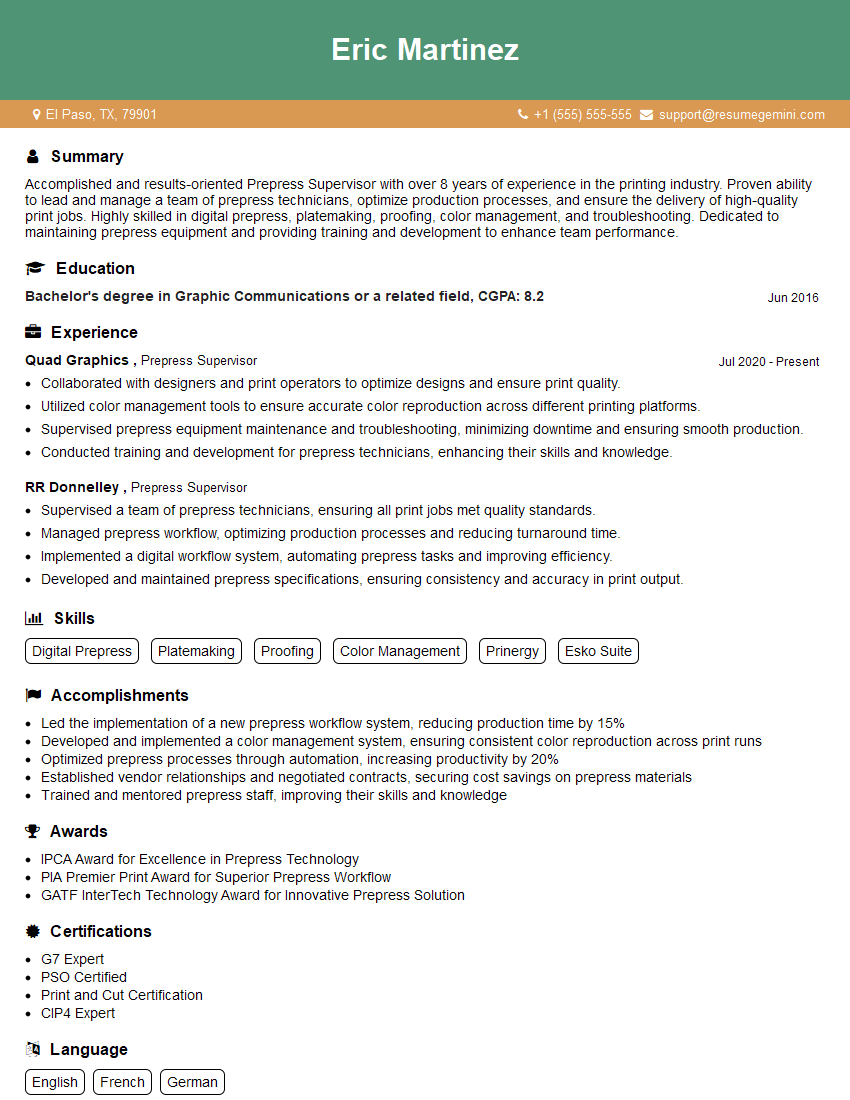
Mastering Press Optimization is crucial for career advancement in the printing industry. It demonstrates a commitment to efficiency, quality, and cost savings – highly valued attributes in today’s competitive market. To significantly boost your job prospects, it’s essential to create a compelling and ATS-friendly resume that highlights your skills and experience. ResumeGemini is a trusted resource to help you build a professional and impactful resume tailored to your specific experience. Examples of resumes specifically designed for Press Optimization professionals are available to guide you.


Explore more articles
Users Rating of Our Blogs
Share Your Experience
We value your feedback! Please rate our content and share your thoughts (optional).
What Readers Say About Our Blog
I Redesigned Spongebob Squarepants and his main characters of my artwork.
https://www.deviantart.com/reimaginesponge/art/Redesigned-Spongebob-characters-1223583608
IT gave me an insight and words to use and be able to think of examples
Hi, I’m Jay, we have a few potential clients that are interested in your services, thought you might be a good fit. I’d love to talk about the details, when do you have time to talk?
Best,
Jay
Founder | CEO