Feeling uncertain about what to expect in your upcoming interview? We’ve got you covered! This blog highlights the most important RSVP Management interview questions and provides actionable advice to help you stand out as the ideal candidate. Let’s pave the way for your success.
Questions Asked in RSVP Management Interview
Q 1. What RSVP management software are you familiar with?
I’m proficient in several RSVP management software solutions, including Eventbrite, RSVPify, Google Forms (for simpler events), and even custom-built solutions depending on the client’s needs and event scale. My experience encompasses using these platforms to manage everything from the initial RSVP invitation design to final guest list generation and reporting. I’m comfortable working with different features like automated email reminders, customizable forms, and data export capabilities.
For example, for a large corporate conference, we used Eventbrite’s robust features to manage thousands of RSVPs, while a smaller, more intimate wedding utilized a simpler Google Forms solution integrated with a spreadsheet for easy tracking.
Q 2. Describe your experience tracking RSVPs for large-scale events.
Managing RSVPs for large-scale events requires a structured and meticulous approach. I’ve been involved in events with attendee counts exceeding 5,000, where precise tracking was crucial. My strategy centers around using dedicated RSVP management software with robust reporting capabilities. This allows for real-time monitoring of RSVPs, identification of trends, and proactive management of potential issues.
For instance, in a recent music festival, we employed Eventbrite’s analytics dashboards to monitor RSVP trends daily, enabling us to adjust marketing strategies and resource allocation based on the expected attendance. Automated email confirmations and reminders, segmented by guest type (VIP, general admission, etc.), further streamlined the process and kept attendees informed.
Q 3. How do you handle last-minute RSVP changes or cancellations?
Last-minute changes are inevitable. I handle them by maintaining an easily accessible and up-to-the-minute master guest list, often using a shared spreadsheet or the software’s integrated tools. Whenever an RSVP changes, I immediately update the list, noting the reason for the change (cancellation, dietary update, etc.).
Clear communication is key. I promptly inform relevant parties (catering, venue, etc.) about significant changes. For cancellations, we explore waitlist options if possible to maximize capacity. For example, in a wedding event, we had several last-minute cancellations, but thanks to a robust waitlist, we were able to fill those spots, ensuring minimal impact on the event logistics.
Q 4. Explain your process for verifying RSVPs and updating guest lists.
My verification process involves multiple steps. First, I review RSVPs from the chosen platform, flagging any incomplete or inconsistent information. Then, I cross-reference the data with any other available information, such as pre-registration forms or ticket purchase records. For larger events, I might even implement a double-entry system for data verification.
Next, I manually contact attendees with incomplete or questionable information to clarify details. This ensures data accuracy and reduces potential errors. After verification, I update the master guest list, reflecting accurate numbers and guest details. This meticulously updated list then serves as the basis for seating charts, name tags, and other event logistics.
Q 5. What strategies do you use to maximize RSVP rates?
Maximizing RSVP rates involves strategic planning and execution. This starts with a compelling invitation – clearly communicating the event details, highlighting its value, and providing a simple, user-friendly RSVP method. I usually incorporate a mix of online and offline methods to cater to different preferences.
Furthermore, sending timely reminders, employing engaging visuals in the invitations, and offering incentives (like early bird discounts) can all significantly boost RSVP rates. A clear and concise RSVP deadline is also crucial. For example, I’ve successfully increased RSVP rates by 20% by adding a visually appealing countdown timer to online invitations.
Q 6. How do you manage dietary restrictions and other guest requests?
Managing dietary restrictions and guest requests requires dedicated fields in the RSVP form. I make sure the RSVP form includes options for dietary needs (vegetarian, vegan, allergies, etc.), and a section for other special requests (wheelchair access, childcare needs). This information is carefully tracked in the master guest list and communicated to the catering team and other relevant vendors.
Following up with guests to clarify any ambiguous information is vital. For example, I once had a guest list with multiple variations of “vegetarian.” A follow-up confirmed their specific requirements, ensuring the catering team prepared appropriate meals.
Q 7. How do you handle duplicate RSVPs or conflicting information?
Duplicate RSVPs or conflicting information are handled through careful data cleaning and verification. I use data deduplication techniques in the RSVP management software to identify and consolidate duplicate entries. For conflicting information, I manually investigate and resolve discrepancies by contacting the guests to clarify details.
Maintaining a consistent data entry format and using clear naming conventions throughout the RSVP process helps minimize such errors. Using unique identifiers, such as email addresses, for each guest, further streamlines the process and eliminates ambiguity.
Q 8. What methods do you use for sending RSVP reminders?
Sending RSVP reminders is crucial for maximizing event attendance. My approach is multi-faceted and leverages a combination of methods to cater to different preferences and ensure optimal reach.
Automated Email Reminders: I utilize email marketing platforms to schedule automated reminders, typically one week and one day before the event. These emails are personalized with the guest’s name and include event details and a clear call to action (e.g., ‘RSVP here’). I always include a clear unsubscribe option to maintain best practices.
SMS/Text Message Reminders: For a more immediate and impactful reminder, I often incorporate SMS reminders, particularly for the day before or even a few hours before the event, especially if it’s time-sensitive.
Social Media Notifications: Depending on the event and target audience, I might send out reminders via social media platforms, utilizing targeted advertising or organic posts to remind guests about the RSVP deadline.
Phone Calls (for VIPs): For high-value guests or those who haven’t responded, a personalized phone call can be incredibly effective.
The optimal mix of these methods depends on the event’s size, target audience, and budget. I carefully consider these factors when devising the reminder strategy.
Q 9. Describe your experience with online RSVP systems.
I have extensive experience with various online RSVP systems, from simple Google Forms to sophisticated event management platforms like Eventbrite, Cvent, and others. My experience encompasses the entire lifecycle: from setting up the RSVP form with custom fields (dietary restrictions, plus-ones, etc.), to managing responses, generating reports, and integrating with other systems.
I’m proficient in customizing these systems to meet specific event requirements. For example, I’ve used conditional logic in forms to personalize the guest experience. If a guest selects ‘yes’ to attending a workshop, for instance, they’ll be presented with a drop-down menu to select which workshop to attend. This ensures a smoother RSVP process and collects relevant information efficiently.
I also prioritize user experience. Simple, intuitive forms are key to maximizing response rates. A cluttered or confusing form will often lead to lower RSVPs.
Q 10. How do you integrate RSVP data with other event management systems?
Integrating RSVP data with other event management systems is crucial for a holistic view of the event and is a core strength of mine. This integration typically involves using APIs (Application Programming Interfaces) or data export/import features.
For instance, I’ve integrated RSVP data with CRM (Customer Relationship Management) systems to update guest contact information and engagement history. This helps in future event planning and targeted communication. Similarly, I’ve linked RSVP data to ticketing systems to automatically update guest counts and seating arrangements. This real-time data exchange eliminates manual data entry and reduces the potential for errors.
The specific integration method depends on the systems involved. Sometimes it’s a straightforward CSV export/import process. Other times it requires more complex API integrations, which I’m comfortable handling.
Q 11. How do you track and report on RSVP data?
Tracking and reporting on RSVP data is vital for evaluating event success and making data-driven decisions for future events. I utilize the reporting features built into the RSVP system and often supplement this with my own data analysis using spreadsheets or dedicated business intelligence tools.
My reports typically include:
- Total RSVPs: The overall number of responses received.
- Acceptance Rate: The percentage of guests who have accepted the invitation.
- Decline Rate: The percentage of guests who have declined.
- Response Rate: The percentage of invited guests who have responded.
- Guest Demographics: Analysis of RSVPs based on demographics collected during registration.
- Dietary Restrictions and Other Needs: A summary of specific requirements to help with catering and logistics.
These reports are crucial for identifying trends, areas for improvement, and informing decisions for future events.
Q 12. What metrics do you use to measure the success of your RSVP management?
Measuring the success of RSVP management goes beyond just the number of attendees. While a high attendance rate is important, it’s only one piece of the puzzle. I use a combination of metrics to get a comprehensive view:
Response Rate: A high response rate indicates effective communication and a well-designed RSVP process.
Acceptance Rate: This reflects the event’s appeal and the effectiveness of the promotion and invitation.
Timeliness of Responses: Early responses help with planning and resource allocation.
Data Accuracy: Accurate data ensures smooth event execution and reduces potential issues.
Cost-Effectiveness: Efficient RSVP management reduces administrative overhead and associated costs.
By analyzing these metrics together, I can pinpoint areas for improvement and optimize the RSVP process for future events.
Q 13. Describe a time you had to troubleshoot a problem with an RSVP system.
During a large corporate event, our chosen RSVP system experienced a significant outage just days before the deadline. This was a major challenge, as thousands of RSVPs were pending.
My first step was to quickly assess the situation, contacting the system provider for immediate support. While they worked to restore the system, I implemented a contingency plan. This involved setting up a temporary Google Form to collect RSVPs. We communicated this change to guests through email, SMS, and social media, emphasizing the temporary nature of the workaround. Once the main system was restored, we manually migrated the data from the temporary form to ensure data integrity.
This experience highlighted the importance of having a robust backup plan and strong communication with guests. It also underscored the need to carefully vet RSVP system providers and choose vendors who offer reliable support.
Q 14. How do you ensure data accuracy in RSVP management?
Ensuring data accuracy in RSVP management is paramount. My approach involves a combination of proactive measures and checks:
Data Validation: I use form features to enforce data integrity, such as required fields and data type validation (e.g., ensuring email addresses are correctly formatted).
Data Cleaning: Post-collection, I review the data for inconsistencies and errors. This often involves using data cleaning tools or scripting to identify and correct inconsistencies.
Double-checking: I perform spot checks on the data, especially for large events, to confirm accuracy.
Clear and Concise Forms: Well-designed forms with clear instructions minimize errors by guests.
Regular Backups: I maintain regular backups of the data to prevent loss in case of unforeseen issues.
By implementing these strategies, I minimize errors and ensure the data collected is reliable and usable for accurate reporting and planning.
Q 15. How do you manage RSVPs for events with multiple venues or sessions?
Managing RSVPs for events with multiple venues or sessions requires a robust system that allows guests to select their preferred location and time. Think of it like booking flights – you wouldn’t just book a flight, you’d choose your destination airport and departure time. We achieve this through tiered registration. First, we create a clear event overview, detailing all venues and sessions with dates and times. Then, we use online RSVP tools – like Eventbrite or custom-built forms – that offer multiple choice options for each guest. Each option is linked to a specific venue and session, often with capacity limits. This allows us to track attendance per venue and session efficiently. For example, if we’re hosting a conference with workshops across three buildings, guests choose their preferred workshop location and time during the RSVP process. This data is then automatically recorded, simplifying logistics and catering arrangements for each venue.
- Clear Event Overview: Detailed description with venue locations and session schedules.
- Tiered Registration: Allows guests to select their preferences (venue, session, etc.).
- Capacity Limits: Prevents overbooking at individual venues and sessions.
- Real-time Tracking: Provides up-to-the-minute attendance counts for each venue and session.
Career Expert Tips:
- Ace those interviews! Prepare effectively by reviewing the Top 50 Most Common Interview Questions on ResumeGemini.
- Navigate your job search with confidence! Explore a wide range of Career Tips on ResumeGemini. Learn about common challenges and recommendations to overcome them.
- Craft the perfect resume! Master the Art of Resume Writing with ResumeGemini’s guide. Showcase your unique qualifications and achievements effectively.
- Don’t miss out on holiday savings! Build your dream resume with ResumeGemini’s ATS optimized templates.
Q 16. What is your experience with managing international RSVPs?
Managing international RSVPs introduces complexities related to time zones, languages, and payment systems. I’ve handled this in several events, utilizing tools and strategies to ensure inclusivity and ease of access for all guests, regardless of their location. This involves careful consideration of time zone differences when setting deadlines, providing multi-lingual RSVP forms, and offering a range of payment methods that accommodate international transactions. For example, I once managed RSVPs for a global summit. We used a platform that allowed for time zone conversion on RSVP deadlines, automatically displaying the deadline according to the guest’s location. We also provided the RSVP form in multiple languages, increasing accessibility and participation. Offering various payment options, including international credit card processors and PayPal, ensured guests from various countries could conveniently register.
- Time Zone Considerations: Display deadlines in the guest’s local time.
- Multilingual Support: Offer RSVP forms in relevant languages.
- International Payment Options: Support various payment methods, including international transactions.
- Clear Communication: Provide information about visa requirements, travel guidelines, and local customs.
Q 17. How do you handle RSVPs for events with different languages?
Handling RSVPs for multilingual events is crucial for inclusivity. This involves using RSVP platforms or creating custom forms that offer the option to select a preferred language. Once the language is chosen, the entire form automatically translates into that language. This eliminates confusion and ensures all guests can easily understand and complete the RSVP process. I often leverage online translation services (Google Translate, for example) integrated into the registration form, ensuring accuracy and consistency across different languages. However, for high-profile events, professional translation is preferred to avoid misunderstandings. For instance, in a global conference, we used a translation plugin that dynamically updated the registration form to the guest’s chosen language – ensuring everyone felt comfortable and included in the process.
- Multilingual RSVP Forms: Provide options for guests to select their preferred language.
- Translation Services: Utilize professional or automated translation tools to translate forms.
- Language Testing: Review translated forms for clarity and accuracy.
- Multilingual Support Staff: If necessary, have staff available to assist with any language-related inquiries.
Q 18. How do you maintain confidentiality of guest information?
Maintaining guest confidentiality is paramount. We follow strict data protection protocols. This includes using secure online forms with HTTPS encryption and storing all data on secure servers with access limited to authorized personnel only. We never share guest information with third parties without explicit consent. Our systems are regularly audited to ensure data security and compliance with relevant data protection regulations such as GDPR. For example, our RSVP forms clearly state our data protection policy and only collect necessary information. We use data anonymization techniques wherever possible and encrypt sensitive data both in transit and at rest. This ensures that we handle guest data responsibly and ethically.
- Secure Online Forms (HTTPS): Ensures data is transmitted securely.
- Secure Data Storage: Stores data on secure servers with restricted access.
- Data Anonymization: Removes identifying information whenever possible.
- Data Encryption: Protects data both in transit and at rest.
- Compliance with Data Protection Regulations: Adheres to relevant laws and regulations (GDPR, CCPA, etc.).
Q 19. Describe your experience with managing RSVPs for virtual or hybrid events.
Managing RSVPs for virtual or hybrid events presents unique challenges and opportunities. It often requires integrating registration with virtual event platforms such as Zoom or Hopin. This involves creating a seamless registration process that allows guests to register for both in-person and online attendance. For hybrid events, we use specialized registration tools that allow guests to select their participation mode (in-person, virtual, or both) during the RSVP process. This enables us to effectively manage the logistics of both virtual and physical components of the event. For instance, when managing a hybrid conference, our RSVP system allowed guests to register for in-person attendance, virtual attendance, or both. The system integrated with our virtual event platform, automatically providing participants with access links and reminders based on their chosen participation mode. This enhanced guest experience and streamlined our administrative tasks considerably.
- Integrated Registration Systems: Integrate RSVP platforms with virtual event platforms.
- Hybrid Attendance Options: Allow guests to choose between in-person, virtual, or both.
- Automated Access Management: Automatically provide participants with access links and reminders.
- Virtual Event Platform Integration: Seamless transition between registration and event participation.
Q 20. How do you use technology to streamline the RSVP process?
Technology plays a vital role in streamlining the RSVP process. We utilize several tools to automate tasks and improve efficiency. Online RSVP platforms such as Eventbrite or SignUpGenius handle guest registration, automated email reminders, and data management. Custom-built systems can be more powerful and tailored to specific event needs, managing capacity limits per venue or session, and integrating with ticketing and CRM software. These systems generate reports which assist with post-event analysis and provide valuable insights into attendance trends. For instance, using Eventbrite allowed us to automate reminders, manage guest lists, track RSVPs in real-time, and generate detailed reports on attendance, enabling data-driven decision making for future events.
- Online RSVP Platforms: Eventbrite, SignUpGenius, etc.
- Custom-built Systems: Tailored solutions for specific event needs.
- Integration with CRM: Connects RSVP data to customer relationship management systems.
- Automated Email Reminders: Reduces manual work and improves response rates.
- Reporting and Analytics: Provides insights into attendance and event performance.
Q 21. How do you deal with guests who don’t RSVP?
Dealing with guests who don’t RSVP can be challenging. We typically send a series of polite reminders – a first reminder a week before the event, and a final reminder a few days prior. These reminders may include a concise reiteration of the event details and a link to the RSVP form, including an option to opt out. For events with limited capacity, we might need to follow up with non-respondents directly via phone or email, confirming their attendance or if they will be unable to make it. This ensures we manage expectations for seating, food, and overall event logistics. In some cases, we might need to move individuals from a waiting list into the event. For large-scale events, a final cutoff date for RSVPs is crucial, beyond which those who haven’t responded are considered a ‘no-show’ and resources are reallocated accordingly. Clear communication is essential in this process. A thank you to those who RSVP’d can also help to remind those who didn’t.
- Automated Reminders: A series of email reminders prior to the event.
- Direct Follow-up: Contact non-respondents directly (phone or email).
- Waiting List: Maintain a waiting list to fill any open spots.
- RSVP Cut-off Date: Set a deadline for RSVPs.
- Clear Communication: Provide clear instructions and expectations.
Q 22. How do you prioritize tasks when managing multiple RSVPs simultaneously?
Prioritizing RSVPs for multiple events requires a strategic approach. I utilize a system combining urgency, event size, and deadline proximity. Think of it like a triage system in a hospital: the most critical cases get immediate attention.
- Urgency: Events with imminent deadlines or those nearing capacity receive top priority. This ensures we don’t miss crucial attendance numbers.
- Event Size: Larger events with more attendees require more attention due to increased complexity in managing confirmations and potential logistical adjustments.
- Deadline Proximity: RSVPs approaching deadlines are prioritized to allow enough time for follow-ups and necessary adjustments to catering or seating arrangements.
I often use project management software to track each event’s RSVP status, deadlines, and any outstanding tasks, allowing me to visualize the workload and prioritize effectively. For example, I might use a Kanban board to visually track the progress of each RSVP task from ‘received’ to ‘confirmed’ to ‘followed-up’.
Q 23. How do you handle RSVPs that arrive after the deadline?
Late RSVPs are handled with a combination of flexibility and firmness. While ideally, all RSVPs should be received by the deadline, real-world circumstances arise.
- Immediate Confirmation: I acknowledge the late RSVP promptly, expressing gratitude for their response.
- Availability Check: I check if accommodating the late RSVP is possible, considering factors like capacity, catering, and seating arrangements. This might involve confirming with the venue or catering service about their flexibility.
- Communication: I communicate clearly whether their request can be accommodated and inform them of any implications, such as additional fees if applicable or changes to their seating.
- Data Update: I update the RSVP database to reflect the late response, ensuring that the event’s final headcount is accurate.
For example, if a late RSVP requires a change to the seating arrangement, I might need to contact other attendees to inform them of a minor adjustment to their seating or table assignment.
Q 24. What are the common challenges in RSVP management, and how do you overcome them?
Common challenges in RSVP management include incomplete information, late responses, and managing data privacy.
- Incomplete Information: To overcome this, I ensure the RSVP form is clear, concise, and includes all necessary fields. I also employ automated follow-up emails to gently remind respondents of missing information.
- Late Responses: This is tackled by establishing clear deadlines, sending reminders, and having a flexible yet firm policy for late responses (as described in the previous answer).
- Data Privacy: This is addressed by adhering strictly to data protection regulations, utilizing secure platforms, and informing respondents about how their data is handled (more detail in answer 5).
One time, we had a significant number of incomplete RSVPs for a large wedding. By implementing a multi-stage email sequence – an initial confirmation, a reminder a week later, and a final reminder 2 days before the event – we significantly improved the completion rate.
Q 25. What are some best practices for designing an effective RSVP form?
Designing an effective RSVP form requires focusing on clarity, conciseness, and user-friendliness.
- Clear Instructions: Use simple language and explain the purpose of each field clearly.
- Concise Fields: Keep the form short and focused on essential information – Name(s), Contact information, dietary restrictions, and attendance.
- User-Friendly Format: Choose a platform that allows for easy mobile access and is visually appealing.
- Deadline Prominence: Clearly display the RSVP deadline in a prominent location.
- Confirmation: Provide immediate confirmation upon submission, perhaps through an automated email.
Example of a good form question: Instead of ‘Will you be attending?’, use ‘Please indicate your attendance: Yes / No’. This leads to less ambiguity.
Q 26. How do you ensure compliance with data privacy regulations in RSVP management?
Data privacy is paramount. We adhere to all relevant regulations (like GDPR, CCPA, etc.) by:
- Transparency: Clearly stating in the RSVP form how data will be collected, used, and protected.
- Data Minimization: Only collecting essential information and avoiding unnecessary data points.
- Data Security: Using secure platforms with encryption and access controls.
- Data Retention: Establishing clear policies for how long data is stored and ensuring secure deletion after the purpose is served.
- Consent: Obtaining explicit consent from respondents for data collection and processing.
For instance, we might include a checkbox stating ‘I consent to the processing of my data for the purpose of managing my RSVP and event communications’. This allows for clear, documented consent.
Q 27. Describe your experience with using different RSVP platforms.
My experience spans various RSVP platforms, including dedicated event management systems like Eventbrite and social media RSVP features (like Facebook Events).
- Eventbrite: Offers robust features for managing registrations, sending reminders, and generating reports. Ideal for larger-scale events.
- Facebook Events: Simple and readily accessible; good for smaller, informal gatherings but lacks the sophistication of dedicated platforms for larger events or complex data analysis.
- Custom-built Solutions: I have also worked with custom-built solutions integrated directly into a client’s existing database, offering maximum control and data integration, albeit with greater development and maintenance requirements.
Each platform has its strengths and weaknesses. My choice depends on the event’s scale, complexity, and the client’s specific needs and technological capabilities.
Q 28. How do you adapt your RSVP management strategies to different event types?
My RSVP management strategy adapts to different event types by focusing on the unique needs of each.
- Formal Events (Weddings, Conferences): Require a more structured approach, potentially using dedicated RSVP platforms, stricter deadlines, and meticulous attention to detail.
- Informal Events (Birthday Parties, Casual Gatherings): Allow for a more relaxed approach, potentially using simpler methods like Facebook Events or email, with less emphasis on formal deadlines.
- Corporate Events: Might involve integrations with existing HR systems, detailed tracking of attendees for billing purposes, and robust data security measures.
For instance, a corporate event would require more detailed registration information, including company affiliation, for billing and reporting. Conversely, a casual birthday gathering might only need names and attendance status.
Key Topics to Learn for RSVP Management Interview
- Understanding RSVP Processes: Explore different RSVP methods (online forms, phone calls, email), their strengths and weaknesses, and best practices for each.
- Data Management & Analysis: Learn how to effectively track and analyze RSVP data. Consider how this information informs decisions about event planning and resource allocation.
- Communication & Coordination: Master the art of clear, concise communication with attendees, vendors, and internal teams. Practice handling various communication channels and potential conflicts.
- Software & Technology: Familiarize yourself with common RSVP management software and tools. Understand their functionalities and how to leverage them for efficiency.
- Problem-Solving & Contingency Planning: Prepare for potential challenges, such as low RSVP rates, unexpected cancellations, or technical issues. Develop strategies for proactive problem-solving.
- Reporting & Metrics: Understand key performance indicators (KPIs) related to RSVP management. Be prepared to discuss how you would measure the success of an RSVP process.
- Legal & Ethical Considerations: Understand data privacy regulations and ethical considerations related to handling attendee information.
Next Steps
Mastering RSVP management is crucial for success in many event-related roles, demonstrating your organizational skills, attention to detail, and ability to manage complex logistics. This skillset is highly valued across numerous industries and can significantly boost your career prospects.
To maximize your job search success, it’s essential to create a resume that Applicant Tracking Systems (ATS) can easily read and understand. An ATS-friendly resume ensures your qualifications are highlighted effectively, increasing your chances of landing an interview.
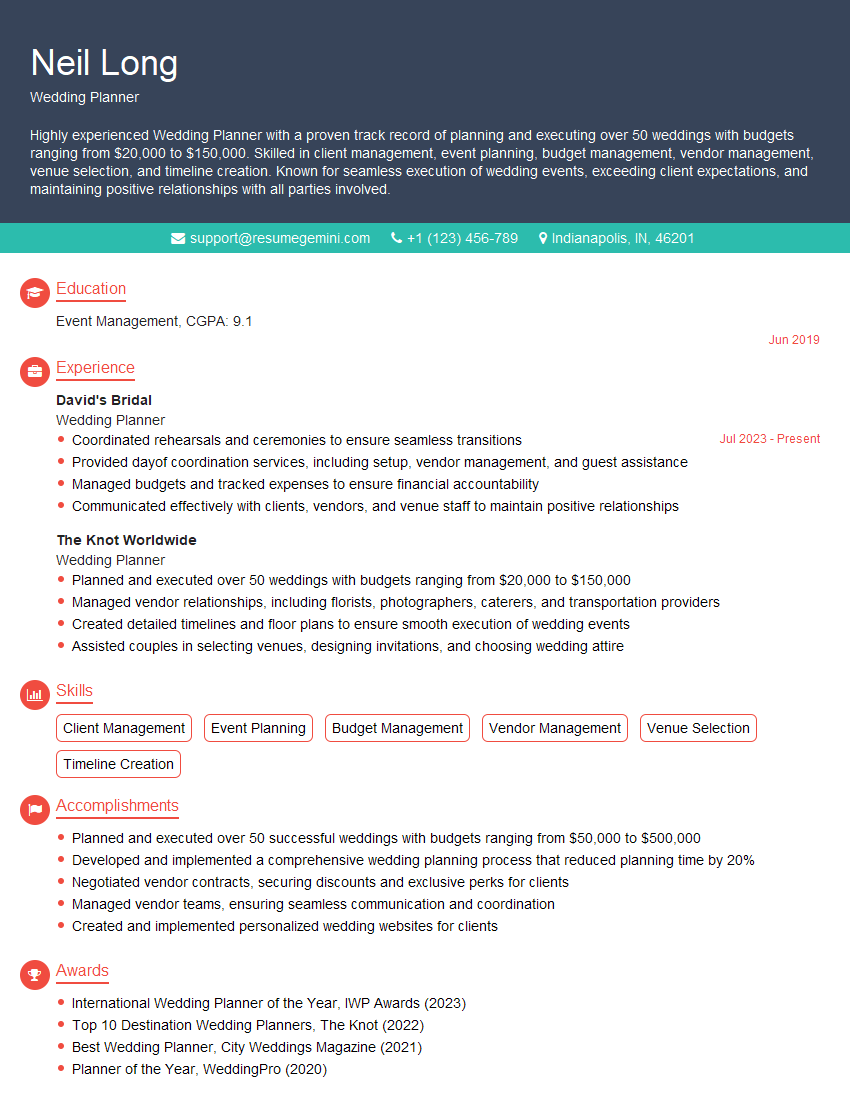
We highly recommend using ResumeGemini to build a professional and impactful resume tailored to your skills and experience in RSVP Management. ResumeGemini provides the tools and resources to create a compelling document that showcases your abilities. Examples of resumes tailored specifically to RSVP Management roles are available for your review.
Explore more articles
Users Rating of Our Blogs
Share Your Experience
We value your feedback! Please rate our content and share your thoughts (optional).
What Readers Say About Our Blog
I Redesigned Spongebob Squarepants and his main characters of my artwork.
https://www.deviantart.com/reimaginesponge/art/Redesigned-Spongebob-characters-1223583608
IT gave me an insight and words to use and be able to think of examples
Hi, I’m Jay, we have a few potential clients that are interested in your services, thought you might be a good fit. I’d love to talk about the details, when do you have time to talk?
Best,
Jay
Founder | CEO