Every successful interview starts with knowing what to expect. In this blog, we’ll take you through the top Script Automation interview questions, breaking them down with expert tips to help you deliver impactful answers. Step into your next interview fully prepared and ready to succeed.
Questions Asked in Script Automation Interview
Q 1. Explain your experience with different scripting languages (e.g., Python, PowerShell, Bash).
My scripting experience spans several languages, each chosen strategically based on the task at hand. Python, with its extensive libraries like requests for web interactions and beautifulsoup4 for web scraping, is my go-to for tasks requiring robust data manipulation and complex logic. I’ve used it extensively to automate data analysis, build web scrapers, and create custom reporting tools. PowerShell, on the other hand, is invaluable for automating Windows-specific tasks, such as managing Active Directory, configuring servers, and deploying applications. Its strength lies in its deep integration with the Windows ecosystem. Finally, Bash scripting is essential for Linux/macOS environments, enabling me to automate server management, system administration tasks, and CI/CD pipeline integrations. I find its concise syntax perfect for automating repetitive commands and managing files.
For example, I once used Python to automate the daily download and processing of a large financial data feed, a task that previously took hours of manual effort. In another project, I leveraged PowerShell to streamline the deployment of a new software application across hundreds of Windows servers, drastically reducing deployment time and improving consistency.
Q 2. Describe your experience with automation frameworks (e.g., Selenium, Robot Framework, Cypress).
My experience with automation frameworks centers around Selenium, Robot Framework, and Cypress. Selenium is my workhorse for web UI automation testing. Its cross-browser compatibility and support for various programming languages make it highly versatile. I’ve used it extensively to build robust regression test suites, significantly reducing testing time and increasing test coverage. Robot Framework, with its keyword-driven approach, provides an excellent framework for collaborative test automation projects. Its readability and ease of use make it ideal for teams with varied technical skillsets. I’ve used it to build comprehensive test suites for large-scale enterprise applications, fostering better collaboration between developers and testers.
Cypress, a more modern JavaScript-based framework, excels in its ease of debugging and speed. I’ve found it particularly useful for testing modern single-page applications due to its direct DOM manipulation capabilities. Imagine a scenario where you need to automate testing of a complex e-commerce checkout process – Selenium could manage the browser interactions, but Cypress’s debugging features would make pinpointing and fixing flaky tests incredibly efficient.
Q 3. How do you handle errors and exceptions in your scripts?
Robust error handling is paramount for reliable scripts. My approach involves using try-except blocks (in Python) or try-catch blocks (in other languages) to gracefully handle predictable errors. This prevents the script from crashing unexpectedly and allows for logging of errors for future analysis. I also use specific exception handling, catching particular exception types (e.g., FileNotFoundError, TypeError) to address them differently based on the type of error. Beyond basic exception handling, I incorporate logging mechanisms to record events, including errors and warnings, into a log file. This detailed record helps significantly during debugging and maintenance.
For example, in a script downloading files from a website, I would wrap the download operation within a try-except block, catching potential network errors (e.g., requests.exceptions.RequestException in Python) and handling them appropriately – perhaps retrying the download or logging the failure and moving on to the next file. A simple example in Python would look like this:try: file = open("my_file.txt", "r") # Attempt to open a file except FileNotFoundError: print("File not found!") except Exception as e: print(f"An error occurred: {e}")
Q 4. Explain your approach to debugging complex scripts.
Debugging complex scripts requires a systematic approach. I start by carefully reading the script’s logic and identifying potential problem areas. Then, I use print statements or logging to track the values of variables at crucial points in the script’s execution. Debuggers, like pdb in Python or the integrated debuggers in IDEs such as VS Code or PyCharm, are invaluable for stepping through the code line by line, inspecting variables, and understanding the flow of execution. In addition, I utilize logging frameworks to monitor the script’s behavior and identify potential points of failure. Detailed logging helps me reconstruct the sequence of events leading up to an error and is critical when reproducing problems.
If the error is still elusive, I employ techniques such as rubber ducking (explaining the problem to an inanimate object) to identify logical flaws in my reasoning. Finally, when facing especially challenging bugs, I might break down the script into smaller, more manageable modules, testing each module individually to isolate the source of the issue.
Q 5. What are the benefits of using version control for scripts?
Version control, primarily using Git, is non-negotiable for script management. It provides a complete history of changes, allowing for easy rollback to previous versions if errors are introduced. This is crucial for maintaining stability and preventing unintended consequences. Collaboration is also significantly improved; multiple developers can work on the same script simultaneously without overwriting each other’s work. Branching allows for parallel development and testing of new features, while pull requests provide a structured review process before merging changes into the main codebase. Finally, version control provides a central repository for all script versions, making it easy to track progress and access past iterations.
Imagine a scenario where a bug is discovered in a production script. With version control, you can easily revert to a previous stable version while simultaneously investigating and fixing the bug on a separate branch, minimizing disruption.
Q 6. How do you ensure the maintainability and scalability of your automation scripts?
Maintainability and scalability are achieved through careful design and coding practices. I prioritize modularity, breaking down complex scripts into smaller, reusable functions or modules. This makes the scripts easier to understand, modify, and test. Meaningful variable and function names are also crucial, improving readability and reducing ambiguity. Code commenting is essential to explain complex logic and decisions made within the script. Furthermore, I strive to write concise, well-structured code that is easy to follow, reducing the cognitive load when reviewing or modifying the script later. The use of standardized coding style guides also contributes significantly to overall maintainability.
For scalability, I leverage design patterns where appropriate and ensure the scripts can handle increasing data volumes or more complex scenarios without significant performance degradation. For example, efficient algorithms and data structures, along with database interaction when appropriate, can significantly improve scalability.
Q 7. Describe your experience with CI/CD pipelines.
My experience with CI/CD pipelines involves integrating my automation scripts into automated build, test, and deployment processes. This typically involves using tools like Jenkins, GitLab CI, or Azure DevOps. I define stages in the pipeline for tasks such as building the script, running unit tests, performing integration tests, and deploying the script to a staging or production environment. This automated process ensures that changes to the script are thoroughly tested and deployed reliably. The pipeline is integrated with version control, so each code commit triggers a new build and test run, providing immediate feedback on code changes and greatly improving the speed and efficiency of the software development lifecycle.
For example, whenever a developer pushes a change to a script, the CI/CD pipeline automatically builds the script, runs the tests, and if successful, deploys it to a staging server. This automated process dramatically reduces the risk of introducing errors into production and enables much faster feedback cycles.
Q 8. How do you test your automation scripts?
Testing automation scripts is crucial for ensuring reliability and preventing unexpected errors. My approach is multifaceted, combining several strategies:
- Unit Testing: I break down complex scripts into smaller, manageable units and test each independently. This isolates problems and speeds up debugging. For example, if I have a script that processes data from multiple sources, I’ll test each data processing function separately.
- Integration Testing: Once unit tests pass, I test the interaction between different units to ensure they work together seamlessly. This helps identify issues stemming from data flow or dependencies between components.
- End-to-End Testing: I simulate real-world scenarios to verify the entire script functions correctly from start to finish. This involves executing the script in its intended environment and verifying the output against expected results.
- Regression Testing: After making changes to a script, regression tests are run to confirm that the modifications haven’t introduced new bugs or broken existing functionality. This ensures that new features don’t negatively impact existing ones.
- Automated Testing Frameworks: I leverage frameworks like pytest (Python) or Mocha (JavaScript) to automate the testing process. These frameworks provide features for test organization, execution, and reporting, significantly improving efficiency.
For example, in a recent project automating report generation, I used pytest to write unit tests for each data extraction, transformation, and loading function. This approach ensured that each component worked correctly before integrating them to produce the final report. The end-to-end test then verified the entire report generation process, from data source to final output file, was flawless.
Q 9. What are some common challenges you face in script automation?
Script automation, while powerful, comes with inherent challenges. Some common ones I’ve encountered include:
- Handling dynamic environments: Websites and applications frequently update, rendering hardcoded selectors or API endpoints obsolete. This requires implementing robust error handling and mechanisms for adapting to change, like using more flexible locators in UI automation or monitoring API changes.
- Unreliable network connectivity: Network issues can disrupt script execution, leading to partial or incomplete results. Implementing retries, timeouts, and proper error handling is vital. For example, I might implement exponential backoff for API calls to handle temporary network disruptions.
- Maintaining script consistency across platforms: Ensuring scripts work across different operating systems, browsers, and devices can be challenging, demanding cross-platform compatibility testing and careful consideration of system-specific dependencies.
- Debugging complex scripts: Tracing errors in intricate, multi-step automation can be time-consuming. Utilizing logging, detailed error messages, and debuggers is paramount for efficient troubleshooting.
- Security concerns: Scripts often interact with sensitive data, requiring secure authentication, authorization, and data handling practices to prevent unauthorized access or data breaches. This includes using secure storage for credentials and following best practices for data encryption.
Imagine a script interacting with a database. If the database schema changes unexpectedly, the script could fail. To mitigate this, I build in checks to validate the data structure and handle discrepancies gracefully.
Q 10. How do you handle unexpected inputs or changes in the system?
Robust error handling is key to managing unexpected inputs and system changes. My strategies include:
- Input validation: I always validate user inputs or data received from external sources before processing. This prevents unexpected behavior caused by incorrect or malformed data.
- Try-except blocks (or similar constructs): I use exception handling mechanisms to catch and manage errors gracefully. This prevents the script from crashing and allows for recovery or logging of the error.
- Conditional logic: I implement logic to handle various scenarios and unexpected outcomes. For example, I might check for the existence of a file before attempting to access it.
- Retry mechanisms: For transient errors like network issues, I incorporate retry logic with exponential backoff. This allows the script to recover from temporary problems without constantly failing.
- Fallback mechanisms: I plan for fallback options in cases of failure. This could involve sending alerts, switching to alternative data sources, or reverting to a safe state.
For instance, in a web scraping script, if a website element is not found, instead of crashing, the script might log a warning, skip that element, and continue processing the rest of the page. This prevents a single failure from cascading and interrupting the entire task.
Q 11. Explain your experience with different automation tools.
My experience spans several automation tools, each suited for different tasks:
- Selenium: Extensive experience automating web browsers for testing and scraping. I’ve used it to create robust automated tests for web applications and extract data from dynamic websites.
- Python (with libraries like Requests, Beautiful Soup, and Scrapy): Proficient in using Python for various automation tasks, including web scraping, API interaction, and system administration. Scrapy, in particular, is a powerful framework for building efficient web scrapers.
- Robot Framework: I’ve used Robot Framework for building higher-level test automation, facilitating collaboration and easier maintenance on larger projects. Its keyword-driven approach makes scripts more readable and understandable.
- PowerShell: Experience automating Windows system administration tasks, including file management, user account management, and software deployment.
- Bash scripting: Familiar with Bash scripting for automating tasks in Linux/Unix environments.
The choice of tool depends heavily on the specific task. For web automation, Selenium is often my go-to; for system administration tasks, PowerShell or Bash are more appropriate. Python’s versatility allows it to be used in almost any context.
Q 12. How do you optimize your scripts for performance?
Optimizing scripts for performance involves a multi-pronged approach:
- Efficient algorithms and data structures: Choosing appropriate algorithms and data structures is fundamental. For example, using dictionaries in Python for lookups is significantly faster than iterating through lists.
- Code optimization: Techniques like minimizing database queries, using caching mechanisms, and vectorization (where appropriate) can significantly improve performance. Profiling tools help identify performance bottlenecks.
- Parallel processing: Utilizing parallel processing, especially for tasks with independent units, can drastically reduce execution time. Libraries like
multiprocessingin Python allow for effective parallel execution. - Asynchronous operations: Using asynchronous operations for I/O-bound tasks prevents blocking and allows the script to handle multiple tasks concurrently.
- Minimizing external dependencies: Reducing reliance on external resources can significantly speed up execution, especially in situations where network latency or external API limitations affect performance. Caching external data can be a useful technique here.
For instance, when processing a large dataset, using vectorized operations with NumPy in Python can be orders of magnitude faster than using standard Python loops. Similarly, asynchronous programming can drastically reduce the time it takes to handle multiple network requests.
Q 13. Describe your experience with cloud-based automation.
I have experience with cloud-based automation using platforms like AWS Lambda, Azure Functions, and Google Cloud Functions. These serverless computing platforms allow for scalable and cost-effective automation.
- Scalability: Serverless functions automatically scale to handle varying workloads, ensuring scripts can handle peak demands without performance degradation.
- Cost-effectiveness: You only pay for the compute time used, which makes it very economical for occasional or infrequent automation tasks.
- Integration with other cloud services: Seamless integration with other cloud services simplifies managing and orchestrating complex automation workflows.
- Simplified deployment and maintenance: Cloud platforms handle much of the infrastructure management, reducing operational overhead.
In a recent project, I used AWS Lambda to automate the processing of large datasets stored in S3. The Lambda function would trigger automatically upon new data being uploaded, process it, and store the results in a database. This eliminated the need for maintaining dedicated servers and ensured scalability to handle growing data volumes.
Q 14. What is your experience with monitoring and logging in automated systems?
Monitoring and logging are essential for maintaining and troubleshooting automated systems. I typically implement the following:
- Centralized logging: I use centralized logging services like ELK stack (Elasticsearch, Logstash, Kibana) or cloud-based logging solutions (e.g., CloudWatch, Azure Monitor) to aggregate logs from different parts of the system.
- Structured logging: I use structured logging formats (e.g., JSON) to make it easier to search, filter, and analyze logs. This makes debugging and troubleshooting significantly faster.
- Real-time monitoring: I use dashboards and monitoring tools to visualize key metrics, like script execution time, error rates, and resource utilization, allowing for proactive issue detection and resolution.
- Alerting mechanisms: I configure alerts to notify me when critical errors occur or predefined thresholds are exceeded. This allows for rapid response to issues.
- Log analysis and reporting: Regularly reviewing logs for patterns, trends, and anomalies can help identify areas for improvement in script performance, reliability, and security.
For instance, in a system monitoring script, I use Prometheus to collect metrics and Grafana to visualize those metrics on dashboards. This allows me to proactively identify slowdowns or failures in the system before they impact users.
Q 15. How do you collaborate with other team members on automation projects?
Collaboration is paramount in automation projects. We leverage several strategies depending on the project’s size and complexity. For smaller projects, we might utilize simple tools like shared Google Docs or spreadsheets for tracking progress, assigning tasks, and documenting decisions. For larger, more intricate projects, we rely heavily on version control systems like Git, along with project management tools like Jira or Azure DevOps. This allows multiple developers to work concurrently, track changes, resolve merge conflicts, and maintain a clear audit trail. Regular team meetings, both synchronous (e.g., daily stand-ups) and asynchronous (e.g., email updates or project management tool comments), are essential for effective communication and problem-solving. We also establish clear communication channels and protocols to ensure everyone is informed and aligned on goals and priorities.
For instance, in a recent project automating data entry, we used Git to manage our Python scripts, Jira to track tasks and bug reports, and Slack for quick questions and updates. This ensured transparency and efficient collaboration among the five team members involved.
Career Expert Tips:
- Ace those interviews! Prepare effectively by reviewing the Top 50 Most Common Interview Questions on ResumeGemini.
- Navigate your job search with confidence! Explore a wide range of Career Tips on ResumeGemini. Learn about common challenges and recommendations to overcome them.
- Craft the perfect resume! Master the Art of Resume Writing with ResumeGemini’s guide. Showcase your unique qualifications and achievements effectively.
- Don’t miss out on holiday savings! Build your dream resume with ResumeGemini’s ATS optimized templates.
Q 16. How do you prioritize tasks in a script automation project?
Prioritization in script automation projects is critical for successful delivery. We typically employ a combination of methods. First, we identify the project’s overall goals and break them down into smaller, manageable tasks. We then assign each task a priority level based on factors like business value, dependencies, risk, and deadlines. This often involves using a prioritization matrix (like MoSCoW – Must have, Should have, Could have, Won’t have) to categorize tasks. Furthermore, we regularly review the prioritized task list to adapt to changing requirements or unforeseen issues. Tools like Jira or Trello allow for flexible task management and visual representation of the prioritized workflow, facilitating efficient progress tracking.
For example, in a recent project, automating report generation, we prioritized tasks based on their impact on the business. Generating the monthly sales report was a ‘must-have’ as it directly impacted crucial decision-making, while automating a less critical quarterly report was marked as ‘should have’. This ensured the most impactful tasks were addressed first.
Q 17. Describe a time you had to troubleshoot a complex automation issue.
During a project automating a complex data migration process, we encountered an unexpected issue: the script was failing intermittently, producing inconsistent results. Initial debugging pointed towards a timing issue, but the root cause was elusive. We systematically investigated the problem by:
- Logging: Implementing extensive logging throughout the script to capture detailed information about the execution flow, including timestamps and data values at each step.
- Code Review: Conducting a thorough code review, focusing on sections related to data handling and interaction with external systems. This uncovered a race condition where two threads were accessing and modifying the same data simultaneously.
- Testing: Implementing unit tests and integration tests to isolate and reproduce the error, confirming the hypothesis regarding the race condition.
- Solution: Implementing synchronization mechanisms (using locks) to control access to the shared data, ensuring thread safety. This resolved the intermittent failures and ensured data consistency.
This experience highlighted the importance of thorough logging, rigorous testing, and collaborative debugging in tackling complex automation challenges. The successful resolution significantly improved the script’s reliability and the overall efficiency of the data migration process.
Q 18. What are some best practices for writing efficient and maintainable scripts?
Writing efficient and maintainable scripts involves several best practices:
- Modularity: Break down complex tasks into smaller, reusable modules or functions, improving readability and maintainability. This promotes code reusability and easier debugging.
- Meaningful Names: Use clear and descriptive variable and function names to enhance code understanding. Avoid abbreviations or cryptic names.
- Comments and Documentation: Include comprehensive comments to explain the purpose and functionality of different code sections. Generate documentation using tools like Sphinx or JSDoc to create detailed API documentation.
- Error Handling: Implement robust error handling mechanisms (e.g., try-except blocks) to gracefully handle unexpected errors and prevent script crashes.
- Version Control: Utilize version control systems (like Git) to track changes, collaborate effectively, and manage different versions of the script.
- Code Style and Formatting: Adhere to consistent coding style guidelines (e.g., PEP 8 for Python) to enhance readability and maintainability.
- Testing: Write unit tests and integration tests to ensure script functionality and catch errors early in the development cycle.
For instance, instead of writing a monolithic script for automating email sending, we would create separate modules for email composition, sending, and error handling. This makes the code cleaner, easier to maintain and allows us to reuse those modules in other email-related automation projects.
Q 19. Explain your understanding of different software development methodologies (e.g., Agile, Waterfall).
My understanding of software development methodologies encompasses both Agile and Waterfall approaches. Waterfall is a linear, sequential approach where each phase (requirements, design, implementation, testing, deployment) must be completed before the next begins. It’s well-suited for projects with stable requirements and minimal anticipated changes. Agile, in contrast, is an iterative approach emphasizing flexibility and collaboration. It involves short development cycles (sprints) with continuous feedback and adaptation based on changing requirements. Common Agile frameworks include Scrum and Kanban.
Agile’s iterative nature makes it better suited for projects with evolving requirements, allowing for frequent adjustments. Waterfall, on the other hand, offers a more structured and predictable approach ideal when requirements are well-defined and unlikely to change. In practice, I’ve found that a hybrid approach, incorporating elements of both Agile and Waterfall, often works best, offering a balance of structure and flexibility depending on the project’s needs.
Q 20. How do you handle conflicting priorities in an automation project?
Handling conflicting priorities requires a structured approach. First, I clearly define and document all priorities, noting their source (business requirements, stakeholder input, technical constraints). Then, I work with stakeholders to understand the relative importance of each conflicting priority, using techniques like prioritization matrices (e.g., MoSCoW) and weighing criteria like business value, risk, and time constraints. This often involves open communication and negotiation to find mutually acceptable solutions. Sometimes, compromises are needed, potentially involving re-scoping the project or adjusting deadlines. Prioritization transparency and clear communication are key to mitigating conflicts and ensuring all stakeholders are informed and aligned.
For example, if a high-priority task conflicts with a time-sensitive one, we might analyze the potential impact of delaying the high-priority task and explore parallel execution strategies or resource allocation adjustments. The decision always rests on a well-informed assessment of the trade-offs and stakeholder agreement.
Q 21. What security considerations are crucial when designing automation scripts?
Security is paramount in automation script design. Crucial considerations include:
- Input Validation: Always validate user inputs to prevent injection attacks (e.g., SQL injection, command injection). Sanitize and escape all data before using it in the script.
- Authentication and Authorization: Implement secure authentication mechanisms to control access to sensitive resources. Use appropriate authorization protocols to ensure only authorized users can execute the scripts or access sensitive data.
- Data Encryption: Encrypt sensitive data both at rest and in transit. Use strong encryption algorithms and secure key management practices.
- Error Handling and Logging: Implement robust error handling to prevent information leakage. Log errors to a secure location with appropriate access controls.
- Least Privilege: Run automation scripts with the least possible privileges. Avoid running scripts as administrator unless absolutely necessary.
- Regular Security Audits: Conduct periodic security audits to identify and address potential vulnerabilities.
- Secure Storage of Credentials: Avoid hardcoding credentials directly into scripts. Use secure methods like environment variables or dedicated credential management systems.
For instance, when automating access to a database, we would never hardcode database credentials directly into the script but rather access them securely via environment variables and leverage parameterized queries to prevent SQL injection vulnerabilities.
Q 22. How do you ensure the security of your automation scripts?
Security is paramount in script automation. Think of your scripts as digital keys to your systems – you wouldn’t leave a physical key lying around, right? Securing automation scripts involves a multi-layered approach.
Least Privilege Principle: Scripts should only have the minimum necessary permissions to perform their tasks. Avoid running scripts with administrator or root privileges unless absolutely essential. This limits the damage if a script is compromised.
Input Validation: Always sanitize and validate user inputs to prevent injection attacks (SQL injection, command injection). Never trust data coming from external sources without rigorous checks.
Secure Storage of Credentials: Avoid hardcoding sensitive information like passwords and API keys directly in your scripts. Use environment variables, dedicated secure configuration files, or secrets management tools like HashiCorp Vault or AWS Secrets Manager.
Regular Security Audits: Regularly review your scripts for vulnerabilities. Use static analysis tools to identify potential security flaws before deployment.
Version Control: Use a version control system like Git to track changes and roll back to previous versions if necessary. This allows for better auditing and helps identify when vulnerabilities were introduced.
Code Reviews: Have another developer review your code before deployment. A fresh pair of eyes can often spot security vulnerabilities that you might have missed.
For example, instead of:
password = "MySecretPassword123"Use:
password = os.environ.get("DB_PASSWORD")This retrieves the password from an environment variable, making it safer to manage and preventing it from being directly exposed in the script.
Q 23. What is your experience with API automation?
API automation is a core part of my skillset. I have extensive experience using tools like REST Assured (Java), pytest with requests (Python), and Postman for automating API testing and integration. My work involves designing and implementing automated tests for RESTful APIs, verifying responses, handling authentication, and integrating with CI/CD pipelines.
For example, I’ve automated the testing of a payment gateway API, ensuring that various payment methods are processed correctly and securely. This involved creating test cases that simulated different scenarios, such as successful transactions, failed transactions due to insufficient funds, and handling different error codes. I used Python with the requests library and integrated the tests into our Jenkins CI/CD pipeline for continuous monitoring.
Another project involved building an automation suite to manage and update product data across multiple internal and external APIs. This required careful orchestration of API calls, error handling, and data transformation to ensure data consistency across all systems.
Q 24. How do you document your automation scripts?
Thorough documentation is vital for maintainability and collaboration. My approach to documenting scripts combines clear code comments with comprehensive external documentation.
Inline Comments: I use concise and informative comments within the code to explain complex logic or non-obvious steps. I focus on explaining the *why*, not just the *what*.
Docstrings: For functions and classes, I write detailed docstrings that clearly describe the purpose, parameters, return values, and any exceptions that might be raised. I follow a consistent style guide (like Google Style Guide for Python).
README Files: Every project has a README file containing a high-level overview of the project, instructions for running the scripts, dependencies, and any specific configurations required.
External Documentation: For larger or more complex projects, I generate API documentation using tools like Swagger or OpenAPI. This allows other developers and users to easily understand the functionality of the automation scripts.
Imagine you’re building a house. Good code comments are like detailed blueprints for individual components, while the README is the overall architectural plan. External documentation is like the instruction manual for the homeowner.
Q 25. What are some common design patterns used in script automation?
Several design patterns significantly improve the structure, maintainability, and reusability of automation scripts. Here are some common ones:
Page Object Model (POM): Used extensively in UI automation, POM separates the page elements (buttons, fields, etc.) from the test logic, making the tests more maintainable and easier to update when the UI changes.
Factory Pattern: This pattern is useful for creating objects with various configurations. In automation, it can help create different test environments or simulate various user roles.
Singleton Pattern: Ensures that only one instance of a class is created, often used for managing resources like database connections or browser sessions.
Template Method Pattern: Defines a skeleton of an algorithm in a base class, allowing subclasses to override specific steps without altering the overall structure. This is very helpful for creating reusable test frameworks.
Chain of Responsibility: Useful for handling requests or events in a pipeline. For example, different parts of a test suite could handle specific validation steps sequentially.
Choosing the right pattern depends on the specific needs of the automation project. Understanding and applying these patterns improves code quality and makes your automation scripts more robust and easier to maintain in the long run.
Q 26. Explain your experience with using configuration management tools (e.g., Ansible, Puppet, Chef).
I have experience with Ansible, primarily. I’ve used it extensively for automating infrastructure provisioning, configuration management, and application deployment. Ansible’s agentless architecture and declarative approach make it efficient and easy to manage. I have experience with playbooks, roles, and modules, using them to automate tasks such as installing software, configuring servers, and deploying applications across various environments.
While I’m not as deeply experienced with Puppet and Chef, I understand their functionalities and appreciate their strengths in managing large-scale infrastructure. My understanding of Ansible provides a solid foundation to adapt to other configuration management tools if needed.
For instance, I used Ansible to automate the deployment of a web application to multiple servers, ensuring consistency and minimizing manual intervention. This involved configuring web servers (Nginx or Apache), database servers (MySQL or PostgreSQL), and application servers, all through a single, repeatable playbook.
Q 27. What are your preferred methods for scheduling and running automated scripts?
Scheduling and running automated scripts efficiently is crucial. My preferred methods depend on the context:
Cron Jobs (Linux/macOS): For simple, repetitive tasks on Linux or macOS systems, cron jobs provide a reliable and built-in mechanism for scheduling scripts. I use them for daily backups, log rotation, and other routine tasks.
Task Schedulers (Windows): Windows systems have Task Scheduler, a similar tool to cron, offering similar functionalities for scheduling scripts.
CI/CD Pipelines (Jenkins, GitLab CI, GitHub Actions): For larger projects and continuous integration/continuous delivery, CI/CD pipelines provide a sophisticated and automated approach to scheduling scripts as part of the build, test, and deployment process.
Orchestration Tools (Airflow): For complex workflows involving multiple dependent tasks, tools like Apache Airflow offer advanced features for scheduling and monitoring complex workflows.
The choice depends on factors like complexity, frequency of execution, and integration with other systems. For example, a simple script for sending daily reports might use cron, whereas a complex data pipeline might use Airflow.
Q 28. Describe your experience with infrastructure as code (IaC).
Infrastructure as Code (IaC) is a crucial practice for managing and provisioning infrastructure in a repeatable and automated way. I have experience using Terraform, a popular IaC tool. I’ve used Terraform to manage various cloud resources such as virtual machines, networks, load balancers, and databases on cloud providers like AWS, Azure, and Google Cloud Platform.
IaC offers significant benefits like consistency, reproducibility, and version control. For example, instead of manually creating virtual machines through a cloud provider’s web interface, Terraform allows defining the infrastructure in code, ensuring that identical environments can be created across different regions or environments. This significantly reduces errors and speeds up the deployment process.
One project involved using Terraform to automate the creation of a complete development environment, including virtual machines, a database, and network configuration. This resulted in a consistent and reproducible environment that could be easily replicated for different developers, reducing the time spent setting up development environments and ensuring everyone worked with identical configurations.
Key Topics to Learn for Script Automation Interview
- Scripting Languages: Mastering at least one scripting language (Python, JavaScript, PowerShell, etc.) is crucial. Focus on understanding data structures, control flow, and functions.
- Automation Frameworks: Familiarize yourself with popular automation frameworks like Selenium (for web automation), Robot Framework, or Cypress. Understand their architecture and capabilities.
- Testing and Debugging: Learn effective debugging techniques and understand different testing methodologies (unit, integration, end-to-end) within the context of script automation.
- Version Control (Git): Demonstrate proficiency in using Git for collaborative development and managing code versions. This is essential in most professional environments.
- API Interaction: Understand how to interact with APIs (REST, GraphQL) using scripting languages. This is vital for automating tasks involving external systems.
- Regular Expressions (Regex): Develop a strong understanding of regular expressions for pattern matching and data manipulation within scripts.
- Problem-Solving and Algorithmic Thinking: Practice breaking down complex automation tasks into smaller, manageable steps. Focus on efficient and robust solutions.
- Security Best Practices: Understand security considerations when automating tasks, including handling sensitive data and preventing vulnerabilities.
- Continuous Integration/Continuous Deployment (CI/CD): Gain familiarity with CI/CD pipelines and how script automation integrates into automated deployment processes.
Next Steps
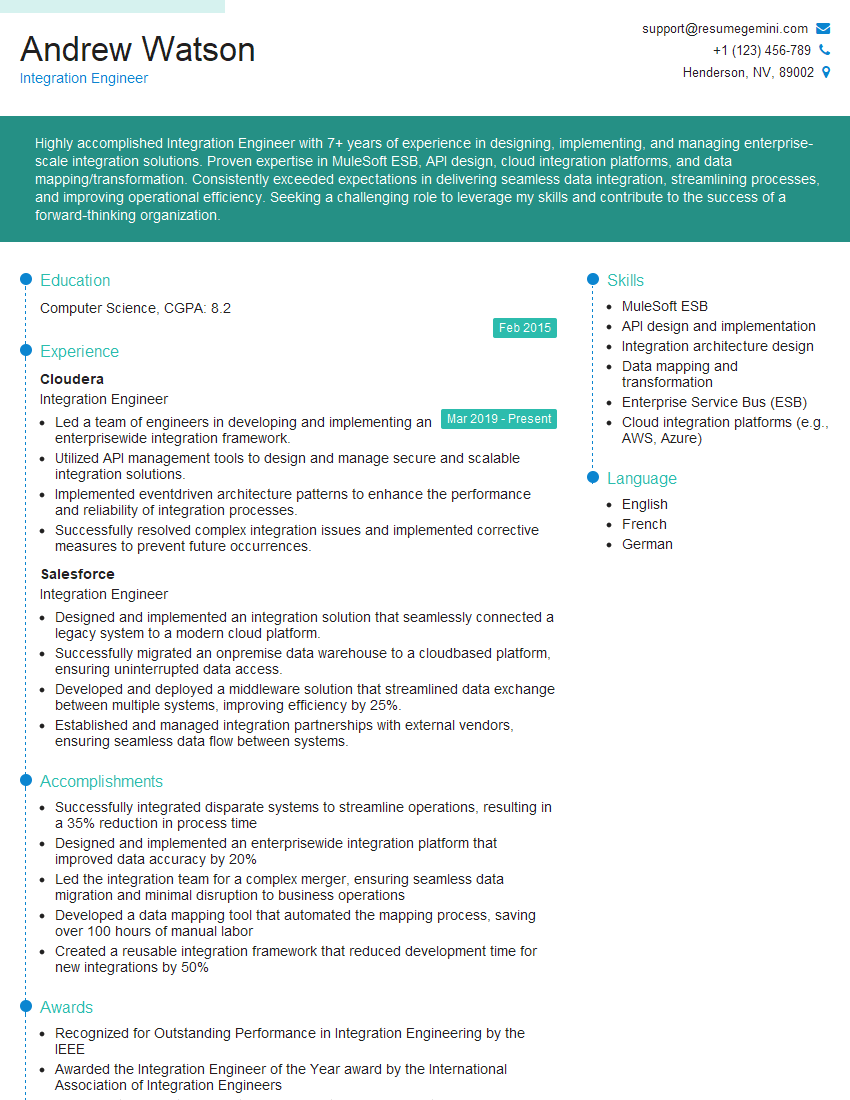
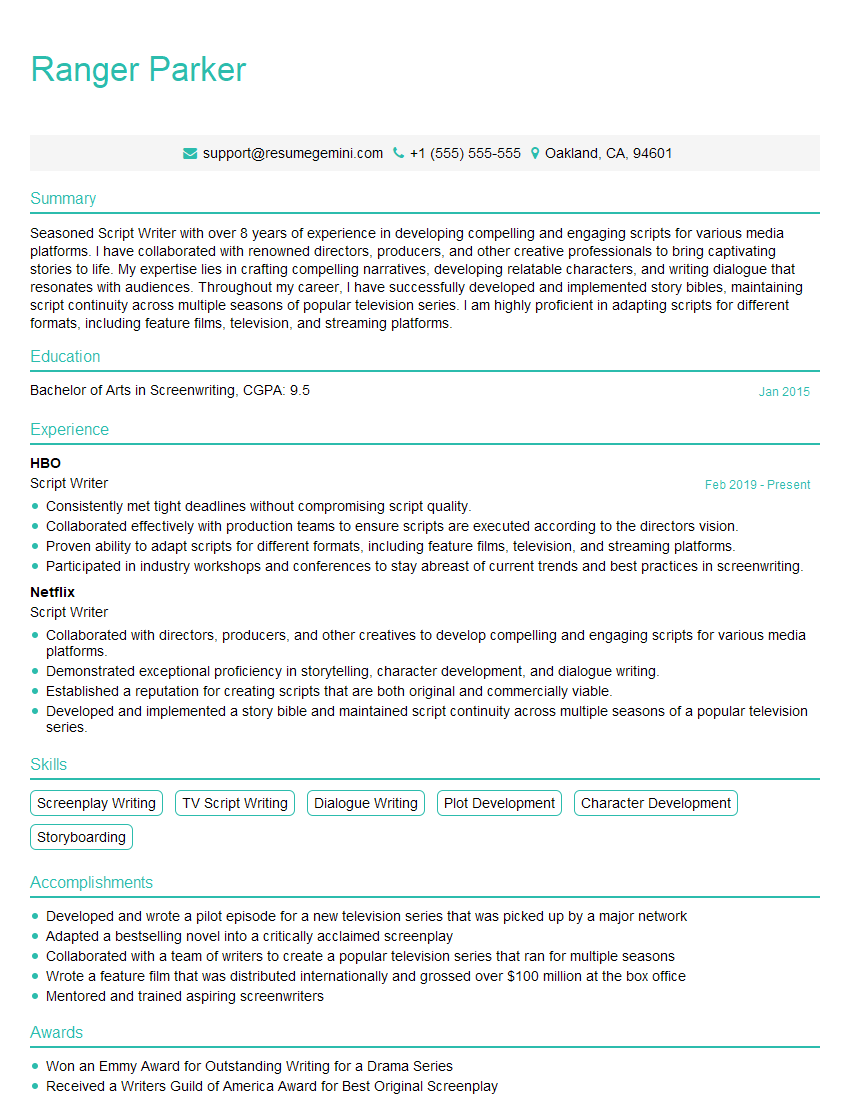
Mastering script automation opens doors to exciting career opportunities in software development, DevOps, testing, and more. It’s a highly sought-after skill that significantly enhances your employability and earning potential. To maximize your job prospects, create a strong, ATS-friendly resume that highlights your skills and experience effectively. ResumeGemini is a trusted resource to help you build a professional and impactful resume. Examples of resumes tailored to Script Automation are available to guide you. Invest time in crafting a resume that showcases your expertise and makes you stand out from the competition.


Explore more articles
Users Rating of Our Blogs
Share Your Experience
We value your feedback! Please rate our content and share your thoughts (optional).
What Readers Say About Our Blog
I Redesigned Spongebob Squarepants and his main characters of my artwork.
https://www.deviantart.com/reimaginesponge/art/Redesigned-Spongebob-characters-1223583608
IT gave me an insight and words to use and be able to think of examples
Hi, I’m Jay, we have a few potential clients that are interested in your services, thought you might be a good fit. I’d love to talk about the details, when do you have time to talk?
Best,
Jay
Founder | CEO