Cracking a skill-specific interview, like one for Security Logging and Monitoring, requires understanding the nuances of the role. In this blog, we present the questions you’re most likely to encounter, along with insights into how to answer them effectively. Let’s ensure you’re ready to make a strong impression.
Questions Asked in Security Logging and Monitoring Interview
Q 1. Explain the difference between event logs and audit logs.
While both event logs and audit logs record system activities, they differ in their purpose and scope. Think of event logs as a broad record of everything happening on a system – like a detailed diary. They capture various events, including informational messages, warnings, and errors. Audit logs, on the other hand, are more focused on security-relevant events. They’re like a security camera’s recording, specifically documenting activities that could indicate a security breach or policy violation.
For example, an event log might record a routine application startup, while an audit log would record a user’s failed login attempt or a file access outside normal permissions. Audit logs are generally designed for security analysis and compliance, emphasizing the ‘who, what, when, where, and how’ of significant actions.
Q 2. Describe the components of a typical SIEM system.
A typical Security Information and Event Management (SIEM) system comprises several key components working together. Imagine it as a sophisticated security detective agency.
- Log Collectors: These are the agents that gather security logs from various sources across your network – servers, firewalls, routers, applications – like the agency’s informants collecting information from different locations.
- Log Normalization and Parsing Engine: This component takes the raw log data, which comes in various formats (syslog, CEF, etc.), and standardizes it for easier analysis. It’s like the agency’s analysts translating the informants’ reports into a common language.
- Correlation Engine: This is the heart of the SIEM, responsible for analyzing the normalized logs and identifying patterns and relationships between different events. It’s like the agency’s detectives connecting the dots between different pieces of evidence to solve a case.
- Alerting System: When the correlation engine detects suspicious activity, it triggers alerts to security personnel. This is like the agency’s dispatch system, immediately notifying the detectives of critical developments.
- User Interface (UI): A user-friendly interface allows security analysts to view, search, and analyze security events and alerts. It’s the agency’s central command center, where all information is visualized and action plans are developed.
- Reporting and Analytics: This component generates reports and dashboards to provide insights into security posture and trends, allowing for proactive threat mitigation. It’s like the agency’s reporting department, providing summaries of investigations and highlighting key insights.
Q 3. What are the key features you look for when selecting a SIEM solution?
When choosing a SIEM solution, I prioritize several key features:
- Scalability: The system must handle the increasing volume of logs as the organization grows without performance degradation. A solution that can’t handle the expanding log data is like a detective agency that can’t handle a sudden surge in crime cases.
- Real-time Threat Detection: The ability to detect and respond to threats in real-time is crucial. We don’t want to find out about a security breach days later; we need immediate notification.
- Comprehensive Log Management: The SIEM should support a wide range of log sources and formats, giving a complete view of security events across the entire infrastructure. Complete visibility is key to effective threat hunting.
- Advanced Analytics and Machine Learning (ML): ML capabilities enhance threat detection by identifying subtle patterns humans might miss. These automated capabilities free up security analysts’ time.
- Integration Capabilities: Seamless integration with other security tools (like SOAR platforms or endpoint detection and response solutions) is essential for effective incident response. A unified security ecosystem streamlines the investigative process.
- User-Friendly Interface: A complex interface hinders investigation efforts. A user-friendly design allows analysts to swiftly navigate and analyze data.
- Compliance Reporting: The SIEM should generate reports for various compliance standards (e.g., PCI DSS, HIPAA, GDPR). This demonstrates regulatory adherence.
Q 4. How do you correlate events from different sources to identify security threats?
Correlating events from different sources is critical for identifying sophisticated attacks. Imagine piecing together a puzzle – each log entry is a piece. We look for temporal relationships (events occurring close together), spatial relationships (events originating from different systems but related), and user/system relationships (same user involved in multiple suspicious activities).
For instance, a successful login from an unusual geographic location, followed by attempts to access sensitive files, and then data exfiltration attempts – these are separate events, but when correlated, they strongly suggest a targeted attack. SIEM systems use sophisticated algorithms and rules to find these correlations, often leveraging machine learning for improved accuracy and speed.
We utilize techniques like:
- Rule-based correlation: Defining rules that trigger alerts based on specific event combinations.
- Statistical correlation: Identifying patterns and anomalies through statistical analysis.
- Machine learning-based correlation: Employing algorithms to automatically learn and identify complex relationships and patterns.
Q 5. What are the common challenges in managing security logs at scale?
Managing security logs at scale presents several challenges:
- Data Volume: The sheer volume of logs generated by modern systems can overwhelm storage capacity and processing power, making analysis difficult. This is like trying to find a specific grain of sand on a vast beach.
- Data Variety: Different devices and applications generate logs in different formats, creating compatibility issues. It’s like trying to understand a book written in multiple languages without a translation guide.
- Data Velocity: The speed at which logs are generated requires efficient storage and processing solutions to avoid data loss or delays in analysis. It’s like trying to keep up with a rapidly flowing river.
- Data Veracity: Ensuring the accuracy and reliability of log data is critical. Corrupted or manipulated logs can lead to inaccurate conclusions. This is like dealing with false or misleading witnesses in a criminal investigation.
- Storage Costs: Storing and managing massive volumes of log data can be expensive. It’s like paying rent for a warehouse filled with information that may not even be useful.
- Skill Gap: Finding and retaining skilled security analysts capable of interpreting large volumes of log data is a common hurdle. This is like needing experienced detectives to make sense of the large amounts of evidence collected.
Q 6. Explain your experience with different log formats (e.g., syslog, CEF).
I have extensive experience with various log formats. Syslog, for example, is a widely used standard for transmitting and collecting log messages. It’s quite flexible, supporting different severity levels and structured data. However, its flexibility can also lead to inconsistencies, depending on how different systems implement it.
CEF (Common Event Format) is a structured format designed to improve log analysis and correlation. It defines a set of common fields and data types, making it easier to analyze data from different sources. For example,
Q 7. How do you ensure the integrity and confidentiality of security logs?
Ensuring the integrity and confidentiality of security logs is paramount. Compromised logs render them useless for security analysis and compliance. We utilize several measures:
- Digital Signatures: Signing logs digitally ensures that they haven’t been tampered with. It’s like using a tamper-evident seal on a valuable package.
- Hashing: Calculating cryptographic hashes of logs allows for verifying their integrity. Any modification would result in a different hash.
- Secure Log Storage: Storing logs in secure, encrypted storage prevents unauthorized access. This is like keeping important documents in a locked safe.
- Access Control: Restricting access to log data to authorized personnel only. This is like controlling access to the detective agency’s case files.
- Regular Audits: Periodically auditing log management practices to ensure their effectiveness and identify potential weaknesses. This is like a regular inspection of the agency’s security measures.
- Log Rotation and Archiving: Implementing a robust system for rotating and archiving logs to balance storage requirements and data retention policies. We need to maintain a balance between sufficient storage capacity and efficient data usage.
Q 8. Describe your experience with log aggregation and normalization.
Log aggregation and normalization are crucial for effective security monitoring. Aggregation involves collecting logs from diverse sources – servers, network devices, applications – into a central repository. This centralizes security data, making analysis far more efficient than examining each source individually. Normalization, on the other hand, transforms log entries into a consistent format, regardless of their original structure. This allows for easier searching, correlation, and analysis across different log types.
In my previous role, we used a combination of Splunk and custom scripts to aggregate logs from hundreds of servers and applications. The scripts parsed various log formats (syslog, Apache, Windows event logs) and standardized them into a common schema, including crucial fields like timestamp, severity, source, and event details. This allowed our security analysts to efficiently search across all logs for specific events, like failed login attempts or suspicious file accesses.
For instance, we standardized the severity levels from different log sources – what one system labeled as ‘warning’ another might call ‘critical’. Normalization ensured that all ‘critical’ events were flagged consistently, irrespective of their initial naming conventions.
Q 9. How do you handle false positives in security monitoring?
False positives in security monitoring are a significant challenge. They represent alerts that indicate a potential security threat, but are actually benign events. Handling them effectively requires a multi-pronged approach.
- Refine Alert Rules: The most effective method is to improve the accuracy of your alert rules. This might involve adjusting thresholds (e.g., only triggering an alert for multiple failed login attempts from the same IP address within a short time frame), adding contextual information (e.g., only alerting on file access from unusual locations or times), or using machine learning to identify patterns that distinguish real threats from noise.
- Prioritization and Triage: Implement a system to prioritize alerts based on severity and likelihood. Less critical alerts can be reviewed less frequently or filtered out entirely. A well-defined triage process helps analysts quickly assess and dismiss false positives efficiently.
- Enrichment and Contextualization: Integrate data from other sources to provide context for alerts. For example, if an alert flags unusual activity on a server, checking the server’s location, user activity, and recent changes can help determine if it’s a real threat or a harmless event.
- Regular Review and Tuning: Continuously monitor alert rates and analyze false positives. Regularly review and adjust alert rules based on this analysis to reduce future false positives.
Imagine a scenario where you receive an alert for a large number of failed login attempts. While suspicious, it could be simply due to a password reset campaign or a minor configuration issue. By combining multiple factors – the time of day, the source IP’s location, and the account targeted – we can determine that this is a minor event with low likelihood and safely disregard the alert.
Q 10. What are some common security threats that can be detected through log analysis?
Log analysis plays a crucial role in detecting numerous security threats. Some common examples include:
- Malware Infections: Unusual process creations, suspicious file executions, and network connections to known malicious IP addresses are telltale signs of malware.
- Data Breaches: Unauthorized access attempts, large data transfers to external IPs, or unusual database queries can indicate a data breach.
- Insider Threats: Access to sensitive data outside normal working hours, attempts to modify audit logs, or unusual file access patterns by privileged users can point towards malicious insider activities.
- Denial of Service (DoS) Attacks: A sudden spike in failed login attempts, abnormal network traffic, and high CPU or memory usage can all be indicative of DoS attacks.
- Privilege Escalation: Log entries showing attempts to access resources or functionalities exceeding user privileges suggest privilege escalation attempts.
- Compromised Accounts: Logins from unfamiliar locations or devices, unusual access times, or repeated failed password attempts can signal compromised accounts.
For example, the detection of repeated attempts to connect to a database server outside normal business hours, coupled with failed login attempts from unusual geographical locations, can be a strong indicator of a targeted attack or attempted data breach. Analyzing the log entries will help pinpoint the compromised accounts or vulnerabilities exploited by the attacker.
Q 11. Explain your experience with log analysis tools (e.g., Splunk, ELK stack).
I have extensive experience with both Splunk and the ELK stack (Elasticsearch, Logstash, Kibana). Splunk is a powerful commercial platform that excels at searching, analyzing, and visualizing large volumes of machine data. Its strength lies in its ease of use and sophisticated search capabilities, making it suitable for both novice and expert analysts.
The ELK stack offers a more open-source, customizable approach. Logstash collects and processes logs, Elasticsearch indexes and stores them, and Kibana provides visualization and reporting tools. While more complex to set up and manage than Splunk, the ELK stack offers greater flexibility and control over the entire logging pipeline.
In previous roles, I’ve used Splunk to create dashboards for real-time security monitoring, providing visual representations of key metrics and security alerts. With the ELK stack, I’ve built customized pipelines for specific log sources and developed custom visualizations to track security-relevant metrics. Both tools, however, have proven to be invaluable for efficient log analysis, threat detection, and incident response.
Q 12. How do you prioritize security alerts and incidents?
Prioritizing security alerts and incidents is crucial for efficient incident response. A well-defined prioritization system ensures that critical threats are addressed promptly, minimizing potential damage.
I typically use a combination of factors to prioritize alerts:
- Severity: Critical alerts (e.g., successful data breaches, system compromises) take precedence over less severe alerts (e.g., suspicious login attempts).
- Likelihood: Alerts with a high probability of being actual threats are prioritized higher than those with low likelihood (as determined through the analysis of contextual information and historical data).
- Impact: Alerts that have a potential for significant impact on the business or critical systems are given higher priority.
- Urgency: Alerts requiring immediate attention (e.g., ongoing DDoS attacks) are handled first.
We often use a standardized risk matrix that combines severity, likelihood, and impact to assign a priority score to each alert. This allows for a more objective and consistent approach to prioritization. High-priority alerts trigger automated responses or escalation procedures to ensure that they are dealt with swiftly and effectively.
Q 13. Describe your process for investigating a security incident based on log data.
Investigating a security incident based on log data follows a structured approach:
- Identify the Event: Determine the nature of the incident – a data breach, a malware infection, or a denial-of-service attack – based on initial alerts or reports.
- Collect Relevant Logs: Gather log entries from all relevant sources (servers, network devices, applications) that might provide information about the incident.
- Correlate Log Entries: Identify patterns and relationships between different log entries to reconstruct the sequence of events.
- Analyze Log Data: Examine log entries for suspicious activities, such as unauthorized access, data exfiltration, or unusual process creations.
- Identify the Root Cause: Determine the cause of the incident, such as vulnerabilities in systems, misconfigurations, or malicious actors.
- Contain the Incident: Take immediate steps to contain the incident, such as isolating affected systems, blocking malicious IP addresses, or disabling compromised accounts.
- Eradicate the Threat: Remove malware, patch vulnerabilities, or take other necessary steps to remove the threat.
- Recover Systems: Restore affected systems to their pre-incident state.
- Document Findings: Document the incident, including the root cause, actions taken, and lessons learned. This helps prevent similar incidents in the future.
For example, if a data breach is suspected, log analysis would focus on identifying unauthorized access attempts, unusual data transfers, and any suspicious activity preceding the breach. By correlating these log entries, you could reconstruct the attack timeline, determine the attacker’s methods, and identify the vulnerable systems or accounts exploited.
Q 14. What are the key performance indicators (KPIs) you use to measure the effectiveness of security monitoring?
Measuring the effectiveness of security monitoring requires careful selection and tracking of key performance indicators (KPIs). Some crucial KPIs I use include:
- Mean Time To Detect (MTTD): The average time it takes to detect a security incident after it occurs. A lower MTTD indicates more effective monitoring.
- Mean Time To Respond (MTTR): The average time it takes to respond to and resolve a security incident. A lower MTTR shows faster incident response capabilities.
- False Positive Rate: The percentage of alerts that are false positives. A lower rate indicates more accurate alert rules and better filtering.
- Alert Volume: The number of security alerts generated per day or week. A high volume may indicate inadequate alert filtering or a genuine increase in threats.
- Security Event Coverage: The percentage of security-relevant events captured by the monitoring system. A higher percentage ensures comprehensive coverage.
- Number of Security Incidents: The total number of security incidents detected during a given period. A decrease in incidents suggests effective monitoring and improved security posture.
Regularly reviewing these KPIs provides valuable insights into the performance of the security monitoring system and identifies areas for improvement. Tracking these metrics over time helps to benchmark progress and demonstrate the value of security investments.
Q 15. How do you stay updated on the latest security threats and vulnerabilities?
Staying ahead in the ever-evolving landscape of cybersecurity threats requires a multi-pronged approach. I leverage several key strategies to remain updated on the latest vulnerabilities and threats.
- Vulnerability Databases and Feeds: I regularly monitor reputable sources like the National Vulnerability Database (NVD), Exploit-DB, and vendor-specific security advisories. These databases provide crucial information on newly discovered vulnerabilities, allowing me to proactively assess and mitigate potential risks.
- Security Newsletters and Blogs: I subscribe to newsletters and follow security blogs from trusted experts and organizations like SANS Institute, Krebs on Security, and various vendor security blogs. This keeps me informed about emerging threats, attack trends, and best practices.
- Security Conferences and Webinars: Attending industry conferences and webinars is invaluable. These events provide opportunities to learn from leading experts, network with peers, and gain insights into the latest research and developments.
- Threat Intelligence Platforms: I utilize threat intelligence platforms that aggregate data from multiple sources, providing comprehensive threat landscape visibility. These platforms can provide real-time alerts on emerging threats, allowing for faster response times.
- Active Participation in Security Communities: Engaging in online security communities, forums, and discussion groups allows for the exchange of information and collaborative learning. This helps identify potential threats early and benefit from the collective knowledge of peers.
This combination ensures I’m consistently aware of emerging threats and best practices, allowing for effective security planning and response.
Career Expert Tips:
- Ace those interviews! Prepare effectively by reviewing the Top 50 Most Common Interview Questions on ResumeGemini.
- Navigate your job search with confidence! Explore a wide range of Career Tips on ResumeGemini. Learn about common challenges and recommendations to overcome them.
- Craft the perfect resume! Master the Art of Resume Writing with ResumeGemini’s guide. Showcase your unique qualifications and achievements effectively.
- Don’t miss out on holiday savings! Build your dream resume with ResumeGemini’s ATS optimized templates.
Q 16. Explain your experience with regular expressions (regex) for log filtering.
Regular expressions (regex) are invaluable tools for filtering and analyzing log data. I have extensive experience using regex in various log management tools like Splunk, ELK stack (Elasticsearch, Logstash, Kibana), and even within scripting languages like Python.
For instance, I might use a regex to identify all failed login attempts from a specific IP address: ^\d{4}-\d{2}-\d{2} \d{2}:\d{2}:\d{2}.*Failed login attempt from 192.168.1.100.*$ This regex specifically targets lines containing a date and time, the phrase “Failed login attempt”, and the specific IP address. The flexibility of regex allows me to create highly specific filters to isolate relevant events from the vast amount of log data.
Another example involves searching for specific error codes within application logs. Imagine needing to find all instances of a particular error code (e.g., 500 Internal Server Error) within Apache logs. A regex like "500 Internal Server Error" would quickly pinpoint these entries. I frequently utilize tools that support regex functionalities to streamline this process, significantly reducing the time spent sifting through large log files manually.
Q 17. How do you handle log rotation and retention policies?
Log rotation and retention policies are critical for efficient log management and compliance. These policies dictate how long logs are stored and how they’re managed to prevent disk space exhaustion and ensure data is available for investigations while respecting privacy regulations.
Implementing effective log rotation involves setting up automated processes that archive or delete old log files at regular intervals. This usually involves configuring log rotation mechanisms within operating systems (e.g., logrotate on Linux) or using specialized log management tools. For example, I might configure logrotate to compress and archive logs daily, keeping seven days’ worth of compressed logs and then deleting older entries.
Retention policies determine how long logs are kept. These policies must consider various factors, including legal and regulatory requirements (like GDPR or HIPAA), the potential need for forensic analysis, and the storage capacity available. For instance, security logs might be retained for a longer period than application logs due to their importance in security investigations. Overly long retention increases storage costs and the potential risk of data breaches, while short retention can limit the ability to investigate incidents.
A well-defined log rotation and retention policy is crucial for balancing storage needs, regulatory compliance, and the ability to effectively investigate security incidents.
Q 18. Describe your experience with security automation and orchestration tools.
I have extensive experience with Security Information and Event Management (SIEM) systems and Security Orchestration, Automation, and Response (SOAR) platforms. These tools play a vital role in automating security tasks, improving incident response times, and enhancing overall security posture.
My experience encompasses utilizing SIEM tools like Splunk and QRadar to collect, analyze, and correlate security logs from various sources. This involves configuring the SIEM to ingest logs, define alerts based on specific security events, and create dashboards for monitoring and reporting. I’ve utilized this to streamline the analysis of security alerts, reducing manual effort and identifying potential threats more quickly.
Furthermore, I have worked with SOAR platforms such as Palo Alto Networks Cortex XSOAR and IBM Resilient. These platforms enable automated responses to security incidents, such as isolating infected systems, blocking malicious IP addresses, and generating incident reports. This automation dramatically reduces the time it takes to respond to an attack and minimizes the impact on the organization.
One example of my work with SOAR involved creating automated playbooks that respond to phishing attempts. The playbook automatically isolates affected user accounts, analyzes the phishing email, and automatically generates incident reports. This streamlined the response process and prevented further compromise.
Q 19. What are the best practices for securing log data itself?
Securing log data itself is crucial, as compromised logs can severely hinder security investigations and potentially expose sensitive information. This involves several key measures:
- Encryption: Log data, both in transit and at rest, should be encrypted using strong encryption algorithms (e.g., AES-256). This protects the data from unauthorized access even if the storage system or network is compromised.
- Access Control: Implement robust access control mechanisms to limit access to log data only to authorized personnel. This should include role-based access control (RBAC) to ensure that users only have access to the information they need.
- Data Integrity: Employ mechanisms to ensure the integrity of log data. This can involve using digital signatures or hash algorithms to detect any unauthorized modifications to log files.
- Secure Storage: Log data should be stored on secure storage systems that are protected from unauthorized access and physical damage. Consider using dedicated logging servers with hardened configurations.
- Regular Auditing: Regularly audit log access and activity to identify any suspicious behavior or potential security breaches.
- Log Forwarding Over Secure Channels:When logs are sent to a central SIEM, use a secure connection such as TLS/SSL to encrypt data during transit.
By employing these measures, organizations can significantly reduce the risk of log data compromise and ensure its confidentiality, integrity, and availability.
Q 20. How do you ensure compliance with relevant regulations (e.g., GDPR, HIPAA)?
Compliance with regulations like GDPR and HIPAA requires careful consideration of log data handling. These regulations mandate specific data retention policies, access controls, and data subject rights.
GDPR (General Data Protection Regulation): Ensuring compliance with GDPR requires careful documentation of log data processing activities, including the legal basis for processing, data retention periods, and procedures for handling data subject access requests (DSARs). Logs containing personally identifiable information (PII) must be handled with extra care, adhering to data minimization principles and implementing robust security controls.
HIPAA (Health Insurance Portability and Accountability Act): HIPAA compliance necessitates strict controls around protected health information (PHI) stored in logs. This includes implementing strong access controls, encryption, and audit trails to track all access to PHI. HIPAA also requires specific breach notification procedures in case of a data breach involving PHI.
In my work, I ensure compliance by:
- Developing comprehensive data retention policies that align with legal and regulatory requirements.
- Implementing robust access control measures to restrict access to sensitive data in logs.
- Creating detailed procedures for handling DSARs (for GDPR) and breach notification (for HIPAA).
- Regularly auditing log data to ensure compliance with these regulations.
Maintaining detailed documentation of all log management processes is crucial for demonstrating compliance during audits.
Q 21. Explain your understanding of different log levels (e.g., DEBUG, INFO, WARN, ERROR).
Log levels provide a mechanism for categorizing log messages based on their severity and importance. They help filter and prioritize log events, making it easier to identify critical issues and reduce alert fatigue.
- DEBUG: The most detailed level, used for diagnostic information during development or troubleshooting. These messages are typically only enabled in specific situations and are generally not included in production environments.
- INFO: Informational messages that indicate the normal operation of a system. These provide a general overview of system activity.
- WARN: Indicates a potential problem that might require attention. These messages suggest something unexpected happened but hasn’t yet escalated to an error.
- ERROR: Indicates that an error has occurred, disrupting normal operation. These messages highlight failures or exceptions that need immediate investigation.
The appropriate use of log levels is crucial for effective log management. For example, during application development, using the DEBUG level to track variable values and program flow is helpful. In a production environment, focusing on INFO, WARN, and ERROR levels provides a clear overview of critical events without overwhelming the monitoring system with excessive detail. Careful configuration of log levels allows for efficient filtering and analysis of critical events without being inundated by less important messages.
Q 22. How do you identify and respond to insider threats using log analysis?
Identifying and responding to insider threats through log analysis requires a multi-faceted approach. It’s not just about looking for malicious activity; it’s also about understanding normal behavior and identifying deviations. We start by establishing baselines of typical user activity. This involves analyzing logs for patterns in access times, locations, data accessed, and commands executed. For example, a user who consistently logs in from their office IP address suddenly accessing sensitive data from an unusual location at an odd hour warrants investigation.
Next, we use log correlation to connect seemingly disparate events. Let’s say a user downloads a large amount of data, followed by unusual network activity like outbound connections to unknown IPs, and then attempts to delete system logs. This combination raises a strong suspicion of malicious intent. Specific tools and techniques, like User and Entity Behavior Analytics (UEBA), can be leveraged to identify anomalies.
Once suspicious activity is detected, the response should be swift and measured. We initiate an investigation to verify the threat, possibly involving reviewing security camera footage or interviewing the user. Depending on the severity and the organization’s policies, we may temporarily suspend user access, conduct a forensic analysis of the affected systems, or engage law enforcement.
Q 23. What are the ethical considerations when dealing with security logs?
Ethical considerations in handling security logs are paramount. Privacy is a major concern. Logs may contain Personally Identifiable Information (PII) about users and customers. We must adhere to data privacy regulations like GDPR and CCPA, ensuring logs are anonymized or pseudonymized when appropriate. We need mechanisms for controlling access to logs, implementing the principle of least privilege. Only authorized personnel with a legitimate need for access should have it, and access needs to be logged and monitored.
Another key ethical consideration is transparency. Users should be informed about what data is being logged and how it’s being used. This includes being upfront about the purpose of logging, the retention policies, and what measures are in place to protect their data. Finally, we must be careful to avoid bias in our log analysis. We should avoid making assumptions about user intent based on limited information and only escalate concerns when a reasonable suspicion exists.
Q 24. Explain your experience with using dashboards and visualizations for security monitoring.
Dashboards and visualizations are indispensable for effective security monitoring. I’ve extensively used tools like Splunk, Grafana, and Kibana to create custom dashboards that provide a real-time overview of security events. These dashboards typically display key metrics such as the number of login attempts, failed logins, anomalous network activity, and critical errors. The use of charts, graphs, and maps significantly improves the ability to identify trends and patterns that might be missed in raw log data.
For example, a geographical heat map visualizing login attempts can immediately highlight suspicious activity originating from unusual locations. Similarly, time-series charts showing the number of login failures over time can reveal potential brute-force attacks. These visualizations empower security analysts to quickly identify and prioritize critical security alerts and make timely decisions. By creating interactive dashboards, we can drill down into specific events for more detailed analysis and investigation.
Q 25. How do you troubleshoot connectivity and data loss issues related to log management?
Troubleshooting connectivity and data loss in log management involves a systematic approach. First, we check the basic infrastructure: network connectivity between the log sources and the central log management system. Tools like ping and traceroute are invaluable for this. We also inspect the log management system’s configuration, ensuring that the ports and protocols are correctly configured and there are no firewalls blocking communication.
If connectivity seems fine, we investigate potential data loss issues. We look at the log management system’s storage capacity. If it’s full, that’s a major cause of data loss. We also check the log forwarding configuration, to ensure data is properly received and processed. Potential issues include incorrect indexing configurations, corrupted log files, or errors in the log aggregation pipeline. Log analysis tools provide error messages that offer clues about the cause of the issue. Sometimes we need to perform forensic analysis of log files to pinpoint the exact point of data loss.
Q 26. Describe your experience with creating and maintaining security monitoring rules and alerts.
Creating and maintaining security monitoring rules and alerts is a crucial part of my role. I utilize Security Information and Event Management (SIEM) systems to define rules based on specific events and patterns in log data. For example, I might create a rule that triggers an alert if more than ten failed login attempts occur from the same IP address within a five-minute period – a possible brute-force attack. Another rule might be created to alert on unusual access to sensitive data after hours.
The rules are often expressed using query languages like regular expressions or structured query language (SQL) depending on the SIEM platform. For example, a Splunk rule might look like this: index=authentication sourcetype=login error>10 | stats count by src_ip This rule counts the number of authentication errors by source IP. It’s critical to tune these rules and alerts to minimize false positives and ensure only significant security events trigger alerts. We continuously refine the rules based on historical data, security trends, and feedback from incident response activities.
Q 27. How would you approach designing a security logging and monitoring system for a new organization?
Designing a security logging and monitoring system for a new organization requires a phased approach. First, we conduct a comprehensive risk assessment to identify critical assets and potential threats. This helps determine the scope of the system and the data to be logged. Next, we define clear objectives and logging requirements. What needs to be monitored? What level of detail is necessary? How long should logs be retained?
We choose appropriate logging tools based on the organization’s size, budget, and technical expertise. This could involve a combination of open-source and commercial solutions. The design must consider scalability and redundancy to handle growing data volumes and ensure high availability. Finally, we create a comprehensive security policy that outlines logging procedures, access control, and incident response plans. The system should be designed with ease of use in mind and require minimal effort for future management and upgrades. Regular testing and audits are vital to ensure effectiveness.
Key Topics to Learn for Security Logging and Monitoring Interview
- Log Management Systems: Understanding various log management solutions (e.g., SIEM, centralized logging platforms), their functionalities, and best practices for deployment and configuration.
- Log Analysis Techniques: Mastering techniques for analyzing log data to identify security incidents, anomalies, and trends. This includes regular expression usage, log parsing, and correlation.
- Security Information and Event Management (SIEM): Deep dive into SIEM functionalities, including data ingestion, normalization, correlation, and alert management. Practical experience configuring and using a SIEM platform is highly beneficial.
- Threat Detection and Response: Explore methods for detecting and responding to security threats based on log analysis. This includes understanding various attack vectors and developing incident response plans.
- Compliance and Auditing: Familiarize yourself with relevant security standards and compliance regulations (e.g., GDPR, HIPAA, PCI DSS) and how logging contributes to meeting these requirements.
- Log Retention Policies: Understanding the importance of establishing and adhering to effective log retention policies to balance security needs with storage limitations and legal requirements.
- Data Integrity and Security: Explore techniques to ensure the integrity and confidentiality of log data, including encryption and access controls.
- Alerting and Monitoring: Learn about designing effective alerting systems to promptly notify security personnel of critical events and how to manage alert fatigue.
- Practical Application: Consider real-world scenarios, like investigating a data breach using log analysis or configuring alerts for suspicious network activity. Think about how you would approach these situations.
- Problem-Solving: Focus on developing your ability to troubleshoot complex logging issues, identify root causes, and propose effective solutions.
Next Steps
Mastering Security Logging and Monitoring is crucial for a successful career in cybersecurity, opening doors to exciting roles with significant responsibility and growth potential. A well-crafted resume is key to showcasing your skills and experience to potential employers. Building an ATS-friendly resume is essential for maximizing your chances of getting noticed. ResumeGemini is a trusted resource to help you create a professional and impactful resume that highlights your expertise. We provide examples of resumes tailored to Security Logging and Monitoring to guide you.
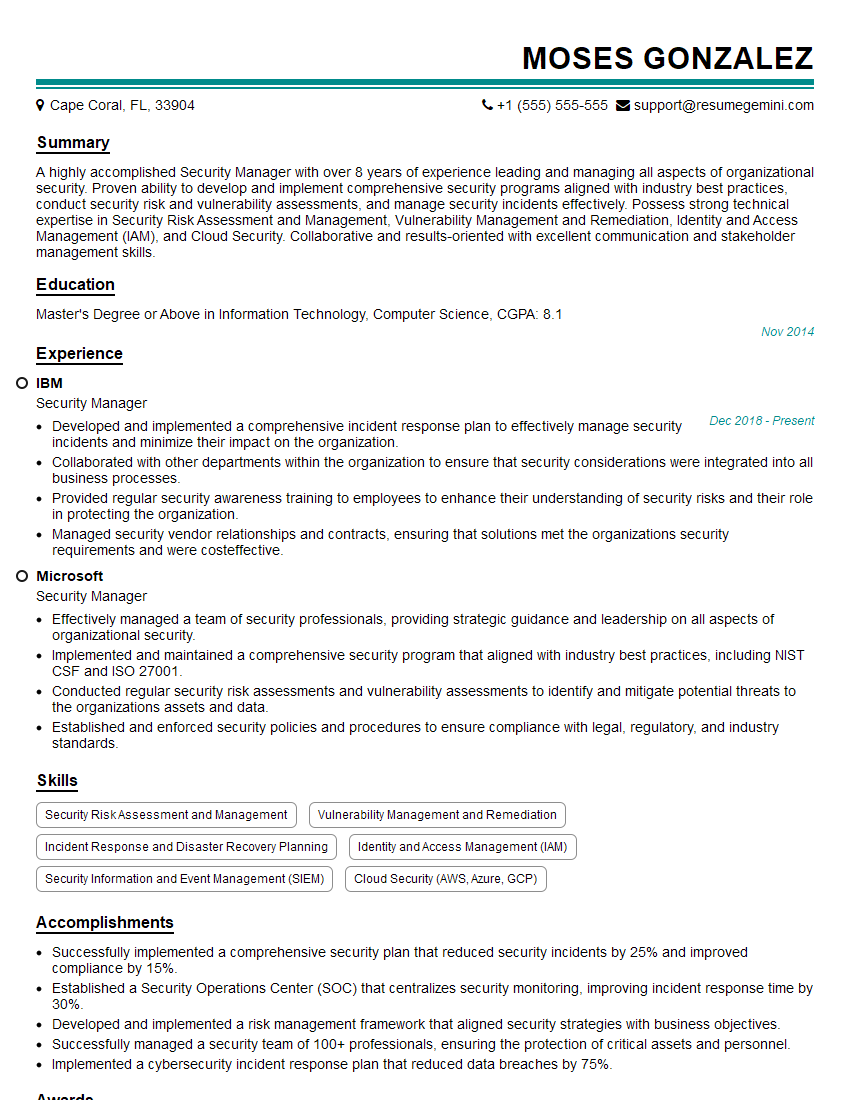
Security Manager Resume Sample

Security Administrator Resume Sample

Security Analyst Resume Sample

Security Consultant Resume Sample

Security Engineer Resume Sample

Information Security Analyst Resume Sample

Security Architect Resume Sample
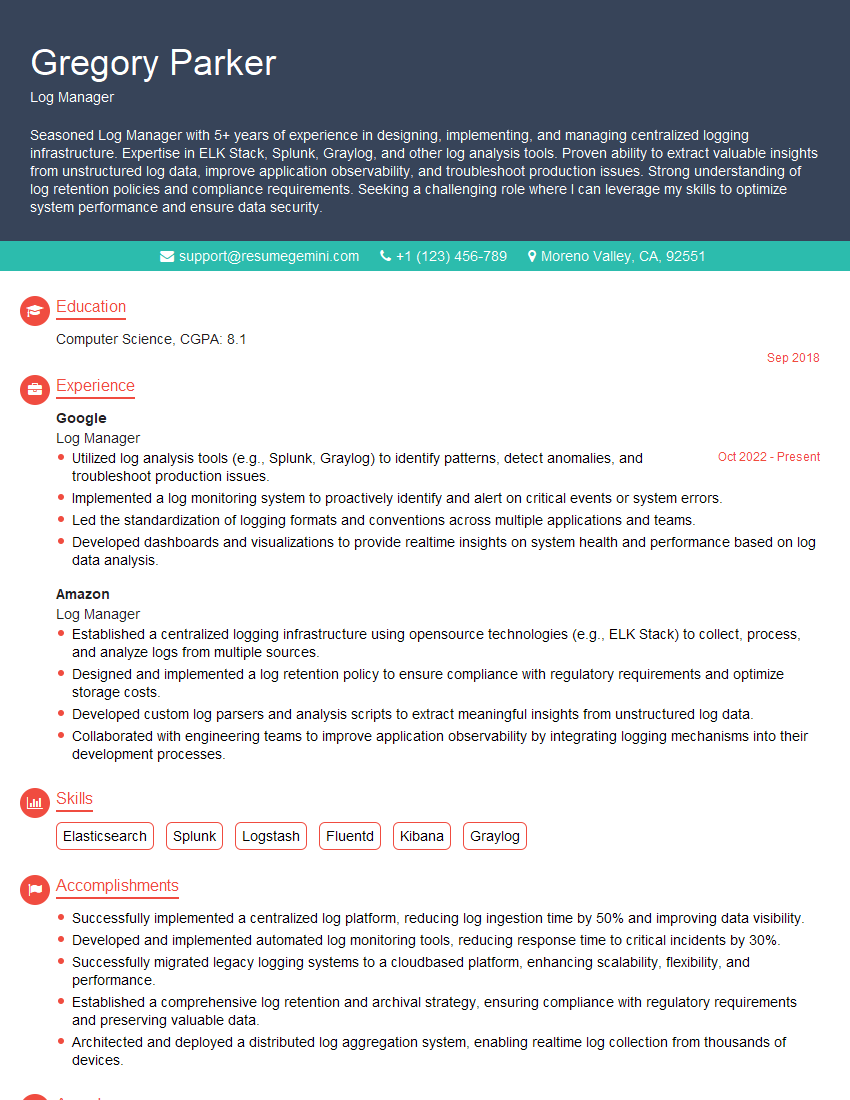
Log Manager Resume Sample

Cybersecurity Analyst Resume Sample
Explore more articles
Users Rating of Our Blogs
Share Your Experience
We value your feedback! Please rate our content and share your thoughts (optional).
What Readers Say About Our Blog
I Redesigned Spongebob Squarepants and his main characters of my artwork.
https://www.deviantart.com/reimaginesponge/art/Redesigned-Spongebob-characters-1223583608
IT gave me an insight and words to use and be able to think of examples
Hi, I’m Jay, we have a few potential clients that are interested in your services, thought you might be a good fit. I’d love to talk about the details, when do you have time to talk?
Best,
Jay
Founder | CEO