Unlock your full potential by mastering the most common Security (Web Application Firewall, SSL) interview questions. This blog offers a deep dive into the critical topics, ensuring you’re not only prepared to answer but to excel. With these insights, you’ll approach your interview with clarity and confidence.
Questions Asked in Security (Web Application Firewall, SSL) Interview
Q 1. Explain the difference between a Web Application Firewall (WAF) and a traditional firewall.
Think of a traditional firewall as a bouncer at a nightclub, checking IDs and preventing unauthorized entry. It examines network traffic based on IP addresses, ports, and protocols. A Web Application Firewall (WAF), on the other hand, is like a highly trained security expert who stands *inside* the club, scrutinizing the behavior of each individual guest. It analyzes the content of HTTP requests and responses, looking for malicious patterns within web applications themselves.
In short, a traditional firewall protects the perimeter, while a WAF protects the application itself from attacks that bypass the perimeter security.
For example, a traditional firewall might block traffic from a known malicious IP address. A WAF, however, would analyze the contents of HTTP requests from that same IP address to detect and block attacks such as SQL injection attempts even if the IP address isn’t explicitly blocked by the firewall.
Q 2. Describe the various modes of operation for a WAF (e.g., detection, prevention).
WAFs typically operate in two primary modes: Detection and Prevention. In Detection mode, the WAF analyzes traffic for malicious activity and logs the events, allowing security personnel to review and investigate. Think of this as setting up security cameras – you’re monitoring for suspicious activity but not automatically stopping it. This mode is useful for identifying attack patterns and fine-tuning WAF rules.
In Prevention mode, the WAF actively blocks malicious requests before they reach the web application. It’s like having a security guard actively intercepting and stopping suspicious individuals. This offers more immediate protection but requires careful configuration to minimize false positives.
Some WAFs also offer a hybrid mode, combining detection and prevention, allowing for a more nuanced approach to security. This often involves setting up different rules with varying levels of severity and response, allowing for a gradual response to potential threats.
Q 3. How does a WAF protect against common web application attacks like SQL injection and cross-site scripting (XSS)?
A WAF protects against SQL injection and XSS attacks by analyzing HTTP requests for known attack patterns. For SQL injection, the WAF examines requests for malicious SQL commands embedded within input fields, such as URLs or forms. If it detects suspicious SQL syntax (e.g., keywords like UNION, DROP TABLE, --), it can block the request.
Similarly, for Cross-Site Scripting (XSS), the WAF looks for potentially harmful JavaScript code or HTML tags within user inputs. If it finds scripts that could execute unintended code on the client side (e.g., ), it can filter or block these malicious elements, preventing attacks.
Many WAFs use signature-based detection, identifying specific attack patterns from a constantly updated database, and also employ anomaly detection, identifying deviations from normal traffic patterns.
Q 4. What are some common WAF evasion techniques?
Attackers employ various techniques to bypass WAFs. Some common evasion techniques include:
- Encoding and Obfuscation: Hiding malicious code by using different encoding schemes (e.g., URL encoding, HTML encoding) or obfuscation techniques to make it harder for the WAF to recognize.
- Parameter Tampering: Modifying request parameters to avoid detection. This could involve changing the order of parameters or using unusual parameter names.
- HTTP Header Manipulation: Modifying or adding HTTP headers to bypass WAF rules.
- Using legitimate functionalities: Exploiting the application’s functionality to conduct an attack (e.g. using features to upload malicious files).
It’s a constant arms race; as WAFs improve, attackers find new ways to evade them, highlighting the need for regular updates and proactive security measures.
Q 5. How do you configure and manage a WAF?
WAF configuration and management involves several steps:
- Deployment: WAFs can be deployed as cloud-based services, hardware appliances, or software solutions. The choice depends on factors such as scalability requirements, budget, and technical expertise.
- Rule Configuration: Defining rules to identify and block malicious traffic. This might involve selecting pre-built rulesets or creating custom rules based on specific application needs. This requires careful consideration to balance security and usability to avoid excessive blocking of legitimate traffic.
- Integration with Existing Infrastructure: Properly integrating the WAF with your existing web servers, load balancers, and other security components is crucial.
- Monitoring and Logging: Continuously monitoring WAF logs for suspicious activity is vital for identifying potential threats and assessing the effectiveness of the security measures. Detailed logging helps in forensic analysis.
- Regular Updates: Applying regular updates to the WAF software and rule sets is crucial to address newly discovered vulnerabilities and attack techniques.
Many WAFs offer centralized management interfaces allowing for easy configuration, monitoring, and reporting across multiple deployments.
Q 6. Explain the importance of regular WAF rule updates.
Regular WAF rule updates are paramount because the threat landscape is constantly evolving. New vulnerabilities are discovered daily, and attackers develop new techniques to bypass security measures. Outdated rules make your WAF vulnerable to attacks that could have been easily prevented with up-to-date protection. Think of it as updating your antivirus software – you wouldn’t want to rely on an outdated version that can’t detect the latest malware. Updates ensure that your WAF stays ahead of the curve, recognizing and mitigating the latest threats.
These updates often include new signatures for known attacks, improved detection algorithms, and patches for vulnerabilities within the WAF itself.
Q 7. How do you troubleshoot WAF issues and false positives?
Troubleshooting WAF issues and false positives requires a systematic approach:
- Review WAF Logs: Carefully examine the logs for details about blocked requests. Pay attention to the rules that triggered the block, the HTTP request headers, and the content of the request body.
- Analyze the Blocked Request: Try to reproduce the request that was blocked to understand why it was flagged. This might involve using tools like browser developer tools or proxy tools to analyze network traffic.
- Identify and Adjust Rules: If a false positive is identified, investigate the offending rule and consider adjusting its sensitivity or creating exceptions. You can fine tune rules to allow legitimate traffic while continuing to block harmful traffic.
- Contact WAF Vendor Support: If you can’t resolve the issue, seek help from the WAF vendor’s support team. They have extensive knowledge of the WAF’s capabilities and may be able to assist you in resolving complex issues.
Careful analysis, attention to detail, and a methodical approach are critical to effectively troubleshoot WAF issues and minimize disruptions to legitimate website access.
Q 8. What are the benefits and drawbacks of using a cloud-based WAF versus an on-premises WAF?
Choosing between a cloud-based and on-premises Web Application Firewall (WAF) depends heavily on your organization’s specific needs and infrastructure. Both offer protection against common web exploits, but their deployment and management differ significantly.
- Cloud-based WAFs: These are hosted by a third-party provider. Think of it like renting security – you don’t manage the hardware or software; the provider handles updates and maintenance. Benefits include scalability (easily adjust capacity as needed), cost-effectiveness (no upfront hardware investment), and ease of deployment (quick setup and integration). Drawbacks include potential vendor lock-in, reliance on internet connectivity (affecting performance during outages), and concerns about data sovereignty and security.
- On-premises WAFs: This involves installing and managing the WAF on your own servers within your data center. This provides greater control and customization but demands significant IT resources for setup, maintenance, and updates. Benefits include greater control over data, reduced latency (faster response times), and potentially stronger security configurations tailored to your specific environment. Drawbacks include higher upfront costs (hardware and software), ongoing maintenance expenses, and the need for skilled personnel to manage the system.
For example, a small startup might prefer a cloud-based WAF for its ease of use and cost-effectiveness, while a large financial institution with stringent regulatory requirements might opt for an on-premises solution to maintain greater control and compliance.
Q 9. Explain the concept of SSL/TLS and its role in securing web applications.
SSL/TLS (Secure Sockets Layer/Transport Layer Security) is a cryptographic protocol that provides secure communication over a computer network. Think of it as a secure tunnel protecting sensitive data transmitted between a web browser and a web server. It ensures confidentiality (data is encrypted), integrity (data cannot be tampered with), and authentication (verifying the server’s identity). For web applications, SSL/TLS is crucial for securing transactions, protecting user credentials (passwords, credit card numbers), and preventing eavesdropping.
Imagine sending a postcard versus a sealed letter. A postcard (unencrypted data) is easily read by anyone, while a sealed letter (encrypted data) ensures only the intended recipient can read it. SSL/TLS is that sealed letter, protecting your data during transmission.
Q 10. Describe the handshake process in SSL/TLS.
The SSL/TLS handshake is a series of steps establishing a secure connection between a client (e.g., web browser) and a server. It involves several key exchanges to negotiate encryption parameters and authenticate the server. While the details are complex, the essential steps include:
- Client Hello: The client initiates the connection, sending details like the supported cipher suites (encryption algorithms).
- Server Hello: The server responds, selecting a cipher suite from the client’s list and sending its digital certificate.
- Certificate Verification: The client verifies the server’s certificate, ensuring it’s valid and issued by a trusted Certificate Authority (CA).
- Key Exchange: Both client and server generate a shared secret key using asymmetric encryption (e.g., RSA, ECC). This key is used for symmetric encryption, which is much faster for encrypting the actual data.
- Change Cipher Spec: Both sides indicate a switch to the negotiated cipher suite.
- Finished: Both sides send a message encrypted with the shared secret key, confirming the successful handshake.
This handshake process ensures that the communication is secure before any sensitive data is exchanged. A failure at any step usually results in the connection being aborted.
Q 11. What are the different types of SSL/TLS certificates?
Several types of SSL/TLS certificates exist, differing primarily in their validation and verification methods:
- Domain Validated (DV): The easiest to obtain; only verifies domain ownership. The certificate only shows the domain name, not the organization’s name.
- Organization Validated (OV): Verifies both domain ownership and the organization’s identity. The certificate displays the organization’s name.
- Extended Validation (EV): The most stringent validation; requires extensive verification of the organization’s identity. EV certificates often display the organization’s name in the browser’s address bar in green.
- Wildcard Certificates: Secure multiple subdomains under a single domain (e.g., *.example.com).
- Multi-Domain or Unified Communications Certificates (UCC): Secure multiple domains and subdomains with a single certificate.
The choice of certificate type depends on the organization’s needs and the level of trust it wants to convey to its users. EV certificates offer the highest level of trust but require more rigorous verification.
Q 12. Explain the difference between symmetric and asymmetric encryption in the context of SSL/TLS.
SSL/TLS leverages both symmetric and asymmetric encryption for optimal security and performance:
- Asymmetric Encryption: Uses two keys – a public key (shared openly) and a private key (kept secret). The public key is used to encrypt data, and only the corresponding private key can decrypt it. It’s used during the handshake to securely exchange a symmetric key.
- Symmetric Encryption: Uses a single secret key for both encryption and decryption. It’s much faster than asymmetric encryption, so it’s used for encrypting the actual data exchanged during the session.
Imagine a courier delivering a message (data). Asymmetric encryption is like sending a locked box with a public key (the lock) to the recipient. Only the recipient possesses the private key (the key to unlock the box). The recipient sends back a symmetric key (a smaller, easily transported key) to unlock the box. The symmetric key is then used for faster encryption and decryption of the larger message contents.
Q 13. What is Perfect Forward Secrecy (PFS) and why is it important?
Perfect Forward Secrecy (PFS) is a feature that ensures that even if a long-term key (e.g., the server’s private key) is compromised, past communication sessions remain secure. It achieves this by using ephemeral keys – temporary keys generated for each session. Even if a server’s private key is stolen, an attacker cannot decrypt past sessions because they lack the ephemeral keys used for those sessions.
Think of it like using a different key for every door you enter. Even if someone steals your master key, they can’t access any of the rooms you visited previously because each room had its own unique key.
PFS is vital for protecting against future attacks. If a server’s private key is compromised later, PFS ensures that only the current session is at risk.
Q 14. What are some common SSL/TLS vulnerabilities and how can they be mitigated?
Several SSL/TLS vulnerabilities exist, posing risks to web application security:
- POODLE (Padding Oracle On Downgraded Legacy Encryption): Exploits weaknesses in older SSL 3.0 to decrypt data. Mitigation: Disable SSL 3.0 entirely.
- Heartbleed: A vulnerability in OpenSSL that allowed attackers to leak data from server memory. Mitigation: Update OpenSSL to a secure version and monitor systems for suspicious activity.
- FREAK (Factoring RSA Export Keys): Allowed attackers to downgrade connections to weak export-grade encryption. Mitigation: Update systems and ensure support for strong encryption ciphers.
- Logjam: A vulnerability targeting Diffie-Hellman key exchange. Mitigation: Use stronger key exchange algorithms like ECDHE.
- Cipher Suite Misconfigurations: Choosing weak or outdated encryption algorithms leaves systems vulnerable. Mitigation: Properly configure server settings to utilize strong and modern cipher suites.
Regular security audits, vulnerability scanning, and employing strong encryption protocols are vital for mitigating these vulnerabilities. Staying up-to-date with security advisories and implementing the latest security patches are crucial for maintaining a secure environment.
Q 15. How do you identify and address SSL/TLS related errors in web browsers?
SSL/TLS errors manifest in various ways within web browsers, often indicated by padlock icons that are broken, missing, or display warning messages. These errors stem from issues with the SSL/TLS certificate used by the website. The browser is essentially saying, “I can’t verify this website’s identity securely.”
Identifying the error: The first step is to carefully examine the error message itself. Common causes include:
- Expired Certificate: The website’s certificate has expired, rendering it invalid.
- Self-Signed Certificate (insecure): The website is using a self-signed certificate, meaning it wasn’t issued by a trusted Certificate Authority (CA). This is risky and often a sign of a potentially malicious site.
- Mismatched Hostname: The certificate’s hostname doesn’t match the website’s URL (e.g., certificate for example.com but accessing example.net).
- Certificate Chain Issues: The website’s certificate chain (a hierarchy of certificates leading back to a trusted root CA) is broken or incomplete.
- Browser/OS Issues: Sometimes, browser or operating system issues can interfere with certificate verification. A simple browser restart or system update can resolve this.
Addressing the error: Solutions depend on the root cause:
- Expired Certificate: Contact the website administrator; they need to update their certificate.
- Self-Signed Certificate: Proceed with extreme caution. Self-signed certificates are acceptable for internal networks but should never be used for public-facing sites. If encountering one on a public site, it’s a strong indicator that something isn’t right.
- Mismatched Hostname: This is a critical security issue. Contact the website administrator.
- Certificate Chain Issues: Again, contact the website administrator. They must ensure their certificate chain is properly configured.
- Browser/OS Issues: Restart your browser or operating system.
Always exercise caution when encountering SSL/TLS errors. Never enter sensitive information into a website displaying such errors.
Career Expert Tips:
- Ace those interviews! Prepare effectively by reviewing the Top 50 Most Common Interview Questions on ResumeGemini.
- Navigate your job search with confidence! Explore a wide range of Career Tips on ResumeGemini. Learn about common challenges and recommendations to overcome them.
- Craft the perfect resume! Master the Art of Resume Writing with ResumeGemini’s guide. Showcase your unique qualifications and achievements effectively.
- Don’t miss out on holiday savings! Build your dream resume with ResumeGemini’s ATS optimized templates.
Q 16. Explain the importance of certificate pinning.
Certificate pinning is a security mechanism that enhances trust in SSL/TLS connections. It works by embedding a list of known and trusted certificates directly into the application’s code. This prevents man-in-the-middle (MITM) attacks where a malicious actor might intercept a connection and present a fraudulent certificate.
Importance:
- Enhanced Security: By hardcoding the expected certificate, the application ignores any certificate that doesn’t precisely match. Even if a trusted CA has been compromised, the application will not accept the fraudulent certificate. This offers a significant security boost against rogue CAs and attackers who might obtain legitimate certificates.
- Protection Against MITM Attacks: MITM attacks are highly effective. By pinning certificates, you render these attacks ineffective against the pinned certificate(s).
- Prevents Certificate Authority Compromise Exploitation: In the event of a compromise within a major CA, pinning ensures that your application isn’t vulnerable to that specific CA’s compromised certificates.
Example: Imagine a banking app using certificate pinning. Even if an attacker obtains a certificate from a trusted CA for the bank’s domain, the app will only trust the specific, pre-defined certificate it has pinned. Any attempt to use a different certificate, even a seemingly legitimate one, will result in a connection failure.
Caveats: Certificate pinning requires careful management. If the legitimate certificate changes (e.g., due to renewal or re-issuance), the application must be updated with the new pinned certificate, otherwise it will break functionality.
Q 17. How do you manage SSL certificates throughout their lifecycle?
Managing SSL certificates across their lifecycle involves several key steps. This is a critical security task because an expired or compromised certificate can lead to serious security vulnerabilities.
Key Stages:
- Request and Acquisition: Obtain a certificate from a trusted Certificate Authority (CA). This involves providing information about the domain or server to be secured. This often requires verification of domain ownership.
- Installation: Install the certificate on the web server. The specific process depends on the web server type (Apache, Nginx, IIS, etc.). Incorrect installation can render the certificate unusable.
- Verification: Verify the correct installation and functionality via testing, including inspecting that the website displays the padlock icon and that the certificate details are correct. Use browser developer tools or online certificate checkers to validate.
- Monitoring: Regularly monitor the certificate’s validity. Most CAs provide notifications nearing the expiration date.
- Renewal: Before the certificate expires, renew it with the CA. The renewal process is usually simpler than the initial acquisition.
- Revocation: If the private key is compromised or the certificate is misused, immediately revoke it through the CA and issue a new one. This prevents attackers from using the compromised certificate.
- Archiving: Maintain an organized archive of all certificates, both active and revoked, for auditing and compliance purposes. A proper chain of custody is vital.
Tools and Automation: Leverage automation tools to manage certificate lifecycles. Many tools offer automated renewal and monitoring, which minimizes manual effort and risk of errors.
Q 18. What are the implications of using self-signed certificates?
Self-signed certificates are certificates created by a server administrator, without involvement from a trusted Certificate Authority (CA). While they offer convenience in certain situations, their use carries significant security implications.
Implications:
- Lack of Trust: Web browsers and other applications generally don’t automatically trust self-signed certificates, displaying warnings to users. This is because there’s no third-party verification of the certificate’s authenticity. Users have to explicitly accept the risk.
- Man-in-the-Middle Vulnerability: Without CA verification, attackers can easily create their own self-signed certificates impersonating the legitimate server, potentially enabling man-in-the-middle attacks to intercept data. Anyone with basic technical skills could perform this attack.
- Security Risk for Public-Facing Websites: Using self-signed certificates on public-facing websites is highly discouraged. It creates a significant vulnerability and undermines user trust. This is a substantial security risk that must not be overlooked.
- Suitable Use Cases: Self-signed certificates are acceptable for internal networks or testing environments where security isn’t as paramount. They are convenient for quick setups but should never replace a properly issued certificate for anything critical.
Example: Imagine a small company setting up an internal web server for employee access. A self-signed certificate might suffice because the employees can manually add the certificate to their browsers’ trusted root store, accepting the risk. However, if that internal server is compromised and an attacker issues their own self-signed certificate, the network is vulnerable.
Q 19. What are the differences between SHA-1, SHA-256, and SHA-384 hashing algorithms?
SHA-1, SHA-256, and SHA-384 are all cryptographic hash functions, meaning they take input data (of any size) and produce a fixed-size output (hash) which is computationally difficult to reverse. They’re used extensively in digital signatures and certificate creation. However, they differ in their hash size and cryptographic strength.
- SHA-1 (Secure Hash Algorithm 1): Produces a 160-bit hash. SHA-1 is now considered cryptographically broken and insecure, vulnerable to collision attacks. It should be avoided entirely for new applications.
- SHA-256 (Secure Hash Algorithm 256-bit): Produces a 256-bit hash. It is part of the SHA-2 family and is significantly stronger than SHA-1. Widely considered secure and used in many applications, including SSL/TLS certificates.
- SHA-384 (Secure Hash Algorithm 384-bit): Produces a 384-bit hash, providing even greater security than SHA-256. Often used in applications requiring higher security levels.
The main difference lies in the hash size. Larger hash sizes provide greater security, making it computationally harder to find collisions (where two different inputs produce the same hash). SHA-1’s vulnerability stems from its smaller hash size and discovered weaknesses in its algorithm. Always prefer SHA-256 or SHA-384 for modern applications.
Q 20. How does HTTPS work?
HTTPS (Hypertext Transfer Protocol Secure) is a secure version of HTTP that uses SSL/TLS to encrypt communication between a web browser and a web server. This encryption ensures that data transmitted between the two cannot be intercepted or tampered with by third parties. Think of it as a secure tunnel for your data.
How it works:
- The client (browser) initiates a connection to the server.
- The server sends its SSL/TLS certificate to the client. This certificate contains the server’s identity and public key, signed by a trusted Certificate Authority (CA).
- The client verifies the certificate. It checks that the certificate is valid, hasn’t expired, and is issued by a trusted CA. It also checks if the hostname in the certificate matches the website URL.
- The client and server establish a secure session using a symmetric key. The client and the server use the server’s public key to encrypt a symmetric key (a secret key used to encrypt and decrypt communications), which they then use to encrypt all subsequent communication. This exchange uses public-key cryptography, allowing for secure key exchange over an insecure channel.
- All subsequent communication between the client and server is encrypted using the symmetric key. This protects the confidentiality and integrity of the data being exchanged.
This process uses both symmetric and asymmetric encryption. Asymmetric encryption is computationally expensive, thus it’s only used for the initial key exchange. The more efficient symmetric encryption handles the bulk of the encrypted communication.
Q 21. What is a certificate authority (CA)?
A Certificate Authority (CA) is a trusted third party that issues digital certificates. These certificates bind a public key to an identity (like a website or individual). Think of a CA as a digital notary public. It verifies the identity of the entity requesting a certificate and then issues a certificate guaranteeing that identity.
Role of a CA:
- Identity Verification: CAs verify the identity of entities applying for certificates. This process can involve various steps to ensure authenticity.
- Certificate Issuance: Once identity is verified, the CA issues a digital certificate containing the entity’s public key and other relevant information. This certificate is digitally signed by the CA.
- Certificate Revocation: If a certificate is compromised or misused, the CA can revoke it, preventing it from being used further. This maintains security and trust.
- Maintaining Trust: CAs are responsible for maintaining the trust and credibility of their issued certificates. Their reputation is critical to the overall security of the internet.
Example: Let’s say a website wants an SSL certificate. They would apply to a CA (like DigiCert, Let’s Encrypt, or Sectigo) which will verify the website’s ownership and then issue the certificate. Browsers trust certificates issued by well-known CAs because their digital signature verifies authenticity.
Q 22. Explain the process of obtaining and installing an SSL certificate.
Obtaining and installing an SSL certificate involves several steps. First, you need to generate a Certificate Signing Request (CSR) – a formal request to a Certificate Authority (CA). This CSR includes your public key and information about your organization. Think of it as your application for a digital ID. Next, you submit this CSR to a CA (like Let’s Encrypt, DigiCert, or Comodo). They verify your ownership of the domain (often through email verification or DNS record checks). Once verified, the CA issues a signed certificate, digitally confirming your identity and encrypting your connection. Finally, you install this certificate on your web server (Apache, Nginx, IIS, etc.). The exact process varies based on the server’s operating system and configuration, but generally involves uploading the certificate and private key files to the server’s designated directory and configuring the server to use the certificate. For example, Apache requires placing the certificate and key files in specific directories and configuring virtual host settings, while Nginx requires similar configuration through its own directives.
Let’s say you’re setting up a new e-commerce website. You would generate a CSR, submit it to your chosen CA (Let’s Encrypt is a good free option for smaller sites), and then install the resulting certificate onto your web server so customers can securely submit their payment details. Failure to correctly install the certificate will result in ‘not secure’ warnings in users’ browsers, damaging user trust and potentially impacting sales.
Q 23. How can you verify the authenticity of an SSL certificate?
Verifying the authenticity of an SSL certificate is crucial for ensuring secure connections. The first step is to check the certificate’s issuer – is it a trusted Certificate Authority (CA)? Your browser maintains a list of trusted CAs, and if the certificate is issued by one of these, you’ll see a padlock icon in your address bar. But don’t solely rely on the padlock. Click on the padlock, and your browser will display certificate details including the issuer, validity period, and the subject (the website). You can also examine the certificate’s chain of trust. It should have a chain leading back to a root CA that your browser trusts, guaranteeing that each step in the chain has been verified. Another critical check is examining the certificate’s validity period. Ensure the certificate isn’t expired and the validity period makes sense. Finally, you can use online tools that provide certificate details and check revocation status. These tools analyze the certificate and offer more granular information.
Imagine visiting a banking website. You’d expect a high level of security. By verifying the issuer, chain of trust and validity, and using online tools for further scrutiny, you help to ensure you aren’t dealing with an imposter site.
Q 24. What are HTTP Strict Transport Security (HSTS) headers and how do they work?
HTTP Strict Transport Security (HSTS) is a security enhancement that forces browsers to only communicate with a website using HTTPS. It works by sending an Strict-Transport-Security header in the HTTP response. This header instructs the browser to only make future connections to that website over HTTPS, ignoring any HTTP requests. This prevents man-in-the-middle attacks where an attacker might redirect users to an insecure HTTP version of the website. Once the HSTS header is set, the browser will permanently remember this instruction (unless the header is removed). HSTS typically includes a max-age directive, specifying how long the browser should enforce HTTPS. There’s also an optional includeSubDomains directive which extends the enforcement to all subdomains. A preload directive allows websites to be added to a list of preloaded HSTS sites, meaning HSTS enforcement is applied even on the first visit.
For example, a header might look like this: Strict-Transport-Security: max-age=31536000; includeSubDomains; preload. This instructs the browser to use HTTPS for a year and applies to subdomains. Implementing HSTS significantly improves security and protects against HTTP downgrade attacks.
Q 25. Describe different types of cipher suites and their security implications.
Cipher suites are sets of cryptographic algorithms used for secure communication over SSL/TLS. They specify algorithms for key exchange (how the server and client agree on a secret key), encryption (for confidentiality), and message authentication (for integrity). Different cipher suites offer varying levels of security and performance. For example, some older cipher suites use weak encryption algorithms like DES or 3DES, which are now considered insecure and vulnerable to attacks. Modern cipher suites tend to use stronger algorithms like AES-256, which is far more resistant to attacks. The choice of cipher suite affects the security of the connection, with older or weaker suites being more susceptible to compromise. The key exchange algorithm is also critical, as a weak key exchange algorithm can create vulnerabilities regardless of the strength of the encryption algorithm.
For example, comparing TLS_RSA_WITH_AES_128_CBC_SHA (an older, weaker suite) with TLS_AES_256_GCM_SHA384 (a modern, strong suite), the latter offers significantly better security due to the use of AES-256 with GCM mode for both encryption and authentication. The use of RSA in the older suite also exposes it to vulnerabilities related to RSA key exchange.
Q 26. Explain the concept of OCSP Stapling.
OCSP Stapling is a technique used to improve the performance and security of SSL/TLS handshakes. Instead of the client (browser) contacting the Certificate Authority’s Online Certificate Status Protocol (OCSP) responder to verify the certificate’s revocation status during every connection, the web server ‘staples’ the OCSP response to the certificate. This response, essentially a confirmation of the certificate’s validity, is sent along with the certificate. The client then only needs to verify the stapled response, significantly reducing latency and improving performance. It also reduces the load on the CA’s OCSP responder and improves privacy because the server, not the client, contacts the OCSP responder.
Think of it like this: imagine a bouncer at a nightclub checking IDs. Normally, he’d check each ID against a central database every time. With OCSP stapling, the club pre-verifies the IDs of its regular customers and gives them a ‘pre-approved’ stamp. The bouncer only needs to check this stamp, making the process much faster and more efficient.
Q 27. Discuss the importance of monitoring SSL/TLS configurations and performance.
Monitoring SSL/TLS configurations and performance is critical for maintaining a secure and reliable website. Regular monitoring ensures that certificates are not expired, cipher suites are strong and up-to-date, and the overall SSL/TLS handshake is performing efficiently. Failure to monitor these aspects can lead to security vulnerabilities, website downtime, and poor user experience. This monitoring involves checking certificate expiration dates, analyzing SSL/TLS handshake performance (latency, successful connections), and reviewing the cipher suites used. Using tools to scan for vulnerabilities is also crucial, highlighting any misconfigurations that need immediate attention. Alerts should be set up for critical events, such as impending certificate expiration or discovery of vulnerabilities.
For example, an expired SSL certificate will result in warnings for users, preventing them from accessing the site. Similarly, weak cipher suites could allow attackers to decrypt communications. Regular monitoring, ideally automated, helps to prevent such issues and maintain a robust security posture.
Q 28. What are your preferred tools for analyzing SSL/TLS configurations?
My preferred tools for analyzing SSL/TLS configurations vary depending on the specific task, but some of my go-to tools include: ssllabs.com – This provides a comprehensive SSL/TLS configuration assessment. It tests for vulnerabilities, checks for weak cipher suites, and provides overall security scores. openssl – This command-line tool offers versatile functions for checking certificates, analyzing cipher suites, and generating CSRs. It is invaluable for low-level investigations. nginx -t and apachectl configtest – These are server-specific commands that verify the correctness of the web server’s configuration, including SSL/TLS settings. Other tools like Qualys SSL Labs and various network scanners (like Nessus) can also provide valuable information during assessments.
For example, if I suspect a misconfiguration, I’d use ssllabs.com to assess the entire SSL/TLS setup. If I needed to verify a specific certificate, I’d use openssl. The server-specific command line tools are indispensable for ensuring the server’s configuration accurately reflects the intended settings.
Key Topics to Learn for Security (Web Application Firewall, SSL) Interview
- Web Application Firewalls (WAFs): Understanding different WAF architectures (cloud-based, on-premise), deployment models, and their role in protecting web applications from attacks like SQL injection, cross-site scripting (XSS), and cross-site request forgery (CSRF).
- WAF Functionality and Configuration: Practical experience configuring and managing WAF rules, including positive security models, negative security models, and the importance of fine-tuning rules to balance security and performance. Consider the implications of false positives and false negatives.
- SSL/TLS Protocols and Ciphers: Deep understanding of the handshake process, certificate management (including public key infrastructure – PKI), cipher suites, and the importance of strong encryption for securing communication channels.
- SSL/TLS vulnerabilities and mitigation strategies: Knowledge of common vulnerabilities like POODLE, BEAST, and Heartbleed, and how to mitigate them through proper configuration and the use of modern cipher suites.
- Security best practices and OWASP top 10: Familiarity with relevant security best practices and how they relate to WAF and SSL/TLS implementation. Understanding the OWASP Top 10 vulnerabilities and how WAFs and SSL/TLS contribute to mitigating them.
- Troubleshooting and Log Analysis: Ability to interpret WAF logs to identify and resolve security incidents. Understanding how to troubleshoot SSL/TLS handshake failures and certificate-related issues.
- Integration with other security tools: Understanding how WAFs and SSL/TLS integrate with other security tools like intrusion detection/prevention systems (IDS/IPS) and SIEM systems.
Next Steps
Mastering Security (Web Application Firewall, SSL) is crucial for career advancement in cybersecurity, opening doors to high-demand roles with excellent compensation. To maximize your job prospects, invest time in creating a compelling and ATS-friendly resume that showcases your skills and experience effectively. ResumeGemini is a trusted resource that can help you build a professional resume tailored to your specific needs. Examples of resumes tailored to Security (Web Application Firewall, SSL) roles are available, providing valuable templates to help you get started. Take the next step in your career journey – build a standout resume and land your dream job!

Compliance Officer Resume Sample
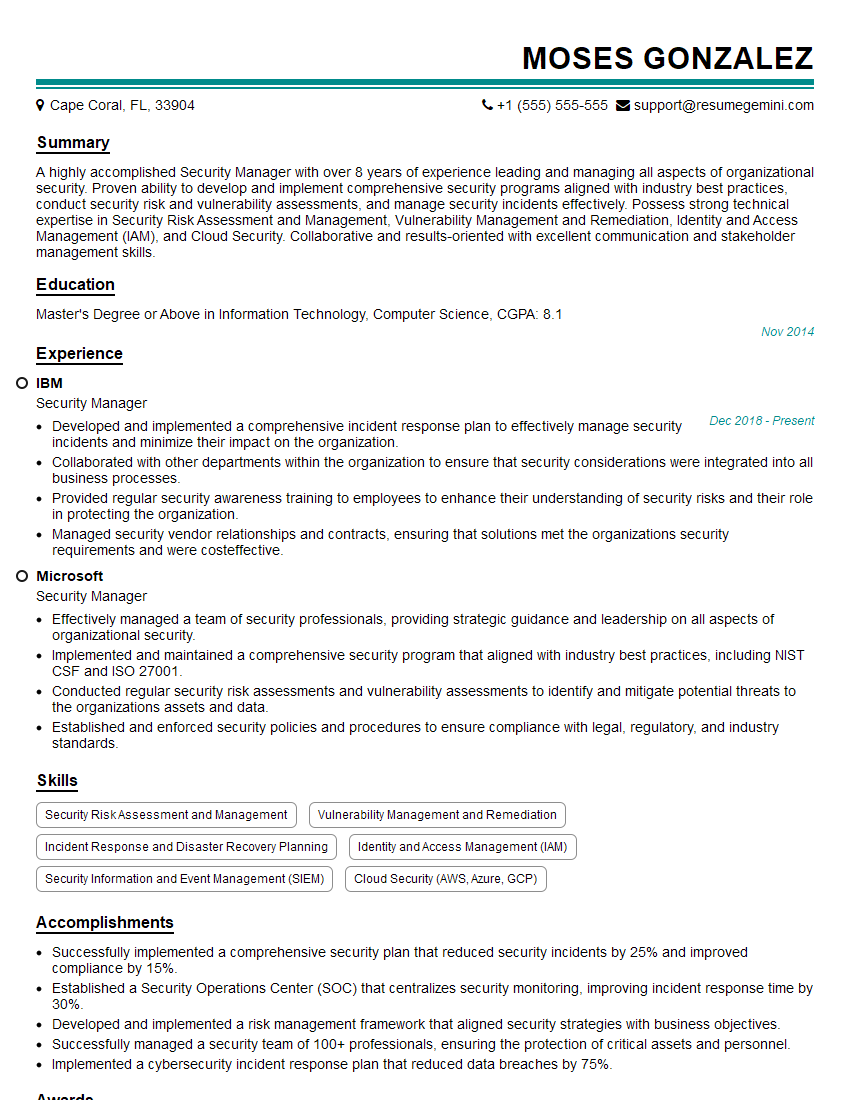
Security Manager Resume Sample

Security Specialist Resume Sample

Security Consultant Resume Sample

Security Engineer Resume Sample

Information Security Analyst Resume Sample

Information Security Manager Resume Sample

Network Security Engineer Resume Sample

Security Architect Resume Sample

Cybersecurity Analyst Resume Sample
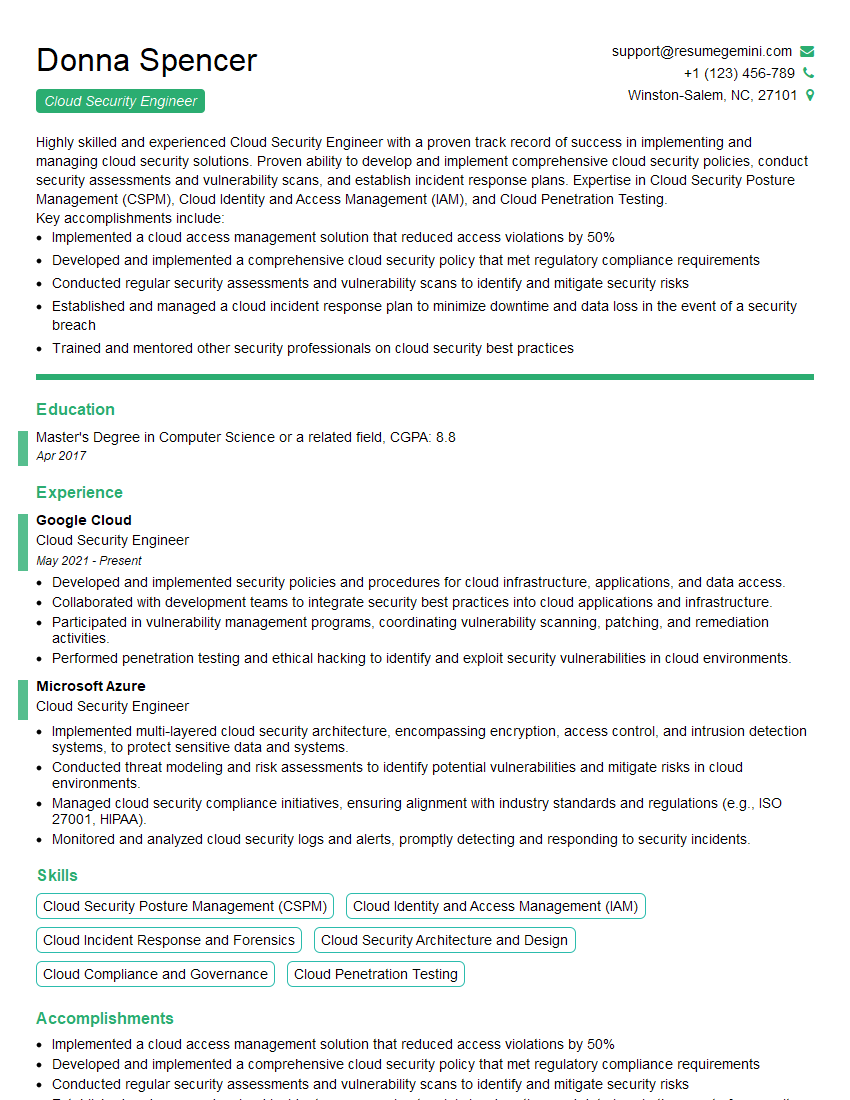
Cloud Security Engineer Resume Sample
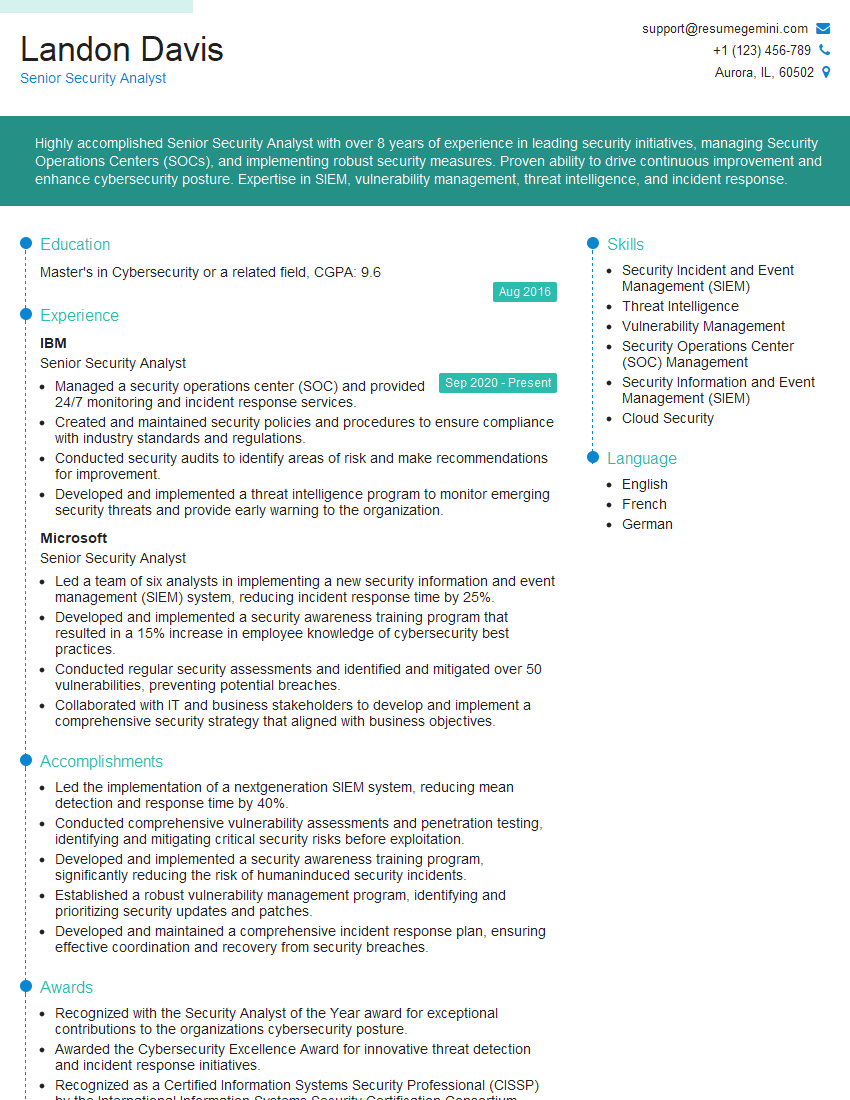
Senior Security Analyst Resume Sample
Explore more articles
Users Rating of Our Blogs
Share Your Experience
We value your feedback! Please rate our content and share your thoughts (optional).
What Readers Say About Our Blog
I Redesigned Spongebob Squarepants and his main characters of my artwork.
https://www.deviantart.com/reimaginesponge/art/Redesigned-Spongebob-characters-1223583608
IT gave me an insight and words to use and be able to think of examples
Hi, I’m Jay, we have a few potential clients that are interested in your services, thought you might be a good fit. I’d love to talk about the details, when do you have time to talk?
Best,
Jay
Founder | CEO