Cracking a skill-specific interview, like one for Server Room Management, requires understanding the nuances of the role. In this blog, we present the questions you’re most likely to encounter, along with insights into how to answer them effectively. Let’s ensure you’re ready to make a strong impression.
Questions Asked in Server Room Management Interview
Q 1. Explain the importance of environmental controls in a server room.
Environmental controls are absolutely critical in a server room because they directly impact the reliability, performance, and longevity of your IT equipment. Think of it like this: your servers are high-performance athletes; they need the right conditions to perform optimally. Excessive heat, humidity, or dust can lead to overheating, component failure, and data loss – all very costly problems.
- Temperature: Maintaining a consistent temperature, typically between 68°F and 72°F (20°C and 22°C), is crucial. Fluctuations can cause hardware stress and shorten its lifespan. We use precision air conditioning systems with redundancy built-in to handle unexpected failures.
- Humidity: High humidity can lead to corrosion and condensation on components, while low humidity can cause static electricity build-up. The ideal range is typically between 40% and 60%. We monitor humidity levels closely and use dehumidifiers or humidifiers as needed.
- Airflow: Proper airflow is essential to dissipate heat generated by the servers. We use raised flooring to allow for efficient under-floor cooling and strategically place equipment to optimize airflow.
- Dust Control: Dust acts as an insulator, hindering heat dissipation and potentially causing short circuits. Regular cleaning, using HEPA filters in the HVAC system, and raised flooring with sealed tiles are vital.
In my previous role, we implemented a comprehensive environmental monitoring system that provided real-time alerts in case of temperature or humidity deviations, preventing costly downtime.
Q 2. Describe your experience with server rack organization and cable management.
Server rack organization and cable management are paramount for efficient operation, maintainability, and scalability. A well-organized rack is easier to troubleshoot, upgrade, and maintain, reducing downtime and improving overall efficiency. Think of it like a well-organized toolbox – you can find what you need quickly and easily.
- Rack Units (U): I always start by planning the rack layout based on the height of each device in rack units (U). This allows for efficient space utilization and prevents conflicts.
- Labeling: Every cable and device is clearly labeled using a standardized system. This makes it easy to identify and trace cables during troubleshooting or maintenance.
- Cable Management Accessories: I utilize cable ties, Velcro straps, and cable managers to keep cables neat, organized, and out of the way. This improves airflow and reduces the risk of accidental disconnections.
- Vertical Cable Management: I prefer to route cables vertically along the rack to maintain airflow and prevent tangles. This is more aesthetically pleasing and improves cable routing.
- Documentation: Complete documentation of the rack layout, including the location of each device and its associated cables, is essential for easy reference and troubleshooting.
In a previous project, I implemented a new cable management system which reduced troubleshooting time by 40% and improved airflow, leading to a 10% reduction in server temperatures.
Q 3. What are the key components of a server room’s physical security system?
Physical security is crucial to protect your valuable IT infrastructure from unauthorized access, theft, and damage. A multi-layered approach is best, incorporating various measures to deter and prevent breaches.
- Access Control: This is usually the first line of defense, implemented through keycard readers, biometric scanners, or even manned security desks. Access logs are crucial for tracking who enters and exits the server room.
- Surveillance: Closed-circuit television (CCTV) cameras provide visual monitoring of the server room, deterring unauthorized entry and providing evidence in case of incidents. The cameras should cover all entry points and critical areas.
- Environmental Monitoring: While mentioned earlier, the monitoring system also acts as a security measure. Anomalies in temperature, humidity, or power can indicate a potential security breach (e.g., tampering).
- Physical Barriers: These include strong doors with reinforced locks, intrusion detection systems (IDS) on doors and windows, and potentially even cages around sensitive equipment.
- Security Personnel: Depending on the sensitivity of the data and the level of risk, dedicated security personnel can be employed to monitor the server room and respond to any incidents.
For example, in my previous role, we implemented a two-factor authentication system along with 24/7 video surveillance, significantly reducing the risk of unauthorized access.
Q 4. How do you monitor server room temperature and humidity?
Monitoring server room temperature and humidity is done using a combination of hardware and software solutions. These systems provide real-time data and alerts, allowing for proactive intervention to prevent equipment damage.
- Environmental Monitoring Units (EMUs): These specialized devices are placed within the server room to measure temperature, humidity, and sometimes even airflow and power usage. They are crucial for consistent readings.
- Network Monitoring Systems: Many network management platforms incorporate environmental monitoring capabilities, integrating data from EMUs into a central dashboard. This allows for remote monitoring and alerts.
- Threshold-Based Alerts: We configure the monitoring system to send alerts via email or SMS when temperature or humidity levels exceed predefined thresholds. This ensures timely intervention.
- Data Logging: The systems should log historical data, allowing for trend analysis and identification of potential issues before they escalate.
- Graphical User Interface (GUI): A user-friendly GUI is important for visualizing data in real-time, and helps quickly assess environmental conditions in the server room.
For instance, we use a system that automatically adjusts the HVAC system based on real-time temperature readings, maintaining an optimal environment without manual intervention.
Q 5. What are your preferred methods for preventing server room power outages?
Preventing server room power outages requires a multi-pronged approach, combining preventative measures with redundancy to ensure business continuity. Power outages can be disastrous, leading to data loss and significant downtime.
- Redundant Power Supplies: Having multiple power feeds from different sources is crucial. This reduces the risk of a complete outage due to a single power failure.
- Uninterruptible Power Supply (UPS): A UPS provides backup power during brief outages, allowing servers to shut down gracefully or continue operating for a limited time. We’ll cover UPS systems in more detail in the next answer.
- Generator Backup: For longer outages, a generator provides a reliable power source. Regular maintenance and testing are essential to ensure its readiness.
- Power Monitoring: Constantly monitoring power usage and voltage levels helps identify potential problems before they lead to outages.
- Surge Protection: Surge protectors safeguard equipment from power surges that can cause damage. These are often built into UPS systems.
In one instance, our redundant power supply and generator prevented a complete outage during a severe thunderstorm, ensuring minimal downtime for our clients.
Q 6. Describe your experience with UPS systems and battery backups.
UPS systems and battery backups are critical components of a server room’s power infrastructure, providing protection against power outages and surges. They act as a buffer between the main power supply and the servers, ensuring continuous operation or a safe shutdown.
- Types of UPS Systems: There are various types, including online, offline, and line-interactive UPS systems. The choice depends on factors like the required runtime and criticality of the equipment. Online UPS systems provide the best protection against power irregularities.
- Battery Backup: The UPS system stores power in batteries, which provide backup power during an outage. The runtime depends on the battery capacity and the power consumption of the connected equipment. Regular battery testing and replacement are essential.
- Runtime Calculation: Precise calculation of the required runtime is crucial to ensure the UPS can support the equipment during an outage until the generator kicks in or a safe shutdown can be performed.
- Maintenance: Regular maintenance, including battery testing and replacement, is essential to ensure the UPS system is functioning correctly and can provide backup power when needed.
- Load Capacity: The UPS system must have a sufficient load capacity to support the total power draw of all connected equipment.
I’ve personally overseen the installation and maintenance of multiple UPS systems, ranging from small rack-mounted units to large tower systems supporting entire data centers. Regular maintenance checks have allowed us to predict and resolve issues before they caused significant downtime.
Q 7. Explain your understanding of RAID configurations and their benefits.
RAID (Redundant Array of Independent Disks) configurations are used to improve the reliability, performance, and capacity of storage systems. They combine multiple hard drives into a single logical unit, offering various benefits depending on the chosen configuration.
- RAID Levels: Different RAID levels offer different combinations of redundancy, performance, and capacity. Common levels include RAID 0 (striping), RAID 1 (mirroring), RAID 5 (striping with parity), and RAID 10 (striping of mirrors).
- RAID 0 (Striping): Improves performance by striping data across multiple drives but offers no redundancy.
- RAID 1 (Mirroring): Provides redundancy by mirroring data across two or more drives but utilizes twice the disk space.
- RAID 5 (Striping with Parity): Provides redundancy and performance improvement by striping data and distributing parity information across multiple drives. Requires at least three drives.
- RAID 10 (Striping of Mirrors): Combines the benefits of RAID 0 and RAID 1, offering both performance and redundancy but requires a minimum of four drives.
The selection of the appropriate RAID level depends on the specific requirements of the application. For critical applications requiring high reliability and performance, RAID 10 is often the preferred choice. In my experience, a proper understanding of RAID levels is crucial for designing robust and reliable storage systems. Choosing the wrong RAID level can have serious consequences.
Q 8. How do you troubleshoot network connectivity issues in a server room?
Troubleshooting network connectivity issues in a server room requires a systematic approach. Think of it like diagnosing a car problem – you need to check the basics first before diving into complex solutions. I begin by verifying the most fundamental aspects:
Physical Connections: I visually inspect all cables – network cables, power cords, and fiber optic connections – for any damage, loose connections, or improper termination. A simple unplugged cable is surprisingly common!
Network Devices: I check the status of switches, routers, and firewalls. Are they powered on? Are there any error lights indicating problems? I’ll use tools like ping and traceroute to identify where the connection breaks down.
IP Addressing and Configuration: I verify the IP addresses, subnet masks, and default gateways of the servers and network devices. A misconfigured IP address can easily disrupt connectivity. Tools like
ipconfig /all(Windows) orifconfig(Linux) are invaluable here.Server-Specific Issues: Once the network infrastructure is ruled out, I investigate server-side problems. Are the network services running? Are there any firewall rules blocking traffic? I’ll examine server logs for error messages related to network connectivity.
Network Monitoring Tools: I utilize network monitoring tools to gain a holistic view of the network traffic, identifying bottlenecks or unusual activity. These tools can provide real-time insights into network performance and pinpoint the source of the issue.
For example, in one instance, a seemingly intractable connectivity issue turned out to be a faulty patch cable hidden behind a rack. Another time, a misconfigured firewall rule was preventing access to a specific port.
Q 9. What are your experiences with server virtualization technologies?
I have extensive experience with server virtualization technologies, primarily using VMware vSphere and Microsoft Hyper-V. My experience encompasses the entire lifecycle – from planning and design to implementation, maintenance, and optimization. Virtualization allows for increased server utilization, simplified management, and enhanced resource allocation. I’ve used it to consolidate physical servers, improve disaster recovery capabilities, and reduce energy consumption.
In a past role, we migrated a complex application suite from a physical server infrastructure to a virtualized environment. This involved careful planning, meticulous configuration, and rigorous testing. We successfully reduced our server footprint by 60%, lowered energy costs, and improved application uptime. The transition also gave us more flexibility for future growth and changes.
My skills include creating and managing virtual machines (VMs), configuring virtual networks, implementing high-availability clusters, and performing backups and restores. I’m proficient in using virtualization management consoles and scripting tasks for automation.
Q 10. How do you handle server room maintenance and upgrades?
Server room maintenance and upgrades are crucial for optimal performance, reliability, and security. It’s a continuous process that involves proactive planning and execution. My approach involves a combination of preventative maintenance and reactive problem solving:
Preventative Maintenance: This involves regularly scheduled tasks such as cleaning the server room (removing dust, preventing overheating), checking power supplies, inspecting cables and connections, updating server operating systems and software, running diagnostics, and performing backups.
Reactive Maintenance: This addresses issues as they arise. A strong monitoring system is essential to identify problems promptly. This often involves troubleshooting hardware failures, resolving software glitches, and restoring data from backups.
Upgrades: Upgrades can range from replacing outdated hardware to implementing new software solutions. Careful planning is critical, including downtime considerations, testing in a non-production environment, and thorough documentation.
For instance, we implemented a preventative maintenance schedule that included weekly checks of the cooling system and monthly server health checks. This prevented a potential server failure caused by overheating.
Q 11. Describe your experience with remote server management tools.
I have extensive experience with various remote server management tools, including:
Remote Desktop Protocol (RDP): For Windows servers, RDP provides a graphical interface for remote access and management.
Secure Shell (SSH): For Linux and Unix servers, SSH provides a secure command-line interface for remote administration.
Virtual Machine Managers (VMware vCenter, Microsoft Hyper-V Manager): These tools allow me to manage virtual servers remotely, including creating, deleting, migrating and powering them on and off.
PowerShell/Bash scripting: I extensively use scripting to automate routine tasks, reducing manual intervention and increasing efficiency. For example, I’ve written scripts to automate server backups, software deployments, and log analysis.
Monitoring tools (Nagios, Zabbix, Prometheus): These tools enable remote monitoring of server health, performance metrics, and resource utilization, allowing proactive identification and resolution of potential issues.
My experience with these tools has significantly improved my ability to manage servers efficiently, regardless of location. I can troubleshoot problems, deploy software updates, and perform maintenance tasks without physically being present at the server location.
Q 12. What are some common server room security threats and how to mitigate them?
Server rooms face several security threats. Protecting them requires a multi-layered approach:
Physical Security: This involves restricting physical access to the server room using measures such as keycard access, security cameras, and alarm systems. Regular patrols are beneficial as well.
Network Security: This includes firewalls, intrusion detection systems, and regular security audits to identify and address vulnerabilities. Implementing strong passwords, multi-factor authentication, and regular software updates are also key.
Data Security: Data encryption, both in transit and at rest, is crucial for protecting sensitive information. Regular data backups are essential for disaster recovery and business continuity.
Insider Threats: Implementing strong access controls and monitoring user activity can mitigate the risk of malicious or negligent insiders.
Malware: Regular security scans and updates are crucial. An effective security information and event management (SIEM) system is vital for threat detection and response.
For example, implementing a robust firewall and intrusion detection system (IDS) helped prevent a Denial-of-Service (DoS) attack on our servers. Another time, regular security audits identified and addressed vulnerabilities that could have been exploited by malicious actors.
Q 13. Explain your knowledge of fire suppression systems in server rooms.
Fire suppression systems in server rooms are critical for protecting valuable equipment and preventing data loss. Common systems include:
Gas-based systems (e.g., Inergen, Argonite): These systems use clean gases that displace oxygen, suppressing fire without damaging equipment. They are environmentally friendly and leave no residue.
Water mist systems: These systems use very fine water droplets to cool the fire and suppress it. They are effective but may cause damage if not properly implemented.
Dry chemical systems: These systems use dry chemicals to smother the fire, but they can leave residue and damage equipment.
The choice of system depends on factors like the size of the server room, the type of equipment, and environmental considerations. Regular inspections, maintenance, and testing are crucial to ensure the system’s effectiveness. I’m familiar with the testing procedures, and safety protocols for each type of system. It’s vital to understand the limitations and potential side effects of each system. For example, gas-based systems require proper ventilation after deployment.
Q 14. How do you ensure server room compliance with industry regulations?
Ensuring server room compliance with industry regulations requires a comprehensive approach. This depends heavily on the specific industry and geographic location. Common regulations include:
HIPAA (Health Insurance Portability and Accountability Act): For organizations handling protected health information (PHI).
PCI DSS (Payment Card Industry Data Security Standard): For organizations handling credit card information.
GDPR (General Data Protection Regulation): For organizations handling personal data of individuals in the European Union.
SOX (Sarbanes-Oxley Act): For publicly traded companies in the United States.
Compliance involves implementing appropriate security measures, maintaining detailed documentation, conducting regular audits, and training personnel. For example, for HIPAA compliance, we implemented strong access controls, data encryption, and regular security audits. Maintaining detailed documentation of these processes and their effectiveness is a key element of compliance. It is important to remain up-to-date on changes and updates to regulations.
Q 15. What is your experience with server room capacity planning?
Server room capacity planning is crucial for ensuring your infrastructure can handle current and future workloads. It involves forecasting your needs, considering factors like server density, power consumption, cooling requirements, and network bandwidth. I approach this systematically. First, I analyze existing infrastructure, noting current utilization rates of servers, network devices, and power. Next, I project future growth based on business plans and historical trends, factoring in potential expansion or new applications. This often involves using specialized capacity planning tools that simulate various scenarios. Finally, I recommend infrastructure upgrades or expansions based on this analysis. For example, if our analysis shows that our current cooling system will be insufficient within the next two years, we’d need to plan for upgrades or additional cooling units well in advance to avoid potential downtime.
I also account for redundancy and scalability. This means incorporating extra capacity beyond immediate needs to handle unexpected spikes in demand or potential failures. Proper planning here saves significant time and money in the long run. Imagine a situation where a critical server fails; if you haven’t planned for redundancy, the impact on your business could be catastrophic. Capacity planning helps mitigate such risks.
Career Expert Tips:
- Ace those interviews! Prepare effectively by reviewing the Top 50 Most Common Interview Questions on ResumeGemini.
- Navigate your job search with confidence! Explore a wide range of Career Tips on ResumeGemini. Learn about common challenges and recommendations to overcome them.
- Craft the perfect resume! Master the Art of Resume Writing with ResumeGemini’s guide. Showcase your unique qualifications and achievements effectively.
- Don’t miss out on holiday savings! Build your dream resume with ResumeGemini’s ATS optimized templates.
Q 16. Describe your experience with disaster recovery planning for server rooms.
Disaster recovery (DR) planning for server rooms is paramount. It involves establishing procedures to minimize disruption in case of events like natural disasters, power outages, or equipment failure. My approach begins with a thorough risk assessment, identifying potential threats and their likelihood. This involves considering geographic location, historical weather patterns, and potential security vulnerabilities.
Based on the risk assessment, we develop a DR plan, which might include strategies such as:
- Offsite backups: Regularly backing up critical data to a geographically separate location.
- Redundant systems: Implementing redundant servers, network equipment, and power supplies.
- High-availability clusters: Using clustering technology to ensure continuous operation even if one server fails.
- Failover mechanisms: Configuring systems to automatically switch to backup resources in case of failure.
- Recovery time objectives (RTOs) and recovery point objectives (RPOs): Defining acceptable timeframes for system restoration and data loss.
Regular DR drills are critical to test the effectiveness of the plan and identify potential weaknesses. I’ve been involved in multiple such exercises, and these are invaluable for refining our procedures and ensuring a smooth transition in a real crisis. It’s like practicing fire drills—better to be prepared than caught off guard!
Q 17. How do you document server room configurations and procedures?
Comprehensive documentation is essential for efficient server room management. We use a combination of methods, starting with a detailed physical inventory of all hardware, including server models, serial numbers, and locations. This is complemented by network diagrams visualizing the entire infrastructure, including servers, switches, routers, and firewalls.
We maintain up-to-date configuration records for each server, including operating systems, installed software, and network settings. Procedures for common tasks, such as patching, troubleshooting, and access control, are meticulously documented using a wiki system, ensuring everyone on the team has access to the latest versions. Furthermore, we utilize a change management system to track all modifications made to the server room environment, ensuring accountability and traceability. This has proven extremely helpful during audits and in resolving unforeseen issues.
Imagine needing to troubleshoot a server issue at 2 a.m. Clear, concise documentation allows anyone on the team to quickly understand the system’s configuration and follow established procedures, minimizing downtime.
Q 18. Explain your understanding of different cooling systems used in server rooms.
Server rooms require robust cooling systems to maintain optimal operating temperatures, preventing overheating and equipment failure. Several options exist, each with its pros and cons:
- Computer Room Air Conditioners (CRACs): These are dedicated air conditioning units designed for server rooms, providing precise temperature and humidity control. They are effective but can be expensive and require regular maintenance.
- Computer Room Air Handlers (CRAHs): Similar to CRACs but often integrate with a building’s HVAC system, offering flexibility and potentially lower energy consumption.
- In-row cooling: This places cooling units directly within server racks, providing targeted cooling and potentially improved efficiency compared to traditional CRACs/CRAHs.
- Liquid cooling: More advanced systems directly cool server components with liquid, offering higher cooling density and reduced energy consumption, particularly suitable for high-density deployments. This is often used for high-performance computing.
The choice of cooling system depends on factors like server density, room size, budget, and environmental considerations. In my experience, a well-designed cooling system should incorporate redundancy to mitigate risks associated with equipment failure. A backup system is always vital to prevent catastrophic data loss or significant downtime.
Q 19. What are your experiences with server patching and updates?
Server patching and updates are crucial for maintaining security and stability. I manage this process using a structured approach. First, we identify all servers needing updates, often using automated inventory tools. Next, we prioritize updates based on severity and risk, addressing critical security vulnerabilities first. We then test the updates in a controlled environment, a staging server mirroring our production setup, before rolling them out to production servers. This staged rollout minimizes the risk of disruptive issues.
We utilize tools such as SCCM or Ansible to automate the deployment and ensure consistency. The process is carefully documented, including the date, time, and version of the updates deployed. This also reduces the risk of human error. Post-update monitoring is crucial; we carefully track system performance and logs to quickly identify and address any problems. Regularly failing to patch exposes a company to significant security and business risks, making prompt and systematic patching a priority.
Q 20. Describe your experience with server performance monitoring tools.
Effective server performance monitoring is essential for proactive issue detection and maintaining optimal performance. I have extensive experience with various tools, including Nagios, Zabbix, and Prometheus. These tools allow us to monitor key metrics such as CPU utilization, memory usage, disk I/O, network traffic, and application performance.
We use these tools to set up alerts for potential issues; for instance, an alert might be triggered if CPU usage exceeds a predefined threshold. This allows for prompt intervention, preventing minor problems from escalating into major outages. Data collected by these tools is invaluable for capacity planning, allowing us to identify trends and predict future needs. The insights gained help in optimizing resource allocation and prevent performance bottlenecks. For example, we might discover a specific application is consuming excessive resources, prompting us to investigate and potentially optimize the application or allocate more resources.
Q 21. How do you handle server room access control and user permissions?
Secure server room access control is crucial to protect sensitive data and infrastructure. We implement a multi-layered approach, starting with physical security. This includes access control cards, surveillance cameras, and physical locks on the server room doors. Only authorized personnel are granted access, and access logs are carefully monitored.
Beyond physical access, we utilize network-based access control, employing strong passwords, multi-factor authentication, and role-based access control (RBAC) to restrict access to individual servers and systems. Each user is assigned specific permissions, only allowing them access to the resources they need for their tasks. This limits potential damage from accidental or malicious actions. Regular security audits and penetration testing are performed to identify and address vulnerabilities. Think of it like a castle with multiple layers of defense; each layer adds an extra barrier to unauthorized access.
Q 22. What are your experiences with server hardware troubleshooting?
Server hardware troubleshooting involves systematically identifying and resolving issues impacting server performance and availability. My approach is methodical, starting with a thorough assessment of the symptoms. This might involve checking system logs for error messages (like those found in Windows Event Viewer or Linux syslog), examining hardware indicators such as LED lights on the server and network devices, and running diagnostic tools provided by the hardware manufacturer.
For example, if a server is experiencing slow performance, I’d first check CPU and memory utilization using tools like top (Linux) or Task Manager (Windows). High utilization suggests the need for more resources or application optimization. If the issue persists, I’d investigate the storage subsystem, checking for disk errors using tools like smartctl (Linux) or CrystalDiskInfo (Windows), and looking at I/O wait times. Network connectivity issues would be addressed by checking cable connections, network configurations, and pinging relevant devices. I’ve successfully resolved numerous issues ranging from faulty RAM modules to failing hard drives, often utilizing remote management tools for efficient diagnosis and repair.
I always document my troubleshooting steps meticulously. This includes details of the problem, the steps taken, and the solution implemented. This documentation helps in future troubleshooting and aids in knowledge sharing within the team.
Q 23. Describe your experience with server operating system administration.
My experience encompasses administering various server operating systems, including Windows Server (2012-2022) and several Linux distributions like CentOS, Ubuntu, and Debian. My skills span user and group management, permissions configuration, patch management, installation and configuration of various services (web servers like Apache and Nginx, database servers like MySQL and PostgreSQL, and domain controllers), and performance tuning.
For instance, I’ve implemented a robust patch management system using tools like WSUS (Windows Server Update Services) for Windows and Ansible for Linux servers, significantly reducing vulnerabilities and improving system security. I’ve also managed complex Active Directory environments, ensuring proper user authentication and authorization. My experience also includes configuring and managing network services such as DHCP and DNS. I’m adept at scripting (PowerShell, Bash) for automation, making tasks like user provisioning and server maintenance much more efficient. I always prioritize security best practices throughout the administration process.
Q 24. Explain your understanding of network segmentation in a server room.
Network segmentation in a server room is crucial for security and performance. It involves dividing the network into smaller, isolated segments to limit the impact of security breaches and network congestion. This is typically achieved using VLANs (Virtual LANs), firewalls, and routers.
Imagine a server room with web servers, database servers, and internal network devices. Network segmentation would separate these into different VLANs. The web servers might be in one VLAN, accessible from the internet via a firewall with carefully configured rules. The database servers would reside in a separate, more secure VLAN, accessible only to the web servers and not directly from the internet. Internal networks, like those used for management and internal communication, would be isolated in yet another VLAN. This layered approach minimizes the impact of a compromise on one segment, preventing attackers from accessing other critical systems. Proper network segmentation enhances security, improves performance by reducing network traffic congestion, and simplifies troubleshooting.
Q 25. How do you manage server room energy consumption and efficiency?
Managing server room energy consumption requires a multi-faceted approach focusing on both hardware and operational efficiency. I implement strategies to minimize power usage without compromising performance or reliability.
This includes utilizing energy-efficient hardware such as servers with high power efficiency ratings, employing power management features provided by the operating system (like power saving modes), and implementing cooling solutions optimized for energy efficiency, such as using hot aisle/cold aisle containment or optimized airflow management. Regular monitoring of power consumption using tools that provide real-time data (like power monitoring devices integrated with network monitoring systems) allows for prompt identification of energy-intensive processes or faulty equipment. Virtualization can significantly reduce the energy footprint by consolidating multiple servers onto fewer physical machines. Scheduled maintenance, like cleaning dust build-up from servers and cooling components, ensures optimal cooling efficiency and reduces the workload on cooling systems.
Q 26. Describe your experience with server backup and recovery procedures.
Server backup and recovery procedures are critical for data protection and business continuity. My approach focuses on implementing a robust and tested backup strategy, encompassing multiple layers of protection and regularly tested restoration plans.
This typically involves implementing a combination of full, incremental, and differential backups using technologies like Veeam, Backup Exec, or native OS backup tools. Backups are stored both locally (for quick restores) and offsite (for disaster recovery) following the 3-2-1 rule (3 copies of data, 2 different media types, 1 offsite location). Regular testing of the backup and recovery processes is crucial to validate their effectiveness and identify any potential issues. I also establish clear procedures for handling data recovery scenarios, which typically involve a detailed runbook outlining step-by-step instructions for different recovery situations. This process includes thorough documentation and regular training of personnel involved in data restoration.
Q 27. What is your experience with different types of server hardware?
My experience encompasses a wide range of server hardware, including rack-mounted servers from vendors like Dell, HP, and Supermicro, blade servers, and virtualized server environments (VMware vSphere, Microsoft Hyper-V). I’m familiar with various processor architectures (x86, ARM), different storage technologies (SAS, SATA, NVMe, SSD, HDD), and networking technologies (1GbE, 10GbE, Infiniband).
I understand the performance characteristics and limitations of various hardware components, allowing me to make informed decisions about server configuration and selection based on specific workload requirements. For example, I’d choose high-performance NVMe storage for databases needing very fast I/O operations, while lower-cost SATA drives might suffice for less demanding applications. Understanding different hardware configurations allows for efficient troubleshooting and maintenance, ensuring optimal server performance and minimizing downtime.
Q 28. How do you prioritize tasks and manage your time effectively in a fast-paced server room environment?
Prioritizing tasks and managing time effectively in a fast-paced server room environment is essential. My approach combines several strategies:
- Ticketing System: Using a ticketing system (like Jira, ServiceNow) for tracking and prioritizing issues ensures that critical problems are addressed promptly.
- Prioritization Matrix: I use a prioritization matrix (like a MoSCoW method – Must have, Should have, Could have, Won’t have) to categorize tasks based on urgency and importance.
- Time Blocking: I allocate specific time slots for different tasks, reducing context switching and increasing focus.
- Automation: I utilize scripting and automation tools to streamline repetitive tasks, freeing up time for more complex issues.
- Regular Maintenance: Proactive maintenance, including patching and preventative measures, significantly reduces the number of urgent issues.
- Delegation: When appropriate, I delegate tasks to other team members, ensuring optimal use of the team’s skills and expertise.
By combining these techniques, I can effectively manage competing priorities, ensure that critical issues are addressed promptly, and maintain a high level of productivity in a demanding environment.
Key Topics to Learn for Server Room Management Interview
- Physical Infrastructure: Understanding server racks, cabling (fiber, copper), power distribution units (PDUs), and environmental controls (HVAC, fire suppression).
- Environmental Monitoring: Practical application of monitoring tools to track temperature, humidity, power usage, and identify potential issues before they escalate into outages. This includes understanding thresholds and alerts.
- Security: Implementing and maintaining physical security measures like access control systems, surveillance, and procedures to prevent unauthorized access.
- Network Fundamentals: Basic networking concepts such as IP addressing, subnetting, routing, and switching are essential for understanding server room connectivity.
- Troubleshooting: Developing a systematic approach to diagnosing and resolving issues, including identifying root causes and implementing preventative measures. This includes understanding common server room problems and their solutions.
- Documentation and Best Practices: Maintaining accurate and up-to-date documentation of all equipment, configurations, and procedures. This includes understanding ITIL or similar frameworks for best practices.
- Virtualization and Cloud Technologies: Familiarity with virtualization concepts and how they impact server room management, as well as the interaction between on-premises infrastructure and cloud services.
- Disaster Recovery and Business Continuity: Understanding strategies for backing up data, restoring systems, and maintaining operational continuity in the event of a disaster.
- Power Management and Efficiency: Optimizing power consumption through techniques like PDU monitoring and energy-efficient equipment.
Next Steps
Mastering Server Room Management opens doors to exciting career opportunities in IT infrastructure and operations. It demonstrates your ability to handle critical systems and ensure business continuity, making you a valuable asset to any organization. To maximize your job prospects, focus on creating a strong, ATS-friendly resume that highlights your skills and experience effectively. ResumeGemini is a trusted resource to help you build a professional and impactful resume. They provide examples of resumes tailored to Server Room Management, giving you a head start in crafting your perfect application. Take advantage of these resources to showcase your expertise and land your dream job!

Data Center Manager Resume Sample

Security Administrator Resume Sample

Network Administrator Resume Sample

Network Engineer Resume Sample

Systems Administrator Resume Sample
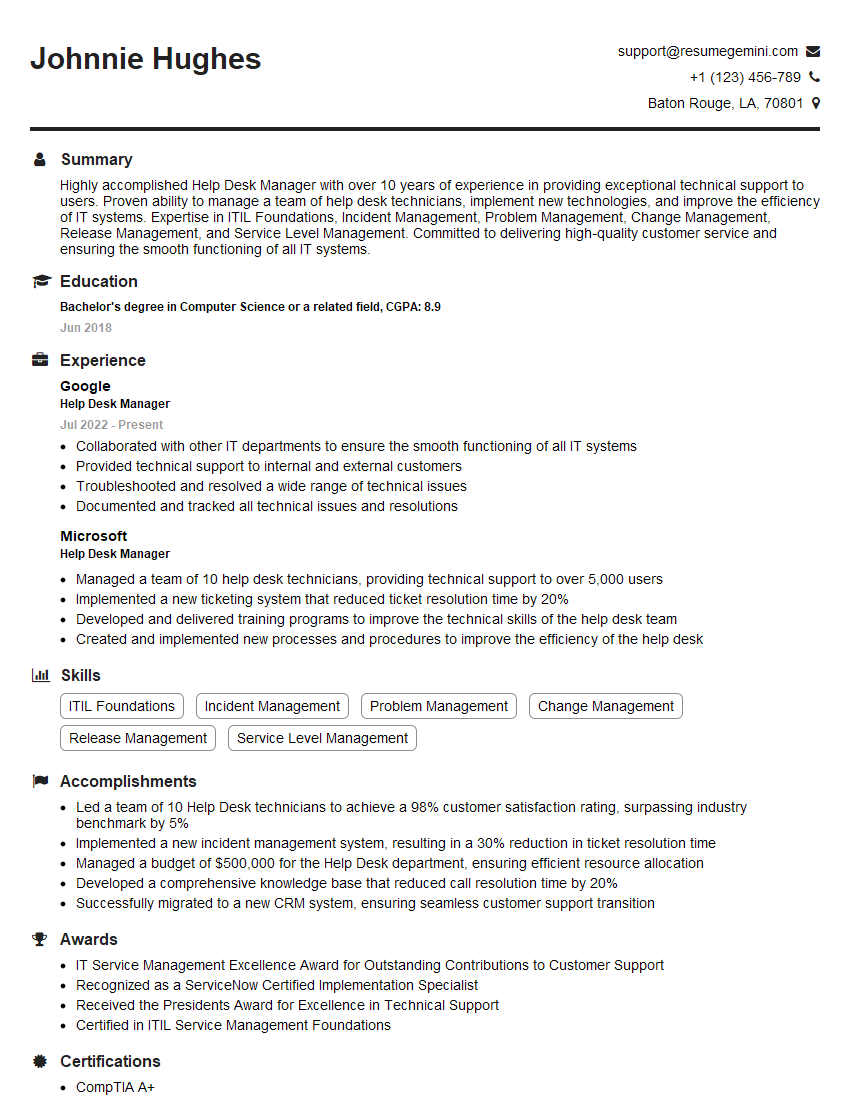
Help Desk Manager Resume Sample

IT Manager Resume Sample

IT Project Manager Resume Sample

Hardware Engineer Resume Sample

IT Support Specialist Resume Sample

Database Administrator Resume Sample

DevOps Engineer Resume Sample

Cloud Architect Resume Sample
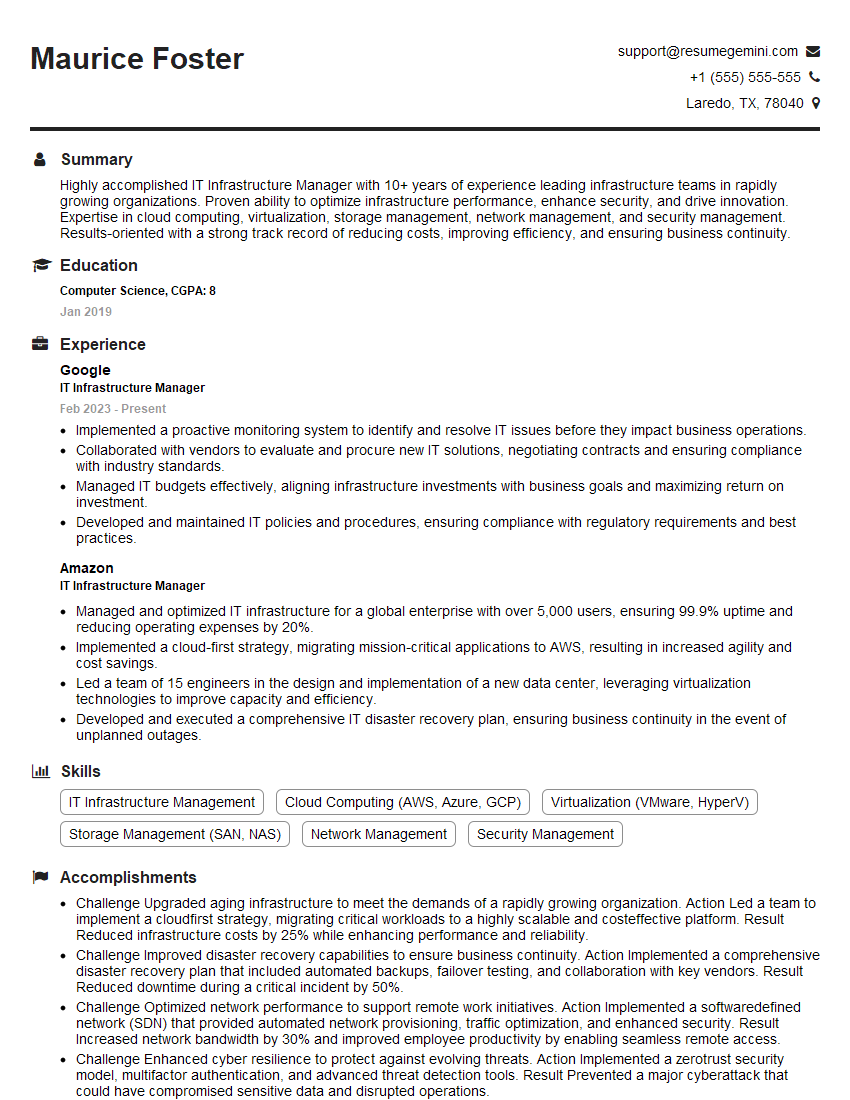
IT Infrastructure Manager Resume Sample
Explore more articles
Users Rating of Our Blogs
Share Your Experience
We value your feedback! Please rate our content and share your thoughts (optional).
What Readers Say About Our Blog
I Redesigned Spongebob Squarepants and his main characters of my artwork.
https://www.deviantart.com/reimaginesponge/art/Redesigned-Spongebob-characters-1223583608
IT gave me an insight and words to use and be able to think of examples
Hi, I’m Jay, we have a few potential clients that are interested in your services, thought you might be a good fit. I’d love to talk about the details, when do you have time to talk?
Best,
Jay
Founder | CEO