Cracking a skill-specific interview, like one for Set-Up and Operation, requires understanding the nuances of the role. In this blog, we present the questions you’re most likely to encounter, along with insights into how to answer them effectively. Let’s ensure you’re ready to make a strong impression.
Questions Asked in Set-Up and Operation Interview
Q 1. Describe your experience with troubleshooting complex system setups.
Troubleshooting complex system setups requires a systematic approach. I begin by gathering all available information: error logs, system metrics, user reports, and even network diagrams. My process then involves a combination of deductive reasoning and iterative testing. I start by isolating the problem, focusing on potential root causes, and working my way down through layers of the system. For example, if a web application is down, I might first check the web server, then the database, then the network connectivity, and finally the application code itself. I use tools like tcpdump for network analysis and strace for system call tracing to pinpoint bottlenecks or errors. I document every step, including unsuccessful attempts, to avoid repeating mistakes and to build a knowledge base for future reference. Successful troubleshooting involves a healthy dose of patience and persistence. The critical part is to break the problem down into smaller, more manageable pieces.
For instance, in a recent project involving a distributed microservice architecture, a sudden surge in latency affected one specific service. By analyzing logs and monitoring tools, I discovered a memory leak in the service’s codebase, which I then resolved by implementing appropriate resource management strategies. This resulted in a significant performance improvement and restoration of normal operation.
Q 2. Explain your process for documenting system configurations.
Thorough documentation is vital for maintainability and troubleshooting. My process involves maintaining configuration management databases (CMDBs), using tools like Ansible, Puppet, or Chef to store system configurations and automate deployments. I also utilize version control systems like Git to track changes and allow rollbacks. Besides these automated tools, I create detailed documentation, including diagrams illustrating system architecture, network topology, and data flow. This documentation encompasses both high-level overviews and granular details of individual components. I include explanations of critical settings, dependencies, and operational procedures. This documentation is always kept up-to-date, acting as a single source of truth for all system-related information. I believe well-structured documentation is the cornerstone of efficient and reliable system management. It significantly reduces the time required for onboarding new team members and troubleshooting issues.
Q 3. How do you ensure system uptime and availability?
Ensuring system uptime and availability involves a multi-pronged strategy. It begins with designing for redundancy, using technologies like load balancing, failover clusters, and geographically distributed systems. Regular backups and disaster recovery planning are crucial to minimize the impact of unforeseen events. Proactive monitoring is paramount, allowing for early detection and mitigation of potential problems. I use a combination of system monitoring tools, such as Nagios, Zabbix, or Prometheus, to track key metrics, such as CPU utilization, memory usage, and network traffic. Automated alerts notify me of any anomalies, enabling swift intervention. Regular system maintenance, including software updates, security patching, and performance optimization, is vital for preventing disruptions. Finally, having a robust incident response plan, with clearly defined roles and procedures, is key to handling outages efficiently. This plan should include communication protocols to keep stakeholders informed during incidents.
Q 4. What are your preferred methods for monitoring system performance?
My preferred methods for monitoring system performance involve a layered approach. I use a combination of built-in operating system tools, dedicated monitoring software, and custom scripts. For example, I utilize top and htop (Linux) or Task Manager (Windows) for real-time system resource utilization. For more comprehensive monitoring, I rely on tools like Prometheus and Grafana for visualizing metrics, identifying trends, and generating alerts. These tools allow for granular monitoring of various system components, including databases, web servers, and application servers. For network monitoring, I use tools such as tcpdump, Wireshark, and SolarWinds. I also develop custom scripts tailored to specific applications or processes to capture metrics not readily available through standard monitoring tools. This layered approach provides a holistic view of system performance, allowing for effective capacity planning and problem resolution.
Q 5. Describe a time you had to quickly resolve a critical system issue.
During a recent incident, our primary database server experienced a critical failure, leading to a complete outage of our main web application. This happened during a peak usage period, causing significant disruption. My immediate response was to activate our disaster recovery plan. This involved switching over to a secondary database server that we regularly tested and kept in a ready state. While this mitigated the immediate impact, the root cause investigation involved analyzing database logs and server hardware logs to identify the point of failure. We quickly discovered a hardware failure in the primary server’s RAID array. Once the hardware was replaced, we were able to restore the application fully and prevented further downtime. This experience highlighted the importance of redundancy and the need for regular disaster recovery drills.
Q 6. How do you handle conflicting priorities during system setup and operation?
Handling conflicting priorities requires careful prioritization and communication. I use a combination of techniques, including agile methodologies and risk assessment frameworks. I begin by clearly defining the scope and objectives of each task. Then, I assess the risks and potential impact of delaying each task. High-priority tasks, those with the greatest risk or impact, are addressed first. I communicate proactively with stakeholders, keeping them updated on progress and potential delays. Transparency is crucial in managing expectations. When necessary, I actively negotiate deadlines and scope, ensuring that the most critical tasks are completed effectively. Efficient time management and clear communication are essential in navigating conflicting priorities, ensuring that the most crucial system functions are always prioritized.
Q 7. What experience do you have with automation tools for system setup?
I have extensive experience with various automation tools for system setup, including Ansible, Puppet, Chef, and Terraform. Ansible, for example, is excellent for automating configuration management across multiple servers using simple YAML files. ansible-playbook my_playbook.yml is a typical command to execute. Puppet and Chef are more robust solutions suitable for complex infrastructure management. I leverage Terraform for infrastructure as code (IaC), automating the provisioning of virtual machines and other cloud resources. The use of these tools dramatically reduces manual effort, minimizes errors, and enhances consistency across different environments. These tools are essential for managing complex and dynamic infrastructures, supporting efficient and repeatable deployments and configurations. They allow for faster deployment, less human error, and improved consistency in system environments.
Q 8. Explain your understanding of disaster recovery and business continuity planning.
Disaster Recovery (DR) and Business Continuity Planning (BCP) are crucial for ensuring an organization’s survival in the face of unforeseen events. DR focuses on restoring IT systems and data after a disaster, while BCP encompasses a broader scope, covering all aspects of the business to minimize disruption and maintain operations.
A robust BCP typically involves risk assessment, identifying critical business functions, developing recovery strategies (e.g., failover systems, data backups), and establishing communication protocols. DR plans, a subset of BCP, detail the technical procedures for restoring systems and data, often using techniques like data replication, virtualization, and cloud-based solutions.
For example, imagine a bank experiencing a major server failure. The DR plan would outline the steps to restore online banking services using a geographically separate backup data center. The BCP would address the broader implications, such as informing customers, maintaining teller operations, and ensuring regulatory compliance.
- Risk Assessment: Identifying potential threats like natural disasters, cyberattacks, and equipment failures.
- Business Impact Analysis (BIA): Determining the impact of disruptions on various business functions.
- Recovery Time Objective (RTO): Defining the acceptable downtime for critical systems.
- Recovery Point Objective (RPO): Specifying the acceptable data loss in case of a disaster.
Q 9. How do you ensure data security within your operational processes?
Data security is paramount in my operational processes. My approach is multifaceted and incorporates several key strategies.
- Access Control: Implementing robust access control mechanisms, including role-based access control (RBAC) and multi-factor authentication (MFA), to restrict access to sensitive data only to authorized personnel. For instance, database administrators might have full access, while regular users only have read-only access to relevant data.
- Data Encryption: Encrypting data both in transit (using HTTPS and VPNs) and at rest (using encryption tools and technologies) to protect it from unauthorized access even if a breach occurs. Think of it as locking your data in a vault.
- Regular Security Audits: Conducting regular security audits and vulnerability assessments to identify and address potential weaknesses in our systems and processes. This is like inspecting your vault regularly for any signs of compromise.
- Security Awareness Training: Providing regular security awareness training to all staff to educate them about phishing scams, social engineering, and safe password practices. Essentially, educating everyone on how to protect the ‘keys’ to the vault.
- Incident Response Plan: Having a well-defined incident response plan to handle security breaches effectively, minimizing damage and ensuring prompt recovery. This plan serves as our emergency response protocol if the vault is compromised.
Q 10. What is your experience with different operating systems (e.g., Windows, Linux)?
I possess extensive experience with both Windows and Linux operating systems. My experience spans server administration, system optimization, troubleshooting, and security hardening.
In Windows environments, I’m proficient in managing Active Directory, deploying Group Policy Objects, and troubleshooting various Windows Server issues. I’ve worked with different Windows Server versions, from 2012 R2 to the latest releases. For example, I’ve deployed and managed Hyper-V virtual machines in a large-scale Windows Server environment.
With Linux, I’m comfortable working with distributions such as Red Hat Enterprise Linux (RHEL), CentOS, and Ubuntu. My expertise includes system administration using command-line interfaces, configuring networking services, managing user accounts, and securing Linux servers against vulnerabilities. Specifically, I have extensive experience in scripting with Bash and automating system tasks using tools like Ansible.
My knowledge allows me to choose the best operating system for a given task, considering factors such as cost, performance, security requirements, and available skills within the team.
Q 11. Describe your experience with network infrastructure setup and management.
My experience with network infrastructure setup and management is comprehensive. This includes designing, implementing, and maintaining both physical and virtual networks.
- Network Design: Designing network topologies, selecting appropriate hardware (routers, switches, firewalls), and ensuring network scalability and security. I’ve worked with various network architectures, including LANs, WANs, and VPNs.
- Implementation: Configuring network devices, implementing routing protocols (BGP, OSPF), and setting up network security features like firewalls and intrusion detection systems (IDS).
- Maintenance: Monitoring network performance, troubleshooting network issues, and ensuring network uptime. I’ve used monitoring tools like Nagios and Zabbix to track network health.
- Cloud Networking: Experience working with cloud-based networking solutions like AWS VPC, Azure Virtual Network, and Google Cloud Networking.
For instance, I was involved in designing and implementing a highly available network infrastructure for a large e-commerce company, ensuring minimal downtime during peak shopping seasons. This involved load balancing across multiple servers, redundancy in network devices, and implementing robust security measures.
Q 12. How do you stay current with the latest technologies in setup and operations?
Staying current in the rapidly evolving field of setup and operations requires a proactive approach. I employ several strategies:
- Professional Certifications: Obtaining and maintaining relevant professional certifications such as CompTIA, AWS, or Microsoft certifications demonstrates a commitment to continuous learning and validates my expertise.
- Online Courses and Webinars: Regularly participating in online courses and webinars offered by platforms like Coursera, Udemy, and various technology vendors to learn about new technologies and best practices.
- Industry Conferences and Events: Attending industry conferences and events to network with other professionals and stay abreast of the latest trends and developments.
- Technical Blogs and Publications: Following technical blogs, publications, and online forums to stay informed about new tools, techniques, and security vulnerabilities.
- Hands-on Projects: Engaging in personal projects using new technologies to gain practical experience and solidify my understanding.
This multi-pronged approach ensures that my skills remain sharp and relevant, allowing me to efficiently address emerging challenges and leverage the latest advancements in setup and operations.
Q 13. Explain your approach to capacity planning for system resources.
Capacity planning is critical for ensuring system resources can handle current and future workloads. My approach is data-driven and involves several key steps:
- Baseline Monitoring: Gathering baseline data on current resource utilization (CPU, memory, disk I/O, network bandwidth) using monitoring tools. This provides a snapshot of the current situation.
- Workload Forecasting: Forecasting future resource demands based on historical trends, projected growth, and anticipated changes in business operations. This helps predict future needs.
- Performance Testing: Conducting performance tests to simulate peak loads and identify potential bottlenecks. This helps determine the system’s breaking point.
- Resource Allocation: Developing strategies for allocating resources efficiently to meet projected demands, including techniques like vertical scaling (increasing individual server resources), horizontal scaling (adding more servers), and cloud-based solutions.
- Contingency Planning: Planning for unexpected surges in demand and establishing strategies for handling them. This is crucial for handling unforeseen events.
For example, in planning for an e-commerce website’s annual sale, I would analyze past sales data to project traffic increases, perform load tests to determine the required server capacity, and then procure or provision additional resources accordingly. This ensures that the website remains responsive and available even during peak demand.
Q 14. How do you handle escalations and communication during critical incidents?
Handling escalations and communicating during critical incidents requires a structured and efficient approach. My strategy focuses on clear communication, rapid response, and collaborative problem-solving.
- Clear Communication Channels: Establishing clear communication channels using tools like collaboration platforms and dedicated communication lines for incident reporting and updates.
- Incident Management System: Utilizing an incident management system to track incidents, assign responsibilities, and monitor progress. This ensures nothing falls through the cracks.
- Regular Updates: Providing regular updates to stakeholders on the status of the incident, potential impact, and estimated resolution time. Transparency is vital during crises.
- Post-Incident Review: Conducting a post-incident review to identify the root cause of the incident, lessons learned, and areas for improvement in incident response processes. Learning from past mistakes is critical.
In a real-world scenario, if a major network outage occurs, I would immediately initiate the incident response plan, informing key stakeholders, assigning teams to investigate the problem, and communicating progress updates through pre-determined channels. Post-incident, we’d analyze what happened to prevent future occurrences.
Q 15. Describe your experience with scripting or programming for automation.
Automation is key to efficient setup and operations. My experience spans several scripting languages, primarily Python and Bash. I’ve used Python extensively for automating complex tasks like data processing, system configuration management, and API interactions. For example, I developed a Python script to automate the deployment of our application servers across multiple cloud instances, significantly reducing deployment time from hours to minutes. This script handled everything from provisioning VMs to configuring security groups and installing necessary software. Bash scripting has been invaluable for automating repetitive system administration tasks such as user account management, log analysis, and scheduled backups.
In another project, I used Ansible, a powerful automation tool, to manage the configuration of hundreds of servers. Ansible’s declarative approach allowed me to easily define the desired state of the servers and let Ansible handle the complexities of achieving that state across all servers. This eliminated manual configuration and drastically reduced the risk of human error.
# Example Python snippet for automating file transfers:
import shutil
source = '/path/to/source/file'
destination = '/path/to/destination/'
shutil.copy2(source, destination)
Career Expert Tips:
- Ace those interviews! Prepare effectively by reviewing the Top 50 Most Common Interview Questions on ResumeGemini.
- Navigate your job search with confidence! Explore a wide range of Career Tips on ResumeGemini. Learn about common challenges and recommendations to overcome them.
- Craft the perfect resume! Master the Art of Resume Writing with ResumeGemini’s guide. Showcase your unique qualifications and achievements effectively.
- Don’t miss out on holiday savings! Build your dream resume with ResumeGemini’s ATS optimized templates.
Q 16. What metrics do you use to track the success of your setup and operations efforts?
Measuring the success of setup and operations efforts requires a multifaceted approach. We track several key metrics, categorized broadly into availability, performance, and security. For availability, we monitor uptime, mean time to recovery (MTTR), and the frequency of incidents. Performance metrics include response times, throughput, resource utilization (CPU, memory, disk I/O), and error rates. Security metrics encompass successful security audits, number of security vulnerabilities detected and remediated, and the frequency of security breaches (or attempted breaches).
For instance, if our application’s average response time increases beyond a defined threshold, we investigate the root cause, which might be increased database load or a network bottleneck. We use monitoring tools like Prometheus and Grafana to visualize these metrics and set up alerts to notify us of anomalies. We also regularly review our incident management process to identify areas for improvement and reduce MTTR.
Q 17. How do you collaborate with other teams during system deployments?
Effective collaboration is essential for successful system deployments. My approach involves proactive communication and planning with all relevant teams, including development, testing, security, and network teams. This typically starts with a detailed deployment plan outlining timelines, responsibilities, and potential risks. We use project management tools like Jira to track progress and manage tasks. Regular meetings – both before and during the deployment – are held to discuss updates, address issues, and ensure everyone is aligned.
For example, before a major deployment, we’ll conduct a thorough review with the development team to ensure the application is stable and tested. With the security team, we’ll validate the security configuration of the new infrastructure to identify and mitigate potential vulnerabilities. Post-deployment, we conduct a thorough review to identify lessons learned and areas for improvement in our collaborative process.
Q 18. Explain your experience with different cloud platforms (e.g., AWS, Azure, GCP).
I have extensive experience with major cloud platforms, including AWS, Azure, and GCP. My experience encompasses provisioning and managing virtual machines, configuring networking infrastructure (VPNs, subnets, load balancers), deploying and managing databases, implementing serverless functions, and leveraging managed services to streamline operations. I’m proficient in using their respective command-line interfaces (CLIs) and management consoles.
For example, on AWS, I’ve worked extensively with EC2 for compute, S3 for storage, RDS for databases, and Lambda for serverless functions. On Azure, I’ve used Virtual Machines, Azure Blob Storage, Azure SQL Database, and Azure Functions. With GCP, my experience includes Compute Engine, Cloud Storage, Cloud SQL, and Cloud Functions. I understand the strengths and weaknesses of each platform and can choose the best option for a given project, considering factors like cost, scalability, and specific feature requirements.
Q 19. How do you ensure compliance with relevant industry regulations?
Compliance is a top priority. My experience includes working with various industry regulations, such as HIPAA, PCI DSS, and SOC 2. To ensure compliance, we implement robust security measures, including access control, data encryption, regular security audits, and vulnerability scanning. We maintain detailed documentation of our security policies and procedures. We also regularly train our team members on compliance requirements and best practices.
For instance, when working with sensitive patient data (HIPAA), we ensure data is encrypted both in transit and at rest. We also regularly conduct penetration testing to identify and address potential vulnerabilities. Compliance is not a one-time event but an ongoing process of monitoring, updating, and improving our security posture.
Q 20. What experience do you have with system backups and restoration procedures?
System backups and restoration are critical for business continuity. My experience encompasses designing, implementing, and managing backup and recovery procedures for various systems. This includes selecting appropriate backup strategies (full, incremental, differential), using backup software (e.g., Veeam, Backup Exec), testing restoration procedures regularly, and ensuring backups are stored securely (offsite). We maintain detailed documentation of our backup and recovery procedures, including recovery time objectives (RTOs) and recovery point objectives (RPOs).
In a previous role, we implemented a three-site backup strategy: primary on-site backups, secondary off-site backups, and a tertiary cloud-based backup. This layered approach ensured that we could recover from any disaster scenario, whether a local hardware failure or a widespread natural disaster.
Q 21. Describe your experience with virtualization technologies.
Virtualization technologies are fundamental to modern infrastructure management. I have extensive experience with VMware vSphere, Microsoft Hyper-V, and KVM. My expertise includes creating and managing virtual machines (VMs), configuring virtual networks, implementing high-availability solutions using clustering, deploying virtual appliances, and managing virtual storage. I understand the benefits of virtualization, such as resource optimization, improved scalability, and enhanced disaster recovery capabilities.
For instance, I’ve used VMware vSphere to consolidate physical servers into a virtualized environment, significantly reducing our server footprint and energy consumption. We leverage vSphere’s HA and DRS features to ensure high availability and efficient resource allocation. This allows for greater agility and reduces downtime in the event of a server failure.
Q 22. How do you handle system upgrades and patching?
System upgrades and patching are crucial for maintaining system stability, security, and performance. My approach is methodical and risk-averse, prioritizing thorough planning and testing. It involves several key steps:
- Planning and Scheduling: Before any upgrade or patching, I thoroughly research the update, assessing compatibility with existing hardware and software. I create a detailed plan, including downtime windows to minimize disruption. For example, I might schedule a patch deployment during off-peak hours to avoid impacting users.
- Testing in a Staging Environment: I always test upgrades and patches in a dedicated staging environment that mirrors the production system. This allows me to identify and resolve any potential issues before deploying to the live system. This prevents unexpected outages and data loss in the production environment. For example, I would test the patch on a virtual machine that closely resembles the production server, replicating configurations and databases.
- Backups: Before any significant upgrade, I ensure a full system backup is performed. This safeguards against data loss in the unlikely event of an unforeseen issue during the upgrade process. I use multiple backup methods for redundancy.
- Rollback Plan: A well-defined rollback plan is essential. This includes detailed steps to revert to the previous system state in case the upgrade fails. This plan is tested alongside the upgrade in the staging environment.
- Monitoring and Post-Upgrade Assessment: After deploying the upgrade, I closely monitor system performance and stability. This includes reviewing system logs and performance metrics. This post-upgrade analysis helps identify and rectify any subtle issues that might arise only after the update is live.
This structured approach minimizes risk and ensures a smooth upgrade process, maintaining system uptime and preventing potential disruptions.
Q 23. Explain your experience with database administration and management.
My experience with database administration and management spans several years and various database systems, including MySQL, PostgreSQL, and SQL Server. My responsibilities have encompassed the entire lifecycle, from initial design and setup to ongoing maintenance and optimization.
- Database Design and Implementation: I’ve designed and implemented relational databases, ensuring data integrity and efficient query performance. This includes designing appropriate schema, indexes, and constraints to meet specific business requirements.
- Performance Tuning and Optimization: I’ve used various techniques, including query optimization, index tuning, and database caching, to improve database performance and reduce response times. For example, I’ve used tools like MySQL’s
EXPLAINcommand to analyze slow queries and identified bottlenecks by profiling database operations. - Backup and Recovery: I’ve developed robust backup and recovery strategies to protect against data loss, including using both full and incremental backups and implementing point-in-time recovery strategies. Regular testing of these recovery processes is crucial.
- Security: Database security is paramount. I’ve implemented security best practices, such as user access control, encryption, and regular security audits, to protect sensitive data.
- Monitoring and Maintenance: I’ve used monitoring tools to track database performance, identify potential problems proactively, and maintain the database’s health. Regular maintenance tasks such as database cleanup, schema updates, and statistical updates are essential.
In one project, I significantly improved the performance of a high-traffic e-commerce database by optimizing queries and adding appropriate indexes, resulting in a 50% reduction in query execution times.
Q 24. Describe your experience with IT security best practices.
IT security is a top priority in any system administration role. My experience encompasses a wide range of best practices, including:
- Access Control: Implementing strong password policies, multi-factor authentication, and role-based access control (RBAC) to restrict access to sensitive systems and data.
- Network Security: Configuring firewalls, intrusion detection/prevention systems (IDS/IPS), and virtual private networks (VPNs) to protect the network infrastructure from unauthorized access and cyber threats.
- Vulnerability Management: Regularly scanning systems for vulnerabilities and implementing patches to address identified weaknesses. This includes using automated vulnerability scanners and manually reviewing security logs.
- Data Security: Encrypting sensitive data both in transit and at rest using encryption algorithms and technologies. Regularly backing up data and securely storing backups offsite.
- Security Awareness Training: Educating users about security risks and best practices to prevent social engineering attacks and phishing scams. This often includes regular training sessions and awareness campaigns.
- Incident Response: Developing and practicing incident response plans to handle security incidents effectively and minimize damage. This includes identifying, containing, eradicating, recovering, and conducting post-incident reviews.
I have a strong understanding of various security frameworks, such as NIST Cybersecurity Framework and ISO 27001, and tailor my approach to meet the specific security requirements of each organization.
Q 25. What is your approach to performance tuning and optimization?
Performance tuning and optimization are iterative processes aimed at improving system responsiveness and efficiency. My approach is data-driven, combining monitoring, analysis, and strategic adjustments.
- Monitoring and Profiling: I start by using monitoring tools to identify performance bottlenecks. This includes analyzing CPU usage, memory consumption, disk I/O, and network traffic. Profiling tools help pinpoint specific code sections or database queries causing slowdowns.
- Code Optimization: I optimize code for efficiency, reducing redundant operations and improving algorithm efficiency. For example, I might replace inefficient algorithms with more optimized ones, or use caching mechanisms to reduce database queries.
- Database Optimization: I optimize database queries, adding indexes where necessary, and tuning database parameters to enhance query performance. Analyzing query plans helps to identify areas for improvement.
- Hardware Upgrades: If performance limitations are due to hardware constraints (e.g., insufficient RAM, slow storage), I recommend and implement necessary hardware upgrades. This could involve upgrading CPUs, increasing memory, or moving to faster storage solutions (like SSDs).
- Load Balancing: For applications with high traffic, load balancing distributes traffic across multiple servers, preventing any single server from becoming overloaded. This ensures consistent performance and high availability.
For instance, in a previous role, I improved the performance of a web application by 70% by optimizing database queries, implementing caching, and upgrading the web server’s hardware.
Q 26. How do you document and maintain system configuration and procedures?
Thorough documentation and maintenance of system configurations and procedures are critical for ensuring system stability, enabling efficient troubleshooting, and facilitating knowledge transfer. My approach involves:
- Configuration Management: I use configuration management tools (like Ansible, Puppet, or Chef) to automate system configuration and ensure consistency across multiple systems. This reduces errors and improves reproducibility.
- Version Control: All configuration files and scripts are stored in a version control system (like Git), allowing for easy tracking of changes and rollback capabilities. This ensures that configurations are auditable and recoverable.
- Documentation: I maintain comprehensive documentation, including diagrams, step-by-step instructions, and troubleshooting guides. Documentation is updated regularly to reflect any changes made to the system. This is usually stored in a wiki or a dedicated documentation repository.
- Runbooks: For critical processes and procedures, I create detailed runbooks that outline every step, including potential error conditions and recovery steps. This ensures consistency and efficiency during maintenance tasks.
- Knowledge Base: I contribute to a knowledge base that centralizes information about the system, making it easily accessible to other team members. This facilitates efficient collaboration and problem-solving.
I believe that well-maintained documentation is a key factor in the long-term success of any IT system. It improves efficiency, reduces downtime, and ensures that critical knowledge is not lost when team members leave.
Q 27. Explain your experience with remote system administration and troubleshooting.
Remote system administration and troubleshooting are commonplace in modern IT environments. My expertise involves leveraging secure remote access tools and employing effective troubleshooting techniques:
- Secure Remote Access: I utilize secure remote access tools such as SSH (for Linux/Unix systems) and RDP (for Windows systems), ensuring all connections are encrypted to protect against unauthorized access. I avoid using less secure protocols.
- Remote Monitoring Tools: I leverage remote monitoring tools to proactively identify and address potential issues before they affect users. These tools provide real-time system information and alerts.
- Troubleshooting Methodology: I follow a systematic approach to troubleshooting remote issues, starting with gathering information (logs, error messages), reproducing the problem, and then systematically eliminating potential causes. This often involves using remote commands and debugging tools.
- Remote Logging and Diagnostics: I configure remote systems to send logs and diagnostic information to a central location. This facilitates remote analysis of system behavior and allows for quick identification of problems.
- Remote Scripting and Automation: I use scripting languages (like Python or Bash) to automate routine remote administration tasks, reducing manual effort and improving efficiency. This is crucial for managing a large number of servers.
I recently resolved a critical production issue remotely by quickly identifying a faulty configuration setting on a remote server using remote diagnostics and scripting. The issue was resolved within minutes, minimizing downtime.
Key Topics to Learn for Set-Up and Operation Interview
- Hardware Setup and Configuration: Understanding the intricacies of setting up various hardware components, including servers, networking equipment, and peripherals. Consider practical scenarios involving troubleshooting hardware malfunctions and optimizing performance.
- Software Installation and Deployment: Mastering the process of installing, configuring, and deploying software applications, including operating systems, databases, and applications. Focus on best practices for efficient and error-free deployments and understanding version control.
- Network Configuration and Troubleshooting: Gaining a strong grasp of network topologies, protocols (TCP/IP, etc.), and troubleshooting techniques for network connectivity issues. Practice diagnosing and resolving common network problems.
- Security Best Practices: Familiarize yourself with implementing security measures during setup and operation, including access controls, firewalls, and data encryption. Understand the importance of adhering to security protocols.
- Documentation and Reporting: Develop your skills in creating clear and concise documentation for setup procedures and troubleshooting logs. Practice effective reporting techniques for both successful deployments and incidents.
- System Monitoring and Maintenance: Learn how to monitor system performance, identify potential issues proactively, and implement preventative maintenance strategies. Understanding performance metrics and log analysis is crucial.
- Disaster Recovery and Business Continuity: Explore strategies for recovering from system failures and ensuring business continuity. Understand backup and restore procedures, and the importance of redundancy.
- Problem-Solving and Critical Thinking: Develop your ability to analyze complex situations, identify root causes of problems, and devise effective solutions under pressure. Practice applying your technical knowledge to real-world scenarios.
Next Steps
Mastering Set-Up and Operation skills is vital for career advancement in today’s technology-driven world. These skills are highly sought after, opening doors to diverse and rewarding opportunities. To maximize your job prospects, it’s crucial to create a compelling and ATS-friendly resume that highlights your expertise. We encourage you to leverage ResumeGemini, a trusted resource for building professional resumes. ResumeGemini provides examples of resumes tailored specifically to Set-Up and Operation roles, helping you showcase your skills effectively and increase your chances of landing your dream job.

Network Administrator Resume Sample

Network Engineer Resume Sample

Systems Administrator Resume Sample

Infrastructure Engineer Resume Sample

Technical Support Specialist Resume Sample

Help Desk Analyst Resume Sample
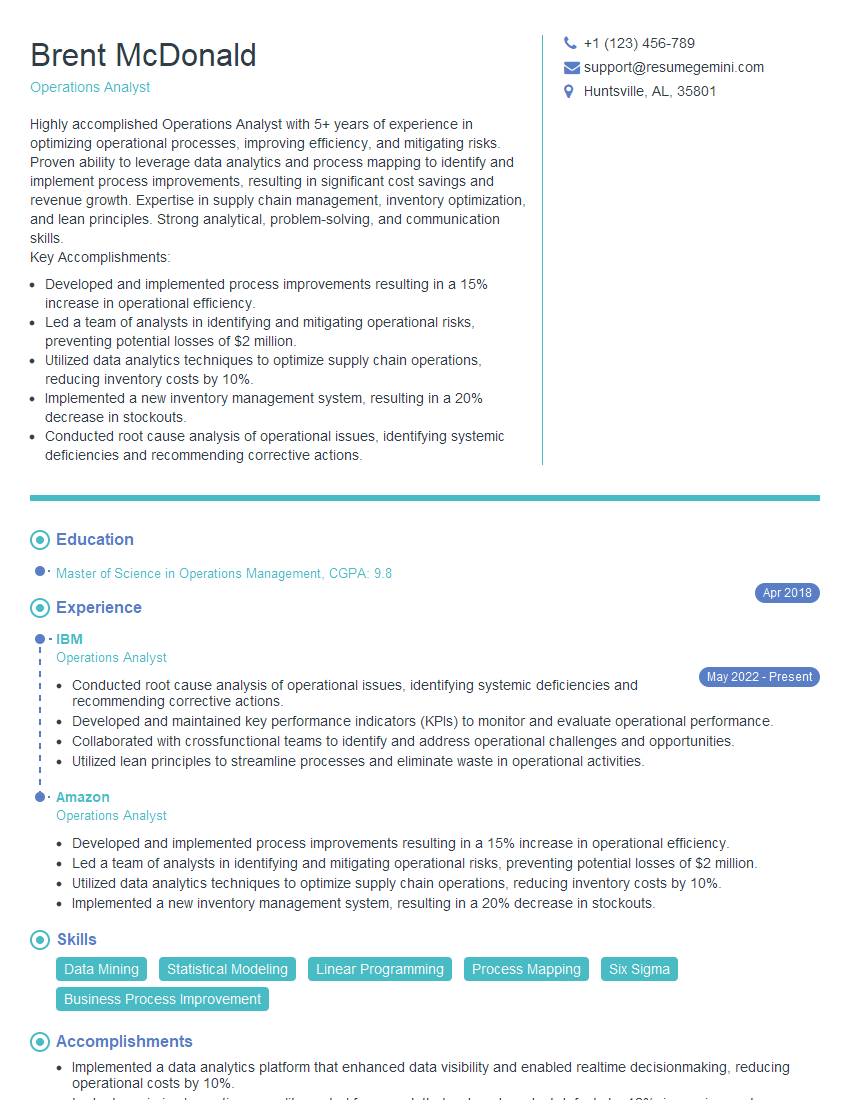
Operations Analyst Resume Sample

Field Service Engineer Resume Sample
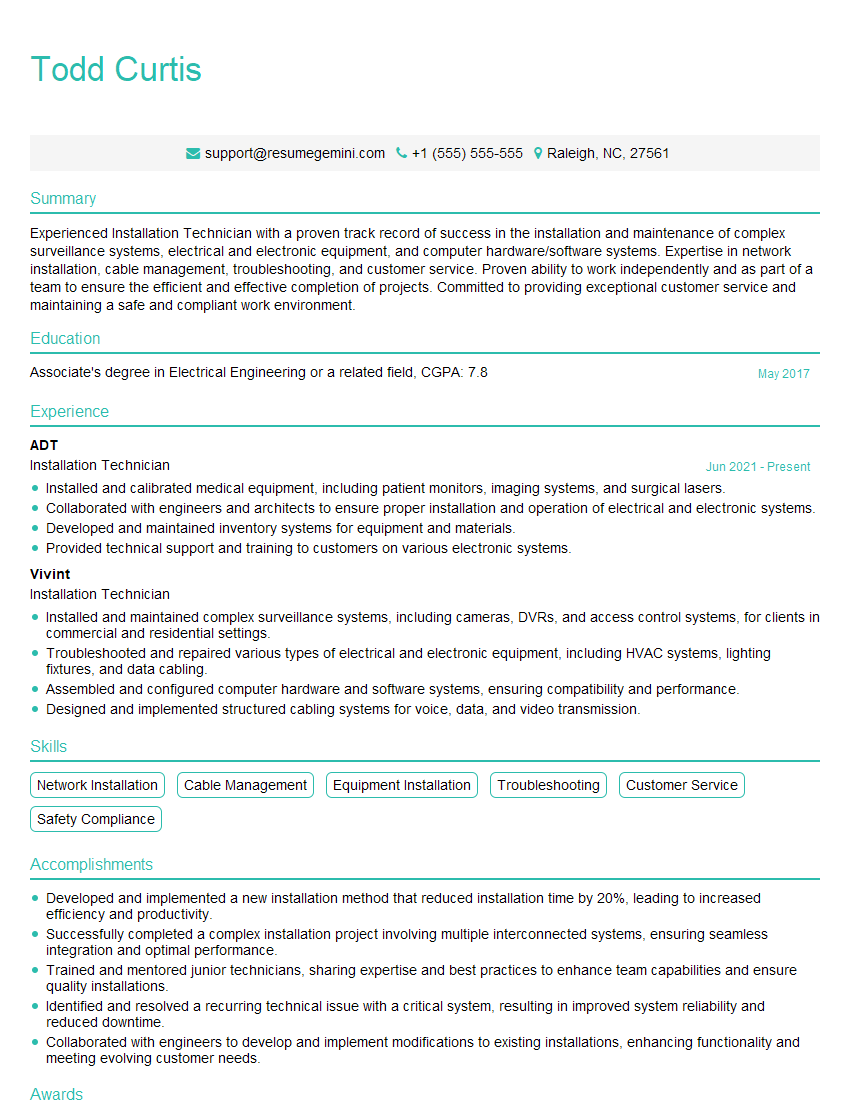
Installation Technician Resume Sample

Database Administrator Resume Sample

DevOps Engineer Resume Sample
Explore more articles
Users Rating of Our Blogs
Share Your Experience
We value your feedback! Please rate our content and share your thoughts (optional).
What Readers Say About Our Blog
I Redesigned Spongebob Squarepants and his main characters of my artwork.
https://www.deviantart.com/reimaginesponge/art/Redesigned-Spongebob-characters-1223583608
IT gave me an insight and words to use and be able to think of examples
Hi, I’m Jay, we have a few potential clients that are interested in your services, thought you might be a good fit. I’d love to talk about the details, when do you have time to talk?
Best,
Jay
Founder | CEO