Interviews are opportunities to demonstrate your expertise, and this guide is here to help you shine. Explore the essential Teaching Braille and assistive technology skills interview questions that employers frequently ask, paired with strategies for crafting responses that set you apart from the competition.
Questions Asked in Teaching Braille and assistive technology skills Interview
Q 1. Explain the different Braille codes and their applications.
Braille is a tactile writing system used by visually impaired individuals. Several Braille codes exist, each with specific applications.
- Grade 1 Braille: This is a literal translation of print; each letter is represented by a unique dot pattern. For example, ‘a’ is represented by one dot in the first position (
⠁), ‘b’ by two dots in the first column (⠃), and so on. It’s simple to learn but inefficient for longer texts. - Grade 2 Braille: This uses contractions and abbreviations to make writing and reading more efficient. Common words and letter combinations are represented by single symbols. For example, ‘ch’ might have its own unique pattern. It significantly speeds up reading and writing compared to Grade 1 but requires more memorization.
- Grade 3 Braille: This is rarely used today and is largely a transitional system. It’s essentially Grade 1 with a few contractions, lacking the comprehensive system of Grade 2.
- Nemeth Braille Code: This specialized code is used specifically for mathematics and scientific notation. It uses unique symbols for numbers, mathematical operations, and symbols that don’t exist in standard Braille.
- Computer Braille: This uses different symbol combinations for computer commands and codes, enabling efficient use of Braille with technology.
The choice of Braille code depends on the learner’s age, reading level, and the type of material being read (e.g., literature versus mathematics).
Q 2. Describe your experience teaching Braille to students with varying learning styles.
Teaching Braille requires adapting to diverse learning styles. I’ve worked with students who are kinesthetic learners, thriving through hands-on activities like tracing Braille characters, creating their own Braille sentences with raised-dot paper, and engaging in tactile games. Others are auditory learners, benefitting from verbal instructions, audio recordings of Braille texts, and using assistive technologies that provide auditory feedback.
Visual learners, while having a visual impairment, can still benefit from visual aids like diagrams illustrating Braille patterns or color-coded charts to differentiate contractions. I often combine methods to cater to each student’s unique needs. For instance, a student might trace Braille patterns (kinesthetic) while listening to an audio explanation (auditory) and then referring to a color-coded chart (visual).
I’ve found that creating a supportive and flexible learning environment, encouraging experimentation, and regularly assessing learning progress are key to effective instruction. Regular positive reinforcement keeps students motivated and helps build their confidence.
Q 3. How do you assess a student’s Braille reading and writing skills?
Assessing Braille proficiency involves both reading and writing components. For reading, I use progressively complex passages, starting with simple words and progressing to more challenging texts, including literature and factual materials. I observe accuracy, speed, and comprehension. Comprehension can be tested through oral questioning or requiring written responses in Braille.
For writing, students are asked to transcribe passages from print to Braille and vice versa. I assess accuracy of Braille patterns, consistency in spacing, and the ability to use contractions (for Grade 2). Timed tests can evaluate speed and fluency. I also observe the student’s technique and comfort level when using a slate and stylus or Braille writer. Formative assessment through ongoing class work and observation is as crucial as summative assessment through formal tests.
Q 4. What assistive technologies are you familiar with, and how would you integrate them into the classroom?
I am proficient in using various assistive technologies, including Braille displays, screen readers (JAWS, NVDA), refreshable Braille displays, optical character recognition (OCR) software, and Braille notetakers. These tools transform learning experiences.
In the classroom, Braille displays allow students to interact with digital text directly in Braille. Screen readers provide audio feedback, making digital materials accessible. OCR software converts printed documents into digital text, which can be read via a screen reader or Braille display. Braille notetakers enable students to take notes independently in Braille. Integrating these technologies requires careful planning, ensuring that all materials and assignments are accessible. I would provide targeted training to students on using these tools effectively and troubleshoot issues as they arise.
Q 5. Describe your experience with screen readers and other screen access technologies.
My experience with screen readers, such as JAWS and NVDA, is extensive. I understand their functions, including navigation, text-to-speech capabilities, and Braille display integration. I’ve used them to create accessible digital materials and guide students in their efficient use. I’m also familiar with other screen access technologies like screen magnification software and alternative input devices, adapting my teaching strategies to these technologies to optimize learning outcomes. For instance, I’d teach students keyboard shortcuts for efficient navigation within screen readers to enhance their independent learning and speed.
Q 6. How would you adapt your teaching methods for students with multiple disabilities?
Students with multiple disabilities require highly individualized instruction. For example, a student with both visual impairment and motor difficulties might need adapted writing tools like a larger stylus or alternative input methods for a computer. If they have cognitive impairments, instruction needs to be broken down into smaller, more manageable steps. Collaboration with other specialists like occupational therapists, physical therapists, and special education teachers is vital. Assistive technology is crucial – for example, a student with limited mobility might benefit from voice-activated software.
The key is flexibility and a willingness to adapt techniques based on individual student needs. Careful observation, frequent assessments, and consistent communication with the student and their support network are crucial for success. I would tailor all aspects of the learning process, from the physical environment to the assessment methods, ensuring they are fully inclusive and appropriate for the student’s unique abilities and challenges.
Q 7. How do you ensure inclusive learning environments for students with visual impairments?
Creating inclusive learning environments starts with physical accessibility. Classrooms need to be well-lit, with clear pathways and organized spaces to minimize the risk of accidents. All materials, whether print or digital, must be accessible. This includes providing Braille materials, audio recordings, large-print options, and digital versions with screen reader compatibility. I ensure tactile models, realia, and other hands-on resources are available, especially for subjects that rely heavily on visual information.
Equally important is the social and emotional climate. Students with visual impairments should be fully integrated into classroom activities. Peer support and inclusive classroom practices foster a sense of belonging. Regular communication with parents and other professionals ensures consistent support and understanding. I use collaborative learning techniques and encourage students to help and learn from each other, building a supportive and inclusive community.
Q 8. What strategies do you use to foster independence in students with visual impairments?
Fostering independence in students with visual impairments is paramount. It’s about empowering them to navigate their world confidently and efficiently, using their strengths and adapting to their challenges. This involves a multi-pronged approach focusing on practical skills, adaptive techniques, and a positive mindset.
- Braille Literacy: Proficiency in Braille is fundamental. We start with basic letter and number recognition, gradually progressing to reading complex texts and even Braille writing. This empowers them to access information independently, from textbooks to novels.
- Assistive Technology: Training students on using screen readers (like JAWS or NVDA), screen magnifiers, refreshable Braille displays, and other assistive technology is crucial. We teach them not just how to use the technology, but how to troubleshoot common problems, making them self-reliant in their technological needs. For example, I’ve had students learn to independently configure their screen readers to suit their specific preferences and reading styles.
- Orientation and Mobility (O&M): O&M training is vital for safe and independent travel. This includes cane techniques, spatial awareness, route planning, and using public transportation. I always emphasize the importance of building a mental map of their surroundings through tactile exploration and auditory cues.
- Adaptive Life Skills: This includes learning independent living skills such as cooking, laundry, and personal hygiene, all adapted to their visual needs. For instance, I teach students to use labeled containers, tactile markers on appliances, and auditory cues to assist in kitchen tasks.
- Self-Advocacy Skills: Teaching students to communicate their needs effectively and advocate for their accessibility requirements is equally important. We role-play various scenarios, helping them confidently express their needs in classrooms, public spaces, and even during job interviews.
By focusing on these areas, students learn to rely on themselves, building confidence and reducing their dependence on others.
Q 9. How do you address the emotional and social needs of students with visual impairments?
Addressing the emotional and social needs of students with visual impairments is as crucial as addressing their academic needs. Often, they face unique challenges related to self-esteem, social interaction, and integration into mainstream environments.
- Creating a Supportive Environment: A classroom that is inclusive, understanding, and accepting is paramount. This includes ensuring the physical space is accessible and providing opportunities for social interaction. We use icebreaker games and group activities to help students bond and learn about each other.
- Building Self-Esteem: Highlighting their strengths and achievements, celebrating their independence, and providing positive reinforcement are critical. Focus on what they can do rather than what they can’t. I often showcase their Braille writing or assistive technology skills to the whole class, boosting their confidence.
- Social Skills Training: Direct instruction in social skills, including communication strategies, conflict resolution, and making friends, is necessary. Role-playing different social situations helps students practice effective communication and develop confidence.
- Peer Support: Pairing students with sighted peers can foster friendships and provide opportunities for social learning and integration. Peer mentors can be incredibly valuable in helping visually impaired students navigate the social landscape of the school.
- Collaboration with Specialists: Working closely with school counselors, psychologists, and occupational therapists is essential in addressing any underlying emotional or behavioral issues. A multidisciplinary approach is key to comprehensive support.
It’s important to remember that each student is unique. A sensitive and individualized approach is vital to addressing their specific emotional and social needs and fostering their overall well-being.
Q 10. Describe your experience with IEP (Individualized Education Program) development and implementation.
IEP development and implementation is a collaborative process. I have extensive experience in participating in IEP meetings, contributing to goal setting, and monitoring student progress.
- Assessment and Data Collection: I meticulously gather data through various assessments, including vision evaluations, academic tests, and observations of the student’s performance in different settings. This data forms the foundation for the IEP.
- Goal Setting: We work collaboratively with parents, the student (when appropriate), and other professionals to establish measurable, achievable, relevant, and time-bound goals. These goals address academic, functional, and social-emotional needs.
- Program Implementation: I play a key role in implementing the IEP by providing specialized instruction, adapting curriculum materials, and integrating assistive technology into the learning process. Regular progress monitoring is critical.
- Documentation and Reporting: I meticulously document student progress, making regular updates on IEP goals. I communicate findings to parents and other team members regularly and participate actively in IEP review meetings.
- Example: In one case, we developed an IEP for a student struggling with reading comprehension. We identified specific areas of weakness, set achievable goals focused on improving reading fluency and comprehension, and incorporated assistive technology like a screen reader and Braille display. By regularly monitoring progress and adjusting strategies as needed, the student made significant improvements.
My focus is on ensuring that the IEP is a living document, constantly adapting to meet the evolving needs of the student. It’s not a static plan, but a dynamic tool for success.
Q 11. Explain your understanding of the different types of visual impairments.
Understanding the different types of visual impairments is essential for effective teaching. Visual impairments are categorized by visual acuity (sharpness of vision), visual field (extent of vision), and the presence of other visual conditions.
- Low Vision: Individuals with low vision have some usable vision, but it’s significantly impaired. This can range from mild to severe and may affect visual acuity, contrast sensitivity, or visual field. Magnification aids, large print materials, and adaptive lighting are commonly used.
- Blindness: Individuals classified as blind have little or no usable vision. They rely heavily on other senses, especially touch and hearing, and utilize Braille, assistive technology, and orientation and mobility skills.
- Visual Field Deficits: These conditions affect the area of vision an individual can see. Hemianopia, for example, involves loss of vision in half of the visual field. Strategies for this might include scanning techniques and organizational adaptations.
- Other Visual Conditions: These include conditions like nystagmus (involuntary eye movements), strabismus (crossed eyes), and color blindness. Each presents unique challenges requiring individualized teaching strategies.
It’s crucial to remember that the functional impact of a visual impairment varies greatly among individuals, even those with similar diagnoses. A thorough understanding of each student’s specific visual limitations and their functional implications is crucial for designing effective instructional strategies.
Q 12. How do you collaborate with parents and other professionals to support students with visual impairments?
Collaboration with parents and other professionals is vital for successful support of students with visual impairments. It’s a team effort.
- Parent Communication: Open and frequent communication with parents is crucial. I use various methods like regular phone calls, email updates, parent-teacher conferences, and progress reports to keep parents informed about their child’s academic and social progress, challenges encountered, and strategies used.
- Collaboration with Professionals: Working closely with other professionals such as ophthalmologists, orientation and mobility specialists, occupational therapists, and school counselors is essential. Regular team meetings allow us to share information, coordinate services, and develop a comprehensive support plan.
- Shared Goals: We work together to establish shared goals for the student, ensuring everyone is on the same page and working towards the same outcomes. This collaborative approach fosters consistency and strengthens support.
- Respectful Partnerships: I build respectful partnerships with parents and other professionals, valuing their expertise and insights. I consider parents as key members of the team, respecting their knowledge of their child’s needs and preferences.
- Example: I recently worked closely with a family and an O&M specialist to help a student navigate their school independently. We coordinated to ensure consistency in cane techniques and route planning between home and school, maximizing the student’s independence and safety.
By fostering strong partnerships, we create a cohesive and supportive network for the student, maximizing their potential and ensuring their successful integration into society.
Q 13. How would you troubleshoot common problems encountered with assistive technology devices?
Troubleshooting assistive technology is a key skill for educators working with students with visual impairments. Knowing how to identify and resolve common issues is vital for maintaining student independence and learning.
- Software Glitches: Screen readers can sometimes malfunction. Troubleshooting steps include restarting the computer, checking for software updates, and ensuring compatibility with the operating system. I teach students basic troubleshooting steps, like checking for error messages and restarting the program.
- Hardware Issues: Problems with Braille displays, refreshable Braille displays, or screen magnifiers might include connectivity issues or battery problems. I guide students in checking connections, replacing batteries, and understanding basic hardware maintenance.
- Connectivity Problems: Assistive technology often relies on internet connectivity. Troubleshooting involves checking internet connections, router settings, and resolving any network-related issues. I teach students how to identify and report these problems.
- Accessibility Settings: Many programs and websites need accessibility settings adjusted for optimal functionality with screen readers and other assistive technologies. I guide students on how to find and adjust these settings.
- Systematic Approach: I teach students a systematic approach to troubleshooting: identify the problem, check the obvious (connections, power, software updates), seek help from online resources or support documentation, and then contact technical support if needed.
My approach emphasizes empowering students to become self-reliant in troubleshooting their assistive technology. This independence is essential for their success in academic and social settings.
Q 14. What are some strategies for teaching orientation and mobility skills?
Teaching orientation and mobility (O&M) skills is crucial for the independence of students with visual impairments. It’s not just about cane techniques; it’s about spatial awareness, route planning, and safe travel.
- Cane Skills: Training starts with proper cane techniques – different types of canes, how to use them effectively for detecting obstacles and navigating different terrains, and maintaining proper posture and balance.
- Spatial Awareness: We work on developing spatial awareness, using tactile and auditory cues to build mental maps of their surroundings. Activities include exploring different environments, identifying landmarks, and practicing navigating by touch and sound.
- Route Planning: Students learn to plan routes, identifying key landmarks, and practicing navigating between familiar locations. We use maps, tactile models, and even GPS devices to assist in route planning.
- Public Transportation: Training includes using public transportation safely and independently. This involves understanding schedules, routes, and safety protocols.
- Adaptive Strategies: We adapt strategies to the student’s specific needs and abilities. For example, a student with low vision might use a long cane and residual vision to navigate, while a student who is blind might rely entirely on cane techniques and auditory cues.
O&M training is progressive and individualized. It’s about building confidence and competence in navigating the world safely and independently, fostering a sense of freedom and self-reliance.
Q 15. How do you adapt classroom materials to make them accessible to students with visual impairments?
Adapting classroom materials for visually impaired students involves transforming information into accessible formats. This isn’t just about providing Braille; it’s about considering all learning styles and preferences.
- Text to Braille Translation: Using software like Duxbury Braille Translator, I convert textbooks and worksheets into Braille. This requires careful formatting to maintain the original structure and meaning.
- Large Print Materials: For students with low vision, I enlarge text significantly, using fonts with high contrast against the background. I also explore different paper colors to minimize eye strain.
- Audio Materials: Audiobooks, text-to-speech software (like NaturalReader or Voice Dream Reader), and recorded lectures provide auditory access to information. I ensure that these are properly synchronized with the visual materials for those using both.
- Tactile Materials: For younger students or those who benefit from hands-on learning, I create tactile diagrams, maps, and models. For example, a raised-line drawing of a cell would be more effective than a visual one.
- Alternative Formats for Images and Graphics: Images need to be described in detail, using alternative text, or represented through tactile graphics that convey the essential information. For example, a complex chart could be recreated using textured materials to represent different data points.
For example, when teaching about the solar system, I’d provide a Braille version of the textbook chapter, a tactile model of the solar system, and audio recordings explaining each planet’s characteristics.
Career Expert Tips:
- Ace those interviews! Prepare effectively by reviewing the Top 50 Most Common Interview Questions on ResumeGemini.
- Navigate your job search with confidence! Explore a wide range of Career Tips on ResumeGemini. Learn about common challenges and recommendations to overcome them.
- Craft the perfect resume! Master the Art of Resume Writing with ResumeGemini’s guide. Showcase your unique qualifications and achievements effectively.
- Don’t miss out on holiday savings! Build your dream resume with ResumeGemini’s ATS optimized templates.
Q 16. What are your experiences with different types of Braille displays?
I’ve had extensive experience with various Braille displays, each offering unique advantages and disadvantages. The choice depends greatly on the student’s needs and budget.
- Refreshable Braille Displays: These are the most common, allowing text to be dynamically updated. I’ve worked with models from various manufacturers, such as Freedom Scientific and HumanWare. They vary in size (number of cells), features (e.g., cursor control, navigation keys), and connectivity options (e.g., Bluetooth, USB).
- Slate and Stylus: While less common now, I still find them valuable for students learning Braille, as it provides a hands-on way to understand Braille’s physical structure. This helps with comprehension and reinforces the connection between dots and letters.
- Braille Notetakers: These are powerful devices that combine Braille displays with note-taking, organizational, and reading capabilities. They are essential for older students working independently on assignments and note-taking.
My experience shows that the best display isn’t a one-size-fits-all solution. I assess each student’s needs and skill level to recommend the most appropriate device, providing training on its use and troubleshooting any issues.
Q 17. How do you maintain confidentiality and ethical practices when working with students with visual impairments?
Maintaining confidentiality and ethical practices is paramount when working with students with visual impairments. It’s about protecting their privacy and ensuring they feel safe and respected.
- Secure Storage of Information: I store all student records, including assessment data and IEPs (Individualized Education Programs), in secure, password-protected digital files and locked cabinets. Paper records are also stored securely and appropriately.
- Informed Consent: Before sharing any information with parents, other educators, or therapists, I obtain the student’s (or their guardian’s) informed consent. I explain clearly what information will be shared and why.
- Respect for Privacy: I never discuss student information in public spaces or with unauthorized individuals. Conversations about students are always held privately and respectfully.
- Data Protection: I am aware of and comply with all relevant data protection regulations, ensuring that student data is handled responsibly and ethically.
- Confidentiality Training: I regularly participate in professional development to stay updated on ethical and legal guidelines regarding confidentiality and data protection.
For instance, if a student discloses personal information, I would approach the situation with sensitivity and discretion, following established protocols for reporting and support.
Q 18. What are some of the challenges you’ve faced in teaching Braille and assistive technology, and how did you overcome them?
Teaching Braille and assistive technology presents unique challenges. One significant obstacle is the variation in student needs and learning styles.
- Varying Learning Styles and Needs: Students learn Braille at different paces, and some may require more intensive support. I address this by employing differentiated instruction, adapting my teaching methods to cater to each student’s pace and preferred learning strategies.
- Accessibility of Resources: Accessing updated Braille materials and assistive technology can be expensive and time-consuming. To overcome this, I actively seek out grants and collaborate with assistive technology specialists to secure funding and resources.
- Keeping Up with Technology: Assistive technology is constantly evolving. I combat this challenge by participating in professional development workshops, reading relevant journals and publications, and staying connected with technology experts in the field.
For example, I once had a student struggling with tactile discrimination, affecting their Braille reading. I overcame this by implementing multi-sensory activities, including auditory cues and incorporating real-world objects to associate Braille symbols with actual things. This personalized approach significantly improved their progress.
Q 19. Explain your understanding of Universal Design for Learning (UDL) and how it applies to students with visual impairments.
Universal Design for Learning (UDL) is a framework that guides the creation of learning environments and materials that are accessible and engaging to all learners, regardless of their abilities or disabilities. It’s about providing multiple means of representation, action and expression, and engagement.
- Multiple Means of Representation: For students with visual impairments, this means providing information in multiple formats: Braille, audio, large print, tactile graphics, etc. This ensures that students can access and process information in a way that best suits their needs.
- Multiple Means of Action and Expression: Students should have choices in how they demonstrate their learning. They might use a Braille writer, speech-to-text software, or dictate their answers to someone.
- Multiple Means of Engagement: UDL promotes creating lessons that are relevant, engaging, and motivating for all learners. This might involve incorporating real-world applications, hands-on activities, or collaborative projects to increase student interest and participation.
In practice, this means I wouldn’t simply provide a worksheet; I’d provide the same content in Braille, audio, and possibly a tactile model, allowing students to choose their preferred method. I would then offer varied methods of assessment, such as oral tests, practical demonstrations, or written responses in Braille.
Q 20. Describe your experience using various magnification and other low-vision aids.
My experience with magnification and low-vision aids is extensive, encompassing a range of devices and techniques.
- Magnifiers: I’ve used handheld magnifiers, stand magnifiers, and electronic magnifiers with adjustable magnification and lighting. Electronic magnifiers are particularly useful for reading small text and offer features like contrast adjustment and text-to-speech.
- Large Print Books and Documents: Providing large-print materials is essential, and understanding font styles and sizes that optimize readability is vital.
- CCTV (Closed-Circuit Television): CCTV systems offer significantly magnified images, enhancing visibility of text and images, along with features like contrast and color adjustment.
- Screen Readers and Screen Magnification Software: I’m proficient in using screen readers like JAWS and NVDA, and screen magnification software like ZoomText, to make computer use accessible. I help students customize these tools to meet their specific needs.
I always consider the specific needs of the student when choosing an aid. For example, a student with macular degeneration might benefit from a CCTV system with a high level of magnification and contrast adjustment, while another student with a different type of visual impairment might be better suited to a handheld magnifier.
Q 21. How do you ensure that assistive technology is properly maintained and updated?
Maintaining and updating assistive technology is crucial for ensuring its continued effectiveness and preventing costly repairs or replacements.
- Regular Maintenance: I establish a routine for cleaning and inspecting devices to prevent damage. This includes cleaning Braille displays, checking connections, and ensuring software is running smoothly.
- Software Updates: I regularly update the operating systems and software on assistive technology devices. These updates often include bug fixes, performance improvements, and new features.
- Troubleshooting: I’m trained in troubleshooting common issues with assistive technology. This includes addressing problems with connectivity, software glitches, and hardware malfunctions. I often contact technical support when necessary.
- Preventive Maintenance: I schedule regular check-ups with assistive technology specialists to detect and address potential issues before they become major problems.
- Backup and Data Protection: I ensure that important student data is regularly backed up to prevent data loss in case of device failure.
This proactive approach significantly extends the lifespan of assistive technology and reduces downtime for students. For example, I’ve established a system where I regularly check for software updates for all student devices, ensuring they have access to the latest features and bug fixes without interruption.
Q 22. How do you teach students to advocate for their own assistive technology needs?
Teaching students to advocate for their assistive technology needs is crucial for their independence and success. It’s not just about using the technology; it’s about understanding its importance and confidently communicating their needs to educators, therapists, and other professionals.
My approach involves a multi-faceted strategy:
- Role-playing: We practice different scenarios, such as requesting specific software, explaining technical difficulties, or advocating for necessary repairs. For example, we might role-play a conversation with a teacher about needing extra time on a test due to the time it takes to use their screen reader.
- Self-assessment: Students learn to identify their own technology needs and articulate them clearly. We use checklists and reflective journals to help them track their technology use and identify areas where they need additional support or different tools.
- Collaboration: I encourage students to work together, sharing their experiences and problem-solving strategies. Peer learning and support are invaluable in building confidence.
- Assertiveness Training: We work on communication skills, focusing on expressing needs clearly and respectfully, using ‘I’ statements and active listening. This empowers them to handle potential disagreements or misunderstandings.
- Real-world application: We practice these skills in real-life situations, such as meetings with their Individualized Education Program (IEP) team or contacting assistive technology support services.
Ultimately, the goal is to empower students to become self-advocates, confident in their ability to communicate their needs and secure the support they require to thrive.
Q 23. How would you integrate technology into your Braille instruction?
Integrating technology into Braille instruction is essential for modern literacy development. It’s not about replacing Braille but enhancing it with the power of digital tools.
I utilize various technologies:
- Braille displays: These allow students to read and write Braille electronically, offering a dynamic and engaging learning experience. We use them for composing stories, practicing keyboard skills, and accessing digital Braille books.
- Braille notetakers: These devices combine note-taking, writing, and reading capabilities, preparing students for academic tasks. Students can take notes in class, write essays, and even access the internet through specialized software.
- Braille translation software: This software converts digital text into Braille and vice-versa, making a vast library of resources accessible. We use this to access digital textbooks, research articles, and online learning materials.
- Assistive technology software (e.g., screen readers): These programs convert digital text into audio or Braille, enabling students to independently access a wide range of digital materials. We use this to explore the digital world beyond tactile resources, like exploring websites and using educational apps.
- Digital Braille games and educational apps: These interactive tools make learning fun and engaging, reinforcing Braille skills in a stimulating way.
Technology allows for personalized learning experiences, providing students with the tools to succeed in both academic and social settings. We continuously assess and adapt our technology integration to best suit each student’s learning style and needs.
Q 24. Describe your understanding of the latest advancements in assistive technology for visual impairments.
The field of assistive technology for visual impairments is constantly evolving. Recent advancements include:
- Improved screen readers: Enhanced natural language processing, improved text-to-speech capabilities, and better integration with other assistive technologies.
- Advanced Braille displays: Larger displays, faster refresh rates, and more compact and portable designs are becoming available.
- Artificial intelligence (AI)-powered solutions: AI is being used to improve image recognition, object identification, and navigation systems, offering increased independence for individuals with visual impairments.
- Smart canes and wearable technology: These tools incorporate GPS, sensors, and haptic feedback to provide navigational assistance and environmental awareness.
- Enhanced optical character recognition (OCR) software: More accurate and efficient conversion of printed materials into digital text, making a wider range of printed resources accessible.
- Virtual and Augmented Reality (VR/AR): Emerging technologies offering immersive experiences for learning and engagement.
Staying updated on these advancements requires continuous professional development and a commitment to exploring new tools and techniques. We must evaluate their usability and effectiveness for our students in order to best support their needs.
Q 25. How would you differentiate instruction to meet the individual needs of students with diverse learning styles and visual impairments?
Differentiating instruction is paramount in teaching Braille and assistive technology. Students have diverse learning styles and varying levels of visual impairment, demanding individualized approaches.
My strategies include:
- Multi-sensory teaching: Engaging multiple senses—touch, hearing, and sight where possible—to cater to different learning preferences. For example, while teaching Braille, we might incorporate auditory cues alongside tactile learning.
- Adaptive materials: Using large-print materials, tactile diagrams, and auditory aids to supplement Braille instruction.
- Flexible pacing: Allowing students to progress at their own pace, providing extra support where needed. We offer individualized assignments that match the learning speed and comprehension level of the students.
- Differentiated assessment methods: Using various assessment methods, such as oral exams, practical demonstrations, and written tests adapted for specific needs (e.g., using Braille or screen readers).
- Personalized assistive technology: Providing each student with the assistive technology best suited to their specific needs and learning style. This might involve assistive technology adjustments specific to each student’s situation, such as customized settings for their screen reader, Braille display settings, and specialized software to allow for appropriate access to materials.
- Collaboration with other professionals: Working closely with ophthalmologists, orientation and mobility specialists, and other support staff to provide a holistic approach to learning.
Regular observation and communication with students and parents are crucial for adapting and refining the instructional strategies to ensure each student’s needs are met.
Q 26. What are your professional development goals related to Braille and assistive technology?
My professional development goals focus on expanding my expertise in Braille and assistive technology to provide the most effective instruction possible. I aim to:
- Stay updated on advancements: Attend conferences, workshops, and online courses to keep abreast of the latest technologies and pedagogical approaches.
- Enhance my skills in specific areas: Develop my proficiency in using new assistive technologies, especially those integrating AI and other emerging areas.
- Master inclusive teaching strategies: Refine my ability to differentiate instruction effectively for students with diverse learning needs and visual impairments.
- Expand my knowledge of accessibility standards: Gain a deeper understanding of web accessibility guidelines (WCAG) and other accessibility standards to ensure that all materials are inclusive and accessible.
- Develop expertise in assistive technology repair and maintenance: Develop my troubleshooting and maintenance skills for common assistive technologies to reduce student downtime.
Continuous professional development is vital to my role, ensuring I can offer the best possible support to my students and colleagues.
Q 27. How do you assess the effectiveness of your instruction and make adjustments as needed?
Assessing the effectiveness of my instruction and making adjustments is an ongoing process. My methods include:
- Formal assessments: Using standardized tests and Braille proficiency assessments to track student progress.
- Informal assessments: Observing students during lessons, analyzing their work, and engaging in regular conversations to gauge their understanding and identify areas needing improvement. This might involve informal quizzes or observing students during their independent work.
- Student feedback: Encouraging students to provide feedback on their learning experience and the effectiveness of the instructional methods. This provides important insights into their preferences, difficulties, and areas for improvement.
- Parent/guardian communication: Regularly communicating with parents/guardians to discuss student progress and any challenges encountered.
- Data analysis: Tracking student performance data over time to identify patterns and trends, informing instructional adjustments and modifications.
- Peer observation and feedback: Seeking feedback from colleagues to ensure instruction remains effective and aligned with best practices.
Using a variety of methods provides a comprehensive picture of student progress. Data analysis helps refine teaching strategies and ensures that instruction is relevant and effective. Adjustments are made based on this ongoing evaluation to enhance student learning.
Q 28. Explain your experience with providing training and support to parents and other educators on assistive technology.
I have extensive experience in training and supporting parents and educators on assistive technology. My approach is focused on practical application and building confidence.
My training sessions often incorporate:
- Hands-on activities: Participants get hands-on experience with various assistive technologies, allowing them to explore their capabilities and limitations.
- Scenario-based learning: We work through realistic scenarios to practice problem-solving and troubleshooting techniques.
- Individualized support: Providing tailored support and guidance based on individual needs and levels of experience.
- Resource sharing: Providing access to valuable resources, such as websites, articles, and organizations dedicated to assistive technology.
- Ongoing support and mentorship: Offering continued support and guidance after the initial training session to address questions and challenges that might arise.
For example, I recently conducted a workshop for parents on using screen readers, focusing on the practical aspects of setting up and using screen readers with their child’s devices. I also facilitated another workshop for educators covering the various assistive technologies available for students with visual impairments in classroom settings. My goal is to equip parents and educators with the knowledge and skills to effectively support students’ use of assistive technology.
Key Topics to Learn for Teaching Braille and Assistive Technology Skills Interview
- Braille Literacy Instruction: Understanding the different Braille codes (Grade 1, Grade 2, etc.), effective teaching methodologies for various age groups and learning styles, and assessment strategies for Braille proficiency.
- Assistive Technology Fundamentals: Knowledge of various assistive technologies such as screen readers (JAWS, NVDA), screen magnifiers, refreshable Braille displays, and alternative input devices. Practical application includes understanding their functionalities and limitations.
- Adaptive Learning Strategies: Developing individualized education programs (IEPs) for students with visual impairments, incorporating assistive technology effectively into the curriculum, and modifying teaching methods to accommodate diverse learning needs.
- Classroom Management and Inclusion: Strategies for creating an inclusive and supportive learning environment for students with visual impairments, collaborating effectively with other educators and support staff, and addressing potential behavioral challenges.
- Technology Integration & Troubleshooting: Proficiency in troubleshooting common assistive technology issues, understanding software updates and maintenance, and integrating technology seamlessly into the lesson plan.
- Assessment and Evaluation: Developing appropriate assessment methods to measure student progress in Braille and assistive technology skills, interpreting assessment data to inform instruction, and communicating effectively with parents and stakeholders.
- Legal and Ethical Considerations: Familiarity with relevant legislation (e.g., IDEA) and ethical considerations related to teaching students with visual impairments and using assistive technology.
Next Steps
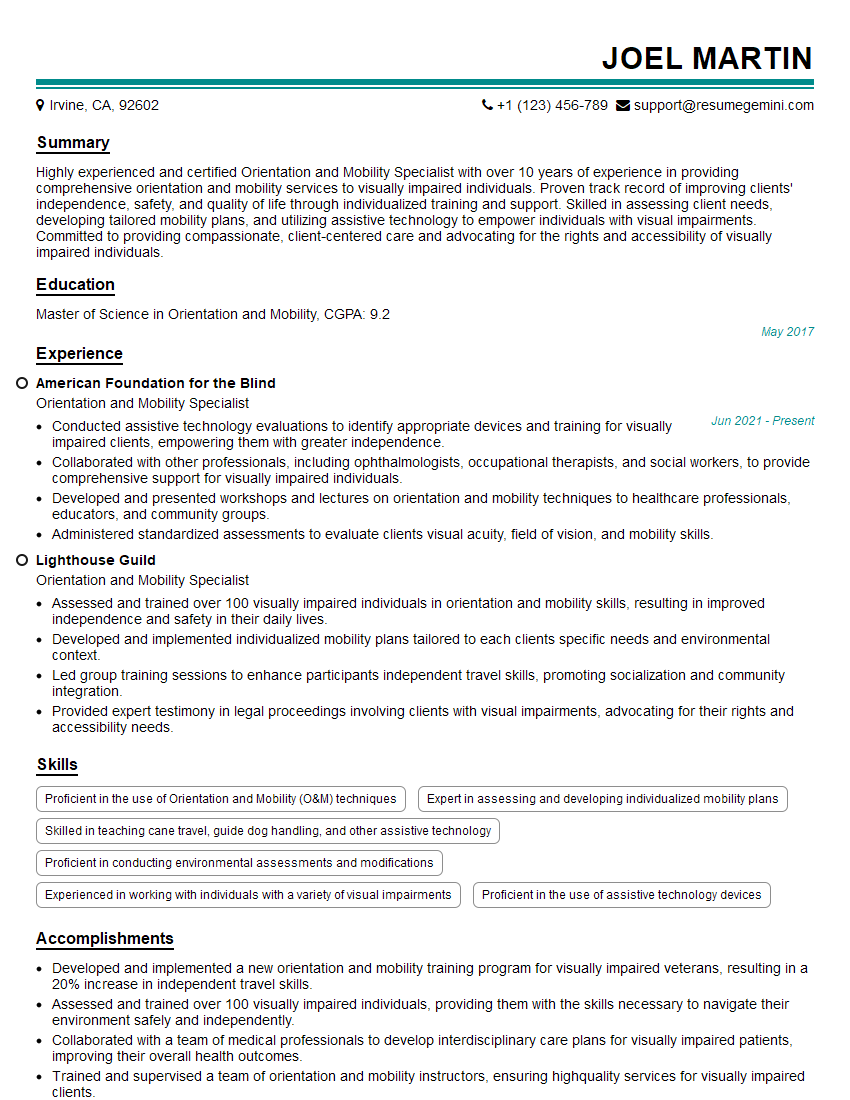
Mastering Braille and assistive technology skills opens doors to rewarding careers, impacting the lives of students and fostering their independence. To maximize your job prospects, creating a strong, ATS-friendly resume is crucial. ResumeGemini is a trusted resource to help you build a professional and impactful resume that showcases your skills and experience effectively. We provide examples of resumes tailored to Teaching Braille and assistive technology skills to guide you in crafting yours. Take the next step towards your dream career today!
Explore more articles
Users Rating of Our Blogs
Share Your Experience
We value your feedback! Please rate our content and share your thoughts (optional).
What Readers Say About Our Blog
I Redesigned Spongebob Squarepants and his main characters of my artwork.
https://www.deviantart.com/reimaginesponge/art/Redesigned-Spongebob-characters-1223583608
IT gave me an insight and words to use and be able to think of examples
Hi, I’m Jay, we have a few potential clients that are interested in your services, thought you might be a good fit. I’d love to talk about the details, when do you have time to talk?
Best,
Jay
Founder | CEO