The right preparation can turn an interview into an opportunity to showcase your expertise. This guide to Troubleshooting and Repair of Electronic Components interview questions is your ultimate resource, providing key insights and tips to help you ace your responses and stand out as a top candidate.
Questions Asked in Troubleshooting and Repair of Electronic Components Interview
Q 1. Explain the process of troubleshooting a faulty circuit board.
Troubleshooting a faulty circuit board is a systematic process that involves careful observation, logical deduction, and the use of appropriate test equipment. Think of it like detective work – you need to gather clues to identify the culprit.
- Visual Inspection: Begin by carefully examining the board for any obvious signs of damage, such as burnt components, broken traces, or loose connections. A magnifying glass can be invaluable here. For example, I once found a tiny crack in a solder joint that was only visible under magnification.
- Schematic Review: Consult the circuit schematic to understand the board’s functionality and trace the signal path. This helps pinpoint potential areas of failure. Knowing the circuit is key – it’s like having a map to navigate the electronic landscape.
- Power Isolation and Testing: Before applying power, ensure the power supply is isolated and correctly set. Use a multimeter to measure the voltage at various points along the power rails. This eliminates power supply issues early on. A simple voltage check can often save hours of unnecessary investigation.
- Component-Level Testing: Using a multimeter and other test equipment (oscilloscope, logic analyzer, etc.), test individual components for proper functionality. This may involve checking for shorts, opens, correct voltage levels, or correct signal waveforms. I often use a combination of in-circuit and out-of-circuit testing. For example, a suspect capacitor might be tested for capacitance using an LCR meter out of circuit.
- Signal Tracing: If the fault is more subtle, trace the signal path with an oscilloscope, injecting signals and observing their propagation. This can help isolate the problem to a specific area or component. This is particularly useful for intermittent issues.
- Systematic Replacement: If the problem is still unresolved, a systematic approach to component replacement might be necessary. Start with components that are most likely to fail based on experience and the symptoms.
- Documentation: Keep detailed records of each step taken, including measurements and observations. This ensures you can retrace your steps if necessary and facilitates efficient troubleshooting in similar cases.
Q 2. Describe your experience with different soldering techniques.
My experience with soldering encompasses various techniques, each suited to different applications. I’m proficient in through-hole soldering, surface mount soldering (SMT), and even some specialized techniques like wire bonding.
- Through-hole Soldering: This is a fundamental technique where components with leads are inserted into holes on the PCB and soldered in place. It requires precision and a steady hand, and I’ve mastered the art of achieving strong, visually appealing joints.
- Surface Mount Technology (SMT): SMT soldering requires greater precision and often involves specialized equipment like hot air rework stations and fine-tipped soldering irons. This is crucial for smaller and denser circuit boards. I’m highly experienced in this technique, handling very small components with ease.
- Rework Techniques: I’m experienced in desoldering components using braid and vacuum desoldering tools. Safe and effective rework is essential to prevent further damage to the board.
Beyond the basic techniques, I am adept at choosing the right solder type (lead-free, leaded) based on the application’s requirements and environmental regulations.
Q 3. How do you diagnose intermittent faults in electronic components?
Diagnosing intermittent faults is particularly challenging because they occur unpredictably. Think of it like a mischievous gremlin that only appears sometimes. My approach involves a combination of techniques:
- Stress Testing: Subject the circuit to various conditions (temperature variations, vibration, power cycling) that might trigger the fault. This can help replicate the intermittent behavior.
- Controlled Environment: If possible, test the circuit in a controlled environment that eliminates external factors that could be causing the problem. This helps isolate the issue to the circuit board itself.
- Signal Monitoring: Use an oscilloscope to monitor signals during the periods of normal operation and during the intermittent fault. This allows you to observe the signal degradation during the malfunction.
- Thermal Imaging: A thermal imager can reveal components that are overheating or underperforming due to an intermittent problem, helping to pinpoint a specific faulty component.
- Careful Observation: Documenting when the faults occur can provide valuable clues. Is it related to the system temperature? A specific operation? This is the crucial data required to track down the intermittent issue.
Often, intermittent faults are caused by cold solder joints, hairline cracks in components, or failing components that only act up under certain conditions. Careful investigation and patience are key.
Q 4. What are your preferred methods for testing electronic components?
My preferred methods for testing electronic components are dependent on the type of component and the level of detail required. I use a combination of techniques to ensure thorough testing.
- Multimeter: This is my most frequently used tool for measuring voltage, current, and resistance. It’s essential for checking basic functionality.
- Oscilloscope: Used for analyzing signal waveforms, an oscilloscope is indispensable for examining the timing and shape of signals in complex circuits.
- Logic Analyzer: A logic analyzer is crucial when working with digital circuits, allowing for the examination of digital signals and identifying timing issues or logic errors.
- LCR Meter: An LCR meter measures inductance, capacitance, and resistance, and is very useful for testing passive components like inductors and capacitors.
- Function Generator: A function generator produces various test signals (sine waves, square waves, etc.) that can be injected into the circuit under test to check its response.
- In-Circuit Emulators and Programmers: For testing embedded systems, I’ll use in-circuit emulators and programmers for debugging embedded software and verifying its operation.
The choice of testing method depends heavily on the specific application and the suspected fault.
Q 5. How do you interpret schematics and diagrams?
Interpreting schematics and diagrams is fundamental to my work. It’s like reading a map of the circuit. I begin by understanding the symbols and conventions used, then trace the signal path to understand the circuit’s functionality.
I focus on:
- Symbol Recognition: I’m familiar with the standard symbols for various components (resistors, capacitors, transistors, integrated circuits). This includes understanding the values indicated by these symbols.
- Signal Flow: I trace the flow of signals from input to output to understand the circuit’s operation. This often involves tracing power rails and data lines. I look for specific points where signals are modified or processed.
- Component Relationships: I identify how different components interact with each other – how a transistor is driven by another component, how signals are amplified or filtered, and the overall circuit’s structure and intended function.
- Reference Designators: I use reference designators to identify specific components and their connections on the circuit board. This helps to correlate the schematic with the physical layout of the PCB.
Proficiency in reading schematics allows me to quickly diagnose problems and understand the system’s behavior, making troubleshooting much more efficient.
Q 6. Describe your experience with different types of multimeters.
My experience extends to various multimeters, from basic analog devices to sophisticated digital multimeters (DMMs) with advanced features.
- Analog Multimeters: These provide a direct visual representation of the measurement via a needle on a scale. They offer a good sense of the signal’s behaviour and are very useful for some applications.
- Digital Multimeters (DMMs): DMMs provide precise numerical readings and offer many more functions (e.g., capacitance measurement, frequency measurement, temperature measurement, diode testing). I use various DMMs with different capabilities depending on the task. For instance, I prefer DMMs with high input impedance for delicate measurements.
- Clamp Meters: These are essential for measuring current without breaking the circuit, extremely helpful for in-situ testing of electrical circuits.
I understand the limitations and capabilities of each type and select the appropriate meter depending on the specific test requirement. The proper selection of multimeter is a critical factor in obtaining accurate measurement data.
Q 7. How do you identify and replace faulty capacitors?
Identifying and replacing faulty capacitors requires a systematic approach. Capacitors, especially electrolytic capacitors, are prone to failure. They can bulge, leak, or simply lose their capacitance.
- Visual Inspection: Carefully inspect the capacitor for any physical signs of damage, such as bulging, leaking electrolyte, or discoloration. Bulging is a classic sign of a failing capacitor.
- Capacitance Measurement: Use an LCR meter or a DMM with capacitance measurement capability to check the capacitor’s capacitance value. Compare it to the value indicated on the capacitor. A significant deviation indicates a faulty component.
- ESR (Equivalent Series Resistance) Measurement: High ESR is indicative of a failing capacitor, especially electrolytic capacitors. An LCR meter will allow for this critical measurement.
- Desoldering: Carefully desolder the faulty capacitor using a suitable desoldering tool (solder wick or vacuum desoldering tool). Take care not to damage the surrounding components or traces.
- Soldering: Solder the replacement capacitor in place, ensuring a strong, secure connection. Proper soldering technique is essential to avoid cold solder joints.
- Verification: After replacement, retest the circuit to ensure the capacitor is functioning correctly and that the original problem is resolved.
It’s crucial to use a replacement capacitor with the correct capacitance, voltage rating, and physical size.
Q 8. How do you handle ESD (Electrostatic Discharge) precautions?
Electrostatic Discharge (ESD) is a sudden flow of electricity between two objects with different electrical potentials. It’s a significant threat to sensitive electronic components, capable of causing immediate failure or latent damage that manifests later. Handling ESD requires a multi-pronged approach focused on prevention and mitigation.
Grounding: I always use an anti-static wrist strap connected to a properly grounded surface. This equalizes my body’s potential with the ground, preventing charge buildup. Think of it like a lightning rod for your body.
Anti-static mats and work surfaces: I work on anti-static mats that are also grounded. These mats dissipate static charges that might accumulate on the workbench.
ESD-safe packaging and handling: Components are kept in their original anti-static bags until immediately before use. I avoid touching the leads or sensitive areas directly. If necessary, I use ESD-safe tweezers.
Ionizing air blowers: In particularly sensitive situations, I utilize ionizing air blowers to neutralize static charges in the immediate work area. These blowers actively reduce the static electricity around the components, creating a more controlled environment.
Proper Clothing: I avoid wearing synthetic clothing which can easily generate static charge.
Consistent adherence to these practices minimizes the risk of ESD damage, protecting expensive and delicate components.
Q 9. What are some common causes of power supply failures?
Power supply failures are a common problem in electronics. They can stem from a variety of issues, ranging from simple component failures to more complex circuit problems.
Faulty components: Capacitors, diodes, transistors, and integrated circuits can fail due to age, overheating, or voltage spikes. I often use a multimeter to check for shorts, opens, or out-of-spec values.
Overheating: Excessive heat can damage components, particularly capacitors and transistors. This can be due to inadequate heat sinking or airflow.
Voltage surges: Power surges from the mains can overwhelm the power supply’s protection circuits, leading to component failure. Surge protectors are critical in preventing this.
Short circuits: Shorts in the power supply circuit can cause excessive current draw, leading to component failure or even fire. Careful inspection of the circuit board with a magnifier is key to identifying these shorts.
Fuse failures: Fuses are designed to protect the circuit from overcurrent. A blown fuse indicates a problem elsewhere in the circuit that needs to be addressed before replacing the fuse.
Electrolytic capacitor failure: Electrolytic capacitors are particularly prone to failure due to aging. Bulging or leaking capacitors are common indicators.
Troubleshooting power supply failures involves a systematic approach, starting with visual inspection, followed by component testing and circuit analysis.
Q 10. Explain your experience with digital oscilloscopes.
Digital oscilloscopes are indispensable tools for analyzing time-varying voltages and signals. My experience involves using them extensively for both analog and digital circuit troubleshooting.
Signal waveform analysis: I use oscilloscopes to view waveforms, measuring voltage amplitude, frequency, rise/fall times, and other parameters. This helps identify issues such as signal distortion, noise, or timing problems.
Protocol decoding: Many oscilloscopes have built-in protocol decoders for serial communication protocols such as I2C, SPI, and UART. This allows me to decode the data transmitted over these buses, greatly simplifying debugging.
Triggering and timing: Selecting appropriate triggering modes is crucial for capturing specific events in the circuit’s operation. Precise triggering enables focused analysis of complex signals.
Data acquisition and analysis: Modern oscilloscopes allow for capturing and saving large amounts of data for further offline analysis. This enables detailed investigation of intermittent or infrequent problems.
Example: I once used an oscilloscope to diagnose a timing issue in a microcontroller-based system. By examining the signals on the various buses, I identified a clock glitch that was causing the system to malfunction.
Proficiency with digital oscilloscopes is essential for efficient and effective troubleshooting in electronics.
Q 11. How do you troubleshoot problems in digital circuits?
Troubleshooting digital circuits often involves a combination of hardware and software techniques. The systematic approach I employ typically follows these steps:
Visual inspection: I begin by carefully inspecting the circuit board for any obvious physical defects, such as broken traces, loose components, or corrosion.
Logic analyzer usage: Logic analyzers are extremely useful for analyzing digital signals, allowing me to capture and decode data from multiple points in the circuit simultaneously. This helps in identifying timing violations or data inconsistencies.
Multimeter usage: A multimeter can be used to check for power supply voltages and verify the functionality of individual gates and other components.
Signal tracing: I use the logic analyzer and oscilloscope to trace the signals through the circuit, identifying the point where the error occurs.
Software debugging (if applicable): If the circuit involves a microcontroller or other programmable device, I use appropriate software tools to debug the firmware or software code.
Component level testing: If the problem cannot be isolated to the software or circuit board, I may need to test individual components using specialized equipment.
A methodical approach, combining hardware diagnostic tools with software debugging, is key to effectively troubleshoot digital circuits.
Q 12. How do you troubleshoot problems in analog circuits?
Troubleshooting analog circuits involves a different set of techniques compared to digital circuits. The focus is often on measuring voltage levels, current flows, and signal characteristics.
Visual inspection: As with digital circuits, a thorough visual inspection is the first step. Look for broken components, cold solder joints, or any sign of physical damage.
Multimeter usage: A multimeter is crucial for measuring voltages, currents, and resistances. It’s used to verify that voltages are within expected ranges and identify any short circuits or open circuits.
Oscilloscope usage: An oscilloscope is necessary to examine the waveforms of signals, helping to identify distortion, noise, or other anomalies. Analyzing frequency response is also important.
Signal tracing: Tracing signals through the circuit, comparing the measured values with the expected values, helps pinpoint the fault.
Component testing: Individual components, like transistors, op-amps, and resistors, might be tested using a transistor tester or other specialized equipment.
DC bias point analysis: Measuring DC voltages at various points in the circuit helps to check if the circuit is operating within its design specifications. This is particularly important in amplifier circuits.
Troubleshooting analog circuits often requires a deeper understanding of circuit theory and component behavior.
Q 13. Explain your experience with surface mount technology (SMT).
Surface Mount Technology (SMT) involves soldering components directly onto the surface of a printed circuit board (PCB). My experience with SMT includes both repair and rework.
Component identification and handling: SMT components are often very small and require specialized tools for handling and manipulation. ESD precautions are even more critical with SMT.
Rework techniques: I’m proficient in using hot air rework stations to remove and replace SMT components. This involves carefully controlling the temperature and airflow to avoid damaging the PCB or surrounding components.
Soldering techniques: I utilize fine-tipped soldering irons and specialized solder pastes to solder SMT components. Precision and control are vital for reliable connections.
Inspection: After rework, thorough inspection under a microscope is necessary to ensure that the solder joints are clean, well-formed, and properly connected.
Component placement machines: I’m familiar with the use of automated component placement machines used in high-volume production environments.
SMT requires specialized tools and techniques. Precision and attention to detail are crucial for successful repair and rework.
Q 14. How do you repair damaged traces on a printed circuit board?
Repairing damaged traces on a PCB requires precision and skill. The methods depend on the extent of the damage and the available equipment.
Jumpers: For minor trace breaks, I often use small wires (jumpers) to bridge the gap. These are carefully soldered to the pads on either side of the break, ensuring a reliable connection.
Conductive epoxy: Conductive epoxy is a useful option for repairing small breaks or creating connections in tight spaces. It provides an electrically conductive path after curing.
Solder bridges: In some cases, a small solder bridge can be used to connect the pads. This requires a steady hand and fine-tipped soldering iron.
Trace repair using conductive ink or paint: For more extensive damage, conductive ink or paint can be applied to recreate the trace. This often requires a stencil or mask to ensure accurate application.
PCB replacement (in extreme cases): If the damage is extensive or the PCB is beyond economical repair, replacement is necessary.
The choice of repair method depends on several factors including the severity of the damage, the availability of tools and materials, and the overall cost-effectiveness.
Q 15. Describe your experience with different types of integrated circuits (ICs).
My experience with integrated circuits (ICs) spans a wide range of technologies and applications. I’ve worked extensively with both analog and digital ICs, from simple operational amplifiers (op-amps) and logic gates to complex microprocessors and memory chips. This includes troubleshooting and repair at both the board and component levels. For instance, I’ve successfully diagnosed and repaired faulty audio amplifiers by identifying a failing op-amp through systematic testing and signal tracing. In another project, I replaced several faulty memory chips on a server motherboard, restoring its functionality. My experience also encompasses different packaging types, such as DIP, SOIC, QFP, and BGA, requiring proficiency in various soldering and desoldering techniques.
- Analog ICs: Op-amps, comparators, voltage regulators, analog-to-digital converters (ADCs), and digital-to-analog converters (DACs).
- Digital ICs: Logic gates (AND, OR, NOT, XOR), flip-flops, counters, multiplexers, microcontrollers, microprocessors, and memory chips (SRAM, DRAM, ROM).
Understanding the datasheets and application notes is crucial for effective troubleshooting. For example, knowing the typical operating voltage and current ranges of an IC helps pinpoint whether a component is functioning within its specifications or failing due to power supply issues.
Career Expert Tips:
- Ace those interviews! Prepare effectively by reviewing the Top 50 Most Common Interview Questions on ResumeGemini.
- Navigate your job search with confidence! Explore a wide range of Career Tips on ResumeGemini. Learn about common challenges and recommendations to overcome them.
- Craft the perfect resume! Master the Art of Resume Writing with ResumeGemini’s guide. Showcase your unique qualifications and achievements effectively.
- Don’t miss out on holiday savings! Build your dream resume with ResumeGemini’s ATS optimized templates.
Q 16. What is your experience with automated test equipment (ATE)?
My experience with Automated Test Equipment (ATE) is extensive. I’m proficient in operating and maintaining various ATE systems, including those from leading manufacturers like Teradyne and NI. This involves programming test sequences, analyzing test data, and identifying faulty components. Think of ATE as a sophisticated doctor for electronics – it runs a series of tests to diagnose issues quickly and efficiently. For example, I’ve utilized ATE systems to test the functionality of complex printed circuit boards (PCBs) containing hundreds of components, isolating problems to specific ICs or passive components far quicker than manual testing would allow. I’m familiar with both functional testing (checking overall functionality) and parametric testing (measuring electrical characteristics like voltage, current, and impedance).
My skills also include troubleshooting the ATE itself. A malfunctioning ATE can be as problematic as a faulty device under test; therefore, understanding its mechanics is crucial. I can diagnose and repair hardware and software problems within the ATE system, ensuring consistent and reliable testing procedures.
Q 17. Explain your experience with microcontrollers.
My experience with microcontrollers is comprehensive, encompassing programming, debugging, and repair. I’m proficient in various microcontroller architectures, including AVR, ARM Cortex-M, and PIC. I’ve worked on projects involving firmware development, interfacing with peripherals (sensors, actuators, displays), and implementing real-time control systems. For instance, I developed firmware for a custom industrial controller using an ARM Cortex-M4 microcontroller that communicated with various sensors via I2C and SPI protocols. Troubleshooting microcontroller-based systems often involves using debugging tools such as JTAG or SWD interfaces to analyze program execution and identify software errors or hardware malfunctions. Furthermore, I can diagnose and repair issues related to clock signals, memory access, and peripheral communication.
Understanding the intricacies of real-time operating systems (RTOS) is also a key part of my microcontroller expertise. Efficient resource management and interrupt handling are critical in these environments, and I have extensive experience in optimizing code for performance and reliability.
Q 18. How do you document your troubleshooting and repair processes?
Documentation is paramount in my troubleshooting and repair processes. I use a structured approach, ensuring clear and concise records for traceability and future reference. My documentation usually includes:
- Detailed descriptions of the problem: This includes the observed symptoms, initial hypotheses, and test results.
- Step-by-step troubleshooting procedure: This outlines the actions taken, measurements recorded, and the rationale behind each step. I often use flowcharts to visualize the troubleshooting process.
- Schematic diagrams and component information: This helps understand the circuit’s functionality and identify relevant components.
- Test equipment used: This includes model numbers and settings.
- Repair procedure: This outlines the repairs made, including part replacements, adjustments, and calibrations.
- Final test results: This verifies that the repair was successful and the system is functioning correctly.
I typically use electronic documentation software, allowing for easy sharing and version control. This centralized system enhances collaboration and reduces the risk of errors or omissions. Proper documentation ensures that the repair process can be replicated and understood by others, even long after the repair is completed.
Q 19. What software are you proficient in for circuit design or analysis?
I’m proficient in several software packages for circuit design and analysis, including:
- Altium Designer: For PCB design, schematic capture, and layout.
- Eagle: Another popular PCB design software, offering a user-friendly interface.
- Multisim: For circuit simulation and analysis.
- LTspice: A free and powerful SPICE-based simulator for analog circuit design.
- MATLAB/Simulink: For more advanced system-level simulations and control system design.
These tools are invaluable for understanding circuit behavior, verifying designs before fabrication, and aiding in troubleshooting complex problems. For example, using simulation software allows me to test different design options and predict the performance of a circuit before building a prototype, saving time and resources.
Q 20. How do you prioritize tasks when multiple repairs are needed?
Prioritizing tasks when multiple repairs are needed involves a strategic approach. I consider several factors:
- Urgency: Repairs impacting critical systems or operations are prioritized. For example, a broken server in a production environment needs immediate attention.
- Impact: The extent of the disruption caused by the malfunction determines the priority. A minor cosmetic issue would have lower priority than a system failure.
- Complexity: More complex repairs requiring specialized skills or tools might be scheduled after simpler tasks. This helps manage workload effectively.
- Resource Availability: The availability of parts, tools, and expertise influences task scheduling.
I often use a ticketing system or project management software to track and manage repair requests. This ensures transparency and accountability, allowing for efficient allocation of resources and clear communication among team members.
Q 21. Describe a challenging electronic repair you successfully completed.
One of the most challenging repairs I tackled involved a malfunctioning high-frequency switching power supply in a medical imaging device. The device exhibited intermittent failures, making diagnosis extremely difficult. Initial troubleshooting pointed to potential issues across multiple components. The high frequency and the sensitivity of the medical equipment made traditional methods problematic.
My approach involved a systematic process: I started with visual inspection, then used an oscilloscope to observe waveforms at various points in the circuit. I meticulously documented all readings and observations. The key breakthrough came when I discovered subtle timing discrepancies in the control signals, indicating a malfunctioning microcontroller within the power supply. Replacing the microcontroller resolved the intermittent failures. The entire process emphasized patience, precise measurements, and detailed documentation. The successful repair not only restored functionality to the critical medical device but also reinforced my understanding of high-frequency circuits and the importance of detailed diagnostics.
Q 22. How do you stay current with the latest technologies in electronics repair?
Staying current in the rapidly evolving field of electronics repair requires a multi-pronged approach. It’s not enough to rely solely on past experience; continuous learning is crucial. I actively utilize several strategies:
- Professional Publications and Websites: I subscribe to industry-leading journals and regularly visit reputable websites like those of IEEE (Institute of Electrical and Electronics Engineers) and other electronics engineering societies. These resources provide in-depth articles on the latest advancements in component technology and repair techniques.
- Manufacturer Documentation: Directly accessing datasheets, application notes, and troubleshooting guides from manufacturers is invaluable. Understanding the intricacies of a specific component’s design and expected behavior is essential for effective diagnosis and repair.
- Online Courses and Webinars: Platforms like Coursera, edX, and LinkedIn Learning offer excellent courses on various electronics repair topics, from basic circuit analysis to advanced soldering techniques. I regularly take these courses to sharpen my skills and stay abreast of new methodologies.
- Industry Conferences and Workshops: Attending industry events provides unparalleled opportunities for networking with other professionals, learning about new tools and techniques, and discovering the latest innovations in the field. It allows for direct interaction with experts and the chance to explore real-world case studies.
- Hands-on Practice: Theory is only part of the equation. I constantly challenge myself with new repair projects, ensuring that I actively apply my knowledge and refine my practical skills. This practical experience is invaluable for reinforcing learning and identifying any knowledge gaps.
By combining these methods, I maintain a high level of competency and remain at the forefront of electronics repair technologies.
Q 23. Explain your understanding of different types of connectors.
Connectors are the crucial interfaces that enable electronic devices to communicate and exchange power. Understanding their various types is essential for effective troubleshooting and repair. I categorize connectors based on several key characteristics:
- By Type: This includes various categories such as:
- Through-hole Connectors: These are soldered directly onto a printed circuit board (PCB), offering a robust and reliable connection, ideal for high-current applications. Examples include DIP (Dual In-line Package) sockets and various terminal blocks.
- Surface-Mount Connectors: Smaller and more compact than through-hole, these connectors are surface-mounted on the PCB and are particularly suitable for high-density applications. Examples include many USB connectors and smaller RF connectors.
- Edge Connectors: These connectors are often found on PCBs and make connections along the edge of the board, allowing for easy access and replacement.
- Board-to-Board Connectors: These facilitate connections between two PCBs, often used in smaller electronic devices and modular systems. Examples include various ribbon cable connectors and zero insertion force (ZIF) connectors.
- Backplane Connectors: Usually found in larger systems, these are used for making connections between multiple PCBs within a chassis. They offer high-density contact points and often utilize multiple rows of contacts.
- By Function: Connectors also have various functional categories such as:
- Power Connectors: Designed for carrying significant electrical currents, these connectors often feature robust locking mechanisms and high-current-carrying contacts. Examples include barrel jacks, Molex connectors, and Anderson PowerPoles.
- Data Connectors: Used for transmitting data signals, these connectors require precise alignment to ensure reliable communication. Examples include USB, Ethernet, and HDMI connectors.
- RF Connectors: Specialized for handling radio frequency signals, these connectors require careful impedance matching to prevent signal loss and reflections. Examples include BNC, SMA, and N-type connectors.
Understanding connector types and their applications is crucial in pinpointing the cause of a malfunction and making the appropriate repairs.
Q 24. What safety procedures do you follow when working with electronics?
Safety is paramount when working with electronics. My safety procedures always prioritize minimizing risk and follow established best practices:
- Power Isolation: Before touching any component, I always completely disconnect the power source. This includes unplugging power cords, removing batteries, and using appropriate isolation techniques. I never rely on just turning off a power switch.
- Grounding: I use an anti-static wrist strap to ground myself and prevent electrostatic discharge (ESD) damage to sensitive components. My workbench is also grounded to further reduce the risk of ESD.
- Personal Protective Equipment (PPE): Depending on the task, I use appropriate PPE, such as safety glasses to protect my eyes from flying debris during soldering, hearing protection when using power tools, and insulated gloves when working with high-voltage components.
- Proper Ventilation: When working with soldering irons or other tools that generate fumes, I ensure adequate ventilation to minimize inhalation of harmful substances.
- Work Area Organization: Maintaining a clean and organized workspace significantly reduces the risk of accidents and simplifies the repair process. Tools are placed in designated areas, and all components are handled with care.
- Understanding Schematics and Datasheets: Thoroughly understanding the schematics and datasheets of the device helps me anticipate potential hazards and plan my work accordingly. This helps in avoiding unexpected voltage levels or potential shorts.
These procedures are not just guidelines; they are integral parts of my workflow, ensuring my safety and the protection of the equipment I’m repairing.
Q 25. How do you handle situations where you cannot identify a fault?
Encountering an unidentified fault is a common challenge in electronics repair. My approach is systematic and involves several steps:
- Re-examination of Symptoms: I meticulously re-examine the reported symptoms and conduct further tests to ensure I haven’t missed any crucial details. Sometimes, the initial description of the problem might be incomplete or inaccurate.
- Systematic Troubleshooting: I employ various troubleshooting techniques, such as visual inspection for obvious damage, continuity testing to check for open or shorted circuits, and voltage measurements to identify voltage irregularities. I often use a combination of these methods.
- Signal Tracing: Using an oscilloscope and logic analyzer allows me to trace the signal path and pinpoint the exact location of the malfunction. This is particularly useful for complex circuits.
- Component-Level Testing: I might test individual components using a multimeter or specialized component testers to isolate faulty parts.
- Reference Materials: I consult schematics, datasheets, and online forums to gain further insights into the device’s functionality and common points of failure.
- Seeking External Expertise: If all else fails, I consult with colleagues or experts in the field. A fresh perspective can often reveal solutions that I might have overlooked.
Troubleshooting is an iterative process. It’s not uncommon to cycle through these steps several times before finding the root cause. The key is patience, methodical analysis, and a willingness to seek assistance when needed.
Q 26. How do you work effectively as part of a team on complex repairs?
Effective teamwork is paramount when handling complex repairs. My approach to collaborative repair is built on clear communication, shared responsibility, and leveraging individual expertise:
- Clear Communication: I actively participate in brainstorming sessions, sharing my observations and analyses. Clear and concise communication prevents misunderstandings and ensures everyone is on the same page.
- Defined Roles: In a team, we clearly define individual roles based on each person’s strengths and expertise. This allows for focused efforts and prevents duplication of work.
- Shared Knowledge Base: We utilize shared documentation, such as repair logs and diagrams, to keep everyone informed of progress and share critical information efficiently.
- Regular Check-ins: Frequent check-ins allow us to assess progress, identify potential roadblocks, and adjust our approach as needed. This keeps the team aligned and on track.
- Respectful Collaboration: I actively listen to and respect the opinions of my colleagues, fostering a collaborative environment where everyone feels comfortable contributing.
- Conflict Resolution: If disagreements arise, I facilitate constructive dialogue, encouraging open discussion and finding solutions that benefit the team as a whole. This avoids conflicts and ensures a productive work environment.
Teamwork in electronics repair is not just about combining individual skills; it’s about creating a synergistic effect that solves complex problems more efficiently and effectively than any single individual could.
Q 27. What is your experience with preventative maintenance on electronic systems?
Preventative maintenance is crucial for extending the lifespan of electronic systems and avoiding costly repairs. My experience includes:
- Regular Inspection: This includes visually inspecting components for signs of damage such as overheating, corrosion, or physical stress. I also check for loose connections and potential hazards.
- Cleaning: Regular cleaning of components and the surrounding area removes dust and debris, preventing overheating and short circuits. This is particularly important in environments with high levels of dust or other contaminants.
- Thermal Management: Ensuring proper thermal management is key. This involves verifying adequate airflow around heat-generating components, checking heatsink mounting, and using thermal paste appropriately.
- Firmware Updates: Staying current with firmware updates helps address known bugs and security vulnerabilities, preventing system failures. This is very important in modern embedded systems and networked devices.
- Stress Testing: Periodically stress-testing the system helps to identify potential weaknesses before they lead to failures. This might involve running the system under demanding conditions to detect overheating, instability, or other issues.
- Documentation: Maintaining detailed records of maintenance activities helps track performance, predict future issues, and streamline future maintenance efforts.
By proactively implementing these preventative maintenance procedures, I help ensure that electronic systems operate reliably, reducing the likelihood of unexpected downtime and the need for extensive repairs.
Key Topics to Learn for Troubleshooting and Repair of Electronic Components Interview
- Circuit Analysis: Understanding basic circuit principles (Ohm’s Law, Kirchhoff’s Laws), analyzing schematics, and identifying potential failure points.
- Component Identification and Testing: Knowing how to identify various electronic components (resistors, capacitors, transistors, integrated circuits) and using multimeters and other test equipment to diagnose faulty components.
- Soldering and Desoldering Techniques: Mastering safe and efficient soldering and desoldering practices for component replacement and repair.
- Troubleshooting Methodologies: Employing systematic troubleshooting approaches, such as the half-splitting method, to isolate and resolve issues efficiently. This includes understanding the use of diagnostic tools and interpreting error codes.
- Digital Electronics Fundamentals: Grasping the basics of digital logic, binary systems, and digital signal processing relevant to troubleshooting digital circuits.
- Analog Electronics Fundamentals: Understanding fundamental concepts of amplifiers, oscillators, and filters, as well as their common failure modes.
- Safety Procedures: Demonstrating a strong understanding of safety precautions when working with electronic equipment, including ESD protection.
- Practical Application: Discussing real-world experiences in troubleshooting and repairing electronic devices, and describing your problem-solving approach in different scenarios.
- Data Sheets and Documentation: Explaining your ability to interpret component datasheets and other technical documentation to effectively troubleshoot and select replacement parts.
Next Steps
Mastering troubleshooting and repair of electronic components is crucial for career advancement in electronics, opening doors to specialized roles and higher earning potential. A strong resume is your key to unlocking these opportunities. Creating an ATS-friendly resume is essential to ensure your application gets noticed by recruiters. ResumeGemini is a trusted resource that can help you build a professional and effective resume tailored to highlight your skills and experience. Examples of resumes specifically tailored for professionals in Troubleshooting and Repair of Electronic Components are available within ResumeGemini to guide you. Invest in your future – build a powerful resume today!

Technical Analyst Resume Sample

Systems Administrator Resume Sample

Test Engineer Resume Sample

Network Technician Resume Sample

Technical Support Specialist Resume Sample
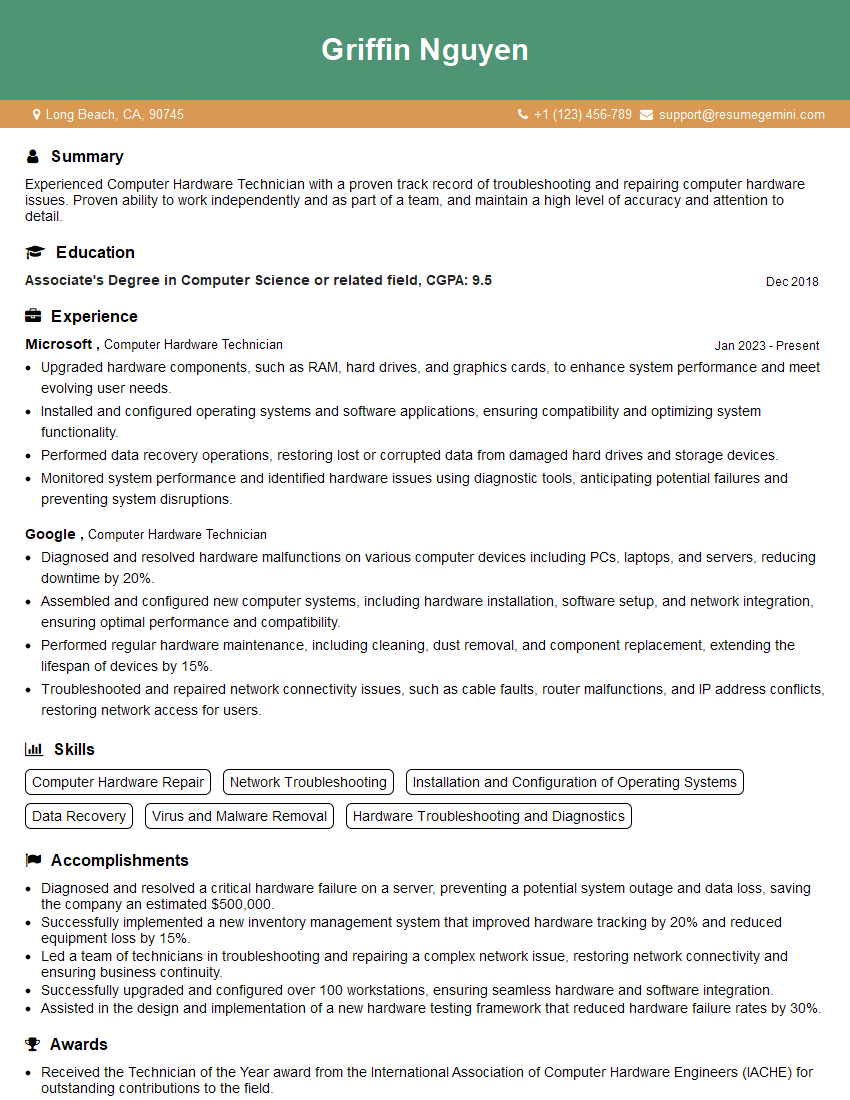
Computer Hardware Technician Resume Sample

Maintenance Technician Resume Sample

Field Service Engineer Resume Sample

Hardware Engineer Resume Sample
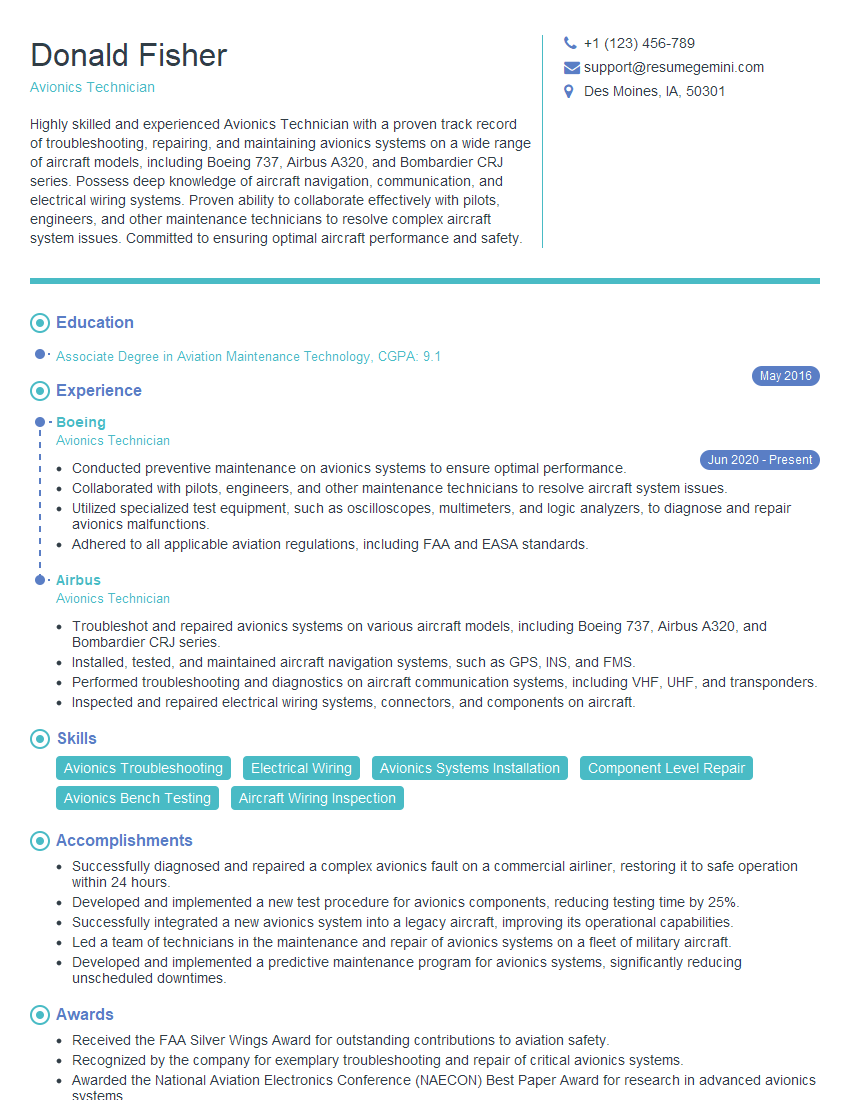
Avionics Technician Resume Sample
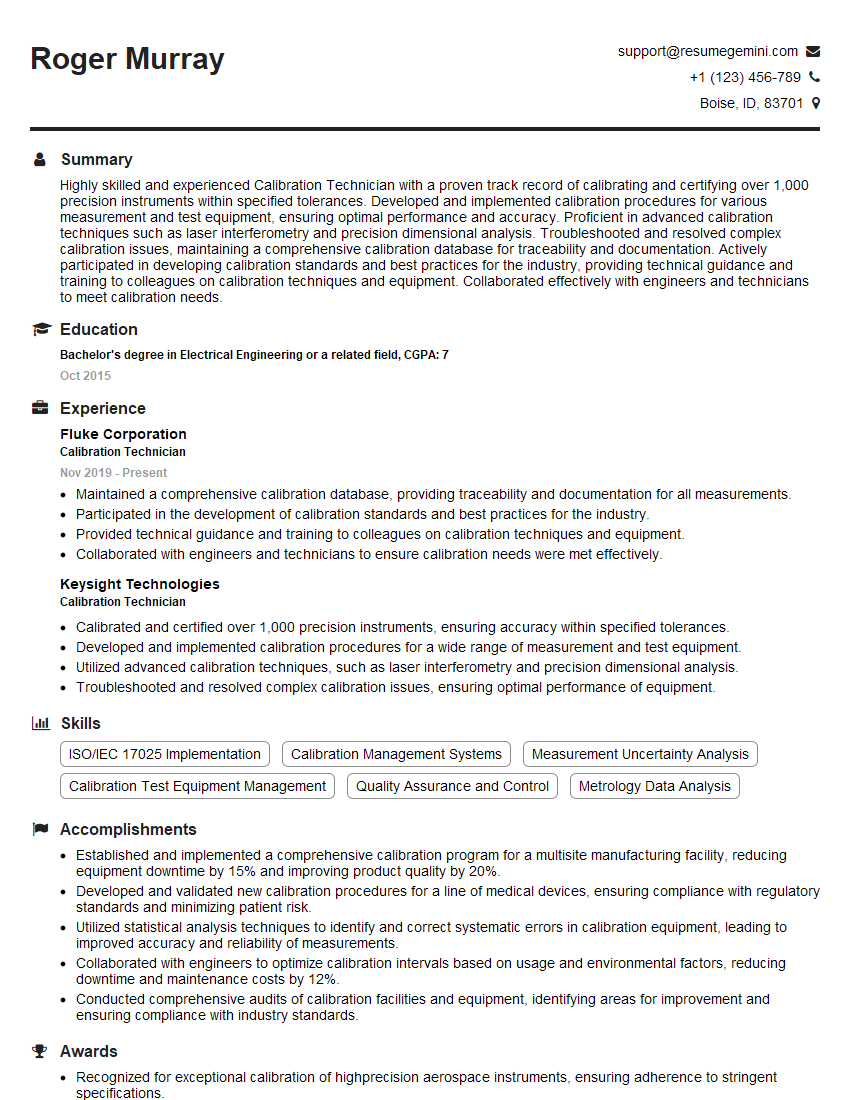
Calibration Technician Resume Sample

Electronics Technician Resume Sample
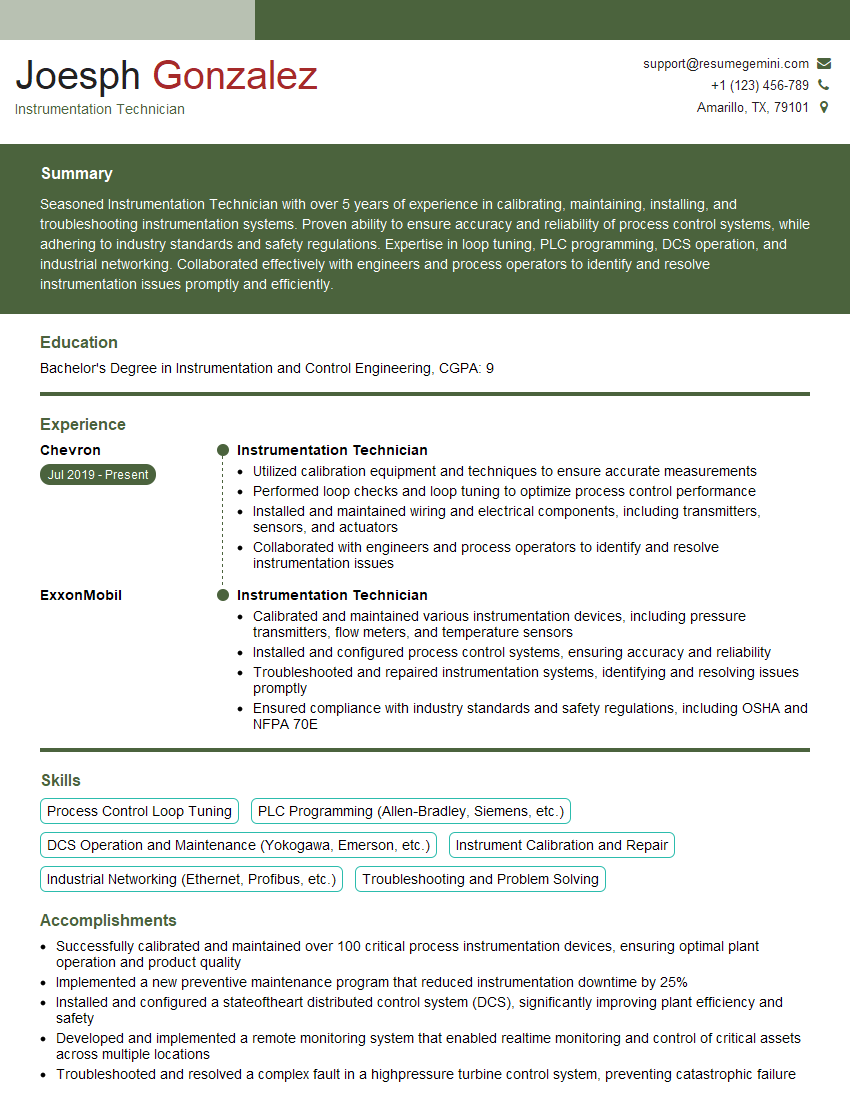
Instrumentation Technician Resume Sample

Robotics Technician Resume Sample
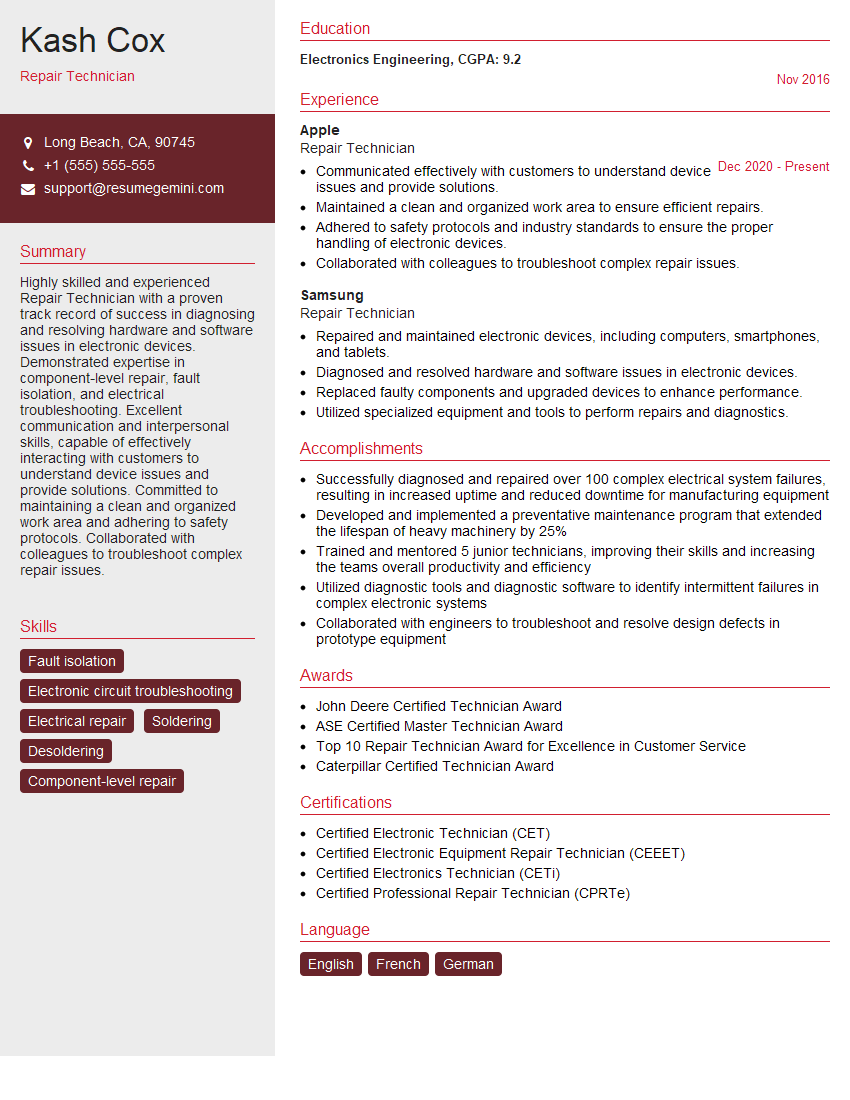
Repair Technician Resume Sample
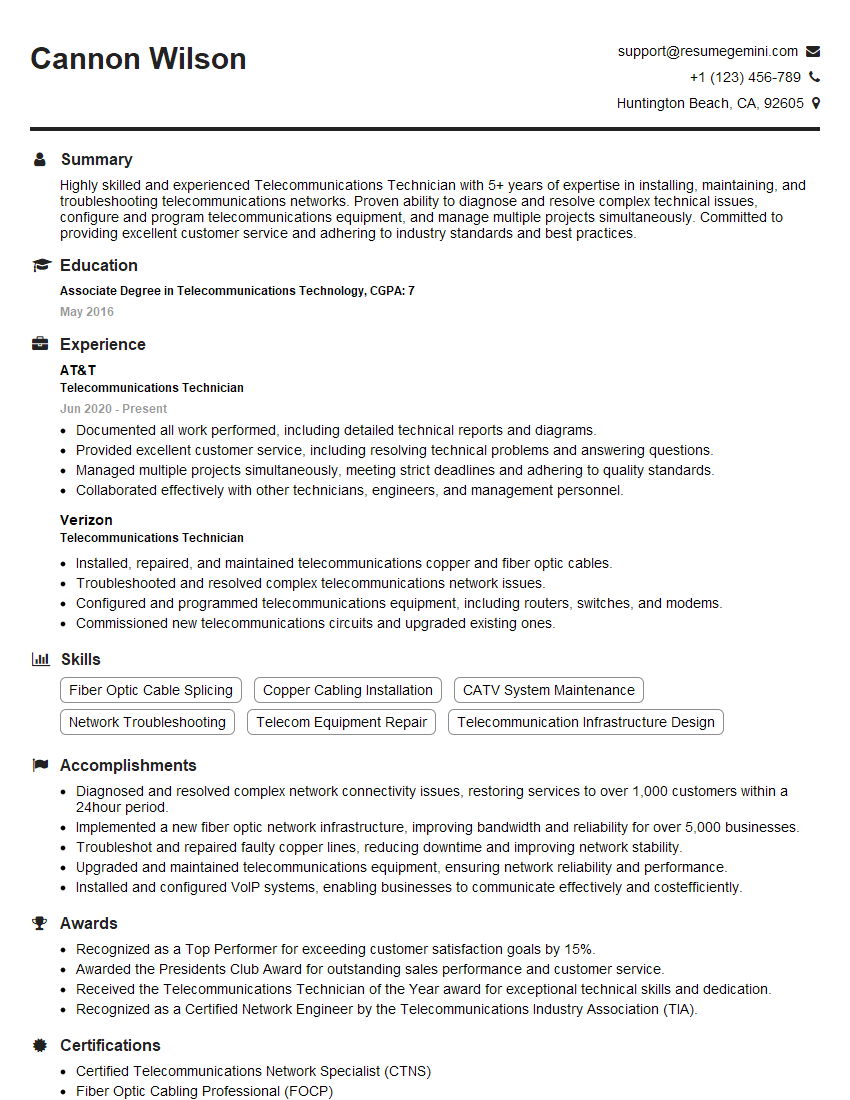
Telecommunications Technician Resume Sample
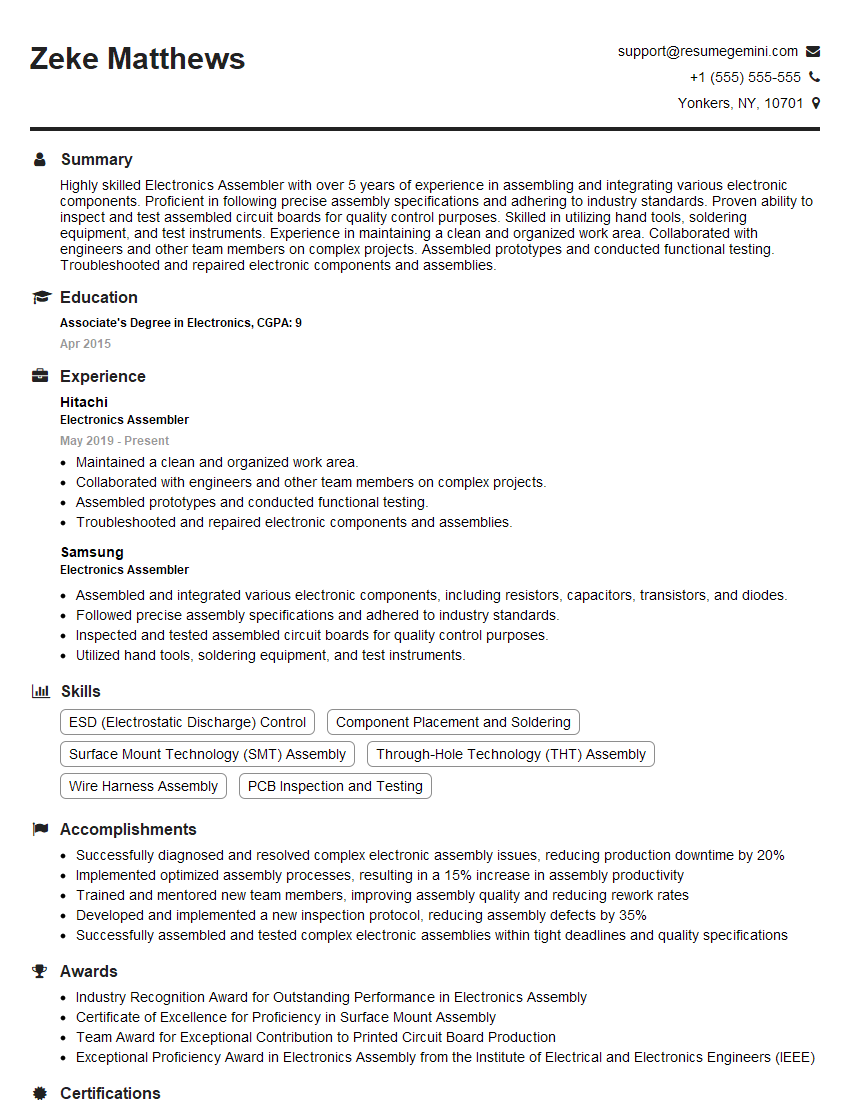
Electronics Assembler Resume Sample

Soldering Technician Resume Sample

Quality Control Inspector Resume Sample
- Technical Analyst
- Systems Administrator
- Test Engineer
- Network Technician
- Technical Support Specialist
- Computer Hardware Technician
- Maintenance Technician
- Field Service Engineer
- Hardware Engineer
- Avionics Technician
- Calibration Technician
- Electronics Technician
- Instrumentation Technician
- Robotics Technician
- Repair Technician
- Telecommunications Technician
- Electronics Assembler
- Soldering Technician
- Quality Control Inspector
Explore more articles
Users Rating of Our Blogs
Share Your Experience
We value your feedback! Please rate our content and share your thoughts (optional).
What Readers Say About Our Blog
I Redesigned Spongebob Squarepants and his main characters of my artwork.
https://www.deviantart.com/reimaginesponge/art/Redesigned-Spongebob-characters-1223583608
IT gave me an insight and words to use and be able to think of examples
Hi, I’m Jay, we have a few potential clients that are interested in your services, thought you might be a good fit. I’d love to talk about the details, when do you have time to talk?
Best,
Jay
Founder | CEO