Are you ready to stand out in your next interview? Understanding and preparing for User Training and Development interview questions is a game-changer. In this blog, we’ve compiled key questions and expert advice to help you showcase your skills with confidence and precision. Let’s get started on your journey to acing the interview.
Questions Asked in User Training and Development Interview
Q 1. Describe your experience designing and developing eLearning courses.
Designing and developing eLearning courses involves a structured process that begins with a thorough needs analysis and culminates in a robust, engaging learning experience. My approach encompasses several key stages: First, I define clear learning objectives, specifying what learners should know and be able to do upon completion. This informs the content creation process. Then, I select appropriate instructional design models (like ADDIE or AGILE) to guide the development. This framework allows for iterative improvements and adaptations. For content delivery, I leverage various media, including videos, interactive simulations, quizzes, and downloadable resources. For example, in developing a course on project management software, I incorporated interactive scenarios where learners simulated managing projects and faced realistic challenges, enhancing engagement and knowledge retention. Finally, I rigorously test the course, gathering feedback to ensure its effectiveness and user-friendliness before launch.
I’ve successfully created eLearning courses using various platforms, including Articulate Storyline and Adobe Captivate, incorporating elements like gamification and branching scenarios to enhance learner engagement. One particular project involved creating a compliance training course for a large healthcare organization, requiring careful consideration of regulatory guidelines and learner needs. The result was a highly effective course that reduced compliance errors significantly.
Q 2. Explain your process for needs analysis in user training.
Needs analysis is the cornerstone of effective user training. It’s a systematic process to identify the gap between current performance and desired performance. My process starts with identifying the target audience – their roles, technical skills, and learning styles. Then, I gather information through various methods such as interviews, surveys, focus groups, and performance data analysis. For example, if a company is facing low sales figures, I would investigate if lack of product knowledge is a contributing factor. Through this, I can determine what specific skills or knowledge gaps need to be addressed by the training. I then analyze the current training materials, if any, to see what’s effective and what needs improvement. The culmination is a comprehensive training needs analysis report, detailing specific learning objectives, content, and a proposed training plan.
Q 3. How do you measure the effectiveness of a training program?
Measuring training effectiveness involves assessing whether the training achieved its intended goals. I employ a multi-faceted approach, including pre- and post-training assessments (tests or surveys), to gauge knowledge improvement. I also measure changes in on-the-job performance through observations, performance evaluations, and tracking of key performance indicators (KPIs) related to the training. For example, if the training focused on improving customer service skills, I would measure metrics like customer satisfaction scores and reduced complaint rates. Furthermore, I gather feedback through surveys and interviews to understand the learners’ perceptions of the training’s value and effectiveness. A thorough analysis of this data provides a comprehensive picture of the training’s impact and identifies areas for improvement. By using a combination of quantitative and qualitative data, you get a much more robust understanding.
Q 4. What software or tools are you proficient in for creating training materials?
I’m proficient in a variety of software and tools for creating training materials. My expertise includes Articulate Storyline 360, Adobe Captivate, Camtasia for video editing, and Vyond for animated explainer videos. I’m also comfortable using various authoring tools like Lectora and other rapid eLearning development platforms. For managing and delivering the training, I utilize Learning Management Systems (LMS) like Moodle and Cornerstone OnDemand. My proficiency extends to graphic design software such as Adobe Photoshop and Illustrator, enabling me to create visually appealing and engaging training materials. This blend of technical skills allows me to create comprehensive and effective training solutions that meet diverse needs.
Q 5. How do you adapt training materials for different learning styles?
Adapting training materials for different learning styles is crucial for maximizing impact. I incorporate diverse learning methods catering to visual, auditory, and kinesthetic learners. For visual learners, I use infographics, videos, and presentations with clear visuals. For auditory learners, I incorporate audio narration, podcasts, and discussions. Kinesthetic learners benefit from hands-on activities, simulations, and role-playing exercises. For instance, in a technical training program, I might include interactive simulations for kinesthetic learners, videos demonstrating the procedures for visual learners, and audio explanations of complex concepts for auditory learners. By providing a variety of learning experiences, I ensure that all learners can engage with the material in a way that best suits their preferred learning style.
Q 6. Describe your experience with different training delivery methods (e.g., online, in-person, blended).
I have extensive experience delivering training through various methods. In-person training provides a dynamic environment for interaction and immediate feedback. Online training offers flexibility and scalability, reaching a wider audience. Blended learning combines the best of both worlds, offering online modules supplemented by in-person workshops or coaching sessions. For example, a technical skills training program might involve online modules covering the theoretical aspects, followed by a hands-on workshop where learners practice their skills under the guidance of an instructor. The choice of delivery method depends heavily on the specific training objectives, the target audience, budget, and logistical constraints. Each method presents its own unique benefits and challenges, which I consider carefully during the planning phase.
Q 7. How do you handle difficult or challenging learners in a training setting?
Handling challenging learners requires patience, understanding, and a proactive approach. I start by identifying the root cause of the difficulty. Is it a lack of understanding, disengagement, or a different learning style? I address their concerns individually, offering personalized support and clarifying any misunderstandings. If disengagement is the issue, I try to make the learning experience more relevant and engaging. For example, I might involve them in group activities or offer opportunities for them to share their experiences. In cases of more serious behavioral issues, I might involve management or seek additional support. Building rapport and creating a safe and supportive learning environment is crucial. Remembering that every learner has unique needs and challenges helps me to approach each situation with empathy and understanding, working collaboratively to find a solution that allows them to succeed in the training.
Q 8. What is your approach to creating engaging and interactive training content?
Creating engaging and interactive training content is crucial for effective learning. My approach centers around understanding the target audience and tailoring the content to their specific needs and learning styles. I leverage a multi-modal approach, combining various methods to cater to diverse preferences.
- Storytelling: I incorporate narratives and real-world examples to make the learning relatable and memorable. For instance, instead of simply explaining a software feature, I might weave it into a story about a user solving a problem.
- Gamification: I integrate game mechanics like points, badges, leaderboards, and challenges to boost motivation and engagement. A simple example is awarding points for completing modules or quizzes.
- Interactive Exercises and Simulations: Hands-on activities, quizzes, and simulations allow learners to actively apply their knowledge, reinforcing learning and providing immediate feedback. This could involve a simulated customer service call or a practice scenario using the software being trained on.
- Microlearning: I break down large chunks of information into smaller, digestible modules, making it easier for learners to absorb information at their own pace. Each module could focus on a specific skill or concept.
- Visual Aids: I utilize compelling visuals like infographics, videos, and animations to enhance understanding and make the learning more visually appealing. A complex process can be explained more effectively with a well-designed flowchart or animation.
By combining these elements, I create training that is not only informative but also enjoyable and effective.
Q 9. Explain your understanding of adult learning theories.
My understanding of adult learning theories informs my entire training development process. I firmly believe that adults learn differently than children; they are self-directed, bring prior experience to the table, and are motivated by relevance and practicality.
- Andragogy (Knowles): This theory emphasizes the importance of learner autonomy, experience, and relevance. I ensure learners are actively involved in the learning process, allowing them to set their own pace and apply their existing knowledge.
- Experiential Learning (Kolb): This highlights the importance of learning through experience. I incorporate hands-on activities, simulations, and real-world case studies to enable learners to actively apply their knowledge and reflect on their experiences.
- Social Learning Theory (Bandura): This focuses on the role of observation and modeling. I incorporate peer-to-peer learning opportunities, such as group discussions and collaborative projects, to facilitate knowledge sharing and skill development.
- Self-Directed Learning: I design training materials that allow learners to progress at their own pace and focus on areas where they need more support. This might involve providing multiple learning paths or offering self-assessment tools.
By considering these theories, I create training that is engaging, relevant, and effective for adult learners.
Q 10. How do you ensure accessibility in your training materials?
Accessibility is paramount in training materials. My approach ensures that all learners, regardless of their abilities, can access and understand the content. This involves considering various aspects:
- Alternative Text for Images: Every image includes descriptive alternative text for screen readers, enabling visually impaired learners to understand the image’s content.
- Captioning and Transcription for Videos: All videos have accurate captions and transcripts to make them accessible to deaf or hard-of-hearing learners.
- Keyboard Navigation: Interactive elements are designed to be fully navigable using only a keyboard, accommodating users who cannot use a mouse.
- Color Contrast: I ensure sufficient color contrast between text and background to improve readability for users with visual impairments.
- Simplified Language: I use clear, concise language, avoiding jargon and complex sentence structures to ensure that the content is understandable for all learners.
- Multiple Formats: I provide content in multiple formats, such as audio, video, and text, to cater to different learning styles and preferences. For instance, a complex procedure might be explained through video, text, and a step-by-step infographic.
I follow WCAG (Web Content Accessibility Guidelines) to ensure my training materials meet accessibility standards.
Q 11. Describe your experience with creating training evaluations and assessments.
Creating effective training evaluations and assessments is key to measuring the success of a training program. My approach is multifaceted and data-driven.
- Pre- and Post-Tests: I use pre-tests to gauge learners’ existing knowledge and post-tests to assess knowledge gained after the training. This allows me to measure the impact of the training and identify areas for improvement.
- Performance-Based Assessments: I design realistic scenarios and simulations that allow learners to demonstrate their skills in a practical setting. This could involve a role-playing exercise or a hands-on task using the software being trained on.
- Surveys and Feedback Forms: I gather feedback from learners through surveys and questionnaires to assess their satisfaction with the training and identify areas for improvement. This provides valuable qualitative data to refine future training programs.
- Knowledge Checks and Quizzes: Integrated throughout the training modules, these provide regular opportunities for learners to check their understanding and receive immediate feedback.
- Data Analysis: I analyze the collected data to identify trends, pinpoint areas where learners struggle, and make data-driven improvements to the training materials and methodology. This might reveal, for instance, that a particular module needs to be revised for better clarity.
By employing a range of assessment methods, I obtain a comprehensive understanding of training effectiveness and identify areas for improvement.
Q 12. How do you stay up-to-date with the latest trends in user training and technology?
Staying current with the latest trends in user training and technology is vital. I actively engage in several strategies:
- Professional Development: I regularly attend conferences, workshops, and webinars related to instructional design, technology, and adult learning. This allows me to learn about new methodologies, tools, and technologies.
- Industry Publications and Blogs: I follow leading industry publications and blogs to stay abreast of emerging trends and best practices. This keeps me updated on software advancements and evolving training needs.
- Online Courses and Certifications: I continuously expand my skills and knowledge through online courses and certifications in areas such as e-learning technologies, instructional design, and accessibility.
- Networking: I actively network with other professionals in the field through online communities and professional organizations. This allows me to share experiences and learn from others.
- Experimentation: I experiment with new technologies and methodologies in my projects, evaluating their effectiveness and incorporating them into my practice where appropriate. This keeps my training approach fresh and effective.
This continuous learning approach ensures my training practices remain cutting-edge and effective.
Q 13. How do you manage a large training project from inception to completion?
Managing a large training project requires a structured and organized approach. My process involves several key steps:
- Needs Analysis: Thoroughly understand the training needs of the target audience, identifying the knowledge and skills gaps to be addressed.
- Project Planning: Develop a detailed project plan outlining objectives, scope, timeline, budget, resources, and deliverables.
- Content Development: Create engaging and interactive training content using a variety of media and methodologies tailored to the audience.
- Testing and Revision: Thoroughly test the training materials, gathering feedback and making necessary revisions before launch.
- Delivery and Implementation: Deploy the training program, using appropriate delivery methods (e.g., online, in-person, blended learning).
- Evaluation and Reporting: Evaluate the effectiveness of the training program, tracking key metrics and providing reports to stakeholders.
- Project Management Tools: Utilize project management software (e.g., Asana, Trello) to track progress, manage tasks, and facilitate collaboration among team members.
Throughout the project, I maintain open communication with stakeholders and adjust the plan as needed to ensure successful completion.
Q 14. Describe your experience with creating training budgets and timelines.
Creating accurate training budgets and timelines is crucial for effective project management. My approach involves:
- Cost Estimation: Accurately estimate the costs associated with various aspects of the project, including personnel, materials, software, and technology. This involves breaking down the project into smaller tasks and estimating the cost of each.
- Timeline Development: Create a realistic timeline that considers the various phases of the project, including content development, testing, and deployment. I utilize Gantt charts or similar tools to visualize the project timeline and identify potential bottlenecks.
- Resource Allocation: Effectively allocate resources (personnel, time, budget) to various project tasks, ensuring that sufficient resources are available to complete the project on time and within budget.
- Contingency Planning: Include a contingency plan to address unexpected delays or cost overruns. This might involve setting aside a percentage of the budget for unforeseen circumstances.
- Regular Monitoring and Reporting: Regularly monitor progress against the budget and timeline, providing regular reports to stakeholders and making necessary adjustments to stay on track.
By carefully planning and monitoring the budget and timeline, I ensure that the training project is completed efficiently and effectively.
Q 15. How do you handle feedback from stakeholders and trainees?
Feedback is the lifeblood of effective training. I handle it by establishing clear communication channels from the outset. This includes regular check-ins with stakeholders throughout the design and delivery phases, using surveys, focus groups, and individual interviews to gather their input. For trainees, I utilize various methods like post-training surveys, knowledge checks, and informal feedback sessions. I actively listen and analyze feedback, categorizing it into themes to identify areas for improvement. For example, if consistent negative feedback points to a confusing module, I’ll revise that module, adding clearer explanations or visual aids. I then document all feedback, the changes made based on that feedback, and the impact of those changes. This process ensures continuous improvement and demonstrates responsiveness to the needs of both stakeholders and learners.
Career Expert Tips:
- Ace those interviews! Prepare effectively by reviewing the Top 50 Most Common Interview Questions on ResumeGemini.
- Navigate your job search with confidence! Explore a wide range of Career Tips on ResumeGemini. Learn about common challenges and recommendations to overcome them.
- Craft the perfect resume! Master the Art of Resume Writing with ResumeGemini’s guide. Showcase your unique qualifications and achievements effectively.
- Don’t miss out on holiday savings! Build your dream resume with ResumeGemini’s ATS optimized templates.
Q 16. What is your experience with learning management systems (LMS)?
I possess extensive experience with various Learning Management Systems (LMS), including Moodle, Canvas, and Articulate 360. My expertise extends beyond simply uploading content; I understand how to leverage LMS features to create engaging and effective learning experiences. For example, I’ve used Moodle’s built-in quizzing tools to create assessments that provide immediate feedback to learners, and I’ve utilized Canvas’s collaborative features to facilitate peer-to-peer learning. In Articulate 360, I’ve developed interactive eLearning modules with branching scenarios and simulations. I also have experience managing user accounts, tracking progress, and generating reports to demonstrate the effectiveness of training programs. I consider the LMS a crucial tool for delivering, tracking, and evaluating training, not just a repository for learning materials.
Q 17. Describe your experience with creating microlearning content.
Microlearning, the delivery of bite-sized learning content, is a crucial part of my training toolkit. I’ve created numerous microlearning resources, including short videos, infographics, and interactive quizzes, all designed for focused learning. For instance, I once developed a series of 3-5 minute videos explaining complex software features, each focusing on a specific function. These short videos were significantly more engaging and easier to digest than a lengthy, traditional training session. I find that microlearning is particularly effective for delivering just-in-time training, addressing specific skill gaps, or reinforcing knowledge retention. The key is to ensure each microlearning piece is self-contained, easily digestible, and directly relevant to the learner’s needs. I also incorporate diverse formats to cater to varied learning styles.
Q 18. How do you use data to inform your training design and delivery?
Data is essential for validating training effectiveness and making data-driven decisions. I use various data points to inform my training design and delivery. This includes pre- and post-training assessments to measure knowledge gain, learner engagement metrics (time spent on modules, completion rates, quiz scores), and stakeholder feedback surveys. For example, if post-training assessment scores reveal a significant knowledge gap in a particular area, I would revise that module, adding more examples or different teaching methods. Similarly, low completion rates might indicate a problem with the length or complexity of the training. I use data visualization tools to present these findings clearly, making it easy for stakeholders to understand the impact of the training and identify areas for improvement. This iterative process of data collection, analysis, and refinement is crucial for creating high-impact training programs.
Q 19. Explain your understanding of the ADDIE model or other instructional design models.
The ADDIE model (Analysis, Design, Development, Implementation, Evaluation) is a widely recognized instructional design framework. I leverage its systematic approach to create effective training programs. The Analysis phase involves identifying training needs, target audience, and learning objectives. The Design phase focuses on creating a blueprint for the training, including content outlines, learning activities, and assessment strategies. Development is where the actual training materials are created. Implementation involves delivering the training and providing support to learners. Finally, the Evaluation phase assesses the effectiveness of the training using various data points, as described earlier. I find the ADDIE model provides a valuable structure, but it’s important to be flexible and adapt it to specific needs. Sometimes, an iterative approach, revisiting earlier phases as needed, is more effective. Other models, such as the Agile model, are also useful depending on the project and client needs.
Q 20. How do you ensure the quality of your training materials before launch?
Ensuring quality is paramount. My quality assurance process includes multiple checkpoints. First, I conduct a thorough self-review of the materials, checking for accuracy, clarity, and consistency. Then, I seek feedback from colleagues or subject matter experts for a peer review. This provides an independent perspective and helps identify any blind spots. Finally, I conduct a pilot test with a small group of representative learners. This allows me to identify any usability issues or areas of confusion before the full launch. This pilot test includes gathering feedback on the content, format, and overall learning experience. Based on the feedback received, I make necessary revisions before final release. This multi-layered approach ensures that the training materials are not only accurate but also engaging and effective.
Q 21. How do you incorporate gamification or other engaging techniques into your training?
Gamification and other engaging techniques significantly boost learner participation and knowledge retention. I incorporate game mechanics such as points, badges, leaderboards, and challenges to create a sense of competition and accomplishment. For instance, I’ve used points systems in online training modules to reward learners for completing activities and quizzes, and leaderboards to encourage friendly competition. I also use storytelling techniques, real-world examples, and interactive simulations to make learning more immersive and relevant. For example, I created a simulation where trainees had to troubleshoot a problem within a virtual environment, reflecting real-world scenarios they might encounter on the job. The choice of technique depends on the target audience, the learning objectives, and the overall context of the training. The key is to use gamification strategically to enhance the learning experience, not as a superficial add-on.
Q 22. Describe your experience with creating simulations or interactive exercises for training.
I have extensive experience designing and developing simulations and interactive exercises for training. My approach centers around creating engaging and effective learning experiences that move beyond passive lecture formats. I leverage various tools and techniques to achieve this. For instance, I’ve used Articulate Storyline to build branching scenarios where learners make decisions that impact the narrative, receiving immediate feedback on their choices. This helps them practice critical thinking and problem-solving in a safe, risk-free environment. In another project, I incorporated gamification elements, like points and leaderboards, into a compliance training module, significantly boosting engagement and knowledge retention. I also utilize interactive videos, incorporating quizzes and embedded knowledge checks to actively test comprehension throughout the learning process. The key is to tailor the simulation or exercise to the specific learning objectives and the learners’ preferred learning styles.
For example, for a software training program, I designed a simulation that mirrored the actual software interface. Learners could practice navigating the software, completing tasks, and troubleshooting common issues within the simulation before applying their skills to the real system. This dramatically reduced the learning curve and improved proficiency.
Q 23. How do you collaborate with subject matter experts (SMEs) in the development of training materials?
Collaboration with Subject Matter Experts (SMEs) is paramount to creating effective training. I view SMEs as crucial partners, not just information providers. My collaborative process starts with clearly defining the training objectives and identifying the knowledge gaps. I then work closely with the SMEs to gather the necessary content, ensuring accuracy and relevance. This often involves joint brainstorming sessions, content reviews, and iterative feedback loops. I utilize various communication tools, such as shared documents, online whiteboards, and regular meetings to facilitate seamless information exchange.
It’s crucial to understand the SME’s expertise and communication style. For example, with highly technical SMEs, I focus on structured interviews and detailed documentation. With more communicative SMEs, I utilize collaborative document editing and brainstorming sessions to gather and refine information. Ultimately, the goal is a transparent and collaborative process leading to training materials that are both accurate and engaging.
Q 24. How do you handle unexpected issues or challenges that arise during training delivery?
Unexpected issues are inevitable in training delivery. My approach is proactive and focuses on preparedness and adaptability. Before the training, I thoroughly plan for potential issues, such as technical difficulties, participant absences, or unforeseen questions. I always have backup plans in place, including alternative delivery methods (e.g., online backup if the in-person venue is unavailable).
During training, I remain flexible and attentive to participant needs. If a technical issue arises, I address it quickly, perhaps by switching to a simpler method or offering a brief intermission. Unforeseen questions are opportunities to clarify concepts and tailor the training to participant needs. If a participant is struggling, I provide additional support, such as one-on-one attention or additional resources. Post-training, I gather feedback to identify areas for improvement and refine future training sessions. My response to challenges emphasizes problem-solving, responsiveness, and continuous improvement.
Q 25. What are your strengths and weaknesses as a user training professional?
My strengths lie in my ability to create engaging and effective training experiences, my strong communication and collaboration skills, and my adaptability to various learning styles and technological platforms. I’m highly organized, detail-oriented, and capable of managing multiple projects simultaneously. My experience spans various training methodologies, including blended learning, simulations, and gamification.
An area I’m actively developing is my proficiency in advanced data analytics for training evaluation. While I can effectively measure ROI using traditional methods, I’m keen to enhance my skills in using data analysis to refine my training strategies. I’m currently pursuing online courses to improve my competency in this area.
Q 26. How do you measure the ROI of a training program?
Measuring the ROI of a training program requires a multi-faceted approach. It’s not just about the cost of the training; it’s about the return on investment in terms of improved performance, increased productivity, and reduced errors. I typically use a combination of methods to assess ROI, including:
- Pre- and post-training assessments: Measuring the increase in knowledge and skills acquired through the training.
- Performance metrics: Tracking improvements in key performance indicators (KPIs) relevant to the training objectives, such as sales figures, error rates, or customer satisfaction scores.
- Surveys and feedback forms: Gathering participant feedback on training effectiveness and identifying areas for improvement.
- Cost-benefit analysis: Comparing the cost of the training with the benefits achieved, such as increased productivity or reduced errors.
For example, if a training program aims to reduce errors in data entry, I would measure the error rate before and after the training. A significant decrease in the error rate would be considered a direct return on investment.
Q 27. Describe a time you had to adapt your training approach due to unforeseen circumstances.
During a crucial product launch training, a major software update unexpectedly rendered the training materials obsolete halfway through the session. Rather than panicking, I quickly assessed the situation. I collaborated with the development team to obtain the updated materials and, using my knowledge of the system, adapted the training on the fly. Instead of sticking rigidly to the original plan, I focused on the core functionalities and used interactive exercises based on the new software version. We utilized a collaborative online platform to ensure everyone had access to the updated materials. Though the situation was stressful, by adapting quickly and focusing on clear communication, I ensured the training remained effective and valuable. The feedback I received demonstrated that the learners were still able to grasp the key concepts and successfully navigate the new software.
Q 28. What are your salary expectations for this role?
My salary expectations for this role are commensurate with my experience and skills, aligning with the industry standard for senior-level User Training and Development professionals with my background. I’m open to discussing a competitive compensation package that reflects the value I bring to the organization.
Key Topics to Learn for User Training and Development Interview
- Needs Analysis & Instructional Design: Understanding how to identify user needs, learning styles, and objectives to create effective training programs. Practical application: Designing a training program for a new software release, considering different user skill levels.
- Learning Theories & Pedagogies: Applying relevant learning theories (e.g., constructivism, andragogy) to design engaging and effective training materials. Practical application: Choosing appropriate training methods (e.g., online modules, workshops, simulations) based on learning objectives and audience.
- Curriculum Development & Content Creation: Developing structured training curricula and creating engaging learning materials (e.g., presentations, videos, interactive exercises). Practical application: Writing clear, concise, and accessible training documentation.
- Training Delivery & Facilitation: Mastering effective presentation skills, classroom management techniques, and techniques for engaging participants. Practical application: Adapting training delivery to meet the needs of diverse learners in real-time.
- Assessment & Evaluation: Developing methods to assess learner understanding and evaluate the effectiveness of training programs. Practical application: Designing pre- and post-training assessments, analyzing training data to improve future programs.
- Technology Integration in Training: Leveraging technology (e.g., Learning Management Systems (LMS), authoring tools) to create and deliver effective online and blended learning experiences. Practical application: Implementing an LMS to manage training materials and track learner progress.
- Accessibility & Inclusivity in Training: Designing training materials and programs that are accessible to learners with diverse needs and abilities. Practical application: Ensuring training materials meet WCAG accessibility guidelines.
- Training Program Evaluation and Improvement: Gathering feedback, analyzing results, and making improvements to training programs based on data and learner feedback. Practical application: Implementing a system for collecting and analyzing learner feedback to improve future training effectiveness.
Next Steps
Mastering User Training and Development is crucial for a rewarding and impactful career. It allows you to directly contribute to organizational success by empowering employees with the skills they need to excel. To significantly boost your job prospects, focus on crafting an ATS-friendly resume that showcases your skills and experience effectively. ResumeGemini is a trusted resource to help you build a professional and impactful resume. We provide examples of resumes tailored to User Training and Development to help you get started. Invest the time in creating a strong resume – it’s your first impression on potential employers.
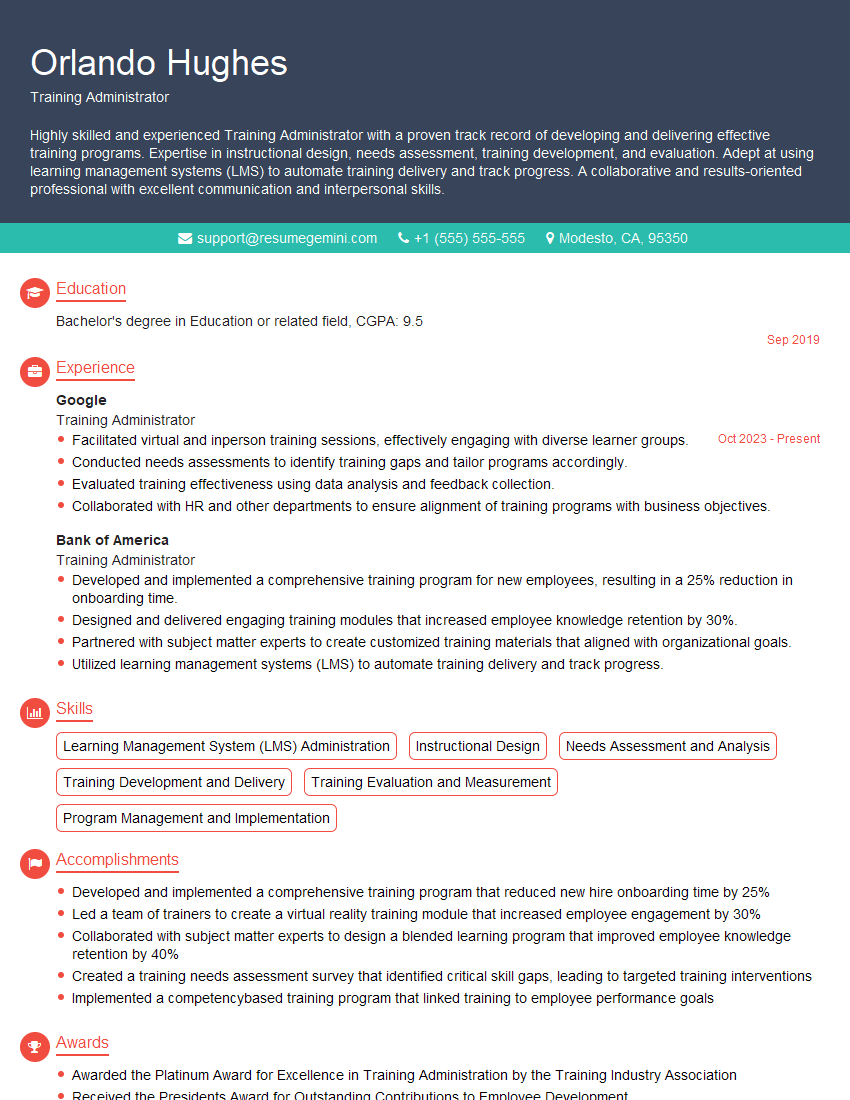
Training Administrator Resume Sample
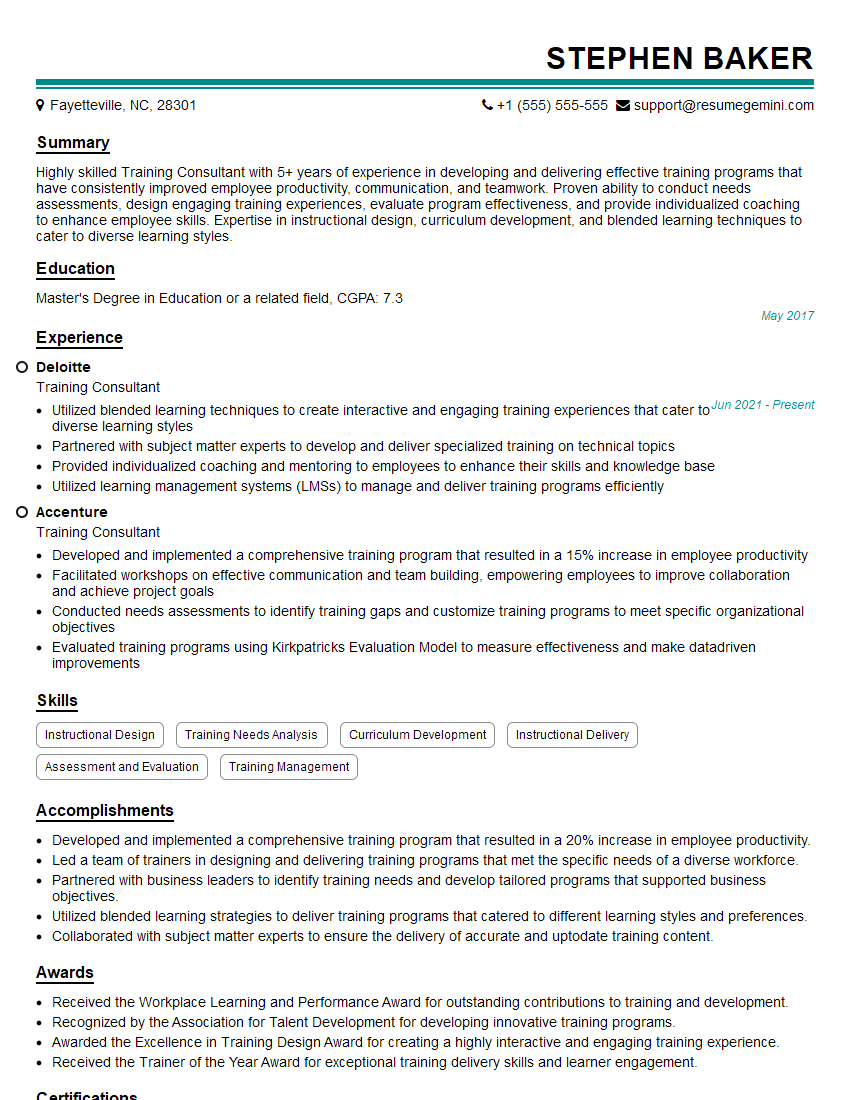
Training Consultant Resume Sample
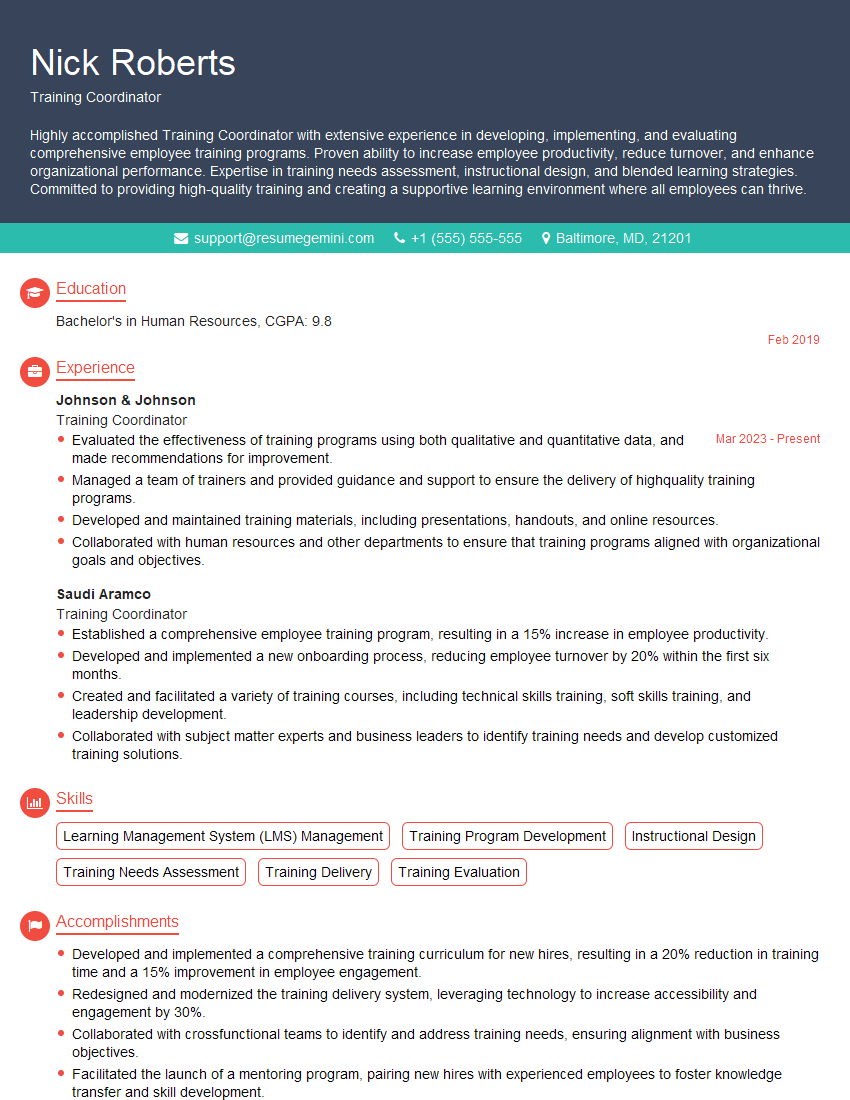
Training Coordinator Resume Sample
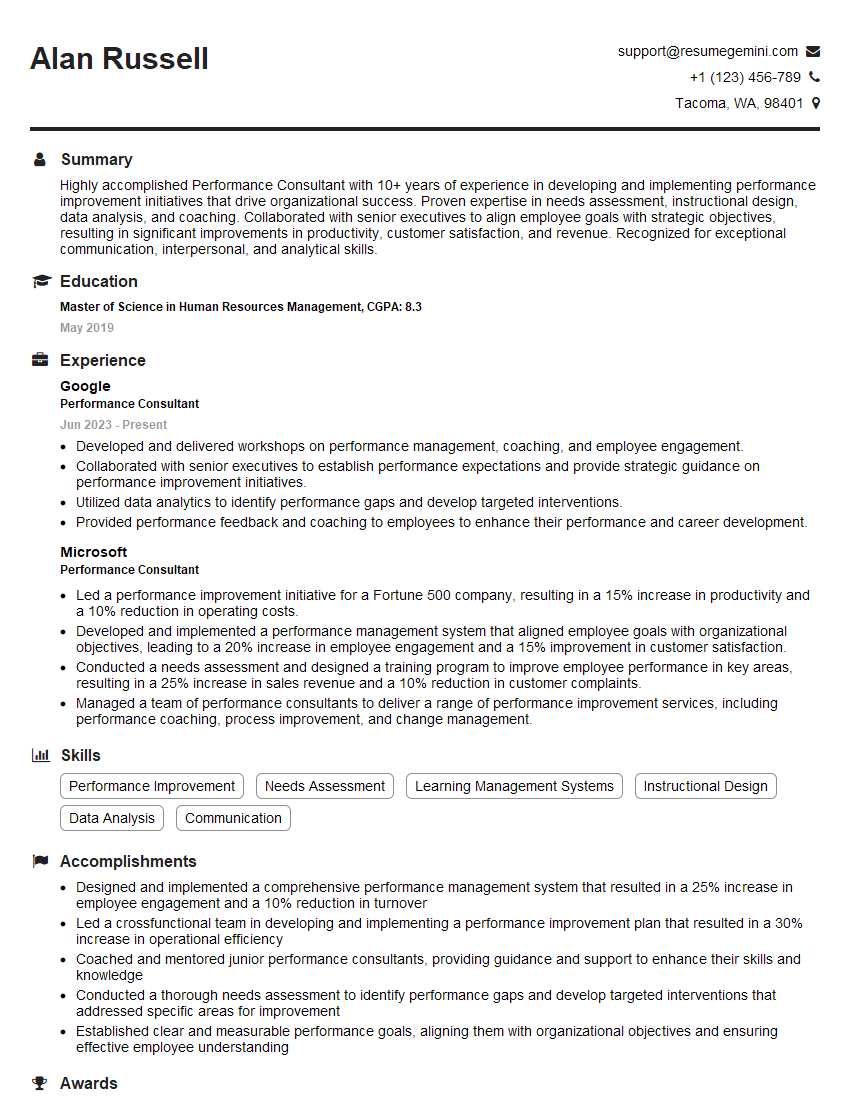
Performance Consultant Resume Sample

Curriculum Developer Resume Sample
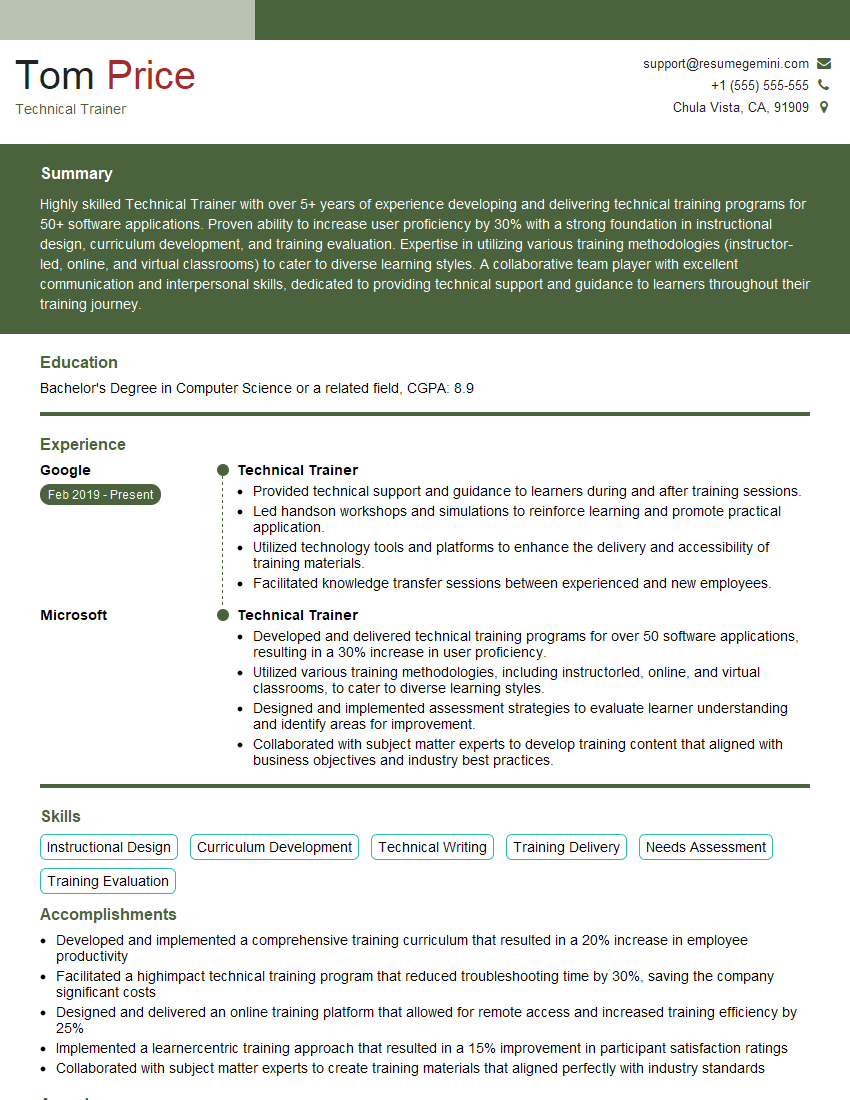
Technical Trainer Resume Sample

Training Specialist Resume Sample

Instructional Designer Resume Sample

Educational Technologist Resume Sample
Explore more articles
Users Rating of Our Blogs
Share Your Experience
We value your feedback! Please rate our content and share your thoughts (optional).
What Readers Say About Our Blog
I Redesigned Spongebob Squarepants and his main characters of my artwork.
https://www.deviantart.com/reimaginesponge/art/Redesigned-Spongebob-characters-1223583608
IT gave me an insight and words to use and be able to think of examples
Hi, I’m Jay, we have a few potential clients that are interested in your services, thought you might be a good fit. I’d love to talk about the details, when do you have time to talk?
Best,
Jay
Founder | CEO