Cracking a skill-specific interview, like one for Python or R Programming for Remote Sensing, requires understanding the nuances of the role. In this blog, we present the questions you’re most likely to encounter, along with insights into how to answer them effectively. Let’s ensure you’re ready to make a strong impression.
Questions Asked in Python or R Programming for Remote Sensing Interview
Q 1. Explain the difference between spatial and spectral resolution in remote sensing.
Spatial resolution refers to the size of the smallest discernible detail on the ground that can be captured by a sensor. Think of it like the pixel size in a digital camera; a higher spatial resolution means smaller pixels, allowing you to see finer details. A lower spatial resolution means larger pixels, resulting in a more blurry image. For example, a satellite image with 1-meter spatial resolution will show much more detail than one with 30-meter resolution.
Spectral resolution, on the other hand, refers to the number and width of wavelength intervals (bands) at which a sensor records radiation. It dictates the range of electromagnetic spectrum recorded by a sensor. A sensor with high spectral resolution will record many narrow bands, providing detailed information about the reflectance properties of a surface across different wavelengths. This is critical for differentiating between materials that may appear similar in visible light. For instance, a hyperspectral sensor might measure hundreds of narrow bands, whereas a multispectral sensor like Landsat might only have a few broader bands (e.g., red, green, blue, near-infrared).
In short, spatial resolution is about detail in space (how fine the image is), and spectral resolution is about detail in the electromagnetic spectrum (what types of wavelengths are recorded).
Q 2. Describe different atmospheric correction techniques used in remote sensing.
Atmospheric correction is crucial in remote sensing because the Earth’s atmosphere interacts with electromagnetic radiation, affecting the spectral signature of the surface being observed. Several techniques exist to mitigate these atmospheric effects. These techniques attempt to estimate and remove the atmospheric contribution to the measured radiance, allowing researchers to accurately interpret the reflectance from the earth’s surface.
- Dark Object Subtraction (DOS): A simple method assuming the darkest pixel in an image represents zero reflectance. However, this is highly susceptible to errors.
- Empirical Line Methods: These methods use relationships between known atmospheric parameters (e.g., water vapor) and measured radiances. They often involve fitting a line to a subset of the data, to account for atmospheric scattering and absorption.
- Radiative Transfer Models (RTMs): These are sophisticated models (e.g., MODTRAN, 6S) that simulate the interaction of light with the atmosphere. They require detailed atmospheric inputs, but provide the most accurate results. Inputs such as aerosol type, ozone concentration and water vapor content are essential.
- Look-up Tables (LUTs): Pre-calculated tables that link atmospheric conditions with spectral corrections. These are convenient but only apply within the range of conditions used to create the LUT.
The choice of atmospheric correction technique depends on factors such as the sensor used, the desired accuracy, and the availability of atmospheric data. For example, DOS is quick but less accurate, while RTMs are more computationally intensive but provide higher accuracy.
Q 3. What are the advantages and disadvantages of using Python vs. R for remote sensing data analysis?
Both Python and R are powerful tools for remote sensing data analysis, but they have different strengths and weaknesses.
- Python: Offers a broader range of general-purpose libraries, making it versatile for tasks beyond just remote sensing. Libraries like NumPy, SciPy, and scikit-learn provide robust capabilities for numerical computation, image processing, and machine learning. Furthermore, the rich ecosystem of libraries such as GDAL, Rasterio, and EarthPy enable effective handling of various remote sensing data formats. Python is also favoured for its readability and relatively simpler syntax making it easier to learn.
- R: Has extensive packages specifically designed for statistical analysis and data visualization. Packages like `sp`, `rgdal`, and `raster` excel at spatial data handling and analysis. R excels at statistical modeling and visualization, making it particularly strong for tasks like image classification and change detection. However, the steeper learning curve might be a drawback.
Ultimately, the choice depends on your specific needs and preferences. If your work involves a lot of statistical modeling and visualization, R might be a better choice. If you need a more general-purpose language with strong image processing capabilities and a large community support, Python is usually preferred.
Q 4. How do you handle missing data in a remote sensing dataset using Python/R?
Missing data is a common problem in remote sensing datasets due to various reasons like cloud cover, sensor malfunction, or data transmission errors. Handling it appropriately is essential to avoid biased results.
In Python, using libraries like NumPy and xarray, various strategies exist:
- Deletion: Removing rows or columns with missing values. This is simple but can lead to significant information loss if data is not Missing Completely at Random (MCAR).
- Imputation: Replacing missing values with estimated values. Common methods include mean/median imputation, linear interpolation, or using more advanced techniques like k-Nearest Neighbors (k-NN) imputation which uses information from neighboring pixels.
- Modeling: Incorporating missing data as a variable in a statistical model which accounts for the uncertainty introduced by missing data.
Example (Python with NumPy):
import numpy as np
data = np.array([[1, 2, np.nan], [4, 5, 6], [7, np.nan, 9]])
mean_imputed_data = np.nanmean(data, axis=0)
print(np.nan_to_num(data, nan = mean_imputed_data))
Similar approaches exist in R using packages like `mice` (Multiple Imputation by Chained Equations) for more sophisticated imputation techniques. The best approach depends on the nature and extent of missing data and the research question.
Q 5. Explain the process of image classification using a supervised machine learning algorithm in Python/R.
Supervised image classification involves training a machine learning algorithm on labeled data (images with known classes) to classify pixels in unlabeled images. Let’s illustrate using Python and a Support Vector Machine (SVM) classifier.
- Data Preparation: Load the image data and corresponding ground truth data. Convert the image data into a format suitable for the chosen classifier (e.g., a matrix of pixel values). Extract features (e.g., spectral bands, texture features).
- Training and Testing: Split the labeled data into training and testing sets. Train the SVM classifier on the training data, specifying the kernel type (e.g., linear, RBF), regularization parameter (C), and other relevant parameters.
- Classification: Use the trained classifier to predict the class labels for the pixels in the unlabeled image.
- Evaluation: Evaluate the classification accuracy using metrics such as overall accuracy, kappa coefficient, producer’s accuracy, and user’s accuracy. Confusion matrix is a critical tool for evaluating the results.
Example (Python with scikit-learn):
from sklearn.svm import SVC
from sklearn.model_selection import train_test_split
# ... Load image data (X) and ground truth (y) ...
X_train, X_test, y_train, y_test = train_test_split(X, y, test_size=0.3)
clf = SVC(kernel='linear')
clf.fit(X_train, y_train)
y_pred = clf.predict(X_test)
# ... Evaluate the classification results ...
Remember that the choice of classifier (SVM, Random Forest, etc.) and hyperparameter tuning are crucial for achieving optimal classification results. The process is similar in R, using packages such as `e1071` (for SVM), `randomForest`, etc. along with spatial packages like `raster` for data handling.
Q 6. What are the common file formats used for storing remote sensing data?
Remote sensing data is stored in various formats, each with specific advantages and disadvantages. Common formats include:
- GeoTIFF (.tif, .tiff): A widely used format that combines geospatial information (coordinates, projection) with raster data. It supports various compression methods and metadata, making it suitable for storing various types of imagery.
- Erdas Imagine (.img): A proprietary format commonly used in the GIS industry. It can store large datasets and supports many data types, but is limited by its proprietary nature.
- HDF (.hdf, .hdf5): Hierarchical Data Format, which can store large, complex datasets with multiple data types and metadata. Often used by NASA missions like Landsat and MODIS. Can be efficiently handled by various libraries in both Python and R.
- ENVI (.dat): Another proprietary format often used with the ENVI software. It supports various data types and metadata.
- NetCDF (.nc): Network Common Data Format, a self-describing format suitable for storing gridded data, especially useful for climate and environmental data.
The choice of file format often depends on the software used, the size of the data, and the specific requirements of the analysis. Understanding these formats is essential for interoperability and efficient data handling in remote sensing projects.
Q 7. How would you perform geometric correction on a satellite image?
Geometric correction is the process of aligning a satellite image to a known coordinate system. It corrects for geometric distortions caused by various factors, such as sensor orientation, Earth’s curvature, and atmospheric refraction. The goal is to ensure that the spatial location of pixels accurately corresponds to their real-world coordinates.
The process generally involves:
- Ground Control Points (GCPs): Identifying GCPs (locations with known coordinates in both the image and a reference dataset like a map). GCP selection requires care to avoid ambiguous points.
- Transformation Model: Selecting a suitable transformation model to mathematically relate the image coordinates to the map coordinates. Common models include affine, polynomial, and projective transformations. The complexity of the model often depends on the extent and nature of the geometric distortions.
- Transformation Parameters: Computing the transformation parameters that minimize the differences between the image and map coordinates of the GCPs. Least-squares fitting is commonly used. The more GCPs you use, the more accurate the transformation generally is. However, poorly selected GCPs can lead to errors.
- Resampling: Applying the transformation to the entire image and resampling the pixel values to their new locations. Resampling methods include nearest neighbor, bilinear interpolation, and cubic convolution. The chosen method influences the accuracy and sharpness of the corrected image.
In Python, libraries such as GDAL and Rasterio provide functions for geometric correction. Similar functionality exists in R using packages like `rgdal` and `raster`. The specific steps and algorithms might vary slightly depending on the software and tools used, but the core principles remain the same.
Q 8. Describe your experience with different geospatial data formats (e.g., GeoTIFF, Shapefile).
I have extensive experience working with various geospatial data formats. Understanding these formats is crucial for efficient remote sensing data processing. GeoTIFF, for example, is a widely used format that combines georeferencing information with raster data, making it ideal for storing satellite imagery. The georeferencing ensures that each pixel in the image is associated with a known geographic location. I’ve worked extensively with GeoTIFFs using libraries like GDAL and Rasterio in Python to perform various operations such as reading, writing, and manipulating image data.
Shapefiles, on the other hand, are vector data formats representing geographic features as points, lines, or polygons. They’re commonly used to represent things like land cover boundaries, roads, or building footprints. I often use shapefiles to overlay vector data onto raster data (e.g., satellite imagery) for analysis. For instance, I might overlay a shapefile of agricultural fields onto a satellite image to assess crop health within specific field boundaries. My experience also encompasses other formats like KML (Keyhole Markup Language) for visualizing 3D data and netCDF (Network Common Data Form) for storing multidimensional climate data often used in remote sensing applications. The choice of format depends heavily on the type of data and the subsequent analysis.
Q 9. Explain your familiarity with different image processing libraries in Python (e.g., GDAL, OpenCV, Rasterio).
In Python, I’m proficient with several powerful image processing libraries frequently employed in remote sensing. GDAL (Geospatial Data Abstraction Library) is my go-to library for reading, writing, and manipulating a wide variety of raster formats. Its versatility and efficiency are unmatched for many tasks. I regularly use GDAL to perform tasks such as warping images to a common projection, mosaicking multiple images, and extracting subsets of larger datasets.
Rasterio provides a more Pythonic interface to GDAL, offering a more streamlined and user-friendly experience for many common operations. I often prefer Rasterio for its ease of use when working with specific tasks like reading metadata or accessing individual bands of a multispectral image. For example, rasterio.open('image.tif').read(1) efficiently reads the first band of a GeoTIFF.
OpenCV (Open Source Computer Vision Library), while primarily known for computer vision tasks, is also valuable in remote sensing. Its capabilities for image filtering, edge detection, and feature extraction are frequently applied to pre-process remote sensing imagery before advanced analysis. For example, I might use OpenCV for noise reduction or geometric corrections.
Q 10. How would you perform change detection using remote sensing data?
Change detection using remote sensing involves identifying differences in land cover or other features over time. This is often done by comparing images acquired at different dates. A common approach involves image differencing or image ratioing.
Image Differencing: This straightforward method involves subtracting the pixel values of one image from another. Areas with significant changes will show up as high positive or negative values. For example, if we subtract an older image from a newer one, an increase in vegetation will show a positive difference. However, this is sensitive to atmospheric conditions and illumination changes.
Image Ratioing: This technique divides the pixel values of one image by the corresponding pixel values of another. Ratioing can help to mitigate the effects of varying illumination. This approach is often applied in vegetation studies to highlight changes in vegetation health by calculating NDVI (Normalized Difference Vegetation Index) at different time points.
More Advanced Techniques: More sophisticated methods, such as post-classification comparison (classifying each image separately and then comparing the classifications) or object-based image analysis (analyzing objects instead of individual pixels) provide better accuracy, especially when dealing with complex changes. These methods often require advanced algorithms and are computationally intensive. The choice of method depends largely on the type of change, data quality, and desired precision.
Q 11. Describe your experience with cloud-based platforms for remote sensing data processing (e.g., Google Earth Engine).
I have considerable experience with Google Earth Engine (GEE), a powerful cloud-based platform for geospatial data analysis. GEE provides access to a massive catalog of remote sensing imagery and tools for processing that data without the need for local storage of large datasets. This is particularly beneficial when working with petabytes of data, a common scenario in remote sensing. For example, I’ve used GEE to analyze deforestation patterns across large regions using time series of Landsat imagery, a task impossible to handle on a local machine due to the enormous size of the data.
GEE’s JavaScript API allows for efficient analysis using its powerful server-side processing capabilities. I can leverage its built-in algorithms for image classification, change detection, and other tasks, significantly reducing processing time compared to local processing. GEE’s scalability and accessibility make it an invaluable tool for large-scale remote sensing projects.
Q 12. Explain your understanding of different types of remote sensing sensors (e.g., optical, radar, LiDAR).
Remote sensing relies on various types of sensors to collect data about the Earth’s surface. Optical sensors, like those found on Landsat and Sentinel satellites, measure reflected sunlight in different wavelengths (bands) of the electromagnetic spectrum. These bands provide information about vegetation, water bodies, and other surface features. For instance, the near-infrared band is particularly useful for assessing vegetation health.
Radar sensors, like those on Sentinel-1, emit microwaves and measure the backscattered signal. Radar can penetrate clouds and vegetation, making it suitable for all-weather monitoring and mapping terrain features. They’re effective for applications such as flood mapping and deforestation monitoring, regardless of cloud cover.
LiDAR (Light Detection and Ranging) uses lasers to measure distances, creating highly accurate 3D representations of the Earth’s surface. LiDAR data is valuable for applications like elevation modeling, urban planning, and forest inventory. LiDAR offers very precise measurements of height and enables the extraction of detailed 3D information.
Each sensor type has its strengths and weaknesses; the choice depends on the specific application and the characteristics of the target area. For example, Optical sensors are great for vegetation analysis in clear weather, while Radar is better for all-weather monitoring, and LiDAR excels in high-resolution 3D mapping.
Q 13. How would you perform image segmentation using Python/R?
Image segmentation in Python or R aims to partition an image into meaningful regions or segments. Several methods exist, often leveraging machine learning algorithms.
Using Python with scikit-image and OpenCV: I often use libraries like scikit-image and OpenCV for image segmentation. Simple methods include thresholding (separating pixels based on intensity values) or edge detection (identifying boundaries between regions). More advanced techniques involve clustering algorithms like k-means clustering to group similar pixels together based on their spectral properties.
Machine Learning Approaches (Python): Deep learning techniques, especially Convolutional Neural Networks (CNNs), are particularly powerful for image segmentation. Libraries like TensorFlow or PyTorch provide frameworks for training CNNs on labeled image data to identify different classes or segments within an image. For example, a CNN could be trained to segment an image into different land cover types such as forest, water, and urban areas.
R and its Packages: R offers similar capabilities. Packages like EBImage provide functionalities for image manipulation and segmentation. R also integrates well with machine learning libraries, such as those used for CNN implementation.
The choice of method depends on the complexity of the image, the desired level of detail, and the availability of labeled training data for machine learning approaches.
Q 14. What are some common challenges faced in remote sensing data analysis and how would you address them?
Remote sensing data analysis faces several challenges. Atmospheric effects, such as haze or clouds, can obscure the underlying surface features and distort measurements. We address these using atmospheric correction techniques, which involve removing or minimizing the atmospheric influence from the imagery. This often involves using specialized software and atmospheric models.
Geometric distortions can occur due to sensor limitations or Earth’s curvature. Geometric corrections, using ground control points (GCPs) and image warping techniques, rectify these distortions, ensuring accurate spatial referencing.
Data volume is another significant challenge. Remote sensing datasets can be incredibly large, requiring specialized storage and processing techniques. Cloud-based platforms and efficient algorithms are crucial for handling large datasets effectively. We often employ parallel processing and distributed computing for efficient data handling.
Data heterogeneity is a challenge in multi-source remote sensing projects. Data from different sensors may have different resolutions, spectral bands, and data formats, necessitating careful data pre-processing and harmonization steps. This involves careful selection of sensors, data preprocessing steps, and careful selection of analysis techniques to ensure consistency.
Finally, the interpretation of results needs to be done carefully, considering data limitations, uncertainties in sensor calibrations, and inherent difficulties in separating signal from noise. We account for these uncertainties using appropriate statistical methods and error analysis techniques.
Q 15. Describe your experience with spatial statistics techniques.
Spatial statistics are crucial for analyzing remote sensing data because it’s not just about the pixel values themselves, but also their location and relationships. My experience encompasses a wide range of techniques, including:
- Geostatistics: I’ve extensively used kriging (ordinary, universal, and indicator) for interpolating and predicting spatially continuous variables like soil moisture or temperature from sparsely sampled remote sensing data. For example, I used ordinary kriging to model soil salinity across a large agricultural region using Landsat data combined with ground truth measurements. The semivariogram analysis was key in determining the appropriate model.
- Point Pattern Analysis: I have experience analyzing the spatial distribution of features, such as identifying clusters of deforestation using spatial point processes and analyzing their intensity. This involved using tools like Ripley’s K-function and kernel density estimation.
- Spatial Regression Models: I’m proficient in using geographically weighted regression (GWR) to model spatially varying relationships between variables. For example, I used GWR to investigate the relationship between NDVI and precipitation across different topographic zones, revealing that the effect of precipitation varied across space.
- Spatial Autocorrelation Analysis: I routinely assess spatial autocorrelation using Moran’s I and Geary’s C to understand the degree of spatial dependence in the data. Identifying spatial autocorrelation helps inform the choice of appropriate statistical methods to avoid bias.
These techniques are integral in drawing meaningful conclusions from remote sensing datasets by acknowledging and modeling the spatial dependencies inherent in the data.
Career Expert Tips:
- Ace those interviews! Prepare effectively by reviewing the Top 50 Most Common Interview Questions on ResumeGemini.
- Navigate your job search with confidence! Explore a wide range of Career Tips on ResumeGemini. Learn about common challenges and recommendations to overcome them.
- Craft the perfect resume! Master the Art of Resume Writing with ResumeGemini’s guide. Showcase your unique qualifications and achievements effectively.
- Don’t miss out on holiday savings! Build your dream resume with ResumeGemini’s ATS optimized templates.
Q 16. How would you perform NDVI calculation and analysis using Python/R?
Calculating and analyzing NDVI (Normalized Difference Vegetation Index) is a fundamental task in remote sensing. Here’s how I’d approach it using Python:
import rasterio
import numpy as np

# Open the red and near-infrared bands
with rasterio.open('red_band.tif') as red, rasterio.open('nir_band.tif') as nir:
    red_band = red.read(1)
    nir_band = nir.read(1)

# Calculate NDVI
ndvi = (nir_band - red_band) / (nir_band + red_band)

# Handle NoData values (e.g., replace with NaN)
ndvi = np.where((nir_band == 0) | (red_band == 0), np.nan, ndvi)

# Write the NDVI to a new GeoTIFF file (using metadata from the input file)
with rasterio.open('ndvi.tif', 'w', **red.meta) as dst:
    dst.write(ndvi, 1)
This Python script uses the rasterio library to efficiently handle raster data. The core NDVI calculation is straightforward. Error handling is crucial – masking NoData values (often represented as 0 or other specific values) is important to avoid erroneous calculations. After calculation, I would then proceed with analysis using libraries like numpy for statistical calculations (mean, standard deviation, etc.) and matplotlib for visualization (histograms, maps).
In R, a similar approach would utilize packages such as raster and rgdal, allowing for seamless handling of geospatial data and providing functions for NDVI calculation and subsequent analysis. Visualization would commonly involve the ggplot2 package for creating publication-quality graphs and maps.
Q 17. What are the ethical considerations in using remote sensing data?
Ethical considerations in remote sensing are paramount. Data acquisition, use, and dissemination must be approached responsibly. Key concerns include:
- Privacy: High-resolution imagery can inadvertently reveal private information. Techniques like blurring or anonymization might be necessary, depending on the application and legal frameworks. For example, using very high resolution imagery over residential areas requires careful consideration for privacy violations.
- Informed Consent: When images depict people, particularly in sensitive contexts, informed consent might be required. Not all data is publicly available, and obtaining permissions is often critical.
- Bias and Representation: Algorithms and datasets themselves may contain biases, leading to unfair or inaccurate interpretations. Careful consideration of data limitations and potential biases is crucial for responsible analysis.
- Data Security: Remote sensing data is often valuable and sensitive. Protecting it from unauthorized access and misuse is critical. Secure data storage and handling practices are essential.
- Transparency and Accountability: The methods used in processing and analyzing remote sensing data should be transparent and documented. Researchers must be accountable for the implications of their work.
Ignoring these ethical considerations can lead to significant negative consequences, from legal issues to undermining public trust. A rigorous ethical framework is essential for responsible use of remote sensing technologies.
Q 18. Describe your experience with version control systems like Git.
I have extensive experience with Git, employing it for version control in all my remote sensing projects. I’m comfortable with branching, merging, rebasing, and resolving conflicts. I’ve used Git both locally and remotely on platforms like GitHub and GitLab. My workflow generally includes:
- Creating branches for new features or bug fixes: This allows for parallel development without disrupting the main codebase.
- Regularly committing changes with clear commit messages: This ensures trackability and facilitates collaboration.
- Pushing changes to remote repositories: This enables teamwork and backup of code.
- Utilizing pull requests for code review: This improves code quality and helps identify potential issues before merging.
Git’s collaborative features are essential in large projects, and my familiarity with it contributes to efficient project management and code maintainability. I can effectively utilize Git to manage code across multiple developers and track changes throughout the development lifecycle.
Q 19. How would you visualize and interpret remote sensing data using Python/R libraries (e.g., Matplotlib, ggplot2)?
Visualizing and interpreting remote sensing data effectively is crucial. In Python, matplotlib is widely used. For instance:
import matplotlib.pyplot as plt
import rasterio

# Open the raster data
with rasterio.open('ndvi.tif') as src:
    ndvi = src.read(1)
    transform = src.transform

# Create a plot
plt.imshow(ndvi, cmap='RdYlGn', transform=transform)
plt.colorbar(label='NDVI')
plt.title('NDVI Map')
plt.show()
This creates a simple NDVI map. More advanced visualizations can be achieved using matplotlib‘s extensive capabilities. For example, we can overlay vector data (e.g., boundaries) to add context. Similarly, in R, ggplot2 offers sophisticated plotting options, creating aesthetically pleasing and informative visualizations. We can customize color palettes, add legends, and create detailed maps with minimal code.
Interpretation involves relating visual patterns to real-world phenomena. For example, high NDVI values usually signify healthy vegetation, whereas low values may indicate sparse vegetation or bare soil. Careful consideration of data context and ancillary information is critical for accurate interpretation.
Q 20. Explain your experience working with large remote sensing datasets.
Working with large remote sensing datasets requires specialized strategies due to memory constraints and processing time. My experience includes:
- Cloud Computing: I’ve leveraged cloud platforms like Google Earth Engine (GEE) and AWS to process and analyze datasets exceeding my local machine’s capacity. GEE’s parallel processing capabilities are particularly beneficial for large-scale analysis.
- Data Subsetting: Processing only the relevant portion of the data, using spatial subsetting (e.g., selecting a region of interest) or temporal subsetting (selecting a specific date range).
- Chunking: Processing data in smaller, manageable chunks instead of loading the entire dataset at once. This reduces memory demands and improves efficiency. Libraries like
rasterioin Python provides tools for efficient chunking. - Optimized Data Formats: Using efficient data formats like GeoTIFF and HDF5 to reduce storage space and improve I/O speeds.
- Parallel Processing: Utilizing Python libraries like
daskor R packages designed for parallel computation to significantly speed up processing times.
Effective strategies for handling big data are critical for both efficiency and feasibility. My approach is to consider the entire workflow, selecting tools and techniques appropriate for the dataset size and computational resources available.
Q 21. How familiar are you with spatial indexing techniques?
Spatial indexing techniques are crucial for efficient querying and retrieval of spatial data in large datasets. I’m familiar with several techniques including:
- R-trees and their variants (R*-trees, R+trees): These tree-based structures are very effective for indexing point, line, and polygon geometries. They accelerate spatial queries (e.g., finding all points within a certain radius). PostGIS, a spatial extension for PostgreSQL, extensively utilizes R-trees.
- Quadtrees: These are hierarchical spatial data structures that recursively subdivide space into quadrants. They are suitable for raster data and point data and are very efficient for nearest neighbor searches.
- Grid Indexes: This simple approach involves dividing the spatial extent into a grid, which is a straightforward method for accelerating spatial queries by limiting the search space.
- Spatial Hashing: This technique uses hash functions to map spatial objects to buckets, enabling fast lookups. It is often used for approximate nearest neighbor searches.
Understanding these techniques allows me to optimize queries and significantly reduce processing time when working with spatial databases and large geospatial datasets. The choice of method depends on the specific type of data and the types of spatial queries required.
Q 22. What is your experience with time series analysis of remote sensing data?
Time series analysis of remote sensing data involves analyzing changes in Earth’s surface features over time using a sequence of remotely sensed images. This is crucial for understanding dynamic processes like deforestation, urban sprawl, glacier retreat, or agricultural yields. My experience involves using Python libraries like xarray and pandas to handle multi-dimensional time series data from various sensors (Landsat, Sentinel, MODIS). I’ve worked extensively with techniques like change detection (e.g., using difference images or vegetation indices like NDVI over time), trend analysis (linear regression, etc.), and anomaly detection to identify unusual events. For example, I once used time series analysis of Landsat imagery to monitor the progression of a wildfire, accurately mapping its spread and intensity over several weeks.
I’m proficient in applying various statistical methods including moving averages, time series decomposition (to separate trend, seasonality, and residuals), and more advanced techniques like ARIMA or Prophet models depending on the data characteristics and the research question. The choice of method is crucial; for example, a simple moving average might be sufficient for smoothing noise in NDVI time series, while ARIMA might be more appropriate for modeling complex temporal dynamics in land surface temperature.
Q 23. How would you assess the accuracy of a classification result?
Assessing the accuracy of a classification result is critical to ensure the reliability of remote sensing applications. This typically involves comparing the classified image with a reference dataset (ground truth data) that represents the true land cover. Several metrics are used, including:
- Overall Accuracy: The percentage of correctly classified pixels across all classes.
- Producer’s Accuracy (User’s Accuracy): For each class, it indicates how well the classification correctly identifies that class. Producer’s accuracy looks at the proportion of correctly classified pixels of a certain class out of all the pixels that are *actually* that class in the reference data. User’s accuracy conversely looks at the proportion of correctly classified pixels of a certain class out of all the pixels that were *classified* as that class.
- Kappa Coefficient (κ): A statistical measure that accounts for the agreement expected by chance. A higher κ value (closer to 1) indicates better agreement beyond random classification.
- Confusion Matrix: A table summarizing the classification results, showing the counts of correctly and incorrectly classified pixels for each class. This provides a detailed view of the classification’s performance.
In practice, I utilize these metrics alongside visual inspection of the classified image, and error maps. For example, identifying areas of consistent misclassification might reveal limitations in the input data or the classification method. I always strive to achieve high overall accuracy, but also to pay close attention to the individual class accuracies, particularly for classes of interest.
Q 24. Describe your experience with object-oriented programming concepts in Python or R.
I have extensive experience with object-oriented programming (OOP) in Python. I leverage OOP principles to structure my remote sensing workflows, improving code modularity, reusability, and maintainability. My projects involve creating custom classes representing various aspects of remote sensing data, including:
- Raster Data Classes: Classes handling the loading, processing, and visualization of raster data (e.g., a class that encapsulates the loading, reprojection, and band selection methods for a satellite image).
- Feature Extraction Classes: Classes to calculate indices (NDVI, etc.) or extract features from images, keeping the implementation details hidden from the main code.
- Classification Classes: Classes encapsulating various classification algorithms (e.g., Support Vector Machines or Random Forests) to apply classification techniques in a structured way.
For example, I recently developed a Python package using OOP principles that automated the processing of large Sentinel-2 time series, including cloud masking, atmospheric correction, and vegetation index calculation. Using classes allowed for easy extension and maintenance of the codebase.
While R has less emphasis on formal OOP compared to Python, I’m comfortable using S3 and S4 object systems in R for data organization and method dispatch, particularly when dealing with complex spatial data structures.
Q 25. How would you handle large raster datasets efficiently in Python/R?
Handling large raster datasets efficiently in Python and R requires careful consideration of memory management and processing strategies. Here are some approaches I use:
- Chunking: Processing the raster data in smaller, manageable chunks instead of loading the entire dataset into memory at once. Libraries like
rasterio(Python) andterra(R) provide efficient tools for this. - Out-of-core computation: Using libraries that support out-of-core processing, allowing computation to happen directly on disk rather than fully loading data into RAM. This is very helpful for huge datasets exceeding RAM capacity.
- Data compression: Storing the data in compressed formats (like GeoTIFF) reduces the disk space and memory footprint, leading to faster I/O.
- Cloud computing: Leveraging cloud platforms like AWS or Google Cloud Platform to handle data storage and computation, enabling processing of exceptionally large datasets using distributed computing frameworks.
For instance, I recently processed a large Landsat mosaic (several terabytes) on AWS using rasterio and Dask to efficiently handle chunking and distributed computing. The efficient chunking reduced memory issues considerably and improved processing time.
Q 26. What are some common libraries for working with spatial data in R?
R offers a rich ecosystem of libraries for spatial data handling. Some commonly used ones include:
sf: A powerful package for working with simple features (points, lines, polygons) representing vector data. It provides functions for reading, writing, manipulating, and analyzing spatial vector data.terra: A modern replacement for the olderrasterpackage. It’s highly efficient for raster data manipulation and analysis, offering tools for reading, writing, resampling, and performing calculations on raster datasets.sp: An older package that is still widely used, particularly for legacy projects. It provides basic functionalities for spatial data handling but is less efficient and user-friendly thansfandterra.rgdal: Provides functionalities for reading and writing various spatial data formats.
These libraries, combined with others such as ggplot2 for visualization, enable a seamless workflow for spatial data analysis within R.
Q 27. Explain your experience with parallel computing for remote sensing data processing.
Parallel computing is essential for accelerating remote sensing data processing, especially when dealing with large datasets or computationally intensive tasks. My experience involves using various techniques:
- Multi-core processing: Utilizing multiple CPU cores to speed up calculations using packages like
parallel(R) or themultiprocessingmodule (Python). This is particularly effective for tasks that can be easily parallelized, such as applying a function to each band of a satellite image independently. - Distributed computing: Employing clusters of computers or cloud-based platforms (like AWS or Google Cloud) to distribute the workload across multiple machines. Frameworks such as
SparkorDaskare crucial in this context. - GPU computing: Using GPUs (Graphics Processing Units) to accelerate computationally intensive operations like image classification or feature extraction. Libraries such as
cuPy(Python) orRcppwith CUDA integration (R) enable this.
I have successfully utilized these techniques for various applications, including large-scale image classification, time-series analysis, and atmospheric correction of hyperspectral imagery. For example, I parallelized a computationally expensive object-based image analysis process on a cluster, drastically reducing processing time from days to hours.
Key Topics to Learn for Python or R Programming for Remote Sensing Interview
- Fundamental Data Structures and Algorithms: Understanding lists, arrays, dictionaries (Python) or data frames, vectors, matrices (R) is crucial for efficient data handling in remote sensing.
- Image Processing Libraries: Gain proficiency in libraries like GDAL, Rasterio (Python) or raster, rgdal (R) for reading, writing, and manipulating geospatial raster data. Practice common tasks like image resampling, projection transformations, and band calculations.
- Geospatial Data Formats: Familiarize yourself with common remote sensing data formats like GeoTIFF, NetCDF, and their characteristics. Understand how to handle metadata effectively.
- Data Analysis and Visualization: Master techniques for statistical analysis of remote sensing data, including exploratory data analysis (EDA), and visualization using libraries like Matplotlib, Seaborn (Python) or ggplot2 (R). Practice creating informative charts and maps.
- Cloud Computing for Remote Sensing: Explore cloud platforms like Google Earth Engine or AWS for processing large remote sensing datasets. Understand the benefits and challenges of cloud-based workflows.
- Machine Learning for Remote Sensing: Learn the fundamentals of applying machine learning algorithms (classification, regression) to remote sensing data for tasks like land cover classification or change detection. Explore libraries like scikit-learn (Python).
- Spatial Statistics and Geostatistics: Develop a strong understanding of spatial autocorrelation and techniques for spatial analysis, such as kriging or spatial regression.
- Version Control (Git): Master Git for collaborative work and efficient project management. This is highly valued in professional settings.
- Problem-Solving and Debugging Skills: Practice identifying and resolving errors effectively. Develop a structured approach to debugging complex code.
Next Steps
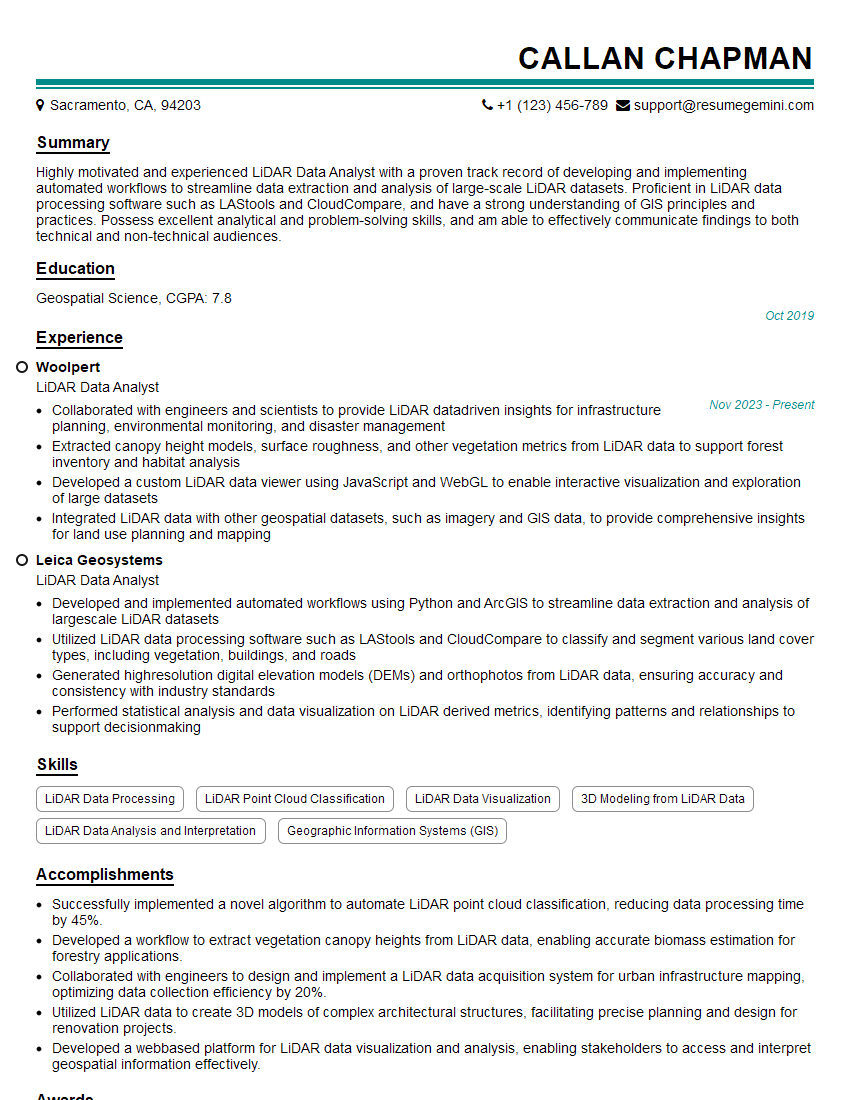
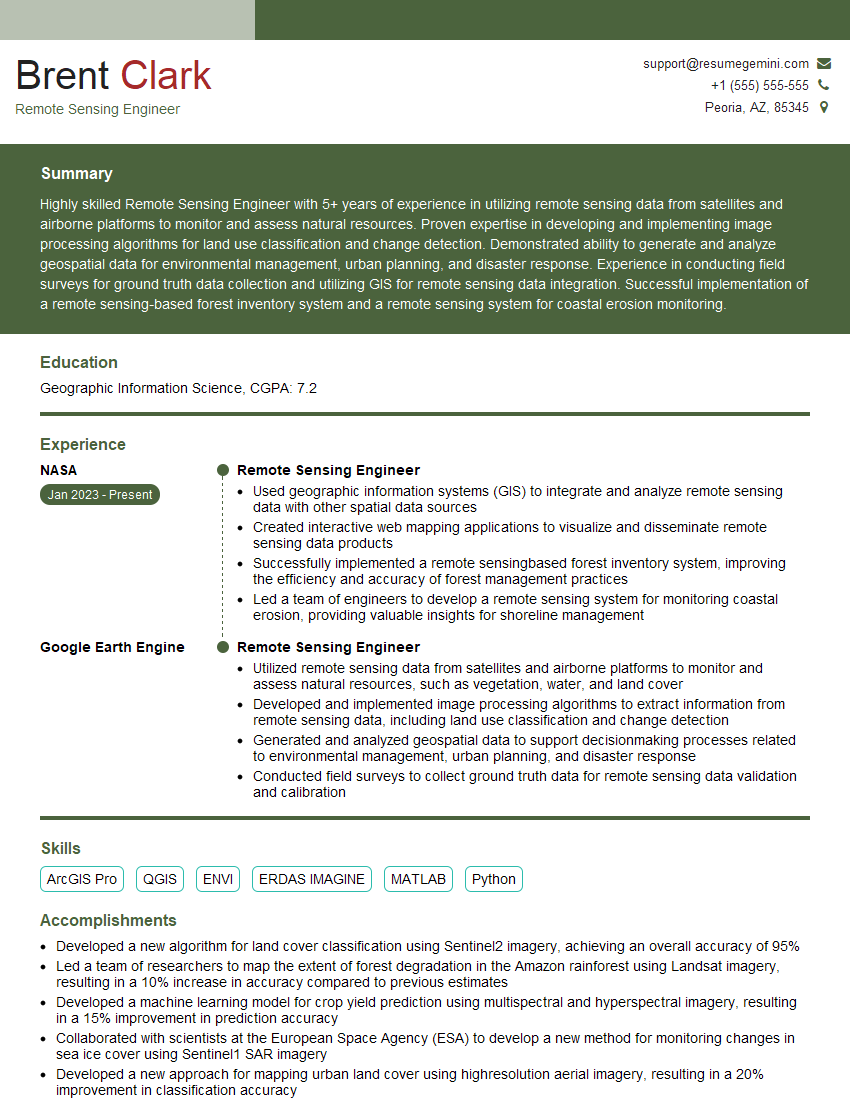
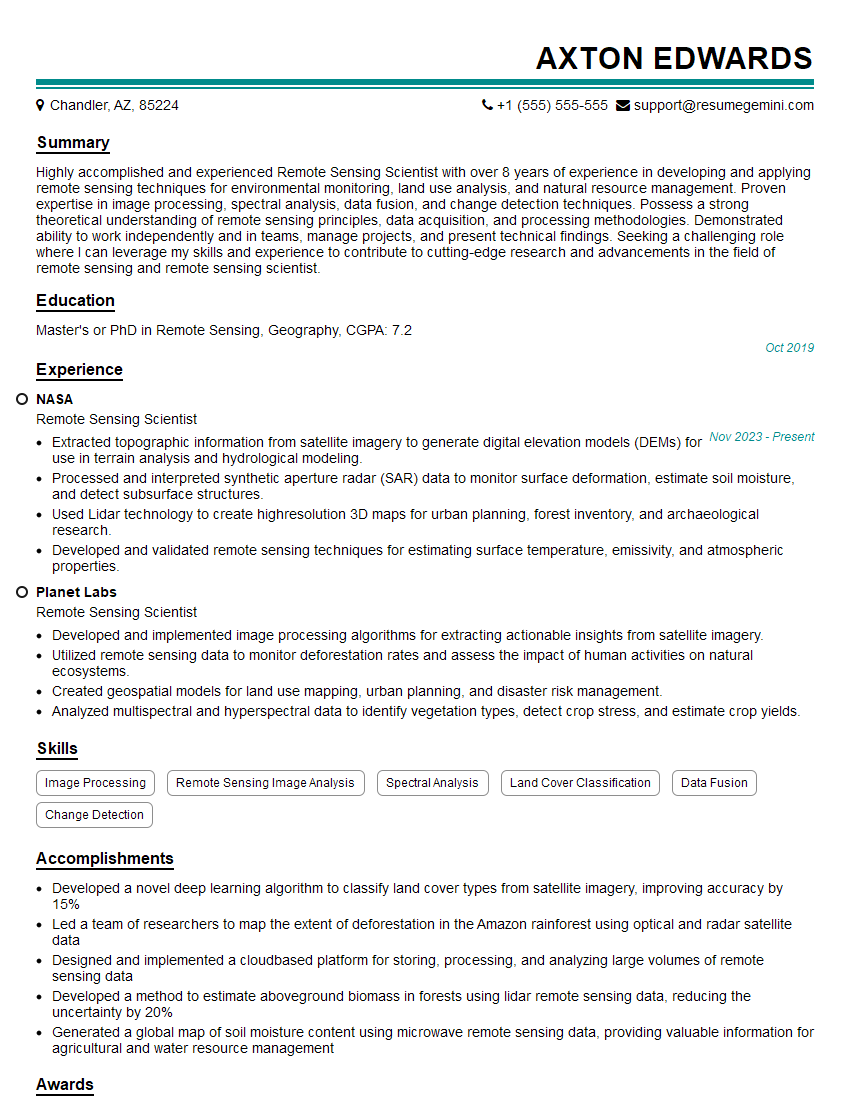
Mastering Python or R for remote sensing significantly boosts your career prospects, opening doors to exciting roles in environmental monitoring, precision agriculture, urban planning, and more. A well-crafted resume is your key to unlocking these opportunities. Make sure your resume is ATS-friendly to ensure it gets noticed by recruiters. ResumeGemini is a trusted resource to help you build a professional and impactful resume that showcases your skills effectively. Examples of resumes tailored to Python or R Programming for Remote Sensing are available to help guide you.


Explore more articles
Users Rating of Our Blogs
Share Your Experience
We value your feedback! Please rate our content and share your thoughts (optional).
What Readers Say About Our Blog
Really detailed insights and content, thank you for writing this detailed article.
IT gave me an insight and words to use and be able to think of examples