Interviews are opportunities to demonstrate your expertise, and this guide is here to help you shine. Explore the essential Animation Production interview questions that employers frequently ask, paired with strategies for crafting responses that set you apart from the competition.
Questions Asked in Animation Production Interview
Q 1. Explain your experience with different animation software packages (e.g., Maya, Blender, After Effects).
My experience spans several industry-standard animation software packages. I’m highly proficient in Autodesk Maya, a powerhouse for 3D modeling, animation, and rendering. I’ve used it extensively for character animation, environment creation, and complex rigging setups. For instance, on a recent project, I leveraged Maya’s advanced dynamics tools to simulate realistic cloth for a character’s flowing cape. Blender, a free and open-source alternative, is another tool in my arsenal. Its versatility and powerful sculpting capabilities make it ideal for organic modeling and quick prototyping. I used Blender to create a low-poly character model for a game project, leveraging its efficient workflow. Finally, Adobe After Effects is my go-to for compositing, visual effects, and 2D animation. I’ve used After Effects to enhance renders, add post-processing effects, and create compelling motion graphics. For example, I recently used After Effects to create subtle camera shake effects to add realism to a 3D animation sequence.
Q 2. Describe your workflow for creating a character animation from concept to final render.
My character animation workflow is iterative and detail-oriented. It begins with conceptualization, where I work with the art director to define the character’s personality, style, and key poses. Then, I proceed to modeling in either Maya or Blender, focusing on anatomical accuracy and stylized details depending on the project’s needs. Rigging follows, creating a robust skeletal system with controls for intuitive animation. This is a crucial step; a well-built rig saves time and frustration down the line. Next comes the animation process, which involves blocking out major poses and actions, and then refining the animation with secondary actions and subtle details like weight shifting and follow-through. This is often an iterative process, involving constant review and refinement. Finally, I handle skinning, materials, lighting, and rendering to achieve the desired aesthetic, which might involve using Arnold, V-Ray, or Cycles render engines, depending on the project’s requirements. For example, in a recent project featuring a stylized character, I used a simplified rig to focus on exaggerated movements, while in another project, a more detailed rig with facial muscles was necessary for subtle facial expressions.
Q 3. What are the key differences between 2D and 3D animation techniques?
2D and 3D animation differ fundamentally in their approach to creating the illusion of movement. 2D animation often involves hand-drawing or digital painting of individual frames, creating a sequence of images to simulate motion. Think of classic cartoons like Looney Tunes. It’s often more stylized and expressive, and the workflow is generally less complex. 3D animation, on the other hand, creates movement using three-dimensional models that are manipulated and rendered to produce a moving image. It allows for more realistic depictions and complex camera angles. It requires software proficiency and a deeper understanding of 3D space, lighting, and modeling techniques. The choice between 2D and 3D depends heavily on the desired style, budget, and technical capabilities.
Q 4. How do you approach solving rigging challenges?
Rigging challenges often arise from the complexity of character models, especially with numerous joints and intricate details. My approach is to break down the problem into manageable parts. First, I carefully analyze the character’s anatomy and movement requirements. Then, I design the rig strategically, using appropriate joint types and constraints to ensure smooth and natural movement. For example, I might use different joint types for the fingers versus the spine to achieve the desired range of motion. I employ techniques like inverse kinematics (IK) and forward kinematics (FK) to manage the rig efficiently. If I encounter issues with unwanted deformations or limited range of motion, I employ iterative problem-solving, making adjustments to the joint hierarchy, constraints, and weights until the desired movement is achieved. Using a modular approach to rig design, where components like arms and legs can be easily replicated and adjusted, makes the workflow more efficient and organized.
Q 5. Explain your experience with different animation styles (e.g., realistic, stylized, cartoon).
My experience encompasses a wide range of animation styles. Realistic animation aims to mimic real-world movement and appearance, requiring extensive knowledge of anatomy, physics, and subtle nuances of human and animal motion. For example, accurately simulating muscle movement in a human character is crucial for realistic results. Stylized animation deviates from realism, often employing exaggerated movements and unique visual characteristics. It’s about expression and creative interpretation, less about technical accuracy. Think of the fluid movements in anime. Cartoon animation uses even greater simplification, focusing on clear shapes and bold movements. Each style requires a different approach to modeling, rigging, animation, and rendering. I adapt my techniques based on the project’s style guidelines and creative vision.
Q 6. Describe your process for creating realistic skin shaders.
Creating realistic skin shaders involves understanding the complexities of light interaction with skin. I start with a base diffuse color, carefully adjusting the color values to achieve the correct skin tone. Then, I add subsurface scattering (SSS) to mimic the way light penetrates and scatters beneath the skin’s surface. The SSS parameters, such as radius and color, significantly impact the realism of the skin shader. I use bump and normal maps to add surface detail, creating pores and wrinkles for a more lifelike texture. Finally, I incorporate specular highlights to reflect light realistically. This is often done with a combination of different layers or techniques. The process is iterative; I constantly refine the settings and tweak parameters, using reference images and lighting adjustments to achieve a final result that looks natural and convincing.
Q 7. How do you manage large files and complex scenes in your animation workflow?
Managing large files and complex scenes requires a strategic approach. I employ techniques like scene organization, including using layers, namespaces, and well-named components. I leverage proxy geometry for high-poly models during animation, switching to high-resolution versions only during final rendering. This significantly reduces scene complexity and improves performance. I also use efficient file management systems and utilize compression techniques where possible to minimize file sizes. Further, I utilize techniques like out-of-core rendering which can assist in rendering larger scenes which would otherwise be too large to fit into the computer’s RAM. Breaking down complex scenes into smaller, more manageable units can also help prevent bottlenecks during the production pipeline.
Q 8. What are some common problems encountered in lighting and how do you resolve them?
Lighting is crucial in animation; it sets the mood, reveals the form, and guides the viewer’s eye. Common problems include inconsistent lighting across scenes, poor contrast resulting in a muddy or flat look, and unrealistic shadows or highlights.
- Inconsistent Lighting: This can stem from different artists working on different scenes with varying lighting styles. The solution is to establish a comprehensive lighting guide, outlining key light sources, color temperatures, and intensity levels for each environment. Reference images and mood boards are also helpful. We often create a master lighting template scene to ensure consistency.
- Poor Contrast: Lack of contrast can make the animation look lifeless. To address this, we need to carefully balance the key light, fill light, and back light. Using rim lights can further define the edges of characters and objects, increasing contrast. Analyzing the luminance range in the render is also crucial.
- Unrealistic Shadows and Highlights: Incorrect shadow placement or overly harsh highlights can break the illusion of reality. We must carefully consider the light source’s position, size, and intensity to generate believable shadows. Techniques like using shadow catchers and adjusting shadow softness can significantly enhance realism.
For example, in a recent project featuring a forest scene, we used a lighting guide with specific instructions for sunlight filtering through the leaves, creating dappled light and subtle shadow patterns. This level of detail prevented any inconsistencies and significantly increased the scene’s realism and atmosphere. We also utilized HDRI (High Dynamic Range Imaging) to incorporate realistic environmental lighting.
Q 9. What is your experience with motion capture data and its integration into animation?
I have extensive experience with motion capture (MoCap) data, from acquisition to integration into our animation pipeline. My work involves cleaning, retargeting, and editing the raw MoCap data to fit our animated characters’ rigs. This process is not simply plugging in the data; it requires significant artistic judgment.
Cleaning the data means removing extraneous movements, errors, or noise captured during the recording. Retargeting involves mapping the MoCap data from a human performer to our stylized or non-human characters. This necessitates adjusting the range of motion and adapting the captured performance to the specific anatomical structure of the animated character. Editing involves refining the performance by adding or adjusting keyframes to achieve the desired level of naturalism or expressiveness.
I’ve worked with various MoCap software packages, including MotionBuilder and Maya, and I’m proficient in solving common issues like foot-sliding or unexpected joint rotations. Sometimes the MoCap data isn’t perfect, and I use a combination of techniques—blending MoCap with hand-keyframed animation, for example—to achieve a convincing and believable final performance.
In one project, we used MoCap for a complex fight scene. While the initial capture was good, we had to spend considerable time retargeting the data to our character’s unique quadrupedal rig, ensuring realistic movement, and carefully cleaning up some of the less-than-ideal data from the capture session. The result was a highly believable and dynamic scene.
Q 10. Explain your understanding of keyframing and interpolation.
Keyframing and interpolation are fundamental to animation. Keyframing is the process of setting specific poses or positions at key moments in time, creating the ‘keyframes.’ Interpolation is the process of automatically calculating the in-between frames, generating smooth transitions between these keyframes. Think of it like drawing the key poses of a character in a storyboard, and the computer filling in the gaps smoothly.
For example, to animate a character walking, you might set keyframes for the beginning of a stride, the mid-point, and the end of a stride. The software’s interpolation algorithm will then calculate the poses for all the frames in between, creating a natural walking motion. Different interpolation methods exist (linear, bezier, etc.), each impacting the smoothness and character of the animation. Artists choose the appropriate method depending on the desired effect. Sometimes, however, simply keyframing the in-betweens is necessary for precise control.
I often use a combination of techniques. For simple motions, I rely on the software’s interpolation. But for more complex actions or subtle character performances, I carefully hand-keyframe many in-betweens to achieve a realistic and nuanced animation.
Q 11. How do you manage your time effectively when working on multiple projects?
Managing time effectively on multiple projects requires meticulous planning and organizational skills. I use a project management system (often a combination of a task management app and a shared calendar) to track deadlines, assign tasks, and monitor progress. I prioritize tasks based on urgency and importance, focusing on high-impact activities first. Breaking down large projects into smaller, manageable tasks makes progress easier to track and more rewarding.
Communication is key. I maintain open communication with my team and supervisors to ensure we are all on the same page regarding timelines and expectations. Regular check-ins allow for quick adjustments and prevent unexpected delays. I use time-blocking techniques, dedicating specific time slots to specific tasks. This helps maintain focus and prevents task-switching, which can be detrimental to productivity.
Furthermore, I strive for consistent efficiency in my workflow. This includes streamlining repetitive tasks using scripts or automating certain processes, which allows me to focus my time and energy on more creative aspects. In one project juggling three simultaneous productions, I used a Kanban board to visualize progress and readily identify and resolve any potential bottlenecks.
Q 12. Describe your experience with compositing and visual effects.
Compositing and visual effects (VFX) are crucial for enhancing the final look of an animated film or sequence. Compositing involves combining multiple layers of rendered elements—characters, backgrounds, effects—to create a cohesive final image. VFX encompasses a broader range of techniques, from creating realistic fire and explosions to generating digital environments or adding complex character effects.
My experience encompasses various compositing and VFX software packages such as Nuke and After Effects. I’m proficient in techniques like keying, rotoscoping, color correction, and motion tracking. I understand how to integrate seamlessly rendered elements into live-action footage, creating a photorealistic composite if required.
In one project involving a spaceship battle, I was responsible for compositing the spaceship models, rendered explosions, and background space environment. This involved careful masking, color correction to match the lighting and atmosphere, and motion tracking to ensure proper alignment. The final composite was visually stunning, integrating seamlessly the different elements.
Q 13. How do you ensure consistency in character animation throughout a project?
Consistency in character animation is paramount. To maintain consistency across a project, several strategies are essential. First, we create a comprehensive style guide for the character, specifying its personality, movement style, and range of emotions. This guide serves as a reference for all animators throughout the project.
Second, we conduct regular animation reviews and dailies to spot inconsistencies early on. This collaborative approach allows for immediate feedback and correction, preventing the accumulation of discrepancies. Third, we use animation reference videos, often motion capture data, and sometimes even create animation libraries of common actions. This ensures a common baseline for movements.
Finally, leveraging tools within the animation software can help. For example, we might use a ‘pose library’ to store frequently used poses, ensuring consistency in character posture. A strong emphasis on clear communication between animators and a collaborative production environment are essential to maintaining the integrity of the character’s animation throughout the project. One instance where this was especially important was in a project with multiple animation teams spread across different studios; the style guide, regular meetings, and a detailed ‘shot breakdown’ were vital for achieving the consistent performance throughout the film.
Q 14. How familiar are you with version control systems like Perforce or Git?
I am very familiar with version control systems, primarily Perforce and Git. I understand their importance in managing large animation projects with multiple artists contributing simultaneously. Perforce is particularly well-suited for managing large binary files common in animation production, while Git is effective for smaller assets and text-based files.
I’m proficient in branching, merging, and resolving conflicts. I understand the importance of regular check-ins, creating descriptive commit messages, and using proper version control best practices to maintain a well-organized and manageable project history. This allows for easy access to previous versions of files, facilitates collaboration, and prevents accidental data loss. I’ve used both systems extensively throughout my career, and my understanding extends beyond the basics – I can handle complex workflows and troubleshoot version control issues effectively. This is especially important during collaborations, enabling smooth and efficient integration of different artists’ work.
Q 15. Explain your approach to collaboration with other team members.
Collaboration is the lifeblood of animation production. My approach centers around clear communication, proactive problem-solving, and a deep respect for diverse skill sets. I believe in establishing a strong foundation of trust and open dialogue from the outset of a project. This starts with regular team meetings – daily stand-ups to track progress and address immediate concerns, and weekly progress meetings to review milestones and discuss potential roadblocks. I also utilize project management tools like Jira or Asana to track tasks, deadlines, and dependencies, ensuring everyone is on the same page. Beyond formal processes, I actively foster an environment where team members feel comfortable sharing ideas, providing constructive criticism, and asking questions. For example, during the production of a recent short film, a junior animator struggled with a complex character rig. Instead of simply providing a solution, I guided them through the process, allowing them to learn and grow, resulting in a stronger final product and a more confident team member.
Beyond verbal communication, I rely heavily on visual communication through detailed storyboards, animatics, and asset reviews. These shared visual references prevent misunderstandings and ensure everyone has a unified vision for the final product. This collaborative approach not only leads to a higher quality final product but also boosts team morale and creates a more positive and productive work environment.
Career Expert Tips:
- Ace those interviews! Prepare effectively by reviewing the Top 50 Most Common Interview Questions on ResumeGemini.
- Navigate your job search with confidence! Explore a wide range of Career Tips on ResumeGemini. Learn about common challenges and recommendations to overcome them.
- Craft the perfect resume! Master the Art of Resume Writing with ResumeGemini’s guide. Showcase your unique qualifications and achievements effectively.
- Don’t miss out on holiday savings! Build your dream resume with ResumeGemini’s ATS optimized templates.
Q 16. What are some common challenges in creating realistic facial animations?
Creating realistic facial animations is a challenging undertaking, demanding a nuanced understanding of human anatomy, muscle movement, and subtle emotional expressions. Some common hurdles include achieving convincing lip sync, managing the complexities of facial rigging, and rendering realistic skin texture and subsurface scattering. Accurate lip sync requires precise timing and coordination between audio and animation, often needing multiple iterations to match the nuances of speech. This often necessitates the use of specialized software and techniques like phoneme-based animation or performance capture. Complex facial rigs, with numerous control points to manipulate individual muscles, can be difficult to manipulate intuitively and can lead to unnatural or “glitchy” movements. Finally, rendering realistic skin requires advanced techniques to simulate the way light interacts with skin tissue (subsurface scattering) and replicate the fine details of pores, wrinkles, and imperfections. Consider the challenge of rendering realistic tears, for instance; it demands attention to detail, accurate physics simulation, and the careful balance of light and shadow. To address these challenges, we use techniques such as procedural animation for subtle expressions, blend shapes to facilitate natural facial movements, and high-resolution texture maps coupled with physically-based rendering (PBR) to achieve realistic skin.
Q 17. Describe your experience with rendering techniques and optimizing render times.
My experience encompasses a wide range of rendering techniques, from scanline rendering to advanced path tracing and ray tracing methods. I’m proficient in various render engines, including Arnold, RenderMan, and V-Ray. Optimizing render times is crucial for efficient production. My strategies involve optimizing scene complexity, utilizing appropriate render settings, and leveraging render farm technology. Scene optimization might involve simplifying geometry, reducing polygon count, using level of detail (LOD) techniques, and carefully placing lights to minimize render time. Effective render settings involve choosing the right balance between render quality and speed, making smart use of features like denoising and adaptive sampling. Render farms are vital for managing large renders, distributing tasks across multiple machines to drastically reduce rendering time, frequently utilized in large-scale projects. For example, during a project involving complex CG environments, I implemented a distributed rendering system that reduced the render time of a single frame from 12 hours to just under 3 hours. This significantly improved the project’s overall timeline and budget.
Q 18. How do you handle feedback and constructive criticism during the animation process?
Feedback is integral to the animation process. I embrace constructive criticism as an opportunity for growth and refinement. My approach involves actively soliciting feedback from various stakeholders, including directors, producers, and fellow animators. I encourage open communication, creating a safe space for expressing opinions and suggestions. I employ a structured feedback review process. This typically involves scheduled screenings where the animation is reviewed, followed by a constructive discussion. I carefully document feedback, prioritizing both positive reinforcement and areas needing improvement. I create a prioritized list of changes to address based on the severity and importance. I always maintain professionalism, even when receiving critical feedback, focusing on understanding the reasoning behind the comments and using them to refine the work. For example, in one project, I received feedback that a character’s walk cycle felt unnatural. Instead of becoming defensive, I analyzed the critique, studied reference videos of human gait, and revised the animation, ensuring the feedback was incorporated into a significantly better result.
Q 19. Explain your understanding of animation principles (e.g., squash and stretch, anticipation).
Animation principles are the foundational building blocks of compelling animation. Understanding and applying these principles is crucial for creating believable and engaging characters and scenes.
- Squash and Stretch: This principle gives objects a sense of weight and flexibility. Think of a bouncing ball; it squashes on impact and stretches as it rebounds. Applying squash and stretch correctly brings life and expressiveness to movement.
- Anticipation: Before a character performs an action, there is often a preparatory pose. A baseball pitcher winding up before throwing the ball is a perfect example. Anticipation makes the action more believable and less jarring.
- Staging: This is about clarity; ensuring that the action is easily understood and visually compelling. Good staging involves thoughtful camera angles, clear poses, and strong silhouettes.
- Straight Ahead Action and Pose to Pose: These are different animation approaches. Straight ahead builds the animation frame-by-frame, while pose to pose involves defining key poses, then filling in the in-betweens.
- Follow Through and Overlapping Action: These principles contribute to realistic movement. Follow through refers to parts of a character continuing to move after the main action has stopped (e.g., hair trailing behind a running character). Overlapping action involves different parts of a character moving at different speeds (e.g., a character’s arm swinging independently of their torso).
- Slow In and Slow Out: Most natural movements start and end slowly, with the most dynamic action in the middle. This principle imparts a natural rhythm and flow to the animation.
- Arcs: Most natural movements follow curved paths, not straight lines. Using arcs improves fluidity and realism.
- Secondary Action: These are smaller actions that accompany the primary action and add visual interest, enriching the animation.
- Timing: The precise timing of actions is essential to convey the character’s emotion, weight, and personality.
- Exaggeration: While maintaining realism, controlled exaggeration can heighten the impact and emotional expression of the animation.
- Solid Drawing: This principle is about strong understanding of form, weight, volume, and perspective.
- Appeal: The overall charm and attractiveness of the characters and animation itself.
Q 20. How do you stay up-to-date with the latest advancements in animation technology?
Staying current in the rapidly evolving field of animation technology is vital. I dedicate significant time to continuous learning through several avenues. I actively participate in industry conferences and workshops such as SIGGRAPH, attending talks, and networking with professionals. I subscribe to industry publications and online resources that publish articles and tutorials. I follow leading animation studios and artists on social media platforms like ArtStation and Instagram to remain abreast of new techniques and software. I also engage in personal projects, often experimenting with new tools and software, allowing me to practically apply my knowledge. This approach keeps me adaptable to industry trends and ensures I’m always exploring new possibilities, such as advancements in machine learning for animation, which are rapidly changing the animation landscape.
Q 21. Describe your experience with creating and managing animation pipelines.
My experience in creating and managing animation pipelines is extensive. I’ve worked on projects ranging from small independent productions to large-scale studio features, building and adapting pipelines to meet the specific needs of each project. A typical pipeline includes stages such as modeling, rigging, animation, simulation, texturing, lighting, rendering, compositing, and final output. Effective pipeline management starts with defining the workflow, which includes identifying individual tasks, assigning responsibilities to team members, and establishing clear communication channels. I utilize project management software to track progress, manage assets, and maintain version control. This ensures collaboration is streamlined and issues are resolved promptly. Furthermore, I’m adept at optimizing the pipeline for efficiency. This involves choosing the right software, using automation where possible, and developing custom tools to address specific needs. For example, in one project, I developed a custom tool to automate the process of applying textures to a large number of assets, significantly speeding up the production process. A well-defined and efficient pipeline is not merely a technical concern but a crucial element in delivering high-quality animation on time and within budget.
Q 22. How familiar are you with different camera movement techniques in animation?
Camera movement is crucial for establishing mood, guiding the viewer’s eye, and enhancing storytelling in animation. Think of it like the director’s gaze – it dictates what the audience focuses on and how they experience the narrative.
- Panning: A horizontal sweep across the scene, like slowly turning your head to take in a landscape. Useful for establishing setting or following a character’s movement across a wide shot.
- Tilting: A vertical movement, like looking up at a tall building or down at a character from a high angle. This can convey power, vulnerability, or a change in perspective.
- Zooming: Moving the camera closer or farther from the subject. Zooming in can create tension or intimacy, while zooming out can provide context or show the bigger picture.
- Dolly Zoom (Vertigo Effect): Simultaneously zooming in while dollying (moving the camera) away or vice-versa. This creates a disorienting and dramatic effect, often used to emphasize a character’s emotional state or create a sense of unease.
- Tracking Shot: The camera follows a moving subject, maintaining a constant distance. This keeps the viewer focused on the action and creates a sense of immediacy.
- Crane Shot: The camera moves vertically, often from a high point to a low point or vice versa. This can be used to reveal a character’s surroundings or show the scale of a scene.
In practice, I often use a combination of these techniques to create dynamic and engaging shots. For instance, in a scene involving a chase, I might use a tracking shot to follow the characters while incorporating panning and zooming to highlight specific details or create suspense.
Q 23. Explain your process for creating believable character movement and interaction.
Creating believable character movement involves a deep understanding of physics, anatomy, and acting principles. I approach it as a multi-step process:
- Reference Gathering: I begin by studying videos and photographs of real people performing similar actions. This helps me understand how gravity affects movement, how muscles contract and relax, and how weight is distributed.
- Key Posing: I define the crucial poses in the animation, highlighting the beginning, middle, and end of each action. Think of these as the main beats in a dance routine.
- In-betweens: I create intermediate poses to smoothly connect the key poses, ensuring a natural flow of movement. This is like filling in the steps between the main dance moves.
- Timing and Spacing: I carefully adjust the timing and spacing between poses to create the illusion of weight and momentum. A heavier character will move slower than a lighter one.
- Secondary Actions: I add subtle movements such as hair swaying, clothing fluttering, or a slight jiggle of the character’s body, which add realism and life to the animation. These are like the small details that make a dance performance captivating.
- Refining and Polishing: I iterate on the animation, making adjustments to ensure the character’s actions are consistent with their personality, the scene’s context, and the overall narrative.
For example, if I’m animating a character running, I would not just focus on their leg movements, but also on the swaying of their arms, the bounce of their chest, and the way their hair flows in the wind to convey speed, effort, and even emotion.
Q 24. How do you approach creating realistic hair and fur simulations?
Realistic hair and fur simulation is a computationally intensive process, often requiring specialized software and a good understanding of physics. I typically approach it through a combination of techniques:
- Particle Systems: Individual strands of hair or fur are represented as particles that interact with each other and the environment according to physics-based simulations. This allows for dynamic and realistic movement, responding to wind, gravity, and character motion.
- Grooming Tools: Dedicated software provides tools for shaping, styling, and manipulating the hair and fur, allowing for precise control over the overall look and feel. Think of it like a virtual hairstylist.
- Simulation Software: Advanced software packages offer sophisticated simulation engines that accurately calculate the physics of hair and fur, handling complex interactions and producing highly realistic results. This requires significant computational power.
- Optimization Techniques: Optimizing the simulation by reducing the number of particles or simplifying the simulation parameters is essential for managing computational cost, particularly in larger projects. This is similar to balancing detail with performance in video games.
The choice of technique often depends on the project’s scale, budget, and desired level of realism. For example, a stylized cartoon might use simplified techniques, while a photorealistic film would require more advanced simulations.
Q 25. What is your experience with storyboarding and its importance in the animation process?
Storyboarding is a fundamental step in animation production, serving as a visual blueprint for the final animation. It’s essentially a comic-book style representation of the story, showing the key actions and camera angles for each scene.
My process typically involves:
- Script Review: I start by thoroughly reviewing the script to understand the story, character arcs, and key moments.
- Thumbnailing: I create rough sketches to quickly visualize the composition and pacing of each shot. This stage focuses on storytelling and sequencing rather than detail.
- Storyboard Panels: I then create more detailed drawings, including character poses, camera angles, and action descriptions. Each panel corresponds to a shot in the animation.
- Revisions and Feedback: I collaborate with the director and other team members to refine the storyboard, addressing any feedback or making necessary changes.
Storyboarding ensures everyone is on the same page, clarifies the narrative flow, and helps identify potential challenges or areas for improvement early in the production process. It essentially acts as the roadmap for the entire animation, saving time and resources later on.
Q 26. Describe your understanding of color theory and its application to animation.
Color theory plays a vital role in creating mood, atmosphere, and visual impact in animation. A strong understanding of color relationships can significantly elevate the storytelling potential of any project.
- Color Harmonies: Utilizing color schemes like complementary (opposite colors on the color wheel), analogous (colors next to each other), and triadic (three colors evenly spaced) can create visually appealing and balanced compositions.
- Color Temperature: Warm colors (reds, oranges, yellows) convey warmth, comfort, and energy, while cool colors (blues, greens, purples) evoke calmness, sadness, or coldness. Mastering this allows for effective mood setting.
- Color Saturation and Value: Adjusting the intensity (saturation) and brightness (value) of colors can create depth, focus, and visual interest. Desaturated colors can create a sense of realism or melancholy, while highly saturated colors can convey energy and excitement.
- Symbolic Color Use: Colors often carry cultural and symbolic meanings. Understanding these allows for subtle but powerful storytelling, using color to enhance character traits or narrative themes.
For example, a scene set in a dark, ominous forest might utilize desaturated blues and greens, while a vibrant fantasy setting could feature highly saturated and diverse color palettes. A character’s costume could consistently feature a specific color, symbolizing their personality or destiny.
Q 27. How do you use visual storytelling techniques in your animations?
Visual storytelling in animation goes beyond just showing action; it’s about conveying emotions, building suspense, and creating a compelling narrative through imagery and visual cues.
- Composition: Strategic placement of characters and objects within the frame guides the viewer’s attention and creates visual interest. The rule of thirds, leading lines, and negative space all play a crucial role.
- Camera Angles and Movement: Strategic camera angles and movement can enhance the mood, create tension, or reveal character emotions. A low-angle shot can make a character appear powerful, while a high-angle shot can make them seem vulnerable.
- Symbolism and Metaphor: Using visual metaphors and symbols adds layers of meaning to the narrative, allowing for deeper emotional resonance with the audience. This requires creativity and a strong understanding of the story.
- Visual Pacing: The length of shots and the transitions between them significantly impact the rhythm and pacing of the story, influencing how the audience experiences the narrative.
For example, I might use a close-up shot on a character’s face to emphasize their emotional state, or a wide shot to establish the setting. I might use slow, deliberate camera movements to build suspense, or fast, dynamic movements to convey excitement.
Q 28. Describe your experience with pre-visualization (previs) and its role in animation production.
Pre-visualization (previs) is a crucial stage in animation production that involves creating a rough, block-out version of the animation, focusing on the camera angles, action sequences, and overall timing. It’s like a first draft of the final film, but in a simpler form.
My experience with previs involves:
- Blocking Out Actions: I use simple 3D models or even placeholder shapes to represent characters and objects, focusing on the movement and interaction rather than detailed visuals.
- Camera Planning: I carefully plan the camera angles, movement, and transitions to ensure the final animation is visually dynamic and tells the story effectively. This stage is important for making sure the action sequences are clear and exciting.
- Timing and Pacing: I experiment with different timings and pacing to find the most effective way to communicate the emotion and action within each scene.
- Collaboration: Previs is a collaborative process. I work closely with the director and other team members to finalize the shots and ensure everyone is aligned on the story’s visual representation.
Previs allows for early identification of potential problems, saves time and money by avoiding costly mistakes later in the pipeline, and allows for more focused and efficient work during the animation phase. It’s like building a Lego model of the final product before sculpting it from clay.
Key Topics to Learn for Your Animation Production Interview
- Pipeline & Workflow: Understand the entire animation production process, from initial concept to final delivery. Consider the roles and responsibilities within each stage.
- Software Proficiency: Demonstrate practical experience with industry-standard software like Maya, Blender, 3ds Max, After Effects, etc. Be ready to discuss specific projects and your problem-solving skills within these programs.
- Character Animation Principles: Showcase your knowledge of the 12 principles of animation and how you apply them to create believable and engaging characters. Prepare examples of your work that highlight these principles.
- Storyboarding & Pre-visualization: Discuss your understanding of visual storytelling and how you translate scripts into compelling visual narratives. Be ready to discuss your approach to pre-vis and its impact on the final product.
- Technical Animation: For technical roles, demonstrate knowledge of rigging, weight painting, skinning, and other technical aspects relevant to the position. Showcase your ability to troubleshoot technical challenges.
- Lighting & Rendering: Explain your understanding of lighting techniques and rendering processes. Discuss your experience with different render engines and your ability to achieve desired visual styles.
- Teamwork & Communication: Highlight your collaborative skills and ability to effectively communicate ideas and feedback within a team environment. Provide examples of successful teamwork experiences.
- Problem-Solving & Adaptability: Animation production often involves unexpected challenges. Be prepared to discuss how you approach problem-solving and adapt to changing circumstances.
Next Steps
Mastering animation production opens doors to a dynamic and creative career filled with exciting opportunities. To maximize your job prospects, crafting a strong, ATS-friendly resume is crucial. ResumeGemini is a trusted resource to help you build a professional and impactful resume that showcases your skills and experience effectively. Examples of resumes tailored specifically to Animation Production are available to guide you – use them to create a resume that truly reflects your potential and helps you land your dream job.

Technical Director Resume Sample

Texture Artist Resume Sample

3D Animator Resume Sample
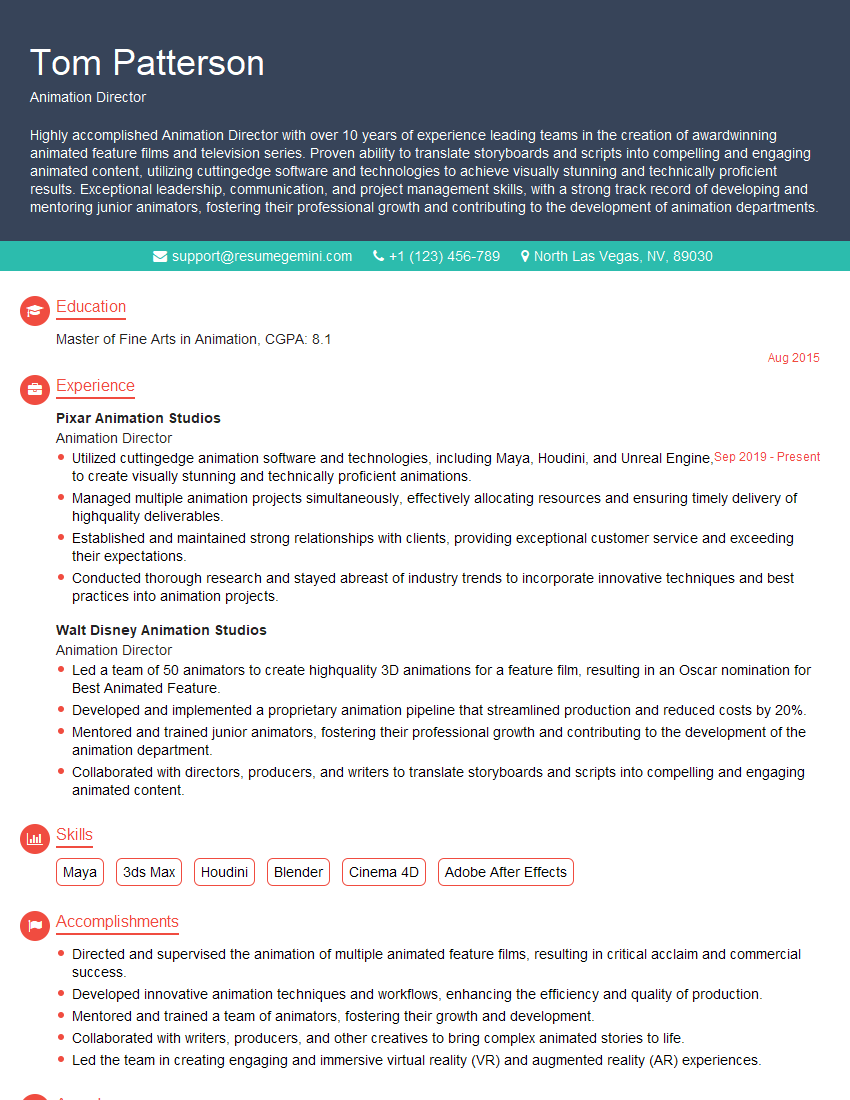
Animation Director Resume Sample
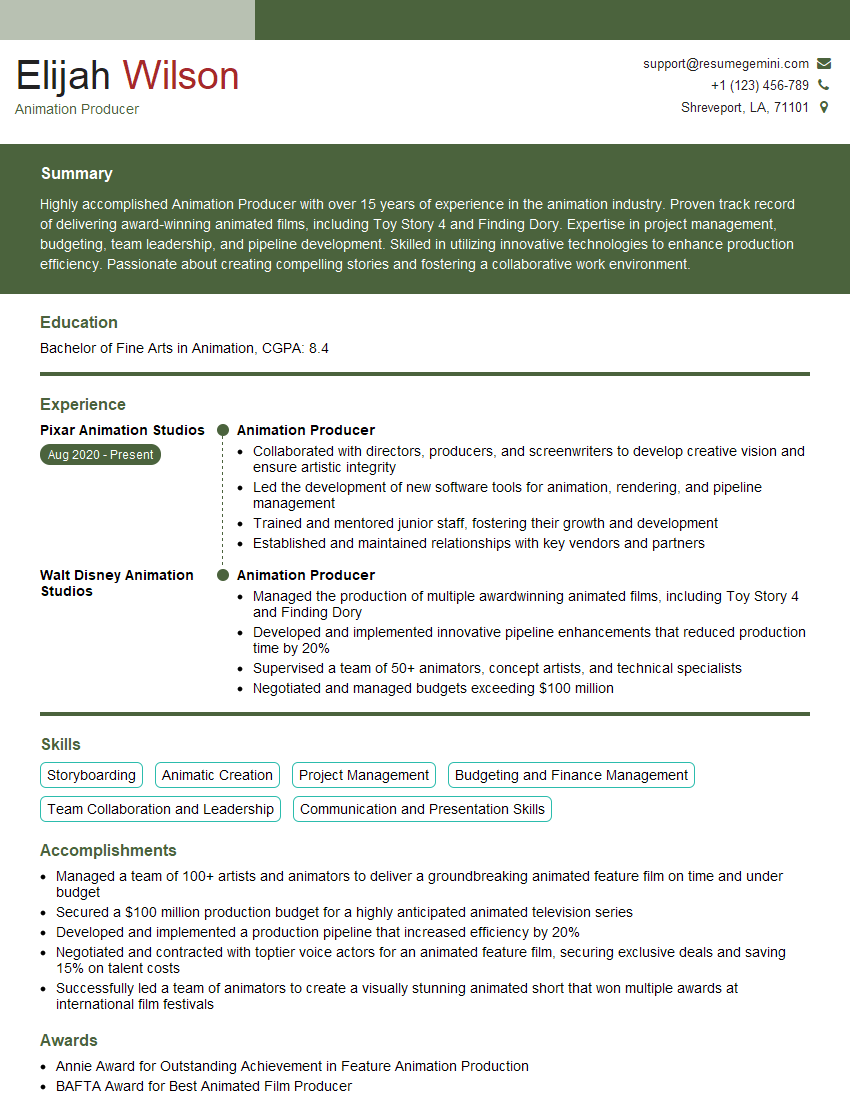
Animation Producer Resume Sample

Compositor Resume Sample
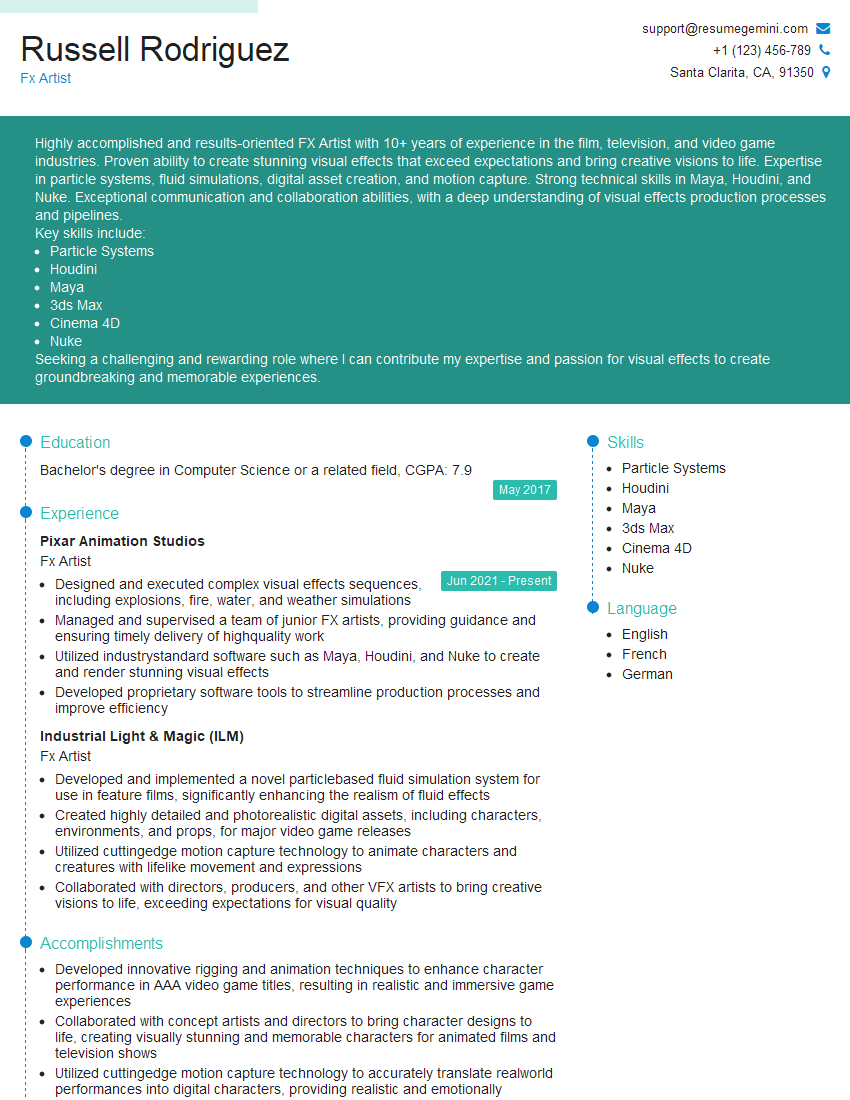
Fx Artist Resume Sample

Motion Graphics Artist Resume Sample
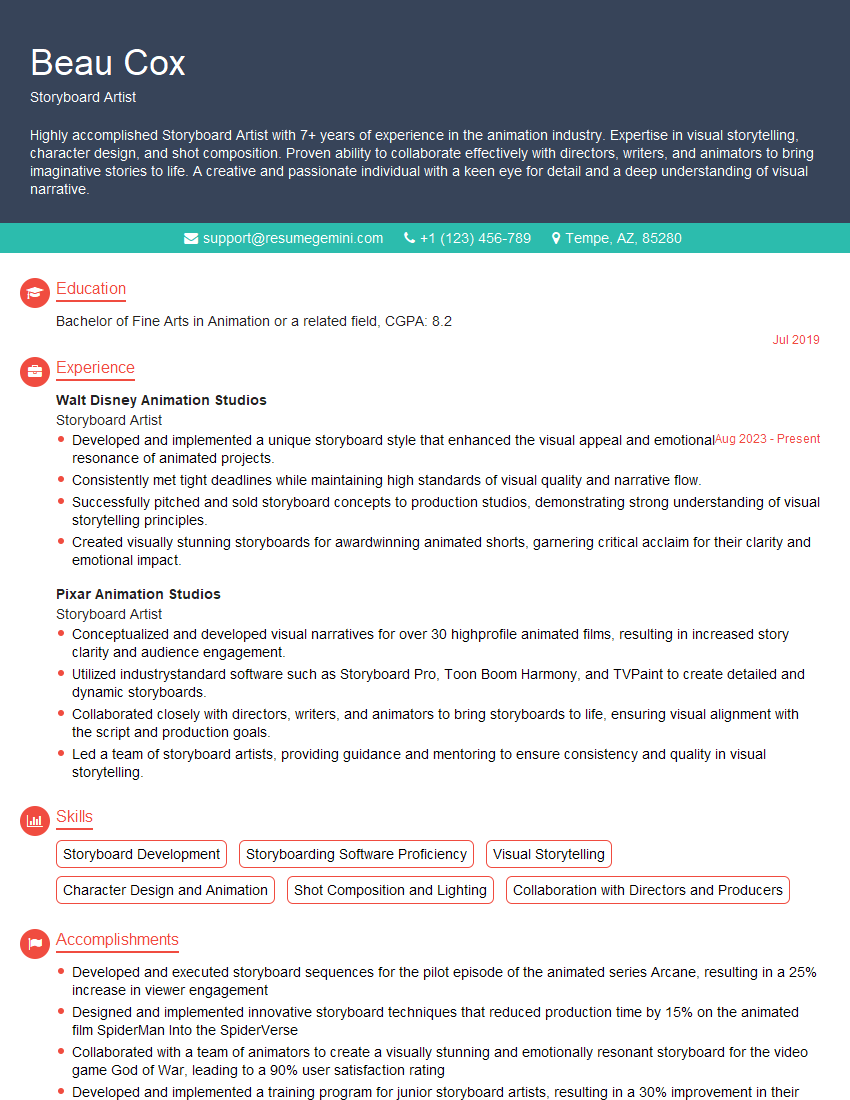
Storyboard Artist Resume Sample
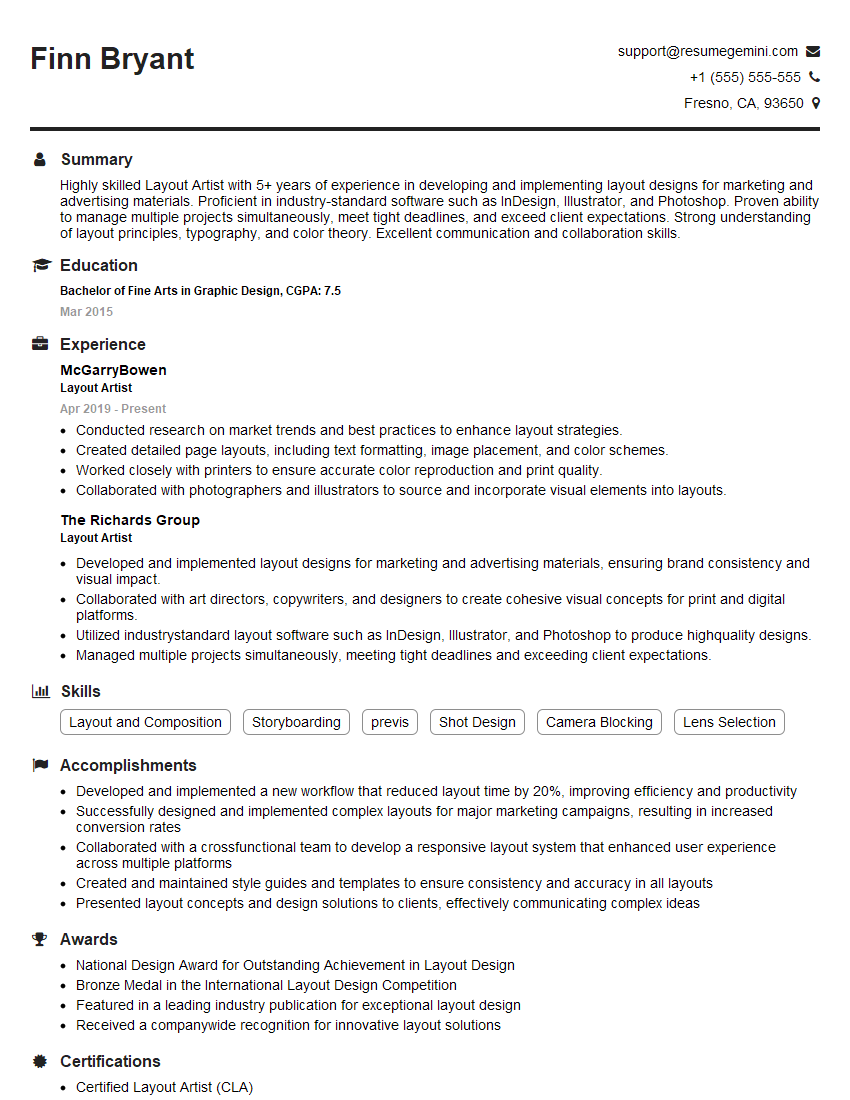
Layout Artist Resume Sample
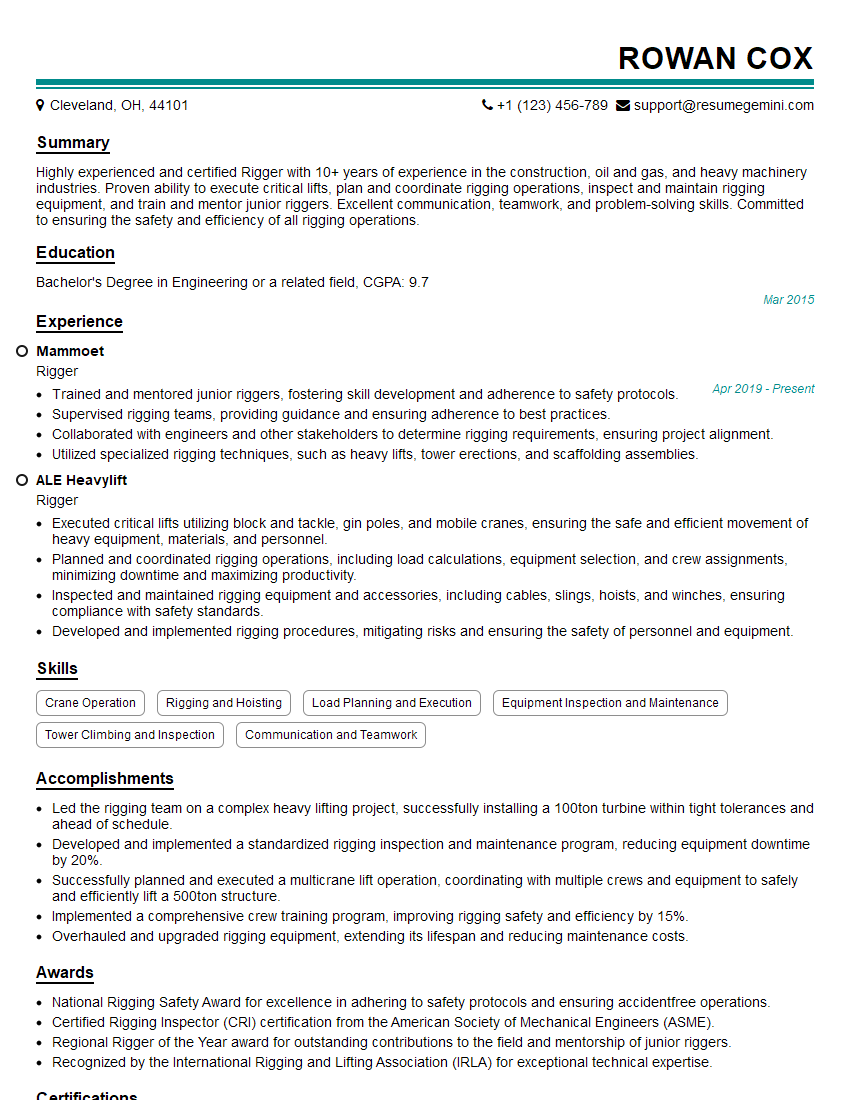
Rigger Resume Sample
Explore more articles
Users Rating of Our Blogs
Share Your Experience
We value your feedback! Please rate our content and share your thoughts (optional).
What Readers Say About Our Blog
Really detailed insights and content, thank you for writing this detailed article.
IT gave me an insight and words to use and be able to think of examples