Preparation is the key to success in any interview. In this post, we’ll explore crucial Animation Software Proficiency interview questions and equip you with strategies to craft impactful answers. Whether you’re a beginner or a pro, these tips will elevate your preparation.
Questions Asked in Animation Software Proficiency Interview
Q 1. Explain your experience with keyframing.
Keyframing is the foundation of animation. It’s the process of setting specific poses (keyframes) at various points in time, allowing the software to interpolate (calculate the in-between frames) and create the illusion of movement. Think of it like drawing the beginning and end of a movement, and the software fills in the gaps. I’m proficient in using both manual and automated keyframing techniques, adjusting tangents and easing functions to achieve the desired smoothness and expressiveness. For example, in a walk cycle, I’d keyframe the extreme poses – foot contact, mid-stride, etc. – then fine-tune the in-betweens for a natural, believable gait. I’ve worked with software that allows for both linear and non-linear keyframing, giving me great control over the animation’s timing and feel.
Q 2. Describe your workflow for creating realistic character movement.
Creating realistic character movement involves a multi-step process. It starts with a strong understanding of anatomy and physics. I begin by meticulously studying reference material – video footage of real actors or animals, depending on the character. Then, I translate this into the animation software, paying close attention to weight, balance, and momentum. For instance, when animating a character jumping, I consider the force of the push-off, the arc of the jump, and the landing impact. I use techniques like overlapping action (limbs moving independently) and secondary animation (subtle details like hair or clothing movement) to add realism. I often use a combination of keyframing and motion capture data, refining and editing the latter to ensure the character’s performance remains believable and engaging. Finally, I constantly review the animation with a critical eye, tweaking individual keyframes and curves until I’m satisfied with the result.
Q 3. How do you optimize animation files for performance?
Optimizing animation files for performance is crucial, especially in projects with complex scenes and many characters. My approach involves several key steps. Firstly, I ensure the model geometry is as low-poly as possible without sacrificing visual quality. High-polygon counts significantly impact render times. Secondly, I optimize the animation curves themselves; excessive keyframes can bloat file sizes. I regularly clean up redundant keyframes and utilize simpler interpolation methods where appropriate. Thirdly, I utilize caching and compression techniques offered by the animation software. This often includes baking animations onto the model whenever possible, reducing the processing load during rendering. Finally, I make strategic use of layers and animation groups, ensuring the most complex animations are only rendered when necessary. A well-optimized animation not only improves render speed but also significantly reduces the load on the target platform, allowing for smoother playback on less powerful hardware.
Q 4. What are your preferred animation software packages and why?
My preferred animation software packages include Autodesk Maya and Blender. Maya’s robust toolset and industry-standard pipeline make it ideal for large-scale, complex projects requiring sophisticated rigging and simulation. It offers unparalleled control and allows for seamless collaboration in large teams. Blender, on the other hand, is an incredibly versatile and open-source option with a powerful feature set, making it a great choice for independent projects and experimental work. Its community-driven development means consistent updates and improvements. The choice of software ultimately depends on the project’s scope, budget, and team expertise. I’m comfortable switching between these packages and adapting to different software needs based on project requirements.
Q 5. Discuss your experience with rigging characters.
Rigging is the process of creating a control system for a 3D character model, enabling animators to manipulate its various parts. My rigging experience spans a range of complexities, from simple rigs for limited animation to sophisticated rigs for highly detailed characters with facial expressions and complex deformations. I’m proficient in creating both skeletal rigs (using bones to control the character’s pose) and other specialized rigging techniques. I prioritize creating rigs that are intuitive, efficient, and robust, ensuring animators can easily achieve their creative vision. When rigging, I pay particular attention to the character’s anatomy, ensuring realistic movement and avoiding unnatural deformations. I always test the rig thoroughly to identify and fix any potential issues before handing it over to the animation team. This ensures a smooth animation process and prevents unforeseen problems later in production.
Q 6. How do you troubleshoot issues in your animation pipeline?
Troubleshooting in the animation pipeline often involves a systematic approach. I start by isolating the problem; is it related to modeling, rigging, animation, or rendering? I use the software’s debugging tools to identify specific errors, such as incorrect weight assignments, conflicting transformations, or memory leaks. I then carefully examine the animation curves, looking for inconsistencies or unintended keyframes. Sometimes, simpler solutions can solve the issue, such as updating drivers, checking file paths, or restarting the software. For more complex problems, I might need to consult the software’s documentation or online resources, or even seek help from other experienced professionals. Documenting each step in the troubleshooting process, including the issue, the steps taken, and the solution, is critical for future reference and for assisting other team members.
Q 7. What are the differences between linear and spline interpolation?
Linear and spline interpolation are two different methods for calculating the in-between frames between keyframes. Linear interpolation creates a constant rate of change between keyframes, resulting in a simple, uniform movement. Imagine a ball rolling at a steady speed across a flat surface – that’s linear interpolation. Spline interpolation, on the other hand, uses curves to define the rate of change, allowing for more control and a smoother, more natural-looking animation. This is achieved by manipulating tangents at each keyframe, controlling the speed and acceleration. Think of a car accelerating from a stop, reaching a constant speed, then slowing down for a stop – spline interpolation can easily depict this varied motion. Spline interpolation is generally preferred for most animation because of its ability to produce more realistic and expressive movement. The choice between linear and spline interpolation depends on the desired effect. Sometimes a linear interpolation is preferable for sharp, abrupt movements. However, for most animation, spline interpolation provides significantly more flexibility and expressiveness.
Q 8. Explain your understanding of inverse kinematics (IK) and forward kinematics (FK).
Forward Kinematics (FK) and Inverse Kinematics (IK) are two fundamental approaches to controlling character rigs in animation software. Think of them as two different ways to move a robotic arm.
Forward Kinematics (FK): In FK, you directly manipulate each joint of a character’s skeleton individually. You move the shoulder, then the elbow, then the wrist, and so on. Each joint’s movement is independent, and the effect propagates down the chain. It’s intuitive for simple poses but becomes cumbersome for complex movements. Imagine manually posing a character’s arm – you’d be using FK.
Inverse Kinematics (IK): IK allows you to control the end point of a limb (like a hand or foot) and the software automatically calculates the necessary joint rotations to achieve that position. You specify the hand’s target location, and the software adjusts the shoulder, elbow, and wrist accordingly. This is incredibly useful for complex interactions and character movement, especially when a character needs to reach for something or maintain a stable foot position while walking. Think of it as telling the robot arm where you want the end to go, and it figuring out how to get there.
In practice: I frequently use both FK and IK together. For example, I might use FK for subtle adjustments to a character’s face or fine-tuning a pose, while relying on IK for complex body movements like reaching or walking. The software I use, [mention specific software e.g., Maya, Blender], allows seamless switching between the two, giving me great control over character animation.
Q 9. Describe your experience with motion capture data integration.
Integrating motion capture (mocap) data is a crucial part of my workflow. Mocap provides realistic, nuanced movement, saving significant time and effort in creating believable character animation. My experience involves several stages:
- Data Acquisition and Cleaning: I have experience working with various mocap formats and cleaning up noisy data. This involves removing extraneous movements, correcting for marker artifacts, and retargeting the data to my character rig.
- Retargeting: Raw mocap data rarely fits perfectly onto an existing character rig. I use the software’s tools to map the mocap data onto the character’s skeleton, adjusting scaling and rotation to fit seamlessly. This often involves manual adjustments and tweaking.
- Editing and Refinement: Mocap data rarely needs no post-processing. I commonly edit and refine the animation to match the scene’s needs, enhance the performance, and ensure the character’s movements are in line with the intended emotion and story.
- Blending and Layering: I often blend mocap animations with manually created animations to achieve a more natural and expressive result. For example, I might use mocap for the overall locomotion but add hand gestures manually to enhance communication.
For example, on a recent project involving a fight scene, mocap data provided the realistic base movement, but I added subtle adjustments in timing and spacing to heighten the drama and impact of each blow.
Q 10. How do you handle feedback on your animation work?
Feedback is crucial for growth in animation. I actively seek feedback and see it as a collaborative process, not criticism. My approach involves:
- Active Listening: I listen carefully to feedback, ensuring I understand the points raised. I ask clarifying questions if needed.
- Objective Assessment: I objectively evaluate the feedback, separating subjective opinions from constructive criticism. Even if I disagree, I appreciate the perspective.
- Implementation and Iteration: I incorporate useful feedback into my work, experimenting with different approaches as needed. I may produce quick iterations to show how I’ve addressed feedback.
- Documentation: I keep records of feedback and implemented changes, allowing me to track my progress and learn from past projects.
For example, on a recent project, feedback revealed that a character’s walk cycle felt too stiff. I used this feedback to refine the animation, adding more weight and natural sway to the motion.
Q 11. How do you ensure consistency in your animation style?
Maintaining consistency in animation style requires careful planning and execution. My strategy includes:
- Style Guide: I create or use an existing style guide outlining key aspects of the animation style, including character proportions, movement principles, and color palettes.
- Reference Sheets: I create detailed reference sheets for character movements, expressions, and poses to maintain consistency throughout the project.
- Templates and Rigs: Using pre-built templates and character rigs helps maintain consistency in character proportions and rigging setup.
- Regular Reviews: I regularly review my work to identify any inconsistencies or deviations from the established style guide.
I often use a series of animated test shots to ensure consistency and to share with clients or team members before starting the actual animation sequences. These test shots can be easily updated and iterated.
Q 12. What techniques do you use to create convincing facial expressions?
Creating convincing facial expressions requires a deep understanding of anatomy, acting, and animation principles. My techniques include:
- Understanding Facial Musculature: A thorough knowledge of facial muscles and how they interact to create various expressions is essential. I often use anatomical references.
- Reference Videos and Photos: I use real-life references – videos and photos of actors portraying emotions – to guide my animation.
- Shape Keys/Morph Targets: I leverage shape keys (or morph targets) to create subtle and believable changes in facial features. This allows for smooth transitions between expressions.
- Subtlety and Timing: Overly exaggerated expressions often look unnatural. I focus on subtle changes in the position of the eyebrows, mouth, and eyes to convey emotion effectively. Timing of these changes is essential.
- Secondary Actions: Incorporating secondary actions, like slight head turns or eye blinks, can significantly enhance the believability of facial expressions.
For instance, a character’s sadness isn’t just about a downturned mouth; it’s the subtle slump of the shoulders, the drooping eyelids, and a slight quivering lip. Paying attention to these nuances is key to authenticity.
Q 13. Explain your understanding of squash and stretch principles.
Squash and stretch is a fundamental animation principle that gives characters weight, volume, and a sense of life. It’s about exaggerating the deformation of an object as it moves.
Squash: When an object impacts another, it compresses or squashes. Imagine a bouncing ball hitting the ground – it flattens momentarily.
Stretch: When an object is in motion, it elongates or stretches. The same bouncing ball stretches as it travels through the air.
Maintaining Volume: The key to effective squash and stretch is to maintain the object’s volume throughout the deformation. The shape changes, but the overall size remains consistent. A good example is a cartoon character running – their legs stretch as they extend forward, squashing momentarily as their feet hit the ground. It’s all about adding that element of realism and appeal, while maintaining a certain charm.
Q 14. How do you use animation principles to enhance storytelling?
Animation principles are not just about making things move; they are powerful tools for storytelling. Effective use enhances emotional connection and clarity.
- Staging: Positioning characters and objects to guide the viewer’s attention and highlight key moments. A clear shot of a character’s expression during a dramatic scene amplifies its impact.
- Timing: Controlling the speed of an action to convey emotion and weight. A slow, deliberate movement can communicate hesitancy, while a quick, sharp motion might indicate surprise.
- Arcs: Most natural movements follow curved paths, not straight lines. Using arcs in character animation adds smoothness and realism.
- Secondary Actions: Adding smaller, supporting actions that enhance the main action. A character’s hair flowing in the wind while they run adds depth and realism.
- Exaggeration: Pushing movements and expressions beyond reality can amplify emotion and humor, making them memorable. Cartoon characters employ this method extensively.
- Appeal: Creating characters and movements that are engaging and visually interesting, making the audience want to watch.
For instance, in a scene depicting sadness, slow, deliberate movements and arcs in the character’s posture, coupled with subtle facial expressions, can powerfully communicate that emotion to the audience far more effectively than a simple still image.
Q 15. Describe your experience with particle effects and simulations.
Particle effects and simulations are fundamental to creating realistic and visually appealing animations. My experience encompasses a wide range of techniques, from simple particle emitters for things like dust and sparks to complex fluid simulations for realistic water or smoke. I’m proficient in using software like Houdini, Maya, and Blender to achieve this. For example, I’ve used Houdini’s powerful solver to create a realistic volcanic eruption, carefully controlling parameters like particle density, gravity, and velocity to achieve a believable flow and dispersion of ash and lava. In Maya, I’ve utilized nParticles to create intricate effects like fireflies, adjusting properties like lifetime, size, and color to create a sense of depth and organic movement. Understanding the underlying physics is crucial; I often refer to real-world examples to inform my simulations, ensuring accuracy and visual fidelity.
I also have significant experience optimizing particle systems for performance. Large-scale simulations can heavily tax rendering resources, so efficient particle management is key. I use techniques like instancing and level-of-detail (LOD) rendering to balance visual quality and performance. This involves creating multiple versions of the particle effect with decreasing complexity, switching between them based on camera distance to maintain visual fidelity without impacting frame rates.
Career Expert Tips:
- Ace those interviews! Prepare effectively by reviewing the Top 50 Most Common Interview Questions on ResumeGemini.
- Navigate your job search with confidence! Explore a wide range of Career Tips on ResumeGemini. Learn about common challenges and recommendations to overcome them.
- Craft the perfect resume! Master the Art of Resume Writing with ResumeGemini’s guide. Showcase your unique qualifications and achievements effectively.
- Don’t miss out on holiday savings! Build your dream resume with ResumeGemini’s ATS optimized templates.
Q 16. How do you approach creating realistic cloth or hair simulations?
Realistic cloth and hair simulations require a deep understanding of physics-based animation. My approach begins with selecting the appropriate simulation software; for cloth, I often use Maya’s nCloth or Marvelous Designer, and for hair, XGen in Maya or HairFX in 3ds Max are excellent choices. The key is to carefully define the material properties of the cloth or hair – things like stiffness, drag, and friction – to accurately reflect its behavior. For instance, when simulating a silk scarf, I’d use low stiffness and high drag to capture its fluid movement; for a heavy wool coat, I’d increase the stiffness and reduce the drag.
Achieving realism also necessitates careful consideration of collision detection. The simulated objects need to interact realistically with each other and the environment. This requires setting up accurate collision parameters and potentially using collision proxies for efficiency. I often use iterative refinement, adjusting simulation parameters and experimenting with different solvers until the desired realism is achieved. For example, I recently worked on a scene with a character’s hair interacting with wind. I spent considerable time tweaking parameters in XGen, fine-tuning the hair’s response to wind forces to achieve a convincing, natural look, ensuring individual hair strands behaved realistically while maintaining performance.
Q 17. What are your strategies for managing large animation projects?
Managing large animation projects necessitates a structured and organized approach. I employ a project management methodology like Agile, breaking down the project into smaller, manageable tasks. This involves careful planning, creating detailed shot breakdowns, and assigning tasks to team members. I use project management software like Shotgun or Jira to track progress, identify bottlenecks, and ensure deadlines are met.
Asset management is crucial. I advocate for a robust naming convention and a well-organized file structure to prevent chaos. Version control is essential (more on that in a later answer); ensuring everyone is working with the most up-to-date assets. Regular check-ins and team meetings are vital for communication and problem-solving, addressing any roadblocks before they become significant issues. For large projects, I utilize render farms to distribute the rendering workload, significantly reducing rendering times.
Q 18. How do you collaborate with other members of an animation team?
Collaboration is paramount in animation. I believe in clear and consistent communication, using tools like Slack or email for daily updates and project-specific communication platforms. I actively participate in team brainstorming sessions, sharing my expertise and contributing to creative problem-solving. I’m adept at providing constructive criticism, focusing on solutions rather than criticism. I’m also comfortable receiving feedback and incorporating suggestions to refine the final product. Understanding different team members’ roles and responsibilities is key, allowing me to effectively integrate my work with theirs. For instance, I might work closely with a rigger to ensure the character model is optimized for animation, or with a lighting artist to ensure the particle effects are properly integrated into the scene’s lighting.
Q 19. Describe your experience with version control systems in animation production.
Version control systems are indispensable in animation production. I have extensive experience using Perforce and Git, understanding their strengths and limitations. I use these systems to track changes to assets, ensuring that we always have access to previous versions and can revert to earlier iterations if needed. This is particularly crucial in collaborative environments, preventing conflicts and ensuring that everyone is working with the same, updated files. For example, in a recent project we utilized Perforce’s branching system to allow different artists to work simultaneously on the same asset without overwriting each other’s work. This streamlined our workflow and minimized conflicts, significantly improving efficiency.
Q 20. How do you handle deadlines and time constraints?
Handling deadlines and time constraints requires a proactive approach. Effective time management is critical, starting with realistic task estimations and prioritizing work based on importance and urgency. I use time-tracking software and regular progress checks to monitor my efficiency and identify potential delays. When faced with tight deadlines, I focus on delivering high-quality work within the allocated time, prioritizing the most impactful aspects of the project. Open communication with my supervisors is key to addressing potential delays and making informed decisions about resource allocation. Flexibility and adaptability are essential; I am comfortable adjusting my workflow to accommodate unexpected changes or challenges. I’ve learned that sometimes accepting a ‘good enough’ solution is preferable to delaying the entire project.
Q 21. What are some common challenges you have faced in animation and how did you overcome them?
One of the most common challenges I’ve encountered is balancing artistic vision with technical limitations. Sometimes, a visually stunning effect may be computationally expensive, making it impractical for real-time rendering or a large-scale project. To overcome this, I focus on finding creative solutions, employing optimization techniques, and exploring alternative approaches that achieve a similar visual effect with improved performance. For instance, I might replace a complex particle system with a more stylized, efficient version that still conveys the intended feeling.
Another challenge is unexpected technical issues. Software glitches, hardware failures, or unforeseen compatibility problems can disrupt workflow. My strategy for tackling these is to have a robust backup system in place and to be comfortable troubleshooting technical problems. I regularly seek help from online communities and colleagues to find quick solutions and prevent significant project delays. Problem-solving is a crucial skill in animation, and I’ve developed a methodical approach to identifying the root cause of technical issues and finding efficient, effective solutions.
Q 22. Explain your knowledge of different animation software features (e.g., Maya, Blender, 3ds Max).
My experience spans several leading animation software packages, each with its strengths. Maya, for instance, is industry-standard for its robust character rigging and animation tools. I’m proficient in using its powerful modeling tools, creating complex character rigs using its node-based system, and implementing realistic simulations using nCloth and nHair. Blender, on the other hand, offers a powerful and free open-source alternative, excelling in its sculpting capabilities and its node-based compositor. I’ve leveraged its extensive range of add-ons for specialized tasks like creating complex particle effects. Finally, 3ds Max is known for its polygon modeling prowess and its strong integration with game engines; I find it particularly useful for creating environment assets and complex architectural models. My expertise extends to efficiently managing complex scenes within each software using techniques like layering and referencing.
- Maya: Rigging and animation of bipedal and quadrupedal characters, fluid and particle simulations, rendering using Arnold and Maya software renderer.
- Blender: Sculpting high-poly models, creating realistic environments, using the Cycles and Eevee render engines, and compositing in the node editor.
- 3ds Max: Modeling complex environments, creating architectural models, utilizing V-Ray or Corona renderers for photorealistic results.
Q 23. Describe your experience with rendering techniques and optimizing render times.
Rendering is a crucial stage where the final image is produced. My approach prioritizes optimization from the outset. This begins with efficient modeling—keeping polygon counts low where possible without sacrificing detail. I also utilize techniques like proxy geometry for complex models during layout and animation stages to enhance performance. For lighting, I favor physically-based renderers like Arnold, V-Ray, and Cycles, which provide realistic results while allowing efficient light bounces control. To minimize render times, I employ techniques like subdividing my renders, utilizing render layers effectively, and employing global illumination optimizations such as irradiance caching and lightmaps. I also use render farms for large scenes, breaking down rendering into smaller tasks that can be processed simultaneously. Monitoring render progress is paramount and allows for early identification and resolution of any potential issues. For example, I recently optimized a complex scene by changing the render engine and using a global illumination map, thereby reducing render time by approximately 60%.
Example: Using render layers for compositing elements in post-production. This speeds up rendering of individual elements.Q 24. How do you maintain a high standard of quality in your work?
Maintaining a high standard involves a multi-faceted approach. Firstly, I meticulously plan each project, creating detailed storyboards and animatics to ensure a cohesive narrative and clear vision. Secondly, I consistently review my work throughout the process, critically assessing aspects like character movement, animation timing, and overall scene composition. I regularly seek feedback from colleagues and supervisors, which is invaluable in identifying areas for improvement. I also maintain a detailed reference library to study and emulate realistic movement, which adds a level of realism to the animations. This commitment to quality control and continuous improvement has been vital in delivering high-standard work. One example was when I had to retake some sequences in a character animation sequence, which had subtle inconsistencies. This process significantly improved the scene’s believability.
Q 25. What are your goals for your future career in animation?
My career goal is to become a senior animator, contributing to high-profile animation projects. I aim to specialize in character animation, particularly in creating believable and expressive characters. I’m also keen on exploring opportunities to work with virtual production techniques and integrate animation into real-time environments. Ultimately, I aspire to become a creative leader, guiding teams and contributing to innovative animation projects that push the boundaries of visual storytelling.
Q 26. Explain your understanding of different animation workflows (e.g., linear, non-linear).
Animation workflows are crucial for efficient production. Linear workflows, also known as sequential workflows, involve completing one stage before moving to the next—modeling, rigging, animation, lighting, rendering. This approach is very organized, great for smaller projects and allows for clear tracking of progress. Nonlinear workflows, on the other hand, allow for more flexibility; animators can work on several elements simultaneously. This approach is preferred for larger productions, and changes in one stage are easier to incorporate into the subsequent stages. My experience involves working with both, selecting the best approach based on the project’s complexity and team structure. For instance, a short film might benefit from a linear approach, while a large-scale feature film would lend itself to the non-linear method to manage parallel tasks effectively.
Q 27. How familiar are you with using different cameras and lighting in animation software?
Cameras and lighting are fundamental to creating mood and visual storytelling. I’m experienced in using various camera types and movements—static shots, dolly shots, tracking shots—to create dynamic and engaging compositions. In terms of lighting, I can create believable and stylized lighting setups using both realistic and artistic approaches. I have experience working with different light types—point lights, area lights, spotlights, and directional lights—to achieve the desired effect. The key is understanding how light interacts with objects, creating depth, shadows, and highlights. For example, in one project, I used a high-key lighting style to create a bright and cheerful atmosphere, while in another project, I used a low-key lighting style to create a dark and suspenseful mood. This creative use of lighting and camera techniques allows me to create strong visual narratives.
Q 28. How would you approach animating a complex scene with multiple characters?
Animating a complex scene with multiple characters requires a methodical and organized approach. Firstly, I’d start by breaking down the scene into smaller, manageable chunks, focusing on individual character interactions or specific actions. Efficient rigging and character setup is crucial to streamline the animation process. I might use techniques like motion capture and reference videos to create realistic and fluid movement. Layering the animation process—animating primary actions before secondary actions (like facial expressions)—helps maintain clarity and control. Using tools like animation layers allows for easy adjustment and modification of individual elements. Finally, thorough testing and review of the scene’s timing and overall flow are essential, using different playback speeds to catch any minor inconsistencies. Communication and collaboration with other team members, such as modelers and lighting artists, is vital to ensure a seamless integration of all elements. I would consider using techniques like blocking out the overall animation first and then iteratively refining the details and timing.
Key Topics to Learn for Animation Software Proficiency Interview
- Software Fundamentals: Mastering the interface, navigation, and core functionalities of your chosen software (e.g., Maya, Blender, 3ds Max). Understand the workflow and common shortcuts.
- 3D Modeling Techniques: Demonstrate proficiency in creating, manipulating, and optimizing 3D models. Be prepared to discuss polygon modeling, NURBS surfaces, and sculpting techniques.
- Animation Principles: Showcase your understanding of the 12 principles of animation and how they apply to character animation, object animation, and effects. Be ready to discuss timing, spacing, and ease.
- Rigging and Skinning: Explain your experience with character rigging, including joint placement, skin weighting, and inverse kinematics (IK). Discuss different rigging styles and their applications.
- Texturing and Shading: Demonstrate your knowledge of creating realistic or stylized textures and shaders. Discuss different materials and their properties, and how lighting affects the final render.
- Lighting and Rendering: Explain your experience with lighting setups, including key, fill, and rim lights. Discuss different render engines and their strengths and weaknesses. Be ready to discuss render settings optimization.
- Workflow and Pipeline: Be prepared to discuss your preferred workflow and how you integrate different software packages into your pipeline. Demonstrate understanding of asset management and version control.
- Problem-Solving and Troubleshooting: Show your ability to diagnose and solve common technical issues encountered during the animation process. Discuss approaches to debugging and optimization.
- Software-Specific Features: Deep dive into advanced features unique to your software of choice. This shows initiative and specialized knowledge.
Next Steps
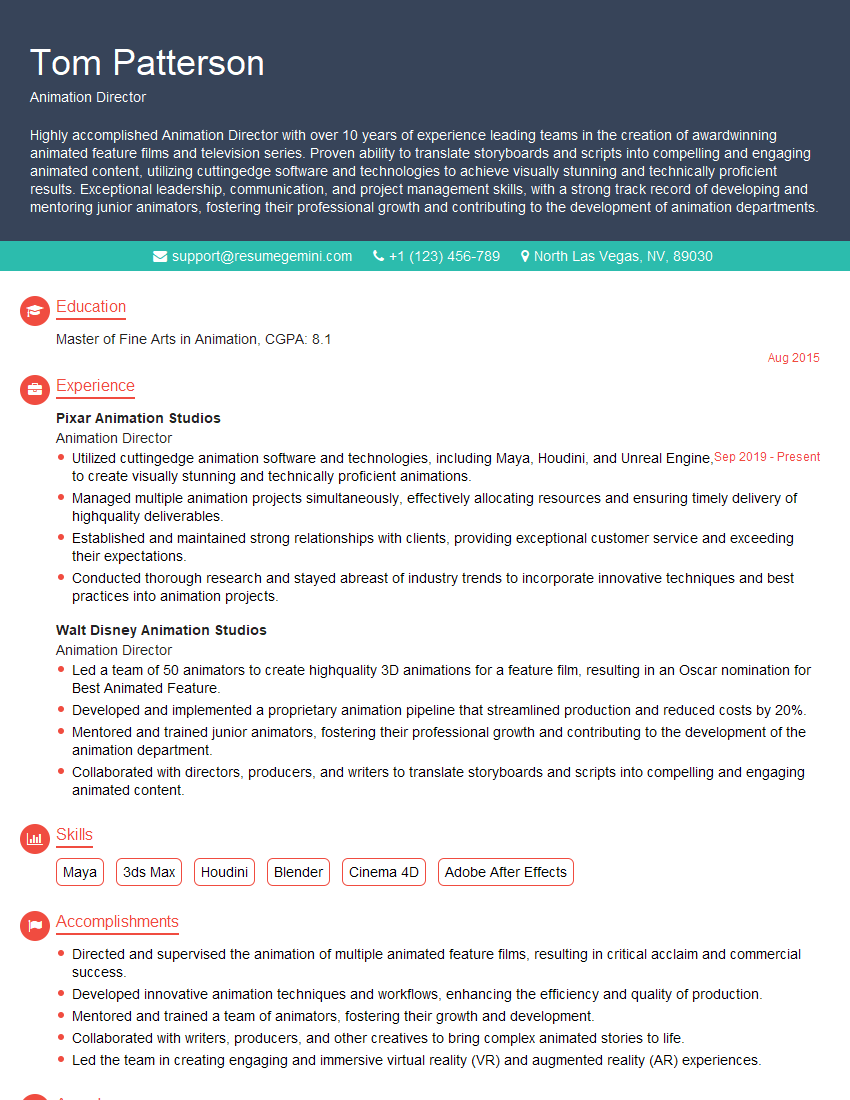
Mastering animation software proficiency is crucial for career advancement in the dynamic field of animation. A strong portfolio is essential, but a well-crafted resume is your first impression. Creating an ATS-friendly resume significantly increases your chances of getting your application noticed by recruiters. To help you build a powerful and effective resume, we recommend using ResumeGemini, a trusted resource that can help you stand out from the competition. Examples of resumes tailored to Animation Software Proficiency are available to help guide you. Invest time in crafting a compelling resume – it’s your key to unlocking exciting career opportunities.



Explore more articles
Users Rating of Our Blogs
Share Your Experience
We value your feedback! Please rate our content and share your thoughts (optional).
What Readers Say About Our Blog
Really detailed insights and content, thank you for writing this detailed article.
IT gave me an insight and words to use and be able to think of examples