Every successful interview starts with knowing what to expect. In this blog, we’ll take you through the top ArcGIS or QGIS Software interview questions, breaking them down with expert tips to help you deliver impactful answers. Step into your next interview fully prepared and ready to succeed.
Questions Asked in ArcGIS or QGIS Software Interview
Q 1. Explain the difference between vector and raster data.
Vector and raster data are two fundamental data models used in GIS to represent geographic features. Think of it like this: vector data is like drawing a map with lines and points, while raster data is like a mosaic of tiny squares (pixels).
- Vector Data: Represents geographic features as points, lines, and polygons. Each feature has its own unique characteristics (attributes) stored in a database table. Examples include roads (lines), buildings (polygons), and cities (points). Vector data is precise and scalable, ideal for representing discrete features.
- Raster Data: Represents geographic features as a grid of cells (pixels), each with a value representing a specific characteristic. Examples include satellite imagery, aerial photographs, and elevation models. Raster data is excellent for depicting continuous phenomena like temperature or elevation but can become large and less precise at higher resolutions.
For instance, a map showing individual buildings in a city would use vector data, whereas a map showing land surface temperature would utilize raster data.
Q 2. Describe the process of georeferencing a raster image.
Georeferencing is the process of assigning geographic coordinates (latitude and longitude) to a raster image, effectively linking it to a real-world location. Imagine you have a scanned map; georeferencing aligns that map to its corresponding position on Earth.
The process typically involves:
- Identifying Control Points: Select points on the image with known coordinates (e.g., intersections of roads, corners of known areas). These are found using existing map data or ground survey data.
- Defining the Coordinate System: Choose the appropriate coordinate reference system (CRS) for your project (e.g., WGS 1984). This system determines how the coordinates are represented.
- Transforming the Image: Use georeferencing tools within ArcGIS or QGIS to transform the image using these control points. This process involves applying mathematical transformations (e.g., affine, polynomial) to align the image to the CRS. The software will calculate the best fit based on the control points.
- Resampling: The software will resample the pixels to create a new raster that is correctly georeferenced. Different resampling methods (nearest neighbor, bilinear, cubic convolution) exist with tradeoffs in speed and accuracy.
- Verification: After georeferencing, check the accuracy of the alignment. Root Mean Square Error (RMSE) is a common metric used to assess accuracy.
An example is georeferencing an old aerial photograph to overlay it with a modern map to see how a landscape has changed over time.
Q 3. What are the common file formats used in GIS?
GIS uses a variety of file formats, each with its strengths and weaknesses. Here are some common ones:
- Shapefile (.shp): A popular vector format storing point, line, and polygon data. It’s actually a collection of several files (.shp, .shx, .dbf, .prj) needed to represent the spatial data and attributes.
- GeoJSON (.geojson): A text-based vector format that is widely used for web mapping and data exchange. Its open standard nature makes it readily compatible with various GIS software and web applications.
- GeoTIFF (.tif, .tiff): A widely used raster format that supports georeferencing and various metadata. This is particularly useful for storing satellite imagery and elevation models.
- Grid (.grd): Another common raster format utilized in some GIS software packages.
- File Geodatabase (.gdb): A native ArcGIS format that allows for efficient storage and management of large spatial datasets.
- Spatialite (.sqlite): An open-source spatial database system that integrates spatial data directly into an SQLite database.
Q 4. How do you perform spatial analysis using ArcGIS or QGIS?
Spatial analysis involves manipulating spatial data to extract meaningful information and answer geographic questions. Both ArcGIS and QGIS offer a rich toolbox for this. Here are some common techniques:
- Buffering: Creating a zone around a feature (e.g., a 1-kilometer buffer around a river). Useful to analyze proximity.
- Overlay Analysis: Combining multiple layers to identify spatial relationships (e.g., intersection, union). For example, overlaying a land use map and a soil map to find areas with specific land use and soil types.
- Proximity Analysis: Determining distances and directions between features. Useful for finding the nearest facilities or identifying areas within a certain distance of a point.
- Network Analysis: Analyzing networks like roads or pipelines to find optimal routes or services (e.g., shortest path, service area). For route optimization, supply chain management, etc.
- Raster Calculations: Performing mathematical operations on raster datasets (e.g., calculating the slope from an elevation model). This is useful for terrain analysis, environmental modeling, etc.
For instance, in QGIS you might use the ‘processing toolbox’ to perform these operations. In ArcGIS, the ‘spatial analyst’ extension or the geoprocessing tools offer similar functionality. The exact implementation varies based on the software version and desired analysis.
Q 5. Explain the concept of spatial autocorrelation.
Spatial autocorrelation describes the degree to which values of a variable at nearby locations are similar. Imagine a map of house prices; if similar-priced houses tend to cluster together, this shows positive spatial autocorrelation. Conversely, if high and low prices alternate in a checkered pattern, this indicates negative spatial autocorrelation. No spatial autocorrelation means locations are randomly distributed.
Understanding spatial autocorrelation is critical to avoid bias in spatial analysis. For example, ignoring it can lead to inaccurate results in statistical analysis because observations are not independent. Moran’s I and Geary’s C are common statistics used to measure spatial autocorrelation. These are easily computed using tools available in both ArcGIS and QGIS.
In real-world applications, understanding spatial autocorrelation is crucial in epidemiology (disease clustering), environmental science (pollution pattern analysis), and urban planning (assessing neighborhood effects).
Q 6. Describe different types of map projections and their applications.
Map projections transform the three-dimensional surface of the Earth onto a two-dimensional map. This inevitably leads to distortions in area, shape, distance, or direction. Different projections minimize different types of distortion, making some better suited for specific applications.
- Cylindrical Projections (e.g., Mercator): Project the globe onto a cylinder. Preserves direction, but distorts area significantly towards the poles. Commonly used in navigation.
- Conical Projections (e.g., Albers Equal-Area): Project the globe onto a cone. Good for mid-latitude regions, minimizing both area and shape distortion.
- Azimuthal Projections (e.g., Stereographic): Project the globe onto a plane tangent to a point on the globe. Preserves direction from the central point. Useful for mapping polar regions.
- Equal-Area Projections: Prioritize accurate representation of area. Shape is often distorted.
- Conformal Projections: Prioritize accurate representation of shape. Area is often distorted.
Choosing the right projection depends entirely on the application. For example, a world map emphasizing land area might use an equal-area projection, while a navigational chart would use a Mercator projection because of its preservation of direction.
Q 7. How do you handle attribute data in ArcGIS or QGIS?
Attribute data describes the characteristics of geographic features. In ArcGIS and QGIS, this data is managed using attribute tables. These tables are linked to the spatial features (points, lines, polygons).
Here are common tasks involving attribute data:
- Data Entry: Manually inputting attribute information, using field calculators for calculations.
- Data Editing: Modifying, updating, or deleting existing attribute data. QGIS and ArcGIS offer tools to easily update the tables.
- Data Cleaning: Addressing inconsistencies, errors, or missing values in attribute data.
- Data Joins/Relates: Linking attribute tables from different datasets using common fields. This is a very powerful method of combining information from different sources.
- Data Queries: Selecting specific features based on attribute values. For example selecting all buildings taller than 20 meters.
- Data Summarization: Calculating summary statistics (e.g., mean, sum, count) of attributes. This could include aggregating data within polygons using zonal statistics tools.
For example, you might use attribute data to analyze the population density in different census tracts or determine the total length of roads within a certain type of land use.
Q 8. What are topology rules and why are they important?
Topology rules in ArcGIS and QGIS define the spatial relationships between geographic features. Think of them as a set of rules that enforce data integrity and accuracy. For example, a topology rule might ensure that adjacent polygons share a common boundary without gaps or overlaps, or that lines meet at points cleanly. These rules are crucial because they prevent inconsistencies and errors that can lead to inaccurate analyses and misleading map representations.
- Must Not Overlap: Prevents polygons from overlapping, ensuring each area is uniquely represented.
- Must Not Have Gaps: Ensures polygons share a common boundary, preventing data loss at feature edges.
- Must Be Covered By Feature Class: Ensures all points lie within their corresponding polygon. Useful for maintaining the integrity of point-in-polygon relationships.
Imagine designing a road network. Topology ensures that roads connect properly at intersections, preventing ‘floating’ road segments. Without topology, analyzing road connectivity or calculating distances would be much more difficult and error-prone.
Q 9. Explain the concept of a geodatabase.
A geodatabase is a structured data storage system specifically designed for managing geographic information. Think of it as a highly organized filing cabinet for geographic data, unlike simple shapefiles which are just collections of files. Geodatabases offer significant advantages in terms of data integrity, versioning, and management of complex spatial relationships. They can store various feature classes (points, lines, polygons), tables with attribute data, and even raster data. They are typically stored within a file (.gdb) or in an enterprise database system (like Oracle, SQL Server, or PostgreSQL).
One key advantage is the ability to create and enforce relationships between different feature classes. For example, you might have a ‘roads’ feature class and a ‘streetlights’ feature class, and create a relationship to show which streetlights are located along which roads. This enhances data analysis and query capabilities significantly compared to shapefiles.
Q 10. How do you perform data cleaning and preprocessing in GIS?
Data cleaning and preprocessing are crucial steps in any GIS project. It’s like preparing ingredients before cooking a meal. The quality of your analysis directly depends on the quality of your data. This involves several steps:
- Error Detection and Correction: Identifying and fixing obvious errors like incorrect coordinates or attribute values (e.g., negative population values).
- Data Transformation: Converting data into a usable format. This might include changing coordinate systems, projecting data, or converting attribute types.
- Data Cleaning: Handling missing values (imputation or removal) and dealing with outliers (statistical methods or visual inspection).
- Spatial Consistency Checks: Using topology rules (as discussed earlier) to verify the spatial relationships between features.
For example, if I were analyzing crime data, I might need to clean the data to address inconsistencies in location information, remove duplicate entries, and deal with missing values in crime type or time.
Q 11. Describe your experience with spatial joins and overlays.
Spatial joins and overlays are fundamental GIS operations that integrate data based on spatial relationships. A spatial join adds attributes from one layer to another based on proximity or spatial coincidence. An overlay combines the geometries and attributes of multiple layers to create a new layer with combined information.
Spatial Join Example: Imagine joining points representing houses with a polygon layer representing census tracts to attach socio-economic data from census tracts to each house.
Overlay Example: Overlaying a layer of floodplains with a layer of buildings allows to identify the buildings at risk of flooding. The overlay operation would create a new layer showing areas where floodplains and buildings intersect. I have extensively used both methods in various projects, including analyzing infrastructure vulnerability and habitat suitability.
Q 12. What are some common methods for spatial interpolation?
Spatial interpolation estimates values at unsampled locations based on known values at sample points. Imagine trying to create a temperature map across a region where you only have temperature readings from a few weather stations. Interpolation helps fill in the gaps.
- Inverse Distance Weighting (IDW): A simple method that assigns weights based on the distance to known points – closer points get higher weights.
- Kriging: A more sophisticated geostatistical method that models the spatial autocorrelation of the data to provide more accurate and reliable interpolations, accounting for spatial dependency.
- Spline Interpolation: Creates a smooth surface that passes through or near the known points. Useful for creating visually appealing surfaces.
The choice of method depends on the data and the desired outcome. IDW is quick and easy, but Kriging provides statistically robust results, especially when spatial autocorrelation is strong.
Q 13. How do you create and symbolize maps in ArcGIS or QGIS?
Map creation and symbolization are essential skills for communicating geographic information effectively. In both ArcGIS and QGIS, you choose a basemap, add data layers, adjust symbology to represent attributes visually, and add labels and titles.
Symbology: Choosing appropriate colors, sizes, and patterns is crucial for conveying information clearly. For example, using graduated colors to show population density or different symbols to represent different land use types. The goal is to create a map that is visually appealing, easily understandable, and effective in communicating the message.
I regularly create maps for presentations, reports, and public outreach, always focusing on clear and concise communication of the underlying spatial data.
Q 14. Explain your experience with using Python scripting in ArcGIS or QGIS.
Python scripting is invaluable for automating tasks, performing complex analyses, and extending the functionality of ArcGIS or QGIS. It allows you to streamline workflows and perform batch processing of large datasets.
Example (Python in ArcGIS):
import arcpy
arcpy.env.workspace = r"C:\path\to\geodatabase"
arcpy.management.Dissolve(in_features="polygons", out_feature_class="dissolved", dissolve_field="field_to_dissolve")
This code snippet uses the ArcGIS API to dissolve polygons based on a specified field. This automation saves time and effort compared to performing this operation manually for many datasets.
My experience includes creating custom tools, automating data processing pipelines, and generating custom reports. The ability to automate tedious tasks frees up time for more sophisticated spatial analysis and interpretation.
Q 15. How do you manage and maintain large geospatial datasets?
Managing large geospatial datasets requires a strategic approach combining data organization, efficient storage, and optimized processing. Think of it like organizing a massive library – you can’t just throw all the books on the floor and expect to find anything!
- Data Organization: I utilize geodatabases (in ArcGIS) or PostGIS (in QGIS) for structured storage. These systems allow for efficient data management and querying, especially for datasets exceeding several gigabytes. Properly defining feature classes and attribute tables is crucial for data integrity and usability.
- Data Compression: Employing appropriate compression techniques, like using file geodatabases instead of shapefiles, or utilizing specific data formats optimized for size, significantly reduces storage space and improves processing speed. For raster data, techniques like JPEG2000 compression offer excellent results.
- Database Management Systems (DBMS): For extremely large datasets, integrating with a robust DBMS like Oracle Spatial or PostgreSQL with PostGIS is highly beneficial. These systems offer sophisticated tools for managing, querying, and analyzing massive volumes of spatial data, managing multiple users, and providing advanced capabilities in versioning and concurrency control.
- Tiling and Pyramiding: For raster data, tiling and pyramiding dramatically improve performance. Tiling breaks the raster into smaller, manageable pieces. Pyramiding creates progressively coarser versions, allowing for faster display of data at different zoom levels. This is analogous to having a zoomed-out map of a region and then zooming in to progressively higher resolution images.
- Data Subsetting and Filtering: Avoid unnecessary loading of complete datasets; selectively load only the parts of the datasets needed for your particular analyses. Using tools like spatial and attribute queries (as discussed in later questions) allows you to work with smaller subsets of data.
For instance, during a project analyzing deforestation in the Amazon, I managed terabytes of satellite imagery and vector data by using a PostgreSQL/PostGIS database and selectively loading only the relevant tiles and years for each particular analysis task.
Career Expert Tips:
- Ace those interviews! Prepare effectively by reviewing the Top 50 Most Common Interview Questions on ResumeGemini.
- Navigate your job search with confidence! Explore a wide range of Career Tips on ResumeGemini. Learn about common challenges and recommendations to overcome them.
- Craft the perfect resume! Master the Art of Resume Writing with ResumeGemini’s guide. Showcase your unique qualifications and achievements effectively.
- Don’t miss out on holiday savings! Build your dream resume with ResumeGemini’s ATS optimized templates.
Q 16. Describe your experience with using GPS data in GIS.
GPS data is fundamental to many GIS projects, providing the crucial link between the real world and the digital representation within a GIS. I’ve extensively used GPS data in various contexts, from fieldwork data collection to integrating GPS tracks into spatial analyses.
- Data Collection: I am proficient in using handheld GPS receivers to collect points, lines, and polygons directly in the field. Understanding the accuracy limitations of different GPS technologies (e.g., WAAS, DGPS) is crucial for ensuring data quality.
- Data Processing: I use GIS software to process and clean GPS data. This includes correcting for errors, handling differential GPS corrections, and converting data formats (e.g., GPX, KML). Software such as QGIS provides a useful set of tools for this. For large datasets, I would use Python scripting to automate these processes.
- Data Integration: I regularly integrate GPS data into existing GIS datasets. This might involve creating new features based on GPS tracks, updating existing features with location data collected in the field, or analyzing GPS data in conjunction with other geospatial datasets.
In one project, I used GPS data to map the extent of invasive plant species. By collecting GPS coordinates of the plants, I created a point layer in QGIS, overlaid this with other environmental data (e.g., soil type, elevation), and performed spatial analysis to determine suitable habitats for the invasive species. The accuracy of the mapping relied heavily on the accuracy of the GPS data collected and the way it was post-processed.
Q 17. What is your experience with remote sensing data and its processing?
Remote sensing data, such as satellite and aerial imagery, is a powerful tool for a vast array of GIS applications. My experience includes data acquisition, preprocessing, processing, and analysis.
- Data Acquisition: I’ve worked with various sources, including Landsat, Sentinel, and aerial photography, utilizing online platforms like USGS EarthExplorer and Google Earth Engine. Understanding the characteristics of different sensors and their spectral bands is crucial to selecting the appropriate data for a specific project.
- Preprocessing: This is a critical step often overlooked! It includes tasks like orthorectification (georeferencing to correct geometric distortions), atmospheric correction (removing atmospheric effects), and radiometric correction (normalizing for variations in sensor response). Tools like ENVI, ERDAS IMAGINE, or the processing capabilities within QGIS and ArcGIS are used for this.
- Processing: This involves image enhancement, classification (supervised and unsupervised), change detection, and index calculations (e.g., NDVI for vegetation analysis). For large datasets, I utilize batch processing and scripting to automate these tasks. This usually leverages Python scripting with libraries like GDAL and Rasterio, which provide great efficiency and flexibility.
- Analysis: I integrate processed remote sensing data with other GIS layers for spatial analysis, such as overlaying land-cover classifications with demographic data.
For example, in a project mapping urban sprawl, I used Landsat imagery to classify land cover, then analyzed the changes in urban areas over time using change detection techniques. The precision of this analysis depended heavily on the thoroughness of the preprocessing and the accuracy of the classification.
Q 18. How do you perform spatial queries in ArcGIS or QGIS?
Spatial queries are the fundamental way to ask questions about the spatial relationships between features in a GIS. Both ArcGIS and QGIS offer a rich set of tools for this.
- Attribute Queries: These queries are based on attribute data (information stored in the table). Example: Selecting all parcels with an area greater than 1 acre. In QGIS, this could be done using the ‘Select features by attribute’ tool; in ArcGIS, through the ‘Select by Attributes’ tool.
- Spatial Queries: These queries focus on the spatial location of features. Examples include:
- Select by Location: Selecting all points that fall within a polygon (e.g., finding all houses within a flood zone). Both ArcGIS and QGIS have tools specifically for this.
- Intersect: Finding the areas where two layers overlap (e.g., determining the area of wetlands intersecting with a proposed highway). This can be done using the intersect tool in both packages.
- Near: Finding the nearest features between layers (e.g., finding the nearest fire hydrant to each house). Both ArcGIS and QGIS offer functionality to achieve this.
Example (QGIS Python): # Select all buildings within 500 meters of a river layer1 = iface.activeLayer() # Assumes river layer is active layer2 = QgsProject.instance().mapLayersByName('Buildings')[0] # Assumes buildings layer is named 'Buildings' request = QgsFeatureRequest() request.setFilterRect(layer1.extent().buffer(500)) # Buffer the river layer by 500m features = layer2.getFeatures(request) ids = [f.id() for f in features] layer2.select(ids)
Spatial queries are used extensively in many real-world GIS applications. For instance, in an environmental impact assessment, I might perform spatial queries to identify areas where a proposed development would overlap with protected habitats or wetlands.
Q 19. What are your experiences with different spatial analysis techniques such as buffer analysis, proximity analysis, and overlay analysis?
Spatial analysis techniques are essential for extracting meaningful insights from geospatial data. I have extensive experience with buffer analysis, proximity analysis, and overlay analysis.
- Buffer Analysis: Creating zones of a specified distance around features. For example, generating a 500-meter buffer around a river to delineate a flood plain. This is easily done using the buffer tool in both ArcGIS and QGIS.
- Proximity Analysis: Determining the distances and relationships between features. This often uses tools like the ‘Near’ tool or creating Thiessen polygons (Voronoi diagrams). A real-world example is determining the closest hospital to each residence in an emergency response planning scenario.
- Overlay Analysis: Combining spatial data layers to understand the relationships between features in different layers. For example, overlaying soil type with land use data to identify suitable areas for agriculture. Common overlay techniques include intersect, union, and erase operations. Tools for these operations are readily available in both ArcGIS and QGIS.
In a recent project involving urban planning, I used overlay analysis to identify areas suitable for new parks by combining spatial data layers representing land ownership, accessibility, and proximity to residential areas.
Q 20. How do you ensure data accuracy and quality in a GIS project?
Data accuracy and quality are paramount in any GIS project. Garbage in, garbage out is a very true saying. I employ a multi-faceted approach to ensure data quality throughout the entire project lifecycle.
- Data Source Evaluation: Critically evaluating the quality and reliability of data sources is the first step. Understanding the accuracy, precision, and limitations of each source helps to make informed decisions regarding their use.
- Data Cleaning and Preprocessing: This involves identifying and correcting errors in the data. This might involve removing duplicates, handling missing values, and identifying and correcting geometric errors (e.g., self-intersections, slivers). Tools in QGIS and ArcGIS are helpful for this.
- Data Validation and Verification: Employing techniques like field checks and cross-referencing data with other sources helps to verify data accuracy. Field surveys are vital in many applications.
- Metadata Management: Meticulously documenting data sources, processing steps, and any limitations ensures future users understand the data’s context and quality. This is essential for transparency and reproducibility.
- Quality Control Checks: Implementing regular quality checks helps to identify and correct errors early in the process.
For example, in a cadastral mapping project, I used field surveys to verify the accuracy of existing boundary lines. Discrepancies were carefully documented and corrected in the database.
Q 21. Describe your workflow for creating a thematic map.
Creating a thematic map is a structured process that combines data analysis, cartographic design, and communication skills.
- Data Preparation: This involves cleaning, selecting, and classifying the data relevant to your map’s theme. The data should be properly formatted and stored in a geodatabase or other appropriate format.
- Data Classification: Choosing an appropriate classification method (e.g., equal interval, quantile, natural breaks) to represent the data visually. The choice depends on the nature of the data and the message to convey.
- Symbol Selection: Selecting appropriate symbols, colors, and patterns to represent different data classes effectively. The selection will need to consider the visual impact of the map and audience.
- Layout Design: Creating a visually appealing and informative map layout. This involves choosing a suitable map projection, incorporating a legend, scale bar, north arrow, and title. The map should be easy to read and interpret and appropriately sized.
- Map Production: Exporting the map in the desired format (e.g., PDF, PNG, JPG). Quality should be considered for clarity and sharpness.
For example, when creating a map showing population density, I used natural breaks classification to group the data into meaningful categories and selected a color ramp that intuitively represents population density. The final map was carefully designed with a clear legend, title, and scale bar to facilitate easy interpretation by the intended audience.
Q 22. Explain your experience with map design principles.
Map design is crucial for effective communication of geographic information. It’s about more than just placing points and lines on a map; it’s about creating a visually appealing and easily understandable representation of complex spatial data. My experience encompasses a wide range of principles, including:
- Clarity and Simplicity: I prioritize minimizing clutter and ensuring the map’s message is immediately apparent. For example, I avoid using too many colors or symbols, and I carefully label all features for unambiguous identification.
- Visual Hierarchy: I use size, color, and placement to emphasize important features and guide the viewer’s eye. For instance, larger symbols might represent more significant points, while strategically using color helps differentiate data categories.
- Color Selection: Color choice is paramount. I use color palettes that are both visually appealing and convey meaning effectively. I’m mindful of color blindness and strive for color schemes accessible to all users.
- Typography and Labeling: Clear and legible fonts are essential. I use appropriate font sizes, styles, and placements to ensure readability. Careful label placement avoids obscuring map features.
- Scale and Projection: Selecting the appropriate map scale and projection is critical for accurately representing spatial relationships. I choose scales and projections based on the map’s purpose and the extent of the study area. For instance, a large-scale map would be best for detailed urban planning, while a small-scale map would be suited for displaying global phenomena.
- Legend and Metadata: Comprehensive legends and metadata are vital for understanding the map’s content and purpose. These help users interpret the data accurately. I always ensure the legend clearly explains the symbology and data sources.
In a recent project involving urban heat island analysis, I used a combination of graduated color ramps to show temperature variations, clear labeling for streets and buildings, and a carefully chosen basemap to achieve a visually impactful yet easy-to-understand map that helped the city council make informed decisions.
Q 23. How do you handle projection issues in GIS?
Projection issues are a common challenge in GIS, arising from the difficulty of representing a three-dimensional sphere on a two-dimensional plane. Different projections distort distances, areas, and shapes in various ways. My approach to handling these issues involves:
- Understanding Projection Types: I’m familiar with various map projections (e.g., UTM, Albers Equal-Area, Mercator) and their strengths and weaknesses. I choose the projection that best suits the specific project needs, considering the study area’s location and the type of analysis being performed.
- Data Reprojection: When working with datasets in different projections, I use GIS software’s built-in tools to reproject them into a common coordinate system. This ensures accurate spatial analysis. In ArcGIS Pro, this is done using the ‘Project’ tool; in QGIS, the ‘Reproject Layer’ tool accomplishes this.
- Coordinate System Definition: I meticulously define and maintain the coordinate system of all my data. This involves carefully checking the metadata and setting the correct projection parameters. Errors here can lead to significant miscalculations.
- On-the-fly Projection: Some GIS software allows for on-the-fly projection, which dynamically transforms data from one projection to another without altering the original data. This is helpful when working with multiple datasets in different projections, allowing for visualization without the need for permanent reprojections of each layer.
For example, when working on a national-scale forest fire risk assessment project, I utilized the Albers Equal-Area Conic projection to minimize distortion in area calculations, a critical factor for accurate risk modelling. Inaccurate projections in this case could have resulted in underestimation or overestimation of fire-prone areas, leading to potentially dangerous consequences.
Q 24. Describe your experience with GIS software other than ArcGIS or QGIS.
While my primary expertise lies in ArcGIS and QGIS, I have experience with other GIS software packages. I’ve worked with ERDAS Imagine for image processing and analysis, using its powerful tools for image classification, orthorectification, and mosaic creation. I also have some experience with AutoCAD Map 3D, particularly for its capabilities in incorporating GIS data into CAD drawings for infrastructure projects. This broader experience has provided me with a comparative understanding of the strengths and weaknesses of different software packages, allowing me to choose the best tool for a particular task.
For instance, in a project involving analyzing satellite imagery to assess deforestation, ERDAS Imagine’s image classification tools were particularly useful, offering greater flexibility and speed than compared to QGIS for that specific task. This experience has strengthened my overall GIS skills and understanding.
Q 25. What are some common challenges you face when working with GIS data and how do you overcome them?
GIS data often presents challenges. Some common issues I encounter include:
- Data Inconsistency: Dealing with datasets from different sources that use different attribute structures, coordinate systems, or datums can be very time-consuming. My strategy is to establish a clear data standardization protocol early in the project and to carefully check the metadata of each dataset.
- Data Errors: Inaccurate or incomplete data can lead to erroneous results. I employ data validation and quality control techniques, including visual inspection and statistical analysis, to identify and correct errors whenever possible.
- Data Volume and Processing Time: Working with large datasets can be computationally intensive, increasing processing time significantly. I address this by using efficient data management techniques, employing spatial indexing when needed, and optimizing my analytical workflow.
- Spatial Resolution: The resolution of data greatly impacts the accuracy of analysis. I select the appropriate data resolution based on the scale of the analysis and the level of detail required.
For example, in a project involving analyzing the spread of an invasive species, I encountered inconsistencies in the data provided by different organizations. To overcome this, I developed a comprehensive data cleaning protocol and employed attribute-based join functions in the GIS to combine these diverse data layers in a meaningful manner.
Q 26. What is your experience with database management systems (DBMS) and their integration with GIS?
I have extensive experience with database management systems (DBMS), particularly PostgreSQL/PostGIS, and their integration with GIS. PostGIS extends PostgreSQL to support geographic objects. My experience includes:
- Database Design: I design efficient spatial databases, optimizing table structures and indexing strategies to improve query performance. I ensure the database schema aligns with the project requirements and supports the necessary spatial analysis operations.
- Data Import and Export: I’m proficient in importing and exporting data between GIS software and spatial databases. This includes using tools like ogr2ogr for data format conversion and using SQL commands to manage database content.
- Spatial Queries: I use SQL queries to perform spatial analysis within the database, leveraging PostGIS functions for tasks like spatial joins, buffer creation, and proximity analysis. This allows for efficient processing of large datasets that might be too computationally demanding for desktop GIS software.
- Data Management: I utilize database management best practices to maintain data integrity, manage user access, and ensure data consistency over time.
In a recent project, integrating data from various sources into a central PostgreSQL/PostGIS database enabled efficient analysis and provided a centralized repository for all project data. This improved collaboration and reduced redundancy compared to relying only on individual GIS project files.
Q 27. How do you stay current with advancements in GIS technology?
Staying current in the rapidly evolving field of GIS is crucial. I employ several strategies:
- Professional Development: I actively participate in workshops, conferences, and online courses offered by organizations like Esri and other GIS professionals. This keeps me abreast of new software features, analytical techniques, and best practices.
- Industry Publications: I regularly read journals, magazines, and online resources related to GIS to stay updated on the latest research and technological advancements.
- Online Communities: Participating in online forums and communities (like GIS Stack Exchange) allows me to learn from peers, ask questions, and share knowledge.
- Experimentation and Application: I frequently try new tools and techniques in my personal projects and work. Putting new knowledge into practice is invaluable.
- Following Key Players: I actively follow influential individuals and companies in the GIS industry on social media and through their publications, helping me understand emerging trends.
Continuous learning is essential. By combining these strategies, I ensure my skills remain current and allow me to remain adaptable to the ever-changing landscape of GIS technology. Recently, for example, I invested time in learning about and applying machine learning techniques to improve the accuracy of land cover classification in my workflow.
Key Topics to Learn for ArcGIS or QGIS Software Interview
- Data Management: Understanding data formats (shapefiles, geodatabases, rasters), data import/export, and data cleaning techniques. Practical application: Explain how you’d handle inconsistencies in a large dataset.
- Spatial Analysis: Mastering spatial queries, overlay analysis (union, intersect, clip), proximity analysis, and network analysis. Practical application: Describe a project where you used spatial analysis to solve a real-world problem (e.g., identifying optimal locations for a new facility).
- Cartography & Visualization: Creating effective maps and visualizations, selecting appropriate map projections, symbolization, and labeling techniques. Practical application: Discuss the choices you’d make when creating a map for a specific audience and purpose.
- Geoprocessing: Familiarity with geoprocessing tools and scripting (Python for ArcGIS, Processing Toolbox for QGIS). Practical application: Explain how you’ve automated a repetitive task using geoprocessing.
- Coordinate Systems & Projections: Understanding different coordinate systems (geographic, projected), datums, and the implications of choosing the right projection for a specific project. Practical application: Explain the difference between a geographic and a projected coordinate system and when you would use each.
- Raster Data Analysis: Working with raster data, performing raster calculations, image classification, and other raster-specific analysis techniques (if applicable to the specific job description). Practical application: Describe your experience with raster data processing, including any image classification or analysis you’ve performed.
- GIS Extensions & Add-ons: Familiarity with commonly used extensions or add-ons relevant to your target job role. Practical application: Discuss any experience you have with specific extensions and how they enhanced your workflow.
Next Steps
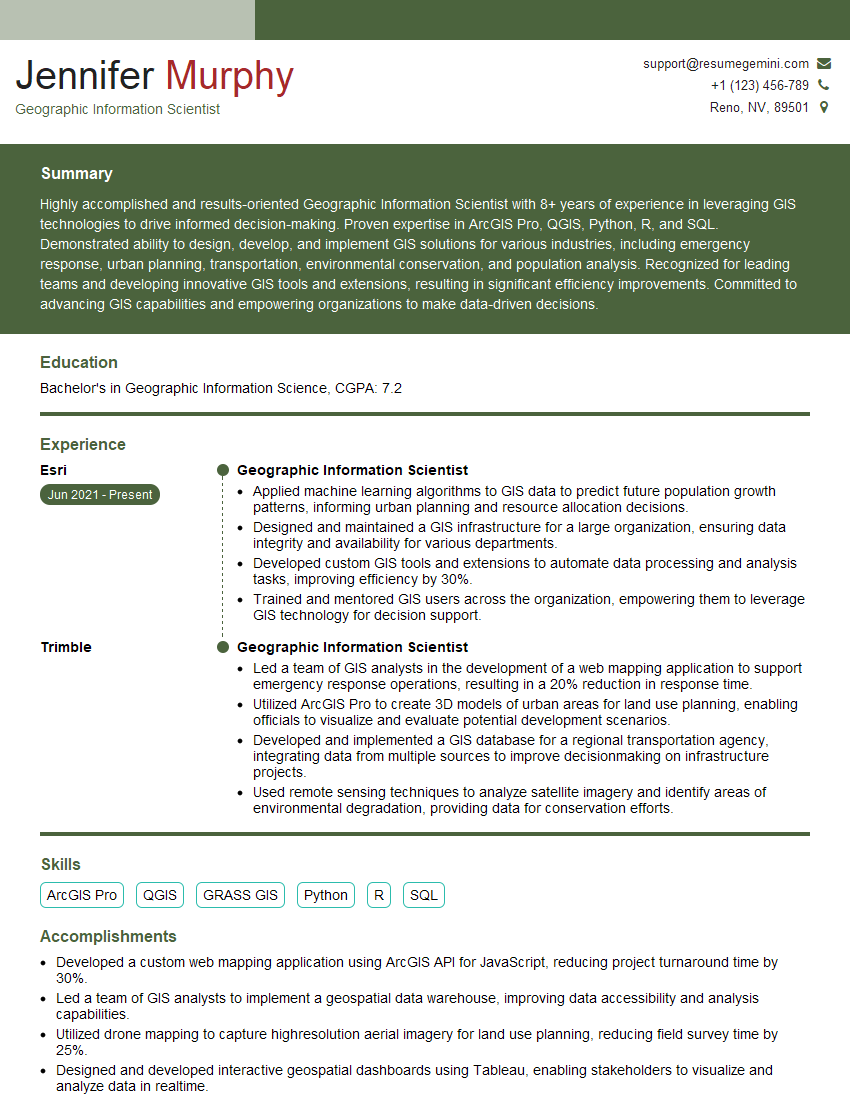
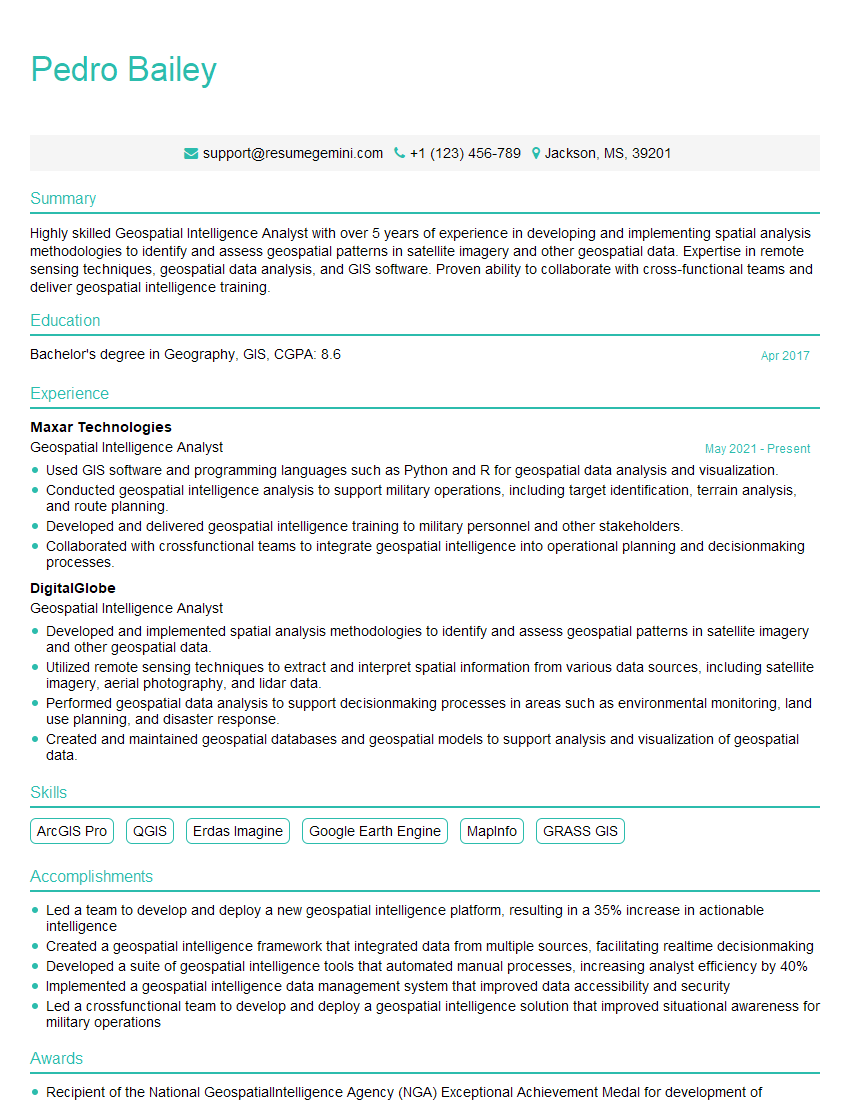
Mastering ArcGIS or QGIS is crucial for a successful career in GIS, opening doors to exciting opportunities in various fields. To maximize your chances, create an ATS-friendly resume that highlights your skills and experience effectively. ResumeGemini is a trusted resource that can help you build a professional and impactful resume, ensuring your application stands out. We provide examples of resumes tailored to ArcGIS and QGIS professionals to guide you through the process. Take the next step and build the resume that will land you your dream job!


Explore more articles
Users Rating of Our Blogs
Share Your Experience
We value your feedback! Please rate our content and share your thoughts (optional).
What Readers Say About Our Blog
Really detailed insights and content, thank you for writing this detailed article.
IT gave me an insight and words to use and be able to think of examples