Are you ready to stand out in your next interview? Understanding and preparing for Audiovisual Setup interview questions is a game-changer. In this blog, we’ve compiled key questions and expert advice to help you showcase your skills with confidence and precision. Let’s get started on your journey to acing the interview.
Questions Asked in Audiovisual Setup Interview
Q 1. Describe your experience with different types of video conferencing systems.
My experience with video conferencing systems spans a wide range of platforms, from basic consumer-grade solutions like Zoom and Google Meet to enterprise-level systems like Cisco Webex and Polycom. I’ve worked extensively with both cloud-based and on-premise solutions. This includes setting up and managing the entire system, from the initial network configuration and hardware installation to user training and ongoing maintenance. For example, I recently configured a large-scale Webex deployment for a financial institution, integrating it with their existing network infrastructure and security protocols. Another project involved optimizing a Zoom setup for a remote team, focusing on improving audio and video quality through bandwidth management and the strategic placement of cameras and microphones. This involved experimenting with different codecs and adjusting settings to find the optimal balance between quality and bandwidth consumption.
My understanding goes beyond simple setup; I possess advanced knowledge of optimizing these systems for varying bandwidth conditions, integrating them with room-control systems and managing diverse peripherals. I am proficient in diagnosing and resolving connectivity issues, audio/video synchronization problems and managing user access and security permissions.
Q 2. Explain your troubleshooting process for a faulty microphone.
Troubleshooting a faulty microphone involves a systematic approach. I begin by identifying the type of microphone – USB, XLR, or built-in – as the troubleshooting steps differ. My process typically follows these steps:
- Check the Obvious: Is the microphone turned on? Is it properly connected? Is the mute button off? Often, the simplest solutions are overlooked.
- Test the Microphone: Use a recording app or built-in audio testing tools to check the microphone’s output. This verifies if the issue lies with the microphone itself or the audio settings.
- Inspect the Connections: For XLR microphones, inspect the cables for damage or loose connections. For USB microphones, ensure it’s properly seated in the USB port. Sometimes a slight repositioning is all it takes.
- Examine the Audio Settings: Make sure the correct audio input device is selected in the operating system settings and within the video conferencing application. Often, the default input might be wrong.
- Check Driver Updates: Ensure the audio drivers for your operating system are up-to-date. Outdated drivers can cause conflicts and malfunctions.
- Test with a Different Microphone: This helps differentiate between a microphone problem and an issue with the audio input system. If a replacement microphone works correctly, the original is faulty.
- Try Different Ports or Devices: Testing on a different computer or using a different USB port can isolate hardware-specific problems.
For instance, I once diagnosed a faulty microphone in a conference room by tracing a faulty cable using a multimeter. In another instance, I found that a driver conflict was the cause of the intermittent microphone failure after checking the operating system logs.
Q 3. What are the common issues encountered during AV setup and how do you resolve them?
Common AV setup issues frequently involve audio and video synchronization, poor audio quality, improper display scaling, connectivity problems and compatibility issues. For example, I once encountered a situation where the audio and video were out of sync during a presentation because of a frame rate mismatch between the capture device and the projector. Resolving these issues involves a combination of technical skills and problem-solving abilities.
- Audio-Video Synchronization Issues: These are often caused by latency differences in the signal processing paths. Solutions involve adjusting system settings to match frame rates and delays.
- Poor Audio Quality: This can stem from microphone placement, background noise, or poor audio settings. Employing noise cancellation, strategic microphone placement, and appropriate audio processing techniques can address this.
- Display Problems: Incorrect resolutions, aspect ratios, or cable issues can cause problems. Using the correct cables, adjusting display settings, and calibrating the projectors will address this.
- Connectivity Issues: Faulty cables, incorrect port configurations, or network issues are common culprits. Careful inspection of cables and network configurations is critical for addressing these.
- Compatibility Issues: Incompatible equipment can lead to malfunctions. Ensuring all components are compatible with each other is paramount.
Troubleshooting involves a methodical process, starting with the simplest solutions and gradually moving to more complex ones. It’s also important to have a deep understanding of different AV equipment and their interoperability.
Q 4. How familiar are you with various audio mixing consoles?
I have extensive experience with various audio mixing consoles, from small analog mixers used for live events to large digital consoles used in broadcast environments. I’m proficient in operating consoles from manufacturers such as Yamaha, Soundcraft, Allen & Heath, and Behringer. My familiarity includes understanding the signal flow, equalization, compression, and effects processing capabilities. This understanding extends to setting up and configuring various input and output channels for a wide range of audio sources, whether that’s microphones, instruments or playback devices. I’m also adept at using digital audio workstations (DAWs) to integrate the console’s output into a larger digital audio workflow. For instance, I frequently use Yamaha CL series consoles for live concerts and events, leveraging their digital capabilities to ensure optimal sound quality and flexibility.
Q 5. What experience do you have with different types of projectors and their setup?
My experience encompasses a variety of projectors, including DLP, LCD, and laser projectors from manufacturers like Epson, BenQ, and Panasonic. I’m comfortable setting up and configuring these projectors for various applications, from presentations and conferences to home theaters. This involves understanding the different projection technologies, aspect ratios, resolutions, brightness levels, and throw distances. Setup often includes calibrating the projector for optimal image quality, including color adjustment, keystone correction, and focusing. For example, I’ve recently worked on a project that used high-resolution laser projectors for a large-scale art installation, requiring careful planning for placement and alignment to create a seamless visual experience. For smaller projects I’ve setup and optimized home theater projectors for optimal viewing experiences, carefully considering factors like screen size and room lighting.
Q 6. Describe your experience with setting up and managing multiple screens and displays.
Managing multiple screens and displays is a key part of my expertise. I’ve handled setups ranging from simple dual-monitor configurations for individual workstations to complex video walls in control rooms and corporate presentation spaces. My experience includes utilizing various video matrix switchers to route signals from different sources to multiple displays. This frequently involves configuring video scaling and resolution matching to ensure a consistent visual experience across all screens. For large-scale installations, I ensure the proper configuration of display management systems to streamline control and simplify operation for non-technical personnel. For example, in a recent project, I designed and implemented a video wall system for a broadcast studio, using a sophisticated matrix switcher and display management software to provide seamless transitions between different camera feeds and graphics.
Q 7. How do you ensure optimal audio and video synchronization?
Ensuring optimal audio and video synchronization is critical for a seamless viewing experience. This is particularly crucial in presentations, video conferencing, and live event productions. My approach involves understanding the sources of potential delays. This includes network latency, processing delays in equipment, and cable lengths. I utilize professional AV equipment with low latency capabilities, precisely configured to minimize any discrepancies. In digital setups, I ensure that all devices are using the same frame rate and resolution. I use advanced video processing tools to accurately compensate for any unavoidable delays, ensuring audio and video stay synchronized within an acceptable tolerance. For example, in a recent live event, I managed to correct synchronization issues by carefully adjusting the settings of the video switcher and audio mixer, which involved identifying specific latency parameters and fine-tuning the audio delay to match the video. In more challenging scenarios, I use dedicated frame synchronizers to ensure that audio and video signals are perfectly matched regardless of variations in their input timing.
Q 8. Explain your experience with lighting setup for presentations or events.
Lighting is crucial for setting the mood and ensuring visibility in any presentation or event. My experience spans various setups, from intimate conferences requiring subtle accent lighting to large-scale concerts needing powerful stage illumination. I consider the event’s purpose, the venue’s architecture, and the desired ambiance when designing a lighting plan.
For example, a corporate presentation might benefit from focused spotlights on the speaker and subtly lit backdrops to enhance professionalism. Conversely, a concert would demand dynamic lighting with moving heads, lasers, and color washes to create an energetic atmosphere. I’m proficient in using different lighting fixtures – LED panels, spotlights, moving heads, and ambient lighting – and experienced with lighting control consoles (like those from ETC or MA Lighting) to execute complex lighting cues.
I always begin by creating a lighting plot, a detailed diagram outlining the placement and type of each lighting fixture. This allows for precise control and ensures optimal illumination without creating unwanted shadows or glare. Finally, I always ensure sufficient safety measures are in place, including proper cable management and adherence to all relevant electrical codes.
Q 9. What are your preferred methods for testing audio and video equipment before an event?
Testing audio and video equipment before an event is paramount to prevent on-site glitches. My preferred method is a multi-stage approach involving individual component checks followed by a full system test.
- Individual Component Checks: I begin by testing each microphone, speaker, camera, projector, and other devices individually. This involves checking for proper functionality, signal strength, and appropriate output levels. For microphones, I’ll test their sensitivity and range, ensuring they pick up audio clearly without feedback. For cameras, I’ll check resolution, image clarity, and proper focus.
- System Integration Test: Once individual components are verified, I integrate them into the overall system, performing a full end-to-end test. This verifies signal flow from the source (e.g., laptop, camera) to the output (e.g., projector, monitors, streaming platform). I’ll use test patterns and audio signals to ensure signal integrity.
- Full System Rehearsal: Before the event, I conduct a full rehearsal simulating the actual event, including the lighting cues, audio levels, and video playback. This allows me to address any last-minute issues and ensure a smooth event flow.
For example, if I’m using a wireless microphone, I’ll check the signal strength in various locations within the venue to prevent signal dropouts during the event. If streaming is involved, I’ll check the encoder and network connection for smooth and stable streaming.
Q 10. How do you manage cabling and wiring in a complex AV setup?
Cable management is essential for a professional and safe AV setup, particularly in complex environments. My approach involves a combination of careful planning, appropriate tools, and consistent best practices.
- Planning & Labeling: I begin by creating a detailed cable plan that maps each cable’s origin, destination, and function. Each cable is clearly labeled using standardized color-coding and labeling systems. This simplifies troubleshooting and future modifications.
- Cable Routing: Cables are routed neatly and organized using cable ties, zip ties, and cable trays. This prevents tripping hazards and keeps the area looking professional. I avoid running cables across walkways or doorways where they could be damaged or cause obstructions.
- Cable Protection: I use appropriate cable protectors (e.g., flexible conduits, cable sleeves) to shield cables from potential damage. This is particularly important in high-traffic areas.
- Patch Panels & Distribution: I utilize patch panels for centralizing cable connections. This simplifies system modifications and improves maintainability.
For instance, in a large conference room, I would use a central patch panel to connect all the different sources, such as laptops, cameras, and microphones, to the display devices and control systems. This method allows for quick reconfiguration if needed. I also prioritize using high-quality cables rated for the appropriate voltage and current to prevent any potential fire hazards.
Q 11. Describe your experience working with control systems for AV equipment.
I have extensive experience working with various AV control systems, including Crestron, AMX, and Extron. These systems allow for centralized control of lighting, audio, video, and other aspects of the AV setup, streamlining operation and enhancing user experience.
My experience includes programming control systems to automate complex sequences, such as scene recalls for lighting and audio, and creating user-friendly interfaces for intuitive control. For example, I’ve programmed Crestron systems to automatically adjust lighting levels based on the time of day or to trigger specific audio and video cues during a presentation. I am also proficient in troubleshooting and repairing control systems, ensuring seamless operation throughout the event.
The use of control systems drastically reduces the need for manual adjustments during the event, ensuring consistency and allowing the technician to focus on other crucial tasks. This enhances the overall efficiency of an AV production.
Q 12. How do you handle last-minute changes or unexpected technical issues during an event?
Handling last-minute changes or unexpected technical issues requires a calm, efficient approach. My strategy prioritizes communication, problem-solving, and resourcefulness.
- Immediate Assessment: I quickly assess the nature and extent of the problem, determining its impact on the event.
- Communication: I immediately communicate the issue to the relevant parties (e.g., event organizers, presenters) providing a realistic timeline for resolution.
- Problem Solving: I systematically troubleshoot the issue, leveraging my experience and knowledge to find a solution. This might involve replacing a faulty component, reconfiguring the setup, or finding creative workarounds.
- Contingency Planning: A key part of my approach is proactive contingency planning. I anticipate potential problems and develop backup solutions before the event begins. This includes having backup equipment readily available, such as a spare microphone, projector, or laptop.
For example, if a projector malfunctions during a presentation, I would immediately switch to a backup projector, ensuring minimal disruption to the event. If a presenter’s laptop fails to connect to the display, I would have a secondary connection method ready, such as an HDMI cable or a wireless display adapter.
Q 13. Explain your understanding of different video formats and codecs.
Understanding video formats and codecs is critical for ensuring compatibility and optimal video quality. Video formats define how video data is structured and stored (e.g., MP4, AVI, MOV), while codecs are algorithms that compress and decompress video data.
I’m familiar with a wide range of video formats and codecs, including:
- MP4: A widely used container format supporting various codecs like H.264 and H.265.
- MOV: Apple’s QuickTime container format, also supporting multiple codecs.
- AVI: An older format that is still relevant in some contexts.
- H.264 (AVC): A widely used compression codec offering a good balance between quality and compression.
- H.265 (HEVC): A more modern codec offering better compression than H.264 at the same quality level.
Choosing the right format and codec depends on factors such as video resolution, target audience, streaming platform requirements, and storage space. For example, for high-resolution video streaming, H.265 is preferable due to its efficient compression, which reduces bandwidth requirements. For compatibility across different devices, selecting common formats like MP4 and codecs like H.264 is essential.
Q 14. What experience do you have with streaming video events?
I have significant experience in streaming video events, using platforms like YouTube Live, Facebook Live, and Vimeo Live. This involves the complete process from encoding the video signal to broadcasting it to a live audience.
My experience encompasses:
- Encoding: Using hardware and software encoders (like OBS Studio, Teradek, or specialized streaming devices) to prepare the video signal for live streaming, ensuring high-quality video and minimal latency.
- Streaming Platforms: I’m experienced in configuring various streaming platforms, ensuring proper setup for live streams, handling chat interactions, and managing the streaming statistics.
- Live Production Techniques: I’m well-versed in techniques for managing live streams, handling potential issues such as dropouts or technical difficulties, and ensuring a smooth and uninterrupted broadcast.
- Multi-Camera Production: I often work with multi-camera setups for live streaming, using equipment like switching boards and cameras to manage different angles for viewers.
For example, in a recent corporate event, we successfully streamed the presentation to a global audience using a combination of multi-camera setups, professional audio mixing, and a reliable internet connection. We utilized OBS Studio for the streaming software and monitored the streaming quality and bandwidth constantly to prevent disruptions. We utilized a robust internet connection with redundancy for back up.
Q 15. How familiar are you with various types of audio and video signal converters?
My familiarity with audio and video signal converters is extensive. I’ve worked with a wide range of them, from simple SCART to HDMI converters, to more complex solutions like SDI to fiber optic converters and analog-to-digital converters (ADCs) and digital-to-analog converters (DACs). Understanding these converters is crucial for seamless signal transmission and compatibility between different AV devices.
- SCART to HDMI: A common conversion for older devices to modern displays. This often requires understanding aspect ratio adjustments and potential signal loss.
- SDI to Fiber: Used for long-distance transmission of high-definition video signals, minimizing signal degradation over distance. This requires understanding fiber optic cable types and connection protocols.
- Analog-to-Digital Conversion (ADC): Essential for integrating older analog equipment into digital systems. Requires attention to sampling rate and bit depth to maintain audio/video quality.
- Digital-to-Analog Conversion (DAC): The reverse of ADC, used to output digital signals to analog devices. Careful selection of DACs is critical for audio fidelity and minimizing noise.
Choosing the right converter depends entirely on the specific devices and signal types involved. For example, converting a low-quality analog signal to high-resolution digital will not magically improve the original source material. My expertise lies not just in knowing what converters exist, but in selecting the appropriate ones to achieve optimal performance for a given application.
Career Expert Tips:
- Ace those interviews! Prepare effectively by reviewing the Top 50 Most Common Interview Questions on ResumeGemini.
- Navigate your job search with confidence! Explore a wide range of Career Tips on ResumeGemini. Learn about common challenges and recommendations to overcome them.
- Craft the perfect resume! Master the Art of Resume Writing with ResumeGemini’s guide. Showcase your unique qualifications and achievements effectively.
- Don’t miss out on holiday savings! Build your dream resume with ResumeGemini’s ATS optimized templates.
Q 16. What are your safety procedures when working with high-voltage equipment?
Safety is paramount when working with high-voltage equipment. My procedures always begin with a thorough risk assessment. This involves identifying potential hazards, such as exposed wiring or faulty equipment. I never work alone on high-voltage systems; having a colleague present is crucial for immediate assistance in case of an emergency.
- Lockout/Tagout Procedures (LOTO): I strictly adhere to LOTO procedures, ensuring power is completely isolated and locked out before any work commences. This prevents accidental power restoration.
- Personal Protective Equipment (PPE): I consistently use appropriate PPE, including insulated gloves, safety glasses, and non-conductive footwear. The type of PPE varies depending on the voltage level and specific task.
- Regular Equipment Inspection: I visually inspect all equipment before each use, checking for any signs of damage, such as frayed wires or cracked insulation. Damaged equipment is immediately removed from service.
- Emergency Procedures: I am familiar with the emergency procedures for my workplace, including the location of emergency shut-off switches and first-aid equipment.
Working with high-voltage systems demands meticulous attention to detail and unwavering adherence to safety protocols. A lapse in safety can have devastating consequences. My priority is always the safety of myself and others.
Q 17. How do you ensure the security of AV equipment and data?
Securing AV equipment and data is crucial. My approach is multifaceted, incorporating physical and digital security measures.
- Physical Security: This includes securing equipment in locked rooms or cabinets, using cable locks to deter theft, and implementing access control systems to restrict unauthorized access. For example, I would utilize a keyed cabinet for storing valuable cameras or a rack-mount server with restricted access.
- Data Security: For any digital data transmitted or stored, robust encryption is employed. This includes utilizing secure networks, password-protected systems, and data encryption software. For instance, all network traffic should ideally utilize HTTPS, and any sensitive information stored should be encrypted with AES-256 or a comparable standard.
- Regular Software Updates: All AV equipment and software need to be updated with the latest security patches to protect against vulnerabilities. Keeping systems up to date is an ongoing process.
- Data Backups: Regular backups are essential to protect against data loss. These should be stored off-site for added protection against physical damage or theft.
Security is an ongoing process, and a layered approach is essential to mitigate risk effectively. Regular security audits help to identify weaknesses and ensure the effectiveness of implemented measures.
Q 18. How do you maintain and troubleshoot AV equipment?
Maintaining and troubleshooting AV equipment involves a combination of preventative maintenance and reactive problem-solving. Preventative maintenance includes regular cleaning, inspections, and firmware updates, which help extend the equipment’s lifespan and prevent costly repairs.
- Preventative Maintenance Schedule: I create and adhere to a preventative maintenance schedule which includes cleaning of lenses, checking cable connections, and conducting routine inspections for signs of wear and tear.
- Troubleshooting Methodology: When troubleshooting, I follow a systematic approach. This typically involves isolating the problem, identifying the cause, and implementing the appropriate solution. I often use a ‘divide and conquer’ approach, testing individual components to narrow down the faulty equipment.
- Documentation: I meticulously document all maintenance and repair activities. This includes noting the date, equipment involved, issues encountered, and actions taken. This documentation helps to identify trends, resolve recurring issues, and streamline future maintenance.
- Vendor Support: For complex issues, I leverage vendor support and online resources for technical expertise and troubleshooting assistance. Manufacturer documentation and online forums can be invaluable tools.
Effective maintenance and troubleshooting ensure smooth operation of AV systems, minimizing downtime and maximizing operational efficiency.
Q 19. Describe your experience with different types of cameras and lenses.
My experience encompasses a broad range of cameras and lenses. I’ve worked with everything from compact point-and-shoot cameras to professional cinema cameras, and various lens types, including wide-angle, telephoto, and macro lenses. Each type has its strengths and weaknesses, making the choice dependent on the specific application.
- DSLR/Mirrorless Cameras: I’m proficient in using DSLR and mirrorless cameras, understanding their image sensor sizes, dynamic range, and interchangeable lens systems. These are versatile choices for many applications, offering great image quality and control.
- Professional Cinema Cameras: Experience includes working with higher-end cinema cameras that offer features like RAW recording, higher frame rates, and more advanced color science. These are essential for professional film and video production.
- Lenses: My experience with lenses includes understanding focal length, aperture, and image stabilization. I know how to choose the right lens for different situations. For instance, a wide-angle lens is suitable for landscape photography, while a telephoto lens is better for capturing distant subjects.
Selecting the right camera and lens depends on various factors, including budget, desired image quality, shooting environment, and intended use. Understanding these factors allows me to choose the most appropriate equipment for a given project, ensuring high-quality results.
Q 20. Explain your understanding of audio acoustics and room treatment.
Audio acoustics and room treatment are critical for achieving optimal sound quality. Poor acoustics can lead to undesirable reflections, echoes, and uneven sound distribution, impacting the overall listening experience. Understanding the principles of sound absorption, diffusion, and sound isolation is key.
- Sound Absorption: This involves using materials like acoustic panels or bass traps to absorb sound energy, reducing reflections and echoes. The choice of material depends on the frequency range needing to be addressed.
- Sound Diffusion: This involves using diffusers to scatter sound waves, creating a more even and natural sound field. Diffusers are essential to prevent ‘dead’ sound spaces.
- Sound Isolation: This involves preventing sound from entering or leaving a room, utilizing materials with high sound transmission class (STC) ratings, such as dense walls or soundproof doors.
- Room Modes: Understanding room modes (standing waves) and how to mitigate their impact is critical for accurate bass response. Bass traps and strategic placement of speakers and absorption materials can greatly improve low-frequency performance.
Room treatment isn’t just about aesthetics; it’s a science. By applying acoustic principles, we can significantly improve the audio fidelity of any space, whether it’s a home theater, recording studio, or conference room.
Q 21. How familiar are you with various video conferencing software platforms?
I’m familiar with a wide range of video conferencing software platforms, including Zoom, Microsoft Teams, Google Meet, Cisco Webex, and Skype for Business. My experience extends beyond basic operation; I understand their features, capabilities, and limitations, and can tailor my approach based on the specific platform and client needs.
- Zoom: Proficient in using breakout rooms, screen sharing, recording features, and managing participant settings.
- Microsoft Teams: Experienced in integrating with other Microsoft Office 365 applications and utilizing features such as live captioning and background blur.
- Google Meet: Familiar with its integration with Google Workspace applications and its focus on ease of use.
- Cisco Webex: Experienced in using Webex’s features for larger-scale webinars and conferences.
Choosing the right platform depends on factors such as the number of participants, desired features, integration with existing systems, and budget constraints. I can assess these factors and recommend the optimal platform to meet specific client needs.
Q 22. What is your experience with wireless microphones and their setup?
Wireless microphones are essential for many AV setups, offering freedom of movement for presenters and performers. My experience encompasses various types, from handheld and lavalier mics to headset and boundary microphones. Setup involves understanding frequency coordination to avoid interference. This includes careful selection of channels, using a spectrum analyzer to identify clear frequencies, and ensuring adequate signal strength. For instance, in a large conference hall, I might use multiple receivers and carefully plan the placement of antennas to cover the entire space. I always test the system thoroughly before the event, checking audio quality, range, and any potential interference from other wireless devices. Troubleshooting issues like dropouts or feedback requires a systematic approach, involving checks of battery levels, antenna placement, and potential signal conflicts.
Q 23. How do you document your AV setup and configurations?
Thorough documentation is crucial for efficient setup and future reference. My process begins with a detailed site survey, including diagrams of the venue and equipment placement. I then create a comprehensive inventory list, detailing every piece of equipment with its serial number and specifications. This inventory is supplemented by a wiring diagram illustrating the connections between all devices – from microphones and cameras to mixers, projectors, and displays. I also record specific settings for each device, such as audio levels, video resolutions, and networking configurations. Software configurations are documented using screenshots or exported settings files. Finally, I compile all this information into a single, well-organized document or digital archive, readily available for future events or troubleshooting.
Q 24. What are your strategies for managing multiple AV devices simultaneously?
Managing multiple AV devices requires a structured approach. I rely on centralized control systems, like Crestron or AMX, to streamline operation. These systems allow me to control multiple devices from a single interface, simplifying tasks like switching inputs, adjusting audio levels, and managing lighting. Time-coded automation sequences can be programmed to execute complex functions automatically, such as starting presentations or switching between different AV sources. In larger setups, I might employ multiple smaller control systems or individual controllers, each managing a specific zone or group of devices. This modular approach simplifies troubleshooting and allows for easier scaling of the system. Furthermore, meticulous labeling of cables and devices is essential for rapid identification and efficient troubleshooting.
Q 25. How do you prioritize tasks during a busy event setup?
Prioritization during a busy event setup is critical. I use a combination of techniques, starting with a detailed timeline that breaks down tasks into smaller, manageable steps. I identify tasks with hard deadlines, such as those involving critical infrastructure components, and tackle those first. I utilize a Kanban board or similar visual management tool to track progress and identify any potential bottlenecks. Critical path analysis helps to identify tasks that must be completed before others can begin. I also consider the impact of any task delay. For instance, a delay in setting up the projection system could significantly impact the event timeline. My team and I collaborate closely, ensuring efficient delegation and task completion, frequently communicating any challenges or changes in the plan.
Q 26. Describe your experience with designing and implementing AV systems for different venues.
Designing and implementing AV systems for different venues requires adaptability and a deep understanding of the specific requirements of each space. For example, a small conference room might require a simple setup with a projector and a sound system, whereas a large auditorium needs a sophisticated system with multiple cameras, microphones, and a complex audio and video routing infrastructure. I carefully consider factors such as acoustics, lighting, seating arrangements, and audience size when designing a system. I work closely with venue managers and event organizers to understand their needs and incorporate their input into the design process. This involves creating detailed system designs, specifying equipment, and managing installations, ensuring the system meets the unique demands of the venue and produces a seamless and high-quality audiovisual experience for the audience. I have experience working in various venues, from intimate concert halls to large convention centers.
Q 27. What is your experience with different types of display technologies (LCD, LED, DLP)?
My experience encompasses various display technologies. LCD (Liquid Crystal Display) offers a good balance of cost and performance, suitable for many applications. LED (Light Emitting Diode) displays, particularly in their large-scale variants (LED walls), provide exceptional brightness, color accuracy, and viewing angles, often preferred for high-impact presentations or outdoor events. DLP (Digital Light Processing) projectors excel in brightness and resolution, ideal for large venues requiring high-quality projection. The choice depends on factors like budget, desired resolution, brightness requirements, and the viewing environment. For instance, a boardroom might suit an LCD display, a concert a massive LED wall, and a lecture hall a high-lumen DLP projector. I evaluate the pros and cons of each technology before selecting the optimal display for a specific project.
Q 28. How do you stay updated on the latest technologies and trends in the AV industry?
Staying updated in the rapidly evolving AV industry is a continuous process. I actively participate in industry trade shows and conferences, like InfoComm, to see the latest products and technologies. I subscribe to professional journals and online publications, such as AVIXA publications, and follow influential industry leaders on social media and other online platforms. I also regularly attend webinars and workshops offered by manufacturers and industry experts. Furthermore, maintaining a strong professional network through industry associations helps me to stay abreast of new trends and best practices. Continuous learning is key to maintaining expertise in this dynamic field. Hands-on experience with new technologies, through personal projects or professional engagements, further enhances my knowledge and skill set.
Key Topics to Learn for Audiovisual Setup Interview
- Audio System Setup: Understanding microphones (types, placement, polar patterns), mixers (analog and digital), amplifiers, speakers, and their proper configuration for optimal sound quality in various environments (e.g., conference rooms, auditoriums, outdoor events).
- Video System Setup: Knowledge of cameras (types, operation), video switchers, projectors, screens, and display technologies. Practical application includes troubleshooting common issues like signal loss, improper image scaling, and color correction.
- Lighting Design and Implementation: Understanding different lighting techniques (three-point lighting, key light, fill light, back light), the use of various lighting equipment (LEDs, HMI, Fresnels), and creating suitable lighting setups for different events and presentations.
- Signal Flow and Routing: Understanding the path of audio and video signals, including connections (HDMI, SDI, XLR, etc.), and troubleshooting signal flow problems. This includes practical experience with signal distribution and matrix switching systems.
- Control Systems: Familiarity with automated control systems, including programming and operation of control panels for lighting, audio, and video. This also encompasses troubleshooting and maintaining these systems.
- Health and Safety: Understanding and adhering to safety regulations related to electrical equipment, weight limits, and proper handling of AV equipment. This includes risk assessment and mitigation strategies.
- Troubleshooting and Problem-Solving: Developing a systematic approach to identify and resolve technical issues quickly and efficiently. This includes understanding common problems and developing effective solutions.
- Event Planning and Execution: Understanding the pre-production, production, and post-production phases of an audiovisual event. This encompasses site surveys, equipment selection, and technical rehearsals.
Next Steps
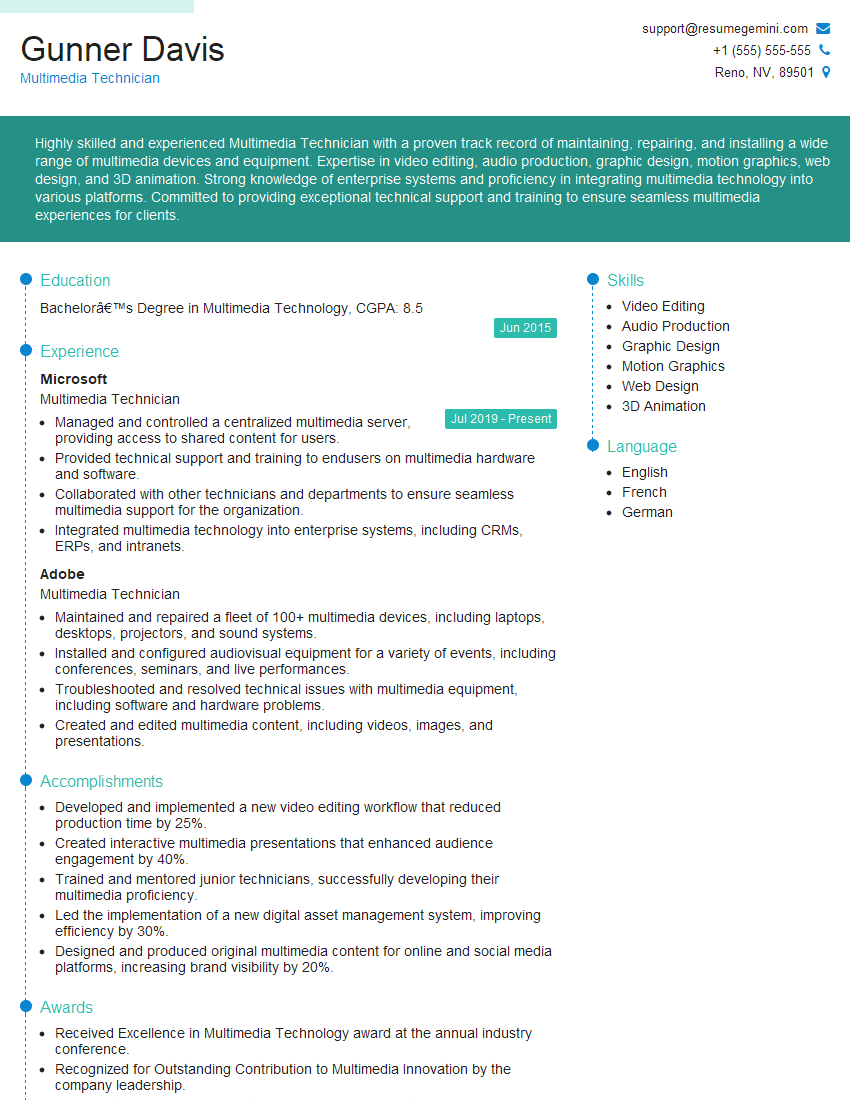
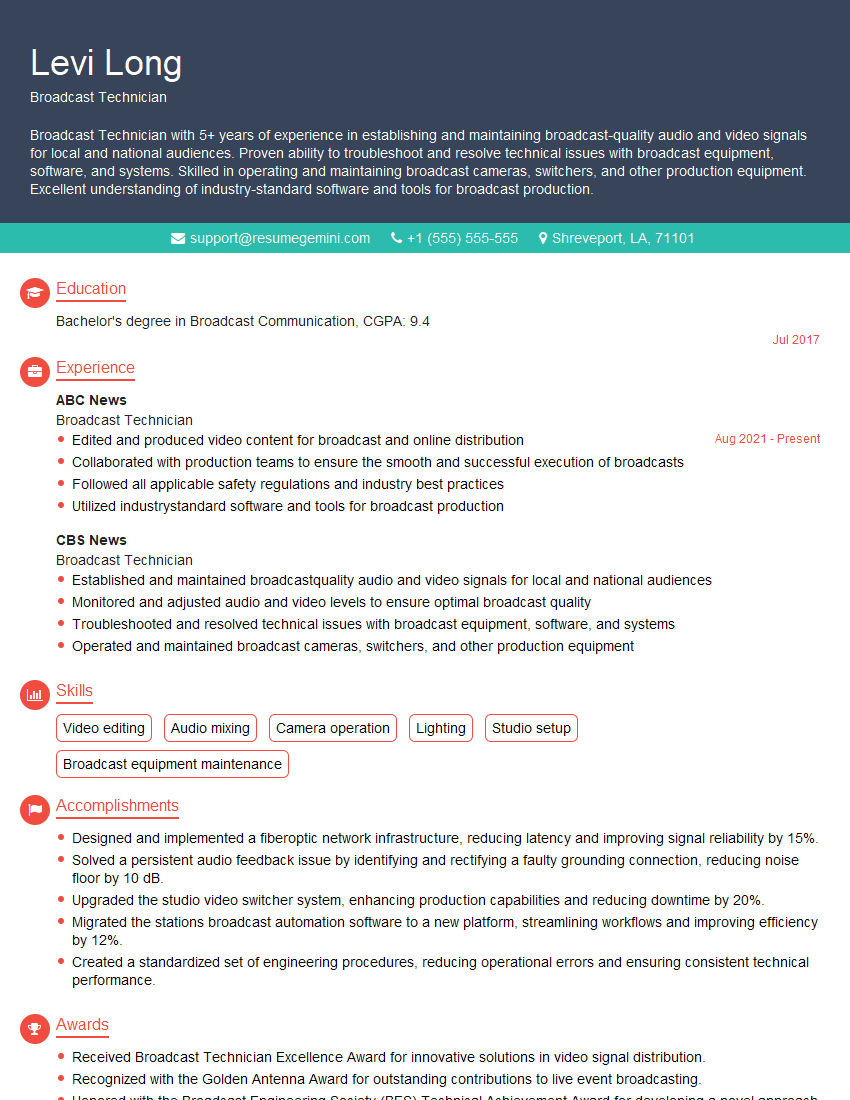
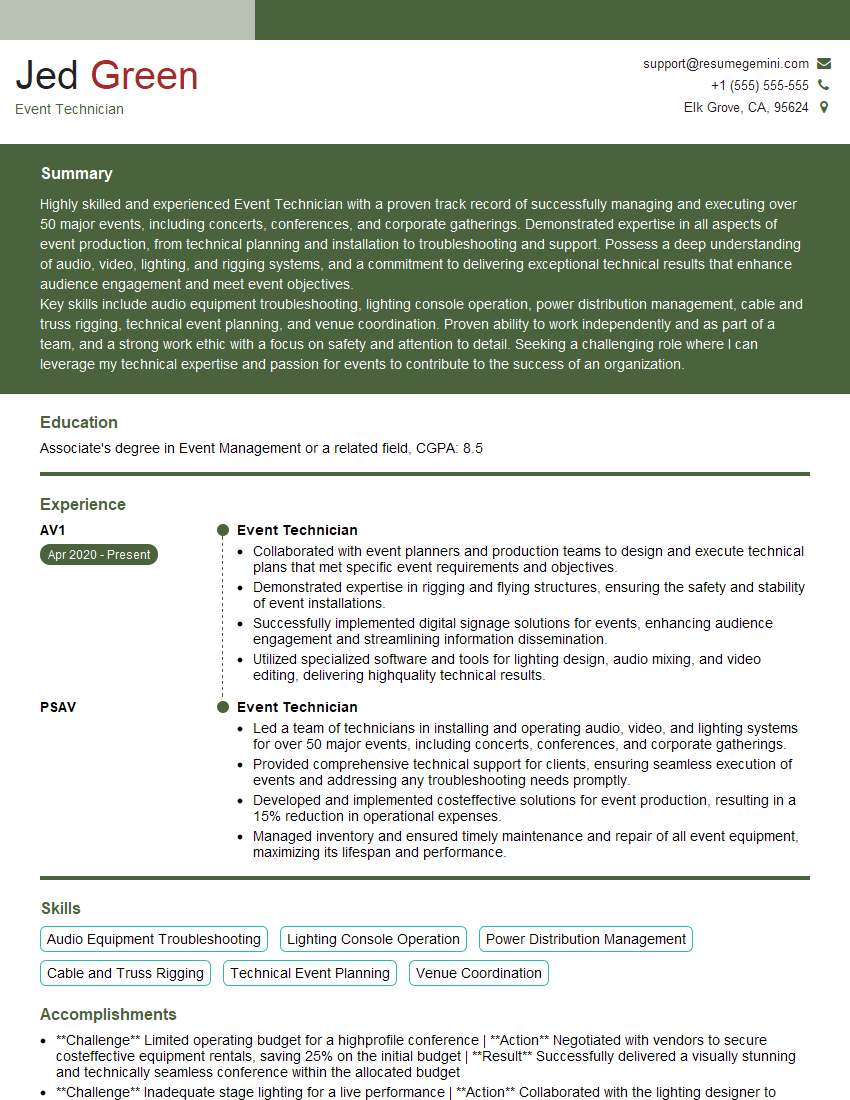
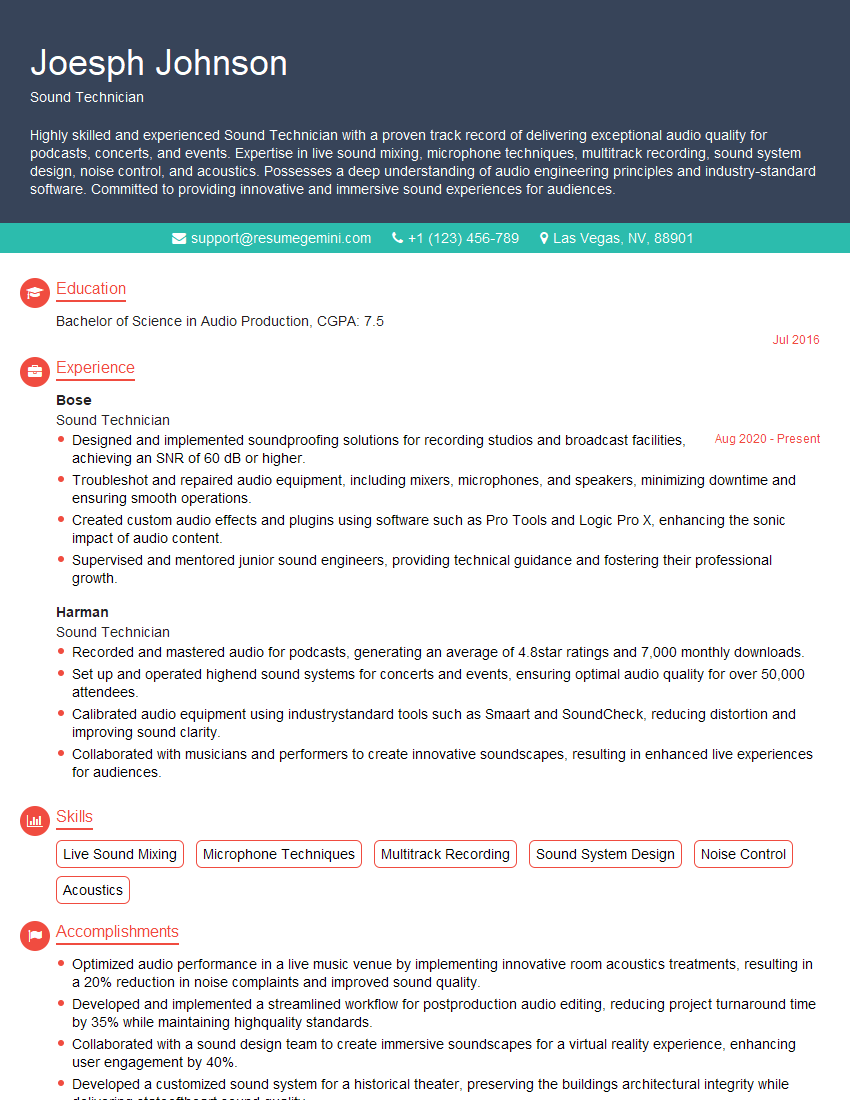
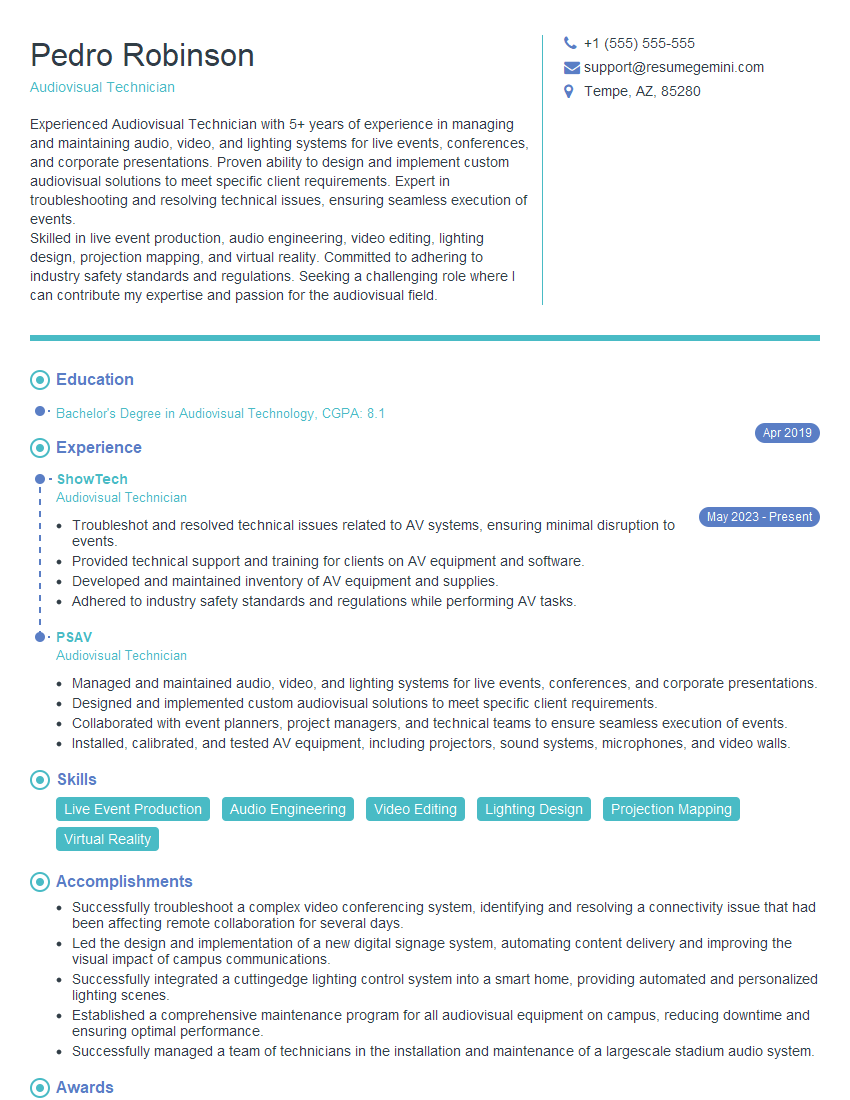
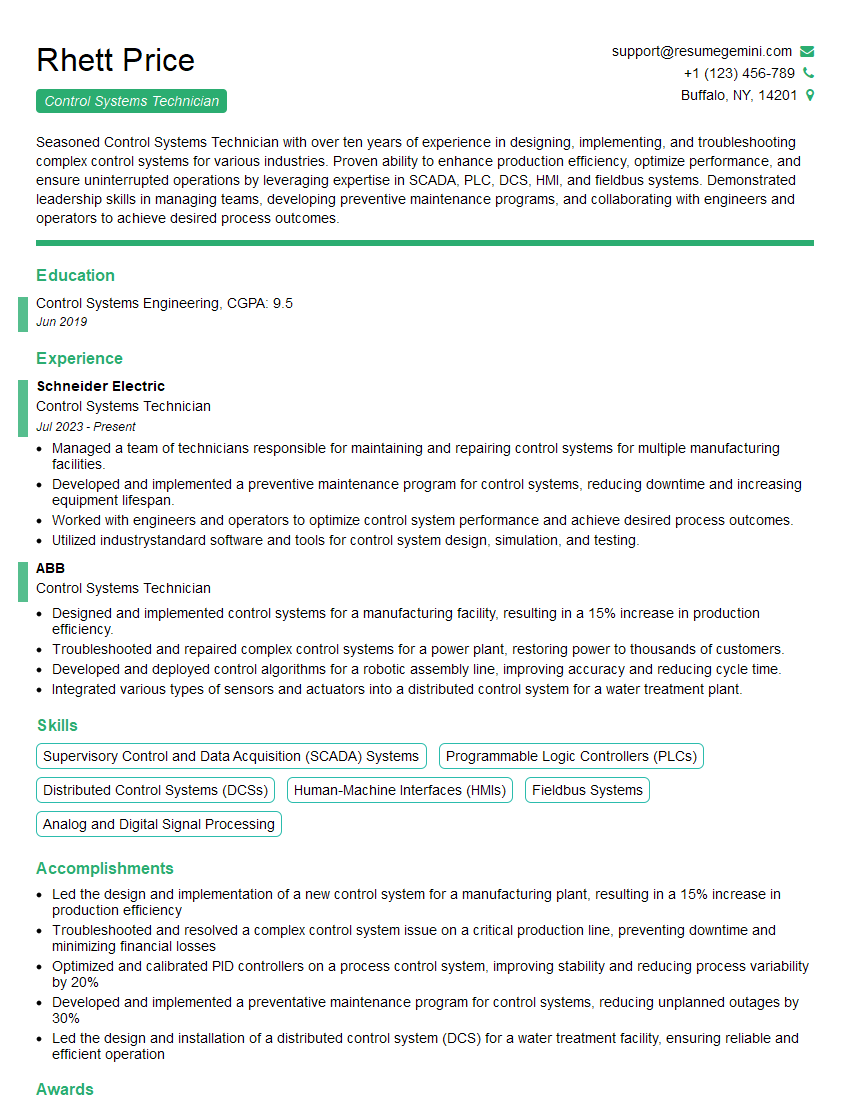
Mastering audiovisual setup skills opens doors to exciting and diverse career opportunities in event management, corporate settings, broadcast, and more. To maximize your job prospects, creating a strong, ATS-friendly resume is crucial. ResumeGemini is a trusted resource that can help you build a professional and impactful resume tailored to the specific requirements of audiovisual setup roles. Examples of resumes tailored to Audiovisual Setup positions are available to help guide you. Invest time in crafting a compelling resume – it’s your first impression on potential employers.


Explore more articles
Users Rating of Our Blogs
Share Your Experience
We value your feedback! Please rate our content and share your thoughts (optional).
What Readers Say About Our Blog
Really detailed insights and content, thank you for writing this detailed article.
IT gave me an insight and words to use and be able to think of examples